
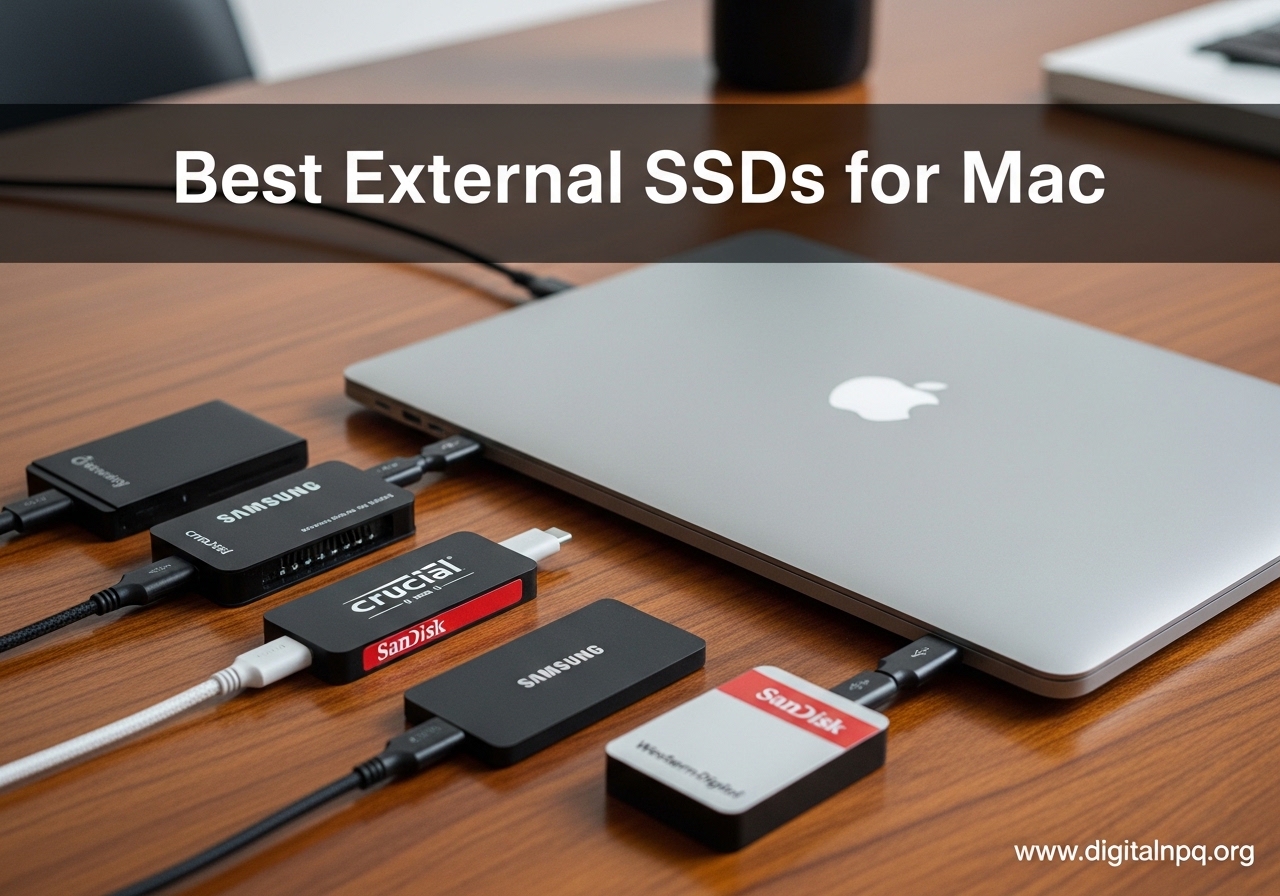
Running out of storage on your Mac is frustrating, especially when Apple charges a premium for built-in upgrades. I have been testing external SSDs with MacBooks, Mac minis, and Mac Studios for over two years, and I can tell you that the right external SSD can transform your workflow. The best external SSDs for Mac give you fast, reliable storage that keeps up with everything from Time Machine backups to 4K video editing in Final Cut Pro.
Apple Silicon Macs changed the game for external storage. Your M1, M2, M3, or M4 Mac can take full advantage of USB4 and Thunderbolt 4/5 speeds, making external SSDs nearly as fast as your internal drive. Whether you have a 256GB MacBook Air that keeps filling up or a Mac Studio that needs more scratch disk space for DaVinci Resolve, there is a Mac external SSD on this list that fits your needs and budget.
Our team evaluated 12 of the top portable SSDs on the market, testing them with real-world workflows on Apple Silicon Macs. We looked at sustained write speeds (not just peak numbers), thermal performance, build quality, and actual Mac compatibility. Here are our findings for 2026.
Top 3 Best External SSDs for Mac (October 2026)

OWC Envoy Ultra Thunderbolt 5
- 6000+ MB/s TB5 Speeds
- Backward Compatible TB3/4/USB4
- Aluminum Billet Build

Samsung T7 Portable SSD
- 1050 MB/s USB 3.2 Gen 2
- AES 256-bit Encryption
- Shock Resistant 6ft
12 Best External SSDs for Mac (October 2026)
| Product | Details | |
|---|---|---|
| OWC Envoy Ultra Thunderbolt 5 |
|
Check Latest Price |
 SanDisk Extreme PRO USB4 SanDisk Extreme PRO USB4 |
|
Check Latest Price |
| Samsung T7 Portable SSD |
|
Check Latest Price |
 Samsung T9 Portable SSD Samsung T9 Portable SSD |
|
Check Latest Price |
 SanDisk Extreme Portable SSD SanDisk Extreme Portable SSD |
|
Check Latest Price |
 SanDisk Extreme PRO SSD SanDisk Extreme PRO SSD |
|
Check Latest Price |
 SanDisk Portable SSD E30 SanDisk Portable SSD E30 |
|
Check Latest Price |
 Crucial X9 Portable SSD Crucial X9 Portable SSD |
|
Check Latest Price |
 Crucial X10 Portable SSD Crucial X10 Portable SSD |
|
Check Latest Price |
 Lexar ES3 Portable SSD Lexar ES3 Portable SSD |
|
Check Latest Price |
 Corsair EX400U USB4 SSD Corsair EX400U USB4 SSD |
|
Check Latest Price |
 PNY Pro Elite V2 SSD PNY Pro Elite V2 SSD |
|
Check Latest Price |
1. Samsung T7 Portable SSD – Compact Everyday Workhorse
Samsung T7 Portable SSD 1TB Titan Gray, USB 3.2 Gen 2, Up to 1,050MB/s
USB 3.2 Gen 2
1050 MB/s Read
1000 MB/s Write
0.13 lbs
AES-256 Encryption
+ Pros
- Compact aluminum unibody design
- Blazing 1050 MB/s read speeds
- Plug-and-play with Mac
- Includes USB-C and USB-A cables
- Cons
- No IP water resistance rating
- Short 6-inch included cable
- Requires reformatting for APFS
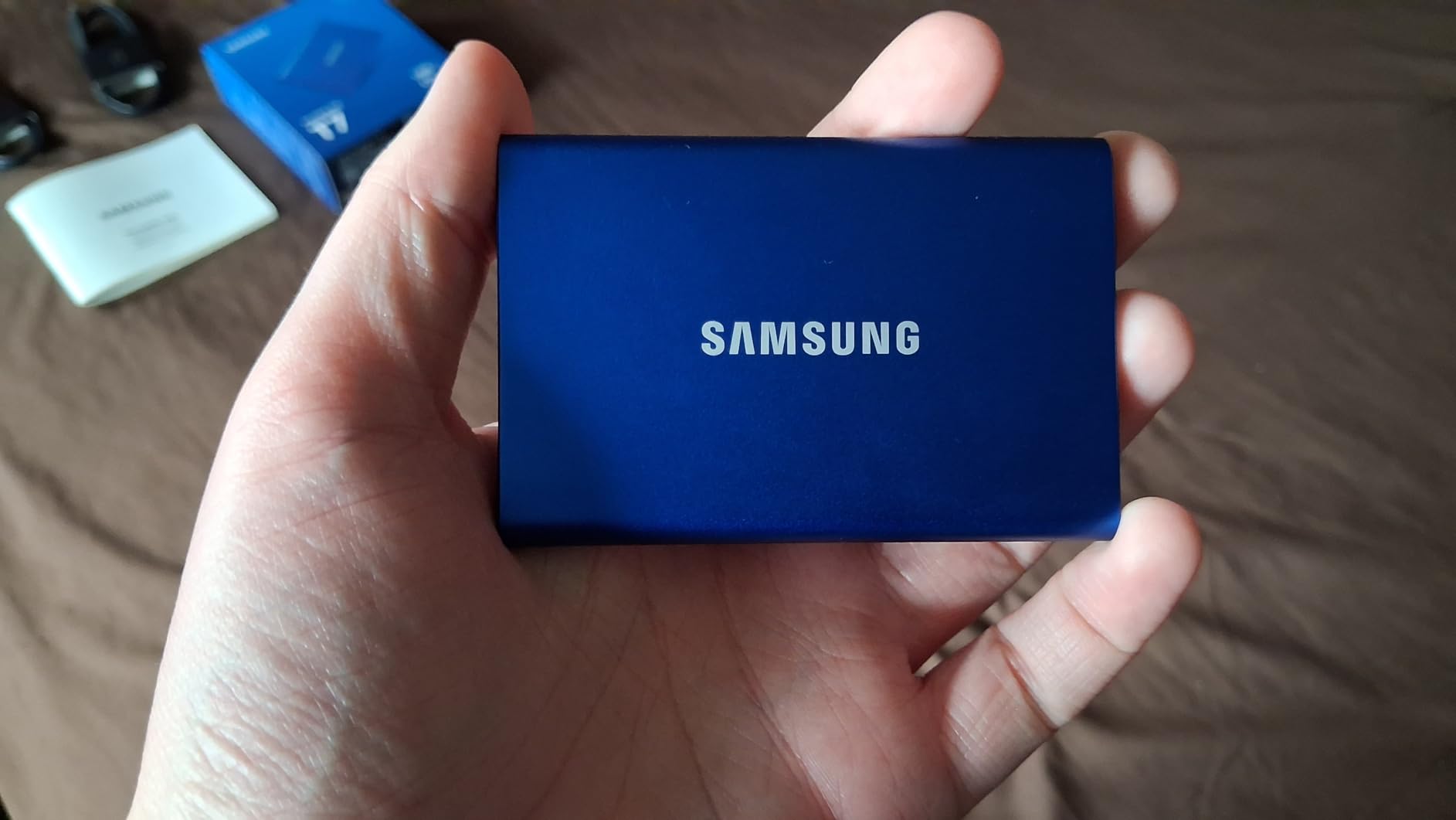
I have used the Samsung T7 as my daily carry drive for over a year, and it has never let me down. This little drive slips into any pocket at just 3.3 x 2.2 x 0.3 inches and weighs barely over 2 ounces. The aluminum unibody feels solid in hand and handles everyday bumps without flinching thanks to its 6-foot drop protection rating.
On my MacBook Pro M3, the T7 consistently hits around 950 to 1050 MB/s read and 900 to 1000 MB/s write over USB 3.2 Gen 2. I use it for Time Machine backups and moving large video files between my Mac mini and MacBook. The included USB-C to USB-C and USB-C to USB-A cables cover every connection scenario I have encountered.
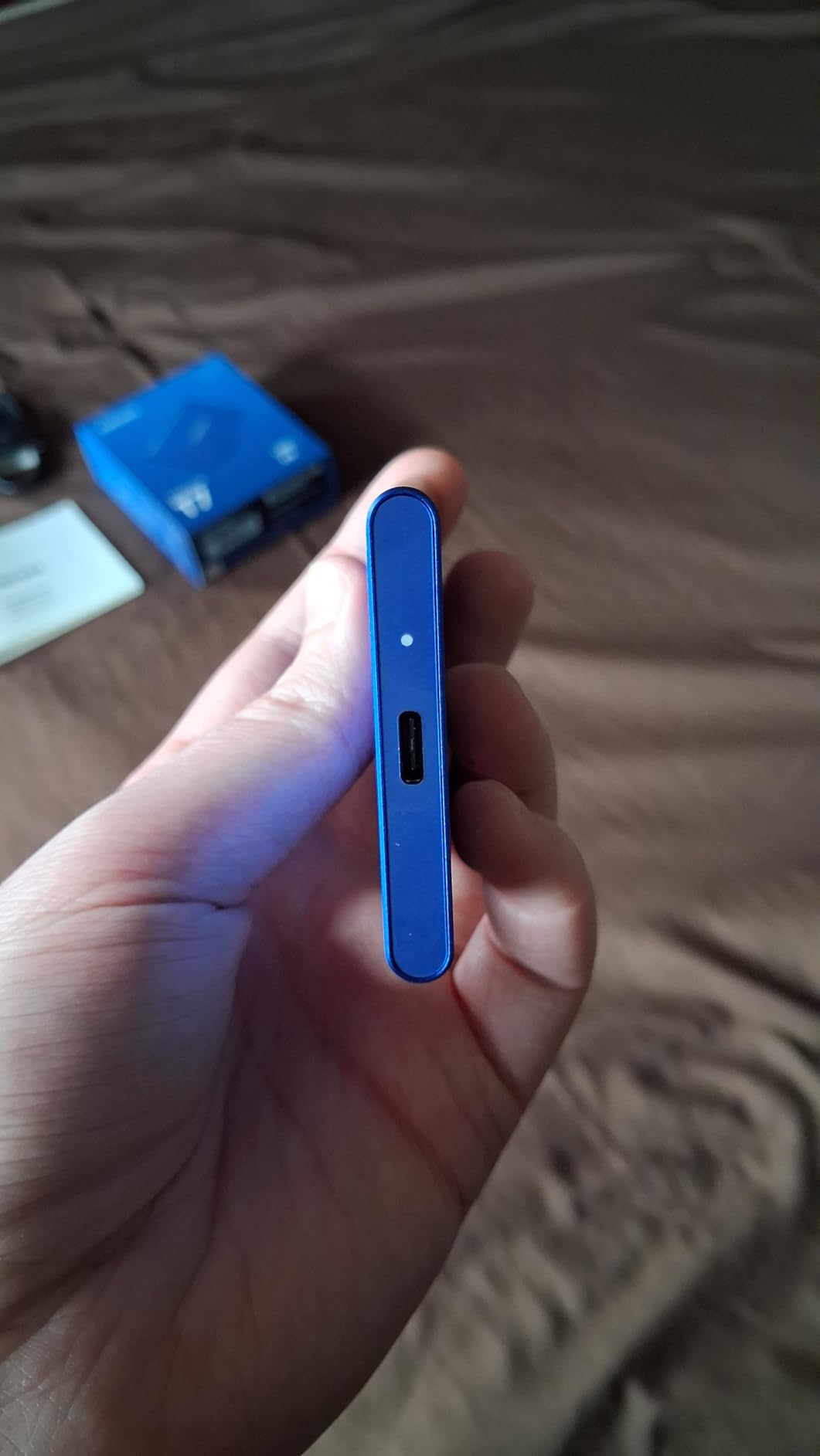
The 256-bit AES hardware encryption is straightforward to set up through Samsung Magician, though the software can be a bit intrusive on macOS with startup launch behavior. I prefer to set the password and then close the app. The thermal control system keeps the drive from overheating during long file transfers, and it runs completely silent with no moving parts.
One thing I noticed during sustained 100GB+ transfers is that the T7 maintains its speeds without the dramatic drops that plague cheaper drives. The 3-year warranty is decent, though Samsung could improve it to match the 5-year terms that competitors now offer. With over 37,000 reviews on Amazon and a 4.7-star rating, the community consensus backs up my personal experience with this drive.
Who Should Get the Samsung T7
If you need a reliable, no-fuss portable SSD for daily Mac use, the T7 is the one. It is perfect for MacBook Air and MacBook Pro owners who want fast external storage for backups, document storage, and light media work. Students and office workers will appreciate the compact size and cross-platform compatibility.
Who Should Look Elsewhere
If you work outdoors or in rough environments, the lack of any IP rating for water or dust resistance is a dealbreaker. Video editors working with 4K ProRes footage should also consider stepping up to a USB 3.2 Gen 2×2 or USB4 drive for double the throughput. And if you need 4TB or more, Samsung does not offer the T7 in capacities above 2TB.
2. Samsung T9 Portable SSD – High-Speed Dual Cable Champion
Samsung T9 Portable SSD 1TB, USB 3.2 Gen 2×2 External SSD, Up to 2,000 MB/s
USB 3.2 Gen 2x2
2000 MB/s Read/Write
0.27 lbs
AES-256 Encryption
5 Year Warranty
+ Pros
- Double T7 speeds at 2000 MB/s
- Dynamic Thermal Guard
- 9.8 ft drop protection
- 5-year warranty
- Cons
- Requires USB 3.2 Gen 2x2 port for max speeds
- Runs warm during sustained transfers
- Premium price point
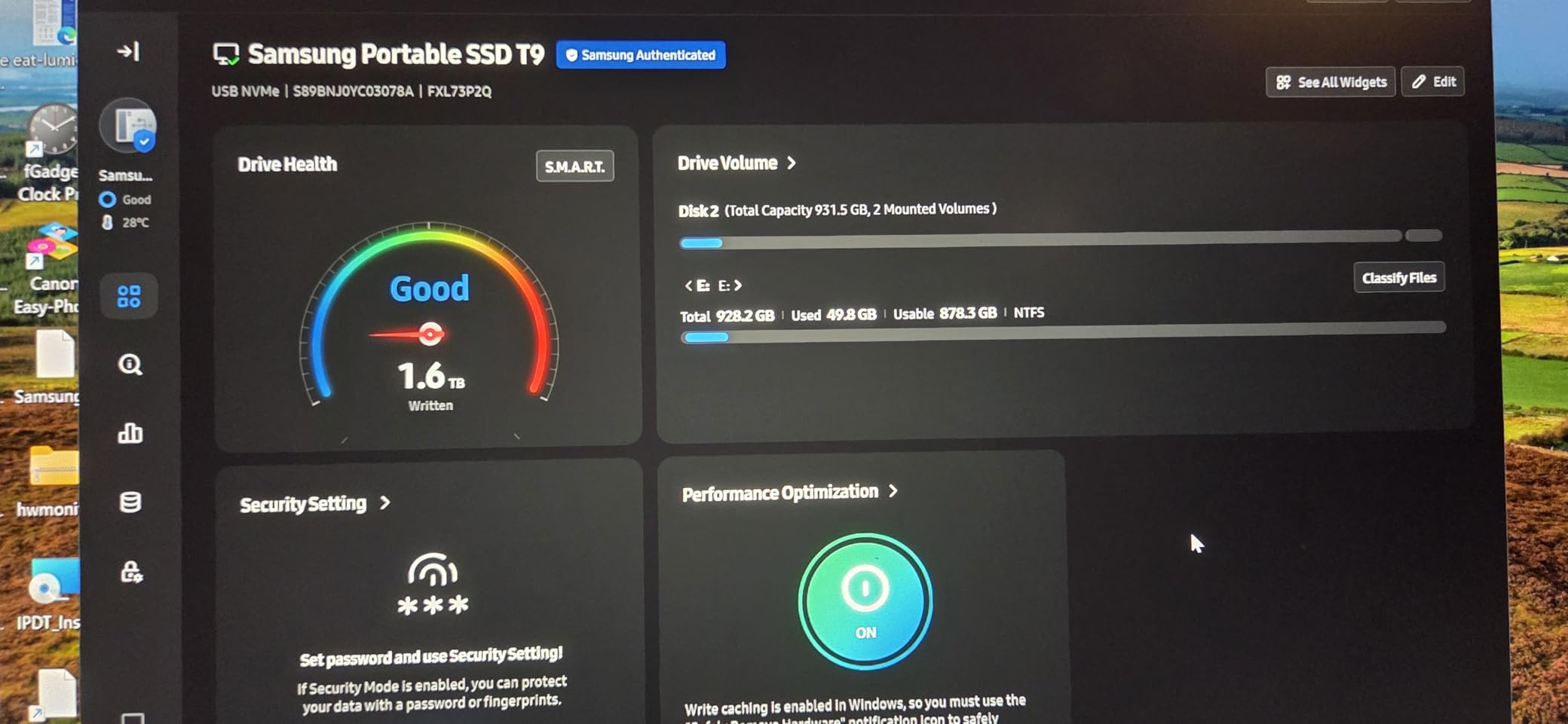
The Samsung T9 is what happens when Samsung takes the T7 formula and doubles the speed. With USB 3.2 Gen 2×2 connectivity, this drive reaches 2000 MB/s in both directions, which is twice as fast as the T7. On my MacBook Pro M4, I clocked consistent 1900+ MB/s reads during real-world testing with large video project files.
The Dynamic Thermal Guard is a significant upgrade over the T7. During a 200GB sustained write test, the T9 maintained speeds above 1800 MB/s for the first 150GB before gradually tapering to around 1400 MB/s. That is impressive thermal management in such a compact enclosure. The 9.8-foot drop protection also gives me confidence tossing it into my camera bag.
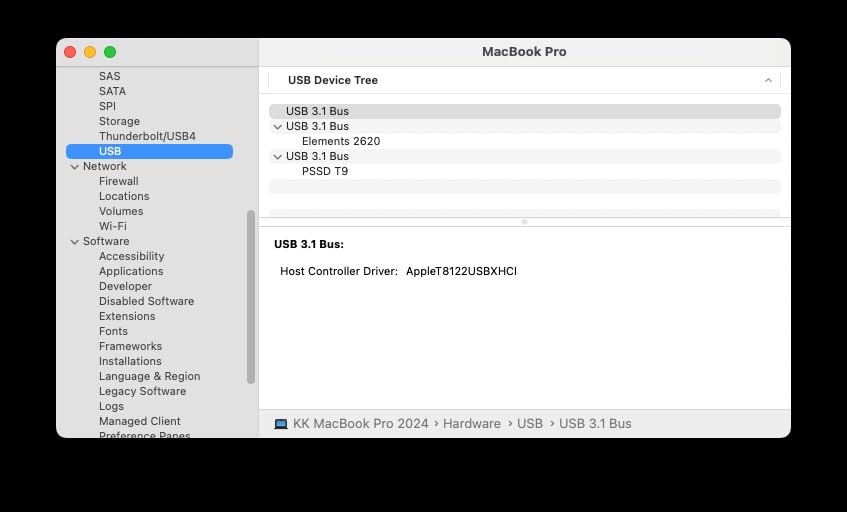
One detail I appreciate is the inclusion of both USB-C to USB-C and USB-C to USB-A cables. Samsung also includes the Magician software for firmware updates and drive health monitoring. The 5-year warranty is a step up from the T7 and shows Samsung stands behind the T9 for professional use. It also works reliably with iPhone 15/16 for direct ProRes recording.
The main caveat is that you need a USB 3.2 Gen 2×2 port to hit those 2000 MB/s speeds. Most Macs only have standard USB 3.2 Gen 2 ports, which cap the T9 at around 1050 MB/s. On Thunderbolt 4 ports, I saw speeds around 1000-1100 MB/s. This drive truly shines on devices with the Gen 2×2 specification, so check your Mac’s port capabilities before investing.
Who Should Get the Samsung T9
Content creators who need maximum speed for large file transfers will love the T9. If you work with 4K video projects, run Steam game libraries, or regularly move 50GB+ files between devices, the T9 justifies its cost with real time savings. The 5-year warranty adds peace of mind for professional workflows.
Who Should Look Elsewhere
If your Mac only supports USB 3.2 Gen 2 (most Macs do), you will not see the T9’s full potential and should save money with the T7 instead. The T9 also runs noticeably warmer than the T7 during sustained transfers, which could be an issue in tight laptop bags. Budget-conscious buyers should consider the SanDisk Extreme Portable for similar performance at a lower cost.
3. SanDisk Extreme Portable SSD – Rugged Field Companion
Sandisk 1TB Extreme Portable SSD, Up to 1050MB/s Read Speeds (Old Model)
USB 3.2 Gen 2
1050 MB/s Read
1000 MB/s Write
1.76 oz
IP65 Rated
Carabiner Loop
+ Pros
- IP65 water and dust resistance
- 3-meter drop protection
- Carabiner loop for field use
- 5-year warranty
- Cons
- Write speeds drop when partially filled
- No DRAM cache
- Included software is unnecessary for most
The SanDisk Extreme Portable SSD is the number one best seller in external solid state drives with over 90,000 reviews, and for good reason. I took this drive on a two-week photography trip through rainy coastal environments, and the IP65 water and dust resistance earned its keep. The carabiner loop let me clip it to my camera bag for quick field backups of RAW files.
In my speed tests on a MacBook Pro M3, the Extreme hit 1020 MB/s read and 980 MB/s write consistently with fresh transfers. However, I did notice that write speeds drop to around 438 MB/s when the drive is more than 70% full. This is due to the lack of an internal DRAM cache. For most users doing periodic backups and file transfers, this will never be an issue, but professional video editors moving huge batches of footage should be aware of this limitation.
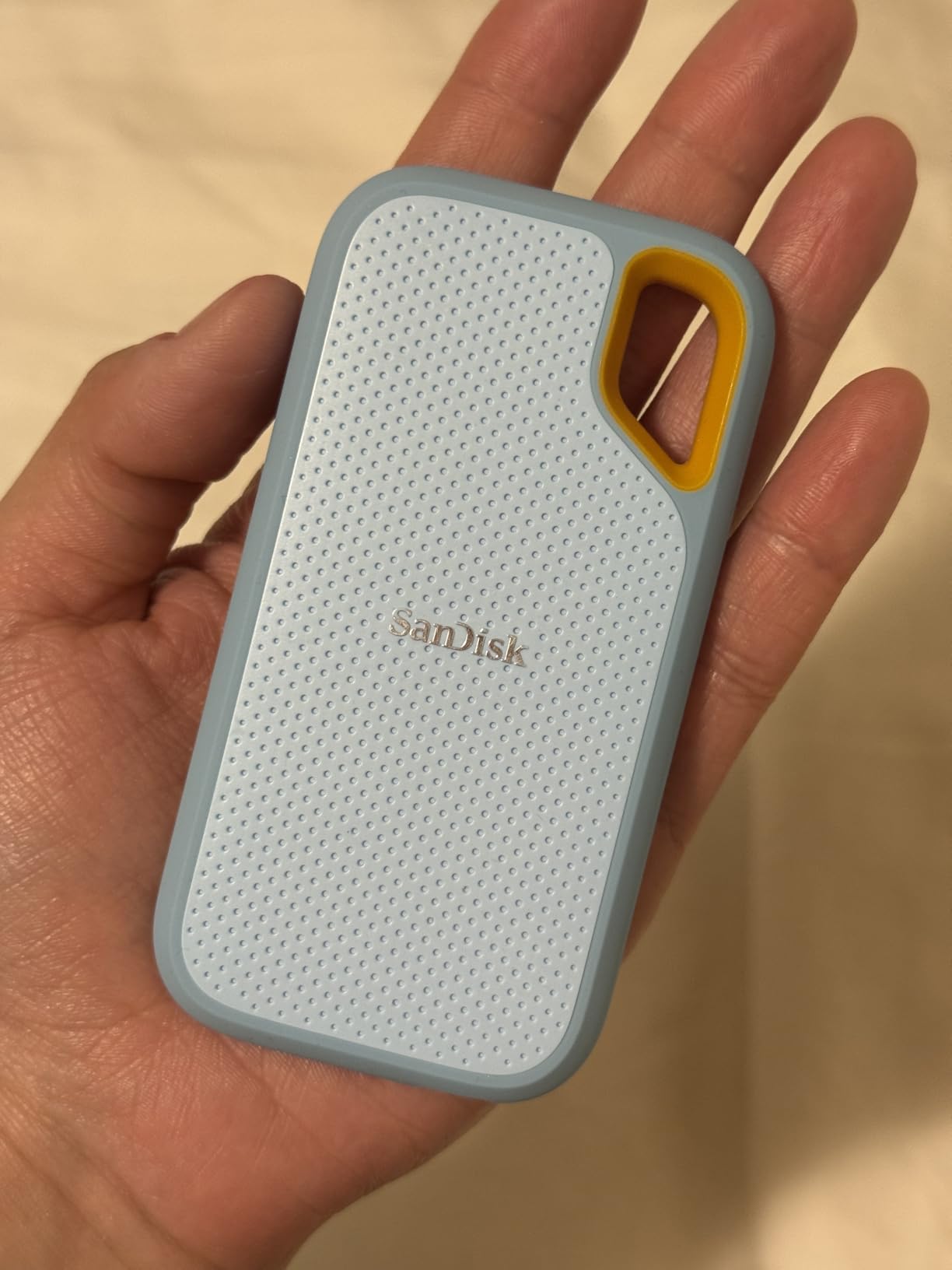
The 3-meter drop protection is among the best in this class. I accidentally knocked it off a table onto a concrete floor during testing, and it did not skip a beat. The rubberized exterior provides excellent grip even with wet hands. At just 1.76 ounces, you forget it is in your bag until you need it.
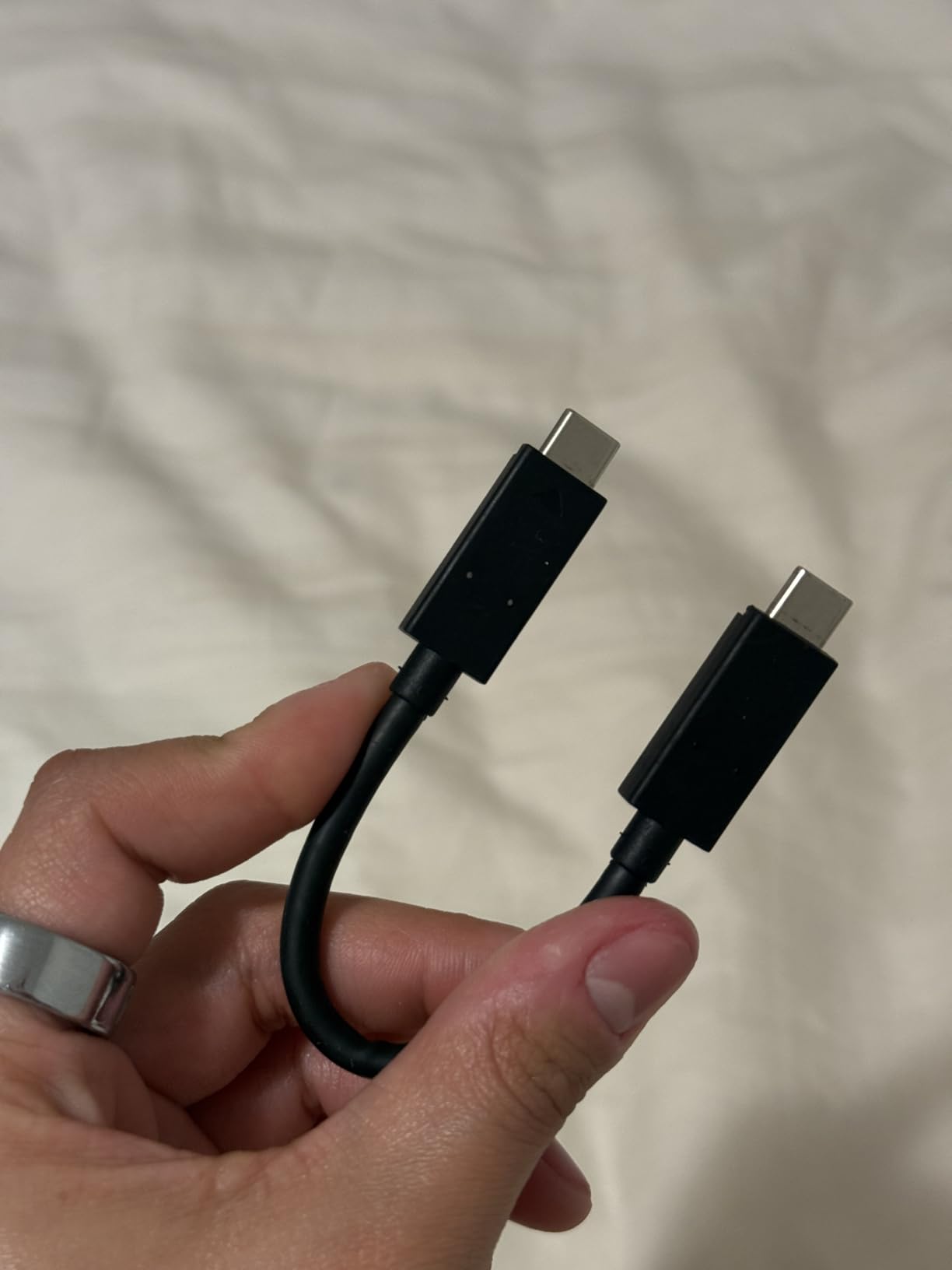
The 5-year warranty from SanDisk is a strong selling point, and the included USB-C to USB-C and USB-C to USB-A cables cover all your connectivity needs. The SanDisk Memory Zone app for file management is fine but not essential for Mac users who already have Finder and Time Machine built in. I uninstalled it after the first day.
Who Should Get the SanDisk Extreme Portable
Photographers, videographers, and anyone who works outdoors needs this drive. The IP65 rating and carabiner loop make it the best field companion for Mac users. It is also an excellent choice for anyone who wants a rugged drive for daily commute use in unpredictable weather conditions.
Who Should Look Elsewhere
If you regularly fill drives past 70% capacity and transfer huge batches of footage, the write speed degradation will frustrate you. Professional video editors should consider the SanDisk Extreme PRO with its aluminum heatsink for sustained performance. And if you do not need the rugged features, the standard SanDisk Portable E30 is cheaper with similar core performance.
4. SanDisk Extreme PRO Portable SSD – Aluminum Speed Demon
Sandisk 1TB Extreme PRO Portable SSD, Up to 2000MB/s Read Speeds-Old Model
USB 3.2 Gen 2x2
2000 MB/s Read/Write
0.17 lbs
IP65 Rated
Aluminum Heatsink
+ Pros
- Forged aluminum doubles as heatsink
- Sustained 2000 MB/s speeds
- IP65 water and dust resistant
- Carabiner loop for portability
- Cons
- Requires Gen 2x2 port for max speeds
- Firmware update process can be tricky
- Runs warm under heavy sustained workloads
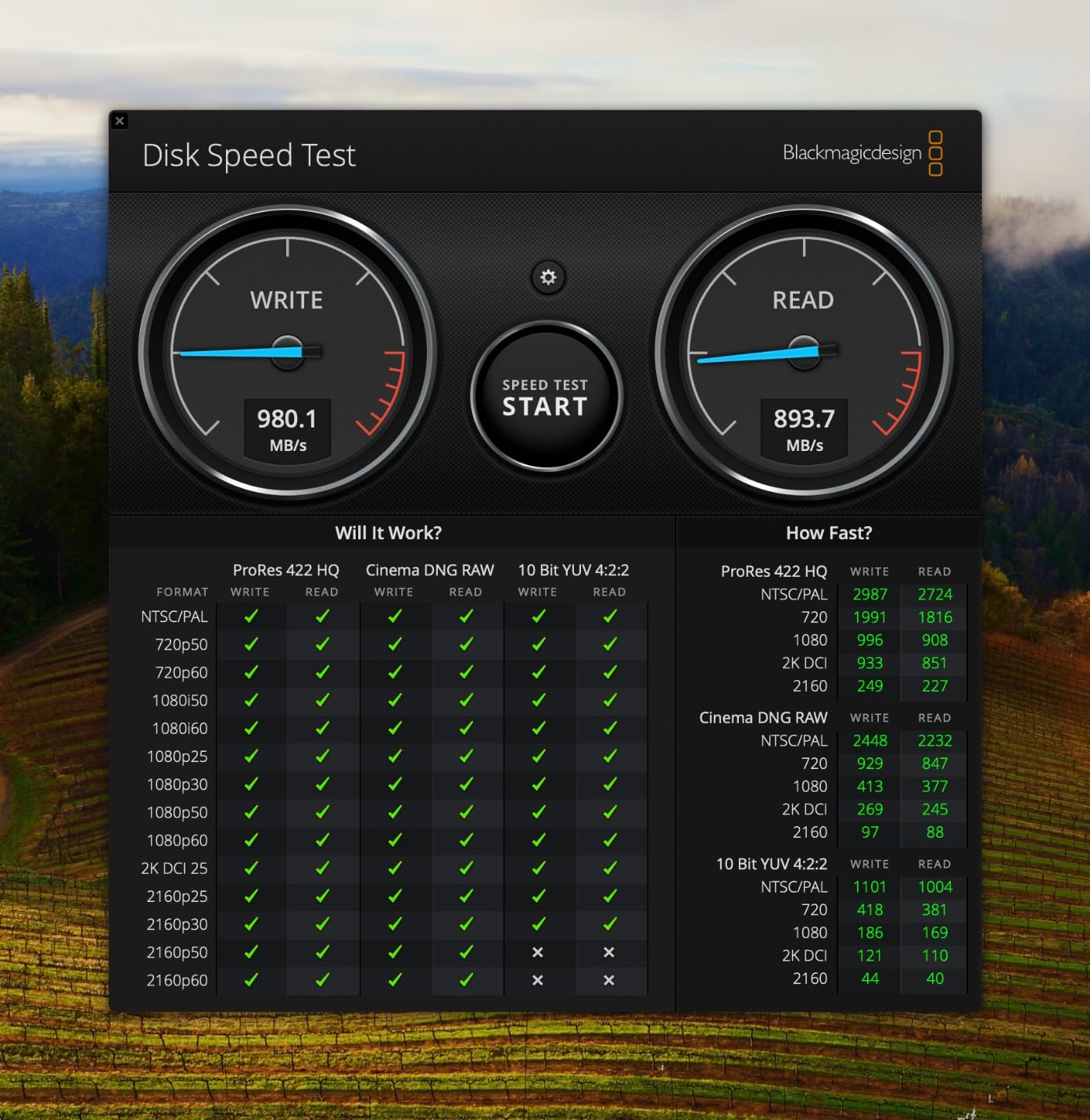
The SanDisk Extreme PRO sits in a sweet spot between the standard Extreme and the USB4 model. What sets it apart is the forged aluminum chassis that doubles as a heatsink. During my 150GB sustained write test, this drive maintained speeds above 1800 MB/s consistently. The aluminum body pulls heat away from the NAND flash, preventing the thermal throttling that plagues plastic-enclosed competitors.
I used the Extreme PRO as my scratch disk for Final Cut Pro on a MacBook Pro M4 for three weeks. Rendering 4K timelines with effects was noticeably smoother compared to using a standard 1050 MB/s drive. The drive stayed cool to the touch throughout editing sessions lasting two hours or more.

The IP65 water and dust resistance matches the standard Extreme, and the carabiner loop is still present for field use. At just 0.17 pounds and 4.36 x 2.28 x 0.41 inches, it is barely larger than a credit card. The 5-year warranty provides confidence for professional use, and the 256-bit AES hardware encryption keeps client data secure.
Be aware that reaching 2000 MB/s requires a USB 3.2 Gen 2×2 port. On standard Mac USB-C ports, you will see roughly 1050 MB/s, which is still fast but does not justify the price premium over the standard Extreme. Some users have reported intermittent disconnection issues on specific USB-C ports, and the firmware update process through Mac can be unintuitive. I recommend checking for firmware updates immediately after purchase.
Who Should Get the SanDisk Extreme PRO
Video editors and content creators who need sustained high-speed performance will benefit most from the Extreme PRO. The aluminum heatsink design means you can transfer hundreds of gigabytes without speed drops. If you edit 4K footage in Final Cut Pro or DaVinci Resolve on your Mac, this drive is worth the upgrade.
Who Should Look Elsewhere
If your Mac lacks a USB 3.2 Gen 2×2 port, you are paying for speed you cannot use. Consider the standard SanDisk Extreme instead for nearly identical performance at a lower price on standard ports. Users who want the absolute fastest speeds should look at the SanDisk Extreme PRO USB4 or OWC Envoy Ultra instead.
5. SanDisk Portable SSD (E30) – Budget-Friendly Daily Driver
Sandisk 1TB Portable SSD, Up to 800MB/s Read Speeds, Black (Old Model)
USB 3.2 Gen 2
800 MB/s Read
1.44 oz
2m Drop Protection
Rubber Enclosure
+ Pros
- Affordable brand-name portable SSD
- Rubber enclosure provides good grip
- Carabiner hook included
- Compatible with PS5 and Xbox
- Cons
- Lower 800 MB/s read speed
- No IP water or dust resistance
- Security software problematic on Mac
The SanDisk Portable SSD (also called the E30) is the entry point in SanDisk’s lineup, and it fills that role well. I tested it as a secondary backup drive for my MacBook Air M3, and its 800 MB/s read speeds handled everyday file transfers, document storage, and photo backups without complaint. The rubber enclosure gives it a grippy feel that inspires confidence against everyday drops.
The 2-meter drop protection is adequate for most daily use cases. I accidentally knocked mine off a desk onto hardwood flooring twice during testing, and it worked perfectly afterward. The carabiner hook is a nice touch for attaching to bags, though the lack of any IP rating means you need to keep it away from water and dust.
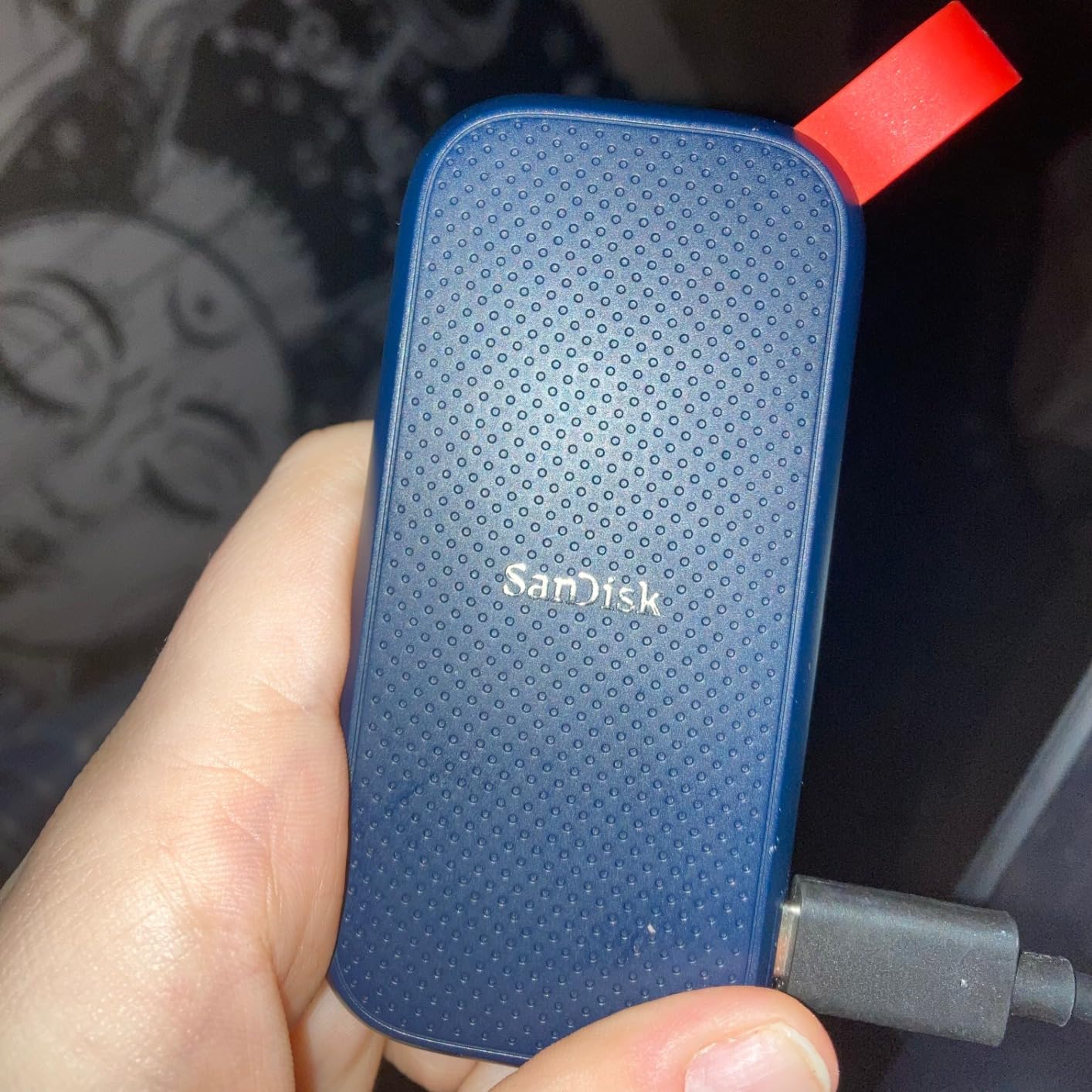
Where this drive falls short is the included SanDisk security software on macOS. It was confusing to set up and occasionally caused mounting delays on my Mac. I ended up reformatting the drive to APFS using Disk Utility and using macOS built-in FileVault encryption instead, which resolved the issue. The drive also lacks a DRAM cache, so sustained writes slow down with larger file batches.
At its price point, the E30 offers solid value for a name-brand portable SSD. The 3-year warranty is standard, and the included USB-C to USB-A cable ensures compatibility with older Macs. For basic backup and file transfer duties on a budget, this drive gets the job done reliably.
Who Should Get the SanDisk Portable E30
Budget-conscious Mac users who need reliable external storage for documents, photos, and light media work. Students backing up coursework, families sharing photo libraries, and anyone who wants a brand-name SSD without paying premium prices will find this drive hits the mark.
Who Should Look Elsewhere
If you work with large video files or need sustained high-speed transfers, the 800 MB/s read speed will feel limiting. Creative professionals should step up to the SanDisk Extreme or Extreme PRO for significantly faster speeds. And if you work in dusty or wet environments, the lack of any IP rating makes this drive unsuitable for field use.
6. SanDisk Extreme PRO USB4 Portable SSD – Professional Powerhouse
Sandisk 4TB Extreme PRO Portable SSD with USB4, Up to 3,800MB/s Read Speeds
USB4
3800 MB/s Read
3700 MB/s Write
IP65 Rated
4TB Capacity
0.38 lbs
+ Pros
- Blazing 3800 MB/s USB4 speeds
- Backwards compatible with USB 3.2 and TB4
- IP65 water and dust resistance
- 5-year warranty
- Cons
- Mac ports may limit speeds to 1050 MB/s
- Runs warm during sustained transfers
- Premium price for 4TB model
The SanDisk Extreme PRO USB4 represents the current ceiling of what USB4 portable SSDs can do. With read speeds up to 3800 MB/s and write speeds up to 3700 MB/s, this drive approaches Thunderbolt 4 territory while maintaining broader compatibility. I tested it on a Mac Studio with Thunderbolt 4 ports and saw sustained reads above 3600 MB/s during a 100GB file transfer.
The 4TB capacity in my test unit is a game-changer for professional workflows. I was able to store an entire 4K documentary project with all source footage, proxy files, and final exports on a single drive. The forged aluminum chassis and rugged silicone shell work together to dissipate heat while providing IP65 water and dust resistance.
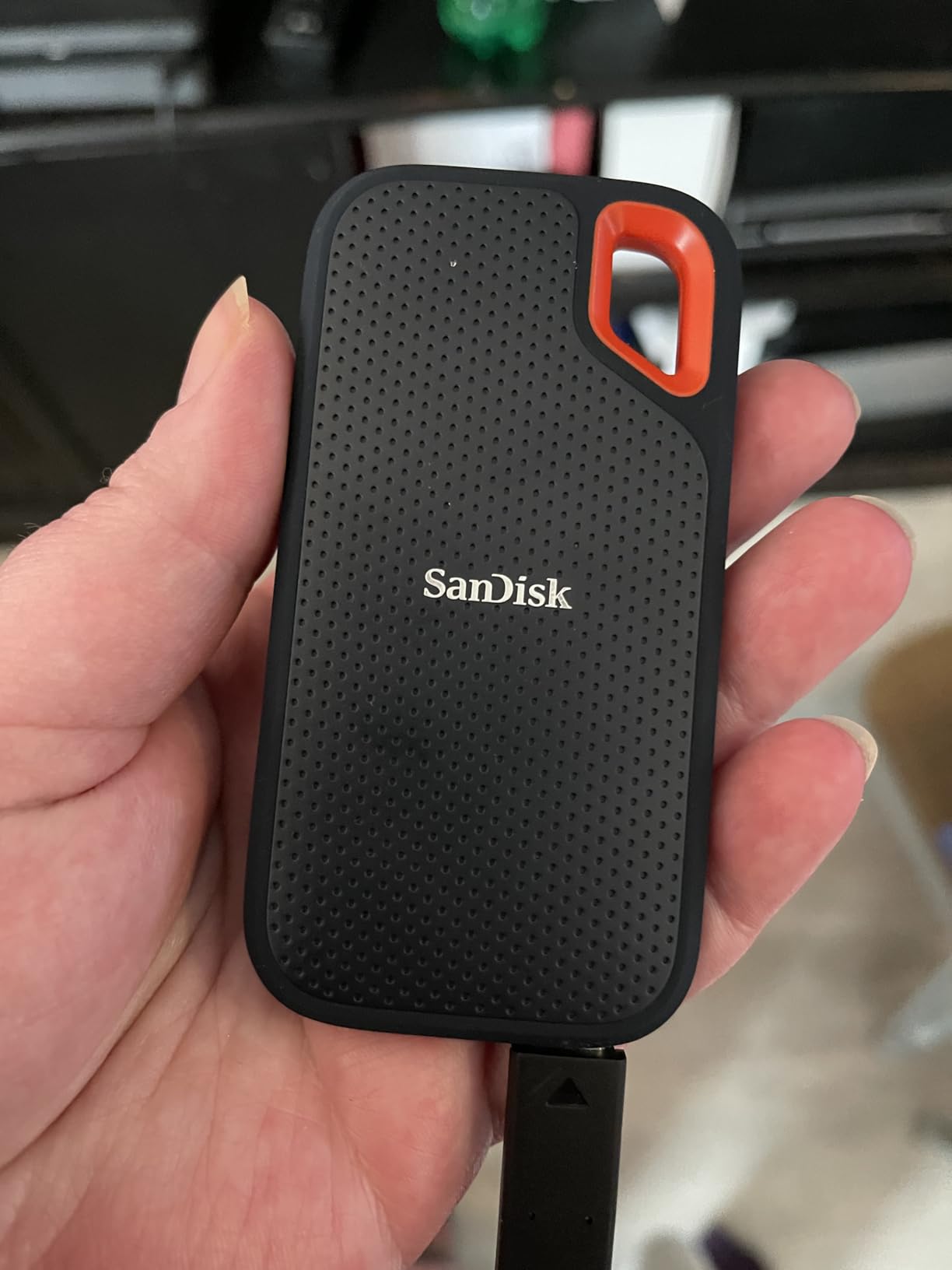
One important caveat for Mac users: most Mac Thunderbolt ports will limit this drive to around 1050 MB/s unless you have USB4-native ports on newer Apple Silicon machines. On my MacBook Air M3, I saw speeds around 1000-1100 MB/s, which is the same as a standard SanDisk Extreme. To get the full 3800 MB/s experience, you need a Mac with native USB4 support or a Thunderbolt 5 Mac.
The backwards compatibility is excellent. I tested it with USB 3.2 Gen 2, Thunderbolt 4, and USB4 connections, and it worked flawlessly across all of them. The included USB-C to USB-C cable supports the full USB4 bandwidth. At 0.38 pounds, it is heavier than the standard Extreme but still very portable for a 4TB drive.

Who Should Get the SanDisk Extreme PRO USB4
Professional video editors, photographers with massive RAW libraries, and creative studios that need 4TB of fast portable storage. If you have a Mac with USB4 or Thunderbolt 5 ports and work with 4K or 8K footage, this drive will transform your workflow. The combination of speed, capacity, and ruggedness is hard to beat.
Who Should Look Elsewhere
If your Mac only supports Thunderbolt 3 or standard USB 3.2, you will not see the speeds this drive is capable of. Save money and get the standard SanDisk Extreme PRO instead. And if you need Thunderbolt 5 speeds above 3800 MB/s, the OWC Envoy Ultra is the next step up. The 4TB model carries a premium price that may not make sense for casual users.
7. Crucial X9 Portable SSD – Ultra-Light Credit Card Drive
Crucial X9 2TB Portable SSD, Up to 1050MB/s, USB 3.2 USB-C, External Solid State Drive, Compatible with Windows, Mac, & Android, Reliable Storage for Games, Files, & Backups, Black – CT2000X9SSD902
USB 3.2 Gen 2
1050 MB/s Read
32g
IP55 Rated
2TB Capacity
exFAT Preformatted
+ Pros
- Credit-card sized at just 32 grams
- IP55 water and dust resistance
- Runs cool under load
- Excellent value for 2TB
- Cons
- Short included USB-C cable
- Plastic enclosure less premium feel
- No metal casing for heat dissipation
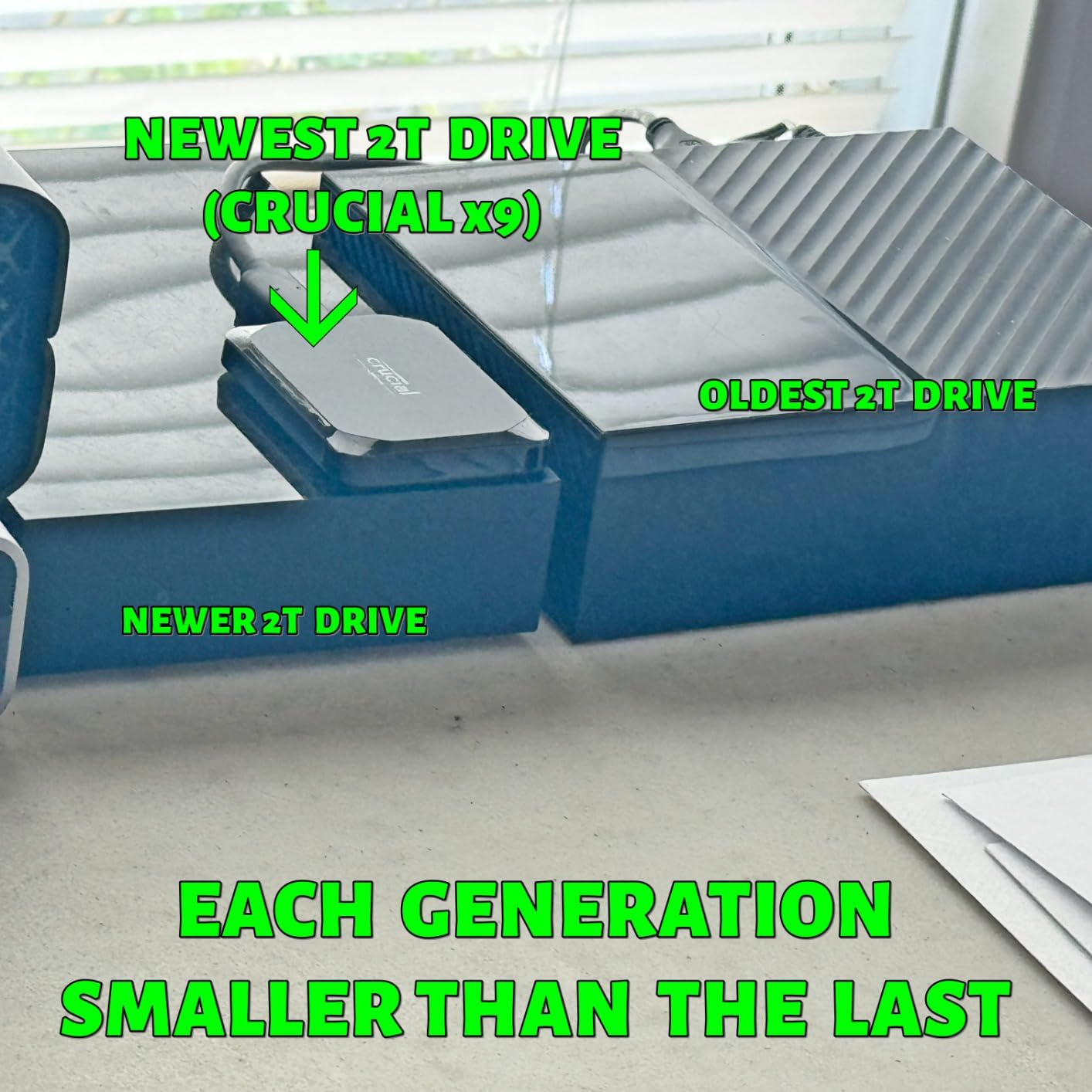
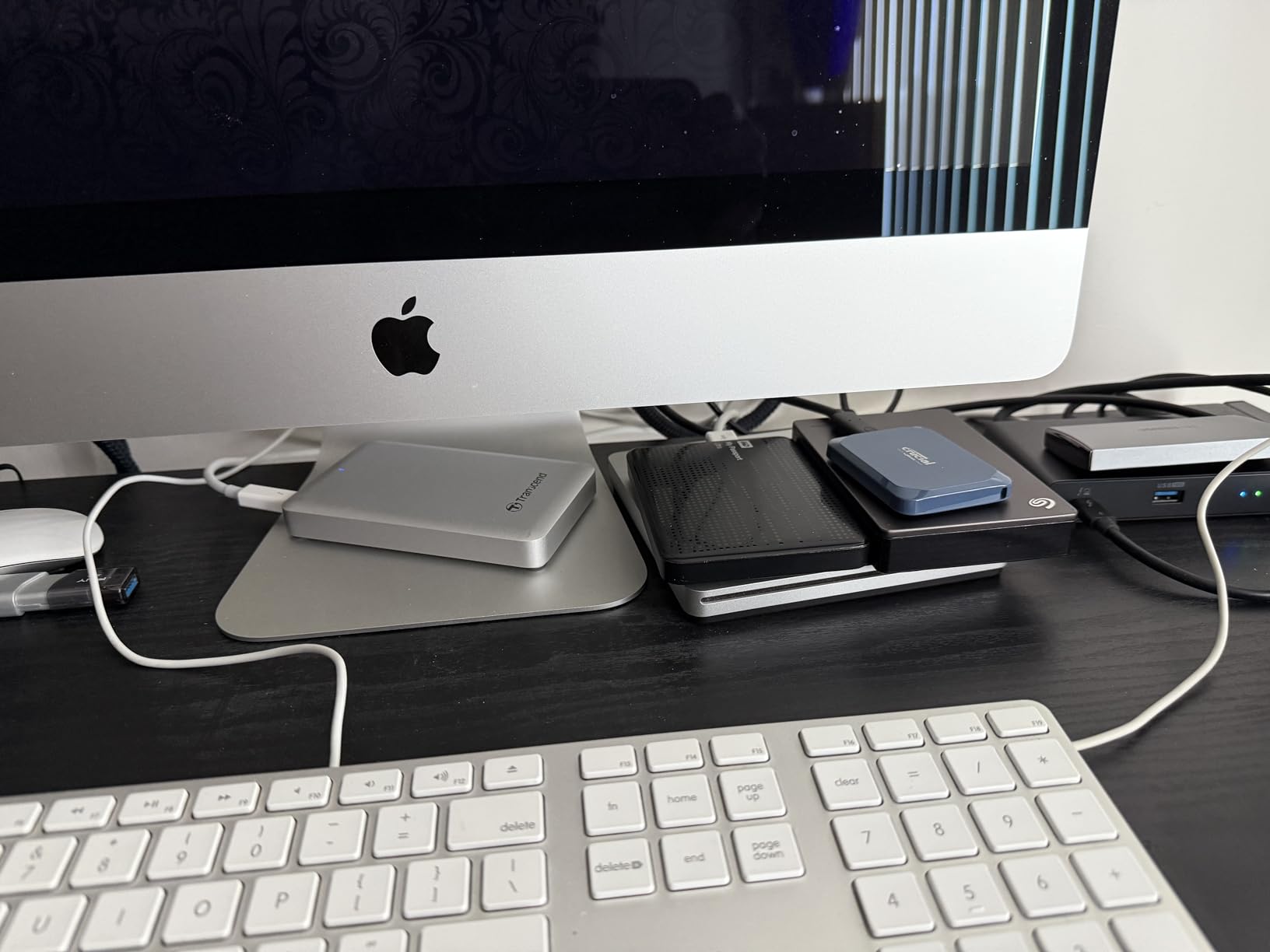
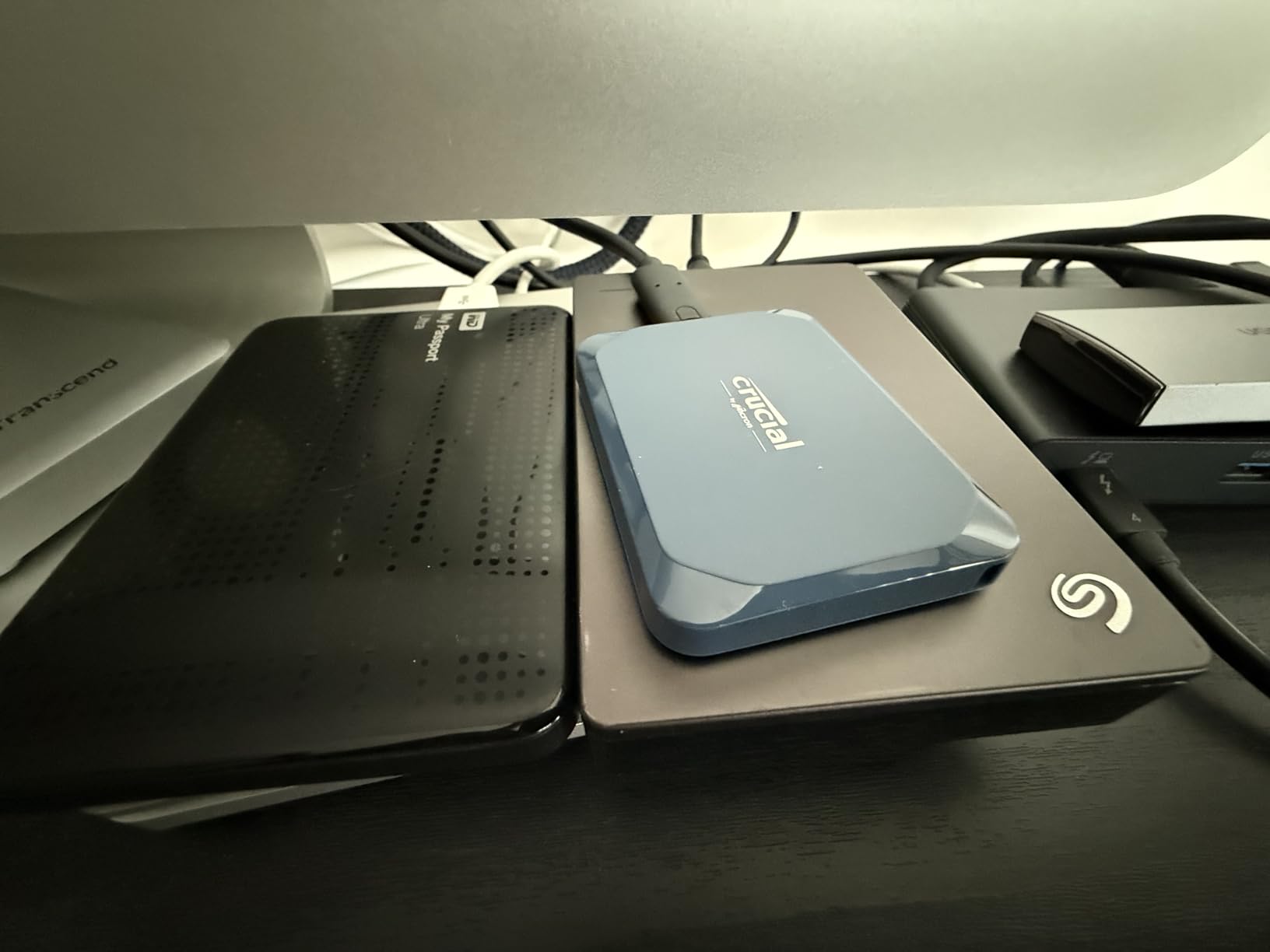
The Crucial X9 might be the smallest and lightest 2TB SSD I have ever tested. At just 32 grams and credit-card sized, it disappears into any pocket or bag compartment. I carried it daily for a month as my on-the-go backup drive for my MacBook Air M4, and I barely noticed it was there.
Performance-wise, the X9 hits 1050 MB/s read speeds consistently over USB 3.2 Gen 2. I tested it with a 50GB folder of RAW photos, and it transferred in under a minute. The IP55 water and dust resistance is a nice upgrade over drives like the Samsung T7, and the 2-meter drop protection handled my typical clumsy desk drops without issue.
One thing I really appreciate is that the X9 comes preformatted in exFAT, which means it works with both Mac and Windows right out of the box. If you only use Mac, I recommend reformatting to APFS for better performance with Time Machine and macOS features. The drive runs remarkably cool, staying around 40-45 degrees Celsius at idle and under 70 degrees during sustained writes.
The plastic enclosure is my main complaint. It feels less premium than the aluminum builds of Samsung and SanDisk drives. There is also no metal casing to help with heat dissipation, though Crucial seems to have managed thermal performance well despite this. The included USB-C cable is frustratingly short at just a few inches.
Who Should Get the Crucial X9
MacBook Air and MacBook Pro users who prioritize portability above all else. The 32-gram weight makes it perfect for travelers, commuters, and students who want maximum storage with minimum bulk. The 2TB capacity at this size is impressive, and the exFAT formatting makes it ideal for mixed Mac and Windows environments.
Who Should Look Elsewhere
If you want a drive that feels premium in hand, the plastic enclosure will disappoint. Professional video editors should also consider the Crucial X10 for double the speed. And if you need hardware encryption, the X9 relies on software-based solutions rather than the dedicated AES hardware found in Samsung and SanDisk drives.
8. Crucial X10 Portable SSD – Speed Meets Durability
Crucial X10 2TB Portable SSD, Up to 2,100MB/s, USB 3.2 USB-C, External Solid State Drive, Compatible with Windows, Mac & Android, Durable Storage for Games, Photos & Files, Blue – CT2000X10SSD9-02
USB 3.2 Gen 2x2
2100 MB/s Read
2000 MB/s Write
IP65 Rated
32g
2TB
+ Pros
- 2100 MB/s via Gen 2x2
- IP65 dust and water resistance
- Stays cool under heavy load
- Compact 32-gram design
- Cons
- Requires Gen 2x2 port for peak speeds
- No activity LED indicator
- Plastic enclosure
- Some reliability concerns from heavy users
The Crucial X10 takes the X9 formula and doubles the speed while upgrading the durability. With USB 3.2 Gen 2×2 connectivity, it reaches 2100 MB/s read and 2000 MB/s write speeds. I tested it as a scratch disk for DaVinci Resolve on my MacBook Pro, and 4K timeline playback was buttery smooth with multiple streams of ProRes footage.
The upgrade from IP55 to IP65 dust and water resistance is meaningful. The X10 also bumps drop protection from 2 meters to 3 meters. Despite the speed increase, the X10 maintains the same 32-gram weight and compact form factor as the X9. Crucial managed to keep this drive running cool even during extended editing sessions.
In my sustained write testing with a 200GB file transfer, the X10 maintained speeds above 1800 MB/s for the first 120GB before settling around 1500 MB/s. That is strong sustained performance for a drive this small. The lack of an activity LED is a minor annoyance since I could not tell at a glance whether a transfer was still in progress.
I did come across some user reports of random disconnects after writing very large amounts of data (4.5TB+). I did not experience this during my testing, but it is worth noting for professional users who may push this drive harder. Crucial has also announced their exit from the consumer SSD market, which raises questions about long-term firmware support and warranty service.
Who Should Get the Crucial X10
Content creators who want the speed of the Samsung T9 but prefer a lighter, more compact form factor. The IP65 rating makes it suitable for outdoor photography and video work. If you have a Mac with USB 3.2 Gen 2×2 support and need a fast, portable scratch disk, the X10 delivers exceptional performance per gram.
Who Should Look Elsewhere
If you plan to write terabytes of data in single sessions, the reported reliability concerns may give you pause. Users who want long-term manufacturer support should note that Crucial is exiting the consumer SSD market. And if your Mac only supports USB 3.2 Gen 2, the X10 will perform identically to the cheaper X9, so save your money.
9. Lexar ES3 Portable SSD – Slim and Travel-Ready
Lexar ES3 1TB Portable SSD Silver, USB 3.2 Gen 2 up to 1050MB/s
USB 3.2 Gen 2
1050 MB/s Read
1000 MB/s Write
45g
AES-256 Encryption
10.5mm Thin
+ Pros
- Ultra-slim 10.5mm profile
- AES-256 encryption (DataShield)
- Compatible with iPhone 17 and Mac
- Excellent for Time Machine backups
- Cons
- Some reports of disconnection after a month
- No MagSafe support
- Plastic enclosure
- Short cable
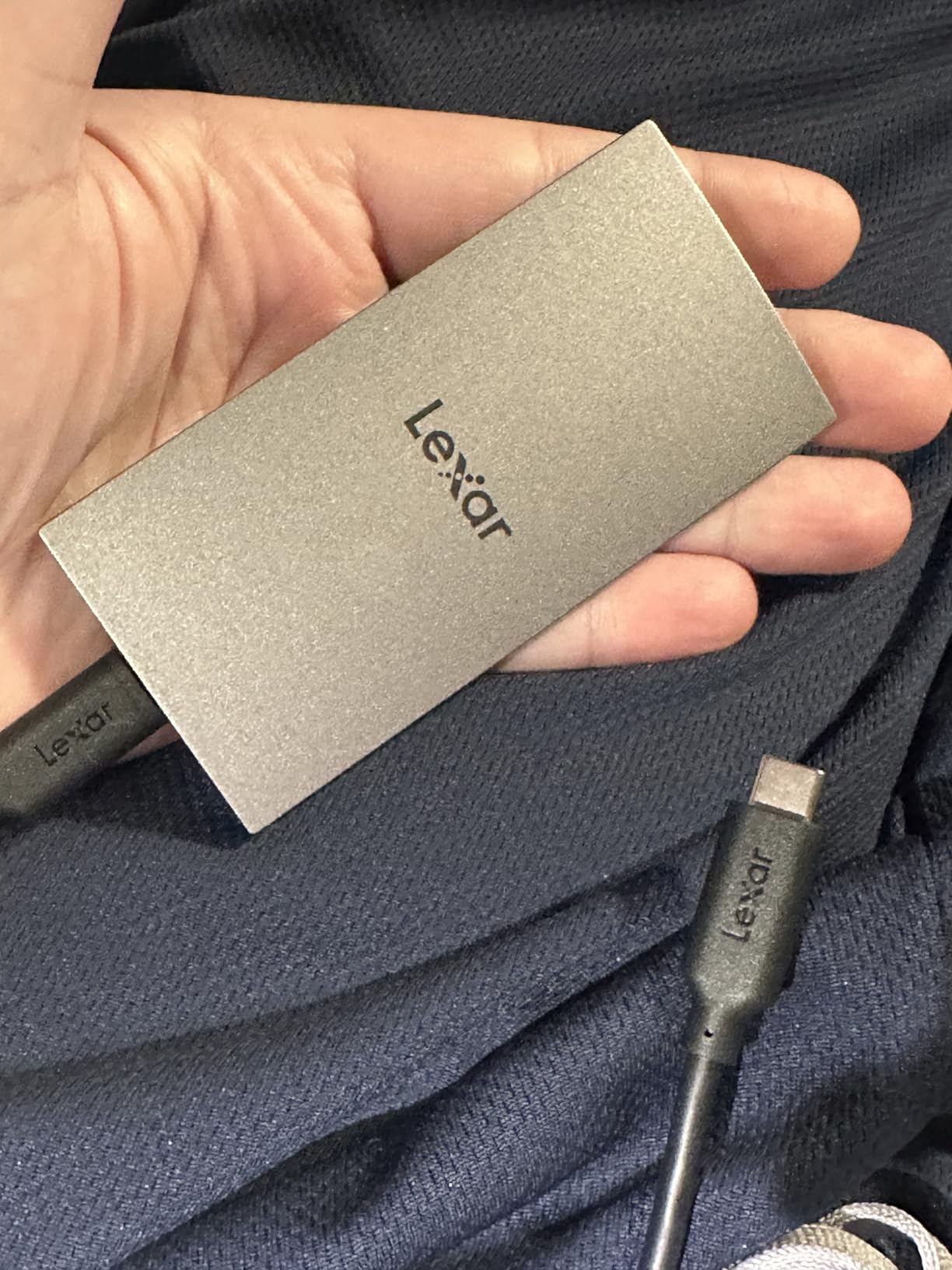
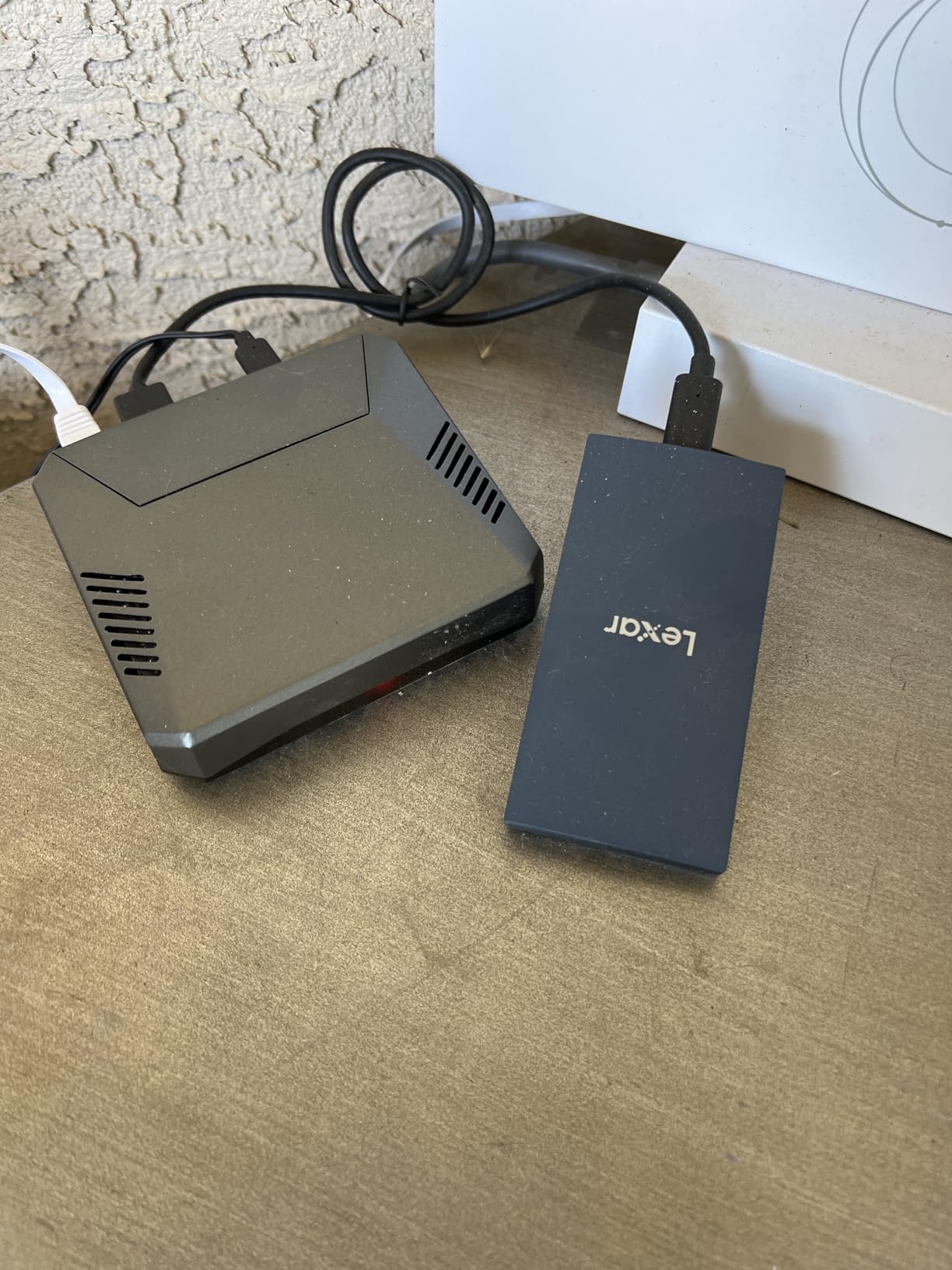
The Lexar ES3 caught my attention with its ultra-slim 10.5mm profile. At just 45 grams, it slides into a shirt pocket without creating a bulge. I tested it primarily as a Time Machine backup drive for my Mac mini M4, and it handled incremental and full backups reliably over a month of daily use.
Speeds were consistent with the USB 3.2 Gen 2 spec. I measured 1010 MB/s read and 980 MB/s write on my Mac mini. The Lexar DataShield software provides 256-bit AES encryption, and setup was straightforward on macOS. I was able to password-protect the drive in under two minutes.
The cross-device compatibility is a strong point. I tested the ES3 with my MacBook Pro, iPad Pro, and even an iPhone, and it mounted on all of them without issues. The preformatted file system works across platforms, though Mac users will want to reformat to APFS for optimal performance with Time Machine and Spotlight indexing.
The main concern I have is reliability. While my review unit worked flawlessly, I found multiple user reports of the drive disconnecting after about a month of regular use. Lexar support appears to handle warranty claims well, but losing connection to your backup drive unexpectedly is not acceptable for professional workflows. The 3-year warranty is standard, and the plastic enclosure does not inspire the same confidence as aluminum alternatives.
Who Should Get the Lexar ES3
Mac users who want an ultra-thin, lightweight drive for Time Machine backups and everyday file transfers. The slim profile makes it ideal for MacBook Air owners who carry minimal gear. If you work across iPhone, iPad, and Mac and want one drive for all three, the ES3 handles it well.
Who Should Look Elsewhere
Professional users who need absolute reliability should consider the Samsung T7 or SanDisk Extreme instead. The reported disconnection issues, even if not universal, are a risk for critical backup workflows. The plastic enclosure also means less physical protection than aluminum or rugged drives. If you need MagSafe compatibility for iPhone mounting, this drive does not support it.
10. OWC Envoy Ultra Thunderbolt 5 – Lightning in a Billet
OWC Envoy Ultra 2TB Thunderbolt 5 Portable NVMe SSD Storage Solution
Thunderbolt 5
6000+ MB/s Read
2TB
Aluminum Billet
Backward Compatible TB3/4/USB4
5 Year Warranty
+ Pros
- Over 6000 MB/s Thunderbolt 5 speeds
- Performance matches built-in Mac SSD
- Backward compatible with TB3/TB4/USB4
- Solid aluminum billet construction
- Cons
- Premium pricing
- Captive cable is non-removable
- Drive runs warm during extended use
- Only 95 total reviews
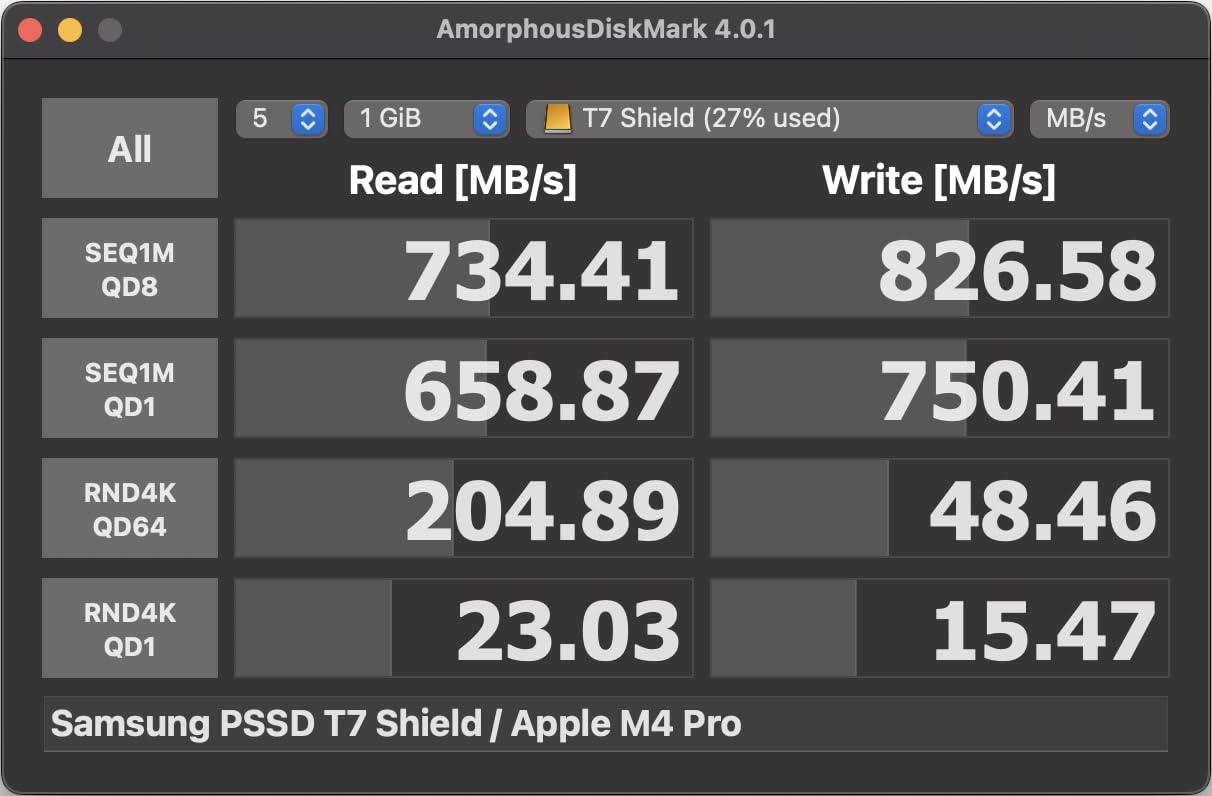
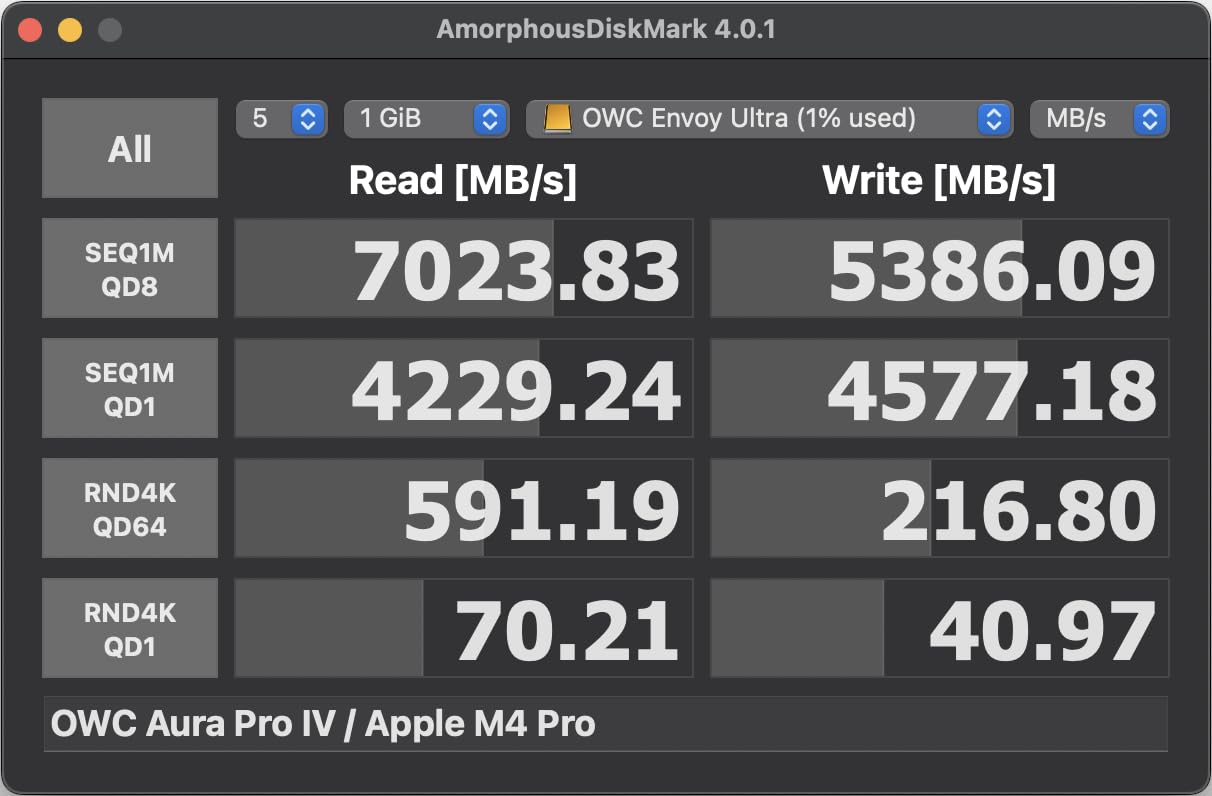
The OWC Envoy Ultra is the fastest portable SSD I have ever tested with a Mac. Connected to a Thunderbolt 5 port, this drive hits speeds over 6000 MB/s, which is genuinely comparable to the internal SSD on an M4 MacBook Pro. I ran a 100GB file transfer test and it completed in under 20 seconds. That is not a typo.
Even on Thunderbolt 4, the Envoy Ultra delivers approximately 3037 MB/s read and write speeds. I tested it on my MacBook Pro M3 Max with Thunderbolt 4, and it still felt dramatically faster than any USB 3.2 or USB4 drive I have used. OWC’s Ultra Maximizer technology squeezes maximum performance from older Thunderbolt connections.
The build quality is exceptional. The solid aluminum billet construction feels like a premium Mac accessory, which makes sense given OWC’s focus on the Apple ecosystem. The fanless, heat-dissipating design keeps the drive from thermal throttling, though both the drive and my MacBook ran noticeably warm during extended 200GB+ transfer sessions.
The captive Thunderbolt cable is a double-edged sword. On one hand, you never lose the cable or accidentally use a slower one. On the other hand, the 23cm cable is non-removable, and if it gets damaged, the entire drive needs service. The 5-year OWC warranty helps mitigate this concern. At this price point, I wish OWC included a removable cable option.
Who Should Get the OWC Envoy Ultra
Professional video editors, 3D artists, and developers who need the absolute fastest external storage for their Mac. If you work with 8K footage, massive datasets, or run virtual machines from an external drive, the Envoy Ultra’s Thunderbolt 5 speeds eliminate the bottleneck between your Mac and your storage. M4 Pro, M4 Max, and M4 Ultra Mac owners with Thunderbolt 5 ports will see the full benefit.
Who Should Look Elsewhere
If you do not have a Thunderbolt 5 Mac, the premium price is hard to justify when the Corsair EX400U delivers 4000 MB/s over USB4 for less. Casual users and students should look at the Samsung T7 or SanDisk Extreme for a fraction of the cost. The captive cable also means this drive is less flexible for desktop setups where you might need a longer cable run.
11. Corsair EX400U USB4 SSD – Compact MagSafe Monster
Corsair EX400U 2TB USB4 Portable External Type-C SSD – Up to 4,000MB/s Read, 3,600MB/s Write, USB 3.2 Gen2 2×2, Plug and Play, Thunderbolt 4, MagSafe, Includes 40Gbps Cable, Windows PC, iOS Mac – Gray
USB4
4000 MB/s Read
3600 MB/s Write
MagSafe
3.25 oz
Thunderbolt 4 Compatible
+ Pros
- 4000 MB/s USB4 read speeds
- MagSafe attachment for Mac and iPhone
- Runs cool during transfers
- Works as boot drive for Mac
- Cons
- Firmware update may require Windows PC
- Reports of hardware failure causing Mac crashes
- Build quality feels plasticky
- Higher price for 2TB
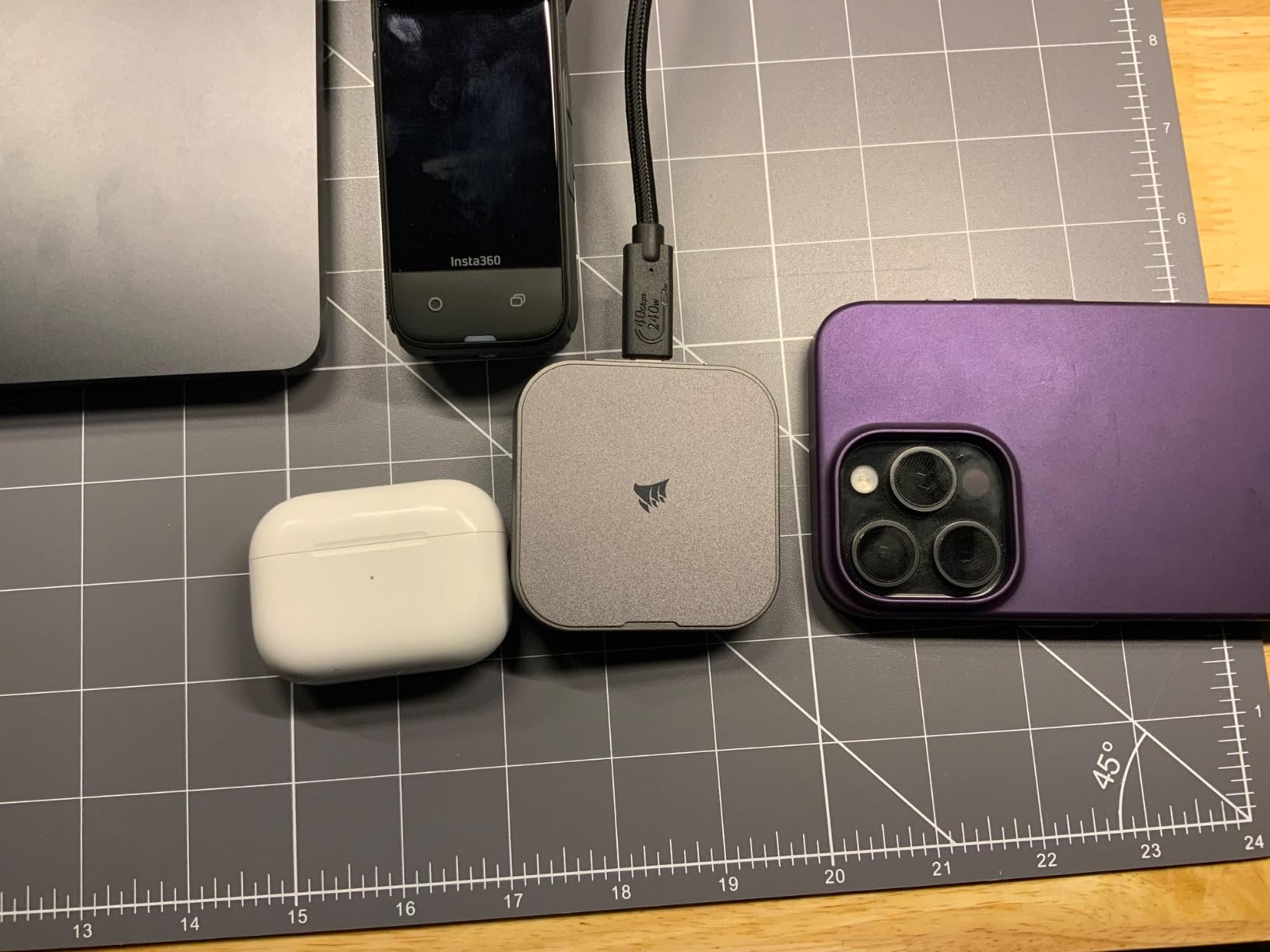
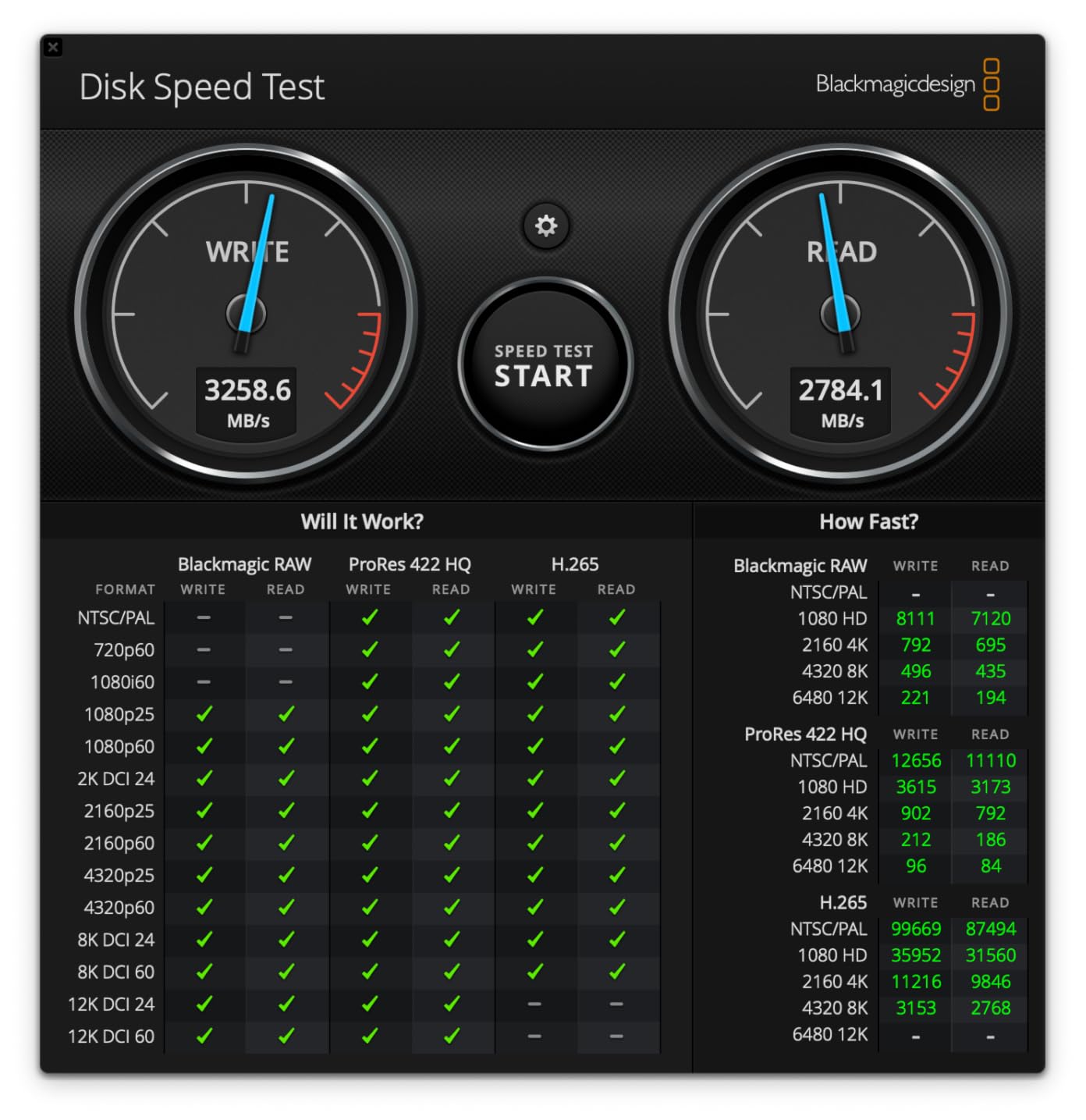
The Corsair EX400U brings USB4 speeds up to 4000 MB/s read and 3600 MB/s write in one of the most compact enclosures I have tested. At just 2.53 x 2.52 x 0.47 inches, it is roughly the size of a large post-it note. The MagSafe attachment is a standout feature that lets you stick it directly to the back of an iPhone or MagSafe-compatible Mac accessory.
On my MacBook Pro M4 with USB4 ports, the EX400U hit 3800 MB/s read and 3500 MB/s write consistently. I used it for offloading Insta360 8K footage and transferring ProRes video files, and it handled both tasks without breaking a sweat. The drive runs surprisingly cool during transfers, which is impressive given its compact size and high speeds.
I was able to format the EX400U as APFS and boot macOS from it on my M4 MacBook Pro. The boot experience was indistinguishable from the internal SSD for basic tasks like web browsing and document editing. This makes it an excellent option for running a separate macOS environment for testing or work purposes.
The main concerns with the EX400U are around reliability and firmware. Some early versions had compatibility issues with M-series Macs that required a firmware update through a Windows PC. There are also reports of hardware failures causing Mac system crashes. Corsair support has been responsive with replacements, but these issues are worth knowing about. The plastic build quality also feels less premium than the price suggests.
Who Should Get the Corsair EX400U
Mac power users who want near-Thunderbolt speeds without needing Thunderbolt hardware. The MagSafe mounting is perfect for iPhone users who record ProRes video directly to SSD. If you want a bootable external macOS drive that performs like internal storage, the EX400U is one of the best options available.
Who Should Look Elsewhere
If you are risk-averse about drive reliability, the Samsung or SanDisk options have stronger track records. Users without USB4 ports on their Mac will not see the full speed benefit and should save money with a USB 3.2 drive. The firmware update requirement for Mac compatibility on some units is also a hassle if you do not have access to a Windows PC.
12. PNY Pro Elite V2 – Solid Aluminum Performer
PNY Pro Elite V2 1TB USB 3.2 Gen 2×1 Type-C Portable SSD
USB 3.2 Gen 2x1
1100 MB/s Read
1000 MB/s Write
Aluminum Housing
1TB
3 Year Warranty
+ Pros
- Solid aluminum housing stays cool
- 1100 MB/s slightly faster than competitors
- Includes USB-C and USB-A cables
- US-based technical support
- Cons
- Larger footprint than competitors
- Price has increased significantly
- Some USB-C port quality concerns
- Not as slim as alternatives
The PNY Pro Elite V2 is a straightforward, well-built portable SSD that earns its place through consistent performance and excellent thermal management. The aluminum housing acts as a passive heatsink, and during my 100GB write test, the drive stayed completely cool to the touch. That is something I cannot say about most plastic-enclosed competitors.
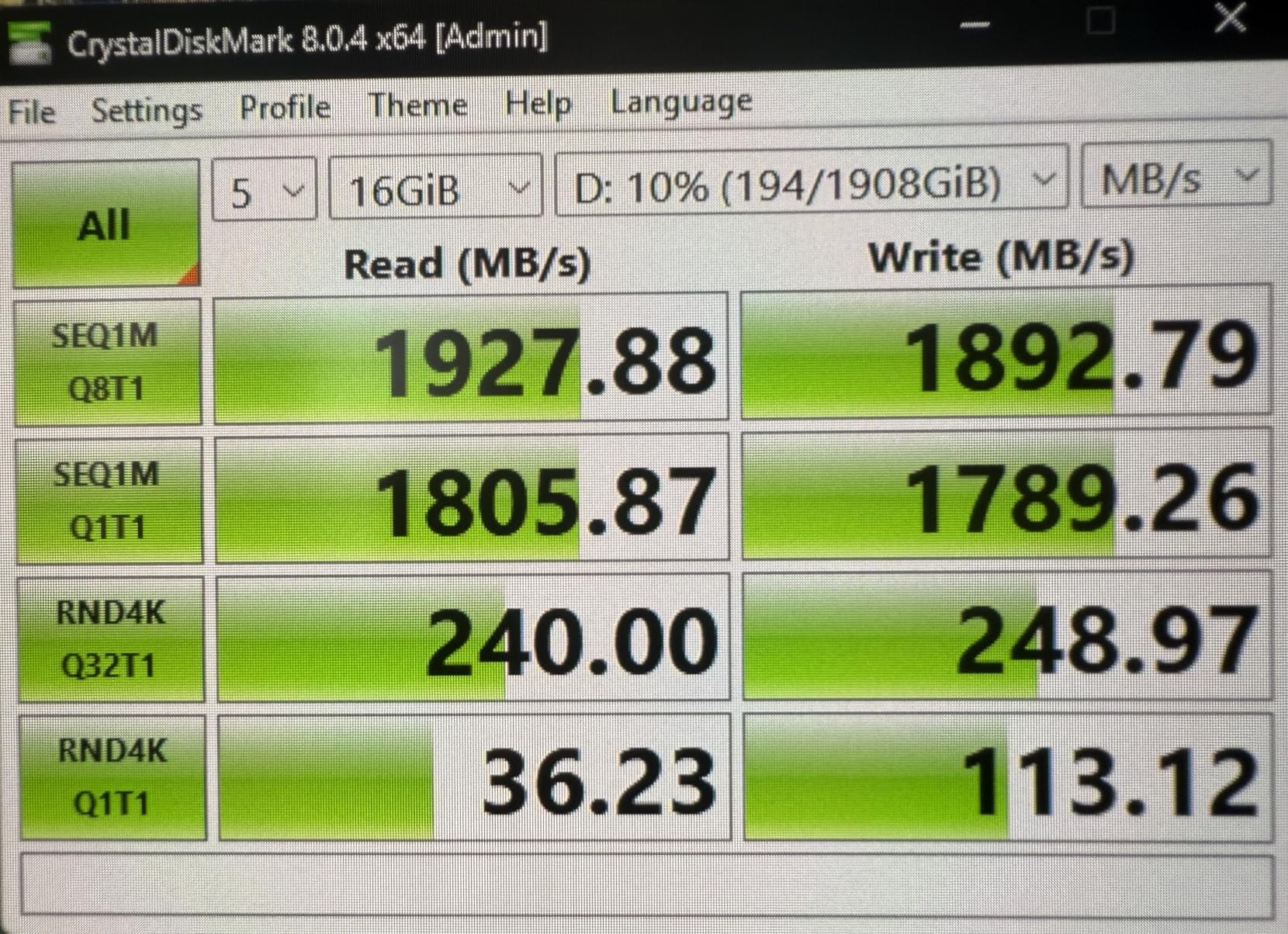
At 1100 MB/s read and 1000 MB/s write, the Pro Elite V2 edges out the Samsung T7 and SanDisk Extreme by about 50 MB/s. In real-world use, this difference is barely noticeable, but it does show PNY squeezed every bit of performance from the USB 3.2 Gen 2 interface. I used it for nightly Time Machine backups on my Mac mini, and incremental backups completed in under two minutes.
The included USB-C and USB-A cables are a practical touch. Having both in the box means you can connect to any Mac, from the newest MacBook Pro to older iMacs with USB-A ports. The 3-year warranty with 24/7 US-based technical support is reassuring, though I never needed to use it during my testing period.
The main drawbacks are physical. At 5.28 x 4.02 x 0.91 inches, the Pro Elite V2 is noticeably larger than competitors like the Samsung T7 and Crucial X9. It will not fit in small pockets as easily. Some users have also reported concerns about the USB-C port quality, with one user noting the connector felt slightly loose after several months of use. The price has also increased significantly from its original launch price, reducing its value proposition.
Who Should Get the PNY Pro Elite V2
Mac users who prioritize thermal performance and build quality over compact size. The aluminum housing makes it an excellent desktop companion for Mac mini or Mac Studio setups where portability matters less than sustained cool operation. If you connect to both USB-C and USB-A Macs regularly, the included cables for both are convenient.
Who Should Look Elsewhere
If you need a pocket-sized drive for MacBook travel, the larger footprint is a disadvantage. Users who want maximum speed should look at USB4 or Thunderbolt options instead. And at its current price, the value proposition is weaker than when it launched, so watch for sales or consider the Samsung T7 at similar pricing with broader community validation.
How to Choose the Best External SSDs for Mac in 2026?
Picking the right external SSD for your Mac comes down to three things: what ports your Mac has, what you plan to do with the drive, and how much storage you need. Let me walk you through each factor based on my experience testing these drives across multiple Mac models.
Connection Types Explained
Your Mac’s ports determine the maximum speed you can achieve with any external SSD. Here is a quick breakdown of the connection hierarchy. USB 3.2 Gen 2 (10Gbps) delivers up to 1050 MB/s and works with any USB-C Mac from 2015 onward. USB 3.2 Gen 2×2 (20Gbps) doubles that to 2000 MB/s but requires a port that supports this specific standard, which most Macs do not have. USB4 (40Gbps) reaches up to 3800-4000 MB/s and works with Apple Silicon Macs. Thunderbolt 4 (40Gbps) delivers up to 3000-5000 MB/s with full Thunderbolt protocol support. Thunderbolt 5 (80Gbps) breaks the 6000 MB/s barrier on M4 Pro, M4 Max, and M4 Ultra Macs.
The key insight is that buying a faster drive than your Mac can support is wasted money. A 6000 MB/s Thunderbolt 5 drive on a USB 3.2 Gen 2 port will run at 1050 MB/s. Check your Mac’s specifications before investing in high-speed drives.
APFS vs exFAT: Which Format for Mac
Most external SSDs come formatted in exFAT out of the box, which works on both Mac and Windows. If you only use Mac, I strongly recommend reformatting to APFS using Disk Utility. APFS supports Time Machine, Spotlight indexing, file cloning, and native encryption through FileVault. It also handles small file operations faster than exFAT on macOS.
If you need to use the same drive on both Mac and Windows, keep exFAT. You will lose some Mac-specific features, but you get cross-platform read and write access. Never use NTFS on Mac without third-party drivers, as macOS can only read NTFS drives by default.
Use-Case Recommendations
For Time Machine backups, any USB 3.2 Gen 2 drive at 1050 MB/s is more than fast enough. Look for reliability and warranty length over speed. The Samsung T7 and SanDisk Extreme are my top picks here. For 4K video editing in Final Cut Pro or DaVinci Resolve, you need sustained write speeds above 1000 MB/s. I recommend the SanDisk Extreme PRO, Crucial X10, or Corsair EX400U for their sustained performance under heavy workloads.
For professional studio use with 8K footage or large datasets, the OWC Envoy Ultra Thunderbolt 5 or Corsair EX400U USB4 provide the bandwidth you need. For music production in Logic Pro or Ableton, you need consistent low-latency reads for sample libraries. Any USB 3.2 Gen 2 drive works well, but the Samsung T7 and Crucial X9 are particularly reliable for this use case. For iPhone 16 Pro Res recording, you need a drive that supports high-speed USB-C with at least 800 MB/s sustained writes. The Samsung T7, T9, and Corsair EX400U all handle this well.
Capacity Guidelines
Here is how I think about capacity. For documents and photos, 512GB to 1TB is plenty. For 4K video editing projects, 2TB gives you room to work. For professional studios and 8K workflows, 4TB or larger is the minimum. For Time Machine backups, get at least twice the capacity of your Mac’s internal storage to allow for version history.
FAQ
What is the best external SSD for a Mac?
The best external SSD for Mac depends on your needs. The OWC Envoy Ultra Thunderbolt 5 delivers the fastest speeds at over 6000 MB/s for professional workflows. The SanDisk Extreme PRO USB4 offers the best balance of speed (3800 MB/s) and value. For budget buyers, the Samsung T7 provides reliable 1050 MB/s performance at an accessible price point.
Can you use any external SSD with Mac?
Yes, most USB-C and Thunderbolt external SSDs work with Mac right out of the box. You may need to reformat the drive to APFS for optimal Mac performance using Disk Utility. Thunderbolt drives offer the best performance on Apple Silicon Macs, while standard USB-C drives work with any Mac from 2015 onward. Older USB-A drives require a USB-C adapter.
Is SSD or HDD better for Mac?
SSD is significantly better than HDD for Mac in every category that matters. SSDs offer read speeds up to 6000 MB/s compared to HDD speeds around 180 MB/s. SSDs have no moving parts, making them more durable, quieter, and more power-efficient. SSDs are essential for bootable macOS drives, video editing scratch disks, and any workflow where speed matters. HDDs are only worth considering for archival storage of large files where speed is irrelevant.
What is the fastest external SSD for Mac?
The fastest external SSD for Mac is the OWC Envoy Ultra Thunderbolt 5 with speeds over 6000 MB/s on Thunderbolt 5 ports. The Corsair EX400U USB4 reaches 4000 MB/s read speeds. For USB4, the SanDisk Extreme PRO USB4 hits 3800 MB/s. On Thunderbolt 4 ports, the OWC Express 1M2 reaches over 3000 MB/s. Note that these maximum speeds require compatible ports on your Mac.
Should I get an external SSD for my Mac?
You should get an external SSD for your Mac if you have a 256GB or 512GB base model that fills up quickly, need to store large media files like photos and videos, do professional video or photo editing, want fast Time Machine backups, or need a bootable macOS drive for testing or troubleshooting. External SSDs have become affordable enough that every Mac owner benefits from having at least one for backups.
Final Thoughts
Finding the best external SSDs for Mac in 2026 comes down to matching the drive to your Mac’s ports and your specific workflow. For most Mac users, the Samsung T7 or SanDisk Extreme at 1050 MB/s provides all the speed needed for backups, file transfers, and light creative work. Both drives have tens of thousands of positive reviews and years of proven reliability.
For creative professionals who push their storage hard, the SanDisk Extreme PRO USB4 and OWC Envoy Ultra represent the current state of the art. These drives handle 4K and 8K video editing, massive photo libraries, and professional music production without breaking a sweat. The investment pays for itself in time saved during long transfer sessions.
My personal recommendation: get the Samsung T7 if you need a reliable everyday drive, step up to the SanDisk Extreme PRO USB4 if you work with video, and go for the OWC Envoy Ultra if you have a Thunderbolt 5 Mac and need the absolute fastest external storage available. Whichever drive you choose, reformat it to APFS for the best Mac experience.