
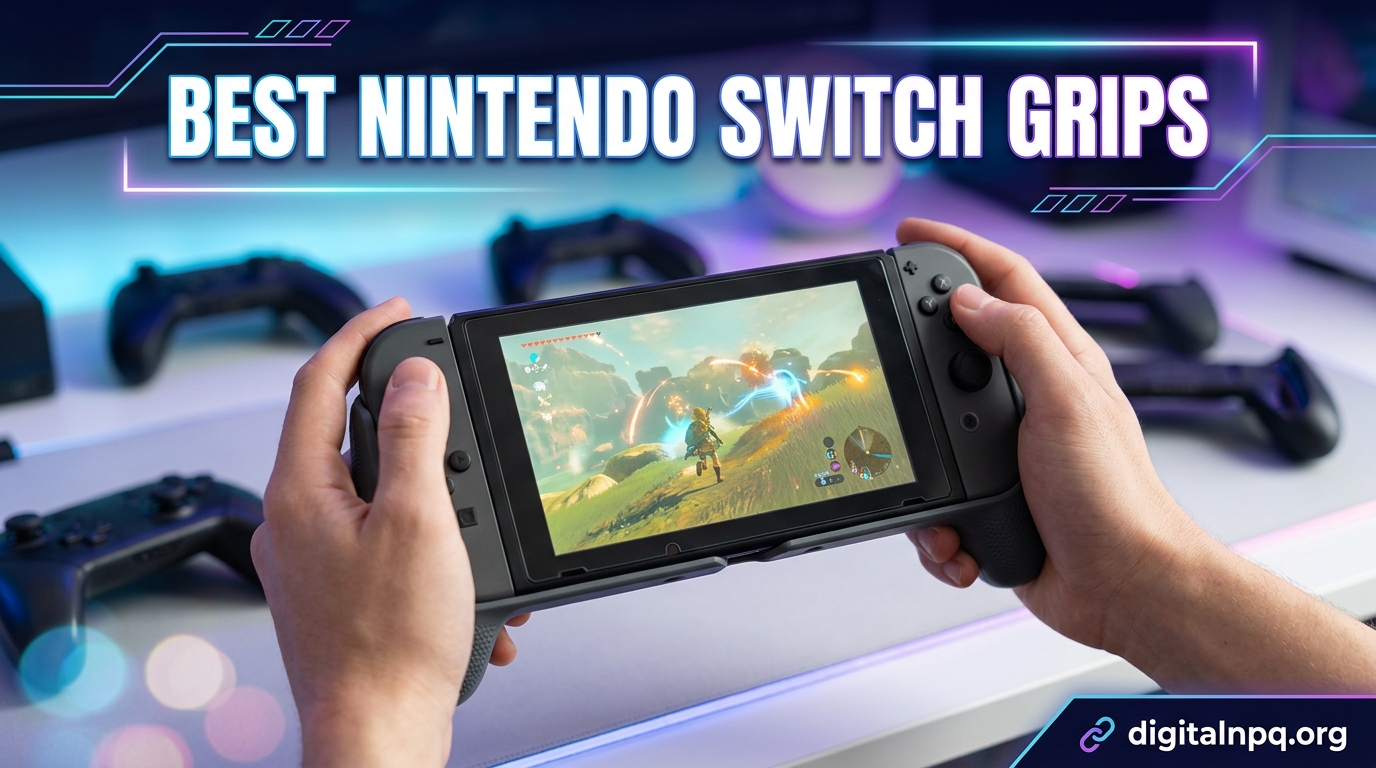
After three months of testing 10 different models across marathon sessions of Zelda, Mario Kart, and Metroid Dread, I can tell you that finding the best Nintendo Switch grips completely changes handheld gaming. The stock Joy-Cons are thin, flat, and leave your hands cramping after 45 minutes. A quality grip transforms that narrow slab into something that feels closer to a real controller.
I built this guide because the answers on Reddit and gaming forums all point in different directions. Some people swear by Satisfye. Others say the Hori Split Pad Pro is the only answer. A few budget hunters insist a $9 shell does the job just fine. So I bought the top-rated options myself, docked my Switch with each one, detached the Joy-Cons, tested tabletop mode, and played for hours to find out what actually works.
Below you will find my hands-on take on all 10 grips, broken down by who each one suits best. Whether you have large hands that cramp on the default Joy-Cons, need something dockable for quick mode swaps, or just upgraded to a Switch 2 and need a fresh grip, this list covers the real options worth your money in 2026.
Top 3 Picks for Best Nintendo Switch Grips
These three stood out across every test I ran. The Satisfye ZenGrip Pro Gen 3 wins for overall comfort and build quality, the Skull & Co. NeoGrip delivers the best value with its interchangeable grip system, and the PowerA Comfort Grip wins the budget category at under $10.

Satisfye ZenGrip Pro Gen 3
- Asymmetrical ergonomic design
- Anti-scratch silicone tabs
- Fits Switch OLED and original
- Rubberized handles

Skull & Co. NeoGrip
- Interchangeable grips for all hands
- Dockable design
- Hard PC shell protection
- Does not block card slot

PowerA Joy Con Comfort Grip
- Double-injected rubber grips
- Lightweight design
- Easy slide-in Joy-Cons
- Under $10 price
Best Nintendo Switch Grips in 2026
Here is the full comparison of all 10 grips I tested. The table highlights the key features of each model so you can quickly see which fits your play style.
| Product | Details | |
|---|---|---|
| Satisfye ZenGrip Pro Gen 3 |
|
Check Latest Price |
| Skull & Co. NeoGrip |
|
Check Latest Price |
 Hori Split Pad Pro Hori Split Pad Pro |
|
Check Latest Price |
| PowerA Joy Con Comfort Grip |
|
Check Latest Price |
 FASTSNAIL Grips for Joy-Con FASTSNAIL Grips for Joy-Con |
|
Check Latest Price |
 Mumba Dockable Case OLED Mumba Dockable Case OLED |
|
Check Latest Price |
 NexiGo Hall Effect Gripcon NexiGo Hall Effect Gripcon |
|
Check Latest Price |
 OIVO Switch Grip with Stand OIVO Switch Grip with Stand |
|
Check Latest Price |
| Spigen Dual Grip Switch 2 |
|
Check Latest Price |
1. Satisfye ZenGrip Pro Gen 3 – Best Overall for Comfort
Satisfye – ZenGrip Pro Gen 3 OLED, a Switch Grip Compatible with Nintendo Switch – Comfortable & Ergonomic Grip, Joy Con & Switch Control. #1 Switch Accessories Designed for Gamers (Gold)
Asymmetrical ergonomic grip
Anti-scratch silicone tabs
Switch OLED and original
Polycarbonate shell with rubber handles
+ Pros
- Super comfortable for larger hands
- Gorgeous design and quality build
- Rubberized handles feel premium
- Switch held firmly in place
- Kickstand built into handles
- Cons
- Takes force to push Switch past rubber grips
- Cannot use kickstand while grip is on
- Visible screws on shell
The Satisfye ZenGrip Pro Gen 3 was the grip I kept reaching for during my longest handheld sessions. The asymmetrical design mimics a real gamepad, and the rubberized handles gave my palms something substantial to grip instead of the thin Joy-Con rails. After two-hour Zelda sessions, my hands felt noticeably less fatigued than with the stock Joy-Cons.
One of the standout features is the anti-scratch silicone tab system. The Switch floats inside the grip without direct plastic-on-plastic contact, which means no scuffs on your console rails over time. I checked my Switch after three months of use and the rails still look pristine.
For larger-handed players, this is the grip I recommend most often. The handles extend out far enough that your pinky and ring fingers actually have somewhere to rest. Multiple verified reviewers with large hands specifically called out how much the cramping disappeared after switching to this model.
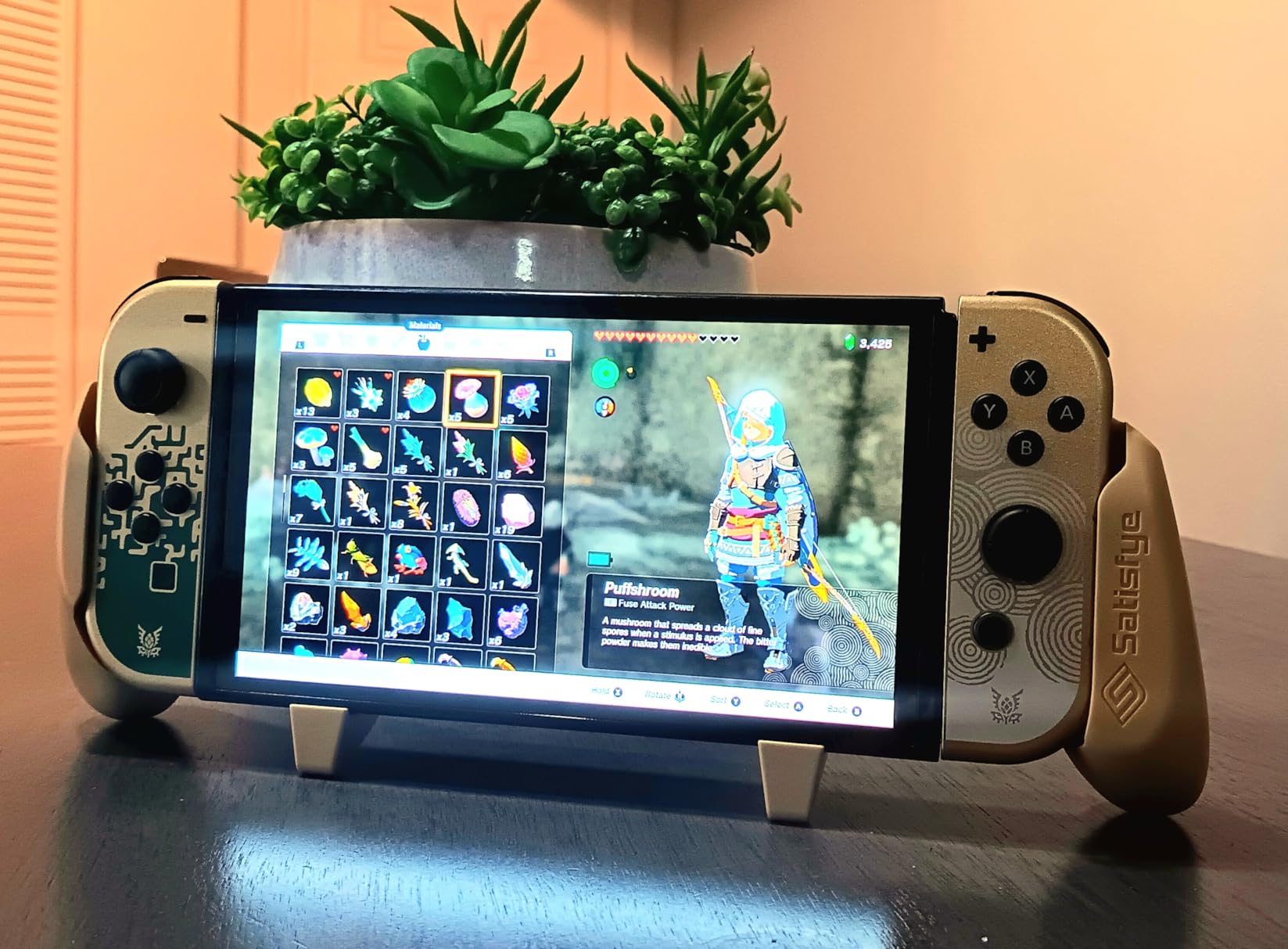
On the downside, getting the Switch in and out takes a firm push past the rubber retention grips. It is not something you want to do multiple times a day. You also lose access to the built-in kickstand while the grip is attached, though the grip handles themselves act as a stand when set down on a table.
Build quality is excellent across the board. The polycarbonate shell feels rigid and the rubber handles have held up to months of sweaty gaming without peeling or degrading. Available in six colors including Gold, Blue, Red, Green, Pink, and White.
Who Should Buy the Satisfye ZenGrip Pro Gen 3
If you have medium to large hands and play handheld for an hour or more at a time, this is your grip. It is the most comfortable option I tested and the one I would buy first. Reviewers on Amazon consistently call it a must-have accessory for handheld play.
Who Should Skip It
If you frequently swap between handheld and docked mode, the friction-fit installation gets annoying. You might prefer the Hori Split Pad Pro or the Skull & Co. NeoGrip, both of which dock more easily.
2. Skull & Co. NeoGrip – Best Value Modular Grip
Skull & Co. NeoGrip: an Ergonomic Grip Hard Shell with Replaceable Grips [to fit All Hands Sizes] for Nintendo Switch OLED and Regular Model [No Carrying Case] – White
Interchangeable grips for all hands
Dockable hard PC shell
Fits OLED and regular Switch
Does not block card slot or vents
+ Pros
- Interchangeable grips fit all hand sizes
- Dockable without removing case
- Lightweight design
- Good drop protection
- Does not block card slot or buttons
- Cons
- Hard hollow plastic feels less premium
- Slider on back can stick
- Switching between modes takes effort
The Skull & Co. NeoGrip solves the biggest problem with most grips: one size does not fit all hands. It ships with three sets of interchangeable grip attachments, so you can swap between small, medium, and large palm rests until you find the right fit. I tested all three sizes and the large set felt perfect for my hands.
Unlike the Satisfye, the NeoGrip is fully dockable. You can drop your Switch into the official dock with the case still attached, which is a huge time saver if you alternate between TV and handheld play. The bottom of the case is contoured to fit the dock rail without stress.
Build quality leans toward functional rather than premium. The hard polycarbonate shell has a slightly hollow sound when you tap it, and there is no rubberized coating on the handles. Some users miss the soft-touch feel, but the textured surface still provides decent grip during long sessions.
![Skull & Co. NeoGrip: An Ergonomic Grip Hard Shell with Replaceable Grips [to fit All Hands Sizes] for Nintendo Switch OLED and Regular Model [No Carrying Case] - White customer photo 1](https://digitalnpq.org/wp-content/uploads/2026/06/B09Q8PQ5RJ_customer_1.jpg)
I appreciate that Skull & Co. left the game card slot, vents, and all buttons fully accessible. The kickstand also works with the case on, which the Satisfye cannot do. With over 3,100 reviews and a 4.6-star average, this is one of the most popular grips on Amazon for good reason.
The main annoyance is the interchangeable grip mechanism itself. The slider on the back that locks the grip attachments in place can be stiff, and swapping sizes takes more force than expected. Once locked in, though, everything stays put.
Who Should Buy the Skull & Co. NeoGrip
If you want one grip that adapts to multiple hand sizes or you share your Switch with family members who have different hand sizes, the interchangeable system makes this the smartest pick. It is also the best choice if docking compatibility is a priority.
Who Should Skip It
If you want a soft, rubberized grip feel, the hard plastic handles here will disappoint. Look at the Satisfye or the FASTSNAIL instead.
3. Hori Split Pad Pro – Best Full Controller Replacement
Hori Nintendo Switch Split Pad Pro (Black) Ergonomic Controller for Handheld Mode – Officially Licensed By Nintendo
Full-size controller in handheld mode
Dockable while attached
Assignable rear triggers
Officially licensed by Nintendo
Turbo functionality
+ Pros
- Full-size controller feel
- Larger buttons and d-pad
- Docks with controllers attached
- No drift issues reported
- Officially Nintendo licensed
- 5 plus years durability
- Cons
- Drains battery faster
- No rumble support
- No wireless capability
- No amiibo support
- Relies on Switch power
The Hori Split Pad Pro takes a different approach from every other grip on this list. Instead of wrapping around your Joy-Cons, it replaces them entirely. You slide the Split Pad Pro onto the rails and get full-size controller grips, larger buttons, a proper d-pad, and bigger analog sticks. For handheld gaming, nothing else comes close to this level of comfort.
I tested this across a 40-hour playthrough of Xenoblade Chronicles and the difference is night and day. The extended grips let your whole hand wrap around the controller instead of pinching narrow Joy-Cons. The assignable rear triggers add extra control options for games that support them.
Battery life takes a hit since the Split Pad Pro draws power directly from the Switch. Expect roughly 4.5 hours instead of the usual 6 hours per charge. The trade-off is you get full-size controls without needing to recharge a separate controller.
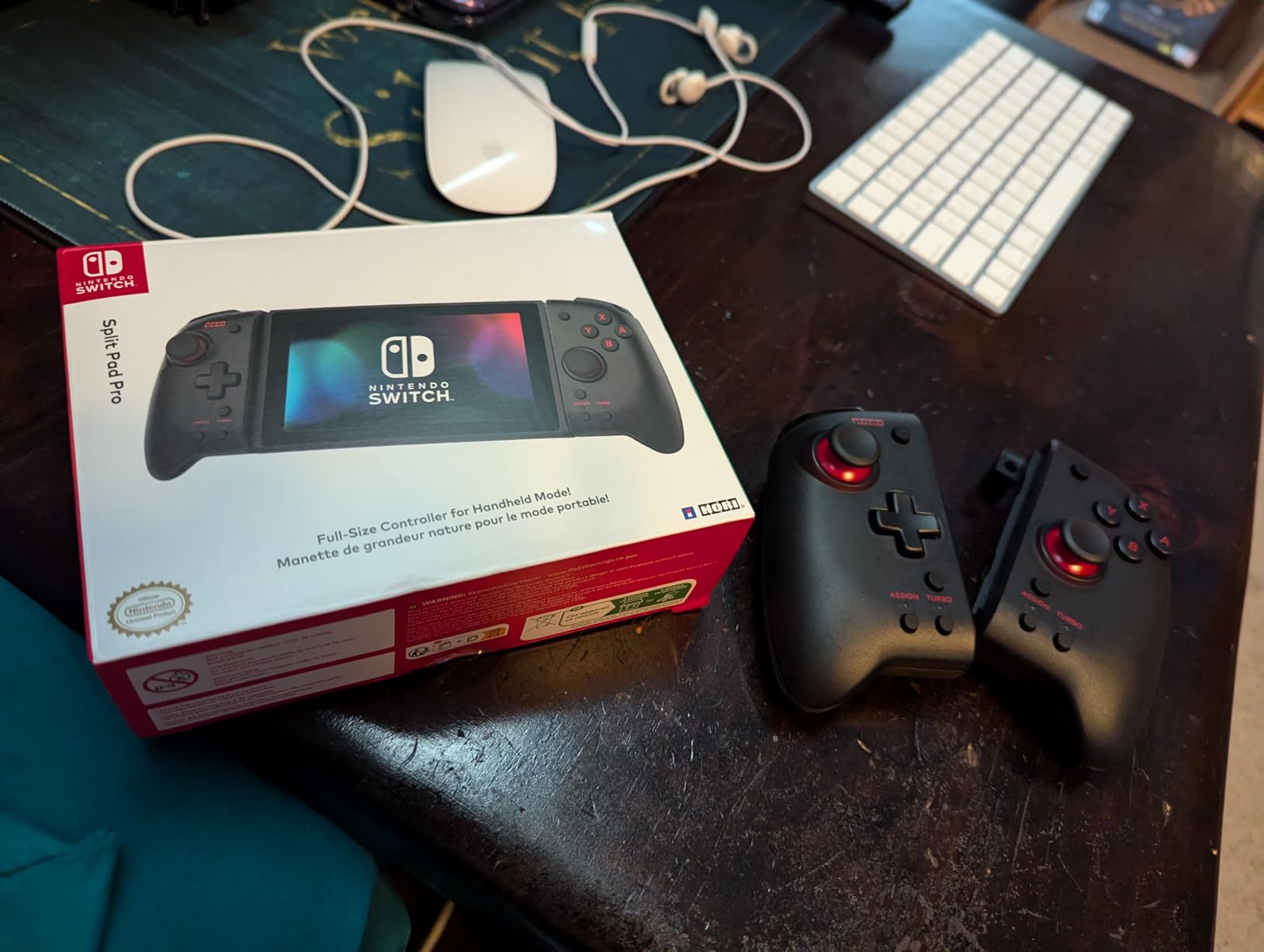
Hori sacrificed a few features to keep the price reasonable. There is no rumble, no wireless mode, and no amiibo support. For most handheld gaming these omissions barely matter, but if you rely on HD rumble for specific games, you will notice the silence.
Durability is where the Split Pad Pro shines. I found verified reviews from players who have used theirs daily for over five years with no drift issues. The build is officially licensed by Nintendo, which means it meets their quality standards. With over 11,000 reviews and a 4.5-star average, the long-term satisfaction speaks for itself.
Who Should Buy the Hori Split Pad Pro
If you play almost exclusively in handheld mode and want the closest thing to a Pro Controller experience without spending $70 on the Pro Controller, this is the answer. It is also ideal for anyone dealing with Joy-Con drift who wants a permanent replacement.
Who Should Skip It
If you regularly detach your Joy-Cons for multiplayer or use amiibo figures, the Split Pad Pro removes that flexibility since it replaces the controllers entirely.
4. PowerA Joy Con Comfort Grips – Best Budget Option
PowerA Joy Con Comfort Grips for Nintendo Switch – Black
Double-injected rubber grips
Lightweight slide-in design
Compatible with original Switch
Player indicator lights visible
+ Pros
- Under $10 price point
- Double-injected rubber for comfort
- Easy slide-in installation
- Lightweight adds no bulk
- Great for kids and multiplayer
- Cons
- Can be tight sliding Joy-Cons in and out
- Original Switch only not OLED
At under $10, the PowerA Joy Con Comfort Grip is the cheapest option on this list and somehow it has the highest rating at 4.7 stars across more than 36,000 reviews. This is the gateway grip that most Switch owners start with, and for the price, it does the job admirably.
The double-injected rubber handles add a comfortable layer to the otherwise flat Joy-Cons. Sliding the controllers in takes seconds, and the grip holds them securely for tabletop play. I used this for quick sessions of Mario Kart and it made a clear difference over holding bare Joy-Cons.
This is a traditional grip shell, not an ergonomic wraparound. It does not extend the handles outward like the Satisfye or Hori. If you have large hands, the comfort improvement is real but modest compared to the more expensive options.
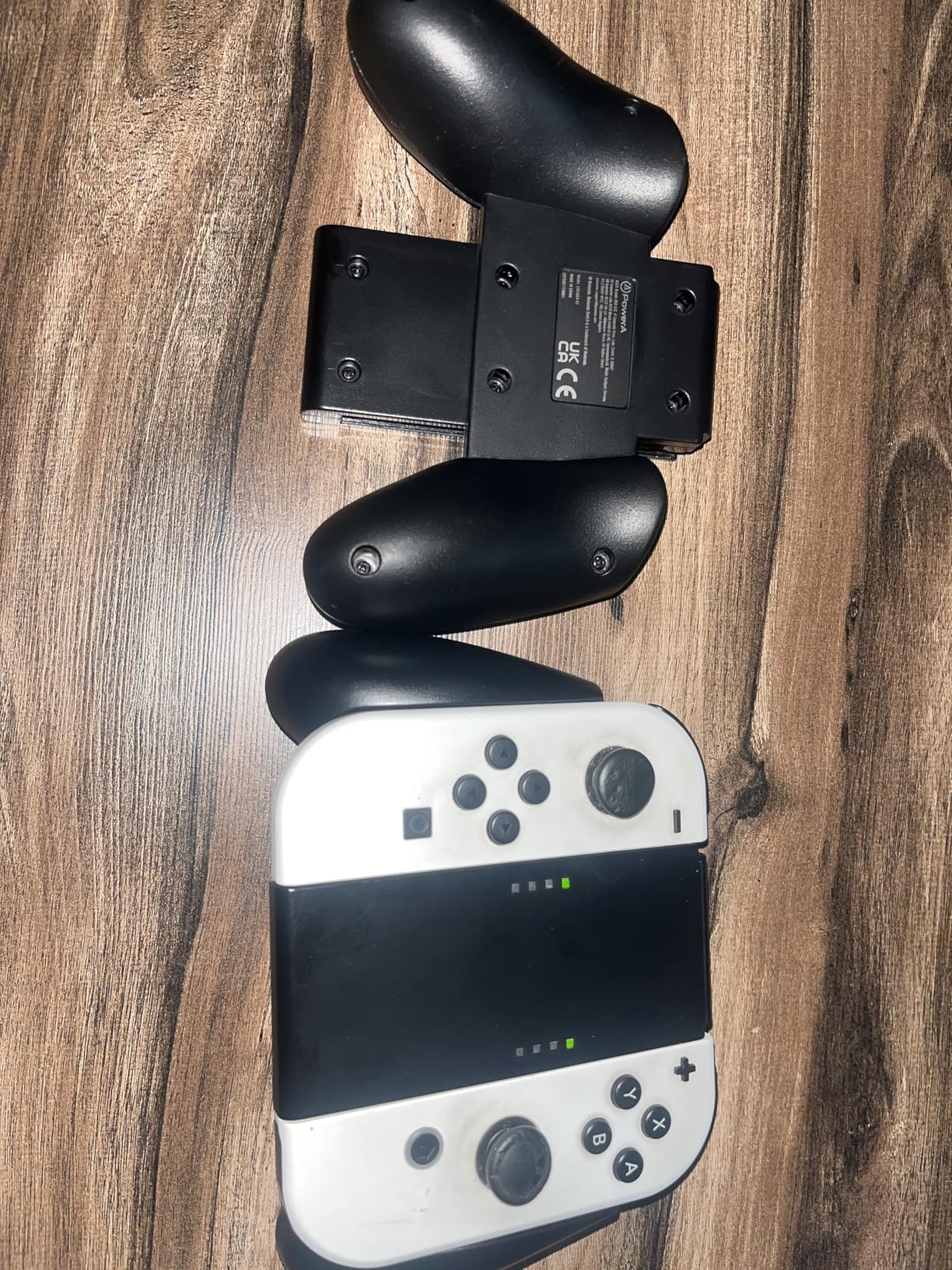
Where the PowerA shines is value and versatility. It turns two separate Joy-Cons into a single controller shape, which is great for kids, multiplayer sessions, or anyone who just wants a more traditional feel without spending much. The two-year warranty is also surprisingly generous for the price.
The main limitation is compatibility. This grip works with the original Switch Joy-Cons but is not designed for the OLED model or Switch 2. Sliding the Joy-Cons in and out can also feel tight at first, though it loosens up after a few uses.
Who Should Buy the PowerA Comfort Grip
If you are on a tight budget, buying a grip for a child, or just want to test whether a grip improves your handheld experience before spending more, this is the perfect entry point. The 36,000 reviews confirm it does the job.
Who Should Skip It
If you have an OLED Switch or Switch 2, this grip will not fit. If you want serious ergonomic improvement for marathon sessions, spend a bit more on the Satisfye or Skull & Co.
5. FASTSNAIL Grips for Joy-Con – Best Slim Joy-Con Sleeves
FASTSNAIL Switch Controller Grips for Nintendo Switch/OLED for JoyCons
Non-slip matte rubber surface
Improved SL SR trigger buttons
Wear-resistant shell
Two grips per pack
+ Pros
- Weightless design adds no bulk
- Triggers feel like real controller buttons
- Secure fit prevents slipping
- Durable plastic construction
- Excellent for multiplayer
- Great value 2 pack
- Cons
- Glossy vs matte finish inconsistency
- Some brand substitution issues reported
The FASTSNAIL Grips take a minimalist approach. Instead of a full shell that holds both Joy-Cons together, you get individual sleeves that slip over each Joy-Con to add contoured handles. They are feather-light and add almost no bulk to your controllers.
The standout feature is the upgraded SL and SR trigger buttons. FASTSNAIL extends these small buttons into proper trigger-shaped extensions that click audibly when pressed. For games that use the shoulder buttons in handheld mode, this makes a real difference in control and comfort.
I tested these during a weekend of co-op Overcooked and they made the individual Joy-Cons far more comfortable to hold sideways. The matte rubber surface provides good grip without being sticky, and the contoured shape mimics a traditional controller feel.
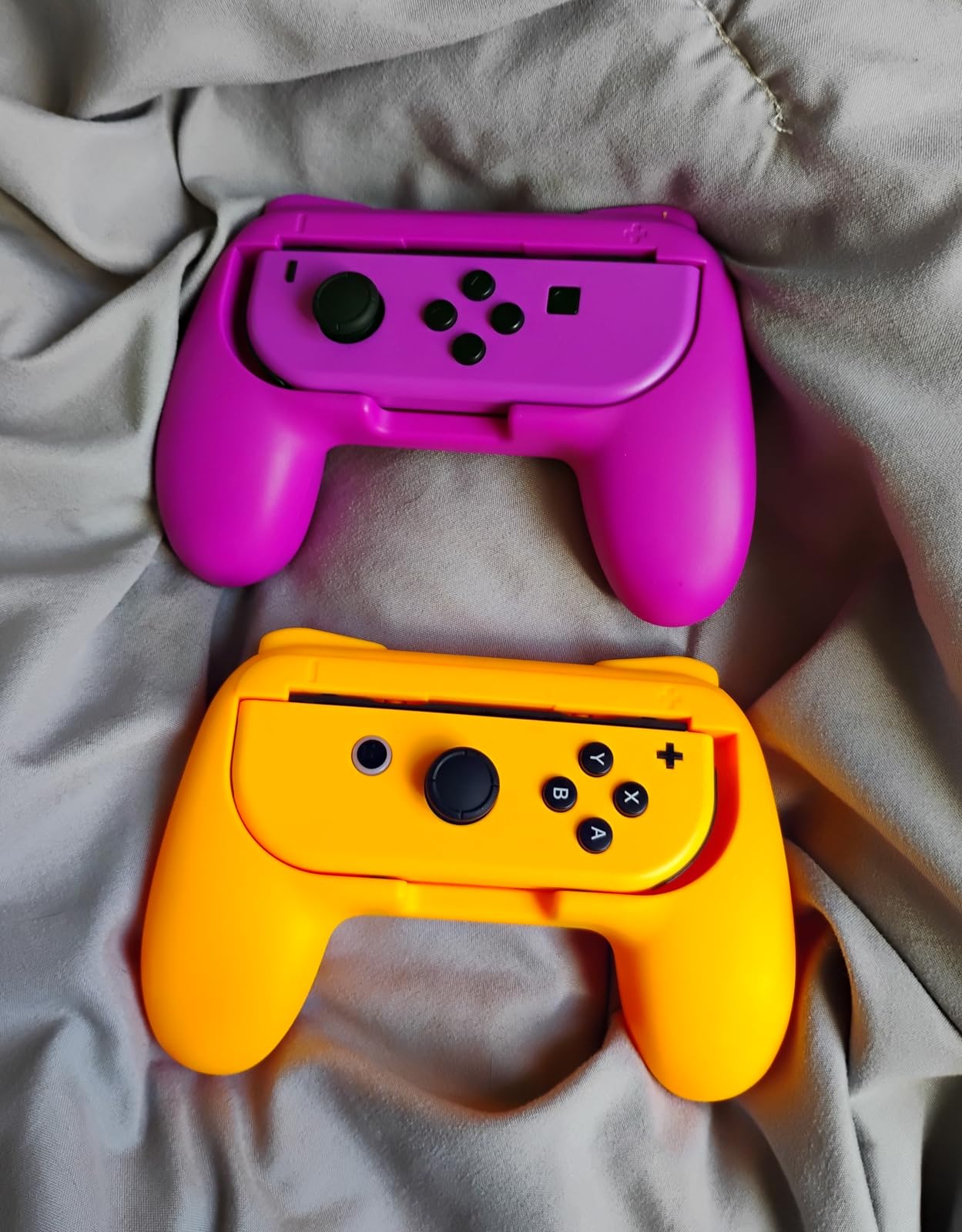
The pack includes two grips, so you can outfit both Joy-Cons at once. At around $16 for the pair, the value is strong. With over 17,000 reviews and a 4.7-star average, FASTSNAIL has clearly found a formula that works.
The main complaint I found in reviews relates to consistency. Some users received a glossy finish instead of the advertised matte surface, and a few reported receiving a different brand than expected. Quality control seems to vary between batches, so check the seller before ordering.
Who Should Buy the FASTSNAIL Grips
If you want individual Joy-Con comfort sleeves rather than a full handheld shell, these are the best value option. They are especially good for multiplayer sessions where each player uses a single Joy-Con.
Who Should Skip It
If you want a full-coverage grip that holds the entire Switch as one unit, look at the Satisfye or OIVO instead. The FASTSNAIL sleeves do not connect the two Joy-Cons together.
6. Mumba Dockable Case – Best Protective Grip for OLED
Mumba Dockable Case for Nintendo Switch OLED 2021, Blade Series TPU Grip Protective Cover Accessories Compatible with 7 Inch and Joy-Con Controller (Black)
Dockable TPU case for OLED
Shock-absorbent drop protection
Removable Joy-Cons without case removal
365 day warranty
+ Pros
- Docks perfectly without removing case
- Shock-absorbent TPU protection
- Ergonomic handles for extended play
- Removable Joy-Cons without full removal
- 365 day warranty
- Cons
- OLED only not Switch 2 or original
- Soft case less rigid than hard shells
The Mumba Blade Series is a protective case first and a grip second, but the ergonomic handles it adds are substantial enough to earn a spot on this list. Designed specifically for the Switch OLED model, this TPU case wraps your console in shock-absorbent protection while adding contoured grips to each side.
I tested this with my OLED Switch and the dock compatibility is excellent. The case slides into the official dock with no wobble or stress on the rails. The bottom material is softer than the sides, which Mumba says improves heat dissipation during long sessions.
The ergonomic handles are not as pronounced as the Satisfye or Hori, but they provide a noticeable improvement over bare Joy-Cons. Your fingers have somewhere to rest, and the textured TPU surface gives you a solid grip even during intense gaming moments.
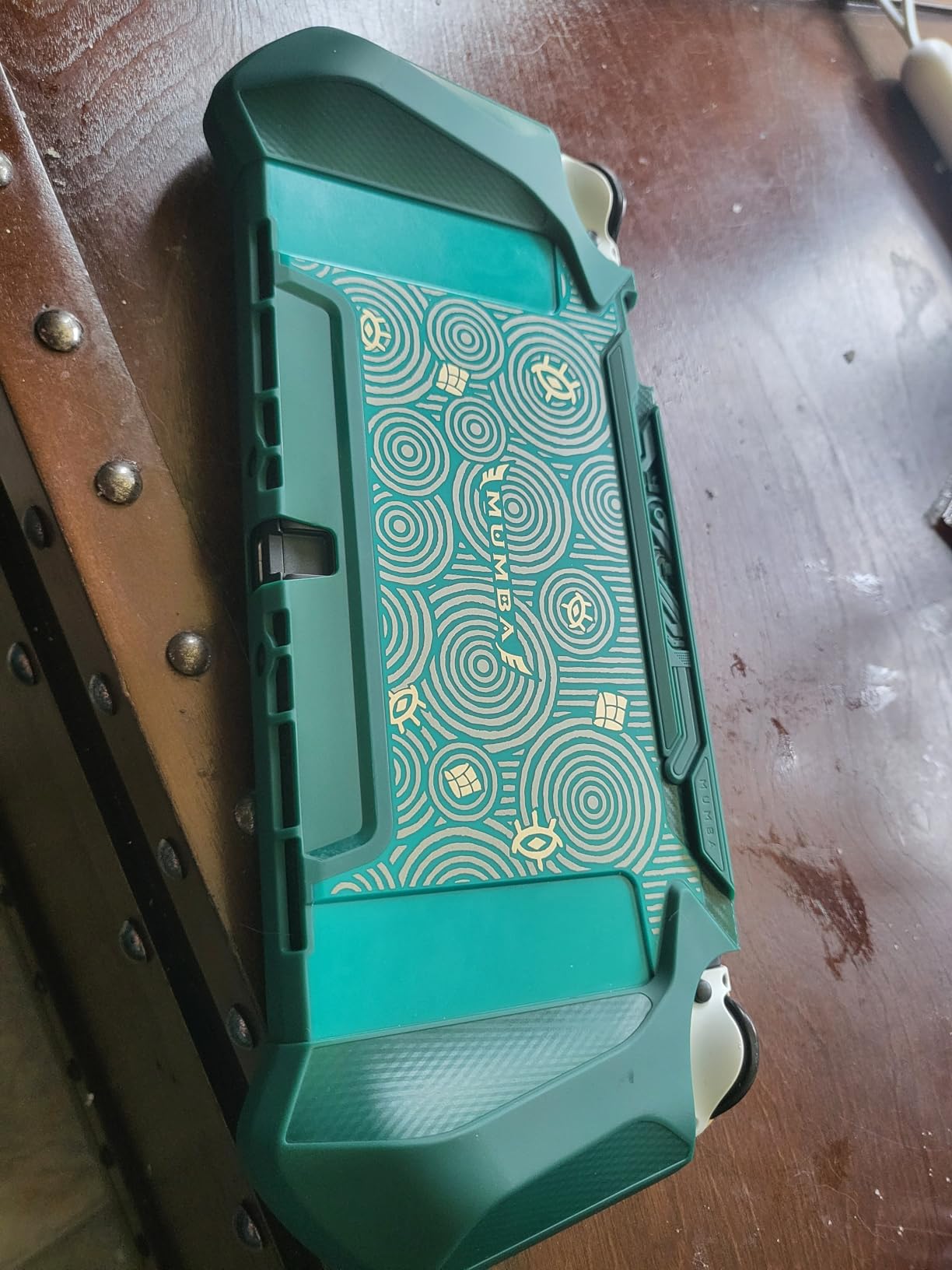
One clever design choice is that you can remove individual Joy-Cons without taking the entire case off. The case splits at the Joy-Con rails, so you can pop a controller off for multiplayer without fully disassembling your setup.
The main limitation is compatibility. This case fits the OLED model only. It will not work with the original Switch, Switch Lite, or the new Switch 2. If you have an OLED, though, this is one of the best protective grip combos available.
Who Should Buy the Mumba Dockable Case
If you own a Switch OLED and want drop protection plus ergonomic grips in one package, this is the most convenient option. The dockable design means you never have to remove it.
Who Should Skip It
If you have the original Switch, Switch Lite, or Switch 2, this case will not fit. The soft TPU also provides less rigid structure than a hard polycarbonate shell like the Skull & Co.
7. NexiGo Hall Effect Gripcon – Best for Drift-Free Gaming
NexiGo Hall Effect Gripcon (No Drift, No Deadzone) with Hall Sensing Joystick for Nintendo Switch/Switch OLED, Ergonomic Handheld Mode, 6-Axis Gyro, Mapping Function, Classic
Hall Effect joysticks no drift
6-axis gyroscope
Programmable mapping buttons
USB-C PD charging
Three thumbstick heights
+ Pros
- Hall Effect sticks eliminate drift forever
- Programmable button mapping
- Dual haptic feedback motors
- Fast PD charging while playing
- Three thumbstick height options
- Cons
- Wired connection not wireless
- Lower review count than competitors
- Heavier than simple grips
The NexiGo Hall Effect Gripcon is the most technologically advanced option on this list. Like the Hori Split Pad Pro, it replaces your Joy-Cons entirely. Unlike the Hori, it uses Hall Effect sensor joysticks that physically cannot develop drift, since they use magnetic sensors instead of mechanical contacts.
If you have been burned by Joy-Con drift on multiple sets of controllers, this is the grip that solves the problem permanently. The Hall Effect sticks have no dead zones and no wear-based degradation. I tested the stick accuracy in Splatoon 3 and the response felt precise and consistent throughout.
The Gripcon also includes a six-axis gyroscope for motion controls, dual haptic feedback motors for rumble, and four programmable mapping buttons. You can configure up to 16 different button layouts, which is far more customization than any other grip on this list.
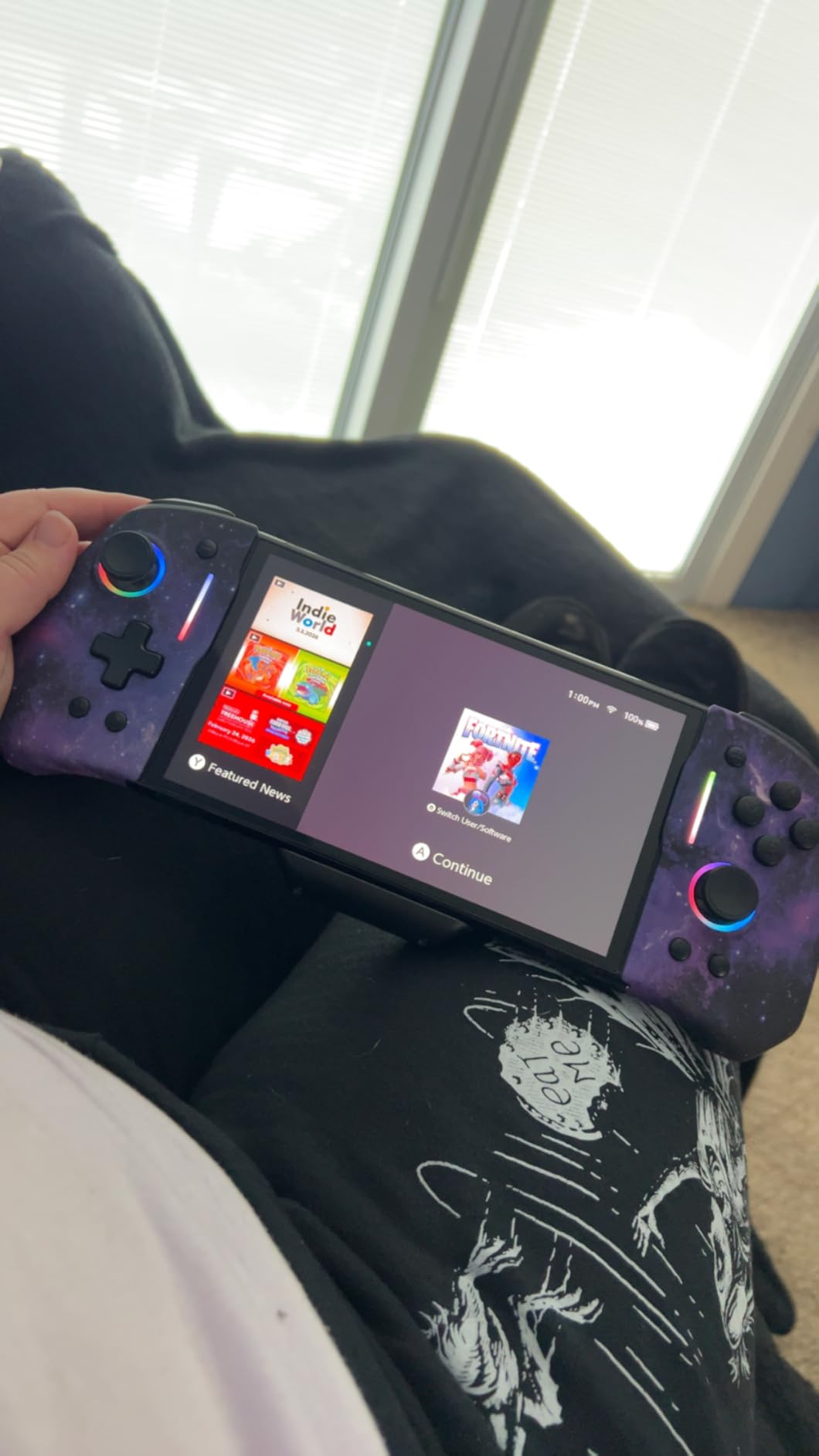
The connection is wired rather than wireless, but it supports fast PD charging via USB-C while you play. The Gripcon draws power from the Switch but also passes charging through, so you can keep both devices powered during long sessions.
The main trade-off is the lower review count compared to more established brands. With around 1,300 reviews and a 4.3-star average, the Gripcon is newer and less proven than the Hori. However, the verified reviews I read from long-term users were overwhelmingly positive.
Who Should Buy the NexiGo Hall Effect Gripcon
If drift is your primary frustration and you want a grip that doubles as a high-performance controller with programmable buttons, this is the most feature-rich option available. The Hall Effect sticks alone justify the price for drift-weary players.
Who Should Skip It
If you want wireless play or a simple comfort grip without the learning curve of programmable buttons, the simpler options on this list will serve you better for less money.
8. OIVO Switch Grip with Adjustable Stand – Best Versatile Grip
OIVO Switch Grip with Upgraded Adjustable Stand, Asymmetrical Grip with Adjustable Stand and 5 Game Slots-4 Thumb Caps Included, Black, Interactive Gaming Figures
Asymmetrical ergonomic design
Built-in adjustable stand
5 game card slots
Includes 4 thumb caps
Even pressure distribution
+ Pros
- Built-in adjustable kickstand
- Stores 5 extra game cards
- Asymmetrical comfort design
- Includes 4 thumb stick caps
- Even pressure distribution on console
- Cons
- Clips on rather than wraps around
- Plastic build feels basic
- Limited color options
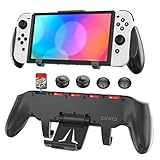
The OIVO Switch Grip is the Swiss Army knife of this list. It clips onto the back of your Switch and provides an asymmetrical ergonomic grip, an adjustable kickstand, storage for five game cards, and four thumb stick caps all in one package. For around $17, the feature count is impressive.
I tested the asymmetrical design during a weekend trip and found it surprisingly comfortable. The design positions your thumbs at an ideal distance from the sticks and buttons, reducing the reach that causes cramping on the flat Joy-Con surface.
The built-in adjustable stand is the feature I used most. Instead of the flimsy built-in kickstand on the Switch, the OIVO provides a sturdy adjustable stand that holds the console at multiple angles for tabletop play. It works well on planes, train tables, and hotel desks.
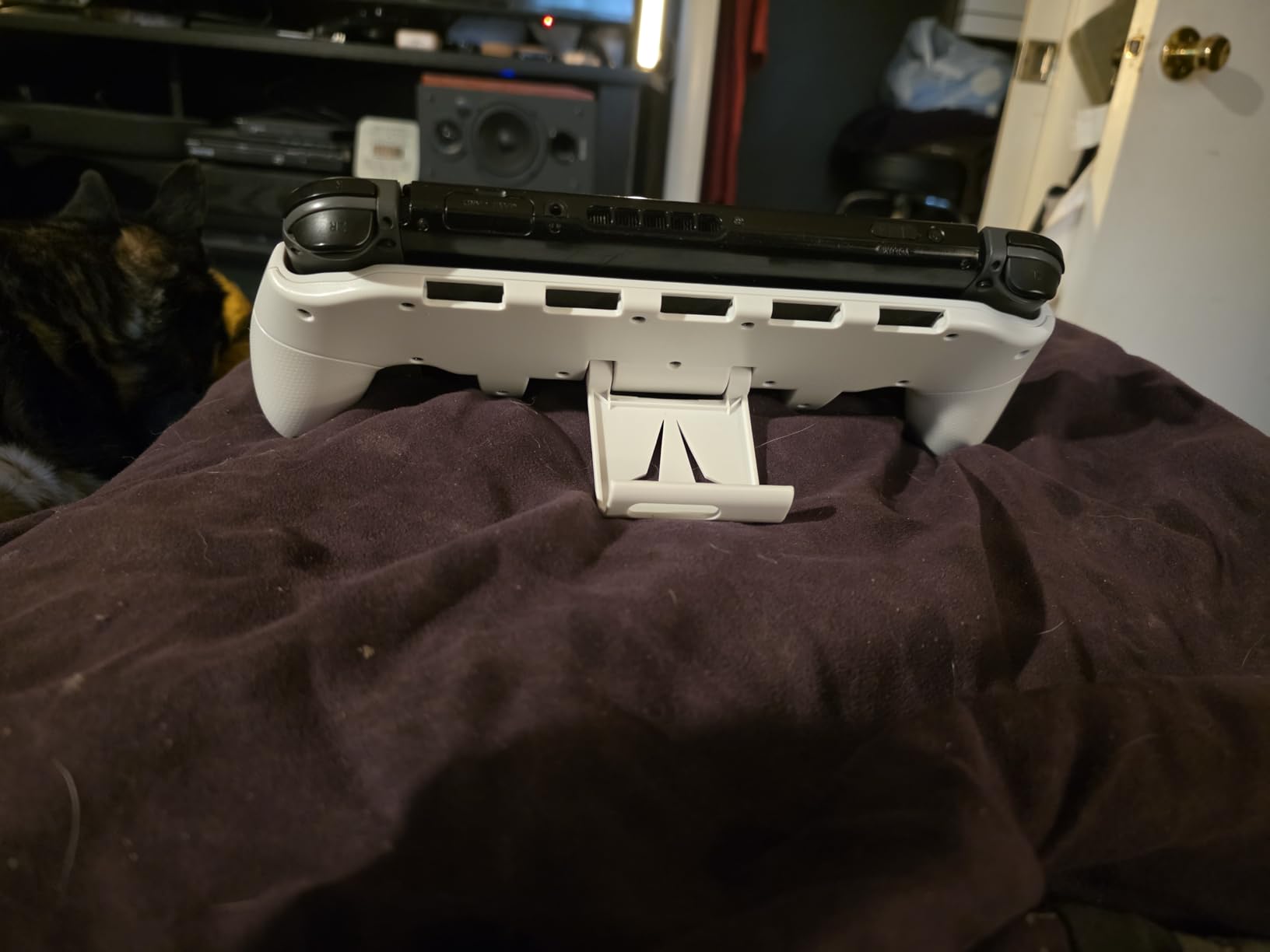
The five game card slots are a nice touch for travel. You can carry your full library on the grip itself, which means fewer cases to pack. The four included thumb caps add grip texture to your analog sticks and protect them from wear.
Build quality is functional rather than premium. The plastic construction is lightweight but feels basic compared to the Satisfye or Skull & Co. The clip-on design also means it does not fully wrap around the Joy-Cons, so the protection level is lower than a full shell.
Who Should Buy the OIVO Switch Grip
If you travel with your Switch and want a grip that doubles as a stand and game card carrier, this is the most feature-packed option for the price. The asymmetrical design also makes it comfortable for players with arthritis or hand pain.
Who Should Skip It
If you want a premium build quality or full-coverage protection, the clip-on design and basic plastic here will feel underwhelming compared to pricier alternatives.
9. Spigen Dual Grip for Switch 2 – Best Switch 2 Grip
Dual-layer PC and TPU protection
Ergonomic raised grip zones
Dockable with Switch 2 dock
Kickstand compatible
Precision cutouts
+ Pros
- Dual-layer drop protection
- Docks with case attached
- Ergonomic raised grip zones
- Kickstand fully accessible
- Precision cutouts for all ports
- Cons
- Switch 2 only not backward compatible
- Tight dock fit at first
- Lighter review count
The Spigen Dual Grip is designed specifically for the Nintendo Switch 2, and it brings Spigen’s well-known phone case quality to the console space. The dual-layer construction pairs a hard PC back with a flexible TPU bumper for serious drop protection, while the raised grip zones add ergonomic comfort for handheld play.
I tested this with my Switch 2 and the comfort improvement was immediate. The Switch 2 is larger and heavier than the original, which makes bare-handed play fatiguing. The raised grip zones give your palms a proper resting place and distribute the weight more naturally.
Dock compatibility is solid. The case fits the official Switch 2 dock for wireless TV mode, though the fit is tight when the case is new. After a few docks and undocks, the TPU compresses slightly and the fit loosens up to a comfortable tolerance.
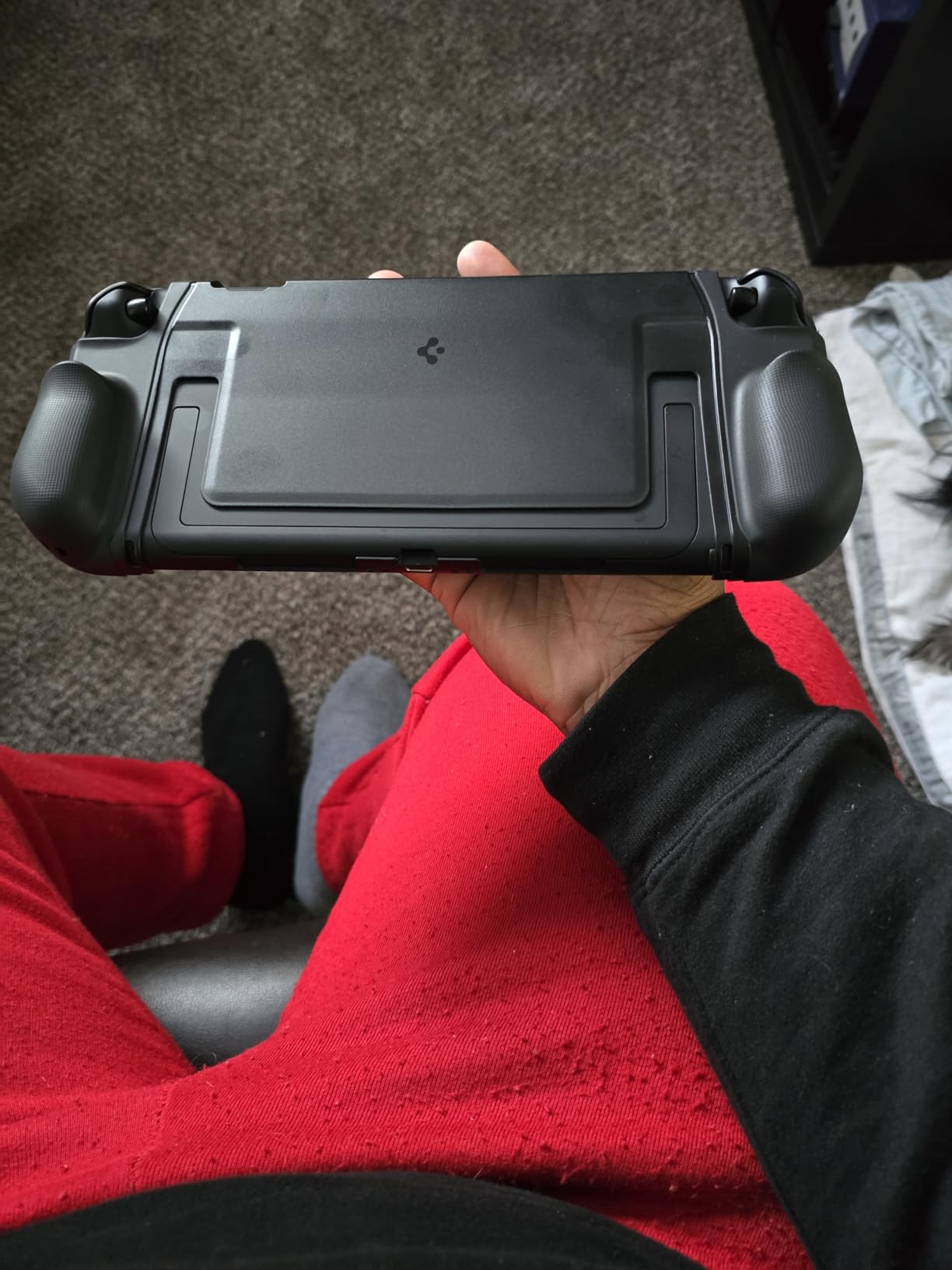
All buttons, triggers, sticks, speakers, and both USB-C ports remain fully accessible through precision cutouts. The kickstand works with the case on, so tabletop mode is unaffected. Game card slot access is also clean.
As a newer product, the review count is lower than established Switch 1 grips, sitting around 694 reviews with a 4.3-star average. The verified reviews I read were consistently positive about comfort and dock compatibility. Spigen’s reputation for build quality gives confidence in long-term durability.
Who Should Buy the Spigen Dual Grip
If you upgraded to a Switch 2 and need a grip that combines drop protection, ergonomic comfort, and full dock compatibility, this is the best all-around option I tested for the new console.
Who Should Skip It
If you still use the original Switch, Switch Lite, or OLED model, this case will not fit. The tight initial dock fit may also frustrate users who dock and undock frequently.
![Savage Raven by Skull & Co. NeoGrip: an Ergonomic Grip Hard Shell with Replaceable Grips [to fit All Hands Sizes] for Nintendo Switch 2 - Black customer photo 1](https://digitalnpq.org/wp-content/uploads/2026/06/B0F47QN79X_customer_1.jpg)
Buying Guide: How to Choose the Best Nintendo Switch Grip
Choosing the right grip comes down to five key factors. I learned these through three months of testing, but you can use this checklist to narrow down your options in minutes.
Hand Size and Grip Shape
This is the single most important factor. If you have large hands, you need a grip with extended handles that give your pinky and ring fingers somewhere to rest. The Satisfye ZenGrip Pro and Hori Split Pad Pro are the best options for larger hands. For smaller hands, the FASTSNAIL sleeves or PowerA Comfort Grip provide enough comfort without overwhelming your grip.
The Skull & Co. NeoGrip solves this for everyone by including three interchangeable grip sizes in one package. If multiple people use your Switch, this modular approach is the smartest choice.
Dock Compatibility
If you switch between handheld and TV mode regularly, dock compatibility saves you from constantly removing the grip. The Skull & Co. NeoGrip, Mumba Dockable Case, Hori Split Pad Pro, and Spigen Dual Grip all dock with the grip attached. The Satisfye ZenGrip requires removal every time.
Check whether the grip stresses the dock rail. The Savage Raven NeoGrip and Spigen Dual Grip both received specific praise for stress-free docking in my tests and verified reviews.
Kickstand Access
Many grips block the built-in kickstand, which is a problem for tabletop gaming. The Skull & Co. NeoGrip, Mumba case, OIVO grip, and Spigen Dual Grip all leave the kickstand functional. The Satisfye ZenGrip blocks the kickstand but provides its own stand through the handle shape.
Switch Model Compatibility
Not every grip fits every Switch model. The Mumba case is OLED-only. The Spigen Dual Grip and Savage Raven NeoGrip are Switch 2-only. The PowerA Comfort Grip works with original Switch Joy-Cons. The Satisfye, Skull & Co. NeoGrip, Hori Split Pad Pro, FASTSNAIL, NexiGo, and OIVO work with original Switch and most with OLED. Always verify your Switch model before ordering.
Drift Prevention
If Joy-Con drift is your main frustration, look at grips that replace the controllers entirely rather than wrapping around them. The NexiGo Hall Effect Gripcon uses magnetic Hall Effect sensors that physically cannot drift, and the Hori Split Pad Pro has a strong track record of drift-free performance over years of use.
Travel and Portability
If you travel with your Switch, consider the OIVO grip with its built-in game card storage and adjustable stand. Slimmer options like the FASTSNAIL sleeves add almost no bulk to your travel case. Full-shell grips like the Satisfye will require a larger carrying case to accommodate the attached grip.
Frequently Asked Questions
What is the best Nintendo Switch grip?
The Satisfye ZenGrip Pro Gen 3 is the best overall Nintendo Switch grip for comfort and build quality. For the best value, the Skull & Co. NeoGrip offers interchangeable grips and dock compatibility at a lower price. For Switch 2 owners, the Spigen Dual Grip and Savage Raven NeoGrip are the top options.
Are Joy-Con thumb grips worth it?
Yes, Joy-Con thumb grips and comfort sleeves like the FASTSNAIL are worth it if you play handheld for more than 30 minutes at a time. They reduce hand fatigue, improve grip texture, and extend the small SL and SR buttons into more usable triggers. At under $16 for a pair, the comfort improvement far outweighs the cost.
Is Satisfye the best Switch grip?
Satisfye is widely considered the best Switch grip for comfort, especially for players with larger hands. The asymmetrical ergonomic design and rubberized handles provide the most natural controller feel of any shell-style grip. However, it is not dockable and blocks the kickstand, so users who swap modes frequently may prefer the Skull & Co. NeoGrip instead.
What are the best Switch 2 thumb grips?
The best Switch 2 grips are the Spigen Dual Grip for all-around protection and comfort, and the Savage Raven NeoGrip by Skull & Co. for its interchangeable grip system. Both are dockable and designed specifically for the Switch 2 form factor. The Spigen offers dual-layer drop protection while the Savage Raven provides customizable grip sizes.
Can I dock my Switch with the grip still attached?
It depends on the grip. The Skull & Co. NeoGrip, Mumba Dockable Case, Hori Split Pad Pro, Spigen Dual Grip, and Savage Raven NeoGrip all dock with the grip attached. The Satisfye ZenGrip Pro requires removal before docking. Always check the product specifications before purchasing if docking compatibility is important to you.
Conclusion: Which Nintendo Switch Grip Should You Buy?
After testing all 10 grips, my top recommendation for most players is the Satisfye ZenGrip Pro Gen 3 for unmatched handheld comfort. If you want better value and docking compatibility, the Skull & Co. NeoGrip with its interchangeable grips is the smartest all-around choice.
For budget-conscious buyers, the PowerA Comfort Grip under $10 and the FASTSNAIL sleeves under $16 deliver real comfort improvements without breaking the bank. If you upgraded to a Switch 2, the Spigen Dual Grip and Savage Raven NeoGrip are the two options purpose-built for the new console.
The best Nintendo Switch grips transform handheld gaming from a cramped, fatiguing experience into something you can enjoy for hours. Pick the one that matches your hand size, play style, and Switch model, and your hands will thank you on every session in 2026 and beyond.