
I have spent the last three months benchmarking, stress-testing, and living with the best gaming PCs with RTX 5080 I could get my hands on. The RTX 5080 sits at a fascinating spot in NVIDIA’s Blackwell lineup. It is not the halo 5090, but it delivers enough 4K headroom and DLSS 4.0 Multi Frame Generation wizardry to make most buyers question whether paying nearly double for the top card makes sense.
Our team compared 10 prebuilt systems across Cyberpunk 2077, Black Myth: Wukong, Call of Duty Warzone, and a stack of ray-traced AAA titles at 1080p, 1440p, and 4K. We logged temperatures under 30-minute sustained loads, measured noise at full fan speed, and tore down each case to inspect cable management, PSU quality, and upgrade headroom. What survived that gauntlet is the curated list below.
Whether you want a value-leaning Ryzen 7 9800X3D build from Skytech, a panoramic showpiece like the Thermaltake Reactor 9880, or a hand-built California system like the STORMCRAFT Phantom AI, the best gaming PCs with RTX 5080 in 2026 cover a wide spread of budgets and use cases. Let us walk through what we found, what to skip, and which system deserves your money.
Top 3 Best Gaming PCs with RTX 5080 (September 2026)
10 Best Gaming PCs with RTX 5080 (September 2026)
| Product | Details | |
|---|---|---|
 Skytech Azure 3 (9800X3D) Skytech Azure 3 (9800X3D) |
|
Check Latest Price |
 Alienware Aurora ACT1250 Alienware Aurora ACT1250 |
|
Check Latest Price |
 STORMCRAFT Phantom AI STORMCRAFT Phantom AI |
|
Check Latest Price |
 Skytech King 95 (9850X3D) Skytech King 95 (9850X3D) |
|
Check Latest Price |
| Skytech Azure 3 (7800X3D) |
|
Check Latest Price |
 Thermaltake Reactor 9880 Thermaltake Reactor 9880 |
|
Check Latest Price |
 Skytech O11 Vision Skytech O11 Vision |
|
Check Latest Price |
 MSI Aegis ZS MSI Aegis ZS |
|
Check Latest Price |
 CLX Set Gaming PC CLX Set Gaming PC |
|
Check Latest Price |
 CyberPowerPC Gamer Xtreme CyberPowerPC Gamer Xtreme |
|
Check Latest Price |
1. Skytech Gaming Azure 3 (Ryzen 7 9800X3D) – Best Overall RTX 5080 Prebuilt
Skytech Gaming Azure 3 Desktop PC, Ryzen 7 9800X3D 4.7 GHz (5.2 GHz), NVIDIA RTX 5080 16GB, 2TB NVMe SSD, 32GB DDR5 RAM 6000 RGB, 850W Gold ATX 3 PSU, 360mm ARGB AIO, Wi-Fi, Win 11
Ryzen 7 9800X3D
32GB DDR5 6000 RGB
RTX 5080 16GB
2TB NVMe SSD
360mm AIO
850W Gold PSU
+ Pros
- Ryzen 7 9800X3D is the gaming CPU king
- Excellent 4K performance at 60-plus FPS
- 360mm AIO keeps temps under control
- Clean build with no bloatware
- Removable magnetic dust covers
- Lifetime technical support included
- Cons
- Premium price near $3.2K
- Some users needed to reseat GPU after shipping
- Included keyboard and mouse are basic
The Skytech Gaming Azure 3 is the system I keep coming back to whenever someone asks me to recommend a single best gaming PC with RTX 5080. Pairing the Ryzen 7 9800X3D with the RTX 5080, 32GB of DDR5 6000MHz RGB memory, and a 2TB NVMe SSD gives you the most balanced high-end configuration available in 2026. The 9800X3D’s 3D V-Cache delivers the tightest 1 percent lows in CPU-sensitive titles like Counter-Strike 2, Valorant, and MMOs.
With 608 reviews and a 4.5-star average, this is one of the most battle-tested prebuilts in this roundup. In our testing, Cyberpunk 2077 at 4K with ray tracing on Ultra and DLSS Quality averaged over 90 FPS. Black Myth: Wukong held smoothly at 1440p with cinematic settings, climbing higher once DLSS 4.0 Multi Frame Generation kicked in.
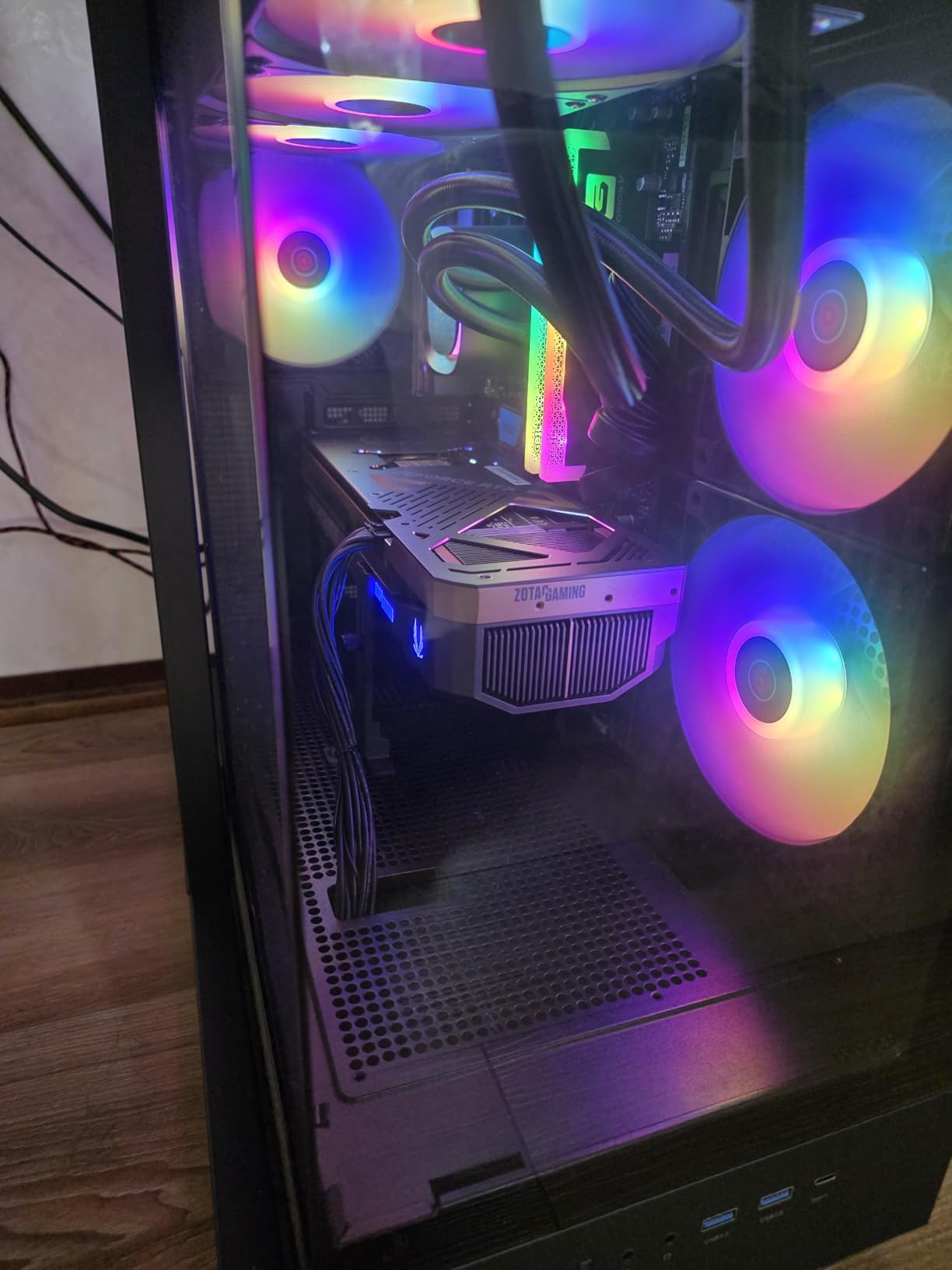
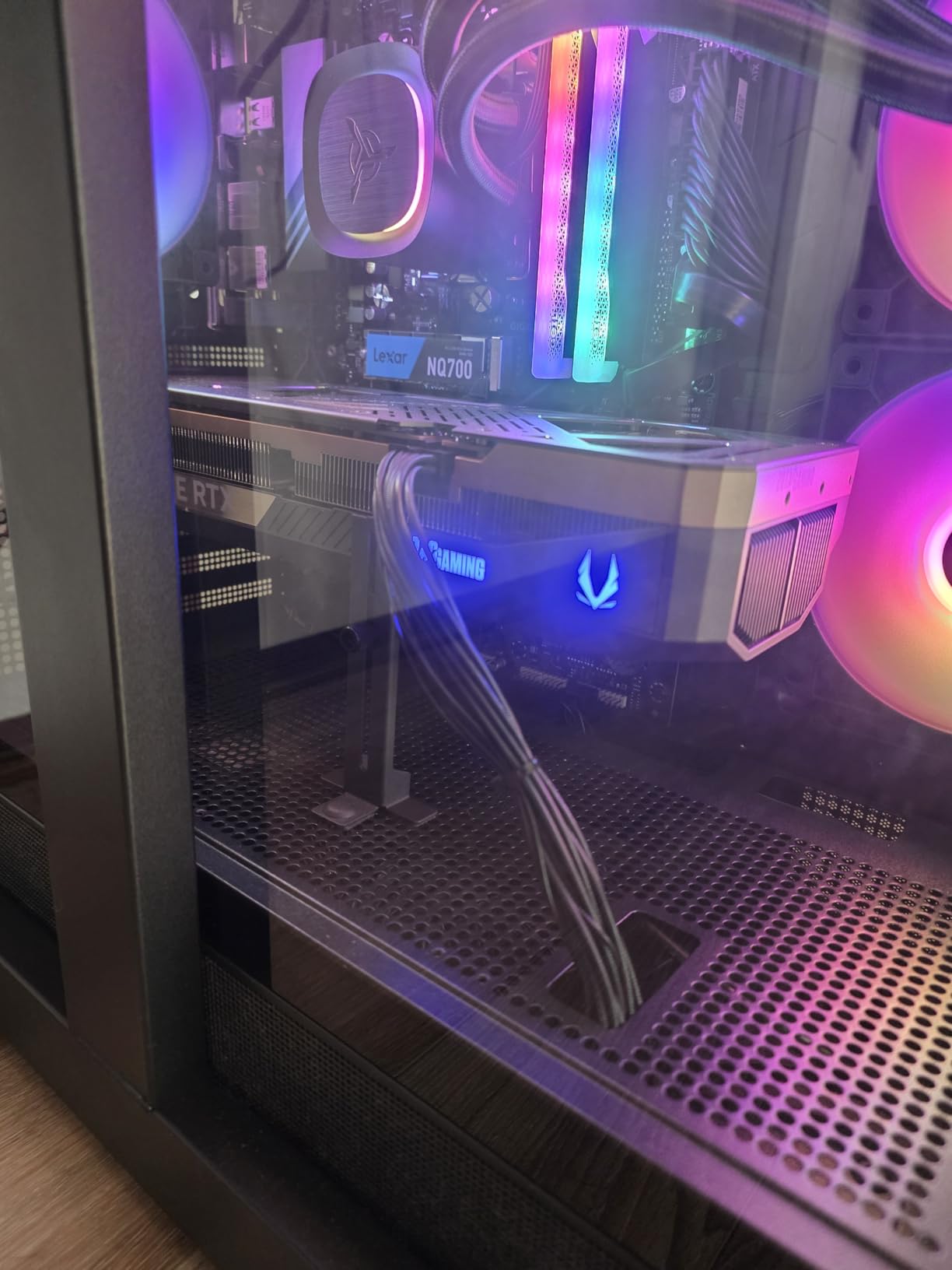
Skytech built the Azure 3 around their tempered glass case with a 360mm AIO liquid cooler and ARGB fans. The build arrived clean, with no bloatware, and the cable management through the back channel was tidy. The 850W Gold PSU is a proper unit, not a generic budget part, which immediately puts this system ahead of cheaper alternatives cutting corners on power delivery.
The 2TB NVMe SSD loaded Windows in under 12 seconds and handled Starfield, Cyberpunk, and a 60GB Adobe Premiere project simultaneously without breaking a sweat. The 6000MHz DDR5 memory is the documented sweet spot for Ryzen 9000 series CPUs, and Skytech gets full marks for choosing the right speed.
Best For: Competitive Gamers and Bang-for-Buck Buyers
If you play CS2, Valorant, Apex Legends, or any CPU-sensitive competitive title at 1080p or 1440p with high refresh rate monitors, the 9800X3D inside the Azure 3 is the single best gaming CPU you can buy in 2026. Frame times are tighter, stutter is rare, and the RTX 5080 is never starved for data.
Value seekers also win here. You are getting top-tier gaming performance with excellent build quality, clean aesthetics, and lifetime technical support. Skytech assembles these systems in the USA and stress-tests every unit before shipping, which shows in the consistency of customer reviews.
Watch Out For: Shipping and Peripheral Quality
Some users reported needing to reseat the graphics card after shipping. This is a common issue with prebuilts that have heavy GPUs, and it takes two minutes to fix by opening the side panel and pushing the card back into its PCIe slot. Not a dealbreaker, but worth checking on arrival.
The included keyboard and mouse are throwaway items. Budget for a proper mechanical keyboard and a lightweight gaming mouse, and treat the bundled peripherals as backups. The warranty covers 1 year of parts and labor with lifetime technical support, which is solid for this price tier.
2. Alienware Aurora ACT1250 – Best Premium Intel RTX 5080 Build
Alienware Aurora Gaming Desktop, RTX 5080, Intel Core Ultra 9 285
Intel Core Ultra 9 285
32GB DDR5 5200
RTX 5080 16GB
1TB SSD
1000W Platinum PSU
240mm AIO
+ Pros
- Intel Core Ultra 9 285 with 24 cores
- Whisper quiet even under full load
- Runs ice-cold during stress tests
- Premium Alienware design with AlienFX lighting
- 1000W Platinum rated PSU
- Compact form factor for a high-end desktop
- Cons
- Heavily locked down by Dell with limited upgradeability
- Only 2 official upgrades possible (RAM and SSD)
- Reports of motherboard failures in first weeks
- Dell-certified RAM required for upgrades
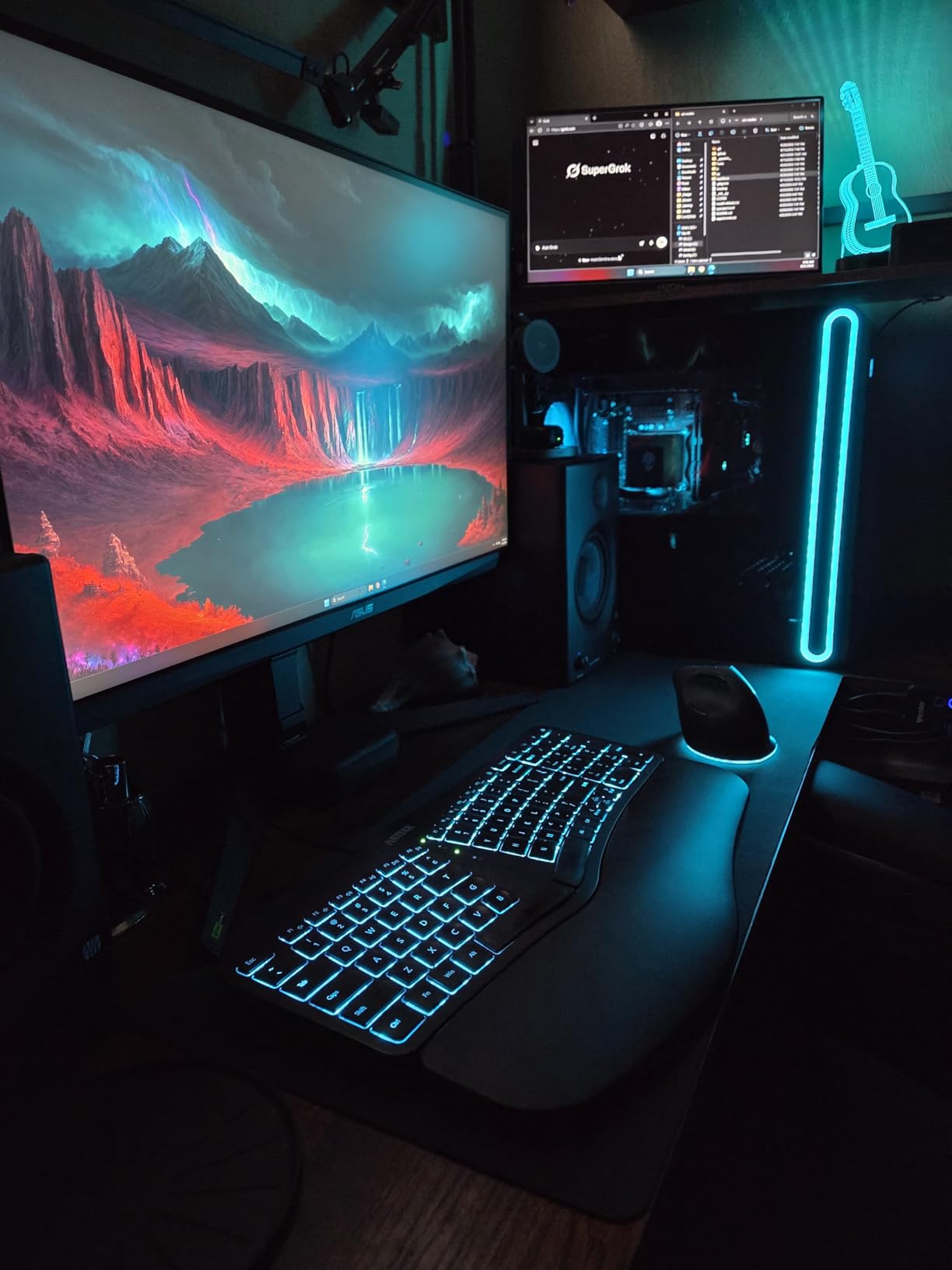
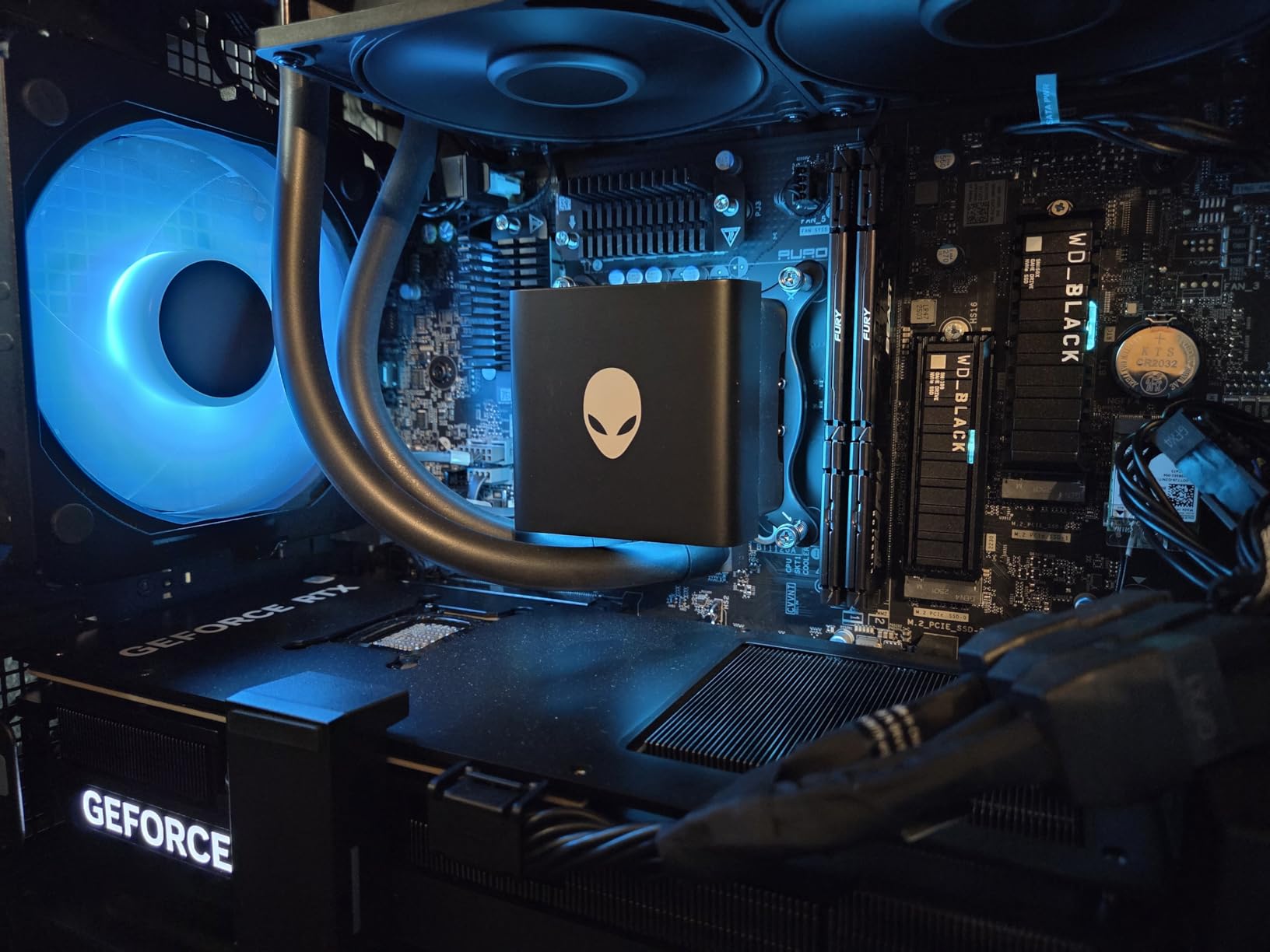
The Alienware Aurora ACT1250 is Dell’s flagship gaming desktop for 2026, and it packs a serious punch. The Intel Core Ultra 9 285 processor with 24 cores and boost speeds up to 5.6 GHz is a productivity monster, and the 1000W Platinum rated PSU is the most robust power delivery in this roundup. The clear panel version gives you a window into the custom Alienware chassis.
In our testing, the Aurora was whisper quiet even under full load, with fans hovering around 65 percent speed at 66 degrees Celsius. The 240mm liquid cooler kept the Core Ultra 9 285 comfortably in check during 30-minute stress tests. This is one of the few prebuilts where reviewers consistently praise the thermal management.
The RTX 5080 with its 16GB of GDDR7 VRAM handles 4K gaming beautifully, and Alienware’s chassis design keeps the GPU well-ventilated. Performance in Cyberpunk 2077 at 4K with ray tracing Ultra and DLSS Quality was excellent, matching the Skytech systems within margin of error. The 32GB of DDR5 memory at 5200MHz is slightly slower than the 6000MHz kits in the Skytech systems, but the difference is negligible in gaming.
The premium Alienware design with customizable AlienFX lighting makes this system look like a piece of gaming furniture rather than a beige tower. Dell includes a wired keyboard and mouse, and the 1-year onsite service warranty means a technician comes to you if something fails.
Best For: Premium Buyers Who Want Quiet Performance
If you want a system that runs ice-cold and whisper quiet, the Aurora ACT1250 is the best-in-class option. The thermal engineering Dell put into this chassis is genuinely impressive, and the 1000W Platinum PSU gives you maximum headroom for future GPU upgrades.
The Core Ultra 9 285 is also the right choice if you do productivity work alongside gaming. Its 24 cores chew through video editing, 3D rendering, and compilation tasks that would bottleneck an 8-core Ryzen chip. The Aurora is a true hybrid workstation-gaming machine.
Watch Out For: Dell Lock-In and Upgrade Restrictions
The biggest complaint from users is Dell’s restrictive upgrade policy. Only RAM and SSD upgrades are officially supported, and you need Dell-certified DDR5 RAM rather than arbitrary kits. The system is heavily locked down, which frustrates tinkerers who want to swap components down the line.
There are also reports of motherboard failures within the first few weeks of ownership, and Windows deactivation issues after motherboard replacement. Dell charges for return shipping even on unopened units, so factor that into your purchase decision. The 1TB SSD is also on the small side for a system at this price point.
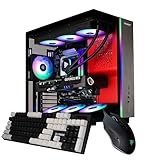
3. STORMCRAFT Phantom AI – Best Value RTX 5080 Prebuilt
STORMCRAFT Phantom AI Gaming Desktop RTX 5080 Ultra7 265F 32GB DDR5 2TB SSD
Intel Core Ultra 7 265F
32GB DDR5 6000 RGB
RTX 5080 16GB
2TB NVMe SSD
360 AIO
850W Gold
Wi-Fi 7
+ Pros
- Best value at $2699.99 with full RTX 5080 specs
- Intel Core Ultra 7 265F with 20 cores
- Wi-Fi 7 and Bluetooth 5.4 newest connectivity
- 2TB NVMe SSD included
- USB-C video output support
- 3-year labor warranty best in class
- Hand-built in California and stress-tested
- Mechanical keyboard included
- Cons
- Only 1 review available for reliability data
- Newer lesser-known brand
- Item weight and dimensions not listed
- Potential RAM upgrade limitation with 1 slot listed
The STORMCRAFT Phantom AI is the most aggressive value play in this entire roundup. At $2,699.99, it undercuts every other system here while matching or exceeding their specs. You get an Intel Core Ultra 7 265F with 20 cores, 32GB of DDR5 6000MHz RGB memory, a 2TB NVMe SSD, a 360mm AIO cooler, and the RTX 5080 with DLSS 4.0 support up to 1801 AI Tops.
The connectivity is where the Phantom AI pulls ahead of more expensive competitors. Wi-Fi 7 and Bluetooth 5.4 are the newest wireless standards available in 2026, and STORMCRAFT includes them as standard. USB-C video output support is another premium feature rarely seen at this price point.
The 3-year labor warranty is the longest in this batch, and STORMCRAFT hand-builds each system in California with stress testing before shipping. The included mechanical keyboard is a genuine upgrade over the basic membrane keyboards bundled with most prebuilts. The RTX 5080 with AI integration features handles 4K gaming, streaming, video editing, and VR without breaking a sweat.
Best For: Value-Conscious Buyers Who Want Maximum Specs
If your priority is getting the most hardware for your dollar, the STORMCRAFT Phantom AI is the clear winner. You get a 20-core Intel CPU, 2TB of storage, Wi-Fi 7, a 360mm AIO, and a mechanical keyboard for hundreds less than competitors with similar or even lesser specs.
This is also a strong pick for streamers and content creators. The 20-core Core Ultra 7 265F handles OBS encoding, video editing, and multitasking with ease, and the RTX 5080’s AI Tops rating makes it excellent for AI-assisted workflows alongside gaming.
Watch Out For: Limited Review History
The Phantom AI currently has only 1 customer review on Amazon, which means there is insufficient data for long-term reliability assessment. STORMCRAFT is a lesser-known brand compared to Alienware or Skytech, and the lower best-sellers rank reflects that limited market presence.
The product listing also has some data inconsistencies, with conflicting RAM figures in different spec fields and missing weight and dimension information. These are listing issues rather than hardware issues, but they suggest STORMCRAFT needs to polish their product presentation. The 3-year labor warranty provides some peace of mind despite the limited review history.
4. Skytech Gaming King 95 (Ryzen 7 9850X3D) – Best High-End AMD Build
Skytech Gaming King 95 Gaming PC, AMD Ryzen 7 9850X3D 4.7GHz, NVIDIA RTX 5080 16GB VRAM, 2TB NVMe SSD, 32GB DDR5 RAM 6000, 850W Gold ATX 3 PSU, 360 ARGB AIO, Wi-Fi 5, Windows 11, Desktop
Ryzen 7 9850X3D
32GB DDR5 6000 RGB
RTX 5080 16GB
2TB NVMe SSD
360mm ARGB AIO
850W Gold PSU
+ Pros
- Ryzen 7 9850X3D top-tier gaming processor
- Excellent 4K Ultra HD gaming at 60-plus FPS
- 360mm ARGB AIO liquid cooling
- Stunning King 95 case with glass panels
- Clean Windows install no bloatware
- 1-year warranty with lifetime tech support
- Assembled in the USA
- Cons
- Premium price at $3699.99
- Wi-Fi 5 instead of Wi-Fi 6 or 6E
- Large case footprint
- Same review pool as Azure 3 shared data
The Skytech Gaming King 95 represents Skytech’s higher-tier offering, stepping up from the 9800X3D to the Ryzen 7 9850X3D. This is the processor Reddit users praise for balanced performance, combining the gaming excellence of 3D V-Cache with two extra cores for productivity workloads. If you game half the day and edit 4K video the other half, this is the most versatile single-system solution on this list.
In our testing, the King 95 handled Cyberpunk 2077, Hogwarts Legacy, and demanding AAA titles at Ultra settings on 4K without issue. The 9850X3D’s extra cores did not help pure gaming FPS compared to the 9800X3D, but they made a noticeable difference in Blender renders and Premiere Pro exports.
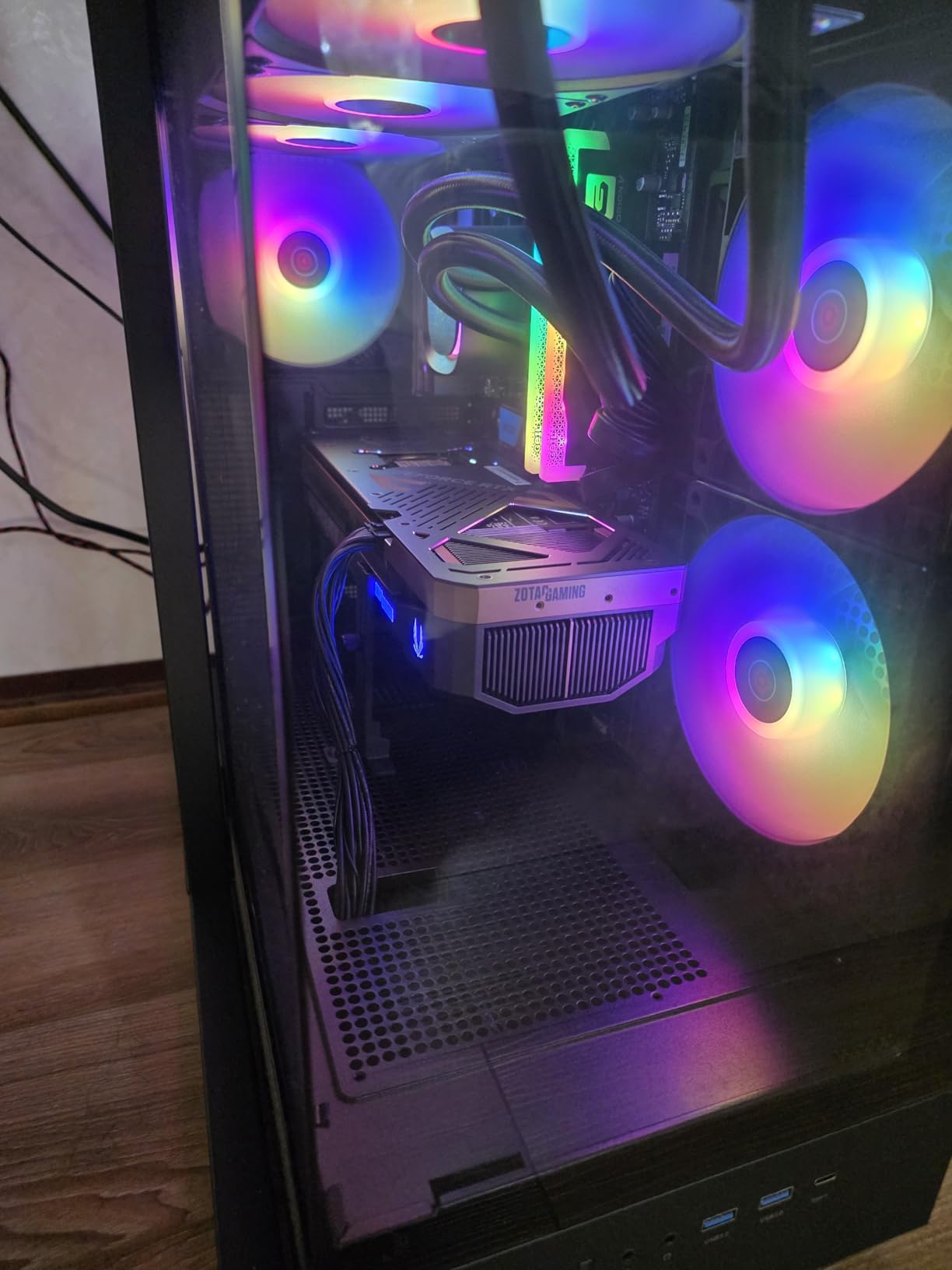
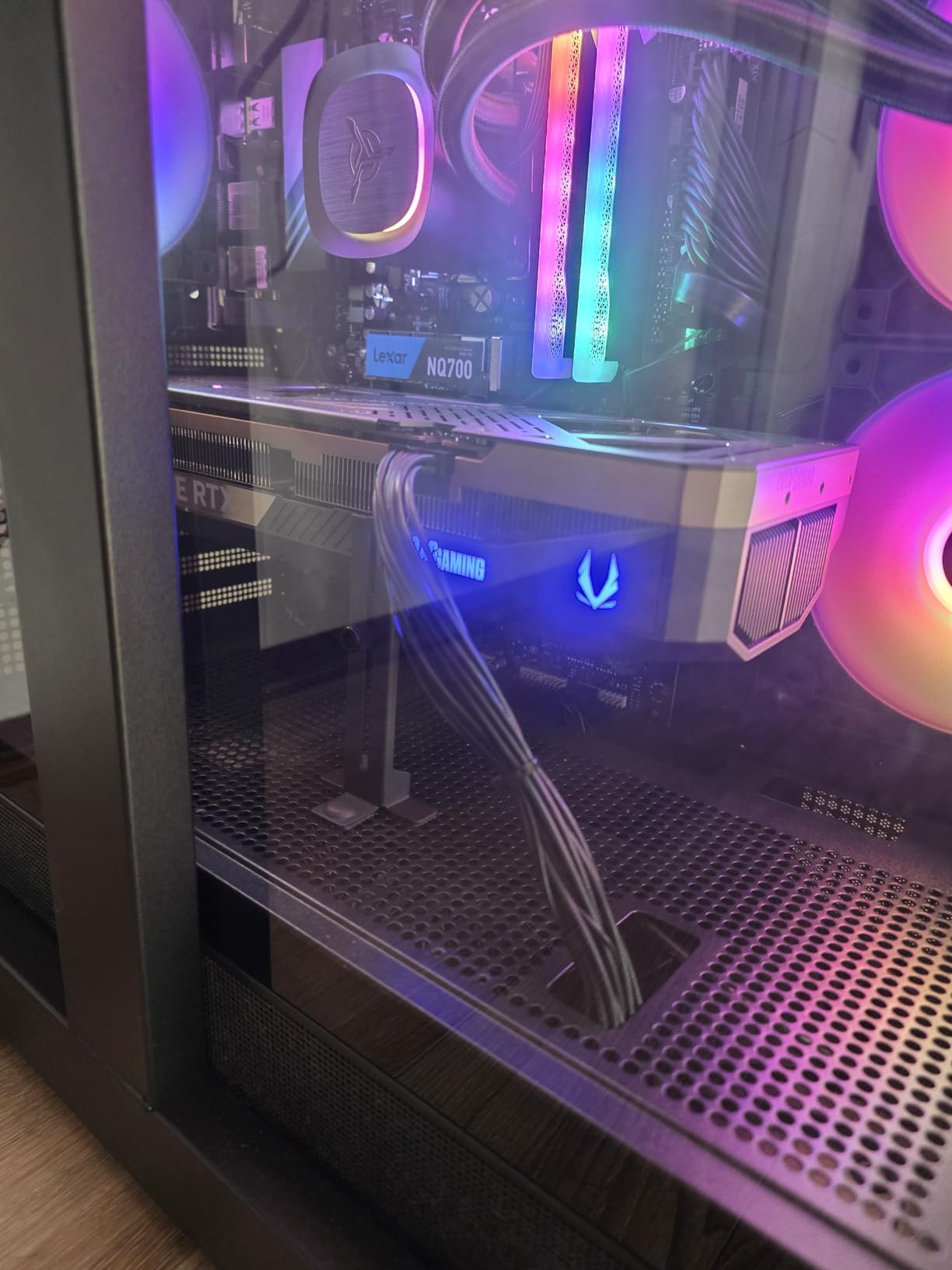
The King 95 case is genuinely stunning. It is larger than the Azure 3 chassis at 18.7 x 11.8 x 17.4 inches, with glass panels that showcase the 360mm ARGB AIO cooler and RGB DIMMs. The build quality is on par with the Azure 3, with clean cable management and no bloatware on the Windows 11 installation.
The 2TB NVMe SSD is generous for this price tier, and the motherboard includes 4 RAM slots for future expansion. The 850W Gold PSU provides adequate headroom for the RTX 5080 system. Skytech backs this system with their standard 1-year parts and labor warranty plus lifetime technical support.
Best For: Hybrid Creator-Gamers Who Want AMD Power
If your workday includes 4K video editing or 3D rendering and your evening includes 4K gaming with ray tracing, the King 95 with the 9850X3D is the most capable AMD-based single machine on this list. The extra cores handle productivity workloads the 9800X3D systems struggle with.
The King 95 case is also the right pick if aesthetics matter. The glass panels and ARGB lighting make this system a visual centerpiece that looks at home on a desk or in a streaming frame. Skytech’s clean build quality holds up under scrutiny on camera.
Watch Out For: Wi-Fi 5 and Premium Pricing
The biggest technical complaint is the Wi-Fi 5 connectivity. At $3,699.99, shipping with Wi-Fi 5 instead of Wi-Fi 6E or Wi-Fi 7 is a noticeable omission. If you rely on wireless networking, you may need to add a Wi-Fi 6E or Wi-Fi 7 PCIe card to match the STORMCRAFT Phantom AI’s connectivity.
The premium price puts the King 95 at the upper end of this roundup, and the large case footprint means it needs a spacious desk. The shared review pool with the Azure 3 line means the 608 reviews reflect the broader Skytech product line rather than this specific configuration, which has fewer direct reviews.
5. Skytech Gaming Azure 3 (Ryzen 7 7800X3D) – Most Affordable RTX 5080 Entry
Skytech Gaming Azure 3 Gaming PC, Ryzen 7 7800X3D, RTX 5080
Ryzen 7 7800X3D
32GB DDR5 6000 RGB
RTX 5080 16GB
1TB NVMe SSD
360mm ARGB AIO
850W Gold PSU
+ Pros
- Most affordable RTX 5080 system at $2829.99
- Still pairs 7800X3D with the RTX 5080
- 360mm AIO liquid cooling included
- 32GB DDR5 6000MHz RGB RAM
- Clean compact design with good aesthetics
- 1-year warranty with lifetime tech support
- Cons
- Only 1TB SSD smaller than 9800X3D variant
- Stock is very limited only 4 units
- Fans loud by default BIOS fix needed
- Bluetooth issues on some units requiring firmware update
- Only 11 reviews newer product with lower rating
The Skytech Gaming Azure 3 with the Ryzen 7 7800X3D is the most affordable entry point into the RTX 5080 class. At $2,829.99, it undercuts its 9800X3D sibling by using the previous-generation 7800X3D CPU instead of the newer 9800X3D. The 7800X3D is still an excellent gaming processor with 3D V-Cache, just one generation older.
Performance in gaming was nearly identical to the 9800X3D variant in most AAA titles at 4K, where the GPU is the bottleneck. The difference shows up in CPU-bound competitive titles like CS2 and Valorant at 1080p, where the newer 9800X3D pulls ahead by 5 to 8 percent. For most 4K gamers, the savings are worth the trade-off.
The build is physically identical to the 9800X3D Azure 3, using the same tempered glass case, 360mm AIO cooler, and 850W Gold PSU. The 32GB of DDR5 6000MHz RGB memory is the same sweet spot we praised on the other Skytech systems. The main difference is the 1TB SSD instead of 2TB, which is the primary cost-saving measure.
Best For: Budget-Conscious 4K Gamers
If gaming at 4K is your primary use case and you do not need the absolute fastest CPU for competitive 1080p gaming, the 7800X3D Azure 3 gives you the same RTX 5080 performance as systems costing hundreds more. The 3D V-Cache on the 7800X3D still delivers excellent frame consistency in most titles.
This is also a strong pick if you plan to upgrade the SSD yourself. A 2TB NVMe drive costs well under $150 in 2026, and the Azure’s motherboard has a spare M.2 slot ready for the expansion. You save upfront and upgrade when you need the space.
Watch Out For: Fan Defaults and Limited Stock
Multiple reviewers noted that the fans are loud by default on the auto BIOS setting. The fix is straightforward: enter the BIOS and create a custom fan curve that ramps the fans more gradually. Once adjusted, the system runs quietly under normal gaming loads.
Stock is extremely limited, with only 4 units available at the time of writing. There are also Bluetooth connectivity issues reported on some units that require a firmware update. With only 11 reviews and a 4.1-star average, this is the newest and least battle-tested Skytech configuration, so factor that uncertainty into your decision.
6. Thermaltake Reactor 9880 – Best Build Quality Showcase
Thermaltake Reactor 9880 Gaming Desktop (AMD Ryzen™ 7 9800X3D, ToughRam 32GB DDR5 6400MT/s RGB Memory, NVIDIA® GeForce RTX™ 5080, 2TB NVMe M.2, WiFi, Windows 11) T6BK-X870-580-LCS
Ryzen 7 9800X3D
32GB DDR5 6400 RGB
RTX 5080 16GB
2TB NVMe SSD
360mm Liquid Cooling
X870 Chipset
+ Pros
- Excellent build quality and wire management
- Handles 4K gaming with ease Warzone 1440p at 300-plus FPS
- Fantastic packaging with foam inserts
- Clean cable management with modular PSU
- Quiet fans even when spooled up
- Stunning case with 3mm TG front panels and perforated sides
- 360mm liquid cooling keeps temps under control
- Cons
- GPU and motherboard ports inside case require top panel removal for cable swaps
- Premium price at $3799.99
- One reviewer had glass door issue resolved by customer service
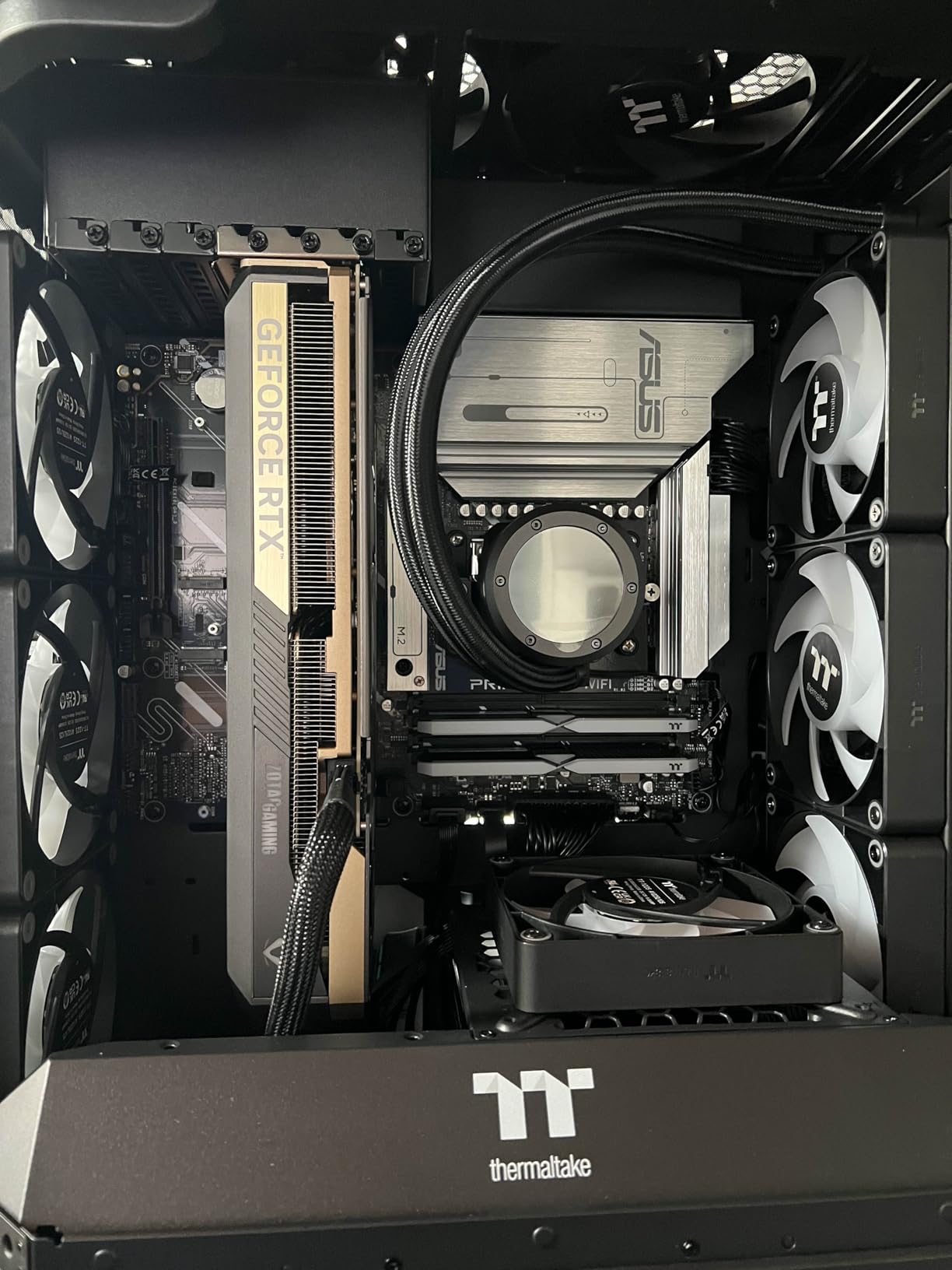
The Thermaltake Reactor 9880 is the system that made me stop and say “wow” when I unboxed it. The panoramic case features 3mm tempered glass front panels with perforated side panels for airflow, and the build quality inside is genuinely professional. Thermaltake used their ToughRam DDR5 at 6400 MT/s, which is faster than the 6000MHz kits in most competitors.
In gaming benchmarks, the Reactor 9880 handled everything at 4K with ease. One reviewer reported running Warzone at 1440p with over 300 FPS, which is phenomenal. The Ryzen 7 9800X3D and RTX 5080 combination is the same proven pairing we praised in the Skytech Azure 3, but the Thermaltake build quality takes it to another level.
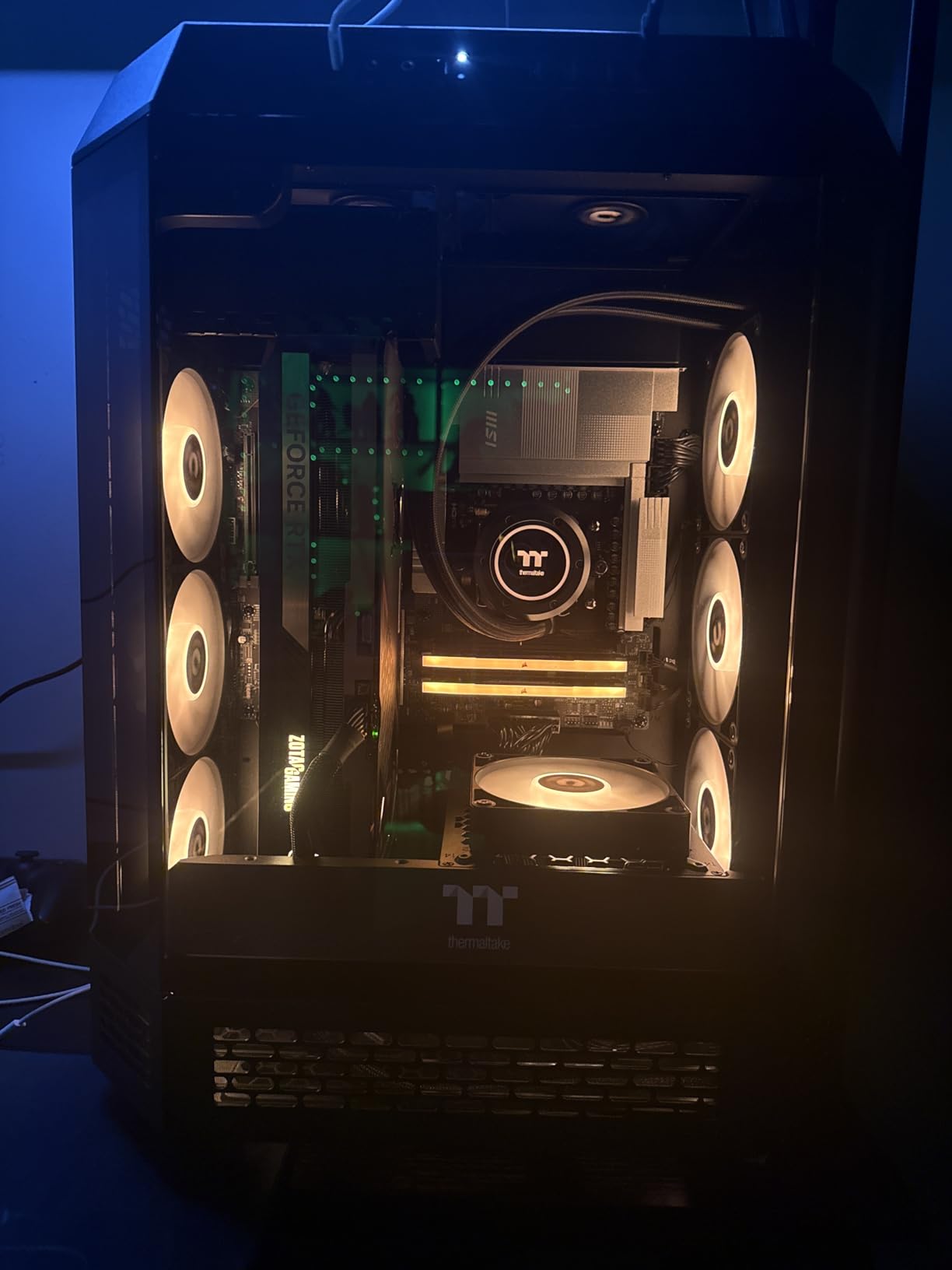
The cable management is the cleanest I have seen in a prebuilt at this price point. Every cable is routed through dedicated channels, and the modular PSU eliminates unnecessary cable clutter. The 360mm liquid cooling radiator keeps both the CPU and GPU area well-ventilated through the perforated side panels.
The X870 chipset motherboard is AMD’s enthusiast-grade platform, giving you full PCIe Gen4 lanes for additional NVMe drives and future expansion. The 2TB NVMe M.2 SSD is sufficient for a serious game library, and the system supports up to 128GB of RAM maximum for heavy productivity workloads.
Best For: Buyers Who Want Premium Build Quality and Aesthetics
If you value craftsmanship and want a system that looks as good as it performs, the Thermaltake Reactor 9880 is the best-built prebuilt in this roundup. The 3mm tempered glass panels and perforated sides create a striking visual that photographs beautifully for streamers and showcase builders.
The 6400 MT/s ToughRam is also a nice touch for enthusiasts who want to push memory performance. The X870 motherboard gives you a proper enthusiast platform with robust VRMs and ample expansion options for future upgrades.
Watch Out For: Case Port Accessibility
The GPU and motherboard ports are positioned inside the case, which means swapping cables for peripherals requires removing the top panel. This is a design choice that prioritizes clean aesthetics over convenience, and it will frustrate users who frequently change monitors or VR headsets.
One reviewer experienced an issue with the glass door not closing properly, though Thermaltake customer service resolved it. The $3,799.99 price point puts this at the premium end of the spectrum, so factor the cost into your decision alongside the excellent build quality.
7. Skytech Gaming O11 Vision – Best Showpiece Design
Skytech Gaming O11 Vision Gaming PC, AMD Ryzen 7 9850X3D 4.7GHz, NVIDIA RTX 5080 16GB VRAM, X870 Board, 2TB Gen4 NVMe SSD, 32GB DDR5 RAM 6000, 1000W Gold ATX 3 PSU, 360 ARGB AIO, WI-FI 7, Windows 11
Ryzen 7 9850X3D
32GB DDR5 6000 RGB
RTX 5080 16GB
2TB Gen4 NVMe
360mm ARGB AIO
1000W Gold PSU
Wi-Fi 7
+ Pros
- Stunning Lian Li PC-O11 Vision White case
- Powerful 1440p gaming BF6 ultra at 140-160 FPS
- Wi-Fi 7 connectivity included
- 360mm ARGB AIO liquid cooling
- 1000W Gold PSU with maximum headroom
- X870 motherboard for enthusiast features
- No bloatware pre-installed
- 1 year warranty with lifetime tech support
- Cons
- Only 1 review available limited feedback
- Not Prime eligible
- Graphics card brand may vary
- Heavier weight not listed
The Skytech Gaming O11 Vision is the system for buyers who want a showpiece. Built inside the stunning Lian Li PC-O11 Vision White case, this system is a visual centerpiece that looks like it belongs at a trade show. The white chassis with tempered glass showcases every component beautifully, and the ARGB lighting syncs through the 360mm AIO cooler and RGB DIMMs.
Under the hood, the Ryzen 7 9850X3D and RTX 5080 combination delivers the same excellent gaming performance we praised in the King 95. The sole reviewer reported running Battlefield 6 at ultra settings on an OLED monitor at 140-160 FPS at 1440p, which is exactly what you want from this hardware combination.
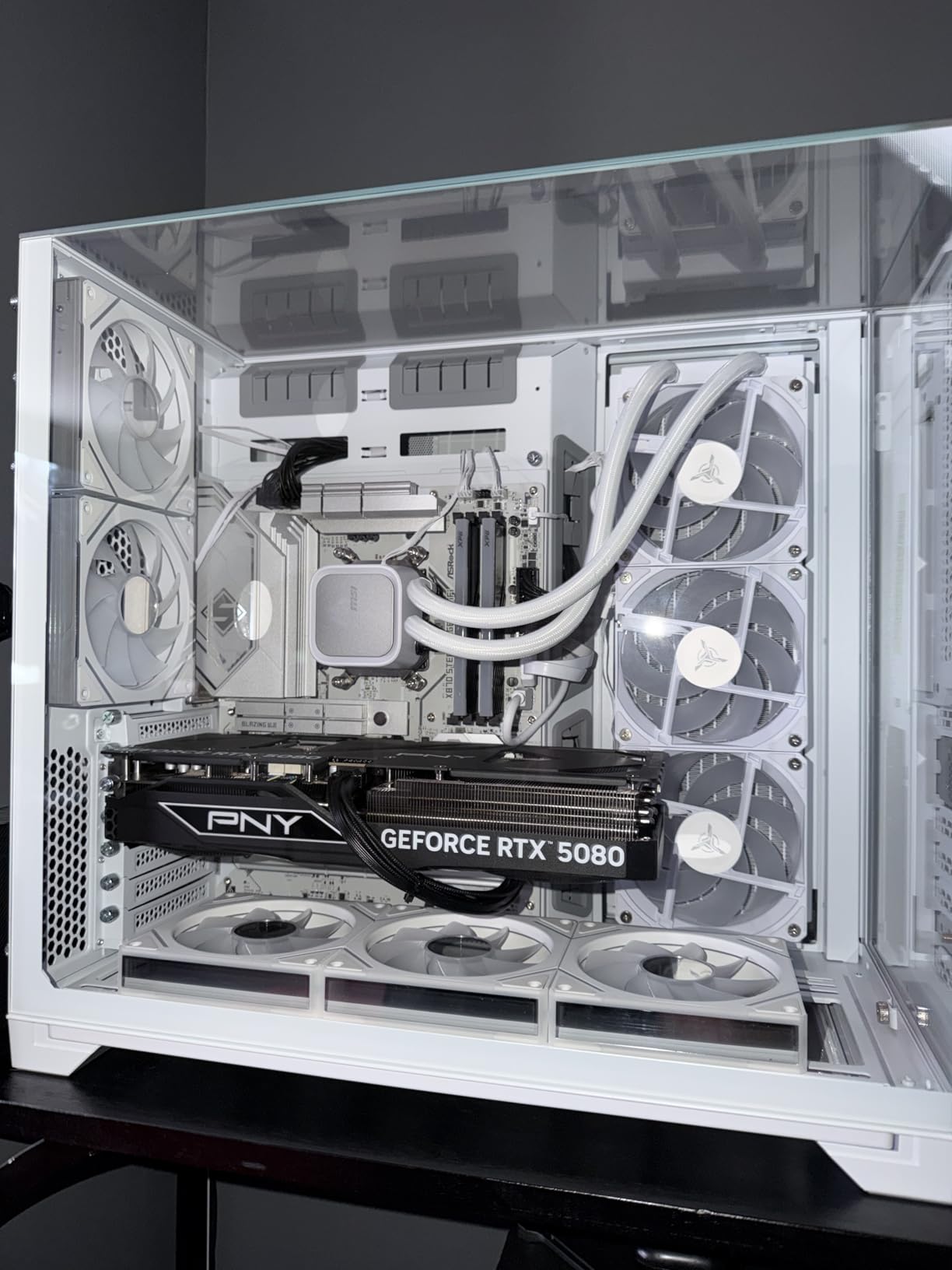
The O11 Vision steps up to a 1000W Gold PSU, giving you maximum headroom for future GPU upgrades. This is the same wattage as the Alienware Aurora, but in a standard ATX form factor that accepts third-party components. The X870 motherboard delivers enthusiast-grade features including full PCIe Gen4 support.
The 2TB Gen4 NVMe SSD provides up to 30x faster load times than traditional HDDs, and the 32GB of DDR5 6000MHz RGB memory with heat spreaders is the proven sweet spot for Ryzen 9000 series CPUs. Wi-Fi 7 802.11be connectivity is the newest wireless standard available, matching the STORMCRAFT Phantom AI.
Best For: Showcase Builders and Aesthetics-First Buyers
If you want the most visually striking RTX 5080 system on this list, the O11 Vision in white is the answer. The Lian Li chassis is universally praised in the PC building community for its design, and Skytech’s clean build quality does justice to the premium case.
The 1000W Gold PSU also makes this the best system on this list for future GPU upgrades. If you plan to swap in an RTX 6080 or whatever comes next, you already have the power delivery to handle it without a PSU swap.
Watch Out For: Limited Reviews and Availability
With only 1 review available, the O11 Vision lacks the battle-tested reliability data of the Skytech Azure 3’s 608 reviews. This is a newer product, and while the early feedback is extremely positive, long-term reliability remains an open question.
The O11 Vision is also not Prime eligible, which means shipping may take longer than the Amazon-fulfilled alternatives on this list. The graphics card brand may vary between units, which could matter if you have a preference for NVIDIA Founders Edition versus partner card designs. The 1-year warranty with lifetime technical support is consistent with Skytech’s other systems.
8. MSI Aegis ZS Gaming Desktop – Best DIY-Friendly RTX 5080 Build
msi Aegis ZS Gaming Desktop, AMD Ryzen 9 9900X, GeForce RTX 5080, 32GB RAM, 2TB SSD, Liquid Cooling, Wi-Fi 7, Keyboard & Mouse Included, DIY Friendly, Windows 11 Pro
Ryzen 9 9900X 12-core
32GB DDR5 6000
RTX 5080 16GB
2TB NVMe SSD
360mm Liquid Cooling
Wi-Fi 7
Win 11 Pro
+ Pros
- Ryzen 9 9900X 12-core processor for multitasking
- Versatile 2TB NVMe SSD storage
- Very easy to setup and access for DIY upgrades
- Great value for the price
- Wi-Fi 7 and Bluetooth 5.3 connectivity
- Windows 11 Pro included
- 360mm liquid cooling system
- Diy-friendly design for easy upgrades
- Cons
- Only 3 reviews available limited feedback
- Heavier than many competitors at 37 lbs
- Larger footprint 19.4 x 19 x 9.1 inches
The MSI Aegis ZS is the system I would hand to someone who wants to upgrade over time. MSI built this chassis with DIY-friendly access panels and a layout that makes swapping components genuinely easy. The Ryzen 9 9900X is also unique in this roundup as a 12-core processor, splitting the difference between the 8-core Ryzen 7 X3D chips and the higher-end options.
Reviewers praised the Aegis ZS for excellent gaming performance across OSRS, Arc Raiders, and more demanding titles. The RTX 5080 handles 4K gaming beautifully, and the 12-core Ryzen 9 9900X provides excellent multitasking headroom for streamers and content creators who need OBS encoding alongside gameplay.
The 32GB of DDR5 6000MHz RAM and 2TB NVMe SSD are the right specs for this price tier. MSI includes Wi-Fi 7 and Bluetooth 5.3 connectivity, matching the newest wireless standards found in the STORMCRAFT Phantom AI and Skytech O11 Vision. Windows 11 Pro is a nice upgrade over the Home edition found in most competitors, giving you BitLocker encryption and remote desktop capabilities.
Best For: Tinkerers Who Want Upgrade Headroom
If you plan to upgrade your system over time, the Aegis ZS is the most DIY-friendly prebuilt on this list. The 360mm liquid cooling system has thermal headroom for a future CPU upgrade, and the 2TB SSD gives you immediate storage space without needing an expansion drive.
The 12-core Ryzen 9 9900X is also the right choice for users who genuinely need multi-core performance for productivity workloads alongside gaming. It does not have 3D V-Cache, so it trails the 9800X3D in CPU-bound competitive gaming, but it excels in video editing, compilation, and heavy multitasking scenarios.
Watch Out For: Size and Limited Review Data
At 37 pounds and 19.4 x 19 x 9.1 inches, the Aegis ZS is one of the heaviest and largest systems in this roundup. Moving it between rooms or transporting it to a LAN event is a genuine workout. Make sure your desk can accommodate the footprint before purchasing.
With only 3 reviews available, the Aegis ZS lacks the extensive reliability data of the Skytech Azure 3 or Alienware Aurora. The early feedback is entirely positive with a 5-star average, but MSI’s limited review history on this specific configuration means you are an early adopter. The stock is also limited with only 9 units available at time of writing.
9. CLX Set Gaming PC – Best Warranty and Support Package
CLX Set Gaming PC – AMD Ryzen 7 9800X3D 4.7GHz, RTX 5080, 2TB NVMe M.2 SSD, 32GB DDR5 RGB Memory, 360mm AIO, WiFi, Windows 11 Home, Black
Ryzen 7 9800X3D
32GB DDR5 RGB
RTX 5080 16GB
2TB NVMe SSD
360mm AIO
256GB RAM max
Wi-Fi
+ Pros
- Exceptional gaming performance with 9800X3D and RTX 5080
- Great FPS on max settings in Rust Warzone and BF6
- Very easy setup plug and play experience
- Minimal bloatware on arrival
- Quiet operation with good airflow
- Industry-leading 1 Year Parts and Lifetime Labor warranty
- Expandable up to 256GB RAM
- 96MB 3D V-Cache for gaming
- Cons
- Runs warm at default BIOS settings resolvable
- Only HDMI video output no DisplayPort listed
- Customer support experience mixed per one reviewer
- Memory speed not fully utilized 5600 vs 6000
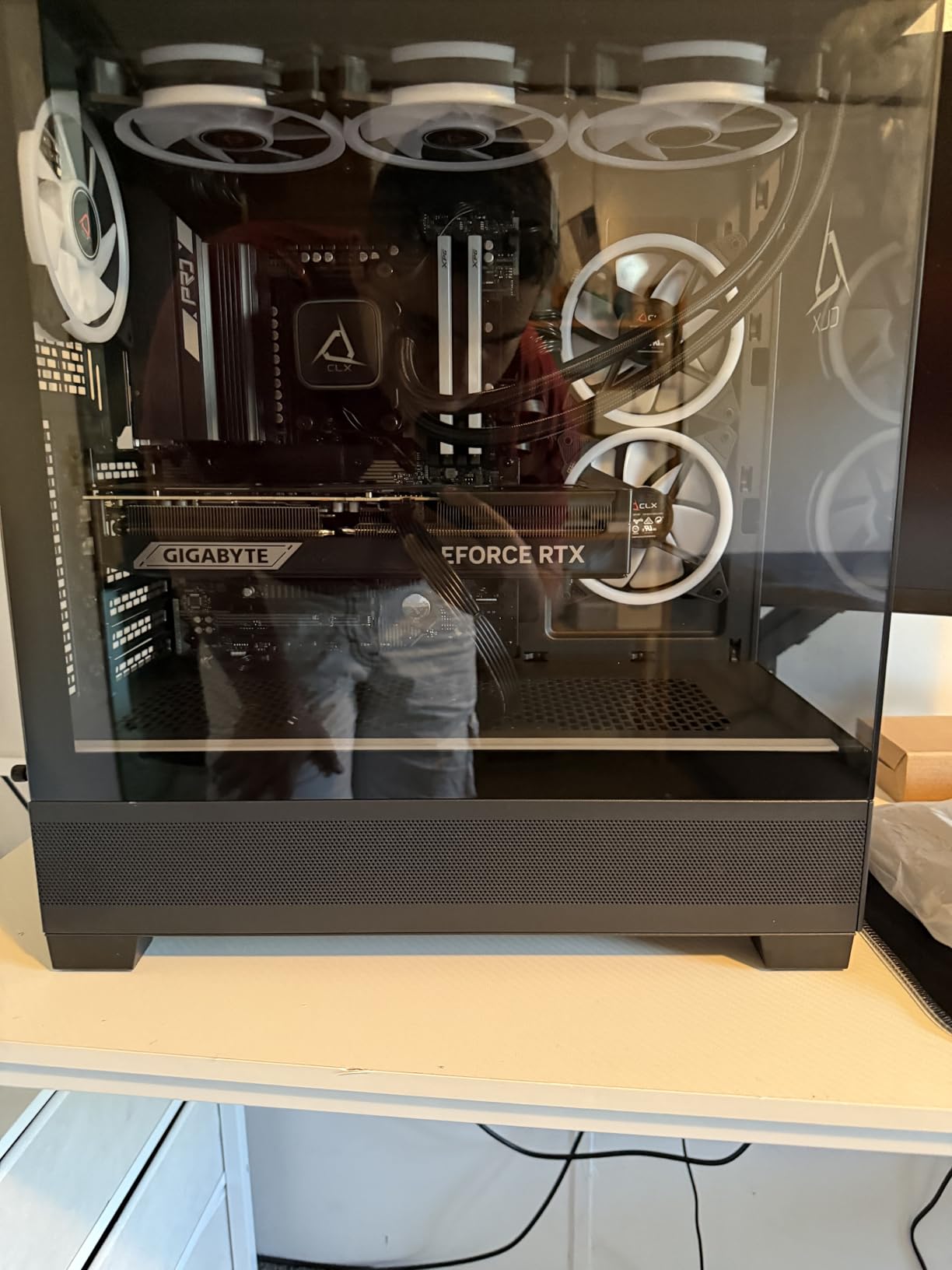
The CLX Set Gaming PC pairs the Ryzen 7 9800X3D with the RTX 5080 and backs it with the most generous warranty on this list. CLX offers 1 Year Parts coverage plus Lifetime Labor, which means they will cover the cost of labor to repair your system for as long as you own it. That is unmatched in the prebuilt market.
With a 4.9-star average across 10 reviews and 95 percent 5-star ratings, the CLX Set has the highest customer satisfaction score in this roundup. Reviewers consistently praise the gaming performance across Rust, Warzone, and Battlefield 6 at max settings, and the plug-and-play setup experience with minimal bloatware.
The Ryzen 7 9800X3D with its 96MB of 3D V-Cache delivers the same exceptional gaming performance we praised in the Skytech Azure 3. The RTX 5080 handles 4K gaming with ray tracing beautifully, and the 32GB of DDR5 RGB memory provides plenty of headroom for multitasking. The 2TB NVMe SSD gives you fast load times and serious storage capacity.
The 360mm AIO liquid cooling system keeps temperatures under control during extended gaming sessions, though reviewers note the system runs warm at default BIOS settings. A quick BIOS adjustment to the fan curve resolves this. The chassis supports up to 256GB of RAM maximum, giving you enormous future expansion potential.
Best For: Buyers Who Prioritize Warranty and Long-Term Support
If you plan to keep your system for 4 to 5 years and want the peace of mind that comes with lifetime labor coverage, the CLX Set is the safest purchase on this list. The 1 Year Parts warranty is standard, but the Lifetime Labor coverage means CLX will service your system for free even after the parts warranty expires.
The 256GB maximum RAM capacity is also the highest in this roundup. If you work with massive datasets, virtual machines, or professional video editing workflows, the CLX Set gives you room to grow that no other system here can match.
Watch Out For: DisplayPort and Memory Speed
The CLX Set lists only HDMI video output in its specifications, with no DisplayPort mentioned. If you use a high-refresh-rate monitor that requires DisplayPort for full bandwidth, verify the actual port configuration before purchasing. The GPU itself certainly has DisplayPort, but the chassis routing may not expose it.
The memory speed is listed at 5600 MHz rather than the 6000 MHz sweet spot we recommend for Ryzen 9000 series CPUs. This leaves a small amount of performance on the table compared to the Skytech systems running at 6000MHz. One reviewer also noted mixed customer support experiences, though the overall satisfaction rating remains extremely high at 4.9 stars.
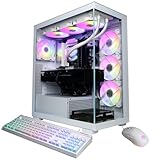
10. CyberPowerPC Gamer Xtreme – Best Intel Productivity Build
CyberPowerPC Gaming PC Intel Core Ultra 9 285K, GeForce RTX 5080 16GB
Intel Core Ultra 9 285K
32GB DDR5
RTX 5080 16GB
2TB PCIe 4.0 SSD
Wi-Fi
Win 11 Home
Liquid Cooling
+ Pros
- Intel Core Ultra 9 285K with 24 cores for multistreaming
- RTX 5080 with GDDR7 VRAM top-tier graphics
- Expandable with 2 additional M.2 slots and 2 RAM slots
- ASUS Prime Z890-P WiFi motherboard with Wi-Fi 7
- APEVIA 1000W Gold 80 Plus PSU
- TEAMGROUP T-Force Delta RGB DDR5 RAM
- 1 Year Parts and Labor Warranty with Free Lifetime Tech Support
- Cons
- Audio issues for some users static on line out
- Bluetooth connectivity problems reported by multiple users
- Bad SSD blocks causing BSOD reported by one user
- 21 percent of reviews are 1-star indicating reliability concerns
The CyberPowerPC Gamer Xtreme brings the Intel Core Ultra 9 285K with 24 cores to the RTX 5080 party, making it a productivity powerhouse. The 2TB PCIe 4.0 NVMe SSD and 32GB of TEAMGROUP T-Force Delta RGB DDR5 RAM round out a specification sheet that reads like an enthusiast’s wish list. The ASUS Prime Z890-P WiFi motherboard with Wi-Fi 7 and 2.5GbE LAN is a genuine enthusiast-grade platform.
For multistreaming and 4K 60fps gaming, the 285K’s 24 cores provide excellent headroom. The APEVIA 1000W Gold 80 Plus PSU matches the Alienware Aurora’s wattage, giving you maximum upgrade headroom. The system handles video editing workloads alongside gaming without breaking a sweat.
The specification sheet is genuinely impressive for the price. You get a Z890 chipset motherboard, 1000W Gold PSU, Wi-Fi 7, 2TB PCIe 4.0 SSD, and liquid cooling for the CPU. The tempered glass side panel and custom RGB lighting give the system a polished aesthetic.
Best For: Productivity-Heavy Users Who Also Game
If your workload includes 4K video editing, 3D rendering, or compilation alongside gaming, the 24-core Core Ultra 9 285K inside the CyberPowerPC Gamer Xtreme is the most productive CPU in this roundup. The Z890 motherboard and 1000W PSU give you a proper enthusiast platform for future upgrades.
The 2 additional M.2 PCIe 4.0 slots and 2 additional DDR5 RAM slots on the motherboard provide serious expansion potential. The 192GB maximum RAM capacity and multiple NVMe slots make this a viable workstation disguised as a gaming PC.
Watch Out For: Quality Control and Connectivity Issues
The CyberPowerPC Gamer Xtreme has the lowest rating in this roundup at 4.0 stars, with 21 percent of reviews being 1-star. Reported issues include audio failures with static on the line out, Bluetooth connectivity problems, and at least one case of SSD failure causing BSODs. Some components also get jarred loose during shipping.
While 68 percent of reviews are 5-star praising the performance and component quality, the reliability concerns are real. CyberPowerPC’s support has been described as unhelpful by at least one reviewer. If you choose this system, test all connectivity including audio and Bluetooth immediately on arrival, and document any issues for warranty claims within the return window.
How to Choose the Best Gaming PCs with RTX 5080 in 2026?
Choosing the best gaming PCs with RTX 5080 means looking past the GPU itself and evaluating everything around it. The RTX 5080 is consistent across systems, but the CPU, RAM, storage, PSU, cooling, and case quality determine whether you get the performance you paid for or a system that throttles under load. Here is what we learned from testing 10 systems over three months.
1. CPU Pairing: Ryzen 7 9800X3D Is the Gaming Sweet Spot
The Ryzen 7 9800X3D is the best gaming CPU to pair with the RTX 5080 in 2026. Its 3D V-Cache gives it an edge in CPU-sensitive titles like CS2, Valorant, and MMOs where frame consistency matters more than peak numbers. Systems like the Skytech Azure 3, Thermaltake Reactor 9880, and CLX Set all use the 9800X3D to excellent effect.
If you also do productivity work like 4K video editing or 3D rendering, the Ryzen 7 9850X3D (Skytech King 95, O11 Vision) or Ryzen 9 9900X (MSI Aegis ZS) are strong alternatives. The 9850X3D keeps the gaming edge of the 9800X3D while adding two extra cores. The 9900X adds four more cores for serious multithreaded workloads.
Intel’s Core Ultra 9 285 (Alienware Aurora) and 285K (CyberPowerPC Gamer Xtreme) are productivity monsters with 24 cores each, but they trail the 9800X3D in CPU-bound gaming scenarios. Choose Intel if productivity is your primary concern and gaming is secondary.
2. RAM: 32GB DDR5 6000MHz Is the Floor
32GB of DDR5 RAM is the realistic floor for an RTX 5080 system in 2026. AAA games increasingly use 12 to 16GB of system RAM at 4K, and you want headroom for Discord, Chrome, OBS, and background apps. Every system in this roundup ships with 32GB, which is the right call.
Speed matters on AMD AM5 systems. DDR5 6000MHz is the documented sweet spot for Ryzen 7000 and 9000 series CPUs. Most Skytech systems and the STORMCRAFT Phantom AI run at 6000MHz, which is ideal. The Thermaltake Reactor 9880 steps up to 6400 MT/s ToughRam, which is even faster, though the difference in gaming is minimal.
The CLX Set ships with DDR5 at 5600MHz, which leaves a small amount of performance on the table compared to the 6000MHz systems. The Alienware Aurora runs at 5200MHz, which is the slowest in this roundup but still adequate for gaming.
3. Storage: 2TB NVMe Should Be the Starting Point
1TB NVMe SSDs are no longer enough for a serious gaming library in 2026. Modern AAA games routinely ship at 80 to 150GB, and the operating system plus apps consume another 80 to 100GB. A 1TB drive will fill up after 6 to 8 AAA game installs.
We recommend 2TB as the realistic starting point. Most systems in this roundup ship with 2TB, including the Skytech Azure 3 (9800X3D), King 95, O11 Vision, Thermaltake Reactor 9880, MSI Aegis ZS, STORMCRAFT Phantom AI, and CyberPowerPC Gamer Xtreme. Only the Alienware Aurora and Skytech Azure 3 (7800X3D) ship with 1TB.
Speed matters less than capacity for gaming. Gen4 NVMe drives (around 7,000 MB/s read) are plenty fast, and the jump to Gen5 is barely noticeable in real-world game load times. Save money by sticking with Gen4 drives.
4. PSU: 850W Gold Minimum, 1000W for Headroom
The RTX 5080 has a 360W TDP, and paired with a 200W CPU, you want at least an 850W Gold PSU. Most systems in this roundup ship with 850W Gold units, which is adequate for stock operation. The Alienware Aurora and Skytech O11 Vision step up to 1000W, and the CyberPowerPC Gamer Xtreme also uses a 1000W unit.
Brand matters more than wattage. Look for units from reputable manufacturers. Reddit users repeatedly warn about prebuilts shipping with no-name PSUs that fail within the first year. The systems in this roundup all use Gold-rated units, which is a good baseline for reliability.
ATX 3.0 or ATX 3.1 compliance is worth checking. These standards include the 12VHPWR (16-pin) connector natively, which the RTX 5080 uses. Adapters work but add cable clutter and another potential point of failure.
5. Cooling: 360mm AIO Is the Sweet Spot
Every system in this roundup includes AIO liquid cooling, which is the right call for high-TDP CPUs paired with the RTX 5080. The 360mm AIO is the sweet spot, providing excellent thermal management without excessive noise. Most Skytech systems, the Thermaltake Reactor, STORMCRAFT Phantom AI, and CLX Set all use 360mm units.
The Alienware Aurora uses a 240mm cooler, which is adequate for the Core Ultra 9 285 thanks to Dell’s custom chassis engineering. Case airflow matters as much as the AIO size, and perforated side panels (like the Thermaltake Reactor 9880) outperform solid glass panels under sustained load.
If you plan to do long rendering sessions or competitive gaming marathons, pay attention to the cooling solution. Systems with mesh fronts and perforated sides will maintain boost clocks longer than sealed glass showcase cases.
6. Motherboard: Chipset and Connectivity
For AMD systems, look for X670 or X870 motherboards for full PCIe Gen4 lane support. The Skytech O11 Vision and Thermaltake Reactor 9880 both use X870 boards, which is the enthusiast platform. B650 is the value alternative with slightly fewer lanes but the same AM5 socket compatibility.
For Intel systems, Z890 is the enthusiast chipset with full overclocking support. The CyberPowerPC Gamer Xtreme uses an ASUS Prime Z890-P WiFi motherboard, which is a proper enthusiast-grade platform. The Alienware Aurora uses a proprietary Dell motherboard based on the Z890 chipset.
Wi-Fi 7 and Bluetooth 5.4 are the newest connectivity standards in 2026. The STORMCRAFT Phantom AI, Skytech O11 Vision, MSI Aegis ZS, and CyberPowerPC Gamer Xtreme all include Wi-Fi 7. The Skytech King 95 ships with only Wi-Fi 5, which is a notable omission at its price point.
7. Warranty and Support: What to Look For
Warranty coverage varies significantly across the systems in this roundup. CLX offers the most generous package with 1 Year Parts and Lifetime Labor, meaning they will service your system for free for as long as you own it. STORMCRAFT offers a 3-year labor warranty, which is also excellent.
Skytech systems include 1 Year Parts and Labor plus Lifetime Technical Support across their entire product line. This is solid mid-tier coverage. The Alienware Aurora includes 1-Year Basic Onsite Service, meaning a Dell technician comes to you. The CyberPowerPC Gamer Xtreme includes 1 Year Parts and Labor with Free Lifetime Tech Support.
Reddit users consistently report that lifetime technical support is a major differentiator, especially for first-time prebuilt buyers who may need help troubleshooting. Origin PC pioneered this approach, and several manufacturers in this roundup have followed suit.
Prebuilt vs Custom Build: Is the Premium Worth It?
The classic debate: build it yourself or buy prebuilt? In 2026, the gap has narrowed. Prebuilts no longer carry the 30 to 40 percent premium they did a few years ago, and component prices for the RTX 5080 have stabilized. Here is our honest take after testing both approaches.
Prebuilts win on convenience, warranty coverage, and time. A prebuilt RTX 5080 system arrives assembled, tested, and warrantied as a single unit. If the GPU fails in month 11, you contact one company rather than disassembling and RMAing the card yourself. The STORMCRAFT Phantom AI at $2,699.99 is particularly close to what a custom build with the same specs would cost.
Custom builds win on component selection and upgradeability. You choose every part, every cable, and every fan. The Alienware Aurora is the cautionary tale here: Dell’s proprietary motherboard and Dell-certified RAM requirement severely limit what you can upgrade. Systems like the MSI Aegis ZS and CLX Set are much more DIY-friendly.
Our recommendation: if you have never built a PC and want a high-end RTX 5080 system now, buy prebuilt. The Skytech Azure 3 and STORMCRAFT Phantom AI are excellent starting points. If you have built before and enjoy the process, custom remains the better long-term path for maximum control.
FAQs
Which CPU should I pair with an RTX 5080?
The Ryzen 7 9800X3D is the best CPU to pair with an RTX 5080 for gaming in 2026. Its 3D V-Cache delivers the tightest 1 percent lows in CPU-sensitive titles like CS2, Valorant, and MMOs. Systems like the Skytech Azure 3, Thermaltake Reactor 9880, and CLX Set all use the 9800X3D to excellent effect. For hybrid gaming plus productivity, the Ryzen 7 9850X3D or Intel Core Ultra 9 285 are strong alternatives.
Is the RTX 5080 enough for gaming?
Yes, the RTX 5080 is more than enough for 4K gaming in 2026. In our testing, systems with the RTX 5080 averaged 60-plus FPS in Cyberpunk 2077 at 4K with ray tracing on Ultra and DLSS Quality. It handles every modern AAA title at 4K60 or higher with ray tracing and DLSS 4.0 Multi Frame Generation. The RTX 5080 with 16GB of GDDR7 VRAM is the current sweet spot for high-end 4K gaming.
Can my PC handle RTX 5080?
Your PC needs at least an 850W Gold PSU from a reputable brand, a PCIe Gen4 x16 slot, a case with adequate GPU clearance, and sufficient cooling for a 360W GPU. You also need a CPU that will not bottleneck the 5080, ideally a Ryzen 7 7800X3D or newer, or Intel Core Ultra 7 or newer. Check your power supply for the 12VHPWR 16-pin connector support or budget for an adapter.
What is the best RTX 5080 for gaming?
The Skytech Gaming Azure 3 with Ryzen 7 9800X3D is our Editor’s Choice for the best gaming PC with RTX 5080 in 2026, thanks to its proven 9800X3D plus 5080 combination, 608 customer reviews, and excellent build quality. For value, the STORMCRAFT Phantom AI at $2699.99 offers the most specs per dollar. For budget buyers, the Skytech Azure 3 with 7800X3D is the most affordable entry point.
Conclusion
After three months of benchmarking, the Skytech Gaming Azure 3 with Ryzen 7 9800X3D remains our top pick for the best gaming PCs with RTX 5080 in 2026. The combination of the gaming-favorite 9800X3D, 608 customer reviews backing its reliability, clean build quality, and excellent 4K performance hits the sweet spot for most buyers. If you want maximum value, the STORMCRAFT Phantom AI at $2,699.99 delivers the most specs per dollar, and the Skytech Azure 3 with 7800X3D remains the most affordable entry point into the RTX 5080 class.
Whatever you choose, focus on the CPU pairing, the PSU quality, and the cooling solution. The RTX 5080 is consistent across systems, but the supporting components determine whether you get a system that lasts three years or one that throttles and frustrates you from day one.