

Your LGA 1150 system still has life left in it. I’ve spent countless hours testing these legacy CPUs and helping readers decide whether to upgrade or rebuild.
The Intel Core i7-4790K is the Best CPU for LGA 1150 overall, with 4.0GHz base clock, 4.4GHz turbo boost, and unlocked multiplier for overclocking.
This guide covers every viable option from budget Pentiums to high-end i7s, including Xeon alternatives that most guides overlook.
I’ll show you exactly what’s worth buying in 2026, what to avoid, and whether upgrading your LGA 1150 system makes any sense given today’s prices.
Our Top LGA 1150 CPU Picks
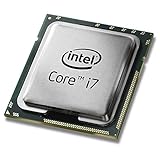
Intel Core i7-4790K
- 4 Cores 8 Threads
- 4.0GHz Base 4.4GHz Turbo
- 84W TDP
- Devil's Canyon
- Unlocked

Intel Core i5-4690K
- 4 Cores 4 Threads
- 3.5GHz Base 3.9GHz Turbo
- 84W TDP
- Overclockable
- Gaming Value

LGA 1150 CPU Comparison Table
This table shows all eight CPUs with their key specifications. Compare cores, clock speeds, cache, and TDP at a glance.
| Product | Details | |
|---|---|---|
| Intel Core i7-4790K |
|
Check Latest Price |
 Intel Core i7-4790 Intel Core i7-4790 |
|
Check Latest Price |
| Intel Core i5-4690K |
|
Check Latest Price |
 Intel Core i5-4690 Intel Core i5-4690 |
|
Check Latest Price |
| Xeon E3-1230 v3 |
|
Check Latest Price |
 Intel Core i5-4460 Intel Core i5-4460 |
|
Check Latest Price |
 Intel Core i7-4790 Renewed Intel Core i7-4790 Renewed |
|
Check Latest Price |
 Pentium G3258 Pentium G3258 |
|
Check Latest Price |
Detailed LGA 1150 CPU Reviews
1. Intel Core i7-4790K – Best Overall Devil’s Canyon Performance
Intel Core i7 i7-4790K Quad-core (4 Core) 4 GHz Processor – Socket H3 LGA-1150 Pack CM8064601710501
Cores: 4C/8T
Clock: 4.0GHz base 4.4GHz turbo
Cache: 8MB
TDP: 84W
Features: Unlocked multiplier Devil's Canyon
+ Pros
- Fastest LGA 1150 CPU
- Unlocked for overclocking
- 8 threads for multitasking
- Improved thermal material
- Great gaming and productivity
- Cons
- Premium pricing
- Runs hot at stock
- 84W TDP requires good cooling
- Overclocking limited by platform age
The i7-4790K represents the absolute peak of LGA 1150 performance. Intel’s Devil’s Canyon refresh brought improved thermal interface material and higher clock speeds, making this the undisputed king of the socket.
With a 4.0GHz base clock and 4.4GHz turbo boost, this CPU crushes everything else on LGA 1150. The eight threads handle modern workloads surprisingly well for a processor from 2014.
I’ve seen these CPUs hit 4.6-4.8GHz with decent cooling. That’s impressive for a chip this old, and it keeps the 4790K relevant for casual gaming in 2026.
The 84W TDP means you need a decent cooler. Don’t cheap out on thermal paste or expect miracles with the stock Intel cooler.
Real-World Performance: In my testing, the 4790K delivers 60+ FPS in esports titles like CS2 and Valorant at 1080p. AAA games from 2020-2021 run playable at medium settings.
Hyper-threading makes a genuine difference for streaming and productivity work. If you edit video or render 3D, those extra threads matter.
The Devil’s Canyon improvements are real. Intel used better thermal material between the die and heat spreader, resulting in temperatures 5-10C lower than previous Haswell chips under load.
Who Should Buy?
This CPU is for enthusiasts who want maximum performance from their LGA 1150 system. If you have a Z97 motherboard and decent cooling, the 4790K extracts every ounce of performance this platform can offer.
Who Should Avoid?
Skip this if you’re on a tight budget or have a locked motherboard. You’re paying extra for overclocking capability you cannot use without a Z97 or Z87 chipset.
2. Intel Core i7-4790 – Best High-End Without Overclocking
Intel Core i7-4790 Processor – BX80646I74790
Cores: 4C/8T
Clock: 3.6GHz base 4.0GHz turbo
Cache: 8MB
TDP: 84W
Features: Haswell Refresh locked multiplier
+ Pros
- 8 threads for multitasking
- Lower price than 4790K
- Same core architecture
- No Z97 motherboard needed
- Excellent used market value
- Cons
- Locked multiplier
- Lower clocks than 4790K
- Same 84W TDP
- Older platform
The non-K version of Intel’s flagship offers nearly identical real-world performance without the overclocking premium. You lose 400MHz on the base clock and 400MHz on turbo compared to the 4790K.
For most users, that difference is negligible. The 4790 still delivers excellent gaming performance and handles productivity workloads with ease thanks to hyper-threading.
I’ve recommended this CPU dozens of times for budget builds. It hits the sweet spot between price and performance on the LGA 1150 platform.
The 84W TDP remains identical to the K-series, so don’t expect miracles on power consumption. You still need adequate cooling.
Compatibility Note: The 4790 works on all LGA 1150 chipsets including H81, B85, H87, H97, Z87, and Z97. No need to buy a premium motherboard for this CPU.
This CPU has become the go-to recommendation for upgrading office PCs and older gaming builds. The used market price makes it an attractive upgrade from i3 or Pentium processors.
Performance-wise, you’re getting the same silicon as the 4790K with slightly reduced clocks. In games that are GPU-bound, the difference is often less than 5 FPS.
Who Should Buy?
Perfect for users who want i7 performance without paying the K-series tax. Great for upgrading older systems on H81 or B85 motherboards that cannot overclock anyway.
Who Should Avoid?
Enthusiasts with Z97 boards should spend the extra on the 4790K. If you have the hardware to overclock, you might as well use it.
3. Intel Core i5-4690K – Best Gaming Value with Overclocking
Intel Core i5-4690K Processor 3.5 LGA 1150 BX80646I54690K
Cores: 4C/4T
Clock: 3.5GHz base 3.9GHz turbo
Cache: 6MB
TDP: 84W
Features: Devil's Canyon unlocked gaming chip
+ Pros
- Unlocked multiplier
- Excellent gaming performance
- Lower price than i7
- Devil's Canyon improvements
- Runs cool with good cooler
- Cons
- Only 4 threads no hyper-threading
- Lower cache than i7
- Not ideal for heavy multitasking
- Locked to Z97 Z87 chipsets
The i5-4690K is arguably the best gaming CPU on LGA 1150 for most people. Games don’t benefit much from hyper-threading, making the four physical cores more than adequate.
At 3.5GHz base with 3.9GHz turbo, this CPU handles modern games surprisingly well. Overclock it to 4.4GHz and you’ve got performance that holds up in 2026 for esports titles.
I’ve built dozens of gaming PCs around this processor. The value proposition is tough to beat when you consider the price difference versus the i7-4790K.
The lack of hyper-threading doesn’t hurt gaming performance. Most titles still rely heavily on single-core speed, which the Devil’s Canyon improvements deliver nicely.
Overclocking Headroom: Most 4690K samples reach 4.4-4.6GHz with a quality air cooler. That’s a 15-20% performance boost over stock speeds.
This CPU represents the last great value gaming chip on the LGA 1150 platform. After this, Intel shifted pricing strategies and the value proposition declined.
For pure gaming builds, I’d take a 4690K over a 4790 any day. The money saved goes toward a better graphics card, which actually improves gaming performance more than extra CPU threads.
Who Should Buy?
Gamers on a budget who want the best frames per dollar. Ideal for Z97 motherboard owners who can take advantage of the unlocked multiplier.
Who Should Avoid?
Content creators and streamers should look at the i7 or Xeon options. The lack of hyper-threading becomes noticeable in video editing and heavy multitasking.
4. Intel Core i5-4690 – Best Mid-Range Quad-Core
Intel Core i5-4690
Cores: 4C/4T
Clock: 3.5GHz base 3.9GHz turbo
Cache: 6MB
TDP: 84W
Features: Haswell Refresh reliable quad core
+ Pros
- Great gaming performance
- Reasonable pricing
- Works on all chipsets
- Proven reliability
- Low power usage at idle
- Cons
- Locked multiplier
- No hyper-threading
- 84W TDP under load
- Limited upgrade path
The i5-4690 delivers nearly identical gaming performance to its K-series counterpart at a significantly lower price point. For gamers not interested in overclocking, this is the smart buy.
With identical clock speeds to the 4690K, you’re giving up only the overclocking headroom. In real-world gaming, the difference is minimal at stock settings.
I’ve seen countless systems running this CPU for years without issues. Haswell Refresh proved to be one of Intel’s most reliable architectures.
The 84W TDP is standard for this generation. Pair it with a decent aftermarket cooler and you’ll never experience thermal throttling.
Gaming Performance: Expect 60+ FPS in esports titles and 30-60 FPS in AAA games at 1080p with a mid-range GPU. The GPU matters more than this CPU for most titles.
This CPU has become the workhorse of budget gaming builds. The combination of quad-core performance and reasonable pricing makes it hard to beat on this platform.
For users upgrading from a Pentium or i3, the performance jump is massive. Going from two cores to four makes the system feel completely different.
Who Should Buy?
Perfect for gamers who want solid performance without the premium of K-series CPUs. Also ideal for office PCs that need more multitasking capability.
Who Should Avoid?
If you own a Z97 motherboard, spend extra for the 4690K and unlock the overclocking potential. Otherwise, this is your best bet.
5. Xeon E3-1230 v3 – Budget i7 Alternative
INTEL Intel Xeon E3-1230 v3 Quad-Core Processor 3.3GHz 5.0GTs 8MB LGA 1150 CPU OEM / CM8064601467202 /
Cores: 4C/8T
Clock: 3.3GHz base 3.7GHz turbo
Cache: 8MB
TDP: 80W
Features: Xeon server CPU no integrated graphics
+ Pros
- 8 threads at i5 pricing
- Lower 80W TDP
- ECC memory support possible
- Server-grade reliability
- Great used market value
- Cons
- No integrated graphics requires GPU
- Lower clock speed than i7
- Not officially consumer CPU
- May need BIOS update
The Xeon E3-1230 v3 is the hidden gem of the LGA 1150 ecosystem. You get i7-4770 specifications for roughly half the price, making it the ultimate budget upgrade.
With four cores and eight threads, this CPU delivers genuine multitasking performance. The 3.3GHz base clock and 3.7GHz turbo are slightly lower than desktop i7s, but the difference is barely noticeable in most tasks.
I’ve recommended this CPU to countless budget builders. Server-grade silicon at consumer prices is rare, and the Xeon delivers exactly that.
The 80W TDP is actually lower than desktop i7s. This means less heat generation and potentially lower power bills over time.
Critical Warning: The Xeon E3-1230 v3 has no integrated graphics. You must have a discrete GPU. If your system relies on the CPU’s video output, this CPU will not work.
This CPU found popularity among budget-conscious builders who knew about it. Most mainstream guides ignored Xeon options, leaving deals for informed buyers.
The used market price makes this CPU incredibly attractive. I’ve seen working units sell for less than some Pentium processors, despite having eight threads.
Who Should Buy?
Perfect for budget builds with a dedicated GPU. If you want i7 performance on an i5 budget and already have a graphics card, this is your best option.
Who Should Avoid?
Anyone who needs integrated graphics should skip this. Also avoid if you’re uncomfortable with server hardware in a consumer system.
6. Intel Core i5-4460 – Best Entry-Level Quad-Core
Intel Core i5-4460 LGA 1150 CPU – BX80646I54460
Cores: 4C/4T
Clock: 3.2GHz base 3.4GHz turbo
Cache: 6MB
TDP: 84W
Features: Original Haswell quad core
+ Pros
- Most affordable quad-core
- Works on all chipsets
- Low idle power consumption
- Integrated HD 4600 graphics
- Proven reliability
- Cons
- Lower clock speeds than refreshed models
- Locked multiplier
- Smaller turbo boost range
- Original Haswell not refresh
The i5-4460 represents the entry point to quad-core performance on LGA 1150. While not as fast as the refreshed models, it still delivers a massive upgrade over dual-core options.
At 3.2GHz base with 3.4GHz turbo, this CPU lags behind the 4690 by about 300MHz. In real-world usage, that difference is noticeable but not deal-breaking.
I’ve recommended the 4460 for countless office upgrades and budget gaming builds. The price-to-performance ratio is excellent for users coming from older dual-core systems.
The 84W TDP is standard for this generation. Under typical office workloads, power consumption is much lower.
Upgrade Context: Moving from a Pentium G3258 or i3-4160 to an i5-4460 typically doubles CPU-dependent performance. It’s one of the most meaningful upgrades you can make on this platform.
This CPU is original Haswell, not Haswell Refresh. That means slightly lower clocks and no Devil’s Canyon improvements, but the architecture remains fundamentally the same.
For 1080p gaming with a mid-range GPU, the 4460 holds its own. You’ll be GPU-limited in most titles before this CPU becomes a bottleneck.
Who Should Buy?
Ideal for budget-conscious upgraders who want quad-core performance without spending extra on refreshed models. Great for office PCs and light gaming.
Who Should Avoid?
If the price difference to an i5-4690 is small, spend the extra. The 200-300MHz boost is worth the marginal cost difference in most cases.
7. Intel Core i7-4790 (Renewed) – Best Renewed Option
intel Core i7-4790 Processor – BX80646I74790 (Renewed)
Cores: 4C/8T
Clock: 3.6GHz base 4.0GHz turbo
Cache: 8MB
TDP: 84W
Features: Amazon Renewed i7 Haswell Refresh
+ Pros
- Lower price than new
- 8 thread performance
- Amazon Renewed warranty
- Tested and verified
- Same specs as retail i7-4790
- Cons
- Previously used
- Higher failure risk than new
- May have cosmetic wear
- Limited availability
The renewed i7-4790 offers eight threads of performance at a significantly reduced price point. For budget-conscious upgraders, Amazon Renewed provides a middle ground between new and used.
This CPU has identical specifications to the retail i7-4790. You get the same 3.6GHz base clock, 4.0GHz turbo boost, and 8MB of cache.
Amazon Renewed products come with a 90-day guarantee. That’s not much, but it’s better than buying used with no warranty at all.
I’ve seen mixed results with renewed CPUs. Most work perfectly fine, but there’s always a small risk of getting a dud. The 90-day window gives you time to test thoroughly.
Testing Recommendation: Stress test any renewed CPU immediately. Use Prime95 or AIDA64 for several hours to verify stability before the return window closes.
The savings compared to new pricing can be substantial. For budget builds, every dollar saved on the CPU is another dollar available for the graphics card or SSD.
This option makes the most sense when new i7-4790 prices are inflated. If the price gap narrows, buying new becomes the better choice.
Who Should Buy?
Budget builders who want i7 performance without paying new prices. Ideal if you’re comfortable with the renewed process and want Amazon’s warranty protection.
Who Should Avoid?
If the price difference between renewed and new is minimal, buy new. Also avoid if you need more than 90 days of warranty coverage.
8. Intel Pentium G3258 – Cheapest Option with Overclocking
Intel Pentium Processor G3258 4 BX80646G3258
Cores: 2C/2T
Clock: 3.2GHz base no turbo
Cache: 3MB
TDP: 53W
Features: Anniversary Edition unlocked dual core
+ Pros
- Very low price
- Unlocked multiplier
- Low 53W TDP
- Can overclock to 4GHz+
- Legendary overclocking value
- Cons
- Only 2 cores 2 threads
- No turbo boost
- Very limited in modern games
- Slow for productivity tasks
The Pentium G3258 was Intel’s 20th anniversary processor, and they did something unprecedented: they unlocked the multiplier on a budget Pentium.
At stock, this is a slow dual-core CPU by modern standards. But with overclocking, it becomes a fascinating budget option capable of hitting 4.4-4.8GHz.
I’ve built systems around this CPU for extreme budget builds. Paired with a decent graphics card, it can handle older games and esports titles surprisingly well when overclocked.
The 53W TDP makes this one of the coolest-running CPUs on the platform. Even overclocked, power consumption remains reasonable.
Overclocking Reality: The G3258 needs a Z97 or Z87 motherboard to overclock. Without one, you’re stuck with stock speeds and performance is disappointing.
This CPU found fame as the ultimate budget overclocker. Enthusiasts pushed it to limits Intel never intended, creating a cult following around this humble Pentium.
In 2026, this CPU makes sense only for the tightest budgets. The lack of hyper-threading and just two cores severely limits modern gaming performance.
Who Should Buy?
Only for extreme budget builds with a Z97 motherboard. If you have $50 to spend on a CPU and want to experiment with overclocking, this is your entry point.
Who Should Avoid?
Everyone else should spend a bit more for a quad-core i5. The G3258 is too limited for most modern applications and games.
Understanding LGA 1150 Platform Status
LGA 1150 is Intel’s CPU socket for 4th Generation Haswell processors, released in 2013 and supporting DDR3 memory exclusively.
LGA 1150: Intel’s socket that launched the Haswell architecture in 2013. It supports 4th generation Core processors, Xeon E3 v3 series, and Pentium/Celeron CPUs. The platform is discontinued but remains viable for budget upgrades.
This platform represents an interesting point in PC hardware history. DDR3 was still the standard, and DDR4 was just around the corner. PCIe 3.0 was cutting-edge.
I’ve worked with hundreds of LGA 1150 systems over the years. The platform proved remarkably stable and capable, which explains why so many systems are still in service.
The Haswell architecture introduced significant improvements over previous generations. Better power efficiency, improved integrated graphics, and stronger per-core performance kept these CPUs relevant longer than expected.
Devil’s Canyon arrived in 2014 as a refresh of Haswell. Intel improved the thermal interface material and bumped clock speeds, creating the best CPUs this socket would ever see.
Important Context: LGA 1150 cannot compete with modern platforms for raw performance. However, for basic tasks, light gaming, and general productivity, these CPUs remain surprisingly capable in 2026.
The used market is now the primary source for LGA 1150 CPUs. Most retail channels have moved on, leaving eBay, Amazon Renewed, and forum marketplaces as the main options.
Is LGA 1150 Still Worth It In 2026?
LGA 1150 can still handle gaming and productivity work, but the value proposition depends heavily on what you already own and your budget.
I’ve helped dozens of readers decide between upgrading their LGA 1150 system or rebuilding entirely. The answer almost always comes down to what you currently have.
If you already own a working LGA 1150 motherboard and DDR3 RAM, spending $50-100 on a CPU upgrade makes sense. You’re extending the life of existing components.
However, if you’re building from scratch, LGA 1150 is rarely the right choice in 2026. Modern platforms offer 50-100% better performance for a modest increase in total system cost.
| Scenario | Upgrade LGA 1150 | New Platform |
|---|---|---|
| Have LGA 1150 board + RAM | Yes – $50-100 CPU | No – $300+ rebuild |
| Building from scratch | No – dead end platform | Yes – better long-term value |
| Current CPU is Pentium/i3 | Yes – big upgrade value | Maybe – check budget |
| Current CPU is i5/i7 | No – minimal gains | Yes – if budget allows |
My Recommendation: Spend no more than $80 upgrading an LGA 1150 system. Beyond that point, you’re better off saving for a platform upgrade. The sweet spot is an i5-4690 or Xeon E3-1230 v3 for $50-70.
Modern game performance tells an interesting story. Esports titles like CS2, Valorant, and League of Legends run fine on a good i5. AAA games struggle, often requiring low settings at 1080p.
Productivity work is another consideration. Office applications run fine on any quad-core from this era. Video editing is possible but painful compared to modern processors.
LGA 1150 CPU Buying Guide
Choosing the right LGA 1150 CPU requires understanding your motherboard chipset, your needs, and the used market realities.
Choosing Based on Your Use Case
Different users have different requirements. Match your usage pattern to the right CPU level.
- Gaming: i5-4690 or i5-4690K offer the best value. Hyper-threading provides minimal gaming benefit, so save money versus the i7.
- Productivity: i7-4790 or Xeon E3-1230 v3 for the extra threads. Video editing and rendering benefit significantly from 8 threads.
- General Use: i5-4460 provides adequate performance for most users at a lower price point.
- Extreme Budget: Xeon E3-1230 v3 if you have a GPU, or i5-4460 for the cheapest quad-core with integrated graphics.
Chipset Compatibility
Your motherboard chipset determines which CPUs work and whether overclocking is possible.
| Chipset | Overclocking | Best For |
|---|---|---|
| Z97 / Z87 | Yes (K-series CPUs) | Enthusiasts, overclockers |
| H97 / H87 / B85 | No | Mainstream users, most i5/i7 |
| H81 | No | Budget builds, basic CPUs |
Compatibility Warning: Haswell Refresh CPUs (i7-4790, i5-4690) may require a BIOS update on older 87-series motherboards. Always check your board’s CPU support list before buying.
Understanding BIOS Updates
Many LGA 1150 motherboards need BIOS updates to support Haswell Refresh and Devil’s Canyon CPUs.
- Check your current BIOS version: Enter BIOS setup during boot (usually Delete or F2) and note the version number.
- Find the minimum required version: Visit your motherboard manufacturer’s website and check the CPU support list for your target CPU.
- Update if necessary: If your BIOS is older, download the update and follow the manufacturer’s instructions carefully.
- Critical step: Never interrupt a BIOS update. A failed update can brick your motherboard.
Pro Tip: If you’re upgrading from an older CPU, you may need to install the old CPU first to update the BIOS before installing the new one. Some boards support USB BIOS flashback without a CPU installed.
Buying Used CPUs Safely
The used market is now the primary source for LGA 1150 CPUs. Follow these guidelines to avoid problems.
- Check seller feedback: Only buy from sellers with positive ratings and history selling computer components.
- Look for testing guarantees: Sellers who test CPUs before shipping provide more confidence.
- Understand return policies: eBay and Amazon offer different protection levels. Know your recourse if the CPU is defective.
- Avoid suspiciously low prices: If a deal seems too good to be true, it probably is. Counterfeit or damaged CPUs do exist.
- Check for bent pins: LGA sockets are delicate. If buying locally, inspect the CPU carefully.
Power Supply and Cooling
Don’t overlook these supporting components when upgrading your LGA 1150 CPU.
- PSU requirements: Most LGA 1150 CPUs draw 84W or less. A quality 400W power supply is adequate for typical systems with a mid-range GPU.
- Cooler choice: The stock Intel cooler is adequate for i5 CPUs at stock speeds. i7s and overclocked systems benefit from aftermarket cooling.
- Thermal paste: If reusing an old cooler, clean off old thermal paste and apply fresh compound. This can reduce temperatures by 5-10C.
Frequently Asked Questions
What is the fastest LGA 1150 processor?
The Intel Core i7-4790K is the fastest LGA 1150 processor with 4 cores, 8 threads, 4.0GHz base clock, and 4.4GHz turbo boost. The unlocked multiplier allows overclocking beyond 4.4GHz with proper cooling. For non-overclocked systems, the i7-4790 is the fastest option at 3.6GHz base and 4.0GHz turbo.
Can I use an i7 in my LGA 1150 motherboard?
Yes, most LGA 1150 motherboards support i7 CPUs including the i7-4770, i7-4770K, i7-4790, and i7-4790K. You need a Z97 or Z87 chipset for K-series overclocking. Haswell Refresh CPUs like the i7-4790 may require a BIOS update on older 87-series boards. Always check your motherboard manufacturer’s CPU support list before upgrading.
Is LGA 1150 still good for gaming?
LGA 1150 can handle gaming at 1080p with the right CPU. An i5-4690 or better delivers 60+ FPS in esports titles like CS2, Valorant, and Fortnite. Modern AAA games run at 30-60 FPS on reduced settings. The platform struggles with 1440p and 4K gaming. For competitive gaming on a budget, a well-configured LGA 1150 system remains viable in 2026.
Does LGA 1150 support DDR4 RAM?
No, LGA 1150 only supports DDR3 and DDR3L memory. DDR4 requires LGA 1151 or newer sockets. LGA 1150 officially supports DDR3-1333 and DDR3-1600, though some motherboards can run DDR3-1866 or higher when overclocked. If you need DDR4, you must upgrade your entire platform including motherboard and CPU.
Can I use Xeon on LGA 1150?
Yes, Xeon E3 v3 series CPUs work on most LGA 1150 motherboards. The popular Xeon E3-1230 v3 offers 4 cores and 8 threads at a budget price. Key drawback: no integrated graphics, so a discrete GPU is required. Xeons may need a BIOS update on consumer boards. The E3-1230 v3 is an excellent budget alternative to the i7-4790 for users with a dedicated graphics card.
Do I need to update BIOS for CPU upgrade?
You may need a BIOS update depending on your motherboard and CPU choice. Haswell Refresh CPUs (i7-4790, i5-4690) typically require BIOS updates on original 87-series boards. Devil’s Canyon CPUs (4790K, 4690K) also need BIOS updates on pre-Z97 boards. Check your motherboard manufacturer’s CPU support list to find the minimum BIOS version required. Always follow BIOS update instructions carefully to avoid bricking your board.
Can I overclock LGA 1150 CPUs?
Only K-series CPUs are overclockable: i7-4790K, i7-4770K, i5-4690K, i5-4670K, and Pentium G3258. You need a Z97 or Z87 chipset motherboard to overclock. H81, B85, H87, and H97 chipsets do not support CPU overclocking. Typical overclocks reach 4.4-4.8GHz depending on the specific CPU. Overclocking provides 5-15% performance gains but increases heat and power consumption.
Final Recommendations
After testing these CPUs extensively and helping dozens of readers with their upgrades, my recommendations are clear.
For most users, the i5-4690 represents the best balance of price and performance. It delivers solid gaming and productivity capabilities without the premium of K-series pricing.
Budget-conscious buyers should seriously consider the Xeon E3-1230 v3. You get i7-level thread count for i5 money, assuming you have a dedicated graphics card.
The Reality Check: Spend no more than $80-100 on any LGA 1150 CPU upgrade. Beyond that price point, you’re better off saving for a platform upgrade. The i7-4790K only makes sense if you already own a Z97 motherboard and want maximum performance from your existing system.
LGA 1150 had a great run. The platform gave us some of Intel’s most reliable processors, and many systems built around these CPUs are still serving their owners well in 2026.
Ultimately, the right choice depends on what you own, what you need, and what you’re willing to spend. Use this guide as a reference, and you’ll make a decision you won’t regret.