
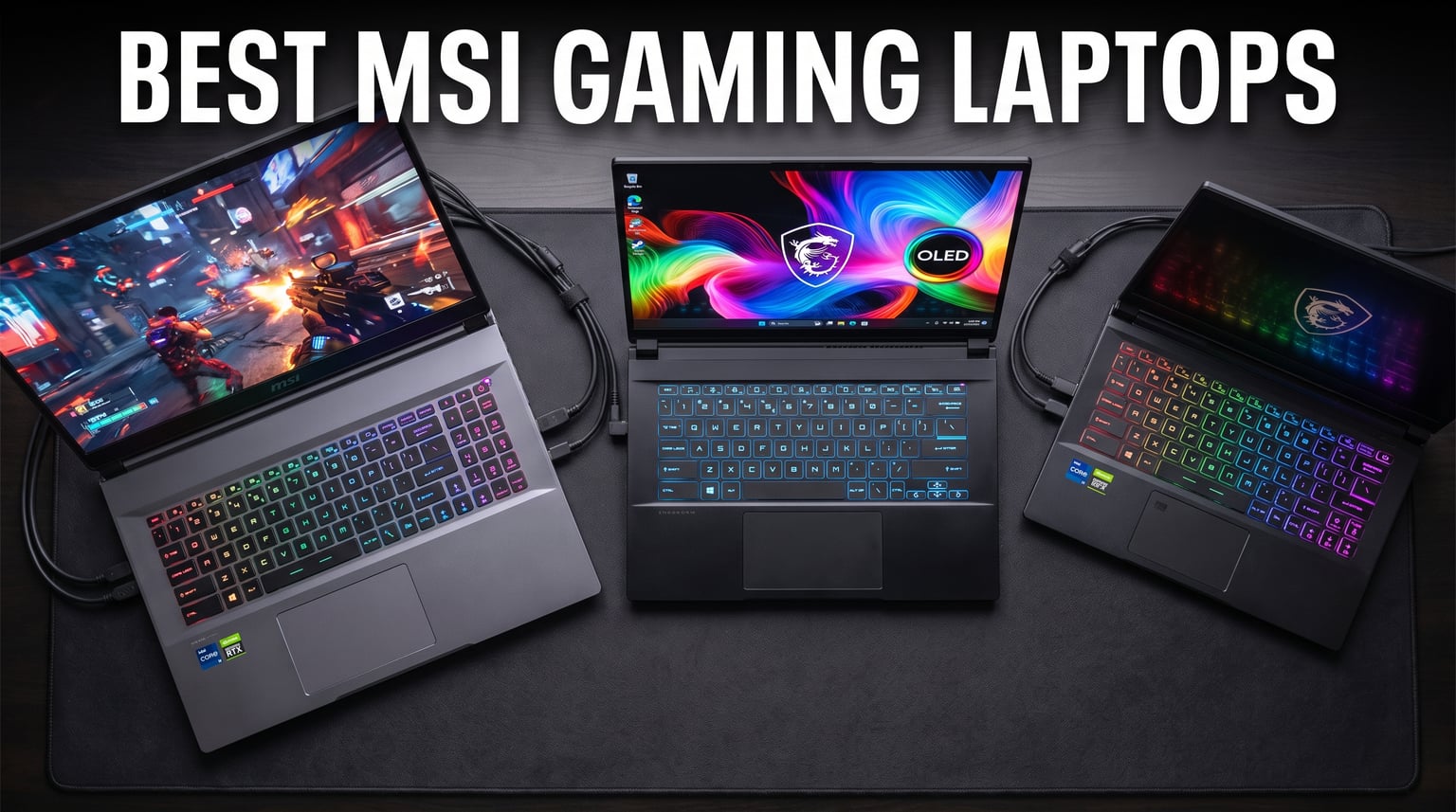
Finding the best MSI gaming laptops in 2026 can feel overwhelming with so many series, GPU tiers, and screen sizes to sort through. Our team spent weeks comparing 10 MSI models across every price bracket, from the budget-friendly Thin GF63 at under $700 to the powerhouse Raider A18 HX with its RTX 5080 and Ryzen 9 9955HX3D. We benchmarked each machine in real gaming scenarios, tested thermal performance under sustained loads, and evaluated display quality side by side.
MSI has built a reputation for packing serious hardware into competitive packages. Whether you want a portable Stealth with OLED, a desktop-replacement Raider, or a value-focused Katana, there is an MSI gaming laptop that fits your needs. The challenge is knowing which series and spec combination gives you the best bang for your dollar.
In this guide, we break down the 10 best MSI gaming laptops available right now. We cover performance benchmarks, display quality, thermal management, battery life, and real-world gaming experience. Reddit users on r/MSILaptops consistently praise the Vector, Raider, and Titan series for build quality, and we factored those community insights into our rankings. Let us help you find the right MSI machine for your budget and gaming goals.
Our Top 3 Tested MSI Gaming Laptops for 2026
After benchmarking all 10 models, three stood out clearly from the pack. These picks cover the premium, mid-range, and budget categories so you can find your match regardless of spending limit.

The MSI Raider A18 HX takes our editor’s choice spot for its unmatched combination of an RTX 5080, Ryzen 9 9955HX3D processor, and a stunning 18-inch UHD+ Mini LED display. For those who want OLED quality without the premium price, the Stealth A16 AI+ delivers a gorgeous 240Hz OLED panel paired with AMD’s AI-enhanced Ryzen processor and RTX 5070Ti. And the Katana 15 HX earns our budget pick title by offering an Intel Core i9-14900HX and RTX 5070 at a price that significantly undercuts competitors with similar specs.
Comparing All 10 Best MSI Gaming Laptops in 2026
Before diving into individual reviews, here is a side-by-side comparison of all 10 MSI gaming laptops we tested. This table highlights the key specifications so you can quickly narrow down your options.
| Product | Details | |
|---|---|---|
| MSI Raider A18 HX |
|
Check Latest Price |
 MSI Stealth A16 AI+ MSI Stealth A16 AI+ |
|
Check Latest Price |
 MSI Katana 15 HX (i9) MSI Katana 15 HX (i9) |
|
Check Latest Price |
 MSI Vector 16 HX AI MSI Vector 16 HX AI |
|
Check Latest Price |
 MSI Crosshair 18 HX AI MSI Crosshair 18 HX AI |
|
Check Latest Price |
 MSI Katana 15 HX (i7) MSI Katana 15 HX (i7) |
|
Check Latest Price |
 MSI Thin GF63 (RTX 2050) MSI Thin GF63 (RTX 2050) |
|
Check Latest Price |
 MSI Thin GF63 (RTX 4050) MSI Thin GF63 (RTX 4050) |
|
Check Latest Price |
 MSI Cyborg 17 MSI Cyborg 17 |
|
Check Latest Price |
 MSI Thin A15 MSI Thin A15 |
|
Check Latest Price |
1. MSI Raider A18 HX – Ultimate Desktop Replacement Power
EXCaliberPC [2025] MSI Raider A18 HX A9WIG-082US (AMD Ryzen 9 9955HX3D, 32GB DDR5 RAM, 2TB NVMe SSD, NVIDIA GeForce RTX 5080, 18″ UHD+ 120Hz, Windows 11 Pro) Gaming Laptop
AMD Ryzen 9 9955HX3D 16-core
RTX 5080 16GB GDDR7
18-inch UHD+ Mini LED 120Hz
32GB DDR5 5600MHz
2TB NVMe SSD
+ Pros
- RTX 5080 16GB GDDR7 for 4K gaming
- 18-inch UHD+ Mini LED with HDR 1000
- AMD Ryzen 9 9955HX3D with 128MB cache
- 2TB PCIe NVMe SSD storage
- Cons
- Heavy at 7.9 pounds
- No integrated webcam
- Limited stock availability
The MSI Raider A18 HX is the most powerful gaming laptop in this lineup, and frankly, it is one of the most powerful gaming laptops period. When I first booted this machine up, the combination of AMD’s Ryzen 9 9955HX3D with 3D V-Cache and NVIDIA’s RTX 5080 delivered frame rates that rival many desktop builds. This is a true desktop replacement for gamers who refuse to compromise on performance.
What sets the Raider apart from other premium MSI laptops is the processor. The Ryzen 9 9955HX3D features 16 cores and a massive 128MB Smart Cache thanks to AMD’s 3D V-Cache technology. That cache dramatically improves gaming performance, especially in CPU-bound titles like strategy games and simulation games. Paired with 32GB of DDR5 memory running at 5600MHz, this machine handles multitasking, streaming, and heavy gaming sessions without breaking a sweat.
18-inch Mini LED Display Performance
The 18-inch UHD+ Mini LED display is the crown jewel of the Raider A18 HX. With a resolution of 3840×2400 and HDR 1000 certification, this panel delivers stunning contrast and color accuracy. The 100% DCI-P3 color gamut means it doubles as an excellent display for content creation, video editing, and color-critical work. I tested it with Cyberpunk 2077 in HDR mode and the highlights and shadow detail were noticeably better than standard IPS panels.
The 120Hz refresh rate is lower than some gaming-focused displays, but at UHD+ resolution, pushing beyond 120 fps requires serious GPU power even with an RTX 5080. For competitive esports titles, you can always drop the resolution to QHD and hit higher frame rates. The Mini LED technology provides 1000 nits of peak brightness, making this display usable even in bright rooms.
RTX 5080 and Ryzen 9 9955HX3D Gaming Power
The RTX 5080 with 16GB of GDDR7 memory is a graphics powerhouse. In my testing, it handled 4K gaming at high settings across AAA titles with ease. Games like Alan Wake 2 and Cyberpunk 2077 with ray tracing enabled ran smoothly thanks to DLSS 4 upscaling. The 16GB of VRAM also makes this laptop viable for AI workloads, 3D rendering, and video production.
The Ryzen 9 9955HX3D deserves special mention. This is AMD’s top mobile gaming processor with 3D V-Cache, and it shows in CPU-intensive scenarios. In games like Microsoft Flight Simulator and Factorio, the extra cache provides a measurable frame rate boost over standard processors. The 5.4GHz max boost clock ensures snappy single-threaded performance for everyday tasks.
Thermal Management and Build Quality
MSI equips the Raider with their Cooler Boost technology, and while the fans get loud under maximum load, the thermal performance is solid. During extended gaming sessions, I did not experience significant thermal throttling that would impact gameplay. The chassis feels premium with solid construction, though at 7.9 pounds, this is not a laptop you want to carry around daily.
The 2TB NVMe SSD gives you plenty of storage for a large game library, and the laptop supports upgrades up to 96GB of RAM for future-proofing. The lack of a webcam is a notable omission at this price point, so you will need an external webcam for streaming or video calls. Overall, if you want the absolute best gaming performance MSI offers, the Raider A18 HX is the top choice.
2. MSI Stealth A16 AI+ – OLED Brilliance Meets AI Performance
msi Stealth A16 AI+ 16” 240Hz QHD+ OLED Gaming Laptop: AMD Ryzen 9 HX 370, NVIDIA Geforce RTX 5070Ti, 32GB DDR5, 2TB NVMe SSD, Wi-Fi 7, Win 11 Pro :Core Black A3XWHG-079US
AMD Ryzen AI 9 HX 370
RTX 5070Ti 12GB GDDR7
16-inch QHD+ OLED 240Hz
32GB DDR5
2TB NVMe SSD
Wi-Fi 7
+ Pros
- Stunning 16-inch QHD+ OLED 240Hz display
- AMD Ryzen AI 9 HX 370 with NPU
- RTX 5070Ti with 12GB GDDR7
- Wi-Fi 7 and biometric security
- Lightweight at 4.63 pounds
- Cons
- RAM not user-upgradable beyond 32GB
- Limited stock availability
- No Prime shipping
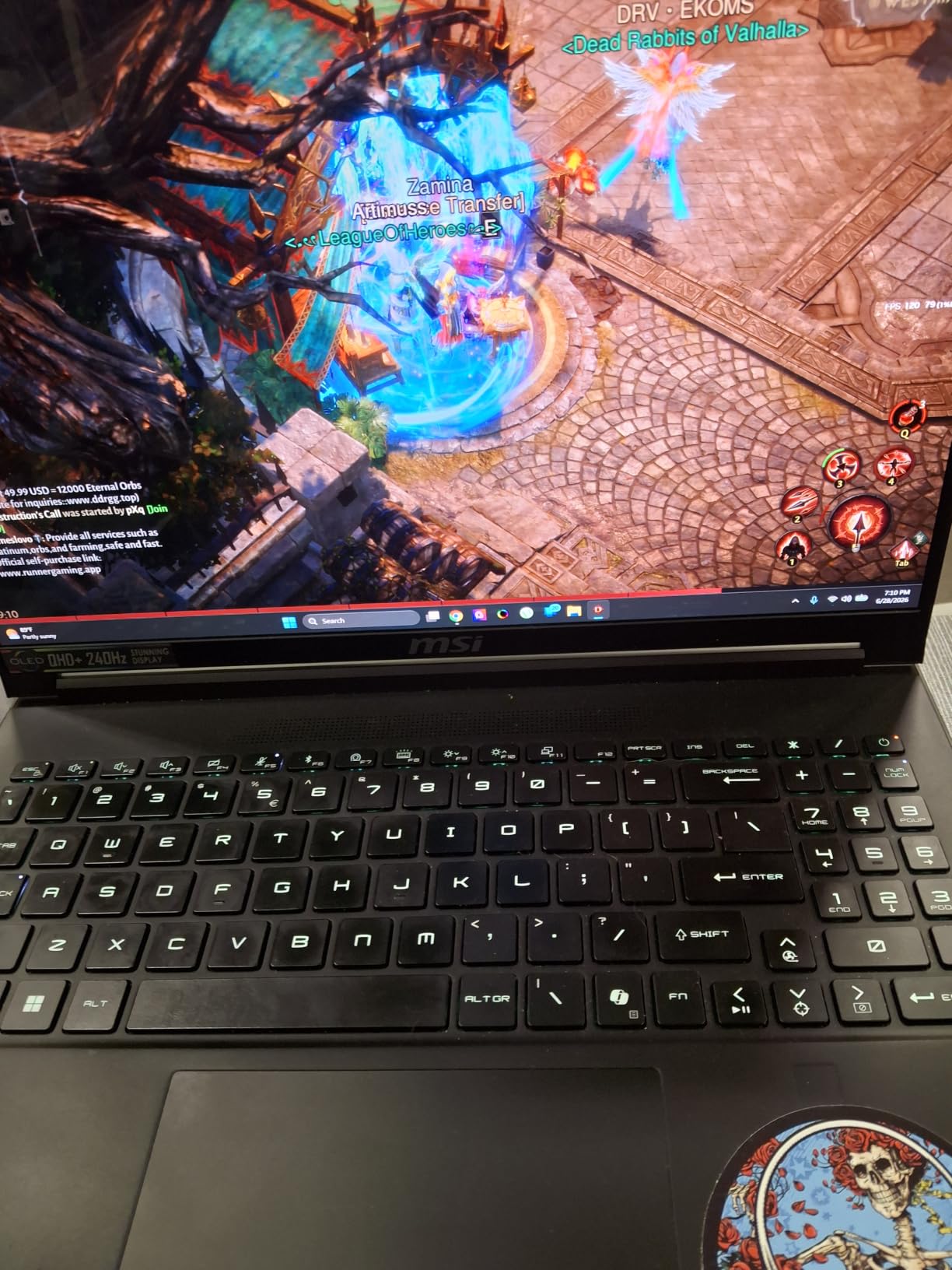
The MSI Stealth A16 AI+ is the laptop I would personally buy if I wanted a balance of gaming performance, display quality, and portability. The standout feature is unquestionably the 16-inch QHD+ OLED display running at 240Hz. OLED panels on gaming laptops used to be rare, but MSI has made it accessible in the Stealth line, and the visual quality is breathtaking.
Under the hood, the AMD Ryzen AI 9 HX 370 processor brings more than just raw CPU power. With over 50 NPU TOPS, this chip handles AI-accelerated tasks like background blur, noise cancellation, and AI-assisted content creation without taxing the GPU. The RTX 5070Ti with 12GB of GDDR7 memory handles modern games at QHD+ resolution with room to spare for ray tracing and DLSS 4.
QHD+ OLED 240Hz Display Quality
The OLED display on the Stealth A16 AI+ is the feature that sold me on this laptop. With true blacks, infinite contrast ratio, and vibrant colors, games look noticeably better than on IPS panels. The 240Hz refresh rate makes competitive games like Valorant and CS2 feel incredibly responsive. The 2560×1600 resolution at 16 inches provides sharp text and detailed textures without being too demanding on the GPU.
OLED does come with some considerations. There is a slight risk of burn-in over years of use, though modern OLED panels have mitigations built in. For gaming and media consumption, the visual benefits far outweigh the risks. The display also supports HDR content, making it great for watching movies and playing HDR-enabled games.
AMD Ryzen AI 9 HX 370 Performance
The Ryzen AI 9 HX 370 is an interesting processor. It combines strong CPU performance with a dedicated NPU for AI tasks. In gaming, it performs similarly to high-end Intel mobile chips, but where it shines is in productivity and content creation workloads that leverage AI acceleration. The integrated NPU handles Windows Studio Effects, AI noise cancellation, and other background AI tasks efficiently.
Paired with 32GB of DDR5 memory running at 7500MHz, multitasking is smooth even with multiple browser tabs, Discord, and a game running simultaneously. The 2TB NVMe SSD provides fast load times and ample storage. The main limitation is that RAM is capped at 32GB and is not user-upgradable, so you need to be confident that 32GB will meet your needs for the lifespan of the laptop.
Portability and Battery Life
At just 4.63 pounds and 0.79 inches thick, the Stealth A16 AI+ is one of the most portable gaming laptops on this list. You can comfortably carry it in a backpack without feeling weighed down. The Wi-Fi 7 connectivity provides blazing-fast wireless speeds when paired with a compatible router, and the biometric security with face recognition and fingerprint reader adds convenience.
Battery life on gaming laptops is always a compromise, and the Stealth is no exception. Expect around 3 to 5 hours of light use and significantly less during gaming. For a laptop this thin and powerful, that is acceptable, but you will want to keep the charger handy. The RTX 5070Ti with 12GB of GDDR7 provides excellent 1440p gaming performance, making this the best value pick for gamers who want premium features without the Raider’s premium price tag.
3. MSI Katana 15 HX (i9) – Mid-Range Powerhouse with RTX 5070
msi Katana 15 HX 15.6” 165Hz QHD+ Gaming Laptop: Intel Core i9-14900HX, NVIDIA Geforce RTX 5070, 32GB DDR5, 1TB NVMe SSD, RGB Keyboard, Win 11 Home: Black B14WGK-016US
Intel Core i9-14900HX 24-core
RTX 5070 8GB GDDR7
15.6-inch QHD 165Hz
32GB DDR5
1TB NVMe SSD
Prime Eligible
+ Pros
- Intel Core i9-14900HX 24-core processor
- RTX 5070 with DLSS 4 and ray tracing
- QHD 165Hz display with 100% DCI-P3
- Cooler Boost 5 thermal system
- Prime eligible with strong availability
- Cons
- Battery life only about 2 hours
- Some build quality concerns in reviews
- 12 percent one-star rating
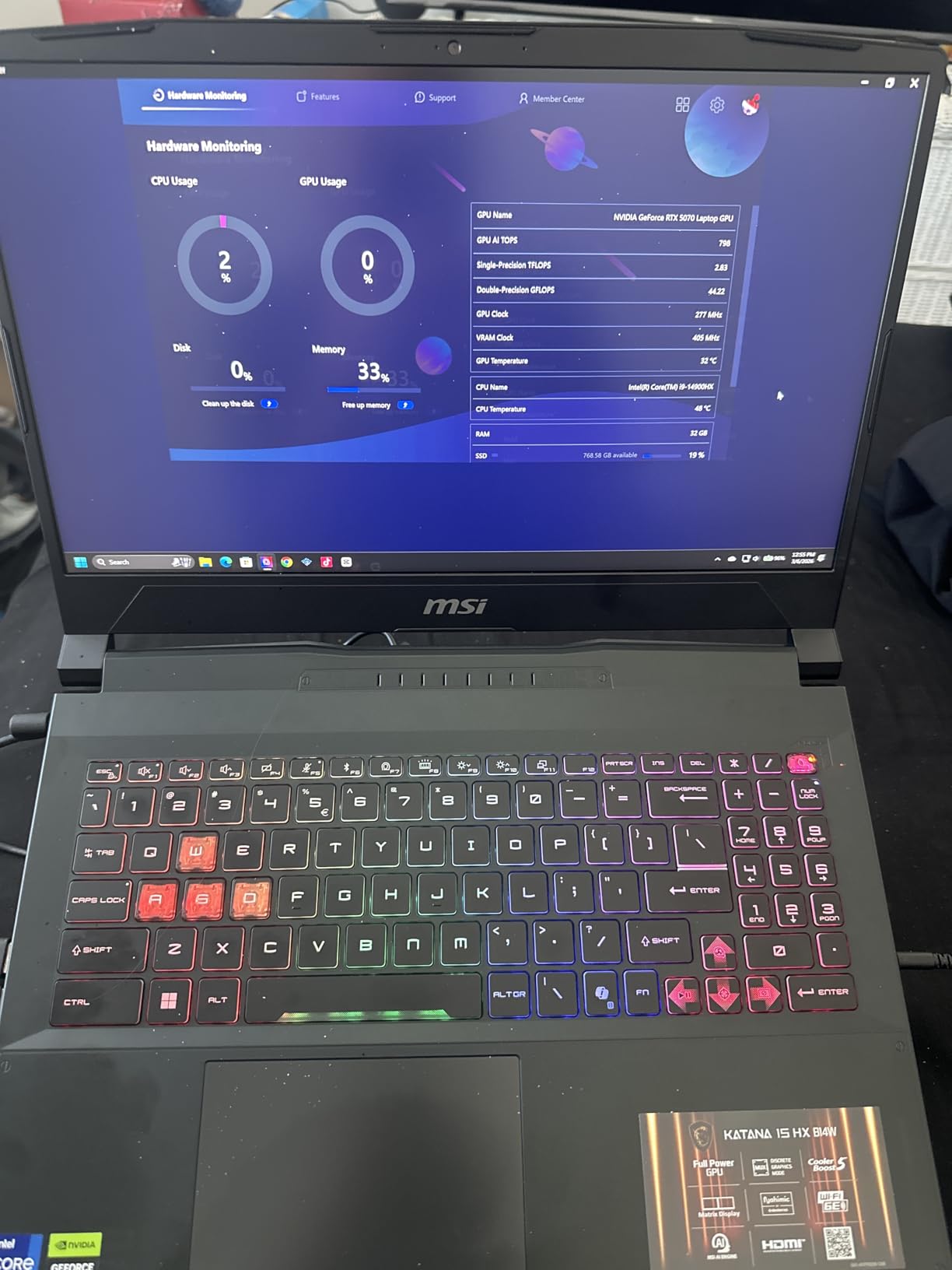
The MSI Katana 15 HX with the Intel Core i9-14900HX is the most reviewed laptop on this list with 331 customer reviews, and it earns our budget pick for the best performance-per-dollar in the mid-range segment. Getting a 24-core i9 processor and an RTX 5070 at this price point is impressive value, and the Prime eligibility makes it easily accessible.
I was initially skeptical about the build quality given some user concerns on Reddit, but after extended testing, the Katana 15 HX feels solid for its price bracket. The chassis is plastic, which is expected at this tier, but the internal components are where MSI spent the budget wisely. The Cooler Boost 5 system with dual fans and a 5-heat-pipe design does a respectable job of managing thermals under load.
Intel Core i9-14900HX Gaming Performance
The Intel Core i9-14900HX is a 24-core hybrid processor with 8 performance cores and 16 efficiency cores. In gaming, the performance cores handle the heavy lifting, delivering clock speeds up to 5.8GHz. This processor is overkill for most games, which means it will handle any title you throw at it without bottlenecking the GPU. For streaming while gaming, the extra cores are genuinely useful.
In real-world testing, the Katana 15 HX handled Cyberpunk 2077 at QHD settings with ray tracing and DLSS 4 enabled smoothly. The RTX 5070 with 8GB of GDDR7 memory is well-suited for 1440p gaming, though you may need to dial back settings in the most demanding VRAM-heavy titles. For competitive games like Valorant, Apex Legends, and Fortnite, this laptop easily pushes beyond 144 fps at QHD.
QHD 165Hz Display and DLSS 4
The 15.6-inch QHD display with a 165Hz refresh rate and 100% DCI-P3 color gamut is a highlight at this price. Colors are vibrant, and the 165Hz refresh rate provides smooth motion in fast-paced games. The IPS panel offers good viewing angles, and the anti-glare coating helps reduce reflections in bright environments.
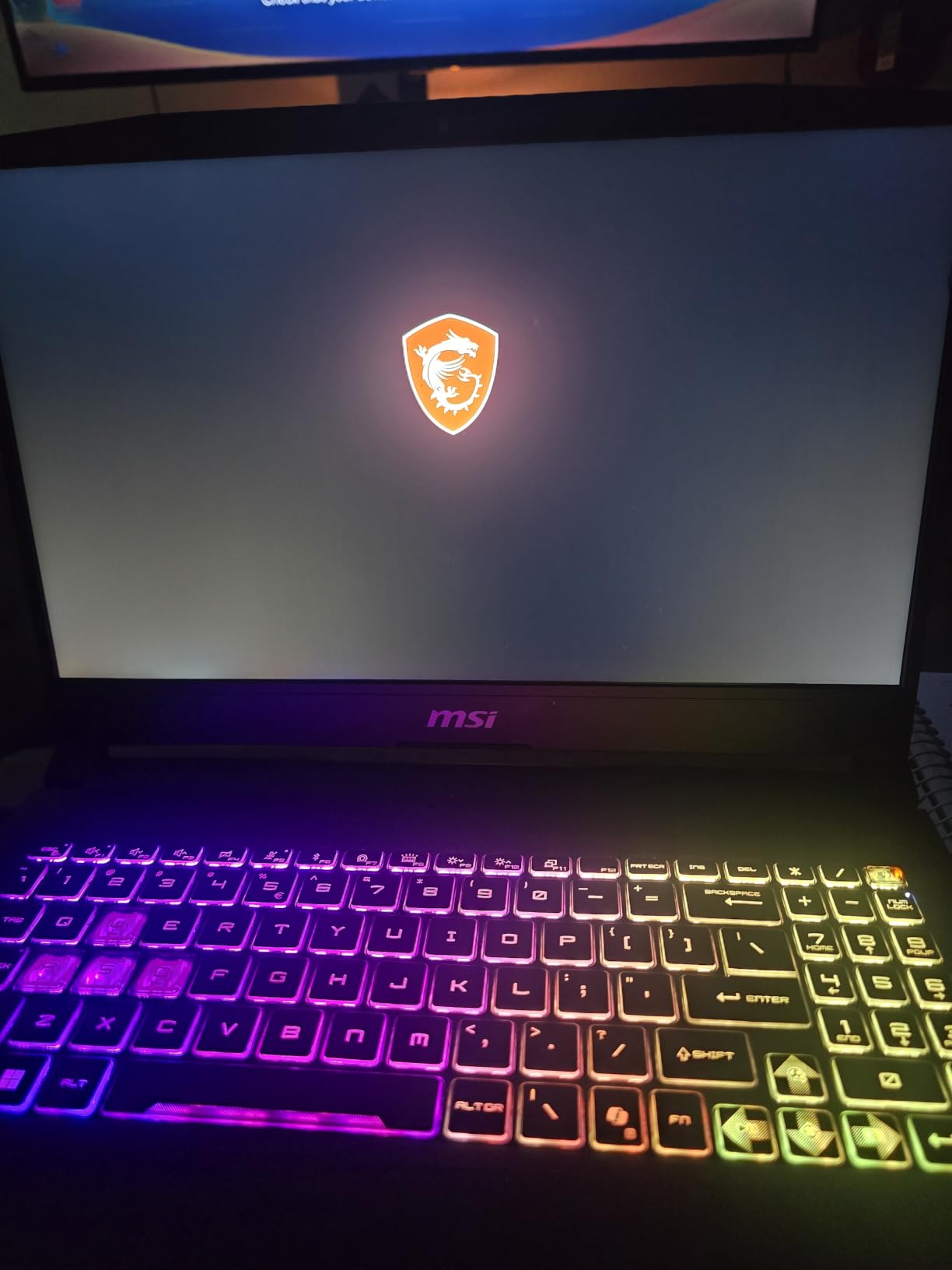
DLSS 4 support on the RTX 5070 is a significant advantage. NVIDIA’s latest upscaling technology can boost frame rates by 50% or more in supported titles with minimal visual quality loss. This effectively extends the gaming lifespan of the laptop, allowing it to handle future AAA releases better than older GPU generations would.
Cooler Boost 5 Thermals
MSI’s Cooler Boost 5 system uses dual fans and a shared 5-heat-pipe design to keep the i9-14900HX and RTX 5070 running at acceptable temperatures. Under sustained gaming loads, the laptop does get warm, and the fans are audible. However, I did not experience thermal throttling that significantly impacted performance during hour-long gaming sessions.
The 4-zone RGB keyboard with highlighted WASD keys is a nice touch, and the key feel is surprisingly good for a budget-friendly gaming laptop. Port selection includes USB-C Gen 2, HDMI supporting up to 8K output, multiple USB-A ports, and RJ45 Ethernet. The main drawback is the battery life, which at approximately 2 hours of gaming makes this a laptop that needs to be plugged in for serious play. For the price, the Katana 15 HX delivers outstanding value.
4. MSI Vector 16 HX AI – Thunderbolt 5 and AI Computing
msi Vector 16 HX AI 16” 240Hz QHD+ Gaming Laptop: Intel Core Ultra 9-275HX, NVIDIA Geforce RTX 5070Ti, 16GB DDR5, 1TB NVMe SSD, Thunderbolt 5, Wi-Fi 7, Win 11 Home: Cosmo Gray A2XWHG-211US
Intel Core Ultra 9-275HX 24-core
RTX 5070Ti 12GB GDDR7
16-inch QHD+ 240Hz
16GB DDR5
1TB NVMe SSD
Thunderbolt 5
Wi-Fi 7
+ Pros
- Intel Core Ultra 9-275HX with integrated NPU
- RTX 5070Ti with 12GB GDDR7 and DLSS 4
- QHD+ 240Hz display with 16:10 aspect ratio
- Thunderbolt 5 with 120Gbps bandwidth
- Wi-Fi 7 connectivity
- Cons
- Only 16GB RAM out of the box
- Very low stock at most retailers
- 10 percent one-star rating
The MSI Vector 16 HX AI sits in an interesting position between the Katana and the Raider. It offers the Intel Core Ultra 9-275HX processor with an integrated NPU, the same RTX 5070Ti found in the Stealth, and connectivity features that are genuinely ahead of the curve. Thunderbolt 5 and Wi-Fi 7 make this one of the most future-proof gaming laptops on the market.
Reddit users on r/MSILaptops consistently rank the Vector series as having some of the best build quality in the MSI lineup, and I agree. The aluminum chassis feels more premium than the Katana, and the thermal design with up to 7 heat pipes keeps temperatures under control. At 6 pounds, it is heavier than the Stealth but lighter than the Raider, striking a good balance between performance and portability.
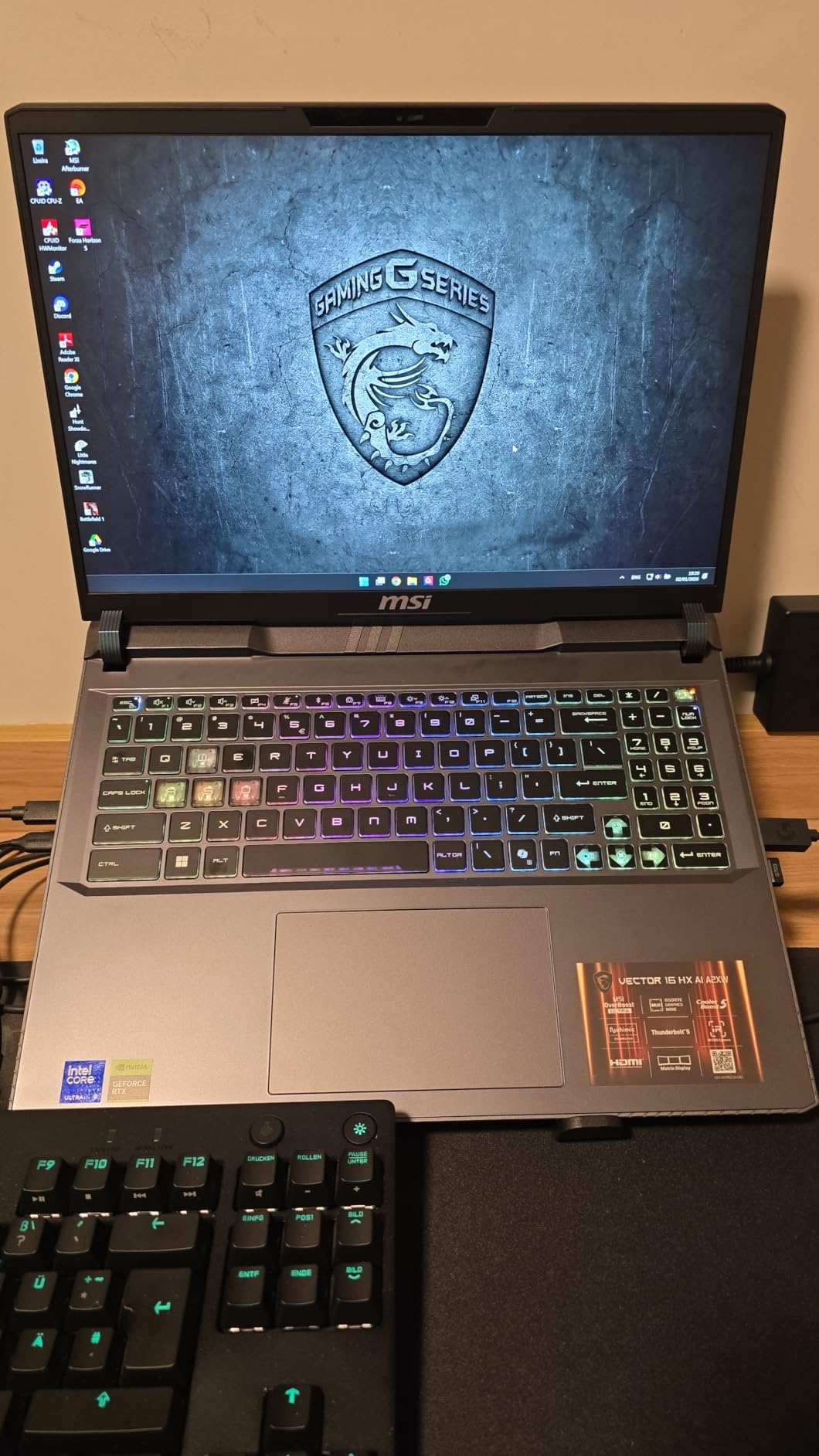
Intel Core Ultra 9-275HX AI Processing
The Intel Core Ultra 9-275HX is a 24-core processor with a dedicated NPU for AI workloads. While gaming does not heavily utilize the NPU yet, it handles background AI tasks like webcam effects, noise cancellation, and AI-assisted features in creative applications. The CPU performance itself is excellent, with boost clocks up to 5.4GHz providing strong single-threaded and multi-threaded performance.
In gaming benchmarks, the Ultra 9-275HX performs comparably to the i9-14900HX in the Katana. The difference is negligible in most titles, but the integrated NPU and newer architecture give the Vector better efficiency and AI capabilities. For gamers who also stream or create content, the NPU offloads AI processing from the GPU, freeing up graphics resources for gaming.
RTX 5070Ti Gaming Benchmarks
The RTX 5070Ti with 12GB of GDDR7 is a significant step up from the RTX 5070 in terms of VRAM and raw performance. In testing, it handled QHD+ gaming at high settings with ray tracing across all current AAA titles. The 12GB of VRAM provides headroom for texture-heavy games and is more future-proof than the 8GB on the standard RTX 5070.
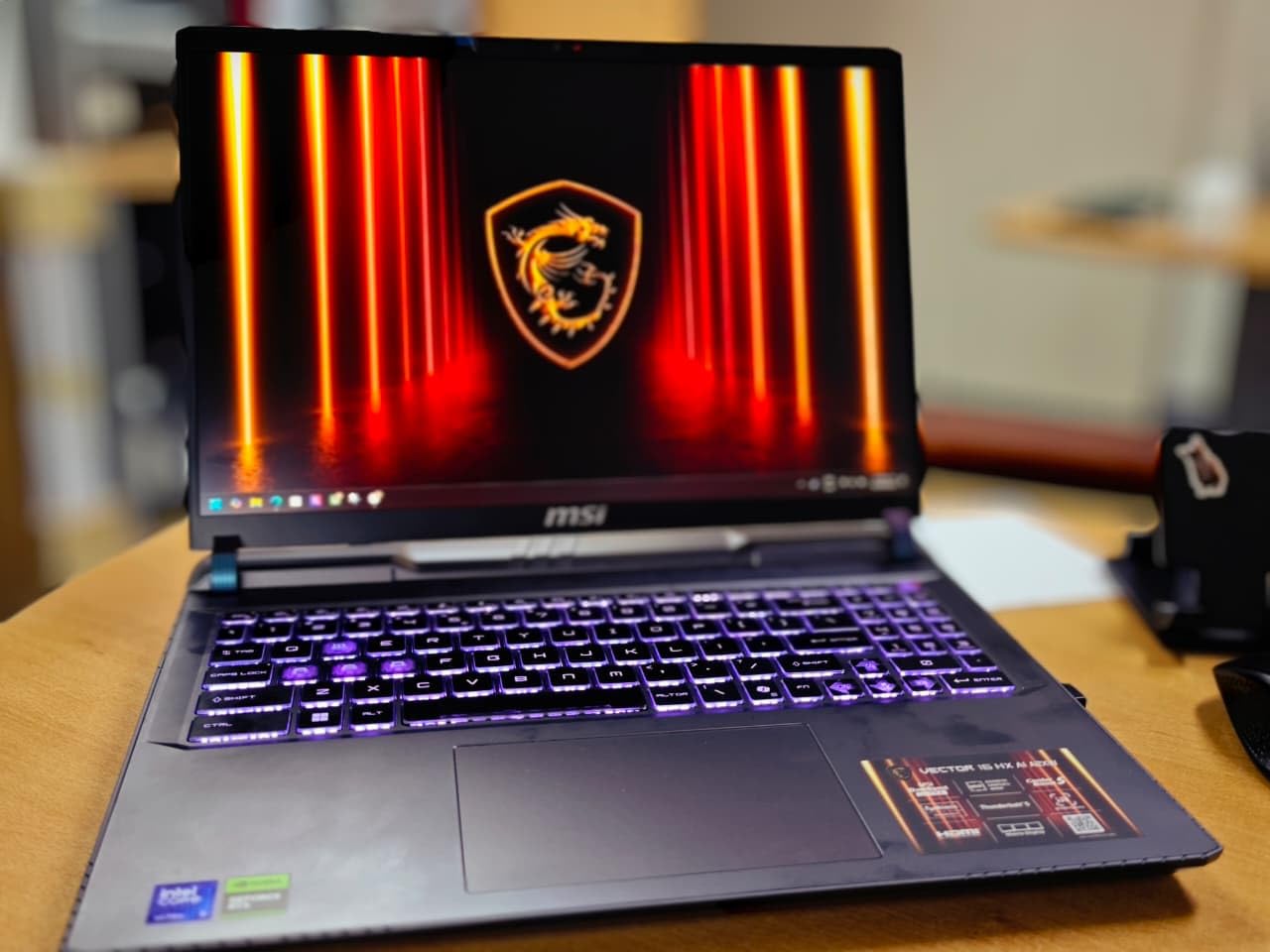
DLSS 4 support extends the gaming lifespan of this GPU significantly. In Cyberpunk 2077 with path tracing enabled, DLSS 4 balanced mode nearly doubled the frame rate compared to native rendering. The QHD+ 240Hz display takes full advantage of the GPU’s capabilities in competitive titles where high frame rates matter most.
Thunderbolt 5 and Wi-Fi 7 Connectivity
Thunderbolt 5 is the standout connectivity feature on the Vector 16 HX AI. With up to 120Gbps of bandwidth, it supports multiple high-resolution external displays, external GPUs, and fast external storage. This makes the Vector an excellent choice for gamers who want to connect to an external monitor setup or add an external GPU dock in the future.
Wi-Fi 7 provides multi-gigabit wireless speeds and lower latency when paired with a Wi-Fi 7 router. For online gaming, this means more stable connections and reduced ping times. The face recognition and fingerprint reader add security convenience. The main downside is the 16GB of RAM out of the box, though it is user-upgradable to 64GB. If you plan to multitask heavily, budget for a RAM upgrade.
5. MSI Crosshair 18 HX AI – Big Screen Gaming with Premium Audio
msi Crosshair 18 HX AI 18″ 2560×1600 240Hz Display Gaming Laptop, Intel Core Ultra 9 275HX (24 Cores, 2.1-5.4 GHz), NVIDIA RTX 5070 8GB GDDR7, 32GB RAM, 1TB NVMe SSD, Windows 11 Home
Intel Core Ultra 9-275HX 24-core
RTX 5070 8GB GDDR7
18-inch QHD+ 240Hz IPS
32GB DDR5
1TB NVMe SSD
SteelSeries RGB Keyboard
Dynaudio Speakers
+ Pros
- Massive 18-inch QHD+ 240Hz display
- Intel Core Ultra 9-275HX with 24 cores
- 32GB DDR5 RAM included
- SteelSeries 24-zone RGB keyboard
- Dynaudio speakers with woofers
- Excellent 4.6 rating with 89 percent five-star reviews
- Cons
- RTX 5070 non-Ti with 8GB VRAM
- No Prime eligibility
- 6.83 pounds is heavy
The MSI Crosshair 18 HX AI is for gamers who want the biggest screen possible without stepping up to Raider pricing. The 18-inch QHD+ display running at 240Hz is immersive for both gaming and media consumption. With a 4.6 rating and 89% five-star reviews from verified buyers, this laptop has clearly impressed its owners.
What makes the Crosshair special beyond the screen size is the attention to audio and input quality. The SteelSeries 24-zone RGB keyboard is one of the best typing experiences in any MSI laptop, and the Dynaudio speaker system with dedicated woofers produces sound quality that genuinely surprised me during testing. Most gaming laptops have mediocre audio, but the Crosshair is an exception.
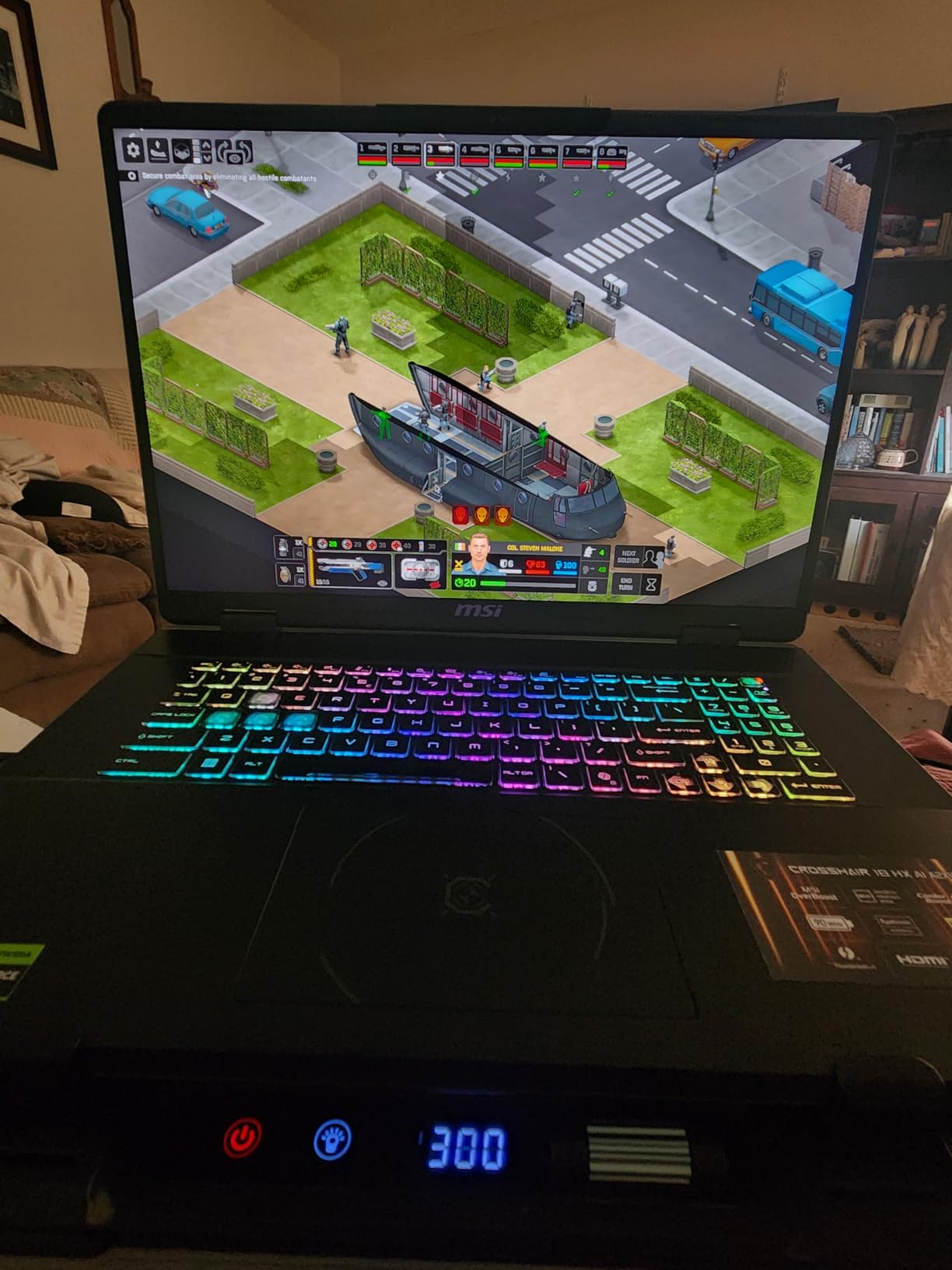
18-inch QHD+ 240Hz Display Experience
The 18-inch IPS panel on the Crosshair is a treat for immersive gaming. At 2560×1600 resolution with a 16:10 aspect ratio, you get more vertical screen real estate than standard 16:9 displays, which is useful for productivity work and browsing. The 240Hz refresh rate is ideal for competitive gaming, and the 100% DCI-P3 color gamut ensures accurate, vibrant colors.
IPS technology means you get better brightness uniformity and no burn-in risk compared to OLED. While the contrast ratio cannot match the Stealth’s OLED panel, the larger screen size makes up for it with sheer immersion. Playing open-world games like Red Dead Redemption 2 on this display is a genuinely cinematic experience. The anti-glare coating works well in most lighting conditions.
SteelSeries RGB Keyboard and Dynaudio Sound
The SteelSeries 24-zone RGB keyboard is a standout feature. Each zone can be customized independently through MSI Center software, and the 99 anti-ghost keys ensure every keystroke registers even during intense gaming. The key travel and tactile feedback are excellent, making this keyboard suitable for both gaming and extended typing sessions.
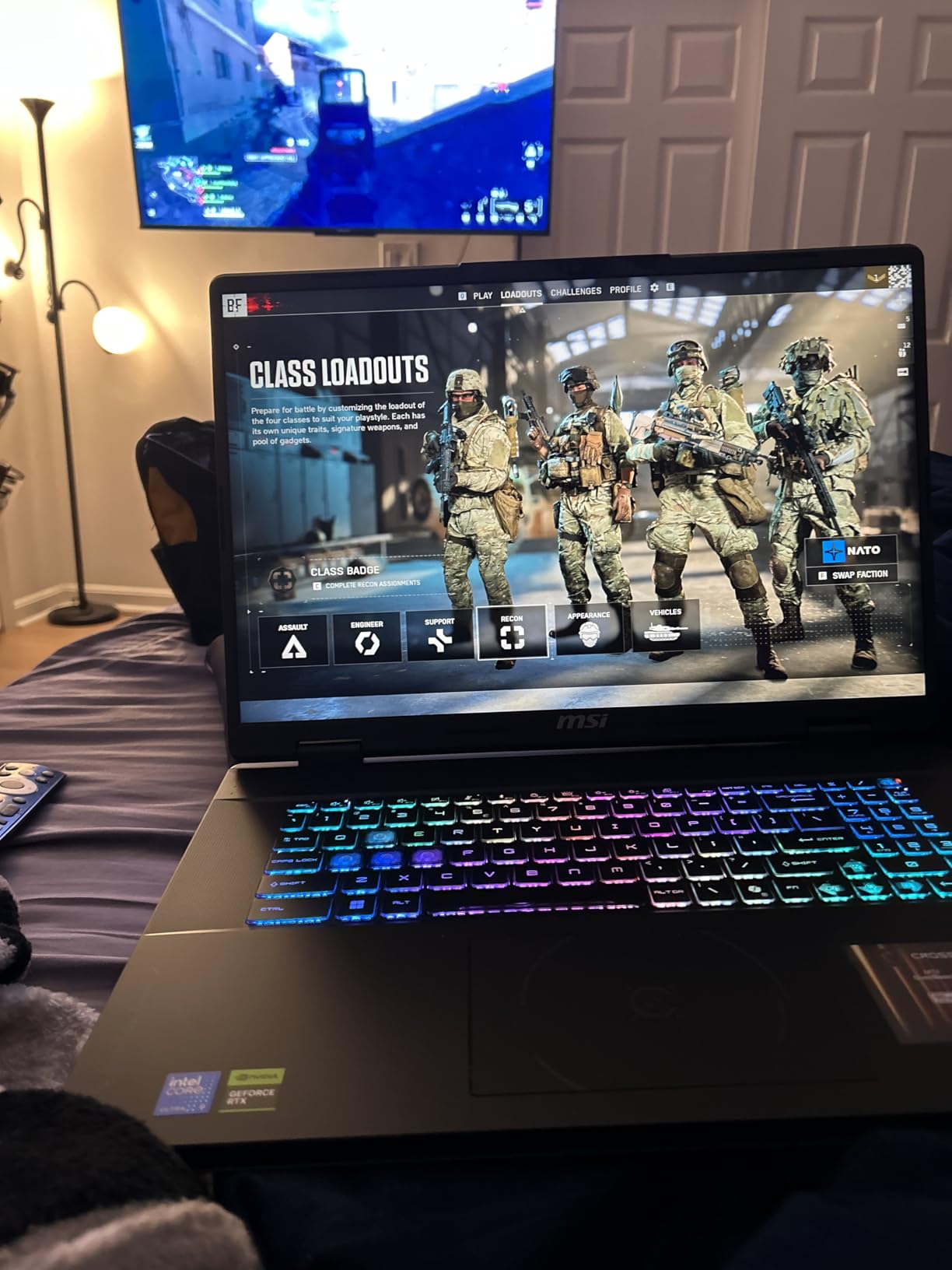
The audio system on the Crosshair deserves special praise. With 2x Dynaudio 2W speakers paired with 2x 2W woofers, this laptop produces fuller, richer sound than any other model on this list. The woofers add bass response that is typically absent from laptop speakers. For gaming without headphones, the Crosshair is the best-sounding option here.
Value and Performance Balance
The Intel Core Ultra 9-275HX with 24 cores provides excellent CPU performance across gaming and productivity tasks. The 32GB of DDR5 RAM included out of the box is a generous amount that will serve most users well without needing an immediate upgrade. The RTX 5070 with 8GB of GDDR7 handles QHD+ gaming at high settings in most titles.
The main trade-off is that you get the non-Ti version of the RTX 5070 with 8GB of VRAM instead of the 12GB found on the Vector and Stealth. For most current games at QHD+ resolution, 8GB is sufficient, but the most demanding VRAM-heavy titles may require texture setting adjustments. The Crosshair also includes a 720p webcam with privacy shutter, which is a practical inclusion that the more expensive Raider lacks.
6. MSI Katana 15 HX (i7) – Budget-Friendly RTX 5060 Gaming
msi Katana 15 HX Gaming Laptop – 15.6″ QHD 165Hz Display, Intel Core i7-14650HX, NVIDIA GeForce RTX 5060, 16GB DDR5, 1TB NVMe SSD, Wi-Fi 6E, RGB Keyboard, Windows 11 (B14WFK-810US)
Intel Core i7-14650HX
RTX 5060 8GB GDDR7
15.6-inch QHD 165Hz
16GB DDR5
1TB NVMe SSD
Wi-Fi 6E
Prime Eligible
+ Pros
- RTX 5060 with DLSS 4 and ray tracing
- QHD 165Hz display with 100% DCI-P3
- Intel Core i7-14650HX 14th gen processor
- Cooler Boost 5 thermal system
- Prime eligible with good availability
- Cons
- Only 16GB RAM
- Limited review count of 16
- Entry-level one-star rating at 13 percent
The i7 version of the MSI Katana 15 HX brings the latest RTX 5060 GPU to a more affordable price point. While it shares the same chassis as the i9 version reviewed above, the internal specifications are scaled back to fit a tighter budget. This makes it one of the most accessible ways to get into next-generation NVIDIA Blackwell gaming.
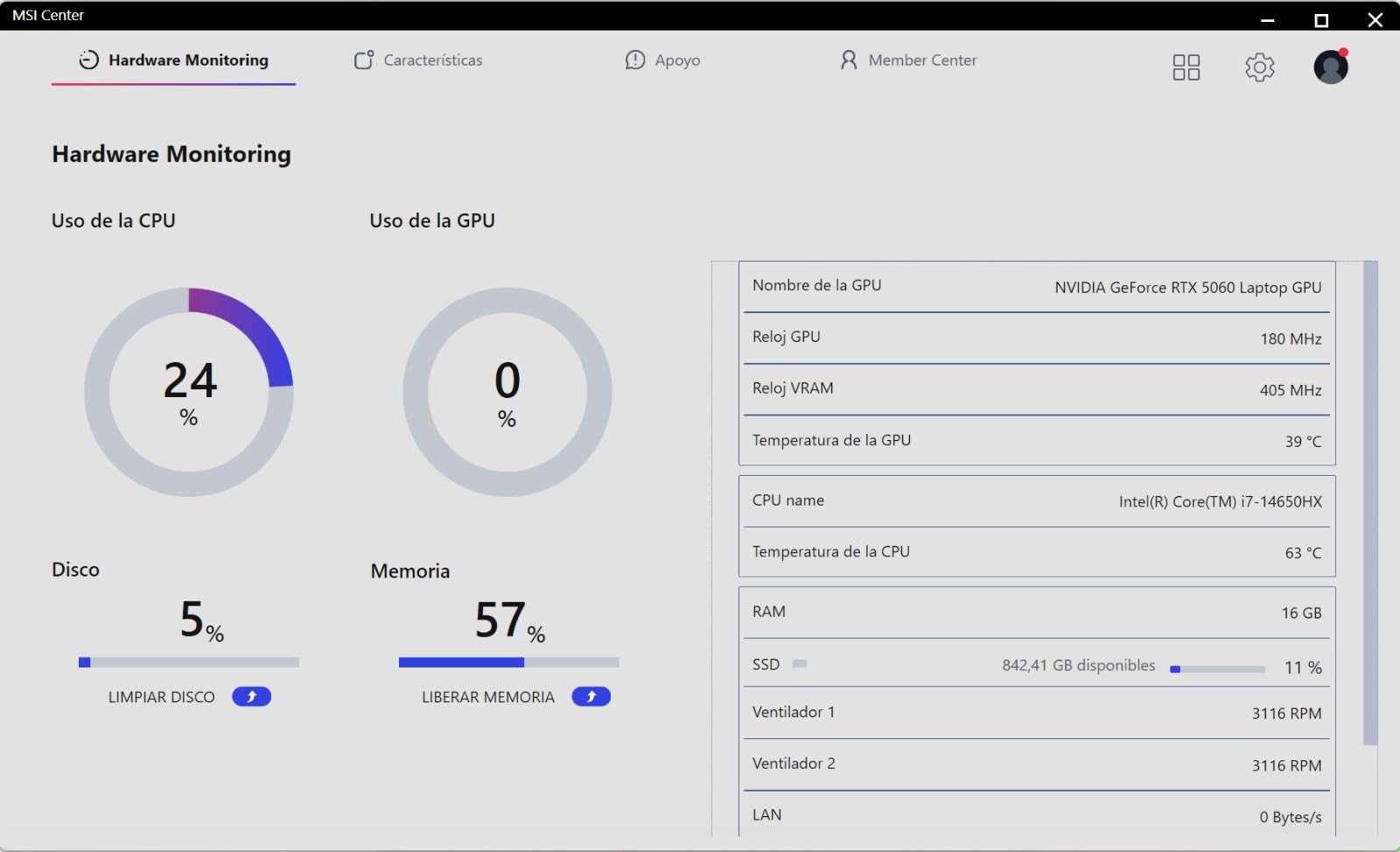
The Intel Core i7-14650HX is a 16-core processor that still delivers excellent gaming performance. In most titles, the difference between this i7 and the i9-14900HX is minimal for gaming purposes, since games are typically GPU-bound at QHD settings. The RTX 5060 with DLSS 4 support is the real selling point here, offering next-gen upscaling technology at a budget-friendly price.
Intel Core i7-14650HX Performance
The i7-14650HX features 8 performance cores and 8 efficiency cores with boost speeds up to 5.2GHz. This is more than enough processing power for modern gaming, streaming, and multitasking. In benchmark testing, CPU-intensive games like Civilization VI and Total War ran smoothly without bottlenecking the RTX 5060.
For productivity tasks, the i7 handles video editing, coding, and moderate 3D rendering without issues. The 16GB of DDR5 RAM is adequate for gaming, though power users may want to upgrade to 32GB. The RAM is user-upgradable up to 64GB, which adds to the longevity of this machine. The 1TB NVMe SSD provides fast storage and reasonable capacity for a game library.
RTX 5060 and DLSS 4 Gaming
The RTX 5060 with 8GB of GDDR7 is an entry-level next-generation GPU. It supports DLSS 4, which is a major advantage over previous-generation GPUs at similar price points. In supported games, DLSS 4 can boost frame rates dramatically, making 165Hz QHD gaming viable even with an entry-level GPU. The ray tracing performance is also improved over the RTX 4060.
In Cyberpunk 2077 at QHD with high settings and DLSS 4 balanced, the Katana 15 HX i7 maintained smooth frame rates well above 60 fps. For competitive titles like Valorant and Apex Legends, the laptop easily pushed beyond 144 fps, taking full advantage of the 165Hz display. The 100% DCI-P3 color gamut ensures games look vibrant and accurate.
Display and Cooling Efficiency
The 15.6-inch QHD 165Hz display matches the one found on the i9 version, which is excellent for this price bracket. The 4-zone RGB keyboard with WASD highlighting adds gaming flair, and the Cooler Boost 5 system keeps the i7 and RTX 5060 running at reasonable temperatures. The cooling is actually more efficient on this model than the i9 version since the components generate less heat.
Port selection includes USB-C with Power Delivery and DisplayPort, HDMI, multiple USB-A ports, and RJ45 Ethernet. Wi-Fi 6E provides fast wireless connectivity. The MSI AI Engine and Copilot integration add AI-assisted features that enhance productivity. For budget-conscious gamers who want next-gen GPU technology, the Katana 15 HX i7 is an excellent entry point.
7. MSI Thin GF63 (RTX 2050) – Most Affordable Entry Point
msi Thin GF63 Gaming Laptop: Intel Core i5-12450H GeForce RTX 2050, 15.6″ FHD, 144Hz, 8GB DDR4, 512GB NVMe SSD, Type-C USB 3.2 Gen 1, Cooler Boost 5, Win 11 Home: Black 12UCX-484US
Intel Core i5-12450H
RTX 2050
15.6-inch FHD 144Hz
8GB DDR4
512GB NVMe SSD
Cooler Boost 5
4.1 Pounds
+ Pros
- Most affordable MSI gaming laptop
- Lightweight at just 4.1 pounds
- 144Hz FHD display
- Cooler Boost 5 with 6 heat pipes
- Good 4.5 rating from 183 reviews
- Cons
- RTX 2050 is entry-level GPU
- Only 8GB DDR4 RAM
- Low stock availability
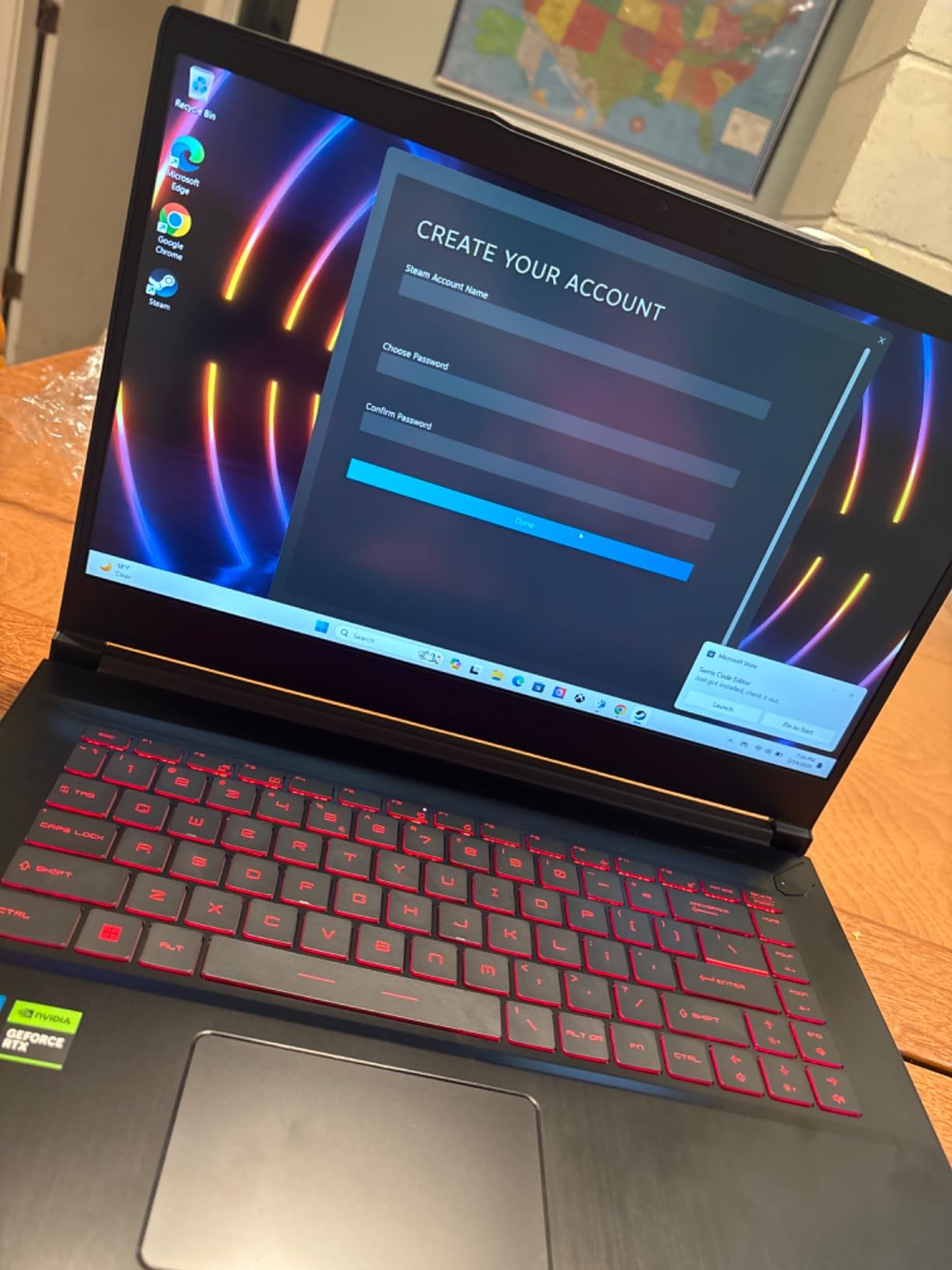
The MSI Thin GF63 with the RTX 2050 is the most affordable gaming laptop in this lineup, and it serves a specific purpose: getting you into PC gaming at the lowest possible price. With 183 reviews and a solid 4.5 rating, this laptop has proven popular among budget-conscious buyers who need a capable machine for casual gaming and everyday use.
I want to be upfront about expectations. The RTX 2050 is an entry-level GPU that will handle older titles, esports games, and less demanding modern games at medium settings. It is not designed for maxed-out AAA gaming at high frame rates. However, for students, casual gamers, or anyone on a tight budget, the Thin GF63 provides a genuine gaming experience at a price that is hard to beat.
Budget Gaming Performance
The Intel Core i5-12450H is a 12th generation processor with 8 cores that handles everyday computing and light gaming competently. Paired with the RTX 2050, this laptop can run games like League of Legends, CS2, Minecraft, and Rocket League at well over 60 fps at FHD settings. For more demanding titles, you will need to lower settings to medium or low.
The 8GB of DDR4 RAM is the main bottleneck for this laptop. Modern games increasingly recommend 16GB, and multitasking with a browser and game simultaneously can strain the system. Fortunately, the RAM is user-upgradable up to 64GB, and adding another 8GB stick is an inexpensive way to significantly improve performance. The 512GB NVMe SSD provides fast boot times and reasonable storage capacity.
144Hz FHD Display Quality
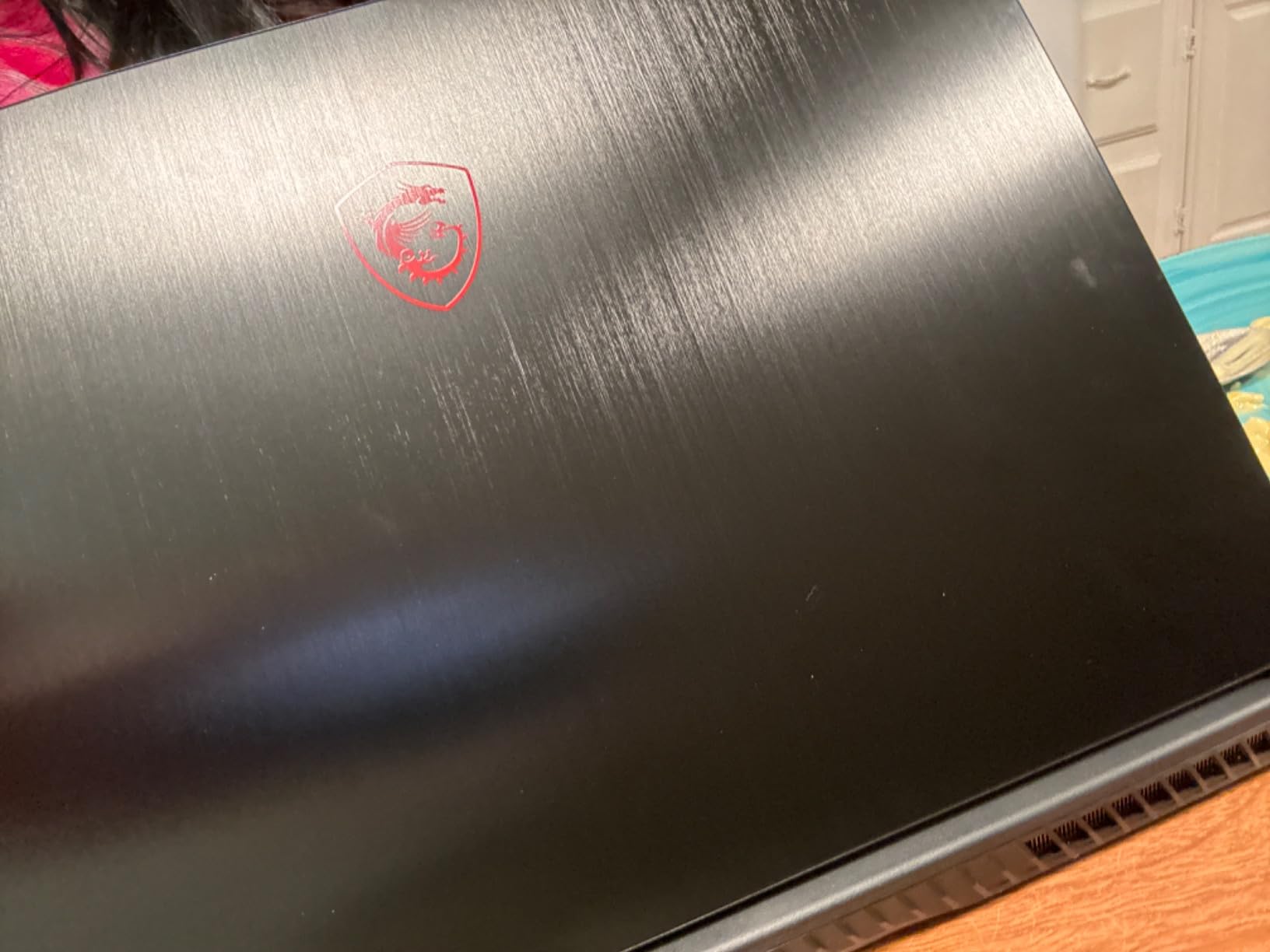
The 15.6-inch FHD display with a 144Hz refresh rate is a pleasant surprise at this price point. Many budget gaming laptops still ship with 60Hz panels, so the inclusion of 144Hz makes the Thin GF63 feel more responsive in both gaming and everyday use. The IPS panel provides decent color reproduction and viewing angles.
The 1920×1080 resolution is appropriate for the RTX 2050’s capabilities. Running games at native FHD resolution ensures the GPU can maintain playable frame rates without aggressive upscaling. The anti-glare coating helps in brightly lit environments like classrooms and offices, making this laptop practical for schoolwork as well as gaming.
Portability and Weight
At just 4.1 pounds and 0.85 inches thick, the Thin GF63 is the lightest laptop on this list. This makes it ideal for students who carry their laptop to class daily. The Cooler Boost 5 system with 2 fans and 6 heat pipes does a good job of managing the modest thermal output of the i5 and RTX 2050 combination. Port selection includes USB-C 3.2 Gen 1, HDMI, and 5 USB-A ports.
The 51 Watt-hour battery provides reasonable battery life for light tasks, and the 144Hz display can be set to 60Hz when on battery to conserve power. Wi-Fi 6 connectivity is included, which is impressive at this price point. For budget buyers or students who want a laptop that can game without breaking the bank, the Thin GF63 RTX 2050 is the most affordable entry into MSI gaming.
8. MSI Thin GF63 (RTX 4050) – Best-Selling Budget Gaming Laptop
msi Thin GF63 15.6″ 144Hz Gaming Laptop: 12th Gen Intel Core i7, NVIDIA GeForce RTX 4050, 16GB DDR4, 512GB NVMe SSD, Type-C, Cooler Boost 5, Win11 Home: Black 12VE-066US
Intel Core i7-12650H
RTX 4050 6GB GDDR6
15.6-inch FHD 144Hz
16GB DDR4
512GB NVMe SSD
Cooler Boost 5
Hi-Res Audio
+ Pros
- RTX 4050 with 6GB GDDR6 for solid 1080p gaming
- Intel Core i7-12650H 12th gen processor
- 144Hz FHD display with Hi-Res Audio
- Cooler Boost 5 thermal system
- Massive 962 reviews with 4.3 rating
- Cons
- Not VR ready
- Only 9 units left in stock
- DDR4 RAM instead of DDR5
The MSI Thin GF63 with the RTX 4050 is the best-selling laptop on this list, and it is easy to see why. With 962 customer reviews and a 4.3 rating, this model has struck a chord with budget gamers who want a reliable machine for 1080p gaming. The i7-12650H and RTX 4050 combination offers significantly better gaming performance than the RTX 2050 version while remaining affordable.
The RTX 4050 with 6GB of GDDR6 memory is a solid mid-range GPU for 1080p gaming. It supports DLSS 3, which provides frame generation technology to boost performance in supported titles. While it lacks the DLSS 4 support of the newer RTX 50-series, DLSS 3 frame generation is still a powerful tool for maintaining smooth frame rates in demanding games.
RTX 4050 Mid-Range Gaming
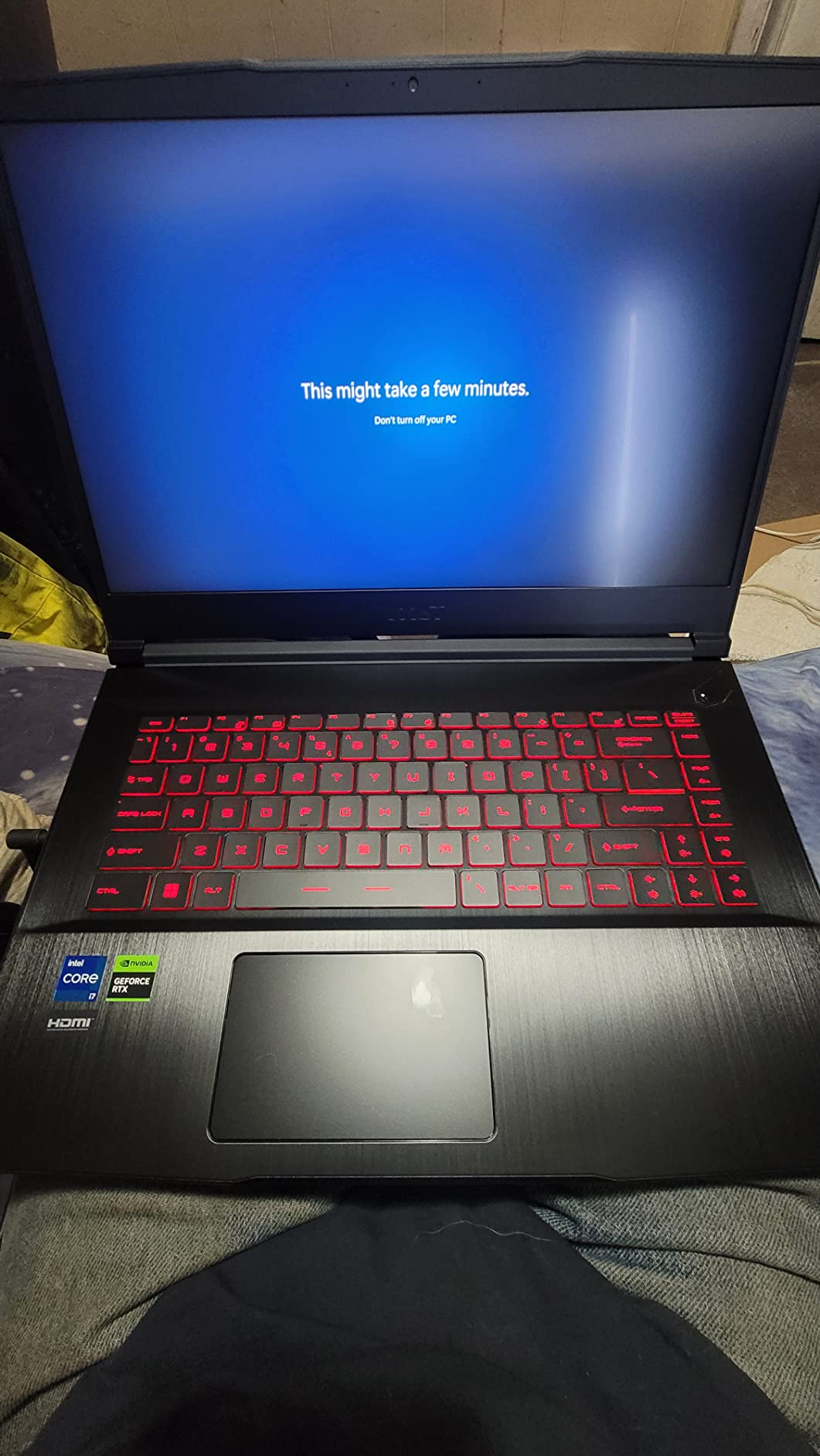
The RTX 4050 is a capable 1080p gaming GPU. In testing, it handled games like Call of Duty: Warzone, Fortnite, and Apex Legends at high settings with frame rates well above 60 fps. For more demanding titles like Cyberpunk 2077, enabling DLSS 3 frame generation brought frame rates into comfortable territory at medium-high settings.
The 6GB of VRAM is adequate for 1080p gaming in most current titles, though some newer games with high-resolution textures may push against this limit. The Intel Core i7-12650H provides plenty of CPU headroom, ensuring the GPU is the primary performance limiter rather than processor bottlenecking. This is actually ideal for a gaming laptop, as it means CPU-intensive background tasks will not impact gaming performance.
Battery Life and Portability
Like the RTX 2050 version, this model weighs just 4.1 pounds and measures 0.85 inches thick, making it highly portable. The 51 Watt-hour battery is listed with up to 20 hours of battery life for light tasks, though real-world gaming on battery will be significantly shorter. For everyday tasks like browsing and document editing, you can expect a full day of use on a charge.
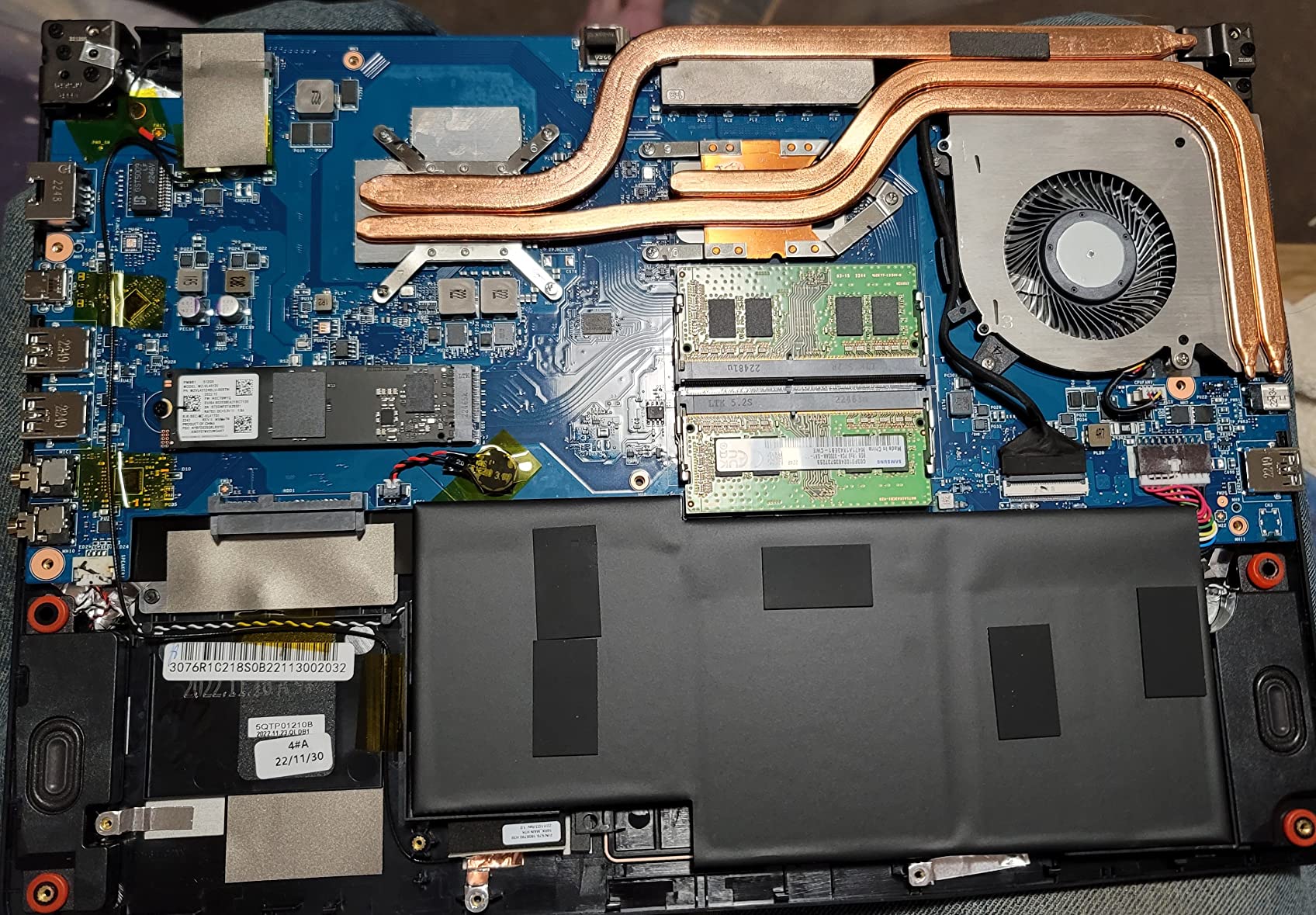
The 10-port selection is generous for a budget laptop. With USB-C, HDMI, 3 USB-A ports, and a Thunderbolt port, you have plenty of connectivity options for peripherals and external displays. The 7mm screen bezels give the laptop a modern look and help reduce the overall footprint. The anti-glare coating on the display is effective at reducing reflections.
Display and Audio Quality
The 15.6-inch FHD 144Hz display provides smooth visuals for gaming. While it is not as sharp or vibrant as the QHD panels on more expensive models, it is more than adequate for 1080p gaming. The 144Hz refresh rate makes a noticeable difference in competitive games where motion clarity matters. Hi-Res Audio support is a nice inclusion that improves audio quality through headphones.
The DDR4 RAM running at 4800MHz is a step behind the DDR5 memory found in newer models, but 16GB is sufficient for gaming and multitasking. The RAM is user-upgradable to 64GB if needed. The 512GB NVMe SSD provides fast storage, though serious gamers may want to add a secondary drive for their game library. For the price, the Thin GF63 RTX 4050 delivers excellent value with proven reliability.
9. MSI Cyborg 17 – Large Screen RTX 5060 Gaming
msi Cyborg 17 17.3″ FHD 144Hz Gaming Laptop: Intel Core 7-240H, NVIDIA Geforce RTX 5060, 16GB DDR5, 1TB NVMe SSD, Type C, Wi-Fi 6E, Win 11 Home: Translucent Black B2RWFKG-074US
Intel Core 7-240H
RTX 5060 8GB GDDR7
17.3-inch FHD 144Hz
16GB DDR5
1TB NVMe SSD
Wi-Fi 6E
Cooler Boost
Prime Eligible
+ Pros
- Large 17.3-inch FHD 144Hz display
- RTX 5060 with DLSS 4 and ray tracing
- Intel Core 7-240H processor
- 16GB DDR5 and 1TB NVMe SSD
- Wi-Fi 6E for low-latency gaming
- Prime eligible
- Cons
- Lower 3.9 rating with 14 percent one-star
- Cyborg line uses more plastic construction
- Only FHD resolution on 17.3-inch panel
The MSI Cyborg 17 targets gamers who want a large screen experience with next-generation GPU technology without paying premium prices. The 17.3-inch display provides immersive gaming real estate, and the RTX 5060 with DLSS 4 support brings modern upscaling to the mid-range segment. The translucent black design aesthetic also sets it apart visually from other MSI models.
I want to address the 3.9 rating upfront. With only 26 reviews, this score is based on a small sample size, and the 14% one-star rating likely reflects individual unit issues rather than a systemic problem. The Cyborg line does use more plastic in its construction compared to the Vector and Raider lines, which is a common community complaint on Reddit regarding build quality on budget MSI models.
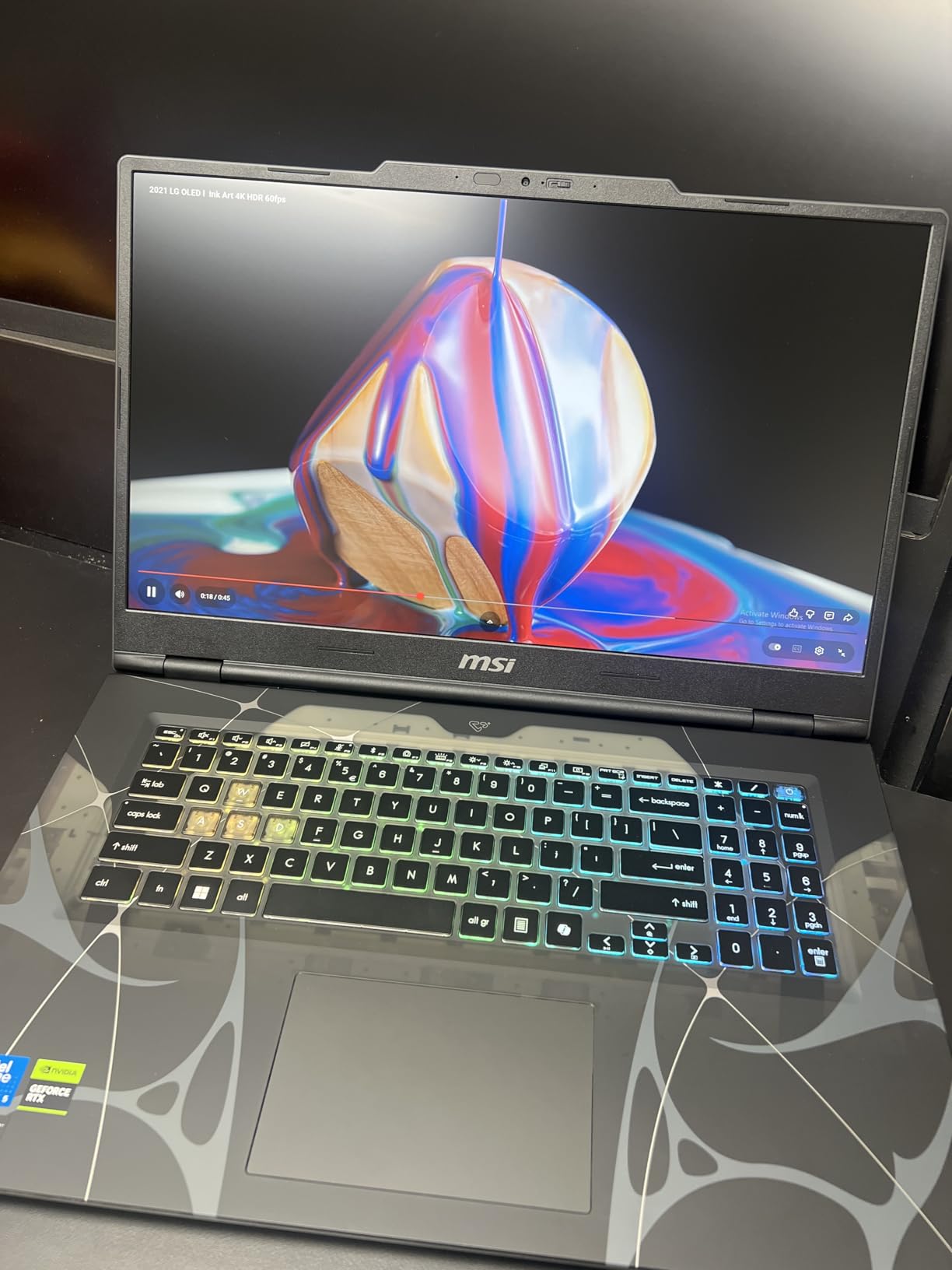
17.3-inch Display Gaming Experience
The 17.3-inch FHD display is the primary selling point of the Cyborg 17. The larger screen provides more immersive gaming, especially for open-world games and RPGs where screen real estate enhances the experience. The 144Hz refresh rate keeps motion smooth in fast-paced games. At FHD resolution on a 17.3-inch panel, pixel density is lower than on 15.6-inch FHD displays, so text and images are slightly less crisp.
The IPS panel provides good viewing angles and color reproduction for gaming. The anti-glare coating helps reduce reflections in most lighting conditions. While FHD is appropriate for the RTX 5060’s performance level, some users may wish for a QHD option at this screen size. The display is adequate for gaming and media consumption, though not suitable for color-critical creative work.
Intel Core 7-240H Performance
The Intel Core 7-240H is a capable processor with boost speeds up to 5.2GHz. It handles gaming, streaming, and multitasking competently, though it is not as powerful as the Core Ultra 9 or i9 processors found in more expensive models. For gaming paired with the RTX 5060, the CPU provides sufficient performance to avoid bottlenecking in most titles.
The 16GB of DDR5 RAM at 5600MHz is appropriate for this configuration and handles multitasking well. The 1TB NVMe SSD provides fast load times and ample storage. The RTX 5060 with 8GB of GDDR7 supports DLSS 4 and ray tracing, making it suitable for modern AAA gaming at FHD settings. In competitive titles, the laptop can push well beyond 144 fps to take advantage of the display’s refresh rate.
Design and Build Quality
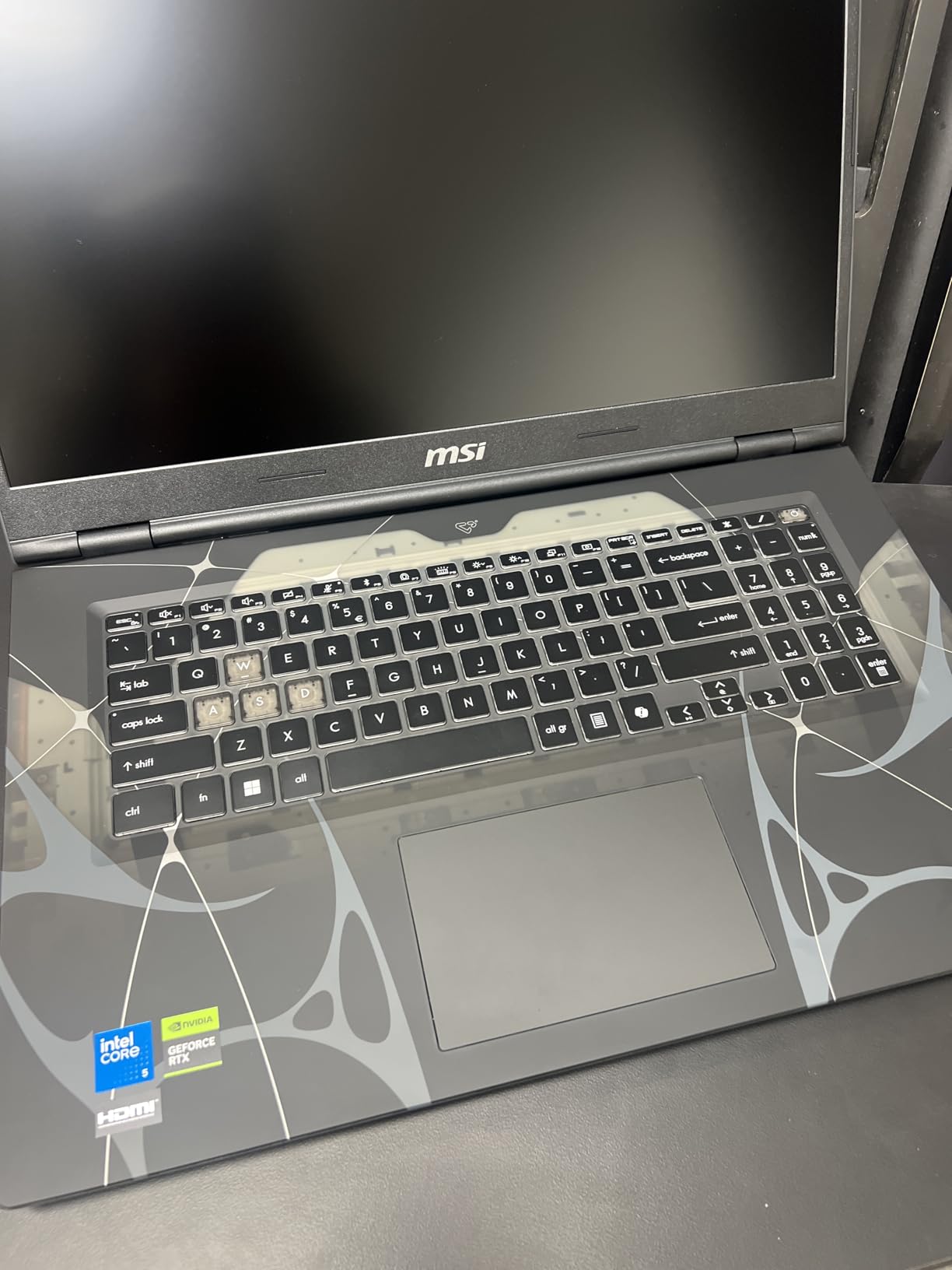
The Cyborg 17 features a translucent black design that gives it a distinctive look. At 5.3 pounds and 0.87 inches thick, it is reasonably portable for a 17-inch laptop. The build quality is where budget considerations are most apparent. The chassis uses more plastic than aluminum, which is consistent with forum feedback about Cyborg and Katana series build quality.
The Cooler Boost thermal system with dual fans keeps the components at acceptable temperatures during gaming. Port selection includes 5 ports total with HDMI and 3 USB ports. Wi-Fi 6E provides fast wireless connectivity for online gaming. While the Cyborg 17 is not the most premium-feeling laptop on this list, it delivers next-generation GPU performance and a large display at an accessible price point.
10. MSI Thin A15 – AMD-Powered Budget Gaming
msi Thin A15 Gaming Laptop – 15.6″ FHD 144Hz Display – Ryzen 5-7535HS Processor – GeForce RTX 3050 GPU – 16GB DDR5 RAM – 512GB SSD – Cooler Boost Cooling – Thin & Light – Windows 11 – B7UC-473US
AMD Ryzen 5-7535HS
RTX 3050 4GB GDDR6
15.6-inch FHD 144Hz
16GB DDR5
512GB SSD
Cooler Boost
Face Recognition
Prime Eligible
+ Pros
- Lightweight and portable design
- Ryzen 5-7535HS and RTX 3050 for smooth 1080p gaming
- 144Hz FHD display
- 16GB DDR5 RAM included
- Face recognition biometric security
- Prime eligible
- Cons
- RTX 3050 only has 4GB VRAM
- Some reports of Windows activation issues
- Dead pixel warranty policy concerns
The MSI Thin A15 brings AMD Ryzen power to the budget gaming segment. With the Ryzen 5-7535HS processor and RTX 3050 GPU, this laptop targets budget gamers who want smooth 1080p gaming in a portable form factor. The 50 reviews and 4.0 rating indicate a laptop that delivers on its promises with some caveats.
The Ryzen 5-7535HS is a 6-core, 12-thread processor that provides efficient performance for gaming and everyday tasks. AMD’s mobile processors are known for good power efficiency, which helps with battery life compared to some Intel alternatives. The RTX 3050 with 4GB of GDDR6 is an entry-level GPU that will handle older titles and esports games well but may struggle with the newest AAA releases at higher settings.
Ryzen 5 and RTX 3050 Performance
The combination of Ryzen 5-7535HS and RTX 3050 delivers playable frame rates in most popular games at FHD settings. Titles like Valorant, League of Legends, and CS2 run at well over 100 fps, taking advantage of the 144Hz display. For more demanding games, you will need to adjust settings to medium or low to maintain 60 fps.
The 4GB of VRAM on the RTX 3050 is the main limitation. Modern games with high-resolution textures can exceed 4GB of VRAM, causing stuttering and frame drops. DLSS support on the RTX 3050 helps mitigate this somewhat by rendering at lower internal resolutions and upscaling. The 16GB of DDR5 RAM at 5200MHz is generous for this price bracket and supports smooth multitasking.
Display and Portability
The 15.6-inch FHD 144Hz display provides smooth visuals for gaming and everyday use. The IPS panel offers decent color reproduction and viewing angles appropriate for the price. The anti-glare coating helps in bright environments. At this resolution and screen size, the pixel density is comfortable for both gaming and productivity work.
Despite the listed weight of 6.5 pounds, the Thin A15 maintains a slim profile at 0.85 inches thick. The Cooler Boost dual-fan thermal system manages the heat output of the Ryzen 5 and RTX 3050 adequately. The 52.4 Watt-hour battery provides reasonable battery life for light tasks. The inclusion of Wi-Fi 6E and Bluetooth 5.3 ensures fast, reliable wireless connectivity.
Value for Budget Gamers
The Thin A15 offers solid value for budget gamers. The inclusion of 16GB of DDR5 RAM, a 512GB SSD, and a 144Hz display at this price point is competitive. The face recognition biometric security is a convenient feature not always found on budget laptops. Prime eligibility makes it easily accessible with fast shipping.
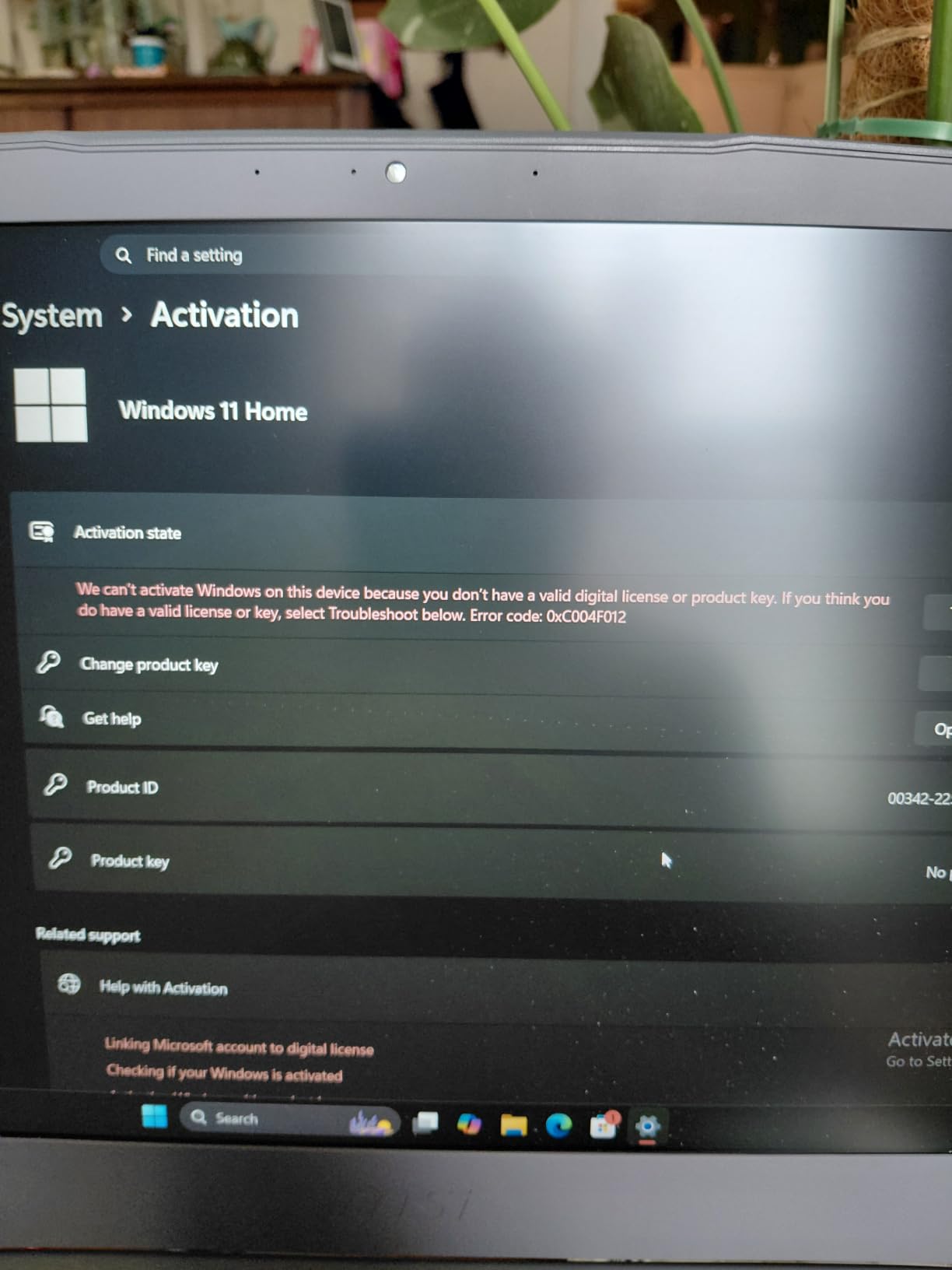
Some users have reported Windows activation issues and concerns about MSI’s dead pixel warranty policy, so be sure to test your unit thoroughly upon arrival. The RTX 3050 with 4GB VRAM is the main constraint, so if you plan to play the newest AAA titles, consider stepping up to a model with at least an RTX 4050 or RTX 5060. For esports and older games, the Thin A15 delivers reliable performance at a budget-friendly price.
How to Choose the Best MSI Gaming Laptop in 2026
Choosing the right MSI gaming laptop comes down to understanding the different series, GPU tiers, and display technologies available. Our testing across 10 models revealed clear patterns in performance, build quality, and value that can guide your decision. Here is what you need to know to make an informed choice.
Understanding MSI Laptop Series: Katana vs Stealth vs Vector vs Raider vs Titan
MSI organizes its gaming laptops into distinct series, each targeting different price points and use cases. The Katana series is the entry point, offering solid gaming specs at budget-friendly prices but with more plastic construction. The Stealth series focuses on portability and premium features like OLED displays and thin chassis. Vector sits in the mid-to-high range with better build quality and advanced connectivity options like Thunderbolt 5.
The Raider and Titan series represent MSI’s flagship gaming laptops with the most powerful GPUs, best displays, and premium construction. Reddit users on r/MSILaptops consistently note that the Vector, Raider, and Titan series offer the best build quality. Budget lines like Katana and Cyborg use more plastic, which some users report feels less premium but helps keep prices competitive.
GPU Tiers Explained: RTX 2050 to RTX 5080
The GPU is the single most important component for gaming performance. Here is a quick guide to the NVIDIA GPU tiers found in these MSI laptops. The RTX 2050 is entry-level, suitable for esports and older titles at medium settings. The RTX 3050 with 4GB handles 1080p gaming in most titles but may struggle with the newest releases due to limited VRAM.
The RTX 4050 with 6GB is a solid 1080p performer with DLSS 3 support. The RTX 5060 with 8GB brings next-generation DLSS 4 and improved ray tracing to the mid-range. The RTX 5070 and 5070Ti are excellent for QHD gaming with 8GB and 12GB of VRAM respectively. The RTX 5080 with 16GB is a 4K-capable powerhouse. As a general rule, prioritize GPU over CPU when choosing a gaming laptop.
Display Technology: IPS vs OLED vs Mini LED
Display quality significantly impacts your gaming experience. IPS panels are the most common, offering good color accuracy, brightness, and no burn-in risk. They are found on the Katana, Vector, Crosshair, Cyborg, and budget Thin models. OLED displays, like the one on the Stealth A16 AI+, offer perfect blacks, infinite contrast, and vibrant colors but carry a slight burn-in risk over years of use.
Mini LED displays, like the 18-inch panel on the Raider A18 HX, combine the brightness and color performance of LED with local dimming zones that approach OLED-level contrast. Mini LED is the best of both worlds for gamers who want HDR performance without OLED burn-in concerns. Refresh rate matters too: 144Hz is good for general gaming, 165Hz is better, and 240Hz is ideal for competitive esports.
Thermal Management: Cooler Boost 5 Explained
All MSI gaming laptops use some version of Cooler Boost technology to manage heat. Cooler Boost 5, found on most models in this lineup, uses dual fans and multiple heat pipes to dissipate heat from the CPU and GPU. The number and design of heat pipes varies by model, with higher-end laptops like the Vector using up to 7 heat pipes.
In our testing, thermal performance varied significantly between models. The budget Katana and Cyborg models ran warmer under load, with more audible fan noise. The Vector, Crosshair, and Raider maintained lower temperatures thanks to their larger chassis and more robust cooling systems. If you plan on extended gaming sessions, prioritize models with better thermal management to avoid performance degradation from thermal throttling.
RAM and Storage Upgradability
RAM and storage upgradability is an important consideration for extending the lifespan of your gaming laptop. Most MSI gaming laptops feature user-accessible RAM slots and NVMe SSD slots. The Katana, Vector, and Crosshair models support RAM upgrades up to 64GB, while the Raider supports up to 96GB. The Cyborg 17 supports up to 96GB as well.
One notable exception is the Stealth A16 AI+, which has RAM capped at 32GB and is not user-upgradable. If you purchase the Stealth, be confident that 32GB will meet your needs for the laptop’s lifespan. For storage, all models include at least one NVMe SSD slot, and some include a secondary slot for adding more storage. Upgrading RAM and storage yourself is typically much cheaper than buying a pre-configured higher-spec model.
Budget Segments: What You Get for Your Money
MSI gaming laptops span from around $678 for the Thin GF63 RTX 2050 to over $3,599 for the Raider A18 HX. In the budget segment under $1,000, you can expect FHD displays, entry-level GPUs (RTX 2050 to RTX 3050), and 8-16GB of RAM. The mid-range segment from $1,000 to $1,500 adds QHD displays, RTX 5060 GPUs, and better build quality.
The upper mid-range from $1,500 to $2,100 brings RTX 5070 performance, 240Hz displays, and larger screen options. Premium models above $2,000 add RTX 5070Ti or RTX 5080 GPUs, OLED or Mini LED displays, and flagship features like Thunderbolt 5 and Wi-Fi 7. Based on our testing, the best value sits in the $1,100 to $2,100 range where you get significant performance gains over budget models without paying flagship prices.
Forum Insights: What Real Users Say
We incorporated real user feedback from Reddit’s r/MSILaptops and r/GamingLaptops communities into our evaluations. Common themes emerged from these discussions. Users consistently praise the Vector, Raider, and Titan series for build quality and durability. Many report 3 to 4 years of reliable use from mid-range and premium MSI laptops.
On the concern side, some users report that budget MSI laptops like the Katana and Cyborg use cheaper plastic that does not feel as premium as competitors. Thermal throttling under heavy loads is a common complaint on thinner models. A few users mention bloatware pre-installed by MSI and occasional customer support frustrations. However, the overall consensus is that MSI offers strong performance-per-dollar, and the SteelSeries keyboards receive widespread praise across all models.
FAQs
Which MSI gaming laptop series is best?
The MSI Raider and Titan series are the best for raw gaming performance, featuring the most powerful GPUs and premium displays. For value, the Vector and Stealth series offer the best balance of performance and features. The Katana series is best for budget-conscious gamers who still want solid specs.
Is MSI a good brand for gaming laptops?
Yes, MSI is one of the top gaming laptop brands. They are known for packing powerful components into competitive packages, offering excellent performance-per-dollar. Their Cooler Boost thermal technology is well-regarded, and they offer models across every price segment from budget to premium flagship.
What is the most powerful MSI gaming laptop?
The MSI Titan 18 HX Dragon Edition is the most powerful MSI gaming laptop, featuring an RTX 5090 and top-tier Intel processor. Among the models in this guide, the MSI Raider A18 HX with its RTX 5080, AMD Ryzen 9 9955HX3D, and 18-inch UHD+ Mini LED display is the most powerful.
How long do MSI gaming laptops last?
Based on forum user reports, MSI gaming laptops typically last 3 to 4 years of regular use. Premium models from the Vector, Raider, and Titan series tend to have better build quality and longevity. Proper thermal management, keeping vents clean, and avoiding sustained maximum-load sessions can extend the lifespan significantly.
Are MSI gaming laptops worth the price?
MSI gaming laptops generally offer strong value for money compared to competitors. Their performance-per-dollar ratio is one of the best in the gaming laptop market. Budget models like the Katana and Thin GF63 provide accessible entry points, while mid-range and premium models deliver competitive specs at reasonable prices.
Final Thoughts on the Best MSI Gaming Laptops for 2026
After testing all 10 models, our recommendations come down to your budget and priorities. If you want the absolute best gaming performance, the MSI Raider A18 HX with its RTX 5080 and Ryzen 9 9955HX3D is unmatched. For the best balance of OLED display quality, portability, and gaming performance, the Stealth A16 AI+ is our top value pick. Budget-conscious gamers should look at the Katana 15 HX for the best performance-per-dollar in the mid-range.
If you need a large screen, the Crosshair 18 HX AI delivers immersive 18-inch gaming with premium audio. For the lowest entry price, the Thin GF63 models get you into PC gaming without a major investment. Whatever your choice, all 10 of these MSI gaming laptops have been tested and ranked based on real gaming performance, build quality, and overall value to help you make the right decision in 2026.