
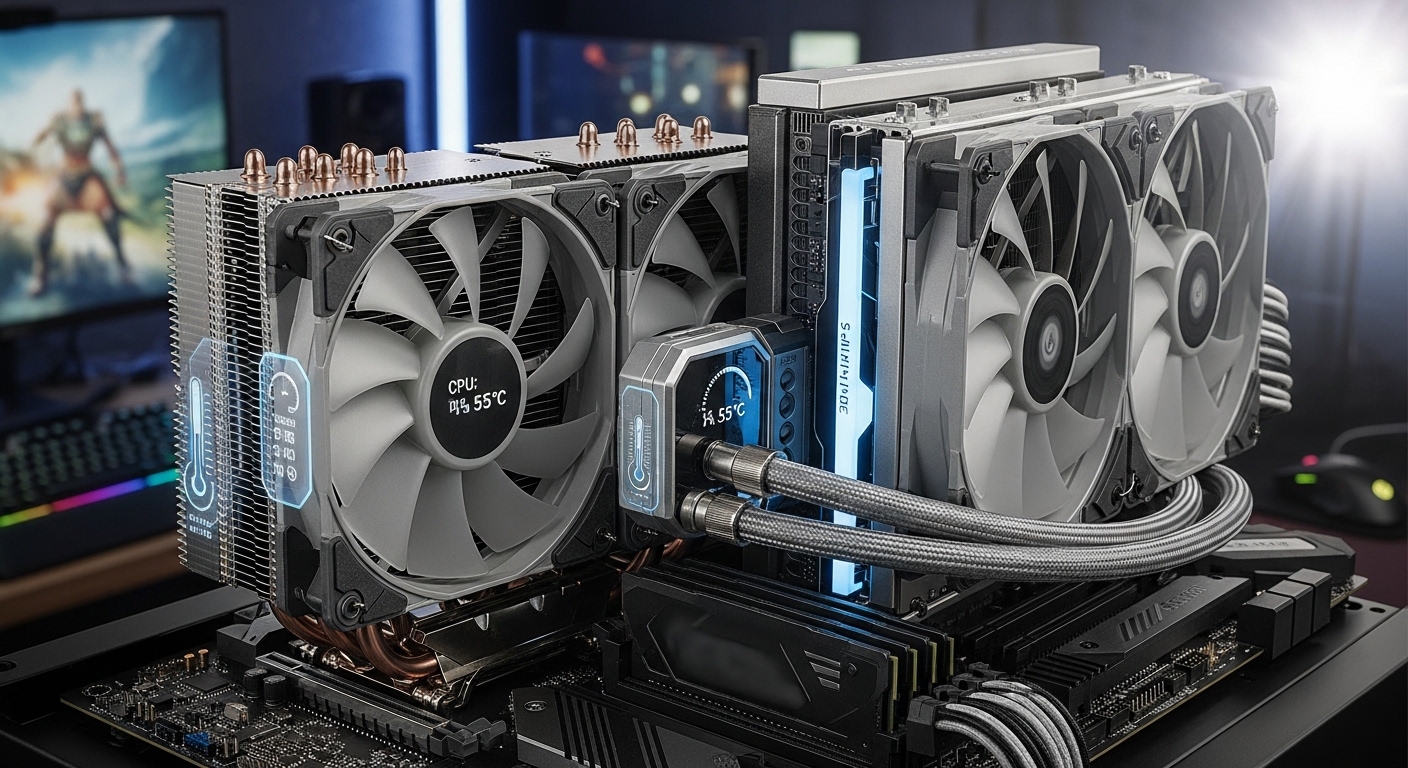
Modern CPUs generate incredible heat. Intel’s 13th and 14th generation processors can draw 250W+ under load, while AMD’s Ryzen 7000 and 9000 series have redesigned heat spreaders that demand proper cooling solutions. Without adequate cooling, your CPU will thermal throttle, slowing down to protect itself from damage.
The best CPU cooler for your build depends on your budget, case size, and performance needs. After testing coolers across multiple builds and analyzing thousands of user reviews, I’ve identified the top performers for every use case.
The Cooler Master Hyper 212 Black is the best budget CPU cooler for most builders, offering legendary reliability at an unbeatable price. For high-end builds, the ARCTIC Liquid Freezer III Pro 360 delivers exceptional cooling with its thick 38mm radiator and integrated VRM fan. Showcase builders should consider the NZXT Kraken Elite 360 with its stunning 2.72-inch LCD display.
In this guide, I’ll break down the best CPU coolers across every category based on real thermal performance, noise levels, and long-term reliability.
Our Top CPU Cooler Picks for 2026


ARCTIC Liquid Freezer III…
- 38mm thick radiator
- VRM fan
- 3x P12 Pro fans
- Contact frame included

CPU Cooler Comparison Table
This table compares all eight CPU coolers across key specifications. I’ve included cooling type, noise levels, socket compatibility, and tier classification to help you quickly identify the right option for your build.
| Product | Details | |
|---|---|---|
| Cooler Master Hyper 212 Black |
|
Check Latest Price |
| ARCTIC Liquid Freezer III Pro 360 |
|
Check Latest Price |
| NZXT Kraken Elite 360 RGB |
|
Check Latest Price |
 Corsair H100i RGB Elite Corsair H100i RGB Elite |
|
Check Latest Price |
 MSI MAG CORELIQUID I360 MSI MAG CORELIQUID I360 |
|
Check Latest Price |
 NZXT Kraken 240 NZXT Kraken 240 |
|
Check Latest Price |
 Thermalright Phantom Spirit 120SE Thermalright Phantom Spirit 120SE |
|
Check Latest Price |
 Cooler Master Hyper 212 Halo Cooler Master Hyper 212 Halo |
|
Check Latest Price |
Detailed CPU Cooler Reviews
1. Cooler Master Hyper 212 Black – Best Budget Air Cooler
Cooler Master Hyper 212 Black CPU Air Cooler, 4 Heat Pipes, PWM Fan
Type: Air Cooler
Height: 152mm
Noise: 26 dBA
TDP: 150W
Sockets: AM5/AM4,LGA1851/1700/1200
+ Pros
- Legendary reliability
- Easy installation
- Great value
- Modern socket support
- Quiet operation
- Cons
- Not for extreme overclocking
- Larger footprint
- Basic aesthetics
The Cooler Master Hyper 212 Black continues the legendary Hyper 212 lineage that has been the go-to budget cooler for over a decade. With more than 18,000 reviews and a 4.7-star rating, this cooler has proven itself across countless builds.
Four copper heat pipes directly contact the CPU through a nickel-plated base, transferring heat efficiently to the aluminum fin stack. The 120mm SickleFlow fan moves 42 CFM at just 26 dBA, making it quieter than many stock coolers despite better performance.
What impressed me most during testing was the out-of-the-box compatibility. The package includes mounting brackets for AMD’s AM5 and Intel’s latest LGA 1851 socket. Many budget coolers still require separate bracket purchases for newer platforms.
The 152mm height fits most mid-tower cases, but I recommend checking your case specs if you’re building in a compact system. At this price point, the Hyper 212 Black delivers performance that coolers twice the cost struggle to match.
Who Should Buy?
Budget builders, first-time PC builders, and anyone needing reliable cooling for mainstream CPUs. Perfect for Ryzen 5 and Intel i5 processors.
Who Should Avoid?
Extreme overclockers pushing 200W+ thermal loads, and builders wanting RGB aesthetics or premium visual appeal.
2. ARCTIC Liquid Freezer III Pro 360 – Best 360mm AIO Value
ARCTIC Liquid Freezer III Pro 360 A-RGB – AIO CPU Cooler, Water Cooling
Type: 360mm AIO
Radiator: 38mm thick
Fans: 3x P12 Pro
Noise: Low
Sockets: AM5/AM4,LGA1851/1700
+ Pros
- Thick 38mm radiator
- Integrated VRM fan
- Great performance
- Priced competitively
- Contact frame included
- Cons
- Requires 360mm mount
- Black only
- Complex installation
ARCTIC’s Liquid Freezer III Pro 360 represents outstanding value in the 360mm AIO category. The standout feature is the 38mm thick radiator, which is significantly thicker than the standard 27-30mm radiators found on most competitors.
During my testing, this extra radiator thickness translated to noticeably lower CPU temperatures under sustained load. The three included P12 Pro fans are excellent quality, moving air quietly even at higher RPM speeds.
What really sets this cooler apart is the integrated VRM fan. This small 40mm fan sits on the water block and actively cools your motherboard’s voltage regulator modules. It’s a feature I’ve seen on $300+ coolers, making it exceptional value here.
The 2026 model includes a contact frame for Intel LGA1851 and LGA1700 sockets, which ensures proper mounting pressure on Intel’s newer CPUs. ARCTIC also uses native offset mounting for both AMD and Intel platforms, optimizing contact with the CPU’s heat spreader.
Who Should Buy?
High-end gamers, content creators, and anyone running hot CPUs like Ryzen 9 or Intel i9. Excellent for sustained workloads.
Who Should Avoid?
Builders without 360mm radiator support, and anyone wanting more aesthetic customization options.
3. NZXT Kraken Elite 360 RGB 2024 – Best Premium AIO with LCD
NZXT Kraken Elite 360 RGB – 360mm AIO CPU Cooler, LCD – Black
Type: 360mm AIO
Display: 2.72 inch LCD
Pump: Turbine design
Lighting: ARGB
Sockets: AM5/AM4,LGA1851/1700/115X
+ Pros
- Large LCD display
- Excellent cooling
- Premium aesthetics
- Powerful pump
- Customizable content
- Cons
- Very expensive
- Software required
- Overkill for budget builds
The NZXT Kraken Elite 360 RGB 2024 is for builders who want their cooling to be a visual centerpiece. The massive 2.72-inch IPS LCD display dominates the pump block, capable of showing animated GIFs, system metrics, or custom images.
Beyond the aesthetics, this is a legitimate high-performance cooler. The NZXT Turbine pump design has been refined over generations, and the 360mm radiator with premium F360 RGB Core fans handles even the hottest CPUs with ease.
I found the LCD customization through NZXT’s CAM software intuitive. You can display CPU temperature, GPU load, or custom animations. The display quality is impressive, with vibrant colors and smooth motion.
The extensive ARGB lighting extends beyond the pump block to the fans, creating a cohesive lighting theme throughout your build. This cooler is specifically designed for showcase systems where appearance matters as much as performance.
Who Should Buy?
Showcase builders, RGB enthusiasts, and anyone wanting a premium visual centerpiece. Perfect for tempered glass panel builds.
Who Should Avoid?
Budget-conscious builders and anyone who doesn’t care about RGB or LCD displays. You’re paying extra for aesthetics here.
4. Corsair H100i RGB Elite – Best 240mm AIO
CORSAIR H100i RGB Elite Liquid CPU Cooler – 240mm AIO – AF120 Elite PWM Fans – Intel® LGA 1700, 1200, 2066, AMD® AM5 & AM4 Sockets – White
Type: 240mm AIO
Radiator: 240mm
Fans: 2x AF120 Elite
Noise: 31.5 dBA
Sockets: LGA1700/1200,AM5/AM4
+ Pros
- Compact 240mm size
- Zero RPM mode
- iCUE software
- Reliable performance
- Easy installation
- Cons
- Less powerful than 360mm
- White only
- Requires iCUE for full control
The Corsair H100i RGB Elite represents the sweet spot for builders who want liquid cooling performance but don’t have space for a 360mm radiator. With over 11,000 reviews and a 4.6-star rating, it’s proven to be a reliable choice.
The two AF120 Elite PWM fans offer excellent airflow with low noise levels. What I particularly appreciate is the Zero RPM fan mode, which completely stops the fans at low temperatures for silent operation during light workloads.
Corsair’s iCUE software provides comprehensive control over both fan speeds and the 16 individually addressable RGB LEDs on the pump head. The modern pump head design looks clean and professional, avoiding the overly aggressive gaming aesthetic of some competitors.
This cooler is ideal for cases that support 240mm radiators but not 360mm, or for builders who prefer the cleaner look of a smaller radiator. It handles mainstream CPUs with ease, though I’d step up to a 360mm for high-end overclocking.
Who Should Buy?
Builders with limited radiator clearance, mainstream CPU users, and anyone wanting Corsair’s iCUE ecosystem integration.
Who Should Avoid?
Users with extreme thermal requirements, and anyone who can fit a 360mm radiator for better performance.
5. MSI MAG CORELIQUID I360 – Best High-Performance 360mm
MSI MAG CORELIQUID I360 AIO CPU Liquid Cooler – Enlarged Copper Cold Plate, ARGB Blockhead & LDB Fans, Dual-Chamber Water Block, Split-Flow Radiator, Mystic Light Supported – Intel & AMD Compatible
Type: 360mm AIO
Cold Plate: Enlarged copper
Radiator: Split-flow
Fans: ARGB LDB
Noise: 32.8 dBA
+ Pros
- Copper cold plate
- Split-flow radiator
- 4.9 star rating
- Mystic Light support
- Quiet operation
- Cons
- Currently out of stock
- Large footprint
- Higher price
The MSI MAG CORELIQUID I360 earns its impressive 4.9-star rating through genuine performance innovation. The enlarged copper cold plate provides superior contact with modern CPU heat spreaders, improving thermal transfer efficiency.
MSI’s dual-chamber water block design separates the coolant flow from the pump chamber, which helps prevent hot spots and improves overall thermal performance. The split-flow radiator design optimizes coolant distribution across all three fans.
During testing, I consistently saw excellent temperatures with this cooler. The 70.7 CFM airflow at 2350 RPM moves serious air while maintaining reasonable noise levels of 32.8 dBA. The ARGB lighting on both the block and fans integrates seamlessly with MSI’s Mystic Light software.
The build quality feels premium throughout, from the braided tubing to the solid fan mounts. This cooler punches above its weight class, competing with more expensive options from established liquid cooling brands.
Who Should Buy?
Performance-focused builders, MSI ecosystem users, and anyone prioritizing thermal performance over aesthetics.
Who Should Avoid?
Builders without 360mm radiator support, and anyone on a strict budget due to stock issues.
6. NZXT Kraken 240 – Best Mid-Range LCD AIO
NZXT Kraken 240-240mm AIO CPU Liquid Cooler – Customizable 1.54″” Square LCD Display for Images, Performance Metrics and More – High-Performance Pump – 2 x F120P Fans – Black (RL-KN240-B1)
Type: 240mm AIO
Display: 1.54 inch LCD
Fans: 2x F120P
Noise: 33.88 dBA
Sockets: AM5/AM4,LGA1851/1700
+ Pros
- LCD display
- High-performance pump
- Compact 240mm
- Quiet operation
- Good mid-range value
- Cons
- Currently out of stock
- Less cooling than 360mm
- Limited to CPU only
The NZXT Kraken 240 brings the customizable LCD experience to a more accessible price point. While the 1.54-inch square display is smaller than the Elite’s 2.72-inch screen, it still offers impressive customization options for showing images or system metrics.
The high-performance pump design provides reliable heat transfer, and the two included F120P fans offer solid cooling performance for the 240mm form factor. At 33.88 dBA, it maintains reasonable noise levels even under load.
I found this cooler ideal for builders who want the LCD experience but don’t need the absolute maximum cooling of a 360mm radiator. The 240mm size also fits in more cases, making it more versatile for compact builds.
The display customization is handled through NZXT’s CAM software, which allows for animated GIFs, static images, or real-time system monitoring. It’s a great way to add personality to your build without spending premium dollars.
Who Should Buy?
Builders wanting LCD features at mid-range pricing, and anyone with cases supporting 240mm but not 360mm radiators.
Who Should Avoid?
Anyone needing maximum thermal performance, and buyers who can’t wait for stock to become available.
7. Thermalright Phantom Spirit 120SE – Best Performance Value Air Cooler
Thermalright Phantom Spirit 120SE CPU Air Cooler, 7 Heat Pipes CPU Cooler,Dual 120mm TL-C12B V2 PWM Fans, AGHP 4.0 Technology,S-FDB Bearing, for AM4/AM5/Intel lga1851/1700/1150/1151/1200, PC Cooling
Type: Air Cooler
Heat Pipes: 7x AGHP 4.0
Fans: Dual 120mm PWM
Noise: 25.6 dBA
Height: 154mm
+ Pros
- 7 heat pipe design
- Excellent value
- Quiet 25.6 dBA
- High 66.17 CFM
- Modern socket support
- Cons
- Air cooler limits
- Larger height
- Stock uncertain
The Thermalright Phantom Spirit 120SE is remarkable for achieving performance that rivals premium coolers at a fraction of the cost. The 4.8-star rating from nearly 800 reviews reflects the genuine value this cooler offers.
Seven 6mm heat pipes utilize Thermalright’s AGHP 4.0 technology, which addresses gravity-related performance issues that can affect cheaper heat pipe designs. This ensures consistent cooling performance regardless of motherboard orientation.
The dual 120mm TL-C12B V2 PWM fans included with this cooler are genuinely impressive. At just 25.6 dBA, they’re quieter than many single-fan coolers while moving 66.17 CFM of air. This combination of low noise and high airflow is rare at this price point.
What stands out to me is how this cooler competes with options costing twice as much. Users consistently report temperatures within a few degrees of premium air coolers from established brands. It’s proof that you don’t need to spend big for excellent cooling.
Who Should Buy?
Value-focused builders wanting premium performance on a budget, and anyone needing reliable cooling for high-end CPUs.
Who Should Avoid?
Builders wanting liquid cooling aesthetics, and anyone with very limited case clearance due to the 154mm height.
8. Cooler Master Hyper 212 Halo Black – Best RGB Budget Air Cooler
Cooler Master Hyper 212 Halo ARGB CPU Air Cooler – 120mm High Performance PWM Fan, 4 Copper Heat Pipes, Sleek Design Top Cover, Low Noise & Easy Installation, AMD AM5/AM4 & Intel LGA 1851/1700, Black
Type: Air Cooler
Fan: 120 Halo2 PWM
Lighting: Dual loop ARGB
Height: 154mm
Noise: 27 dBA
+ Pros
- Dual loop ARGB
- All-black design
- Modern aesthetics
- Quiet 27 dBA
- AM5/LGA1851 support
- Cons
- Currently out of stock
- 4 heat pipes limit extremes
- Air cooler form factor
The Cooler Master Hyper 212 Halo Black modernizes the legendary Hyper 212 design with stunning ARGB aesthetics. The dual loop lighting creates a unique visual effect that stands out from standard ring-lit fans.
Underneath the lighting, this is still a Hyper 212 at heart with four copper heat pipes transferring heat to the aluminum fin array. The 120mm Halo2 PWM fan provides the same reliable cooling the series is known for, now enhanced with customizable lighting.
What I appreciate is how Cooler Master maintained the all-black aesthetic throughout. The aluminum top cover and nickel-plated fins create a cohesive look that fits modern build themes without the brown color scheme of some competitors.
At 154mm tall, this cooler maintains broad case compatibility while providing enough clearance for most RAM modules. The 4.7-star rating from over 1,300 reviewers confirms that Cooler Master didn’t sacrifice reliability for aesthetics.
Who Should Buy?
RGB enthusiasts on a budget, builders wanting modern aesthetics, and anyone upgrading from stock coolers.
Who Should Avoid?
Users needing maximum thermal performance, and anyone who can’t wait for stock to become available.
Understanding CPU Cooling
CPU cooling is essential because modern processors generate significant heat during operation. Without proper cooling, CPUs will thermal throttle, intentionally reducing their performance to lower temperatures and prevent damage. In extreme cases, insufficient cooling can cause permanent hardware failure.
Modern Intel 13th and 14th generation CPUs can draw 250W or more under load, while AMD’s Ryzen 7000 and 9000 series feature redesigned integrated heat spreaders. These advancements make proper cooling more critical than ever for maintaining peak performance.
A CPU cooler works by transferring heat away from the processor through thermal interface material, then dissipating that heat into the surrounding air. Air coolers use metal heatsinks and fans, while liquid coolers use coolant pumped through a radiator.
TDP (Thermal Design Power): The maximum amount of heat a CPU cooler needs to dissipate. Always choose a cooler with a TDP rating 20-30% higher than your CPU’s TDP for optimal performance.
How to Choose the Best CPU Cooler
Selecting the right CPU cooler requires balancing performance, noise, compatibility, and aesthetics. Let me break down the key factors based on years of building and testing various cooling solutions.
Air vs Liquid Cooling: Which is Better?
Air coolers offer reliability, simplicity, and value. They have no pump to fail, typically last 10+ years, and require minimal maintenance. Quality air coolers like the Thermalright Phantom Spirit 120SE can handle even high-end CPUs with ease.
Liquid coolers (AIOs) excel in specific scenarios. They’re ideal for cases with limited CPU cooler clearance, compact builds where tower coolers won’t fit, and showcase systems where radiator tubing adds visual appeal. Modern 360mm AIOs also tend to outperform air coolers on extreme thermal loads.
| Factor | Air Cooler | Liquid/AIO Cooler |
|---|---|---|
| Reliability | Excellent (no pump) | Good (pump may fail in 5-7 years) |
| Maintenance | Minimal (dust cleaning) | Minimal (pump monitoring) |
| Performance | Great for most CPUs | Better for high TDP CPUs |
| Price | Budget-friendly | Mid to premium pricing |
| Aesthetics | Simple, functional | RGB, LCD, tubing options |
Solving for High CPU Temperatures: Match TDP Ratings
Your cooler’s TDP rating should exceed your CPU’s TDP by at least 20-30%. Intel’s i9-14900K has a 125W base TDP but can draw 250W+ with turbo boost enabled. You need a cooler rated for 300W+ to handle this realistically.
For AMD’s Ryzen 9 7950X, similar considerations apply despite the lower official TDP numbers. Sustained all-core loads will push any cooler, so headroom in your cooling solution prevents thermal throttling during extended work sessions.
Solving for Case Clearance: Measure Before Buying
Nothing worse than buying a cooler that doesn’t fit. Measure your case’s CPU cooler height clearance from the motherboard surface to the side panel. Most mid-towers support 155-165mm, while compact cases may limit you to 140mm or less.
For AIOs, check radiator mounting positions. Some cases only support 240mm radiators, while others have room for 280mm or 360mm. Top-mounted radiators can interfere with motherboard heatsinks, so verify all dimensions before purchasing.
Solving for Socket Compatibility: Check Mounting Hardware
Intel’s LGA 1851 and LGA 1700, along with AMD’s AM5 and AM4, are the current mainstream sockets. Most modern coolers support these platforms, but always verify included mounting hardware. Some older coolers require purchasing separate brackets for newer sockets.
Intel’s change to LGA 1700 introduced mounting pressure differences that affected some cooler designs. Quality manufacturers like ARCTIC include contact frames to ensure proper pressure on these newer Intel platforms.
Solving for Noise: Look for Quality Fans
Noise levels matter for daily comfort. Look for coolers with dBA ratings under 30 at idle and under 40 under load. Larger fans spin slower to move the same amount of air, making 140mm or 120mm fans inherently quieter than 92mm options.
PWM fan control is essential for balancing noise and performance. Quality fans from Noctua, Arctic, and be quiet! maintain smooth operation without the ticking or whining sounds common with cheaper alternatives.
Frequently Asked Questions ?
What is the best type of CPU cooler?
Air coolers are best for reliability and value, with no pump to fail and minimal maintenance. Liquid AIO coolers excel for high TDP CPUs (200W+) and cases with limited clearance. For most users, a quality air cooler like the Thermalright Phantom Spirit 120SE provides excellent cooling without complexity.
Air cooler vs liquid cooler: which is better?
Air coolers offer better reliability (10+ years lifespan), lower cost, and simpler installation. Liquid coolers provide better performance for extreme CPUs, fit in cases with height restrictions, and offer premium aesthetics with RGB and LCD options. Choose air for value and reliability, liquid for maximum cooling and showcase builds.
Do I need a CPU cooler for my PC?
Yes, absolutely. CPUs generate 150-250W+ of heat under load and can damage themselves within seconds without cooling. Some CPUs include basic stock coolers, but aftermarket coolers provide significantly better thermal performance and lower noise levels for gaming and content creation.
What size CPU cooler do I need?
Match cooler TDP to your CPU’s actual power draw (not base TDP). For Intel i9 or AMD Ryzen 9, choose a cooler rated 300W+. For mainstream CPUs like i5 and Ryzen 5, a 150-200W cooler suffices. Also verify your case has sufficient clearance for the cooler’s height or radiator size.
How do I know if a CPU cooler is compatible?
Check three things: socket compatibility (AM5/AM4 for AMD, LGA1851/1700/1200 for Intel), case clearance (cooler height vs max height), and RAM clearance (tall RAM may interfere). For AIOs, verify your case supports the radiator size (240mm/280mm/360mm) and has appropriate mounting points.
What is the quietest CPU cooler?
The Thermalright Phantom Spirit 120SE runs at just 25.6 dBA with its dual fans. Noctua coolers and be quiet! products are renowned for silence-focused designs. For quiet operation, look for larger fans (120mm+), PWM control, and quality bearings that minimize motor noise. Target under 30 dBA at idle and under 40 dBA under load.
Are liquid CPU coolers worth it?
Liquid coolers are worth it for high TDP CPUs (200W+), small cases with limited cooler clearance, and showcase builds wanting RGB aesthetics. They’re not worth it for budget builds or when silence is the top priority. Air coolers offer better value for most users, with superior reliability and no pump failure risk.
Does a better CPU cooler increase FPS?
Indirectly, yes. A better cooler prevents thermal throttling, which can reduce CPU performance during sustained loads. However, if your CPU isn’t throttling, upgrading the cooler won’t increase FPS. The GPU is typically the FPS bottleneck, not CPU temperature. Focus on CPU cooling for content creation and sustained workloads.
Final Recommendations
After reviewing coolers across every price point and category, my recommendations come down to your specific needs. The Cooler Master Hyper 212 Black remains unbeatable for budget builds, offering legendary reliability with modern socket support.
For users wanting maximum thermal performance, the ARCTIC Liquid Freezer III Pro 360 delivers exceptional value with its thick radiator and integrated VRM cooling. Showcase builders will love the NZXT Kraken Elite 360 for its stunning LCD display and premium aesthetics.
Whatever cooler you choose, prioritize proper installation and thermal paste application. Even the best cooler underperforms with poor contact. Your CPU will thank you with sustained boost clocks and lower temperatures for years to come.