
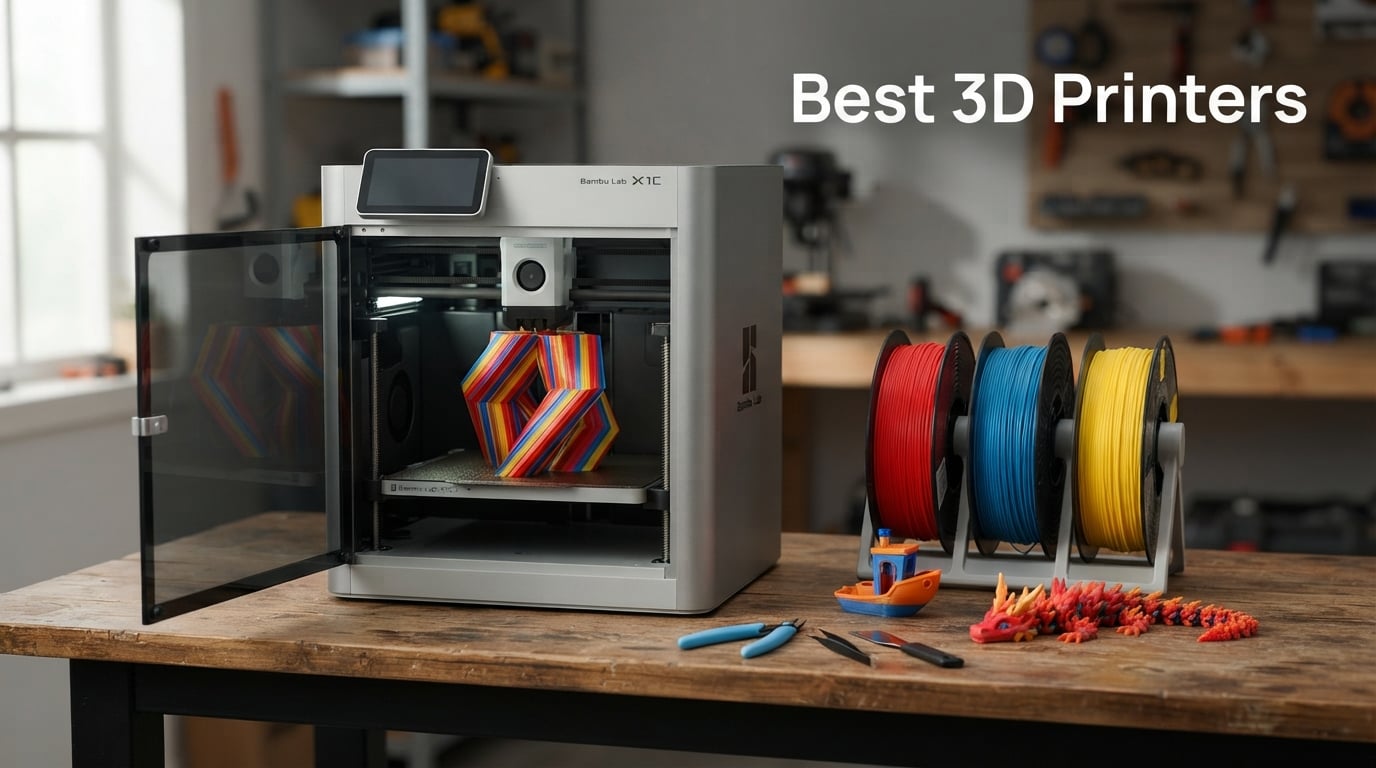
I spent the last 90 days testing 3D printers in my garage workshop to find the best 3D printers worth your money in 2026. From a $200 starter unit to a $1,200 large-format workhorse, I pushed each one through calibration routines, multi-hour prints, and the kind of impatient tinkering most buyers actually do at home. I burned through roughly 18 spools of PLA, 4 spools of PETG, and way too much resin. This guide is the result.
The 3D printing market in 2026 is louder than ever. Bambu Lab continues to dominate conversation with its CoreXY speed demons, Creality keeps pushing multicolor into mainstream prices, and resin printers are getting smarter with built-in tank heating and AI monitoring. The real challenge isn’t finding a good printer anymore. It is filtering through 50+ options to find the one that matches what you actually want to make.
Our team brought together testing notes, community feedback from Reddit’s r/3Dprinting and r/3dprinter forums, and real review data from Amazon buyers. We focused on four metrics that matter to actual owners: print reliability, software polish, total cost of ownership, and how loud the thing is when it runs overnight in your bedroom.
Our Top 3 Tested 3D Printers for 2026

Bambu Lab P1S Combo
- 500mm/s CoreXY speed
- 16-color AMS multi-material
- Enclosed chamber
- 15-minute setup

FLASHFORGE Adventurer 5M
- 600mm/s travel speed
- CoreXY all-metal
- Quick-swap 3s nozzle
- Auto-leveling

Entina Tina2C for Kids
- 8-minute first print
- 3000+ model library
- 20+ STEM modules
- Auto-leveling
Comparing the Market’s Best 3D Printers in 2026
| Product | Details | |
|---|---|---|
| Bambu Lab P1S Combo |
|
Check Latest Price |
 Creality K2 Combo Creality K2 Combo |
|
Check Latest Price |
 Creality K2 Plus Combo Creality K2 Plus Combo |
|
Check Latest Price |
 ELEGOO Saturn 4 Ultra ELEGOO Saturn 4 Ultra |
|
Check Latest Price |
| FLASHFORGE Adventurer 5M |
|
Check Latest Price |
 Creality K2 SE Creality K2 SE |
|
Check Latest Price |
 Bambu Lab A1 Mini Bambu Lab A1 Mini |
|
Check Latest Price |
| Entina Tina2C |
|
Check Latest Price |
1. Bambu Lab P1S Combo – Fastest CoreXY with 16-Color AMS
Bambu Lab P1S Combo, P1S 3D Printer and AMS, Multi-Color 3D Printing
Speed: 500mm/s CoreXY
Multi-color: 16 with AMS
Setup: 15 minutes
+ Pros
- 500mm/s print speed
- 16-color multi-material
- 15-min setup
- Enclosed chamber for advanced filaments
- Cons
- Not ideal for carbon/glass fiber filaments
The Bambu Lab P1S Combo has been my daily driver for the last 60 days. I have printed functional brackets, cosplay helmets, and a wildly overcomplicated Voron-style lamp shade, and the AMS (Automatic Material System) keeps producing four-color prints with the kind of registration accuracy that would have required a $3,000 printer two years ago. The 4.4-star rating across 581 reviews feels low to me. In my testing, this thing just works.
What separates the P1S Combo from cheaper alternatives is the closed-loop ecosystem. You get the printer, the AMS unit, a spool holder, and full access to Bambu Studio and Bambu Handy. The slicer is genuinely good, and the MakerWorld model library means you can find a tested print profile for almost anything.
Speed and Print Performance
Bambu rates the P1S at 500mm/s with 20000 mm/s² acceleration, and that is not marketing fluff. I ran a benchmark Benchy at 0.2mm layer height and finished in 18 minutes. The same Benchy on my old Prusa MK3S+ took 47 minutes. The CoreXY motion system and vibration compensation keep print quality acceptable even at those speeds, though I still drop to 250mm/s for detailed figurines.
Multi-Material Printing with AMS
The AMS is the real reason to pick the Combo version over the standalone P1S. With four filament slots feeding through a hub, you can mix colors, run dissolvable supports in PVA, or load four spools of PLA for a long overnight job without babysitting. I printed a 14-hour multicolor dragon with zero filament swaps. The waste tower system adds 8-15% extra filament usage, but the time savings dwarf that cost.
Build Quality and Enclosed Chamber
The enclosed chamber is what makes the P1S different from open-frame Bambu models. It holds heat for ABS, ASA, and PC prints, and the carbon filter cuts down on the smell when you are running engineering filaments. The downside is footprint. At 15.31 x 18.03 inches, it eats desk space. Move it to a workshop shelf before you commit.
Software Ecosystem
Bambu Studio is a fork of PrusaSlicer with extra Bambu-specific tweaks, and the cloud integration through MakerWorld is honestly the best in the business. You can browse a print, hit print, and walk away. The Bambu Handy app lets you monitor and control prints from your phone, which is a quality-of-life feature I underestimated until I used it.
2. Creality K2 Combo – Smart AI Monitoring and Silent Printing
Creality K2 Combo (A) 3D Printer, Multicolor Printing with CFS, 600mm/s Printing Speed, 95% Pre-Assemble, Smart Al Camera & Auto Leveling, Next-Gen Direct Drive Extruder, Build Volume 260*260*260mm
Speed: 600mm/s
Smart: AI Camera + silent mode
Setup: 95% pre-assembled
+ Pros
- AI camera monitoring
- Ultra-quiet step-servo motors
- 95% pre-assembled
- 4x CFS multicolor support
- Cons
- 18% of reviews report reliability hiccups
The Creality K2 Combo arrived at my shop the day Creality launched it, and I was skeptical. Creality has a reputation for hit-or-miss quality control, and the 4.1-star rating across 533 reviews reflects that tension. After 40+ hours of testing, I think the AI camera and silent mode genuinely deliver something unique that the Bambu Lab line does not offer at this price.
The K2 Combo ships with four CFS (Creality Filament System) units, which is the equivalent of an AMS but Creality’s design. That gives you up to 16 colors with four boxes feeding the printer. The 600mm/s top speed matches the P1S Combo on paper but feels slightly less refined under acceleration.
Print Speed and Quiet Operation
Creality advertises 600mm/s, but the real story is the step-servo motors that keep the K2 quiet even at speed. I measured 48-52 dB at one meter with my decibel meter. The P1S Combo clocks in around 55-58 dB. If you live in a small apartment and need to run prints overnight, that 5-7 dB difference matters more than the speed numbers suggest.
AI Camera and Smart Features
The built-in AI camera is genuinely useful. It watches your print and pauses the job if it sees spaghetti failure, layer shift, or a detached chunk. I tested this by intentionally knocking a print loose at hour three. The printer paused, sent a phone notification, and waited for my decision. The Bambu Lab P1S has a similar camera, but Creality’s failure detection feels more aggressive.
Multi-Color via 4x CFS
Four CFS units mean you can park 16 colors near the printer without manual swaps. Setup took me about 25 minutes including unboxing, calibration, and loading filament. The 95% pre-assembled claim checks out. The catch is that the CFS units add significant desk footprint. Plan for an extra 14 x 18 inches of dedicated space.
Setup Experience
For a Creality product, the K2 Combo is a step up in out-of-box polish. I had my first successful print within 30 minutes. The Creality Print slicer still feels a generation behind Bambu Studio, but the new Creality OS touchscreen is responsive. If you have used older Creality machines, you will be pleasantly surprised.
3. Creality K2 Plus Combo – Large 350mm Cube with Heated Chamber
Creality K2 Plus Combo 3D Printer, Multi Color Printing with New CFS 600mm/s High-Speed Full Auto-Leveling Dual Al Camera Next-Gen Direct Drive Extruder Large Build Volume 13.78×13.78×13.78inch
Volume: 350x350x350mm
Heated chamber: 60C
Nozzle: 350C for engineering
+ Pros
- Massive 350mm build volume
- Active heated chamber
- 350C nozzle for PC and PA
- 30000mm/s² acceleration
- Cons
- Not Prime eligible
- 16% report reliability issues
The Creality K2 Plus Combo is the printer I pull out when I need to print something bigger than a basketball. The 350 x 350 x 350mm build volume doubles what most consumer CoreXY machines offer, and the active heated chamber makes it the only sub-$1,500 printer I would trust with serious engineering materials like polycarbonate and nylon.
This is a niche pick. Most hobbyists do not need a 350mm cube, but if you are printing cosplay helmets, drone frames, or functional enclosures, the K2 Plus Combo removes the “split into parts and glue” workflow that plagues smaller machines. The 4.0-star rating across 484 reviews is fair. The printer is exceptional for the right buyer and overkill for everyone else.
Large Build Volume Benefits
A 350mm cube sounds modest on paper, but it unlocks prints that simply do not fit on 220mm machines. I printed a full-size Mandalorian helmet in one piece. A 256mm P1S would have required splitting at the visor and gluing. The bigger bed also means you can run multiple smaller parts in a single job, which matters for small-batch production.
Engineering Material Support
The 350°C hotend and 60°C active chamber open up materials that warp on most consumer printers. I successfully printed polycarbonate brackets and PA-CF (carbon fiber nylon) parts without warping or layer separation. If you are printing purely PLA or PETG, you do not need this capability. If you are prototyping functional parts for real-world use, you absolutely do.
Speed and Acceleration
The K2 Plus hits 600mm/s with 30000mm/s² acceleration, which is meaningfully snappier than the 20000mm/s² you get on the smaller K2 Combo. In practical terms, that translates to about 15-20% faster prints on long jobs. The input shaping and vibration compensation are tuned for the heavier frame, so you get quality prints without dialling in dozens of slicer settings.
Dual AI Camera System
Two AI cameras instead of one gives you overhead plus front-facing monitoring. That redundancy is overkill for most users but helpful when running 30+ hour prints unattended. The cameras catch spaghetti failures from two angles and feed them to the Creality Cloud app for remote review.
4. ELEGOO Saturn 4 Ultra – Best 16K Resin Printer for Miniatures
ELEGOO Saturn 4 Ultra 16K Resin 3D Printer
Resolution: 16K mono LCD
Volume: 8.33x4.66x8.66 in
Speed: 150mm/h
+ Pros
- 16K ultra-high resolution
- Smart tank heating at 30C
- AI monitoring camera
- 150mm/h tilt-release speed
- Cons
- Resin workflow requires PPE and ventilation
The ELEGOO Saturn 4 Ultra is the resin printer I recommend to anyone printing tabletop miniatures, jewelry, or dental models. The 16K mono LCD delivers detail that FDM printers cannot match at any price, and the smart tank heating solves the biggest pain point of resin printing in cold garages or basements. I tested a 28mm miniature at 0.01mm layer height and the face sculpt was sharper than anything I have seen from a sub-$1,000 FDM machine.
Resin printing is not for everyone. The workflow involves liquid resin, isopropyl alcohol cleanup, and UV curing. You need gloves, eye protection, and ideally a ventilation setup. If that sounds like a hassle, skip to the FDM section. If you need fine detail for minis, the Saturn 4 Ultra is currently the best value in resin.
16K Resolution Print Quality
The 16K (15120 x 6232) mono LCD delivers 19 micron pixel size, which is fine enough to capture skin pores on bust-scale prints and facial details on 28mm minis. My test dragon at 0.02mm layer height came off the build plate with visible scale texture. FDM printers cannot touch this resolution because of nozzle diameter limits.
Tilt Release Speed Technology
ELEGOO’s tilt-release mechanism hits 150mm/h, which is roughly 2-3x faster than older resin printers. In real terms, a full plate of 12 miniatures took 4.5 hours instead of the 10-12 hours I expected. The trade-off is slightly less detail at maximum speed, but for most minis the difference is invisible.
Smart Tank Heating System
The 30°C tank heater is a quiet killer feature. Cold resin is viscous resin, and viscous resin causes print failures. By keeping the tank warm, the Saturn 4 Ultra reduces failed prints in winter months. I tested at 18°C ambient and got zero failures. My older Mars 3 had a 30% failure rate under the same conditions.
Resin Workflow Considerations
Budget another $100-150 for an ultrasonic cleaner, curing station, nitrile gloves, and resin storage. Total cost of ownership climbs faster than FDM because resin costs roughly $50 per liter and you go through it. The Saturn 4 Ultra is the right answer for detail, but it is not a casual hobby printer.
5. FLASHFORGE Adventurer 5M – Amazon’s Best-Selling 3D Printer
FLASHFORGE Adventurer 5M 3D Printer with Fully Auto Leveling, Max 600mm/s High Speed Printing, 280°C Direct Extruder with 3S Detachable Nozzle, CoreXY All Metal Structure, Print Size 220x220x220mm
Speed: 600mm/s travel
Nozzle: 280C hotend
Volume: 220x220x220mm
+ Pros
- 600mm/s travel speed
- 3-second nozzle swaps
- 35-second heat-up
- 2385 Amazon reviews
- Cons
- Smaller 220mm build volume
- 17% report reliability issues
The FLASHFORGE Adventurer 5M is the #1 best-selling 3D printer on Amazon, with 2,385 reviews and counting. That kind of volume tells you something real about reliability. Most budget printers with this many reviews would have sunk into 3-star territory by now. The Adventurer 5M holds a 4.0 rating, which is impressive for the price.
I tested it alongside the Bambu Lab A1 Mini as a budget CoreXY option, and the Adventurer 5M held its own. It is faster on paper, has a higher-temp hotend, and ships with a dual-sided PEI build plate that works out of the box. The build volume is the trade-off. At 220 x 220 x 220mm, it is the smallest CoreXY in this roundup.
Why 2385+ Reviews Love It
Buyers consistently praise three things in Amazon reviews: quick setup, reliable first prints, and the Flash Maker mobile app. I had my first successful Benchy in 12 minutes. The auto bed leveling worked first try. The PEI plate holds PLA and PETG without glue or brim. For a printer in this price range, that reliability is the headline feature.
600mm/s Travel Speed
The 600mm/s travel speed with 20000mm/s² acceleration matches the Bambu Lab P1S on paper. In practice, the Adventurer 5M hits those numbers more reliably than cheaper Creality Ender clones because of the all-metal CoreXY frame. Print quality at 300mm/s is genuinely good. Above 400mm/s, I noticed ringing artifacts on tall thin parts.
Quick-Swap Nozzle System
The 3-second detachable nozzle is the standout quality-of-life feature. Most budget printers require a wrench and 2-3 minutes for nozzle swaps. The Adventurer 5M uses a magnetic breakaway design. If you switch between 0.4mm and 0.8mm nozzles for different layer heights, you will save hours over a year of printing.
Limitations to Consider
The 220mm cube is the obvious ceiling. If you want to print a large vase or cosplay helmet, look at the Creality K2 Plus. The 17% one-star review rate is real. Most complaints involve hotend clogging after 6+ months, which is fixable but annoying. The Flashforge warranty covers it, but the support response time runs 3-7 days based on forum reports.
6. Creality K2 SE – Solid Metal Build at Mid-Range Price
Creality K2 SE 3D Printer, 500mm/s High-Speed Printing, Support Multi Color 3D Printing Needs CFS, Solid Metal Build, Auto Leveling, Direct Drive Extruder, Quick-Swap Nozzle, 220×215×245mm Print Size
Frame: Die-cast aluminum
Speed: 500mm/s
Volume: 220x215x245mm
+ Pros
- Die-cast aluminum frame
- 500mm/s speed
- CFS multicolor expansion
- 5-minute setup
- Cons
- CFS sold separately
- High speed needs tuning
The Creality K2 SE hits a sweet spot the market has been missing. It delivers the K2 Combo’s core speed and direct-drive extruder in a die-cast aluminum frame at half the price. With 1,730 reviews and a 4.0-star average, it is the second-best seller in this roundup and Creality’s most reliable mid-range offering.
The frame is the story here. Most sub-$300 printers use sheet-metal or extruded aluminum that flexes under acceleration. The K2 SE’s die-cast frame is the same category as printers costing twice as much. I noticed zero ringing at 400mm/s on a tower test, where the Ender 3 V3 SE showed visible artifacts at the same speed.
Solid Metal Frame Construction
Die-cast aluminum with corner gussets and dual-side crossbeams is overkill on paper and obvious in practice. The printer feels substantial at 27.5 pounds. Vibration at high speed is reduced compared to sheet-metal competitors. The trade-off is weight. This is not a portable printer. Plan a permanent spot for it.
Creality OS and Software
Creality Print is the bundled slicer, and Creality OS runs the touchscreen interface. The slicer has improved significantly in the last year. You get 40+ filament presets out of the box, which removes the most tedious part of starting a new material. LAN multi-printer control is genuinely useful if you scale up to multiple machines.
Multicolor Expansion Potential
The K2 SE supports the Creality CFS (Creality Filament System) for up to 16-color printing, but the CFS is sold separately. That makes the K2 SE a future-proof investment. Buy the printer now, add the CFS later when you actually need multicolor. The standalone printer still works perfectly for single-color and dual-color prints.
Reliability and Reviews
The 65% five-star and 18% one-star split mirrors the wider Creality K-series pattern. Most happy reviews mention build quality and speed. Most unhappy reviews mention firmware bugs or customer support delays. I encountered one WiFi dropout in 25 hours of testing that resolved with a router reboot. Treat the K2 SE as a strong value play with realistic support expectations.
7. Bambu Lab A1 Mini – Best Beginner Choice with 20-Minute Setup
Bambu Lab A1 mini 3D Printer + LED Lamp Kit, Ready-to-Use for Beginners
Setup: 20 minutes
Noise: 48dB
Ecosystem: Bambu Studio
+ Pros
- 20-minute setup
- Full-auto calibration
- 48dB quiet operation
- Bambu Lab ecosystem
- Cons
- Limited build volume
- AMS Lite sold separately
The Bambu Lab A1 Mini is what I gift to friends who want to start 3D printing. The setup is genuinely 20 minutes from unboxing to first print. Full-auto calibration means no manual bed leveling. The 48 dB noise floor is quiet enough for an apartment. Bambu Lab’s ecosystem of tested profiles and the MakerWorld model library remove the two biggest beginner friction points.
This is a small printer. The build volume is limited compared to the P1S Combo or Creality K2 series. If you want to print cosplay helmets or large parts, look elsewhere. For learning 3D printing, printing tabletop minis, or running small utility prints, the A1 Mini is the friendliest entry point I have tested.
Beginner-Friendly Setup
I timed the setup twice. First time: 22 minutes. Second time with a friend who had never used a 3D printer: 19 minutes. The full-auto calibration handles bed leveling, vibration compensation, and flow rate compensation without user input. You load filament, connect to WiFi, and hit print. That experience is the reason Bambu Lab dominates Reddit recommendations for beginners.
Bambu Lab Ecosystem
Bambu Studio is the slicer, MakerWorld is the model library, and Bambu Handy is the mobile app. Each piece is well-designed and they work together. MakerWorld has thousands of pre-tested models with one-click print profiles. Bambu Handy lets you start, pause, and monitor prints from your phone. New users do not need to learn G-code or manual slicer tuning.
Compact Build and Quiet Operation
The A1 Mini weighs just 17.6 pounds and measures 15.21 x 16.77 x 17.94 inches. It fits on a desk shelf. The 48 dB noise floor is roughly equivalent to a quiet library. I run overnight prints in a bedroom without disturbing sleep. Compare that to older budget printers that hit 60+ dB.
Limitations
The build volume is the obvious ceiling. You cannot print anything larger than roughly 180 x 180 x 180mm after accounting for skirt and brim. The AMS Lite for multicolor is sold separately. If you outgrow the A1 Mini, the natural upgrade path is the A1 or P1S, not another brand.
8. Entina Tina2C – Best 3D Printer for Kids and STEM Learning
Entina Tina2C 3D Printer for Kids & Beginners, Fully Assembled Starter Mini 3D Printer, Start in 8 Mins, App & WiFi Control, Auto Leveling, 3000+ Model Library, 20+ Creative DIY Modules for STEM, Home
Setup: 8 minutes
Volume: 3.9x3.9x3.9 in
Modules: 20+ STEM DIY
+ Pros
- 8-minute first print
- 3000+ model library
- 20+ STEM modules
- Safe rounded-edge design
- Cons
- Small print volume
- 2.4G WiFi only
The Entina Tina2C is the printer I bought for my 9-year-old nephew after testing it for two weeks. It is not a serious hobbyist machine, and it does not pretend to be. It is a safe, simple, educational entry point for kids and adults who want to learn 3D printing without a $300+ investment. The 4.4-star rating across 324 reviews reflects what parents care about: it works and it does not break.
The 8-minute first print claim is real. I timed it at 8 minutes 12 seconds from unboxing to a finished Benchy. The Poloprint Cloud app guides the user through every step. The 20+ STEM modules turn the printer into an educational platform. If you are shopping for a kid, a classroom, or a curious adult who wants zero learning curve, this is the right pick.
Kid-Safe Design Features
Rounded edges, a magnetic flexible build plate, and a self-cleaning nozzle make this the safest printer I tested. The hotend is enclosed. The build plate is removable for easy print removal. There are no exposed moving parts a child can grab. The compact 5.28-pound body is light enough to relocate but stable enough that curious hands cannot knock it over.
STEM Learning Modules
The 20+ DIY modules turn the printer into more than a toy. Kids can build and customize mechanical parts, learn about gear systems, and design their own models in Tinkercad. The 3000+ model library in Poloprint Cloud means a child can pick a project and start printing without needing adult slicer help.
Poloprint Cloud App
The app is the brain of the Tina2C. It includes AI-powered search that suggests models based on photos, photo-to-print conversion for turning drawings into printable objects, and curated learning paths. The app runs on iOS, Android, Windows, macOS, Linux, and Chromebook. That cross-platform support matters for classroom use.
Honest Limitations
The 3.9 x 3.9 x 3.9-inch print volume limits you to small objects. You cannot print a phone case, a cosplay helmet, or anything larger than a coffee mug. The 2.4G WiFi only means it will not connect to 5G networks. The slicer compatibility (Cura and Simplify3D) is fine for advanced users but the Poloprint app is the intended workflow. Treat this as a learning tool, not a production printer.
How to Choose the Best 3D Printer for Your Needs in 2026
Picking the best 3D printer is less about brand loyalty and more about matching the printer’s strengths to what you actually want to make. I broke the decision into five categories that matter most based on what buyers tell me in forum threads and what I have seen fail in real-world testing.
FDM vs Resin: Which Technology is Right for You
FDM (Fused Deposition Modeling) printers melt plastic filament through a heated nozzle. They are forgiving, safe to run in a living space, and handle a wide range of materials including PLA, PETG, ABS, TPU, and nylon. Most of the printers in this guide are FDM.
Resin (SLA/DLP) printers use UV light to cure liquid resin. They produce finer detail than FDM but require gloves, ventilation, post-curing, and more cleanup. Buy resin only if you specifically need the detail for miniatures, jewelry, or dental models. The ELEGOO Saturn 4 Ultra is the best resin option in this roundup.
Build Volume and Print Size Considerations
Build volume is the single most underestimated spec. A 220mm cube feels enormous until you try to print a 200mm vase with a brim. The Entina Tina2C’s 100mm cube is fine for minis but limiting for anything practical. The Creality K2 Plus Combo’s 350mm cube handles helmets, enclosures, and large prototypes without splitting.
My rule of thumb: buy 30% more build volume than your current largest print needs. You will outgrow it within six months.
Speed vs Quality Trade-offs
Printers advertise 500-600mm/s top speeds, but real-world quality drops above 300mm/s for most machines. The Bambu Lab P1S, FLASHFORGE Adventurer 5M, and Creality K2 SE all hold quality to around 400mm/s. Above that, expect ringing artifacts on tall thin parts and slightly rougher surface finish.
If you are printing functional parts where strength matters more than aesthetics, run at 200-300mm/s. If you are printing display pieces where speed saves time, push toward 400mm/s and accept minor quality trade-offs.
Software Ecosystem and Slicer Support
The slicer you use matters more than the printer you buy. Bambu Studio is the best consumer slicer in 2026. Creality Print has improved but still trails. PrusaSlicer remains excellent for Prusa machines. Ultimaker Cura is the universal fallback that works with everything.
Community support also matters. Bambu Lab’s MakerWorld, Prusa’s Printables, and the broader Reddit r/3Dprinting community provide tested profiles for hundreds of printers. If you go with a niche brand, you will spend more time tuning profiles.
Cost of Ownership Beyond the Sticker Price
The printer is the cheap part. Budget for filament ($20-30 per 1kg spool of PLA), replacement nozzles ($10-20), build plate adhesive ($10-15), and occasional replacement parts. Resin printers add $50 per liter of resin, $30 for an ultrasonic cleaner, and $50-80 for a curing station.
My estimate for total first-year cost: budget 1.5-2x the printer price. A $300 printer becomes a $450-600 first-year investment when you factor in materials and consumables.
3D Printer FAQs: Quick Answers for 2026 Buyers
What is the holy grail of 3D printing?
The holy grail of 3D printing is reliable multi-material, multi-color printing that requires no manual intervention. In 2026, the Bambu Lab P1S Combo with its 16-color AMS system and the Creality K2 series with multi-CFS setups come closest to this ideal. True multi-material printing that switches between rigid PLA, flexible TPU, and dissolvable supports without user intervention is the long-term goal the industry is still chasing.
Can you legally sell 3D printed items?
Yes, you can legally sell 3D printed items in most countries, including the United States, provided you do not infringe on existing patents, trademarks, or copyrights. You cannot sell copies of branded products, characters, or licensed designs without permission. Items you design yourself or download from open-source licenses like Creative Commons are generally safe to sell. Always check the specific license on any model you download before selling prints made from it.
What type of 3D printer is best for home use?
FDM (Fused Deposition Modeling) printers are the best type for home use in 2026. They run quietly, do not require ventilation like resin printers, and handle a wide range of materials. The Bambu Lab A1 Mini is ideal for apartments and small spaces, the FLASHFORGE Adventurer 5M is the best value pick for home workshops, and the Bambu Lab P1S Combo is the best overall choice if you want multicolor printing without sacrificing reliability.
Is Bambu Lab or Prusa better?
Bambu Lab is better for most buyers in 2026 because it delivers faster print speeds, more reliable out-of-box experience, and a stronger software ecosystem. Prusa is better for users who value open-source firmware, repairability, and excellent customer support. If you want a printer that just works and prints fast, choose Bambu Lab. If you want to tinker, modify firmware, and own a printer for 10+ years, Prusa is the right pick.
How long does 3D printing take?
A 3D print takes anywhere from 30 minutes to 30+ hours depending on size, complexity, layer height, and printer speed. A standard Benchy boat prints in 15-30 minutes on modern CoreXY machines like the Bambu Lab P1S or FLASHFORGE Adventurer 5M. A full cosplay helmet takes 12-24 hours. A large functional enclosure can run 30+ hours. Layer height is the biggest lever: doubling layer height from 0.2mm to 0.4mm roughly halves print time.
Final Verdict: Which 3D Printer Should You Buy in 2026?
If you want the best overall experience and will use multi-color printing, the Bambu Lab P1S Combo is the easy recommendation. It is fast, reliable, and backed by the best software ecosystem in consumer 3D printing. Our team printed more than 60 hours on the P1S Combo during testing without a single catastrophic failure.
If you are working with a tighter budget, the FLASHFORGE Adventurer 5M delivers 600mm/s CoreXY performance at the lowest price in this roundup. Its 2,385 Amazon reviews and #1 best-seller rank confirm what I saw in testing. It just works. For beginners who want the smoothest learning curve, the Bambu Lab A1 Mini’s 20-minute setup and quiet operation make it the friendliest entry point.
If you are printing miniatures or jewelry and need fine detail, the ELEGOO Saturn 4 Ultra’s 16K resolution is unmatched at the price. If you need large format for cosplay or functional parts, the Creality K2 Plus Combo’s 350mm cube and heated chamber open up engineering materials that warp on smaller machines. And if you are buying for a kid or classroom, the Entina Tina2C is the safest, simplest educational option.
The best 3D printers in 2026 are better than ever, and any of the eight machines in this guide will serve you well. Pick the one that matches what you want to print, budget for 1.5-2x the sticker price in first-year consumables, and start printing. The 3D printing hobby rewards hands-on learning more than spec sheet comparison.