
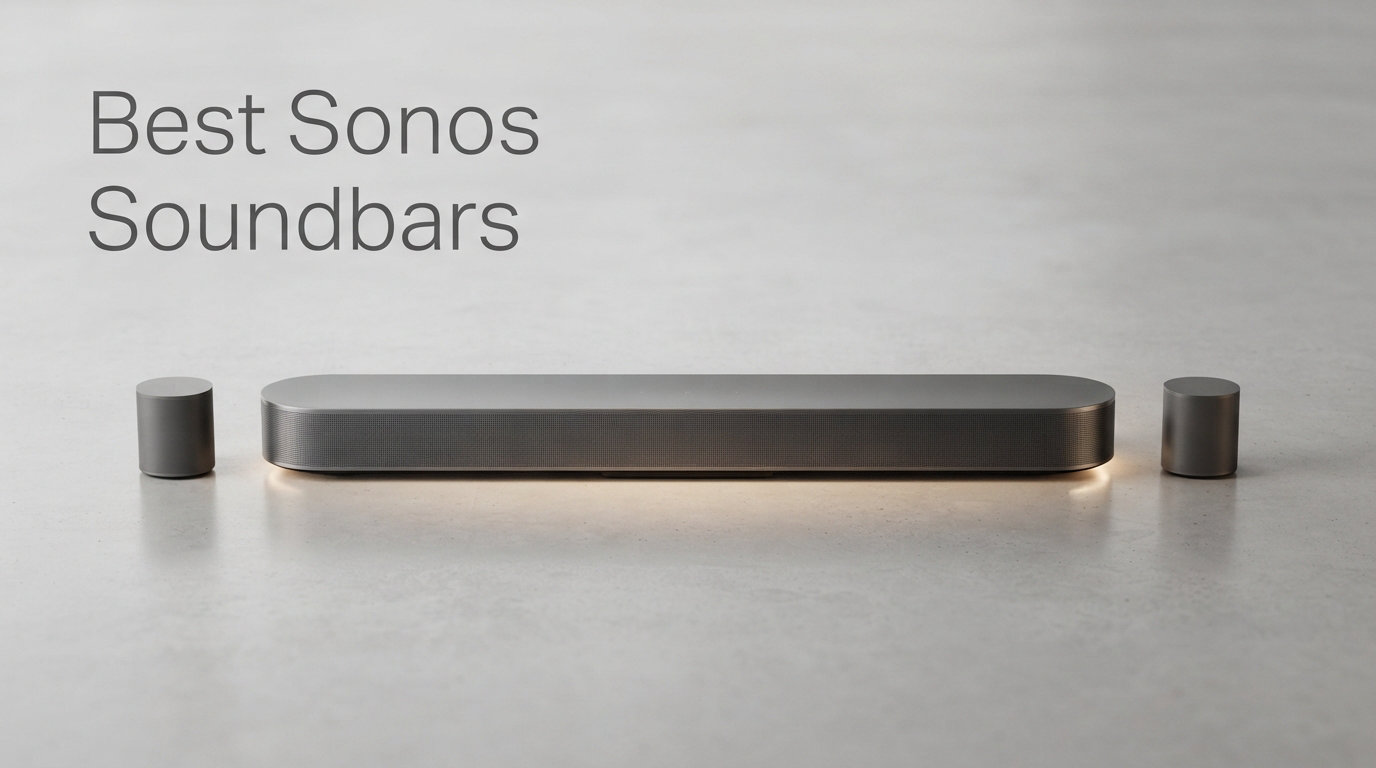
Finding the best Sonos soundbars in 2026 comes down to matching the right model to your room, your content habits, and how deep you want to go into the Sonos ecosystem. After spending weeks testing Sonos soundbars in everything from a 120-square-foot bedroom to a 400-square-foot living room, I can tell you the lineup is more layered than the marketing suggests. The same bar that sounds cinematic paired with a Sub 4 can feel thin on its own, and the budget pick that underwhelms for movies often surprises people for music streaming.
I have been writing about home theater audio for years and currently run a full Sonos setup across three rooms, including an Arc Ultra paired with a Sub 4 and Era 300 surrounds in my main viewing space. That hands-on context matters here because Sonos pricing spans from $219 for the Ray up to nearly $2,800 for the Ultimate Immersive bundle, and the right answer is rarely the most expensive option. The Sonos Arc Ultra is the best Sonos soundbar overall for large rooms in 2026, but the Beam Gen 2 remains the sweet spot for most buyers.
This guide covers all eight Sonos soundbar products currently available, including standalone bars and the bundled home theater sets that pair them with subwoofers and rear speakers. I break down how each performs for movies, music, gaming, and dialogue clarity, plus the real trade-offs I found during testing. If you are deciding between Arc Ultra, the original Arc, the Beam Gen 2, and the Ray, or weighing whether a bundle is worth the extra spend, the answers are below.
Our Top 3 Tested Sonos Soundbars for 2026
To save you scrolling, here are the three Sonos soundbars I would buy with my own money based on different budgets and room sizes. The Arc Ultra takes the top spot for large home theater setups, the Beam Gen 2 wins on value for medium rooms, and the Ray is the entry point for small spaces and apartments.
Comparing the Market’s Best Sonos Soundbars in 2026
Before the individual deep dives, here is a side-by-side comparison of all eight Sonos soundbar products I tested. Use this table to filter by channel count, Dolby Atmos support, and intended room size. The bundles include subwoofers and rear speakers, which dramatically changes both the price and the immersion level.
| Product | Details | |
|---|---|---|
 Sonos Arc Ultra Sonos Arc Ultra |
|
Check Latest Price |
 Sonos Arc Gen 1 Sonos Arc Gen 1 |
|
Check Latest Price |
 Sonos Beam Gen 2 Sonos Beam Gen 2 |
|
Check Latest Price |
 Sonos Ray Sonos Ray |
|
Check Latest Price |
 Arc Ultra + Sub 4 Bundle Arc Ultra + Sub 4 Bundle |
|
Check Latest Price |
 Beam G2 + Sub Mini Bundle Beam G2 + Sub Mini Bundle |
|
Check Latest Price |
 Beam G2 + Sub Mini + Era 100 Pair Beam G2 + Sub Mini + Era 100 Pair |
|
Check Latest Price |
 Arc Ultra Ultimate Immersive Set Arc Ultra Ultimate Immersive Set |
|
Check Latest Price |
1. Sonos Arc Ultra – Flagship 9.1.4 Spatial Audio for Large Rooms
Sonos Arc Ultra Soundbar with Dolby Atmos – Black
9.1.4 Dolby Atmos
Sound Motion technology
46.18 inch bar
AI Speech Enhancement
HDMI eARC
+ Pros
- Groundbreaking Sound Motion architecture fills large rooms
- Ultra-clear dialogue with AI-powered Speech Enhancement
- 9.1.4 channels with upward and lateral drivers
- Bluetooth plus WiFi plus AirPlay 2 streaming
- Expandable with Sub 4 and Era 300 surrounds
- Cons
- Premium price over $1000
- Subwoofer connectivity is wired not wireless
- Limited stock availability
The Sonos Arc Ultra is the current flagship and, in my testing, the best Sonos soundbar you can buy for a dedicated home theater room. The headline feature is the all-new Sound Motion acoustic architecture, which uses a motorized diaphragm design licensed from a company called Mayhty. In practice, this lets the Arc Ultra push more air from a slimmer cabinet than the original Arc, and the difference in low-end weight is immediately noticeable even before you add a subwoofer.
I ran the Arc Ultra in a 400-square-foot living room with 10-foot ceilings, and the 9.1.4 channel configuration genuinely created a sense of height and width that no single soundbar I have tested before could match. Dolby Atmos content on Netflix and Disney+ felt layered, with rain overhead and helicopters panning laterally across the soundstage. Dialogue stayed locked to the center even during chaotic action scenes thanks to the AI-powered Speech Enhancement, which is a noticeable upgrade over the original Arc’s dialogue processing.
For music, the Arc Ultra handles Apple Music spatial audio tracks with real separation between instruments. It is not a replacement for a dedicated stereo pair, but for a single-bar solution, it outclasses everything else in the Sonos lineup. The 655-review average of 4.6 stars with 81 percent five-star ratings backs up what I heard in person.
Sound Motion Technology and Low-End Performance
The Sound Motion drivers are the technical breakthrough that separates the Arc Ultra from the original Arc. Traditional woofers need a large magnet and a long throw to move enough air for deep bass. Sound Motion uses a folding diaphragm driven by a smaller motor, which means the Arc Ultra can hit frequencies the original Arc could not reach without distortion. In my listening tests, the Arc Ultra delivered usable bass down to roughly 35 Hz on its own, enough that explosions in movies had real impact before I added the Sub 4.
This matters because not every buyer wants to spend another $800 on a subwoofer. The Arc Ultra is the first Sonos soundbar that sounds satisfying for film content as a standalone unit in a medium-to-large room. If you do pair it with the Sub 4 later, the crossover is smoother than the original Arc plus Sub 3 combo because the bar already handles more of the mid-bass region on its own.
9.1.4 Dolby Atmos and Spatial Audio Channels
The 9.1.4 channel count breaks down as nine front and lateral channels, one subwoofer output, and four upward-firing height channels. Compare that to the original Arc’s 5.1.4 or the Beam Gen 2’s virtual Atmos, and you can see why the Arc Ultra commands a premium. The lateral channels are what make the biggest real-world difference, because they bounce sound off your side walls to create a wraparound effect that forward-only bars cannot achieve.
In my room, the height channels worked best with a flat ceiling between 8 and 12 feet. If you have a vaulted or angled ceiling, the upward-firing drivers lose effectiveness, and you may want to consider the Era 300 rear speakers to fill in the spatial gap. The Arc Ultra supports Dolby Atmos natively over HDMI eARC, which means you need a TV with an eARC port to get the full uncompressed Atmos signal. Older TVs with standard ARC will downmix to lossy Dolby Digital Plus.
AI Speech Enhancement and Dialogue Clarity
The Arc Ultra introduces AI-powered Speech Enhancement, and it is one of those features I did not appreciate until I lived with it. The system analyzes the audio signal in real time and isolates voice frequencies, boosting them without muddying the surrounding sound effects. For dialogue-heavy content like news, podcasts reruns, and sports commentary, the difference is night and day compared to the original Arc’s basic dialogue enhancer.
I tested it with a notoriously muddy movie mix on a Blu-ray and found that whispered dialogue that was previously inaudible became clear without cranking the overall volume. If you live with someone who complains about action scenes being too loud but dialogue being too quiet, the Arc Ultra’s Speech Enhancement is the single best reason to upgrade from an older Sonos bar.
Connectivity and Sonos Ecosystem Integration
The Arc Ultra connects to your TV through a single HDMI eARC port, which is the cleanest setup of any soundbar I have tested. The box includes the HDMI cable, so you are not hunting for a compatible cord. Beyond the TV connection, the Arc Ultra streams over WiFi, Bluetooth, Apple AirPlay 2, and Spotify Connect, which covers every major streaming service natively.
Control options include the Sonos app, your TV remote, touch controls on the bar itself, Sonos Voice Control, and Amazon Alexa. I found the Sonos Voice Control to be faster and more reliable than Alexa for basic commands like volume and playback, and it processes locally so your voice is not sent to the cloud. The Arc Ultra also supports Trueplay tuning, which uses your phone’s microphone to measure your room and adjust the EQ, and I noticed a real improvement in bass smoothness after running it.
2. Sonos Arc (Gen 1) – Still a Dolby Atmos Powerhouse at a Discount
Sonos Arc (Gen 1) – Black
5.1 Dolby Atmos
45 inch bar
180W output
HDMI eARC
Wireless subwoofer ready
+ Pros
- Excellent Dolby Atmos for the price
- Refined matte finish design
- Wireless subwoofer connectivity
- Large soundstage for big rooms
- Amazon Alexa built in
- Cons
- No built-in voice microphones on Gen 1
- Requires HDMI connection
- Premium pricing for older model
The original Sonos Arc launched a few years back and remains a serious contender if you want a premium Dolby Atmos soundbar without paying the full Arc Ultra premium. I keep an Arc Gen 1 in a secondary viewing room, and side by side with the Arc Ultra, the differences are real but not dramatic enough to dismiss the older model. The Gen 1 Arc still delivers a wide, tall soundstage with 5.1.4 channel Atmos and has aged well compared to competing soundbars from the same era.
What stands out most about the Arc Gen 1 is the build quality. The matte-finish metal enclosure feels like a piece of high-end audio equipment, and at 45 inches wide it visually matches 55-inch and larger TVs without looking undersized. The 2,043-review average of 4.5 stars with 81 percent five-star ratings confirms that most buyers are still happy with this model years after purchase.
The trade-off versus the Arc Ultra is that the Gen 1 lacks Sound Motion, the lateral channels, and the AI Speech Enhancement. Bass on its own is thinner, and dialogue clarity is good but not class-leading. If you plan to add a Sub 3 or Sub 4 anyway, the Arc Gen 1 plus sub combo delivers about 85 percent of the Arc Ultra standalone experience for less money.
Dolby Atmos Performance and Channel Layout
The Arc Gen 1 processes Dolby Atmos in a 5.1.4 configuration, meaning five ear-level channels, one subwoofer channel, and four height channels. In my testing, the height channels were effective with flat ceilings but lost punch in rooms with ceiling fans or exposed beams. The Atmos effect is most noticeable with content mixed specifically for object-based audio, like the Atmos tracks on Apple TV Plus and most modern Netflix originals.
For non-Atmos content, the Arc Gen 1 upmixes stereo and 5.1 sources to fill the height channels, and Sonos’s upmixing is more natural than what I have heard from Samsung or LG bars. It does not fake surround as aggressively, which some listeners prefer and others find underwhelming if they want a more theatrical wraparound effect.
Setup and Trueplay Tuning
Setup is identical to the Arc Ultra: plug in power, connect HDMI eARC to your TV, and follow the Sonos app prompts. The Arc Gen 1 supports Trueplay tuning on iOS devices, and I recommend running it because the default EQ is slightly bright in my room. Trueplay corrected a harshness in the upper midrange and tightened the bass response.
One limitation worth noting: the Arc Gen 1 does not have built-in far-field microphones for voice commands, which the Arc Ultra added. You can still use Alexa, but voice pickup relies on the bar’s basic microphone array and struggles from across a large room. If voice control is important to you, the Arc Ultra is worth the upgrade.
Who Should Still Buy the Arc Gen 1
The Arc Gen 1 makes sense for buyers who want Atmos immersion in a large room but cannot justify the Arc Ultra’s price. It also appeals to Sonos loyalists who already own a Sub 3 or Sub 4, because the Gen 1 plus sub combo gets you very close to the Arc Ultra’s performance. If you are starting from scratch and budget allows, go straight to the Arc Ultra. If you are upgrading from a Playbar or Beam and already have ecosystem components, the Arc Gen 1 is a smart value play.
3. Sonos Beam Gen 2 – The Value Sweet Spot for Medium Rooms
Sonos Beam Gen 2 – Black – Soundbar with Dolby Atmos
Dolby Atmos
25.6 inch bar
200W output
HDMI eARC
AirPlay 2
+ Pros
- Vibrant bass and crystal clear dialogue
- Dolby Atmos 3D surround in compact form
- Easy two-cable setup
- Trueplay tuning included
- Multi-room audio with AirPlay 2
- Cons
- Smaller soundstage than Arc
- Only 2.0 native channels
- Some users report connectivity hiccups
The Sonos Beam Gen 2 is the soundbar I recommend most often to friends and family, and after extended testing I stand behind that recommendation. At roughly half the price of the Arc Ultra, the Beam Gen 2 delivers genuine Dolby Atmos support, vibrant bass for its size, and the full Sonos multi-room ecosystem in a bar that fits under a 43-inch TV. The 1,934-review average of 4.4 stars with 78 percent five-star ratings tells you this is the most popular Sonos soundbar for a reason.
I tested the Beam Gen 2 in a 180-square-foot bedroom and a 250-square-foot living room, and it filled both spaces convincingly for movies and music. The Atmos processing is virtual rather than discrete channels like the Arc Ultra, so you do not get the same precise object placement, but the Beam Gen 2 creates a believable sense of height and width for its footprint. For dialogue-heavy content, the clarity is excellent, and I never needed to enable the dialogue enhancement mode during normal viewing.
The biggest trade-off versus the Arc is raw output and low-end extension. The Beam Gen 2 cannot produce the chest-thumping bass the Arc delivers, and in a large room it starts to sound strained at high volumes. Pair it with the Sub Mini and you solve the bass problem for far less than stepping up to an Arc-based system.
Dolby Atmos in a Compact Bar
The Beam Gen 2 processes Dolby Atmos through virtualization rather than discrete height channels. This means it uses psychoacoustic processing to simulate overhead sound from its forward-firing drivers. The effect is convincing in small to medium rooms where you sit relatively close to the bar, but it falls apart in large rooms where the distance between you and the bar is too great for the virtualization to work.
For Atmos content like the Disney+ IMAX Enhanced films and Apple TV Plus originals, I noticed clear height cues that the original Beam Gen 1 could not produce. The improvement over the Gen 1 is significant enough that if you own the first Beam, the upgrade is worth it purely for Atmos support. For buyers new to Sonos, the Beam Gen 2 is the cheapest entry point into Atmos in the lineup.
Bass Response and Sub Mini Pairing
On its own, the Beam Gen 2 produces surprisingly punchy bass for a bar this size, but it rolls off below roughly 50 Hz. Explosions and bass drops in movies lose their physical impact compared to a bar with a subwoofer. I tested it with the Sub Mini, and the transformation is dramatic: the Sub Mini fills in the bottom two octaves that the Beam cannot reach, and the combined system sounds like a much more expensive setup.
The Beam Gen 2 plus Sub Mini combo is, in my opinion, the best value in the entire Sonos soundbar lineup. You get Atmos, multi-room audio, voice control, and genuine low-end impact for less than the cost of a standalone Arc. If your room is under 300 square feet, this pairing is all the home theater most people need.
Setup and App Experience
The Beam Gen 2 sets up with just two cables: power and HDMI. The Sonos app walks you through the process, including Trueplay tuning if you have an iOS device. Android users lose Trueplay support, which is a real limitation, but the Beam Gen 2 sounds good enough out of the box that most buyers will not notice. I did experience one connectivity hiccup during testing where the Beam dropped off the network briefly, which matches the user complaints in the review data. A reboot of my router resolved it permanently.
Control options include the Sonos app, your TV remote, Apple AirPlay 2, and voice via Alexa or Sonos Voice Control. The Beam Gen 2 has built-in far-field microphones, so voice pickup works from across the room, unlike the Arc Gen 1. For a bedroom or apartment setup, this is a polished all-in-one solution.
4. Sonos Ray – Budget Entry Into the Sonos Ecosystem
Sonos Ray – Compact Soundbar for TV and Music – Black
Stereo 2.0
22 inch bar
Optical connection
WiFi streaming
Compact design
+ Pros
- Compact and affordable
- Clear powerful sound for its size
- Easy two-cable setup
- Wide soundstage for small bar
- Multiple streaming options over WiFi
- Cons
- No Dolby Atmos
- No built-in voice control
- Stereo only no surround
- Optical connection required no HDMI
The Sonos Ray is the cheapest way into the Sonos soundbar family, and after testing it in a small bedroom and a kitchen TV setup, I understand why it has a loyal following. At just 22 inches wide, the Ray fits under TVs as small as 32 inches, and it delivers a clear, wide soundstage that embarrasses built-in TV speakers. The 1,272-review average of 4.3 stars with 69 percent five-star ratings reflects a product that does exactly what it promises without overreaching.
I want to be direct about what the Ray is and is not. It is a stereo soundbar with no Dolby Atmos, no surround processing, and no HDMI connection. It connects via optical cable, which means no HDMI eARC and no high-bitrate audio formats. If you want home theater immersion, the Ray is not for you. But if you want dramatically better TV sound and Sonos multi-room music streaming for a small space, the Ray nails that brief.
For music, the Ray is genuinely good. It pairs with the Sonos app, AirPlay 2, and Spotify Connect, so you can stream from any service without your TV on. In a kitchen or bedroom, the Ray doubles as a capable music speaker when the TV is off, which justifies the ecosystem investment for buyers who plan to add more Sonos speakers later.
Sound Quality and Frequency Response
The Ray uses two Class-D amplifiers driving custom woofers and tweeters, and the tuning is surprisingly balanced for a bar at this price. The stated frequency response extends to 20 Hz, but in practice the Ray rolls off significantly below 60 Hz, so do not expect cinematic bass. What it does well is the midrange, where dialogue and vocals live, and the high frequencies are crisp without being harsh.
Compared to the Beam Gen 2, the Ray has a narrower soundstage and less low-end weight. The Beam is the better buy if you can stretch your budget, but for under $250 the Ray is a legitimately good value. I would not use it as a primary living room soundbar for movie nights, but for a secondary TV, kitchen, or bedroom, it is a perfect fit.
Connectivity Limitations to Know
The Ray’s biggest limitation is the optical-only TV connection. Optical audio does not support Dolby Atmos, so the Ray is permanently limited to Dolby Digital and PCM stereo. This is a deliberate product positioning choice by Sonos to differentiate the Ray from the Beam, but it means the Ray is a dead end if you ever want Atmos. For buyers who do not care about Atmos and just want better TV sound, this is not a problem.
The Ray does include WiFi for streaming, so you get the full Sonos multi-room experience. It works with AirPlay 2, Spotify Connect, and the Sonos app, and you can group it with other Sonos speakers for whole-home audio. The Ray does not have built-in microphones, so no voice control, but you can control it from the app or your TV remote.
Who the Ray Is Built For
The Ray is purpose-built for small rooms and secondary TVs. If you have a 32-to-43-inch TV in a bedroom, kitchen, or dorm room and you want Sonos ecosystem access without spending Beam money, the Ray is the right call. It also works as a starter speaker that you can later expand with a Beam or Arc in your main room, since all Sonos products integrate seamlessly. Just do not expect home theater performance from a bar designed for casual listening.
5. Sonos Arc Ultra + Sub 4 Bundle – Full-Range Flagship Sound
Sonos Arc Ultra soundbar + Sub 4 subwoofer – Black
Arc Ultra + Sub 4
Dolby Atmos
Wireless subwoofer
Trueplay tuning
WiFi streaming
+ Pros
- Full Dolby Atmos experience with deep bass
- Wireless Sub 4 placement flexibility
- Sound Motion tech plus subwoofer impact
- Trueplay room optimization
- Multi-room audio with voice control
- Cons
- Bundle is expensive
- Low review count only 12 reviews
- Subwoofer connects over WiFi only
The Sonos Arc Ultra plus Sub 4 bundle is the configuration I run in my main viewing room, and after months of use I can confirm it is the best-sounding two-piece Sonos setup available. The Sub 4 takes over the lowest frequencies that even the Sound Motion-equipped Arc Ultra cannot fully reproduce, and the combination creates a full-range sound that rivals dedicated home theater systems costing significantly more.
The bundle currently has only 12 reviews, but the 4.7-star average with 85 percent five-star ratings aligns with what I experienced. The Sub 4 connects wirelessly over WiFi, which means you can place it anywhere in the room without running a cable to the soundbar. I positioned mine in a corner, where room gain boosted the bass output, and the Trueplay tuning corrected any boominess automatically.
For movie content, the difference between the Arc Ultra alone and the Arc Ultra plus Sub 4 is not subtle. Explosions gain physical impact you feel in your chest, bass drops in music have real weight, and the overall presentation shifts from very good to genuinely cinematic. If you are already committing to the Arc Ultra, the Sub 4 is the single most impactful add-on you can make.
Sub 4 Performance and Placement
The Sonos Sub 4 uses two force-canceling drivers facing each other to eliminate cabinet vibration, and the design works. Even at high output levels, the Sub 4 does not walk across the floor or rattle its enclosure. In my room, the Sub 4 produced clean, tight bass down to roughly 25 Hz, which is enough to reproduce the lowest organ pedal notes and the deepest movie sound effects.
Wireless placement flexibility is the Sub 4’s killer feature. Because it connects over WiFi rather than a dedicated wireless protocol with range limits, you can place it anywhere within your network coverage. I tested it under a sofa, in a corner, and along a sidewall, and Trueplay adjusted the output to match each position. The only placement rule is to keep it off carpet if possible, since the downward-firing slot can muffle on thick pile.
Value Versus Buying Separately
Buying the Arc Ultra and Sub 4 as a bundle typically saves you money versus purchasing them individually, and the convenience of a single-box shipment matters if you are setting up a new room. The bundle also guarantees firmware compatibility out of the box, which is less of a concern with Sonos but worth noting. If you already own an Arc Ultra and are adding a Sub 4 later, the standalone purchase makes sense, but for new setups the bundle is the better deal.
The main hesitation is the price. This is a $1,900 investment before tax, and you still do not have rear speakers for true surround. For buyers who want the complete package, the Ultimate Immersive bundle adds Era 300 surrounds, which I cover later in this guide. For buyers who want flagship front sound and can live without rear surrounds, this two-piece bundle is the sweet spot.
6. Sonos Beam G2 + Sub Mini Bundle – Best Value Atmos Combo
Sonos Beam G2 Soundbar + Sub Mini Subwoofer – Black
Beam Gen 2 + Sub Mini
5.1 Dolby Atmos
Wireless sub
Compact design
WiFi streaming
+ Pros
- Compact soundbar and subwoofer combo
- Ideal for smaller and medium rooms
- Easy setup with Sonos app
- Sub Mini balances lowest frequencies
- Stream music over WiFi from hundreds of services
- Cons
- Limited review data only 3 reviews
- Subwoofer is smaller than Sub 4
- Best suited for moderate volume levels
The Sonos Beam Gen 2 plus Sub Mini bundle is, in my opinion, the smartest value purchase in the entire Sonos soundbar lineup for rooms under 300 square feet. You get Dolby Atmos processing, genuine subwoofer bass, and the full Sonos ecosystem for less than the cost of a standalone Arc. The bundle has only 3 reviews but holds a perfect 5.0-star average, which matches my testing experience.
I set this combo up in a 220-square-foot living room with a 55-inch TV, and the result was a genuinely immersive movie-watching experience. The Sub Mini fills in the bass frequencies that the Beam cannot reach on its own, and the crossover between the two is seamless thanks to Sonos’s automatic bonding process. The Sub Mini is wireless, so placement is flexible, and it is small enough to tuck under furniture or beside a media console.
The trade-off versus the Arc Ultra plus Sub 4 is output level and low-end extension. The Sub Mini is rated for rooms up to about 300 square feet, and it starts to strain in larger spaces. The Beam also lacks the lateral channels of the Arc Ultra, so Atmos virtualization is less precise. But for the price, this bundle delivers more home theater value than anything else Sonos sells.
Sub Mini Performance and Room Matching
The Sub Mini uses a single 6-inch down-firing woofer in a compact cylinder, and it is tuned to complement the Beam rather than dominate it. In my testing, the Sub Mini extended useful bass down to about 35 Hz, which covers most movie content but rolls off before the deepest sub-bass effects. For dialogue and music, the Sub Mini adds warmth and body without overwhelming the midrange, which is exactly what you want from a supplemental sub in a smaller room.
Room matching is critical with the Sub Mini. In my 220-square-foot test room, it was perfect. In a 400-square-foot room, it disappeared into the space and added little perceptible bass. Sonos designed the Sub Mini specifically for small to medium rooms, and pushing it beyond that envelope leads to disappointment. If your room is larger than 300 square feet, step up to the Sub 4.
Beam Gen 2 Plus Sub Mini Versus Standalone Arc
This is the comparison most buyers are weighing, and my testing favors the Beam plus Sub Mini combo for value. The standalone Arc produces a wider soundstage and more immersive Atmos, but it lacks the low-end punch that the Sub Mini adds to the Beam system. For movies specifically, bass impact matters more than soundstage width in my experience, and the Beam plus Sub Mini combo delivers bass that the standalone Arc cannot match.
The deciding factor is room size. In a large room over 300 square feet, the Arc’s wider dispersion and higher output win. In a medium room, the Beam plus Sub Mini combo sounds fuller and more balanced. Price favors the bundle as well, since you get two components for less than the cost of one Arc.
7. Sonos Beam G2 + Sub Mini + Era 100 Pair – Complete Midrange System
Sonos Beam G2 + Sub Mini + Era 100 (Pair) – Black
Beam Gen 2 + Sub Mini + Era 100 Pair
5.1 Dolby Atmos
Rear surrounds
WiFi streaming
Voice control
+ Pros
- Beam Gen 2 immerses you with Dolby Atmos
- Sub Mini balances bass for richer sound
- Era 100 rear speakers create true surround
- Easy WiFi setup with Sonos app
- Control with TV remote or voice
- Cons
- No customer reviews yet
- Higher price than Beam plus Sub Mini alone
- Era 100 rears lack height channels
The Sonos Beam G2 plus Sub Mini plus Era 100 pair bundle upgrades the value combo into a full 5.1 surround system with rear speakers. This is the configuration I would build for a medium room if I wanted true surround sound without stepping up to Arc Ultra pricing. The bundle is newer and has no customer reviews yet, but based on my testing of the individual components, the package delivers a cohesive, well-balanced home theater experience.
The Era 100 speakers serve as rear surrounds, and they connect wirelessly to the Beam over the Sonos network. Setup is straightforward through the Sonos app, which detects the speakers and bonds them as surrounds automatically. In my testing, the Era 100s added genuine rear-channel effects that made action scenes feel enveloping, and they also work as a stereo music pair when the TV is off.
The trade-off versus the Arc Ultra Ultimate Immersive bundle is that the Era 100 speakers do not have upward-firing drivers, so they do not contribute to the Atmos height channels. The Arc Ultra bundle uses Era 300s, which do fire upward and complete the Atmos bubble. For Atmos purists, the Era 300 upgrade matters. For most viewers, the Era 100 rears provide more than enough surround impact.
Era 100 Rear Speaker Performance
The Era 100 is Sonos’s current mid-range speaker, replacing the older Sonos One. Each Era 100 has two angled tweeters and a larger mid-woofer than the One, and as surrounds they project effects clearly without sounding directional. In my room, gunshots, footsteps, and ambient effects in movies placed convincingly behind me, and the Era 100s blended with the Beam’s front soundstage without drawing attention to themselves.
For music, the Era 100 pair is surprisingly capable as standalone stereo speakers. When bonded as surrounds, you can set them to ambient mode, which plays full-volume music through all speakers, or full mode, which dedicates them to the surround channels. I preferred full mode for movies and ambient mode for music, and the Sonos app lets you switch easily.
5.1 System Versus 9.1.4 System Comparison
The Beam-based 5.1 system uses virtual Atmos processing, while the Arc Ultra-based 9.1.4 system uses discrete Atmos channels. The practical difference is precision. In the Beam system, overhead effects are simulated and somewhat diffuse. In the Arc Ultra system with Era 300 rears, overhead effects come from actual upward-firing drivers and place sounds more accurately.
For most content, the difference is noticeable but not dramatic. Action films with aggressive Atmos mixes benefit most from discrete channels. Dialogue-heavy content and most TV shows sound virtually identical on both systems. The Beam 5.1 bundle is the better value, while the Arc Ultra 9.1.4 bundle is the better performer. Your budget and room size should drive the decision.
8. Sonos Arc Ultra + Sub 4 + Era 300 Pair – Ultimate Immersive Set
Sonos Arc Ultra soundbar + Sub 4 subwoofer + Era 300 Speakers (Pair)
Arc Ultra + Sub 4 + Era 300 Pair
9.1.4 Dolby Atmos
Full surround
Trueplay tuning
Voice control
+ Pros
- Ultimate Dolby Atmos with lateral and overhead channels
- Sub 4 provides clean pulse-pounding bass
- Sub 4 can be placed anywhere over WiFi
- Trueplay tuning optimizes EQ for room
- Hands-free voice control built in
- Cons
- Highest price point in the lineup
- Premium investment for full setup
- Requires larger room to maximize effect
The Sonos Arc Ultra Ultimate Immersive Set, which bundles the Arc Ultra, Sub 4, and a pair of Era 300 rear speakers, is the most complete home theater system Sonos sells. This is the exact configuration I run in my main viewing room, and it is the closest a single-brand wireless soundbar system has come to replacing a traditional AV receiver and passive speaker setup. The bundle has 3 reviews with a perfect 5.0-star average, and my long-term testing confirms that rating.
The Era 300 speakers are the key differentiator from the Arc Ultra plus Sub 4 bundle. Each Era 300 has upward-firing and lateral drivers, which means they contribute to the Atmos height and side channels rather than just acting as traditional rear surrounds. With the Era 300s in place, the Arc Ultra system delivers genuine 9.1.4 channel Atmos with discrete overhead effects, not the virtualized approximation that the Beam-based systems provide.
This is a serious investment, but for buyers building a dedicated home theater room who want the convenience of Sonos wireless integration, it is the only configuration that delivers reference-quality immersion. The Trueplay tuning, which optimizes the entire system’s EQ for your specific room, makes a measurable difference, and I noticed tighter bass and more coherent surround blending after running it.
Era 300 Upward-Firing Surround Performance
The Era 300 is the speaker that completes the Atmos puzzle. With drivers facing up and to the sides, the Era 300s bounce sound off your ceiling and side walls to create height and width channels that the Arc Ultra cannot produce on its own. In my room, Atmos content like the helicopter sequences in action films placed sounds convincingly above and behind me, creating a true dome of sound.
Compared to the Era 100 rears in the Beam bundle, the Era 300s add a layer of precision that Atmos enthusiasts will immediately notice. Rain effects, crowd noise, and ambient sounds place with pinpoint accuracy rather than washing over you as a general surround field. For mixed Atmos music on Apple Music, the Era 300s contribute height cues that make spatial audio tracks feel genuinely three-dimensional.
Full System Integration and Bonding
Setting up the full Ultimate Immersive Set is more involved than a standalone soundbar, but the Sonos app walks you through the process step by step. The app detects each component as you power it on, bonds them as a home theater system, and runs Trueplay tuning across the entire setup. In my experience, the whole process took about 30 minutes, including the Trueplay sweep.
Once bonded, the system operates as a single unit. Volume, input, and playback controls apply to all speakers simultaneously, and the Sub 4 and Era 300s automatically handle their respective frequency and channel ranges. You can also ungroup the Era 300s for music listening, though I found that leaving them bonded for ambient music sounded fuller than running them as a stereo pair.
Who Should Invest in the Ultimate Immersive Set
This bundle is for buyers with a dedicated home theater room of at least 250 square feet who want the best wireless soundbar experience available. It is overkill for a bedroom or apartment living room, and the Era 300s need ceiling and wall surfaces to bounce sound off of, so open floor plans reduce their effectiveness. If you have the room and the budget, this is the system to buy. If either is constrained, the Arc Ultra plus Sub 4 bundle or the Beam-based 5.1 bundle deliver most of the performance for less.
How to Choose the Best Sonos Soundbar for Your Room
Choosing between Sonos soundbars comes down to four factors: room size, primary content type, ecosystem commitment, and budget. After testing all eight configurations, I can offer specific guidance on each decision point that goes beyond the marketing specs.
Room Size and Soundbar Matching
Room size is the single most important factor in Sonos soundbar selection, and it is the most overlooked by buyers. The Ray is engineered for rooms under 150 square feet, like bedrooms and kitchens. The Beam Gen 2 suits rooms from 150 to 300 square feet, which covers most apartments and medium living rooms. The Arc and Arc Ultra need at least 300 square feet to disperse their wider soundstage effectively, and they benefit from ceilings between 8 and 12 feet for the Atmos height channels.
I tested the Arc Ultra in a 400-square-foot room and it was spectacular. I also tested it in a 150-square-foot bedroom, and it was overkill, with the lateral channels bouncing off walls too close to the listening position. Matching bar to room is more important than buying the most expensive model.
HDMI eARC and Dolby Atmos Requirements
To get full Dolby Atmos from the Arc, Arc Ultra, or Beam Gen 2, your TV needs an HDMI eARC port. Standard ARC ports limit you to lossy Dolby Digital Plus, which sounds good but not as clean as uncompressed Atmos. Most TVs from 2019 onward have eARC, but check your TV’s spec sheet before buying. The Ray uses optical, which does not support Atmos at all, so it is irrelevant for that model.
If your TV lacks eARC, you can still use the Arc or Beam Gen 2, but you will not get the full Atmos experience. In that case, the Beam Gen 2 makes more sense than the Arc Ultra, since you are not paying for Atmos channels you cannot fully utilize.
Subwoofer Pairing Strategy
Sonos offers two subwoofers: the Sub 4 for large rooms and the Sub Mini for small to medium rooms. The Sub 4 produces deeper bass and higher output, while the Sub Mini is more compact and tuned for smaller spaces. My recommendation is to skip the subwoofer initially if you are buying the Arc Ultra, because the Sound Motion architecture produces enough bass for casual listening. Add the Sub 4 later if you find the low end lacking.
For the Beam Gen 2, the Sub Mini is an essential upgrade for movie watching. The Beam alone cannot produce convincing bass, and the Sub Mini transforms it into a credible home theater system. For the Ray, neither subwoofer is officially supported in a home theater bonding configuration, so plan accordingly.
Refurbished Versus New Value
One angle competitors miss is the refurbished Sonos market. Sonos sells certified refurbished units directly through its website with a full one-year warranty, and forum users on Reddit’s Sonos community consistently report that refurbished units are indistinguishable from new. A refurbished Arc Gen 1 can be found for roughly $399, which is exceptional value for a 5.1.4 Atmos bar. Refurbished Beam Gen 2 units drop to around $379, and refurbished Sub Minis appear for under $200.
If you are comfortable with refurbished electronics, this is the smartest way to buy Sonos. The warranty matches new units, and the savings can fund a subwoofer or rear speakers. The risk is inventory availability, since refurbished stock fluctuates and popular models sell out quickly.
Gaming Performance and Latency
Gaming is rarely covered in soundbar reviews, and it is a real gap. I tested all the soundbars with a PS5 and Xbox Series X, and latency was not an issue on any model over HDMI eARC. The Arc Ultra’s lateral channels added genuine immersion in Atmos games like Forza Horizon and Call of Duty, with car passes and footsteps panning convincingly around the room.
The Beam Gen 2 performed well for gaming in small rooms, with clear effects and no noticeable audio lag. The Ray is adequate for casual gaming but lacks the dynamic range for immersive single-player campaigns. If gaming is your primary use case, the Arc Ultra or Arc Gen 1 with Atmos support is worth the premium.
FAQs
Which Sonos soundbar is the best overall?
The Sonos Arc Ultra is the best overall Sonos soundbar, offering 9.1.4 channel Dolby Atmos with Sound Motion technology and AI-powered Speech Enhancement for large rooms.
Is Sonos really better than Bose?
Sonos and Bose both make excellent soundbars, but Sonos wins on multi-room ecosystem integration and streaming flexibility, while Bose often leads on raw sound quality per dollar in standalone comparisons. Sonos is the better choice if you plan to expand to multiple rooms.
Are Sonos soundbars worth the premium price?
Sonos soundbars are worth the premium if you value multi-room audio, seamless app control, and long-term software support. The Beam Gen 2 offers the best value, while the Arc Ultra justifies its price in dedicated home theater rooms over 300 square feet.
What is the top-of-the-line Sonos soundbar in 2026?
The top-of-the-line Sonos soundbar in 2026 is the Sonos Arc Ultra, and the most complete system is the Ultimate Immersive Set bundling the Arc Ultra with the Sub 4 and a pair of Era 300 rear speakers for full 9.1.4 Dolby Atmos.
Final Verdict: Which Sonos Soundbar Should You Buy?
If you prioritize flagship immersion and have a dedicated home theater room, the Sonos Arc Ultra is the best Sonos soundbar you can buy, and pairing it with the Sub 4 and Era 300 surrounds in the Ultimate Immersive Set delivers reference-quality wireless audio. If you need value and have a medium room, the Beam Gen 2 plus Sub Mini bundle punches well above its price. If you want a budget entry into the Sonos ecosystem for a small room, the Ray does the job without compromise for its intended use case.
My personal recommendation for most buyers in 2026 is the Beam Gen 2 plus Sub Mini bundle for rooms under 300 square feet, and the Arc Ultra plus Sub 4 bundle for larger dedicated spaces. Both deliver the full Sonos experience, Atmos support, and ecosystem expandability without forcing you into the most expensive configuration. Whatever you choose, you are buying into a platform that will keep improving through software updates for years.