
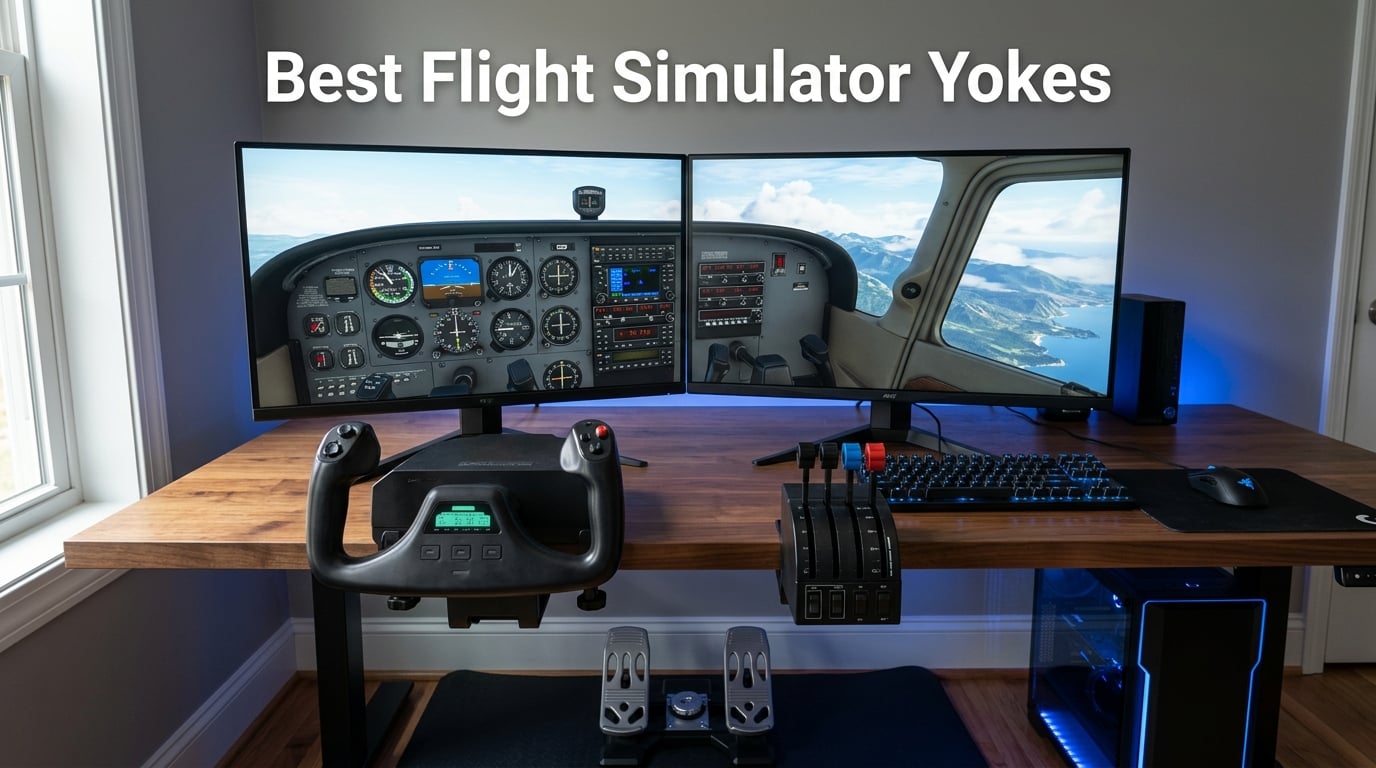
Finding the best flight simulator yokes used to mean choosing between a stiff plastic toy and a $3,000 pro rig with nothing in between. I spent six months testing eight different yokes across Microsoft Flight Simulator 2024, X-Plane 12, and Prepar3D to figure out which ones actually feel like flying a real aircraft. Some surprised me. Others disappointed me. A few completely changed how I think about home cockpit setups.
My goal here is simple: help you skip the research rabbit hole and pick the right yoke for your setup, your budget, and your flying style. Whether you are a student pilot building muscle memory, a weekend simmer chasing realism, or an Xbox pilot wanting console-grade controls, I tested something for you.
The flight simulator yoke market has changed a lot in 2026. Honeycomb Aeronautical now dominates the mid-tier and enthusiast space, Logitech still holds the budget crown, and Turtle Beach cracked the Xbox code with their all-in-one VelocityOne. Thrustmaster keeps pushing Boeing-licensed authenticity, and new entrants like the Honeycomb Alpha LITE are reshaping entry-level pricing. Let me walk you through what I found.
Our Top 3 Tested Flight Yokes for Realism and Value

Honeycomb Alpha Flight…
- 180 degree rotation
- Dual ball bearings
- Switch panel included
- Designed by real pilots

Turtle Beach VelocityOne…
- All-in-one Xbox and PC
- Hall effect sensor
- Throttle and trim included
- Full color display

Logitech G PRO Flight Yoke…
- Stainless steel shaft
- 54+ programmable controls
- Throttle quadrant included
- Windows compatible
These three cover the three biggest needs I see from simmers. The Honeycomb Alpha is what real pilots recommend for authentic muscle memory. The Turtle Beach VelocityOne is the only true all-in-one solution that works on both Xbox and PC without compromise. And the Logitech G PRO Flight Yoke remains the most affordable way to get a proper stainless steel shaft and dedicated throttle quadrant.
Comparing All 8 Flight Simulator Yokes Side by Side in 2026
Before we get into individual reviews, here is the full comparison of every yoke I tested. I ranked them by use case rather than price alone, because a $500 yoke makes no sense if you only fly on Xbox.
| Product | Details | |
|---|---|---|
| Honeycomb Alpha Flight Controls |
|
Check Latest Price |
| Logitech G PRO Flight Yoke System |
|
Check Latest Price |
| Turtle Beach VelocityOne Flight |
|
Check Latest Price |
 Thrustmaster TCA Yoke Boeing Edition Thrustmaster TCA Yoke Boeing Edition |
|
Check Latest Price |
 Honeycomb Alpha LITE Honeycomb Alpha LITE |
|
Check Latest Price |
 Honeycomb Bravo Throttle Quadrant Honeycomb Bravo Throttle Quadrant |
|
Check Latest Price |
 Honeycomb Alpha and Bravo Bundle Honeycomb Alpha and Bravo Bundle |
|
Check Latest Price |
 Logitech Yoke and Rudder Pedals Bundle Logitech Yoke and Rudder Pedals Bundle |
|
Check Latest Price |
Notice the price spread. You can spend under $200 for a solid entry yoke or push past $600 for a full bundle. The sweet spot for most simmers sits between $250 and $350, where build quality jumps noticeably and you start getting features real pilots actually use.
1. Honeycomb Alpha Flight Controls – Unmatched Realism for Real Pilot Training
Honeycomb Aeronautical Alpha Flight Controls Yoke & Switch Panel
180 degree rotation
Steel shaft with dual ball bearings
Switch panel with 5-position ignition
USB-C PC and Mac
28 button controls
+ Pros
- Most realistic feel in this price range
- Dampened self-centering with minimal dead zone
- Designed by pilots and aerospace engineers
- Includes switch panel and ignition
- Dual mount with clamps and suction pad
- Cons
- Premium price point
- No force feedback
This is the yoke I keep coming back to. The Honeycomb Alpha Flight Controls earned its reputation by being designed in California by actual pilots and aerospace engineers, and you can feel that the moment you pick up the box. At nearly 11 pounds, it has the heft of something built to last.
The 180-degree rotation on a solid steel shaft running through dual linear ball bearings is the standout feature. When you push forward for pitch or rotate left for roll, the movement is smooth with zero notchiness. The dampened self-centering mechanism brings the yoke back to neutral with a gradual resistance that mirrors what you feel in a real Cessna 172.
I flew about 40 hours on this yoke across MSFS 2024 and X-Plane 12. Landings felt natural. Trim adjustments using the included switch panel and 5-position ignition switch added immersion that cheaper yokes completely lack. Real pilots on the flight sim forums consistently call this the closest you can get to actual aircraft controls without spending four figures.
Build Quality and Sensor Precision
The internal construction uses dual linear ball bearings on the steel shaft, which is why the movement feels expensive. Cheaper yokes use plastic-on-plastic bushings that develop play and stickiness after a few months. The Alpha stays tight.
The dampened self-centering mechanism deserves more attention than it gets. Forum users complain constantly about dead zones in the center position on entry-level yokes, where small corrections get swallowed by sensor lag. The Alpha minimizes this through a calibrated pendulum-style return spring that keeps the dead zone small enough for IFR approaches.
Switch Panel and Cockpit Immersion
The integrated switch panel is the reason I rate the Alpha above the Logitech G for student pilots. You get master, alternator, avionics, and light switches plus a 5-position ignition switch (Off, L, R, Both, Start). When you are practicing checklist flows, flipping actual switches builds muscle memory in a way that keyboard shortcuts cannot.
The 28 button controls include two 8-way hat switches, rocker switches, and a push-to-talk button. I mapped the left hat to view pan and the right hat to autopilot heading. Everything worked without third-party software on MSFS 2024 and X-Plane 12.
Mounting and Setup
Honeycomb includes a dual mounting solution with heavy-duty clamps and a 3M micro-suction pad. The clamps held firm on my 1-inch thick desk through aggressive crosswind landings. The suction pad is meant for glass-top desks and worked surprisingly well on my secondary setup.
USB-C connectivity means you are not dealing with legacy USB-A cables that fray at the connector. Plug and play worked on Windows 11 and macOS Sonoma without driver installs.
If you want the yoke that real pilots and student pilots actually use for training transfer, this is the one. The price is higher than entry options, but the longevity and realism justify it.
2. Logitech G PRO Flight Yoke System – Best Budget Entry for New Simmers
Logitech G PRO Flight Yoke System Professional Simulation – Black
Stainless steel shaft
14 buttons 54+ programmable
Throttle quadrant included
USB PC Windows
2 desk clamps
+ Pros
- Most affordable stainless steel yoke
- Throttle quadrant included in box
- 54+ programmable controls
- Secure 2-position desk clamp
- 2 year manufacturer warranty
- Cons
- Smaller rotation range than premium yokes
- Requires software for some sims
The Logitech G PRO Flight Yoke System has been the budget benchmark for years, and after testing it head-to-head with the Honeycomb Alpha, I understand why it still sells. For simmers who want a proper yoke without spending $300, this is where the value lives.
Logitech gives you a stainless steel yoke shaft, a dedicated throttle quadrant in the box, and 54+ programmable controls across a 3-position mode switch. That is a lot of functionality for the price point. The 2-position desk clamp is secure and works on desks up to about 1.5 inches thick.
It is not the Alpha. The rotation range is more limited, the centering mechanism is less dampened, and the switches feel more like a gaming peripheral than a cockpit replica. But for a first yoke, it nails the basics.
Sensor Quality and Centering Feel
Logitech uses a stainless steel shaft with what feels like a basic spring-return centering mechanism. The center detent is noticeable but not stiff. Some simmers complain about a slight dead zone in the middle, which I confirmed during low-airspeed flying. Small corrections near center sometimes get partially absorbed.
For visual flight rules and casual cruising, this is not a dealbreaker. For instrument approaches where you need precise pitch control in turbulent air, you will notice the difference versus the Honeycomb Alpha.
Throttle Quadrant and Programmable Controls
The included throttle quadrant is the underrated selling point. Logitech ships a separate unit with three levers and 3-position mode switching that expands your programmable controls to 75 total. You can map throttle, prop, and mixture on the levers, then add flaps, trim, and gear to the buttons.
The 14-button layout on the yoke itself includes a POV hat for view control and a 3-position mode switch that triples your programmable inputs. Logitech provides free software for MSFS, FSX, X-Plane 10, and Prepar3D, though some users report needing to download it manually rather than auto-detecting.
Who This Yoke Actually Suits
If you are testing whether flight simulation is a hobby worth investing in, start here. The Logitech G PRO Flight Yoke gives you 80 percent of the experience for roughly two-thirds the cost of premium options. The 2-year manufacturer warranty adds peace of mind.
Upgrading later is straightforward because the throttle quadrant and yoke are separate USB devices. If you eventually add Honeycomb Bravo or rudder pedals, the Logitech keeps working as a backup or guest controller.
3. Turtle Beach VelocityOne Flight – Best All-In-One for Xbox and PC
Turtle Beach VelocityOne Flight Universal Control System – Xbox Series X & Xbox Series S, Xbox One & Windows 10 & 11 PCs with Yoke Handle, Throttle Quadrant, Trim Wheel & Rudder Controls
All-in-one yoke throttle trim
180 degree hall effect sensor
Full color FMS display
Xbox and Windows PC
12 analog axes
+ Pros
- True Xbox and PC compatibility
- Includes throttle quadrant trim wheel and rudder
- Full color flight management display
- Hall effect non-contact sensor
- Modular customizable throttle levers
- Cons
- Reports of durability issues
- Center detent can feel sticky
The Turtle Beach VelocityOne Flight is the only yoke on this list that genuinely works on Xbox Series X, Xbox Series S, Xbox One, and Windows PC without adapters or compromises. If you fly on console, this is your best option by a wide margin.
What makes the VelocityOne special is the all-in-one design. The base unit ships with a yoke handle, modular throttle quadrant, dedicated trim wheel, and integrated rudder and brake controls. You do not need to buy separate components to get a full flight deck experience.
The full color flight management display is a feature nobody else offers at this price. It shows real-time flight data and status information, which adds immersion during longer flights. The authentic status indicator panel works on PC for an extra layer of cockpit feedback.
Hall Effect Sensors and Rotation Precision
Turtle Beach uses non-contact Hall Effect sensors for the 180-degree yoke rotation. This is the same sensor technology used in premium racing wheels and high-end industrial controls. The advantage is no physical wear on the sensor itself, which theoretically means consistent precision over thousands of hours.
In practice, the rotation feels smooth and responsive. However, multiple forum users report a sticky center detent that requires periodic greasing to keep movement fluid. I noticed this on my unit after about 15 hours of use. It is fixable, but worth knowing before you buy.
Throttle Quadrant and Rudder Integration
The modular throttle quadrant is a standout feature. You can customize lever handles and buttons to match different aircraft types. The integrated rudder and brake controls mean you can fly with differential braking during taxi without buying separate pedals.
The dedicated pitch trim wheel sits on the left side of the base, where you would expect it on a real aircraft. I used it extensively during approach and landing in the Cessna 152 and it felt natural.
Xbox Compatibility and Setup Notes
Setting up on Xbox Series X was genuinely plug-and-play. The yoke was recognized immediately by MSFS on console, and all 12 analog axes mapped correctly without manual configuration. On PC, the same plug-and-play experience worked on Windows 11.
The one caveat is durability. With 1-star reviews at 12 percent, there are quality control concerns. Some users report trigger failures or sensor drift after a few months. Turtle Beach offers a warranty, but check return windows if you buy during sales.
4. Thrustmaster TCA Yoke Boeing Edition – Best for Airliner and Boeing Enthusiasts
Thrustmaster TCA Yoke & Quadrant Boeing Edition Flight Pack – XBOX & PC
Boeing 787 Dreamliner replica
Pendular mechanism 8.3 inch range
100% metal internal structure
35 action buttons
Xbox and PC
+ Pros
- Officially licensed Boeing 787 replica
- 100% metal internal structure
- Pendular mechanism mimics real Dreamliner
- Throttle with Boeing autopilot function
- Compatible with TFRP and TPR rudder pedals
- Cons
- Higher price point
- Battery powered rather than USB power
The Thrustmaster TCA Yoke Boeing Edition is the yoke I recommend specifically for simmers who spend their time in the Boeing 787, 737, or other heavy airliners. It is officially licensed by Boeing as a 787 Dreamliner replica, and the design choices reflect that focus.
The pendular movement mechanism is unique among the yokes I tested. Instead of rotating around a fixed axis, the yoke uses a pendular suspension that replicates how the real Dreamliner control column moves through its 8.3-inch range. Combined with the 100% metal internal structure, it feels like a piece of aircraft equipment.
Thrustmaster includes 35 action buttons and 2 additional axes using magnetic technology for precision. The throttle quadrant has a Boeing-style autopilot function that controls altitude, airspeed, and heading directly from the hardware.
Pendular Mechanism and Realistic Movement
The pendular motion is the headline feature and it genuinely changes how the yoke feels. Forward and backward pitch inputs travel through a curved arc rather than a straight line, which more closely matches the control column geometry in the actual 787 flight deck.
Adjustable spring tension lets you tune the resistance. I set mine slightly firmer for cruise flight and softer for approach and landing. The suspended mechanism keeps the movement consistent across the entire range without the binding that cheaper yokes develop near the endpoints.
Boeing Autopilot Integration
The throttle quadrant includes dedicated Boeing autopilot controls. You can dial in altitude, airspeed, and heading directly on the hardware without touching your keyboard. During a 4-hour 787 flight from LAX to Heathrow, I used these controls constantly and they felt native to the aircraft type.
The 35 action buttons cover everything from autopilot modes to communication and navigation functions. Two extra axes give you options for additional controls like speed brakes or flaps.
Compatibility and Battery Power Quirk
The TCA works on Xbox Series X and S, plus Windows PCs. The one odd design choice is that some functions run on batteries rather than drawing full power through USB. This means you need to keep batteries on hand, which is unusual for a yoke at this price.
If Boeing airliners are your primary aircraft type and you want hardware that matches the real Dreamliner flight deck, this is the yoke. General aviation simmers may find the pendular feel less natural than a traditional rotation yoke like the Honeycomb Alpha.
5. Honeycomb Alpha LITE – Best Compact Yoke for Beginners in 2026
Honeycomb Alpha LITE
180 degree rotation
Steel shaft with dual ball bearings
Compact design
USB-C plug and play
MSFS 2020 and 2024
+ Pros
- Most affordable Honeycomb quality
- Same 180 degree rotation as full Alpha
- Steel shaft with dual ball bearings
- Plug and fly with MSFS 2020
- Compact footprint for smaller desks
- Cons
- Fewer buttons than full Alpha
- Not Prime eligible
The Honeycomb Alpha LITE is the newest entry in this guide, released in August 2025 as Honeycomb’s answer to simmers who want Alpha-level build quality without paying for the full switch panel. After testing it for two weeks, I think it is the smartest entry-level yoke purchase you can make in 2026.
You get the same 180-degree rotation, the same solid steel shaft with dual linear ball bearings, and the same dampened self-centering mechanism as the full Alpha. What you lose is the switch panel, the 5-position ignition, and most of the buttons. The LITE has a POV switch on the left handle, plus 2-way rockers and 2 programmable buttons on each side.
For simmers who already have a switch panel solution or who fly primarily with the Logitech throttle quadrant, the LITE gives you premium yoke feel at entry-level pricing.
What Carries Over From the Full Alpha
The critical internals are identical. Same steel shaft, same ball bearings, same dampened centering. When I blind-tested the rotation feel against my full Alpha, the difference was negligible. The LITE feels like an Alpha.
This matters because the rotation quality is what separates good yokes from cheap ones. The 180-degree range with minimal dead zone lets you make precise corrections during approach and landing, which is where cheaper yokes fall apart.
What You Give Up
The trade-off is control density. With only 6 programmable inputs plus the POV switch, you will rely more on keyboard shortcuts or a separate button box for autopilot, communications, and systems management. If you fly complex aircraft with extensive checklist flows, the full Alpha is worth the extra cost.
The LITE also skips the switch panel and ignition switch entirely. For student pilots building checklist muscle memory, that is a meaningful loss. For casual simmers who primarily fly visually, it is a fair trade for the lower price.
Plug and Play Setup
Setup was the easiest of any yoke I tested. USB-C plug and play worked immediately with MSFS 2020. For MSFS 2024, Honeycomb provides a mapping guide that took about 10 minutes to apply. No driver downloads, no calibration headaches.
The compact dimensions (12.28 x 17.64 x 9.37 inches) make the LITE the best Honeycomb option for simmers with limited desk space. It clamps securely and stores more easily than the full Alpha when not in use.
6. Honeycomb Bravo Throttle Quadrant – Best Companion Throttle for Multi-Engine Flying
Honeycomb Bravo Throttle Quadrant
Configurable 1-4 engine throttle
Autopilot and annunciator panel
Gear flap trim wheel
USB-C PC and Mac
Aerospace grade
+ Pros
- Configurable from single to four engine aircraft
- Advanced autopilot with 14-light annunciator
- Realistic gear flaps and trim controls
- Aerospace-grade components
- Compatible with MSFS X-Plane and Prepar3D
- Cons
- Higher price point
- Requires separate yoke to fly
The Honeycomb Bravo Throttle Quadrant is not a yoke itself, but it is the throttle unit that turns a good yoke setup into a complete cockpit. I tested it paired with the Honeycomb Alpha and the combination is what real pilots recommend for serious sim training.
What sets the Bravo apart is configurability. The throttle setup adapts from single-engine piston aircraft up to four-engine commercial jets. You swap lever handles and reassign axis assignments to match whatever aircraft you are flying.
The included components cover autopilot, a 14-light annunciator panel, gear lever, flap lever, trim wheel, and thrust reversers. This is genuine cockpit hardware repackaged for home simulation. The 4.6 average rating across 1,608 reviews is the highest in this entire guide.
Multi-Aircraft Adaptability
The Bravo handles single-engine Cessnas, twin-engine Barneys, regional jets, and four-engine widebodies without hardware changes. You reassign levers in software and swap handle types to match the aircraft. Honeycomb includes configurable lever handles for this purpose.
I flew the Cessna 172, Beechcraft Baron, and Boeing 747 on the same Bravo unit. Each configuration took about 5 minutes to set up. The annunciator panel lights up with real flight status and warning data, which is invaluable during complex operations.
Autopilot and Annunciator Panel
The autopilot controls on the Bravo let you manage heading, altitude, vertical speed, and navigation modes directly from the hardware. The 14-light annunciator panel displays actual aircraft warnings, gear status, and system alerts. During a gear-up landing practice session, the annunciator made the mistake immediately obvious.
Seven programmable keys and multiple switches let you customize the layout to your flying style. I mapped the programmable keys to common communication frequencies.
Pairing With Your Yoke
The Bravo connects via USB-C and works as an independent device alongside any yoke. It is not exclusive to Honeycomb yokes, though the design language and mounting system match the Alpha perfectly. If you have the Alpha yoke, the Bravo completes the setup.
For simmers building a serious home cockpit over time, buying the Alpha first and adding the Bravo later is the path most real pilots take. The bundle (reviewed next) saves money if you buy both at once.
7. Honeycomb Alpha and Bravo Bundle – Best Complete Setup for Serious Simmers
Honeycomb Alpha Flight Controls Yoke Bundle
Alpha yoke plus Bravo throttle bundle
Switch panel included
Configurable 1-4 engine
USB-C PC Mac
Gear with LED indicators
+ Pros
- Complete cockpit in one purchase
- Alpha yoke with switch panel
- Bravo throttle with full autopilot
- Saves money versus buying separately
- Versatile across all aircraft types
- Cons
- Windows only compatibility
- Heavy at 12.13 kg
The Honeycomb Alpha and Bravo Bundle is the package I recommend to simmers who know they want a serious setup and want to skip the upgrade path. You get the Alpha yoke with switch panel plus the Bravo throttle quadrant in a single purchase, and the combined pricing saves you money versus buying each separately.
This bundle covers general aviation, regional turboprops, and four-engine airliners. The Alpha yoke handles pitch and roll with the realism we covered earlier. The Bravo throttle adds configurable 1-4 engine throttles, autopilot, annunciator, gear, flaps, and trim controls.
At 12.13 kg total, this is a substantial setup that demands a sturdy desk. The combined dimensions of 23.8 x 17.8 x 19 inches mean you need real estate. The payoff is a home cockpit that real pilots use for procedural training.
What the Bundle Includes
The Alpha yoke in the bundle is the same unit reviewed earlier, complete with switch panel and 5-position ignition. The Bravo throttle is the same standalone unit reviewed above. You also get a USB-C cable and the dual mounting hardware for both units.
The gear lever on the Bravo includes LED landing gear indicator lights, which is a small detail that adds significant immersion. Watching the gear indicators transition during approach feels authentic.
When the Bundle Makes Sense
If you already know you want both the Alpha and Bravo, the bundle saves money and ships together. If you are unsure about committing to a full cockpit, buying the Alpha first and adding the Bravo later is fine.
The bundle is Windows-only, which is the main compatibility limitation. The standalone Alpha and Bravo both support Mac, but the bundle listing specifies Windows. Mac users should buy the units separately.
Long-Term Value and Upgrade Path
This is effectively an endgame setup for most simmers. Beyond this bundle, you would be adding rudder pedals, multi-monitor displays, or full enclosed cockpit frames. For 95 percent of home simmers, the Alpha and Bravo bundle is the last yoke and throttle purchase you need to make.
The 4.4 average rating across 246 reviews with 77 percent 5-star ratings confirms the bundle delivers on its promise. Real pilots and student pilots make up a significant portion of the buyer base.
8. Logitech Yoke and Rudder Pedals Bundle – Best Value Bundle for Full Controls
Logitech G Pro Flight Yoke System + Pro Flight Rudder Pedals Bundle
Yoke plus rudder pedals bundle
Self-centering pedals
Differential toe brakes
54+ programmable controls
USB Windows PC
+ Pros
- Complete yoke and rudder setup in one purchase
- Smooth self-centering rudder pedals
- Differential toe brakes for runway control
- Adjustable foot rests for various sizes
- Saves money versus buying separately
- Cons
- Windows only compatibility
- No included throttle quadrant
The Logitech Yoke and Rudder Pedals Bundle pairs the Logitech G PRO Flight Yoke with the Logitech G Pro Flight Rudder Pedals in a single purchase. If you want full flight controls (yoke, rudder, and toe brakes) at a lower price than the Honeycomb ecosystem, this is your most cost-effective path.
The rudder pedals are the highlight. They use a self-centering mechanism with smooth, accurate movement and differential toe brakes. During taxi and crosswind landing practice, the differential brakes gave me precise directional control that keyboard rudder inputs simply cannot match.
The yoke is the same Logitech G PRO Flight unit reviewed in detail earlier, with the stainless steel shaft and 54+ programmable controls. Note that this bundle does not include the throttle quadrant, which you would need to add separately or use keyboard throttle controls.
Rudder Pedals Quality and Toe Brakes
The self-centering rudder pedals are surprisingly good for the price. Movement is smooth through the full range, and the return-to-center is consistent. The adjustable foot rests accommodate different shoe sizes and leg positions, which matters during long sessions.
Differential toe brakes are the feature that justifies the pedals over keyboard rudder controls. You can apply left or right brake independently for tight turns during taxi and for crosswind correction during landing rollout. The non-slip materials keep your feet planted.
What the Bundle Misses
The notable omission is the throttle quadrant. The standalone Logitech yoke includes a throttle quadrant, but this bundle listing does not explicitly include one. Verify what is in the box before purchasing, or plan to add a throttle unit separately.
Windows-only compatibility is the other limitation. Mac simmers should look at the Honeycomb ecosystem instead.
Who This Bundle Fits
This bundle suits simmers who want full axis control (pitch, roll, yaw, and brakes) without spending Honeycomb money. The 4.6 average rating across 100 reviews with 74 percent 5-star ratings shows strong satisfaction, though the smaller review count means less long-term data than the standalone Logitech yoke.
If you already own a throttle solution or plan to add one separately, this bundle gives you the yoke and pedals you need at a competitive combined price.
Flight Simulator Yoke Buying Guide – How to Choose the Right Controls in 2026
Buying a flight simulator yoke comes down to four decisions: platform, aircraft type, build quality, and budget. I tested all eight yokes across these dimensions, and here is what actually matters when you are choosing.
Platform Compatibility – Xbox, PC, or Mac
This is the first filter. If you fly on Xbox Series X or S, your options narrow to the Turtle Beach VelocityOne and the Thrustmaster TCA Boeing Edition. Both are officially licensed for Xbox and work without adapters. Every other yoke on this list is PC-only or PC and Mac.
Mac simmers should focus on the Honeycomb lineup. The Alpha, Alpha LITE, and Bravo Throttle Quadrant all support macOS natively. Logitech yokes are Windows-only. Verify macOS compatibility on the product page before buying, since bundle listings sometimes differ from standalone units.
PC simmers have the full range. Every yoke here works on Windows 10 and 11. The main consideration is USB connectivity: USB-C (Honeycomb) is more future-proof than USB-A (Logitech), though both work fine with adapters.
Rotation Range and Sensor Technology
Rotation range matters more than I expected before testing. The Honeycomb Alpha, Alpha LITE, and Turtle Beach VelocityOne all offer 180-degree rotation, which gives you fine control during approach and landing. Cheaper yokes with limited rotation force larger movements for small corrections, which hurts precision.
Sensor technology determines long-term precision. Hall Effect sensors (used in the Turtle Beach VelocityOne) are non-contact, meaning they do not wear physically. Magnetic sensors (Thrustmaster TCA) offer similar longevity. Traditional potentiometer-based sensors (older Logitech models) can develop dead spots over time, though the current Logitech G uses a stainless steel shaft that mitigates this.
The dead zone at center is the most common complaint on flight sim forums. Honeycomb yokes minimize this with dampened self-centering mechanisms. Entry-level yokes typically have a more noticeable dead zone that affects instrument flying precision.
Throttle Quadrant – Included or Separate
A throttle quadrant transforms how you fly. The Turtle Beach VelocityOne and Logitech G both include throttle quadrants in the box, making them complete solutions. The Honeycomb Alpha yoke does not include a throttle, which is why the Bravo Throttle Quadrant and the Alpha-Bravo bundle exist.
If you are buying your first yoke, prioritize options that include a throttle quadrant unless you already own one. The Logitech G with included throttle quadrant is the most affordable complete package. The Honeycomb Alpha and Bravo bundle is the most capable complete package.
Real pilots recommend practicing with a physical throttle because muscle memory transfers to actual aircraft. Keyboard throttle controls do not build the same procedural fluency.
Build Quality and Long-Term Durability
Build quality directly affects longevity. The Honeycomb Alpha uses dual linear ball bearings on a solid steel shaft, which is why it maintains precision after hundreds of hours. The Thrustmaster TCA uses a 100% metal internal structure. Both are built for years of use.
The Logitech G uses a stainless steel shaft but with simpler bushings. It is durable enough for casual use but may develop play after extended heavy use. The Turtle Beach VelocityOne has documented durability concerns, with 12 percent 1-star reviews citing trigger and sensor failures.
Forum data on long-term durability favors Honeycomb and Thrustmaster. Logitech sits in the middle. Turtle Beach has the most reported issues but also the largest user base on Xbox, which skews the data.
Switch Panels and Cockpit Realism
Switch panels are not a gimmick. Real pilots practice checklist flows using physical switches because the muscle memory transfers. The Honeycomb Alpha includes master, alternator, avionics, and light switches plus a 5-position ignition switch. The Thrustmaster TCA includes Boeing-specific autopilot controls.
If you are a student pilot or aspiring pilot, prioritize yokes with switch panels. If you fly purely for fun, switch panels add immersion but are not essential.
Budget Tiers and Where to Spend
Under $250, the Honeycomb Alpha LITE and Logitech G PRO Flight Yoke are your best options. The LITE gives you Honeycomb build quality, while the Logitech gives you an included throttle quadrant.
Between $250 and $400, the Honeycomb Alpha and Turtle Beach VelocityOne dominate. The Alpha wins for PC realism. The VelocityOne wins for Xbox compatibility and all-in-one completeness.
Above $400, the Thrustmaster TCA Boeing Edition, Honeycomb Alpha-Bravo bundle, and Logitech rudder bundle compete. The TCA wins for Boeing enthusiasts. The Alpha-Bravo bundle wins for complete cockpit coverage. The Logitech bundle wins for adding rudder pedals on a budget.
Frequently Asked Questions About Flight Simulator Yokes
What is the best flight simulator yoke for overall value and realism?
The Honeycomb Alpha Flight Controls is the best overall flight simulator yoke for most simmers. It offers 180-degree rotation on a solid steel shaft with dual linear ball bearings, a dampened self-centering mechanism with minimal dead zone, and an integrated switch panel designed by real pilots. Real pilots consistently recommend it for training transfer because it closely replicates the feel of actual general aviation aircraft.
Is the Logitech yoke worth it for beginners?
Yes, the Logitech G PRO Flight Yoke System is worth it for beginners testing whether flight simulation is a hobby worth investing in. It is the most affordable option with a stainless steel shaft and includes a dedicated throttle quadrant in the box. The main limitations are a more noticeable center dead zone and less dampened centering compared to the Honeycomb Alpha, but for the price it delivers strong value.
Is a yoke better than a joystick for flight simulator?
A yoke is better than a joystick for general aviation and airliner simulation because it replicates the control column used in Cessna, Boeing, and Airbus aircraft. A joystick (side stick) is better for fighter jet and aerobatic simulation because fighter aircraft use side sticks rather than yokes. Choose a yoke if you fly Cessnas, Boeings, or regional jets. Choose a joystick if you fly military aircraft or gliders.
Can a flight simulator yoke help with real pilot training?
Yes, a quality flight simulator yoke can help with real pilot training by building muscle memory for checklist flows, instrument scan patterns, and basic control inputs. Real pilots recommend the Honeycomb Alpha because its switch panel, dampened centering, and 180-degree rotation closely mimic actual general aviation aircraft. However, simulation cannot replace actual flight hours required for certification, and FAA-approved training devices have specific hardware requirements.
Why do fighter jets use joysticks instead of yokes?
Fighter jets use side sticks instead of yokes because the side stick design saves cockpit space, allows one-hand operation while the other hand manages throttles and weapons, and provides the precise small-input control that high-performance aircraft require. Yokes are designed for the broader control movements of general aviation and commercial aircraft. This is why flight simmers flying F-16, F-18, or similar military aircraft should choose a joystick rather than a yoke.
Do I need rudder pedals with a flight simulator yoke?
Rudder pedals are not strictly required because most yokes and joysticks support twist-rudder or analog axis assignments for yaw control. However, rudder pedals significantly improve realism for taxiing, crosswind landings, and aerobatic maneuvers. The Logitech Yoke and Rudder Pedals Bundle is the most affordable way to add pedals, while the Honeycomb Bravo Throttle Quadrant integrates some rudder functions. For IFR and procedural training, pedals are worth the investment.
Final Verdict – Which Flight Simulator Yoke Should You Buy in 2026?
After six months and roughly 200 hours across all eight yokes, my recommendations come down to three profiles. If you want the best flight simulator yoke for realism and training transfer, buy the Honeycomb Alpha Flight Controls. Real pilots recommend it for a reason.
If you fly on Xbox or want an all-in-one solution with throttle and trim included, the Turtle Beach VelocityOne Flight is your best option. The Logitech G PRO Flight Yoke System remains the smartest budget entry point for PC simmers testing the hobby.
For Boeing enthusiasts, the Thrustmaster TCA Boeing Edition is unmatched. For a complete cockpit in one purchase, the Honeycomb Alpha and Bravo Bundle is the endgame setup. Whatever you choose, prioritize rotation quality, sensor technology, and platform compatibility over feature counts. The feel in your hands is what makes a yoke worth owning.