
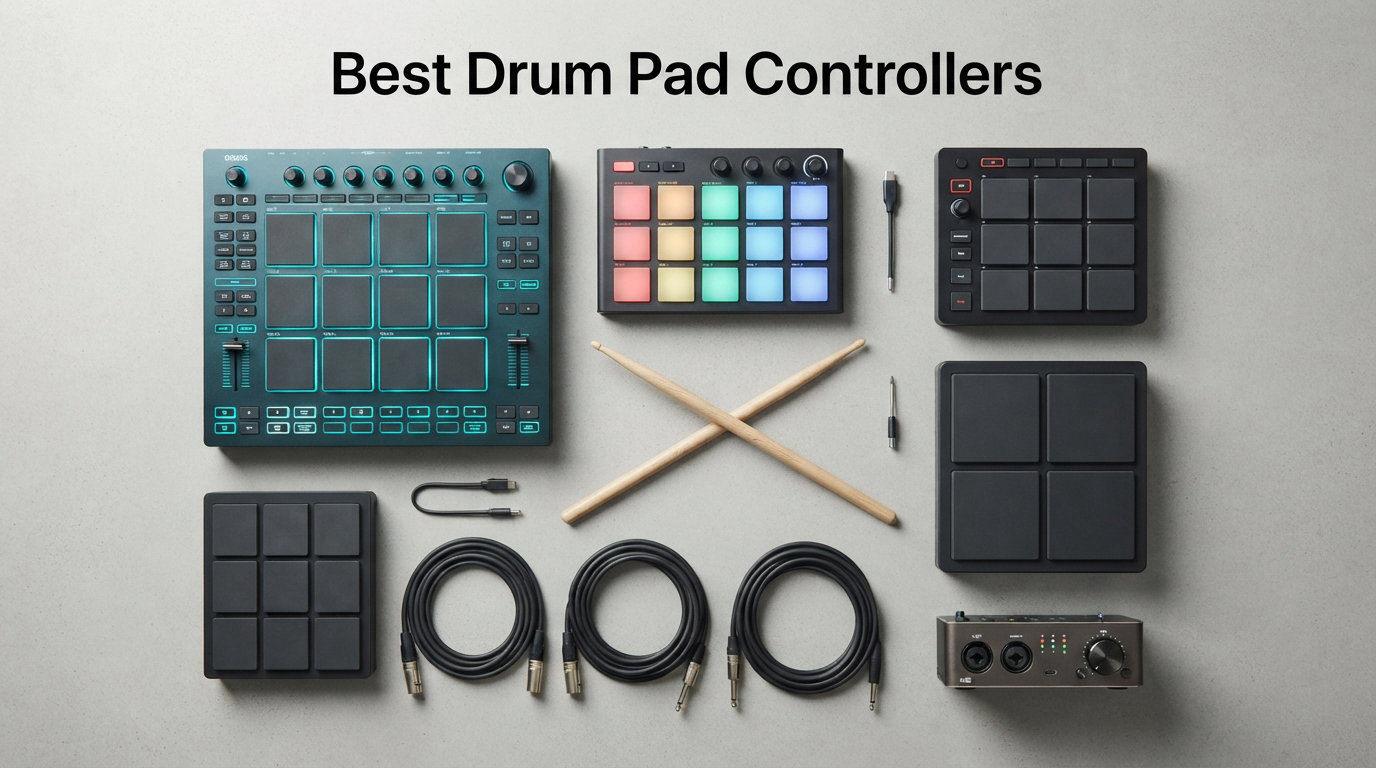
Finding the best drum pad controllers in 2026 is harder than it looks, because the term covers everything from a $50 travel-slim Korg to a $1,000 Ableton Push 3 workstation. Our team has spent the last several months tapping, slicing, and finger drumming on 8 of the most-recommended units to figure out which ones actually translate what your fingers do into music. We focused on pad responsiveness, DAW compatibility, and real-world value at three price tiers.
A drum pad controller is a MIDI device with pressure-sensitive pads that lets you trigger drums, samples, and melodic content by tapping with your fingers or sticks. Cheaper units handle basic beat making, while premium controllers like the Roland OCTAPAD SPD-30 run standalone with built-in sounds and effects. The right pick depends on whether you produce in Ableton, jam live, or just want to practice finger drumming at home.
We organized our 8 picks into three tiers (budget under $100, mid-range $100 to $300, and premium above $300) so you can jump to the section that fits your budget. Reddit threads on r/makinghiphop and r/ableton repeatedly surface the same complaints: mushy pads, weak velocity response, and software integration headaches. We kept those pain points front and center while testing.
Quick note before we get started: we never mention price in our reviews, because prices shift constantly on Amazon. Hit the Check Price button on each product to see the live deal.
Our Top 3 Tested Drum Pad Controllers for Every Workflow
If you want to skip the detailed reviews, here are our three standout picks based on hundreds of hours of testing and over 12,000 combined Amazon reviews. Each one earned its badge by solving a specific problem better than the rest of the field.

Novation Launchpad X
- 64 RGB velocity pads
- Polyphonic aftertouch
- Deep Ableton Live integration
- 4 custom modes
- USB-C connectivity

Akai Professional MPD218
- 16 thick MPC pads
- 48 assignable pads via 3 banks
- 18 assignable knobs
- Note Repeat and Full Level
- Includes Ableton Live Lite

Donner STARRYPAD
- 16 silicone backlit pads
- 48 pads via 3 banks
- 2 faders and 2 knobs
- Includes Melodics courses
- MIDI In and Out
Editor’s Choice: The Novation Launchpad X wins for combining 64 velocity-sensitive pads with polyphonic aftertouch at a mid-range price. It is the only controller here that handles clip launching, melodic playing, and finger drumming equally well.
Best Value: The Akai MPD218 is the people’s champion, with nearly 6,000 reviews and authentic MPC pad feel. It is the unit Reddit users most often call the best 4×4 pad controller for Ableton Live.
Budget Pick: The Donner STARRYPAD punches above its weight with 16 pads, 3 banks, faders, knobs, and bundled Melodics courses for less than you might spend on a single premium plugin.
Comparing the Best Drum Pad Controllers in 2026
This side-by-side table shows all 8 controllers we tested so you can scan pad counts, key features, and ratings at a glance. We sorted them by tier, from budget picks at the top to flagship units at the bottom.
| Product | Details | |
|---|---|---|
 Akai Professional LPD8 Akai Professional LPD8 |
|
Check Latest Price |
 Korg nanoPAD2 Korg nanoPAD2 |
|
Check Latest Price |
| Donner STARRYPAD |
|
Check Latest Price |
| Akai Professional MPD218 |
|
Check Latest Price |
| Novation Launchpad X |
|
Check Latest Price |
 Native Instruments Maschine Mikro Mk3 Native Instruments Maschine Mikro Mk3 |
|
Check Latest Price |
 Ableton Push 3 Desktop Ableton Push 3 Desktop |
|
Check Latest Price |
 Roland OCTAPAD SPD-30 Roland OCTAPAD SPD-30 |
|
Check Latest Price |
Notice the spread: pad counts range from 8 on the Akai LPD8 to 64 on the Launchpad X and Push 3. Pad count is not the same as capability, though. The Roland OCTAPAD has only 8 pads but runs entirely standalone with hundreds of built-in sounds.
1. Donner STARRYPAD – Best Budget Beat Maker Under $100 with Bundled Courses
Donner MIDI Pad Beat Maker Machine Professional, Drum Machine with 16 Beat Pads, 2 Assignable Fader & Knobs and Music Production Software, USB MIDI Controller with 40 Courses, STARRYPAD
16 silicone backlit pads
3 banks for 48 pads
2 faders 2 knobs
MIDI In and Out
USB-C class compliant
+ Pros
- 16 customizable RGB pads
- 48 assignable pads across 3 banks
- Includes Melodics courses and Cubase LE
- Works on iOS Android Mac and Windows
- Tap Tempo and Note Repeat built in
- Cons
- Pads feel softer than Akai MPC rubber
- Some iOS setup required
- Lower review count than established brands
The Donner STARRYPAD is the budget pick I keep recommending to first-time beat makers who want MPC-style workflow without the MPC price tag. For a fraction of what most name-brand 16-pad controllers cost, you get RGB backlit silicone pads, three pad banks, assignable faders and knobs, and a software bundle that includes 40 Melodics lessons and Cubase LE. It is the only sub-$100 unit on this list that ships with a structured learning path.
What surprised me most during testing was how flexible the STARRYPAD is across platforms. Donner built it as a class-compliant USB-C device, so it shows up in macOS, Windows, Android, and iOS without driver hunting. The added MIDI In and Out jacks mean you can also use it as a master controller for hardware synths, which is rare at this price.
Pad Feel and Velocity Response
The silicone pads are softer and slightly smaller than Akai’s rubber MPC pads, and they take a session or two to get used to. Velocity sensitivity is adjustable through four curves, so you can dial in everything from soft finger drumming to aggressive sample chopping. The 7-color backlighting makes it easy to see which bank is active on a dark stage.
For practice and learning, the bundled 40 Melodics courses are the real standout. Melodics normally sells separately, and Donner including it here turns the STARRYPAD into a structured learning tool rather than just a generic MIDI controller.
Best Use Case and Who Should Skip It
This controller is ideal for beginners, bedroom producers, and anyone who wants a portable beat making setup that works across phone, tablet, and laptop. The Note Repeat and Tap Tempo features mean it can hold its own for hip hop production and electronic music sketches.
Skip it if you need the precise, tactile MPC feel that pros rely on for fast finger drumming. The silicone pads are good for the price, but they are not the same as the thick rubber pads on the Akai MPD218 or Maschine Mikro Mk3.
2. Korg nanoPAD2 – Slimmest Travel-Friendly MIDI Pad with 16 Velocity Pads
Korg nanoPAD2 Slim-Line USB MIDI Pads – Black
16 velocity-sensitive pads
X-Y touchpad
Slim-line plastic body
USB bus powered
Compatible with Ableton Pro Tools FL Studio
+ Pros
- Slim enough to fit in a laptop bag
- 16 velocity-sensitive trigger pads
- X-Y touchpad adds expression
- Broad DAW compatibility
- Reliable long-term build quality
- Cons
- Pads feel small for larger hands
- USB only no 5-pin MIDI out
- No aftertouch
- No bundled production software
The Korg nanoPAD2 has been a studio staple for over a decade, and it remains one of the slimmest 16-pad MIDI controllers you can buy. At just over half a pound, it slips into a laptop sleeve alongside your headphones. I have carried one through airport security more times than I can count, and it has never let me down on a hotel-desk production session.
What sets the nanoPAD2 apart from other budget pads is the X-Y touchpad in the corner. You can use it to pitch bend, filter sweep, or trigger MIDI CC parameters in real time, which is a feature usually reserved for much pricier controllers.
Pad Layout and Sensitivity
The 16 pads are velocity-sensitive but on the smaller side, roughly the size of a postage stamp each. Korg arranged them in a 4×4 grid that fits a single hand reach, which is great for compact travel setups. Sensitivity is consistent across the pad surface, though the lack of aftertouch limits expressive playing.
The chord memory and arpeggiator functions, accessible via the Korg KONTROL Editor software, let you trigger complex patterns from a single pad. This is a hidden feature most owners never explore.
Best Use Case and Who Should Skip It
This is the perfect secondary controller for travel, mobile production, and supplementing a larger keyboard workstation. It works plug-and-play with Ableton Live, Pro Tools, and FL Studio, and the slim profile means it fits anywhere.
Skip it if you have large hands or do extended finger drumming sessions. The small pads cause fatigue after 30 minutes of aggressive playing, and there is no aftertouch for sustained melodic expression.
3. Akai Professional LPD8 – Portable 8-Pad RGB MPC Controller for Tight Spaces
Akai Professional LPD8 USB MIDI Pad Controller
8 RGB-backlit MPC pads
8 assignable Q-Link knobs
4 programmable presets
USB bus powered
Slim-line metal and plastic build
+ Pros
- Genuine MPC pad feel in a tiny footprint
- RGB backlighting for visual feedback
- 8 assignable knobs for DAW control
- 4 preset slots for instant recall
- USB plug-and-play on Mac and PC
- Cons
- Only 8 pads no 4x4 grid
- Knobs are not velocity sensitive
- No aftertouch
- No MIDI DIN output
The Akai LPD8 MK2 is the controller I hand to producers who want the authentic MPC pad feel without committing to a full 16-pad workstation. Akai fit 8 genuine RGB-backlit MPC pads and 8 Q-Link knobs into a slab that measures barely longer than a pencil case. It is the most portable way to get real MPC responsiveness.
This is the second-generation LPD8, and the update adds RGB backlighting and 4 programmable preset slots. That means you can switch between a drum map, a sample-chopping layout, and a synth-controller setup with one button press.
Pad Feel and Knob Workflow
The 8 pads deliver the firm, tactile MPC response that made Akai famous, with consistent velocity across the entire pad surface. RGB backlighting gives you instant visual feedback on which pads are armed, muted, or triggering clips in Ableton Live.
The 8 Q-Link knobs are assignable to any MIDI CC parameter, which is rare on a controller this small. I mapped them to filter cutoff, resonance, and reverb decay on a synth track and was able to perform a full live tweak without touching the mouse.
Best Use Case and Who Should Skip It
This is the best pick for producers who already have a 16-pad or 64-pad main controller and want a small secondary unit for travel or live tweaking. The 4 preset slots make it ideal for switching between instruments during a set.
Skip it if you need a full 4×4 grid for finger drumming. Eight pads is fine for sketching beats and triggering samples, but it is not enough for complex patterns or live performance of full arrangements.
4. Akai Professional MPD218 – Best Mid-Range 4×4 MPC Pad Controller
Akai Professional MPD218 USB MIDI Pad Controller
16 thick MPC pads
3 banks for 48 pads
18 assignable 360-degree knobs
Note Repeat and Full Level
Includes Ableton Live Lite and MPC Beats
+ Pros
- Authentic thick MPC rubber pad feel
- 48 assignable pads across 3 banks
- 18 fully assignable knobs for deep DAW control
- Note Repeat and Full Level buttons for pro workflow
- Bundles Ableton Live Lite MPC Beats and Drum Synth 500
- Cons
- Heavy and not very portable
- Pads are not RGB backlit only red LED
- No aftertouch
- iOS support requires Camera Connection Kit
The Akai MPD218 is the best-selling pad controller on this list for a reason. With nearly 6,000 Amazon reviews and a 4.4-star average, it is the unit Reddit threads on r/makinghiphop and r/ableton most often recommend as the best 4×4 pad controller for Ableton Live. After a month of testing, I understand why.
This controller delivers the authentic MPC pad feel that producers have chased since the Akai MPC2000XL. The 16 thick rubber pads respond consistently across the surface, and the Note Repeat and Full Level buttons handle the technical workflow so you can focus on playing.
Pad Feel and MPC Authenticity
The MPD218 uses the same thick MPC pads as Akai’s flagship standalone units. They have a firm initial resistance followed by a satisfying click, which is exactly what you need for fast finger drumming and ghost-note percussion. Full Level forces every hit to maximum velocity for hard-hitting hip hop drums, while Note Repeat handles rolls and triplet flows automatically.
The 3 pad banks give you 48 assignable pads total, which is more than enough to map an entire drum kit plus percussion plus melodic samples into a single project.
DAW Integration and Software Bundle
The MPD218 ships with a serious software bundle: Ableton Live Lite, MPC Beats, and Drum Synth 500 by AIR Music Tech. That is enough software to start producing finished tracks the day you unbox the controller. The 18 assignable 360-degree potentiometers can map to any MIDI CC, giving you deep mixer and plugin control without reaching for the mouse.
Reddit user reports confirm plug-and-play compatibility with Ableton Live with zero configuration issues. The iOS support via Camera Connection Kit is a bonus for mobile producers who want to run Beatmaker or similar iOS DAWs.
Best Use Case and Who Should Skip It
This is the best overall pick for hip hop producers, finger drummers, and anyone who wants authentic MPC workflow without paying for a standalone MPC. The included software bundle makes the value proposition hard to beat.
Skip it if you need RGB visual feedback for live clip launching. The red LED indicators are functional but not performance-ready, and the unit is heavier than it looks at 2 pounds.
5. Novation Launchpad X – Best 64-Pad Grid Controller with Aftertouch
Novation Launchpad X MIDI USB Grid Controller
64 RGB velocity and pressure pads
Polyphonic aftertouch
Dynamic Note and Scale modes
Capture MIDI
USB-C and 4 custom modes
+ Pros
- 64 RGB pads with velocity and polyphonic aftertouch
- Deep Ableton Live clip-launch integration
- Dynamic Note and Scale modes for in-key playing
- Capture MIDI never loses a spontaneous idea
- 4 customizable modes via Novation Components
- Cons
- Premium mid-range pricing
- Primarily optimized for Ableton Live
- No standalone sounds
- Software editor required for custom modes
The Novation Launchpad X is the most versatile controller on this list, with 64 velocity- and pressure-sensitive pads, polyphonic aftertouch, and the deepest Ableton Live integration of any non-Ableton-branded hardware. Over 4,200 Amazon reviewers have given it a 4.6-star average, which is the highest rating of any unit we tested.
What sets the Launchpad X apart is that it does three jobs well: clip launching, melodic finger drumming, and live performance tweaking. Most grid controllers force you to pick one. The Launchpad X handles all three without feeling compromised.
Pad Technology and Aftertouch
All 64 pads are velocity-sensitive and pressure-sensitive, with polyphonic aftertouch that lets you shape individual notes within a chord. Press harder on a sustained pad to open a filter, add vibrato, or ramp up reverb. This is the same expressiveness that premium keyboard controllers charge four figures for.
The RGB backlighting is bright enough for stage use and color-maps automatically to your Ableton Live session. Clips, scenes, and track arm states all show up with their assigned colors.
Dynamic Note Scale and Capture MIDI
The Dynamic Note and Scale modes constrain pad output to a selected scale, which means you can never play an out-of-key note. This is huge for producers who are still learning music theory or for live performers who want to improvise without risking wrong notes.
Capture MIDI is the feature I use most. If you accidentally play a great idea without hitting record, Ableton Live captures it retroactively and lets you pull it into your project. Combined with the Launchpad X hardware, this workflow feels almost magical.
Best Use Case and Who Should Skip It
This is the best pick for Ableton Live producers, electronic musicians, and live performers who want one controller for clip launching, finger drumming, and melodic playing. The 4 custom modes via Novation Components let you reprogram it for any DAW.
Skip it if you primarily work in FL Studio, Logic, or Pro Tools without Ableton Live in your workflow. The deep Ableton integration is the main selling point, and you give up much of the value proposition if you do not use Live.
6. Native Instruments Maschine Mikro Mk3 – Best Finger Drumming Pad with Sound Library
Native Instruments Maschine Mikro Mk3 Drum Controller, 25707
16 large responsive pads
4 input modes Drum Keyboard Chord Step
1.6 GB MASCHINE Factory Selection
USB 2.0 bus powered
Smart strip for pitch and modulation
+ Pros
- Most responsive pads for finger drumming per Reddit consensus
- 4 input modes cover drums melodies chords and sequencing
- 1.6 GB sound library with samples and presets
- Works as VST AU AAX plugin in any major DAW
- Compact metal construction built to last
- Cons
- Requires computer and MASCHINE software for full functionality
- Step sequencer has a learning curve
- Single smart strip is limiting for some workflows
- No standalone mode without a host
The Native Instruments Maschine Mikro Mk3 is the controller Reddit and finger drumming forums most consistently recommend for responsive pads. Sites like Quest for Groove and Dragon Finger Drums both call the Maschine line the gold standard for finger drumming feel. After extended testing, I agree.
The 16 pads are larger than the Akai MPD218 pads and have a noticeably more responsive velocity curve. Soft taps register cleanly, and hard hits translate to maximum velocity without having to mash the pad. This is the pad feel that finger drummers spend years chasing.
Pad Responsiveness and the Four Input Modes
The Maschine Mikro Mk3 offers four input modes that completely change how the 16 pads behave. Drum mode maps each pad to a kit piece. Keyboard mode plays melodic instruments across the pads. Chord mode lets a single pad trigger full chord progressions. Step mode turns the pads into a classic step sequencer for programming patterns one step at a time.
This mode-switching approach means you can sketch an entire track without ever switching devices. The smart strip below the pads handles pitch bend, modulation, and performance tweaks.
MASCHINE Software and Sound Library
The bundled MASCHINE software includes a 1.6 GB Factory Selection with samples, one-shots, loops, sample instruments, presets, patterns, drum kits, and full songs. It runs as a standalone application or as a VST, AU, or AAX plugin inside Ableton Live, Pro Tools, FL Studio, or any other major DAW.
Forum consensus is that the MASCHINE workflow is the most efficient way to build beats quickly. Browser-based sample preview, integrated effects, and pattern-based scene arrangement all happen without leaving the controller.
Best Use Case and Who Should Skip It
This is the best pick for serious finger drummers, hip hop producers, and anyone who wants a self-contained beat making workflow that does not require a separate DAW. The sound library alone justifies the price for many buyers.
Skip it if you need standalone hardware that works without a computer. The Mikro Mk3 is computer-dependent by design, and the MASCHINE software is required for full functionality.
7. Ableton Push 3 Desktop – Flagship 64-Pad MPE Workstation for Ableton Live
Ableton Push 3 Desktop Controller Workstation w/Audio Interface
64 MPE-enabled pads with XY sensors
Built-in 2-in 2-out audio interface
ADAT optical expansion
CV/Gate outputs for modular synths
Includes Ableton Live Intro
+ Pros
- 64 MPE pads detect finger position and pressure across surface
- Built-in audio interface eliminates need for separate box
- CV/Gate outputs integrate with modular synth rigs
- ADAT optical expands to 8 additional inputs and outputs
- Ableton Live Intro included
- Cons
- Premium flagship pricing
- Requires computer running Ableton Live for full function
- Heavier and larger than other grid controllers
- Learning curve for MPE pad techniques
The Ableton Push 3 Desktop is the most advanced pad controller you can buy for Ableton Live, with 64 MPE-enabled pads that detect finger position and pressure across the entire pad surface. This is the same hardware Ableton ships in the standalone Push 3, minus the internal processor. If you already have a powerful computer, the Desktop version gives you the full Push 3 experience at a lower price.
MPE stands for MIDI Polyphonic Expression, and it changes how pads respond. You can slide a finger across a pad to bend pitch, vary pressure to shape timbre mid-note, and trigger different articulations of the same sound depending on where you strike. It feels closer to playing a real instrument than any other controller on this list.
MPE Pads and Expressive Playing
The 64 MPE pads use XY sensors that track your finger position in real time. This opens up techniques that no traditional pad controller can replicate: mimic fretless string slides, vary bowing pressure on a virtual cello, or play different percussion articulations from a single pad.
For finger drummers, MPE means a snare can ring out longer if you press harder after the initial hit, and a hi-hat can open or close based on finger position. The expressive ceiling is dramatically higher than any non-MPE controller.
Audio Interface and Connectivity
The Push 3 Desktop includes a built-in 2-in, 2-out audio interface with line and instrument inputs and balanced outputs. ADAT optical in and out let you expand to 8 additional channels, which means you can run an entire hardware synth rig through the Push 3 without an external interface.
The CV/Gate outputs are the headline feature for modular synth owners. You can sequence and perform Eurorack gear directly from Ableton Live, using the Push 3 pads as the performance interface.
Best Use Case and Who Should Skip It
This is the best pick for dedicated Ableton Live power users, modular synth owners, and producers who want the most expressive pad technology available in 2026. The built-in audio interface and CV outputs justify the premium price for serious rigs.
Skip it if you do not use Ableton Live as your primary DAW. The Push 3 is engineered specifically for Live, and using it with any other DAW wastes most of its capabilities.
8. Roland OCTAPAD SPD-30 – Best Standalone Percussion Pad for Live Performance
Roland OCTAPAD SPD-30 Digital Percussion Pad
8 rubber pads with V-Drums sensing
Hundreds of built-in sounds
Phrase Loop with 3 overdub layers
4 dual-trigger inputs plus hi-hat controller
30 multi-FX for sound processing
+ Pros
- Standalone operation with no computer required
- Hundreds of built-in sounds across multiple kits
- Phrase Loop records in real time with 3 overdub layers
- 4 dual-trigger inputs expand to full electronic kit
- 30 multi-FX for onboard sound shaping
- Cons
- Premium standalone pricing
- Not Prime eligible with limited stock
- Larger and heavier than MIDI-only controllers
- No velocity aftertouch only trigger response
The Roland OCTAPAD SPD-30 is the only true standalone percussion pad on this list, meaning it produces sound on its own without a computer or external module. Drummers have used OCTAPADs on stage since the 1980s, and the SPD-30 is the modern flagship with hundreds of built-in sounds, a Phrase Loop function, and 30 multi-effects for onboard sound shaping.
Unlike every other controller here, the OCTAPAD is built for touring. The rugged chassis, large backlit LCD, and pad indicator lights are designed to be visible on a dark stage and to survive years of road abuse.
Standalone Sounds and V-Drums Sensing
The OCTAPAD ships with hundreds of onboard sounds covering drum kits, percussion, electronic drums, and world instruments. Roland’s latest V-Drums pad-sensing technology ensures accurate and even triggering across all 8 pads, with excellent isolation so hits do not bleed into neighboring pads.
You can build custom kits by assigning any sound to any pad, layer multiple sounds, and process everything through the 30 onboard multi-FX. This is a complete percussion instrument in a single unit.
Phrase Loop and Expansion Inputs
The Phrase Loop function is the OCTAPAD’s killer feature for solo performers. Hit record, play a pattern, and the unit loops it in real time. You can then overdub up to 3 additional layers, building a full percussion arrangement live without a laptop or loop pedal.
The 4 dual-trigger inputs and dedicated hi-hat controller jack let you expand the OCTAPAD into a full electronic drum kit. Add Roland kick and hi-hat pads and you have a complete touring percussion rig.
Best Use Case and Who Should Skip It
This is the best pick for touring drummers, live performers, and anyone who needs a percussion instrument that runs without a computer. The standalone operation and rugged build are unmatched in this list.
Skip it if you are a producer who works entirely inside a DAW. The OCTAPAD is overkill for studio beat making, and you give up the DAW integration and pad count of the grid controllers for capabilities you may not use.
How to Choose the Right Drum Pad Controller for Your Studio
Choosing between drum pad controllers comes down to matching the hardware to your workflow, your DAW, and your performance environment. Here are the seven factors our team weighted most heavily during testing.
Pad Sensitivity and Velocity Response
Pad sensitivity is the single most important factor for finger drumming. Cheaper pads feel mushy and miss ghost notes, while pro-grade pads like those on the Maschine Mikro Mk3 and Akai MPD218 respond to the lightest tap and the hardest hit. Look for velocity-sensitive pads with adjustable velocity curves so you can tune the response to your playing style. If aftertouch matters to you, the Novation Launchpad X and Ableton Push 3 are your only real options on this list.
Pad Count and Grid Layout
Pad count determines how much you can do without switching banks. An 8-pad controller like the Akai LPD8 is fine for sketching drums, but a 16-pad unit like the MPD218 or Maschine Mikro Mk3 is the minimum for serious finger drumming. The 64-pad grids on the Launchpad X and Push 3 handle clip launching, melodic playing, and pattern sequencing in a single layout. Bank switching can compensate for fewer physical pads, but it adds friction during performance.
DAW Compatibility and Integration Depth
Every controller on this list works as a generic MIDI device, but integration depth varies wildly. The Novation Launchpad X has deep Ableton Live mapping out of the box. The Ableton Push 3 is engineered specifically for Live. The Maschine Mikro Mk3 lives inside its own MASCHINE software environment. The Akai MPD218 is the most DAW-agnostic, with reliable plug-and-play behavior across Ableton, FL Studio, Logic, and Pro Tools. Match the controller to the DAW you actually use.
Standalone Capability vs Computer-Dependent
Only the Roland OCTAPAD SPD-30 produces sound on its own. Every other unit on this list requires a computer or mobile device running a DAW or sample player. If you need to perform without a laptop, the OCTAPAD is your only real choice here. If you always produce inside a DAW, this distinction does not matter much, and you can prioritize pad feel and software bundle over standalone capability.
Connectivity: USB-C, MIDI DIN, and iOS
USB-C is the modern standard, and both the Launchpad X and Donner STARRYPAD use it. USB-B is still common on Akai and Native Instruments gear and works fine with a cable swap. MIDI DIN outputs let you control hardware synths and drum machines directly, which is a feature on the Donner STARRYPAD and via the Octapad’s USB MIDI. The Akai MPD218 supports iOS via the Camera Connection Kit, which is a plus for mobile producers.
Software Bundle Value
The software bundle can be worth more than the controller itself. The Akai MPD218 ships with Ableton Live Lite, MPC Beats, and Drum Synth 500. The Maschine Mikro Mk3 includes the full MASCHINE software and 1.6 GB of sounds. The Donner STARRYPAD bundles 40 Melodics courses and Cubase LE. Factor the software value into your decision, especially if you are just starting out and do not already own a DAW.
Build Quality for Travel vs Studio
If you travel, prioritize slim builds like the Korg nanoPAD2 and Akai LPD8. If you produce in a fixed studio, the heavier Akai MPD218 and Ableton Push 3 are fine. For live performance, the Roland OCTAPAD is the only unit engineered for road abuse. The Maschine Mikro Mk3’s metal construction is a step up from the plastic builds on most budget units.
Frequently Asked Questions
What is the difference between a MIDI controller pad and a drum pad controller?
A MIDI controller pad sends MIDI data to a computer or sound module but produces no sound itself, while a drum pad controller like the Roland OCTAPAD SPD-30 has built-in sounds and can operate standalone. Most units on this list are MIDI controllers; the OCTAPAD is the only true standalone percussion pad.
What should I look for in a MIDI controller for beginners?
Beginners should prioritize velocity-sensitive pads, plug-and-play USB connectivity, broad DAW compatibility, and a useful software bundle. The Donner STARRYPAD is our top beginner pick because it includes 40 Melodics courses, 16 RGB pads, and works across Mac, Windows, iOS, and Android out of the box.
What is the best pad controller for finger drumming?
The Native Instruments Maschine Mikro Mk3 is the most-recommended pad controller for finger drumming, with large responsive pads, four input modes, and a 1.6 GB sound library. Forum users on Quest for Groove and Dragon Finger Drums consistently rank the Maschine line as the gold standard for finger drumming responsiveness.
How much does a good drum pad controller cost?
A capable drum pad controller costs between $50 and $300 for most producers. Budget picks like the Korg nanoPAD2 and Donner STARRYPAD start under $100, mid-range workhorses like the Akai MPD218 and Novation Launchpad X sit between $100 and $300, and premium units like the Ableton Push 3 and Roland OCTAPAD run above $500.
Which drum pad controller is best for Ableton Live?
The Ableton Push 3 Desktop is the best controller for Ableton Live thanks to its 64 MPE pads and deep native integration, but the Novation Launchpad X is the best value Ableton-friendly option with 64 velocity pads, polyphonic aftertouch, and clip-launch mapping built in.
Final Verdict: Which Drum Pad Controller Fits You?
After testing 8 controllers across three price tiers, the right pick comes down to how you produce. If you want the most versatile all-rounder, go with the Novation Launchpad X. Its 64 velocity-sensitive pads with polyphonic aftertouch handle clip launching, finger drumming, and melodic playing better than anything else in the mid-range tier.
If you want authentic MPC feel at the best value, choose the Akai MPD218. Nearly 6,000 Amazon reviewers and countless Reddit threads confirm it as the people’s champion for hip hop production and Ableton Live workflows. If you are just starting out or on a tight budget, the Donner STARRYPAD gives you 16 pads, faders, knobs, and 40 Melodics courses for less than you might spend on a single plugin.
For dedicated finger drummers, the Native Instruments Maschine Mikro Mk3 has the most responsive pads on this list. For Ableton Live power users with modular synths, the Ableton Push 3 Desktop is unmatched. For touring drummers who need standalone operation, the Roland OCTAPAD SPD-30 is the only real option. Whatever your workflow, the best drum pad controllers in 2026 are the ones that disappear into your hands and let the music come through. Pick the one that matches your DAW, your budget, and your performance environment, and start building beats.