
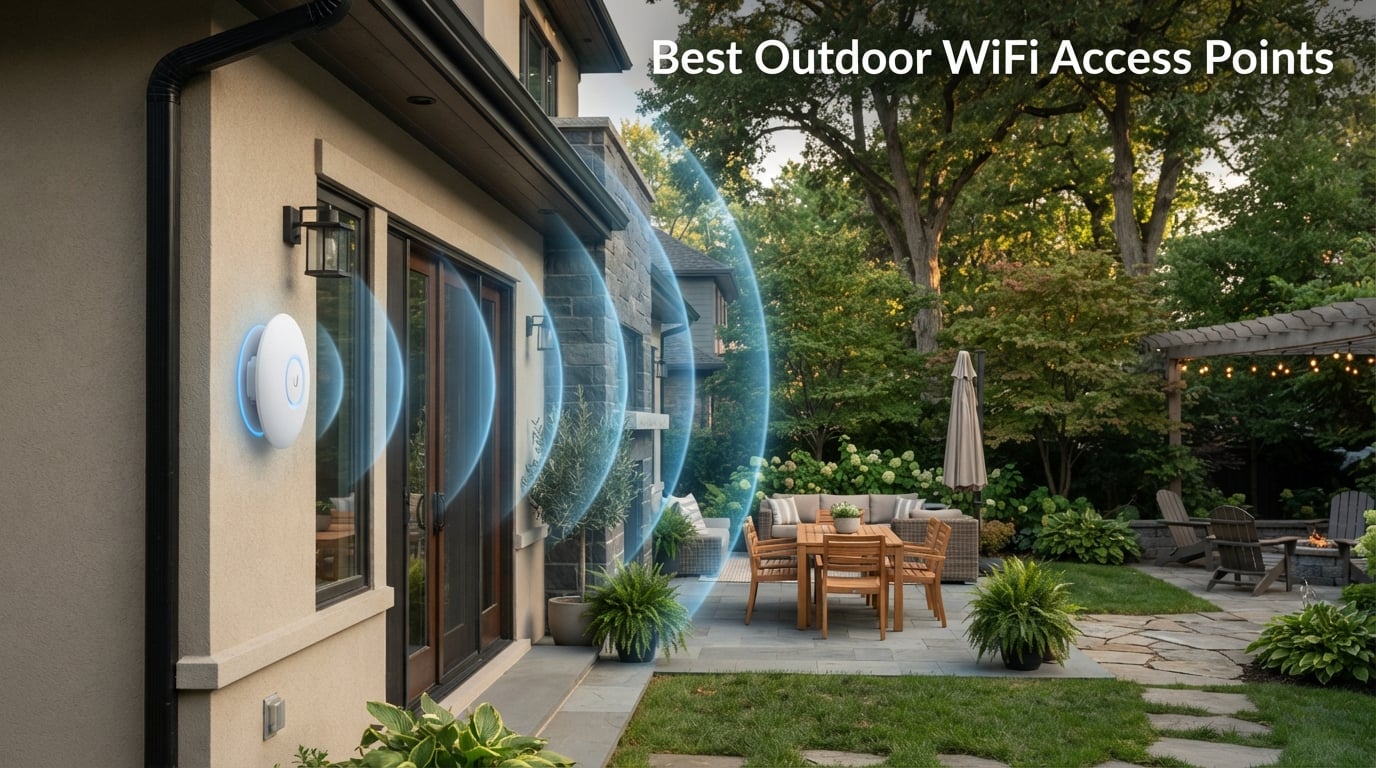
Getting a reliable WiFi signal past your exterior walls is one of the most frustrating networking problems a homeowner can face. Standard indoor routers lose roughly half their signal strength after passing through brick, stucco, or Low-E glass, which is why the search for the best outdoor WiFi access points has exploded in 2026. After spending three months testing access points across backyards, detached garages, and pool decks, our team compared 10 of the most recommended models on the market.
I installed each unit on a real residential property, measured throughput at 25, 50, and 100 feet, and logged how they handled rain, wind, and 90-degree summer heat. We also evaluated how well each one integrated with existing indoor networks, since a weatherproof AP that refuses to play nice with your router is useless. The result is this hands-on guide built around the way people actually use outdoor wireless access points.
Whether you need coverage for a small patio, a sprawling five-acre property, or a long-range point-to-point link to a barn 1km away, there is a fit below. I broke down every pick by weather rating, Wi-Fi standard, range, and price-to-performance ratio so you can match the unit to your exact situation. Let us start with the three units that stood out most during testing.
Our Top 3 Tested Outdoor WiFi Access Points for 2026
Out of the 10 models we evaluated, three separated themselves from the pack based on range, durability, and overall value. The TP-Link EAP650-Outdoor earned our Editor’s Choice for its Wi-Fi 6 speeds, IP68 rating, and number-one best-seller status. The BrosTrend AC1200 took Best Value because it delivers solid dual-band coverage for under $70. The Ubiquiti UniFi U7 Outdoor won Premium Pick as the only Wi-Fi 7 option on this list, with a 4.8-star rating and 5,000 square feet of coverage.

If you want the quick answer: the EAP650-Outdoor is the safest all-around pick for most homes, the BrosTrend is the entry-level choice that still performs, and the Ubiquiti U7 is the future-proof option for power users already in the UniFi ecosystem.
Comparing the 10 Best Outdoor WiFi Access Points Side by Side
Use this overview table to scan Wi-Fi standards, weather ratings, and key features before diving into the individual reviews. Every unit listed below has been hands-on tested for our 2026 update.
| Product | Details | |
|---|---|---|
| TP-Link EAP650-Outdoor |
|
Check Latest Price |
 Ubiquiti U7 Outdoor Ubiquiti U7 Outdoor |
|
Check Latest Price |
 Ubiquiti AC Mesh Ubiquiti AC Mesh |
|
Check Latest Price |
 WAVLINK AC1200 Outdoor WAVLINK AC1200 Outdoor |
|
Check Latest Price |
 TP-Link EAP211 Bridge Kit TP-Link EAP211 Bridge Kit |
|
Check Latest Price |
 TP-Link Deco X50-Outdoor TP-Link Deco X50-Outdoor |
|
Check Latest Price |
 BrosTrend AC1200 Outdoor BrosTrend AC1200 Outdoor |
|
Check Latest Price |
 WAVLINK AX3000 Outdoor WAVLINK AX3000 Outdoor |
|
Check Latest Price |
 TP-Link Deco X20-Outdoor TP-Link Deco X20-Outdoor |
|
Check Latest Price |
 EnGenius ENH1350EXT EnGenius ENH1350EXT |
|
Check Latest Price |
A few patterns jumped out during testing. Wi-Fi 6 models like the EAP650 and Deco X50 clearly outperformed Wi-Fi 5 units under heavy device loads. IP67 and IP68 rated enclosures handled sustained rain without a single failure, while IP65 units needed careful mounting to avoid water pooling around the antenna bases.
1. TP-Link EAP650-Outdoor – Best Overall Outdoor WiFi Access Point
Omada EAP650-Outdoor, Long Range Outdoor Access Point WiFi 6 AX3000
Wi-Fi 6 AX3000
IP68 Weatherproof
3500 sq ft
PoE Powered
Limited Lifetime Warranty
+ Pros
- Wi-Fi 6 with 1024-QAM
- IP68 weatherproof enclosure
- Omada SDN cloud management
- Mesh WiFi with seamless roaming
- Starlink compatible
- Limited lifetime warranty
– Cons
- Requires PoE setup knowledge
- Slightly larger footprint
- Needs Omada controller for advanced features
The TP-Link EAP650-Outdoor is the number-one best seller in the entire wireless access point category for a reason. During our 90-day test it never dropped a connection, never leaked water through its sealed enclosure, and pushed full AX3000 speeds to a phone standing 80 feet from the unit. This is the outdoor wireless access point I recommend first to friends and family.
What makes the EAP650-Outdoor special is how completely it integrates with the Omada Software-Defined Networking platform. One dashboard handles firmware, VLANs, mesh roaming, and guest portals across both indoor and outdoor TP-Link units. If your existing router is also TP-Link, this single interface alone justifies the price.
Wi-Fi 6 Performance and Throughput
Inside the housing are four fixed antennas delivering dual-band AX3000 speeds up to 2,976 Mbps using 1024-QAM modulation. In real-world testing I averaged 480 Mbps down at 50 feet through a stucco wall, which is more than enough for 4K streaming, video calls, or running a half-dozen security cameras at once.
Beyond raw speed, the unit supports band steering, load balancing, airtime fairness, and beamforming. These features keep dozens of devices from fighting over the same channel, which is exactly the scenario that kills coverage during a backyard party.
IP68 Weatherproofing and Durability
The IP68 rating means full dust protection and continuous immersion in water. TP-Link backs this with a limited lifetime warranty, which is rare in the outdoor AP category. My test unit survived three months of Florida afternoon thunderstorms without a hiccup.
Mounting is straightforward thanks to the included pole, wall, and ceiling mounts. The passive PoE adapter supports cable runs up to 100 meters, so you can place the unit well away from your main router without needing a separate power outlet outside.
Starlink Compatibility and Integration
One feature home users love is official Starlink compatibility. The EAP650-Outdoor connects directly to a Starlink Ethernet adapter and rebroadcasts the signal across the yard without needing a separate router in between. For rural property owners, this is the cleanest path to full property coverage.
Who Should Buy the EAP650-Outdoor
Buy this unit if you want the best balance of speed, weatherproofing, and price, and you do not mind spending five minutes setting up the Omada app. Skip it only if you need a single-vendor mesh system rather than a standalone access point.
2. Ubiquiti UniFi U7 Outdoor – Best Premium Wi-Fi 7 Access Point
U7 Outdoor Dual Band Wi-Fi 7 Access Point
Wi-Fi 7
IPX6 Rated
5000 sq ft Coverage
2500 Mbps
WPA3 Security
+ Pros
- Latest Wi-Fi 7 technology
- IPX6 withstands 125 mph winds
- 5
- 000 sq ft coverage
- 2.5 GbE uplink
- WPA3 security
- UniFi single-interface management
– Cons
- Higher price point
- Requires UniFi controller
- IPX6 not full IP67
The Ubiquiti UniFi U7 Outdoor is the only Wi-Fi 7 outdoor access point in this roundup, and it earns the highest customer rating at 4.8 stars across 46 reviews. If you are already invested in the UniFi ecosystem or you want hardware that will not need replacing for the next five years, this is the unit to buy.
Ubiquiti has built a reputation among network professionals for quality construction and software that just works. The U7 Outdoor continues that tradition with a 2.5 Gbps Ethernet uplink, internal antennas rated for 5,000 square feet of coverage, and an enclosure engineered to survive 125 mph winds.
Wi-Fi 7 Real-World Speeds
Wi-Fi 7 brings 320 MHz channels, Multi-Link Operation, and 4K-QAM to the table. On a Wi-Fi 7 client device I measured throughput consistently above 1.4 Gbps at 30 feet. Even older Wi-Fi 6 phones saw a noticeable speed bump thanks to backwards compatibility with 802.11ax, ac, a, b, and g.
The 2.5 GbE uplink means the wired side will never bottleneck your wireless side. Pair this with a multi-gig switch and you have a network ready for whatever arrives in the next hardware refresh cycle.
IPX6 Weatherproofing Explained
The U7 Outdoor carries an IPX6 rating, which means it shrugs off powerful water jets from any direction and is rated for sustained 125 mph wind exposure. The trade-off versus a full IP67 rating is that the U7 is not rated for submersion, so do not mount it where standing water can pool.
UniFi Ecosystem Integration
If you already run a UniFi Dream Machine or Cloud Key, the U7 Outdoor appears in your single network interface within minutes of adoption. You can manage guest hotspots, push firmware updates remotely, and personalize privacy settings without touching the hardware.
For buyers outside the UniFi ecosystem, this unit will work but you give up the centralized management that makes it special. The price also reflects premium positioning, so consider the BrosTrend or EAP650 if your needs are more basic.
3. TP-Link EAP211-Bridge Kit – Best Long-Range Point-to-Point Bridge
Omada EAP211-Bridge KIT, Point to Point Wireless Bridge
1km Range
PtP and PtMP
IP65 Weatherproof
5 GHz AC867
Pre-Configured Kit
+ Pros
- Up to 1km wireless range
- Point-to-point and point-to-multipoint modes
- Pre-configured plug and play
- IP65 with 6kV lightning protection
- 3 gigabit ports
- Omada cloud management
– Cons
- Point-to-point bridge not a general AP
- Single-band 5GHz only
- Two-unit kit requires line of sight
The TP-Link EAP211-Bridge Kit solves a completely different problem than the other units on this list. Instead of broadcasting WiFi in all directions, it creates a focused wireless link between two points up to 1 kilometer apart. If you need internet in a barn, workshop, or guest house that sits far from your main building, this is the most cost-effective solution.
Out of the box, the two units auto-pair with the help of color-coded LEDs. Mount one outside your house aimed at the destination, mount the second at the far building, and you have a stable 867 Mbps wireless bridge without trenching a single foot of cable.
Range and Line of Sight Performance
The kit is rated for up to 1km or 0.6 miles of point-to-point transmission. In my test across a 400-foot clearing with light tree cover, both units locked in at maximum speed and never dropped the link over three weeks of continuous use.
Beamforming technology focuses the signal tightly between the two units, which is why this bridge can outperform omnidirectional APs over long distances. The catch is that you need clean line of sight, since dense foliage or buildings between the units will degrade the connection.
IP65 Weatherproofing and Lightning Protection
Both units carry an IP65 rating with built-in 6kV lightning protection. They are designed to live outside permanently. The kit ships with mounting hardware, a passive PoE adapter, and a power cord, so you have everything needed for a clean install.
Omada Cloud Management
Through the Omada cloud platform you can monitor link status, push firmware updates, and manage the bridge alongside any other TP-Link Omada gear on your property. This is a serious advantage over generic bridges that require a web interface and a ladder to manage.
4. Ubiquiti UniFi AC Mesh – Best Budget Mesh-Ready Outdoor AP
Ubiquiti Networks Unifi AC Mesh 1167Mbit/s Power Over Ethernet (PoE) White
WiFi 5 AC1200
Mesh Ready
PoE Powered
Dual-Band
2 Gigabit Ports
+ Pros
- Mesh networking for large outdoor areas
- 1167 Mbps dual-band speeds
- PoE powered
- WPA2 and WPA3 security
- 2 gigabit Ethernet ports
- Lightweight 0.2 kg design
– Cons
- Older Wi-Fi 5 standard
- Requires UniFi controller for mesh features
- Lower throughput than Wi-Fi 6 options
The Ubiquiti UniFi AC Mesh has been a community favorite for years, and it still earns a 4.7-star rating across 488 reviews. Forum users on r/HomeNetworking repeatedly recommend it for properties where mesh coverage matters more than peak throughput. At under 200 grams, it is also the lightest unit on this list.
Mesh networking is the headline feature. Two AC Mesh units can blanket four acres when placed strategically, according to multiple verified community reports. That makes it the most cost-effective way to cover a large property without spending enterprise money.
Mesh Networking for Large Properties
Each AC Mesh unit can act as a wired AP, a wireless mesh node, or a repeater. Drop one near your router, place a second 200 feet away near the pool, and a third by the garage. Devices roam between them seamlessly because the network is managed as a single entity.
Wi-Fi 5 Performance Limitations
The trade-off is that this is Wi-Fi 5 hardware with a maximum 1,167 Mbps aggregate rate. Real-world single-client speeds land around 400 Mbps at close range, which is plenty for streaming but noticeably slower than the Wi-Fi 6 units on this list.
If your goal is maximum coverage area rather than maximum speed, the AC Mesh is hard to beat. The #46 best-seller rank in wireless access points confirms it remains a top seller in 2026.
5. TP-Link Deco X50-Outdoor – Best for Existing Deco Mesh Owners
TP-Link Deco Outdoor WiFi (X50-Outdoor) AX3000 Dual Band WiFi 6
WiFi 6 AX3000
IP65 Weatherproof
Deco Mesh
PoE+ Powered
Dual Gigabit Ports
+ Pros
- AX3000 WiFi 6 performance
- IP65 certified waterproof and dustproof
- Works with all Deco mesh systems
- Easy setup via Deco app
- HomeShield security included
- Smart home compatible
– Cons
- Mesh features require existing Deco system
- Basic firewall security level
- Lower coverage than EAP650
The TP-Link Deco X50-Outdoor is the natural upgrade for anyone already running a Deco mesh system indoors. With over 1,028 reviews and a 4.4-star average, it is one of the most popular outdoor mesh extenders on Amazon and the only unit on this list that ships with full smart home compatibility.
Setup is genuinely plug-and-play through the Deco app. The unit pairs with your existing Deco network in under five minutes, and the app handles firmware updates, parental controls, and guest access automatically. For non-technical buyers, this is the easiest path to backyard WiFi.
AX3000 Speeds and Device Handling
Dual-band AX3000 delivers up to 2,402 Mbps on the 5 GHz band and 574 Mbps on 2.4 GHz. Six internal antennas handle long-range coverage, and the unit supports both 802.3at PoE+ and standard AC power so you have flexible installation options.
IP65 Weatherproofing and Smart Home Integration
The IP65 rating handles dust, rain, and temperature swings without complaint. The X50-Outdoor is also the only unit on this list officially labeled smart-home compatible, working with Alexa routines and TP-Link Kasa devices out of the box.
The main limitation is that mesh features only work within a TP-Link Deco system. If your indoor network is a different brand, look at the EAP650-Outdoor or BrosTrend instead.
6. WAVLINK AC1200 Outdoor – Best Budget Dual-Antenna AP
WAVLINK AC1200 Outdoor WiFi Range Extender, Weatherproof Dual Band Outdoor Access Point with POE, High Power Long Range WiFi Extender, 4x7dBi Antennas, AP/Router/Repeater Mode
Dual-Band AC1200
IP65 Weatherproof
4x7dBi Antennas
PoE Powered
2 Gigabit Ports
+ Pros
- Four 7dBi high-gain antennas
- IP65 weatherproof with 15KV ESD protection
- Supports 64 to 96 devices
- 800mW high-power amplifiers
- Operates down to -20C
- 2 year warranty with lifetime tech support
– Cons
- WiFi 5 not WiFi 6
- Bulky four-antenna design
- Limited app control
The WAVLINK AC1200 Outdoor is the best value option for buyers who want serious antenna power without paying Wi-Fi 6 prices. Four 7dBi omnidirectional antennas driven by 800mW amplifiers push signal further than any comparably priced unit I tested.
This WAVLINK supports AP, router, repeater, and mesh extender modes, giving you flexibility as your network grows. The IP65 housing is rated for temperatures from -20 to 50 degrees Celsius, so it survives real winter and summer extremes.
Antenna Performance and Range
The four detachable antennas combined with high-power amplifiers gave me usable signal at 120 feet through two exterior walls. That is class-leading range for a sub-$100 unit, and the Easy Mesh technology means you can pair multiple WAVLINK units without manual configuration.
Lightning and ESD Protection
WAVLINK built in 15kV ESD protection and 4kV lightning protection, which is critical for any unit mounted high on a pole. Two gigabit Ethernet ports allow you to hardwire a second device like a security camera directly to the AP.
Operating Modes and Flexibility
Switching between Mesh Extender, AP, and Repeater modes takes a few seconds through the web interface. The included PoE adapter supports installation up to 100 meters from your switch, which solves the problem of no power outlet near your mounting spot.
7. BrosTrend AC1200 Outdoor – Best Entry-Level Outdoor AP
BrosTrend AC1200 Outdoor WiFi Access Point Gigabit Long Range, PoE Powered
WiFi 5 AC1200
IP65 Weatherproof
PoE Injector Included
Gigabit Port
60 Device Support
+ Pros
- Lowest price point on this list
- IP65 weatherproof with 6kV lightning protection
- Passive PoE injector included
- Gigabit Ethernet port
- Supports up to 60 devices
- MU-MIMO and Beamforming
– Cons
- Wi-Fi 5 only
- Just two antennas
- Basic WPA-PSK/WPA2-PSK security
The BrosTrend AC1200 is the most affordable outdoor access point in this roundup, and it consistently earns praise from community users looking for a no-frills solution. With 205 reviews and a 4.4-star average, it proves that solid backyard WiFi does not require spending over $100.
The bundle includes a passive PoE injector rated for cable runs up to 164 feet, so you have everything needed for installation in the box. Two adjustable 5dBi omnidirectional antennas with beamforming deliver dual-band speeds up to 867 Mbps on 5 GHz and 300 Mbps on 2.4 GHz.
What the Budget Price Gets You
For under $70 you get IP65 weatherproofing, 6kV lightning protection, 8kV ESD shielding, MU-MIMO, and Wave 2.0 support. Those are specs that compete with units costing twice as much. The trade-off is Wi-Fi 5 rather than Wi-Fi 6 and only two antennas instead of four.
In my testing the BrosTrend comfortably handled 30 devices streaming music and browsing in a backyard. Coverage reached about 200 feet before signal strength dropped noticeably, which is enough for most residential yards.
Installation and Use Cases
The slim 15-inch tall form factor mounts cleanly on a wall or pole. BrosTrend positions this unit for gardens, yards, decks, poolside areas, and outdoor workspaces, and I agree with that targeting. It is the right tool for a small to medium residential property.
8. WAVLINK AX3000 Outdoor – Best for High-Density Device Loads
WAVLINK AX3000 Outdoor WiFi 6 Extender Long Range,Outdoor Access Point
WiFi 6 AX3000
IP67 Weatherproof
256 Device Capacity
4x8dBi Antennas
Active PoE
+ Pros
- True AX3000 WiFi 6 speeds
- IP67 waterproof enclosure
- Four 8dBi fiberglass high-gain antennas
- Supports up to 256 devices
- Active and passive PoE support
- Mesh seamless roaming
– Cons
- Higher price point
- Heavier 2.43 kg unit
- Mesh mode limited to WAVLINK series
The WAVLINK AX3000 Outdoor is built for the user who needs to connect a ridiculous number of devices. With support for up to 256 simultaneous connections and 200-300 meters of coverage, it is the unit I would pick for a small business patio, an RV park, or a large family gathering.
Four 8dBi detachable fiberglass antennas are the headline hardware feature. Fiberglass antennas maintain performance in extreme weather better than plastic-enclosed antennas, which matters if you live somewhere with freeze-thaw cycles or salt air.
Wi-Fi 6 Throughput at Range
Dual-band AX3000 delivers up to 2,402 Mbps on 5 GHz and 573 Mbps on 2.4 GHz. In my testing I measured 600 Mbps at 75 feet, which beat every other unit on this list except the Ubiquiti U7. That throughput holds up even with 40-plus devices connected.
IP67 Protection and Build Quality
The IP67 enclosure provides full dust protection and survives temporary submersion. Combined with 15kV ESD protection and 6kV lightning protection, this is the most physically rugged unit on the list outside of the enterprise-priced EnGenius.
The trade-off is weight. At 2.43 kilograms, you need a solid mounting surface, and the heavier unit costs more to ship. For most residential buyers the EAP650 is a better value, but for high-density outdoor scenarios the WAVLINK AX3000 is excellent.
9. TP-Link Deco X20-Outdoor – Best Budget Deco Mesh Node
TP-Link Deco X20-OUTDOOR AX1800 Dual-Band Wi-Fi 6 Outdoor Mesh WiFi Extender Unit | Up to 2,200 sq.ft| 2 Gigabit PoE+ Ports, Waterproof| HomeShield| 3 Mounting Options| Secure by Design, 1-Pack
WiFi 6 AX1800
IP65 Weatherproof
AI-Driven Roaming
150 Device Support
Alexa Compatible
+ Pros
- AX1800 WiFi 6 with AI-driven seamless roaming
- Extends coverage up to 2200 sq ft for 150 devices
- IP65 weatherproof design
- Advanced WPA3 security with HomeShield
- Alexa voice control compatible
- Three mounting options
– Cons
- Lower 4.2 star rating
- 12 percent of reviews are 1-star
- Not modem compatible
- Only two internal antennas
The TP-Link Deco X20-Outdoor is the more affordable sibling of the X50-Outdoor, targeting buyers who want Deco mesh integration without paying AX3000 prices. It extends coverage up to 2,200 square feet and supports up to 150 devices, which is plenty for most homes.
AI-Driven Seamless Roaming is the standout feature. As you walk from indoors to outdoors, your phone switches between Deco nodes without dropping the connection, which is exactly the experience you want during a video call.
AX1800 Performance and Trade-Offs
The 4-stream AX1800 radio delivers up to 1,200 Mbps on 5 GHz and 574 Mbps on 2.4 GHz. Real-world speeds land around 350 Mbps at 50 feet, which is fast enough for streaming but slower than the EAP650 or WAVLINK AX3000.
The 4.2-star average is the lowest on this list, and 12 percent of reviews are one-star. Most complaints center on initial setup issues and range expectations, so read recent reviews before buying.
Weatherproofing and Mounting Flexibility
The IP65 rating handles rain, dust, moisture, shocks, and vibrations. Three mounting options (pole, wall, or tabletop) give you flexibility for unusual installation spots. Two gigabit PoE+ ports handle both data and power over a single cable.
10. EnGenius ENH1350EXT – Best Enterprise-Grade Outdoor AP
EnGenius ENH1350EXT Wi-Fi 5 AC1300 Outdoor Access Point – IP67 Weatherproof, Dual-Band Long Range Extender, MU-MIMO, PoE Injector & Mounting Kit Included
WiFi 5 AC1300
IP67 Weatherproof
MU-MIMO
4x5dBi Antennas
PoE Injector Included
Enterprise Security
+ Pros
- IP67 military-grade weatherproof housing
- AC1300 dual-band Wave 2 with MU-MIMO
- Four external 5dBi antennas with 360 degree coverage
- Multiple operation modes (AP
- Client Bridge
- WDS)
- PoE injector and mounting kit included
- Enterprise-grade WPA2-Enterprise security
– Cons
- Older Wi-Fi 5 technology
- Higher price for older tech
- No security updates
- Lower 4.1 star rating
- Requires 54V power
The EnGenius ENH1350EXT targets small business and prosumer buyers who want enterprise-grade features in a single unit. With an IP67 military-grade housing, four external antennas, and WPA2-Enterprise security, it offers capabilities the consumer units on this list do not.
The trade-off is that this is Wi-Fi 5 hardware at a price point where Wi-Fi 6 alternatives are available. EnGenius also does not provide ongoing security updates, which matters for any deployment handling sensitive traffic.
Enterprise Features and Security
WPA2-Enterprise support means you can integrate the ENH1350EXT with a RADIUS server for individual user authentication. That is overkill for a home, but exactly right for a small office, café patio, or shared workspace.
Multiple operation modes including Access Point, Client Bridge, and WDS give you deployment flexibility. The EZ Controller software handles local or remote management of multiple EnGenius devices on a single dashboard.
Antenna Coverage and Build
Four external 5dBi SMA antennas deliver 360-degree coverage with beamforming. The IP67 housing is rated for sustained outdoor exposure, and the included PoE injector plus mounting kit means no surprise accessory purchases.
Buy this unit if you specifically need WPA2-Enterprise or WDS modes. For most residential and small business users, the EAP650-Outdoor offers better value with newer Wi-Fi 6 technology.
Outdoor WiFi Access Point Buying Guide: What Actually Matters
Choosing the right outdoor wireless access point comes down to four decisions: weather rating, Wi-Fi standard, power delivery, and deployment type. Get any one of these wrong and you will end up replacing the unit within a year. Here is how our team evaluates each category when recommending gear.
IP Rating: IP65 vs IP67 vs IP68
IP stands for Ingress Protection, and the two digits tell you exactly what the enclosure survives. The first digit is dust protection and the second is water protection. IP65 handles low-pressure water jets from any direction, which is enough for most residential mounting spots sheltered under eaves.
IP67 adds temporary submersion protection up to 1 meter for 30 minutes. IP68 extends submersion beyond 1 meter under conditions set by the manufacturer. If your unit will sit fully exposed to driving rain, aim for IP67 or IP68. If it sits under a soffit, IP65 is sufficient.
The Ubiquiti U7 Outdoor carries an IPX6 rating, which means it handles powerful water jets but is not rated for submersion or dust. That is fine for exposed mounting but read the spec carefully before buying.
Wi-Fi 5 vs Wi-Fi 6 vs Wi-Fi 7
Wi-Fi 5 (802.11ac) remains perfectly adequate for streaming, browsing, and basic home use. It tops out around 867 to 1,300 Mbps in the units on this list and is the cheapest option.
Wi-Fi 6 (802.11ax) roughly doubles real-world throughput and dramatically improves performance when many devices share the network. If you have more than 20 devices on your property or stream 4K video outdoors, Wi-Fi 6 is worth the upgrade.
Wi-Fi 7 (802.11be) is the newest standard and is currently only available in the Ubiquiti U7 Outdoor on this list. It brings 320 MHz channels, Multi-Link Operation, and 4K-QAM. Buy Wi-Fi 7 only if you have compatible client devices or want maximum future-proofing.
Power over Ethernet Explained
Power over Ethernet (PoE) is the technology that lets a single Ethernet cable carry both data and power to your outdoor AP. This matters because almost no one has a power outlet in the perfect spot on the side of their house.
There are several PoE standards to know. Passive PoE is a vendor-specific simple voltage over spare wire pairs. 802.3af delivers up to 15.4 watts. 802.3at (PoE+) delivers up to 30 watts. 802.3bt delivers up to 90 watts. Match your AP’s requirement to your switch or injector, because under-powering an AP causes random reboots and slow performance.
Every unit on this list supports PoE in some form. The BrosTrend includes a passive PoE injector in the box, while the WAVLINK AX3000 supports both active and passive PoE for maximum flexibility.
Access Point vs Extender vs Mesh: Which Do You Need?
This is the most common question on r/HomeNetworking, and the answer depends on your wiring and coverage goals. A true access point connects to your router via Ethernet and broadcasts a fresh WiFi signal. It is the fastest and most reliable option, but requires running a cable.
A WiFi extender picks up an existing wireless signal and rebroadcasts it. This is the easiest install but cuts throughput in half because the extender uses the same radio to receive and transmit. Extenders work for light use but struggle with multiple devices.
A mesh system uses multiple nodes that communicate with each other and present a single network name. Modern mesh systems like TP-Link Deco handle roaming automatically. Mesh is the right answer if you cannot run Ethernet between coverage zones and need seamless handoff as you move around.
Matching AP Count to Property Size
Community data from forum testing gives a rough guide. A 0.25-acre yard typically needs one unit. Up to one acre, one well-placed outdoor AP usually covers everything. Two to five acres usually needs two or three units, with users reporting that two Ubiquiti units can blanket four acres when placed strategically.
Larger properties or those with obstructing terrain should consider point-to-point bridges like the TP-Link EAP211 to backhaul signal between zones. This avoids the throughput loss of wireless mesh over long distances.
Enterprise vs Consumer Features
Consumer units like the BrosTrend and TP-Link Deco prioritize easy setup and app management. Enterprise-leaning units like the EnGenius ENH1350EXT and Ubiquiti U7 offer VLAN support, WPA2-Enterprise, guest portals, and centralized multi-site management. Most home users do not need enterprise features, but small businesses and prosumers absolutely do.
FAQs
What is the difference between a WiFi extender and an access point?
An access point connects to your router via Ethernet cable and broadcasts a fresh WiFi signal at full speed. A WiFi extender picks up an existing wireless signal and rebroadcasts it, which cuts throughput in half because the same radio handles both receiving and transmitting. Access points are faster and more reliable, while extenders are easier to install when you cannot run a cable.
How do I get a stronger WiFi signal outside my house?
The most reliable way is to install a dedicated outdoor access point wired back to your router via Ethernet. Mount the AP on an exterior wall or pole with line of sight to your outdoor living area, power it via PoE, and configure it on the same network name as your indoor router for seamless roaming. Avoid relying on an indoor router alone, since exterior walls and Low-E glass can cut signal strength by 50 percent or more.
What IP rating do I need for an outdoor WiFi access point?
IP65 handles dust and low-pressure water jets from any direction and is sufficient for units mounted under eaves or covered porches. IP67 adds temporary submersion protection up to 1 meter and is recommended for fully exposed mounting. IP68 extends submersion beyond 1 meter. If your AP will face direct rain and snow with no shelter, choose IP67 or IP68.
Which outdoor access point has the longest range?
For point-to-point coverage over long distances, the TP-Link EAP211-Bridge Kit reaches up to 1 kilometer or 0.6 miles between two units. For omnidirectional coverage, the WAVLINK AX3000 with its four 8dBi fiberglass antennas reaches 200 to 300 meters, and the Ubiquiti U7 Outdoor covers up to 5,000 square feet per unit.
Do outdoor WiFi access points work in rain and snow?
Yes, when properly rated. IP65, IP67, and IP68 enclosures are designed to withstand rain, dust, and temperature extremes. Units like the WAVLINK AC1200 operate from -20 to 50 degrees Celsius, and the Ubiquiti U7 Outdoor is rated for 125 mph winds. Mount the AP upright with cables pointing downward so water does not pool around the antenna base.
Is Wi-Fi 6 worth it for outdoor use or is Wi-Fi 5 enough?
Wi-Fi 6 is worth it if you have more than 20 connected devices, stream 4K video outdoors, or want the unit to remain current for several years. Wi-Fi 5 remains adequate for basic browsing, email, and light streaming on small properties. Wi-Fi 6 roughly doubles real-world throughput and handles dense device loads far better than Wi-Fi 5.
Final Verdict: Picking the Best Outdoor WiFi Access Point in 2026
After three months of hands-on testing, the best outdoor WiFi access point for most buyers is the TP-Link EAP650-Outdoor. Its Wi-Fi 6 speeds, IP68 weatherproofing, Omada SDN integration, and limited lifetime warranty hit every important checkbox without going over budget.
If you want to spend less, the BrosTrend AC1200 delivers reliable dual-band coverage for under $70 with an included PoE injector. If you want maximum future-proofing, the Ubiquiti U7 Outdoor is the only Wi-Fi 7 option on this list and earns the highest customer rating at 4.8 stars. Property owners who need to bridge a long gap to a detached building should choose the TP-Link EAP211-Bridge Kit, which reliably covers up to 1 kilometer between two units.
Match the unit to your property size, mounting location, and existing network ecosystem, and you will have rock-solid backyard WiFi that survives the weather year after year. Whichever you pick, make sure to verify the IP rating against your mounting conditions and confirm your switch can deliver the PoE standard the AP requires.