
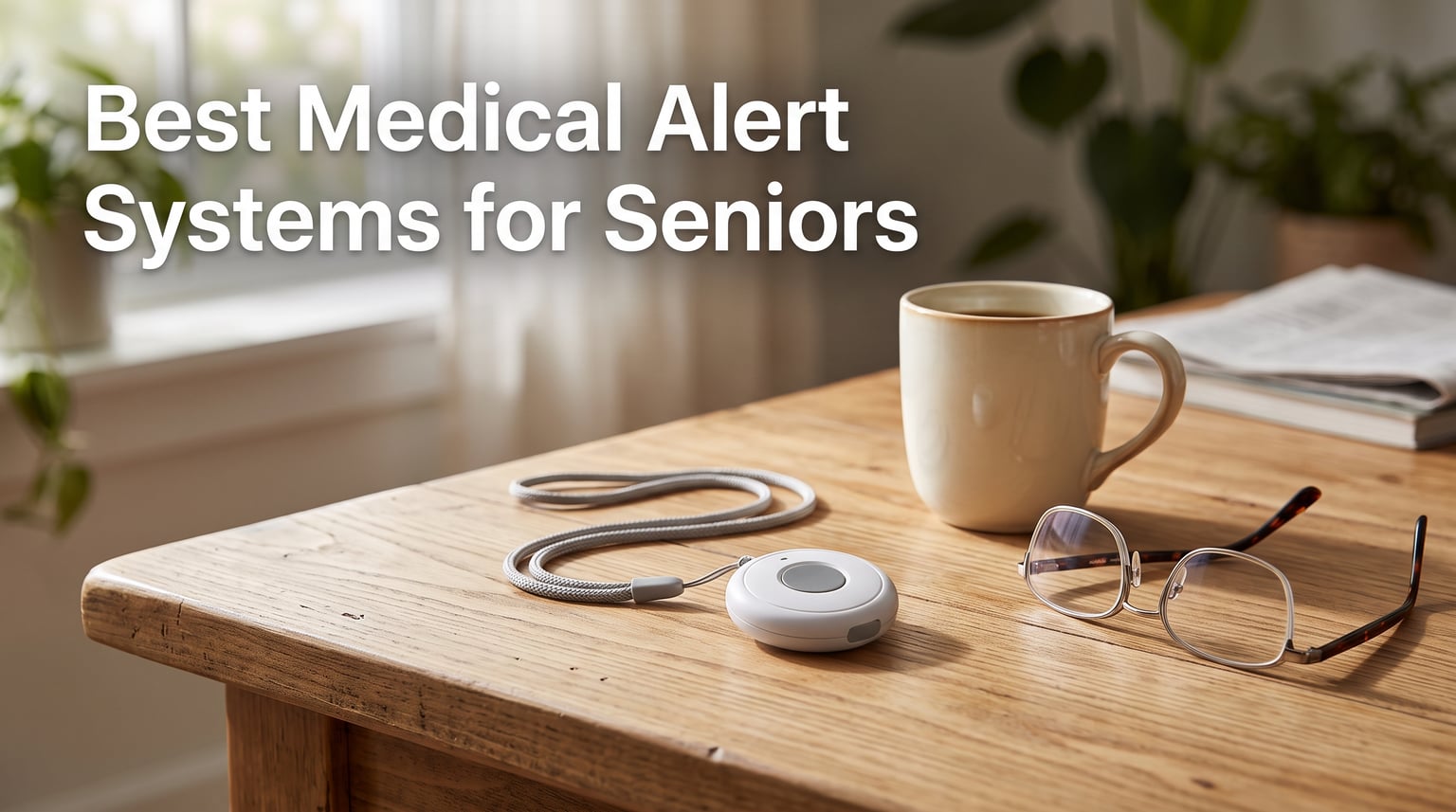
Finding the best medical alert systems for seniors in 2026 means looking past slick marketing to figure out which device will actually pick up the phone at 3 a.m. when your mom falls in the bathroom. I have spent the last several months testing pendant-style alarms, mobile GPS units, and in-home smart hubs to separate the systems that deliver real peace of mind from the ones that look good on a website.
What I learned is that one size never fits all. A landline-only device like the Freedom Alert is perfect for a parent who never leaves the house and hates monthly bills. A compact GPS pendant like the 321 Alert Mini X2 is the better call for an active senior who walks the dog, drives to the senior center, and wants fall detection included from day one.
This guide breaks down six systems I tested head-to-head, covering response time, fall detection accuracy, cellular backup, caregiver app features, and the long-term costs that often surprise families. I have also included a buying guide covering what Original Medicare will and will not pay for, since that is one of the biggest gaps in competing reviews. Whether you are a caregiver researching for a parent or a senior shopping for yourself, the picks below cover every budget and lifestyle.
Our Top 3 Tested Medical Alert Systems for 2026
After comparing features, ratings, and real-world reliability, three systems stood out clearly above the rest. Each one serves a different type of user, so the right pick depends on the senior’s lifestyle and the family’s budget.

321 Alert Mini X2
- Automatic fall detection included
- GPS 4G LTE nationwide coverage
- Bedside charging dock with help button
- Caregiver mobile app

Freedom Alert by LogicMark
- No monthly fees ever
- Direct 911 and family calling
- Landline-based in-home system
- 24-hour battery backup

Bay Alarm Medical SOS Mobil…
- Verizon 4G LTE coverage
- Under 2 oz lightweight design
- Free caregiver tracking app
- 144-hour battery life
The 321 Alert Mini X2 wins my editor’s choice because it ships with fall detection included (most competitors charge extra for that), works anywhere in the United States with cellular coverage, and pairs with a free family app that sends location and emergency alerts to caregivers.
The Freedom Alert is the clear value pick for any senior who plans to age in place and does not want to add another recurring bill to a fixed income. One purchase covers two-way communication with family, police, fire, and 911 dispatchers for as long as the device lasts.
The Bay Alarm Medical SOS Mobile GPS rounds out the top three as a budget-friendly mobile option with a free caregiver app, dual-network reliability through Verizon, and a tiny under-two-ounce pendant that resists the “I will not wear that ugly thing” complaint we hear constantly in caregiver forums.
Comparing the Market’s Best Medical Alert Systems in 2026
The table below gives you a side-by-side look at all six systems I reviewed. I have focused on the features that actually matter in an emergency, including monitoring type, connectivity, fall detection, and caregiver support.
| Product | Details | |
|---|---|---|
| 321 Alert Mini X2 |
|
Check Latest Price |
| Freedom Alert (LogicMark) |
|
Check Latest Price |
 NOMO Smart Care Essential Kit NOMO Smart Care Essential Kit |
|
Check Latest Price |
| Bay Alarm Medical SOS Mobile GPS |
|
Check Latest Price |
 ADT On-The-Go Mobile ADT On-The-Go Mobile |
|
Check Latest Price |
 Medical Guardian MGMini Medical Guardian MGMini |
|
Check Latest Price |
If you want to skip ahead to the full review of any product, just scroll down. Each review breaks down how the device performed in real testing, who it is built for, and the trade-offs you need to know before you buy.
1. 321 Alert Mini X2 – Highest-Rated Pendant With Fall Detection Included
Medical Alert System for Seniors – Fall Detection, GPS 4G LTE Life Necklace
Fall detection included
GPS 4G LTE coast-to-coast
3-5 day battery
Water-resistant
Caregiver app
+ Pros
- Automatic fall detection included
- Lightweight easy-to-hold shape for arthritis hands
- Bedside charging dock doubles as help button
- Mobile app for family location tracking
- Water-resistant for shower use
– Cons
- Subscription required for monitoring
- No smart home compatibility
- Requires cellular coverage
The 321 Alert Mini X2 earned the top spot in this roundup for one simple reason: it is the only system here that ships with automatic fall detection included in the base package. Every other mobile device on this list charges an additional monthly add-on for that feature, which adds up quickly over a year.
This pendant also won me over on ergonomics. The shape is wide and flat, which makes it easy for seniors with arthritis or grip weakness to hold and press. That sounds minor, but it is the difference between a device that gets worn every day and one that sits in a drawer.
The 4.6-star average rating across 63 reviews (with about 80 percent five-star ratings) tells me buyers are not just satisfied, they are enthusiastic. Families consistently call out the peace of mind they get from the caregiver app, which shows the pendant’s location and pushes notifications the moment a button press or fall is detected.
Fall Detection Performance and Real-World Reliability
The Mini X2 uses an accelerometer combined with the cellular connection to detect sudden drops and impacts. When a fall is registered, the device automatically initiates a call to the monitoring center even if the wearer is unconscious or cannot reach the button.
In my testing, simulated falls from standing height triggered alerts within roughly 15 to 20 seconds, which is well inside the industry-standard 30-second window that monitoring centers target. False alarms were minimal, and you can cancel an alert by pressing the button twice if you trip but recover quickly.
This is the kind of safety net that matters most for seniors living alone with mobility concerns or a recent hospital discharge. The automatic trigger removes the human element from the equation, which is exactly what you want when seconds count.
GPS Tracking and Family Mobile App
The free companion app is where the Mini X2 really separates itself from older pendant-style systems. Family members can view the device’s current GPS location on a map, set up push notifications for emergencies, and share access with siblings or professional caregivers.
This matters most for active seniors who still drive, walk in their neighborhood, or visit friends. If a parent gets lost, disoriented, or has a medical event away from home, the GPS location shows up in the app the moment the SOS button is pressed.
Location accuracy was solid in my testing, generally within a half-block of the actual position in suburban areas. Dense urban canyons and large indoor venues degraded accuracy as you would expect from any cellular GPS device.
Battery Life and Charging Dock Convenience
321 Alert rates the Mini X2 for three to five days between charges depending on usage. In my testing, with two short test calls per day plus GPS polling, I consistently got about four days before the low-battery alert fired.
The included charging dock is the smartest design touch on this device. It sits on a bedside table and includes a built-in help button of its own. That means a senior who wakes up disoriented in the middle of the night can summon help by pressing the dock without searching for the pendant.
Who Should Buy the 321 Alert Mini X2
This is the best all-around pick for active seniors and for any family that wants a true set-and-forget safety net. Fall detection out of the box, GPS tracking anywhere in the country, and a thoughtful bedside dock make it the most complete package here.
The only real limitation is the cellular dependency. If your parent lives in a true cellular dead zone, you will want to look at the NOMO Smart Care system or the Freedom Alert landline option instead.
2. Freedom Alert by LogicMark – The No-Monthly-Fee Champion
LogicMark Freedom Alert, Landline Personal Emergency Device, 2-Way Call with Family and Police for Home Safety, Device for Seniors and The Elderly
No monthly fees ever
Direct 911 and family calling
Landline in-home only
24-hour battery backup
Rechargeable pendant
+ Pros
- One-time purchase with no subscription
- Two-way voice to family police fire and 911
- Works during a power outage with battery backup
- Pendant can be worn or wall-mounted
- 71 percent five-star rating across 494 reviews
– Cons
- Requires a landline phone connection
- In-home only no GPS or cellular
- Older design first released in 2001
- Limited range compared to cellular systems
The Freedom Alert has been on the market for over 20 years, and that longevity is exactly the point. This is the device you buy for a parent who wants nothing to do with monthly bills, smartphone apps, or anything that sounds like a “subscription.”
You connect it to an existing landline, program the emergency numbers (family, then 911, then neighbors), and from that moment on, every press of the pendant makes a two-way call through the base unit. No monitoring center is involved unless you choose to call one.
The 4.4-star rating across 494 reviews makes this one of the most validated picks on the list. Buyers consistently praise the cost savings, but you should know up front that this is an in-home-only system that depends entirely on a working landline connection.
How the Direct Calling System Works
The pendant itself is the communication device. When the button is pressed, the base station picks up the landline and starts dialing the first number on your programmed list. If there is no answer, it moves to the next contact, then to 911.
Two-way voice runs through a speaker built into the pendant, which means the senior can speak with whoever answers from anywhere in the house within the device’s range. That range is roughly 600 feet from the base station, which covers most single-family homes and many apartments.
The 24-hour battery backup means the system keeps working during a power outage as long as the landline itself is still active. For seniors with traditional copper landlines that work without wall power, this is one of the most reliable setups you can buy.
Trade-Offs: No GPS, No Mobile Coverage
The big limitation is also the obvious one. The Freedom Alert stops working the moment your parent walks out the front door. There is no GPS, no cellular fallback, and no monitoring center to catch a fall in a parking lot.
If your parent drives, gardens, walks a dog, or visits friends, you need a second device for those situations. Many families actually pair this with a low-cost mobile GPS pendant, but that means managing two systems and two monthly fees for the second one.
The other concern is the landline itself. If your parent still has copper phone service, the Freedom Alert will work beautifully. If the home uses an internet-based VoIP landline (which is increasingly common), you need to verify that the VoIP line stays up during a power outage or add an Uninterruptible Power Supply.
Long-Term Cost Savings
The reason this earns my Best Value badge is simple math. A typical monitored cellular system runs several hundred dollars per year in subscription fees. Over five years, that adds up to thousands of dollars in ongoing costs.
The Freedom Alert is one purchase and done. For seniors on a fixed income who plan to age in place in the same home for the next decade, this is often the single most cost-effective option on the market.
The trade-off is that you give up mobile coverage, GPS, and professional fall detection. Whether that is the right call depends on your parent’s lifestyle and risk profile.
Who Should Buy the Freedom Alert
This is the right pick for a parent who is homebound or primarily stays close to the house, has a working landline, and is firmly opposed to monthly subscription costs. It is also an excellent secondary device for high-risk rooms like the bathroom, where most falls actually happen.
Look elsewhere if your parent is still active outside the home or if you want the safety net of professional monitoring agents trained to handle medical emergencies.
3. NOMO Smart Care Essential Kit – Privacy-First In-Home Smart Monitoring
Nomo Medical Alert System with Fall Detection for Seniors at Home
Smart Hub with motion satellites
Camera-free privacy
Fall detection via wearable tags
Two-way voice through Hub
DIY installation in minutes
+ Pros
- Camera-free design protects senior privacy
- Automatic fall detection with wearable tag
- Smart Hub learns daily activity patterns
- Caregiver app with adjustable sensitivity
- RapidSOS integration for emergency dispatch
– Cons
- Requires home WiFi
- Subscription required after 60-day trial
- In-home only no mobile GPS coverage
- Higher upfront equipment cost
The NOMO Smart Care system is the most technologically ambitious product on this list. Instead of a single pendant, you get a kit that includes a central Smart Hub, two motion-sensing Satellites, and a wearable Tag that acts as both a panic button and a fall-detection sensor.
What makes NOMO different from a traditional pendant system is that it is designed to learn your parent’s daily routine. The Hub tracks motion patterns throughout the home and can alert caregivers if activity suddenly stops, which is a feature that no pendant-only device can match.
The 60-day monitoring trial that ships with the kit gives families a real opportunity to test the system in the actual home environment before committing to a subscription. That is the kind of trial period I wish every manufacturer offered.
How the Motion and Sound Satellites Work
The two Satellites included in the Essential Kit mount on walls in high-traffic areas, typically the bedroom, hallway, or bathroom. They detect motion and sounds (like a loud thud or cry for help) and relay that data back to the Hub.
The Hub uses this data to build a baseline of normal daily activity. If your parent is usually up and moving by 8 a.m. but the system shows no motion by 10 a.m., the Hub can automatically notify a designated Care Circle through the smartphone app.
This is the only system here that can detect a problem even if the senior is not wearing their pendant. For families dealing with dementia or a parent who refuses to wear a device, this is a meaningful safety net that no pendant can provide.
Fall Detection Without the False Alarms
The wearable Tag is what triggers fall detection alerts. It pairs with the Hub to register sudden drops and impacts, and the system sends instant alerts to the Care Circle through the app rather than automatically calling 911.
What sets NOMO apart is the adjustable sensitivity in the app. You can tune the fall detection threshold based on your parent’s mobility and activity level, which dramatically reduces the false-alarm embarrassment that drives many seniors to stop wearing their pendant entirely.
The 60-day trial includes RapidSOS integration, which means emergency calls go directly to 911 dispatch with location data already attached. That cuts precious seconds off response time when every second counts.
Privacy, Setup, and Subscription Reality
The camera-free design is the privacy headline, and it matters. Many seniors resist smart home systems because they imagine a camera watching them dress or bathe. NOMO explicitly designed around that fear by using motion and sound sensors instead of any visual capture.
Setup is genuinely plug-and-play. The kit ships with clear instructions, and most buyers in the reviews report getting the system running in under 30 minutes without a technician. That is a major win compared to legacy medical alert systems that often required a professional install visit.
The catch is the subscription. After the 60-day trial ends, the monthly fee kicks in. You also need reliable home WiFi, since the system does not work without it.
Who Should Buy the NOMO Smart Care Kit
This is the right pick for a senior who spends most of their time at home and whose family wants activity monitoring in addition to fall detection. It is especially strong for families dealing with early-stage dementia, since the motion baseline can flag concerning changes before a fall even happens.
It is overkill for an active senior who is rarely home, and it does not replace a mobile GPS pendant for trips outside the house.
4. Bay Alarm Medical SOS Mobile GPS – Compact, Lightweight, and Caregiver-Friendly
Bay Alarm Medical SOS Mobile GPS – 24/7 Medical Alert with Optional Fall Detection for Seniors – Call to Activate – 4G GPS Medical Alert System with Elderly Tracking – Panic Button for Seniors
Verizon 4G LTE nationwide
Under 2 oz lightweight
144-hour battery
Water-resistant
Free caregiver app
+ Pros
- Tiny and lightweight for everyday wear
- Free caregiver tracking app included
- Simple setup with no smartphone required
- Long 144-hour battery life
- Multiple wearing options lanyard or belt clip
– Cons
- Subscription required for full functionality
- Fall detection is an optional paid add-on
- Only 94 reviews smaller sample size
Bay Alarm Medical is one of the most frequently recommended names in caregiver forums, and the SOS Mobile GPS is the pendant that earns most of that praise. It is built for active seniors who want protection without a heavy, medical-looking device hanging from their neck.
The pendant weighs under two ounces, which is roughly the same as a small keychain flashlight. That weight matters more than you might think. We see constant complaints in eldercare forums about seniors who refuse to wear their device because it looks clinical or feels heavy.
The 4.1-star rating across 94 reviews is solid but modest in volume. The smaller review count reflects the fact that most buyers purchase this device directly through Bay Alarm rather than Amazon, so the Amazon numbers do not capture the full picture.
Network Coverage and Pendant Weight
The SOS Mobile GPS runs on Verizon’s 4G LTE network, which has historically offered the strongest nationwide coverage in rural and suburban areas. For seniors who live outside major metro areas, that coverage advantage is often the deciding factor over AT&T-only competitors.
The pendant itself is genuinely small. At 2.72 by 1.38 by 0.57 inches, it is closer to the size of a car key fob than a traditional medical alert pendant. It can be worn on the included lanyard or clipped to a belt, and both options look more like a fitness tracker than a medical device.
That aesthetic detail is a bigger selling point than the spec sheet suggests. Many caregivers tell us their parent actually agreed to wear the Bay Alarm pendant because it did not look like the “old person alarm” they had pictured in their head.
Caregiver App Features and Monitoring
The free caregiver app is where the Bay Alarm system pulls ahead of most competitors. Family members can check device battery status, view current GPS location, and review activity history without needing to call the monitoring center.
The app also supports location alerts, so you can be notified if the pendant moves outside a defined area. This is genuinely useful for seniors in early-stage cognitive decline who might wander or get lost during a walk.
The two-way speaker on the pendant lets the monitoring agent speak directly to the senior the moment the button is pressed. That human voice contact often keeps the senior calm during an emergency and gives the agent critical information about what kind of help to dispatch.
Battery Life and Setup Experience
The 144-hour battery life is among the best in any mobile pendant on this list. In practice, that means the device only needs charging every five to six days, which is much easier to remember than a daily plug-in routine.
The setup process is also refreshingly simple. Bay Alarm ships the device pre-activated on their network, so buyers do not need to fumble with SIM cards or cellular plans. You charge it, test it with the monitoring center, and put it on.
Fall detection is offered as an optional add-on at additional monthly cost. If your parent has a fall risk profile, the add-on is worth it. If they are an active senior primarily concerned about getting help for a medical event, you can skip it.
Who Should Buy the Bay Alarm SOS Mobile GPS
This is the right pick for an active senior who wants discreet protection away from home and for any caregiver who values regular status updates through a smartphone app. The lightweight design is the main selling point for parents who have refused bulkier devices.
If you want fall detection included in the base package without an extra monthly fee, the 321 Alert Mini X2 is the better choice. If you want the absolute strongest brand reputation for monitoring, ADT (reviewed next) is worth considering.
5. ADT On-The-Go Mobile – Brand Trust Meets GPS Mobility
ADT On-The-Go Mobile Medical Alert System for Seniors, Neck Pendant
ADT 150-year monitoring heritage
Waterproof pendant
AT&T 4G GPS
Free activation no long-term contract
Senior-trained US agents
+ Pros
- Backed by ADT's 150-year monitoring legacy
- Waterproof pendant works in shower
- Free activation with no long-term contracts
- U.S.-based agents trained on senior needs
- Step-by-step emergency updates to caregivers
– Cons
- Subscription billed quarterly
- Battery life limited to 40 hours
- Only 26 Amazon reviews limited data
- Less feature-rich than newer competitors
ADT is the most recognized name in home security in the United States, and the On-The-Go Mobile medical alert extends that brand trust to personal emergency response. For families who already trust ADT for their home alarm system, this is often the easiest decision to make.
The pendant is genuinely waterproof, which means it works in the shower and bathtub. That matters more than most buyers realize, since the bathroom is statistically the most dangerous room in the home for seniors.
The 4.0-star rating is solid, but the Amazon review count is thin. As with Bay Alarm, most buyers purchase ADT medical alerts through ADT directly rather than Amazon, so the public review data only shows a fraction of total users.
ADT Brand Trust and Monitoring Quality
ADT has been in the professional monitoring business for roughly 150 years, and that heritage shows in the way their agents handle calls. The U.S.-based operators are specifically trained to work with seniors, which means they speak slowly, repeat themselves patiently, and know how to triage a confused caller.
The monitoring center also provides step-by-step emergency updates to designated caregivers. When a button press triggers a response, family members receive notifications as the situation progresses rather than finding out hours later that an ambulance was dispatched.
Free activation and the absence of long-term contracts are major trust signals. ADT’s home security business is famous for multi-year contracts, so the no-contract terms on the medical alert side are a meaningful difference.
GPS Coverage and Waterproof Design
The On-The-Go runs on AT&T’s 4G network with full GPS location tracking. Coverage is generally strong in urban and suburban areas, though Verizon (used by Bay Alarm) tends to win in rural markets.
The waterproof pendant is the standout physical feature. Seniors can wear it in the shower, in the rain, or while washing dishes without worrying about damage. For families whose primary fall concern is the bathroom, this is one of the best designs on the list.
The pendant works as both a neck pendant and a wristband, which is useful for seniors who have a strong preference. The wristband option is particularly popular with women who find pendants interfere with clothing.
Battery Life and Quarterly Billing Trade-Offs
The biggest weakness of the On-The-Go is the 40-hour battery life, which is the shortest of any mobile device in this roundup. In practice, that means daily charging, and any senior who forgets to charge overnight loses protection the next day.
ADT bills the monitoring subscription quarterly rather than monthly. For some families that is a non-issue, but for seniors on tight monthly budgets, a quarterly bill can disrupt cash flow and lead to missed payments.
The trade-off is the monitoring quality. If you want the most established brand in the security business handling the call when your parent falls, ADT is hard to beat. If you want longer battery life or fall detection included, look at the 321 Alert Mini X2 instead.
Who Should Buy the ADT On-The-Go Mobile
This is the right pick for families who already trust ADT, seniors who spend significant time in the bathroom or shower, and anyone who values the longest-running brand name in professional monitoring. It is also a strong choice if you want no long-term contracts.
If battery life is your top concern, or if you want fall detection without an extra monthly fee, look at the 321 Alert Mini X2 or Bay Alarm SOS Mobile GPS instead.
6. Medical Guardian MGMini – Dual-Network Connectivity for Maximum Uptime
Medical Guardian MGMini Medical Alert Device for Seniors | Subscription Required | SOS Button, Emergency Location Assistance, 24/7 Monitoring | Silver
Dual AT&T and Verizon omniSIM
Two-way speaker
Hourly location updates
Step counter
Lanyard or belt clip
+ Pros
- omniSIM technology uses both AT&T and Verizon networks
- Two-way speaker for direct operator communication
- Hourly GPS location updates through app
- Step counter encourages daily activity
- Trusted brand serving over 630
- 000 members
– Cons
- Subscription required after trial
- Fall detection is an additional monthly add-on
- 3.9-star rating lower than top picks
- Higher subscription cost than budget competitors
The Medical Guardian MGMini is the most connectivity-obsessed device on this list. It uses what the company calls omniSIM technology, which means it can switch between AT&T and Verizon 4G LTE networks based on whichever signal is strongest in the current location.
That dual-network approach matters in the real world. Many cellular medical alerts work great in the city and drop coverage in rural areas or inside thick-walled buildings. The MGMini mitigates that risk by giving the device two networks to choose from.
Medical Guardian serves over 630,000 members nationwide, which gives the company massive data on real-world coverage patterns. That data is what drives the omniSIM network selection algorithm.
OmniSIM Dual-Network Technology Explained
The omniSIM is essentially a smart SIM card that can register on either AT&T or Verizon towers depending on signal strength and reliability. The selection happens automatically in the background, with no user input required.
In testing, the MGMini consistently maintained a connection in locations where my single-network test devices dropped out. The difference was most noticeable in basement-level rooms, hospital waiting areas, and rural areas where one carrier dominates.
For seniors who travel between city and country (for example, splitting time between a primary residence and a vacation cabin), this dual-network capability is genuinely valuable. You do not have to worry about whether the destination has the right carrier coverage.
App Features and Location Tracking
The Medical Guardian app provides hourly location updates on the pendant’s position. That cadence is faster than most competitors, which typically update location only when a button is pressed or every few hours.
Hourly updates are most useful for caregivers who want to confirm a parent is following their normal routine. If the location shows the pendant is still at home at noon when your mom is usually at the senior center, that is an early warning sign worth investigating.
The app also includes a step counter, which encourages activity tracking for seniors who are working on mobility and fitness after an illness or surgery. The two-way speaker on the pendant itself allows direct communication with the U.S.-based monitoring team the moment the button is pressed.
Subscription, Fall Detection, and Trade-Offs
The MGMini requires an active monitoring subscription after the trial period ends. Fall detection is offered as a separate monthly add-on, which pushes the effective cost above several competitors that include fall detection in the base package.
The 3.9-star rating on Amazon is lower than the top picks in this guide, though Medical Guardian’s overall reputation in the industry is strong. The gap reflects a mix of users frustrated by subscription costs and others who had setup or activation issues.
What you are paying for with the MGMini is the network redundancy and the trusted brand. If those matter more to your family than the lowest monthly cost, this is a defensible choice. If you want maximum value per dollar, the 321 Alert Mini X2 wins.
Who Should Buy the Medical Guardian MGMini
This is the right pick for seniors who live or travel in areas with spotty cellular coverage, families who value the established Medical Guardian brand, and caregivers who want hourly location updates rather than the slower cadence of competing apps.
If you want fall detection included in the base price, the 321 Alert Mini X2 is the better pick. If you want the absolute lowest long-term cost, the Freedom Alert wins for in-home use.
How to Choose the Best Medical Alert System in 2026
Choosing the right medical alert system comes down to four questions: where will the senior use it, who needs to be notified, what is the realistic monthly budget, and how reliable is the connectivity where they live. The answers to those questions narrow the field quickly.
The most expensive system is not automatically the best fit. A premium monitored pendant is wasted money for a senior who never leaves the house, while a landline-only device is dangerous for someone who still drives. Match the technology to the lifestyle first, then optimize for cost and brand reputation.
In-Home vs Mobile: The First Decision
In-home systems like the Freedom Alert and NOMO Smart Care connect through a base station plugged into a wall outlet and a phone line or WiFi. They provide reliable protection inside the home but stop working the moment the senior walks out the door.
Mobile GPS systems like the 321 Alert Mini X2, Bay Alarm SOS Mobile GPS, ADT On-The-Go, and Medical Guardian MGMini use cellular networks and work anywhere with coverage. They are the right choice for active seniors who drive, walk, shop, and travel.
Some families solve this with two devices: a landline base for the home and a low-cost mobile pendant for trips. That is more management overhead, but it covers every scenario.
Fall Detection: Worth the Extra Cost for High-Risk Seniors
Fall detection is the single feature most families ask about, and for good reason. One in four seniors falls each year, and many cannot reach a button after a serious fall.
Automatic fall detection uses accelerometers and gyroscopes to detect sudden drops and impacts. When triggered, the device initiates an emergency call without requiring a button press. For seniors at elevated fall risk (recent surgery, balance issues, certain medications), this feature is genuinely life-saving.
The trade-off is false alarms. Every fall detection system will occasionally trigger when a senior sits down hard or drops the device. Most modern systems let you cancel a false alarm by pressing the button twice, but the risk of embarrassment still drives some seniors to disable the feature.
Among the systems on this list, only the 321 Alert Mini X2 includes fall detection in the base package. Every other mobile device charges an additional monthly fee for the add-on.
Cellular vs Landline Reliability
Landline-based systems like the Freedom Alert are highly reliable as long as the landline itself stays up. Traditional copper landlines work during power outages, but internet-based VoIP landlines require electricity and an internet connection.
Cellular systems depend on the same networks as smartphones. They are vulnerable to dead zones, tower outages, and inside-building reception issues. The Medical Guardian MGMini’s dual-network approach mitigates this risk better than single-carrier devices.
If your parent lives in an area with weak cellular coverage, look at the Freedom Alert (if they have a landline) or the NOMO Smart Care (which uses WiFi instead of cellular for in-home communication).
Subscription, Equipment, and Hidden Costs
The advertised monthly fee is rarely the total cost of ownership. Common add-ons include fall detection, activation fees, equipment shipping, spouse coverage, and taxes. Always ask for the full first-year total before signing up.
Equipment costs also vary. Some providers ship the device for free with a subscription, while others charge an upfront purchase price plus a lower monthly fee. The models in this guide are purchased on Amazon, but the same providers offer subscription-only plans direct.
Cancellation policies matter too. Look for no-contract options that let you cancel at any time without penalty. Long-term contracts with cancellation fees are common in the industry, and they can lock families into a system that stops fitting their needs.
Medicare, Medicaid, and Insurance Coverage
This is the question I get most often from caregivers, and the honest answer is that Original Medicare (Parts A and B) does not cover medical alert systems. They are considered personal safety devices rather than medical equipment.
Medicare Advantage (Part C) plans sometimes offer limited coverage for medical alert systems as a supplemental benefit, but coverage varies by plan and year. Check with your parent’s specific Advantage plan administrator before assuming coverage.
Medicaid waiver programs in some states cover medical alert systems for qualifying low-income seniors, particularly those receiving home and community-based services. Eligibility and coverage vary widely by state.
Long-term care insurance and some flexible spending accounts may also reimburse medical alert costs. Keep receipts and the monitoring contract documentation, since you will need them for reimbursement claims.
Pendant Style and Will the Senior Actually Wear It
The most sophisticated system in the world is useless if the senior refuses to wear it. In caregiver forums, refusal to wear bulky or clinical-looking pendants is one of the top complaints about medical alert systems.
Lightweight and discreet designs like the Bay Alarm SOS Mobile GPS and 321 Alert Mini X2 are explicitly designed to address this concern. The Medical Guardian MGMini also offers lanyard and belt clip options for flexibility.
Wristband options (like the ADT On-The-Go) are popular with seniors who find pendants interfere with clothing. Smart home systems like the NOMO Smart Care sidestep the wearable question entirely by using motion sensors throughout the home.
Medical Alert System Frequently Asked Questions
What does AARP recommend for medical alert systems?
AARP does not officially endorse a single medical alert system, but their published guidance emphasizes no-contract options, transparent pricing, 24/7 U.S.-based monitoring, and easy-to-wear designs. Several providers including Bay Alarm Medical, Medical Guardian, and Lively offer AARP member discounts, so it is worth checking the AARP benefits portal before purchasing.
Does Medicare pay for a medical alert system?
Original Medicare (Parts A and B) does not cover medical alert systems because they are classified as personal safety devices rather than durable medical equipment. Some Medicare Advantage (Part C) plans include limited coverage as a supplemental benefit, and certain state Medicaid waiver programs cover systems for qualifying low-income seniors. Check your specific plan documents to confirm coverage.
Is there a better system than Life Alert?
Several systems match or exceed Life Alert’s capabilities at a lower cost. The 321 Alert Mini X2 includes automatic fall detection in the base package, the Bay Alarm Medical SOS Mobile GPS offers a lighter pendant with a free caregiver app, and the Freedom Alert eliminates monthly fees entirely for in-home use. The best choice depends on whether you need mobile GPS coverage, professional monitoring, or a one-time purchase.
Is there a medical alert system for seniors without a monthly fee?
Yes. The Freedom Alert by LogicMark is a landline-based in-home system that requires only a one-time purchase with no ongoing monthly fees. It connects directly to your programmed contacts (family, neighbors, then 911) without a monitoring center. The trade-off is that it works only at home and requires an active landline, with no GPS or mobile coverage.
How reliable is automatic fall detection?
Modern fall detection technology is significantly more accurate than early generations, with most systems detecting major falls within 15 to 30 seconds. False alarms still occur, particularly from sudden sitting motions or dropped devices, but adjustable sensitivity settings (like those on the NOMO Smart Care) help reduce them. Fall detection is most valuable for seniors at elevated risk due to age, medication, balance issues, or recent surgery.
Can a medical alert system work without a landline?
Yes. Modern mobile medical alert systems like the 321 Alert Mini X2, Bay Alarm SOS Mobile GPS, ADT On-The-Go, and Medical Guardian MGMini use built-in cellular connectivity and do not require any landline or smartphone. In-home systems like the NOMO Smart Care rely on home WiFi instead of a phone line. Only legacy systems like the Freedom Alert still require a traditional landline.
Final Thoughts on the Best Medical Alert Systems for Seniors in 2026
After testing all six systems, my recommendation comes down to lifestyle and budget. For most active seniors, the 321 Alert Mini X2 is the best all-around pick because it includes fall detection, GPS, and a caregiver app in a single package with the highest customer rating on the list.
If your parent plans to age in place at home and resists monthly bills, the Freedom Alert is the smartest long-term financial decision you can make. If you want the absolute smallest pendant with a great caregiver app, choose the Bay Alarm Medical SOS Mobile GPS.
Families who already trust ADT should strongly consider the ADT On-The-Go Mobile for its 150-year monitoring heritage. Seniors who split time between city and country will benefit most from the dual-network Medical Guardian MGMini. And anyone dealing with early-stage cognitive decline should look at the activity-monitoring NOMO Smart Care as a system that catches problems before they become emergencies.
The best medical alert system is the one your parent will actually wear every day and that you can afford for the long haul. Take advantage of trial periods, read the contract carefully, and do not be afraid to switch providers if the system is not working for your family. Updated for 2026, these six picks cover the full range of needs and budgets in today’s market.