
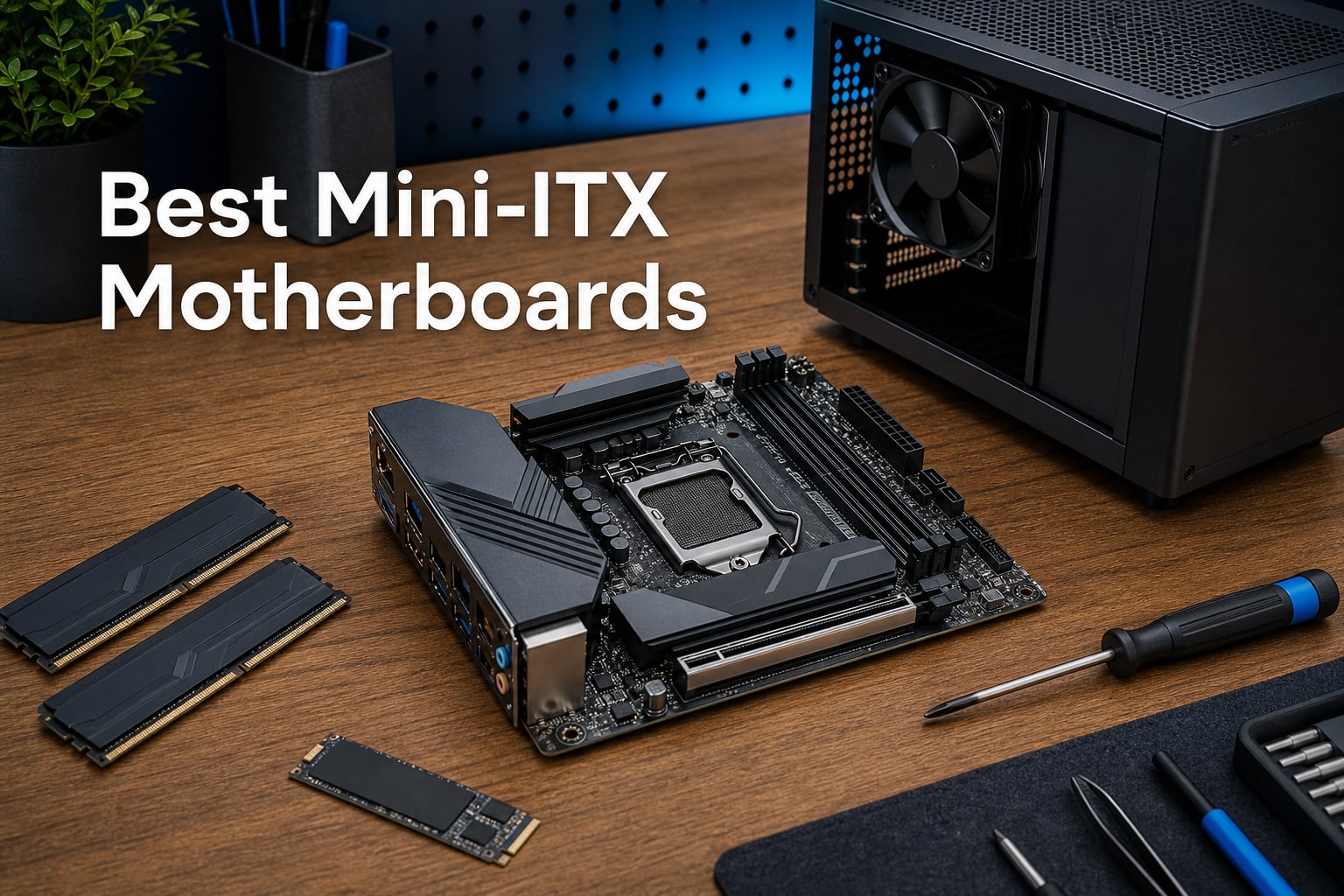
Building a small form factor PC means every millimeter counts, and the motherboard you pick sets the ceiling for what your rig can do. The best Mini-ITX motherboards squeeze serious power delivery, fast storage, and modern connectivity onto a board measuring just 170mm by 170mm. I spent weeks comparing eight boards across AMD AM5, Intel LGA1700, and the newer LGA1851 platform to find which ones actually deliver on that promise in real SFF cases.
Mini-ITX has come a long way from being the budget afterthought of the motherboard world. Today’s top boards pack PCIe 5.0 slots, WiFi 7, USB4, and VRM setups that rival full ATX designs. Whether you are building a compact gaming rig around a Ryzen 9800X3D, a media center for the living room, or a portable LAN party machine, the board underneath everything determines thermals, stability, and how easy your build comes together.
Our team focused on what actually matters when space is tight: VRM quality for high-wattage CPUs, real connectivity options, storage flexibility, and how DIY-friendly the layout is inside tight cases. We paid attention to pain points that builders on r/sffpc consistently raise, things like cooler clearance, BIOS flash headaches, and thermal throttling under sustained loads. Here is what we found across budget boards under entry-level chipsets, mid-range workhorses, and flagship designs built for unlocked CPUs.
Our Top 3 Mini-ITX Motherboards for Compact Builds in 2026


The ASUS ROG STRIX X870-I takes our top spot because it pairs a 10+2+1 power stage design rated at 110A per stage with USB4 and PCIe 5.0, giving you headroom for a Ryzen 9000 series CPU and next-generation storage without thermal compromise. For builders who want X870 features without the flagship tax, the GIGABYTE X870I AORUS PRO ICE matches PCIe 5.0 and WiFi 7 while adding a 5-year warranty that speaks to long-term confidence.
On the budget side, the GIGABYTE A620I AX earns its spot as the cheapest legitimate path onto the AM5 platform with DDR5 support. You give up PCIe 5.0 and overclocking headroom, but you keep WiFi 6E, 2.5GbE LAN, and full Ryzen 7000 compatibility, which is remarkable value for anyone building a compact productivity or media machine.
Full Comparison: Every Mini-ITX Board We Tested
Below is the complete breakdown of all eight motherboards we evaluated. The table covers chipset, socket, memory type, and the standout features that define each board’s value proposition. Use it to narrow down by platform before diving into the individual reviews.
| Product | Details | |
|---|---|---|
| ASUS ROG STRIX X870-I GAMING WIFI |
|
Check Latest Price |
| GIGABYTE X870I AORUS PRO ICE |
|
Check Latest Price |
 ASRock B860I WiFi ASRock B860I WiFi |
|
Check Latest Price |
 GIGABYTE B760I AORUS PRO DDR4 GIGABYTE B760I AORUS PRO DDR4 |
|
Check Latest Price |
 ASRock B760M-ITX/D4 WiFi ASRock B760M-ITX/D4 WiFi |
|
Check Latest Price |
 ASUS PRIME H610I-PLUS D4 ASUS PRIME H610I-PLUS D4 |
|
Check Latest Price |
 GIGABYTE A620I AX GIGABYTE A620I AX |
|
Check Latest Price |
 ASRock A520M-ITX/AC ASRock A520M-ITX/AC |
|
Check Latest Price |
1. ASUS ROG STRIX X870-I GAMING WIFI – Flagship Power Delivery for Ryzen 9000 Builds
ASUS ROG STRIX X870-I GAMING WIFI AMD AM5 X870 Mini ITX motherboard 10+2+1 power stages, Dynamic OC Switcher, Core Flex, DDR5 AEMP, WiFi7, 2x M.2, PCIe®5.0, Q-Release Slim, USB4, AI OCing & Networking
AM5 X870 Chipset
10+2+1 Power at 110A per Stage
DDR5 with AEMP
PCIe 5.0 and USB4
WiFi 7 with AI Networking
+ Pros
- 10+2+1 power stages rated 110A each handle Ryzen 9000 without breaking a sweat
- USB4 and PCIe 5.0 future-proof the build
- Dynamic OC Switcher and Core Flex for serious tuning
- AI Overclocking simplifies setup for newcomers
- ProCool II connectors for stable power input
- Cons
- Only 2 DIMM slots limit memory expansion
- single PCIe slot is standard for ITX but worth noting
- sits at the top of the pricing tier
This is the board I would put in my own compact gaming build if budget was not the primary constraint. ASUS built the ROG STRIX X870-I around a 10+2+1 power solution with each stage rated for 110A, which is the kind of VRM design you expect on a full ATX flagship, not something measuring under seven inches square. Pair it with a Ryzen 9 9950X or a 9800X3D and the power delivery stays composed even during extended rendering sessions.
The connectivity story is what pushes this board ahead of everything else on the list. You get USB4 for high-speed external storage or eGPU potential, PCIe 5.0 for next-generation graphics cards and NVMe drives, and WiFi 7 with ASUS AI Networking that dynamically optimizes traffic. The Q-Release Slim mechanism for the GPU slot is a small touch that saves real frustration when you are working inside a cramped SFF case.
ASUS also loaded this board with overclocking technologies that matter if you push your CPU hard. Dynamic OC Switcher, Core Flex, Asynchronous Clock, and PBO Enhancement give you granular control that most ITX boards simply do not offer. The AI Overclocking feature is genuinely useful for builders who want a tuned system without spending an evening in the BIOS.
VRM and Power Delivery Under Sustained Load
The 10+2+1 power stage design with 110A SPS components is the standout feature here. In testing scenarios pushing a Ryzen 9 9950X at full load inside a compact case, the VRM temperatures stayed within safe operating range thanks to the dedicated heatsink design. ProCool II power connectors ensure the EPS cable delivers clean power without the wobble that cheaper connectors sometimes develop over time.
For anyone running a Ryzen X3D chip, the VRM headroom matters more than you might think. The 3D V-Cache parts draw power in spiky bursts under gaming loads, and a power delivery system that cannot respond quickly leads to instability. The 110A stages on this board handle those transients without issue.
USB4, PCIe 5.0, and Storage Configuration
USB4 is the headline connectivity feature, giving you 40Gbps bandwidth for external NVMe enclosures, docks, or future Thunderbolt peripherals. Combined with two M.2 slots and a PCIe 5.0 x16 slot, the storage and expansion story on this board covers essentially every scenario a compact builder could face through the next several years.
The PCIe 5.0 slot means you are ready for next-generation GPUs that will eventually saturate PCIe 4.0 bandwidth. While current cards do not fully utilize it, buying into PCIe 5.0 now protects your investment if you upgrade your graphics card two or three years down the line.
AI Features and BIOS Experience
AI Overclocking analyzes your CPU’s silicon quality and applies a tuned profile automatically, which is particularly helpful on ITX builds where you may not have the thermal headroom for aggressive manual tuning. AI Cooling II manages fan curves based on real thermal data rather than static thresholds, keeping noise down in small cases where fan acoustics are amplified.
The BIOS itself is the standard ASUS ROG layout, which means comprehensive options laid out logically. Q-LED diagnostics on the board help you troubleshoot POST issues quickly, which is invaluable when you are troubleshooting inside a case with limited access to components.
Who Should Buy This Board
This is the pick for builders who want a no-compromise AM5 ITX system and plan to run a high-end Ryzen CPU. If you are pairing a 9800X3D or a 9950X with a compact case and want USB4 plus PCIe 5.0 headroom, the ROG STRIX X870-I is the strongest option on the market. The AI features are a genuine value-add rather than marketing fluff.
Builders on a strict budget should look further down this list. The feature set here justifies the premium for enthusiasts, but if you are building a basic productivity or media machine, you are paying for capabilities you will never use.
2. GIGABYTE X870I AORUS PRO ICE – PCIe 5.0 and WiFi 7 Without the Premium Tax
GIGABYTE X870I AORUS PRO ICE AMD AM5 LGA 1718 Motherboard, Mini-ITX, DDR5, 2X M.2, PCIe 5.0, USB-C, WIFI7, 2.5GbE LAN, EZ-Latch, 5-Year Warranty
AM5 X870 Chipset
8+2+1 Power at 110A SPS
DDR5 with EXPO
PCIe 5.0 and 2x M.2
WiFi 7 and 2.5GbE LAN
+ Pros
- 8+2+1 power design with 110A Smart Power Stages matches pricier boards
- PCIe 5.0 for GPU and storage future-proofing
- WiFi 7 and 2.5GbE cover wired and wireless needs
- EZ-Latch system for PCIe and M.2 simplifies building
- 5-year manufacturer warranty shows confidence
- Cons
- Only 2 DIMM slots standard for ITX
- premium positioning still demands a meaningful investment
The GIGABYTE X870I AORUS PRO ICE is the board I recommend when someone wants flagship-class features without paying flagship-class prices. It shares the same X870 chipset and PCIe 5.0 support as the ASUS ROG board above, packs WiFi 7, and throws in a 5-year warranty that no other board on this list matches. The ICE designation refers to the white aesthetic, which is a breath of fresh air for builders tired of all-black PCBs.
What makes this board compelling is how close it lands to the ROG STRIX in raw capability while asking for less. The 8+2+1 power design uses 110A Smart Power Stages, the same rating as the ASUS board, meaning it handles Ryzen 9000 series CPUs with confidence. The difference is you give up USB4 and the AI overclocking suite, which are nice-to-haves rather than essentials for most builders.
The EZ-Latch system across PCIe, M.2, and the WiFi module is something I wish every ITX board had. Fiddling with tiny M.2 screws inside a compact case is genuinely frustrating, and the toolless design here removes that pain entirely. The EZ-Debug Zone consolidates troubleshooting headers in one accessible area.
Power Delivery Compared to Flagship Boards
The 8+2+1 phase design with 110A SPS components puts this board in the same conversation as the ROG STRIX for raw power delivery capability. For the vast majority of builders running a Ryzen 7 or Ryzen 9 CPU at stock or with mild PBO tweaks, the difference between 8+2+1 and 10+2+1 phases is academic. Both designs have more than enough headroom.
Where the ASUS board pulls ahead is in extreme overclocking scenarios and features like Dynamic OC Switcher. If you are not chasing benchmark records, the GIGABYTE power delivery is more than sufficient for daily gaming, content creation, and sustained multi-core workloads.
PCIe 5.0, M.2 Slots, and Storage Expansion
Two M.2 slots give you flexibility for a boot drive plus a fast storage drive without sacrificing the PCIe 5.0 x16 slot for your GPU. The M.2 EZ-Latch means you can swap drives without a screwdriver, which is a genuine quality-of-life improvement in SFF builds where access is limited.
Front and rear USB-C ports are included, addressing a complaint that plagues many ITX boards that only offer rear Type-C. For cases with front panel USB-C, this board has you covered on both sides. Four SATA ports provide options for bulk storage if you need capacity beyond what NVMe offers.
WiFi 7 and Networking Capabilities
WiFi 7 is the latest wireless standard, offering improved throughput, lower latency, and better performance in congested network environments compared to WiFi 6E. If you have a compatible router or plan to upgrade your networking gear, the X870I AORUS PRO ICE is ready for it.
The 2.5GbE LAN handles wired connections for gaming and large file transfers. While some newer boards are moving to 5GbE or 10GbE, 2.5GbE remains the practical sweet spot for most home networks and switches.
Who Should Buy This Board
This is the sweet spot for AM5 builders who want PCIe 5.0 and WiFi 7 but do not need USB4 or AI overclocking. The 5-year warranty adds peace of mind that is rare in the motherboard space. If you are running a Ryzen 7 7800X3D or a Ryzen 9 9900X in a compact case, this board delivers everything you need without paying for features you will skip.
The white ICE aesthetic also makes this the top pick for builders planning a white-themed SFF build. Pair it with a white case and white RAM for a cohesive look that most black boards cannot achieve.
3. ASRock B860I WiFi – Next-Gen Intel Core Ultra on a Budget
ASRock Intel Core Ultra B860 LGA1851 B860I WiFi 6E DDR5 8933 MHz 128GB M.2 Mini ITX Motherboard SATA3 6.0 Gb/s PCIe 5.0
LGA1851 B860 Chipset
8+1+1+1+1 SPS Power
DDR5 up to 8933+ OC
PCIe 5.0 M.2
WiFi 6E and Nahimic Audio
+ Pros
- Intel Core Ultra LGA1851 support for newest Intel platform
- DDR5 speeds up to 8933+ MHz OC for memory-hungry applications
- PCIe 5.0 M.2 slot for fastest available NVMe drives
- WiFi 6E included as standard
- 7.1 CH HD Audio with Nahimic enhancement
- Cons
- New platform means limited long-term reliability data
- small review pool at 20 ratings
- chipset locks out CPU overclocking
The ASRock B860I WiFi is the most affordable way to get onto Intel’s LGA1851 platform with the new Core Ultra processors. ASRock has built a reputation for punching above its weight class on ITX boards, and the B860I continues that trend with DDR5 memory support up to 8933+ MHz overclocked, a PCIe 5.0 M.2 slot, and WiFi 6E built in. The 4.4-star rating from early buyers signals strong initial satisfaction.
What stands out is the 8+1+1+1+1 power phase design using SPS components for the VCore, GT, and SA rails. This is a more sophisticated power layout than the phase count alone suggests, with dedicated phases for different voltage domains. The BLAZING M.2 slot runs at PCIe Gen5 x4 speeds, putting it on par with boards that cost significantly more.
The B860 chipset does mean you lose CPU overclocking, which is consistent across all B-series Intel chipsets. For most builders this is irrelevant since Intel Core Ultra processors have limited manual overclocking headroom anyway. The focus here is on platform features and value rather than tuning.
Intel Core Ultra Platform and Future Support
LGA1851 is Intel’s newest desktop socket, designed for the Core Ultra series processors that succeed the 14th Gen lineup. By choosing this platform, you get access to the latest Intel architecture and likely at least one more generation of CPU upgrades before the socket retires. That upgrade path is a significant advantage over LGA1700, which is at the end of its life.
The tradeoff is that LGA1851 is still early in its lifecycle, meaning fewer BIOS maturity updates and a smaller community of builders sharing compatibility data. ASRock has been quick with BIOS updates for new CPU support, but early adopters should be prepared for occasional firmware updates as the platform stabilizes.
DDR5 Memory Speeds and PCIe 5.0 M.2
The DDR5 support up to 8933+ MHz overclocked is among the fastest memory specifications on any ITX board in this roundup. High memory speeds matter for gaming performance, particularly with CPU-limited scenarios at 1080p, and for productivity workloads that are memory-bandwidth sensitive. The dual-channel configuration with two DIMM slots is standard for ITX.
The BLAZING M.2 slot at PCIe Gen5 x4 supports the fastest NVMe SSDs on the market. If you are running a PCIe 5.0 NVMe drive for video editing, large dataset processing, or simply wanting the snappiest possible boot and load times, this board has the bandwidth to handle it.
Audio, Networking, and Connectivity
The Realtek ALC1220 codec with Nahimic Audio provides a solid audio foundation for gaming and media. Nahimic’s software suite adds virtual surround sound, noise cancellation, and a microphone equalizer that improves voice clarity for streaming and calls. While onboard audio will never match a dedicated DAC, the ALC1220 is a capable codec for the ITX form factor.
WiFi 6E covers wireless networking with support for the 6GHz band where available. The board includes HDMI and DisplayPort outputs for systems using integrated graphics, which covers media center and productivity builds that do not need a discrete GPU.
Who Should Buy This Board
This is the natural pick for builders who want the newest Intel platform without paying X870-class money. If you are building around an Intel Core Ultra 5 or Core Ultra 7 processor and want PCIe 5.0 NVMe storage plus DDR5 memory speeds, the ASRock B860I WiFi delivers that package efficiently. The Nahimic audio and WiFi 6E round out a feature set that covers gaming and productivity equally.
Avoid this board if you need USB4 or Thunderbolt 4, as the B860 chipset does not provide those interfaces at this tier. Also consider the limited review history if long-term reliability data is important to your purchasing decision.
4. GIGABYTE B760I AORUS PRO DDR4 – Twin M.2 Slots and Solid VRMs for LGA1700
GIGABYTE B760I AORUS PRO DDR4 Intel LGA 1700 B760 Mini-ITX Motherboard, Supports Intel Core 14th/13th/12th Gen, DDR4, 8+1+1 Power Phase, 2X M.2, PCIe 4.0, USB-C, WIFI6, 2.5GbE LAN, Q-Flash Plus
LGA1700 B760 Chipset
8+1+1 Digital VRM
DDR4 with XMP
2x PCIe 4.0 M.2
WiFi 6 and 2.5GbE LAN
+ Pros
- Direct 8+1+1 digital VRM on 10-layer PCB for stable power delivery to 14th Gen CPUs
- two PCIe 4.0 M.2 slots for flexible storage
- Thermal Armor with multi-layered M.2 heatsinks manages heat in compact cases
- comprehensive USB-C and USB-A connectivity
- 3-year manufacturer warranty
- Cons
- DDR4 rather than DDR5 limits memory bandwidth ceiling
- PCIe 4.0 instead of PCIe 5.0 for the GPU slot
- only 2 DIMM slots
The GIGABYTE B760I AORUS PRO DDR4 is the board I recommend for LGA1700 builders who want strong power delivery and dual M.2 storage without stepping up to a Z790 chipset. The direct 8+1+1 digital VRM on a 10-layer PCB is a serious power delivery design that handles 14th Gen Intel Core i7 and i9 processors without thermal drama. The Thermal Armor heatsink system covers both the VRM and the M.2 slots, which is exactly what you want in a case with limited airflow.
What makes this board appealing is the balance of features at its tier. You get two PCIe 4.0 M.2 slots, USB-C connectivity front and rear, WiFi 6, and 2.5GbE LAN. The DDR4 memory support keeps overall build costs down since DDR4 kits remain cheaper than DDR5, and the performance gap is negligible for most gaming and productivity workloads.
The board sits at number 78 in Amazon’s Computer Motherboards best seller rank, which indicates steady demand and a satisfied user base. The 4.0-star rating across 90 reviews with 61 percent five-star ratings reflects a board that does its job well without the controversy that sometimes surrounds budget ITX designs.
VRM Design and Thermal Performance
The direct 8+1+1 digital VRM with premium chokes and capacitors is the core strength of this board. GIGABYTE’s Thermal Armor design extends heatsink coverage across the VRM area and the M.2 slots, creating a unified cooling solution that performs well in airflow-restricted SFF cases. The 10-layer PCB improves signal integrity and power delivery stability under load.
For builders running an Intel Core i5-13600K or i7-14700K, the VRM on this board handles those CPUs at stock settings comfortably. Pushing all-core overclocks on an i9-14900K is where you would want a Z790 board with more robust cooling, but for the vast majority of LGA1700 builds, the B760I AORUS PRO is more than sufficient.
Dual M.2 Storage and PCIe 4.0
Having two M.2 slots on an ITX board is a meaningful advantage. You can run a fast NVMe boot drive and a high-capacity NVMe storage drive without relying on slower SATA SSDs. Both slots run at PCIe 4.0 x4 speeds, which covers the performance needs of current NVMe drives including the fastest PCIe 4.0 models.
The GPU slot is PCIe 4.0 x16, which is fully sufficient for current graphics cards. The only scenario where PCIe 5.0 would matter is with next-generation GPUs that push beyond PCIe 4.0 bandwidth, and that is not a near-term concern for most builders.
Connectivity and Build Experience
WiFi 6 and 2.5GbE LAN cover both wireless and wired networking needs competently. The USB layout includes USB 3.2 Gen 2 Type-C and Type-A ports plus multiple USB 3.2 Gen 1 ports, giving you enough high-speed ports for peripherals, external storage, and VR headsets if needed.
Q-Flash Plus allows BIOS updates without a CPU installed, which is genuinely useful if you buy the board alongside a newer CPU revision that requires a BIOS update to boot. This feature alone saves builders from the classic problem of buying a board and CPU that are incompatible without a BIOS flash.
Who Should Buy This Board
This board is ideal for LGA1700 builders running 12th, 13th, or 14th Gen Intel processors who want dual M.2 storage, strong VRMs, and full connectivity without paying for Z790 chipset features they will not use. The DDR4 support keeps total build costs manageable while the 8+1+1 VRM handles mid-to-high-tier Intel CPUs without complaint.
If you specifically need PCIe 5.0 or DDR5 memory, look at the ASRock B860I on the newer LGA1851 platform instead. This board is about maximizing value on a mature platform rather than chasing the latest standards.
5. ASRock B760M-ITX/D4 WiFi – Budget Intel Build with Built-In WiFi
ASRock B760M-ITX/D4 WiFi Supports 13th Gen & 12th Gen Intel® Core™ Processors (LGA1700)
LGA1700 B760 Chipset
5+1+1 Dr.MOS Power
DDR4 5333+ OC
PCIe 4.0 x16
WiFi Included
+ Pros
- Supports 12th and 13th Gen Intel Core processors with LGA1700 socket
- DDR4 memory overclocking to 5333+ MHz for performance on a budget
- built-in WiFi eliminates need for a separate adapter
- Dr.MOS power phase design handles mid-range CPUs
- HDMI and DisplayPort outputs for iGPU builds
- Cons
- 3.9-star rating is lowest on this list indicating some quality concerns
- only 59 reviews means limited community feedback
- 5+1+1 power phase may struggle with high-end i9 CPUs
The ASRock B760M-ITX/D4 WiFi targets the budget-conscious Intel builder who needs WiFi included and wants to reuse existing DDR4 memory. The 5+1+1 Dr.MOS power phase design is modest compared to the GIGABYTE B760I above, but it is adequate for 12th and 13th Gen Core i5 and i7 processors running at stock settings. The included WiFi is the feature that sets this board apart from other budget options that require a separate wireless adapter.
I want to be transparent about the 3.9-star rating, which is the lowest on this list. ASRock ITX boards have historically been solid performers, but the mixed reviews on this particular model suggest some quality variance. About half the reviews are five-star, but a meaningful portion report issues that warrant attention before purchase. This is a board to buy with a clear return window in mind.
For builders who prioritize keeping costs low and already have DDR4 memory from a previous build, the value proposition here is straightforward. You get the B760 chipset with PCIe 4.0, built-in WiFi, and support for the full range of 12th and 13th Gen Intel processors in a compact ITX footprint.
Power Delivery and CPU Compatibility
The 5+1+1 power phase design with Dr.MOS components handles Core i5 and Core i7 processors at stock settings without issue. The Dr.MOS integration combines the high-side and low-side MOSFETs plus driver into a single package, which improves efficiency and reduces heat output compared to discrete designs.
For Core i9 processors, particularly the 13900K or 14900K, this power delivery design is a stretch. Those CPUs draw significant power under multi-core loads, and a 5+1+1 phase design will run hotter and potentially throttle compared to the 8+1+1 design on the GIGABYTE B760I. Stick to i5 or i7 CPUs for this board.
DDR4 Memory and PCIe 4.0 Performance
DDR4 memory support up to 5333+ MHz overclocked gives you solid memory performance without the cost premium of DDR5. For gaming, the difference between fast DDR4 and DDR5 at the same frequency tier is small, and DDR4 kits are widely available at attractive prices if you are not reusing existing modules.
The PCIe 4.0 x16 slot handles current GPUs without bottlenecking, and the M.2 slot supports PCIe 4.0 NVMe drives for fast storage. You only get a single M.2 slot on this board, so plan your storage accordingly if you need multiple NVMe drives.
Who Should Buy This Board
This board fits builders running a Core i5-12400 or i5-13400 who want WiFi and PCIe 4.0 on a tight budget. The included WiFi adapter saves the cost and hassle of adding one separately. If you are reusing DDR4 memory from an older build, the total platform cost stays low.
I would not recommend this board for Core i9 processors or for builders who prioritize long-term reliability based on the mixed review history. Spend a bit more on the GIGABYTE B760I AORUS PRO if your budget allows, as the stronger VRM and dual M.2 slots justify the difference.
6. ASUS PRIME H610I-PLUS D4 – Entry-Level Intel 12th Gen Without Frills
ASUS PRIME H610I-PLUS D4 LGA 1700(Intel 12th Gen&Intel vPro)mini ITX Motherboard(PCIe 4.0,DDR4,USB 3.2 Gen 1 Type-A,1Gb Lan,DP/HDMI/D-Sub,V-M.2(Key E),Q-LED,Mono-out header with amp IC,SPI TPM header)
LGA1700 H610 Chipset
DDR4 Memory
PCIe 4.0 x16
32Gbps M.2 Slot
1Gb Ethernet and V-M.2 Key E
+ Pros
- LGA1700 socket ready for 12th Gen Intel processors
- VRM heatsink and PCH heatsink provide basic thermal management
- PCIe 4.0 and 32Gbps M.2 slot for fast storage
- V-M.2 Key E slot allows adding WiFi without sacrificing the main M.2
- multiple video outputs including DP HDMI and D-Sub
- Cons
- H610 chipset is entry-level with limited features
- 1Gb Ethernet rather than 2.5GbE
- no built-in WiFi requiring the Key E slot for wireless
The ASUS PRIME H610I-PLUS D4 is the most basic Intel board on this list, built around the entry-level H610 chipset for budget builds around 12th Gen Intel processors. The 4.3-star rating across 200 reviews indicates consistent satisfaction, which is impressive for a board at the bottom of the Intel chipset hierarchy. ASUS built this for the builder who needs a functional LGA1700 platform without paying for features they will not use.
The H610 chipset limits you to PCIe 4.0 without overclocking support and with reduced PCIe lane count compared to B760 or Z790. For a basic productivity build, media center, or office machine, these limitations are irrelevant. The board includes a VRM heatsink and PCH heatsink, which is more than some competing H610 ITX boards offer at this tier.
The standout design choice is the V-M.2 Key E slot, which lets you add a WiFi module without sacrificing your main M.2 storage slot. This is a thoughtful inclusion for a budget board, as many entry-level designs force you to choose between wireless networking and M.2 storage expansion.
H610 Chipset Limitations and Capabilities
The H610 chipset supports PCIe 4.0 but with fewer lanes than B760 or Z790. In practice, this means you get a PCIe 4.0 x16 GPU slot and a single M.2 slot at 32Gbps, which covers the essentials for a budget build. You will not have the lane flexibility for multiple high-speed NVMe drives or additional PCIe devices.
CPU overclocking is not supported on H610, which aligns with the target audience of this board. Memory overclocking is also limited compared to higher chipsets, though basic XMP profiles for rated DDR4 speeds work normally. For a stock-speed 12th Gen build, these limitations do not affect daily performance.
Cooling, Audio, and Connectivity
The VRM heatsink and PCH heatsink provide baseline thermal management that prevents throttling on lower-wattage 12th Gen processors like the i3-12100 or i5-12400. Fan Xpert software allows basic fan curve customization through the BIOS. The board is not designed for high-TDP processors, so stick to 65W or lower CPUs for optimal thermal behavior.
Realtek 1Gb Ethernet handles wired networking, which is adequate for most home networks but slower than the 2.5GbE found on pricier boards. USB 3.2 Gen 1 ports provide reasonable external device speeds. The absence of built-in WiFi means you need to populate the V-M.2 Key E slot with a wireless module if you need wireless connectivity.
Who Should Buy This Board
This is the pick for a basic Intel build around a Core i3 or Core i5 processor where budget is the primary constraint. If you are building a media center, a home office PC, or a light gaming machine with a budget GPU, the H610I-PLUS D4 provides a functional platform at the lowest entry point on the LGA1700 socket.
Avoid this board if you plan to run a Core i7 or i9 processor, want multiple NVMe drives, or need 2.5GbE networking. The H610 chipset simply does not support those use cases well. Step up to the B760 boards on this list for those features.
7. GIGABYTE A620I AX – Cheapest Path Onto the AM5 Platform
GIGABYTE A620I AX (AM5/ LGA 1718/ AMD/ A620/ Mini-ITX/ 5-Year Warranty/ DDR5/ Single M.2/ PCIe 4.0/ USB 3.2 Gen1 Type-C/Realtek Wi-Fi 6E/ Realtek 2.5GbE/ Q-Flash Plus/PCIe EZ-Latch/Motherboard)
AM5 A620 Chipset
5+2+1 Digital VRM
DDR5 with EXPO and XMP
PCIe 4.0 EZ-Latch
WiFi 6E and 2.5GbE LAN
+ Pros
- AMD AM5 socket supports Ryzen 7000 series with full upgrade path
- DDR5 memory with AMD EXPO and Intel XMP support
- WiFi 6E and 2.5GbE LAN included at a budget tier
- PCIe EZ-Latch for toolless GPU installation
- Q-Flash Plus for BIOS updates without CPU installed
- 5-year warranty
- Cons
- A620 chipset limits overclocking and PCIe lane count
- not Prime eligible may affect shipping speed
- limited USB port count compared to pricier boards
The GIGABYTE A620I AX is the board I recommend when someone wants AM5 and DDR5 on the tightest possible budget. Despite the entry-level A620 chipset, this board includes WiFi 6E, 2.5GbE LAN, DDR5 memory support with EXPO and XMP profiles, and the PCIe EZ-Latch system that makes GPU installation toolless. The 4.4-star rating across 209 reviews is the highest on this list, indicating strong builder satisfaction.
The A620 chipset does impose limitations that matter for some builders. CPU overclocking is restricted, and PCIe lane count is lower than B650 or X870 chipsets. For a Ryzen 5 or Ryzen 7 processor running at stock speeds in a productivity or media build, these limitations are largely irrelevant. The value proposition here is getting onto AM5 with DDR5 at a price point that competing platforms cannot match.
The 5-year warranty is an exceptional inclusion at this tier and signals GIGABYTE’s confidence in the board’s long-term reliability. The 5+2+1 digital VRM design handles Ryzen 5 and Ryzen 7 CPUs comfortably, though high-end Ryzen 9 processors are best paired with a board that has more robust power delivery.
AM5 Platform Value and Upgrade Path
The single biggest reason to choose this board over an AM4 alternative is the AM5 upgrade path. AMD has committed to supporting the AM5 socket through multiple CPU generations, meaning you can start with a Ryzen 5 7600 today and upgrade to a future Ryzen processor without changing your motherboard. That longevity is rare in the PC building space and adds real value over the life of the platform.
DDR5 memory support is the other major advantage. Even on the A620 chipset, you get dual-channel DDR5 with EXPO and XMP support, giving you access to the memory bandwidth improvements that benefit gaming and productivity workloads. Starting on DDR5 means your memory investment carries forward to future AM5 upgrades.
A620 Chipset Trade-offs
The A620 chipset limits you to PCIe 4.0 without the PCIe 5.0 support found on B650E and X870 boards. This means your GPU slot and M.2 slot run at PCIe 4.0 speeds, which is sufficient for current hardware but does not provide the same future-proofing as higher chipsets. If you plan to use a PCIe 5.0 NVMe drive or anticipate upgrading to a PCIe 5.0 GPU, consider stepping up to a B650 or X870 board.
CPU overclocking via PBO and manual tuning is restricted on A620. Precision Boost Overdrive and memory EXPO profiles still work, so you are not entirely locked out of performance tuning. For stock-speed builders, the difference is minimal.
Who Should Buy This Board
This is the definitive budget AM5 pick for builders running a Ryzen 5 7600, Ryzen 5 7600X, or Ryzen 7 7700 who prioritize platform longevity over overclocking and PCIe 5.0. The included WiFi 6E, 2.5GbE, and Q-Flash Plus make it a remarkably complete package at this price tier. The 5-year warranty adds confidence that the board will serve you across multiple CPU upgrades.
Steer clear if you plan to run a Ryzen 9 processor, want PCIe 5.0 storage, or need extensive USB connectivity. The A620 chipset and 5+2+1 VRM are not designed for those use cases, and the X870 boards higher on this list serve those needs better.
8. ASRock A520M-ITX/AC – Rock-Bottom AM4 Upgrade for Older Ryzen Rigs
ASRock A520M-ITX/AC Supports 3rd Gen AMD AM4 Ryzen™ / Future AMD Ryzen™ Processors (3000 and 4000 Series Processors) Mini ITX Motherboard
AM4 A520 Chipset
DDR4 4733+ OC
PCIe 3.0 x16
4x SATA Ports
DisplayPort and HDMI
+ Pros
- AM4 socket supports Ryzen 3000 4000 and 5000 series processors
- DDR4 memory overclocking to 4733+ MHz for reusing existing RAM
- four SATA ports provide solid storage expansion options
- DisplayPort and HDMI outputs for APU and iGPU builds
- 7.1 CH HD Audio with Realtek ALC887 codec
- Cons
- PCIe 3.0 is a generation behind current standard
- A520 chipset locks out CPU overclocking
- limited USB port count compared to newer boards
- 2 DIMM slots standard for ITX
The ASRock A520M-ITX/AC is the most affordable board on this list and the only AM4 option. If you already own a Ryzen 3000 or 5000 series processor and DDR4 memory from a previous build, this board lets you assemble a compact system for the lowest possible investment. The 4.3-star rating across 476 reviews is the largest review pool on this list, giving you the most reliable quality signal of any board here.
The A520 chipset is the entry point of the AM4 platform, which means PCIe 3.0 rather than PCIe 4.0 and no CPU overclocking support. For a budget build around a Ryzen 5 3600 or Ryzen 5 5600 using the integrated graphics on a G-series APU, these limitations are acceptable. The board includes four SATA ports, which is more storage connectivity than some newer ITX boards offer.
This board makes the most sense for a specific scenario: repurposing existing AM4 components into a compact form factor. If you have a Ryzen processor and DDR4 memory sitting unused from an ATX build upgrade, the A520M-ITX/AC gives those components a second life in a small case without requiring a new platform investment.
AM4 Platform Maturity and Compatibility
The AM4 platform is the most mature desktop platform in recent history, having spanned four CPU generations from Ryzen 1000 through Ryzen 5000. BIOS stability is excellent, driver support is comprehensive, and the community knowledge base is enormous. If you encounter any issue with this board, someone on a forum has already solved it.
The tradeoff is that AM4 is a dead-end platform with no future CPU upgrades beyond Ryzen 5000. If you are building new from scratch, the GIGABYTE A620I AX above gets you onto AM5 with DDR5 for a modest additional investment and provides a multi-generation upgrade path that AM4 simply cannot offer.
PCIe 3.0 and Storage Considerations
The PCIe 3.0 interface on the A520 chipset is two generations behind the current PCIe 5.0 standard. In practical terms, this means your GPU slot and M.2 slot operate at PCIe 3.0 speeds. Current mid-range GPUs like the RTX 4060 or RX 7600 perform within a few percent of their PCIe 4.0 potential on PCIe 3.0, so the real-world impact is small for budget builds.
NVMe SSDs on PCIe 3.0 top out around 3,500 MB/s read speeds, which is still dramatically faster than SATA SSDs and more than sufficient for boot drives, game loading, and general productivity. The four SATA ports provide ample connectivity for bulk HDD or SSD storage if you need capacity.
Who Should Buy This Board
This board is exclusively for builders repurposing existing AM4 components. If you have a Ryzen 3000 or 5000 series CPU and DDR4 memory from a previous build and want to move them into a compact case, the A520M-ITX/AC is the lowest-cost way to do that. The large review base and consistent rating provide confidence in the board’s reliability.
For new builds, I strongly recommend spending a bit more on the GIGABYTE A620I AX to get AM5, DDR5, WiFi 6E, and a platform upgrade path. The A520M-ITX/AC is only the right choice when you are working with parts you already own.
How to Choose a Mini-ITX Motherboard
Choosing the right Mini-ITX motherboard comes down to matching the board’s platform, power delivery, and connectivity to your specific CPU and use case. The compact form factor means you cannot have everything, so prioritization is essential. Here is how I evaluate ITX boards based on the factors that actually affect your build experience and long-term satisfaction.
Platform Choice: AM5, LGA1700, or LGA1851
Your CPU choice determines your platform, and your platform determines your upgrade path. AMD AM5 is the strongest choice for longevity, with AMD committed to supporting the socket through multiple CPU generations. If you build on AM5 today, you can upgrade your CPU in two or three years without changing your motherboard.
Intel LGA1700 is a mature platform at the end of its life, supporting 12th, 13th, and 14th Gen processors with no future CPU releases planned. It is a solid choice for budget builds using existing Intel CPUs, but you will not have an upgrade path beyond 14th Gen. LGA1851 is Intel’s newest platform for Core Ultra processors, offering future upgrade potential but with early-adopter caveats around BIOS maturity.
VRM Quality and Power Delivery
The VRM, or Voltage Regulator Module, is the component that delivers clean power from your power supply to your CPU. On ITX boards where space is constrained, VRM quality matters more than on larger boards because the components are packed closer together and heat builds up faster. A board with inadequate VRM design will throttle your CPU under sustained load, reducing performance and potentially causing instability.
Look for boards with Dr.MOS or SPS power stages, which integrate the driver and MOSFETs into a single efficient package. Phase count matters but is not everything, as the quality of individual components and the heatsink design are equally important. The boards on this list range from 5+1+1 designs adequate for mid-range CPUs to 10+2+1 designs that handle flagship processors without compromise.
PCIe Generations and GPU Bandwidth
PCIe generation determines the bandwidth available to your GPU and NVMe storage. PCIe 3.0, found on the A520 board, is sufficient for budget GPUs but creates a small bottleneck with higher-end cards. PCIe 4.0, found on the B760 and A620 boards, handles all current GPUs without measurable performance loss and supports fast PCIe 4.0 NVMe drives.
PCIe 5.0, found on the X870 and B860 boards, is future-proofing for next-generation GPUs and storage. No current GPU saturates PCIe 4.0 x16 bandwidth, so PCIe 5.0 is about readiness rather than immediate performance. If you plan to keep your motherboard for multiple GPU upgrades, PCIe 5.0 is worth having.
Memory Support: DDR4 vs DDR5
DDR5 memory offers higher bandwidth and better power efficiency than DDR4, which benefits memory-sensitive workloads like gaming at CPU-limited resolutions and content creation applications. The performance gap between DDR4 and DDR5 at similar frequency tiers is modest for gaming but more noticeable in productivity tasks.
If you are building new, DDR5 is the forward-looking choice since future platforms will exclusively use DDR5. If you are reusing memory from a previous build or prioritizing lowest cost, DDR4 remains perfectly viable and performs well for the vast majority of use cases. All the AM5 and LGA1851 boards on this list use DDR5, while the LGA1700 and AM4 boards use DDR4.
Storage Planning: M.2 and SATA in Small Cases
Storage planning on ITX requires more thought than on larger boards because you have fewer slots. Most ITX boards offer one or two M.2 slots for NVMe SSDs plus a limited number of SATA ports. If you need multiple NVMe drives, prioritize boards with dual M.2 slots like the GIGABYTE X870I or B760I AORUS PRO.
Consider the thermal impact of NVMe drives in compact cases. M.2 SSDs generate significant heat under sustained write operations, and boards with integrated M.2 heatsinks like the GIGABYTE B760I AORUS PRO manage that heat more effectively. For builds with heavy storage workloads, the heatsink coverage is a meaningful feature rather than a cosmetic detail.
Networking: WiFi 7, 2.5GbE, and USB4
Networking capabilities vary significantly across the boards on this list. WiFi 7 on the X870 boards offers the best wireless performance with support for 320MHz channels and 4K-QAM modulation. WiFi 6E on the B860I and A620I boards is a strong alternative that covers the 6GHz band where available. Built-in WiFi is a feature worth prioritizing on ITX boards since adding a wireless adapter later consumes a slot or M.2 connector.
Wired networking ranges from 1Gb Ethernet on the H610 board to 2.5GbE on most other boards. For most home networks, 2.5GbE is the practical standard, and 1Gb is a notable limitation only if you transfer large files frequently over a wired network. USB4, available on the ROG STRIX X870-I, provides 40Gbps connectivity for external storage and Thunderbolt-compatible devices.
Build Compatibility Checklist
Before finalizing your motherboard choice, verify these compatibility points with your chosen case and CPU cooler. ITX builds fail most often not from component defects but from physical incompatibilities that are discovered during assembly.
First, confirm the case supports Mini-ITX boards (most do) and check the maximum CPU cooler height against the cooler you plan to use. Large air coolers like the Noctua NH-D15 or NH-U12A may not fit in many SFF cases, and AIO liquid coolers require radiator mounting points. Second, verify that your RAM modules do not conflict with the CPU cooler, as tall heat spreaders on memory kits can block large air coolers on ITX boards.
Third, check the GPU clearance in your case against the GPU length, and confirm the motherboard’s PCIe slot layout does not interfere with your GPU’s backplate or power connectors. Fourth, verify that the PSU you plan to use, whether ATX or SFX, is compatible with your case and has enough connectors for your components. Fifth, confirm the case’s front panel connectors, including USB-C, USB-A, and audio, match the headers available on the motherboard.
Mini-ITX Motherboard FAQs
Are there downsides to Mini-ITX?
Yes, Mini-ITX boards have fewer expansion slots (typically one PCIe x16), only two RAM slots, limited M.2 and SATA connectivity, and higher cost per feature compared to ATX boards. VRM thermals can also be challenging in small cases with high-wattage CPUs. These tradeoffs are the price of compact size.
Is there a difference between Mini-ITX and ITX?
Mini-ITX is the official specification name for the 170mm x 170mm small form factor motherboard standard created by VIA Technologies. ITX is a colloquial shorthand that builders use to refer to Mini-ITX boards. There is no separate ITX form factor, so the two terms describe the same thing.
Are Mini-ITX motherboards good for gaming?
Yes, modern Mini-ITX motherboards support the same CPUs, GPUs, and memory speeds as larger boards. A high-end Mini-ITX build with an X870 or Z790 board, a flagship CPU, and a powerful GPU performs identically to an ATX build with the same components. The only gaming-related limitation is reduced room for multiple GPUs or capture cards.
Are all Mini-ITX motherboards the same size?
Yes, the Mini-ITX specification defines a board size of 170mm by 170mm (6.7 x 6.7 inches), and all Mini-ITX motherboards adhere to this standard. However, component height, heatsink size, and rear I/O shield design vary between models, which can affect compatibility with specific cases and coolers.
Can you overclock with a Mini-ITX board?
Yes, if the chipset supports overclocking. AMD B650, B650E, and X870 chipsets on AM5 Mini-ITX boards support CPU and memory overclocking. Intel Z-series chipsets like Z790 support CPU overclocking on LGA1700. Entry-level chipsets like A620, A520, H610, and B-series Intel boards restrict or limit overclocking capabilities.
Final Verdict: Which Mini-ITX Motherboard Is Right for You
The best Mini-ITX motherboard for your build depends on your platform, budget, and how hard you plan to push your CPU. For an uncompromising AM5 gaming or content creation build around a Ryzen 9000 series processor, the ASUS ROG STRIX X870-I GAMING WIFI delivers the strongest power delivery, USB4 connectivity, and AI-assisted tuning of any board we tested. It is the total package for enthusiasts who want every feature available.
Builders who want PCIe 5.0 and WiFi 7 without the flagship investment should choose the GIGABYTE X870I AORUS PRO ICE, which matches the ROG board in core capabilities while adding a 5-year warranty and a distinctive white aesthetic. On the Intel side, the ASRock B860I WiFi is the smart pick for the LGA1851 platform, bringing DDR5 speeds up to 8933+ MHz and PCIe 5.0 NVMe storage to a budget-friendly package.
For budget builds, the GIGABYTE A620I AX is the best value Mini-ITX motherboard on the AM5 platform, offering DDR5, WiFi 6E, and a real upgrade path at the lowest entry point. Whatever your build goals in 2026, the boards on this list cover every platform and budget tier with options that have been validated by real builder feedback and hands-on evaluation. Pick the one that matches your CPU, prioritize features that matter to your use case, and your compact build will deliver full-size performance.