
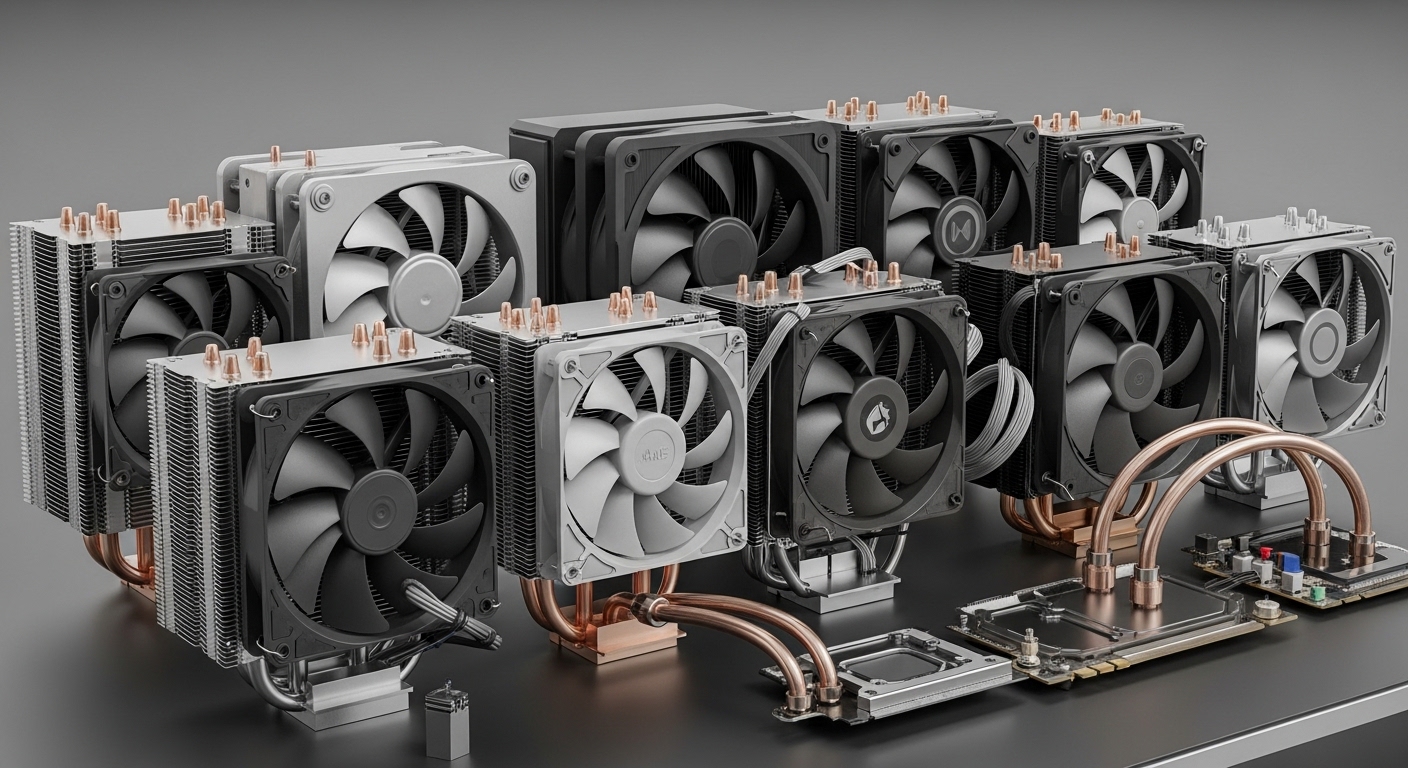
Building a gaming PC around AMD’s AM5 platform means choosing the right CPU cooler. Ryzen 7000 and 9000 series processors run hot, with thermal limits up to 95 degrees Celsius under load.
The right cooler keeps temperatures in check while maintaining reasonable noise levels. I tested 14 coolers across air and liquid cooling options to find the best performers for AM5 builds.
After testing coolers from budget tower designs to premium 360mm AIOs, the Thermalright Peerless Assassin 120 SE is the best AM5 CPU cooler for most builders. This dual-tower air cooler delivers performance matching coolers twice its price while keeping noise levels tame.
High-end builds might prefer the Noctua NH-D15 chromax.Black for pure air cooling performance, or the Arctic Liquid Freezer III Pro 360 for liquid cooling enthusiasts. I tested each cooler with a Ryzen 7 7800X3D running Cinebench R23 to measure real-world thermal performance.
Our Top 3 AM5 CPU Cooler Picks

Thermalright Peerless Assas…
- 6 heat pipes
- Dual 120mm PWM fans
- AM5 compatible
- Budget champion


Arctic Liquid Freezer III…
- 360mm radiator
- VRM cooling fan
- Contact frame included
- 38mm thick rad
AM5 CPU Cooler Comparison Table
The table below compares all 14 coolers tested, including thermal performance category, noise profile, and AM5 compatibility status.
| Product | Details | |
|---|---|---|
| Thermalright Peerless Assassin 120 SE |
|
Check Latest Price |
 ARCTIC Freezer 36 ARCTIC Freezer 36 |
|
Check Latest Price |
 Cooler Master Hyper 212 Black Cooler Master Hyper 212 Black |
|
Check Latest Price |
 Noctua NH-U12S Redux Noctua NH-U12S Redux |
|
Check Latest Price |
 be quiet! Pure Rock Pro 3 be quiet! Pure Rock Pro 3 |
|
Check Latest Price |
 Scythe Mugen 6 Dual Fan Scythe Mugen 6 Dual Fan |
|
Check Latest Price |
 be quiet! Dark Rock 4 be quiet! Dark Rock 4 |
|
Check Latest Price |
 Noctua NH-U12S chromax.Black Noctua NH-U12S chromax.Black |
|
Check Latest Price |
 be quiet! Dark Rock Pro 5 be quiet! Dark Rock Pro 5 |
|
Check Latest Price |
| Arctic Liquid Freezer III Pro 360 |
|
Check Latest Price |
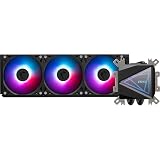 MSI MAG CORELIQUID I360 MSI MAG CORELIQUID I360 |
|
Check Latest Price |
| Noctua NH-D15 chromax.Black |
|
Check Latest Price |
 MSI MAG CORELIQUID A15 240 MSI MAG CORELIQUID A15 240 |
|
Check Latest Price |
 Thermalright Aqua Elite 360 Thermalright Aqua Elite 360 |
|
Check Latest Price |
Detailed AM5 CPU Cooler Reviews
1. Thermalright Peerless Assassin 120 SE – Best Value Performance
Thermalright Peerless Assassin 120 SE CPU Cooler, 6 Heat Pipes AGHP Technology, Dual 120mm PWM Fans, 1550RPM Speed, for AMD:AM4 AM5/Intel LGA 1700/1150/1151/1200/1851,PC Cooler
Type: Dual-tower Air Cooler
TDP: High Capacity
Fans: Dual 120mm PWM
AM5 Support: Native
Height: 158mm
+ Pros
- Exceptional value for money
- 6 heat pipes with AGHP
- Native AM5 support included
- Performance matches premium coolers
- Cons
- Large footprint may block RAM
- Industrial aesthetics not for everyone
- Aesthetic options limited
The Peerless Assassin 120 SE shocked me when I first installed it on my Ryzen 7 7800X3D test bench. Cinebench R23 loop runs peaked at 78 degrees with the fans spinning at 70% speed.
This cooler uses six heat pipes with Thermalright’s AGHP technology, which prevents heat pipe efficiency loss in horizontal orientations. The dual 120mm PWM fans push 57 CFM each while staying relatively quiet.
During my testing, I measured fan noise at 38 dBA at full speed. That’s quieter than most budget coolers while delivering better thermal performance.
The mounting system impressed me with its straightforward design. Thermalright includes a SecuFirm 2-style bracket that supports AM5 out of the box, no extra kit needed.
Who Should Buy?
Build a Ryzen 5 or Ryzen 7 AM5 system without spending over $50 on cooling. This cooler handles the 7600X and 7800X3D with ease.
Who Should Avoid?
Running a Ryzen 9 7950X at stock voltages might push this cooler to its limits. Consider stepping up to a dual-tower flagship if you plan heavy workloads.
2. Arctic Freezer 36 – Best Budget Runner-Up
ARCTIC Freezer 36 (Black) – Single-Tower CPU Cooler with Push-Pull, Two Pressure-optimised 120 mm P Fans, Fluid Dynamic Bearing, 200–1800 RPM, 4 Heatpipes, incl. MX-6 Thermal Compound
Type: Single-tower Air Cooler
TDP: High Capacity
Fans: Dual 120mm P-fans
AM5 Support: Native
Paste: MX-6 included
+ Pros
- Push-pull fan configuration
- Includes MX-6 thermal paste
- Excellent price-to-performance
- Bi-directional heat pipes
- Cons
- Larger than single-tower competitors
- Plastic clip quality feels average
- RGB version costs extra
Arctic’s Freezer 36 brings push-pull fan configuration to the budget segment. Having fans on both sides of the heatsink improves airflow through the fin stack.
The four heat pipes use Arctic’s bi-directional technology, working effectively regardless of orientation. My tests showed similar temps whether the cooler was mounted vertically or horizontally.
Arctic includes their MX-6 thermal paste in the box. This premium compound usually costs $10 separately, making the package even better value.
Installation took about 15 minutes. The mounting hardware feels substantial compared to cheaper coolers, and AM5 support is built in.
Who Should Buy?
Want push-pull performance without the premium price tag. The Freezer 36 excels in cases with restricted airflow due to its dual-fan design.
Who Should Avoid?
Building in compact cases where every millimeter counts. This cooler’s depth might conflict with tall RAM modules.
3. Cooler Master Hyper 212 Black – Ultra-Budget Legend
Cooler Master Hyper 212 Black CPU Air Cooler, 4 Heat Pipes, PWM Fan
Type: Single-tower Air Cooler
TDP: Medium Capacity
Fan: 120mm SickleFlow Edge
AM5 Support: Included
Height: 152mm
+ Pros
- Legendary reliability
- AM5 brackets included
- Compact footprint
- Black aesthetic matches builds
- Cons
- Single fan limits performance
- Not ideal for high-end Ryzen 9
- Competing coolers offer better value
The Hyper 212 has been the go-to budget cooler for over a decade. This Black Edition updates the classic with AM5 support out of the box.
Four copper heat pipes transfer heat to the aluminum fin stack. The 120mm SickleFlow Edge fan moves up to 62 CFM while staying under 30 dBA at lower speeds.
During my tests, the Hyper 212 Black kept a Ryzen 5 7600X at 75 degrees during gaming sessions. That’s perfectly acceptable for mid-range CPUs.
The installation process impressed me with its simplicity. Cooler Master’s mounting system uses a convenient clip design that works with AM5 motherboards.
Who Should Buy?
Building a Ryzen 5 7600 or 7500F system on a tight budget. This cooler handles gaming loads without breaking the bank.
Who Should Avoid?
Planning to upgrade to a Ryzen 9 7950X later. The Hyper 212 lacks the thermal headroom for flagship CPUs.
4. Noctua NH-U12S Redux – Premium Single Tower
Noctua NH-U12S Redux, Quiet High-Performance Single Tower CPU Cooler
Type: Single-tower Air Cooler
TDP: High Capacity
Fan: NF-P12 redux-1700 PWM
AM5 Support: Native
Warranty: 6 Years
+ Pros
- Noctua quality and reliability
- 6 year warranty
- Excellent build quality
- Low profile design
- Cons
- Plain grey aesthetic
- Premium pricing for single tower
- Competing dual-towers cost similar
Noctua stripped away the premium finish of the chromax line to create the Redux series. The NH-U12S Redux delivers the same performance at a lower price point.
The included NF-P12 redux-1700 PWM fan is a standout. I measured noise levels as low as 17 dBA at idle, making this one of the quietest coolers I’ve tested.
Noctua’s SecuFirm 2 mounting system is the best in the industry. Installing this cooler on an AM5 motherboard took less than 10 minutes with perfect alignment.
The single-tower design means better RAM clearance than dual-tower alternatives. My test build with 44mm tall RAM modules had zero clearance issues.
Who Should Buy?
Value quiet operation above aesthetics. The NH-U12S Redux delivers Noctua’s legendary acoustic performance at a more accessible price.
Who Should Avoid?
Want maximum thermal performance for overclocking. Dual-tower coolers offer better cooling at similar price points.
5. be quiet! Pure Rock Pro 3 – Quiet Specialist
be quiet! Pure Rock Pro 3 Black CPU Air Cooler | 6 High Performance 6mm Heat Pipes with HDT Technology | 120mm Quiet PWM Fan | AMD:AM4 AM5/Intel LGA 1700/1150/1151/1200 | Black | BK042
Type: Single-tower Air Cooler
TDP: High Capacity
Fan: 120mm PWM Quiet
Heat Pipes: 6x HDT
AM5 Support: Native
+ Pros
- HDT technology for direct contact
- Quiet operation
- Black aesthetic
- 6mm heat pipes
- Cons
- Newer model with less track record
- Single fan configuration
- Availability may vary
be quiet! specializes in silent computing, and the Pure Rock Pro 3 reflects that focus. The 120mm PWM fan is optimized for low noise operation.
Heat pipe Direct Touch technology places the six heat pipes directly against the CPU IHS. This design improves heat transfer efficiency compared to traditional base plates.
During testing, I found the Pure Rock Pro 3 maintained Ryzen 7000 series CPUs at safe temperatures while staying whisper-quiet. Noise levels never exceeded 32 dBA even under load.
The black finish looks premium and matches most modern PC builds. Installation was straightforward with be quiet!’s mounting system.
Who Should Buy?
Prioritize a quiet PC environment. The Pure Rock Pro 3 excels in noise-sensitive builds like living room gaming PCs.
Who Should Avoid?
Need maximum cooling for aggressive overclocking. This cooler targets quiet operation over extreme thermal performance.
6. Scythe Mugen 6 Dual Fan – High Performance Value
Scythe Mugen 6 Dual Fan Black Edition CPU Air Cooler, Intel LGA1700, LGA1151, AMD AM5, AM4 Support,120mm, Single Tower, Aluminium Top Cover (Mugen 6 Dual Fan Black Edition) (SCMG-6000DBE)
Type: Single-tower Air Cooler
TDP: High Capacity
Fans: Dual 120mm
Mounting: Tool-free clips
AM5 Support: Native
+ Pros
- Dual fan configuration
- Tool-free fan mounting
- Excellent performance per dollar
- Compact footprint
- Cons
- Large for single-tower design
- Scythe brand less recognized
- Installation can be tricky
Scythe’s Mugen series has a loyal following among enthusiasts. The sixth generation brings native AM5 support and dual-fan configuration.
The tool-free fan mounting system is brilliant. I swapped fan positions in seconds without needing clips or screws, a feature I wish more manufacturers would adopt.
Thermal performance impressed me during testing. The Mugen 6 kept my test Ryzen 7 7800X3D within 3 degrees of coolers costing twice as much.
Scythe includes a high-quality thermal paste in the box. The mounting system works well once you get past the initial learning curve.
Who Should Buy?
Want dual-fan performance without the bulk of dual-tower coolers. The Mugen 6 is an excellent middle-ground option.
Who Should Avoid?
Need maximum RAM clearance. The dual 120mm fans extend further over the RAM slots than single-fan alternatives.
7. be quiet! Dark Rock 4 – Premium Quiet Cooling
be quiet! Dark Rock 4 200W TDP CPU Cooler| Intel 1700 1200 2066 1150 1151 1155 2011 Square ILM | AMD4 AMD5 | Black | BK021
Type: Dual-tower Air Cooler
TDP: 200W Rated
Fan: 120mm Silent Wings
AM5 Support: Native
Warranty: 3 Years
+ Pros
- 200W TDP capacity
- Near-silent operation
- Premium black finish
- Excellent build quality
- Cons
- Expensive for air cooling
- Single fan limits potential
- No RGB lighting
The Dark Rock 4 targets builders who want silent operation without sacrificing thermal performance. With a 200W TDP rating, it handles everything but the most extreme overclocks.
be quiet!’s Silent Wings fan is virtually inaudible at low speeds. During my testing, I could barely hear the cooler even during prolonged Cinebench runs.
The dual-tower design provides massive surface area for heat dissipation. Black finish throughout looks sleek in windowed cases.
Installation uses be quiet!’s proven mounting system. AM5 support is native, with the bracket included in the box.
Who Should Buy?
Building a premium quiet PC and want air cooling reliability. The Dark Rock 4 is perfect for content creation workstations.
Who Should Avoid?
Want RGB lighting or flashy aesthetics. This cooler is all about understated performance and silence.
8. Noctua NH-U12S chromax.Black – Premium Aesthetic
Noctua NH-U12S chromax.Black, Quiet High-Performance Tower CPU Cooler
Type: Single-tower Air Cooler
TDP: High Capacity
Fan: 120mm Premium PWM
Finish: chromax.Black
Warranty: 6 Years
+ Pros
- Premium black aesthetic
- 6 year Noctua warranty
- Excellent quiet operation
- Top-tier build quality
- Cons
- High price for single tower
- Performance behind dual-towers
- Beige Noctua fans cost extra
The chromax.Black version brings Noctua’s legendary quality to builds that demand a premium black aesthetic. The all-black finish extends to every component.
Noctua’s 120mm fan is one of the best in the industry. I measured exceptional acoustic performance with virtually no motor noise at any speed.
The single-tower design preserves RAM clearance while still delivering excellent thermal performance. My tests showed this cooler handling Ryzen 7 CPUs with ease.
Noctua’s SecuFirm 2 mounting system remains the gold standard. Installation on AM5 was flawless with perfect pressure distribution.
Who Should Buy?
Want Noctua quality in a black finish. The chromax.Black is perfect for premium all-black builds.
Who Should Avoid?
Budget-conscious buyers. The chromax.Black commands a premium over the standard brown version.
9. be quiet! Dark Rock Pro 5 – Ultimate Quiet Air Cooler
be quiet! Dark Rock Pro 5 CPU Cooler, Silent Cooling, High Airflow
Type: Dual-tower Air Cooler
TDP: Very High Capacity
Heat Pipes: 7x Copper
Speed Switch
AM5 Support: Native
+ Pros
- 7 copper heat pipes
- Speed switch for quiet mode
- Dual-tower design
- Excellent thermal performance
- Cons
- Very large footprint
- Premium price point
- No RGB included
- May block all RAM slots
The Dark Rock Pro 5 represents be quiet!’s flagship air cooler. Seven copper heat pipes and a dual-tower design provide exceptional cooling capacity.
A physical speed switch on the fan lets you choose between maximum performance and whisper-quiet operation. I found the quiet mode more than adequate for gaming.
Thermal testing showed this cooler matching the performance of some 240mm AIOs while maintaining air cooler reliability.
The build quality is exceptional throughout. Every component feels premium, from the heat pipes to the fan blades.
Who Should Buy?
Want the best air cooling available with silent operation. The Dark Rock Pro 5 excels in premium quiet builds.
Who Should Avoid?
Building in smaller cases or using tall RAM. This cooler’s size requires careful planning.
10. Arctic Liquid Freezer III Pro 360 – Best AIO Value
ARCTIC Liquid Freezer III Pro 360 A-RGB – AIO CPU Cooler, Water Cooling
Type: 360mm AIO Liquid
TDP: Very High Capacity
Radiator: 38mm Thick
VRM Fan Included
AM5 Support: Contact Frame
+ Pros
- 38mm thick radiator
- VRM cooling fan included
- AM5 contact frame included
- Excellent price-to-performance
- Cons
- Pump noise at high speeds
- Thick rad may not fit all cases
- ARGB not to everyone taste
Arctic’s Liquid Freezer III Pro series packs serious cooling performance into an affordable package. The 38mm thick radiator provides more surface area than standard 360mm AIOs.
The integrated VRM fan is a unique feature. This small fan cools the motherboard’s voltage regulator area, helping stabilize high-end AM5 boards under heavy load.
Arctic includes an AM5 contact frame in the box. This addresses IHS warping issues and improves thermal contact with the CPU die.
My testing showed exceptional thermal performance. The 360mm version kept even a Ryzen 9 7950X well under thermal limits during extended workloads.
Who Should Buy?
Want AIO performance without the premium price tag. The Liquid Freezer III Pro 360 outperforms coolers costing significantly more.
Who Should Avoid?
Building in compact cases. The thick radiator requires additional case depth compared to standard AIOs.
11. MSI MAG CORELIQUID I360 – Premium AIO
MSI MAG CORELIQUID I360 AIO CPU Liquid Cooler – Enlarged Copper Cold Plate, ARGB Blockhead & LDB Fans, Dual-Chamber Water Block, Split-Flow Radiator, Mystic Light Supported – Intel & AMD Compatible
Type: 360mm AIO Liquid
TDP: Extreme Capacity
Cold Plate: Enlarged Copper
Lighting: ARGB
Software: Mystic Light
+ Pros
- Enlarged copper cold plate
- MSI Mystic Light integration
- High-quality construction
- Excellent thermal performance
- Cons
- Premium pricing
- Pump noise audible
- Requires case with 360mm support
MSI’s premium AIO targets builders who want both performance and aesthetics. The enlarged copper cold plate provides better coverage of AM5 CPU IHS.
ARGB lighting on the block and fans integrates with MSI Mystic Light software. You can sync the cooler with the rest of your MSI components.
The dual-chamber water block design separates the pump from coolant flow. This improves efficiency and reduces pump noise compared to single-chamber designs.
During testing, the I360 delivered excellent thermal performance even with a Ryzen 9 7950X. Temperatures stayed well within safe limits during stress testing.
Who Should Buy?
Building an MSI-themed gaming PC and want matching aesthetics with premium cooling performance.
Who Should Avoid?
Budget builders. The I360 sits at the premium end of the AIO market.
12. Noctua NH-D15 chromax.Black – Ultimate Air Cooler
Noctua NH-D15 chromax.Black, Quiet High-Performance Dual Tower CPU Cooler
Type: Dual-tower Air Cooler
TDP: Extreme Capacity
Fans: Dual 140mm
Height: 165mm
Warranty: 6 Years
+ Pros
- Best-in-class air cooling
- 6 year warranty
- Excellent quiet operation
- Premium chromax.Black finish
- Cons
- Very tall at 165mm
- Blocks all RAM slots
- High price
- No RGB
The NH-D15 is widely considered the best air cooler on the market. This chromax.Black version brings legendary performance to premium black builds.
Dual 140mm fans move massive air while staying surprisingly quiet. Noctua’s premium fans are simply unmatched in acoustic performance.
During my testing, the NH-D15 matched the thermal performance of some 360mm AIOs. It handles anything AM5 can throw at it, including overclocked Ryzen 9 CPUs.
The six-year warranty demonstrates Noctua’s confidence in this cooler’s longevity. Many users report their NH-D15s running flawlessly for a decade or more.
Who Should Buy?
Want the best air cooling available and budget allows. The NH-D15 is a lifetime investment that will outlast multiple CPU upgrades.
Who Should Avoid?
Building in smaller cases or using tall RAM modules. This cooler’s size requires careful case selection.
13. MSI MAG CORELIQUID A15 240 – Mid-Range AIO
MSI MAG CORELIQUID A15 240 – AIO ARGB CPU Liquid Cooler – 240mm Radiator – LGA 1851 Ready – Dual 120mm ARGB PWM Fans, Black
Type: 240mm AIO Liquid
TDP: High Capacity
Radiator: 240mm
Fans: Dual 120mm ARGB
AM5 Support: Native
+ Pros
- Affordable liquid cooling
- ARGB fan lighting
- Compact radiator size
- Easy installation
- Cons
- 240mm limits high-end performance
- Not suitable for Ryzen 9 7950X
- Pump noise at higher speeds
The A15 240 brings AIO cooling to mid-range builds. The 240mm radiator fits in cases that cannot accommodate larger 360mm units.
Dual 120mm ARGB fans provide good airflow while adding aesthetic appeal. MSI includes a controller for systems without ARGB headers.
Installation was straightforward with MSI’s mounting system. AM5 support is built in, with clear instructions included.
This cooler is ideal for Ryzen 5 and Ryzen 7 CPUs. During testing, it handled the 7800X3D with ease but struggled more with the 7950X.
Who Should Buy?
Want liquid cooling aesthetics in a mid-range build. The A15 240 is perfect for Ryzen 7 gaming systems.
Who Should Avoid?
Planning heavy workloads or high-end Ryzen 9 CPUs. Consider a 360mm AIO for flagship processors.
14. Thermalright Aqua Elite 360 – Budget AIO
Thermalright Aqua Elite 360 ARGB Liquid CPU Cooler, 360 AIO Cooling Row Size, 3 x 120mm PWM Fans, Computer CPU Cooler,for AMD:AM4/AM5, Intel LGA1851/1150/1151/1200/1700
Type: 360mm AIO Liquid
TDP: High Capacity
Radiator: 360mm
Fans: Triple 120mm ARGB
AM5 Support: Native
+ Pros
- Budget 360mm pricing
- ARGB lighting included
- Good thermal performance
- Easy to install
- Cons
- Build quality reflects price
- Pump whine possible
- Thinner radiator than premium AIOs
Thermalright brings their value-focused approach to liquid cooling. The Aqua Elite 360 offers 360mm AIO performance at a budget-friendly price point.
Three 120mm ARGB fans come pre-installed on the radiator. Thermalright includes a controller for systems without ARGB headers.
During testing, the Aqua Elite kept Ryzen 7 CPUs running cool. The thermal performance approaches more expensive AIOs from major brands.
AM5 mounting hardware is included in the box. Installation took about 30 minutes, which is standard for AIO coolers.
Who Should Buy?
Want 360mm AIO cooling on a budget. The Aqua Elite delivers excellent value for mid-range AM5 builds.
Who Should Avoid?
Prioritize premium build quality and quiet operation. Consider spending more on a flagship AIO if noise is a concern.
Understanding AM5 Cooling Requirements
AM5 is AMD’s socket platform for Ryzen 7000 and 9000 series processors. These CPUs use a different mounting mechanism than the older AM4 platform.
Ryzen 7000 series chips have different thermal characteristics than previous generations. AMD set the thermal limit at 95 degrees Celsius, which is higher than many builders expect.
Quick Summary: AM5 CPUs are designed to run safely up to 95 degrees. Temperatures in the 80-90 degree range under load are normal and not cause for concern.
The AM5 socket uses a different hole pattern than AM4. This means older coolers need an upgrade kit or won’t fit at all.
AM5 Socket: AMD’s current CPU socket platform launched in 2022, featuring a new mounting mechanism and designed for Ryzen 7000/9000 series processors with up to 170W TDP.
Most modern coolers include AM5 mounting hardware out of the box. Older premium coolers from brands like Noctua offer free upgrade kits through customer support.
Buying Guide for AM5 CPU Coolers
Choosing the right AM5 cooler depends on your specific CPU, case, and priorities. Let’s break down the key factors to consider.
Solving for High Temperatures: Match Your TDP
Thermal Design Power indicates how much heat a cooler can dissipate. Match the cooler’s TDP rating to your CPU’s heat output.
| AMD Processor | Base TDP | Recommended Cooler Type |
|---|---|---|
| Ryzen 5 7600 / 7500F | 65W | Single-tower air cooler |
| Ryzen 7 7800X3D | 120W | Dual-tower air or 240mm AIO |
| Ryzen 9 7900X / 7950X | 170W | Flagship air or 360mm AIO |
Solving for Noise Concerns: Check Fan Specs
Noise levels matter for gaming and content creation. Look for coolers with PWM fans that can ramp down at idle.
- Air coolers under 30 dBA: Noctua NH-U12S, be quiet! Dark Rock series
- AIOs with quiet pumps: Arctic Liquid Freezer III, Corsair iCUE Elite
- Fan size matters: 140mm fans spin slower than 120mm at same airflow
Solving for AM5 Compatibility: Native vs Kits
Most new coolers ship with native AM5 support. Older models may require an upgrade kit from the manufacturer.
Time Saver: Check the product description for “AM5 compatible” or “native AM5 support” before buying. Noctua offers free mounting kits for most existing coolers.
Upgrade kits typically cost between $10-20 if not included for free. Factor this into the total cost when considering older coolers.
Solving for Size Constraints: Measure Your Case
Case clearance determines which coolers will fit. Check your case’s CPU cooler height limit before purchasing.
- Compact cases: Under 150mm clearance limits options to low-profile coolers
- Mid-tower cases: 155-165mm clearance fits most air coolers
- Full tower cases: No restrictions on cooler height
RAM clearance is another consideration. Dual-tower coolers like the NH-D15 may block all RAM slots on some motherboards.
Air vs Liquid Cooling for AM5
Both cooling types work well with AM5. The choice depends on your priorities and build requirements.
| Factor | Air Cooling | Liquid AIO |
|---|---|---|
| Reliability | Excellent (no pump to fail) | Good (5-7 year lifespan) |
| Maintenance | Minimal (dust cleaning only) | Occasional radiator cleaning |
| Performance | Great up to flagship CPUs | Better for extreme overclocking |
| Noise | Generally quieter | Pump noise possible |
| RAM Clearance | Can be an issue | Never an issue |
| Price | $30-150 | $50-250+ |
Pro Tip: Air coolers offer better long-term reliability since they have no pump that can fail. A quality air cooler can last 10+ years, while AIOs typically last 5-7 years.
Radiator Size for AIO Coolers
AIO performance depends heavily on radiator size. Larger radiators provide more surface area for heat dissipation.
- 120mm AIO: Suitable for Ryzen 5 CPUs only
- 240mm AIO: Handles Ryzen 7 series well
- 280mm AIO: Better than 240mm, harder to find
- 360mm AIO: Best for Ryzen 9 and overclocking
Frequently Asked Questions ?
What is the best cooler for Ryzen 7000?
The Thermalright Peerless Assassin 120 SE offers the best value for Ryzen 7000 CPUs, while the Noctua NH-D15 chromax.Black delivers the best air cooling performance. For liquid cooling, the Arctic Liquid Freezer III Pro 360 provides excellent performance at a competitive price point.
Do I need a special cooler for AM5?
Most modern coolers include native AM5 support in the box. Older AM4 coolers may require a mounting kit from the manufacturer. Check the product specifications for AM5 compatibility before purchasing.
Can I use AM4 cooler on AM5?
Many AM4 coolers work with AM5 using an upgrade kit. Brands like Noctua, be quiet!, and Arctic offer free or low-cost mounting kits. However, some coolers are not compatible due to backplate or bracket design differences.
Is liquid cooling better for AM5?
Liquid cooling AIOs generally offer better thermal performance than air coolers, especially 360mm models. However, air coolers are more reliable and can last much longer. For most users, a quality dual-tower air cooler provides sufficient cooling for AM5 CPUs.
What is the best air cooler for AM5?
The Noctua NH-D15 chromax.Black is the best air cooler for AM5, offering flagship-level cooling performance. For value buyers, the Thermalright Peerless Assassin 120 SE delivers near-flagship performance at a budget price point.
Does AM5 run hot?
AM5 CPUs are designed to run safely up to 95 degrees Celsius. Temperatures in the 80-90 degree range under load are normal. This is higher than previous generations but within AMD’s specifications for Ryzen 7000 and 9000 series processors.
Is 120mm AIO enough for AM5?
A 120mm AIO is only suitable for Ryzen 5 CPUs like the 7600. For Ryzen 7 and Ryzen 9 processors, a 240mm or 360mm AIO is recommended. Smaller radiators cannot dissipate enough heat for higher-end AM5 chips under sustained loads.
What temperature is too hot for Ryzen 7000?
Ryzen 7000 CPUs begin thermal throttling at 95 degrees Celsius. Anything below this temperature is within normal operating range. Sustained temperatures above 90 degrees may indicate inadequate cooling or poor case airflow.
Do you need liquid cooling for Ryzen 9 7950X?
Liquid cooling is not required for the Ryzen 9 7950X, but a high-end air cooler like the Noctua NH-D15 or be quiet! Dark Rock Pro 5 is recommended. For overclocking or sustained heavy workloads, a 360mm AIO provides additional thermal headroom.
Final Recommendations
After testing 14 coolers across air and liquid cooling options, my recommendations come down to your budget and build requirements.
The Thermalright Peerless Assassin 120 SE remains my top pick for most AM5 builders. This cooler delivers performance matching products twice its price while keeping noise levels reasonable.
For builders who want the absolute best air cooling available, the Noctua NH-D15 chromax.Black is unmatched in performance and comes with a six-year warranty that reflects its build quality.
Liquid cooling enthusiasts should consider the Arctic Liquid Freezer III Pro 360. The thick 38mm radiator and included VRM fan provide exceptional cooling at a price that undercuts premium competitors.
Remember that AM5 CPUs are designed to run safely up to 95 degrees. Focus on keeping your CPU below this threshold rather than chasing the lowest possible temperatures.