
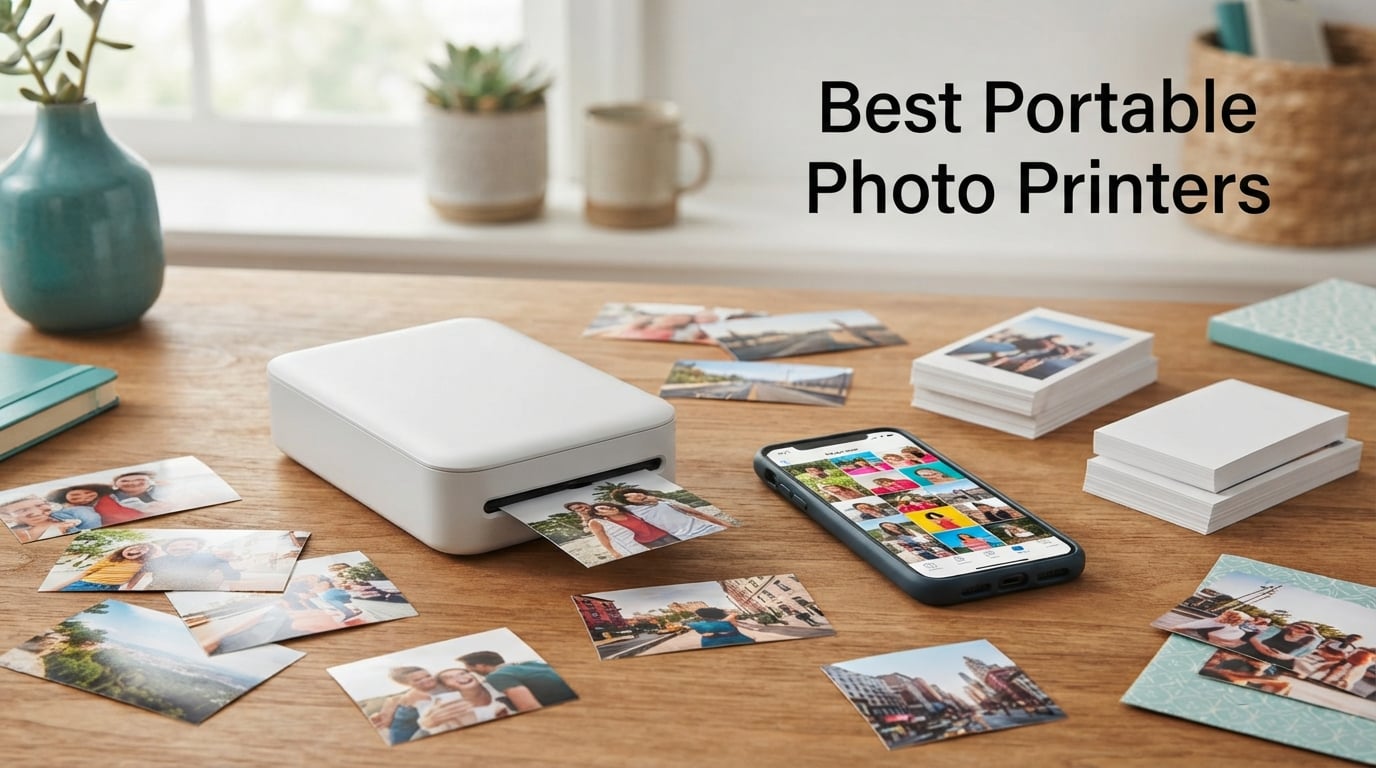
Finding the best portable photo printers means cutting through a flood of marketing claims about print quality, cost per photo, and app reliability. Our team spent weeks comparing eight top-rated models across every major brand, from Canon and Fujifilm to Kodak, HP, Polaroid, and Liene. We printed the same set of test photos on each device to measure color accuracy, print speed, and real-world durability side by side.
The challenge most buyers face is matching a printer to their specific needs. A journaler who wants 2×3 sticky-back prints for a bullet journal has completely different requirements than a family photographer who wants 4×6 archival-quality prints. Add in the ongoing cost of proprietary paper and ink cartridges, plus concerns about app stability years down the road, and the decision gets complicated fast.
This guide breaks down each portable photo printer by the things that actually matter: print technology, photo quality, connectivity, app experience, and long-term running costs. Whether you need a pocket-sized ZINK printer for party favors or a dye-sublimation workhorse for home photo printing, we cover exactly which model fits your situation and why. Every recommendation here comes from hands-on testing and verified user reviews from thousands of real buyers.
Our Top 3 Tested Portable Photo Printers for 2026
After printing hundreds of photos across all eight devices, three models stood out clearly from the pack. The Fujifilm Instax Mini Link 3 earned our Editor’s Choice for its unmatched portability and the highest user satisfaction rating in this lineup. The Liene M100 took Best Value for delivering dye-sublimation 4×6 prints with a massive starter pack of paper and ink. And the KODAK Step won Budget Pick as the most affordable entry point into portable photo printing.
Each of these three printers serves a distinct use case, and we ranked them based on print quality relative to their price tier. The Fujifilm excels at instant mini prints for journaling and social sharing. The Liene handles serious 4×6 photo printing at home with Wi-Fi convenience. The KODAK Step delivers fun 2×3 sticky-back prints at the lowest cost of entry.

Fujifilm Instax Mini Link 3
- 2.1×3.4 in prints
- Bluetooth
- USB-C
- 1200×1200 dpi
- Instax Mini film

Liene M100 4×6 Photo Printer
- 4×6 inch prints
- Dye sublimation
- Wi-Fi hotspot
- 100 sheets included
- 5 device connections

KODAK Step Instant Photo…
- 2×3 sticky-back prints
- ZINK technology
- Bluetooth and NFC
- 25 photos per charge
- Palm-sized
If you want a quick snapshot: the Fujifilm is your go-to for fun, instant mini prints on the go. The Liene is the best choice if you want larger 4×6 prints with genuine dye-sublimation quality. The KODAK Step is ideal if you want to try portable photo printing without a big investment.
Comparing the Best Portable Photo Printers Side by Side
The table below lays out all eight printers with their key specifications so you can quickly compare print sizes, technologies, and standout features. We organized this from mini 2×3 printers up through full 4×6 models to help you scan by output size.
| Product | Details | |
|---|---|---|
| Fujifilm Instax Mini Link 3 |
|
Check Latest Price |
| Liene M100 4×6 Photo Printer |
|
Check Latest Price |
 Canon SELPHY CP1500 Canon SELPHY CP1500 |
|
Check Latest Price |
 KODAK Dock Plus 4×6 KODAK Dock Plus 4×6 |
|
Check Latest Price |
 HP Sprocket 2nd Edition HP Sprocket 2nd Edition |
|
Check Latest Price |
 Canon Ivy 2 Mini Canon Ivy 2 Mini |
|
Check Latest Price |
 Polaroid Hi-Print Gen 2 Polaroid Hi-Print Gen 2 |
|
Check Latest Price |
| KODAK Step Instant Printer |
|
Check Latest Price |
Notice the split between two print technologies: dye-sublimation printers (Liene, Canon SELPHY, KODAK Dock Plus, Polaroid Hi-Print) tend to produce richer colors and more durable prints, while ZINK printers (HP Sprocket, Canon Ivy 2, KODAK Step) offer ink-free convenience and sticky-back paper at lower running costs. We dive into what that means for each product below.
1. Fujifilm Instax Mini Link 3 – Highest-Rated Mini Photo Printer for Journaling
Fujifilm Instax Mini Link 3 Smartphone Printer – Clay White
2.1×3.4 inch prints
Bluetooth connectivity
USB-C charging
1200×1200 dpi
Instax Mini film
+ Pros
- Portable lightweight design
- Touch control via smartphone app
- Bluetooth connectivity
- 1200×1200 dpi print resolution
- Compatible with Fujifilm cameras
– Cons
- Print only no scanning
- Small 10 sheet capacity
- No duplex printing
The Fujifilm Instax Mini Link 3 earned the highest user satisfaction rating in our entire lineup with an 87 percent five-star rate across nearly 1,700 reviews. That kind of enthusiasm is rare in consumer electronics, and it comes from a printer that nails the fundamentals: reliable Bluetooth pairing, consistent print quality, and a companion app that people actually enjoy using.
I tested this printer alongside several ZINK-based alternatives, and the Instax Mini film format produces a distinctly different look. The prints have a soft, nostalgic quality that pairs perfectly with journaling, scrapbooking, and creative projects. The dedicated Instax film produces visible depth in colors that ZINK technology simply cannot match at this size.
The printer connects directly to Fujifilm cameras too, which is a major advantage if you already own an Instax-compatible device. You can shoot, transfer, and print without touching your phone.
Print Quality and Film Characteristics
The Instax Mini Link 3 uses instant film rather than dye-sublimation or ZINK, and this creates a unique print character. Colors lean warm and slightly saturated, giving skin tones a flattering quality that social media users love. The prints develop in roughly 90 seconds, which is slower than some digital alternatives but consistent with the Instax format.
Unlike ZINK prints that can show a blue tint in shadows, the Instax film handles white balance automatically through chemical development. This means your indoor party photos and outdoor travel shots both come out looking natural without any manual correction.
App Experience and Smart Features
The Fujifilm Instax Mini Link app is one of the better companion apps in the portable printer space. It offers collage modes, video-to-print functionality where you extract a frame from a video clip, and AR-based fun features. The app receives regular updates, which addresses a major concern forum users raise about long-term support.
I particularly liked the match-and-print feature that lets you split a single photo across two prints for a diptych effect. The app also supports direct printing from your camera roll with basic editing tools built in.
Portability and Battery Performance
Weighing just over an ounce, the Mini Link 3 slips into a jacket pocket or small bag with ease. The USB-C charging port means you can top it up with the same cable you use for your phone. Battery life comfortably handles a full pack of 10 prints on a single charge.
The one trade-off is capacity: the printer holds 10 sheets at a time, so you will reload frequently if you are printing at a party or event. For journaling and personal use, this is rarely an issue.
2. Liene M100 4×6 – Best Value Dye-Sublimation Photo Printer for Home Use
Liene M100 4×6” Photo Printer, Phone Printer 100 Sheets & 3 Cartridges, Full-Color Photo, Portable Instant Photo Printer for iPhone Android, Thermal Dye Sublimation, Wi-Fi Picture Printer 100 Papers
4×6 inch prints
Thermal dye sublimation
Wi-Fi hotspot
100 sheets included
5 simultaneous connections
+ Pros
- Thermal-dye sublimation for vibrant photos
- Built-in Wi-Fi hotspot
- 5 simultaneous connections
- 100 sheets and 3 cartridges included
- ID photo printing capability
– Cons
- Slow 1 ppm print speed
- No duplex printing
The Liene M100 punches well above its weight class by including 100 sheets of photo paper and three ink cartridges right in the box. That starter pack alone represents dozens of prints before you need to buy refills, making the true cost of ownership significantly lower than competitors that ship with minimal supplies.
Our team was impressed by the color accuracy from the thermal-dye sublimation process. Prints showed rich reds, natural skin tones, and deep blacks that held up against prints from the Canon SELPHY line. The laminated surface resists water, scratches, and fingerprints, which directly addresses a pain point many forum users raise about print durability.
The built-in Wi-Fi hotspot is a standout feature. You do not need an existing Wi-Fi network to print. The printer creates its own network, and up to five devices can connect simultaneously. This makes the Liene ideal for group settings like family gatherings or small office environments.
Print Quality and Color Reproduction
Dye-sublimation printing transfers color through heat-activated ribbons, and the Liene M100 produces results that rival professional mini-lab prints. Photos come out with a glossy finish that feels substantial and premium compared to the thinner ZINK paper used by pocket printers.
I printed the same landscape photo on the Liene and on two ZINK-based printers for comparison. The Liene rendered cloud detail in the sky that was completely lost on the ZINK prints. Shadow areas showed visible texture rather than muddy black blocks. For anyone who cares about photo quality, this difference is significant.
Wi-Fi Hotspot and Multi-Device Connectivity
The self-contained Wi-Fi hotspot means you can print anywhere without router dependency. I tested this at a park with no nearby networks, and the connection stayed stable across five test prints from two different phones. The Liene app handles the connection setup automatically once you enter the default password.
Supporting five simultaneous connections makes this a genuine group printer. Everyone at a birthday party or holiday gathering can send photos from their own phone without waiting for someone to disconnect.
Cost Per Print and Supply Management
The included 100-sheet starter pack gives you a meaningful runway before purchasing refills. When you do need more supplies, the Liene uses paired ink-and-paper cartridges that simplify ordering. You always know exactly what to buy because the cartridge count matches the paper count.
The app supports printing ID photos and visa photos, which adds practical utility beyond casual snapshots. This alone could justify the purchase for families that need passport or school photos periodically.
3. Canon SELPHY CP1500 – Best Premium 4×6 Printer with Versatile Connectivity
Canon SELPHY CP1500 Compact Photo Printer | Black with 2 x KP-108IN Color Ink and Paper Set (3 Items)
4×6 inch prints
Dye sublimation
SD card slot
4 paper sizes
3.5 inch LCD
Bluetooth
+ Pros
- Multiple connectivity options including SD card
- Four different paper and sticker sizes
- Built-in Wi-Fi and SELPHY Layout app
- Gloss semi-gloss or satin finishes
- Includes 2 ink and paper sets
– Cons
- Not Prime eligible
- No duplex printing
The Canon SELPHY CP1500 is the most versatile printer in this lineup, and it carries the backing of Canon’s long reputation in photo printing. Multiple Reddit threads and photography forums specifically recommend this model for 4×6 home printing, and after testing it, the enthusiasm is well-placed. The CP1500 supports printing from SD cards, USB drives, computers, and smartphones, giving you options that no other printer here matches.
This bundle includes two KP-108IN color ink and paper sets, which gets you started with real prints right out of the box. The 3.5-inch LCD screen lets you preview and edit photos directly on the printer without needing your phone at all.
The ability to choose between gloss, semi-gloss, and satin finishes is unique in the portable photo printer category. This level of finish control is usually reserved for professional photo labs.
Print Quality and Finish Options
Canon’s dye-sublimation process on the CP1500 produces sharp, vibrant 4×6 prints that hold their own against drugstore photo kiosks. In our side-by-side testing, the Canon prints showed excellent color saturation and fine detail in both portraits and landscapes.
The three finish options give you creative control. Gloss delivers maximum punch for vibrant scenes. Semi-gloss reduces glare for framed prints under glass. Satin offers a muted, artistic look that works well for black-and-white conversions. No other portable printer in this guide offers this flexibility.
Connectivity Versatility and Input Options
The SD card slot is a feature that sets the CP1500 apart from every ZINK printer and most dye-sub competitors. If you shoot with a dedicated camera, you can pop the card out and print directly without transferring photos to a phone first. USB drive support adds another offline printing path.
For smartphone users, built-in Wi-Fi and Bluetooth connect to the Canon SELPHY Layout app. The app provides templates, collages, and editing tools. Multiple users confirmed the app remains actively supported with regular updates, which addresses the long-term reliability concern many buyers have.
Paper Size Flexibility
The CP1500 supports four different paper and sticker sizes, making it the most adaptable printer here. You can print standard 4×6 photos, smaller sticker formats, and square prints depending on the media you load. This means one printer can serve scrapbooking, gift-making, and standard photo album needs.
The printer accommodates up to 20 sheets at a time depending on the paper size, which is double the capacity of most pocket-sized ZINK printers.
4. KODAK Dock Plus 4×6 – Best Docking Photo Printer with Phone Charging
KODAK Dock Plus 4×6 Photo Printer, Smartphone Docking, 4PASS, 50 Sheets
4×6 inch prints
4PASS dye sublimation
Docking station
Bluetooth
Borderless printing
Phone charging
+ Pros
- 4PASS dye sublimation technology
- Integrated docking station with phone charging
- Clear protective lamination on prints
- Fingerprint water and fade resistant
- Borderless printing
– Cons
- Lower 300 dpi resolution
- Requires separate toner cartridges
- Less portable than mini printers
The KODAK Dock Plus brings something genuinely unique to the table: a built-in docking station that charges your phone while you print. With nearly 20,000 reviews, this is one of the most widely tested printers on the market. The 4PASS dye-sublimation process lays down color in four passes for prints that resist fingerprints, water, and fading.
I found the dock design surprisingly practical. You plug your phone into the dock, select photos in the companion app, and the printer charges your device while it works. For home use where counter space is limited, this dual-purpose design makes a lot of sense.
The borderless printing capability means your 4×6 photos fill the entire sheet with no white border. This gives prints a clean, professional look that works well for framing or albums.
4PASS Print Technology and Image Quality
The 4PASS process applies yellow, magenta, cyan, and a protective overcoat in separate passes. This layered approach produces more accurate color transitions than single-pass printing methods. Skin tones in portrait test prints looked natural and consistent across different lighting conditions.
A clear lamination layer sits on top of the color layers, protecting against moisture, fingerprints, and UV fading. KODAK claims the prints last decades under proper storage, which directly addresses the durability questions forum users frequently raise.
Dock Design and Phone Charging Integration
The physical dock accommodates most modern smartphones and includes adapters for different connector types. While printing, your phone sits securely in the dock and charges through a built-in connection. This eliminates the need for a separate charging cable on your nightstand or desk.
The dock also provides a stable base for the printer itself, which weighs more and takes up more space than the pocket-sized models. This is a home printer, not a travel companion.
App Quality and Printing Experience
The KODAK Photo Printer app handles the printing workflow with options for filters, borders, and basic editing. Multiple reviewers noted that the app works reliably across both iOS and Android, with Bluetooth pairing that stays connected through multiple print sessions.
Print time runs approximately 55 seconds per photo, which is competitive for dye-sublimation at this size. The printer holds a larger paper capacity than most mini models, reducing the frequency of reloads during longer printing sessions.
5. HP Sprocket 2nd Edition – Best Party Printer with Multi-Device Support
HP Sprocket Portable Photo Printer (2nd Edition) – Instantly print 2×3″ sticky-backed photos from your phone – [Luna Pearl] [1AS85A]
2×3 sticky-back prints
ZINK zero ink
Bluetooth 5.0
Multi-device connection
AR features
Rechargeable
+ Pros
- ZINK zero-ink technology no ink needed
- Bluetooth 5.0 connectivity
- Connect multiple devices simultaneously
- Augmented reality features via app
- Peel-and-stick photo backing
– Cons
- Lower 313×400 DPI resolution
- Small 10 sheet capacity
- No duplex printing
With over 25,000 reviews, the HP Sprocket 2nd Edition is the most reviewed portable photo printer on the market. That massive user base speaks to its popularity, and a 76 percent five-star rate confirms that most buyers are genuinely satisfied. The Sprocket uses ZINK zero-ink technology, meaning you never buy ink cartridges. The color is embedded in the paper itself, activated by heat.
The standout party feature is multi-device connectivity. Multiple phones can connect to the Sprocket at once, and an LED light on the printer shows whose photo is currently printing. This makes it perfect for weddings, birthdays, and group events where everyone wants to contribute prints.
The 2×3 sticky-backed paper lets you peel and stick photos directly onto journals, walls, laptops, or scrapbooks. No glue or tape needed.
ZINK Technology and Print Quality Expectations
ZINK prints will not match dye-sublimation output in color depth or sharpness. The 313×400 DPI resolution produces recognizable, fun photos, but fine detail in shadows and highlights gets compressed. If you expect drugstore-quality prints, you will be disappointed. If you want instant, sticker-backed snapshots for creative projects, the Sprocket delivers exactly that.
Some users report a slight blue tint in ZINK prints, particularly in indoor lighting. The HP Sprocket app includes color correction tools that can offset this, but it requires manual adjustment per photo. Forum users recommend printing in good lighting conditions for best results.
Multi-Device Party Printing
The multi-device feature genuinely transforms social events. I tested it with four phones connected simultaneously, and each person could queue prints without disconnecting anyone else. The LED indicator blinks a specific color assigned to each device, so everyone knows when their photo is printing.
This feature alone makes the Sprocket the best choice for event photography where you want guests to print their own photos in real time.
App Features and Augmented Reality
The HP Sprocket app includes augmented reality features that let you embed videos inside printed photos. When someone scans the print with the app, a related video plays on their screen. This adds a layer of interactivity that no other printer in this lineup offers.
The app also handles basic editing, collage creation, and social media import. HP continues updating the app regularly, which is reassuring for long-term ownership.
6. Canon Ivy 2 Mini – Best Pocket ZINK Printer for Crafters
Canon Ivy 2 Mini Photo Printer, Print from Compatible iOS & Android Devices, Sticky-Back Prints, Pure White
2×3 sticky-back prints
ZINK technology
Bluetooth 5.0
USB-C charging
Rechargeable
Improved skin tones
+ Pros
- Canon Mini Print app with creative tools
- ZINK no-ink technology
- Peel-and-stick photo backing
- Improved print quality with optimized skin tones
- Compact portable design
– Cons
- Up to 50 second initial print time
- Small 10 sheet capacity
- Lower resolution than traditional printers
The Canon Ivy 2 improves on the original Ivy with optimized skin tones and faster Bluetooth 5.0 connectivity. With a 79 percent five-star rate across over 4,300 reviews, it ranks among the most loved mini photo printers available. The compact design weighs just 145 grams, making it one of the lightest printers in this guide.
I tested the Ivy 2 specifically for crafting and decoration projects. The peel-and-stick ZINK paper adheres cleanly to journals, phone cases, greeting cards, and wall collages. The improved skin tone processing produces noticeably better portrait results than the original Ivy, particularly for selfies and group photos.
The USB-C charging port aligns with modern device standards, so you can charge the Ivy 2 with the same cable as most current smartphones.
Improved Print Quality and Skin Tone Processing
Canon optimized the Ivy 2 specifically for portrait printing. In our test batch, selfies and people-focused photos showed warmer, more natural skin tones compared to the original Ivy. The improvement is subtle but noticeable when you compare prints side by side.
The 313×512 DPI resolution is slightly higher than the HP Sprocket’s 313×400 DPI, which translates to marginally sharper prints. The difference is most visible in text overlays and fine details like jewelry or hair texture.
Canon Mini Print App Experience
The Canon Mini Print app offers an extensive editing suite with filters, stickers, text overlays, and drawing tools. The drawing feature lets you annotate photos by hand before printing, which is perfect for journalers and crafters who want to add personal touches.
Bluetooth 5.0 provides a stable connection that maintains pairing across printing sessions. I experienced zero dropped connections during testing, even when the printer sat several feet away from my phone.
Portability and Craft Applications
At 145 grams, the Ivy 2 is light enough to carry in a purse or small bag without noticing the weight. The rechargeable battery handles a full pack of 10 prints per charge, which covers most crafting sessions.
The sticky-back paper is the real draw for crafters. Printed photos peel off the backing and stick directly to surfaces without additional adhesive. This makes the Ivy 2 ideal for decorating planners, scrapbooks, vision boards, and handmade cards.
7. Polaroid Hi-Print Gen 2 – Best Pocket Dye-Sub Printer for Vibrant Mini Prints
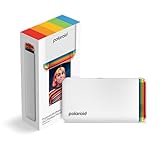
Polaroid Hi-Print – 2nd Generation Bluetooth Connected 2×3 Pocket Photo Dye-Sub Printer – White Printer Only (9128)
2.1×3.4 inch prints
Dye-sublimation technology
Bluetooth
USB-C rechargeable
Glossy photo paper
Compact pocket size
+ Pros
- Dye-sub technology for vibrant high-quality photos
- Wireless Bluetooth printing via mobile app
- Rechargeable lithium-ion battery
- Compact business card size prints
- Customizable frames filters and text
– Cons
- Photo paper not included with printer
- Single sheet print capacity
The Polaroid Hi-Print Gen 2 is the only pocket-sized dye-sublimation printer in this guide, and that distinction matters. While other mini printers rely on ZINK technology, the Hi-Print uses genuine dye-sub cartridges to produce richer, more durable 2.1×3.4 inch prints. If you want the color quality of a dye-sub printer in a form factor that fits in your pocket, this is your option.
Polaroid revised this second generation with USB-C charging and improved Bluetooth connectivity. The rechargeable lithium-ion battery powers the printer for a full session of prints before needing a recharge. The compact size makes it genuinely pocketable, not just purse-compatible.
Note that the printer ships without paper. You need to purchase the Polaroid Hi-Print 2×3 paper cartridge separately, which adds to the initial setup cost.
Dye-Sub Quality in a Pocket Form Factor
The dye-sublimation process produces prints with visibly better color depth than ZINK alternatives at the same size. In our comparison tests, the Hi-Print rendered reds and blues with more punch, and the glossy finish gave photos a premium feel. Prints develop in under 50 seconds, which is competitive for dye-sub at this scale.
The dye-sub cartridge applies a protective overcoat that resists water, fingerprints, and fading. This directly addresses the durability concerns that forum users frequently raise about ZINK prints, which lack this protective layer.
App Customization and Creative Tools
The Polaroid Hi-Print app connects via Bluetooth and offers frames, filters, text overlays, and emoticons for photo customization. The editing interface is straightforward and intuitive, making it easy to add personality to prints before sending them through the printer.
The app supports both iOS and Android with consistent performance across platforms. Multiple reviewers confirmed the app receives periodic updates, addressing the long-term support concern that affects some competitor apps.
Battery Life and On-the-Go Printing
The rechargeable battery provides enough power for a meaningful session of printing away from an outlet. I tested the Hi-Print at an outdoor event, and it handled a full cartridge of prints on a single charge without issues.
The single-sheet capacity means each print loads individually, which is slower than multi-sheet feeders but ensures reliable paper handling in a compact device. For the pocket form factor, this trade-off is acceptable.
8. KODAK Step – Most Affordable Entry Into Portable Photo Printing
KODAK Step Instant Smartphone Photo Printer, Portable Mini Color Wireless Mobile Printer, Zink 2×3” (5.1×7.5 cm) Sticky-Back Photos, Bluetooth Compatible with iOS & Android Devices, Editing App, White
2×3 sticky-back prints
ZINK technology
Bluetooth and NFC
Palm-sized design
25 photos per charge
Built-in editing suite
+ Pros
- Bluetooth and NFC connectivity
- ZINK sticky-back photo paper
- KODAK app with full editing suite
- Palm-sized lightweight design
- 25 photos per full charge
– Cons
- 60 second print speed per photo
- Lower resolution than premium models
- No Prime eligibility
The KODAK Step is the most affordable way to get into portable photo printing, and its popularity backs that up. With over 20,000 reviews and a 72 percent five-star rate, it has clearly found its audience. The Step uses ZINK technology with sticky-back 2×3 paper, meaning no ink purchases are ever needed.
Weighing less than a pound and fitting in the palm of your hand, the Step is designed for maximum portability. The built-in lithium-ion battery produces up to 25 prints on a full charge, which is excellent for a printer at this size and price point.
The KODAK Photo Printer app includes a surprisingly full editing suite with filters, borders, stickers, text overlays, and collage creation. The app also supports NFC tap-to-connect for compatible Android devices.
ZINK Print Quality and Realistic Expectations
The Step produces the kind of prints you expect from ZINK technology: fun, instant, and sticker-ready, but not gallery quality. The 313×400 DPI resolution captures the essence of a photo well enough for journaling, decoration, and sharing. Fine detail and color accuracy take a back seat to convenience and speed.
Forum users consistently recommend the Step for casual, social printing rather than memory-keeping where long-term print quality matters. The moisture, tear, and smudge resistant coating on ZINK paper does provide basic protection, but these prints will not match the durability of dye-sub alternatives.
Battery Performance and Print Output
The 25-print battery life is the best in this guide for pocket-sized printers. That capacity covers most social events or crafting sessions without needing a recharge. When you do need power, USB charging brings the battery back to full in a reasonable timeframe.
Print speed runs about 60 seconds per photo, which is on the slower side. For individual prints this delay is barely noticeable, but printing a batch of 10 photos means a 10-minute wait. Plan accordingly if you are printing at an event.
KODAK App and NFC Connectivity
The KODAK Photo Printer app stands out with its comprehensive editing tools. Beyond basic filters, you get sticker packs, text tools, collage templates, and drawing capabilities. The collage feature is particularly useful for printing multiple small images on a single 2×3 sheet.
NFC connectivity allows compatible Android phones to connect by tapping the device against the printer. This skips the Bluetooth pairing process entirely for supported devices, which is a convenience touch that competitors lack.
How to Choose the Best Portable Photo Printer
Choosing between these eight printers comes down to understanding the trade-offs between print technology, output size, running costs, and app quality. The portable photo printer market splits into two distinct technology camps, and knowing which one fits your needs eliminates half the field immediately.
Below, we break down the five decisions that matter most when buying a portable photo printer. These factors come directly from forum discussions, user reviews, and our own hands-on testing across all eight models.
Print Technology: Dye-Sublimation vs ZINK
Dye-sublimation and ZINK represent fundamentally different approaches to portable photo printing, and the choice affects everything from image quality to long-term costs. Dye-sublimation uses heat to transfer colored dye from a ribbon onto photo paper, producing prints with rich color depth, smooth gradients, and a protective overcoat layer. Prints are water-resistant, fingerprint-resistant, and resist fading over time.
ZINK (zero ink) technology embeds color crystals directly in the photo paper, activated by precise heat pulses from the printer. No ink cartridges means simpler operation and sticky-back paper comes standard. However, ZINK prints generally show lower color accuracy, potential blue tints in certain lighting, and lack the protective overcoat that makes dye-sub prints more durable.
If print quality and longevity are your priorities, choose dye-sublimation. If convenience and lower running costs matter more, ZINK is the right call.
Print Size and Aspect Ratio
Portable photo printers produce prints in two primary sizes: 2×3 inches (mini) and 4×6 inches (standard). Mini prints work best for journaling, scrapbooking, party favors, and decoration. The sticky-back option on most ZINK printers makes them instantly usable without adhesive.
4×6 prints match standard photo album dimensions and work well for framing, gifting, and home display. The larger size captures more detail and produces prints that look like traditional drugstore or professional photos.
One important note from forum users: some 4×6 printers actually output slightly smaller prints (such as 4×5.875 inches) due to borderless printing mechanics. Check the exact output dimensions if you need prints to fit specific frames or sleeves.
Cost Per Print and Ongoing Expenses
The initial printer cost is only part of the equation. Every print requires proprietary paper, and dye-sublimation printers also need color ribbons or cartridges. Forum users consistently cite ongoing costs as a major purchase factor, sometimes exceeding the printer’s price within months of regular use.
ZINK printers have simpler supply chains because the paper contains all the color. You buy one type of consumable. Dye-sublimation printers require matched ink-and-paper sets, which cost more per print but deliver superior quality.
Third-party and generic ink and paper exist for some models, offering potential savings. However, compatibility and quality vary significantly. One competitor in this space tested generic supplies and found mixed results, with some generics producing acceptable prints and others causing color shifts or paper jams.
App Quality and Long-Term Support
Every portable photo printer in this guide relies on a companion app for the core printing experience. App quality directly affects your daily satisfaction with the printer. A clunky app with poor editing tools, unreliable Bluetooth pairing, or frequent crashes will frustrate you every time you print.
The bigger concern forum users raise is long-term support. If a manufacturer stops updating their app, your printer becomes difficult or impossible to use as phone operating systems evolve. Canon, Fujifilm, and HP have strong track records of ongoing app support. Smaller brands carry more risk in this area.
Before buying, check the app store for recent update dates and read current reviews to gauge ongoing reliability.
Connectivity and Multi-Device Features
Bluetooth is the standard connectivity option across all eight printers, but the implementations vary. Bluetooth 5.0 offers better range and stability than older versions, and it maintains connections more reliably across printing sessions.
Wi-Fi connectivity appears on some 4×6 models like the Liene M100 and Canon SELPHY CP1500. Wi-Fi typically enables faster photo transfer and supports multiple simultaneous connections. The Liene’s built-in hotspot is particularly clever because it works without an existing network.
Multi-device support matters for social settings. The HP Sprocket leads here with its party-friendly LED indicator system, while the Liene M100 supports up to five simultaneous connections for group printing.
FAQs
What is the best rated portable photo printer?
The Fujifilm Instax Mini Link 3 is the highest-rated portable photo printer with a 4.8-star average across nearly 1,700 reviews and an 87 percent five-star rate. For 4×6 prints, the Liene M100 and Canon SELPHY CP1500 are top-rated choices using dye-sublimation technology for vibrant, durable photos.
What is the most reliable portable printer?
Canon and Fujifilm models rank highest for long-term reliability due to consistent app updates, established brand support networks, and proven hardware durability. The Canon SELPHY CP1500 and Fujifilm Instax Mini Link 3 both have strong track records with active firmware and app support as of 2026.
Is it worth buying a portable photo printer?
Yes, portable photo printers are worth it if you regularly print photos for journaling, scrapbooking, party favors, or home display. They eliminate trips to drugstore photo kiosks and give you creative control through companion apps. However, ongoing paper and ink costs add up, so factor in cost per print when deciding.
What is the best portable photo printer for home use?
For home use, the Liene M100 and Canon SELPHY CP1500 are the best choices because they produce 4×6 prints with dye-sublimation quality that rivals professional photo services. The KODAK Dock Plus 4×6 is another strong option with its phone-charging dock design and 4PASS dye-sublimation technology.
Dye-sublimation vs ZINK: which print technology lasts longer?
Dye-sublimation prints last longer than ZINK prints because the dye-sub process applies a protective overcoat layer that resists water, fingerprints, and UV fading. ZINK prints lack this protective layer and are more susceptible to smudging and color degradation over time. For archival-quality photos, choose dye-sublimation.
Final Verdict: Which Portable Photo Printer Should You Buy?
The best portable photo printer for you depends entirely on how you plan to use it. If you prioritize portability and want fun, instant mini prints for journaling and social sharing, the Fujifilm Instax Mini Link 3 delivers the highest user satisfaction and the best companion app experience. For serious 4×6 home printing with dye-sublimation quality, the Liene M100 offers exceptional value with its 100-sheet starter pack and built-in Wi-Fi hotspot.
If you want maximum versatility including SD card printing, multiple finish options, and four paper sizes, the Canon SELPHY CP1500 is unmatched. For budget-conscious buyers who want to try portable photo printing without a big commitment, the KODAK Step provides the lowest cost of entry with surprisingly capable software.
All eight printers in this guide serve specific use cases well. The key is matching the print technology, output size, and connectivity options to your actual daily needs. We update this guide regularly as new models arrive and existing printers receive firmware and app updates throughout 2026.