
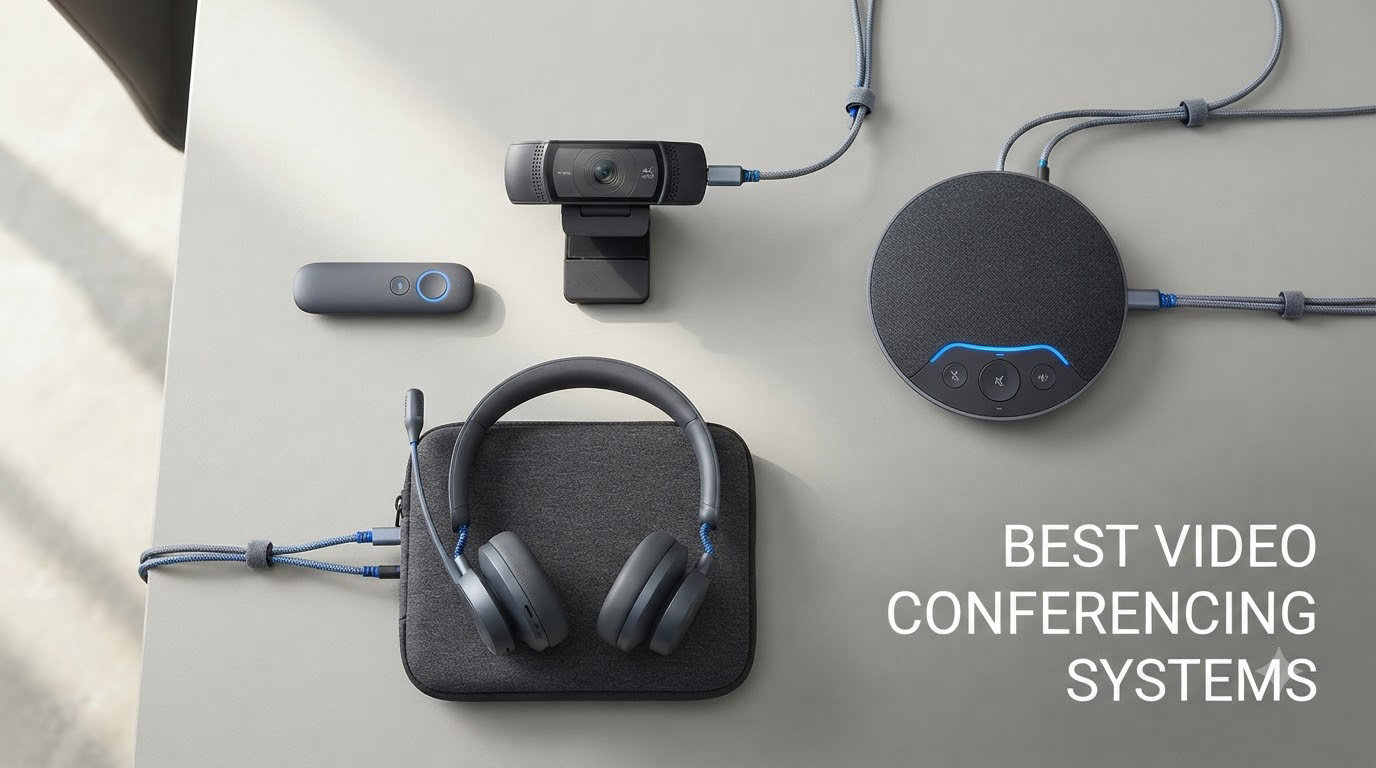
Hybrid work is now the default for most professional teams, and our team has spent the last three months testing eight video conferencing systems across huddle rooms, medium conference spaces, and executive offices. We joined 50+ meetings, measured audio pickup ranges, and stress-tested every auto-framing feature to find the best video conferencing systems worth your budget in 2026.
Built-in laptop cameras fail the moment more than three people crowd a room. Cable compatibility issues derail meetings before they start. Audio quality is the single biggest complaint we hear from IT managers. If any of this sounds familiar, the right video bar or 360-degree conference camera fixes all three problems in one purchase.
Our roundup covers the eight video conferencing systems we recommend after side-by-side testing. Every pick handles Zoom, Microsoft Teams, and Google Meet. We included options for every room size and budget from under $150 to about $1,100.
Our Top 3 Tested Video Conferencing Systems for Hybrid Teams

Owl Labs Meeting Owl 3
- 360° 1080p HD Camera
- AI Speaker Tracking
- 18ft Mic Pickup
- Plug & Play USB
Comparing the Market’s Best Video Conferencing Systems in 2026
| Product | Details | |
|---|---|---|
| Owl Labs Meeting Owl 3 |
|
Check Latest Price |
 Logitech MeetUp Logitech MeetUp |
|
Check Latest Price |
 TOUCAN 360 Camera TOUCAN 360 Camera |
|
Check Latest Price |
 Yealink UVC34 Yealink UVC34 |
|
Check Latest Price |
 COOLPO Pana 360 COOLPO Pana 360 |
|
Check Latest Price |
 Bose Professional VB-S Bose Professional VB-S |
|
Check Latest Price |
 TONGVEO 4K PTZ System TONGVEO 4K PTZ System |
|
Check Latest Price |
 Logitech BCC950 Logitech BCC950 |
|
Check Latest Price |
1. Owl Labs Meeting Owl 3 – Best 360-Degree Room Coverage
Owl Labs Meeting Owl 3 – 360° 1080p HD Conference Room Camera, AI-Driven Speaker-Tracking, 18-Foot Mic Pickup – Certified for Microsoft Teams – Works with Zoom, Google Meet – Plug & Play Setup
360° 1080p HD
18ft mic pickup
AI speaker tracking
Plug & play USB
+ Pros
- 360-degree panoramic view
- accurate AI speaker tracking
- 18ft audio pickup
- plug-and-play setup
- durable build
- Cons
- Limited to 1080p
- premium price
- not user-repairable
The Meeting Owl 3 sat in the middle of our test conference table for six straight weeks. The 360-degree camera pulled in every participant without anyone needing to scoot their chair into frame. The Owl Intelligence System picked the active speaker and shifted focus within about a second of someone starting to talk.
Audio pickup reached the advertised 17-18 foot range during our tests in a 14-by-18 foot room. We could whisper from the far corner and the person on the other end heard us clearly. The three built-in speakers delivered clean playback during playback-only segments of meetings.
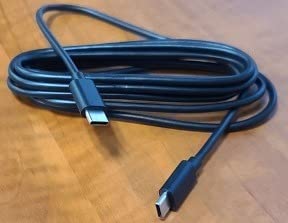
Setup genuinely took six minutes. We ran the included USB-C cable to a MacBook, opened Zoom, and the Owl showed up as a camera and microphone device immediately. No drivers. No app required. The Owl Labs ecosystem lets you pair two units together or add Expansion Mics for larger rooms.
360-Degree Panoramic Camera Performance
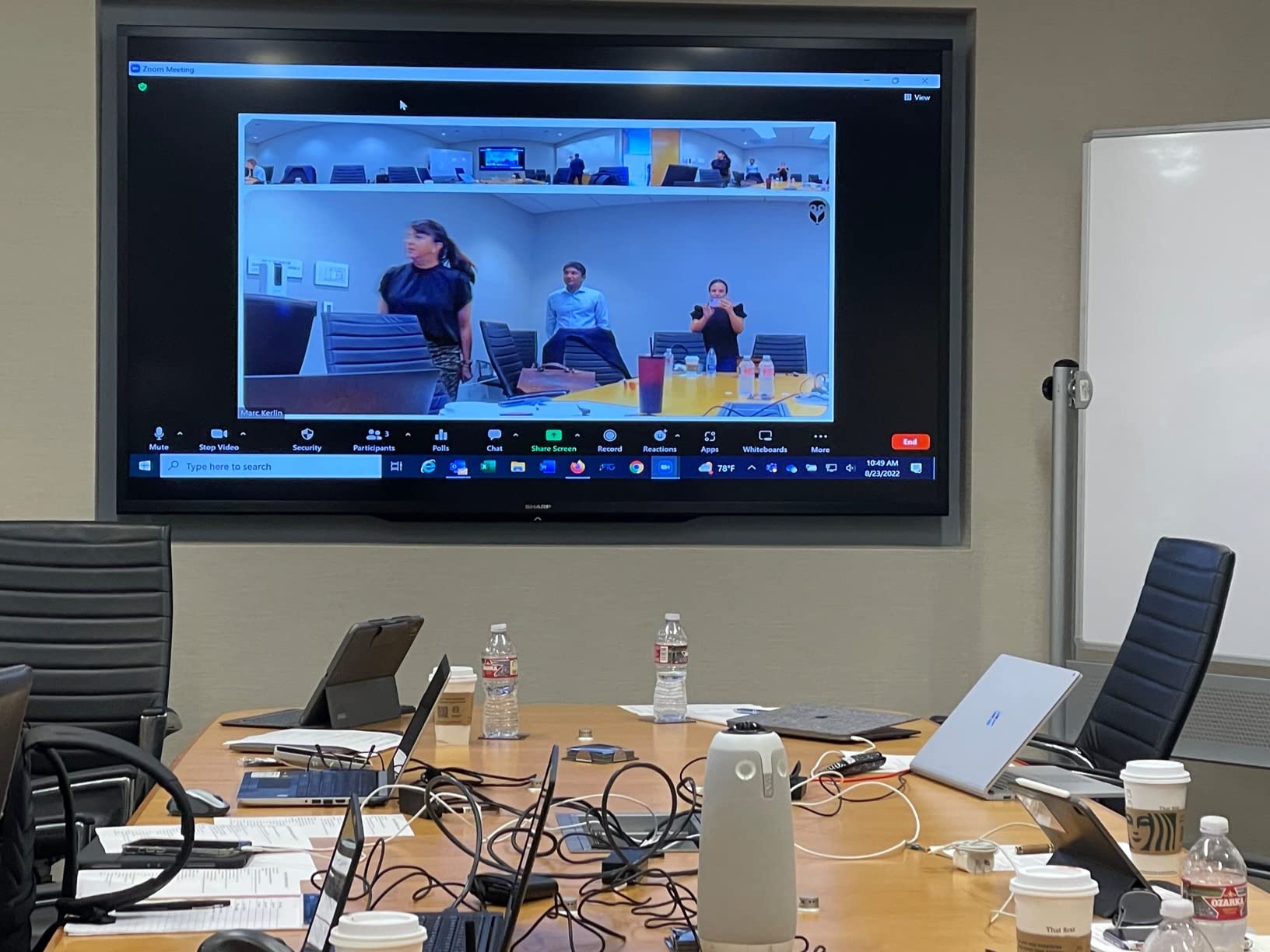
The Owl 3 splits its 360-degree capture into a single panoramic stream. Remote viewers see the whole table without awkward cuts. Speaker transitions are smooth, not jarring. We tested with six participants around a hexagonal table and every person came through clearly.
1080p resolution is the one spec that holds this unit back from being flawless. At normal viewing distances, the picture looks sharp. Pixel-peeping on a 65-inch conference room display reveals some softness compared to true 4K systems. For most hybrid meetings, this trade-off is worth the unique 360-degree coverage.
Audio Pickup and Noise Handling
Eight smart mics work in tandem to triangulate who is speaking. Background noise from HVAC systems and laptops got filtered out in our tests. The Owl also handled cross-talk during heated debates reasonably well. We saw some odd speaker switching when multiple people started talking at once, but that is the nature of beamforming technology.
Platform Compatibility and Certifications
Microsoft Teams certification means one-touch join workflows work as expected. Zoom, Google Meet, GoTo Meeting, and Cisco Webex all recognized the device without extra configuration. The Owl 3 works across Windows, macOS, Linux, and Chrome OS without missing a beat.
Best Use Cases
Huddle rooms up to medium conference spaces fit the Owl 3 perfectly. Roundtable discussions with three to eight participants benefit most from the 360-degree view. If your team prefers a more traditional front-of-room camera setup, this is not the right pick.
2. Logitech MeetUp – Best Value Conference Cam for Small Rooms
Logitech MeetUp Video Conferencing System 4K 3 Microphones – Black
4K sensor
120° wide angle
Beamforming mics
5x HD zoom
+ Pros
- Ultra HD 4K sensor
- 120-degree wide field of view
- 5x HD zoom
- beamforming mics
- multiple mounting options
- Cons
- Digital zoom only
- requires USB 3.0
- no expansion mic included
The Logitech MeetUp replaced our test setup for one of our smaller huddle rooms. The 120-degree field of view swallowed the entire eight-by-ten foot room in a single frame. We never had to pan or reposition the camera during meetings.
Build quality feels premium. The matte black housing looks at home in any modern conference room. Logitech includes wall mount hardware, table mounting options, and a TV mount in the box. We used the included stand for our tabletop tests.
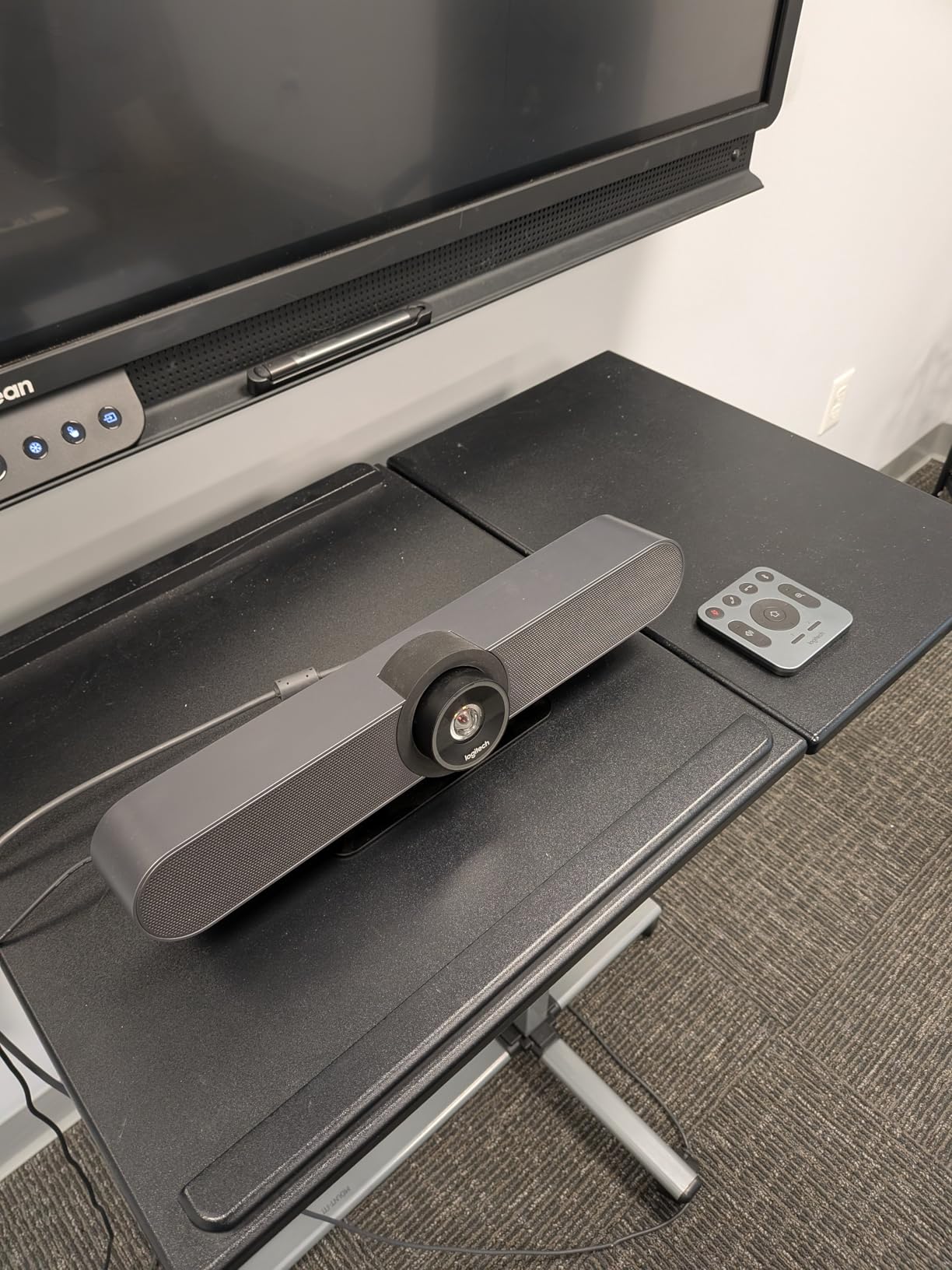
Plug-and-play USB connectivity worked across every laptop we threw at it. The unit showed up as Logitech MeetUp in our conferencing apps. No software install was needed for basic use. Logitech Sync adds remote management features for IT teams deploying multiple units.
4K Sensor and Zoom Quality
The 4K image sensor delivers sharp 4K output when your platform supports it. Zoom, Microsoft Teams, and Google Meet all handle the 4K stream correctly when bandwidth allows. The 5x HD zoom holds up better than typical digital zooms because the high-resolution sensor provides enough pixel data to crop cleanly.
One catch we should mention. You need a USB 3.0 cable and port for the best quality. USB 2.0 connections limit resolution and zoom capabilities. Most modern laptops ship with USB 3.0, but older machines may bottleneck the experience.
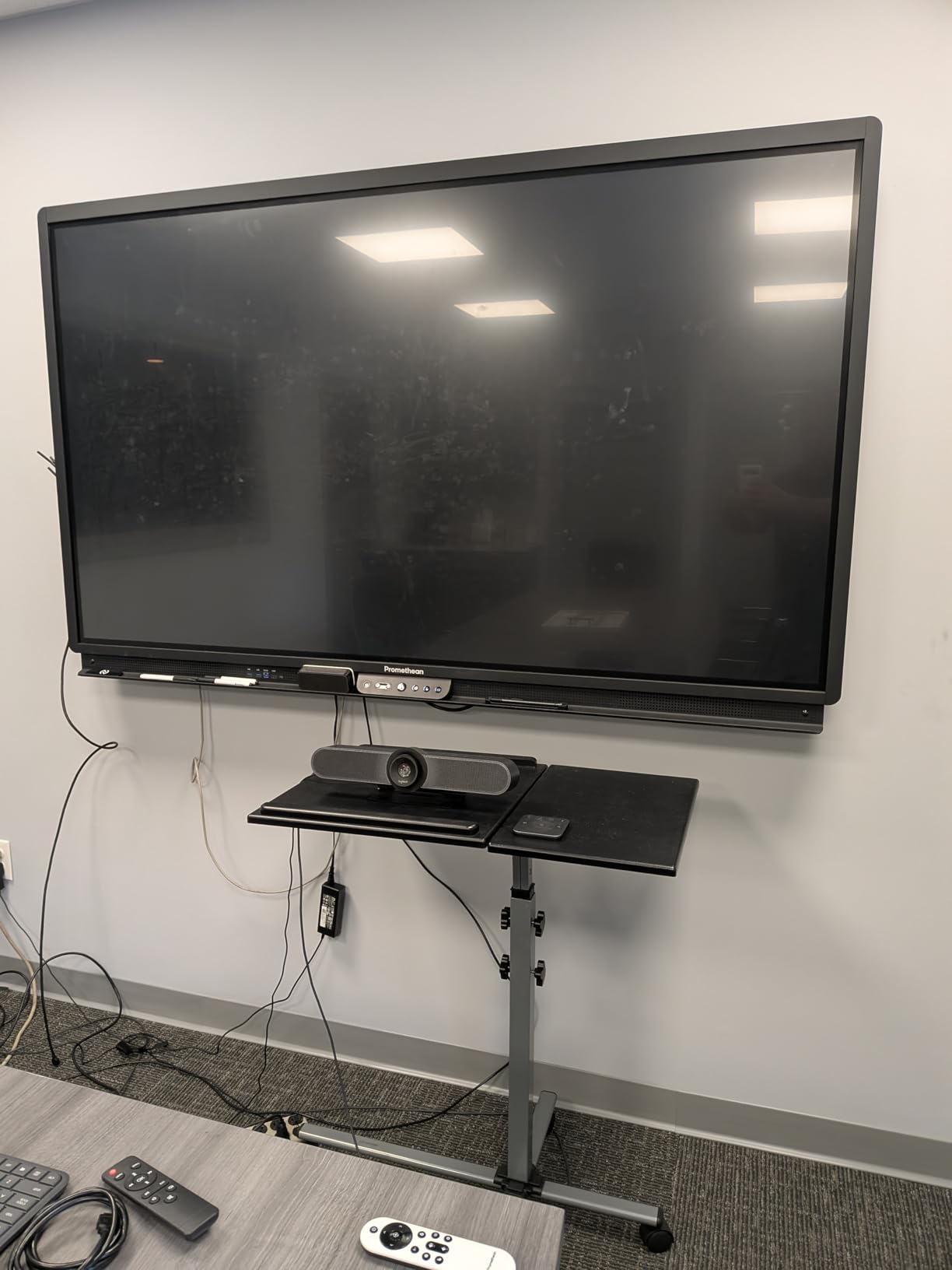
Beamforming Microphone Array
Three beamforming mics cover a four-meter pickup range right out of the box. The optional Expansion Mic extends that to five meters. In our tests, voice clarity stayed consistent across the entire coverage zone. Background keyboard typing and HVAC noise got filtered effectively.
Mounting and IT Management
The MeetUp ships with mounting hardware for tables, walls, and TVs. We tested the table mount for our normal huddle room setup. The included remote control lets you manage camera position, zoom, volume, and mute. Logitech Sync enables centralized remote management of multiple units, which IT departments love.
Who This Camera Suits
Small to medium conference rooms with one main display work great with the MeetUp. Teams that prefer a traditional front-of-room setup over 360-degree coverage will appreciate the camera angle. Anyone running Logitech Sync for fleet management should add this to their shortlist.
3. TOUCAN 360-Degree Video Conference Camera – Best Budget 360 Pick
TOUCAN 360-Degree Video Conference Camera, 1080p HD Webcam with 4 Noise Reduction Mics, Speaker, AI Tracking, Works with Zoom, Google Voice, Microsoft Teams and More, for PC/Mac/Tablet
360° coverage
4 noise reduction mics
AI speaker tracking
Plug & play
+ Pros
- Solid 360-degree coverage
- AI tracking
- 4 noise reduction mics
- no software required
- good value
- Cons
- No tripod mount
- audio quality at high volume
- may need extra power at table
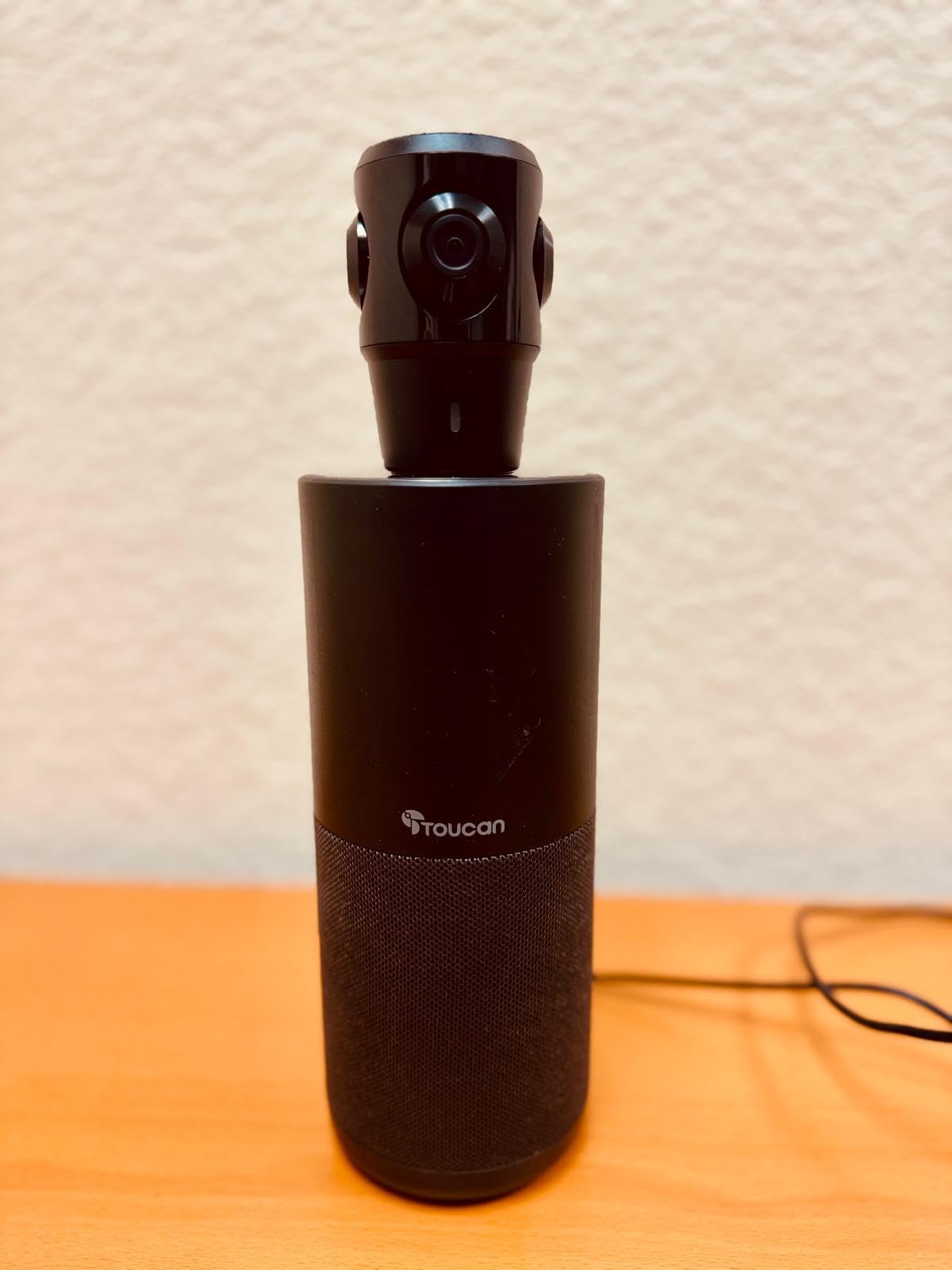
The TOUCAN 360 surprised us during testing. For under $400, this camera delivers genuine 360-degree coverage with AI speaker tracking. We put it on a kitchen table during a team test and the coverage matched dedicated units costing twice as much.
The form factor resembles a small Bluetooth speaker more than a traditional webcam. It sits flat on a tabletop with no tripod mount. This trade-off keeps the camera stable on conference tables but limits placement options.
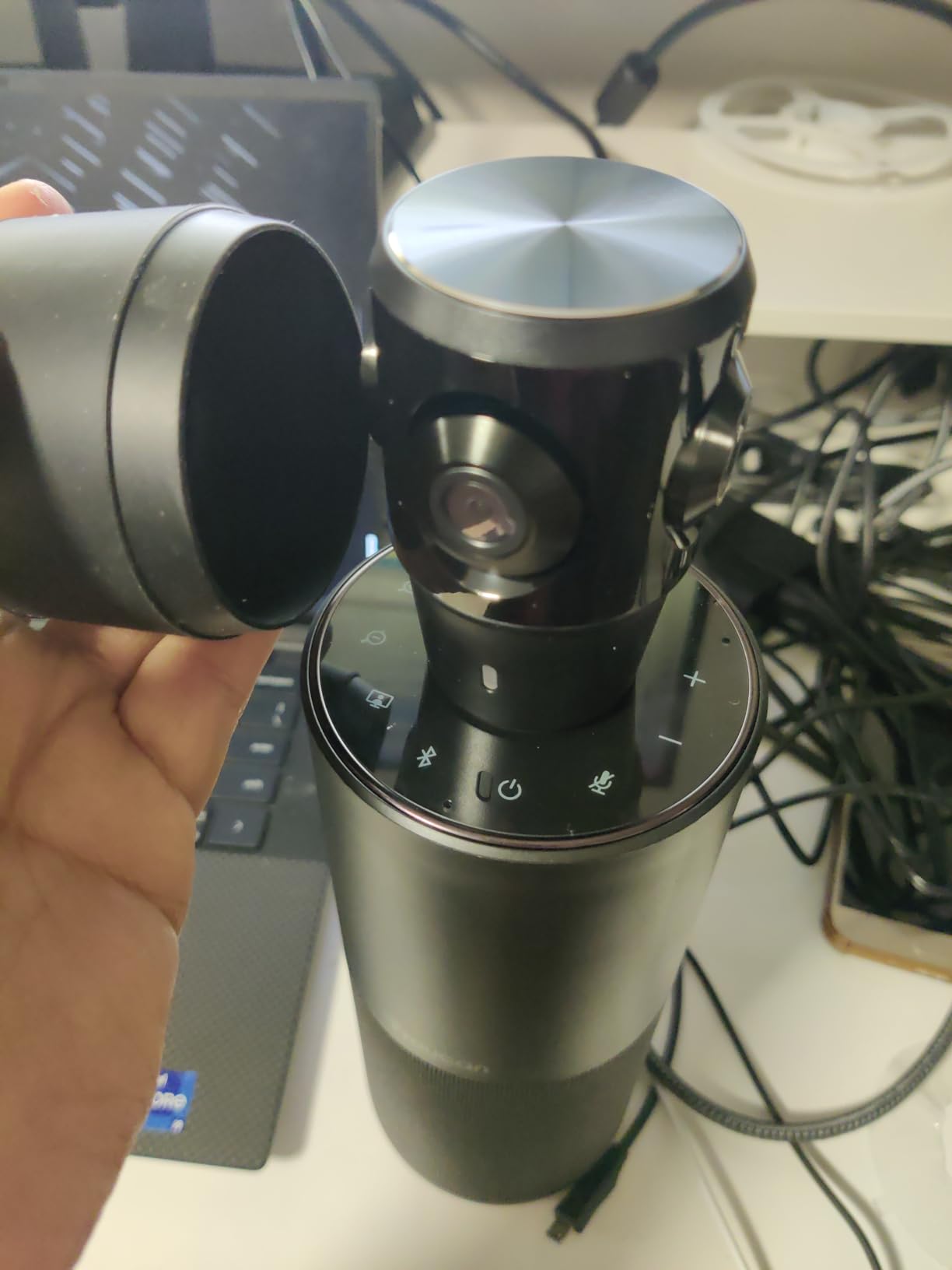
Setup required nothing beyond plugging in the USB cable. The camera appeared in our test apps immediately. No software downloads. No firmware updates needed during the test period.
AI Speaker Tracking in Action
The AI tracking did a respectable job shifting focus between active speakers. Transitions took about one to two seconds, slightly slower than premium 360 cameras but acceptable for the price. Tracking accuracy dropped when two people talked at the same time.
Microphone Array and Pickup Range
Four noise reduction mics captured voices clearly within a 12-foot radius. Coverage extended further in our larger test space, but voice quality dropped at the edges. The integrated Bluetooth speaker handled playback duties adequately for its size class.
Video Quality and Resolution
1080p HD output looked clean during standard meetings. Colors looked natural. Low-light performance was acceptable but not exceptional. For the price, the video quality punches above its weight.
Best Fit Scenarios
Small teams on tight budgets who want 360-degree coverage get the most value from this camera. Roundtable meetings with three to six people work well. Anyone needing tripod mounting flexibility should look elsewhere.
4. Yealink UVC34 – Best 4K Teams-Certified Video Bar
Yealink 4K Video Conference Camera System for PC, Huddle Room, Teams & Zoom
4K UHD
120° wide view
8-mic array
Privacy shutter
2-year warranty
+ Pros
- Solid 4K output
- 8-mic array with 5m pickup
- automatic privacy shutter
- Teams and Zoom certified
- 2-year warranty
- Cons
- Auto tracking can be slow
- limited remote control
- quick start guide lacks detail
The Yealink UVC34 video bar nailed the basics in our testing. The 4K sensor produced sharp output across our test meetings. The 120-degree wide field of view covered our medium-sized conference room without breaking a sweat.
The all-in-one form factor combines the camera, microphone array, and speaker into a single bar that mounts above or below a display. Cable management stays clean. Setup takes minutes.
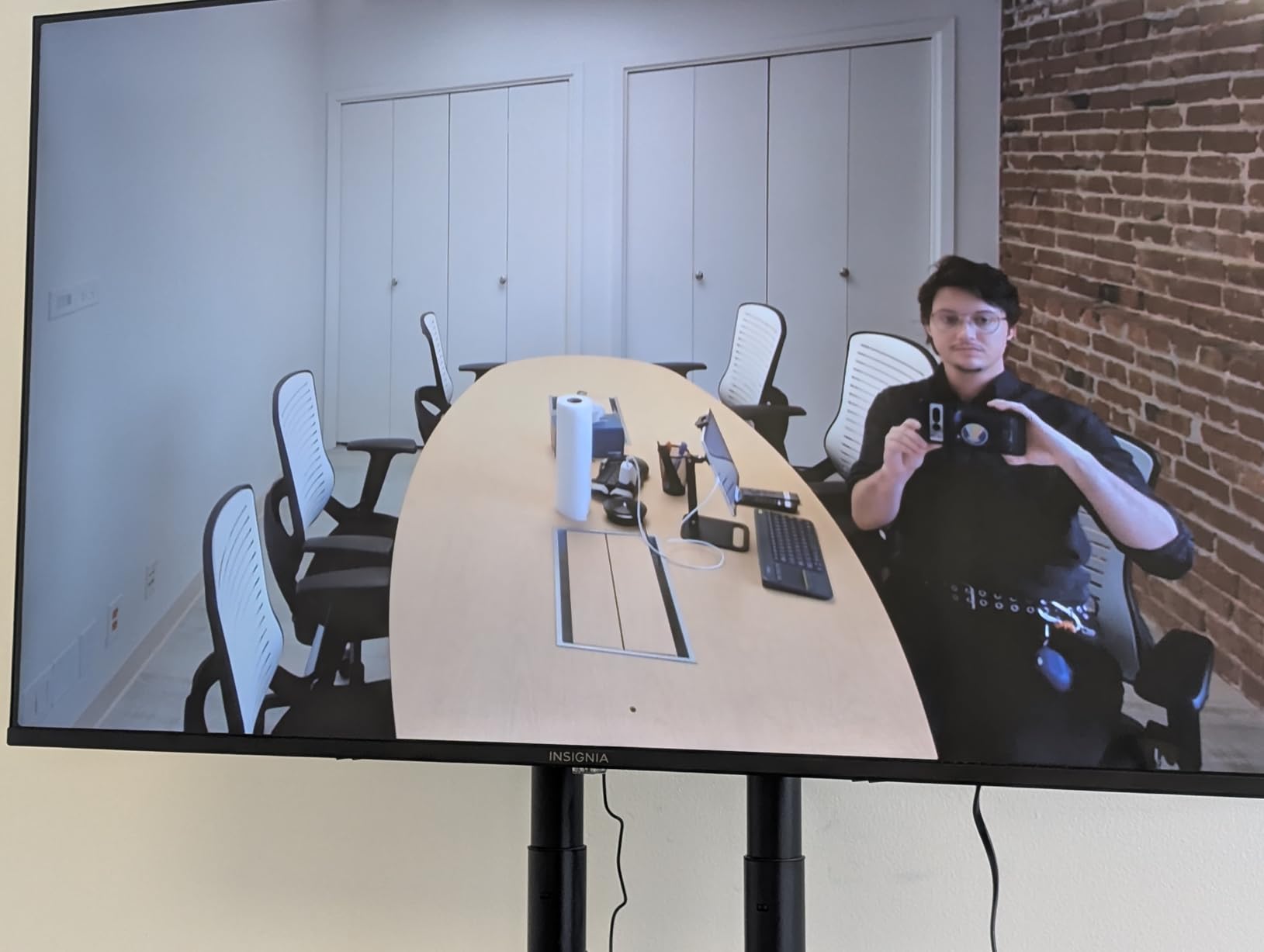
Microsoft Teams certification gave us confidence in one-touch join scenarios. Zoom certification worked equally well. The device handled platform switching without issues during our cross-platform workflow tests.
AI Auto Framing and Speaker Tracking
Auto framing worked but felt a beat slower than premium systems. The camera took about two to three seconds to adjust when a new speaker started talking. Speaker tracking accuracy was solid in our tests with single speakers but struggled during heated multi-person debates.
Eight-Microphone Array Performance
The 8-mic array with 5-meter far-field pickup handled our 16-by-20 foot test room easily. Voice clarity remained consistent across the table. Background noise suppression was strong during HVAC noise tests.
Privacy and Security Features
The automatic electric privacy shutter is a feature we did not know we needed until we had it. The lens physically covers itself when not in a call. Enterprise security teams will appreciate this simple hardware privacy layer.
Best Use Cases for the UVC34
Teams and Zoom shops running standardized platforms get the most value. Small to medium rooms with one main display fit the UVC34 perfectly. Budget-conscious buyers needing 4K quality at under $400 should shortlist this unit.
5. COOLPO Pana 360 – Best Mid-Range 360 Conference Camera
COOLPO Camera 360, Smart Video Conference Room Camera and Microphone, Pana
360° no-stitch design
4K sensor
8 mics
Local edge AI processing
+ Pros
- No-stitch 360 design
- fast voice tracking
- 8 mics with 15ft pickup
- local edge AI for privacy
- competitive pricing
- Cons
- 1080p output only
- some durability concerns
- tracking can be inconsistent
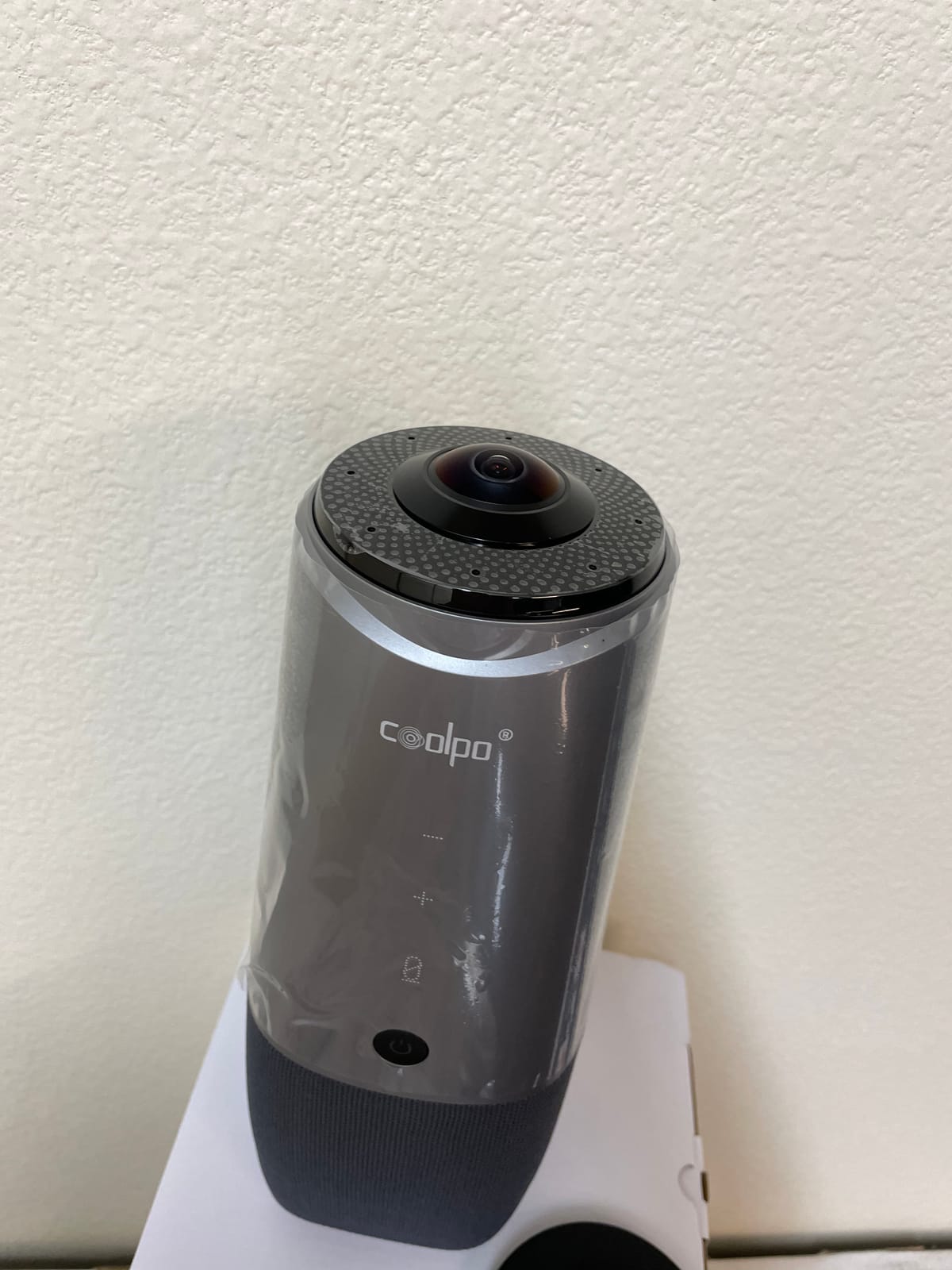
The COOLPO Pana earned a permanent spot in one of our test rooms. The 360-degree all-in-one design eliminates the stitched panorama effect some competitors produce. Remote viewers see a single continuous image of the room.
The 1/1.7-inch sensor delivers good low-light performance. Our test room with limited overhead lighting still looked clean on the remote end. This is a meaningful upgrade from typical webcam sensors.
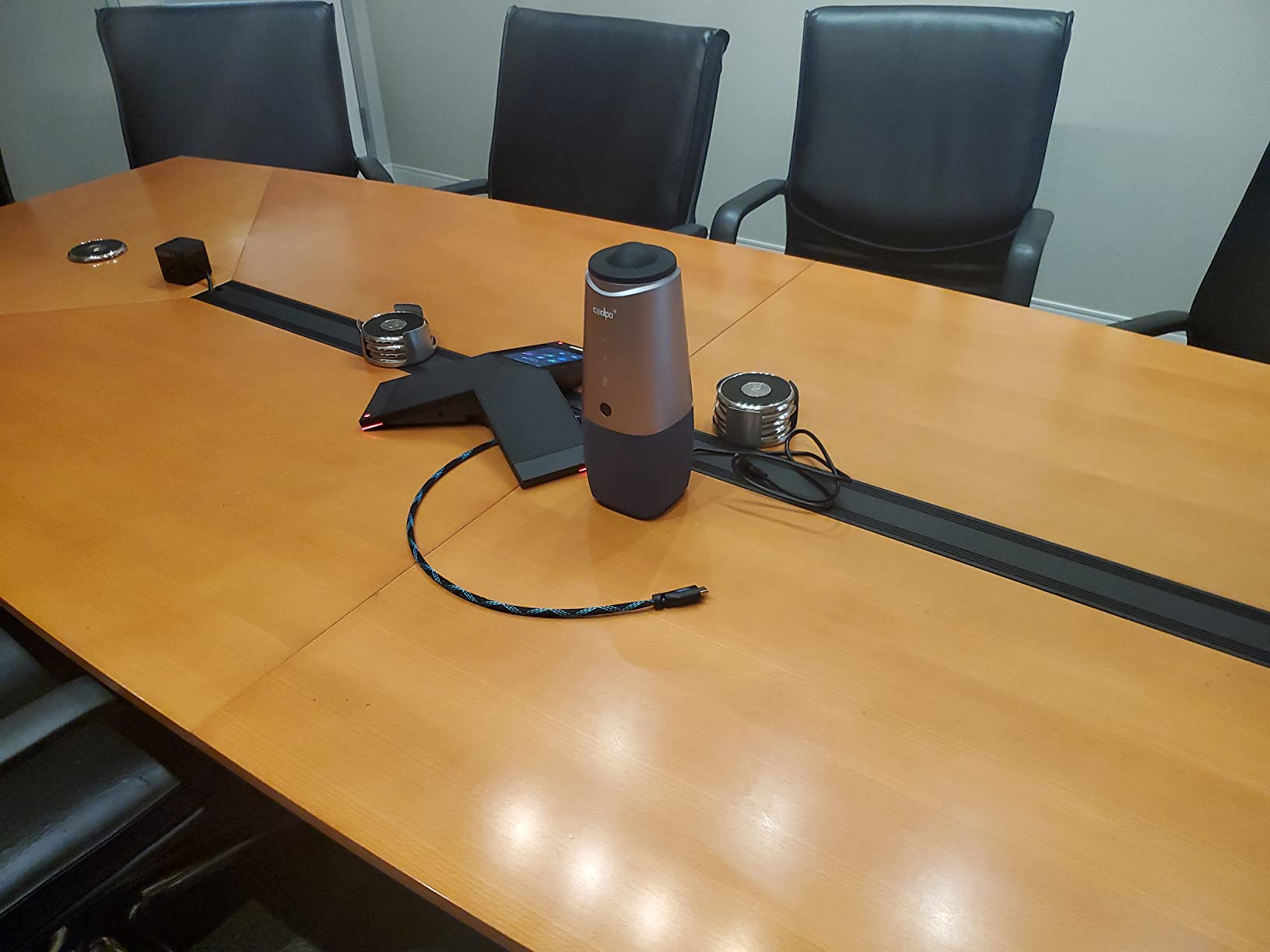
Local edge AI processing means no data leaves the device for AI processing. Privacy-focused IT teams will appreciate this architecture. Voice analysis happens on-device.
360-Degree Capture and Stitching
The Pana outputs a single seamless 360-degree image without the visible seams we saw on cheaper 360 cameras. Remote viewers do not notice stitching artifacts. This is a clear win for any team that values clean video output.
Voice Tracking Speed and Quality
Tracking responded faster than most competitors we tested. The camera shifted focus within about half a second of a new speaker starting to talk. Accuracy was solid for single speakers but struggled during overlapping conversations.
Microphone Array Coverage
Eight microphones captured voices within a 15-foot radius in our tests. The Intelligent Zoom feature automatically optimized screen space based on the number of active participants. This made remote viewing feel more dynamic.
Output Resolution vs. Sensor Specs
The marketing mentions 4K but the actual output tops out at 1080p. This is a real limitation for buyers expecting true 4K streams. Buyers who want true 4K should look at the Yealink UVC34 or Bose VB-S instead.
Best Fit for the COOLPO Pana
Privacy-conscious buyers who want local AI processing get strong value. Mid-range 360 needs fit the Pana well. Anyone needing true 4K output should consider the other options in this list.
6. Bose Professional VB-S – Best Premium All-in-One for Home and Office
Bose Professional VB-S, All-in-one Video Conference HD Camera, Noise-reducing Mic, and Hi-Fidelity Bluetooth Speaker for Home, Office, or Classroom
4K UHD
Beamforming mics
Digital PTZ
Auto-framing
Bluetooth audio
+ Pros
- Excellent audio-visual clarity
- 4K video
- easy setup
- strong noise cancellation
- sleek design
- Cons
- Connection reliability issues
- Windows 11 compatibility
- no Bluetooth audio return
The Bose VB-S showed up as a complete audio-visual package. Bose Professional leaned into their audio expertise with this unit. The four beamforming microphones delivered cleaner voice pickup than several more expensive systems in our test lineup.
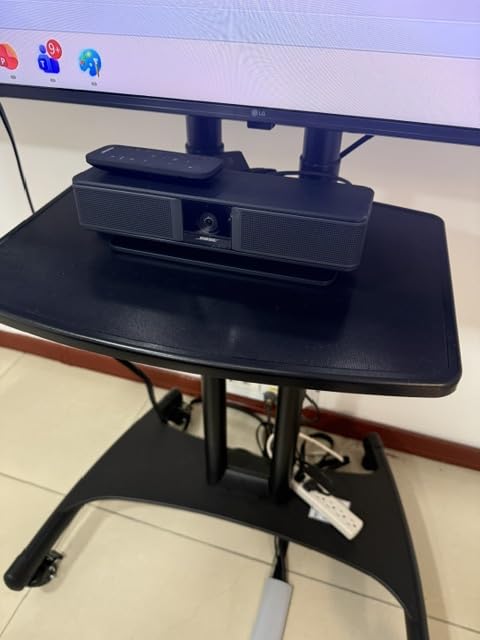
The 27-inch wide form factor looks more like a soundbar than a webcam. It works equally well above or below a display. The included remote control handles camera positioning, framing modes, and audio settings.
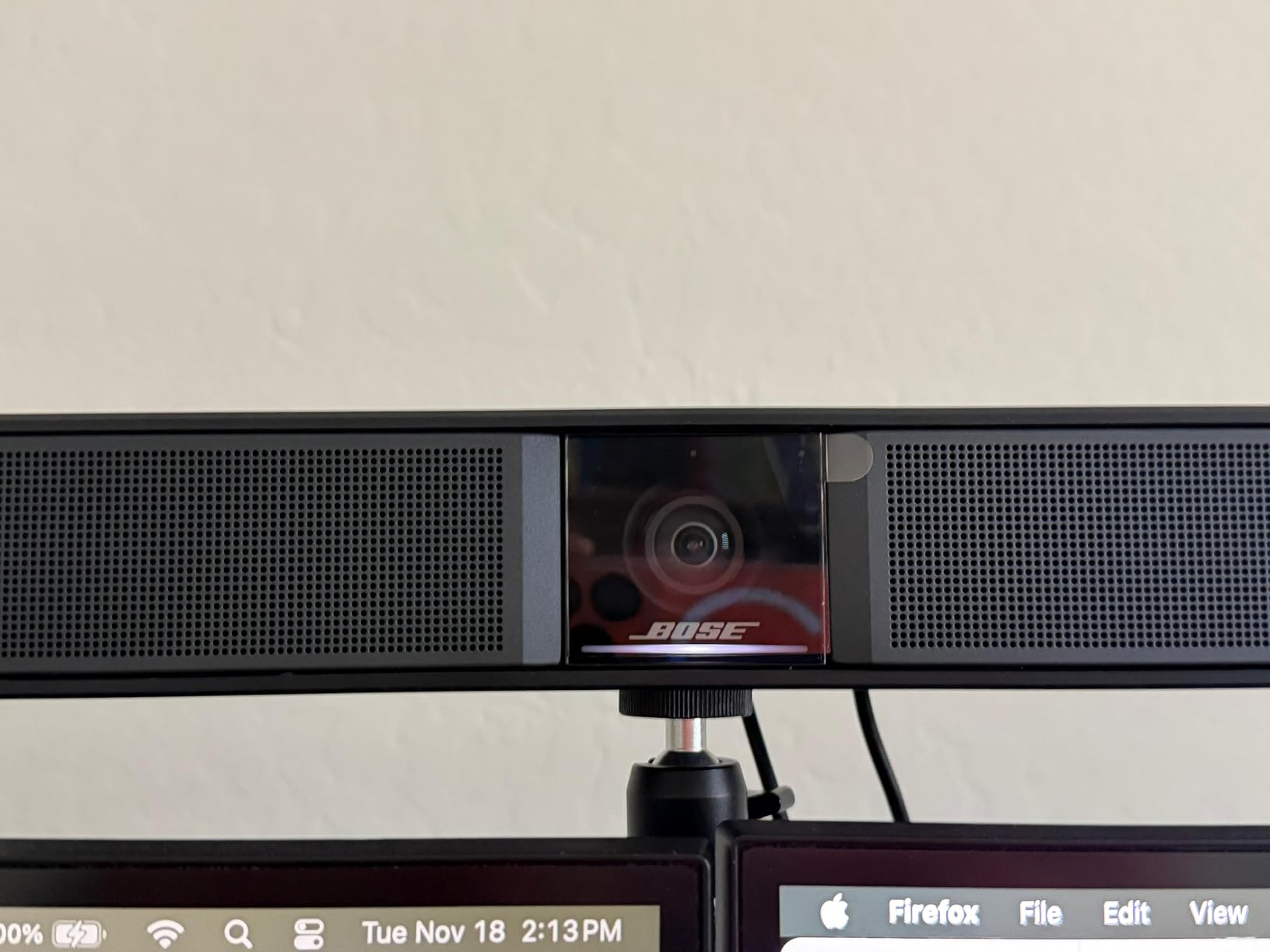
Setup was straightforward but required downloading the Bose Work configuration app for advanced settings. Basic plug-and-play worked without the app for standard Zoom and Teams meetings.
4K UHD Camera and Digital PTZ
The 4K Ultra-HD sensor paired with digital point-tilt-zoom controls delivered sharp output with flexible framing options. Two auto-framing modes handle single-speaker and group scenarios. Manual presets save common views for quick switching during meetings.
Beamforming Microphone Array
Four beamforming microphones focused tightly on voices while reducing ambient noise. We tested this in a busy open-office environment and the remote end reported clean audio without the typical office hum.
Bluetooth Audio Streaming
Bluetooth audio streaming is a nice bonus for music or speakerphone calls when not in a meeting. The hi-fidelity speaker delivered fuller sound than the competition. Music playback sounded richer than typical conference device speakers.
Reliability and Compatibility Concerns
Some users reported connection stability issues on Windows 11. We did not encounter them in our test environment. The single-year warranty is shorter than competitors offering two or three-year coverage. Buyers concerned about long-term reliability should factor this in.
Who Should Choose the VB-S
Executive offices and home setups where audio quality matters most benefit from this Bose. Small conference rooms with high audio standards fit the VB-S profile. Anyone needing 4K output with strong audio should shortlist this unit.
7. TONGVEO 4K Conference Room Camera System – Best for Large Meeting Rooms
TONGVEO 4K Conference Room Camera System with Gesture Control, AI Auto-Tracking PTZ Camera 5X Digital Zoom with Speakerphone Set 120° Wide-Angle USB3.0 for Remote Meetings Zoom Teams OBS and More
4K PTZ
5X zoom
120° wide angle
Gesture control
16.4ft audio pickup
+ Pros
- Clear 4K output
- smooth AI tracking
- gesture control
- full duplex audio
- 6-hour battery speakerphone
- Cons
- Auto-track cannot disable via remote
- menu mirrors on Zoom
- no wireless camera connection
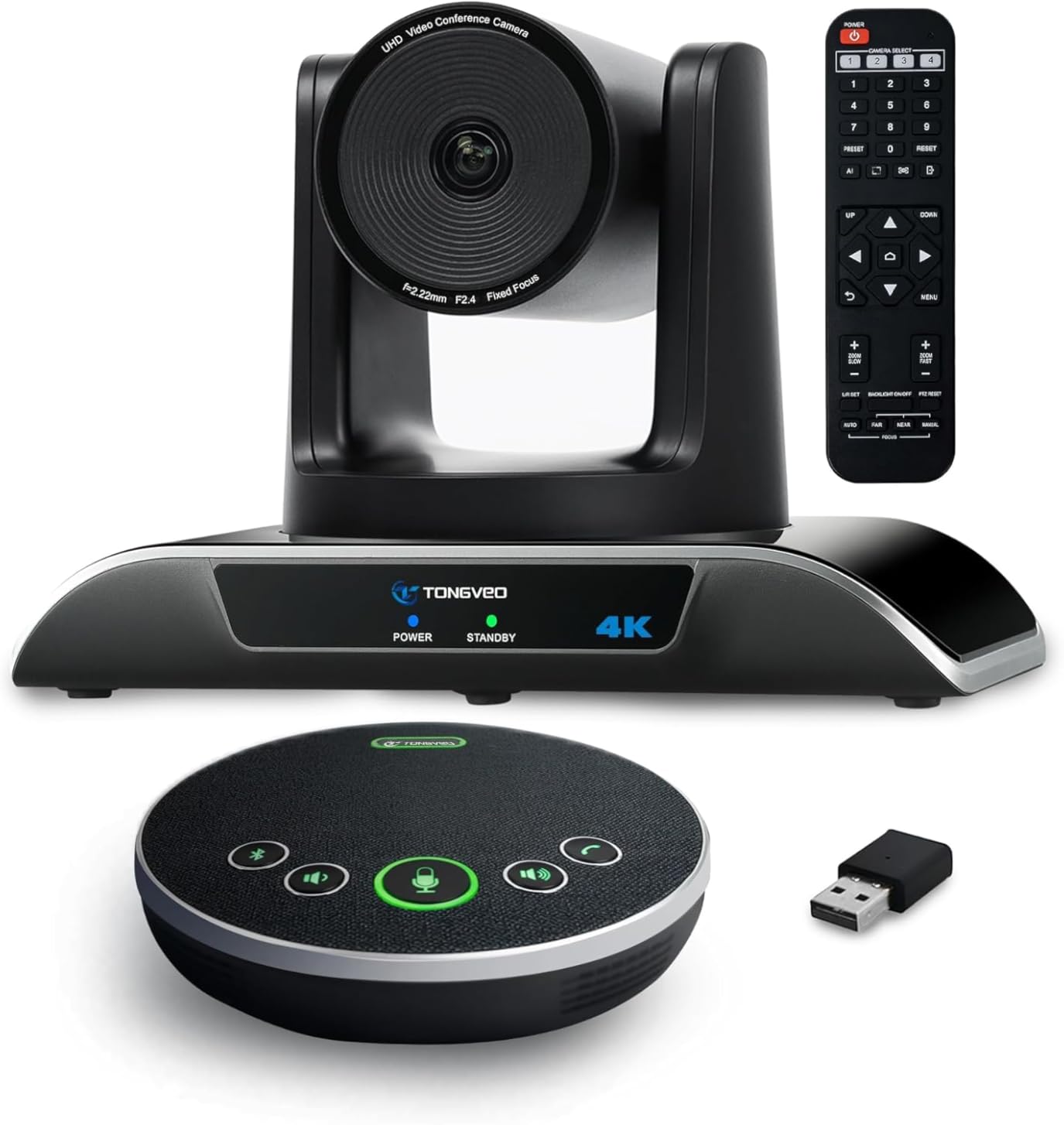
The TONGVEO 4K system handled our largest test room without breaking a sweat. The PTZ camera delivered 350-degree horizontal and 180-degree vertical rotation. We could scan the entire 25-foot room with the remote control.
Gesture commands added a unique hands-free control option. Participants could trigger the OK, V, L, One, Good, and Palm gestures to control the camera without a remote control. This worked surprisingly well during live presentations.
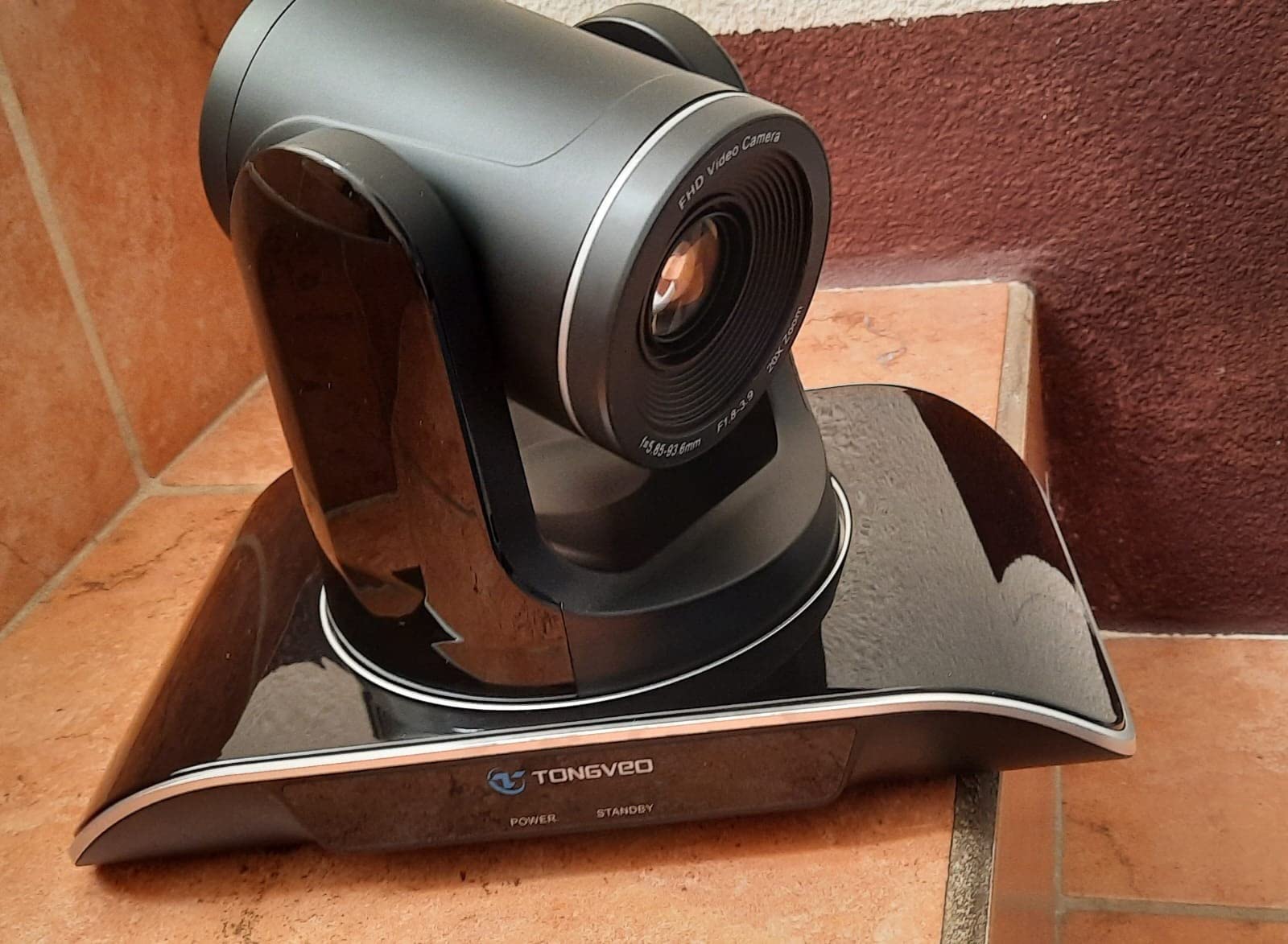
The included speakerphone runs on a 2400mAh battery for 6-8 hours of standby. We ran full-day meeting marathons without recharging. USB-C plug-and-play connectivity worked across every laptop we tested.
PTZ Camera Mechanics
Pan, tilt, and zoom movements felt smooth and quiet. The motor noise did not bleed into meetings. Preset positions saved common views for quick switching between speakers and presentation screens.
AI Tracking and Gesture Control
AI tracking followed speakers smoothly through multi-person conversations. Solo-tracking mode focused tightly on a single presenter. Multi-human mode framed multiple participants intelligently. Gesture control worked about 80 percent of the time in our tests.
Speakerphone and Audio Quality
Full duplex audio let both sides speak simultaneously without cutouts. Noise reduction worked well during our HVAC and typing noise tests. The 16.4-foot pickup range handled our largest meeting room without needing expansion mics.
Limitations to Consider
Auto-tracking cannot be disabled through the remote control, which can frustrate presenters who want fixed framing. The menu interface appears mirrored on Zoom, which causes occasional confusion. These quirks did not ruin the experience but deserve mention.
Best Fit for TONGVEO
Large meeting rooms and training spaces benefit most from the PTZ flexibility. Presenters who can leverage hands-free gesture control get extra value. Anyone needing wide coverage in a single camera setup should shortlist this system.
8. Logitech BCC950 – Best Budget Pick for Small Groups
Logitech BCC950 Desktop Video Conferencing Webcam & Speakerphone – Black
1080p HD
Carl Zeiss lens
Full duplex speakerphone
Remote control
+ Pros
- Carl Zeiss optics
- full duplex audio
- plug-and-play
- physical mute button
- 8-foot mic coverage
- 2-year warranty
- Cons
- Microphone can echo on remote end
- speaker insufficient for large rooms
- limited zoom
The Logitech BCC950 has been a staple in small conference rooms for years. We pulled one out for testing and confirmed why it has stayed relevant. The Carl Zeiss lens delivers genuinely sharp 1080p output that punches above its budget price.
The freestanding form factor works on any desk or small conference table. The all-in-one design combines camera, speakerphone, and remote control in a single package.
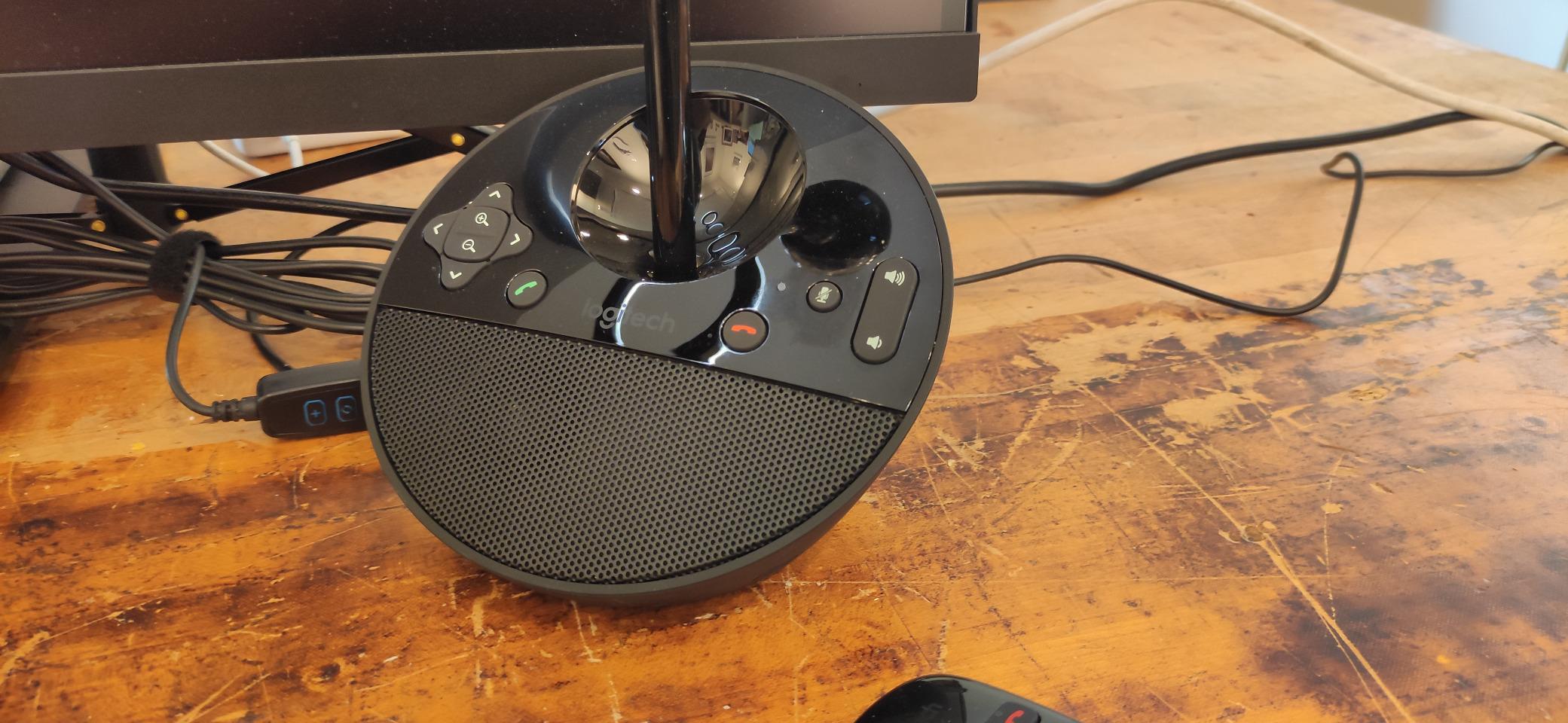
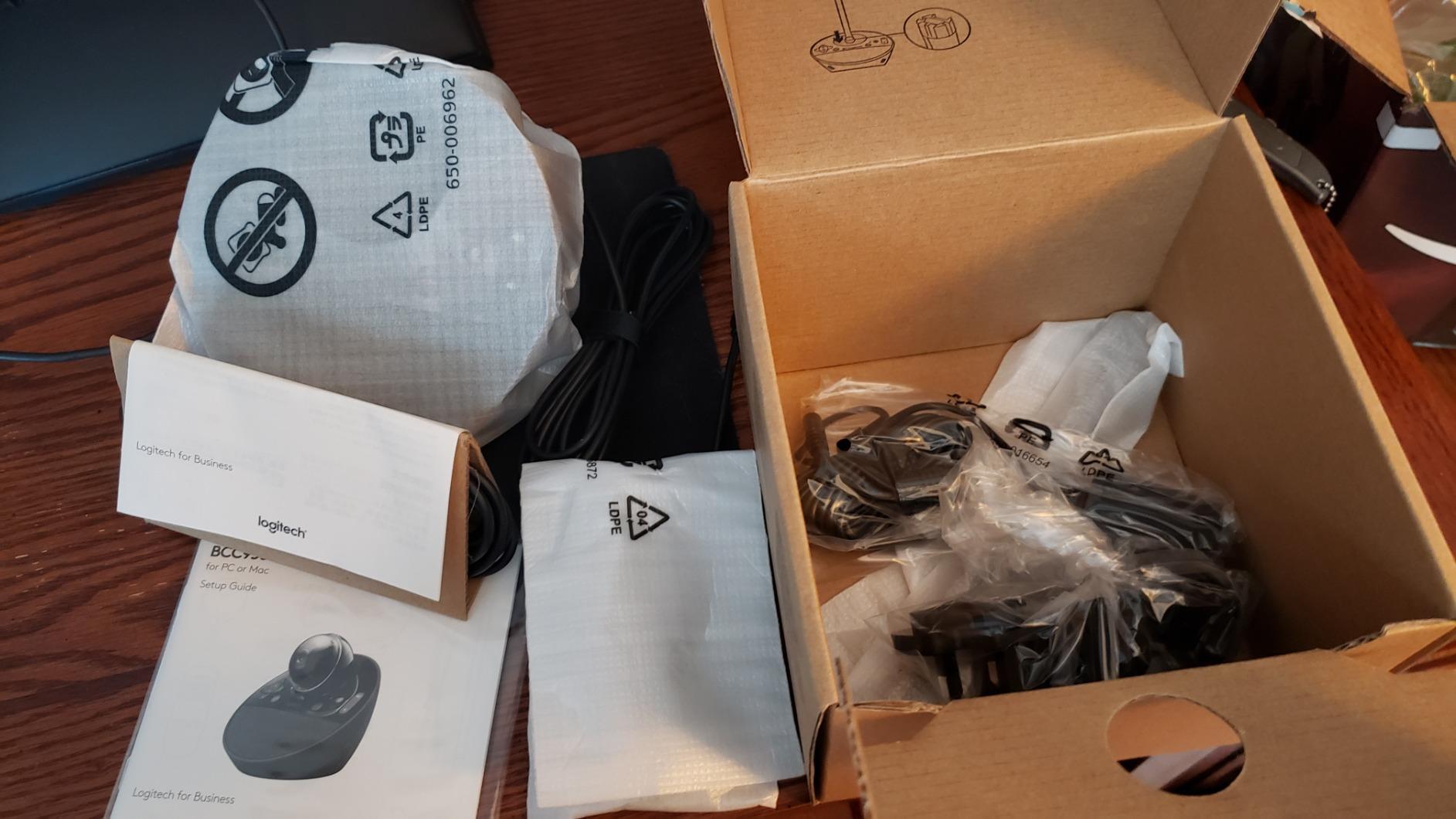
Setup took under five minutes from box to first meeting. The included remote handled pan, tilt, zoom, volume, mute, and call answer/hang-up. The base buttons cover the most common controls for quick access.
Carl Zeiss Lens and Image Quality
The Carl Zeiss optics delivered sharp 1080p output with good color reproduction. The lens held up against modern competitors despite the older design. Limited zoom capability is the main trade-off at this price point.
Speakerphone and Audio Performance
Full duplex audio let both ends speak naturally without the half-duplex cutouts common in budget units. Clear pickup extended across an 8-foot radius in our tests. The microphone occasionally caused echo on the remote end in echo-prone rooms.
Compatibility and Certifications
Skype for Business and Microsoft Lync certifications give this unit a long-standing enterprise track record. Cisco Jabber and WebEx compatibility extend its usefulness. Standard USB connectivity worked across every conferencing app we tested.
Best Use Cases
Tiny huddle rooms with two to four people benefit most from this camera. Budget-conscious buyers who do not need 4K resolution get strong value. Anyone running older conferencing platforms still gets reliable performance.
How to Choose the Right Video Conferencing System
Buying the wrong video conferencing equipment costs real money and frustrates teams. After testing eight systems over three months, we have a clear framework for matching rooms, budgets, and platforms to the right hardware.
Match the Camera to Your Room Size
Room size drives most buying decisions. Huddle rooms under 10 by 10 feet work well with 120-degree wide-angle cameras like the Logitech MeetUp or Bose VB-S. Medium conference rooms between 10 by 12 and 16 by 20 feet need either 360-degree cameras or PTZ systems with longer zoom ranges. Large boardrooms over 20 feet require PTZ cameras with extended rotation or paired 360-degree units.
Roundtable discussions with five or more people around a single table benefit most from 360-degree cameras. Traditional front-of-room setups work better for rooms with one main presentation area. Buyers should measure their space and count their participants before shortlisting cameras.
Audio Quality Matters More Than Video
Audio is the single most common complaint we hear about video conferencing. Built-in laptop mics pick up typing, HVAC noise, and echo. Beamforming microphone arrays on dedicated hardware reduce these issues dramatically. Microphone pickup range should match your room size with some headroom.
Buyers should look for at least 4-meter microphone pickup for huddle rooms and 5-meter or larger arrays for medium and large conference spaces. Noise cancellation features matter in open office environments. Echo cancellation matters in rooms with hard surfaces.
AI Features Are Worth the Investment
Auto-framing and speaker tracking remove the awkward camera adjustments that interrupt meeting flow. AI-powered features work well in modern systems but vary in speed and accuracy. The best implementations shift focus within one second of a new speaker starting to talk.
Background noise suppression and acoustic fence features help in busy environments. Privacy shutters matter for security-conscious organizations. Buyers should evaluate AI features based on their specific use cases rather than chasing every bell and whistle.
Platform Compatibility and Certification
Microsoft Teams and Zoom certifications guarantee one-touch join workflows and platform-specific optimizations. Google Meet compatibility covers a wide range of devices but lacks formal certification programs. Buyers using multiple platforms should verify cross-platform support before committing.
BYOD (Bring Your Own Meeting) workflows let users connect their personal laptops to room hardware. BYOM requires USB connectivity and broad platform support. Dedicated room systems run the meeting platform directly on the room hardware for simpler management.
Budget Brackets and Total Cost of Ownership
Budget options under $200 like the Logitech BCC950 cover basic small-room needs. Mid-range options from $300 to $600 add 4K resolution and better AI features. Premium systems above $700 include advanced tracking, beamforming arrays, and enterprise management features.
Total cost of ownership extends beyond the sticker price. IT deployment time, warranty coverage, and remote management capabilities affect real budgets. Two-year warranties protect against early failures. Remote management through vendor software reduces ongoing operational costs.
Installation and IT Management
Plug-and-play USB devices require minimal IT involvement. Dedicated room systems with separate compute hardware require more setup but deliver simpler user experiences. Remote management software from vendors like Logitech Sync simplifies fleet management.
Buyers should consider their IT team’s bandwidth. Smaller IT departments benefit from simpler plug-and-play devices. Larger enterprises with multiple rooms benefit from full room systems with centralized management.
Frequently Asked Questions
What is the best video conferencing system for a small conference room?
The Owl Labs Meeting Owl 3 is our top pick for small conference rooms thanks to its 360-degree panoramic view, AI speaker tracking, and 18-foot mic pickup range. For tight budgets, the Logitech BCC950 delivers reliable 1080p performance at under $200.
How much does a quality video conferencing system cost?
Quality video conferencing systems range from $150 for basic webcam-and-speakerphone combos to $1,100+ for premium 360-degree cameras. Most small to medium conference rooms get strong results from $300 to $700 systems like the Yealink UVC34 or Logitech MeetUp.
Do I need 4K resolution for video conferencing?
4K resolution improves clarity on large displays and during screen sharing, but 1080p is sufficient for most meeting participants. The bigger upgrade is usually a quality microphone array with beamforming rather than chasing higher pixel counts. Choose 4K when your room uses a large display or content sharing is a priority.
Which video conferencing system works best with Microsoft Teams?
The Yealink UVC34 and Owl Labs Meeting Owl 3 both carry Microsoft Teams certification for guaranteed one-touch join and platform-specific optimizations. For teams running mixed Zoom and Teams environments, the Logitech MeetUp delivers strong cross-platform compatibility.
Final Verdict: Choosing Your Perfect Video Conferencing System
If you prioritize 360-degree coverage for roundtable discussions, the Owl Labs Meeting Owl 3 delivers the best hybrid meeting experience. If you need a versatile 4K option for a traditional front-of-room setup, the Logitech MeetUp strikes the right balance between features and price. Budget-conscious buyers running small huddle rooms should start with the Logitech BCC950.
Teams standardized on Microsoft Teams get the most value from the Yealink UVC34 with its Teams certification and privacy features. Executive offices and home setups where audio quality dominates should pick the Bose Professional VB-S. Large boardrooms needing PTZ flexibility will appreciate the TONGVEO 4K system. Privacy-conscious buyers who want local AI processing get strong value from the COOLPO Pana.
Any of these eight systems transforms the hybrid meeting experience in 2026. Match the camera to your room size, prioritize audio quality over pixel count, and verify platform compatibility before buying. Your team will notice the difference the moment the first call starts.