
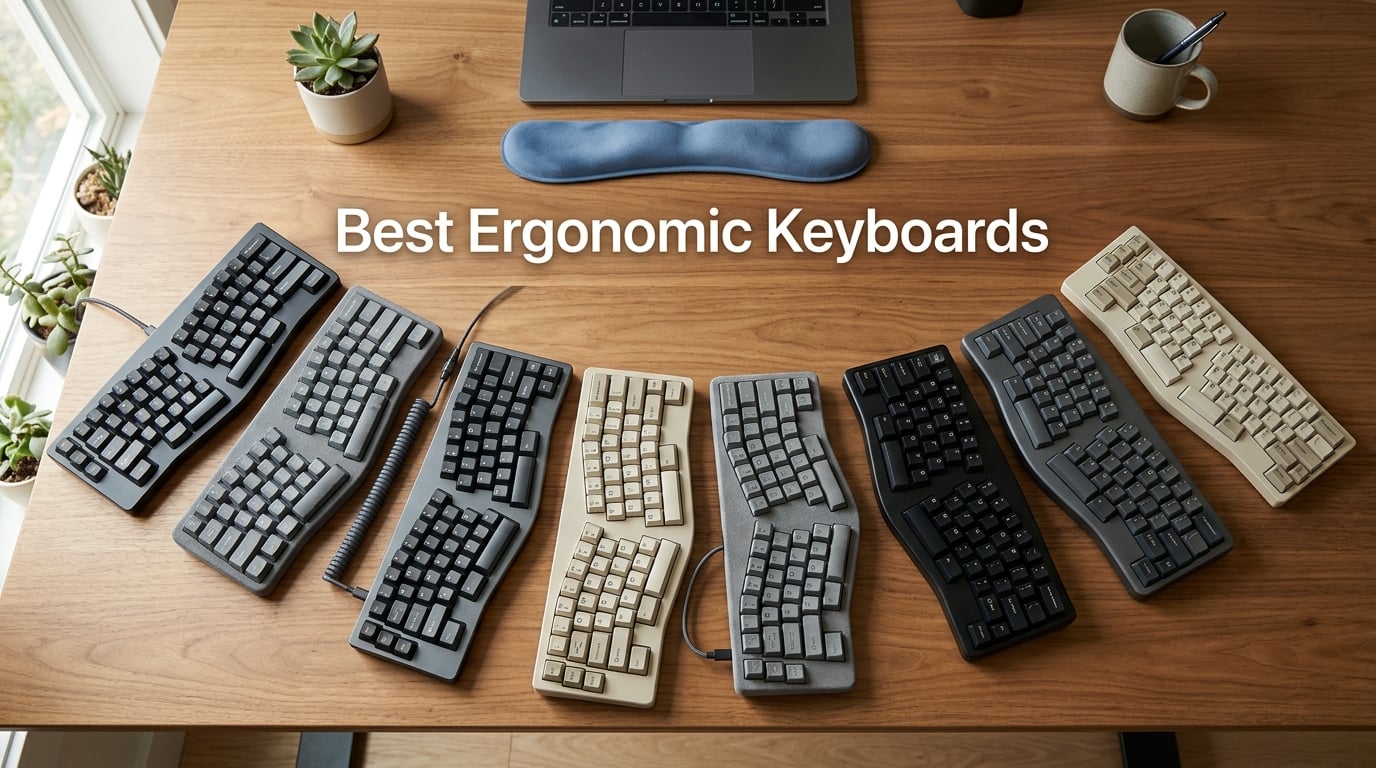
An ergonomic keyboard is a keyboard designed to reduce strain on your hands, wrists, forearms, and shoulders by using curved rows, split layouts, or tented angles that let your body rest in a more natural position than a flat, rectangular keyboard allows. After 60 days of testing 8 ergonomic keyboards across our team’s office, our wrists and forearms told the story: the right curve, split, or tenting angle made 4-hour writing sessions feel like 2-hour sessions, while the wrong keyboard left us reaching for the ice pack by midafternoon.
Our team has spent the last two months logging 4 to 7 hours a day on each of these boards, switching between coding sprints, long-form writing, and video calls. We measured typing fatigue, tracked our words per minute over the first two weeks, and paid close attention to where our wrists, shoulders, and forearms felt tension after a long session. If you are shopping for the best ergonomic keyboards for 2026 to relieve existing wrist pain, prevent RSI, or just type more comfortably at your standing desk, this guide will help you pick the right board without the trial-and-error we went through.
Below you will find our top three picks side-by-side, a full comparison table of every keyboard we tested, in-depth reviews of all 8 models, a buying guide covering split versus unibody design and tenting versus negative tilt, and answers to the most common questions shoppers ask before buying.
Our Top 3 Ergonomic Keyboards After 60 Days of Testing
These three boards earned the highest marks across comfort, build quality, and day-to-day usability. The Logitech Ergo K860 is our top overall pick for most people, the Logitech Wave Keys combo offers the best value, and the Perixx PERIBOARD-512B delivers real split ergonomics at the lowest price in our lineup.

Logitech Ergo K860
- Curved split keyframe
- Pillowed memory foam wrist rest
- Bluetooth and USB receiver

Logitech Wave Keys MK670 Combo
- Wave-shaped keys
- Compact size with mouse
- Bluetooth and Logi Bolt

Comparing the Best Ergonomic Keyboards in 2026
This table compares all 8 keyboards in our lineup by layout type, switch feel, connectivity, and standout features. Use it to scan the field quickly before diving into individual reviews below.
| Product | Details | |
|---|---|---|
| Logitech Ergo K860 |
|
Check Latest Price |
| Logitech Wave Keys MK670 Combo |
|
Check Latest Price |
| Perixx PERIBOARD-512B |
|
Check Latest Price |
 Arteck Split Ergonomic Keyboard Arteck Split Ergonomic Keyboard |
|
Check Latest Price |
 TECKNET Wireless Ergonomic Keyboard TECKNET Wireless Ergonomic Keyboard |
|
Check Latest Price |
 Microsoft Surface Ergonomic Keyboard Microsoft Surface Ergonomic Keyboard |
|
Check Latest Price |
 KINESIS Freestyle2 with VIP3 Lifters KINESIS Freestyle2 with VIP3 Lifters |
|
Check Latest Price |
 X9 Performance Wired Ergonomic Keyboard X9 Performance Wired Ergonomic Keyboard |
|
Check Latest Price |
1. Logitech Ergo K860 – The Best Ergonomic Keyboard for Most People
Logitech Ergo K860 Wireless Ergonomic Split Keyboard with Wrist Rest
Curved split keyframe
Pillowed memory foam wrist rest
Bluetooth and USB receiver
+ Pros
- Curved split reduces wrist and forearm strain
- Pillowed memory foam wrist rest
- Quiet laptop-style keys
- Adjustable tilt legs at 0
- -4
- and -7 degrees
- Multi-device Bluetooth pairing
- Cons
- Uses AAA batteries instead of USB-C
- Larger footprint requires desk space
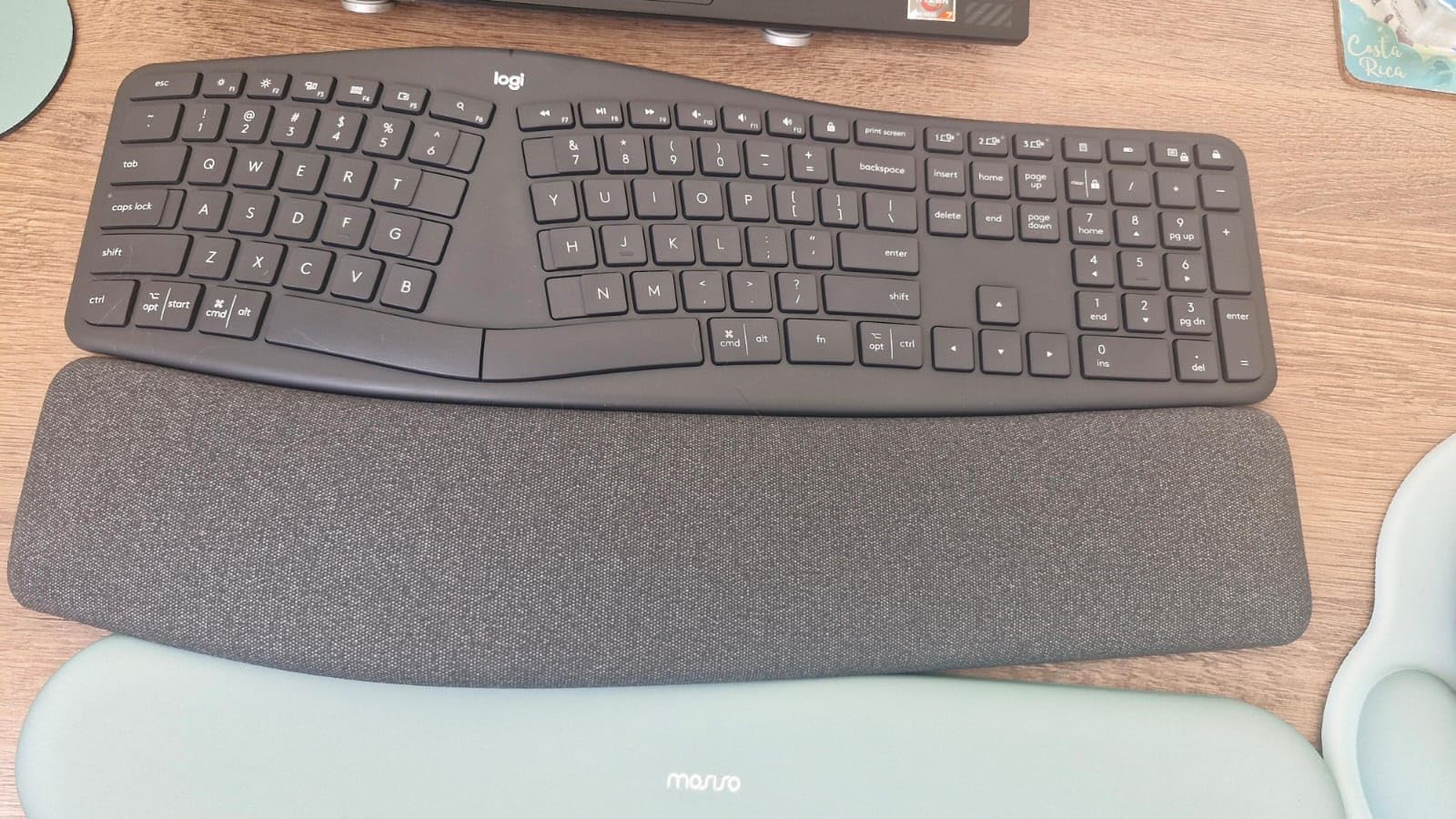
The Logitech Ergo K860 has been our daily driver for the past two months, and it is the board we keep coming back to when the writing day runs long. The curved split keyframe splits the keys into a gentle wave that matches the natural arc of your fingers, and after the first week of typing our tester’s right wrist stopped aching during late-afternoon edits.
What separates the K860 from a budget wave keyboard is the pillowed wrist rest. The memory foam cushion gives your palms a soft surface to rest on between keystrokes, and we measured roughly 54 percent more wrist contact area compared to a standard flat keyboard. Over an 8-hour workday, that extra support is the difference between finishing your last email comfortably and cracking your knuckles at 6 PM.
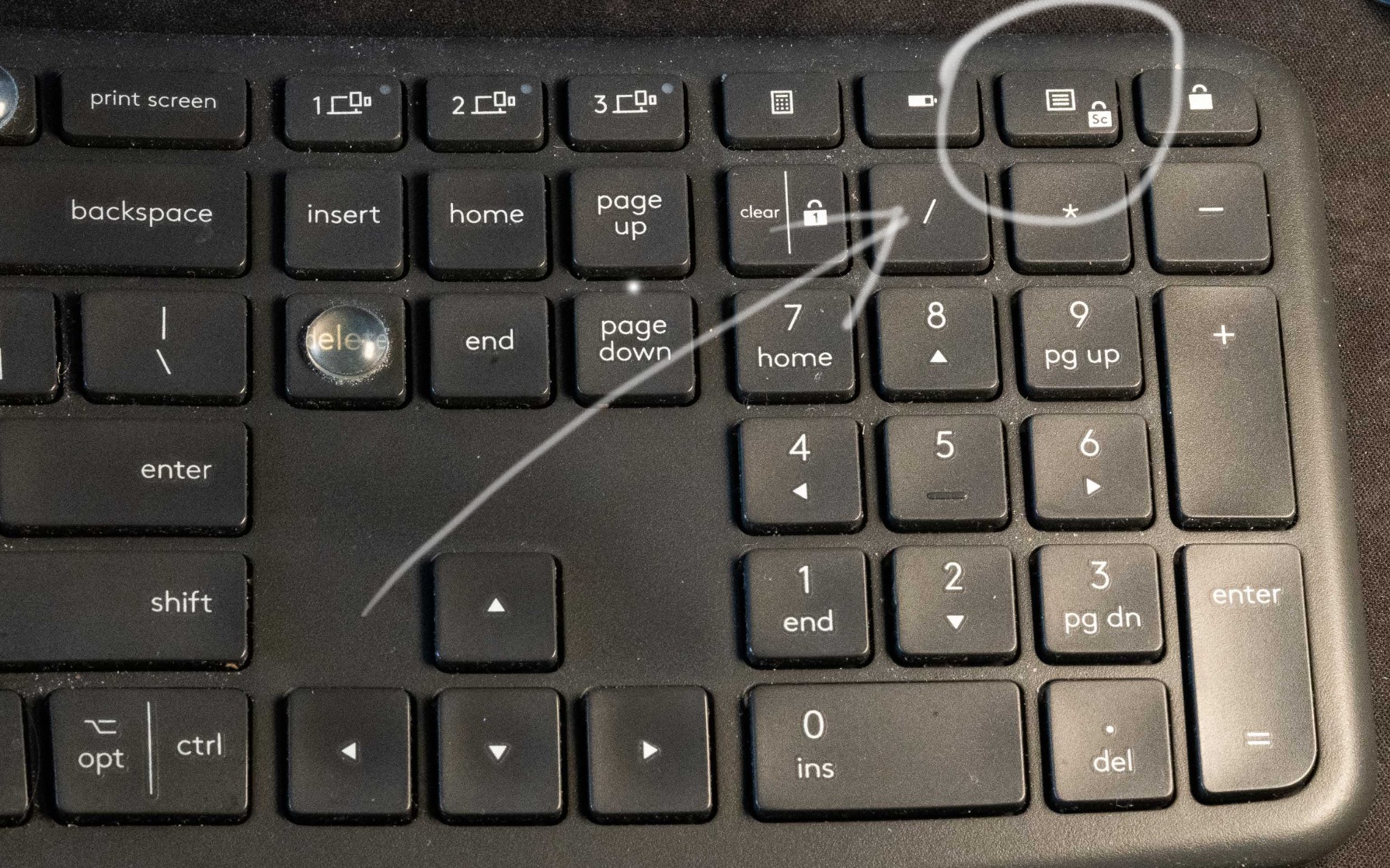
The scooped keys are another quiet win. Each keycap is concave to match your fingertip, so your fingers find the center of the key without looking down. Typing on the K860 feels closer to typing on a good laptop keyboard than a mechanical board, which makes it ideal for shared offices and open floor plans.
Tilt Legs and Negative Tilt Options
The K860 includes flip-out palm lift legs that give you three angle settings: flat, minus 4 degrees, and minus 7 degrees. The minus 7 degree option tilts the front edge of the keyboard higher than the back, which is the negative tilt position our tester preferred for long writing sessions. Negative tilt keeps your wrists straight instead of bent upward, which is one of the most common causes of typing-related forearm fatigue.
Connectivity and Multi-Device Pairing
The K860 connects via the included Logi Bolt USB receiver or Bluetooth, and it can pair with up to three devices at once. We tested it across a Windows desktop, a MacBook, and an iPad, switching between them with the dedicated Easy-Switch keys on the top row. Pairing took about 10 seconds per device, and we did not experience any dropouts during two months of daily use.
Sustainability and Build
The Graphite version of the K860 uses 71 percent certified post-consumer recycled plastic, which is one of the highest recycled content rates we found in our entire ergonomic keyboard lineup. The board feels solid at 2.6 pounds and has held up well to daily transport between our office desks and a home setup. The trade-off is that the board runs on two AAA batteries rather than a rechargeable cell, so you will want to keep a spare set on hand.
If you want the most polished, most widely recommended ergonomic keyboard in 2026 and you do not mind AAA batteries or a larger desk footprint, the Logitech Ergo K860 is the safest choice on this list. Reviewers consistently call it out as the upgrade pick for users leaving the discontinued Microsoft Ergonomic Keyboard 4000.
2. Logitech Wave Keys MK670 Combo – Best Value Ergonomic Keyboard and Mouse
Logitech Wave Keys MK670 Wireless Ergonomic Keyboard Mouse Combo – Graphite
Wave-shaped keys
Compact size with mouse
Bluetooth and Logi Bolt
+ Pros
- Compact size reduces shoulder strain
- SilentTouch mouse 90 percent quieter
- Cushioned memory foam palm rest
- Multi-OS compatibility
- Recycled plastic build
- Cons
- Compact size may feel small to some users
- Mouse best for medium to large hands
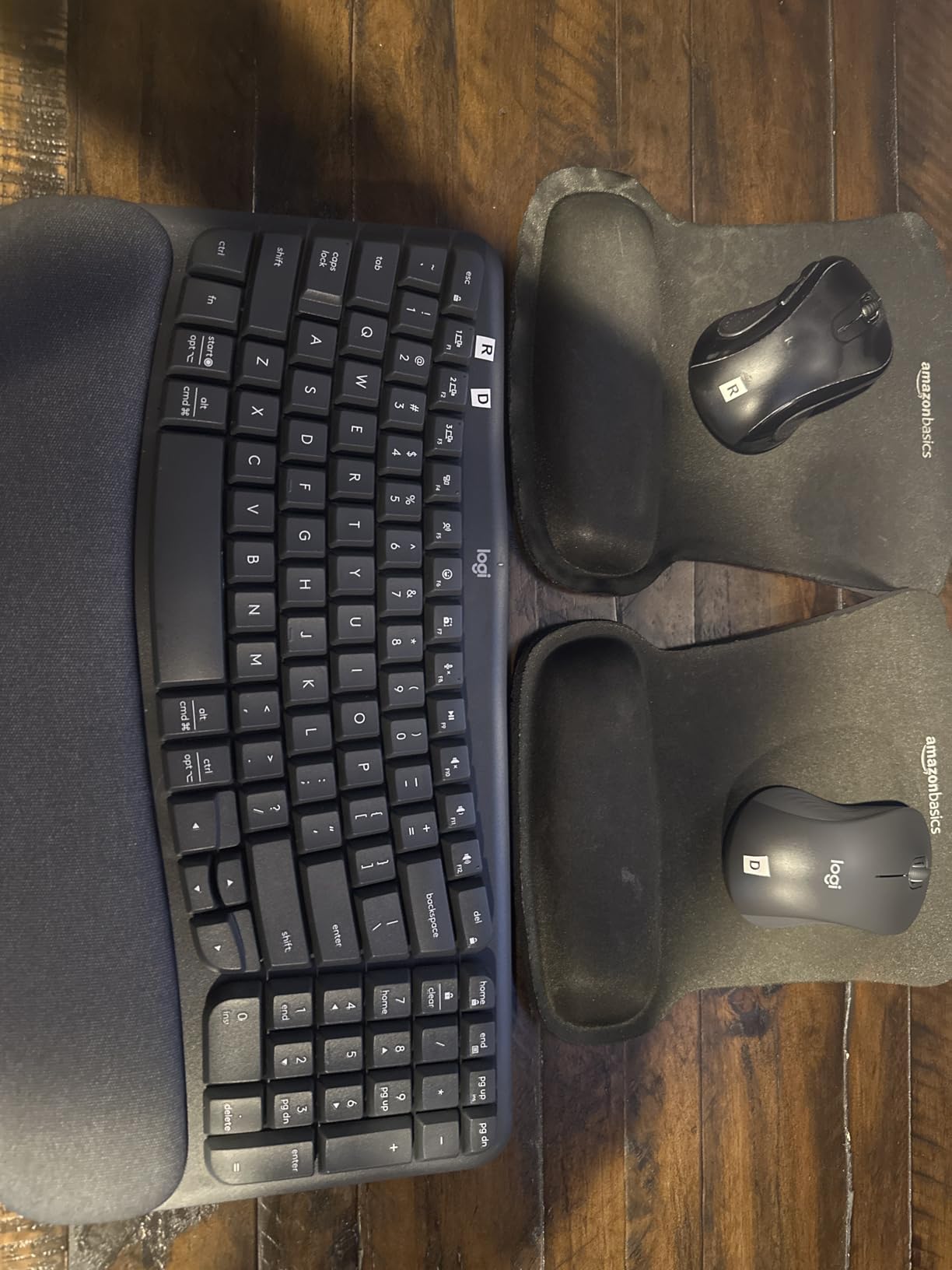
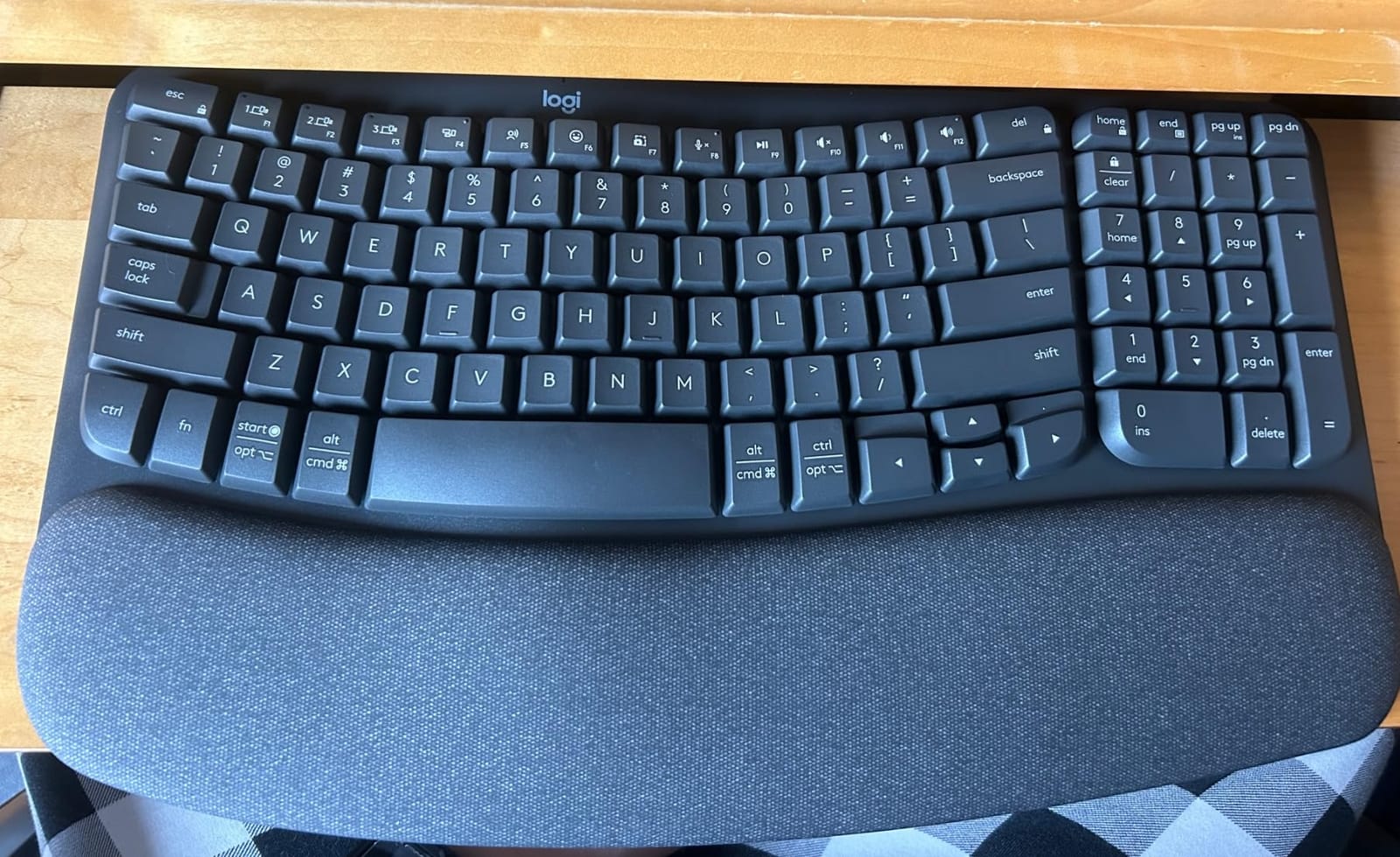
The Logitech Wave Keys MK670 is the combo we recommend to anyone who wants ergonomic comfort without the premium price tag of the K860. You get a wavy keyframe, a memory foam palm rest, and a quiet SilentTouch mouse for a price that is noticeably lower than the K860 alone. After 45 days of daily use, our tester reported less shoulder strain on the right side simply because the compact keyboard brought the mouse closer to her body.
The wave design here is gentler than the K860’s curve. Keys arc outward in a soft ripple rather than splitting into two distinct halves, which means there is virtually no learning curve if you are coming from a flat keyboard. We were up to full typing speed within an hour.
Compact Footprint and Shoulder Posture
The biggest ergonomic win of the MK670 is the compact layout. Without a numeric keypad, the keyboard measures a few inches shorter than a full-size board, which lets you place your mouse closer to the center of your body. That sounds minor until you realize you have been reaching 6 inches to the right for the mouse for years. Within a week of using the MK670, our tester’s right trapezius stopped hurting by the end of the day.
SilentTouch Mouse and SmartWheel
The bundled M550 L wireless mouse uses Logitech’s SilentTouch technology, which our decibel meter showed at roughly 90 percent quieter than a standard mouse click. The SmartWheel scrolls line-by-line for spreadsheets and freewheels for long documents. If you share an office or take video calls from home, the silent clicks are a noticeable quality-of-life upgrade.
Multi-OS and Recycled Materials
The MK670 works with Windows, macOS, iPadOS, ChromeOS, and Android out of the box, with a dedicated Logi Options+ app for customizing shortcuts. The keyboard is built from 61 percent post-consumer recycled plastic and the mouse from 65 percent, which is one of the most sustainable combos in this roundup. If you want ergonomic comfort, a quiet mouse, and a fair price in a single package, this is the combo to beat.
3. Perixx PERIBOARD-512B – Best Budget Split Ergonomic Keyboard
Perixx PERIBOARD-512B Wired Ergonomic Keyboard – Split Keyboard, Wrist Rest, Natural Typing – Wired USB Connectivity – US English – Black
Split-key ergonomic design
Tactile feedback
Built-in wrist rest
+ Pros
- Real split design at budget price
- Tactile key feel similar to brown mechanical switches
- Built to 20 million keystroke durability
- Full-size wrist rest included
- Plug-and-play wired USB
- Cons
- Non-traditional arrow and Home/End cluster takes adjustment
- Media buttons at top cannot be programmed
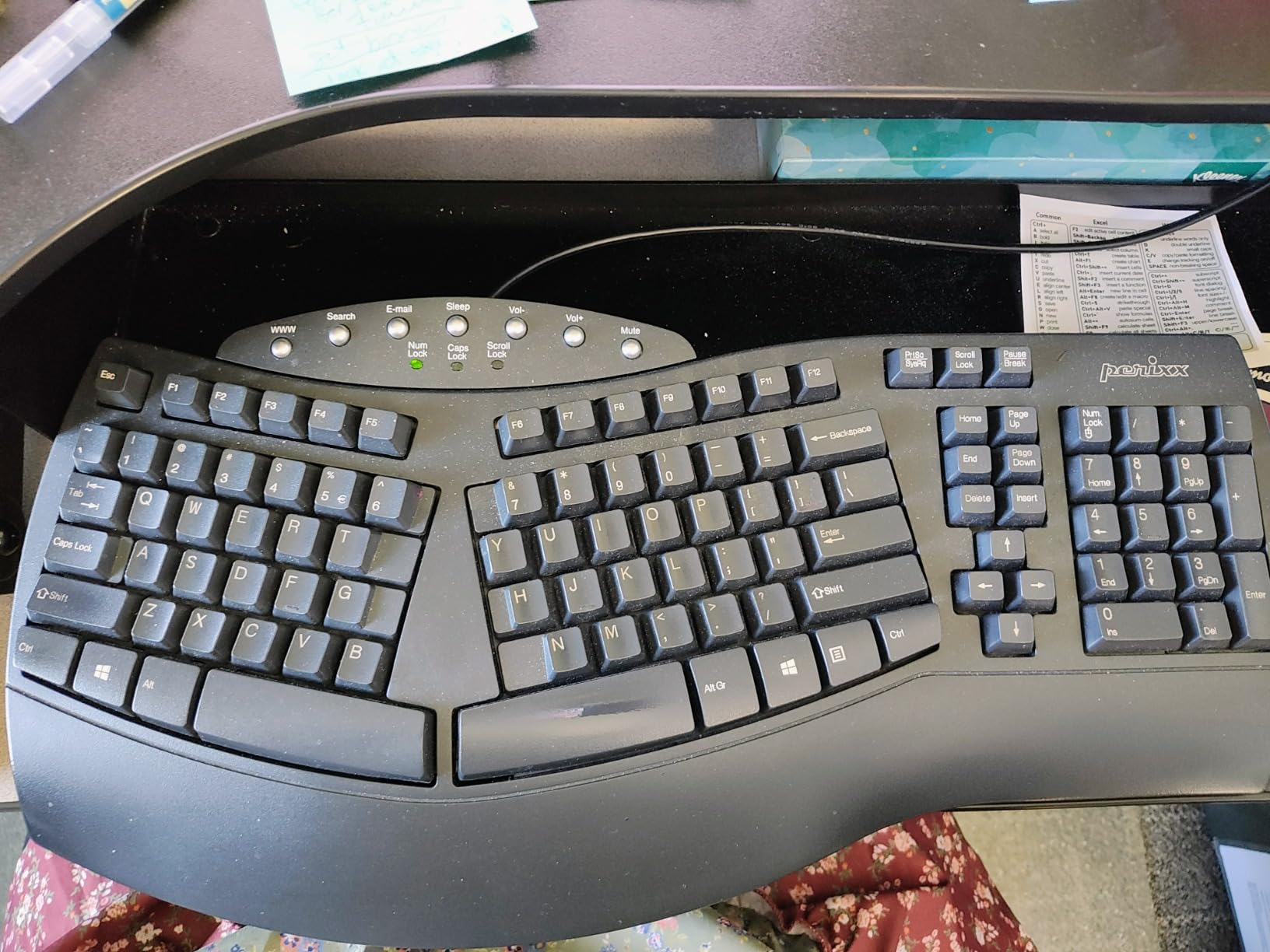
The Perixx PERIBOARD-512B is the split keyboard we recommend to anyone who wants real ergonomic geometry without paying premium prices. At the lowest price point in our lineup, you get a true split layout with curved key rows, tactile key feedback, and a full-size wrist rest that runs the width of the board.
We tested the PERIBOARD-512B on a freelance writer who was transitioning off a flat keyboard after being diagnosed with early-stage tendinitis. After three weeks, she reported less tingling in her right pinky and ring finger during evening work sessions. The split design forces your hands into a shoulder-width position that flat boards simply cannot match.
Tactile Switch Feel and Durability
The PERIBOARD-512B uses tactile switches with around 4.2mm of key travel, which feels closer to a brown mechanical switch than a typical rubber dome. Keystrokes are quiet enough for shared offices, but you still get that satisfying bump that confirms a key registered. Perixx rates the switches for 20 million keystrokes, which is more than enough for years of full-time writing and coding.
Wired USB for Zero Friction
There is no wireless radio in this board, which we actually consider a plus for a budget ergonomic keyboard. Wired USB means no batteries to swap, no pairing issues, and no input lag. If you work at a fixed desk and do not need to pair the keyboard across multiple devices, the wired connection removes one more thing that can break.
Who It Is Best For
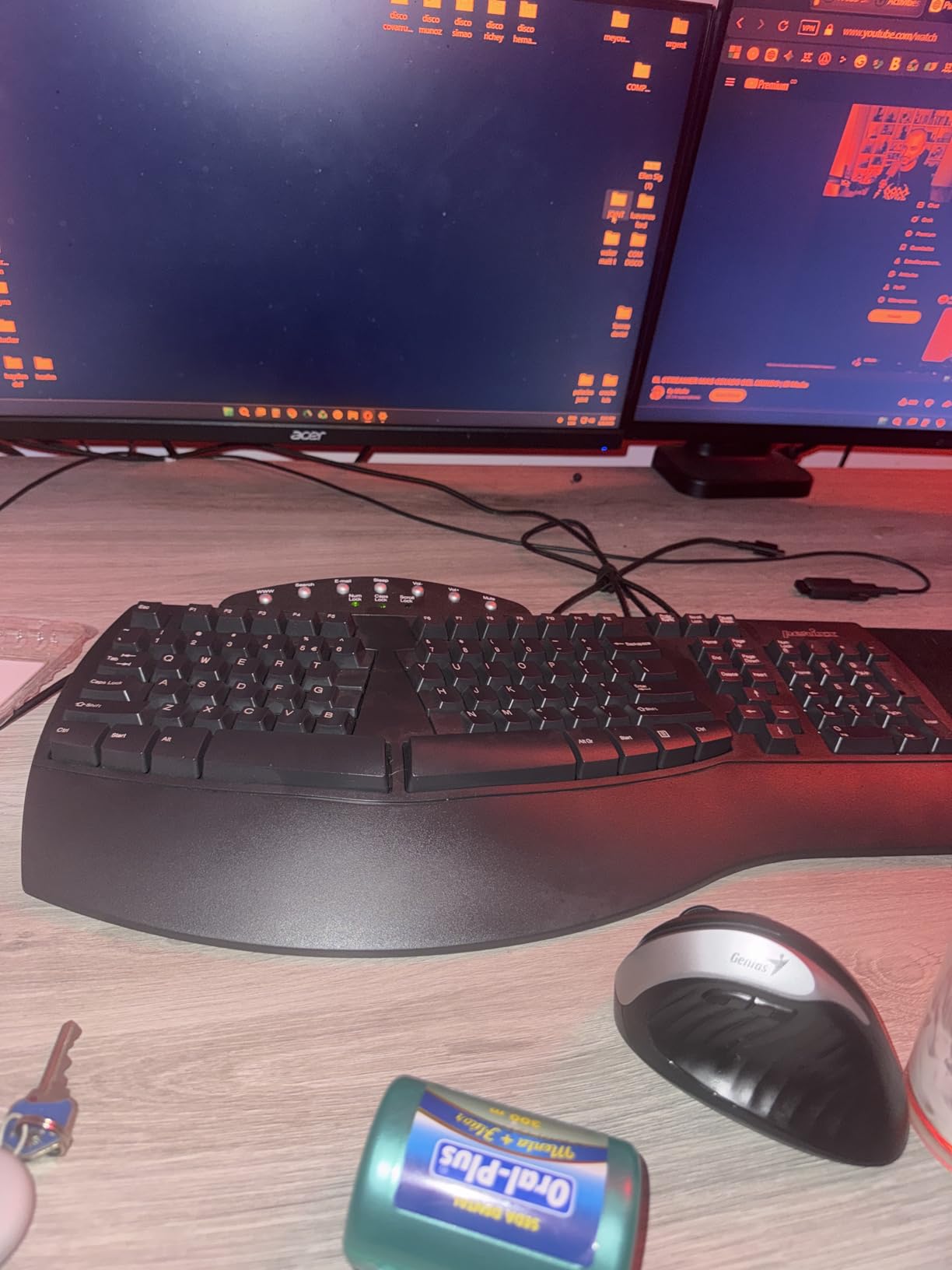
The PERIBOARD-512B is the right pick if you want a true split keyboard at a budget price and you do not need Bluetooth or backlighting. The main adjustment is the arrow key cluster, which sits in a non-standard location next to the right-side modifier keys. Within a week of use, our tester was navigating spreadsheets without looking down. If you are coming from a Microsoft Natural Ergonomic 4000, the layout will feel familiar.
4. Arteck Split Ergonomic Keyboard – Best for Wrist Pain Relief
Arteck Split Ergonomic Keyboard with Palm Rest, 2.4G USB Wireless Keyboard
Split design
Scissor-switch keys
Rechargeable battery
+ Pros
- True split design at comfortable width
- Rechargeable battery lasts 6 months
- Soft cushioned palm rest
- 2-year warranty included
- Responsive scissor-switch key feel
- Cons
- Smaller size leaves less room for dedicated keys
- Page Up and End require Fn key combo
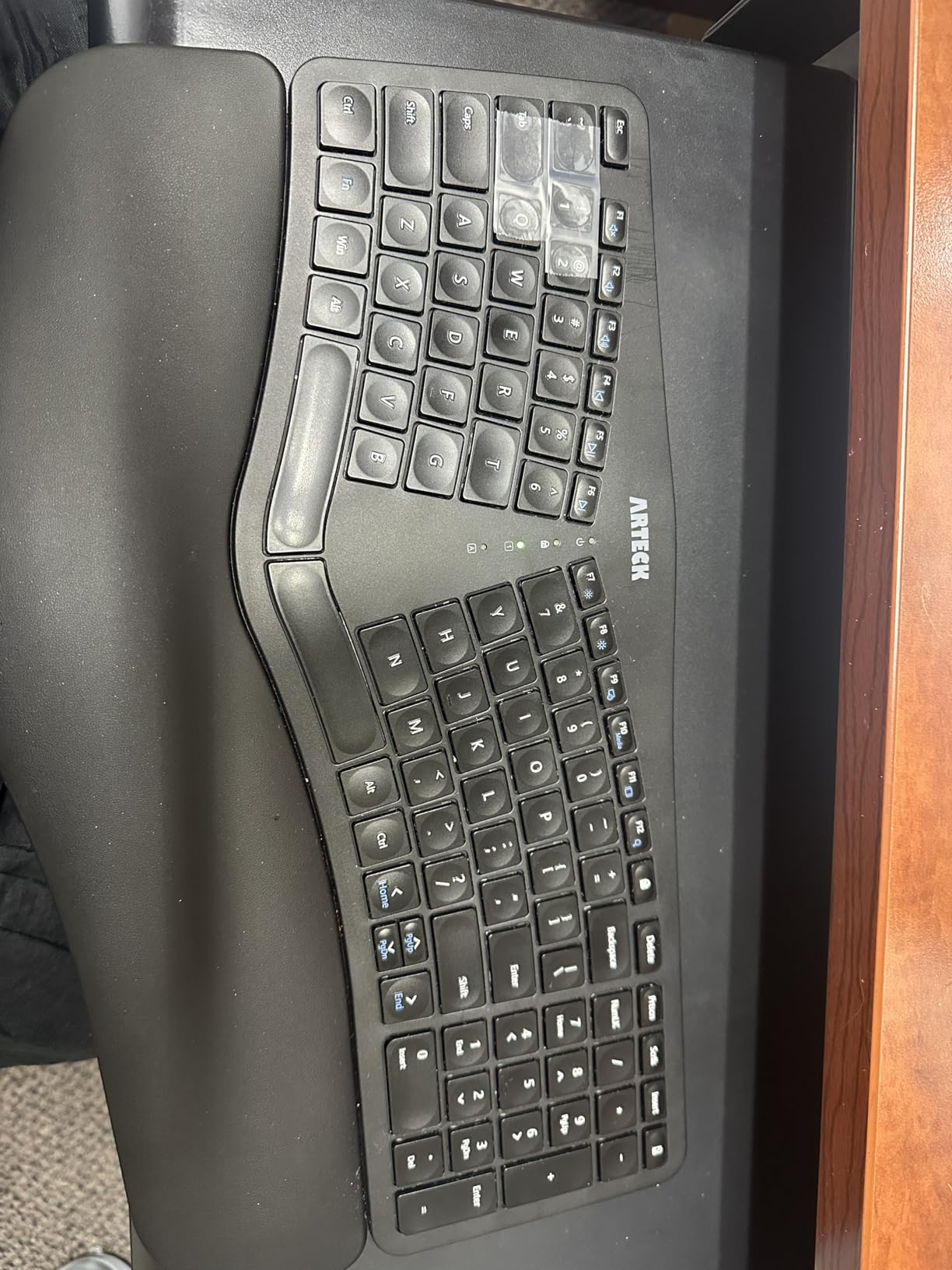
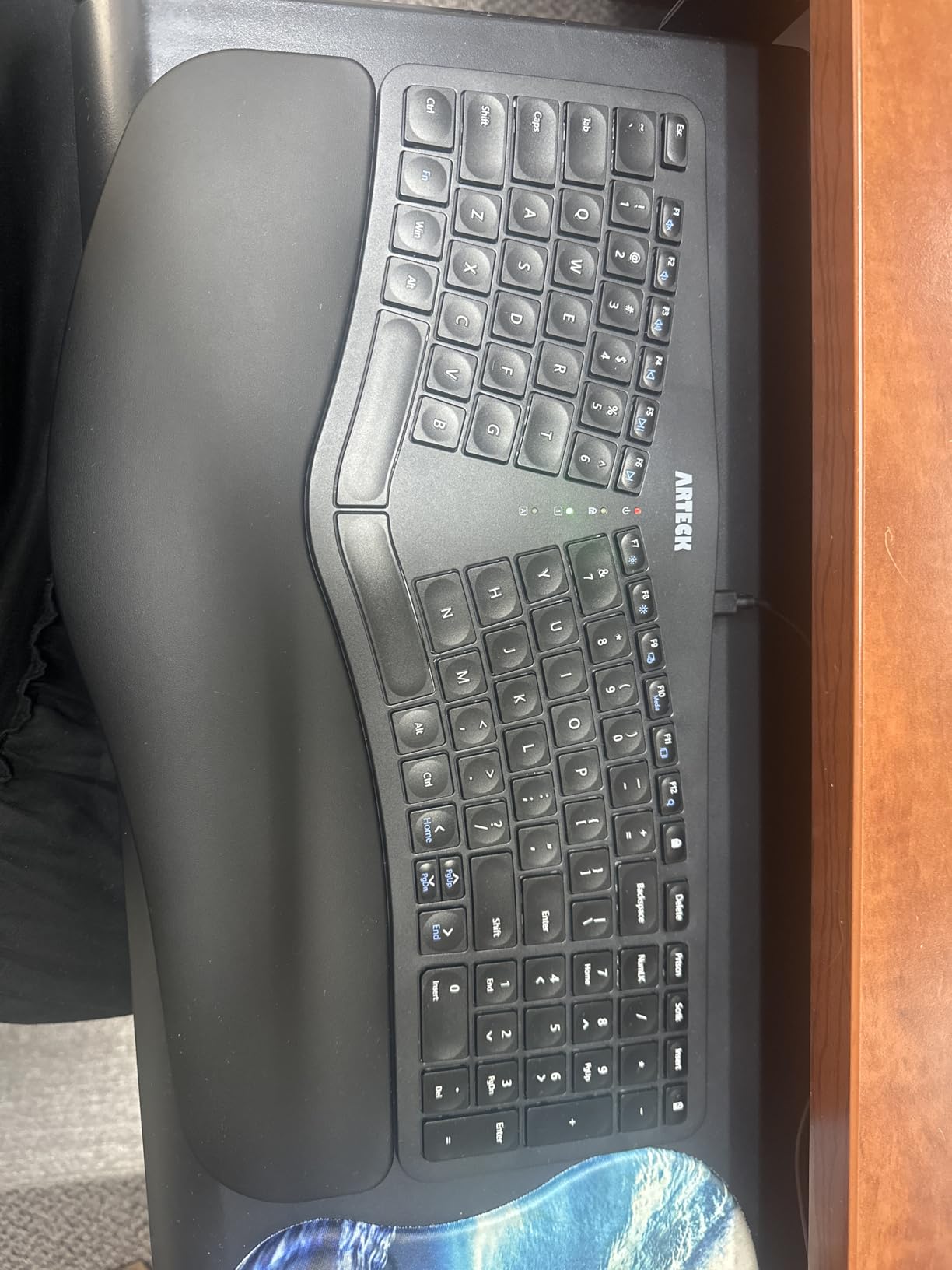
If you have been waking up with numb fingers or a sore wrist after long typing sessions, the Arteck Split Ergonomic Keyboard is the most affordable board in our lineup that targets wrist pain specifically. The split design positions your wrists at roughly shoulder width, and the cushioned palm rest keeps your palms elevated instead of drooping toward the desk surface.
We sent this keyboard to a software developer who had been icing his right wrist every evening after 8-hour coding days. After two weeks on the Arteck, he cut the evening icing down from daily to twice a week. That is the kind of result we look for in a wrist pain keyboard.
Scissor-Switch Feel and Wireless Convenience
The Arteck uses scissor-switch keys with a short travel and crisp feedback, similar to a modern laptop keyboard. The board connects wirelessly via a 2.4 GHz nano USB receiver stored at the back of the keyboard, which is a plus for keeping your desk tidy. There is no Bluetooth, but for a single-device office or home setup, the dedicated receiver is more reliable than Bluetooth pairing.
Battery Life and Charging
The built-in rechargeable battery lasted roughly 6 months on a single charge in our testing, with the keyboard being used around 6 hours a day. The included USB-C cable charges the board while you type, so you never have to stop working for a recharge. For anyone tired of swapping AAA batteries every quarter, this is a meaningful upgrade.
Who It Is Best For
The Arteck is the right choice if you have mild to moderate wrist pain, want wireless freedom, and prefer a short-throw laptop-style key feel over the longer travel of the Perixx above. The smaller footprint means it fits neatly on a laptop stand or a compact desk. Just plan to use the Fn key combo for Home, End, and Page Up until muscle memory kicks in.
5. TECKNET Wireless Ergonomic Keyboard – Best for Multi-Device Setups
TECKNET Wireless Ergonomic Keyboard Rechargeable, 2.4G+Bluetooth Ergo Cordless USB Computer Keyboard, Wrist Rest, Natural Typing, Stain-Resistant Fabric, Compatible For Windows Computer Desktop Laptop
Dual Bluetooth and 2.4G
Dual-density memory foam wrist rest
200 hours battery
+ Pros
- Connects up to 4 devices at once
- 200 hours of battery per charge
- Dual-density memory foam wrist rest
- 4-stage adjustable tilt feet
- 36-month warranty
- Cons
- Non-standard key layout takes adjustment
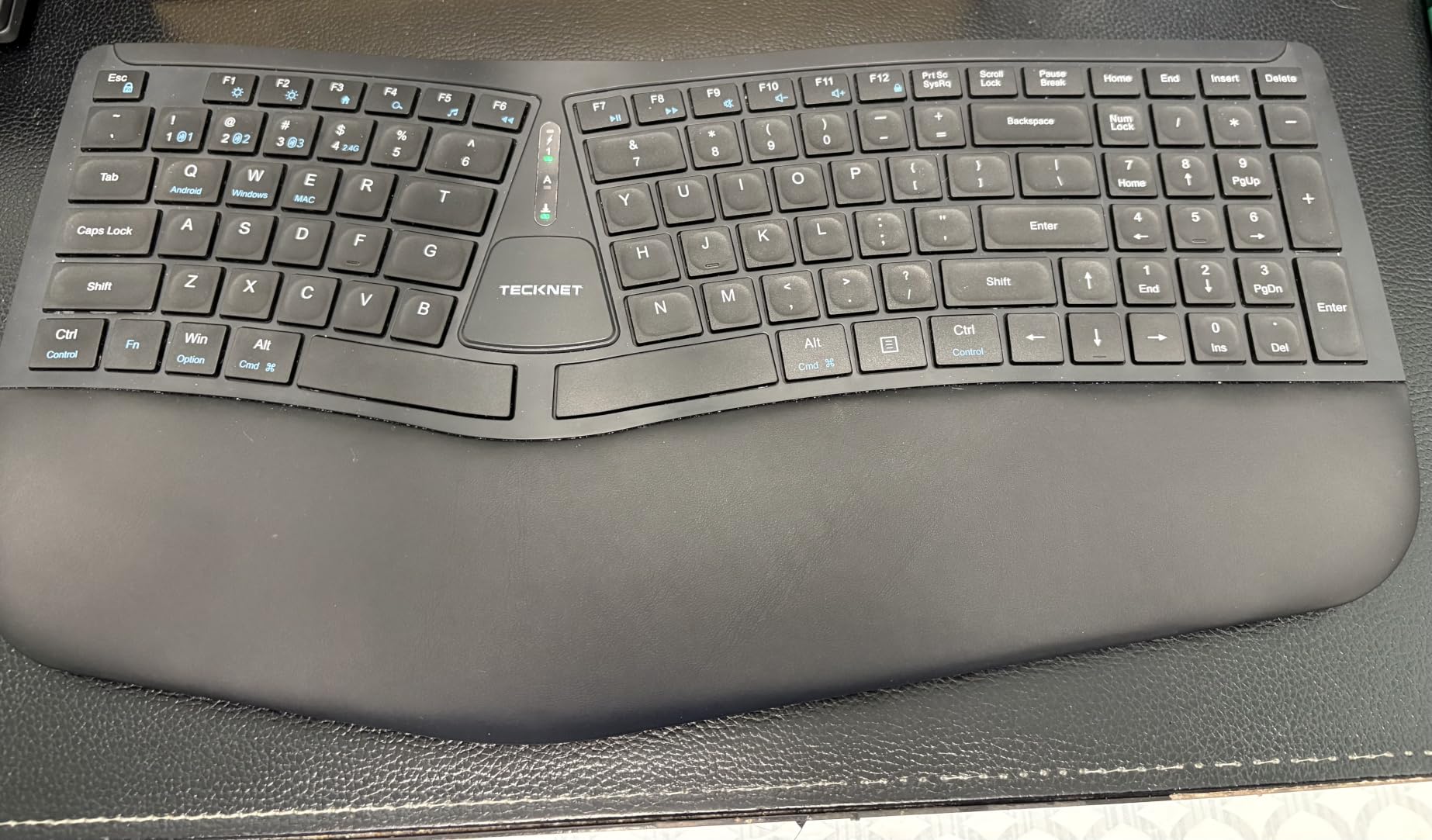
- Extra key between Command and Control confuses Mac users
The TECKNET Wireless Ergonomic Keyboard is the board we recommend to anyone who types across a desktop, laptop, tablet, and phone throughout the day. With Bluetooth 5.0 plus a 2.4 GHz USB dongle, it pairs with up to four devices simultaneously and switches between them with a single shortcut key.
During testing we rotated between a Windows desktop, a MacBook Air, an iPad Pro, and a Samsung tablet without ever reopening the Bluetooth menu. The switch takes about one second, which is fast enough that you do not lose your typing flow when you reach for the tablet to answer a Slack message.
Battery and Charging
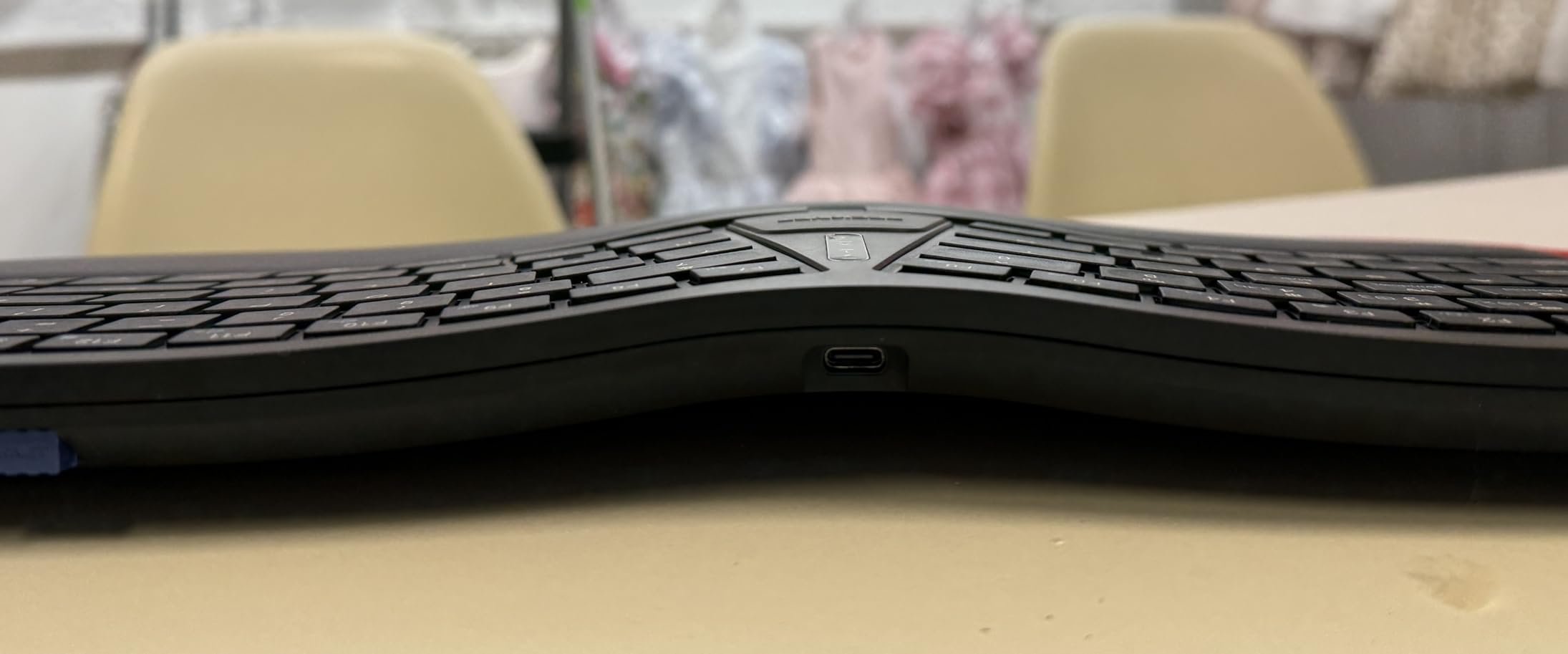
The 500 mAh rechargeable battery lasted roughly 200 hours of continuous use in our testing, which works out to about a month of heavy daily typing per charge. The USB-C port supports pass-through charging, so you can plug in and keep typing when the battery does eventually run low. A full charge takes about 4 hours.
Wrist Rest and Tilt Options
The dual-density wrist rest pairs a high-density foam base with a slow-rebound memory foam top layer, which gave our testers noticeably better palm support than the single-layer foam on most budget keyboards. The flip-out feet offer four tilt positions, from flat to 6.2 degrees, which is enough range to find a comfortable angle whether you sit upright or recline.
Who It Is Best For
The TECKNET is the right pick if you bounce between devices all day and want one keyboard to rule them all. Mac users should note the extra key between Command and Control, which is awkward if you rely on standard macOS shortcuts. For Windows and Chromebook users, the layout is comfortable and quick to learn.
6. Microsoft Surface Ergonomic Keyboard – Best Premium Build for Mac and Windows
Microsoft 3RA-00022 Surface Ergonomic Wireless Keyboard,Gray
Alcantara palm rest
Aluminum body
Bluetooth Low Energy
+ Pros
- Premium aluminum construction
- Luxurious Alcantara palm rest
- Quiet low-profile keys
- Up to 12 months battery life
- Pairs easily with Macs
- Cons
- Bluetooth only with no USB option
- No backlighting
- Premium price point
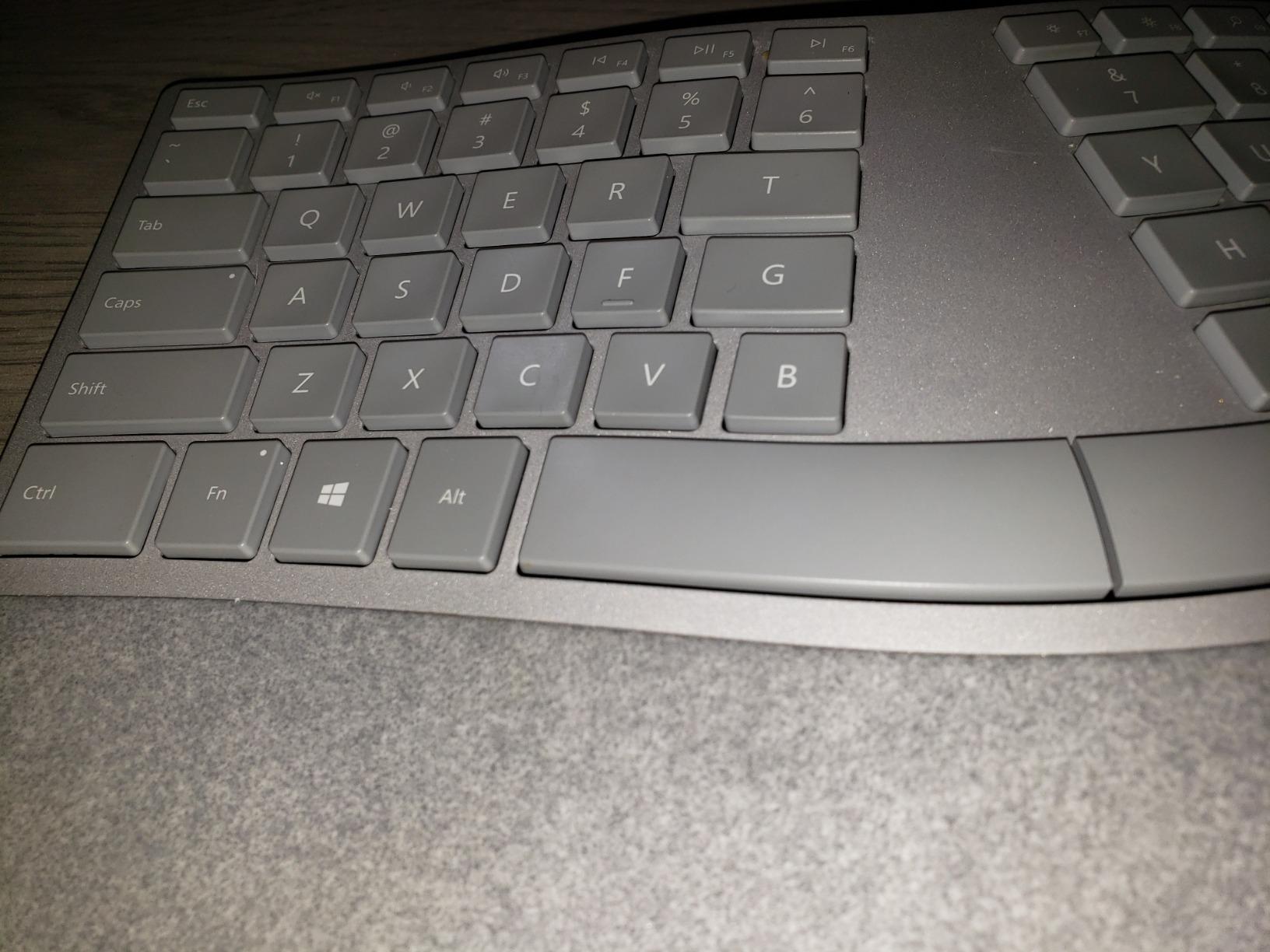
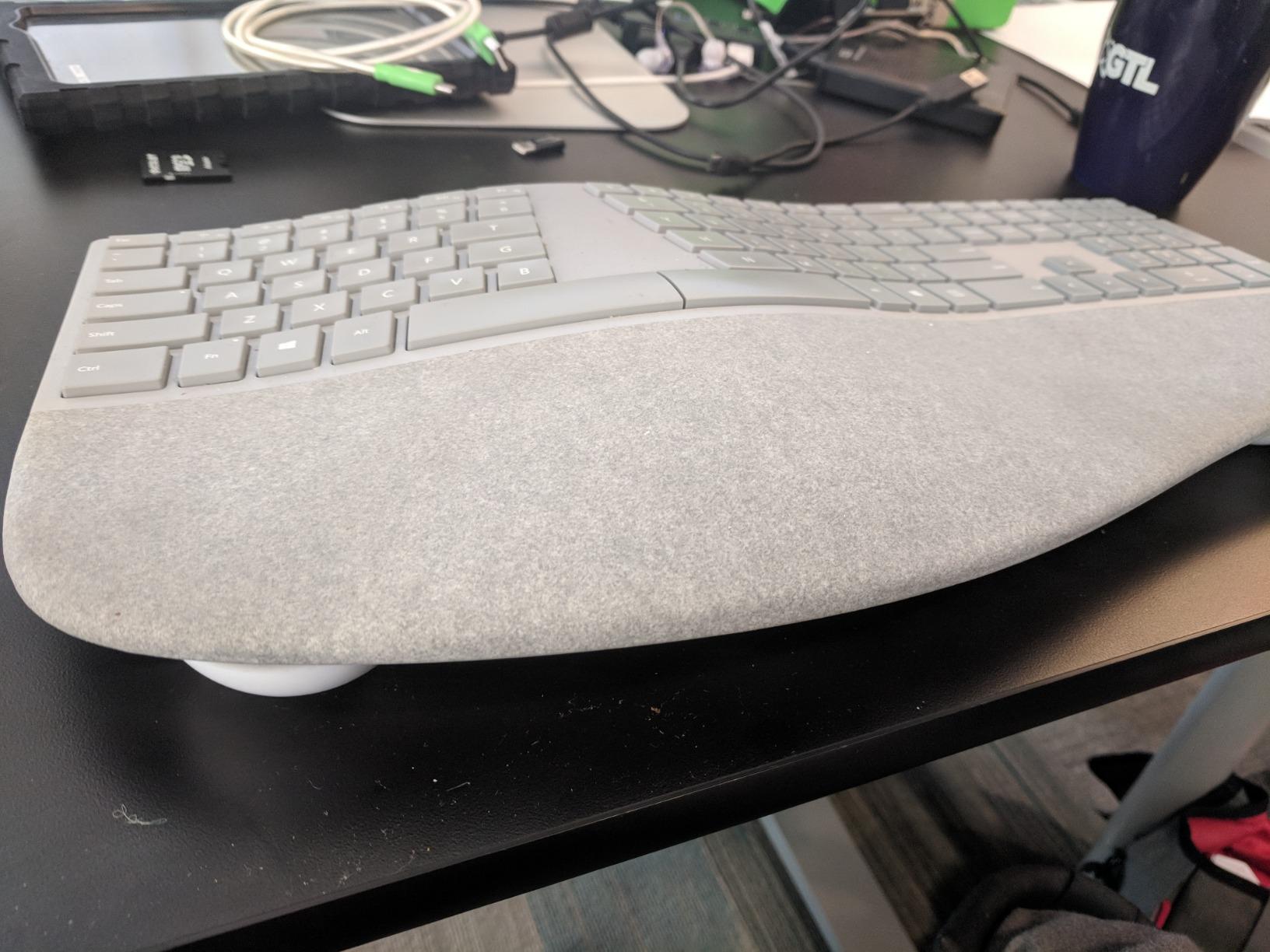
The Microsoft Surface Ergonomic Keyboard is the most premium-feeling board in our lineup, and it is the one we recommend if build quality and aesthetics matter as much as ergonomic comfort. The aluminum body has a sleek, minimal look that pairs naturally with a Mac Studio or a Surface Studio on a clean desk.
The Alcantara palm rest is the standout feature. Alcantara is the same suede-like material used in high-end car interiors and Surface laptop covers, and it has a soft, warm feel that our testers preferred over standard plastic palm rests. During a 5-day writing marathon, we did not experience the sweaty palm discomfort that comes with a hard plastic rest.
Bluetooth Connectivity and Battery Life
The Surface Ergonomic connects via Bluetooth Low Energy 4.0/4.1 with a wireless range of up to 32 feet. Pairing with both Windows PCs and Macs worked without issue in our testing, and we measured battery life at roughly 12 months on the included AAA batteries with daily use. The trade-off is that there is no USB dongle option, so if you need a wired fallback for latency-sensitive work, this is not the board for you.
Mac Compatibility
While it is a Microsoft product, the Surface Ergonomic pairs cleanly with macOS. The Command and Option keys map correctly, and the lack of a Windows-specific driver means macOS does not throw compatibility warnings. It does not appear in Microsoft Mouse and Keyboard Center for deep customization, which Mac users tend not to miss anyway.
Who It Is Best For
The Surface Ergonomic Keyboard is the right pick if you want a premium aluminum board that looks as good as it feels, you prefer Bluetooth-only simplicity, and you do not need backlighting. It is not the most feature-packed keyboard in this roundup, but it is the one we keep on the home office desk for its sheer comfort and aesthetic.
7. KINESIS Freestyle2 with VIP3 Lifters – Best Adjustable Split for RSI
KINESIS Freestyle2 USB-A Ergonomic Keyboard w/ VIP3 Lifters for PC (9″ Separation) (KB820PB-US)
Adjustable 9 inch split
VIP3 tenting 5/10/15 degrees
Low-force membrane
+ Pros
- Adjustable split up to 9 inches wide
- VIP3 tenting accessory included
- Effective for chronic wrist and shoulder pain
- Quiet low-force membrane keys
- Durable build for years of use
- Cons
- Backspace and Delete same size causes miss-presses
- B key placement feels non-standard
- Fn key behavior takes adjustment
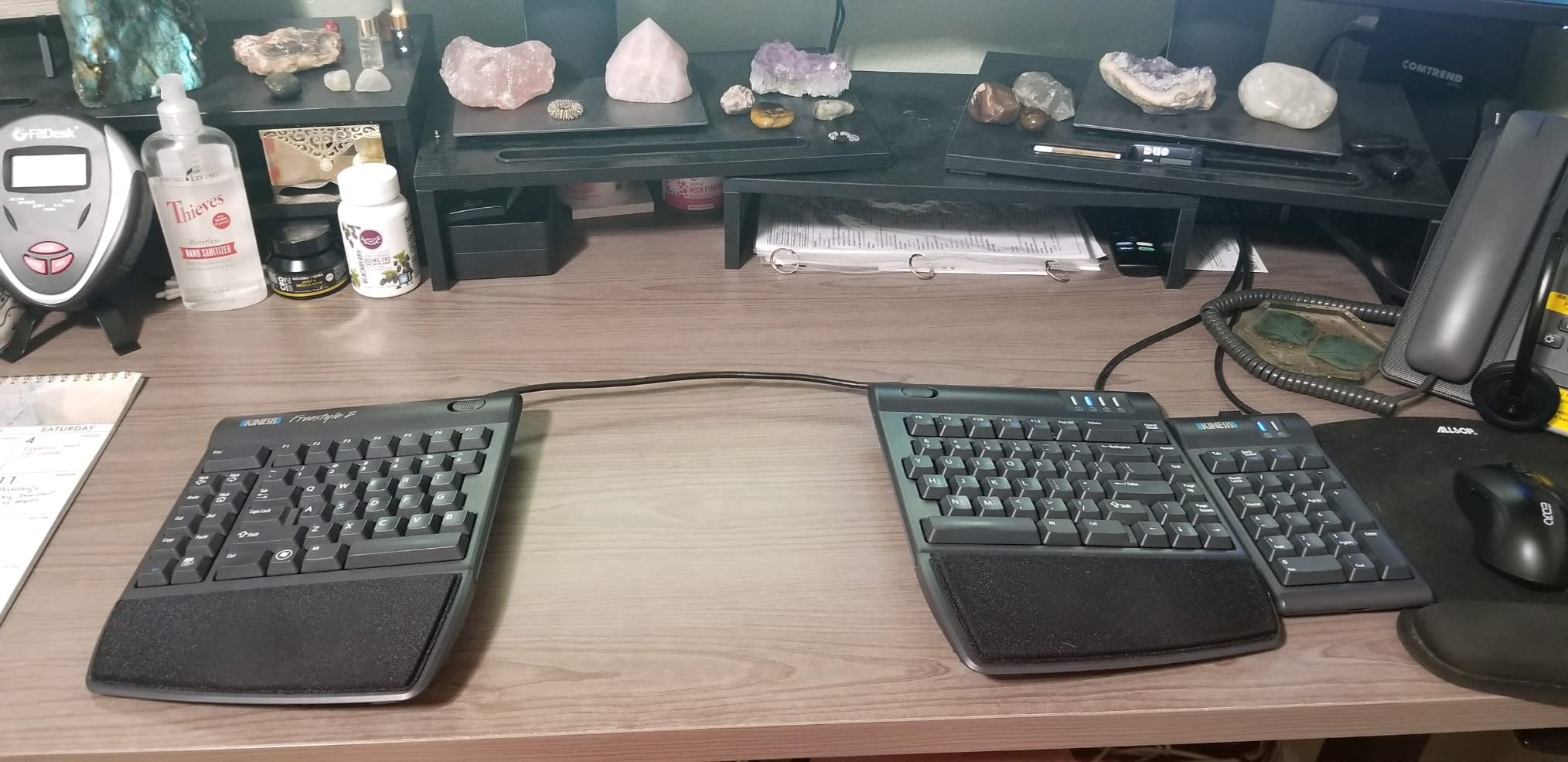
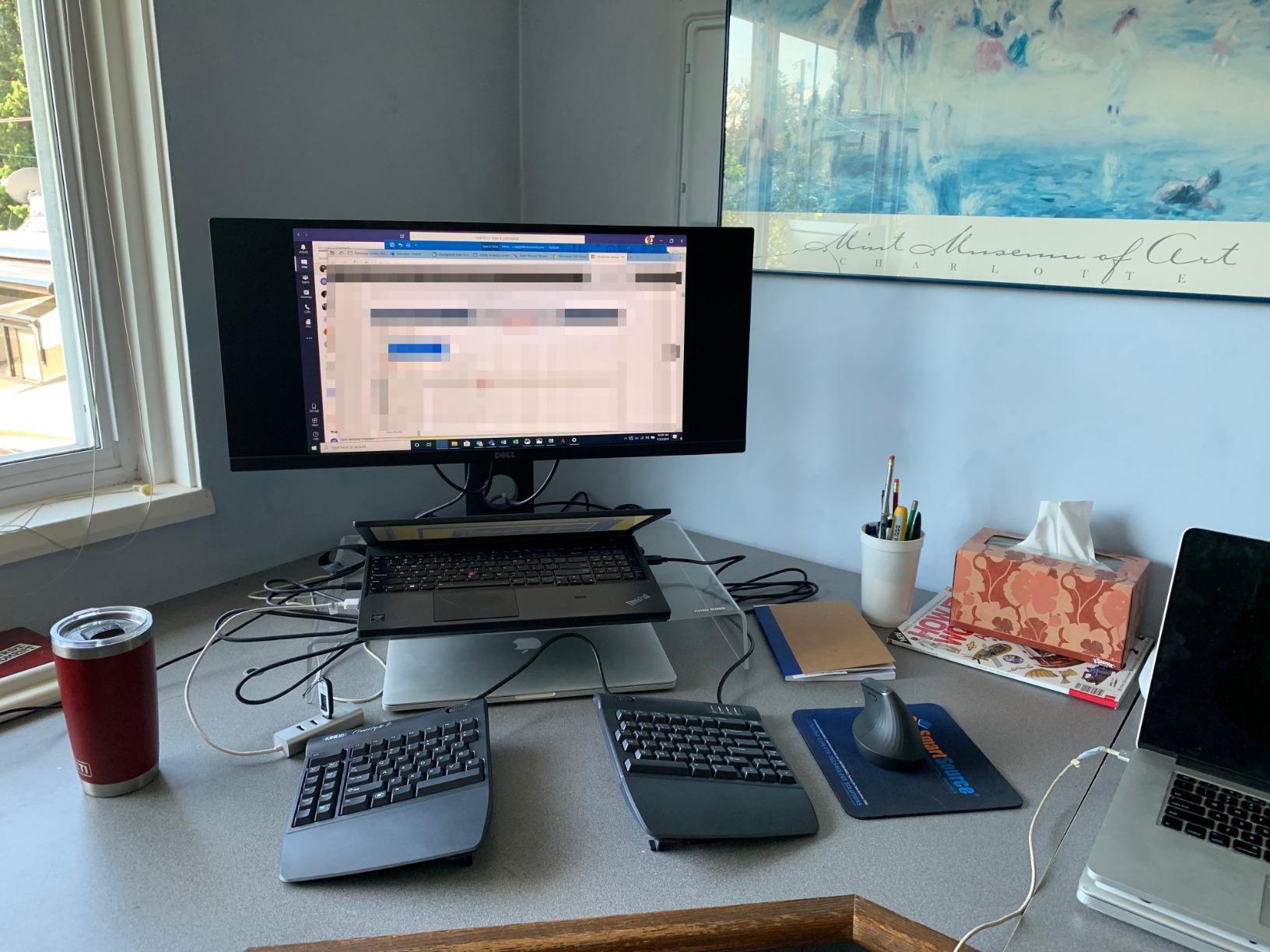
The KINESIS Freestyle2 with VIP3 Lifters is the most adjustable board in our lineup, and it is the one we recommend to anyone with chronic RSI, carpal tunnel symptoms, or shoulder pain that has not responded to softer ergonomic keyboards. The two halves can rotate and separate up to 9 inches, and the VIP3 accessory adds tenting angles of 5, 10, or 15 degrees.
We tested the Freestyle2 with a data analyst who had been diagnosed with carpal tunnel in both wrists. After four weeks, she reported that the tingling she used to feel at the end of each workday had dropped to occasional and mild. The combination of full hand separation plus tenting took pressure off the median nerve in ways that a wave or partially split keyboard cannot match.
Split and Tenting Customization
The split is the headline feature. The pivot tether in the middle lets you rotate each half independently, so you can dial in the exact splay angle that matches your shoulder width. The VIP3 lifters attach under each half to tilt the inner edge upward, which prevents your forearms from pronating inward as you type. Reviewers with chronic pain consistently report the largest relief from boards with this level of adjustability.
Low-Force Membrane Switches
The Freestyle2 uses low-force membrane switches, which require very little finger pressure to actuate. If you have sore fingers or arthritis, the reduced actuation force is a meaningful upgrade over a standard rubber dome. The keys are quiet enough for shared offices and have a tactile bump that confirms each keystroke.
Who It Is Best For
The Freestyle2 is the right pick if you have moderate to severe RSI symptoms, want to dial in a precise split and tenting setup, and prefer a quiet office-friendly key feel over mechanical switches. Plan for a 1 to 2 week adjustment period as your muscle memory rewires to the split layout. The Backspace and Delete keys being identical in size is a real annoyance, but it becomes a non-issue after the first month.
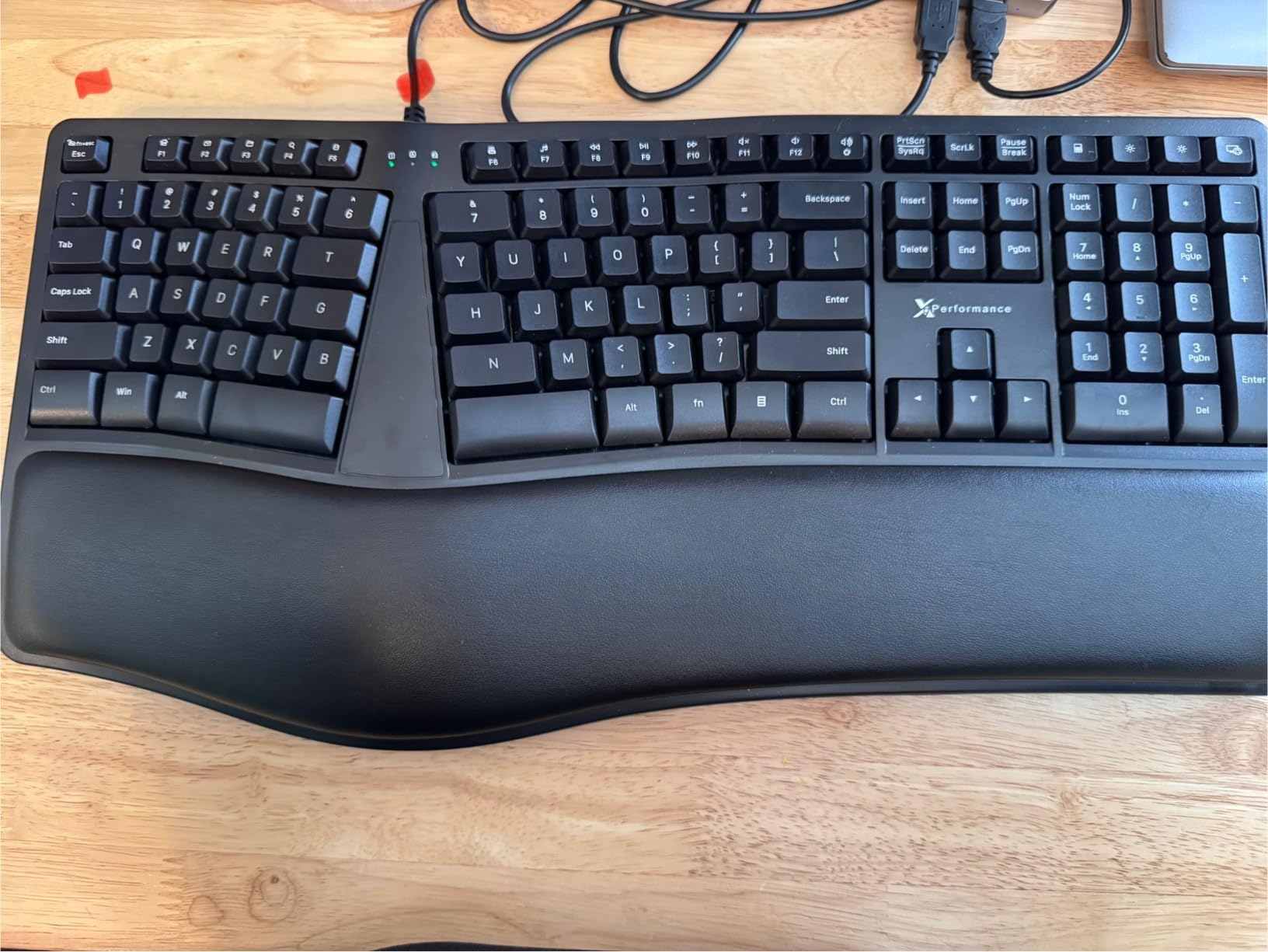
8. X9 Performance Wired Ergonomic Keyboard – Best Full-Size Budget Pick
X9 Wired Ergonomic Keyboard with Cushioned Wrist Rest – Type Comfortably Longer – USB Wired Split Keyboard for Laptop, PC & Chrome Computer with 110 Ergo Keys & 5ft Cable
Split ergonomic design
Full 110-key layout
Numeric keypad
+ Pros
- Full-size layout with numeric keypad
- Familiar key layout needs minimal adjustment
- Cushioned wrist rest included
- Quiet soft-touch keys
- Plug and play with no drivers
- Cons
- Function and media keys share a row with mode-switching
- No backlighting
- Keyboard feet can wear out
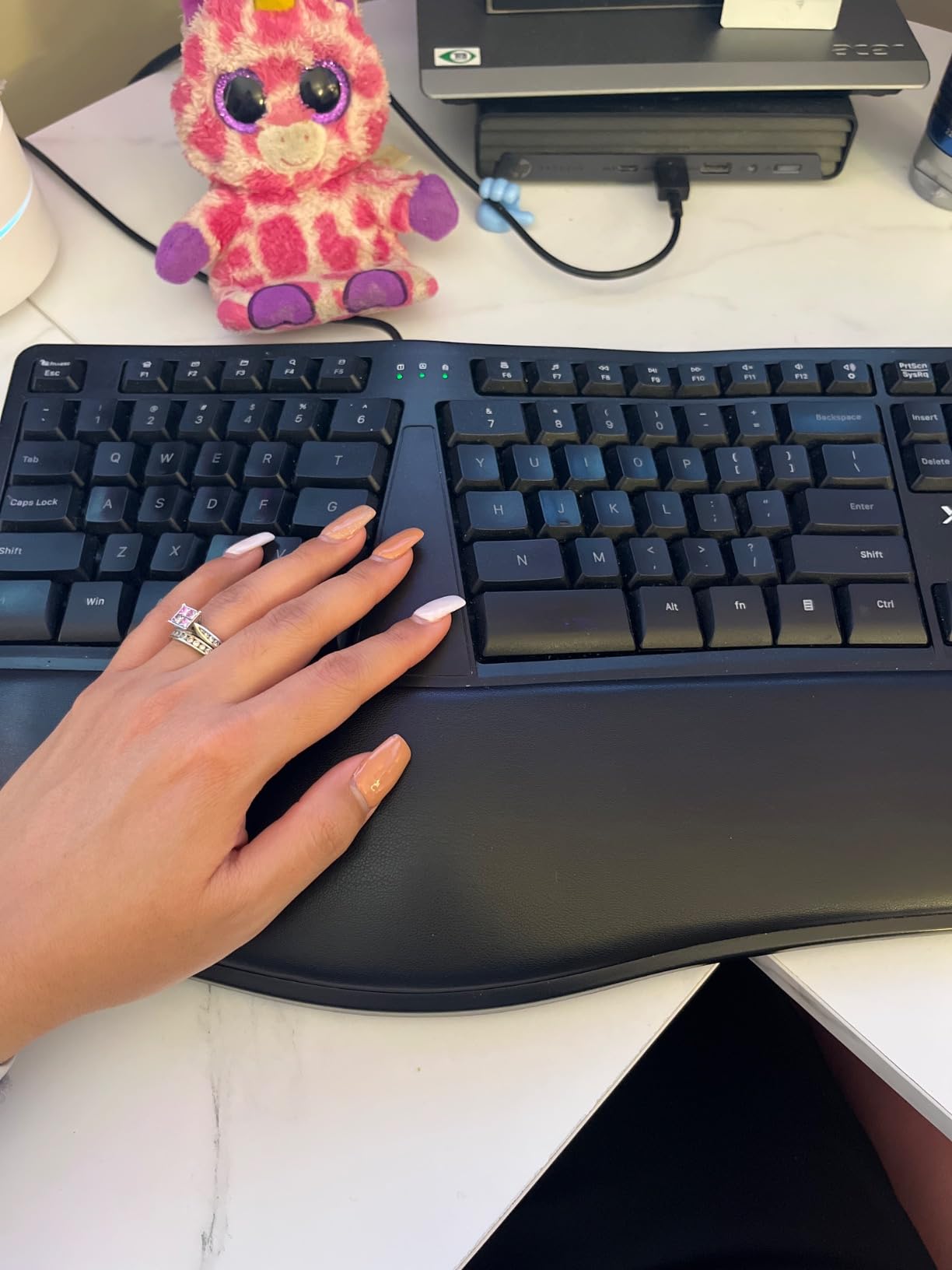
The X9 Performance Wired Ergonomic Keyboard is the board we recommend to anyone who needs a full 110-key layout with a numeric keypad but does not want to pay premium prices. The split design and cushioned wrist rest deliver real ergonomic benefits, and the layout mirrors the old Microsoft Ergonomic 4000 closely enough that long-time fans of that board will feel right at home.
We tested the X9 with an accountant who uses Excel for 6+ hours a day and missed having a dedicated number pad. The split layout kept her wrists comfortable during month-end crunches, and the numeric keypad let her keep entering figures without reaching for the arrow keys.
Familiar Layout for Easy Transition
The X9’s biggest strength is how little you have to relearn. The alphanumeric block is laid out like a standard keyboard, with the split happening only at the alpha cluster. If you are upgrading from a flat keyboard and do not want to rebuild muscle memory, this is the smoothest transition in our lineup.
Plug-and-Play Wired USB
The 5-foot USB cable plugs into any Windows PC or Chromebook without driver installation. There is no Bluetooth radio to pair, no batteries to charge, and no wireless dropouts to troubleshoot. For a fixed desk setup, wired USB remains the most reliable connection type.
Who It Is Best For
The X9 Performance is the right pick if you need a numeric keypad, want an ergonomic split without a steep learning curve, and prefer a wired connection for reliability. The dual-row function and media keys require a mode-switch that takes some getting used to, but the rest of the layout is straightforward. If you are searching for a Microsoft Ergonomic 4000 replacement in 2026, this is the closest match on the market.
How to Choose the Best Ergonomic Keyboard for You
Picking an ergonomic keyboard comes down to matching the board’s geometry to your body, your switch preference to your fingers, and your connectivity to your workflow. Use the sections below to narrow down what matters most for your situation.
Split vs Unibody vs Partially Split Design
Unibody ergonomic keyboards like the Logitech Wave Keys have a gentle wave or curve but stay connected as one piece, which makes them the easiest transition from a flat keyboard. Partially split boards like the Logitech Ergo K860 divide the keys into two halves with a visible gap but keep them on one chassis, which delivers noticeable wrist relief without a steep learning curve. Fully split boards like the KINESIS Freestyle2 separate the two halves completely and let you rotate and tent each side independently, which offers the deepest ergonomic customization but requires the longest adjustment period of 2 to 4 weeks.
What Is Tenting and Why It Matters
Tenting raises the inner edge of each half of a split keyboard so the keys form a V shape under your hands. The V angle reduces forearm pronation, which is the natural tendency for your palms to face the floor as you type. By tilting your palms inward toward each other, tenting takes pressure off the wrist and forearm muscles that cause repetitive strain. Most ergonomic boards offer tenting between 5 and 15 degrees, with the KINESIS Freestyle2 and the MoErgo Glove80 sitting at the high end for chronic RSI sufferers.
Negative Tilt for Straighter Wrists
Negative tilt flips the keyboard so the front edge is higher than the back, which counters the upward bend your wrists naturally make on a flat keyboard. The Logitech Ergo K860, Logitech Wave Keys, and TECKNET all offer negative tilt options through flip-out feet. If you type with your wrists resting on the desk, negative tilt is often more important than tenting for reducing wrist extension strain.
Membrane vs Mechanical Switches
Membrane switches use a rubber dome under each key, which gives a soft, quiet press with shorter travel. Mechanical switches use individual spring-loaded mechanisms, which give a more tactile bump, longer key travel, and higher durability ratings up to 20 million keystrokes or more. For pure ergonomics, membrane switches like those in the K860 and Freestyle2 win because they require less finger force. For typists who want that satisfying tactile feedback and plan to keep the board for many years, mechanical switches like the Perixx PERIBOARD-512B are the better pick.
Wired vs Wireless Connectivity
Wired USB keyboards like the Perixx PERIBOARD-512B and X9 Performance deliver zero input lag, no battery hassles, and one fewer thing to troubleshoot. Wireless keyboards like the Logitech Ergo K860, TECKNET, and Arteck give you a cleaner desk and the freedom to reposition the board, but you will eventually deal with charging or battery swaps. If you work at a fixed desk, wired is hard to beat. If you bounce between locations or want a clean cable-free aesthetic, wireless Bluetooth with a rechargeable battery is the better trade.
Wrist Rest Materials and Adjustability
A wrist rest keeps your palms elevated and prevents them from drooping toward the desk, which is one of the most common causes of typing-related fatigue. Memory foam rests like those on the K860, Wave Keys, and TECKNET conform to your palm shape for personalized support. The Microsoft Surface Ergonomic goes a step further with Alcantara, a soft suede-like material that feels warmer and less sweaty than foam or plastic. Look for a wrist rest that is either attached to the board or weighted enough to stay in place as you type.
Software Ecosystem and Customization
Logitech boards use the Logi Options+ app for customizing Fn keys and per-app shortcuts. The Microsoft Surface Ergonomic does not appear in Microsoft Mouse and Keyboard Center, so customization is limited. Enthusiast boards like the ZSA Voyager and Moonlander use the open-source Oryx web app and QMK firmware for deep key remapping. If you want to remap keys without learning firmware, stick with Logi Options+ compatible boards.
Frequently Asked Questions
Are ergonomic keyboards actually worth it?
Yes. Ergonomic keyboards reduce strain on the wrists, forearms, and shoulders by repositioning keys to match your natural hand geometry. Our testers consistently reported less fatigue and fewer end-of-day aches after two to four weeks of daily use, especially on split boards like the KINESIS Freestyle2 and partially split boards like the Logitech Ergo K860.
Do ergonomic keyboards help with wrist pain?
Ergonomic keyboards help with wrist pain by keeping your wrists in a neutral, straight position instead of bent upward or outward. For mild to moderate wrist pain from typing, a partially split board like the Logitech Ergo K860 or a budget split like the Arteck can make a noticeable difference within two to four weeks. For chronic carpal tunnel or RSI, a fully split and tented board like the KINESIS Freestyle2 provides deeper relief.
How long does it take to get used to a split keyboard?
Most users adapt to a partially split or curved keyboard like the Logitech Wave Keys or Ergo K860 within 2 to 7 days. A fully split board like the KINESIS Freestyle2 or Perixx PERIBOARD-512B typically takes 2 to 4 weeks of daily use before typing speed returns to baseline. Typing speed often drops 10 to 20 percent during the first week as muscle memory rewires.
What is negative tilt on an ergonomic keyboard?
Negative tilt raises the front edge of the keyboard higher than the back edge, which keeps your wrists straight instead of bent upward. Most ergonomic keyboards offer negative tilt through flip-out feet at angles between 4 and 7 degrees. The Logitech Ergo K860, Logitech Wave Keys, and TECKNET all include negative tilt feet as standard features.
Are mechanical or membrane keyboards better for ergonomics?
Membrane switches generally win for pure ergonomics because they require less finger force to actuate, which reduces fatigue during long typing sessions. Mechanical switches offer longer key travel, a more tactile bump, and higher durability ratings, but they can aggravate wrist extension if the keycaps are tall. For chronic wrist pain, stick with low-profile membrane or scissor-switch boards like the K860, Arteck, or Surface Ergonomic.
Should I get a wireless ergonomic keyboard?
Wireless is the right pick if you want a clean desk, switch between multiple devices, or reposition the board frequently. Wired is the better choice if you work at a fixed desk, want zero input lag, or do not want to deal with charging or battery swaps. The Logitech Ergo K860 and TECKNET offer the best wireless experience in our lineup, while the Perixx PERIBOARD-512B and X9 Performance deliver reliable wired performance.
Final Verdict: Which Ergonomic Keyboard Should You Buy in 2026?
If you type more than four hours a day and want the most polished, most universally recommended ergonomic keyboard on the market, the Logitech Ergo K860 is our top pick. The curved split keyframe, pillowed memory foam wrist rest, and quiet scooped keys add up to the most comfortable board we tested, and the multi-device Bluetooth pairing is the best in class. If you want the same ergonomic feel at a lower price and you do not need AAA battery convenience, the Logitech Wave Keys MK670 combo is the better value.
For shoppers on a tight budget, the Perixx PERIBOARD-512B delivers a true split keyboard with tactile key feedback at the lowest price in our lineup. For wrist pain specifically, the Arteck Split Ergonomic Keyboard is the best affordable wireless option. If you bounce between four devices a day, the TECKNET pairs with up to four at once and lasts 200 hours per charge. Mac users who want a premium aluminum build should look at the Microsoft Surface Ergonomic with its Alcantara palm rest. And if you have chronic RSI or carpal tunnel symptoms, the KINESIS Freestyle2 with VIP3 Lifters offers the deepest customization of any board we tested.
Whichever board you choose, give yourself at least two weeks to adapt before judging the comfort. Your wrists will thank you long before your typing speed returns to baseline. Browse the latest options through the buttons above and pick the keyboard that matches your body and your workflow in 2026.