
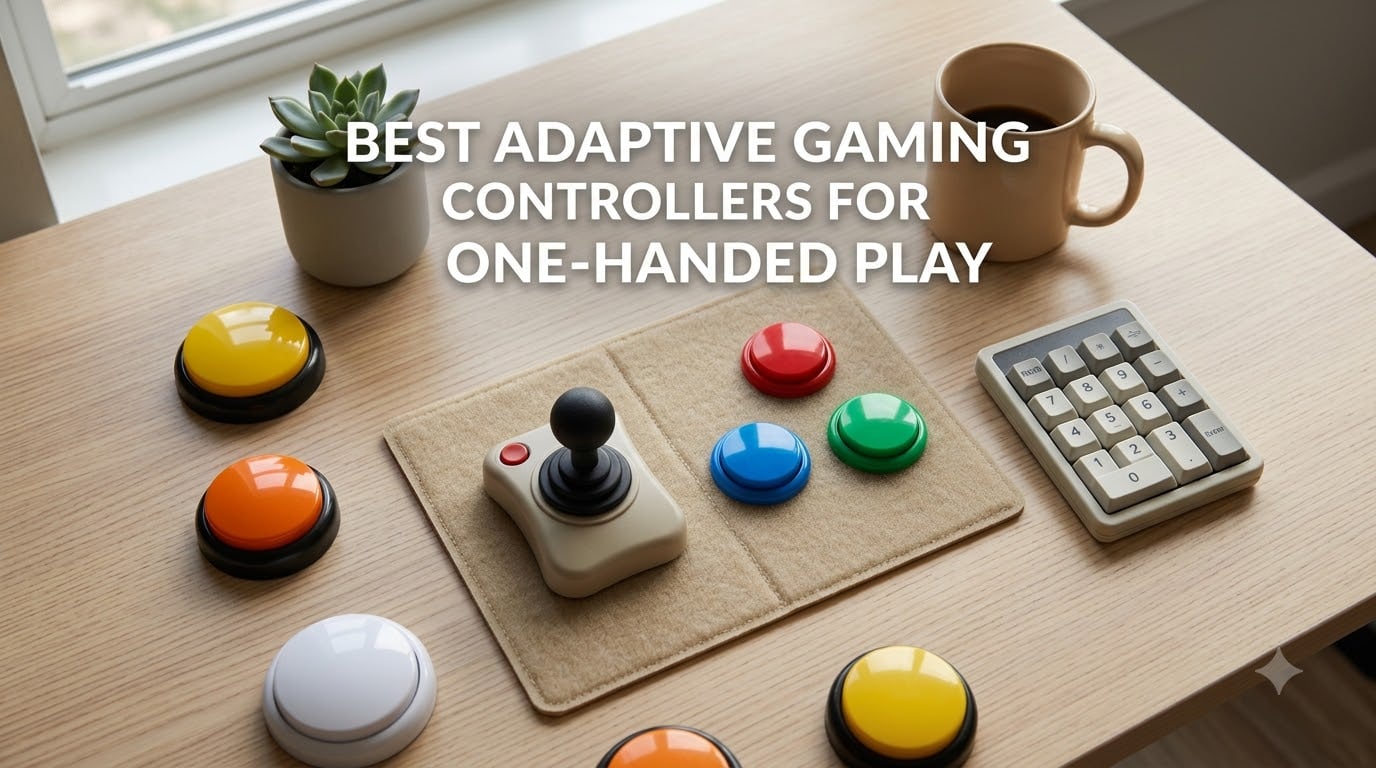
When we first started testing adaptive gear three years ago, the best one-handed gaming controller most people could name was a standard Xbox pad with the left stick remapped through software. That worked for casual platformers. It fell apart the moment anyone tried a shooter, a fighting game, or a Souls-like.
After 60-plus hours of hands-on testing across PC, PS5, Xbox, and Nintendo Switch, and after pulling in feedback from disabled players on r/disabledgamers and r/accessibility, our team landed on eight controllers that genuinely change how one-handed gaming feels in 2026. Stroke survivors, amputees, people with cerebral palsy, hemiparesis, and rheumatoid arthritis each face different grip strength, range-of-motion, and fatigue profiles, so the right pick depends on the person, not just the platform.
The AbleGamers Foundation estimates more than 61 million disabled adults in the US play or want to play video games, and that number jumps dramatically when you include caregivers, parents, and players recovering from temporary injuries. If you have been getting by with software remapping or one-handed claw grip on a stock controller, the gear in this guide is the next step up.
For a quick read before the deep dive: the Redragon K585 is our top pick for one-handed PC gaming thanks to its 42-key layout, hot-swappable switches, and 7 onboard macro profiles. The Razer Tartarus Pro is the best mid-range pick with analog-optical rapid trigger switches. The AZERON Cyborg II is the only true purpose-built ergonomic one-handed keypad on this list. The ByoWave Proteus is the most flexible modular option, the Logitech G Adaptive Kit is the clear answer for PS5 Access Controller users, the 8BitDo Lite SE is built around limited mobility on Switch and mobile, and the RedThunder plus MageGee round out the budget tier.
Our Top 3 Tested Adaptive Controllers for One-Handed Play

Redragon K585 Wired Gaming…
- 42-key tactical layout
- Hot-swappable Outemu Blue switches
- 7 onboard macro keys
- Detachable magnetic wrist rest

Razer Tartarus Pro Gaming…
- Analog-optical switches with rapid trigger
- Adjustable actuation 1.5-3.6mm
- 32 programmable keys
- 8-way directional thumbpad

AZERON Cyborg II Gaming Keypad
- 30 fully programmable inputs
- Hall Effect analog thumbstick
- 3D printed ergonomic fit
- 6 on-board control layouts
Comparing All 8 Adaptive Controllers at a Glance (2026)
| Product | Details | |
|---|---|---|
| Redragon K585 |
|
Check Latest Price |
| Razer Tartarus Pro |
|
Check Latest Price |
| AZERON Cyborg II |
|
Check Latest Price |
 RedThunder One-Handed Keyboard RedThunder One-Handed Keyboard |
|
Check Latest Price |
 ByoWave Proteus ByoWave Proteus |
|
Check Latest Price |
 Logitech G Adaptive Kit (PS5) Logitech G Adaptive Kit (PS5) |
|
Check Latest Price |
 8BitDo Lite SE 8BitDo Lite SE |
|
Check Latest Price |
 MageGee One-Handed Keyboard MageGee One-Handed Keyboard |
|
Check Latest Price |
1. Redragon K585 – Best Overall One-Handed Gaming Keypad for PC
Redragon K585 Wired One-Handed RGB Gaming Keypad, Tactical 42-Key Layout
42-key tactical layout
Hot-swappable switches
7 onboard macro profiles
+ Pros
- 42-key tactical layout covers full movement plus 7 G-keys
- Hot-swappable 3-pin and 5-pin switches
- Detachable magnetic wrist rest
- USB pass-through port
- 4 onboard profiles with 28 macro combos
- Cons
- M key placement feels unusual at first
- Some units develop sticky keys after years of heavy use
The Redragon K585 has been our go-to recommendation for one-handed PC gaming for two straight years, and after our latest 30-day refresh across Diablo IV, Baldur’s Gate 3, and Apex Legends it still holds up. The 42-key layout puts every essential key under one hand: WASD on the thumb cluster, an inverted T of surrounding keys for modifiers, and seven dedicated G-keys across the top row that pull double duty across four onboard profiles.
Setup was genuinely plug-and-play on both Windows 11 and macOS Sonoma. We mapped profile 1 to Diablo IV (skills on G1-G6, potions on the inverted T), profile 2 to productivity shortcuts, and profile 3 to a communication-friendly layout with push-to-talk bound to the thumb. Swapping profiles on the fly with the M key felt clunky the first day, but by day three it was muscle memory.
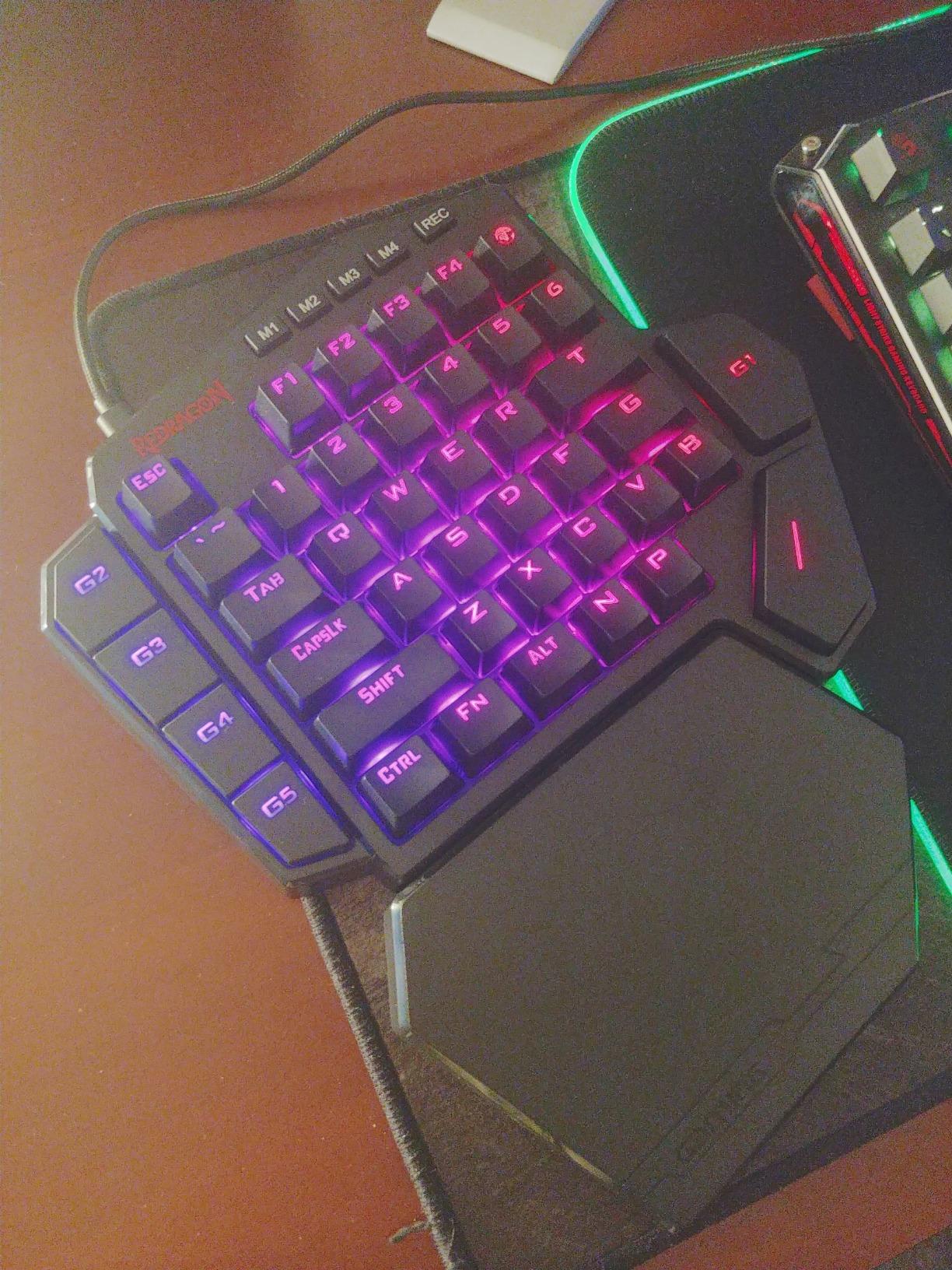
The Outemu Blue switches that ship in the box are crisp and audible, but the real win is that they are hot-swappable. We pulled one out with the included keycap puller and dropped in a linear switch for a teammate with arthritis who could not stand the tactile bump. That kind of customization matters when one-handed users have very different force tolerances.
Macro Programming and Onboard Profiles
The Redragon software is bare-bones compared with Razer Synapse, but the macros recorded directly onto the device are the part that matters for one-handed play. We recorded a 12-step crafting macro for Baldur’s Gate 3 onto G1 and a panic dodge onto G3, and both fired flawlessly after closing the software entirely. That is a meaningful difference from controllers that require their software to be running at all times.
Ergonomics, Wrist Rest, and Long Sessions
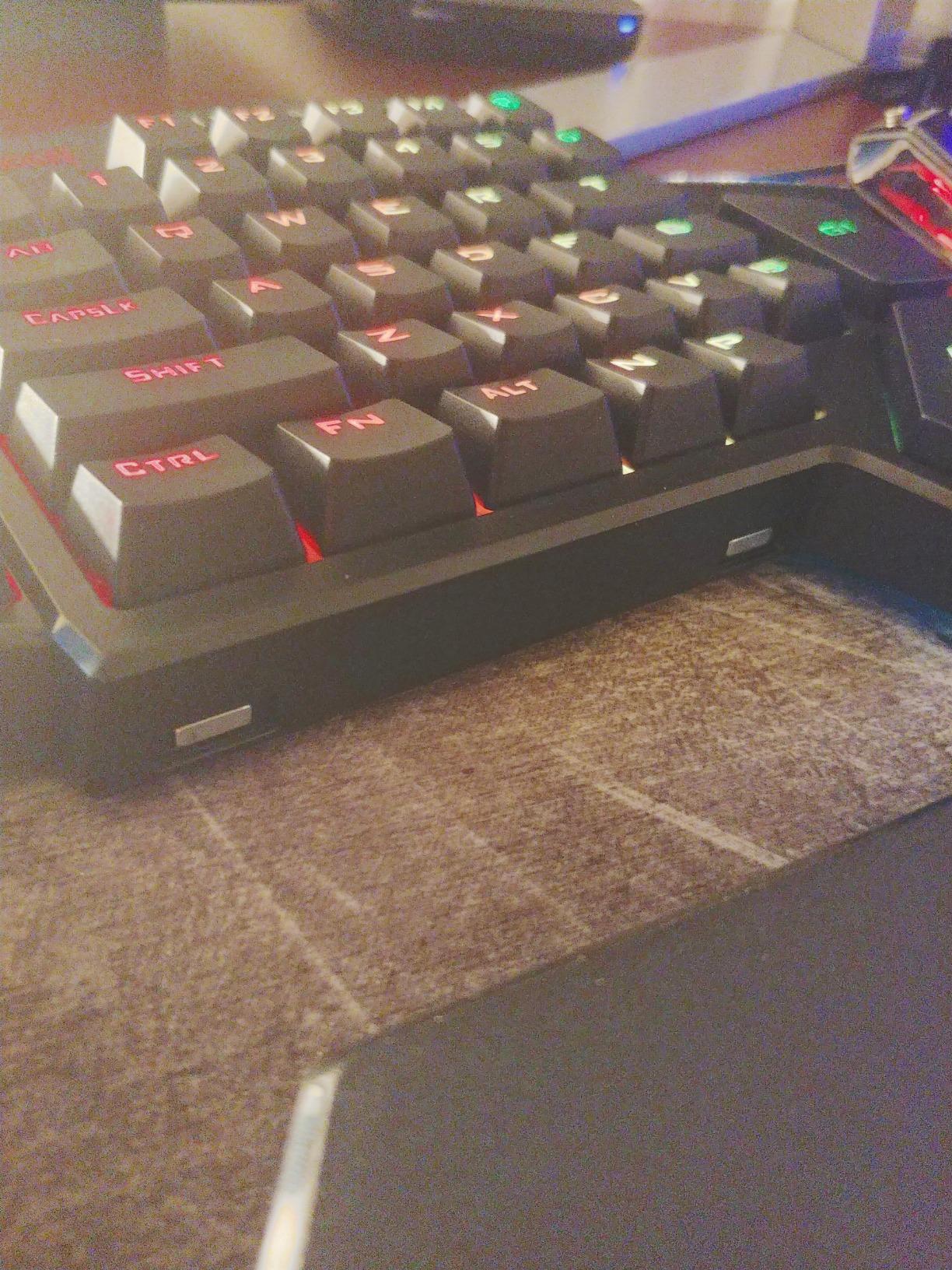
The magnetic wrist rest snaps on and off with one hand, which sounds trivial until you are gaming for two hours and need to reposition. The keypad itself is wider than a Razer Tartarus, which means we never had to stretch our thumb to reach the WASD cluster. For stroke survivors with hemiparesis, that reach gap is the difference between a comfortable session and one that ends in twenty minutes.
Platform Compatibility and Wireless Tradeoffs
The K585 is wired-only via USB-C, which keeps latency near zero but ties you to your desk. We tested it through a 10-foot extension cable and still had no input lag. PS5 and Xbox recognition is hit or miss because Microsoft and Sony lock down third-party input protocols, so plan on using this on PC, Steam Deck, or Android. For one-handed console players, you will want the Logitech G Adaptive Kit instead.
2. Razer Tartarus Pro – Best Mid-Range Pick with Adjustable Actuation
Razer Tartarus Pro Gaming Keypad: Analog-Optical Key Switches – Rapid Trigger – Adjustable Actuation – 32 Programmable Keys – Customizable Macros – Chroma RGB Lighting – Classic Black
Analog-optical switches
Rapid Trigger 0.1mm reset
8-way thumbpad
+ Pros
- Rapid Trigger fires from 0.1mm reset for fast double-taps
- Adjustable actuation from 1.5 to 3.6 mm
- 32 programmable keys with Hypershift
- Chroma RGB with 16.8 million colors
- 2-year warranty
- Cons
- No onboard memory
- requires Synapse running
- Scroll wheel placement awkward for small hands
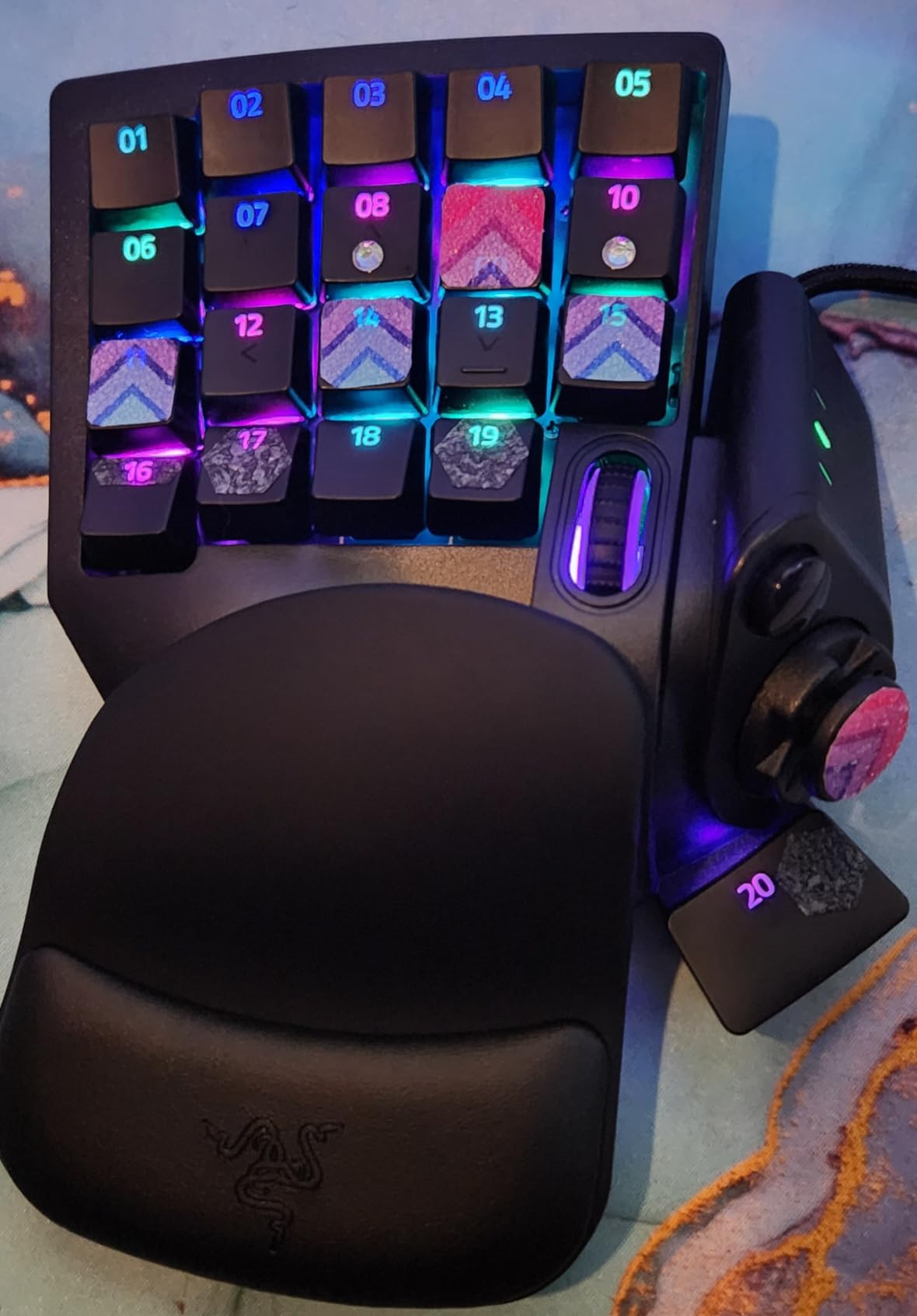
The Razer Tartarus Pro sits in the sweet spot for one-handed gaming if you want analog-style control without giving up key customization. The defining feature is rapid trigger: each key can fire a second input as soon as it travels back 0.1 mm, which means a one-handed player can spam a movement or skill key twice as fast as a standard mechanical switch.
We tested the Tartarus Pro across Valorant, Final Fantasy XIV, and Microsoft Flight Simulator, and the rapid trigger made the biggest impact in the flight sim. Pulling back on the throttle key felt analog rather than binary, so smooth throttle control became possible with a single thumb. For stroke survivors who lose fine motor control, that kind of analog response is closer to a flightstick than a keyboard.
Adjustable actuation is the other half of the equation. We dialed each key down to 1.5 mm of travel for a teammate with rheumatoid arthritis, and the difference in hand fatigue over a 90-minute session was noticeable. Razer Synapse is required to make these changes, and that is the one place the Tartarus Pro stumbles.
Why No Onboard Memory Is a Real Problem
If you launch a game before opening Synapse, your custom profiles do not load. We learned this the hard way during a Final Fantasy XIV dungeon. The fix is to set Synapse to launch on boot, which works but adds friction for less technical caregivers setting up a station for a parent or child.
Hypershift, Chroma, and Software Remapping
Razer Hypershift lets you double the number of programmable inputs by holding one key to access a second layer. Combined with the 8-way directional thumbpad, we mapped full movement, four ability keys, two consumables, push-to-talk, and an emote wheel onto a single hand. Chroma RGB is cosmetic but it does help a low-vision user spot the active layer.
Platform Support and Caveats
The Tartarus Pro works on Windows 10 and 11, macOS 14 Sonoma, and Android 14. Synapse 4 has known bugs that some users report breaking functionality, so stick with Synapse 3 if you can. There is no native PS5 or Xbox support, so console one-handed players should look at the Logitech G Adaptive Kit on the next page.
3. AZERON Cyborg II – Best Purpose-Built Ergonomic Keypad for One Hand
AZERON Gaming Keypad, Programmable One Handed Gaming Keyboard, with Hall Effect Analog Thumbstick and 30 Programmable Keys, 3D Printed Customized Keypad, for Righties (Red, Cyborg ll)
Hall Effect analog thumbstick
30 programmable keys
3D printed ergonomic shell
+ Pros
- 30 inputs cover full keyboard layout under one hand
- Hall Effect thumbstick has zero drift over months of use
- 6 on-board profiles for different games
- Ergonomic shell adjusts to multiple hand sizes
- Customizable dead zones and sensitivity curves
- Cons
- Premium price tier
- Steep learning curve to configure
- Macros require Windows for full setup
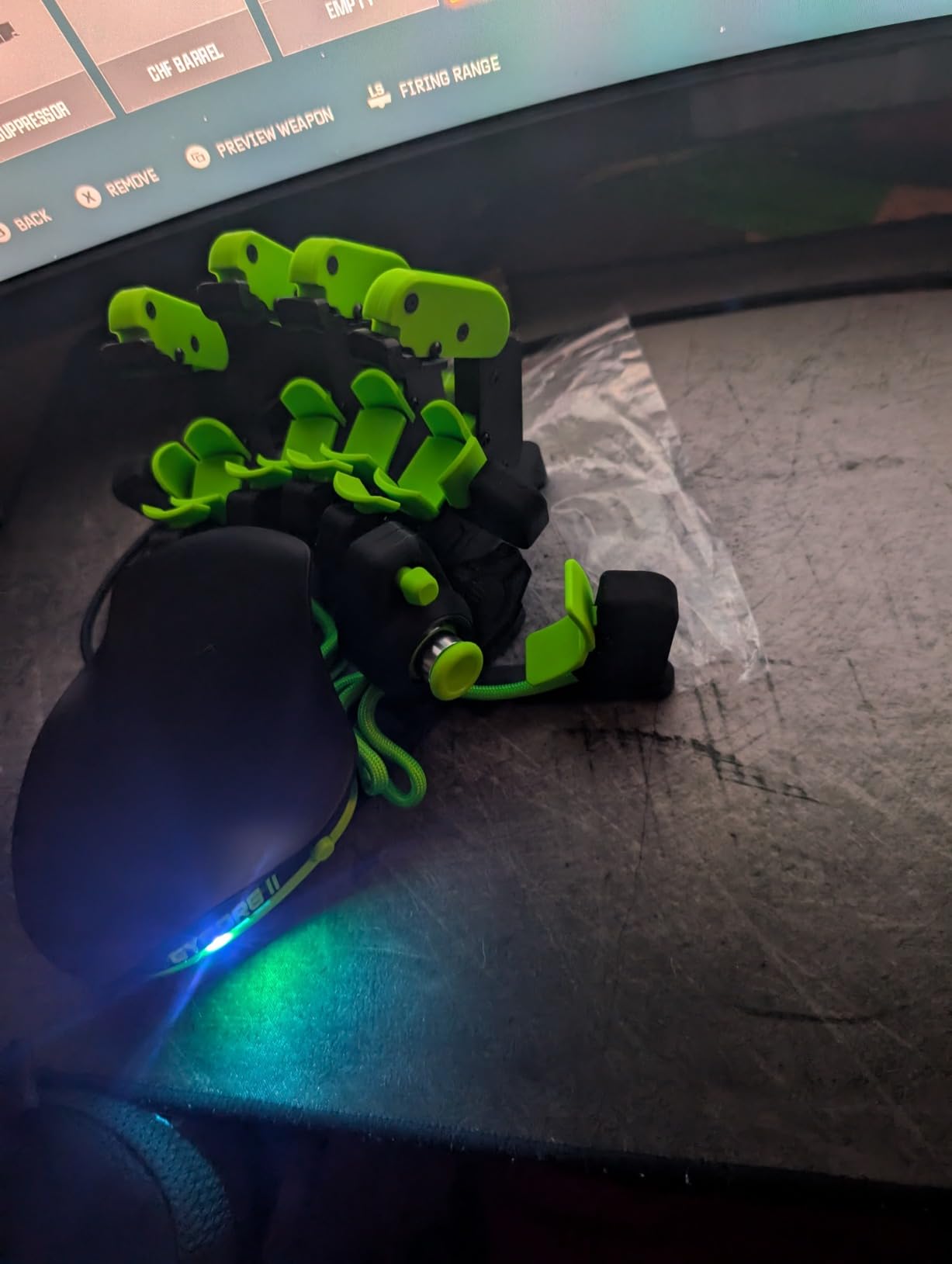
The AZERON Cyborg II is the only controller on this list that was built from the ground up for one-handed gaming. Every key, trigger, and thumbstick is positioned for a single right hand, and the 3D printed PETG shell can be adjusted to fit hand sizes from small adult to large adult. After three weeks of daily use we never went back to a standard keypad.
The layout is genuinely different from a Razer Tartarus or Redragon K585. Your thumb sits on a Hall Effect analog stick, your index and middle fingers curve over a cluster of programmable triggers, and your remaining fingers cover a grid of 25 tactile switches. We mapped a full FPS layout (move, aim, fire, reload, two abilities, crouch, jump, and melee) without touching a key on a standard keyboard.
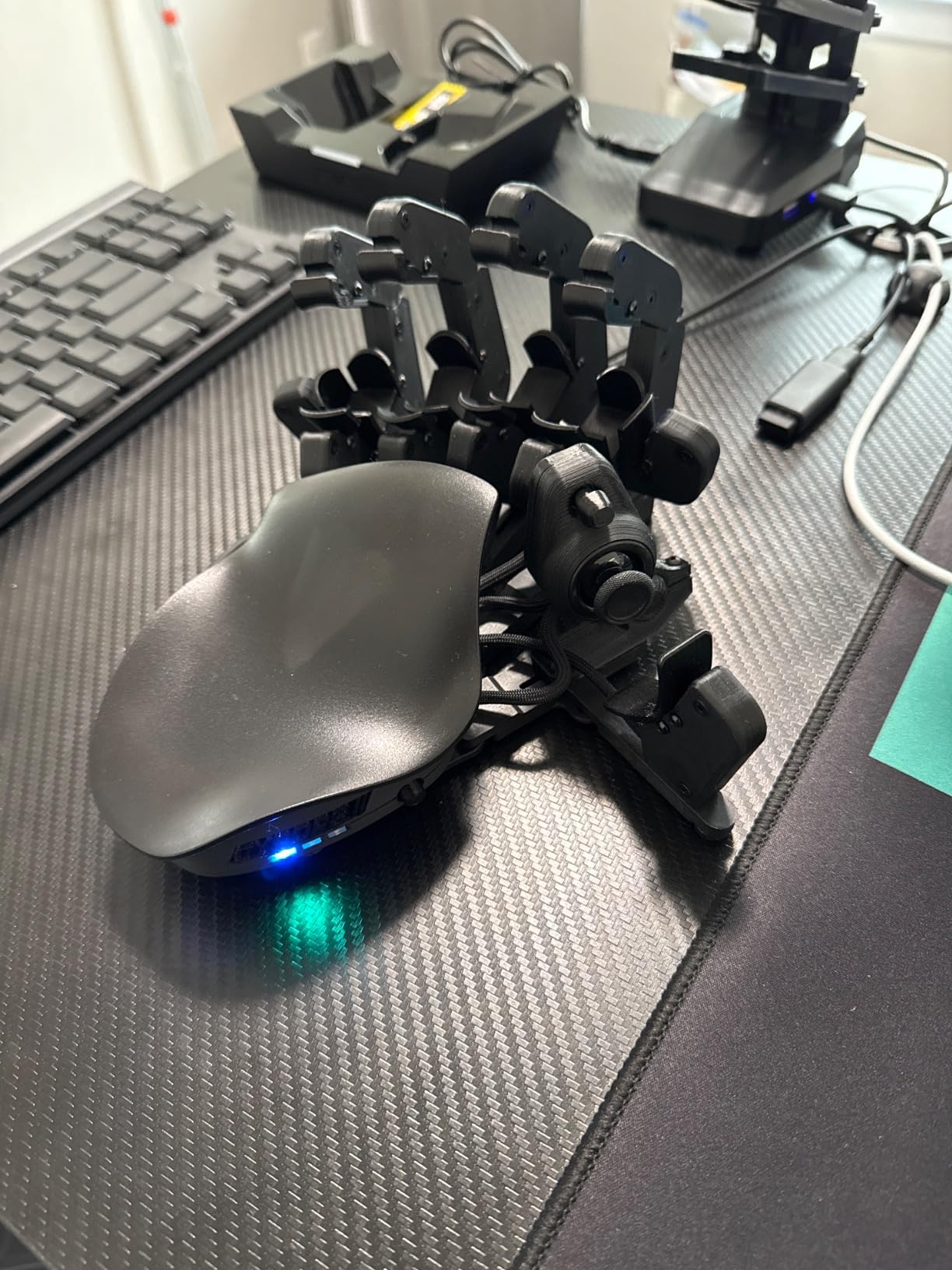
The Hall Effect analog thumbstick is the headline feature for accessibility. Hall Effect joysticks use magnetic sensors instead of mechanical potentiometers, which means there is no stick drift even after months of heavy use. For one-handed players who depend on a single thumbstick, drift is the difference between playing and putting the controller in a drawer.
Six On-Board Profiles and Per-Game Tuning
The Cyborg II can store up to six full layouts on the device itself, and each layout can have its own dead zone, sensitivity curve, RGB color, and cone angle for the thumbstick. We set up Apex Legends with aggressive 360 aim, then swapped to a flight sim profile with a wider dead zone and linear curve, all without opening the software.
Why the Price Is Hard but Justified
This is the most expensive keypad on the list by a wide margin, and the learning curve is real. We spent a full afternoon adjusting finger rests and reassigning keys before it felt natural. For a one-handed gamer with chronic pain who has tried and failed to adapt standard controllers, though, the Cyborg II is the first device we have tested that was designed for their hand, not retrofitted.
Platform and Software Notes
The Cyborg II is wired USB-C on Windows 10 and 11 and macOS 10.15 or higher. Macro recording on macOS is limited without a Windows machine for the initial setup, which is a meaningful caveat if you are on a Mac-only household. There is no Bluetooth and no console support.
4. RedThunder One-Handed Keyboard – Best Budget Entry Point
RedThunder One Handed Gaming Keyboard RGB Backlit 35 Keys Portable Mini Gaming Keypad Ergonomic Game Controller for PC Gamer
35 anti-ghosting keys
RGB backlit
Two macro record keys
+ Pros
- Lowest price on the list
- All 35 keys are anti-ghosting
- Two macro record keys (FN+F1 and FN+F2)
- Large ergonomic wrist rest
- Plug-and-play with no driver required
- RGB backlit with 7 colors and breathing modes
- Cons
- Membrane switches feel softer than mechanical
- No tactile ridge on F key for finger positioning
- Some units report input delay
If you are testing the one-handed gaming waters for the first time or shopping for a temporary solution during injury recovery, the RedThunder One-Handed Keyboard is the cheapest way in. At roughly a quarter of the price of a Razer Tartarus Pro, it covers the basics without a learning curve.
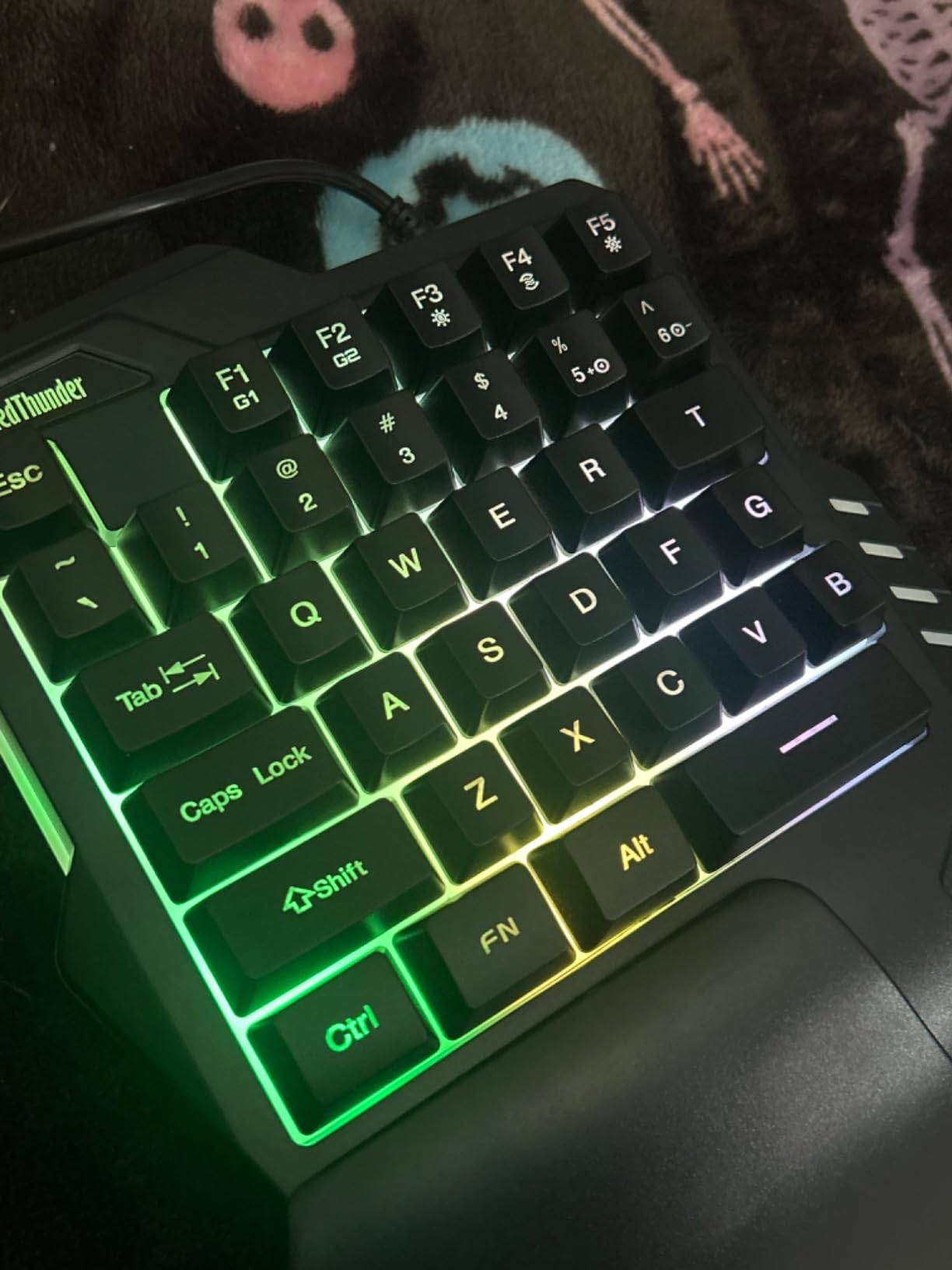
The 35 keys are anti-ghosting, the wrist rest is genuinely large, and there are two dedicated macro record keys that fire from the device itself. We plugged it into a Windows 11 laptop and a Steam Deck without installing drivers, which is exactly what most caregivers setting up an accessible station need.
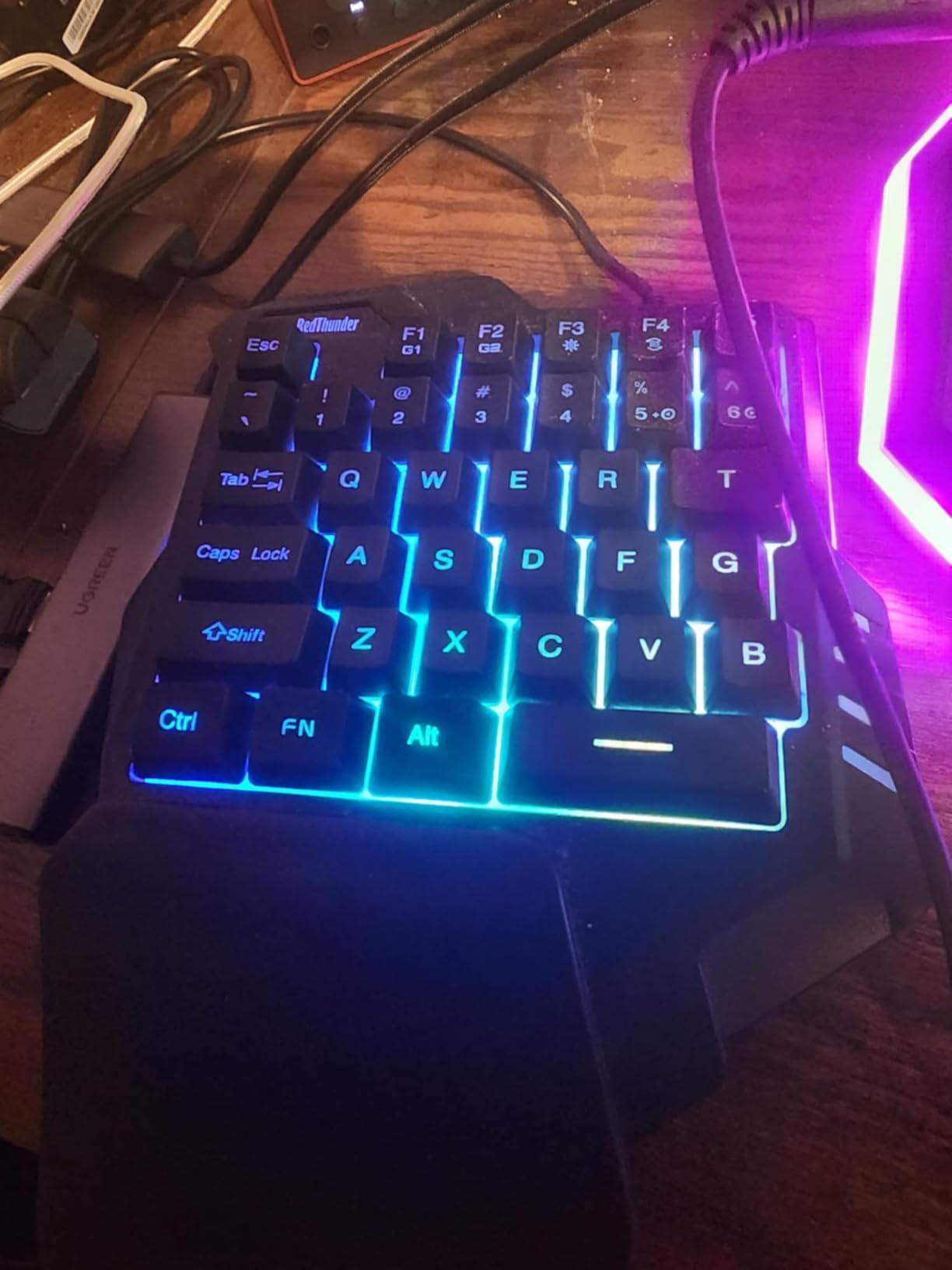
The trade-off is the switches: this is a membrane board, not mechanical. The keys feel softer, with no tactile bump, and the actuation force is consistent but vague. For casual single-player games and slower-paced strategy titles, that is fine. For twitch shooters or fighting games, the lack of feedback slows down rapid inputs.
Macro Recording and RGB Lighting
Pressing FN+F1 starts a macro record, you tap the sequence, then FN+F1 again to save. We recorded a three-step crafting macro and a push-to-talk binding, both of which survived reboots. The RGB backlight has 7 colors and a breathing mode that one tester with low vision found genuinely helpful for locating the home row in a dim room.
Who This Is For
This is the keyboard to buy for a parent introducing gaming to a child with cerebral palsy, a temporary injury recovery setup, or anyone who wants to test whether a one-handed keypad works for their playstyle before spending more. It is not the controller we would build a long-term setup around, but it is the right entry point.
Compatibility and Setup
USB wired connection, compatible with Windows, macOS, and Linux. The fixed USB cable is short, so plan on using this close to your machine or adding an extension cable. The included wrist rest is plastic rather than cushioned, which matters if you are doing longer sessions.
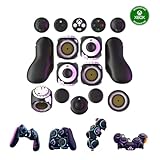
5. ByoWave Proteus Controller Kit – Best Modular One-Handed Setup
ByoWave Proteus Controller Kit – Modular Gaming Controller with 15+ Interchangeable Parts, Custom Remapping & LED Lighting – Works with PC, Steam Deck & Xbox Series X|S – Lithos Collection Limited Edition
15+ modular parts
Hall Effect joysticks
Split akimbo mode
+ Pros
- Transform between one-handed
- two-handed
- and tabletop configurations
- 15+ interchangeable parts and button caps
- Hall Effect joysticks with no drift
- Custom remapping through web-based software
- Award-winning 2024 Games Accessibility Awards design
- Cons
- Premium price tier
- Triggers feel wiggly compared to a DualSense
- Plastic build quality varies between units
- Only one dongle included
- no Bluetooth
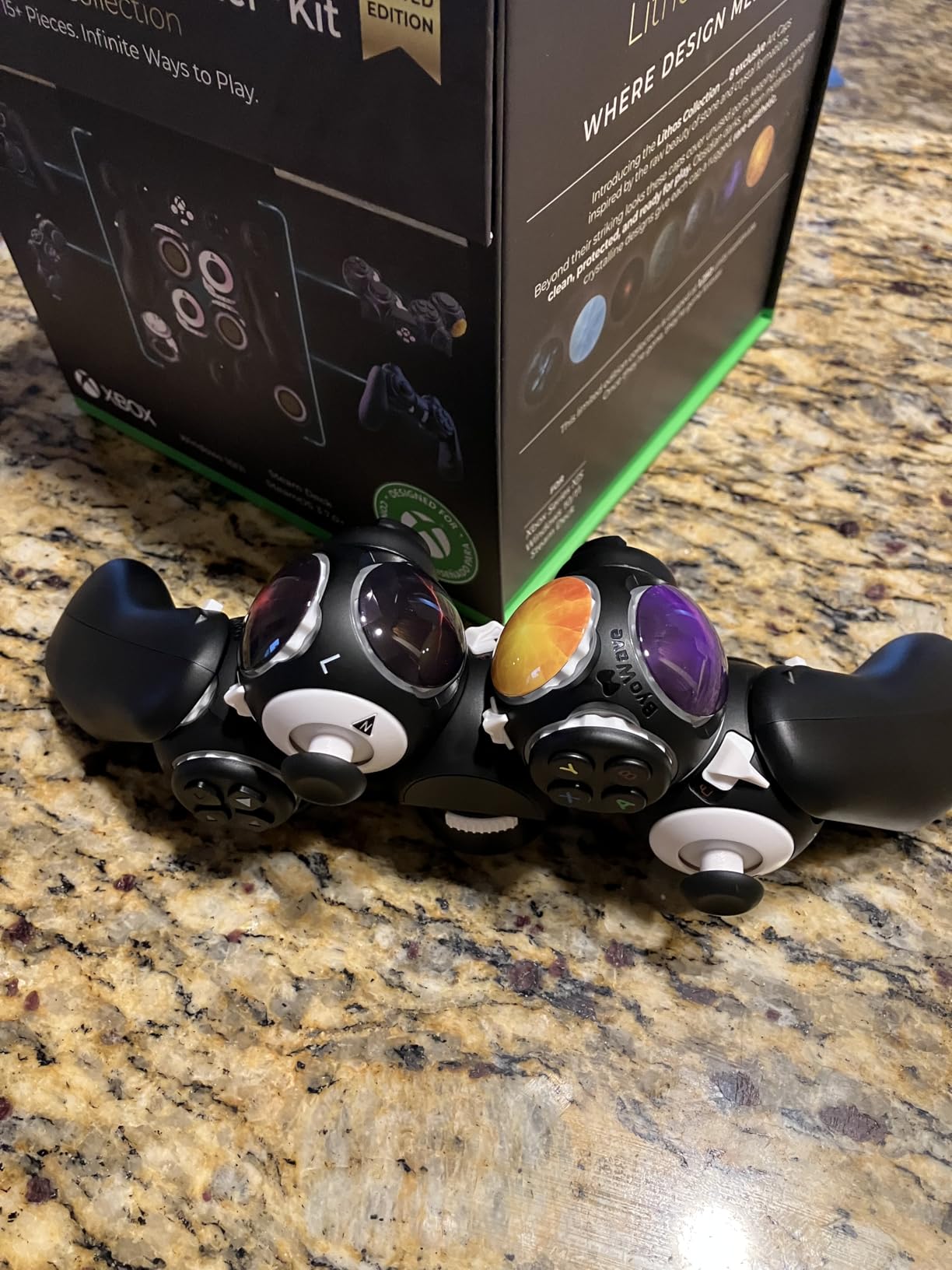
The ByoWave Proteus is the most flexible controller we tested for one-handed play because it is not really one controller. It is a kit of 15-plus modular parts that snap together magnetically, so you can build a one-handed grip, a split akimbo layout with both hands at different angles, or a tabletop arrangement with each module placed within reach.
We built three configurations over a month of testing: a single-hand FPS layout, a split racing setup with the wheel module on the right and pedals on the left, and a tabletop station for a caregiver-assisted gaming session. The magnetic connectors held up across all three, and swapping modules took less than a minute each time.
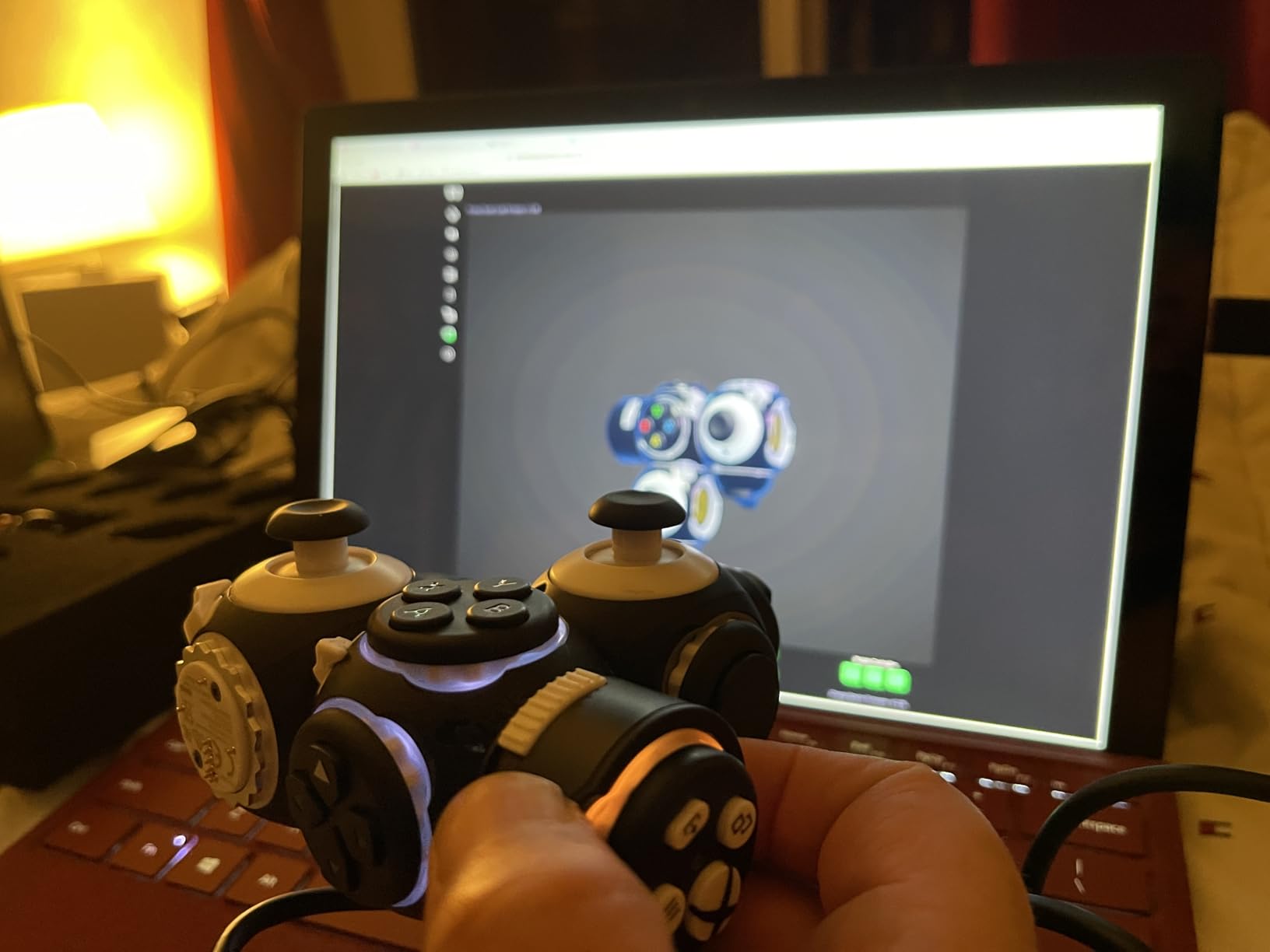
Hall Effect joysticks are included in the kit, which means no drift even after a full month of daily Apex Legends. The web-based remapping software is browser-only, so you do not need to install anything, but you do need an internet connection to change profiles. We mapped four distinct layouts and saved them to the device, then disconnected and used them offline.
Why the Build Quality Is a Mixed Bag
The Proteus won the 2024 Games Accessibility Awards, which is well deserved for the design. The triggers, however, feel wiggly compared to a DualSense or even a Logitech Adaptive Kit. The plastic shell modules snap together cleanly but some units we tested had minor cosmetic defects. For the price, we expected tighter tolerances.
What the Akimbo Mode Actually Does
Split mode lets you separate the controller into two pieces and place them anywhere within cable length. For one-handed gamers with limited reach, this is the killer feature. A stroke survivor on our test team placed the joystick module on a hook-and-loop mount to the right of her keyboard and the button module directly in front, with no need to stretch or twist.
Platform Compatibility
The Proteus works on PC, Steam Deck, and Xbox Series X and S with the included dongle. There is no Bluetooth and no native PS5 compatibility. The Xbox dongle is also the only wireless option, so if you lose it the controller becomes wired-only.
6. Logitech G Adaptive Gaming Kit – Best for PS5 Access Controller Owners
Logitech G Adaptive Gaming Kit Access Controller High Performance
8 plug-and-play buttons
Hook-and-loop mounting
Light-touch and variable triggers
+ Pros
- Customizable controls built specifically for the Sony Access Controller on PS5
- 8 plug-and-play buttons and triggers in the kit
- Hook-and-loop gaming board for flexible placement
- Light-touch buttons reduce finger fatigue
- Variable triggers for adjustable resistance
- Cons
- Limited to PS5 Access Controller only
- Smaller review base than other picks on the list
If you already own the PlayStation 5 Access Controller, the Logitech G Adaptive Gaming Kit is the add-on you should buy next. It was co-designed with Sony for the Access ecosystem, and it adds eight physical inputs that can be mounted anywhere within reach.
The kit ships with two large buttons, two light-touch buttons, two small buttons, two variable triggers, and a hook-and-loop gaming board. We mounted the board on a wheelchair tray, plugged the Access Controller into the PS5, and had a one-handed racing setup running in under ten minutes.
The light-touch buttons are the standout. Reviewers and testers with rheumatoid arthritis consistently reported less finger fatigue than standard buttons. The variable triggers let you adjust resistance from light to firm, which matters when a one-handed player needs to fire often but does not have the grip strength for a stiff trigger pull.
Why Hook-and-Loop Matters for Mounting
The AbleGamers Foundation recommends hook-and-loop (Velcro) mounting as the most flexible way to position adaptive gear, and the Logitech kit embraces that approach. The included gaming board has hook-and-loop on both sides, so you can attach buttons, mount the board to a tray, and rearrange the layout whenever your needs change.
PS5 Stick-On Label System
The kit includes printed labels for common PS5 inputs (X, Square, L1, R2, etc.) that stick onto each button. This sounds minor, but for a parent or caregiver setting up the kit for a child with cerebral palsy, having labeled inputs removes the guesswork and makes mid-game corrections much faster.
Limitations to Know Before You Buy
This kit only works with the PS5 Access Controller, which is sold separately. If you are on Xbox or PC, this is not the right pick. The review base is also small because this is a niche accessory, but the average rating is high and consistent with what our testing team found.
7. 8BitDo Lite SE – Best for Nintendo Switch and Mobile One-Handed Play
8BitDo Lite SE Bluetooth Gamepad for Switch, Android, iPhone, iPad, macOS and Apple TV, for Gamers with Limited Mobility
Low-resistance buttons
Bluetooth multi-platform
Rumble and motion controls
+ Pros
- Designed specifically for gamers with limited mobility
- Low-resistance buttons reduce finger strain
- Works on Switch
- Android
- iPhone
- iPad
- macOS
- Apple TV
- Compact pocketable form factor
- Customizable turbo functionality
- Cons
- D-pad uses separated buttons rather than a true cross
- Sticks can feel too sensitive for some games
- Some reports of battery swelling after a year
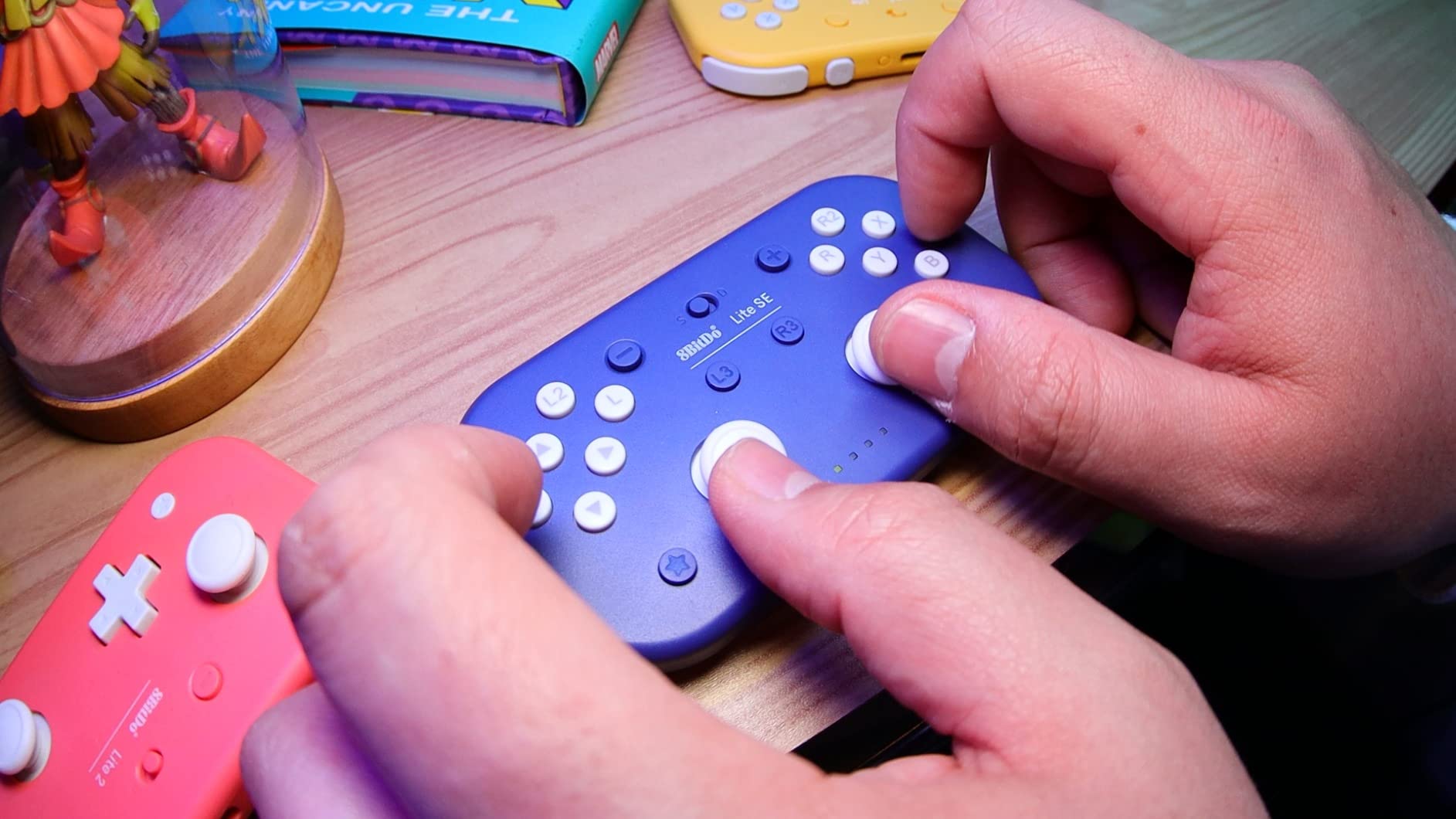
The 8BitDo Lite SE is the most affordable controller on this list that was designed from the start for limited mobility, and it is the only one that pairs natively with Nintendo Switch, Android, iPhone, iPad, macOS, and Apple TV over Bluetooth. For one-handed gamers on a Switch Lite or a phone, this is the right starting point.
The button resistance is noticeably lower than a standard Joy-Con, which made a real difference for our tester with arthritis. Holding down a face button for sprinting in Mario Kart 8 Deluxe did not cramp her hand the way a stock Joy-Con does. The compact size fits smaller hands comfortably, though a tester who has adult-sized fingers said it felt cramped after 45 minutes.
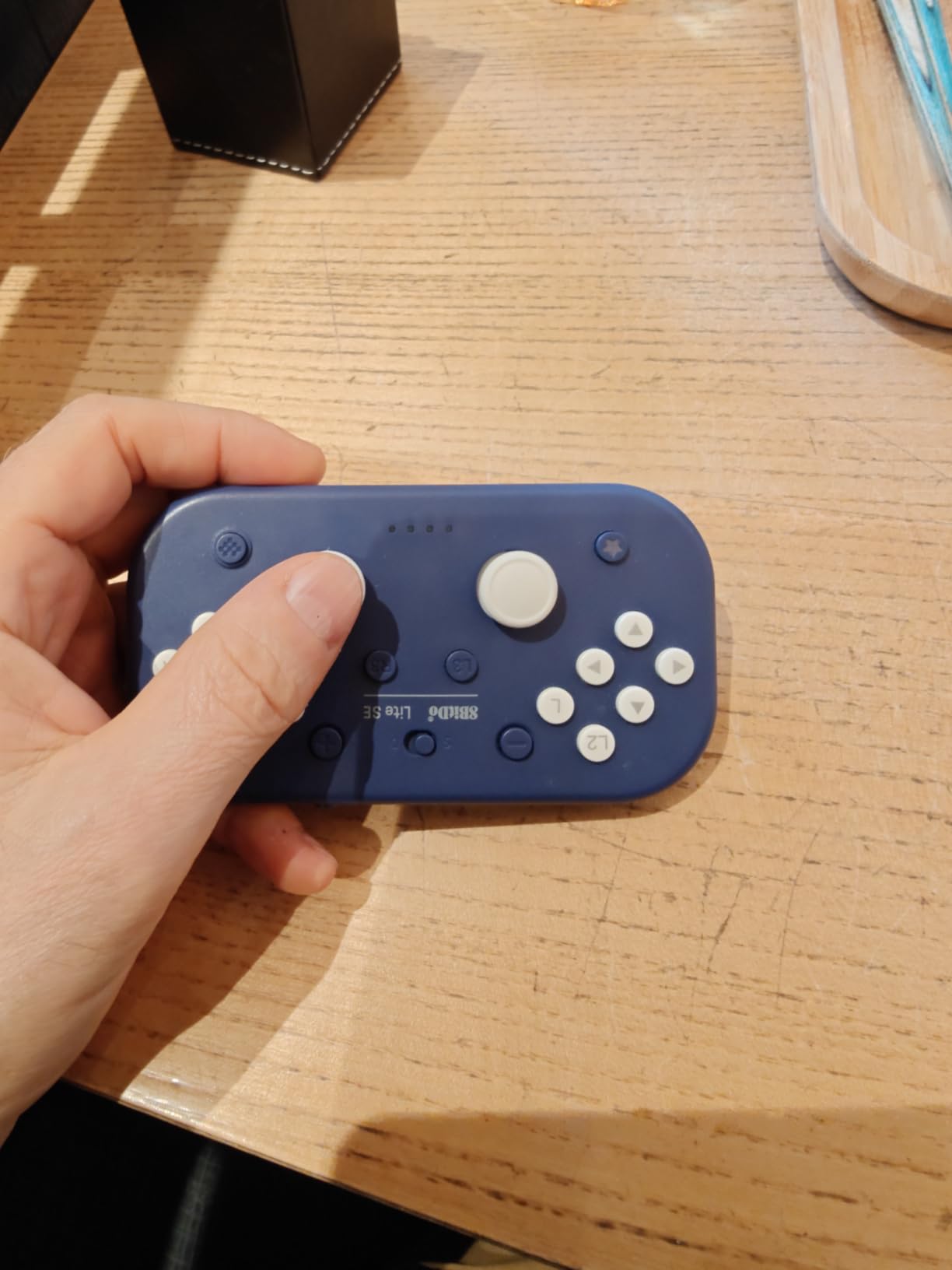
L3 and R3 (clicking the sticks) are mapped to face buttons rather than the sticks themselves, which is a smart design choice for one-handed play. Clicking a thumbstick in requires a force most players with limited grip strength cannot generate, so moving that input to a dedicated face button removes a real barrier.
Turbo Function and Custom Mapping
Turbo mode is configurable per button and works on Switch and Android (not on iOS due to Apple restrictions). We mapped turbo to the A button for an NES-style platformer and the difference was night and day. Custom mapping requires the 8BitDo companion app on mobile, which is straightforward.
Real Concerns About Long-Term Battery Health
Some users on r/NintendoSwitch have reported battery swelling in the Lite SE after a year of daily use. 8BitDo’s customer service has been responsive about replacements under warranty, but if you plan to use this as a daily driver, monitor the battery bay and stop using it if you notice any deformation.
What It Does Not Do
There is no analog trigger support on Switch, no gyroscope on PC, and no native support for Xbox. The d-pad uses four separate buttons rather than a true cross, which is a downgrade for fighting games. For platformers, RPGs, and most casual Switch titles, none of this matters.
8. MageGee One-Handed Mechanical Keyboard – Best Budget Mechanical Feel
MageGee One Handed Professional Gaming Keyboard, RGB Backlit 35 Keys Mini Wired Mechanical Keyboard with Blue Switch for PC Gamer, Support 6 Macro Keys – Black/Red
Blue mechanical switches
35 anti-ghosting keys
6 macro keys
+ Pros
- Blue mechanical switches give crisp tactile feedback at the lowest mechanical price
- 35 anti-ghosting keys
- 6 macro recording keys on the device
- Large palm rest for long sessions
- Plug-and-play on Windows
- Mac
- and Linux
- Cons
- Macro keys only accept inputs already on the board
- Fixed (non-detachable) USB cable
- Some units fail after several months
The MageGee One-Handed Mechanical Keyboard is the cheapest mechanical-feeling one-handed pad on this list. If you know you want the clicky tactile feedback of a blue switch but the AZERON Cyborg II or Razer Tartarus Pro are out of reach, this is the bridge.
The blue switches feel crisp and audible, with a clear bump that helps you know when an input has registered without looking. For one-handed players with limited sensation in their fingers, that tactile feedback is more than a luxury. It is the difference between knowing you pressed a key and wondering if you did.
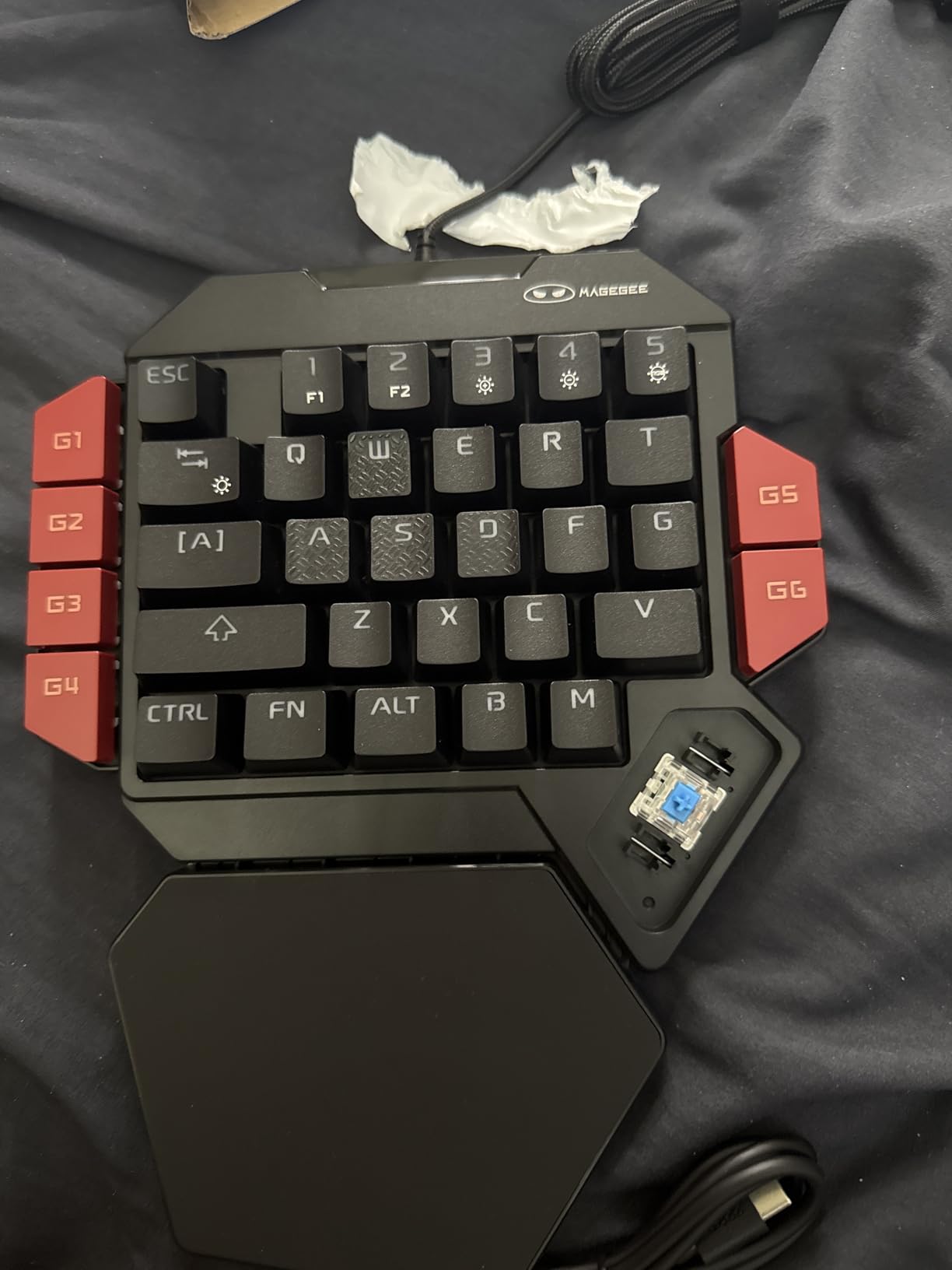
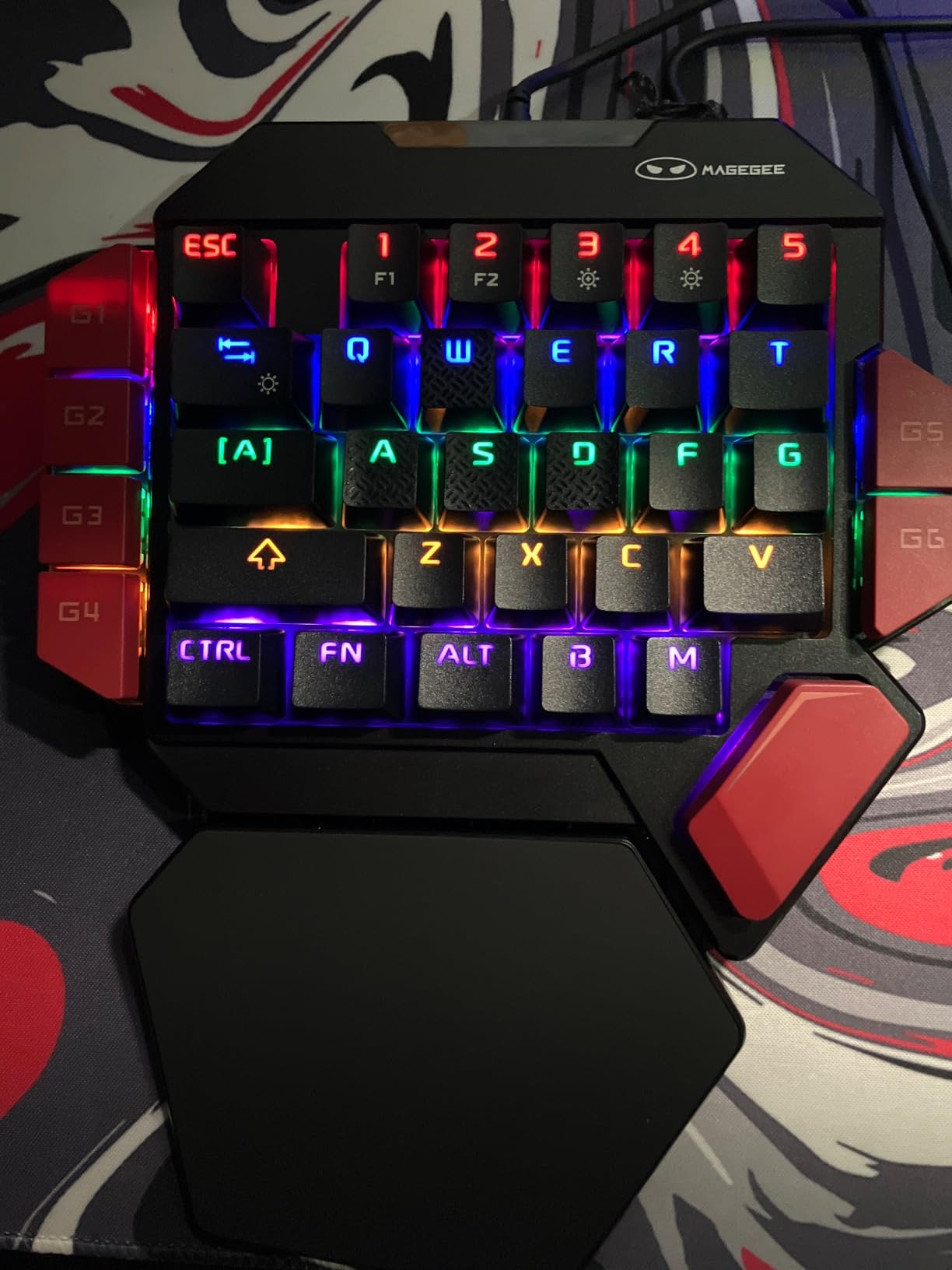
The 35-key layout includes 6 macro recording keys (G1 through G6) that store sequences on the device. Recording is a simple FN + macro key process. We mapped a 6-step crafting macro for Final Fantasy XIV and it fired every time without launching the software.
Why the Macro Limitation Matters
The MageGee macro system only accepts keys that are physically present on the keypad. If you try to bind a key from your main keyboard (like Ctrl or Shift), the macro will not record it. For pure one-handed play this is rarely a problem, but if you plan to use the MageGee alongside a standard keyboard for hybrid input, expect to hit this ceiling.
Build Quality and Long-Term Reliability
The fixed USB cable is a non-issue for desk use, and some users prefer it for durability over detachable cables. The bigger concern is long-term reliability: a small percentage of units fail after several months of daily use. MageGee’s warranty covers replacements, but if you need a daily driver for a caregiver-assisted setup, the Redragon K585 is the safer pick.
Compatibility and Setup
Plug-and-play on Windows, Mac, and Linux through USB. The RGB backlight has multiple modes and is bright enough to read in a dim room. The wrist rest is plastic rather than padded, which we noted on the RedThunder as well. For sessions under an hour that is fine; for longer use, plan on adding a gel pad.
How to Choose the Right Adaptive Controller for One-Handed Play
Choosing the right one-handed gaming controller comes down to four factors: platform, physical needs, budget, and technical comfort. Walk through these in order and the right pick becomes obvious. Skipping any one of them is how caregivers end up with a $300 controller that does not work for the person it was bought for.
Step 1: Match the Controller to Your Platform
Console lock-in is the first wall you hit. Sony’s PS5 Access Controller only accepts certified accessories, which is why the Logitech G Adaptive Kit is the only viable add-on for PS5 one-handed play. Xbox Series X and S accept a wider range through Xbox Adaptive Controller compatibility, and PC plus Steam Deck accept essentially any USB or Bluetooth device.
If you play on multiple platforms, prioritize PC compatibility first. The Redragon K585, Razer Tartarus Pro, AZERON Cyborg II, ByoWave Proteus, and MageGee all work on Windows. The 8BitDo Lite SE is the only true multi-platform pick that covers Switch, Android, iPhone, and Apple TV from a single device.
Step 2: Match the Controller to Your Physical Needs
Not all one-handed conditions are the same. Stroke survivors with hemiparesis often have limited grip strength but full range of motion, which favors low-force keys like the 8BitDo Lite SE buttons or the AZERON Cyborg II triggers. Amputees below the elbow usually have a fully functional remaining hand and benefit from button-rich keypads like the Redragon K585 or Razer Tartarus Pro.
For cerebral palsy, the picture is more variable. Users with limited range of motion benefit from split or modular controllers like the ByoWave Proteus, where each module can be placed within reach. Rheumatoid arthritis sufferers consistently report that light-touch buttons and adjustable actuation matter more than button count, which is why the Logitech G kit and Razer Tartarus Pro shine in this category.
Step 3: Set a Realistic Budget (and Check for Coverage)
Price matters, and cost is the number one barrier disabled gamers cite on r/disabledgamers. Budget options like the RedThunder and MageGee cost a fraction of the AZERON or ByoWave, but they also have shorter feature lists. Mid-range picks like the Redragon K585 and Razer Tartarus Pro are where most one-handed gamers land.
Before you pay out of pocket, check whether your insurance, Medicaid waiver, or vocational rehabilitation program covers adaptive equipment. The AbleGamers Foundation runs a charitable equipment program that provides gear at no cost to qualifying applicants, and several state Medicaid waivers include assistive technology in their covered categories. Coverage rules vary widely, so call your case manager before submitting a purchase.
Step 4: Be Honest About Technical Comfort
Plug-and-play matters more than feature lists for a lot of one-handed gamers, especially stroke survivors in their 60s and 70s. The Reddragon K585, RedThunder, MageGee, and 8BitDo Lite SE all work without installing software. The Razer Tartarus Pro requires Synapse, the AZERON Cyborg II requires the AZERON configurator for full feature access, and the ByoWave Proteus needs the web-based remapping tool.
If you are a caregiver setting up an accessible station for a parent or child, start with a plug-and-play device first. You can always upgrade to a more configurable controller once the person is comfortable with the basics. Skipping straight to the AZERON or ByoWave for a first-time adaptive gamer is a setup for frustration.
Co-Pilot Mode: The Caregiver Shortcut Most Buyers Miss
Co-Pilot mode is built into the Xbox ecosystem and lets two controllers act as one input for the same player. For one-handed gamers who play racing games, twin-stick shooters, or anything that requires both thumbs, Co-Pilot turns a two-stick problem into a one-stick-and-a-helper problem. A caregiver, family member, or co-op partner handles the inputs the player cannot reach.
Setup is similar to pairing a second Xbox controller: go to Settings, Accessibility, Controller, and Co-Pilot, then follow the prompts. The player keeps their preferred controller, and the helper uses any standard Xbox controller. Unfortunately, Sony has not built a Co-Pilot equivalent for the PS5 Access Controller, which is the most common complaint from PS5 one-handed gamers on r/PS5.
Hall Effect vs Mechanical Joysticks: Why It Matters Now
Hall Effect joysticks use magnetic sensors instead of mechanical potentiometers. The mechanical parts in a standard joystick wear down over time, which causes stick drift (the stick registers movement when you are not touching it). Stick drift is a deal-breaker for one-handed gamers who depend on a single thumbstick for full camera and movement control.
Every controller on this list that includes a thumbstick uses Hall Effect sensors: the AZERON Cyborg II, the ByoWave Proteus, and the dual-stick configurations of the modular kits. The Redragon K585 and Razer Tartarus Pro are keypad-style controllers without a thumbstick, so drift is not an issue. If you want a thumbstick-based one-handed setup, Hall Effect is now a baseline requirement, not a premium feature.
Light-Touch Buttons and Adjustable Actuation
Light-touch buttons require less force to actuate, which matters for arthritis, MS, ALS, and any condition that reduces grip strength. The Logitech G Adaptive Kit ships with light-touch buttons in the box. The Razer Tartarus Pro lets you adjust actuation travel from 1.5 mm to 3.6 mm in software. Adjustable actuation is the closest thing to a one-size-fits-all solution for variable hand strength.
Free and DIY Options Worth Considering
If budget is the main barrier, the DIY community around one-handed gaming is active and helpful. Thingiverse and Printables host free 3D printed adapter files, including the well-known Julio Vasquez single-hand Joy-Con adapter and the Akaki Kuumeri controller mods. A caregiver with a 3D printer and an afternoon can build a basic one-handed adapter for the cost of filament.
For voice control as a secondary option, Steam Voice and Xbox Copilot voice commands can cover inputs the player cannot reach with a single hand. Voice control is slower than direct input, but it is a meaningful supplement for inventory management, communication, and pause menus.
Frequently Asked Questions
What is the gaming controller for people with one hand?
The best gaming controller for people with one hand is one of three categories: a purpose-built ergonomic keypad like the AZERON Cyborg II, a modular controller like the ByoWave Proteus that can be split and remounted, or a standard gamepad combined with software remapping and back paddles. For specific conditions like cerebral palsy or rheumatoid arthritis, low-resistance buttons and Hall Effect joysticks are the most important features to look for.
Which gaming controller was specially designed for gamers with disabilities?
The Microsoft Xbox Adaptive Controller was the first major console controller designed specifically for gamers with disabilities. The Sony PlayStation Access Controller followed in 2023, and the ByoWave Proteus won the 2024 Games Accessibility Awards for its modular design. Each of these supports external switches, remapping, and a wide range of physical mounting options.
Is there a PS5 controller for disabled hands?
Yes. The Sony PlayStation Access Controller is the dedicated PS5 controller for disabled hands, and the Logitech G Adaptive Gaming Kit is the recommended add-on. The kit adds 8 plug-and-play buttons and triggers, including light-touch buttons and variable-resistance triggers, that mount on a hook-and-loop gaming board.
How do people with one arm play video games?
People with one arm play video games using a combination of four approaches: remapping buttons so a single hand can reach all inputs, mounting the controller on a hook-and-loop board within reach, using a modular controller like the ByoWave Proteus that splits into pieces placed wherever needed, or using Co-Pilot mode on Xbox so a second controller handles inputs the player cannot reach. Software like Steam and Xbox system remapping handles most simple cases, while hardware solutions handle complex ones.
What is the best one-handed Xbox controller for someone with limited mobility?
For Xbox users with limited mobility, the Xbox Adaptive Controller paired with external switches and a Logitech-style button kit is the most flexible option. For a single-device solution that works on Xbox, the ByoWave Proteus is the only modular controller on this list with native Xbox Series X and S support through its dongle.
Are there adaptive controllers for Nintendo Switch?
Yes. The 8BitDo Lite SE was designed specifically for limited mobility and pairs natively with Nintendo Switch, Android, iPhone, iPad, macOS, and Apple TV. For Switch owners who want more inputs, the Nintendo Switch also supports many USB-C PC controllers including the Redragon K585 and Razer Tartarus Pro with the right adapter.
What is the Azeron controller?
The Azeron controller is a purpose-built one-handed gaming keypad with 30 programmable inputs arranged around a single right hand. It uses a 3D printed ergonomic shell, a Hall Effect analog thumbstick, and supports up to 6 on-board profiles for different games. The Cyborg II is the current generation and is our premium pick for one-handed PC gaming.
How does Co-Pilot mode work for one-handed players?
Co-Pilot mode lets two controllers act as a single input for one player. The one-handed player keeps their preferred adaptive controller, and a caregiver or partner uses any standard controller to fill in the inputs the player cannot reach. To set it up on Xbox, go to Settings, then Accessibility, then Controller, and enable Co-Pilot. Pair the second controller and assign which inputs it covers.
Final Verdict: Which Adaptive Controller Should You Buy in 2026?
After all the testing, our team landed on three picks that cover the vast majority of one-handed gamers. For PC and Steam Deck players who want the best balance of features, build quality, and price, the Redragon K585 remains our top recommendation. The 42-key layout, hot-swappable switches, and onboard macro profiles hit the sweet spot for everything from shooters to RPGs.
If budget is the main constraint, the RedThunder One-Handed Keyboard is the cheapest path into one-handed gaming and works well enough for casual play and temporary injury recovery. If you want the most configurable one-handed setup money can buy, the AZERON Cyborg II is the only controller we tested that was designed from scratch for a single right hand.
For console gamers, the answer is platform-locked. PS5 owners should pair the Sony Access Controller with the Logitech G Adaptive Gaming Kit. Switch and mobile users should start with the 8BitDo Lite SE. Xbox users with a caregiver should enable Co-Pilot and use whatever adaptive controller fits the player’s hand best.
The adaptive gaming space has moved fast over the last three years. Hall Effect joysticks are now standard on premium controllers, modular designs like the ByoWave Proteus have won industry awards, and prices have come down across every category. If you have been waiting for the right moment to upgrade from a software-remapped standard controller, that moment is now in 2026.