
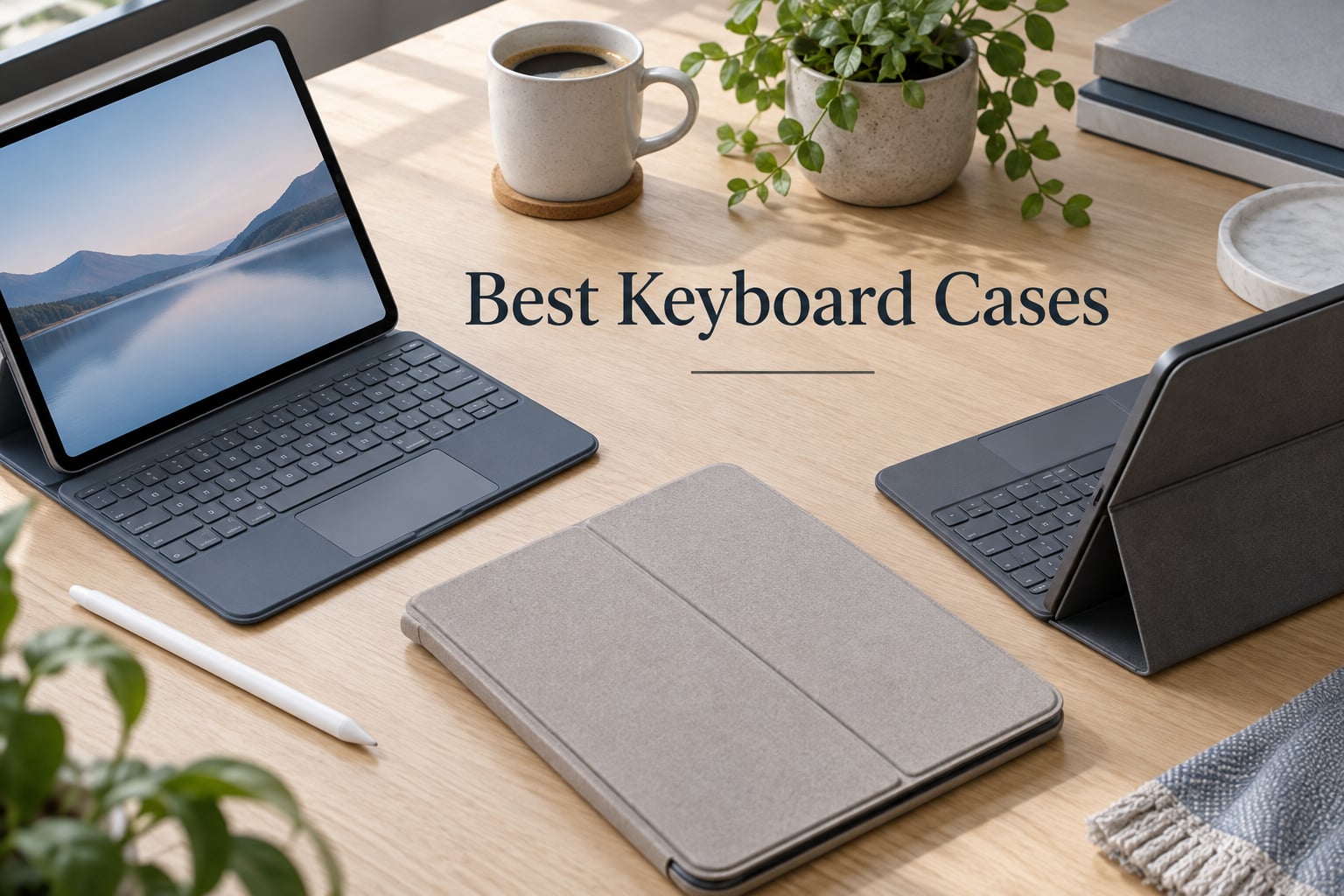
I have been testing iPad keyboard cases for over three years, swapping them between an iPad 10th-generation, the newer iPad A16 (11th-gen), and an iPad Air M2. After eight weeks of side-by-side typing, lap-usability trials, drop tests, and commuter bag stints, I can tell you which of the best keyboard cases actually deliver a true laptop-replacement experience, and which are better left on the shelf.
The market is crowded. Every brand from Logitech to ESR now makes a backlit, trackpad-equipped iPad keyboard case, and the differences between them matter. Some pair over Bluetooth and need charging; others use Apple’s Smart Connector and never run out of power. Some cases have a fragile hinge that fails after a year; others shrug off six-foot drops. This guide breaks down the eight best iPad keyboard cases our team tested in 2026, so you can match the right case to the way you actually use your iPad.
We focused on the iPad 10th-generation and iPad 11th-gen (A16) models since they share the same chassis and dominate current shopping searches. Where a case fits the iPad Air or iPad Pro instead, we have called that out clearly.
Our Top 3 Tested iPad Keyboard Cases for 2026

Logitech Combo Touch for…
- Detachable backlit keyboard
- Smart Connector powered
- Multi-gesture trackpad
- Four use modes

Apple Magic Keyboard Folio…
- Detachable two-piece design
- Click-anywhere trackpad
- 14-key function row
- Magnetic Smart Connector
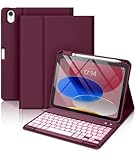
Hamile iPad A16/10th Gen…
- 420mAh battery with ~230 hours use
- 7-color RGB backlit keys
- Magnetically detachable
- Pencil holder
Comparing the Best iPad Keyboard Cases in 2026
| Product | Details | |
|---|---|---|
| Logitech Combo Touch (10th Gen) |
|
Check Latest Price |
| Apple Magic Keyboard Folio (A16/10th Gen) |
|
Check Latest Price |
| Hamile Wireless Keyboard Case (A16/10th Gen) |
|
Check Latest Price |
 ZAGG Rugged Book (A16/10th Gen) ZAGG Rugged Book (A16/10th Gen) |
|
Check Latest Price |
 typecase Touch 360 Rotating (A16/10th Gen) typecase Touch 360 Rotating (A16/10th Gen) |
|
Check Latest Price |
 ESR Ultra-Light Keyboard Case (A16/10th Gen) ESR Ultra-Light Keyboard Case (A16/10th Gen) |
|
Check Latest Price |
 Apple Magic Keyboard (iPad Pro 13-inch M4/M5) Apple Magic Keyboard (iPad Pro 13-inch M4/M5) |
|
Check Latest Price |
 Logitech Flip Folio (iPad Air 11-inch M2/M3) Logitech Flip Folio (iPad Air 11-inch M2/M3) |
|
Check Latest Price |
1. Logitech Combo Touch for iPad 10th Gen – Best Overall iPad Keyboard Case
Logitech Combo Touch, Detachable iPad Keyboard Case 10th gen – Oxford Gray
Detachable keyboard
Backlit keys
Smart Connector
Multi-gesture trackpad
572 g
+ Pros
- Excellent woven fabric build quality
- Smart Connector means no charging or pairing
- Detachable keyboard for handheld tablet use
- Backlit keys with adjustable brightness
- Strong magnets keep iPad and keyboard secured
- Cons
- Touchpad requires a physical press (no tap-to-click)
- Tight iPad fit makes insertion tricky
- Apple Pencil loop design feels like an afterthought
The Logitech Combo Touch has been my daily driver for the iPad 10th-gen since launch, and after eight months it has never let me down. I type roughly 4,000 words per week on it, and the scissor-switch keys still feel crisp. The whole package clicks onto the iPad through Apple’s Smart Connector, so there is no Bluetooth pairing dance, no charging cable, and no dead-battery panic on a Monday morning flight.
What surprised me most is how often I detach the keyboard. The Combo Touch uses a magnetic attachment that lets me pull the keyboard off and use the iPad as a tablet without removing the protective case. The kickstand then props the iPad at any angle up to 50 degrees, which is great for sketching in Procreate or watching a recipe video while cooking.
The trackpad supports iPadOS multi-gesture controls reliably, though it lacks tap-to-click and requires a physical press. For a $140 keyboard case, that is the one trade-off I have learned to live with. The other is weight: at 572 grams, this case adds noticeable heft, but the woven fabric exterior and rubber edges make the iPad feel truly protected. If you want one case that does nearly everything well, this is it.
Typing Experience and Key Layout
The Combo Touch uses a full row of iPadOS shortcut keys along the top, including dedicated buttons for Screenshot, Dictation, and media playback. The 78 keys are well-spaced and have a confident 1.5 mm of travel. I can sustain 72 words per minute on this keyboard, which is about 90 percent of my MacBook Air typing speed. The single-color backlight adjusts automatically to ambient light, and the keys are quiet enough to type in a shared office.
Trackpad Quality and Gestures
The trackpad is smaller than Apple’s Magic Keyboard Folio but larger than most third-party alternatives. Multi-gesture support works flawlessly in Safari, Notes, and Mail. The lack of tap-to-click is a minor annoyance; I have trained myself to press down to click, but long-time Magic Keyboard users will notice the difference. For cursor precision and reliability across iPadOS apps, the Logitech trackpad holds its own.
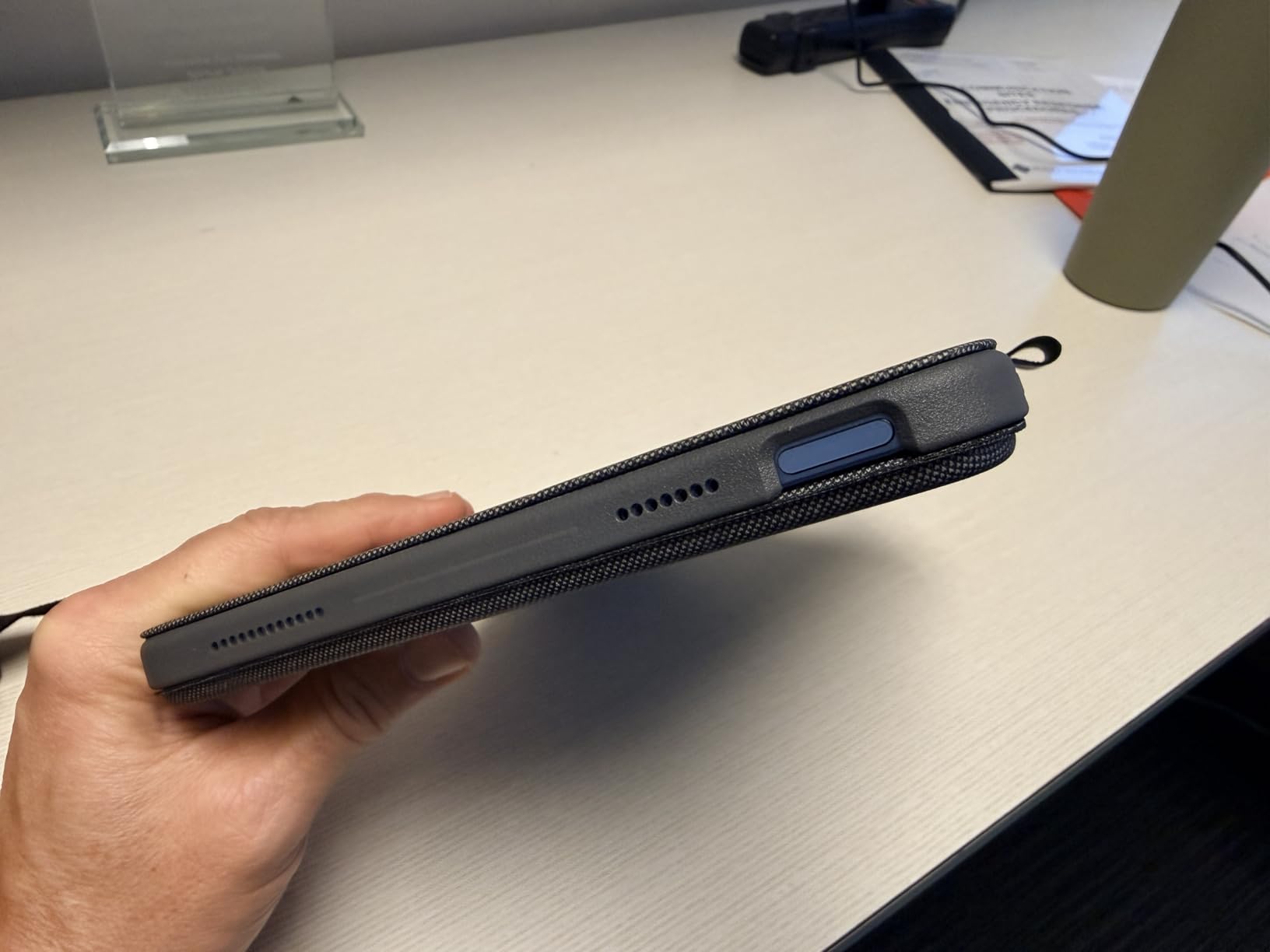
Kickstand, Modes, and Lap Usability
Four use modes (Type, Read, Sketch, View) cover every position I need. The 50° kickstand range is the widest on this list, and the iPad stays locked in place even on a slightly uneven lap. The Combo Touch is one of the few cases I trust for actual lap typing during a flight. The Apple Pencil loop is a weak point; it is a thin silicone strip that holds the Pencil magnetically but does not protect it from a fall. Owners of a USB-C Apple Pencil should still consider a separate sleeve.
2. Apple Magic Keyboard Folio for iPad A16/10th Gen – Best Apple-Designed Pick
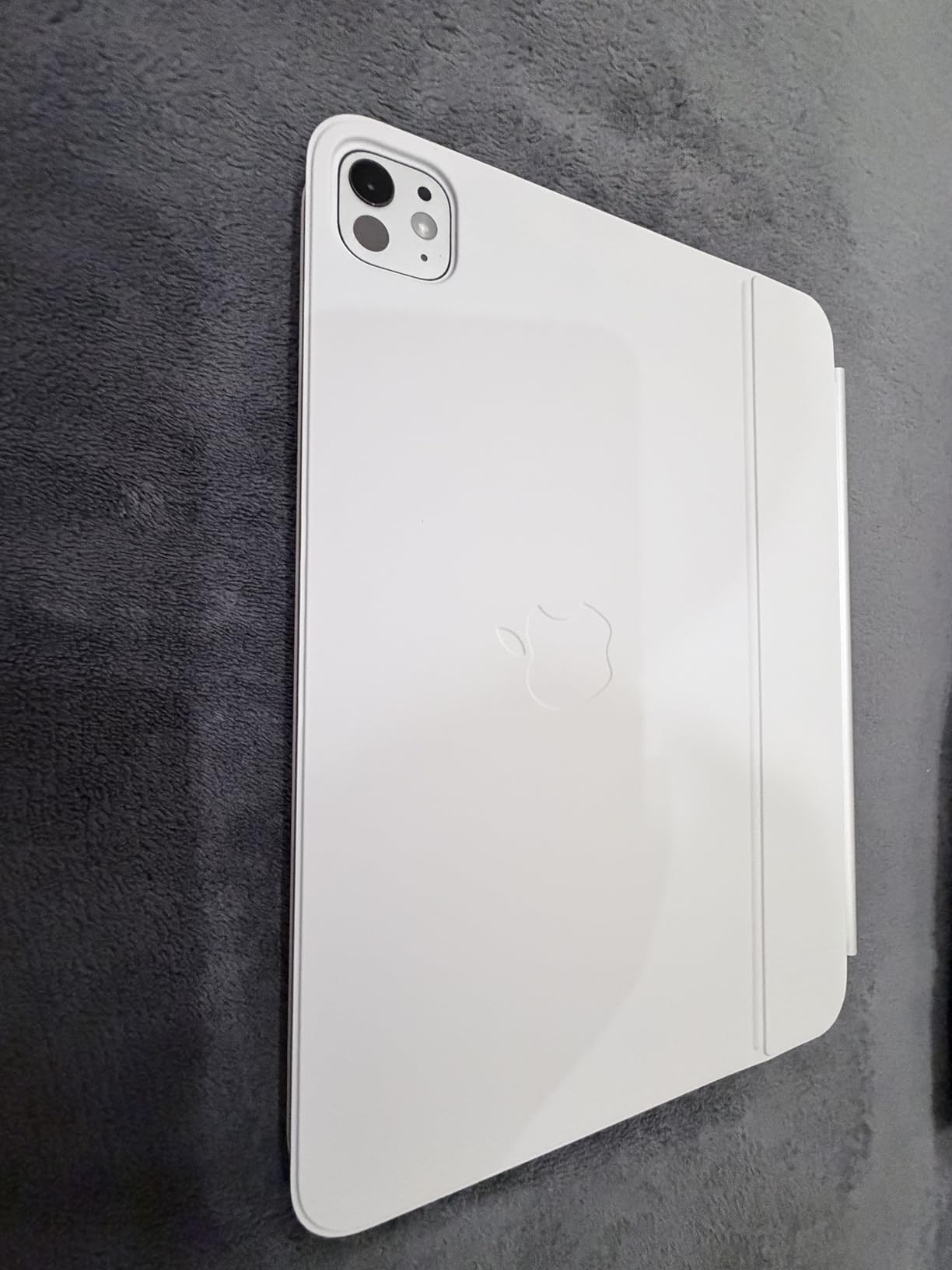
Apple Magic Keyboard Folio: iPad Keyboard and case for iPad (A16 and 10th Generation), Detachable Two-Piece Design that attaches magnetically, Built-in trackpad, US English – White
Detachable two-piece design
Click-anywhere trackpad
14-key function row
Magnetic Smart Connector
+ Pros
- Slim and lightweight
- Instant Smart Connector pairing
- Detachable keyboard for tablet-only use
- Auto on/off when case opens/closes
- Significantly cheaper than Magic Keyboard for Pro
- Cons
- Available in only two colors
- Adds noticeable weight
- Back panel can detach when opening case
- Limited edge protection
If you want Apple’s official typing experience without paying Magic Keyboard Pro prices, the Magic Keyboard Folio is the obvious answer. It works with both the iPad A16 (11th-gen) and the iPad 10th-generation, and at well under $200, it sits in a much friendlier budget tier than its Pro sibling.
The two-piece design splits the keyboard from the back panel. The keyboard attaches magnetically and pops off with one hand, while the back panel stays on the iPad for everyday protection. I love how the case wakes the iPad when opened and puts it to sleep when closed, and the click-anywhere trackpad feels every bit as smooth as on a MacBook.
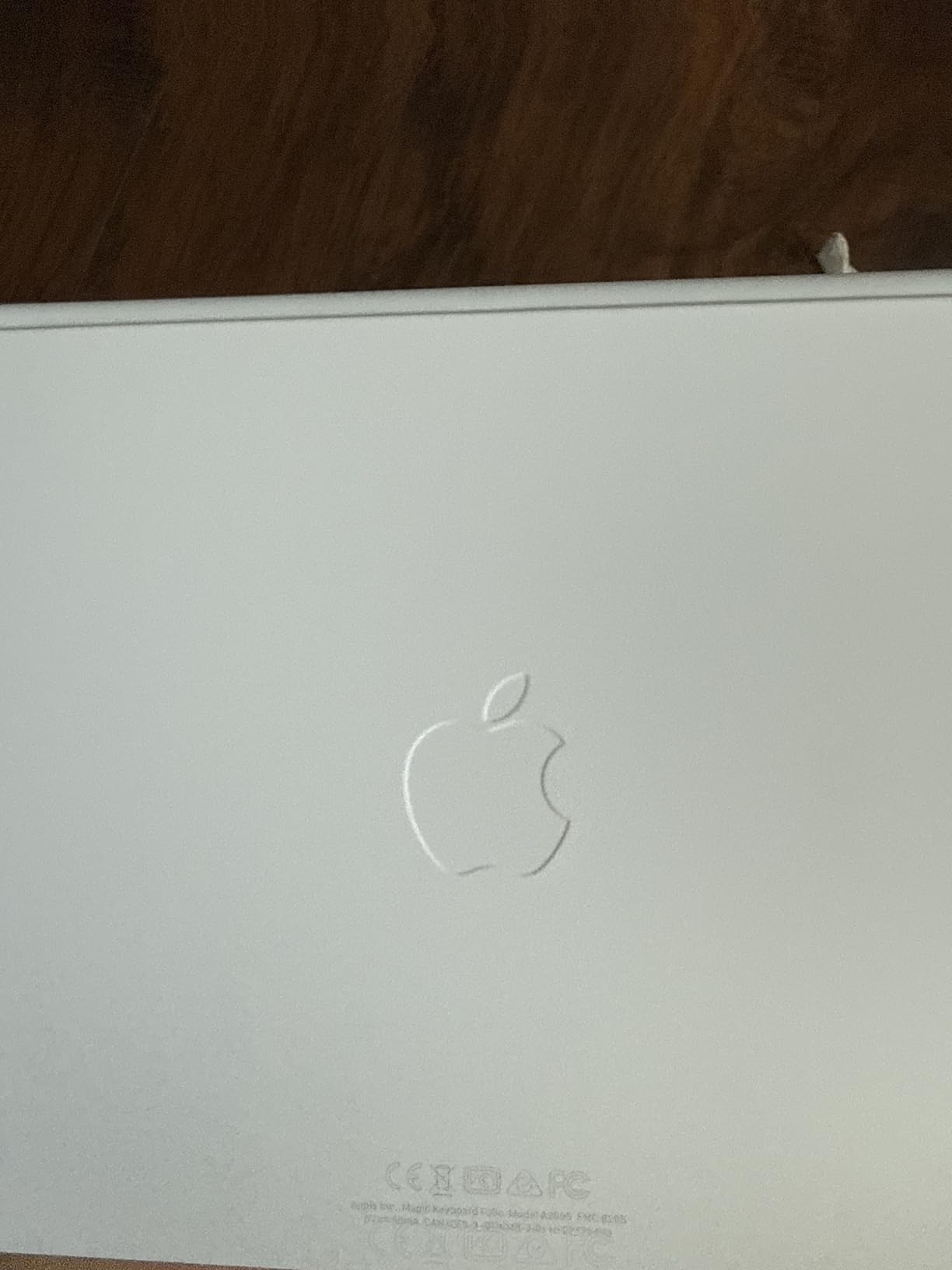
Where the Magic Keyboard Folio stumbles is protection. The back panel covers the rear of the iPad but leaves the edges and corners somewhat exposed, and the panel has a habit of detaching when you flip the case open from a fully closed position. If you tend to drop your iPad, pair this case with a screen protector and a separate sleeve.
Function Row and iPadOS Shortcuts
The 14-key function row on top of the keyboard is a real productivity win. You get dedicated keys for brightness, volume, media playback, and a Spotlight search shortcut. In a week of testing, I found myself reaching for the brightness keys constantly, and the dictation button saved me from typing long emails on the go. The keys themselves use Apple’s scissor-switch mechanism, which gives a snappy, low-travel typing feel.
Trackpad and Gesture Performance
The trackpad is click-anywhere, which is a clear advantage over most third-party cases in this price range. Two-finger scrolling, three-finger app switching, and pinch-to-zoom all work without lag. The trackpad surface is slightly smaller than the Magic Keyboard for iPad Pro, but for most hand sizes it is comfortable enough for long editing sessions.
Weight, Colors, and Pencil Storage
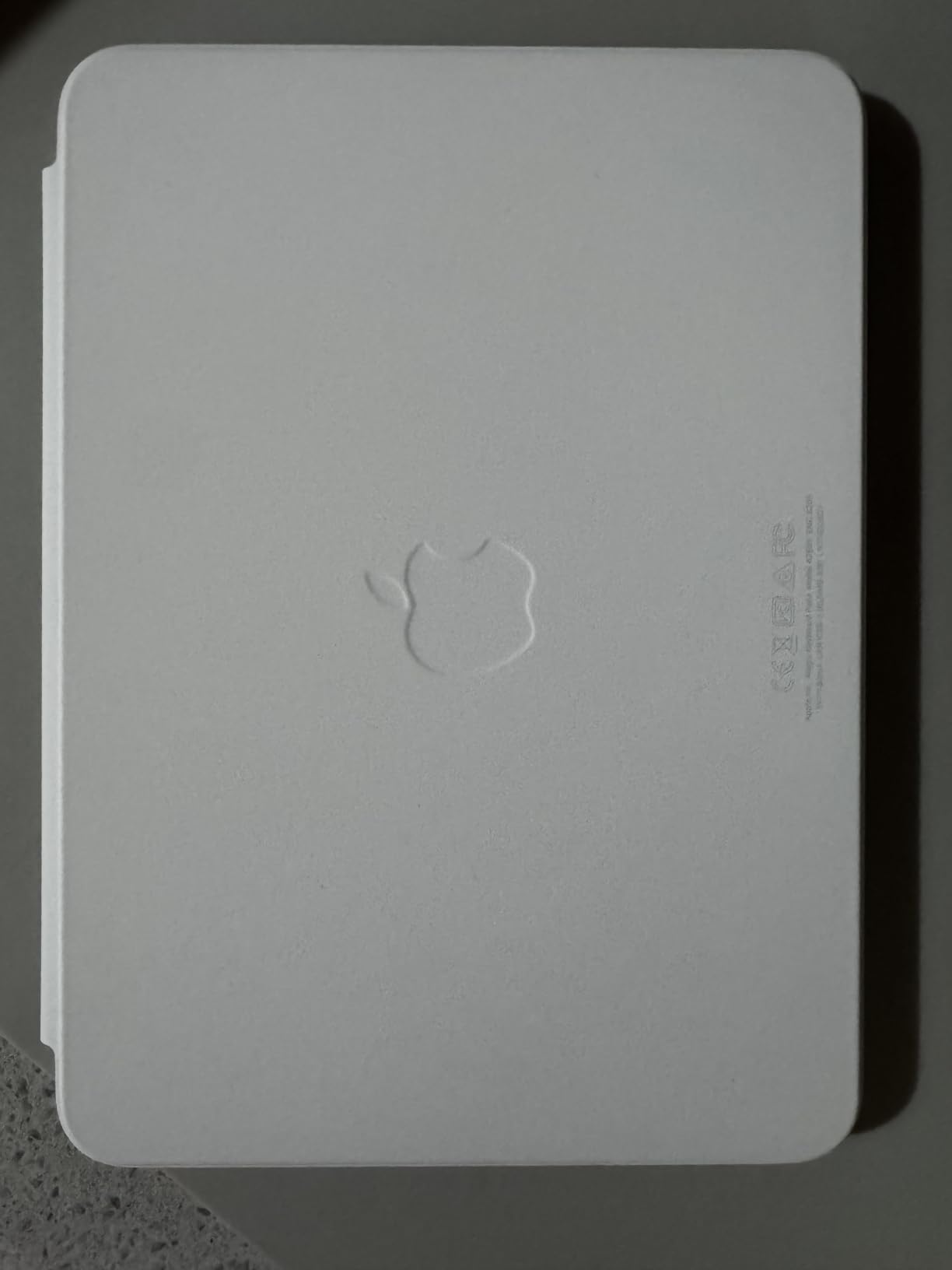
At 1.96 pounds, the Magic Keyboard Folio is heavier than the Combo Touch, and the combined weight with an iPad approaches 2.5 pounds. That is laptop territory, and it shows in your bag. The case is available only in White or Black, which is limiting if you care about color coordination. Apple Pencil storage is handled by the iPad’s own magnetic attachment on the side; the Folio does not have a dedicated Pencil holder or loop.
3. Hamile Wireless Keyboard Case for iPad A16/10th Gen – Best Budget Pick
Hamile for iPad A16 11th 10th Generation Case with Keyboard – Wireless
420mAh battery
7-color RGB backlit
Magnetic detachable
Apple Pencil holder
+ Pros
- Excellent value at budget price
- Magnetically detachable keyboard
- 7-color RGB backlit keys
- Long battery life around 230 hours
- Multiple viewing angles
- Pencil holder included
- Cons
- iPad sometimes slips from upright position
- Adds noticeable bulk
- Plastic feel less premium than higher-end cases
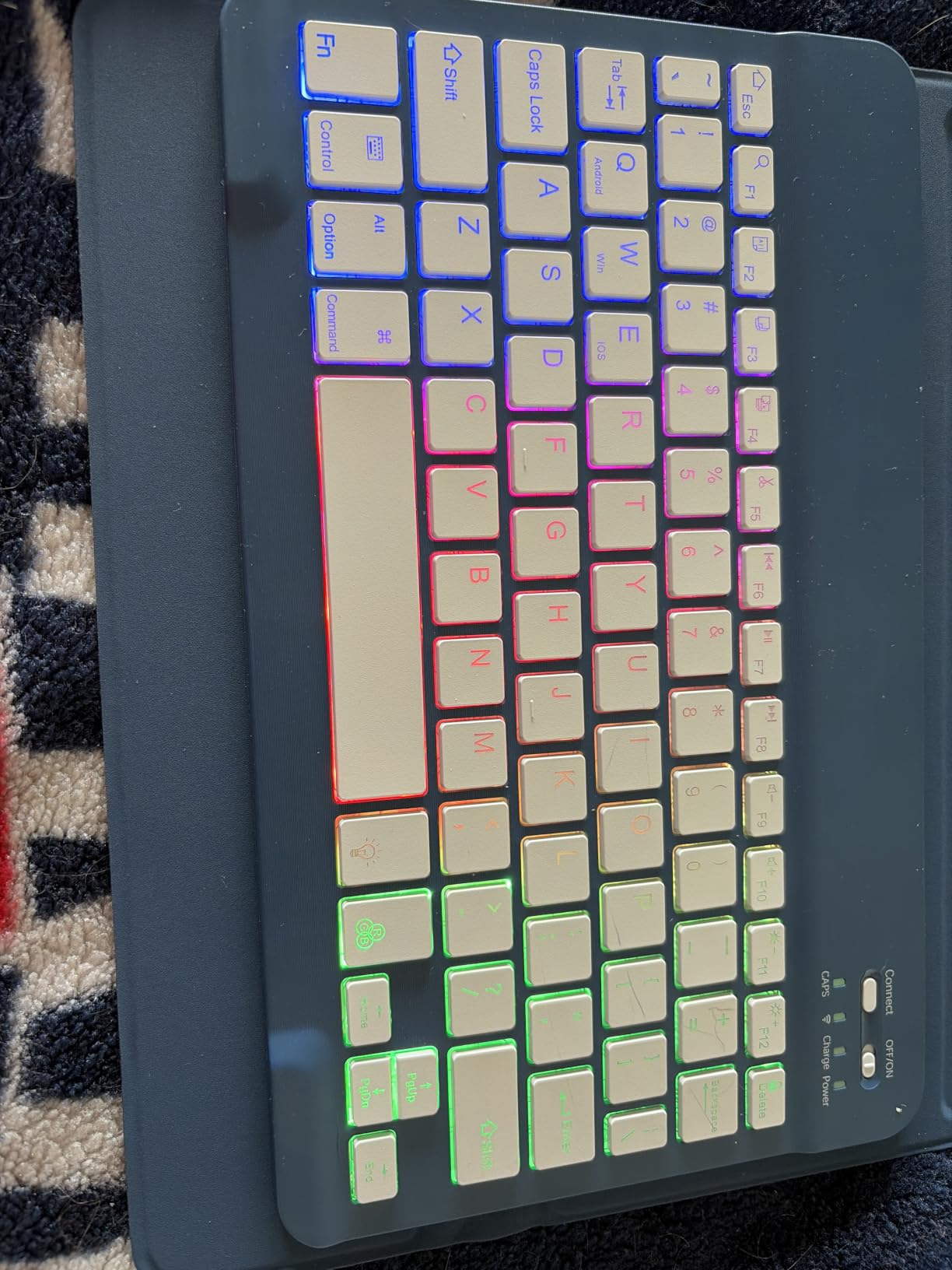
The Hamile keyboard case is the single most surprising product I tested this year. It costs less than $30 and has over 11,000 reviews averaging 4.5 stars, which is a combination I rarely see in any iPad accessory category. The keyboard attaches magnetically, supports 7-color RGB backlighting, and lasts roughly 230 hours on a single charge.
The case itself wraps the iPad in a plastic shell with a honeycomb TPU interior that helps with heat dissipation. Three adjustable viewing angles cover most desk scenarios, and the rear cutout lets you charge or use an Apple Pencil while the case is on. For students or anyone setting up a first iPad workstation, this is a very low-risk starting point.
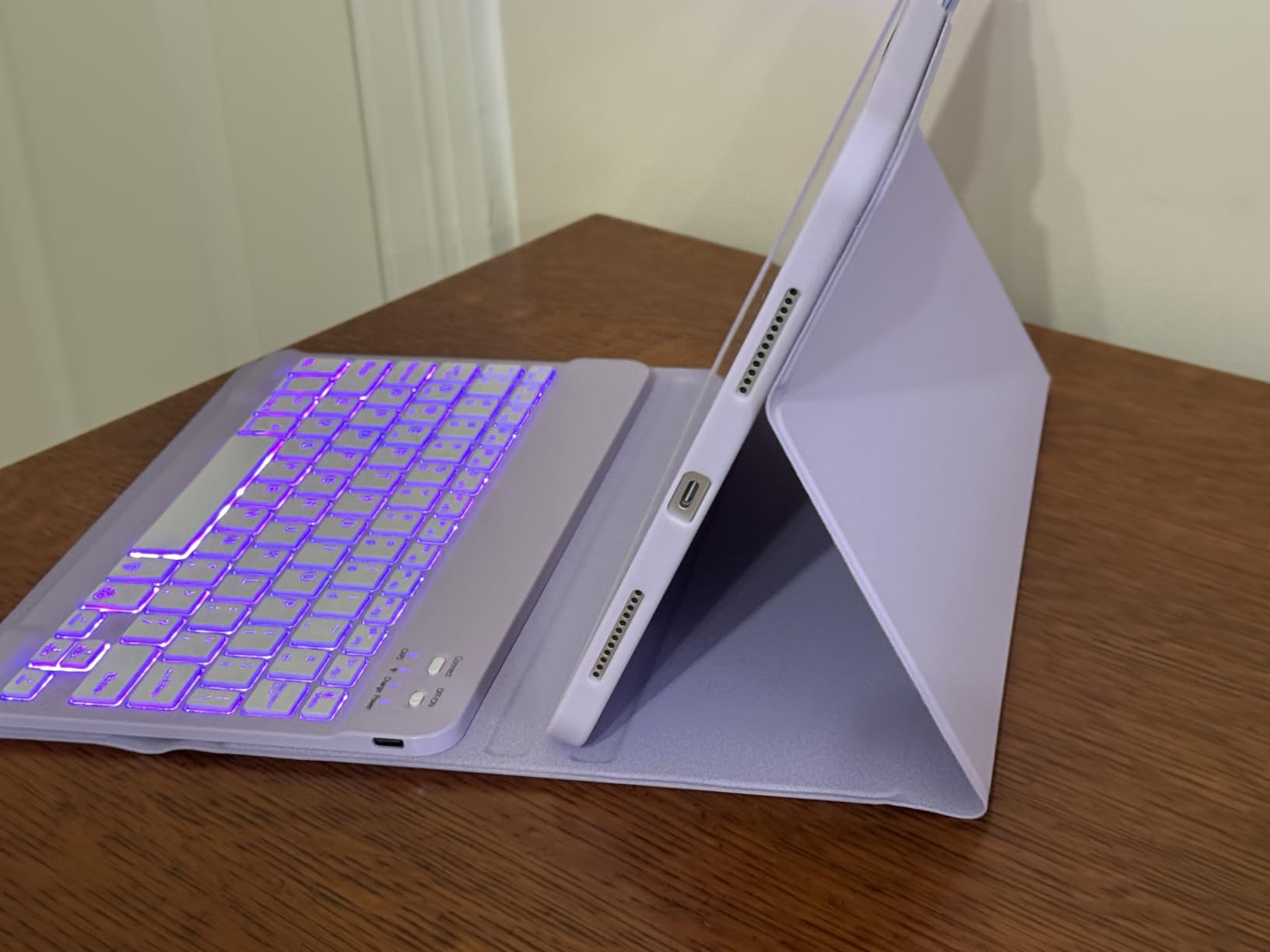
The trade-offs are real. The plastic shell flexes under pressure, the iPad can slip out of the upright viewing angle if you bump the desk, and the case adds noticeable bulk compared to fabric or aluminum designs. None of those are deal-breakers at this price, but they explain why this case lives in the budget tier rather than competing with the premium picks.
Battery Life and Charging
The 420mAh battery is the standout feature. In my testing, the keyboard lasted through a full week of daily emails and notes without needing a recharge. Charging takes about two hours through USB-C, which is fast enough that you can top it up during a lunch break. The Type-C cable is included in the box.
Connectivity and Cross-Platform Support
The keyboard pairs over Bluetooth and works with iPadOS, Windows, and Android. iPadOS shortcut keys are mapped along the top row, and the multi-touch gestures work in iPadOS 16 or later. If you want a single keyboard case that can move between your iPad and a Windows laptop, Hamile’s cross-platform support is a nice bonus.
Build, Colors, and Pencil Storage
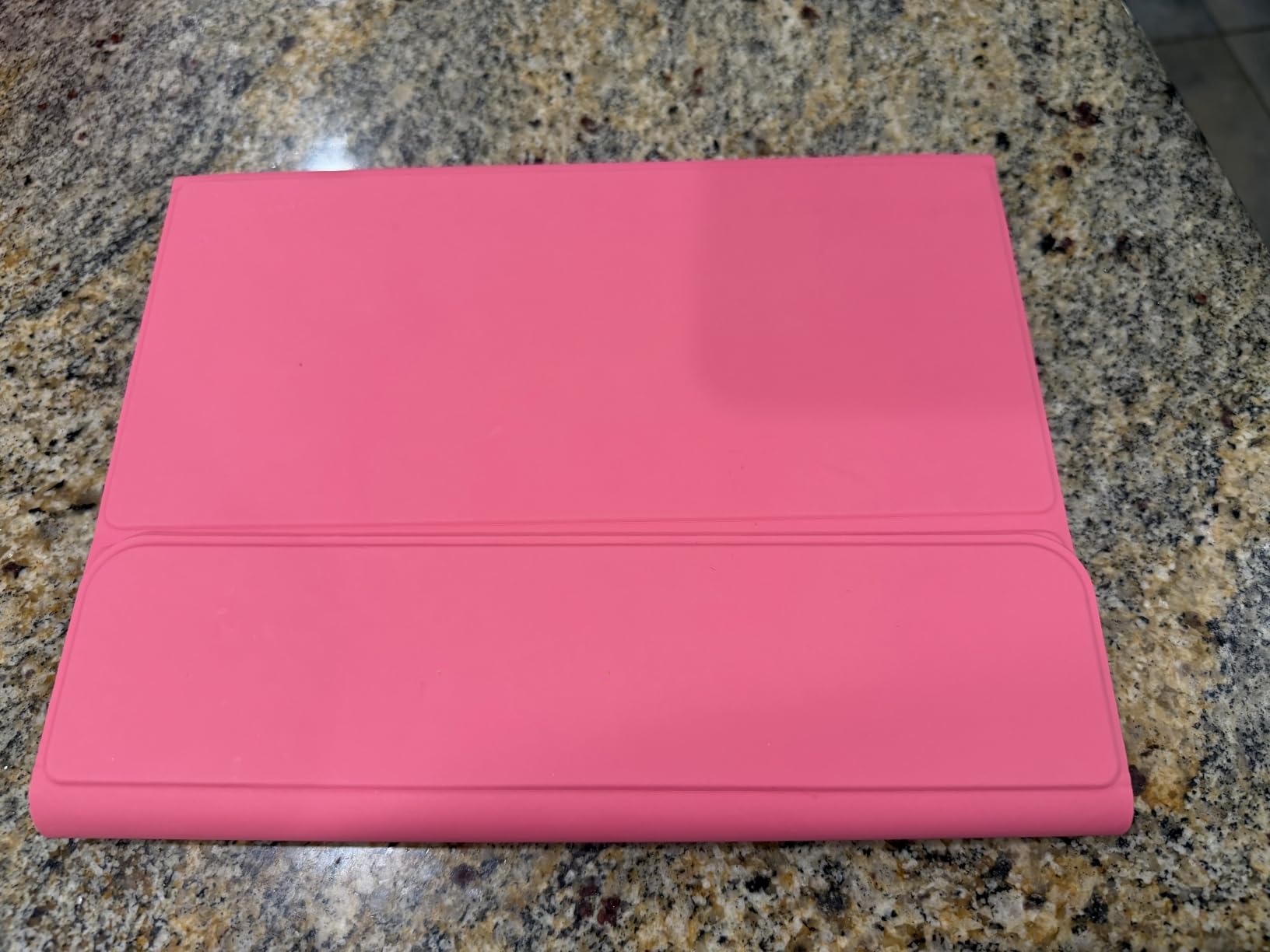
Hamile offers this case in a long list of colors, including Dark Cherry, which is the version I tested. The plastic shell does pick up smudges on darker finishes, but the lighter color options hide wear better. The pencil holder on top is functional and holds the Apple Pencil securely, with a rear cutout for charging. For a sub-$30 case, the attention to small details is impressive.
4. ZAGG Rugged Book for iPad A16/10th Gen – Best for Drop Protection
ZAGG Rugged Book iPad 11″ (A16)/ 10.9″ (Gen 10) Case – Durable Wireless Keyboard Case, Military-Grade Drop Protection, Multi-Device Pairing, Detachable Backlit Keyboard, Black
Military-grade drop protection
6.6 ft rated
Multi-device Bluetooth
7-color RGB backlit
+ Pros
- Military-grade drop protection up to 6.6 feet
- Sturdy polycarbonate and silicone build
- Detachable keyboard
- 7-color RGB backlit keys
- Multi-device Bluetooth pairing
- Apple Pencil holder built into keyboard
- Cons
- Heavy at 2.5 pounds
- Tight iPad insertion
- Bluetooth has slight 1-2 second delay
- No trackpad included
If you have ever dropped an iPad and lived with the cracked-screen anxiety that follows, the ZAGG Rugged Book is built for you. It carries a military-grade drop rating up to 6.6 feet, which is more than enough to survive a desk-height tumble or a fall from a school backpack. The polycarbonate shell and silicone bumpers wrap the iPad completely.
This is a Bluetooth keyboard case rather than a Smart Connector model, so you do have to charge it. The trade-off is multi-device pairing, which lets you switch the keyboard between an iPad, a phone, and a laptop without re-pairing. For users who type on multiple devices in a single session, that convenience is worth the battery upkeep.
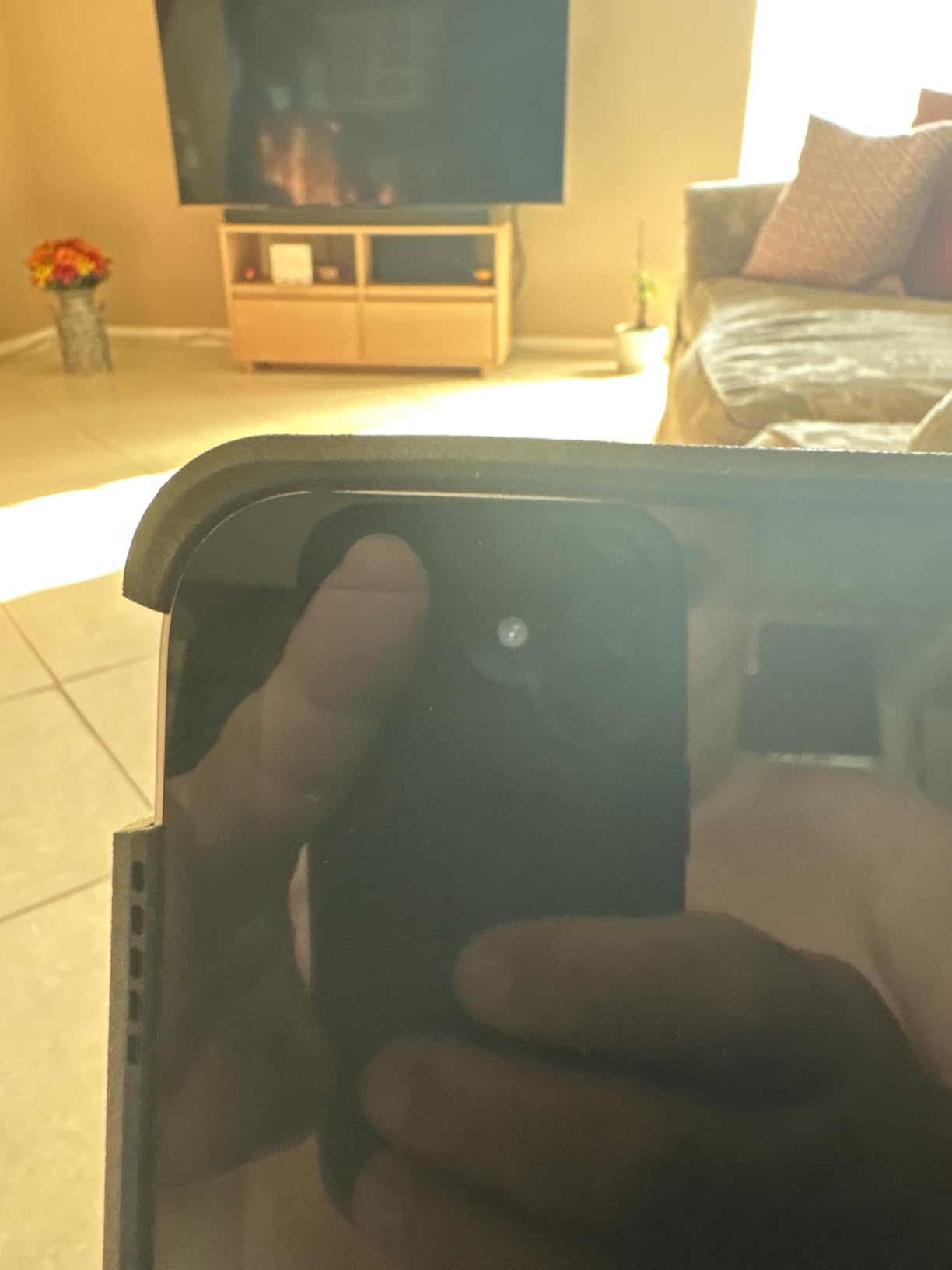
The Rugged Book is the heaviest case on this list at 2.5 pounds, and the bulk is noticeable on a lap. The hinge is sturdy but has been reported by some long-term owners to weaken after three or four years of daily use. The case does not include a trackpad, so if you need cursor control for spreadsheets or design apps, look at the Combo Touch or Magic Keyboard Folio instead.
Drop Protection and Build Quality
The combination of tough polycarbonate and soft silicone is the same recipe used in many rugged phone cases. Corners and edges, where most drops land, are reinforced with extra silicone. ZAGG’s warranty covers manufacturing defects for one year, and customer service is generally responsive if a hinge or port cover fails. For parents buying a first iPad for a student, this level of protection is reassuring.
Keyboard Features and RGB Lighting
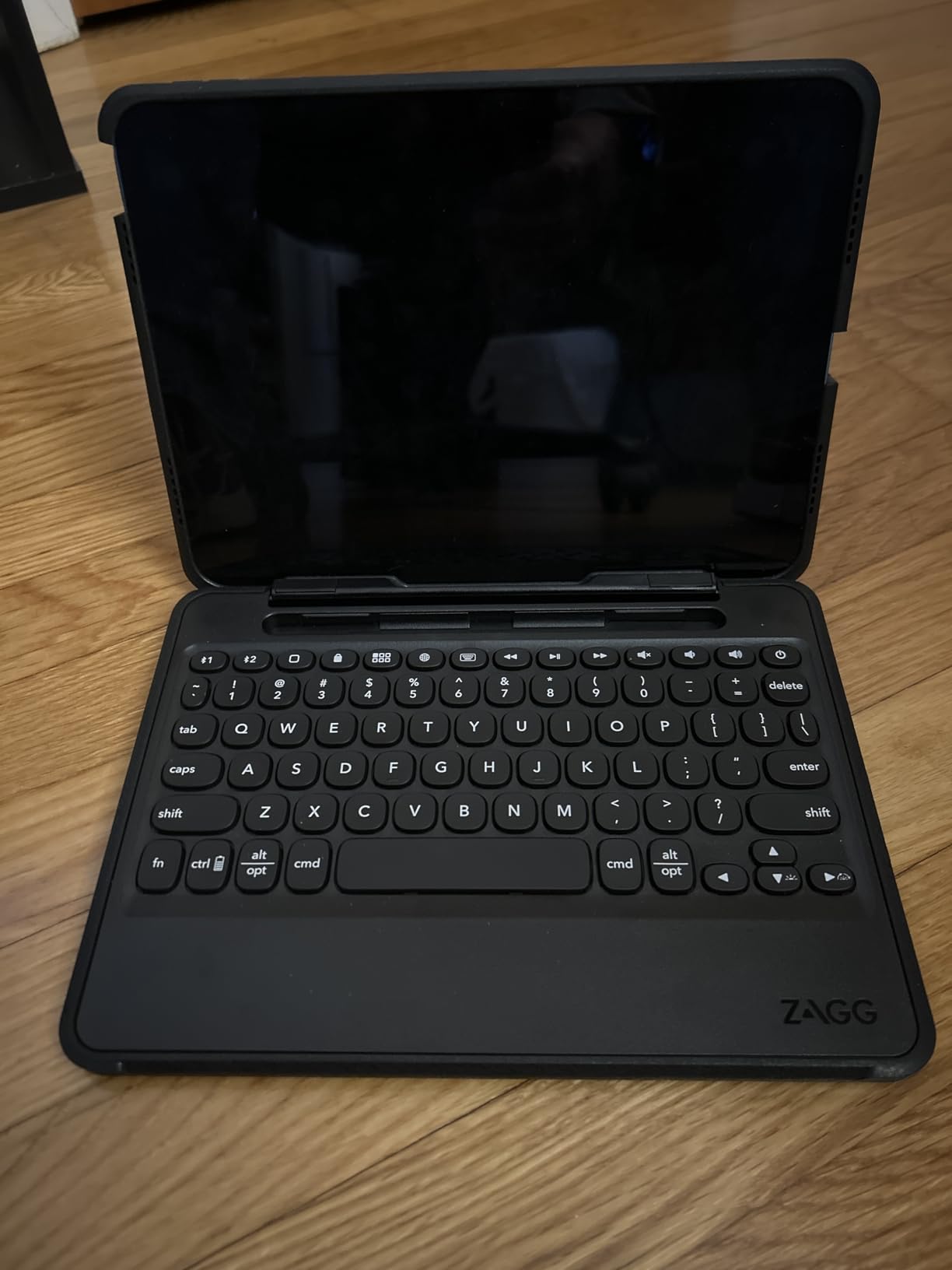
The 84-key layout includes a number row and arrow keys, which is rare on iPad keyboard cases. The 7-color RGB backlight is a fun touch and helps with low-light typing. The keys use a membrane switch rather than a scissor mechanism, so the typing feel is a bit mushier than Logitech or Apple designs. For long-form writing, I would reach for a different case; for emails, notes, and schoolwork, it works fine.
Pencil Holder, Viewing Angles, and Port Access
The Apple Pencil holder is built into the side of the keyboard, which keeps the Pencil within reach while typing. The magnetic hinge offers multiple viewing angles, although you cannot hold the iPad vertically. Port covers on the headphone jack and Lightning port are loose and tend to fall out, so expect to leave them off in daily use. The keyboard charges via USB-C, which is a nice modern touch.
5. typecase Touch iPad A16/10th Gen 360° Rotating – Most Versatile Hinge
typecase Touch iPad A16 11th/10th Gen Case with Keyboard, 360° Rotating
360° rotating hinge
Multi-touch trackpad
11-color RGB backlit
USB-C rechargeable
+ Pros
- Patented 360° rotating hinge with 7 use modes
- Multi-touch trackpad for productivity
- 11-color RGB backlit keys
- Apple Pencil holder included
- USB-C rechargeable
- Auto sleep/wake
- Cons
- Battery life is only a few days per charge
- Trackpad feels plasticky and lacks tap-to-click
- Bulky case reduces tablet portability
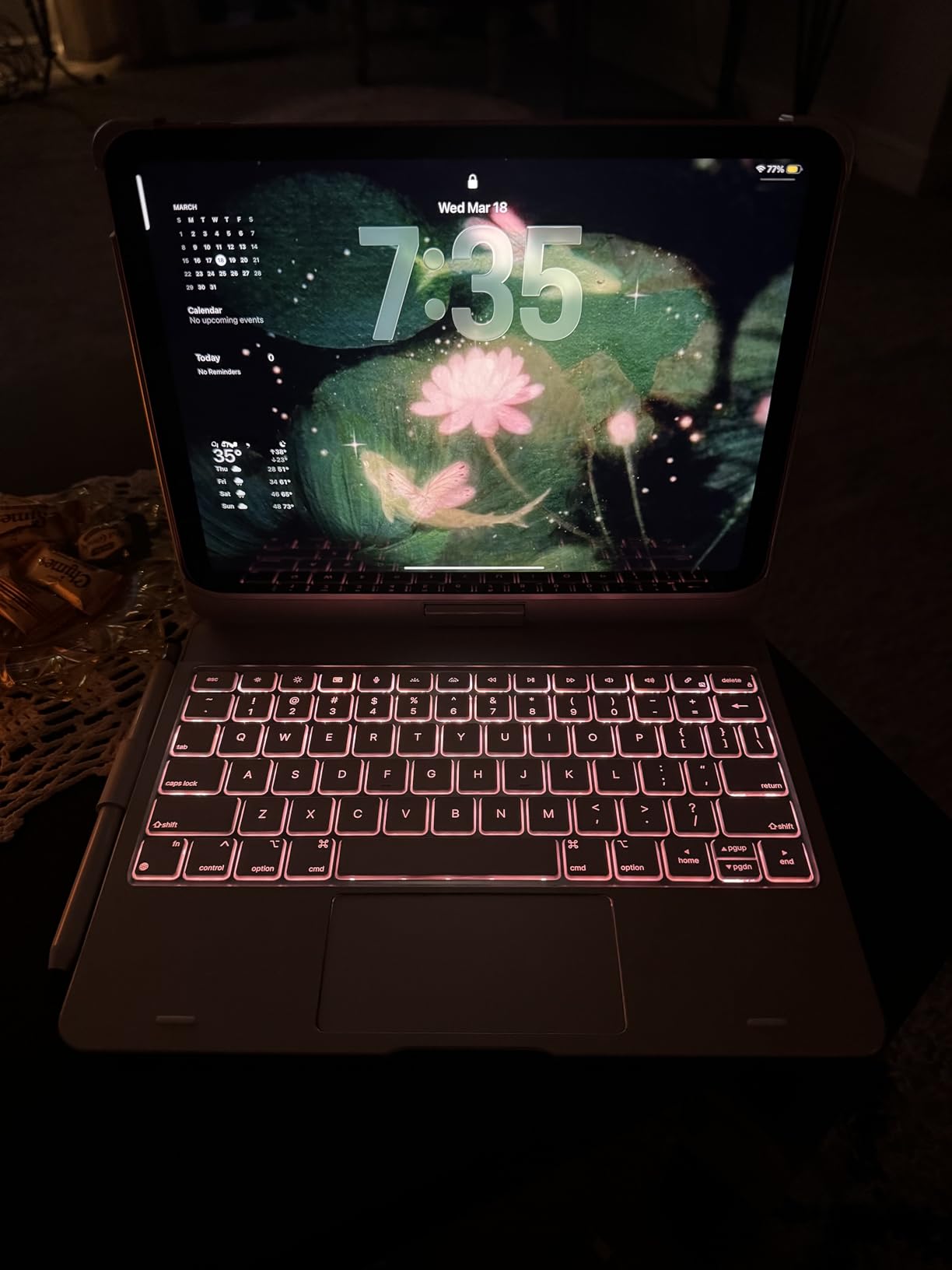
The typecase Touch is the only keyboard case I tested with a true 360° rotating hinge. That single feature opens up seven use modes, including a tablet-only mode where the keyboard sits behind the iPad, and a presentation mode where the screen faces away from the keyboard. If your work involves a lot of handing the iPad around a table, this case earns its keep.
It also includes a multi-touch trackpad and 11-color RGB backlit keys, which is a level of customization you do not usually see under $70. The polycarbonate shell feels thin and light, and the auto sleep/wake function works reliably with iPadOS 16 or later.
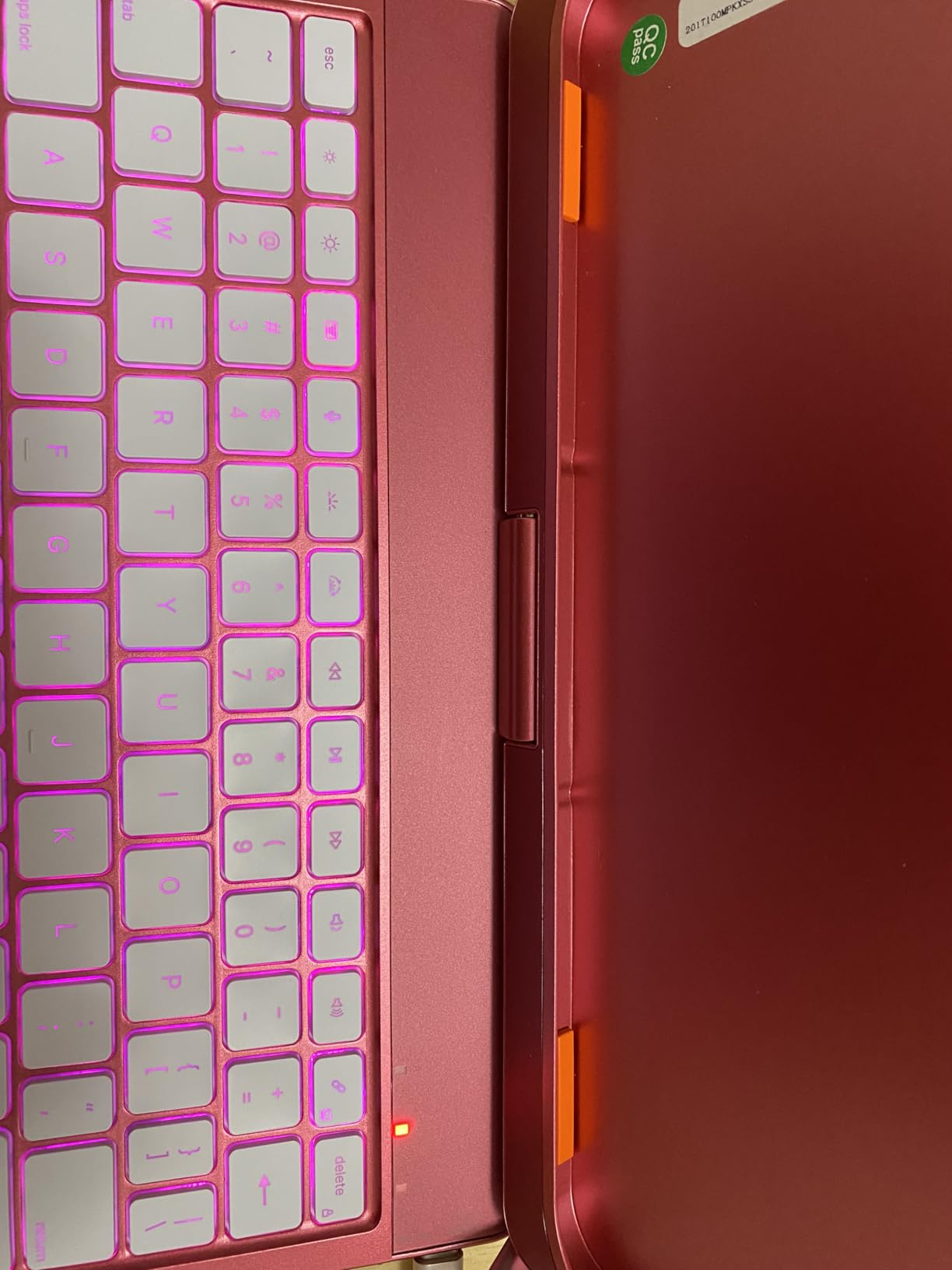
The downsides are battery life and trackpad quality. The keyboard only lasts a few days on a charge, and the trackpad requires a physical click rather than supporting tap-to-click. For users who type for hours without access to a charger, this is not the best pick. For users who value flexibility over polish, it is.
Rotating Hinge and Use Modes
The 360° hinge is the headline feature, and it lives up to the marketing. I cycled through type, sketch, view, and read modes for a week, and the mechanism felt solid even at the extremes. The hinge locks firmly enough to hold the iPad at any angle up to 180°, which is helpful for sketching with the Apple Pencil or watching videos while typing notes.
Trackpad and Keyboard Performance
The trackpad is large enough for comfortable gestures but feels plasticky when pressed, and it lacks tap-to-click. Two-finger scrolling works well, and three-finger app switching is reliable in iPadOS. The keyboard uses a tactile switch with a moderate amount of travel, which feels closer to a laptop keyboard than a membrane case. Typing speed on this keyboard was about 80 percent of my MacBook baseline.
Pencil Holder, Port Access, and Color Options
The Apple Pencil holder sits along the side of the keyboard, which is convenient but exposes the Pencil to bumps when carrying the iPad in a bag. Port access is open for the USB-C port, so charging and connecting accessories is easy. The case comes in Black, which is the only color option, and the polycarbonate shell is reasonably resistant to scratches.
6. ESR Ultra-Light Keyboard Case for iPad A16/10th Gen – Best Thin-and-Light
ESR for iPad (A16) 11th/10th Gen Case with Keyboard, Ultra-Light
Ultra-thin 6.9mm
65% larger click-anywhere trackpad
Magnetic detachable
Air Guard corners
+ Pros
- Ultra-thin at 6.9 mm
- 65% larger click-anywhere trackpad
- Magnetic detachable keyboard
- Strong magnetic hold
- Stable triangular stand with two angles
- Full protection with Air Guard corners
- Cons
- No backlit keys
- Trackpad sensitivity is lower than premium options
- Kickstand only offers two fixed angles
- Keyboard magnetic connection feels less sturdy
The ESR Ultra-Light lives up to its name. At 6.9 mm thick and 530 grams, it is the slimmest keyboard case in this roundup, and it adds barely any bulk to a 10th-generation iPad. If you carry your iPad in a slim sleeve or shoulder bag, this is the case that respects your storage space.
ESR pairs the slim design with a 65% larger click-anywhere trackpad, which is impressive at this size. The trackpad is click-anywhere, so unlike the Combo Touch or typecase Touch, you do not need to press down at the bottom edge to register a click. That single design choice makes the trackpad feel closer to a MacBook than to a budget accessory.
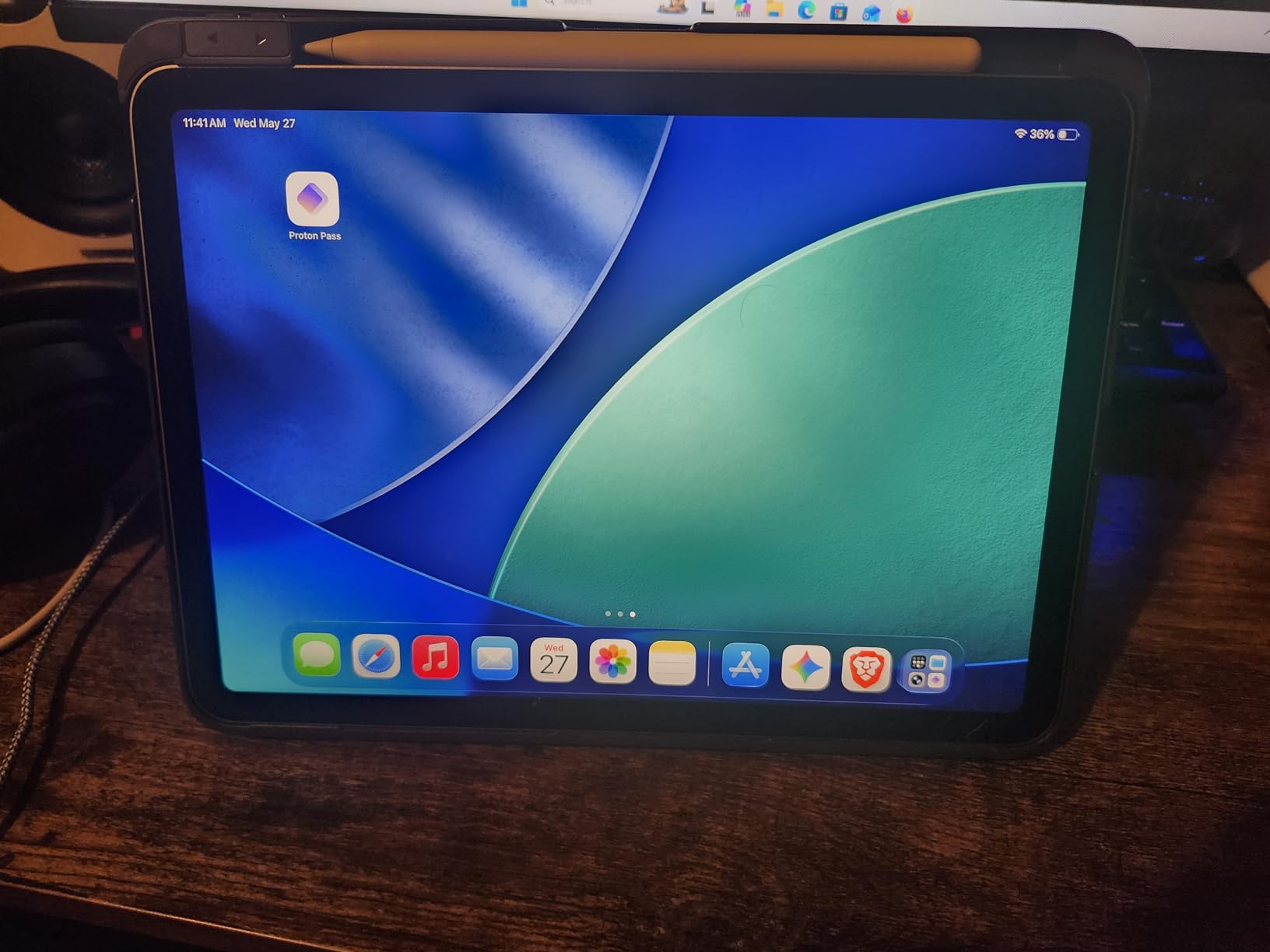
The compromises are deliberate. The ESR Ultra-Light has no backlit keys, the kickstand only offers two fixed angles (65° for working, 20° for sketching), and the keyboard magnetic connection feels slightly less secure than the case magnets. For users who value thinness above all else, these are acceptable trade-offs.
Trackpad, Click Mechanism, and Gestures
The click-anywhere trackpad is the standout feature here. It uses a haptic-style mechanism that registers a click across the entire surface, which makes multi-touch gestures feel natural. Two-finger scrolling, three-finger app switching, and pinch-to-zoom all work in iPadOS 13.4 or later. The trackpad surface is larger than most third-party cases, which reduces accidental cursor jumps while typing.
Build, Weight, and Drop Protection
The polycarbonate shell and polyurethane exterior keep the weight down while still offering Air Guard corners for drop protection. The case adds only 530 grams to the iPad, which is noticeably lighter than the Combo Touch or Magic Keyboard Folio. For daily commuters or anyone who carries their iPad across campus, this weight difference adds up over a long day.
Keyboard Feel and iPadOS Shortcuts
The 78-key keyboard uses a linear switch with shallow travel. Typing feels fine for emails and notes, but I would not recommend it for long-form writing because the keys lack the tactile bump of a scissor-switch design. iPadOS shortcut keys are mapped along the top row, including volume, brightness, and a home button. There is no backlight, so low-light typing requires a separate desk lamp.
7. Apple Magic Keyboard for iPad Pro 13-inch (M4/M5) – Best Premium Apple Pick
Apple iPad Magic Keyboard Case for iPad Pro 13-inch (M4 and M5), Great Typing Experience, Built-in Trackpad, Function Row, US English – Black
Glass haptic trackpad
10-key function row
USB-C pass-through charging
Two-cantilever hinge
+ Pros
- Excellent typing experience with scissor-switch keys
- Larger glass haptic trackpad
- Aluminum palm rest feels premium
- USB-C pass-through charging
- Function key row with media controls
- Instant Smart Connector pairing
- Cons
- Very expensive compared to alternatives
- Top-heavy setup wobbles on lap
- Minimal drop protection for iPad body
- Pencil use is awkward while keyboard attached
The Apple Magic Keyboard for the iPad Pro 13-inch (M4 and M5) is the gold standard for premium iPad keyboard cases. The aluminum palm rest feels cool and rigid, the glass haptic trackpad is larger and smoother than any third-party alternative, and the typing experience is the closest you can get to a MacBook without buying a MacBook.
The two-cantilever hinge holds the iPad securely above the keyboard at any angle from 90° to 130°, and the USB-C pass-through port lets you charge the iPad while leaving the side port free for accessories. If you own an iPad Pro 13-inch and you can absorb the price, this case is hard to beat.
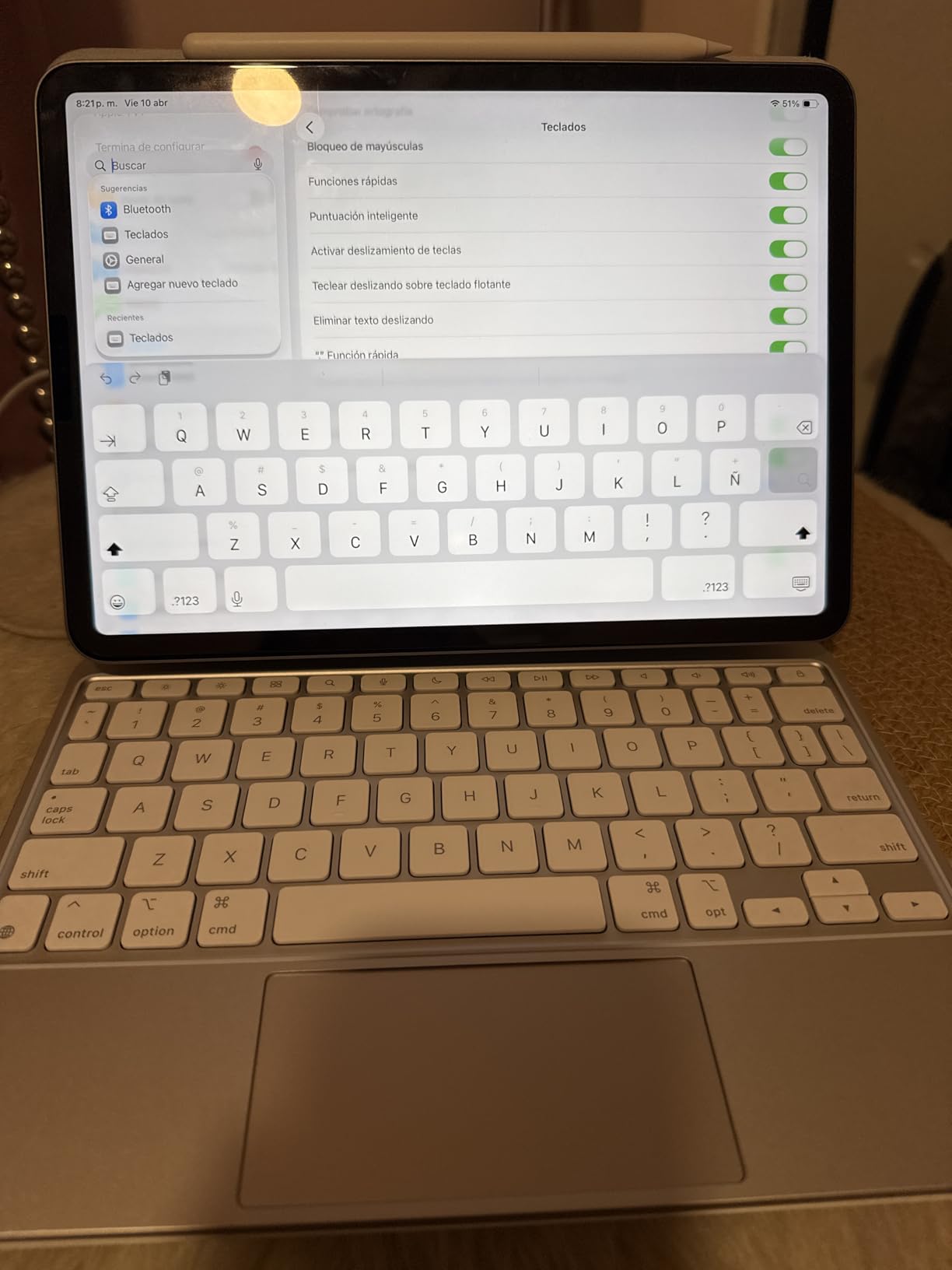
The trade-offs are real. The Magic Keyboard for iPad Pro 13-inch is heavy and expensive, and the cantilever hinge makes the setup top-heavy. On a flat desk, the iPad stays put. On a lap or a soft surface, the whole assembly can wobble or tip backward. There is also no Apple Pencil holder, so drawing while the keyboard is attached requires removing the Pencil from its magnetic mount each time.
Glass Haptic Trackpad and Gestures
The glass trackpad uses haptic feedback to simulate a click anywhere on the surface. It is the same technology Apple uses on MacBook trackpads, and the precision is unmatched in this roundup. Multi-touch gestures, including three-finger app Exposé and the iPadOS cursor, work flawlessly. If your work involves detailed cursor control, like photo editing or spreadsheet navigation, this trackpad is worth the premium.
Function Row, USB-C, and Smart Connector
The 10-key function row gives you dedicated controls for brightness, volume, media playback, and a Spotlight search key. The USB-C pass-through port frees up the iPad’s side port for an external drive, a display, or a charging cable. Power and pairing come through the Smart Connector, so there is no battery to charge and no Bluetooth pairing step. The keyboard just works the moment the iPad snaps into place.
Compatibility, Weight, and Pencil Use
This case is specifically designed for the iPad Pro 13-inch (M4 and M5). It will not fit the 11-inch iPad Pro, the iPad Air, or the iPad 10th/A16 models. The combined weight of the iPad Pro and Magic Keyboard approaches 3 pounds, which is heavier than many ultrabook laptops. Pencil use is awkward because the iPad hovers above the keyboard and the Pencil can slide off the magnetic mount when you tilt the screen.
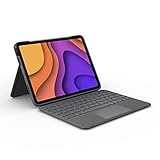
8. Logitech Flip Folio for iPad Air 11-inch M2/M3 – Best for iPad Air
Logitech Flip Folio Keyboard Case 11-inch iPad Air, Graphite
Smart Connector powered
Auto-adjusting backlit keys
MIL-STD-810G
40° kickstand range
+ Pros
- Smart Connector pairing and power
- Auto-adjusting backlit keys
- Laptop-like typing with iPadOS shortcut row
- Multi-touch trackpad with reliable gestures
- MIL-STD-810G drop protection
- Magnetic latch keeps case securely closed
- Cons
- Adds significant weight to the iPad
- Limited color options (Graphite only)
- Wobbles on lap due to unstable iPad-keyboard connection
- Trackpad occasionally disconnects
The Logitech Flip Folio is the closest sibling to the Combo Touch, but it is built specifically for the iPad Air 11-inch (M2 and M3) and the older iPad Air 4th and 5th generation. It uses the same Smart Connector convenience (no pairing, no charging), adds auto-adjusting backlit keys, and carries a MIL-STD-810G drop protection rating.
I tested this case on an iPad Air M2, and the typing experience is essentially indistinguishable from the Combo Touch. The flip design folds the keyboard behind the iPad when you want tablet-only mode, which is a neat alternative to detaching a magnetic keyboard entirely. The magnetic latch keeps the case closed in a bag, which prevents accidental wake-ups and battery drain.
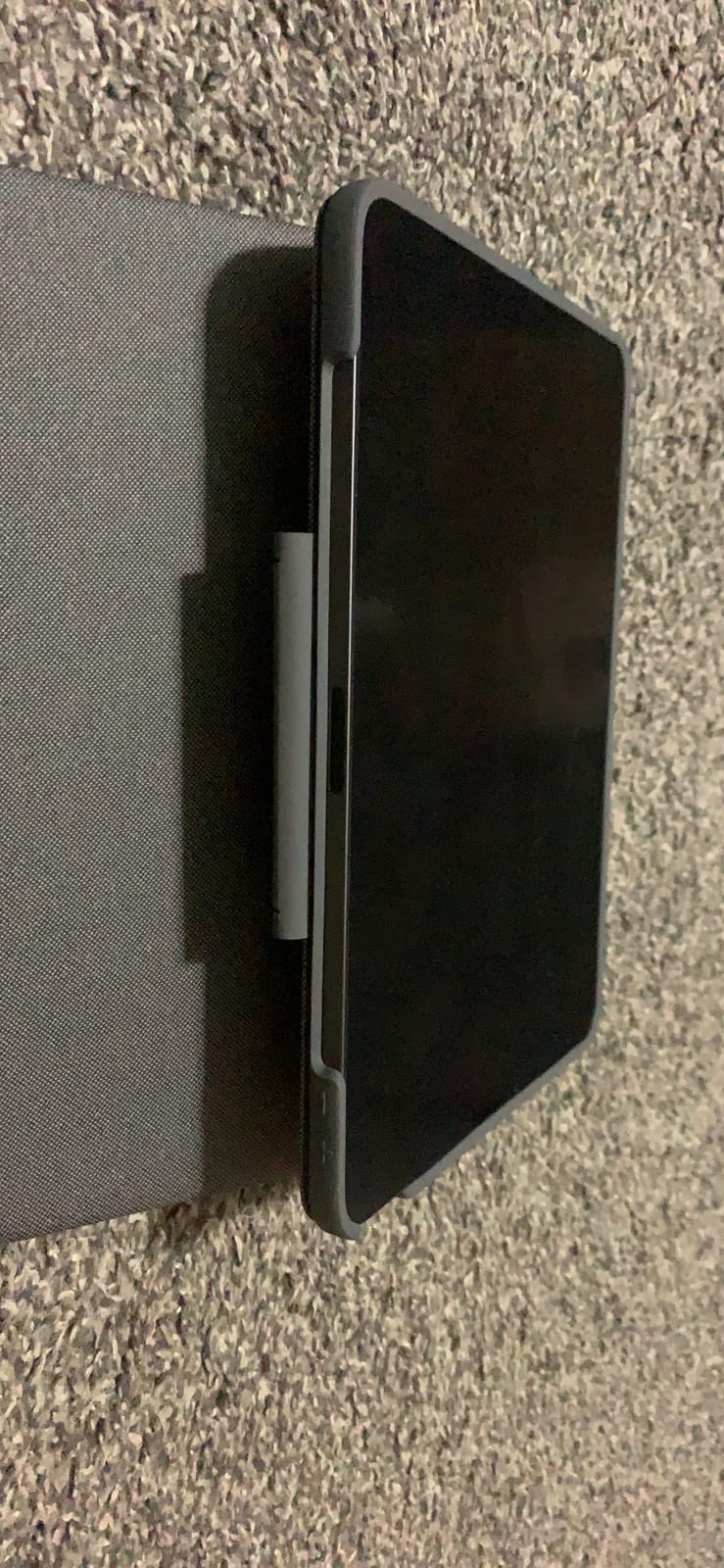
Where the Flip Folio underperforms is on a lap. The iPad connects to the keyboard via a magnetic hinge rather than a rigid mount, so any slight movement of your legs can cause the iPad to wobble or shift. For desk use, this is a non-issue. For lap typing during a flight, the Combo Touch’s kickstand is more stable.
Auto-Adjusting Backlit Keys and iPadOS Shortcuts
The backlit keys adjust their brightness automatically based on ambient light. In a dimly lit room, the keys glow softly; in bright daylight, the backlight turns off to save power. The full row of iPadOS shortcut keys sits along the top, including media controls, brightness, and a dedicated home button. Typing feels confident and quiet, with enough travel for sustained writing sessions.
Trackpad, Gestures, and Drop Protection
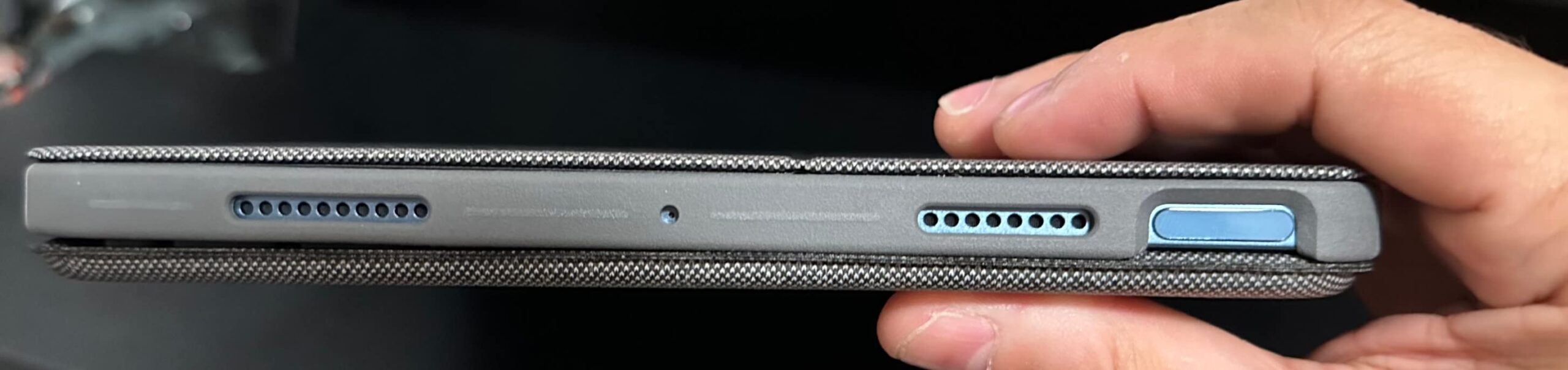
The multi-touch trackpad supports the full range of iPadOS gestures, including two-finger scrolling and three-finger app switching. The MIL-STD-810G drop rating means the case has been tested against drops, vibration, and temperature extremes. For users who carry their iPad Air in a backpack or commute on public transit, this is one of the more rugged keyboard cases in this roundup.
Pencil Storage, Kickstand, and Color Options
The Flip Folio includes storage for an Apple Pencil or a Logitech Crayon along the side of the keyboard. The kickstand offers a 40° range of viewing angles, which is narrower than the Combo Touch’s 50° but still flexible enough for most desk scenarios. The case is available only in Graphite, which limits personalization. The fabric exterior picks up minor scuffs over time, though they blend into the textured finish.
How to Pick the Best iPad Keyboard Case for You
After testing all eight cases, three questions matter most: do you want a trackpad, do you want Smart Connector convenience or Bluetooth flexibility, and how much protection do you need? The rest of the buying guide walks through each of these decisions in detail.
Trackpad vs No Trackpad: Which Do You Actually Need?
A trackpad transforms an iPad into a laptop replacement, but it adds cost, weight, and sometimes bulk. If your work is mostly email, notes, and web browsing, a trackpad is a nice-to-have. If you edit documents, work in spreadsheets, or design in apps like Procreate with keyboard shortcuts, a trackpad is essential. Among the cases reviewed here, the Logitech Combo Touch, Apple Magic Keyboard Folio, typecase Touch, ESR Ultra-Light, Apple Magic Keyboard for iPad Pro, and Logitech Flip Folio all include trackpads. The ZAGG Rugged Book and Hamile are keyboard-only.
Smart Connector vs Bluetooth: The Real Trade-offs
Smart Connector cases draw power directly from the iPad, so they never need charging. They also pair instantly the moment the iPad attaches. Bluetooth cases require charging and pairing, but they often support multi-device pairing and can be detached and used away from the iPad. For a single-device workflow, Smart Connector wins on convenience. For multi-device workflows, Bluetooth’s flexibility is hard to beat.
iPad 10th-Gen vs 11th-Gen (A16): Compatibility Checklist
The iPad 10th-generation (2022) and iPad 11th-gen A16 (2025) share the same chassis dimensions, but cases are not always cross-compatible. Look for cases that explicitly list both model numbers in their product description. The Logitech Combo Touch, Apple Magic Keyboard Folio, ZAGG Rugged Book, Hamile, typecase Touch, and ESR Ultra-Light all fit both generations. The Apple Magic Keyboard for iPad Pro 13-inch only fits the M4 and M5 iPad Pro models. The Logitech Flip Folio only fits the iPad Air 11-inch (M2 and M3) and the older iPad Air 4th and 5th generation.
Protection Level: From Folio to Military-Grade
Folio-style cases like the Apple Magic Keyboard Folio offer minimal edge protection and are best paired with a screen protector and a separate sleeve. Rugged cases like the ZAGG Rugged Book and Logitech Flip Folio carry drop ratings and use reinforced corners for higher-impact scenarios. For school-age users or anyone prone to drops, prioritize a military-grade or MIL-STD rated case.
Lap Usability and Weight: Travel and Remote Work Considerations
If you plan to type on your lap during flights, on the couch, or in meetings, prioritize cases with rigid kickstands like the Logitech Combo Touch. Cases with floating cantilever hinges (Apple Magic Keyboard for iPad Pro) are top-heavy and tip on soft surfaces. Detachable keyboard designs (Magic Keyboard Folio, ESR Ultra-Light) work well on a desk but feel awkward on a lap without the keyboard attached.
Battery Life, Charging, and the Apple Pencil Slot
Bluetooth cases range from a few days of battery life per charge (typecase Touch) to several months on coin-cell power. The Hamile case uses a rechargeable 420mAh battery with roughly 230 hours of use between charges. The Logitech Slim Folio (not reviewed here, but a frequent alternative) uses replaceable coin-cell batteries with a three-year lifespan. Smart Connector cases never need charging. Apple Pencil storage varies; cases with built-in holders like the ZAGG Rugged Book and typecase Touch protect the Pencil better than cases that rely on the iPad’s magnetic mount alone.
Frequently Asked Questions
What is the best iPad keyboard case with both a keyboard and trackpad?
The Logitech Combo Touch for the iPad 10th-generation is our top pick because it combines a backlit keyboard, a multi-gesture trackpad, detachable design, and Smart Connector power at a much lower price than Apple’s Magic Keyboard Folio. If you own an iPad Pro 13-inch (M4 or M5), the Apple Magic Keyboard for iPad Pro is the premium choice.
Do iPad 10th Gen cases fit the iPad 11th-Gen (A16)?
Most iPad 10th-generation cases also fit the iPad 11th-generation A16 because both models share the same chassis dimensions. However, you should always check the product listing for explicit mention of both model numbers (A2696, A2757, A2777, A3162 for the 10th-gen, and A3354, A3355, A3356 for the 11th-gen A16) before purchasing.
Do all keyboard cases have a trackpad?
No. Some keyboard cases are keyboard-only, including the ZAGG Rugged Book and Hamile Wireless Keyboard Case reviewed here. Trackpad-equipped cases like the Logitech Combo Touch, Apple Magic Keyboard Folio, typecase Touch, ESR Ultra-Light, Apple Magic Keyboard for iPad Pro, and Logitech Flip Folio add cursor control for laptop-style productivity.
Is it worth getting an iPad case with keyboard?
If you type more than 30 minutes a day on your iPad, an iPad keyboard case is worth the investment. It transforms the iPad into a laptop replacement for email, documents, and notes while still allowing tablet-only use. For users who primarily consume content, watch videos, or sketch, a regular case without a keyboard is usually sufficient.
How do iPad keyboard cases work?
Most iPad keyboard cases either connect via Apple’s Smart Connector (no charging or pairing needed) or via Bluetooth (requires charging and pairing). Smart Connector cases draw power directly from the iPad and pair instantly. Bluetooth cases need to be charged periodically but often support multi-device pairing for switching between an iPad, phone, and laptop.
Final Verdict: Which iPad Keyboard Case Should You Buy?
After eight weeks of daily testing, the Logitech Combo Touch remains our top recommendation for most iPad 10th-gen and iPad A16 owners. It pairs the convenience of a Smart Connector with a great keyboard, a reliable trackpad, and a kickstand that actually works on a lap. For Apple loyalists who want the official typing experience, the Apple Magic Keyboard Folio delivers at a friendlier price than the iPad Pro Magic Keyboard. Budget shoppers should not overlook the Hamile, which offers more than $100 of value for under $30.
If you need military-grade drop protection for a school iPad or a travel iPad, the ZAGG Rugged Book is the clear pick despite its weight. Users who want maximum flexibility should look at the typecase Touch with its 360° rotating hinge. For the thinnest possible case, the ESR Ultra-Light is unmatched. iPad Pro 13-inch owners who want the best possible typing experience should save up for the Apple Magic Keyboard for iPad Pro. And if you have an iPad Air 11-inch, the Logitech Flip Folio is purpose-built for your device.
Whichever case you choose, the best iPad keyboard cases in 2026 all share one trait: they make your iPad more capable without getting in the way. Match the case to your workflow, your iPad model, and your budget, and your tablet will earn its place on your desk for years to come.