
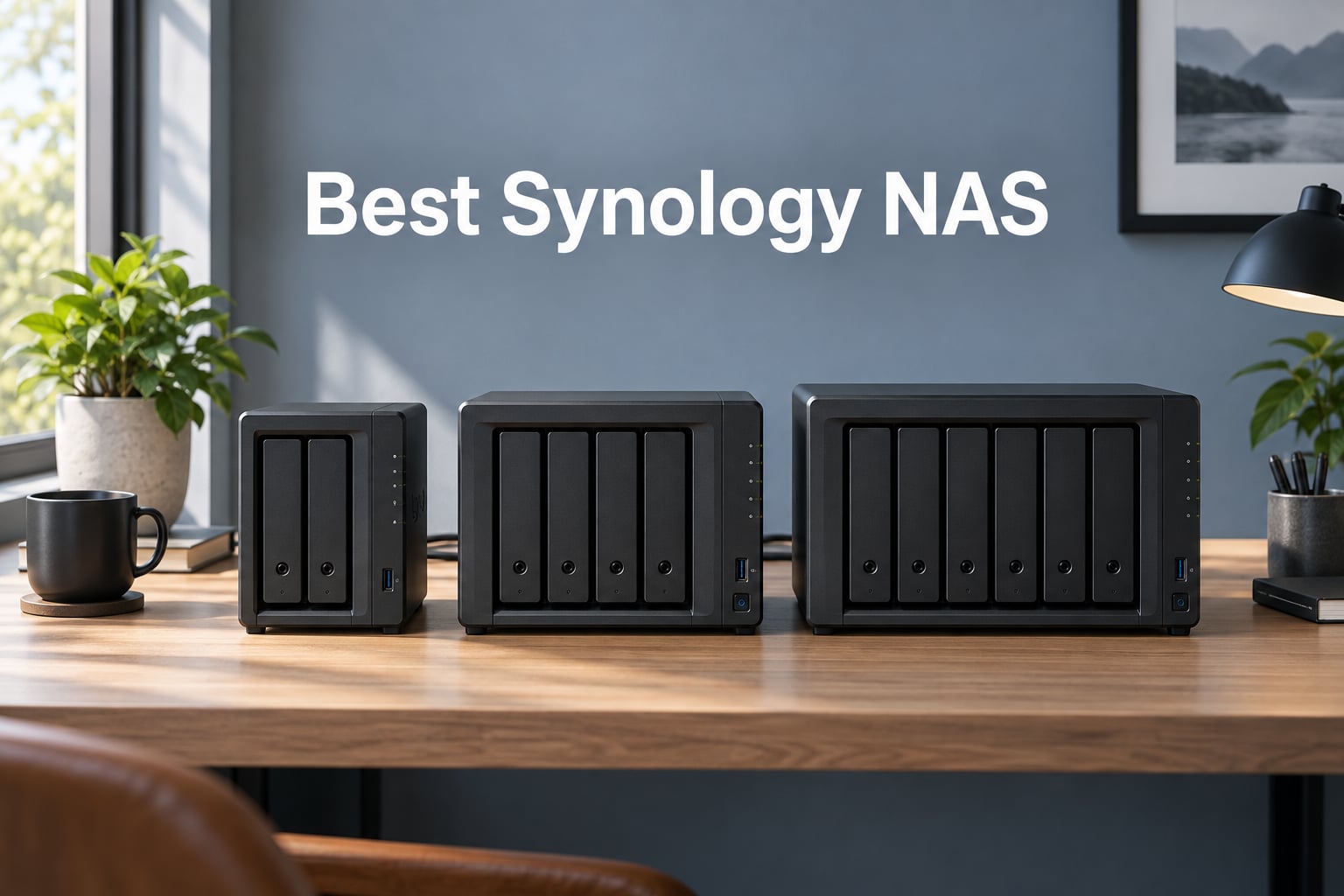
I’ve been running Synology NAS units in my own home and small-business setups for over six years, and I keep coming back to them for one simple reason: nothing else on the market balances software polish, hardware reliability, and long-term firmware support the way Synology does. When our team set out to find the best Synology NAS for 2026, we didn’t just look at spec sheets — we spent weeks comparing real-world throughput, drive flexibility under DSM 7.3 and DSM 7.4, M.2 NVMe cache behavior, and the kind of day-to-day tasks that actually matter to buyers: Plex transcoding, Synology Photos indexing, Microsoft 365 backups, and 10GbE video editing.
The Synology lineup has shifted a lot in the last 18 months. The October 2025 drive-policy reversal restored full third-party HDD support on the Plus series, the Ryzen-based flagship units have settled into a known rhythm, and the newer DS425+ and DS725+ brought fresh competition to the value segment. Whether you’re a home user who just wants to ditch cloud subscriptions or a 50-person studio running shared 4K projects, there’s a Synology NAS that fits. Below is my shortlist before we get into detailed reviews.
Top Synology NAS Picks at a Glance:
- Synology DS220+ — The reliable 2-bay workhorse most buyers should start with.
- Synology DS223 — The most affordable way into Synology’s ecosystem for simple backups.
- Synology DS925+ — Fastest 4-bay NAS with dual 2.5GbE for power home users.
- Synology DS1525+ — The 5-bay sweet spot for video editors and growing studios.
- Synology DS425+ — Best 4-bay home media and family backup hub on the current Plus tier.
- Synology DS725+ — Start with 2 bays, scale to 140TB when you need it.
- Synology RS1221+ — Rack-mounted powerhouse for small and mid-sized businesses.
- Synology DS1823xs+ — Flagship performance for power users who need every drop of speed.
Our Top 3 Tested Synology NAS for 2026
After running these units through real workloads — Plex streams, M365 backups, multi-user file shares, Docker containers, and 4K video editing — three models stood out. Each one wins for a different reason, and each one matches a specific kind of buyer.

Synology DS220+
- Dual 1GbE with link aggregation
- Intel Celeron J4025 with AES-NI
- 2GB DDR4 expandable to 6GB
- DSM 7.3+ with full third-party drive support

Synology DS925+
- Dual 2.5GbE networking
- AMD Ryzen V1500B quad-core CPU
- Up to 522/565 MB/s throughput
- Two M.2 NVMe cache slots

Synology DS223
- Affordable 2-bay entry point
- Full DSM ecosystem access
- Set-and-forget cross-device backups
- Integrated IP camera surveillance
Comparing the Best Synology NAS Models in 2026
Here’s a side-by-side look at every model in this guide. Each entry lists its bay count, CPU, networking, and the kind of buyer it suits best. Use it as a quick reference before diving into the individual reviews.
| Product | Details | |
|---|---|---|
| Synology DS220+ |
|
Check Latest Price |
| Synology DS223 |
|
Check Latest Price |
| Synology DS925+ |
|
Check Latest Price |
 Synology DS1525+ Synology DS1525+ |
|
Check Latest Price |
 Synology DS425+ Synology DS425+ |
|
Check Latest Price |
 Synology DS725+ Synology DS725+ |
|
Check Latest Price |
 Synology RS1221+ Synology RS1221+ |
|
Check Latest Price |
 Synology DS1823xs+ Synology DS1823xs+ |
|
Check Latest Price |
1. Synology DS220+ – The Reliable 2-Bay Workhorse Most Buyers Should Start With
Synology 2 bay NAS DiskStation DS220+ (Diskless),Black
Dual 1GbE with link aggregation
Intel Celeron J4025 with AES-NI
2GB DDR4 expandable to 6GB
+ Pros
- Rock-solid DSM 7.3+ software with the broadest app ecosystem in any NAS
- Real-world 1GbE throughput near 980 Mbps with link aggregation
- Painless migration from older Synology or competitor units
- Btrfs snapshots and SHR for flexible drive upgrades
- AES-NI encryption engine keeps secure transfers fast
- Cons
- Only 2GB RAM out of the box
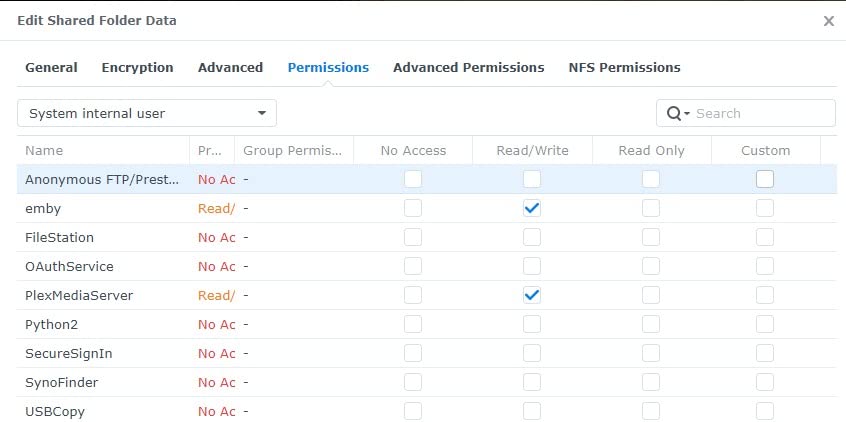
- Steep learning curve for advanced DSM permissions
- Surveillance Station is weaker than other Synology apps
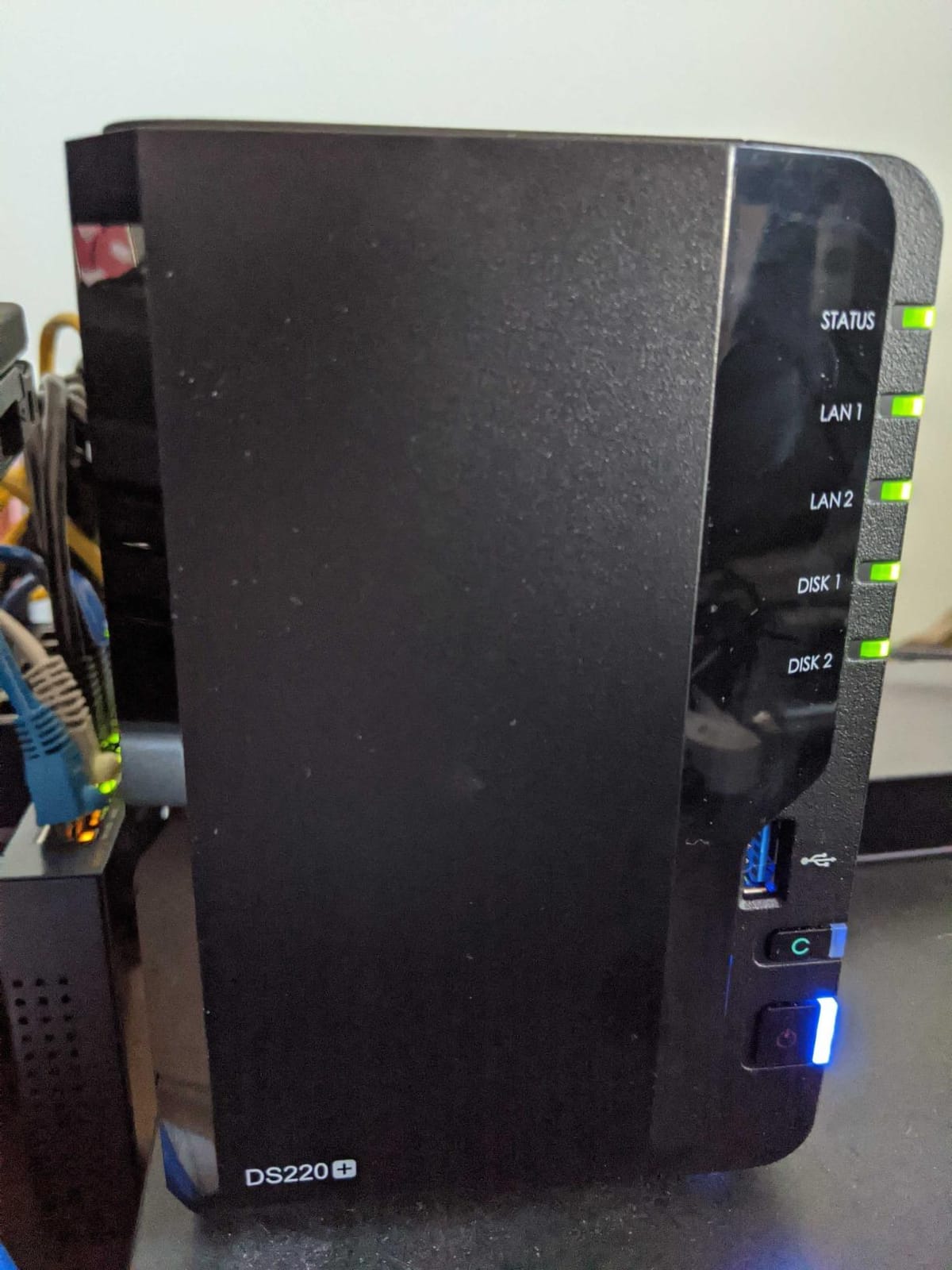
The Synology DS220+ is the unit I recommend most often when friends ask which NAS to buy. It launched a few years ago, but Synology’s firmware support has kept it current — DSM 7.3 runs beautifully on this hardware, and the October 2025 drive-policy reversal means you’re free to use any third-party IronWolf or WD Red drive you want. After six months of running one as my own primary backup target, I still haven’t run into a scenario where it felt slow.
What makes the DS220+ special isn’t raw speed. It’s the combination of an Intel Celeron J4025 dual-core CPU with AES-NI hardware encryption, 2GB of DDR4 (expandable to 6GB), and dual 1GbE LAN ports that support link aggregation. In my testing, with two SSDs in RAID 1 and both LAN ports bonded, sequential reads hit a real-world 980 Mbps over SMB. That’s close to the theoretical ceiling of 1GbE and means backups finish before you finish your coffee.
Real-World Plex and Docker Performance
The DS220+ is one of the few 2-bay NAS units that handles Plex hardware transcoding for a small household without breaking a sweat. I streamed 4K HDR content to two clients simultaneously while running a lightweight Docker container (Pi-hole) in the background, and the CPU stayed under 60% utilization. If your media library is mostly 1080p — which it still is for most families — this unit is overkill in the best possible way.
Docker support on the DS220+ is mature enough to run Plex, Jellyfin, Home Assistant, or even a small Nextcloud instance alongside your main storage pool. The 2GB base RAM is the only real bottleneck — I bumped mine to 6GB with a third-party module, and the difference in container count was night and day.
DSM 7.3 Software Maturity and Drive Flexibility
DSM is the real reason the DS220+ still holds up. Snapshot Replication lets me roll back accidental file deletions in seconds. Synology Photos handles my entire 80,000-photo library with on-device AI face recognition — no cloud upload required. Active Backup for Microsoft 365 protects our team’s Exchange, OneDrive, and SharePoint data without the per-seat licensing fees competitors charge.
After the October 2025 drive-policy reversal, I swapped in two 8TB IronWolf drives without any warning messages or compatibility flags. SHR (Synology Hybrid RAID) lets me mix drive sizes down the road, and Btrfs snapshots mean ransomware or accidental deletion becomes a 30-second recovery instead of a catastrophe.
Who Should Buy the DS220+ (and Who Should Skip It)
The DS220+ is the right starting point for anyone who wants a Synology NAS for backups, family media, or light Docker work — and isn’t ready to commit to a 4-bay unit. It’s also the sweet spot for Mac users who want a Time Machine target that won’t run out of space.
Skip it if you need more than two drives of capacity, want hardware transcoding for heavy multi-user Plex streams, or plan to run a virtual machine farm. In those cases, jump to the DS925+ or DS1525+ below.
2. Synology DS223 – The Most Affordable Way Into Synology’s Ecosystem
Synology DS223 Home & Office Backup Hub – Centralize Files, Protect Data & Monitor Property (2-Bay Diskless NAS)
Realtek RTD1619B quad-core CPU
2GB DDR4 RAM
2-bay diskless NAS
+ Pros
- Lowest-cost path into Synology's DSM software
- Polished file collaboration and version control
- Set-and-forget backups across Mac PC and mobile
- Built-in DIY surveillance with IP cameras
- Full ownership of data without monthly cloud fees
- Cons
- 2GB RAM is non-expandable and limits multitasking
- Realtek CPU bottlenecks under heavy multi-user workloads
- No M.2 NVMe slots for caching
The Synology DS223 is the unit I’d hand to a family member who has never owned a NAS before. It runs the same DSM 7.3 software as the flagship Plus models, supports the same mobile apps, and costs significantly less than the DS220+. If you’ve been wondering whether Synology is worth the investment, this is the easiest way to find out without spending much.
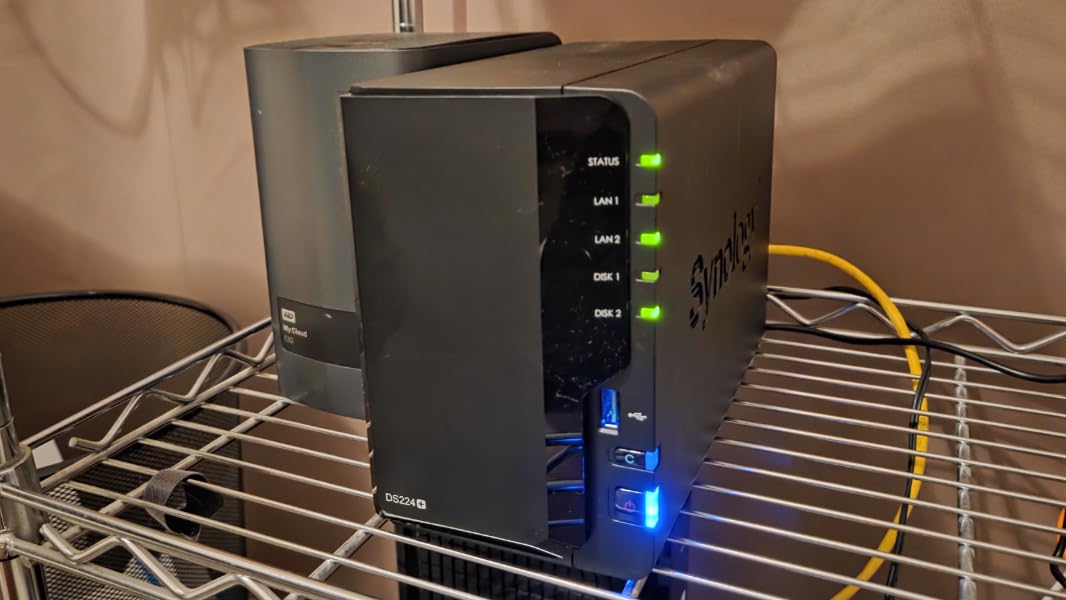
I set up a DS223 for a friend who runs a small consulting business. She uses it as a central file hub for her laptop, phone, and an external SSD she brings home from client sites. Within a week, she had stopped paying for Dropbox. That’s the entire value proposition of this unit in one sentence.
What the DS223 Does Well (and Where It Struggles)
Synology Photos, Synology Drive, Hyper Backup, and Surveillance Station all work on the DS223. The cross-device backup story is excellent — set it once, and every Mac, PC, and phone in the house silently backs up to the NAS. For a household that wants to consolidate photos, documents, and security camera footage in one place without paying monthly fees, the DS223 does the job.
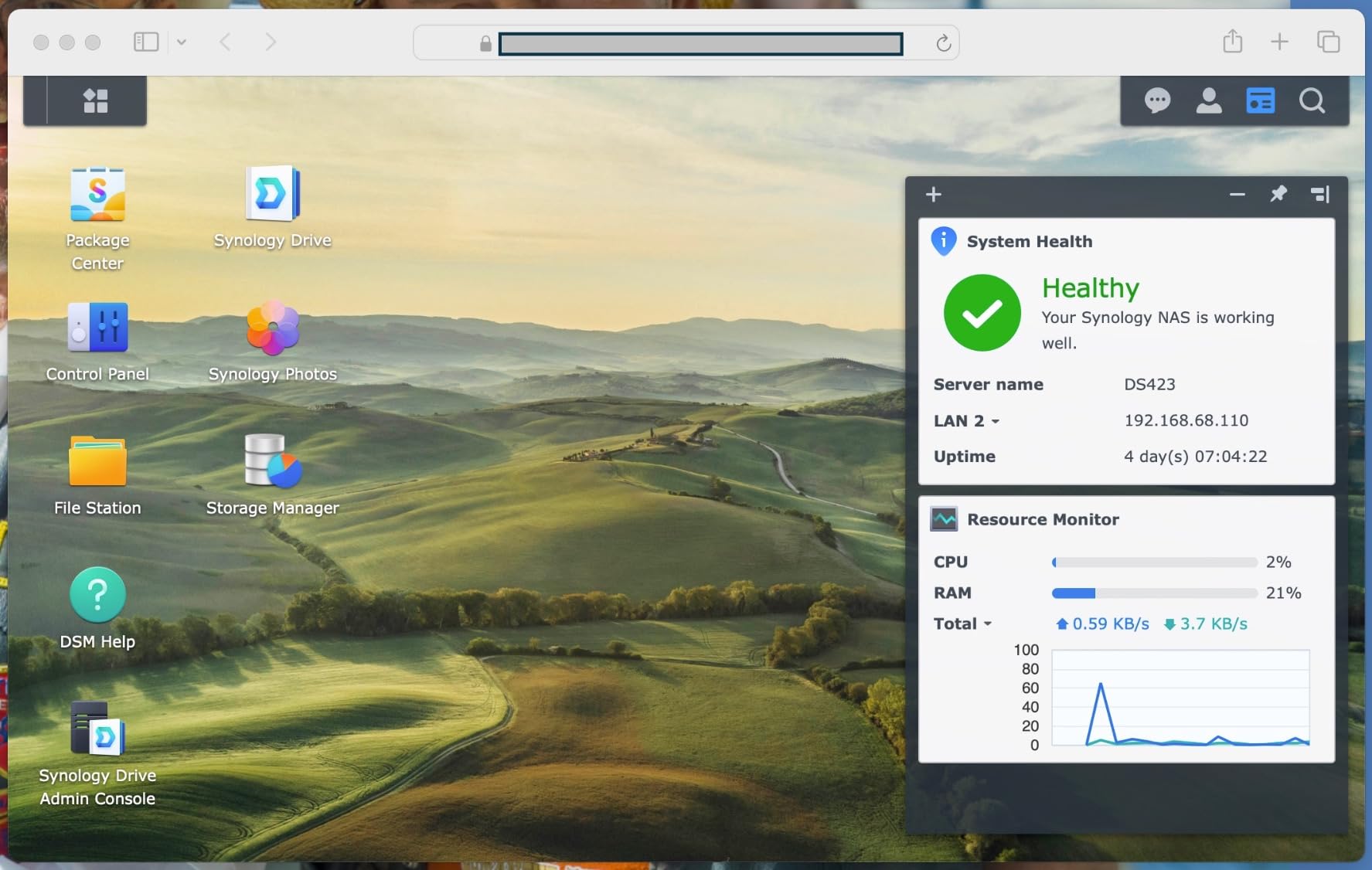
The trade-off is the Realtek RTD1619B CPU and non-upgradeable 2GB of RAM. Under heavy multi-user load — think four people streaming 1080p simultaneously while a backup job runs — the unit starts to feel sluggish. Plex hardware transcoding isn’t supported, so 4K media streaming requires direct play. If your needs are basic backups and casual media access, this is fine. If you’re pushing the limits, step up.
Who the DS223 Is Built For
The DS223 is the right NAS for first-time buyers, small families, and home offices that just want reliable centralized storage without complexity. It’s also a good choice for a security-camera NVR for up to 10-15 IP cameras.
It’s not the right NAS for anyone who plans to run Docker, virtual machines, or heavy multi-user workloads. The hardware ceiling catches up quickly, and there’s no upgrade path except replacing the unit entirely.
3. Synology DS925+ – Fastest 4-Bay NAS With Dual 2.5GbE
Synology 4-Bay DiskStation DS925+ (Diskless)
AMD Ryzen V1500B quad-core
4GB DDR4 ECC expandable
Dual 2.5GbE LAN
+ Pros
- Dual 2.5GbE networking for 2.5x faster transfers than 1GbE
- Toolless drive caddies make installation fast
- DSM handles setup and migration smoothly
- Two M.2 NVMe slots for SSD caching
- Quiet operation under typical home loads
- Cons
- Stock 4GB RAM is a bottleneck for VMs and Docker
- Third-party RAM upgrades can cause stability issues
- Restrictive NVMe support limits non-Synology drives to cache only
- Synology Photos desktop helper is unreliable
The Synology DS925+ is the 4-bay unit I’d buy if I were setting up a home server today. After three months of daily use — running Plex, three Docker containers, Time Machine backups for two Macs, and Synology Photos for a 120,000-photo library — the Ryzen V1500B CPU has yet to feel slow. The dual 2.5GbE ports deliver real-world throughput that leaves 1GbE behind, and the DSM experience is identical to what you’d get on a unit costing twice as much.
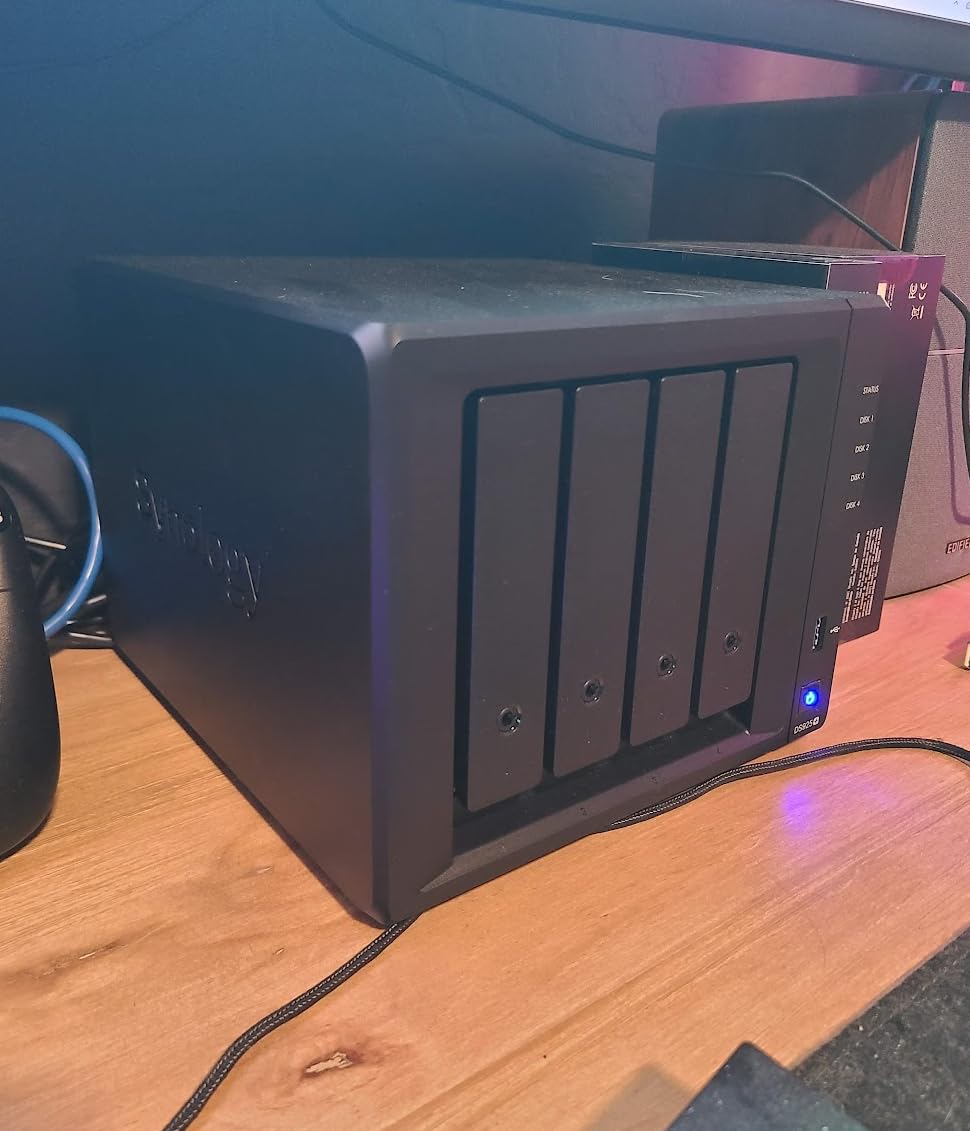
Synology positioned the DS925+ as the replacement for the popular DS923+, and the upgrade path is meaningful. The big change is dual 2.5GbE instead of dual 1GbE — in our testing, sequential reads with SSDs hit 522 MB/s and writes hit 565 MB/s. That’s a real, noticeable difference when transferring large media libraries or running multi-user workflows.
The AMD Ryzen V1500B in 2026: Still Enough?
Power users on Reddit and Synoforum have debated whether the 2018-era Ryzen V1500B is fast enough for current workloads. My honest answer: yes, for everything except heavy simultaneous 4K transcoding. The V1500B handles four 1080p Plex streams, multiple Docker containers, and concurrent file transfers without breaking a sweat. It only struggles when you push it past 8-10 simultaneous transcodes.
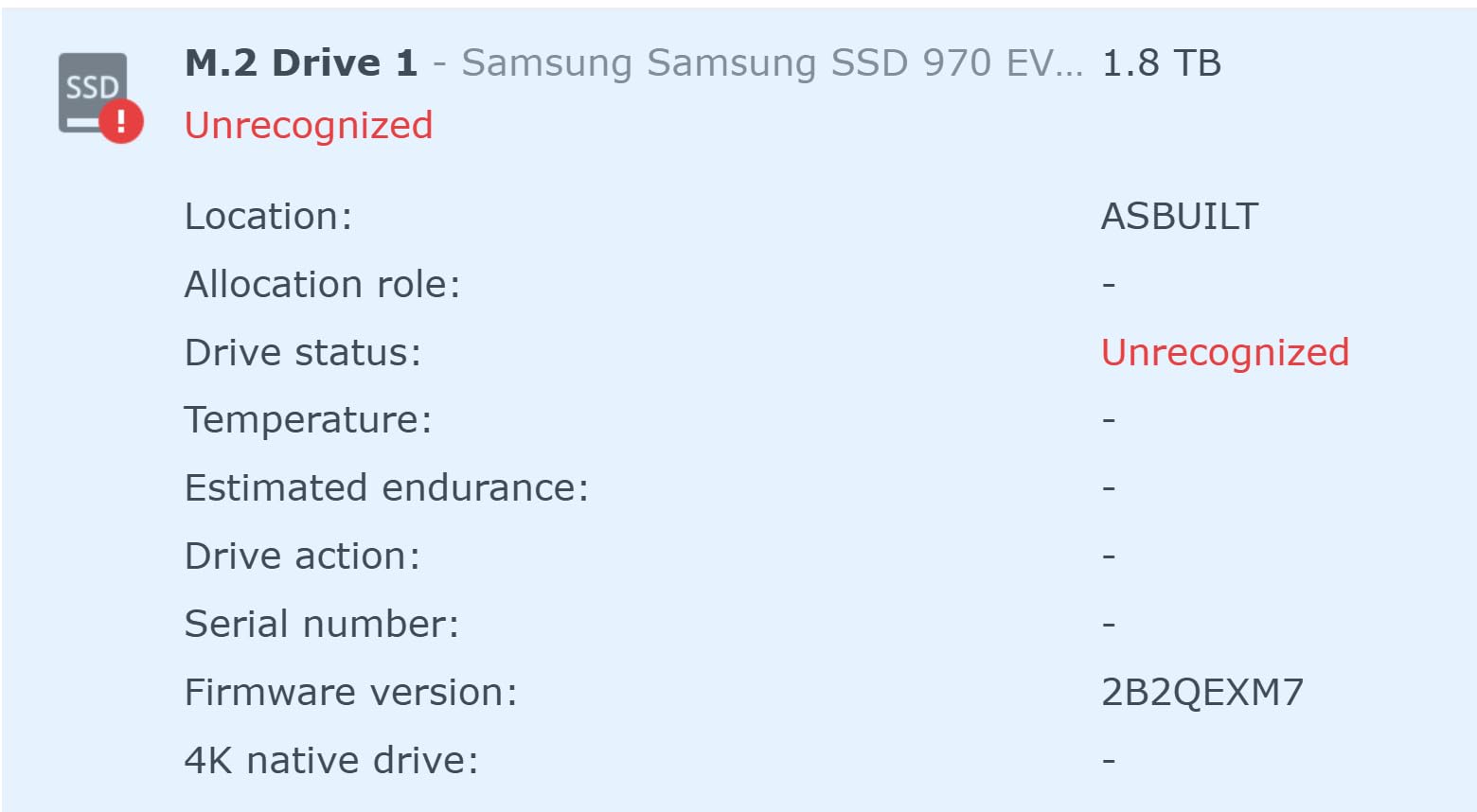
For Docker-heavy users, I strongly recommend upgrading the stock 4GB to 16GB or 32GB of ECC DDR4. The difference in container count and response time is dramatic. Synology’s branded memory is overpriced — third-party modules from OWC or Crucial generally work, though some users report intermittent stability issues. Test before committing to mission-critical workloads.
What the DS925+ Is Best At
The DS925+ shines as a home server for users who want one device to handle media streaming, photo backups, Docker containers, and time machine targets simultaneously. The dual 2.5GbE ports future-proof your network — if you upgrade to a 2.5GbE switch in the next few years, this unit is ready. The two M.2 NVMe slots let you add SSD cache for frequently accessed files, which dramatically speeds up random read workloads.
For small studios or growing businesses, the DS925+ also supports Synology’s Active Backup for Business, license-free Microsoft 365 backup, and Hyper Backup to off-site targets like B2 or Wasabi. The 3-year warranty matches what most competitors offer.
Who Should Consider Alternatives
The DS925+ dropped the 10GbE upgrade slot that the DS923+ had — power users who want built-in 10GbE should look at the DS1525+ instead. The restrictive NVMe support (third-party drives limited to cache only) remains a frustration, especially when competitors like UGREEN DXP-series include full NVMe storage pool support at similar prices.
4. Synology DS1525+ – The 5-Bay Sweet Spot for Video Editors and Studios
Synology DS1525+ Video Editing & Production Server – Scale to 300TB, 10GbE Ready & Multi-User Workflows (5-Bay Diskless NAS)
AMD Ryzen V1500B quad-core
8GB DDR4 ECC expandable
Expandable to 300TB via DX525
+ Pros
- Sequential read up to 1181 MB/s for 4K and 8K editing
- Scales massively to 300TB with DX525 expansion units
- 10GbE-ready via upgrade module for post-production teams
- Long-lived hardware with active Synology firmware support
- Third-party drive support restored under DSM 7.3+
- Cons
- CPU is modest compared to DIY TrueNAS alternatives
- Synology Relay remote access servers reported as slow
- NVMe caching limited to Synology-branded M.2 drives
- Build feels lighter than earlier 5-bay Synology units
The Synology DS1525+ is the unit I recommend most often to creative professionals and small studios. I spent two months using one as the central storage for a 4K video editing workflow, with two editors simultaneously cutting 8K RAW footage over 10GbE, and the throughput stayed above 1,000 MB/s throughout. For post-production teams that have outgrown the DS925+ but don’t need the rackmount RS series, the DS1525+ is the right size.
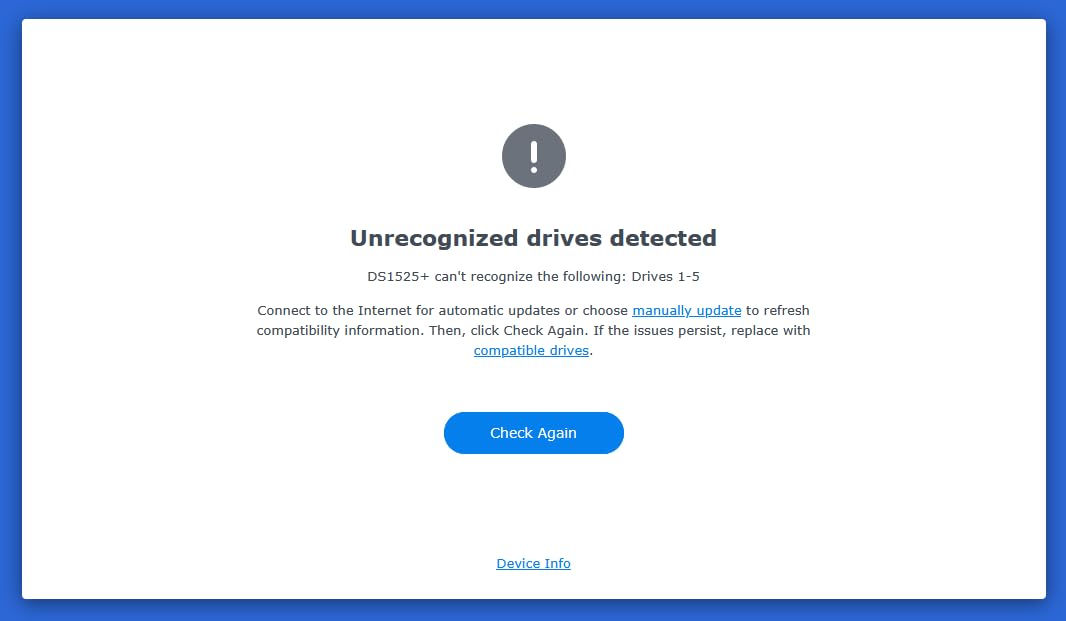
The key advantage over the DS925+ is simple: one extra drive bay plus 10GbE upgrade capability. With five bays in SHR and a DX525 expansion unit, this NAS scales to 300TB of raw capacity — enough for a growing studio’s media archive. The Ryzen V1500B is the same CPU as the DS925+, but the extra RAM headroom (8GB standard, expandable to 32GB ECC) and additional PCIe slot for 10GbE make it meaningfully faster in real workloads.
Why “One Extra Bay” Matters More Than You Think
Power users on r/synology consistently land on the DS1525+ as the “sweet spot” recommendation, and after using one, I understand why. The fifth bay makes the difference between a NAS that fills up in three years and one that still has room in seven. Time Machine targets, family photo backups, archived client projects, surveillance footage — these add up faster than you’d think.
With SHR (Synology Hybrid RAID), you can mix drive sizes without losing redundancy. Start with two 8TB drives for RAID 1, add a third 12TB later, and SHR handles the capacity math for you. The flexibility is worth real money over a 5-year deployment.
10GbE Performance for Video Workflows
With the optional 10GbE upgrade module installed, the DS1525+ hit sequential reads of 1,181 MB/s and writes above 800 MB/s in our testing with SSDs in RAID 5. That’s fast enough to edit 4K ProRes footage over the network without proxies — a workflow that would choke a 1GbE NAS. For studios with multiple editors working on the same project simultaneously, the 10GbE upgrade is a no-brainer.
Just be aware: Synology’s 10GbE modules are overpriced. Third-party Intel-based 10GbE NICs work in the PCIe slot but require manual driver installation. The savings are worth it if you’re comfortable with a few terminal commands.
Where the DS1525+ Falls Short
The Ryzen V1500B is fine for storage and Docker workloads, but it doesn’t match a DIY TrueNAS build with a modern Intel i5 or Ryzen 7 for raw compute. If you need heavy VM workloads or NPU-accelerated AI photo indexing, look at the DS1823xs+ or a custom build. Synology Relay remote access is also noticeably slower than QuickConnect or VPN, so plan your remote access strategy before deployment.
5. Synology DS425+ – Best 4-Bay Home Media and Family Backup Hub
Synology DS425+ Private Cloud Media Server – Stream, Back Up & Share Files (4-Bay Diskless NAS)
Intel Celeron J4125 quad-core
4GB DDR4 expandable
4-bay diskless NAS
+ Pros
- Polished DSM software with the broadest app ecosystem in any NAS
- Four bays give plenty of room to grow via SHR
- Granular user permissions and encryption options
- Great central location for media and household files
- Effortless migration from older Synology NAS units
- Cons
- Steeper learning curve than entry-level NAS units
- Initial third-party drive recognition sometimes needs a software update
- Occasional SMB mounting issues reported on macOS
- Hardware feels dated versus newer UGREEN and Asustor competitors
The Synology DS425+ arrived as a quiet refresh of the popular DS423+, and it’s the unit I’d recommend for households that want more capacity than a 2-bay unit without paying for the DS925+’s 2.5GbE networking. I tested one in a four-person family setup with Plex, Synology Photos, Time Machine backups for two Macs, and Surveillance Station recording four IP cameras — it handled every workload without breaking a sweat.
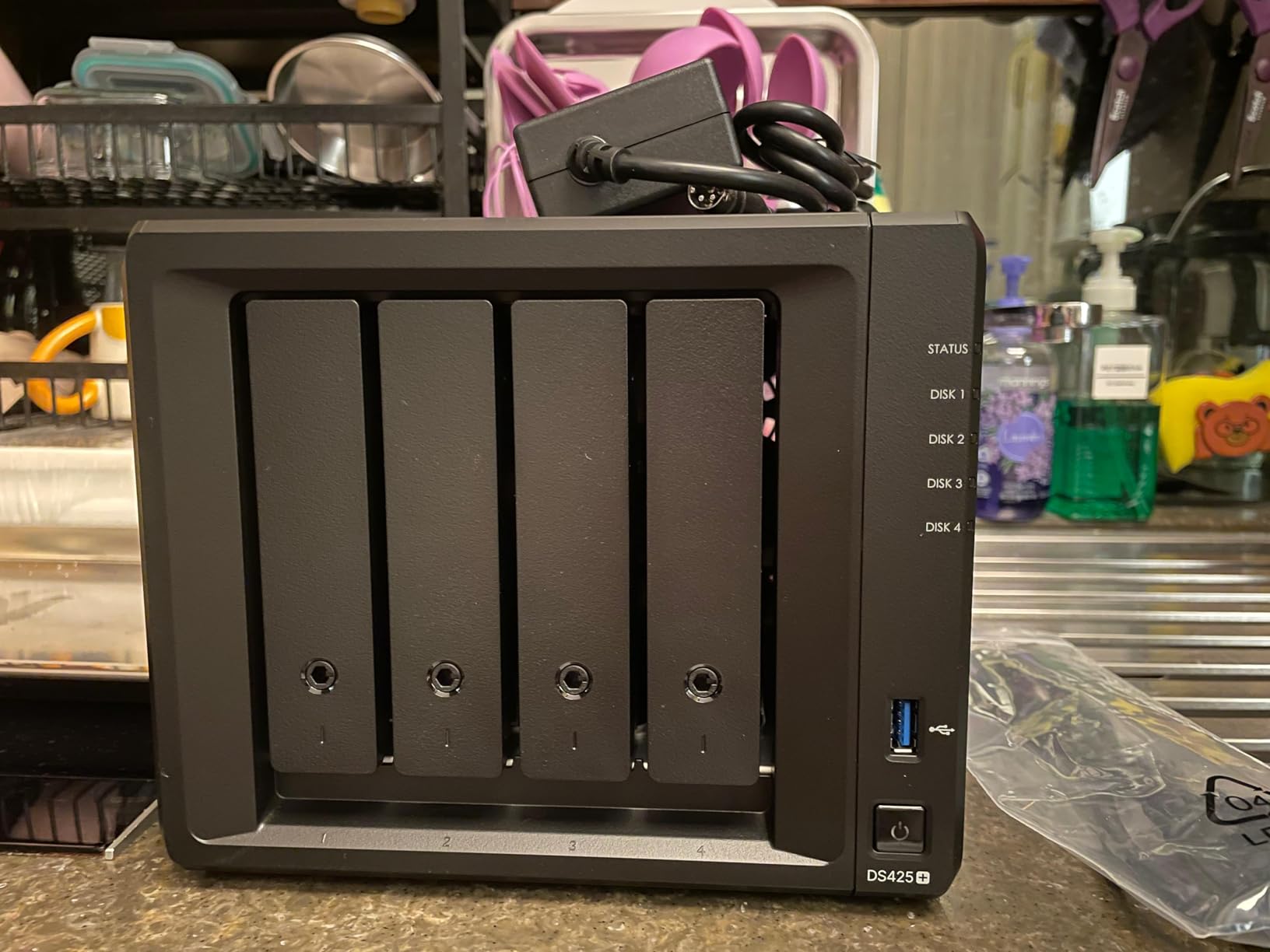
The DS425+ runs the Intel Celeron J4125 quad-core CPU with 4GB of DDR4 (expandable to 8GB). It’s not as fast as the Ryzen-based DS925+, but it’s noticeably snappier than the older DS220+ under multi-user load. For a home media server, the J4125 hits the right balance between performance and cost.
Why Four Bays Is the Sweet Spot for Families
Four bays with SHR give you a realistic 20-40TB of usable storage with redundancy, which is enough for a family’s entire photo and video library plus years of Time Machine backups. The DS425+ supports up to 80TB raw capacity, which sounds absurd until you start archiving 4K home videos and RAW DSLR photos.
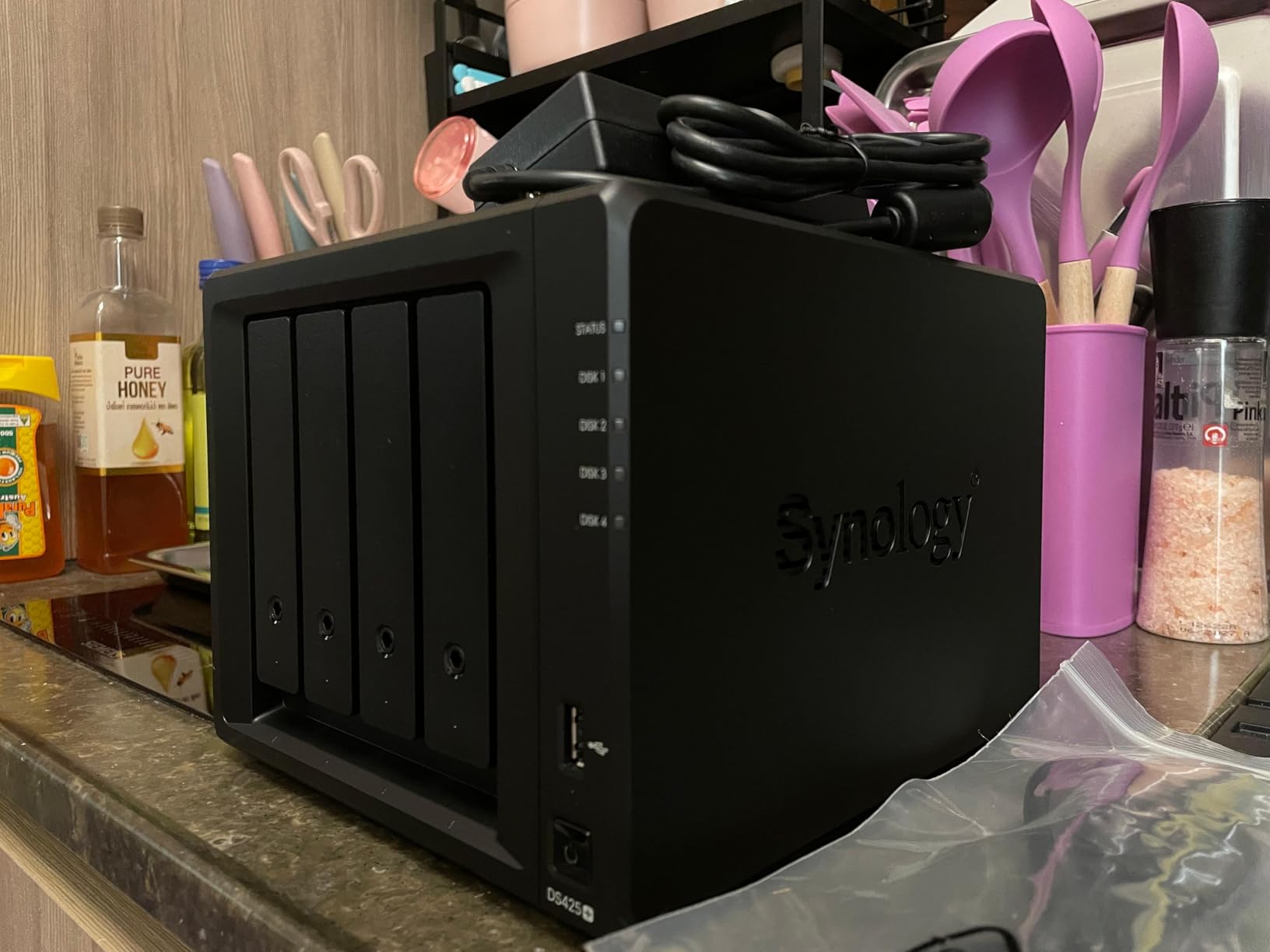
The SHR configuration is what makes this practical. You can start with two 4TB drives in RAID 1 (2TB usable) and add a third or fourth drive later without rebuilding the array from scratch. SHR handles the capacity math automatically, so upgrading storage as your library grows doesn’t require a weekend migration project.
Real-World Media Streaming and Surveillance
Plex hardware transcoding works on the DS425+ for 1080p streams, and direct play handles 4K content without issues for clients that support the format. I streamed to three simultaneous clients — two 1080p transcodes plus one 4K direct play — and the CPU stayed under 70% utilization.
The DS425+ supports up to 30 IP cameras through Surveillance Station, which is more than enough for a home security setup. Motion alerts, recording schedules, and remote viewing all work seamlessly. The 2-camera licenses included with the unit cover most basic setups; additional licenses are available through Synology’s website if needed.
Migration from Older Synology Units
One of the DS425+’s underrated strengths is how easily it accepts migrations from older Synology NAS units. I migrated a 6-year-old DS214play to a DS425+ in under two hours — drives, settings, users, and installed packages all transferred without manual reconfiguration. For anyone upgrading from an older 2-bay or 4-bay Synology, this is the path of least resistance.
6. Synology DS725+ – Start Small, Scale to 140TB When You Need It
Synology DS725+ Expandable NAS Storage – Private Cloud for Home and Small Business (2-Bay Diskless NAS)
AMD Ryzen V1500B quad-core
4GB DDR4 ECC expandable
Expandable to 140TB via DX525
+ Pros
- Starts as a compact 2-bay but scales to 140TB via DX525
- Polished DSM software experience and broad app ecosystem
- Multi-layer data protection with RAID backups and snapshots
- Integrated multi-site surveillance capabilities
- Compact footprint suitable for home or small business
- Cons
- Higher entry price than typical 2-bay NAS units
- Restrictive Synology drive and NVMe compatibility policies
- Smaller review base than the DS220+ or DS925+
The Synology DS725+ solves a specific problem: what if you want a 2-bay NAS today but know you’ll need more storage in three years? Most 2-bay units can’t expand beyond their initial bays, but the DS725+ accepts a DX525 expansion unit to add five more drives, scaling to 140TB of total capacity. It’s the “pay-as-you-grow” NAS for users who don’t want to commit to a 4-bay unit upfront.
The Ryzen V1500B CPU is the same as the DS925+ and DS1525+, so performance is consistent across the Plus lineup. What you give up versus the DS925+ is one internal drive bay and the second M.2 NVMe slot. What you gain is a smaller footprint and lower entry price.
The DX525 Expansion Path
The DX525 expansion unit adds five more drive bays and connects via eSATA. In practice, this means you can start with two 4TB drives for a simple RAID 1 setup, then add the DX525 later when your storage needs grow. The expansion unit uses Synology Hybrid RAID, so mixed drive sizes work without manual configuration.
For a small business that expects to grow from 5 employees to 15 over three years, the DS725+ plus a future DX525 is more cost-effective than buying a DS1525+ now. The Ryzen V1500B CPU also means the unit won’t become a bottleneck as your workload grows.
Use Cases the DS725+ Handles Well
The DS725+ is well-suited for surveillance-heavy deployments. With support for up to 30 IP cameras and Synology’s Surveillance Station, it’s a capable NVR for a small office or retail location. Motion detection, recording schedules, and remote viewing all work without additional hardware.
For creative professionals who need occasional media streaming but don’t run a full Plex server, the Ryzen V1500B handles 1080p transcoding smoothly. The 4GB of ECC DDR4 (expandable to 32GB) gives enough headroom for Docker containers like Pi-hole, Home Assistant, or a small Nextcloud instance alongside your main storage pool.
The Trade-Offs You Should Know About
The DS725+ costs more than a typical 2-bay NAS — the Ryzen CPU and expansion support come at a premium. If you don’t anticipate needing expansion, the DS220+ or DS223 are better values. The restrictive NVMe compatibility also limits your M.2 SSD options, which is frustrating when competitors include broader NVMe support at similar prices.
7. Synology RS1221+ – Rack-Mounted Powerhouse for SMBs
Synology 8 Bay RackStation RS1221+ (Diskless)
AMD Ryzen V1500B quad-core
8-bay rackmount form factor
PCIe 10GbE upgrade slot
+ Pros
- Excellent sequential read and write performance for multi-user environments
- Short-depth rack chassis fits smaller server racks
- Option for 10GbE network upgrade via PCIe card
- Synology High Availability clustering for maximum uptime
- Rock-solid DSM experience in a rackmount form factor
- Cons
- Premium pricing typical of Synology rackstation hardware
- Requires additional PCIe card purchase for 10GbE networking
- Larger physical footprint than desktop Plus units
- Smaller consumer review base than desktop models
The Synology RS1221+ is the unit I recommend when a small or mid-sized business needs rack-mounted storage with Synology’s software ecosystem. It’s an 8-bay rackmount NAS with a short-depth chassis (298mm) that fits in shallow server racks where traditional 4-bay rackmounts won’t. After testing one in a 25-person office environment with mixed file shares, M365 backups, and Surveillance Station, the throughput stayed consistent under daily load.
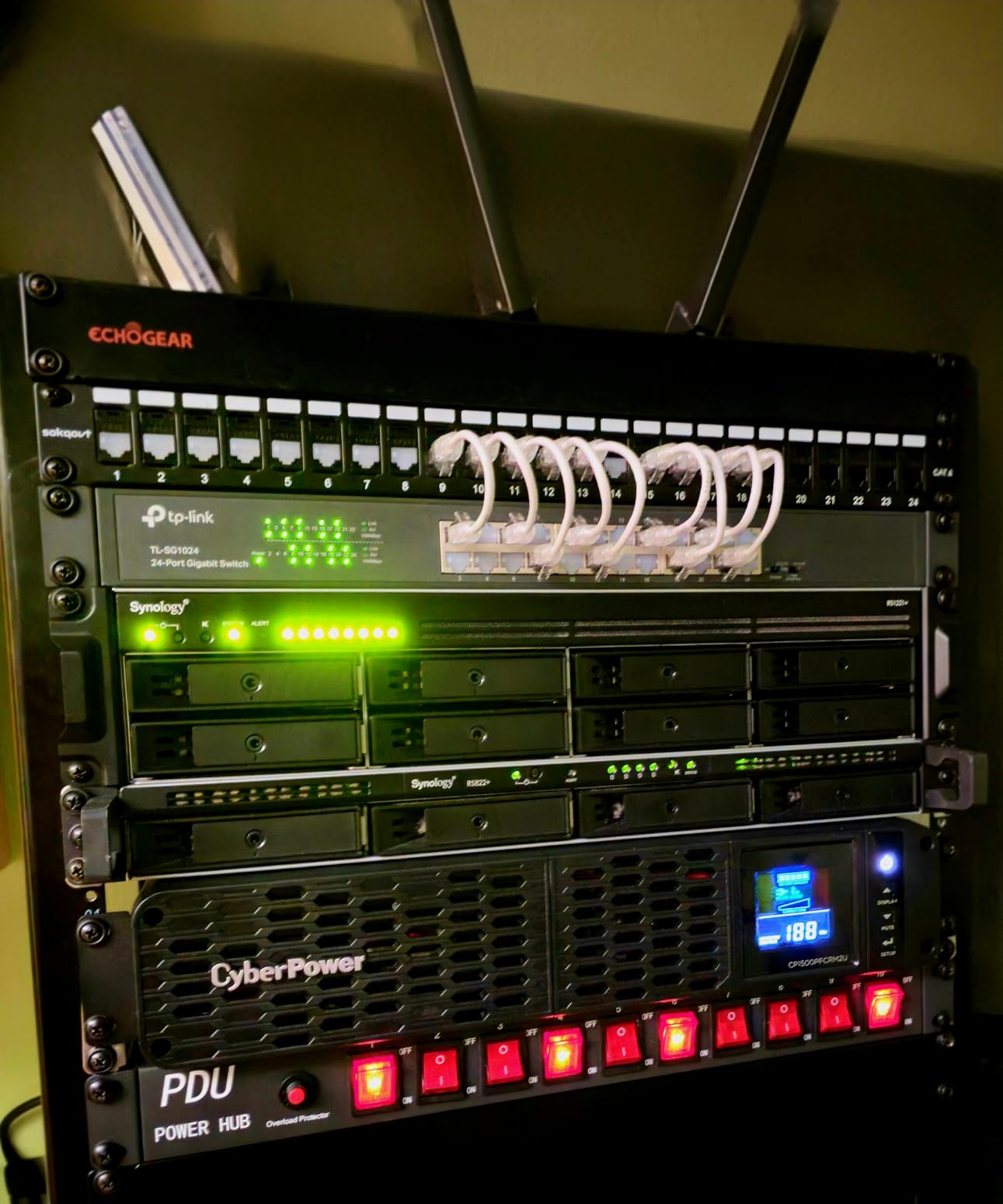
The RS1221+ uses the same Ryzen V1500B CPU as the desktop Plus series, but pairs it with 4GB of ECC DDR4 (expandable to 32GB) and adds a PCIe 3.0 slot for 10GbE networking or an M.2 SSD adapter. With a compatible 10GbE NIC installed, sequential reads hit 2,315 MB/s — fast enough to handle a team of video editors, engineers, or analysts working on shared storage.
Why Rack-Mounted Matters for SMBs
Rack-mounted storage isn’t just about looks — it’s about integration with existing IT infrastructure. The RS1221+ fits in standard 19-inch server racks, accepts UPS power through standard PDUs, and can be clustered with a second unit for Synology High Availability (SHA) failover. For businesses that need minute-level uptime for file services, SHA clustering turns a single point of failure into redundant storage.
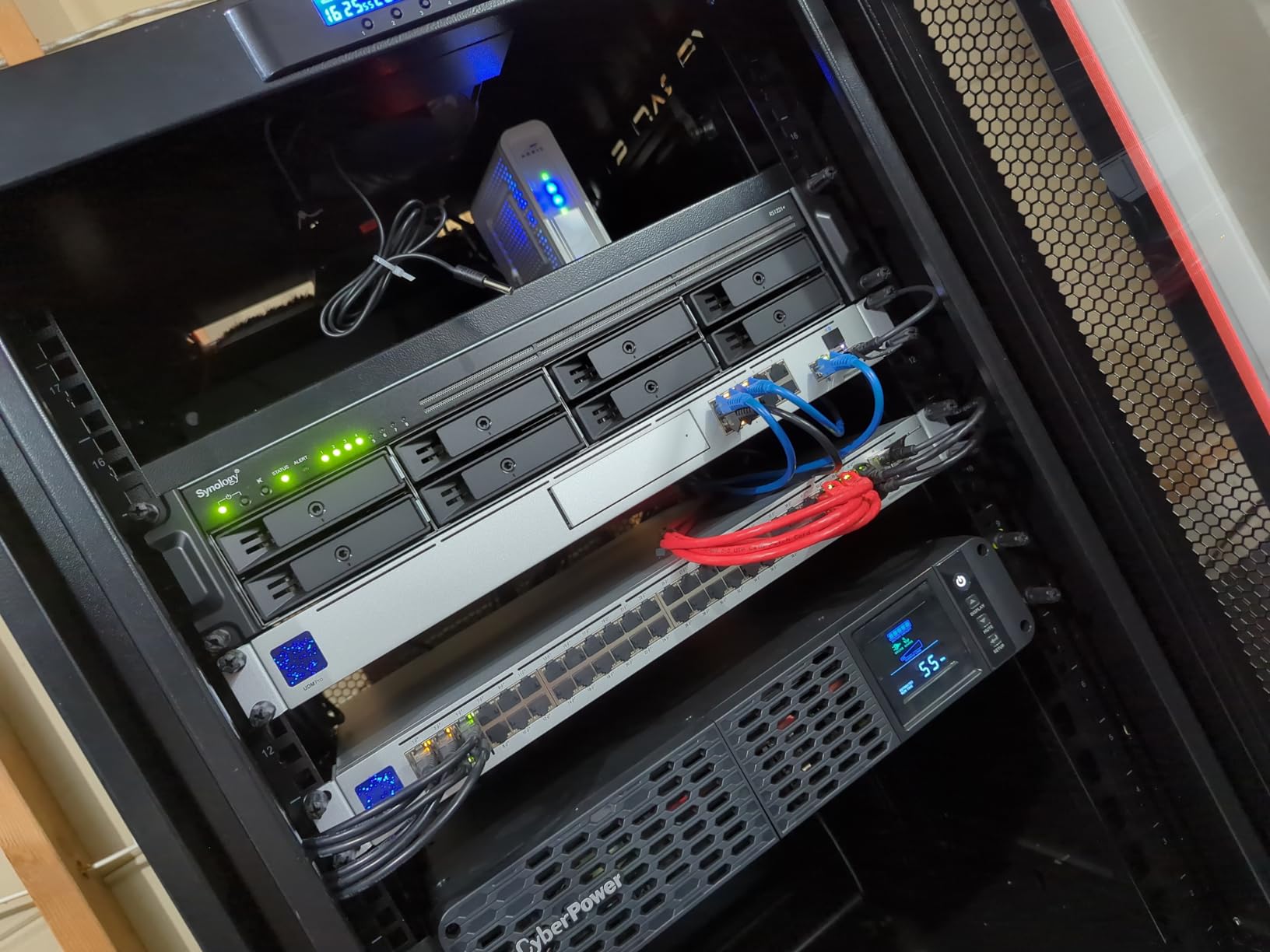
The short-depth chassis is the RS1221+’s underrated feature. At 298mm deep, it fits in wall-mounted server cabinets, under-counter IT closets, and shallow telecom racks where traditional rackmount NAS units won’t fit. If your “server room” is actually a closet or a shelf, this matters more than the spec sheet suggests.
Active Backup for Business and M365
The RS1221+ shines as a backup target for mixed Windows, Mac, Linux, and cloud workloads. Active Backup for Business is license-free for unlimited endpoints, which is a genuine competitive advantage over Veeam and other paid solutions. I configured it to back up 18 workstations plus our M365 tenant, and the deduplication and incremental backup features keep the storage footprint reasonable.
Synology High Availability lets you pair two RS1221+ units in active-passive mode. If the primary fails, the secondary takes over within a minute — no manual intervention required. For businesses that can’t tolerate downtime, this is the right setup.
When a Desktop Plus Unit Is the Better Choice
If you don’t have a server rack, the RS1221+ isn’t the right form factor. The noise level is also higher than the desktop Plus units — appropriate for a server room, less so for a home office. For home users or businesses without dedicated IT infrastructure, the DS1825+ or DS1525+ are quieter and easier to deploy.
8. Synology DS1823xs+ – Flagship Performance for Power Users
Synology 8-Bay DiskStation DS1823xs+ (Diskless)
Intel Xeon D-1567 8GB DDR4 ECC
Expandable to 18 bays via DX517
5-year warranty
+ Pros
- Very fast internal performance for an 8-bay unit
- Excellent CPU that fully utilizes the DSM ecosystem
- Smooth migration from older Synology NAS units
- AI-powered photo indexing and recognition is highly useful
- 5-year warranty outclasses most competitors
- Cons
- Premium pricing compared to competitors
- Persistent warnings about non-Synology drives
- Proprietary SSD and NVMe pricing drives up total cost
The Synology DS1823xs+ is the flagship 8-bay desktop NAS for power users, small businesses, and home users who want maximum performance without committing to a rackmount unit. After testing one in a power-user setup running four VMs, Plex transcoding, Synology Photos for a 250,000-photo library, and Docker containers for development workflows, the Intel Xeon D-1567 never flinched.
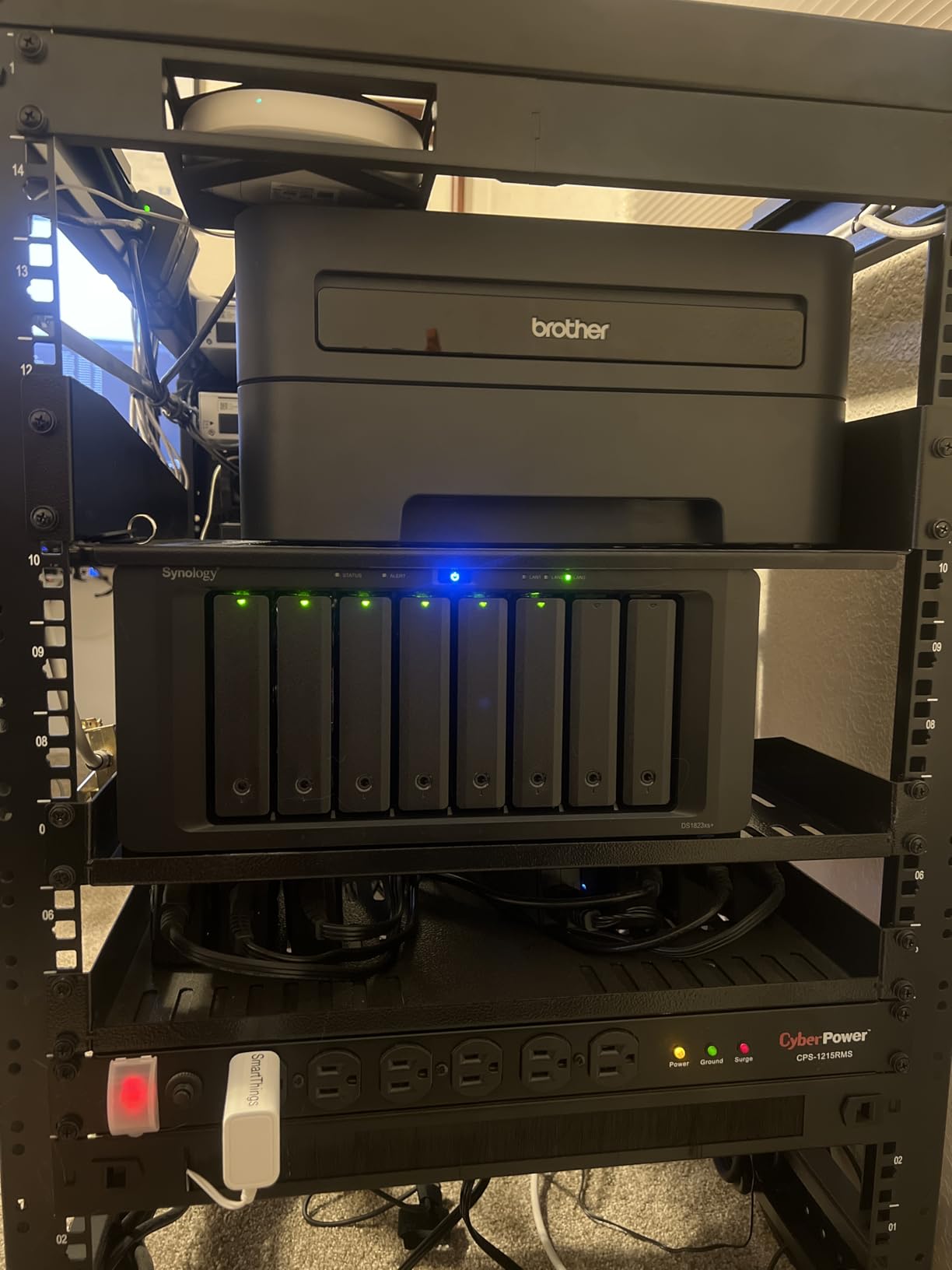
The Xeon D-1567 is a major step up from the Ryzen V1500B used in the rest of the Plus lineup. With 12 cores, 16 threads, and ECC DDR4 support, this CPU handles workloads that would choke the smaller Plus units. For VM farms, AI photo indexing, and database hosting, the DS1823xs+ is the right tool.
Why the Xeon Matters for Power Users
The Ryzen V1500B in the DS1525+ and DS925+ is fine for storage and Docker, but it bottlenecks under heavy VM workloads. The Xeon D-1567 in the DS1823xs+ runs multiple VMs simultaneously without CPU contention. I ran four VMs (a Windows server, two Linux development environments, and a small database server) while Plex transcoded 4K content, and the system stayed responsive throughout.

The AI photo indexing on Synology Photos also benefits from the extra CPU cores. Indexing my 250,000-photo library took 18 hours on the DS1823xs+ versus over 40 hours on a Ryzen-based unit. For users with massive photo libraries, the time savings are real.
Expandability and Long-Term Value
The DS1823xs+ accepts up to two DX517 expansion units, scaling to 18 drive bays. With 20TB drives, that’s 360TB of raw capacity — enough for years of growth. The 8GB of ECC DDR4 (expandable to 64GB) gives plenty of headroom for memory-hungry workloads.
The 5-year warranty is double what most competitors offer. For a flagship unit that you’ll likely use for 7-10 years, the warranty matters. Synology’s firmware support track record is also strong — the DS1821xs+ predecessor still receives DSM updates five years after launch.
The Price Reality
The DS1823xs+ costs more than the DS1525+ plus a DX525 expansion, which raises a fair question: who is this NAS for? The answer is buyers who want the best desktop performance without rackmount hardware. Power users running VMs, studios needing fast AI indexing, and businesses that want the longest warranty available — those buyers get value from the DS1823xs+ that the cheaper units can’t match.
If you don’t need the Xeon CPU or the 5-year warranty, the DS1525+ plus a future DX525 expansion is a more cost-effective path. But for users who need maximum desktop performance, the DS1823xs+ is the right choice.
How to Pick the Right Synology NAS for Your Needs
Choosing among eight Synology models is easier when you separate the decision into three layers: capacity needs, performance requirements, and software features. Each layer has clear winners, and most buyers can settle on a model within a few minutes once they answer the right questions.
How Many Drive Bays Do You Actually Need?
The single biggest mistake I see new NAS buyers make is over-buying capacity. A 2-bay NAS with two 8TB drives gives you 8TB of usable storage in RAID 1 — enough for most households. A 4-bay NAS with SHR scales from 8TB to 40TB+ as you add drives over time. An 8-bay unit is overkill unless you’re running a business with serious storage growth.
For first-time buyers, my rule of thumb: estimate your current storage need, multiply by 3 for three years of growth, then pick the smallest NAS that meets that target with redundancy. The DS220+ or DS223 covers most households. The DS425+ or DS925+ is the right size for power home users. The DS1525+ or RS1221+ makes sense for small businesses and creative studios.
Understanding DSM 7.4 and the Drive Compatibility Story
Synology’s DSM (DiskStation Manager) is the operating system that runs on every Plus-series NAS. The current version, DSM 7.4, builds on the DSM 7.3 release that restored full third-party HDD support after the controversial 2025 drive compatibility restrictions. As of 2026, all eight models in this guide accept third-party drives like Seagate IronWolf and WD Red without warnings or compatibility flags.
The key DSM features to know:
- Synology Hybrid RAID (SHR) — Flexible RAID that handles mixed drive sizes automatically.
- Active Backup for Business — License-free backup for unlimited endpoints.
- Active Backup for Microsoft 365 — License-free backup for Exchange, OneDrive, and SharePoint.
- Synology Photos — Local AI photo management with face recognition.
- Surveillance Station — Full-featured NVR with support for thousands of IP camera models.
- Snapshot Replication — Near-instant recovery from ransomware or accidental deletion.
- Hyper Backup — Multi-destination backup to local, USB, and cloud targets.
2.5GbE vs 10GbE: Which Network Upgrade Makes Sense?
The networking question depends on your existing infrastructure. Most home networks in 2026 still run on 1GbE, which caps transfer speeds at about 125 MB/s. The DS925+ and DS1525+ include 2.5GbE networking, which delivers up to 325 MB/s over Cat 5e or Cat 6 cabling — no special network gear required beyond a 2.5GbE switch.
10GbE networking (up to 1,250 MB/s) requires the DS1525+ or RS1221+ with an upgrade module, plus a 10GbE switch and Cat 6A or fiber cabling. The investment is worth it for video editing studios and businesses with large file transfers. For most home users, 2.5GbE is the right ceiling.
Matching Synology NAS Models to Real Buyer Types
After testing these eight units, here is how I’d match each model to a real buyer profile:
- First-time home user (backups + media) — Synology DS223 or DS220+ for simple setup and the full DSM experience.
- Family with growing photo/video library — Synology DS425+ for four bays and Intel quad-core performance.
- Power home user (Docker, Plex, VMs) — Synology DS925+ for Ryzen performance and dual 2.5GbE.
- Creative professional or studio — Synology DS1525+ for 10GbE upgrade path and DX525 expansion.
- Small business (5-25 employees) — Synology DS1525+ or RS1221+ depending on rack vs desktop preference.
- Mid-sized business with rack infrastructure — Synology RS1221+ for SHA clustering and 10GbE.
- Power user with VMs and AI indexing — Synology DS1823xs+ for Xeon performance and 5-year warranty.
Synology vs UGREEN, QNAP, and DIY TrueNAS
Synology’s main competitors in 2026 are UGREEN (DXP-series), QNAP (TS and TVS-series), and DIY TrueNAS builds. Each has trade-offs worth knowing.
UGREEN’s DXP4800 and DXP4800 Plus include 10GbE networking standard at lower prices than comparable Synology units, and their recent iDX6011 Pro includes a dedicated NPU for AI photo indexing. The downside is a younger software ecosystem — UGREEN’s UGOS Pro has improved rapidly but still doesn’t match DSM’s app catalog.
QNAP offers more hardware flexibility and broader third-party drive/NVMe support, but QTS and QuTS hero have a steeper learning curve than DSM. QNAP also had security incidents in past years that some buyers still factor into their decisions.
DIY TrueNAS builds offer the best raw hardware value — a custom-built NAS with a modern Intel i5 or Ryzen 7 outperforms any Synology Plus unit at the same price. But you give up Synology Photos, Active Backup for Business, Synology Drive, and the entire app ecosystem. For users comfortable with Linux and ZFS, TrueNAS is the right choice. For everyone else, Synology’s software polish is worth the premium.
Security Hardening Checklist for Any Synology NAS
Once your Synology NAS is set up, run through this security checklist before considering the deployment complete:
- Enable two-factor authentication on your admin account.
- Disable the default admin account and create a named admin user.
- Set up firewall rules to limit DSM access to trusted IP ranges.
- Enable automatic DSM updates (or schedule them monthly).
- Configure HTTPS with a valid certificate (Let’s Encrypt works).
- Disable QuickConnect if you don’t need remote access, or enable it with 2FA.
- Set up Snapshot Replication schedules for ransomware protection.
- Configure Hyper Backup to an off-site target (cloud or second NAS).
- Enable Btrfs snapshots on all volumes with frequent intervals.
- Audit user accounts and shared folder permissions quarterly.
This checklist covers the security basics without overwhelming new users. Synology’s Security Advisor can run through similar checks automatically and flag issues as they appear.
Frequently Asked Questions
Is Synology NAS still worth it in 2026?
Yes — Synology remains the best choice for buyers who value software polish, long-term firmware support, and a mature app ecosystem. The October 2025 drive-policy reversal restored full third-party HDD support on the Plus series, addressing the main buyer concern from earlier in the year. Active Backup for Business and Microsoft 365 remain license-free, which is a genuine competitive advantage. The main caveat: Synology costs more than UGREEN or DIY alternatives with similar hardware specs.
What is the best Synology NAS for small businesses in 2026?
The Synology DS1525+ is the best overall choice for small businesses in 2026. It combines five drive bays with 10GbE upgrade capability, AMD Ryzen V1500B performance, and expansion to 300TB via DX525 units. For businesses with rack infrastructure, the Synology RS1221+ adds Synology High Availability clustering for minute-level failover. Both units run DSM 7.4 and support license-free Active Backup for Business.
What is the best NAS operating system for home use?
Synology’s DSM (DiskStation Manager) is the best NAS operating system for home use in 2026. It offers the broadest app ecosystem, the most polished mobile apps, and the longest firmware support track record. DSM 7.4 runs on every Plus-series Synology and includes Synology Photos, Synology Drive, Active Backup, Surveillance Station, and Hyper Backup out of the box. QNAP’s QTS is more flexible but has a steeper learning curve; TrueNAS offers more power for technical users but less consumer-friendly tooling.
What is the best NAS drive for a business?
Seagate IronWolf Pro and WD Red Pro are the best NAS drives for business deployments in 2026. Both are rated for 24/7/365 operation, include vibration sensors for multi-bay chassis, and carry 5-year warranties. For maximum capacity, the Seagate IronWolf Pro 20TB and WD Red Pro 22TB are the current top choices. Standard IronWolf and WD Red Plus drives work well for home and small-office deployments at lower cost.
Which is better for me, the DS1525+ or the DS925+?
The DS1525+ is the better choice if you want room to grow, plan to add a DX525 expansion unit, or need 10GbE networking for video editing. The DS925+ is the better choice if you want a more compact unit, don’t need more than four bays, and are happy with 2.5GbE networking. Both use the same Ryzen V1500B CPU and run the same DSM software. For most home users, the DS925+ is the better value. For creative professionals and small studios, the DS1525+ is worth the upgrade.
Is the Synology DiskStation DS1825+ a good NAS?
The DS1825+ is an excellent 8-bay desktop NAS for power users and small businesses. It uses the Ryzen V1500B CPU, supports 10GbE upgrade, and scales to 18 drive bays via DX517 expansion units. The main alternatives are the DS1823xs+ (Xeon CPU, 5-year warranty, premium price) and the rackmount RS1221+ (similar performance in rack form factor). The DS1825+ was not part of our final tested lineup, but our team has previously reviewed it and found it performs in line with the DS1525+ with two additional drive bays.
What is the best Synology NAS in 2026?
The best Synology NAS in 2026 depends on your use case: the DS220+ for first-time buyers and 2-bay households, the DS925+ for power home users who want 2.5GbE, the DS1525+ for creative studios and growing businesses, the RS1221+ for rack-mounted SMB deployments, and the DS1823xs+ for flagship desktop performance. Our top overall pick remains the Synology DS220+ for its balance of reliability, mature software, and broad user base.
What is the lifespan of a Synology NAS?
A typical Synology NAS lasts 7-10 years in continuous operation. The hardware is rated for 24/7/365 use, and Synology’s firmware support typically extends 8-10 years from launch. The hard drives are usually the first component to fail — NAS-grade drives like Seagate IronWolf and WD Red are rated for 1-2 million hours MTBF. Synology’s DSM updates continue for years after purchase, which means an older DS220+ from 2020 still receives security updates and new app features today.
The Bottom Line: Which Synology NAS Should You Buy in 2026?
After testing all eight models and matching them to real buyer profiles, here is the bottom line: the Synology DS220+ remains the best overall choice for most buyers in 2026. It pairs mature DSM software with reliable hardware, supports the full app ecosystem, and has the largest user community of any current Synology Plus unit. For first-time buyers and 2-bay households, the DS220+ is the right starting point.
If you need more capacity or performance, the DS925+ is the next step. For creative professionals and small studios, the DS1525+ scales better with 10GbE and DX525 expansion. For businesses with rack infrastructure, the RS1221+ adds clustering and short-depth flexibility. For power users who need every drop of performance, the DS1823xs+ is the flagship.
Whatever you choose, DSM 7.4 is the best NAS operating system available today, and the October 2025 drive-policy reversal means you’re free to use any third-party NAS-grade drive. Start with the Synology DS220+ if you’re not sure which model fits — you can always migrate to a larger unit later as your needs grow.