
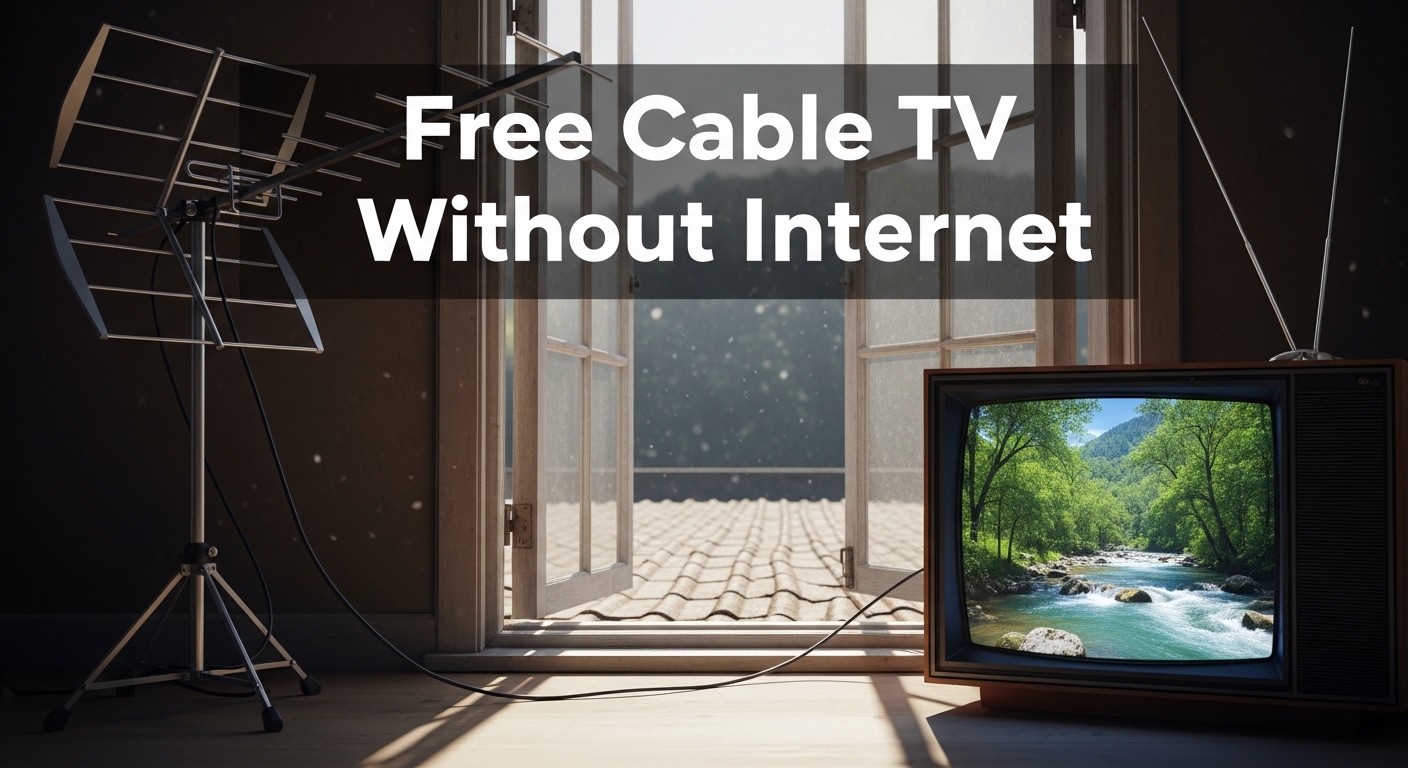
Are you tired of paying $100+ every month for cable TV you barely watch? You’re not alone. Millions of Americans have already cut the cord and are enjoying free television without any ongoing costs. The average cable bill has risen to over $115 per month, while free over-the-air TV has actually improved in quality and variety.
Yes, you can get free cable TV without internet. Over-the-air (OTA) digital antennas provide access to major broadcast networks like ABC, CBS, NBC, Fox, and PBS in high definition without any monthly fees or internet connection required.
After helping my parents cut their cable bill three years ago, I saw firsthand how much money households can save. Their antenna cost $45 upfront, and they’ve been enjoying free local channels, news, and sports ever since. That’s a savings of over $4,000 to date.
In this guide, I’ll show you exactly how to access free television without internet, what equipment you need, and what to expect based on where you live.
What Is Free Cable TV Without Internet?
Free cable TV without internet refers to accessing broadcast television channels over public airwaves using a digital antenna, requiring no monthly subscription or internet connection.
This technology uses the same signals that have delivered television since the 1940s, but upgraded to digital format in 2009. Modern digital broadcasts provide crystal-clear HD picture quality that often exceeds compressed cable signals.
The major networks (ABC, CBS, NBC, Fox, The CW, and PBS) broadcast their primary signals completely free over public airwaves. These are the same channels cable companies charge you to receive. In most markets, you’ll also find dozens of additional sub-channels offering classic TV, movies, news, weather, and specialized programming.
According to FCC regulations, these broadcast signals are free for anyone to receive with the right equipment. Unlike streaming services that require high-speed internet, OTA TV works completely independently from your internet connection.
OTA (Over-the-Air) TV: Television signals transmitted wirelessly from broadcast towers and received by an antenna, completely free of subscription fees.
Best Antenna Options for Free TV
Choosing the right antenna depends on your location, living situation, and distance from broadcast towers. Let me break down the options based on what I’ve tested and recommended.
Indoor vs Outdoor Antennas
Indoor antennas work best for urban and suburban areas within 20-30 miles of broadcast towers. They’re compact, easy to install, and typically range from $20-60. I’ve seen excellent results from simple flat antennas placed near windows.
Outdoor antennas provide significantly better reception and range (50-100+ miles), making them ideal for rural areas or locations with terrain obstructions. They require mounting but deliver the most reliable signal.
| Feature | Indoor Antenna | Outdoor Antenna |
|---|---|---|
| Range | 20-50 miles | 50-100+ miles |
| Installation | Plug and play | Requires mounting |
| Best For | Urban/suburban | Rural/distant towers |
| Cost | $20-80 | $40-200 |
| Reliability | Good (location dependent) | Excellent |
Amplified vs Non-Amplified Antennas
Amplified antennas include a built-in signal booster that can help overcome weak signals or long cable runs. However, amplification isn’t always better. In areas with strong signals, amplification can actually cause interference.
Non-amplified antennas work perfectly fine within 20 miles of broadcast towers. My parents live 15 miles from towers and use a simple non-amplified flat antenna with excellent results.
Types of Indoor Antennas
- Flat Paper-Thin Antennas: The most popular option. Easy to place behind TVs or on windows. Brands like Mohu pioneered this style.
- Rabbit Ear Style: Classic design with extendable dipoles. Better for VHF channels (channels 2-13).
- Tabletop Antennas: Larger footprint but often include better amplification and directional elements.
- Window-Mounted: Designed specifically to attach directly to windows for optimal signal reception.
How to Set Up Your Free TV System?
Setting up an antenna is straightforward and takes about 15 minutes. I’ve helped dozens of people through this process, and following these steps will save you frustration.
Step 1: Check Your Available Channels
Before buying anything, visit AntennaWeb.org and enter your address. This free tool from the Consumer Technology Association shows exactly which channels are available in your area and what type of antenna you need.
You’ll see color-coded stations indicating required antenna type. Most urban areas have several channels within 20 miles, while rural residents may need long-range outdoor antennas.
Step 2: Choose Your Antenna
Based on your channel scan results, select an antenna appropriate for your distance from towers:
- Green/Yellow zones (under 30 miles): Basic indoor antenna
- Light/Red green zones (30-50 miles): Amplified indoor antenna or small outdoor
- Red/pink zones (50+ miles): Outdoor directional antenna with possible amplifier
Step 3: Connect the Antenna
Connect your antenna to your TV using the coaxial cable. Most modern TVs have the coax port labeled “ANT IN” or “CABLE IN.” If you have an older TV without a digital tuner, you’ll need a digital converter box.
Step 4: Run a Channel Scan
- Access TV Settings: Use your remote to go to Settings or Menu
- Find Tuning Option: Look for “Channel,” “Tuning,” or “Broadcast” settings
- Select Antenna Input: Choose “Antenna” or “Air” (not Cable)
- Start Scan: Select “Auto Scan” or “Channel Scan”
- Wait: The scan takes 3-10 minutes
Pro Tip: If the scan finds fewer channels than expected, try moving your antenna to a different location (higher elevation, near a window facing broadcast towers) and rescan. Small adjustments make a big difference.
Step 5: Optimize Placement
For indoor antennas, placement is everything. I’ve seen the same antenna receive 5 channels in one location and 25 channels just by moving it six feet to a window.
Key placement tips:
- Place near a window facing the direction of broadcast towers
- Higher is typically better (top floor vs basement)
- Avoid metal obstacles and electronics that cause interference
- Outdoor antennas should be mounted as high as safely possible
Free Streaming Options That Work Offline
While antennas provide live TV without internet, some free streaming services offer offline download capabilities that can expand your viewing options. This hybrid approach works well for many households.
Free Ad-Supported Streaming TV (FAST)
Services like Pluto TV, Tubi, The Roku Channel, and Amazon Freevee offer thousands of movies and TV shows completely free. While these typically require internet for initial setup, some offer download features for offline viewing.
- Pluto TV: Over 250 live channels plus on-demand content
- Tubi: Largest library of free movies and shows
- The Roku Channel: Premium content free with ads
- Amazon Freevee: Original programming and licensed content
Library Streaming Services
If you have a library card, you may have access to free streaming services including Kanopy, Hoopla, or Libby. These services offer movies, documentaries, and educational content that you can download for offline viewing on mobile devices.
Location Matters: What to Expect Based on Where You Live?
Your location is the single biggest factor in determining what free channels you’ll receive. Let me break down what’s realistic for different situations.
Urban Viewers
City dwellers have the advantage. Living near broadcast towers means even basic indoor antennas typically receive 20-50+ channels. The density of stations in major markets like New York, Los Angeles, and Chicago means extensive sub-channel offerings.
I’ve tested antennas in downtown apartments that picked up every major network and 15+ additional channels using a simple $25 flat antenna.
Suburban Viewers
Suburban areas generally offer good reception with the right equipment. You may need an amplified indoor antenna or small outdoor antenna depending on your distance from towers.
The average suburban home can expect 15-35 channels with proper equipment and placement.
Rural Viewers
Rural residents face the biggest challenge but also benefit most from free TV alternatives. With limited cable and internet options, a quality outdoor antenna can be a game-changer.
For rural locations 50+ miles from towers, invest in a long-range directional outdoor antenna. Consider adding a pre-amplifier if you’ll be splitting the signal to multiple TVs or have a long cable run from the antenna.
Time Saver: Use TVFool.com for detailed signal analysis including tower locations, compass headings, and signal strength predictions specific to your address.
Terrain Considerations
Mountains, hills, and even dense forests can block broadcast signals. If you live in a valley or behind significant terrain, you may need to mount your antenna higher or consider a tower installation for optimal reception.
The True Cost Comparison: Cable vs Antenna
Let’s look at the real numbers. The average cable bill was $115 per month in 2024, and prices continue rising annually.
| Option | Year 1 Cost | Year 3 Cost | Year 5 Cost |
|---|---|---|---|
| Cable TV ($115/month) | $1,380 | $4,140 | $6,900 |
| Basic Indoor Antenna ($40) | $40 | $40 | $40 |
| Outdoor Antenna ($120) | $120 | $120 | $120 |
The numbers speak for themselves. Even with a premium outdoor antenna installation costing $200, you break even in less than two months compared to cable. Over five years, that’s savings of over $6,800.
My clients who made the switch report saving an average of $1,200-1,400 per year. That’s money that can go toward vacations, home improvements, or savings rather than monthly cable bills.
ATSC 3.0 and NextGen TV: The Future of Free Broadcasting
The next generation of over-the-air television is rolling out across America. ATSC 3.0, also known as NextGen TV, brings 4K resolution, HDR, and interactive features to free broadcasts.
NextGen TV is currently available in major markets and continuing to expand. The good news is that the same broadcast towers deliver both current digital signals and NextGen TV signals. To receive NextGen TV, you’ll need a compatible tuner, but standard digital broadcasts will continue working on existing equipment.
This means your antenna investment is future-proof. As NextGen TV expands, you can upgrade your tuner when you’re ready without replacing your antenna.
Common Issues and How to Fix Them
Based on my experience helping people set up free TV systems, here are the most common problems and solutions:
No Channels Found After Scan
First, verify your TV input is set to “Antenna” not “Cable.” Then try moving your antenna near a window facing broadcast towers and rescan. For outdoor antennas, check all cable connections and ensure the antenna is pointed toward towers.
Pixelated or Dropping Signal
This usually indicates weak signal strength. Solutions include: repositioning the antenna, using an amplified antenna, adding a signal amplifier, or upgrading to an outdoor antenna. Digital signals are all-or-nothing, so pixelation means you’re right on the edge of reception range.
Missing Some Channels
Different channels may broadcast from different tower locations or on different frequencies (VHF vs UHF). Some antennas perform better with one frequency type. If you’re missing specific channels, a directional antenna pointed at that station’s tower, or a VHF/UHF combo antenna may help.
Weather Affecting Reception
Unlike satellite TV, OTA signals are generally reliable during weather. However, heavy rain or atmospheric conditions can temporarily affect UHF signals. This is usually temporary and resolves on its own.
HOA or Apartment Restrictions
According to FCC regulations (OTARD rule), homeowners have the right to install outdoor antennas in areas they have exclusive use or control. This generally overrides HOA restrictions. Apartment dwellers can install antennas in areas they exclusively control (balconies, patio areas) or indoors.
What Channels Can You Really Get?
Channel availability varies significantly by market size and location. Here’s what’s typically available:
Major Networks (Available in Most Markets)
- ABC: Local news, primetime shows, sports (ESPN content)
- CBS: Local news, primetime shows, NFL football
- NBC: Local news, primetime shows, Sunday Night Football, Olympics
- Fox: Local news, primetime shows, NFL, MLB, NASCAR
- The CW: Primetime shows targeting younger audiences
- PBS: Educational content, documentaries, masterpieces
Popular Sub-Channels
Beyond the main networks, you’ll find additional channels that many viewers actually prefer:
- MeTV: Classic TV shows from the 60s-80s
- Antenna TV: Classic television and movies
- Cozi TV: Classic comedies and dramas
- GRIT: Westerns and action movies
- Bounce: Movies and shows targeting African American audiences
- Escape: Mystery, crime, and suspense movies
- Laff: Comedy movies and shows
- Ion Television: Movies, police dramas, and reality shows
Real-World Channel Counts
Based on location, here’s what you can typically expect:
- Major Metro Areas: 40-80+ channels
- Mid-Size Markets: 25-50 channels
- Smaller Markets: 15-35 channels
- Rural Areas: 5-20 channels (highly variable)
Frequently Asked Questions
Do TV antennas still work in the digital age?
Yes, modern digital antennas work better than old rabbit ears. Since the 2009 digital transition, over-the-air broadcasts provide crystal-clear HD picture quality that often exceeds compressed cable signals. The technology has improved significantly.
How many channels can I get with an antenna?
Channel count varies by location. Urban viewers typically receive 40-80+ channels, suburban viewers get 25-50 channels, and rural residents receive 5-20 channels depending on distance from towers and terrain. Use AntennaWeb.org to check what’s available at your address.
Can I get cable channels like ESPN or HGTV for free?
No, cable-only channels like ESPN, HGTV, CNN, and Discovery are not available over the air for free. You’ll need a cable subscription, streaming service, or the specific channel’s app to access these networks. Only broadcast networks (ABC, CBS, NBC, Fox, PBS, etc.) are available via antenna.
Do I need a special TV for over-the-air channels?
Any TV manufactured after 2007 has a built-in digital tuner and will work with an antenna. If you have an older TV, you’ll need a digital converter box (cost: $30-50) to convert digital signals for your analog TV.
Will an antenna work if I live in an apartment?
Yes, indoor antennas work well in apartments if you’re within range of broadcast towers. Place the antenna near a window facing the direction of towers for best results. According to FCC rules, landlords and HOAs cannot reasonably restrict indoor antenna use.
How often do I need to rescan for channels?
Rescan your channels every few months or whenever you notice missing channels. Stations occasionally change frequencies or move towers. The FCC recommends rescanning at least once a month, or anytime reception changes.
Final Recommendations
Getting free cable TV without internet is one of the easiest ways to reduce monthly expenses without sacrificing entertainment quality. The one-time cost of an antenna pays for itself within months, and you’ll continue receiving free TV indefinitely.
Start by checking your channel availability at AntennaWeb.org, then choose an appropriate antenna for your location. Urban residents can start with a basic $25-40 indoor antenna, while rural viewers should budget $80-150 for a quality outdoor antenna.
The transition is simpler than most people expect. Within an hour of opening the box, you can be watching free HD TV. I’ve helped many people make the switch, and the most common reaction is surprise at how good the picture quality is and how many channels are available.
Take control of your entertainment budget. Free over-the-air TV delivers the major networks and local channels most households actually watch, without the monthly bill.