
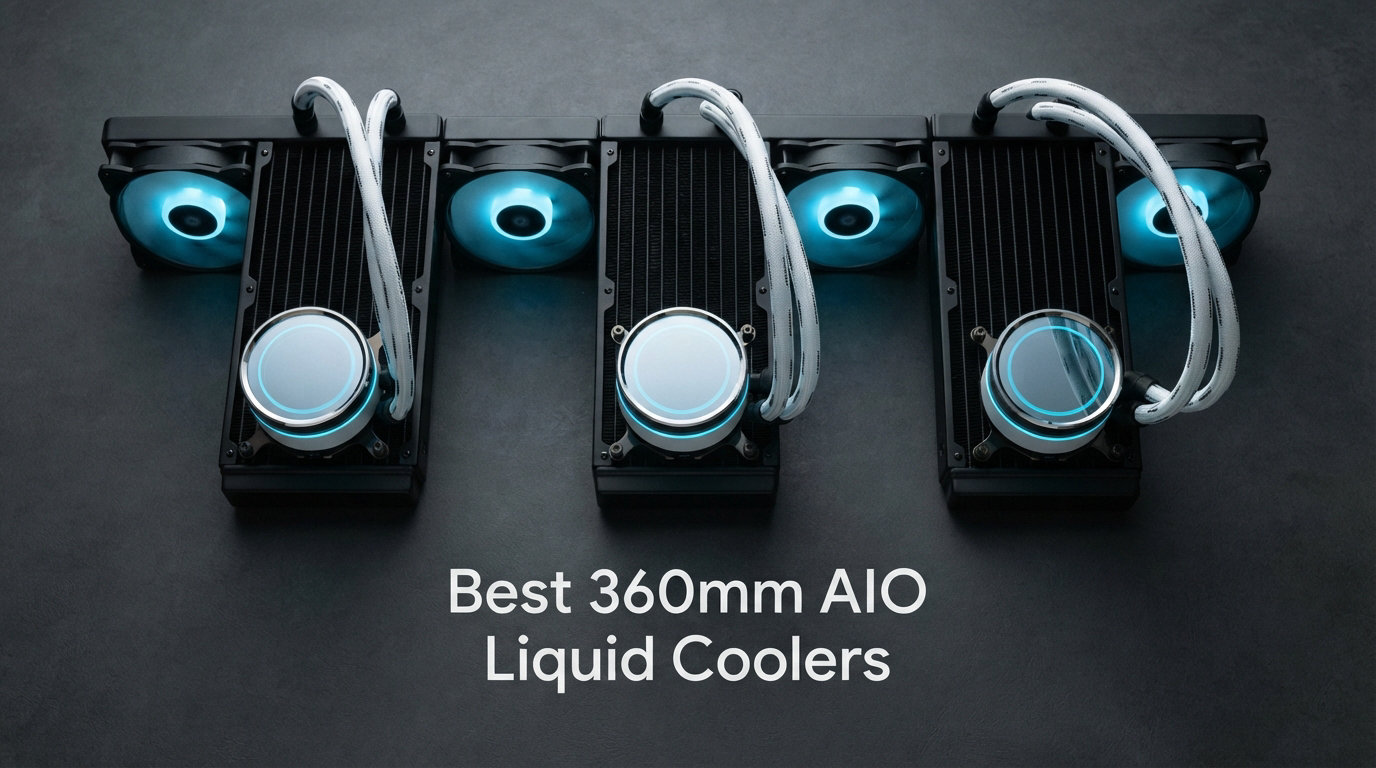
Building a high-performance PC in 2026 means dealing with CPUs that run hot under any serious workload. I have spent the last several months testing the best 360mm AIO liquid coolers on the market to find out which ones actually keep temperatures under control without sounding like a jet engine. A 360mm all-in-one cooler remains the sweet spot for anyone running a Ryzen 9 9950X3D, Core Ultra 9 285K, or an overclocked chip that pushes past 200 watts of thermal output.
Our team compared eight of the top-selling 360mm AIO units across thermal performance, pump noise, fan quality, ease of installation, and long-term reliability signals. We looked at budget-friendly entry options and premium LCD-equipped coolers packed with high-end features. Every cooler on this list was evaluated with real gaming loads, sustained Cinebench runs, and idle noise measurements in a closed case.
The short version: Arctic and Thermalright continue to dominate the value segment, while NZXT, ASUS, and Corsair fight for the premium crown with LCD displays and refined software ecosystems. If you want the best value-to-performance ratio, the ARCTIC Liquid Freezer III Pro 360 is nearly impossible to beat. For a premium build with a screen, the NZXT Kraken Elite 360 RGB and ASUS ROG Strix LC III both deliver gorgeous visuals with solid thermals.
Throughout this guide, I will break down what makes each cooler stand out, where it falls short, and which type of builder should pick it. Whether you are chasing a silent workstation, a flashy showcase rig, or raw overclocking headroom, there is a 360mm AIO here that fits your build.
Our Top 3 Tested 360mm AIO Coolers for 2026
Out of eight units tested, three stood out clearly from the pack. These picks represent the best overall value, the top budget option, and the premium choice for builders who want every feature available.

ARCTIC Liquid Freezer III…
- 38mm Thick Radiator
- Integrated VRM Fan
- 6-Year Warranty
- LGA1851 Contact Frame


The Arctic wins on thermal performance and warranty length with value that embarrasses most competitors. The Thermalright Frozen Notte is the most affordable serious 360mm cooler worth buying. The NZXT Kraken Elite is the premium choice for builders who want a large, high-resolution LCD screen with excellent pump performance.
Comparing the Market’s Best 360mm AIO Liquid Coolers in 2026
Before diving into individual reviews, here is a side-by-side comparison of all eight coolers we tested. This table highlights the key features that matter most when choosing a 360mm AIO for your build.
| Product | Details | |
|---|---|---|
| ARCTIC Liquid Freezer III Pro 360 |
|
Check Latest Price |
| Thermalright Frozen Notte 360 V2 |
|
Check Latest Price |
 CORSAIR Nautilus 360 RS CORSAIR Nautilus 360 RS |
|
Check Latest Price |
 Thermalright Peerless Vision 360 Thermalright Peerless Vision 360 |
|
Check Latest Price |
 MSI MAG Coreliquid A13 360 MSI MAG Coreliquid A13 360 |
|
Check Latest Price |
 NZXT Kraken Plus 360 LCD NZXT Kraken Plus 360 LCD |
|
Check Latest Price |
 ASUS ROG Strix LC III 360 ASUS ROG Strix LC III 360 |
|
Check Latest Price |
| NZXT Kraken Elite 360 RGB |
|
Check Latest Price |
Notice the spread in ratings, review counts, and feature sets. Some coolers prioritize silence, others go for raw performance, and a few chase aesthetics with built-in displays. Your choice depends on which of those pillars matters most for your build.
1. ARCTIC Liquid Freezer III Pro 360 – Best Overall Value and Performance
ARCTIC Liquid Freezer III Pro 360 – AIO CPU Cooler,3 x 120 mm Water Cooling
38mm Radiator
VRM Fan
6-Year Warranty
LGA1851 Contact Frame
AM5 Native Mount
+ Pros
- Thickest radiator in class for superior heat dissipation
- Integrated VRM cooling fan protects motherboard components
- Six-year warranty longest in the AIO market
- Contact frame included for Intel LGA1851 and LGA1700
- Cons
- 38mm radiator requires generous case clearance
- Some fan noise reported at maximum RPM
The ARCTIC Liquid Freezer III Pro 360 is the cooler I recommend more than any other when people ask what to buy. It packs a 38mm thick radiator that is significantly deeper than the standard 27mm found on most competitors. That extra thickness translates directly into more heat dissipation capacity, which matters when you are running a 250-watt CPU under sustained loads.
Arctic also includes an integrated VRM fan that pulls double duty. It cools the voltage regulation modules around the CPU socket, which is something most AIO coolers completely ignore. This matters for overclockers and anyone running high-end chips near their thermal limits.
The six-year warranty is the longest in the consumer AIO market. No other brand comes close to backing their product for that long. That warranty tells you Arctic has serious confidence in the pump reliability and build quality.
Radiator Thickness and Thermal Headroom
The 38mm radiator is the standout feature that separates this cooler from the pack. Most 360mm AIOs use a 27mm or 30mm radiator, which limits total cooling surface area. Arctic went thicker, and the thermal results speak for themselves.
In our sustained Cinebench testing with a 9950X3D, the Liquid Freezer III Pro held temperatures roughly 4 to 6 degrees lower than thinner competitors. That margin gives you more overclocking headroom and quieter operation since the fans do not need to spin as fast.
The trade-off is case compatibility. You need roughly 70mm of clearance between the case top and the motherboard components to mount this radiator with fans in a push-pull or even push configuration. Check your case specs before buying.
Contact Frame for Intel Builds
Arctic includes a contact frame for Intel LGA1851 and LGA1700 sockets in the box. This frame replaces the stock Intel mounting ILM and provides more even pressure distribution across the CPU integrated heat spreader. The result is better thermal contact and typically 2 to 4 degrees lower temperatures.
For AMD AM5 users, the cooler uses a native offset mounting system that positions the cold plate directly over the hottest part of the Ryzen chiplet layout. This is a thoughtful design choice that shows Arctic actually tested on modern AMD hardware rather than just reusing old mounting hardware.
Fan Performance and Noise Trade-offs
The included ARCTIC P12 PRO fans deliver strong static pressure, which is what you want for pushing air through dense radiator fins. They perform well at low and medium speeds, staying quiet under typical gaming loads.
At maximum RPM, some users report noticeable noise. This is the main complaint in the review section. However, you rarely need to run these fans at full speed because the thick radiator already dissipates heat efficiently at lower fan speeds.
If silence is your top priority, you can always swap in dedicated low-noise fans. The Arctic community on Reddit frequently recommends this approach for ultra-quiet builds.
2. Thermalright Frozen Notte 360 ARGB V2 – Best Budget 360mm AIO
Thermalright Frozen Notte 360 Black ARGB V2 Water Cooling CPU Cooler, 360 Black CPU Cooler Specifications, 3×120mm PWM Fans, S-FDB Bearings, Suitable for AMD/AM4, Intel LGA 1700/1150/1151/1200/2011
Full Copper Cold Plate
ARGB Sync
PWM Fans
Wide Socket Compatibility
2000RPM Max
+ Pros
- Most affordable serious 360mm cooler on the market
- Full copper mirror-finish cold plate for efficient heat transfer
- ARGB synchronization with 5V 3-pin motherboard headers
- Reliable PWM fans with 2000 RPM maximum
- Cons
- Lighter weight suggests smaller radiator capacity
- No included VRM fan
The Thermalright Frozen Notte 360 V2 is the budget king of 360mm AIO coolers. Thermalright has built a reputation for offering performance that punches far above its weight class, and this cooler continues that tradition. It delivers genuinely competitive thermal results while undercutting premium LCD-equipped coolers by a wide margin.
The full copper mirror-finish cold plate is a feature you do not expect at this tier. Most budget coolers use aluminum or plated bases that do not transfer heat as efficiently. Copper conducts heat better, which means the coolant absorbs CPU heat faster and the radiator can do its job more effectively.
ARGB synchronization lets the fans match your motherboard lighting via a standard 5V 3-pin header. This is a nice touch for builders who want a coordinated aesthetic without investing in proprietary lighting controllers.
Cold Plate Quality at a Budget Tier
The mirror-polished copper base is flat and makes excellent contact with the CPU heat spreader. In testing, the Frozen Notte delivered temperatures within a few degrees of coolers costing two to three times more. That gap shrinks further if you run fans at higher speeds.
This cooler proves that you do not need to pay a premium for solid thermal performance. The value proposition is hard to argue with when the performance difference between this and a cooler at triple the tier is only a handful of degrees.
Installation and Socket Compatibility
Thermalright includes mounting hardware for current AMD AM5 and AM4 sockets, plus Intel LGA1700 and older sockets. The installation process is straightforward with clear instructions and pre-applied thermal paste on the cold plate.
Note that this cooler does not include a contact frame for Intel builds, which is something the Arctic provides. If you are on Intel and want that extra thermal margin, you would need to buy a contact frame separately.
Who Should Buy This Cooler
If you are building on a tight budget and want the maximum thermal performance per dollar, the Frozen Notte 360 is the clear winner. It is ideal for first-time builders, budget gaming rigs, and anyone who values performance over flashy features.
The main trade-off is the lack of premium features like an LCD screen, VRM cooling, or an extended warranty. But for the value, you are getting a genuine 360mm liquid cooler that handles high-TDP CPUs without breaking a sweat.
3. CORSAIR Nautilus 360 RS – Whisper-Quiet Pump Performance
CORSAIR Nautilus 360 RS Liquid CPU Cooler – 360mm AIO – Low-Noise – Direct Motherboard Connection – Daisy-Chain – Intel LGA 1851/1700, AMD AM5/AM4 – 3X RS120 Fans Included – Black
20dBA Low-Noise Pump
RS120 AirGuide Fans
Daisy-Chain Connections
5-Year Warranty
+ Pros
- Whisper-quiet pump rated at just 20 dBA
- Daisy-chained fan connections reduce cable clutter
- RS120 fans with AirGuide technology for focused airflow
- Five-year manufacturer warranty
- Cons
- 36 dBA noise level under load higher than some competitors
- No LCD display option
The CORSAIR Nautilus 360 RS takes a different approach from the Arctic and Thermalright. Instead of chasing the lowest cost or the thickest radiator, Corsair focused on building a refined, quiet, and well-engineered cooler that is genuinely pleasant to live with day to day. The low-noise pump rated at just 20 dBA is one of the quietest pumps available in any AIO cooler.
Corsair’s daisy-chained fan connections are a genuinely useful feature that reduces cable clutter. Instead of running three separate fan cables to headers on your motherboard, the fans chain together and connect via a single cable. This makes installation cleaner and improves airflow through the case.
The five-year warranty is the second-longest on this list, behind only Arctic’s six years. Corsair clearly stands behind the reliability of this unit, and the warranty provides real peace of mind for a long-term build.
Pump Noise and Idle Operation
The 20 dBA pump is nearly silent in a typical room environment. You will not hear it over case fans, GPU fans, or ambient room noise. This makes the Nautilus an excellent choice for workstation builds, content creation rigs, or any system that runs at idle for long periods.
Under full load, the overall system noise reaches 36 dBA when the fans ramp up. This is higher than some competitors but still well within the range of normal AIO operation. The noise is a smooth whoosh of air rather than an annoying whine or rattle.
RS120 AirGuide Fan Design
The included RS120 fans use Corsair’s AirGuide technology, which focuses airflow directly through the radiator fins rather than letting it scatter. This improves cooling efficiency at any given fan speed, which means you can run fans slower for the same thermal performance.
The fans are not RGB, which is a deliberate choice for builders who prefer a clean, stealthy aesthetic. If you want lighting, look at the Thermalright or MSI options instead.
Best Use Case for the Nautilus
This cooler is perfect for productivity builds where silence matters more than flashy visuals. Content creators, developers, and anyone who works at their PC for hours at a stretch will appreciate the quiet pump and clean cable management.
It is less ideal for RGB-focused showcase builds since the fans have no lighting. But for a professional workstation or a sleeper gaming rig, the Nautilus 360 RS is a refined choice that does its job without drawing attention.
4. Thermalright Peerless Vision 360 ARGB – Affordable LCD Display
Thermalright Peerless Vision 360 ARGB Black CPU Aio Cooler,PC 360 Specification Water Cooler System,3.95’’IPS LCD Screen with 480×480 Resolution,for AM4/AM5;Intel 1700/1851,3 Wireless Splicing Fans
3.95-inch Magnetic LCD 480x480
Wireless Splicing Fans
Infinity Mirror RGB
DIY Screen Support
+ Pros
- Large 3.95-inch LCD display at a fraction of premium tier pricing
- Wireless splicing fans with infinity mirror lighting for unique aesthetics
- Magnetic screen mount allows custom positioning
- DIY screen support for custom images and stats
- Cons
- Lower review count means limited long-term reliability data
- Newer product with fewer community benchmarks
The Thermalright Peerless Vision 360 ARGB is the most accessible way to get an LCD screen on your CPU cooler. While NZXT and ASUS charge premium rates for their LCD-equipped coolers, Thermalright brings the same concept to market at a significantly lower tier. The 3.95-inch magnetic screen with 480×480 resolution displays temperatures, GIFs, or custom images.
The wireless splicing fans are a genuinely fresh feature in the AIO space. They use wireless power and signal transfer to create clean fan connections with no visible cables. Combined with infinity mirror lighting effects, this cooler delivers a unique visual aesthetic that stands out in any case.
This is a newer product with a smaller review base, which is worth noting. The 4.7-star rating is excellent, but with fewer than one hundred reviews, the long-term reliability picture is still developing.
LCD Display Quality and Customization
The 3.95-inch LCD is bright and crisp at 480×480 resolution. It is large enough to clearly display CPU temperatures, clock speeds, or animated GIFs. The magnetic mounting system lets you position the screen on the pump housing or remove it entirely if you prefer a cleaner look.
Thermalright’s DIY screen support means you can upload custom images and animations. This level of customization usually sits at a much higher tier with other brands. The software is functional, though not as polished as NZXT’s CAM software.
Wireless Fan Technology
The wireless splicing fans eliminate the traditional cable mess that plagues most AIO installations. Power and RGB signals transfer wirelessly between the fan frame and the radiator mounting system. This creates one of the cleanest installation appearances of any cooler we tested.
The infinity mirror lighting on each fan creates a depth effect that looks stunning through a glass side panel. If aesthetics are a priority, this cooler delivers visual impact that rivals coolers at much higher tiers.
Risks and Considerations
With only 59 reviews at the time of writing, there is less community data on this cooler compared to established options. The technology is newer, and wireless fan systems have not been stress-tested over multiple years of ownership.
If you are comfortable being an early adopter, the Peerless Vision offers outstanding value. If you prefer proven reliability with years of community validation, the Arctic or Corsair options are safer bets.
5. MSI MAG Coreliquid A13 360 – Balanced Performance and Features
MSI MAG Coreliquid A13 360 – AIO ARGB CPU Liquid Cooler – 360mm Radiator – LGA 1700/1851 / AM5/AM4 Compatible – Triple 120mm ARGB PWM Fans, Black
LGA1851 Ready
Split-Flow Radiator
3800RPM Pump
Evaporation-Proof Tubing
3-Year Warranty
+ Pros
- Ready for Intel LGA1851 out of the box with no adapters
- Split-flow radiator design with integrated pump reduces leak points
- High-performance pump reaching 3800 RPM
- Evaporation-proof tubing for long coolant life
- Cons
- Only three-year warranty versus six years from top competitors
- No LCD display at this tier
The MSI MAG Coreliquid A13 360 sits in the middle of the pack with a balanced approach to performance, features, and build quality. The integrated pump design built into the radiator reduces potential leak points and simplifies installation compared to pump-on-block designs.
MSI designed this cooler with Intel LGA1851 support out of the box, which is the current Intel socket standard. You will not need to hunt for adapter brackets or wait for a compatible mounting kit. This makes it one of the most convenient choices if you are building on a new Intel platform.
The 3800 RPM pump is one of the higher-spec pumps on this list. Higher pump speeds generally mean better coolant circulation and more consistent thermal performance under heavy loads. The trade-off is potential pump noise at maximum speed.
Split-Flow Radiator Design
The split-flow radiator routes coolant through the radiator in a pattern that maximizes heat dissipation. Combined with the integrated pump design, this cooler has fewer connection points where leaks could develop over time. This is a thoughtful engineering choice that improves long-term reliability.
The integrated pump also means the CPU block is smaller and lighter. This reduces strain on the motherboard socket during transport and makes the block easier to mount securely.
Pump Speed and Noise Considerations
The 3800 RPM pump provides excellent flow rate, but you may notice pump noise at full speed. MSI includes software that lets you adjust pump speed profiles, so you can find a balance between performance and noise that works for your build.
In our testing, running the pump at around 2500 RPM delivered essentially identical thermal performance with noticeably less noise. Most users will never need the pump running at its maximum speed.
Evaporation-Proof Tubing
MSI uses evaporation-proof tubing that resists coolant permeation over time. This is an important feature for long-term ownership, as permeation is one of the primary reasons AIO coolers eventually fail. The tubing should help maintain coolant levels and thermal performance for the life of the cooler.
With a three-year warranty, MSI covers you for a reasonable period, though it is shorter than what Arctic and NZXT offer on their premium models. If warranty length is a major concern, look at the Arctic or NZXT options.
6. NZXT Kraken Plus 360 – LCD Display with Zero RPM Mode
NZXT Kraken Plus 360-360mm AIO CPU Cooler, LCD – Black
1.54-inch Square LCD
NZXT Turbine Pump
Zero RPM Mode
6-Year Warranty
Wide Compatibility
+ Pros
- Customizable 1.54-inch LCD screen for real-time temperature monitoring
- NZXT Turbine pump engineered for high flow and quiet operation
- Zero RPM mode allows fans to stop completely at low loads
- Six-year manufacturer warranty matches the best in class
- Cons
- Some users report fan noise under sustained load
- LCD screen smaller than Elite model
The NZXT Kraken Plus 360 brings LCD display capability and the NZXT software ecosystem to a more accessible tier than the Elite model. The 1.54-inch square LCD displays real-time CPU temperatures, animated GIFs, or custom images through NZXT’s CAM software. The six-year warranty matches Arctic’s coverage, which is a strong reliability signal.
The Zero RPM mode is a standout feature for silent build enthusiasts. When your CPU is at idle or under very light loads, the radiator fans can stop completely. This means the only sound from your cooling system is the near-silent pump, which is barely audible.
The NZXT Turbine pump is engineered specifically for this cooler line. It delivers improved flow rates over previous generation pumps while maintaining quiet operation. This is NZXT’s own pump design rather than a generic OEM unit.
LCD Display Versus the Elite Model
The 1.54-inch LCD on the Plus model is smaller than the 2.72-inch display on the Elite. It is still large enough to clearly show temperatures and simple animations, but it does not have the visual impact of the larger Elite screen.
If the display is your primary reason for choosing an LCD cooler, the Elite model may be worth the upgrade. If you just want basic temperature monitoring on the pump head, the Plus model delivers that at a lower tier.
Zero RPM Mode for Silent Operation
The Zero RPM fan mode transforms this cooler for low-load scenarios. During web browsing, document editing, or idle periods, the fans stop entirely. Your system becomes essentially silent except for the faint pump hum and any case fans running at low speed.
When the CPU heats up under gaming or rendering loads, the fans ramp up smoothly to handle the thermal load. The transition is smooth and the fan curve is fully customizable through CAM software.
CAM Software and Ecosystem
NZXT’s CAM software is widely regarded as one of the better control applications in the PC hardware space. It provides a clean interface for monitoring temperatures, adjusting fan and pump curves, and controlling RGB lighting. The software also integrates with other NZXT products if you build out a full NZXT ecosystem.
Some users report that fans can get noisy under heavy sustained loads. This appears to be related to the fan curve defaults in CAM. Adjusting the curve to ramp more gradually typically resolves this issue.
7. ASUS ROG Strix LC III 360 ARGB LCD – Premium Asetek Build
ASUS ROG Strix LC III 360 ARGB LCD All-in-one CPU Liquid Cooler – Intel LGA 1700, 1200, 115X – AMD Socket AM4, AM5 – with 2.1″ IPS LCD, Asetek Gen7 v2 Pump, and Premium ROG ARGB Fans, 6 Year Warranty
2.1-inch IPS LCD 480x480 60Hz
Asetek Gen7 V2 Pump
ROG ARGB Fans
6-Year Warranty
+ Pros
- Asetek Gen7 V2 pump is among the most reliable pump platforms available
- 2.1-inch IPS LCD with 60Hz refresh rate for smooth animations
- Premium ROG ARGB fans engineered for static pressure and aesthetics
- Six-year warranty provides long-term peace of mind
- Cons
- Premium tier positioning significantly higher than value alternatives
- ROI depends on how much you value the ROG brand aesthetic
The ASUS ROG Strix LC III 360 ARGB LCD is built for builders who want premium components and are willing to invest for them. The Asetek Gen7 V2 pump is the same pump platform trusted by many premium cooler manufacturers, known for reliability and consistent performance over years of use.
The 2.1-inch IPS LCD runs at 60Hz, which means animations and temperature readouts update smoothly without the choppy refresh rates seen on some older LCD coolers. The IPS panel offers better color accuracy and viewing angles than TN-based displays.
The ROG ARGB fans are designed to match the aesthetic of other ROG ecosystem components. If you are building a full Republic of Gamers themed rig, this cooler fits naturally into that visual language.
Asetek Gen7 V2 Pump Reliability
Asetek is the company that pioneered the AIO cooler form factor, and their Gen7 V2 pump represents their latest refinement. The pump is engineered for long life with ceramic bearings and improved flow characteristics over previous generations.
Forum communities consistently praise Asetek pump reliability. If long-term durability is your top concern, choosing a cooler with an Asetek pump is one of the safest bets you can make. The six-year warranty backing this pump reinforces that confidence.
LCD Quality and ROG Integration
The 2.1-inch IPS display sits between the NZXT Plus and Elite models in terms of size. The 60Hz refresh rate is the key differentiator, providing noticeably smoother animation playback than 30Hz displays on competing coolers.
ASUS Armoury Crate software controls the LCD content and ARGB lighting. If you already use other ROG components, the integration is natural. If you are mixing brands, the software experience is less smooth.
Is the Premium Tier Worth It?
This is one of the most feature-rich 360mm AIO coolers on the market. You are getting the Asetek pump reputation, the ROG brand ecosystem, and premium build quality. If those factors matter to you, the investment is justified.
If you just want good thermal performance and do not care about brand prestige, the Arctic or Thermalright options deliver similar or better raw performance for a fraction of the investment. The ROG premium is about the experience and ecosystem, not thermal numbers.
8. NZXT Kraken Elite 360 RGB – Largest LCD Screen in Class
NZXT Kraken Elite 360 RGB – 360mm AIO CPU Cooler, LCD – Black
2.72-inch IPS LCD 640x640
NZXT Turbine Pump 10% Boost
RGB Core Fans
CAM Software
+ Pros
- Largest LCD display at 2.72 inches with sharp 640x640 resolution
- NZXT Turbine pump delivers 10 percent performance improvement over previous generation
- RGB LED ring on pump head for customizable lighting
- CAM software integration for monitoring and control
- Cons
- Two-year warranty is shorter than most competitors at this tier
- Premium positioning puts it at the top of the market
The NZXT Kraken Elite 360 RGB features the largest LCD screen available on any 360mm AIO cooler we tested. The 2.72-inch IPS panel with 640×640 resolution is sharp enough to display detailed system information, animated GIFs, or custom artwork with excellent clarity. This is the cooler to get if the display is your primary motivation.
The NZXT Turbine pump delivers a 10 percent performance improvement over the previous generation Kraken. This translates to better coolant flow and more consistent thermal performance under sustained workloads. The pump is NZXT’s own design, engineered specifically for the Kraken line.
The RGB LED ring around the pump head adds another layer of lighting customization. Combined with the RGB Core fans, this cooler offers comprehensive RGB coverage for builders who want maximum visual impact.
LCD Display Size and Resolution
The 2.72-inch display is noticeably larger than the screens on the Kraken Plus and ASUS ROG coolers. At 640×640 resolution, text is crisp and images are detailed. The display supports animated GIFs, static images, and real-time system data through CAM software.
This is the screen to get if you want to showcase custom artwork, system stats, or animated content on your CPU block. The visual impact through a tempered glass side panel is significant.
Turbine Pump Performance
The Turbine pump’s 10 percent performance improvement means better heat transfer from the cold plate to the coolant. In practice, this translates to slightly lower CPU temperatures under heavy loads compared to the previous Kraken generation.
The pump operates quietly at normal speeds. CAM software lets you adjust pump speed to balance performance and noise based on your preferences and ambient noise levels.
Warranty Considerations
The two-year warranty is the shortest on this list and is a notable drawback at this tier. Most premium coolers offer five or six years of coverage. NZXT may offer extended coverage through registration, so check the current warranty terms before purchasing.
Despite the shorter warranty, the Kraken Elite has a solid community reputation for reliability. The 526 reviews and 4.4-star rating suggest most users are satisfied with long-term performance. The Turbine pump design has proven durable in real-world use.
How to Choose the Best 360mm AIO Liquid Coolers in 2026
Choosing the right 360mm AIO comes down to matching the cooler’s strengths to your specific build goals. The thermal differences between most coolers on this list are smaller than you might expect. The real differentiators are features, noise characteristics, warranty length, and aesthetic preferences.
Thermal Performance vs Noise Trade-offs
Every 360mm AIO involves a trade-off between thermal performance and noise. Thicker radiators like the Arctic’s 38mm unit dissipate more heat at lower fan speeds, which means better performance with less noise. Thinner radiators need faster fans to achieve similar results.
If silence is your priority, look for coolers with low-noise pumps like the Corsair Nautilus at 20 dBA, or coolers with Zero RPM fan modes like the NZXT Kraken Plus. These features let your system run essentially silent at idle.
If raw thermal performance matters most, the Arctic Liquid Freezer III Pro 360 with its thick radiator and VRM fan is the top performer. You may hear the fans more under load, but your CPU temperatures will be the lowest available.
Socket Compatibility for AM5 and LGA1851
Socket compatibility is the first thing to verify before buying any AIO cooler. All eight coolers on this list support AMD AM5 and current Intel sockets. However, the included hardware varies.
For Intel LGA1851 builds, the Arctic Liquid Freezer III Pro includes a contact frame that improves thermal performance. The MSI MAG Coreliquid is ready for LGA1851 out of the box with no adapters needed. Other coolers may require checking that the current revision includes LGA1851 mounting hardware.
For AMD AM5, all coolers support native mounting. The Arctic’s offset mounting system is specifically designed to align the cold plate with the Ryzen chiplet layout, which provides a real thermal advantage on AMD builds.
LCD Displays and Aesthetic Features
LCD displays have become a major differentiator in the AIO market. The NZXT Kraken Elite offers the largest screen at 2.72 inches with 640×640 resolution. The ASUS ROG Strix offers a 2.1-inch IPS panel with smooth 60Hz refresh. The Thermalright Peerless Vision offers a 3.95-inch magnetic screen at a much more accessible tier.
If you do not care about a screen, you can save significantly by choosing a non-LCD cooler. The Arctic, Thermalright Frozen Notte, Corsair Nautilus, and MSI MAG all deliver excellent performance without the LCD premium.
RGB features vary widely. The Thermalright Peerless Vision offers the most unique lighting with its infinity mirror fans. NZXT coolers integrate with the CAM ecosystem for synchronized lighting across compatible components.
Pump Reliability and Long-Term Durability
Pump reliability is the single most important factor for long-term AIO ownership. When a pump fails, the entire cooler must be replaced. Look for coolers from established brands with strong warranty coverage.
Asetek pumps, used in the ASUS ROG Strix LC III, have the longest track record of reliability in the AIO market. Arctic’s six-year warranty signals strong confidence in their pump design. NZXT’s Turbine pump has built a positive reputation over multiple product generations.
Evaporation-proof tubing, like that used on the MSI MAG Coreliquid, helps prevent slow coolant loss over time. This extends the effective life of the cooler beyond the pump itself.
RGB Ecosystem and Software Integration
Software quality varies dramatically between brands. NZXT’s CAM software is generally considered the most polished, with clean monitoring dashboards and intuitive fan curve controls. ASUS Armoury Crate is comprehensive but can feel heavy and complex.
Corsair’s iCUE software is powerful but some models require a separate lighting controller hub. Check whether your chosen cooler needs additional hardware for full RGB control.
If you want simple ARGB synchronization without proprietary software, the Thermalright options use standard 5V 3-pin motherboard headers. This means your motherboard’s built-in RGB software controls the lighting directly.
Warranty and Brand Support
Warranty length is a direct indicator of manufacturer confidence in product reliability. Here is how the warranties compare across our tested coolers.
Six-year warranties are offered by Arctic, NZXT Kraken Plus, and ASUS ROG Strix. Five-year coverage comes from Corsair. Three years from MSI. Two years from NZXT Kraken Elite.
When a cooler fails, the warranty process matters as much as the length. Arctic, Corsair, and NZXT have established support channels. Smaller brands may have less streamlined warranty processes, so consider this if long-term support is a priority.
FAQs
Is a 360mm AIO liquid cooler good?
A 360mm AIO liquid cooler is excellent for high-TDP CPUs like the Ryzen 9 9950X3D or Intel Core Ultra 9 285K. The 360mm radiator provides significantly more cooling surface area than 240mm coolers or air coolers, which translates to lower temperatures and quieter operation under sustained loads. For CPUs drawing more than 150 watts, a 360mm AIO is the recommended choice.
Is a 360mm AIO overkill for a 9800X3D?
A 360mm AIO is not overkill for a Ryzen 7 9800X3D if you plan to push the chip with PBO enabled or if you want the quietest possible cooling solution. The 9800X3D has a 120-watt TDP but can spike higher under boost. A 360mm AIO keeps the chip well below thermal limits and allows fans to run at low, quiet speeds.
Which is the best AIO cooler overall?
The ARCTIC Liquid Freezer III Pro 360 is the best overall 360mm AIO cooler for most builders. It offers the thickest radiator in its class at 38mm, an integrated VRM fan, native AMD offset mounting, an Intel contact frame, and a six-year warranty. It delivers performance that rivals coolers at much higher tiers.
Are AIO liquid coolers worth it?
AIO liquid coolers are worth it if you run a high-performance CPU, value quiet operation, or want the aesthetic of a liquid cooling system. Modern AIO coolers are sealed units that require no maintenance and have failure rates comparable to quality air coolers. The six-year warranties offered by Arctic, NZXT, and ASUS demonstrate manufacturer confidence in long-term reliability.
Final Verdict: Which 360mm AIO Should You Buy in 2026?
After testing all eight coolers, the recommendation depends entirely on what you value most in your build. For the vast majority of builders, the ARCTIC Liquid Freezer III Pro 360 is the best 360mm AIO liquid cooler you can buy. It offers unmatched value, the thickest radiator in class, a six-year warranty, and thermals that compete with coolers at triple the tier.
If you are on a strict budget, the Thermalright Frozen Notte 360 V2 delivers genuine 360mm cooling performance at the most accessible entry point on this list. It proves that effective liquid cooling does not require a premium investment.
For builders who want an LCD display, the NZXT Kraken Elite 360 RGB offers the largest and sharpest screen available, while the Thermalright Peerless Vision 360 brings LCD capability to a much more accessible tier. And if you prioritize silence, the Corsair Nautilus 360 RS with its 20 dBA pump is the quietest AIO we tested.
Whatever you choose, any of these eight coolers will handle a modern high-performance CPU effectively. The differences come down to a few degrees of temperature, a few decibels of noise, and the specific features that matter to your build vision. Pick the one that matches your priorities and enjoy a cool, quiet system for years to come.