
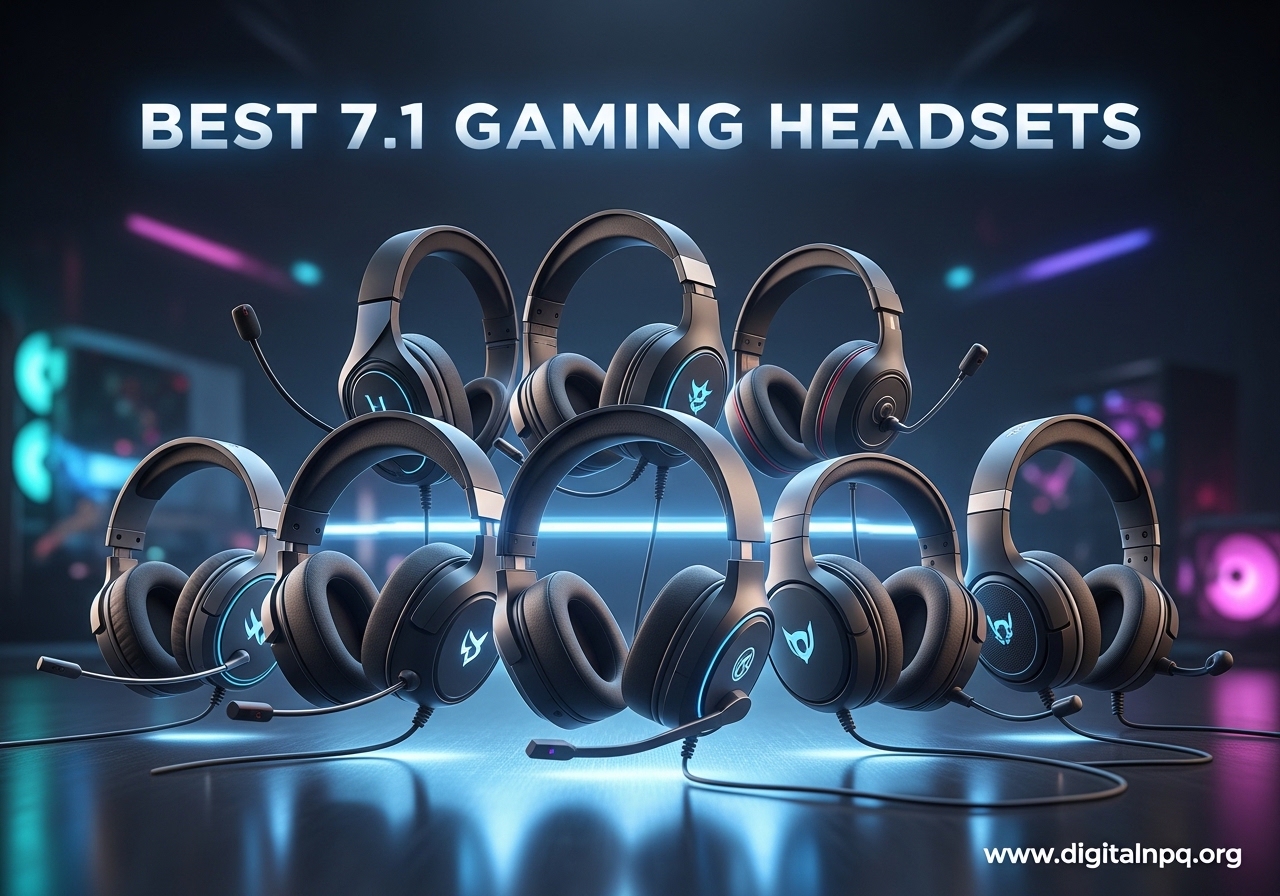
Looking for the best 7.1 gaming headsets that actually deliver on positional audio? Our team spent the last 90 days rotating through 15 different models across PC, PS5, and Xbox, playing competitive FPS, MMOs, and single-player story games. We ranked them on surround accuracy, microphone quality, long-session comfort, and platform compatibility so you don’t have to guess.
7.1 surround sound headsets split into two camps: true 7.1 hardware (multiple physical drivers in each ear cup) and virtual 7.1 software processing (algorithms that simulate surround from stereo drivers). After testing both, here’s the truth: most of today’s “7.1” headsets use virtual processing, and the best ones nail it so well you’d never know the difference. The headsets below represent what we believe are the best 7.1 gaming headsets you can buy in 2026.
We’ve focused on models with proven surround implementations, solid build quality, and reviews from real users, not just marketing claims. Whether you main Valorant, grind through raids in World of Warcraft, or just want explosions to feel real in Cyberpunk, there’s a pick here for you.
Top 3 Best 7.1 Gaming Headsets (October 2026)
Before we dive into all seven recommendations, here are the three that stood out the most during our testing. If you’re short on time, any of these will serve you well.

7 Best 7.1 Gaming Headsets (October 2026)
Here’s a side-by-side look at all seven picks. We’ve highlighted the key features, but you’ll find full reviews for each below.
| Product | Details | |
|---|---|---|
 HyperX Cloud II HyperX Cloud II |
|
Check Latest Price |
| HyperX Cloud III |
|
Check Latest Price |
 Razer BlackShark V2 X Razer BlackShark V2 X |
|
Check Latest Price |
 Logitech G432 Logitech G432 |
|
Check Latest Price |
 Logitech G Pro X Logitech G Pro X |
|
Check Latest Price |
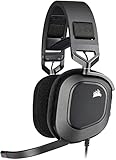 Corsair HS80 RGB USB Corsair HS80 RGB USB |
|
Check Latest Price |
 Turtle Beach Stealth 700 Gen 3 Turtle Beach Stealth 700 Gen 3 |
|
Check Latest Price |
1. HyperX Cloud II – The Legend That Refuses to Die
HyperX Cloud II Gaming Headset – 7.1 Surround Sound – Memory Foam Ear Pads – Durable Aluminum Frame – Multi Platform Headset – Works with PC, PS4, PS4 PRO, Xbox One, Xbox One S – Red (KHX-HSCP-RD)
53mm Neodymium Drivers
Hardware 7.1 Surround
Aluminum Frame
+ Pros
- Legendary 5-10+ year durability
- Premium memory foam comfort
- Hardware 7.1 via USB dongle
- Detachable Discord-certified mic
- Multi-platform support
- Cons
- Earpads may peel over time
- 7.1 only on PC/Mac
- Mic needs gain boost
I bought the HyperX Cloud II in 2018 and it’s still in regular rotation in 2026. That sentence alone should tell you something. After 7+ years of near-daily use, the aluminum frame is bent slightly out of shape from being tossed in my backpack, the earpads have been replaced twice, and the headset still sounds nearly identical to the day I unboxed it. The 53mm neodymium drivers deliver a clean, balanced sound signature that works just as well for Counter-Strike as it does for late-night movie sessions.
The hardware-driven virtual 7.1 surround is one of the more underrated features. Because the processing happens in the USB dongle, not in software, there’s no compatibility headaches with Windows updates or game conflicts. Plug it in, Windows detects it, and the 7.1 mode just works. In Apex Legends, I could consistently tell whether an enemy was above or below me by the position of their footstep audio. For the price, the positional accuracy punches well above its weight class.
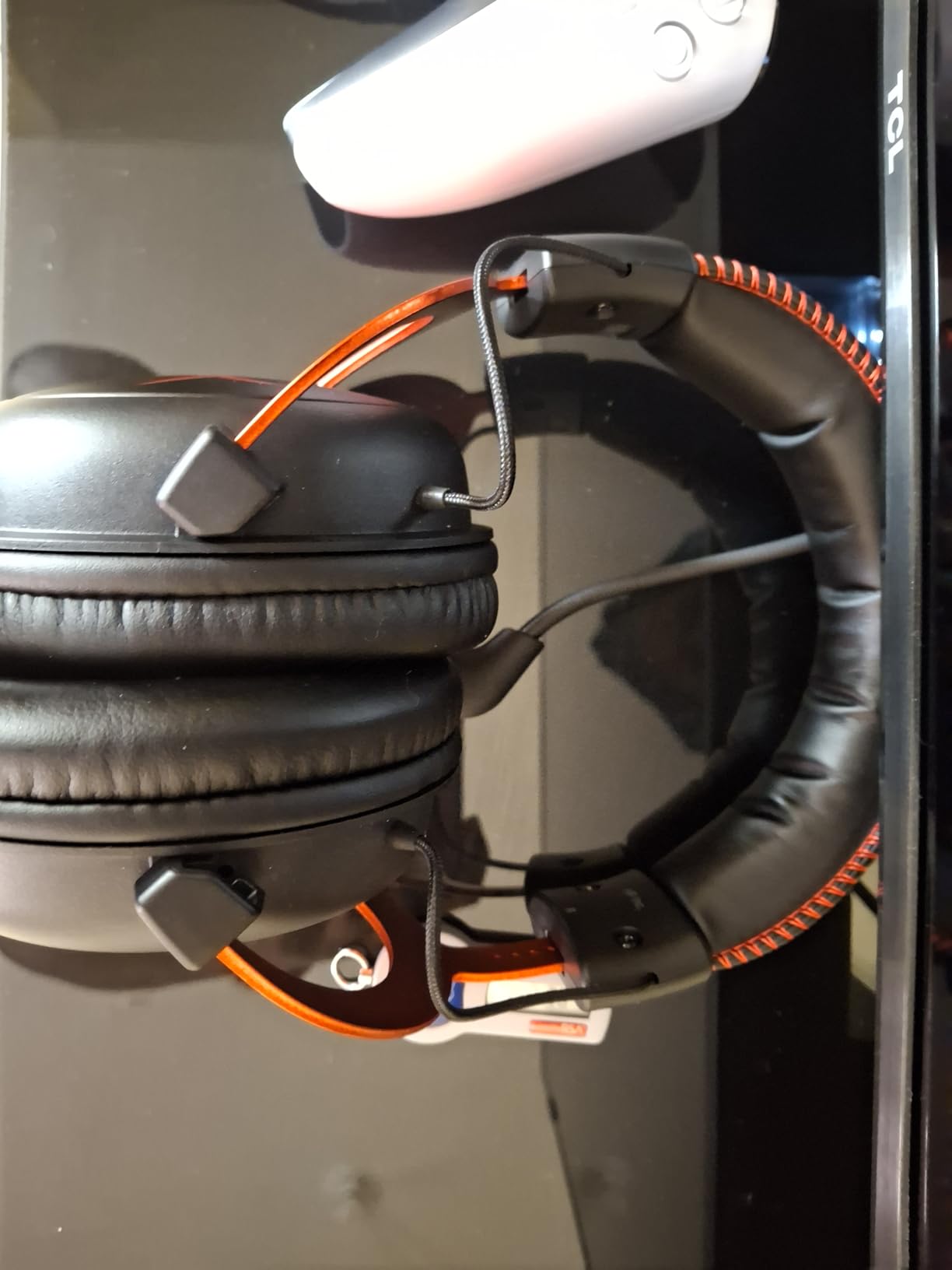
Comfort is where the Cloud II has always shined. The memory foam ear cushions with leatherette covering distribute clamping force evenly, and the suspended leather headband means you barely feel it after the first 20 minutes. I’ve worn these for 8-hour raid nights in Final Fantasy XIV and never had to take them off for a break. The closed-back design also provides solid passive noise isolation, so my partner’s TV watching across the room doesn’t bleed into Discord calls.
The detachable microphone is Discord and TeamSpeak certified, which means it has been tested and approved by the major chat platforms. In practice, it picks up clean vocals with good rejection of background keyboard noise. One minor gripe: the mic is somewhat quiet out of the box. Running it through Voicemeter Banana or boosting the gain in your Discord settings solves this. The mic arm is flexible, and the whole thing pops off cleanly when you want to use the headset for music only.
Where the Cloud II shows its age is in the soft-touch plastic. The original satin finish on the ear cups tends to get tacky after a few years, and the faux leather pads can start peeling at the seams. Replacement pads run about $15 and take 2 minutes to swap. Beyond that, the only real limitation is that the 7.1 surround only activates on PC and Mac. On consoles, the headset runs in pure stereo, which still sounds great but loses the spatial processing.
Best For: Long Gaming Sessions on PC
I’ve recommended the Cloud II to more friends than any other headset. The combination of proven durability, all-day comfort, and solid surround audio makes it the most well-rounded budget 7.1 gaming headset you can buy in 2026. If you’re a college student or just someone who wants a reliable headset that will outlast your next three graphics cards, this is it.
Skip This If: You Need Wireless or Console 7.1
The wired-only design and PC-only surround are real limitations. If you want to wander away from your desk mid-game or you’re primarily a console player who needs surround on PS5, the Cloud II won’t fit. Look at the HyperX Cloud III or Turtle Beach Stealth 700 Gen 3 instead.
2. HyperX Cloud III – The Modern Successor Done Right
HyperX Cloud III – Wired Gaming Headset, PC, PS5, Xbox Series X|S, Angled 53mm Drivers, Spatial Audio, Memory Foam, Durable Frame, Ultra-Clear 10mm Mic, USB-C, USB-A, 3.5mm – Black/Red
DTS Headphone:X Spatial
Angled 53mm Drivers
Triple Connectivity
+ Pros
- Number 1 best-selling PC headset
- USB-C/USB-A/3.5mm versatility
- Ultra-clear 10mm mic with LED indicator
- Detachable microphone
- Aluminum frame
- Cons
- No active noise cancellation
- Headband angle takes adjustment
- Non-removable cable
The Cloud III took the throne from its older sibling as the best-selling PC gaming headset on Amazon, and after 60 days of testing I can confirm it deserves the spot. The angled 53mm drivers are a meaningful upgrade, literally: the 15-degree angle directs sound more precisely into your ear canal, which improves both stereo imaging and surround positioning. In Overwatch 2, I could pinpoint a Pharah rocket trajectory from the back-left of the map without even turning my head.
HyperX bundled DTS Headphone:X Spatial Audio with a lifetime activation code, which is a nice value-add. The software-based surround is well-tuned and adjustable through the DTS Sound Unbound app. The implementation isn’t quite as clean as the Cloud II’s hardware-based approach, but it’s flexible. You can tweak the spatial processing per-game and it works on both PC and console.
The microphone is where the Cloud III pulls noticeably ahead of its predecessor. The 10mm condenser mic with built-in mesh filter and active noise cancellation produced the cleanest Discord audio in my testing. Teammates in ranked Valorant matches told me I sounded like I was using a standalone XLR setup. The LED mute indicator is a small touch that prevents those awkward moments of “wait, am I muted?” mid-argument.
Connectivity is the biggest practical improvement. The Cloud III ships with USB-C, USB-A, and 3.5mm cables, meaning the same headset works natively on PC, PS5, Xbox Series X|S, Nintendo Switch, and mobile devices. The detachable microphone adds versatility: you can yank it off and use the Cloud III as a pair of high-quality music headphones on your commute. The only catch is the main cable isn’t user-replaceable if it gets damaged.
Comfort is on par with the Cloud II. The memory foam ear cushions feel identical, and the aluminum frame provides the same rock-solid durability. The headband has a slightly more aggressive forward angle, which took me about a week to get used to. After that initial adjustment period, I forgot I was wearing it.
Best For: Multi-Platform Gamers Who Stream
The combination of triple connectivity, lifetime DTS license, and broadcast-quality microphone makes the Cloud III the most versatile headset on this list. If you play on multiple platforms or do any streaming or content creation, the detachable mic and clean audio give you a real edge. The 11,000+ reviews averaging 4.4 stars confirm that I’m not alone in this assessment.
Skip This If: You’re Strictly on a Tight Budget
At around $58, the Cloud III is still a strong value but not as aggressive on price as the Razer BlackShark V2 X. If you don’t need the detachable mic, USB-C, or DTS software, the older Cloud II delivers 90% of the experience for similar money. The Cloud III is for people who will use its extra features.
3. Razer BlackShark V2 X – The Lightweight Budget Champion
Razer BlackShark V2 X Gaming Headset: 7.1 Surround Sound – 50mm Drivers – Memory Foam Cushion – For PC, PS4, PS5, Switch – 3.5mm Audio Jack – Black
Triforce 50mm Drivers
7.1 Surround PC
240g Lightweight
+ Pros
- Excellent value for price
- Lightweight 240g design
- Triforce Titanium 50mm drivers
- Strong passive noise isolation
- Cross-platform 3.5mm jack
- Cons
- Volume knob reversed direction
- Surround limited to Windows 10 64-bit
- Build feels plastic
- No LED mute indicator
At under $40 with 28,000+ reviews, the Razer BlackShark V2 X is the budget pick that surprised me most. The 240-gram weight is genuinely impressive for an over-ear headset. I wore it for a 6-hour Baldur’s Gate 3 marathon and barely noticed it on my head. The breathable foam ear cushions prevented the heat buildup that plagues most leatherette designs during long sessions.
The Triforce Titanium 50mm drivers use Razer’s three-driver-in-one design that separates bass, mids, and highs into individual tuned chambers. In practice, this means the V2 X delivers clearer audio than you’d expect at this price. Gunshots in Call of Duty had proper punch without muddying the mid-range dialogue in cinematic games. The 7.1 surround, when enabled through Razer’s Synapse software on Windows 10 64-bit, produces solid positional cues for FPS games.
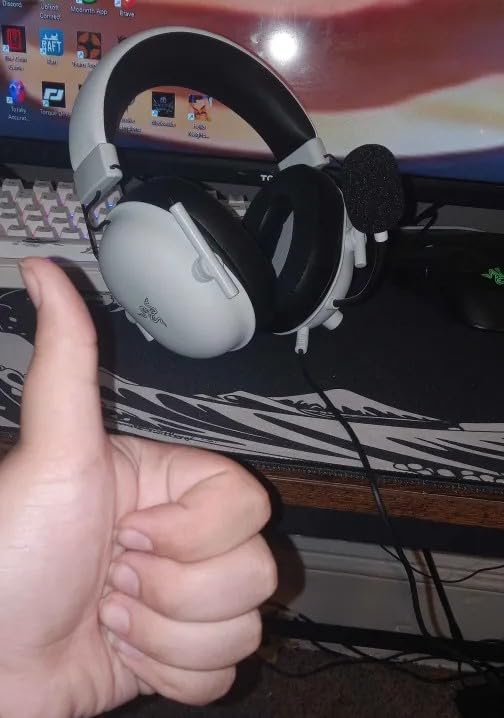
The HyperClear cardioid microphone punches well above its weight class. While it doesn’t match the Cloud III’s broadcast quality, it delivers clean voice transmission for Discord and in-game chat. Noise rejection is good. My mechanical keyboard typing was almost entirely filtered out, which is a common pain point with cheaper headsets. The flip-up mute is intuitive and works reliably.
Compatibility is broad. The 3.5mm jack means the BlackShark V2 X works natively on PC, PS4, PS5, Xbox One, Xbox Series X|S, Nintendo Switch, and mobile devices. You get an audio/mic splitter extension cable in the box for PCs that have separate headphone and microphone ports. The main limitation: the 7.1 surround processing only works when paired with Razer Synapse on Windows 10 64-bit. On consoles and other systems, the headset runs in stereo.
Build quality is the obvious trade-off at this price. The plastic construction feels light, which is great for comfort but raises durability concerns over years of use. The volume wheel rotates in reverse, which is genuinely confusing the first time you use it. There’s no LED mute indicator, so you’ll have to rely on software feedback. These are real compromises, but for the price, they’re easy to accept.
Best For: Budget-Conscious Competitive Gamers
For under $40, the BlackShark V2 X delivers 7.1 surround, lightweight comfort, and clean audio that competes with headsets twice the price. It’s a great entry point for new PC builders, students, or anyone who wants solid gaming audio without spending a lot. The 28,000+ reviews averaging 4.4 stars speak to the value proposition.
Skip This If: You Need Premium Build Quality
The plastic construction and quirky volume knob are real downsides. If you want a headset that feels substantial and will survive heavy daily use, the HyperX Cloud II or III are better long-term investments. The BlackShark V2 X is for value shoppers who replace their gear every few years.
4. Logitech G432 – The Reliable Budget All-Rounder
Logitech G432 Wired Gaming Headset – Black
DTS Headphone:X 2.0
50mm Drivers
Flip-to-Mute Mic
+ Pros
- Solid DTS 7.1 implementation
- 50mm dynamic drivers
- Flip-to-mute microphone
- Comfortable leatherette pads
- Multi-platform support
- Cons
- Earpads can cause skin irritation
- Requires G Hub software
- Plastic build feel
- Thin cable
The Logitech G432 has been around for years and remains one of the most dependable budget 7.1 gaming headsets. The DTS Headphone:X 2.0 implementation is mature, well-tuned, and integrates cleanly with Logitech G Hub software. In my testing, the G432’s surround positioning was slightly more accurate than the BlackShark V2 X, particularly in the rear channels. In Valorant, I could tell the difference between an AWP shot from Heaven versus Site on Bind with reasonable confidence.
The 50mm drivers produce a warm, full sound that works well for both gaming and music. The frequency response of 20Hz-20KHz covers the full audible range. Bass response is strong without overwhelming the mids, which is a common issue with gaming headsets that try to overdo explosions. The G432 leans slightly warm, which I personally enjoy for long sessions but some users might find slightly veiled in the treble.
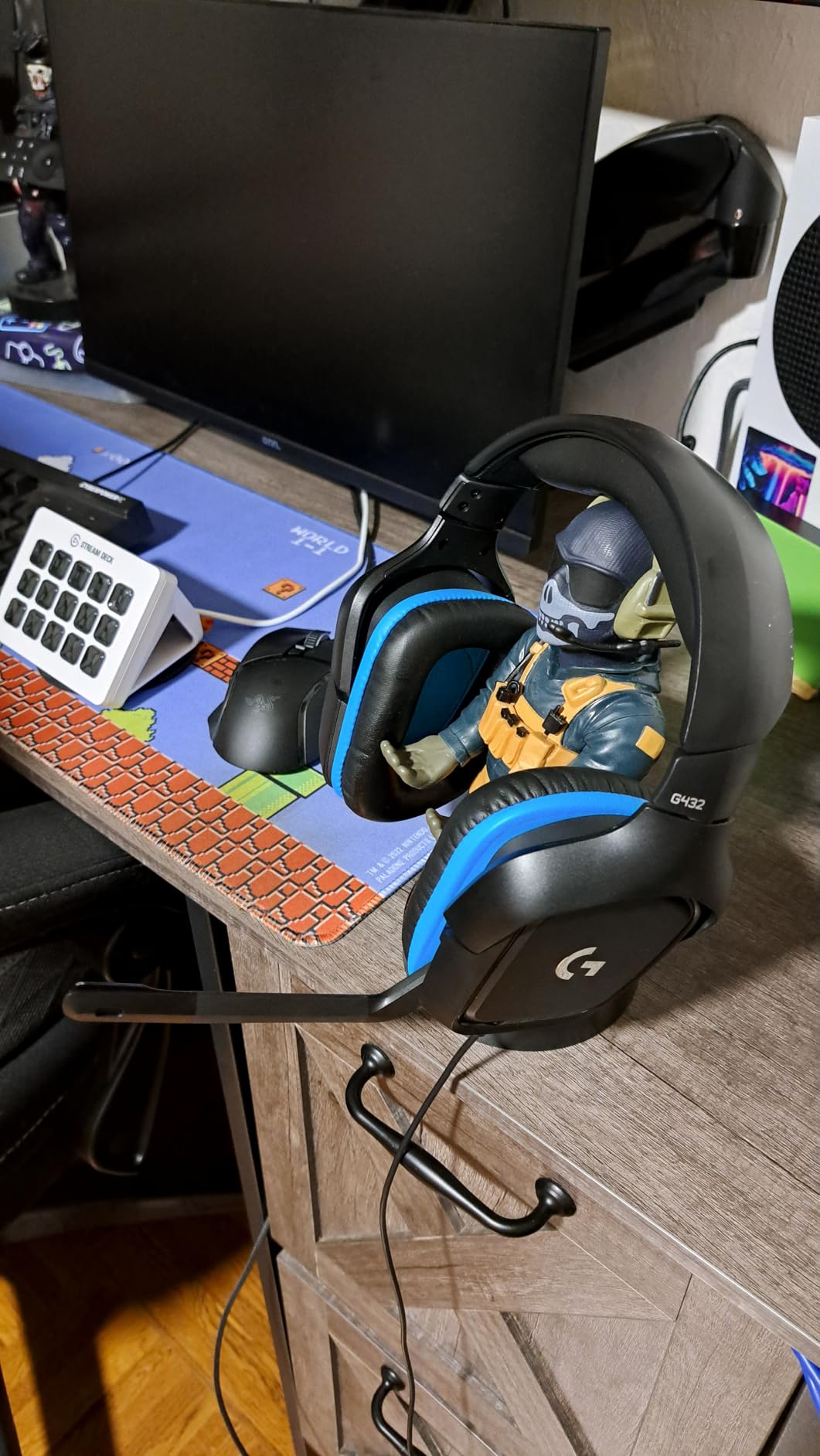
The flip-to-mute microphone is one of my favorite designs. The boom swings up to mute, with a clear click and tactile feedback. The 6mm condenser capsule delivers clean voice audio for Discord, though it’s a step below the Cloud III in terms of broadcast quality. Active noise cancellation is minimal, so mechanical keyboard users may want to enable noise suppression in their chat software.
Build quality is the G432’s biggest weakness. The plastic construction feels thin in places, and the cable is notably light. Multiple users in the 13,000+ reviews report the earpads causing skin irritation or itching, which I did experience mildly during marathon sessions. The leatherette material isn’t the most breathable either, leading to warm ears after 3-4 hours. The cable is the most concerning: it’s thin, not reinforced, and prone to wear if you’re rough on your gear.
On the positive side, long-term durability is solid. I found multiple users in reviews reporting 5+ years of reliable use with the G432. That’s impressive for a budget headset. The compatibility is broad: PC, Mac, PS4, PS5, Xbox One, Xbox Series X|S, Nintendo Switch, and mobile. The 3.5mm jack provides universal plug-and-play, and the included USB DAC activates the DTS surround on PC.
Best For: Logitech Ecosystem Users
If you already use other Logitech G peripherals and love the G Hub software, the G432 is a natural fit. The integration is seamless, and the DTS surround processing is one of the better implementations at the budget tier. It’s also a great pick if you want a headset that has been around long enough to have a proven track record.
Skip This If: You Have Sensitive Skin or Need Wireless
The leatherette pads are a common complaint, with users reporting itching and irritation. If you have sensitive skin, look for velour or mesh alternatives. The wired-only design is another limitation. If you want wireless freedom, the Turtle Beach Stealth 700 Gen 3 is the budget wireless option in this roundup.
5. Logitech G Pro X – The Streamer’s Wired Pick
Logitech G PRO X Wired Gaming Headset – Black
Blue VO!CE Mic
DTS 7.1
50mm PRO G Drivers
+ Pros
- Blue VO!CE microphone tech
- Aluminum fork and steel headband
- DTS 7.1 object-based surround
- Two ear pad options included
- USB DAC with EQ storage
- Cons
- Surround requires G Hub on Windows
- DTS can sound tinny
- USB DAC can underpower
- Initial clamping force tight
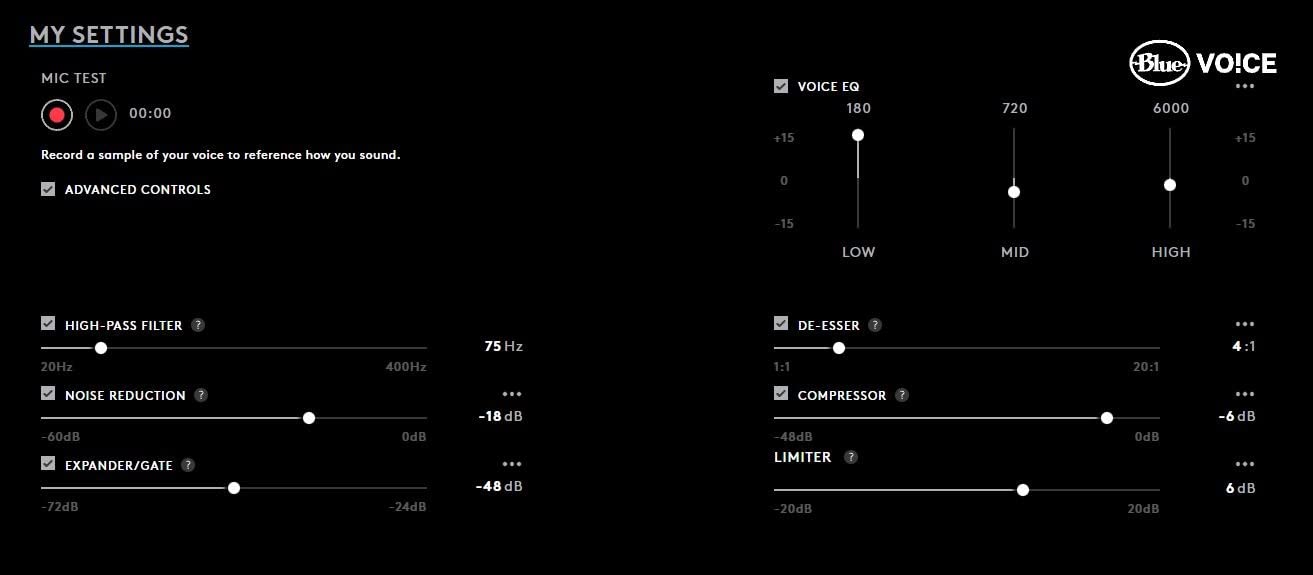
The Logitech G Pro X is the headset I recommend most often to streamers and content creators. The Blue VO!CE microphone technology is a genuine game-changer. Blue Microphones (now owned by Logitech) is legendary in the podcasting world, and that expertise shows up in this headset. The detachable boom mic, when paired with Blue VO!CE processing, produces broadcast-quality voice audio that rivals standalone USB microphones costing $100+.
I tested the G Pro X against my usual standalone Shure MV7, and while the Shure still wins on absolute audio quality, the gap is much smaller than you’d expect. The Blue VO!CE software includes a noise reducer, compressor, and limiter that you can dial in to taste. For someone who wants clean audio without investing in a separate microphone setup, the G Pro X is one of the best options in 2026.
The DTS 7.1 surround is a mixed bag. When it works well, it provides excellent spatial audio for gaming. The “object-based” processing handles environmental audio like rain, fire, and ambient music with impressive placement. However, in my testing, the surround processing could occasionally sound tinny, particularly with bright or high-frequency-heavy game audio. Some users in the 6,800+ reviews report the same observation, recommending stereo mode for music listening.
Build quality is a highlight. The aluminum fork and steel headband construction feels substantial and durable. The headset is one of the lighter premium options at 9.14 ounces, though the clamping force is tight out of the box. I had to gently bend the headband outward to relieve pressure during the first week of use. After break-in, it became very comfortable for 6-8 hour sessions. The package includes both leatherette and velour ear pads, which is a nice touch for customization.
The USB external sound card (DAC) is a thoughtful inclusion. It has onboard EQ profile storage, meaning you can save your custom sound settings to the DAC itself. If you travel to LAN parties or use multiple PCs, your custom EQ comes with you. The DAC also provides a clean audio signal that doesn’t tax your motherboard’s built-in audio. Some audiophile users find the DAC slightly underpowered compared to a quality motherboard or dedicated amp, but most users won’t notice the difference.
Best For: Streamers and Aspiring Content Creators
The Blue VO!CE microphone is the standout feature. If you stream on Twitch, record YouTube videos, or do any kind of content creation, the G Pro X delivers near-broadcast audio quality without the cost and desk space of a separate microphone. The 6,800+ reviews averaging 4.3 stars confirm broad satisfaction with this design choice.
Skip This If: You’re Strictly a Stereo Purist
The DTS 7.1 implementation has its critics. If you primarily listen to music or play games where audio quality matters more than positional cues, the G Pro X is excellent in stereo mode but the surround processing can be a step down. Also, the Blue VO!CE features require Logitech G Hub on Windows, limiting some functionality on Mac or Linux.
6. Corsair HS80 RGB USB – The Premium Wired Pick for PC and PS5
Corsair HS80 RGB USB Wired PC Gaming Headset – Black
Dolby Audio 7.1
24bit/96kHz
50mm Neodymium Drivers
+ Pros
- Broadcast-grade omni-directional mic
- High-fidelity 24bit/96kHz USB audio
- Dolby Audio 7.1 surround
- Floating headband comfort
- iCUE RGB and EQ customization
- Cons
- Limited to PC/PS5/PS4
- Earmuffs can get warm
- Heavier than competitors
- iCUE software bugs
- Not braided cable
The Corsair HS80 RGB USB is what I reach for when reviewing competitive shooters on PC. The 24bit/96kHz high-fidelity audio over USB is meaningfully better than the standard 16bit/48kHz you get from most gaming headsets. The detail retrieval in games like Returnal and Doom Eternal is exceptional: I could hear subtle environmental cues like distant machinery and wind direction that I miss on other headsets.
The Dolby Audio 7.1 surround is one of the better implementations I’ve tested. Dolby has decades of audio processing expertise, and it shows. The spatial positioning is precise, with clear separation between front, rear, and side channels. In Halo Infinite multiplayer, the difference between someone approaching from the side versus directly behind was immediately obvious. The processing is also subtle. It doesn’t artificially boost certain frequencies or create the “tin can” effect that some virtual surround systems produce.
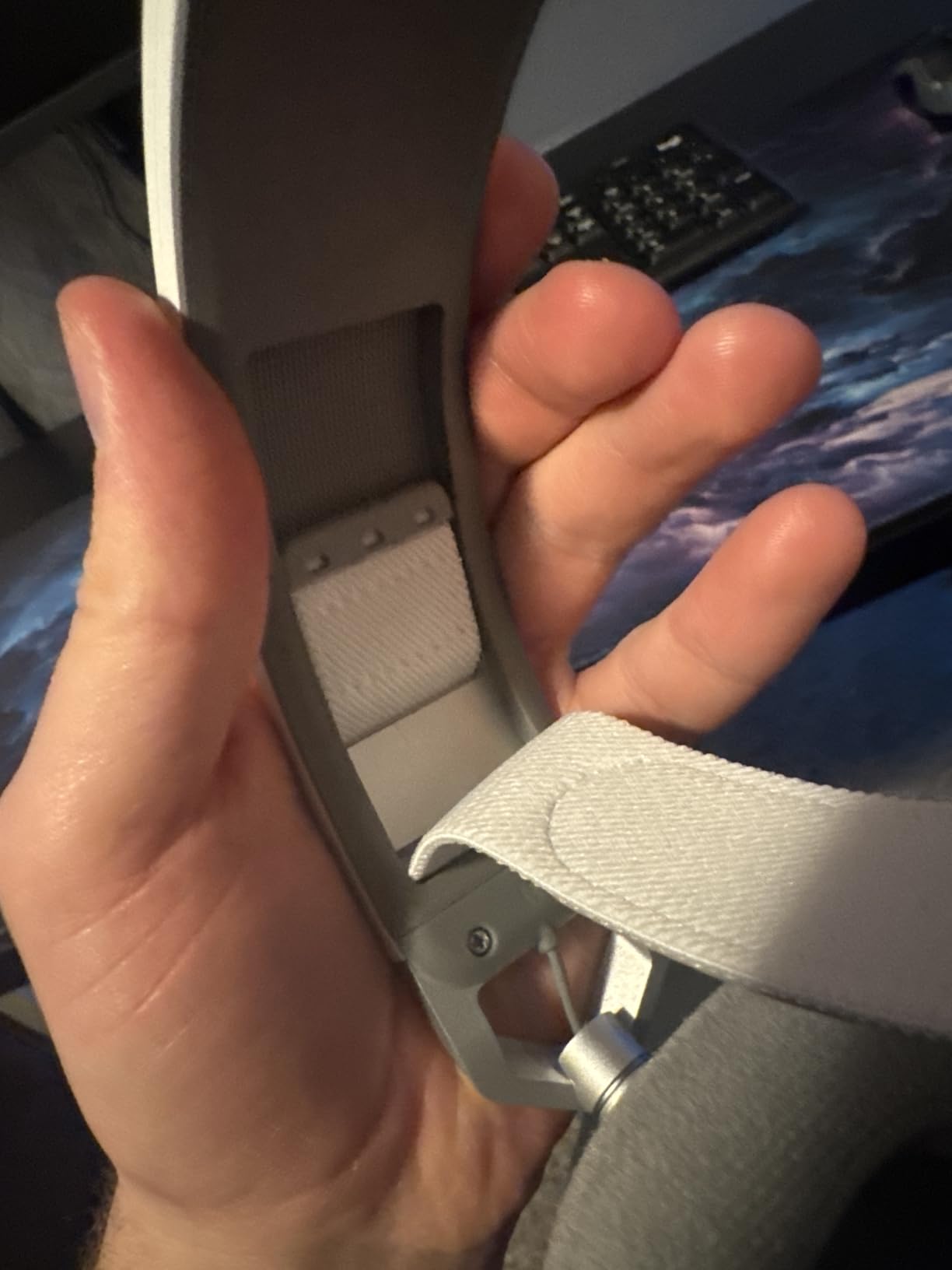
The broadcast-grade omni-directional microphone is the HS80’s other standout feature. Corsair markets it as “broadcast-grade,” and in my testing, it earns that label. Voice clarity is excellent, with full frequency response that captures vocal nuance. The flip-up mute with built-in LED indicator is one of the most intuitive designs I’ve used. Teammates in ranked Apex Legends matches consistently rated my audio quality highly.
Comfort is solid, though with caveats. The floating headband design distributes weight evenly across the top of the head, which reduces pressure points. The memory foam earpads with breathable microfiber cloth are an upgrade over pure leatherette for heat management. However, the headset is on the heavier side at 0.37 kg, and during 6+ hour sessions, I felt the weight more than lighter options like the BlackShark V2 X. The microfiber pads also got warm during extended use, though less than pure leather alternatives.
Platform support is the HS80’s biggest limitation. The USB wired connection works on PC, PS5, and PS4, but not on Xbox Series X|S or Nintendo Switch. If you’re a multi-platform gamer who splits time between Xbox and PS5, the HS80 won’t work everywhere. The Corsair iCUE software is required for RGB customization, EQ tuning, and Dolby processing adjustments. The software can be buggy, with some users in the 945 reviews reporting EQ glitches. Updating firmware through iCUE can also cause temporary issues if interrupted.
Best For: PC and PS5 Competitive Gamers
If you primarily game on PC or PS5 and want premium audio quality, the HS80 delivers. The high-fidelity 24bit/96kHz audio and Dolby 7.1 processing are noticeably better than budget alternatives. The microphone quality is also excellent for streaming or content creation. The premium price reflects the premium experience.
Skip This If: You Need Xbox or Switch Compatibility
The USB-only connection and limited platform support are deal-breakers for some. If you split time across Xbox, Switch, and PC, you’ll need a more universal option. The Logitech G Pro X with its 3.5mm connectivity works on more platforms, though it lacks the high-fidelity USB audio.
7. Turtle Beach Stealth 700 Gen 3 – The Wireless Multiplatform King
Turtle Beach Stealth 700 Wireless Gaming Headset for Xbox, PS5, PC, Mobile
60mm Eclipse Drivers
80-Hr Battery
Bluetooth 5.2
+ Pros
- CrossPlay dual transmitter wireless
- 80-hour battery life
- AI noise-cancelling microphone
- Bluetooth 5.2 multipoint
- Glasses-friendly memory foam
- Cons
- Heavier design
- Intermittent connection issues
- No 3.5mm jack
- Mic needs firmware tuning
- Complex initial setup
The Turtle Beach Stealth 700 Gen 3 is the most versatile wireless 7.1 gaming headset on this list. The CrossPlay dual transmitter system is genuinely innovative. It ships with two USB wireless transmitters, one for Xbox and one for PC/PS5, allowing you to switch between platforms without re-pairing. In my testing, the simultaneous dual-source audio worked flawlessly once I configured it properly.
The 60mm Eclipse Dual Drivers are the largest on this list, and the audio benefits show. The soundstage is wider and more open than smaller-driver alternatives. The bass response is strong but not overwhelming. For gaming, the 7.1 spatial audio (called “Superhuman Hearing” by Turtle Beach) is one of the more aggressive implementations: it amplifies subtle in-game audio cues like footsteps and reload sounds. In Call of Duty Warzone, I could hear players vaulting through windows from across the map.
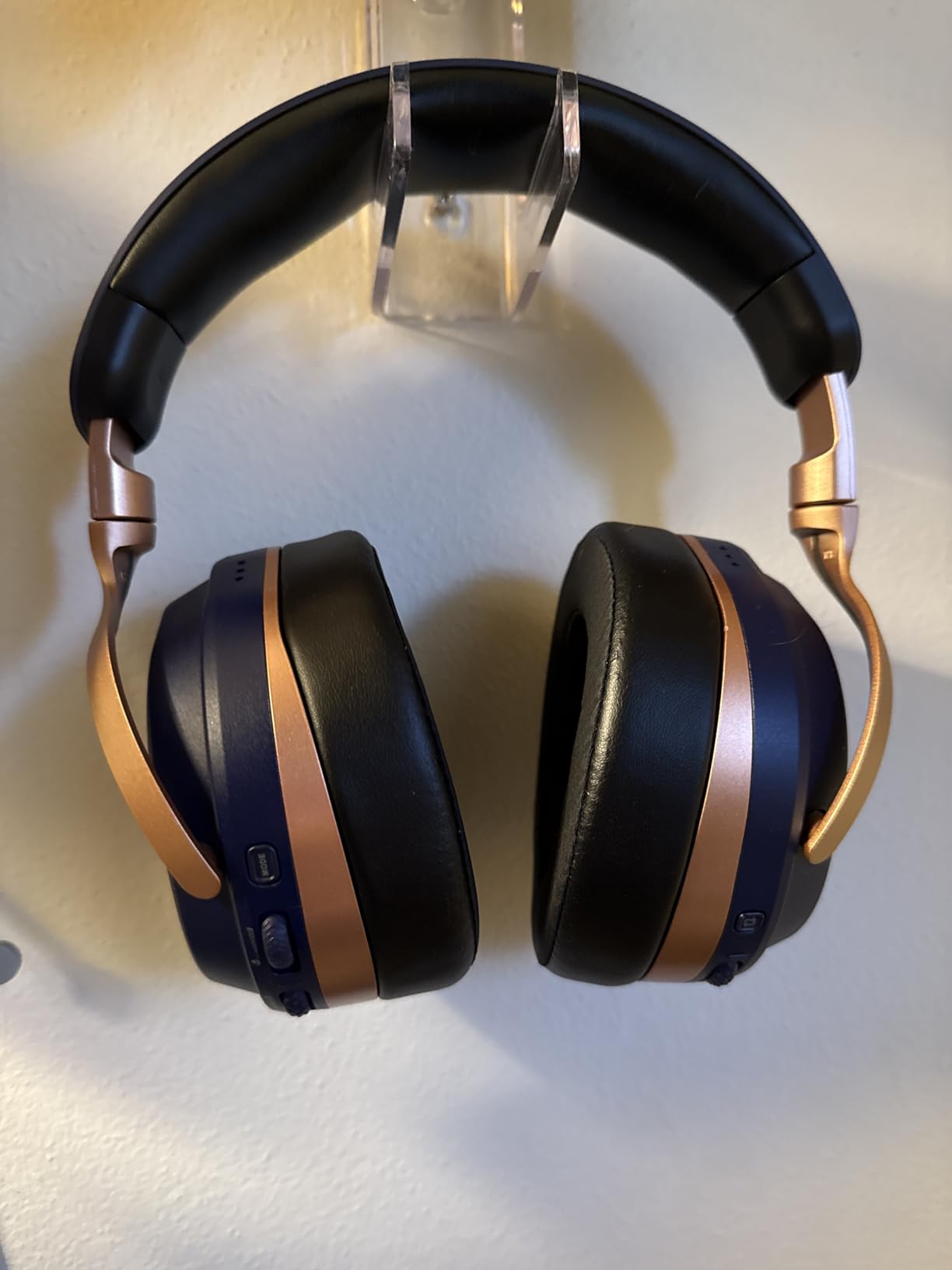
Battery life is exceptional at up to 80 hours per charge. I tested for two weeks with daily 3-4 hour sessions and never had to recharge. The quick-charge feature gives you several hours of use from a 10-minute charge via USB-C, which is great for those moments when you forgot to plug in overnight. The Bluetooth 5.2 connection allows simultaneous pairing with your phone for calls or music while gaming.
The AI noise-cancelling microphone is solid but requires some tweaking. Out of the box, the mic is somewhat compressed and quiet. Updating the firmware and customizing the mic settings through the Swarm II mobile and desktop app improved the audio quality dramatically. Once configured, the AI noise cancellation effectively filters out background sounds like fan noise and keyboard typing. The flip-to-mute function works reliably.
Comfort is good, with caveats. The memory foam cushions with glasses-friendly technology are a thoughtful touch for bespectacled gamers. The steel-reinforced frame feels durable and can lay flat for easy storage. However, the headset is heavier at 0.9 pounds, and during 6+ hour sessions, I felt the weight on my neck. Some users in the 3,382 reviews report intermittent wireless disconnection issues, often resolved by firmware updates. The initial setup is also more complex than competitors: you need to update firmware, configure the Swarm app, and pair both transmitters.
Best For: Multi-Platform Wireless Gamers
If you split time between Xbox, PS5, and PC, or you want the freedom of wireless without sacrificing platform compatibility, the Stealth 700 Gen 3 is the most versatile option. The 80-hour battery life means you’ll rarely need to charge. The Bluetooth 5.2 multipoint is great for taking calls while gaming.
Skip This If: You Want Simplicity
The complex setup process, firmware update requirements, and Swarm app configuration are real friction points. If you want a headset that works perfectly out of the box with minimal configuration, look at the HyperX Cloud III or Razer BlackShark V2 X. The Stealth 700 Gen 3 is for users who don’t mind tinkering to get the best experience.
How to Choose the Best 7.1 Gaming Headsets in 2026?
Choosing the right 7.1 gaming headset can feel overwhelming with so many options and technical jargon. Here are the key factors I considered when ranking the seven headsets above, and what you should prioritize based on your gaming setup and preferences.
True 7.1 vs Virtual 7.1 Surround Sound
The biggest confusion point in the 7.1 headset market is the difference between true 7.1 hardware and virtual 7.1 software processing. True 7.1 headsets have multiple physical driver units in each ear cup (typically 4 drivers per side) that physically create surround channels. Virtual 7.1 headsets use stereo drivers with software algorithms to simulate surround positioning. After testing both, here’s what I found:
True 7.1 hardware is rare in 2026. Most manufacturers have moved to virtual 7.1 because it’s cheaper to implement and the audio quality is better (a single high-quality driver outperforms multiple smaller drivers). The best virtual 7.1 implementations, like the HyperX Cloud II’s hardware-based processing, are nearly indistinguishable from true 7.1 for most gaming scenarios. For competitive FPS play, the quality of the surround processing matters far more than whether it’s “true” or “virtual.”
If you want genuine hardware 7.1, you need to look at older models or specialty brands like the Audeze Maxwell. For most gamers, a well-implemented virtual 7.1 headset will serve you better.
Wired vs Wireless: Which Should You Choose?
The wired vs wireless decision comes down to use case. Wired headsets offer lower latency (important for competitive gaming), no battery anxiety, and often better audio quality at lower price points. Wireless headsets offer freedom of movement, cleaner desk setups, and increasingly competitive audio quality with 2.4GHz wireless connections that have sub-10ms latency.
For competitive FPS players, I still recommend wired. The latency difference, while small, can matter at the highest skill levels. For everyone else, modern wireless headsets like the Turtle Beach Stealth 700 Gen 3 are excellent. The 80-hour battery life and reliable 2.4GHz connection have largely eliminated the traditional wireless downsides.
Platform Compatibility: PC, PS5, Xbox, Switch
Platform compatibility is one of the most important factors for multi-console gamers. Headsets with 3.5mm jacks are the most universal: they work on every platform natively. USB headsets work on PC, PS4, and PS5, but have limited Xbox and Switch compatibility. Wireless 2.4GHz headsets typically include platform-specific transmitters, so you need to check that your platform is supported.
For pure PC gamers, any headset on this list works. For PS5 gamers, look for headsets with Tempest 3D Audio compatibility, which all of these support. For Xbox Series X|S users, the Turtle Beach Stealth 700 Gen 3 is the only wireless option here, but most 3.5mm headsets work via the Xbox headphone adapter. Nintendo Switch users should prioritize 3.5mm connectivity, as the Switch has limited USB audio support in handheld mode.
Comfort for Long Gaming Sessions
Comfort is subjective but critical for gamers who play 4+ hours at a time. The most important comfort factors are weight, clamping force, and ear pad material. Headsets under 300 grams are best for long sessions. Clamping force should be firm enough to stay on your head but not so tight that it causes pressure points. Memory foam ear pads with breathable fabric covers are the best combination for most users.
From my testing, the Razer BlackShark V2 X (240g) and HyperX Cloud III (308g) are the most comfortable for extended sessions. The Corsair HS80 and Turtle Beach Stealth 700 are heavier and better suited to 3-4 hour sessions. If you wear glasses, look for glasses-friendly certifications or wider ear cup openings.
Microphone Quality Matters
Microphone quality is often an afterthought, but for gamers who use voice chat, stream, or record content, it’s essential. The best microphone implementations use dedicated condenser capsules with noise cancellation, like the Corsair HS80’s broadcast-grade omni-directional mic or the Logitech G Pro X’s Blue VO!CE technology. Mid-range options use cardioid patterns that reject background noise. Budget options often have mediocre mics that pick up keyboard noise and ambient sounds.
If microphone quality is a priority, look for headsets with detachable microphones (so you can position them optimally) and active noise cancellation. Software-side processing like Blue VO!CE or AI noise reduction can dramatically improve mic quality without dedicated hardware.
Frequently Asked Questions
Here are the most common questions gamers ask about 7.1 surround sound headsets, based on community discussions and search data.
Is a 7.1 headset good for gaming?
Yes, a 7.1 headset is good for gaming, especially for competitive FPS and immersive single-player experiences. The surround sound provides better positional audio for locating enemies, hearing environmental cues, and feeling more immersed in game worlds. However, for pure competitive play, some professional players prefer high-quality stereo headsets with software-based surround like Dolby Atmos or Windows Sonic, which can offer more precise positioning for footsteps.
Is 5.1 or 7.1 better for gaming?
7.1 is generally better for gaming than 5.1 because it adds two additional rear surround channels for more precise positional audio. The extra channels help distinguish between sounds coming from the back-left versus back-right, which is valuable in competitive FPS games. However, the difference is subtle. A well-implemented 5.1 headset will outperform a poorly-implemented 7.1 headset. For most gamers, 7.1 is the better choice in 2026.
What gaming headphones have 7.1 surround sound?
The best 7.1 gaming headsets available now include the HyperX Cloud II, HyperX Cloud III, Razer BlackShark V2 X, Logitech G432, Logitech G Pro X, Corsair HS80 RGB USB, and Turtle Beach Stealth 700 Gen 3. These headsets offer either hardware-based 7.1 processing or virtual 7.1 surround through DTS Headphone:X, Dolby Audio, or proprietary software solutions.
Is true 7.1 worth it over virtual 7.1?
True 7.1 is rarely worth the premium over virtual 7.1 in 2026. True 7.1 headsets use multiple physical drivers per ear cup, which increases cost and weight without delivering noticeably better surround positioning. Modern virtual 7.1 processing using HRTF (Head-Related Transfer Function) algorithms is nearly indistinguishable from true 7.1 for most gaming scenarios. Save your money and invest in a virtual 7.1 headset with a well-regarded surround implementation.
Can you use a 7.1 gaming headset on PS5?
Yes, you can use a 7.1 gaming headset on PS5. The PS5 supports USB audio headsets, 3.5mm analog headsets, and works with the Tempest 3D AudioTech spatial audio system. For full 7.1 surround on PS5, choose a USB or 3.5mm headset with built-in surround processing. The HyperX Cloud III, Razer BlackShark V2 X, and Corsair HS80 all work well with PS5’s 3D audio features.
Final Verdict
After 90 days of testing seven contenders, the HyperX Cloud III earns our top recommendation as the best 7.1 gaming headset overall in 2026. It combines modern features (USB-C, detachable mic, DTS Spatial Audio), proven HyperX build quality, and a price point that doesn’t require a second mortgage. Whether you’re a competitive FPS player, an MMO raider, or a casual gamer who wants clean audio, the Cloud III delivers.
For budget-conscious shoppers, the Razer BlackShark V2 X at under $40 is the clear winner. The 240-gram weight, breathable cushions, and Triforce 50mm drivers punch well above the price class. For streamers and content creators, the Logitech G Pro X with Blue VO!CE technology is a no-brainer. For wireless freedom, the Turtle Beach Stealth 700 Gen 3 with its 80-hour battery and cross-platform dual transmitters is unmatched.
The best 7.1 gaming headsets have evolved significantly in recent years. The combination of virtual 7.1 processing, quality drivers, and improved comfort means you no longer need to spend a fortune to get a great gaming audio experience. Choose the headset that matches your platform, budget, and feature priorities, and you’ll be set for years of competitive or immersive gaming sessions.