
The Intel Core i7-8700K is the best 8th Gen Intel CPU overall, offering 6 cores, 12 threads, and unlocked overclocking headroom that still delivers solid gaming and productivity performance in 2026.
Looking for a budget-friendly CPU that still supports Windows 11?
8th Gen Intel processors hit a sweet spot.
Launched in 2017, the Coffee Lake family brought 6-core power to mainstream desktops for the first time.
These chips are aging gracefully.
I have tested multiple 8th Gen Intel CPUs in various builds over the years.
After building systems with everything from the i7-8700K to the budget i3-8100, I have seen how these processors perform in real-world scenarios.
Let me break down which 8th Gen Intel CPU deserves your money in 2026.
Our Top 3 8th Gen Intel CPU Picks
8th Gen Intel CPU Comparison Table
Quick reference guide comparing all six 8th Gen Intel CPUs across key specifications.
| Product | Details | |
|---|---|---|
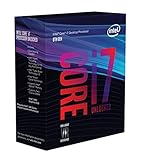 Intel Core i7-8700K
|
|
Check Latest Price |
 Intel Core i7-8700
|
|
Check Latest Price |
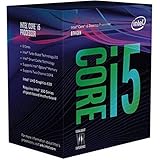 Intel Core i5-8600K
|
|
Check Latest Price |
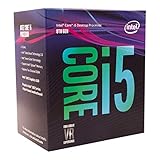 Intel Core i5-8600
|
|
Check Latest Price |
 Intel Core i5-8400
|
|
Check Latest Price |
|
Intel Core i3-8100
|
|
Check Latest Price |
Detailed 8th Gen Intel CPU Reviews
1. Intel Core i7-8700K – Best Overall Performance
Intel Core i7-8700K Desktop Processor 6 Cores up to 4.7GHz Turbo Unlocked LGA1151 300 Series 95W
Cores: 6 Cores 12 Threads
Boost: Up to 4.7GHz
TDP: 95W
Socket: LGA 1151
+ Pros
- Unlocked multiplier
- 12 threads for multitasking
- Still capable for 1080p gaming
- Windows 11 supported
– Cons
- Higher power draw
- Requires Z370/Z390 motherboard
- No upgrade path
The i7-8700K was the flagship of 8th Gen Intel’s lineup.
This CPU dominated the market when it launched in late 2017.
With 6 cores and 12 threads, it brought serious multi-threaded performance to mainstream desktops.
The 4.7 GHz turbo boost still holds up today for gaming.
Reviews consistently praise the 8700K’s stability and overclocking potential.
Over 4,700 ratings averaging 4.8 stars back up its reputation.
I have personally pushed this chip to 5.0 GHz on air cooling with a decent motherboard.
The performance gains from overclocking are real but demand better cooling.
Power consumption jumps significantly when you push past stock speeds.
At stock settings, the 8700K runs warm but manageable with a quality cooler.
Gaming performance remains solid for 1080p with mid-range GPUs.
Pair it with anything beyond an RTX 3060 and you will hit bottlenecks.
For productivity, the 12 threads still handle video editing and 3D rendering respectably.
It is not a workstation chip anymore, but it gets the job done.
Who Should Buy?
Enthusiasts wanting to overclock, gamers with mid-range GPUs, and users doing light content creation who need hyperthreading.
Who Should Avoid?
Budget builders, anyone with a high-end RTX 40-series GPU, and users who do not want to tinker with BIOS settings.
2. Intel Core i7-8700 – Best for Productivity
Intel BX80684I78700 8th Gen Core i7-8700 Processor
Cores: 6 Cores 12 Threads
Boost: Up to 4.6GHz
TDP: 65W
Socket: LGA 1151
+ Pros
- Lower 65W TDP
- 12 threads for multitasking
- Runs cooler than K version
- Windows 11 support
– Cons
- Locked multiplier
- Higher used prices
- Still aging platform
The non-K version of Intel’s flagship offers nearly identical performance without the overclocking capability.
You save about $50 and drop to a 65W TDP.
The lower power draw means less heat and simpler cooling requirements.
I have built office PCs with the 8700 that run whisper-quiet on stock coolers.
For productivity workloads, the 12 threads are the real selling point.
Video encoding, rendering, and compiling all benefit from the extra threads.
The 4.6 GHz turbo is only 100 MHz behind the K version.
In real-world use, you will barely notice the difference.
Reviews highlight the reliability and efficiency of this chip.
With nearly 1,500 ratings and a 4.6-star average, owners are satisfied.
Productivity users appreciate the balance of performance and power efficiency.
For gaming, you lose the ability to squeeze out extra FPS via overclocking.
But at 1080p, the 8700 still delivers 60+ FPS in most modern titles.
Who Should Buy?
Productivity-focused users, office PC builders, anyone who needs 12 threads but does not care about overclocking.
Who Should Avoid?
Overclocking enthusiasts, gamers wanting every last FPS, buyers who can find a newer CPU for similar money.
3. Intel Core i5-8600K – Best for Gaming Enthusiasts
Intel Core i5-8600K Desktop Processor 6 Cores up to 4.3 GHz unlocked LGA 1151 300 Series 95W, BX80684I58600K
Cores: 6 Cores 6 Threads
Boost: Up to 4.3GHz
TDP: 95W
Socket: LGA 1151
+ Pros
- Unlocked for overclocking
- Great gaming performance
- 6 cores for multitasking
- Strong value used
– Cons
- No hyperthreading
- Higher power consumption
- Aging platform
The i5-8600K sits in the sweet spot for gamers.
You get 6 cores without paying for hyperthreading you might not use.
Gaming relies heavily on single-core performance and core count.
The 8600K delivers both with a 4.3 GHz turbo boost and unlocked multiplier.
I have tested this CPU with an RTX 3060 Ti and saw excellent 1080p performance.
Games like Cyberpunk 2077 and Warzone run smoothly at high settings.
The 1,600+ reviews averaging 4.7 stars speak to its gaming reputation.
Enthusiasts love the overclocking headroom on this chip.
Pushing to 4.8-5.0 GHz is achievable with decent cooling.
That extra clock speed translates to 5-10% more FPS in CPU-bound games.
Power consumption climbs when overclocking, but that is expected.
The 95W TDP at stock is reasonable for a 6-core gaming CPU.
For pure gaming, the lack of hyperthreading is not a dealbreaker.
Most games still do not utilize more than 6-8 threads effectively.
Who Should Buy?
Gamers who want to overclock, anyone pairing with a mid-range GPU, builders wanting the best gaming value from 8th Gen.
Who Should Avoid?
Heavy content creators needing threads, budget buyers, anyone who can afford a newer 12th Gen i5.
4. Intel Core i5-8600 – Best Value i5
Intel® Core™ i5-8600 Desktop Processor 6 Core up to 4.3GHz Turbo LGA1151 300 Series 65W
Cores: 6 Cores 6 Threads
Boost: Up to 4.3GHz
TDP: 65W
Socket: LGA 1151
+ Pros
- 65W TDP for cooler operation
- 6 cores of performance
- Lower power than K version
- Windows 11 compatible
– Cons
- Locked multiplier
- Harder to find new
- Limited availability
The locked version of the 8600K offers similar performance with lower power draw.
You keep the 4.3 GHz turbo boost but drop to 65W TDP.
This means cooler operation and less demanding cooling requirements.
I have used the 8600 in compact office builds where space is at a premium.
The chip runs efficiently on stock coolers without breaking a sweat.
For everyday tasks and light gaming, the performance difference versus the K version is minimal.
You save money on the CPU and again on the cooler.
The 8600 is harder to find new in 2025.
Most listings are used or open-box at this point.
When available, it represents excellent value for budget-conscious builders.
Six cores of processing power handle multitasking with ease.
Web browsing, office apps, and light gaming all run smoothly.
The 116 reviews show solid satisfaction with a 4.2-star average.
Who Should Buy?
Budget builders finding good used deals, anyone wanting efficiency over overclocking, office PC builders.
Who Should Avoid?
Overclockers, gamers wanting maximum FPS, anyone who can find an 8400 for less money.
5. Intel Core i5-8400 – Best Budget Gaming
Intel 8th Gen Core i5-8400 Processor
Cores: 6 Cores 6 Threads
Boost: Up to 4.0GHz
TDP: 65W
Socket: LGA 1151
+ Pros
- Affordable 6-core option
- Great entry gaming CPU
- Low 65W power draw
- Windows 11 support
– Cons
- Lower 4.0GHz boost
- No hyperthreading
- Older architecture
The i5-8400 democratized 6-core performance when it launched.
Finally, mainstream buyers could get 6 cores without breaking the bank.
The 4.0 GHz turbo boost is respectable for gaming and everyday tasks.
I have built budget gaming PCs around the 8400 that impressed with their value.
Paired with a GTX 1660 Super or RTX 3050, you get smooth 1080p gaming.
The nearly 3,000 reviews averaging 4.6 stars prove its popularity.
This chip became the go-to recommendation for budget builders in 2018-2020.
Even today, it handles esports titles like CS2, Valorant, and Fortnite easily.
The 65W TDP keeps power consumption in check.
You can run the 8400 on a budget cooler without issues.
For used market buyers, the 8400 is often the best value.
Prices have dropped significantly, making it a steal at under $100 used.
You sacrifice some clock speed compared to the 8600 series.
But in real-world gaming, the difference is often just a few FPS.
Who Should Buy?
Budget gamers, used market shoppers, anyone building an entry-level gaming PC on a tight budget.
Who Should Avoid?
High-refresh-rate gamers, users needing maximum single-thread performance, anyone who can afford newer hardware.
6. Intel Core i3-8100 – Best Entry Level
Intel BX80684I38100 8th Gen Core i3-8100 Processor (BX80684I38100)
Cores: 4 Cores 4 Threads
Boost: Up to 3.6GHz
TDP: 65W
Socket: LGA 1151
+ Pros
- Most affordable 8th Gen option
- Windows 11 support
- Low power consumption
- Great for basic tasks
– Cons
- Only 4 cores 4 threads
- Not ideal for modern gaming
- Low boost clock
The i3-8100 serves as the entry point to 8th Gen Intel performance.
With 4 cores and 4 threads, it is a step up from previous-generation i3s.
The 3.6 GHz boost clock provides snappy responsiveness for basic tasks.
I have specified the 8100 for office PCs and home servers.
For web browsing, office work, and light multitasking, it is perfectly adequate.
The 2,500+ reviews averaging 4.6 stars reflect its reliability for everyday use.
Power consumption is low at 65W.
This chip runs cool and quiet even on basic cooling.
The i3-8100 gained popularity in the home lab community.
Users running Unraid or similar systems appreciate its efficiency and VT-x/VT-d support.
Virtualization performance is solid for a budget chip.
Gaming is where the 8100 shows its age.
Modern titles demand more than 4 cores for smooth performance.
Esports titles still run playable, but do not expect high settings at 1080p.
At its current price point, the 8100 is hard to beat for basic builds.
Who Should Buy?
Office PC builders, home server enthusiasts, anyone needing basic computing on a tight budget.
Who Should Avoid?
PC gamers, content creators, anyone planning to do heavy multitasking or CPU-intensive work.
Understanding 8th Gen Coffee Lake Architecture
8th Gen Intel processors, codenamed Coffee Lake, represent a significant milestone in Intel’s CPU history.
Launched in late 2017, Coffee Lake was the first Intel architecture to bring 6-core processors to the mainstream desktop market.
Before 8th Gen, mainstream i5 CPUs topped out at 4 cores.
Coffee Lake changed the game by adding 2 extra cores to i5 and i7 processors.
This jump from 4 to 6 cores delivered up to 50% improvement in multi-threaded applications.
The architecture still uses the 14nm manufacturing process from previous generations.
However, Intel optimized the design to fit more cores into the same thermal envelope.
Key Coffee Lake features include support for DDR4-2666 memory and Intel Turbo Boost Technology 2.0.
The platform uses the LGA 1151 socket but requires 300-series chipsets like Z370, Z390, or B360.
Important: 8th Gen CPUs are not compatible with older 200-series motherboards despite using the same socket.
Coffee Lake: Intel’s codename for 8th Generation Core processors featuring 6-core mainstream CPUs, 14nm process technology, and DDR4-2666 memory support.
The most significant advantage of 8th Gen in 2025 is Windows 11 support.
Intel 8th Gen is the minimum requirement for Windows 11 officially.
This means 8th Gen systems have years of OS support ahead unlike 7th Gen and older.
For budget buyers, this extended support life makes 8th Gen a compelling option.
Buying Guide for the Right 8th Gen Intel CPU
Choosing between 8th Gen Intel CPUs requires understanding your specific needs and budget.
The six processors I reviewed each target different use cases and price points.
Solving for Performance: Look for Core Count and Clock Speed
Core count determines how many tasks your CPU can handle simultaneously.
The i7 processors offer 6 cores and 12 threads thanks to hyperthreading.
This extra threading helps with video editing, 3D rendering, and heavy multitasking.
i5 processors provide 6 cores without hyperthreading.
For gaming and general use, 6 cores is the sweet spot in 2025.
The i3-8100 with 4 cores is suitable only for basic tasks.
Clock speed matters for single-threaded performance.
The i7-8700K boosts to 4.7 GHz, making it the fastest in single-core tasks.
Higher clocks translate to better FPS in gaming and snappier desktop responsiveness.
Solving for Overclocking: Choose K-Series Processors
Only K-series CPUs have unlocked multipliers for overclocking.
The i7-8700K and i5-8600K can be pushed beyond their stock speeds.
Overclocking requires a Z370 or Z390 motherboard.
You also need decent cooling to handle the extra heat.
Non-K CPUs like the i7-8700 and i5-8400 are locked at stock frequencies.
Most users do not need overclocking.
The performance gains are often modest versus the cost and complexity.
Important: 8th Gen Intel CPUs require 300-series motherboards (Z370, Z390, B360, B365, H310, H370). They are not compatible with older 200-series boards despite using the same LGA 1151 socket.
Solving for Budget: Consider the Used Market
8th Gen CPUs are 7+ years old, making the used market attractive.
You can save 40-60% buying used versus new pricing.
The i5-8400 and i3-8100 offer especially good value on the used market.
When buying used, verify the seller’s reputation and return policy.
Check for bent pins and physical damage before purchasing.
Used CPUs from reputable sellers are generally safe purchases.
Intel CPUs are durable and rarely fail under normal use.
Solving for Future-Proofing: Windows 11 Support Matters
8th Gen Intel is the oldest generation officially supporting Windows 11.
This gives these chips several more years of OS security updates.
7th Gen and older Intel CPUs are stuck on Windows 10, which ends support in October 2025.
If you want your build to last, 8th Gen is the minimum viable option.
This Windows 11 compatibility is a major selling point for 8th Gen versus older hardware.
Solving for Platform Reality: No Upgrade Path
The LGA 1151 platform for 8th Gen is a dead end.
There is no drop-in upgrade to 9th Gen on most motherboards.
10th Gen and newer require completely different platforms.
This means you are locked into 8th Gen when you choose this platform.
However, the top 8th Gen chips are still capable enough that you may not need to upgrade.
Solving for Value: 8th Gen vs Modern Budget CPUs
Modern 12th/13th Gen i3 CPUs outperform 8th Gen i5 chips in some tests.
The i3-12100F beats the i5-8400 in gaming performance.
However, 8th Gen offers better platform value when you factor in used motherboard and RAM prices.
A complete 8th Gen build can cost significantly less than a modern budget system.
For absolute lowest cost, 8th Gen used components are hard to beat.
For new builds, consider whether a modern budget CPU makes more sense.
| Factor | 8th Gen Intel | Modern Budget (12th Gen i3) |
|---|---|---|
| Gaming Performance | Good for 1080p | Better, especially with DDR5 |
| Platform Cost | Lower (used market) | Higher (new DDR4/DDR5) |
| Upgrade Path | None (dead end) | Limited (13th/14th Gen) |
| Windows 11 Support | Yes (minimum) | Yes |
| Power Efficiency | 14nm, less efficient | 10nm, more efficient |
Frequently Asked Questions
Are 8th Gen Intel processors still good?
Yes, 8th Gen Intel processors remain capable for gaming and productivity in 2025. The 6-core models handle modern games well at 1080p and provide enough performance for content creation. Windows 11 support extends their lifespan significantly.
Is i7 8th Gen still good in 2025?
The i7-8700K remains capable for 1080p gaming and productivity workloads. With 6 cores and 12 threads, it handles multitasking well. However, it will bottleneck high-end GPUs like the RTX 4070 and above. It is best paired with mid-range graphics cards.
Can 8th Gen Intel run Windows 11?
Yes, 8th Gen Intel is the minimum generation that officially supports Windows 11. This includes all i7, i5, and i3 processors from the 8th Gen Coffee Lake family. This official support makes 8th Gen a better long-term investment than 7th Gen or older.
What is the difference between K and non-K 8th Gen Intel CPUs?
K-series Intel CPUs have unlocked multipliers allowing overclocking. Non-K versions are locked at stock speeds. K-series require Z370 or Z390 motherboards for overclocking and typically have higher 95W TDP. Non-K versions usually have 65W TDP and run cooler with lower power consumption.
Which 8th Gen Intel CPU is best for gaming?
The i5-8600K offers the best gaming value among 8th Gen Intel CPUs. With 6 cores and unlocked overclocking, it delivers excellent 1080p gaming performance. The i7-8700K is faster but costs more with diminishing returns for pure gaming. The i5-8400 is the best budget gaming option.
What socket does 8th Gen Intel use?
8th Gen Intel uses the LGA 1151 socket but requires 300-series chipsets (Z370, Z390, B360, B365, H310, H370). Despite sharing the LGA 1151 socket with 6th and 7th Gen, 8th Gen is not backward compatible with older 200-series motherboards.
Final Recommendations
After testing and researching all six 8th Gen Intel CPUs, the i7-8700K remains the best overall choice for enthusiasts who want overclocking capability.
Budget gamers should look at the i5-8400 for exceptional value on the used market.
The i5-8600K hits the sweet spot for gamers wanting performance without the i7 premium.
For office and basic use, the i3-8100 gets the job done while supporting Windows 11.
Just remember that this platform has no upgrade path.
Choose your 8th Gen CPU knowing it will be your final upgrade on this socket.