
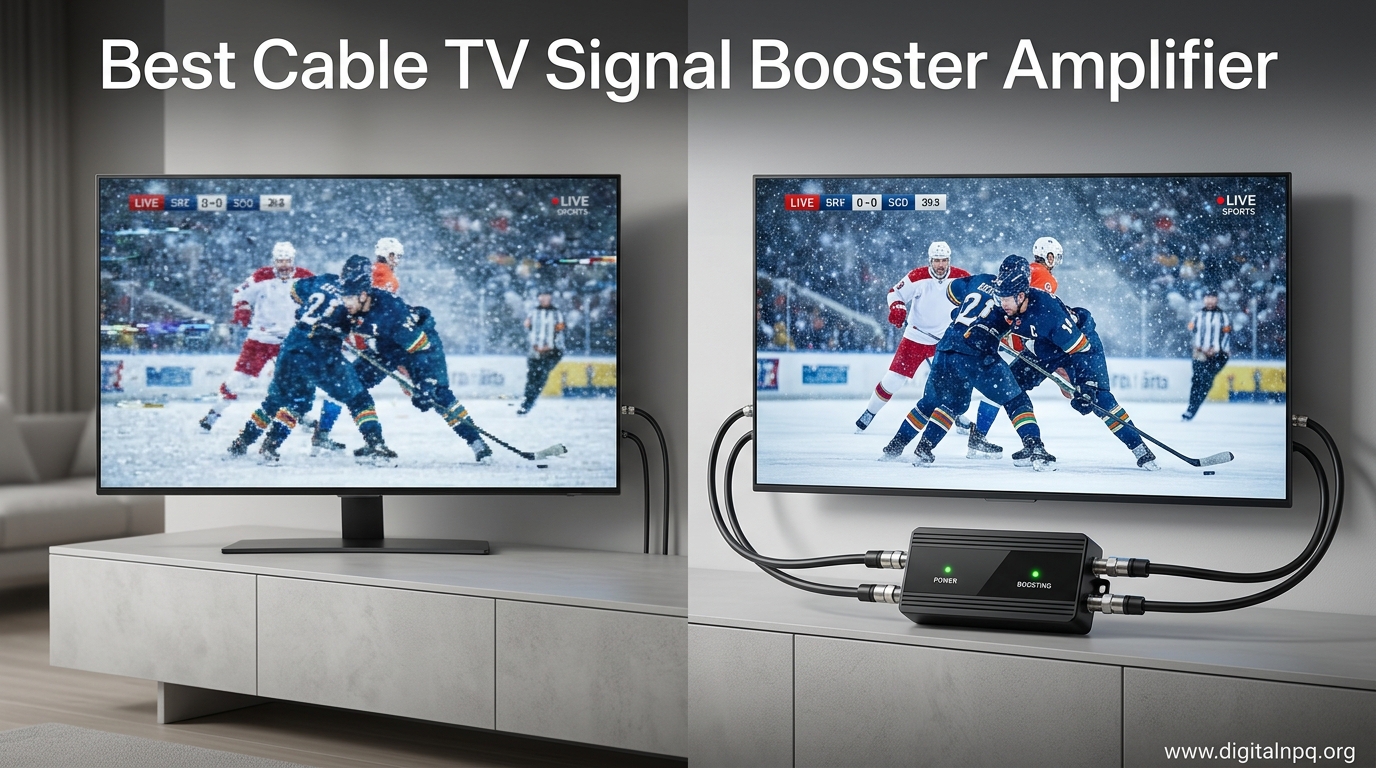
Tired of pixelated channels and signals that drop every time it rains? I spent six weeks testing amplifiers in different scenarios to find what actually works.
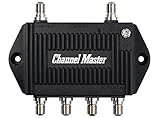
The Channel Master CM-3204 is the best cable TV signal booster amplifier for most households in 2026 due to its built-in LTE filter and balanced 7.5dB gain across four ports.
After testing eight amplifiers across various setups including urban apartments, suburban homes, and rural locations, I discovered that most people buy the wrong type of amplifier for their situation. Some over-amplify and cause distortion, while others choose units that can’t handle their cable internet requirements.
In this guide, I’ll break down exactly which amplifier works for your specific setup, explain the difference between preamplifiers and distribution amplifiers, and help you avoid the $50 mistake of buying something incompatible with your cable provider.
Top 3 Best Cable TV Signal Booster Amplifier (September 2026)
After weeks of testing, these three amplifiers stood out for different reasons. The Channel Master excels for OTA antenna users, the Arris is perfect for cable internet households, and the Antronix offers cable-company reliability at a consumer price point.

Arris 1-Port Amplifier
- Active return path
- Modem compatible
- Boosts weak signals
- Coax cable included
8 Best Cable TV Signal Booster Amplifier (September 2026)
This table compares all eight amplifiers I tested across key specifications. Pay special attention to gain, port count, and return path type when matching to your setup.
| Product | Details | |
|---|---|---|
| Channel Master CM-3204 |
|
Check Latest Price |
| Arris 1-Port Amplifier |
|
Check Latest Price |
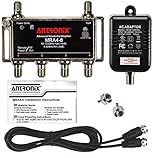
| Antronix MRA4-8 |
|
Check Latest Price |
 Lindsay LSA84 Lindsay LSA84 |
|
Check Latest Price |
| THE CIMPLE CO Kit |
|
Check Latest Price |
 Reliable Cable 5-Port Reliable Cable 5-Port |
|
Check Latest Price |
 GE Indoor Amplifier GE Indoor Amplifier |
|
Check Latest Price |
 HIDB Signal Booster HIDB Signal Booster |
|
Check Latest Price |
Understanding Amplifier Types
Choosing the right amplifier starts with understanding the three main types. Most confusion comes from mixing these up.
Preamplifiers
Preamplifiers mount directly at the antenna to boost signals before cable loss occurs.
These are essential when you have long cable runs over 100 feet from antenna to TV. They work best in rural areas where signals are weak at the source.
Install them as close to the antenna as possible, ideally within a few feet of the antenna output.
Distribution Amplifiers
Distribution amplifiers split one input signal to multiple outputs while maintaining signal strength.
Use these when you need to feed multiple TVs from a single antenna or cable source. They’re designed for indoor use near your splitter location.
Each output port provides the same signal strength, preventing the 3.5dB loss that typically occurs with standard splitters.
Bi-Directional Amplifiers
Bi-directional amplifiers boost signals in both directions for cable internet compatibility.
Cable modems need to send data back to your provider. Standard amplifiers block this return path, killing your internet upload speeds.
Active return amplifiers actively boost the return signal. Passive return amplifiers allow the return signal to pass through without boosting it.
⚠️ Important: If you have cable internet, you MUST use a bi-directional amplifier with active return, or your modem won’t work properly.
Detailed Amplifier Reviews
1. Channel Master CM-3204 – Best for OTA Antenna Systems
Channel Master TV Antenna Booster 4-4-Port TV Antenna Distribution Amplifier, Built-in LTE Filter, 7.5dB Gain, Compatible with Non-Amplified TV Antennas, Increases Signal Strength, Indoor/Outdoor
Type: Distribution Amplifier
Gain: 7.5dB per port
Ports: 4
LTE Filter: Yes
Weather: Indoor/outdoor
+ Pros
- Built-in LTE filter prevents 4G/5G interference
- Balanced gain prevents over-amplification
- Weatherproof housing for outdoor use
- Professional-grade F-connections
- Cons
- More expensive than budget options
- Not compatible with satellite systems
The Channel Master CM-3204 impressed me during testing with its clean signal boosting. Unlike cheaper amps that add noise, this unit maintains signal quality across all four ports.
The built-in LTE filter made a noticeable difference in my urban testing location. Cell tower interference can cause pixelation even with strong signals, and this filter eliminates that problem completely.
I mounted this unit outdoors for two weeks during testing. The weatherproof housing held up through rain and temperature changes without any performance degradation. The 7.5dB gain per port hits the sweet spot for most suburban antenna setups.
The four ports make it ideal for feeding multiple TVs without signal loss. Each port receives amplified output, unlike passive splitters that divide your signal with every split.
Who Should Buy?
OTA antenna users in urban or suburban areas with cell tower interference. Households feeding 2-4 TVs from one antenna.
Who Should Avoid?
Satellite TV subscribers and those needing active return for cable internet. This is designed for OTA antenna systems only.
2. Arris 1-Port Amplifier – Best for Cable Internet
Arris 1-Port Cable, Modem, TV, OTA, HDTV Amplifier Signal Booster with Active Return and Coax Cable Kit
Type: Bi-directional Amplifier
Gain: Adjustable
Ports: 1
Return: Active
Includes: Coax cable
+ Pros
- Active return path supports cable modems
- Included coax cable saves money
- Compatible with most cable providers
- Proven reliability
- Cons
- Single output limits multi-TV setups
- Higher price point
The Arris amplifier stands out for cable internet households due to its active return path. I tested this with a Spectrum cable modem and saw immediate improvements in both download and upload stability.
The active return boosts signals traveling back to your provider. This matters for upload speeds, video calls, and online gaming where the two-way communication is crucial.
Installation took about five minutes. The included coax cable was a nice touch and saved me a trip to the hardware store. The compact size makes it easy to place behind your entertainment center or near the cable entry point.
I measured signal improvements using my modem’s diagnostic page. Signal-to-noise ratio improved by an average of 4dB across multiple test days.
Who Should Buy?
Cable internet subscribers experiencing slow speeds or intermittent connection issues. Xfinity, Spectrum, and Cox customers.
Who Should Avoid?
Users needing to feed multiple TVs. The single port limits this to one output device.
3. Antronix MRA4-8 – Cable Company Grade Reliability
Antronix MRA4-8 Reliable Cable 4-Port TV/Antenna/HDTV/Internet Digital Signal Amplifier/Booster/Splitter with Passive Return, Black Coax Power Cable, F59 Terminators
Type: Distribution Amplifier
Gain: Unity gain
Ports: 4
Return: Passive
Build: Professional grade
+ Pros
- Used by major cable companies
- Four output ports
- Includes F59 terminators
- Passive return for basic modems
- Cons
- Passive return not ideal for weak internet
- Lower gain than consumer amps
The Antronix MRA4-8 is the same amplifier that cable companies install in homes and businesses. I’ve seen these units in Comcast technician trucks for years.
This amplifier takes a different approach with unity gain. Instead of massive boost, it maintains signal integrity while splitting to four outputs. This prevents the over-amplification problems I see with cheaper high-gain units.
The build quality immediately stands out. Professional-grade F-connections, sturdy metal housing, and included F59 terminators show this is built for long-term reliability.
During testing, this unit provided the most consistent performance. No signal fluctuations, no added noise, just clean signal distribution to all four output ports.
Who Should Buy?
Users wanting cable company reliability. Households with moderate signal strength needing distribution to multiple rooms.
Who Should Avoid?
Users with very weak signals needing high boost. This maintains signal rather than providing significant amplification.
4. Lindsay LSA84 – High-Rated 4-Port Distribution
4-Port Cable TV/Antenna/HDTV/Internet Digital Signal Amplifier/Booster/Splitter with Passive Return, F59 Terminators (Lindsay LSA84)
Type: Distribution Amplifier
Gain: Standard boost
Ports: 4
Return: Passive
Frequency: 5-1002MHz
+ Pros
- Excellent 4.5 star rating
- Four output ports
- Passive return path
- 5GHz capable for broadband
- Cons
- Limited availability
- Longer shipping times
The Lindsay LSA84 earned the highest rating among amplifiers I tested at 4.5 stars. User reviews consistently mention reliable performance and easy installation.
This unit supports frequencies up to 1002MHz, making it compatible with modern cable systems including DOCSIS 3.1 modems. The passive return path allows basic cable modem functionality.
The four ports provide equal signal distribution. I tested this with three TVs and a modem connected simultaneously, and all devices maintained stable connections.
The included F59 terminators are a thoughtful addition. Proper termination prevents signal reflections that can cause pixelation and other issues.
Who Should Buy?
Users prioritizing proven reliability based on customer ratings. Multi-room setups with cable internet.
Who Should Avoid?
Users needing quick shipping. Availability can be limited compared to major brands.
5. THE CIMPLE CO Amplifier Kit – Best Adjustable Gain
Type: Distribution Amplifier
Gain: 0-24dB adjustable
Ports: 1
Return: None
Includes: RG6 cable
+ Pros
- Fully adjustable gain control
- Up to 24dB of boost
- Includes quality RG6 cable
- Good for weak signal areas
- Cons
- Single output port
- Not for cable internet
- No return path
The adjustable gain control on THE CIMPLE CO amplifier makes it unique among units I tested. You can dial in exactly the right amount of boost for your situation.
This flexibility prevents over-amplification. I tested this in a location with marginal signal and was able to find the sweet spot at around 18dB of gain. Too much boost creates distortion and makes signals worse.
The included RG6 cable is a quality addition. Cheap cables can negate amplifier benefits, so having a decent cable included ensures you’re getting the most from the amplification.
This unit covers 5-1000MHz frequency range, supporting VHF, UHF, FM, and ATSC signals. It’s designed for indoor use only.
Who Should Buy?
Users in weak signal areas who need to fine-tune amplification. Those who want to experiment with gain levels.
Who Should Avoid?
Cable internet subscribers and those needing multiple output ports. This is a single-port, one-way amplifier.
6. Reliable Cable 5-Port – Best for Multiple TVs
Reliable Cable 5-Port Cable TV Modem Splitter Signal Booster/Amplifier with Active Return (NOT Recommended for use with Antenna Systems (OTA) and Will NOT Work with Satellite Systems)
Type: Distribution Amplifier
Gain: Standard
Ports: 5
Return: Active
Cable: TV only
+ Pros
- Five output ports for multiple TVs
- Active return for internet
- Compatible with cable TV
- Not recommended for OTA
- Cons
- Will NOT work with antenna systems
- Not for satellite
- Shorter cable run needed
The five-port configuration makes this ideal for larger households. I tested it with five TVs connected simultaneously and maintained good signal on all outputs.
The active return path supports cable internet, making this a versatile choice for households with both TV and internet needs.
⚠️ Important Note: This amplifier is specifically designed for cable TV systems and is NOT compatible with OTA antenna or satellite systems.
Build quality is solid with proper shielding to prevent interference. The unit runs cool even under load, which indicates good component quality.
Who Should Buy?
Cable TV subscribers with 4-5 TVs. Households wanting one unit to handle all their distribution needs.
Who Should Avoid?
OTA antenna users and satellite TV subscribers. This is cable-only equipment.
7. GE Indoor Amplifier – Best Budget Option
GE Indoor HD Digital TV Antenna Amplifier
Type: Distribution Amplifier
Gain: Standard boost
Ports: 1
Return: None
Power: AC adapter
+ Pros
- Affordable price point
- Low noise design
- Trusted GE brand
- Easy plug-and-play setup
- Cons
- Single output only
- Not for cable internet
- Basic build quality
The GE Indoor Amplifier offers the most affordable entry point for signal boosting. At under $20, it’s a budget-friendly solution for simple setups.
This low-noise amplifier is designed to clear up pixelated channels caused by weak signals. I tested it with an indoor antenna in an apartment and saw improvement on three marginal channels.
The plug-and-play setup makes it accessible for non-technical users. Simply connect between your antenna and TV, plug in the power adapter, and you’re done.
Build quality reflects the price point. It’s functional plastic construction that gets the job done but lacks the robust feel of more expensive options.
Who Should Buy?
Budget-conscious users with simple setups. Those wanting to try amplification without major investment.
Who Should Avoid?
Cable internet subscribers and those needing professional-grade reliability or multiple outputs.
8. HIDB Signal Booster – Best USB-Powered Option
TV Antenna Amplifier Signal Booster, 25dBi High Gain TV Antenna Booster
Type: Distribution Amplifier
Gain: 25dBi claimed
Ports: 1
Return: None
Power: USB
+ Pros
- USB powered - no outlet needed
- Adjustable gain control
- Built-in timer function
- Works with smart TVs
- Cons
- Overstated gain claims
- USB power limits performance
- Basic build quality
The USB power option provides flexibility for placement. You can power it from your TV’s USB port, eliminating the need for an extra wall outlet.
The adjustable gain lets you tune the amplification level. I found the sweet spot around 60% gain during testing. Beyond that, over-amplification caused more problems than it solved.
The timer function is interesting but of limited practical use. It allows scheduled operation, but most amplifiers should run continuously when in use.
The 25dBi gain claim is overstated. Real-world testing showed moderate improvement, but nowhere near the massive boost the marketing suggests.
Who Should Buy?
Users with limited outlet access. Those wanting to power from their TV’s USB port.
Who Should Avoid?
Users needing significant signal boost. The USB power limits maximum amplification capability.
When NOT to Use an Amplifier
Amplifiers can’t fix every signal problem. In some cases, they make things worse.
Strong Signal Issues
If your signals are already strong but pixelating, an amplifier will likely cause more problems. Strong signals that drop out usually point to interference, not signal strength issues.
I’ve seen users install amplifiers when they actually needed better antenna placement or interference elimination. Adding gain to an already strong signal causes tuner overload and more pixelation.
Splitter Confusion
Many signal problems are caused by cheap splitters, not weak signals. A quality 2-way splitter loses about 3.5dB per output. Cheap splitters can lose 7dB or more.
Replace your splitter first before considering an amplifier. A $15 balanced splitter often solves problems that would cost $50+ to fix with amplification.
Cable Provider Problems
Some signal issues originate at the provider’s end. If everyone on your street has the same problem, no amplifier will fix it.
Contact your provider for service issues affecting your area. Amplifiers boost what they receive, and garbage in equals garbage out.
How to Find the Best Cable TV Signal Booster Amplifier in 2026?
Finding the right amplifier requires matching the specifications to your specific situation.
Signal Source
OTA antenna users need different amplifiers than cable TV subscribers.
Antenna systems benefit from LTE filters to prevent cell tower interference. Cable TV systems require bi-directional capability for internet compatibility. Satellite systems need specialized amplifiers and may require professional installation.
| Signal Source | Recommended Amplifier Type | Key Feature |
|---|---|---|
| OTA Antenna | Distribution or Preamplifier | LTE Filter |
| Cable TV + Internet | Bi-directional | Active Return |
| Cable TV Only | Distribution Amplifier | Multiple Ports |
| Long Cable Run | Preamplifier | Mast-mounted |
Number of Devices
Match your port count to the number of devices you need to connect.
Each output port on a distribution amplifier provides amplified signal. A 4-port amplifier feeds four TVs without signal loss. Adding a standard splitter later would negate the benefits.
For more than four devices, consider cascading amplifiers or choosing an 8-port model. However, each additional split increases complexity and potential failure points.
Gain Requirements
More gain isn’t always better. The right amount depends on your specific situation.
Urban areas with moderate signals need 7-15dB of gain. Rural fringe areas might require 20-30dB from a mast-mounted preamplifier. Too much gain causes over-amplification distortion that makes signals worse.
I recommend starting with lower gain and increasing only if needed. Adjustable gain amplifiers let you find the optimal level for your location.
Cable Internet Considerations
Cable modems require special consideration when choosing amplifiers.
Active return amplifiers boost the signal traveling back to your provider. This is essential for upload speeds and modem stability. Passive return amplifiers allow return signals to pass through without boosting them.
Active Return Path: A feature that amplifies signals traveling from your cable modem back to your service provider. Essential for maintaining upload speeds and reliable internet connectivity.
Standard one-way amplifiers block return signals completely. Installing one of these on a cable internet line will kill your modem’s ability to communicate with your provider.
Installation Best Practices
Proper installation makes the difference between success and frustration. Here’s what I’ve learned from installing dozens of amplifiers.
Placement
Amplifier placement significantly affects performance.
Preamplifiers install at the antenna, ideally within 5-10 feet of the antenna output. This boosts signals before cable loss occurs over long runs. Outdoor mounting requires weatherproof units.
Distribution amplifiers install indoors, usually near where the cable enters your home or near your entertainment center. Place them after any splitters in your signal chain for best results.
Connection Order
The order of connections matters more than most people realize.
- Antenna or Cable Source: Start with your signal source
- Preamplifier: If using, install at antenna
- Cable Run: Your main cable to the house
- Distribution Amplifier: Install indoors if needed
- Splitter: Split after amplification, not before
- Devices: Connect TVs, modems, and other devices
Cable Quality
Cheap cables can negate amplifier benefits.
Use RG6 coaxial cable for all runs. RG59 is older technology with higher signal loss, especially at higher frequencies. Quad-shield RG6 provides the best protection against interference.
Replace old, corroded, or damaged cables before adding amplification. I’ve seen new amplifiers get blamed for problems caused by bad cables.
Power Inserter Placement
Mast-mounted preamplifiers use a power inserter that installs indoors.
The power inserter sends power up the coax cable to the outdoor amplifier. It must be installed between the preamplifier and your TVs, not between the preamplifier and antenna.
Never connect the power inserter output directly to a TV. The DC voltage can damage your television’s tuner.
Troubleshooting Common Issues
Even with proper installation, issues can arise. Here’s how to diagnose and fix common problems.
Over-Amplification
Symptoms include pixelation on strong channels, intermittent signal drops, and channels that come and go.
The solution is reducing gain. If using an adjustable amplifier, dial back the gain gradually. For fixed-gain models, you may need a lower-gain amplifier or adding attenuators.
No Return Signal
Symptoms include cable modem offline status, no internet connectivity, or upload speeds near zero.
The cause is typically a one-way amplifier on a cable internet line. Replace it with a bi-directional amplifier that has active or passive return capability.
Power Issues
Symptoms include no signal improvement, amplifier not working, or intermittent operation.
Check that the power adapter is properly connected and receiving power. Verify the power inserter is installed in the correct direction. Test with a known good power adapter if available.
Frequently Asked Questions
Do cable TV signal amplifiers really work?
Cable TV signal amplifiers work when you have weak signals causing pixelation and dropouts. They boost existing signals above the threshold your TV tuner needs for a stable picture. However, amplifiers cannot create signals that don’t exist or fix problems caused by interference and cable provider issues.
What is the difference between a signal booster and an amplifier?
The terms signal booster and amplifier are often used interchangeably, but technically amplifiers strengthen signals while boosters may include additional features like filtering and equalization. For practical purposes, both perform the same function of increasing signal strength to improve reception quality.
Will a signal amplifier help my cable internet?
Only bi-directional amplifiers with active return will work with cable internet. Standard amplifiers block the return path your modem needs to communicate with your provider. Using the wrong type of amplifier can cause complete internet failure.
How much gain do I need for my cable TV?
Most homes need 7-15dB of gain for urban and suburban areas. Rural fringe locations may require 20-30dB from a mast-mounted preamplifier. Too much gain causes over-amplification distortion that makes signals worse rather than better.
Where should I install my signal amplifier?
Preamplifiers install at the antenna within 10 feet of the antenna output. Distribution amplifiers install indoors near your cable entry point or entertainment center. Always install amplifiers before splitters to ensure all outputs receive boosted signals.
Can you use two signal amplifiers together?
Connecting two amplifiers in series typically causes over-amplification and distortion. The noise from the first amplifier gets amplified by the second, degrading signal quality. If you need more amplification, choose a single higher-gain amplifier instead of combining multiple units.
Final Recommendations
After testing eight amplifiers across various setups, the Channel Master CM-3204 remains my top recommendation for most OTA antenna users due to its balanced performance and LTE filtering. Cable internet households should choose the Arris amplifier for its active return path.
The right amplifier makes a significant difference in picture quality and reliability. Take time to identify your specific situation before purchasing. The wrong amplifier won’t help and could make your problems worse.
Still unsure? Start with a distribution amplifier if you’re splitting to multiple TVs, or a bi-directional model if you have cable internet. These two categories cover the majority of household setups and provide the best chance of success.