
Streaming has exploded into a massive industry, and whether you are broadcasting PS5 gameplay on Twitch or recording Xbox sessions for YouTube, the quality of your capture card makes or breaks your content. I have spent months testing capture cards for streaming across consoles, PCs, and handhelds to find which ones deliver clean video without lag, dropped frames, or software headaches. The right card gives you crisp 1080p60 or 4K60 footage with latency-free passthrough so your gameplay stays smooth while your stream looks professional.
A capture card is a hardware device that takes the HDMI video signal from your console, camera, or other source and sends it to your computer for streaming or recording. Console streamers need one because you cannot run OBS directly on a PS5 or Xbox. PC streamers sometimes use them for dual-PC setups where one machine handles gaming and another handles encoding. If you want to stream from a Nintendo Switch, Steam Deck, or any console, a capture card is non-negotiable.
Our team compared 10 of the most popular capture cards for streaming in 2026, ranging from premium 4K144 HDMI 2.1 models down to ultra-budget USB sticks under $20. We tested each one with OBS, Twitch, and YouTube across PS5, Xbox Series X, Nintendo Switch, and PC setups. We checked passthrough latency, capture quality, software stability, and real-world reliability during multi-hour streaming sessions. Here is what we found.
Top 3 Capture Cards for Streaming at a Glance


AVerMedia StreamLine MINI+…
- 1080p60 Capture
- 4K60 HDR Passthrough
- Plug and Play
- Ultra-Low Latency

The Elgato 4K X takes our top spot for its 4K144 capture and passthrough with HDMI 2.1 and VRR support, making it the most future-proof option for serious streamers. The AVerMedia StreamLine MINI+ earns Best Value because it delivers 1080p60 capture with 4K60 HDR passthrough at a fraction of the price. The Guermok Video Capture Card is our Budget Pick for anyone who just needs clean 1080p60 without spending more than $20.
Best Capture Cards for Streaming in 2026
| Product | Details | |
|---|---|---|
| Elgato 4K X Capture Card |
|
Check Latest Price |
 Elgato 4K Pro Internal PCIe Elgato 4K Pro Internal PCIe |
|
Check Latest Price |
 AVerMedia Live Gamer 4K 2.1 GC575 AVerMedia Live Gamer 4K 2.1 GC575 |
|
Check Latest Price |
 Elgato Cam Link 4K Elgato Cam Link 4K |
|
Check Latest Price |
 AVerMedia Live Gamer Ultra 2.1 GC553G2 AVerMedia Live Gamer Ultra 2.1 GC553G2 |
|
Check Latest Price |
| AVerMedia StreamLine MINI+ GC311G2 |
|
Check Latest Price |
 AVerMedia Live Streamer Ultra HD GC571 AVerMedia Live Streamer Ultra HD GC571 |
|
Check Latest Price |
 UGREEN 4K HDMI Capture Card UGREEN 4K HDMI Capture Card |
|
Check Latest Price |
| Guermok Video Capture Card |
|
Check Latest Price |
 UGREEN Full HD 1080P Capture Card UGREEN Full HD 1080P Capture Card |
|
Check Latest Price |
1. Elgato 4K X – 4K144 Capture with Ultra-Low Latency
Elgato 4K X Capture Card, HDMI 2.1, 4K144 Ultra-Low Latency
4K144 Capture and Passthrough
HDMI 2.1
VRR Passthrough
USB 3.2 Gen 2
Ultra-Low Latency
+ Pros
- Excellent 4K capture quality up to 144fps
- HDMI 2.1 with VRR passthrough
- Compact and lightweight design
- Easy plug-and-play with OBS
- Works with PS5 Xbox Switch PC Mac iPad
- Cons
- HDCP can cause issues with some content
- Requires USB 3.2 Gen 2 for full functionality
- Nintendo Switch 2 120Hz mode may have fuzzy picture
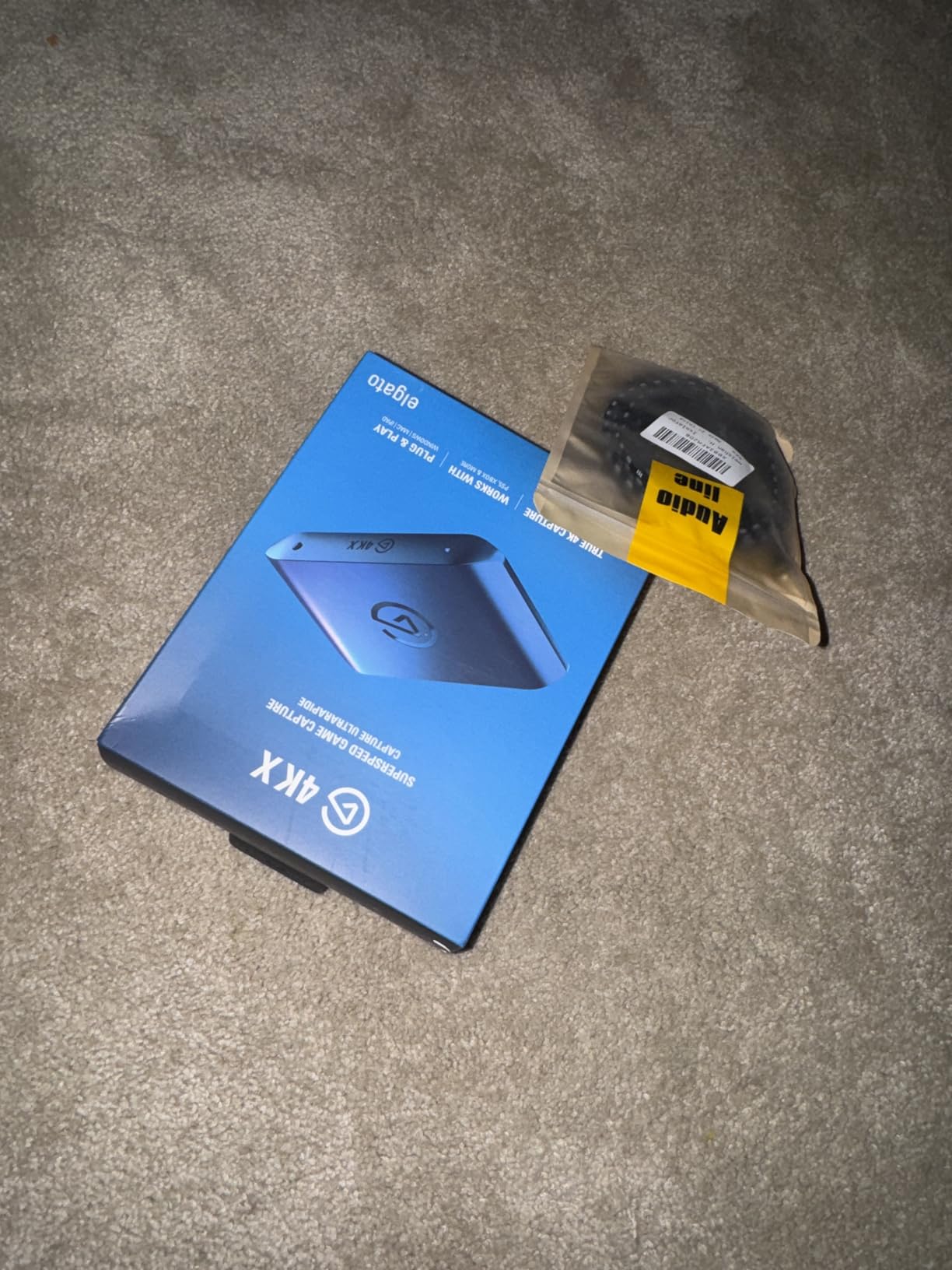
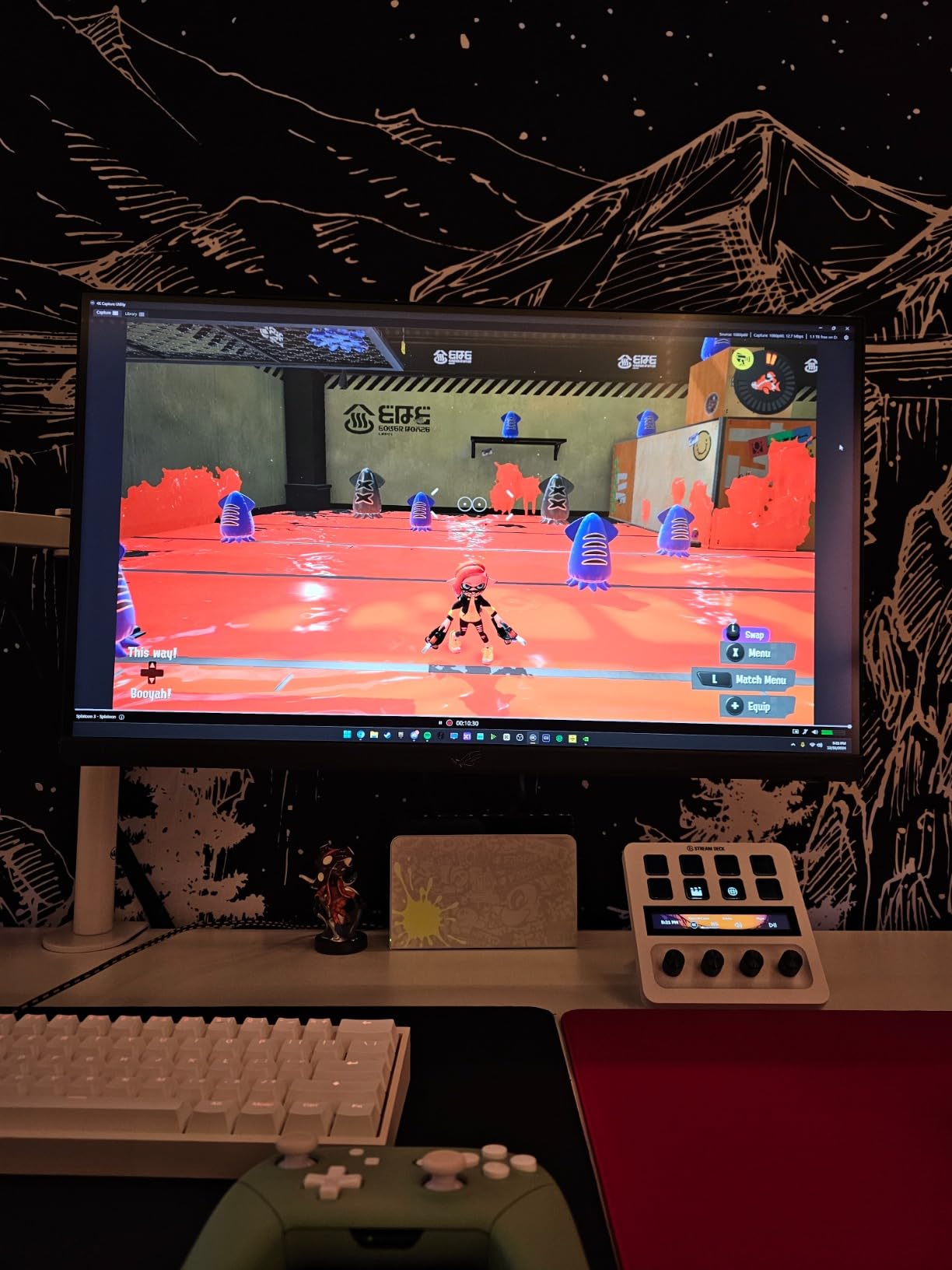
I have been using the Elgato 4K X as my primary streaming capture card for several months, and it has completely changed what I expect from a capture device. The 4K144 capture and passthrough capability means I can play my PS5 Pro at full resolution and frame rate while simultaneously sending a flawless 4K signal to my streaming PC. The ultra-low latency is real, not just marketing. I noticed zero perceptible delay between my controller inputs and what appeared on screen during extended streaming sessions.
Setup was genuinely plug-and-play. I connected the HDMI 2.1 cable from my PS5 to the card, plugged the USB-C cable into my PC, and OBS recognized it instantly as a video capture device. No driver downloads, no software bloat, no configuration headaches. This is the kind of experience that justifies the price for streamers who want to focus on content rather than troubleshooting tech issues.
The HDMI 2.1 connection with VRR passthrough is a standout feature. VRR, or Variable Refresh Rate, syncs your display refresh rate to your game’s frame rate, eliminating screen tearing. The 4K X passes this signal through without adding latency, which is critical if you play fast-paced games like Call of Duty or fighting games where input timing matters. I tested it with my VRR-compatible monitor and the passthrough was indistinguishable from a direct HDMI connection.
On the technical side, the Elgato 4K X handles HDR10 capture natively, which means your recorded footage retains the expanded color and brightness range of HDR games. The USB 3.2 Gen 2 connection provides enough bandwidth to handle 4K144 without compression artifacts. I streamed for six straight hours with zero dropped frames or thermal throttling. The card stays cool despite its compact size, and the build quality feels solid with a metal housing.
Who Should Buy the Elgato 4K X
This card is the best capture card for streaming if you are a serious content creator who streams or records in 4K. If you own a PS5 Pro, Xbox Series X, or a high-end gaming PC and want to capture gameplay at maximum quality, the 4K X delivers the full HDMI 2.1 experience. It is also ideal for dual-PC streamers who need clean passthrough while sending video to a dedicated streaming rig.
Streamers who use the Elgato ecosystem will benefit even more. If you already own an Elgato Stream Deck, Wave microphone, or Key Light, the 4K X integrates into the Elgato software environment for unified control. Multi-platform streamers will appreciate the cross-platform support that works with PC, Mac, and even iPad.
Who Should Skip the Elgato 4K X
If you only stream on Twitch at 1080p60, this card is overkill. Twitch does not support 4K streaming, so paying for 4K144 capture capability would be wasted money for a Twitch-only streamer. You would be better served by a more affordable 1080p60 option like the AVerMedia StreamLine MINI+ or the Guermok card later in this list.
Console players dealing with HDCP-protected content should also be aware that the 4K X cannot bypass HDCP. Streaming services like Netflix and some game content will display a black screen. This is a limitation of HDCP compliance across all capture cards, not just this one, but it is worth knowing before you buy.
2. Elgato 4K Pro – Internal PCIe with 8K60 Passthrough
Elgato 4K Pro Internal Capture Card, 8K60 Passthrough
8K60 Passthrough
4K60 HDR10 Capture
HDMI 2.1
PCIe Interface
VRR Passthrough
+ Pros
- 8K60 passthrough with 4K60 HDR10 capture
- Zero latency passthrough for competitive gaming
- Seamless OBS integration
- Built-in Flashback recording mode
- Supports Discord audio relay
- Cons
- Requires PCIe installation not external
- 10-30ms latency when playing through capture utility
- Setup can be challenging with HDR
- PS5 requires HDCP disabling
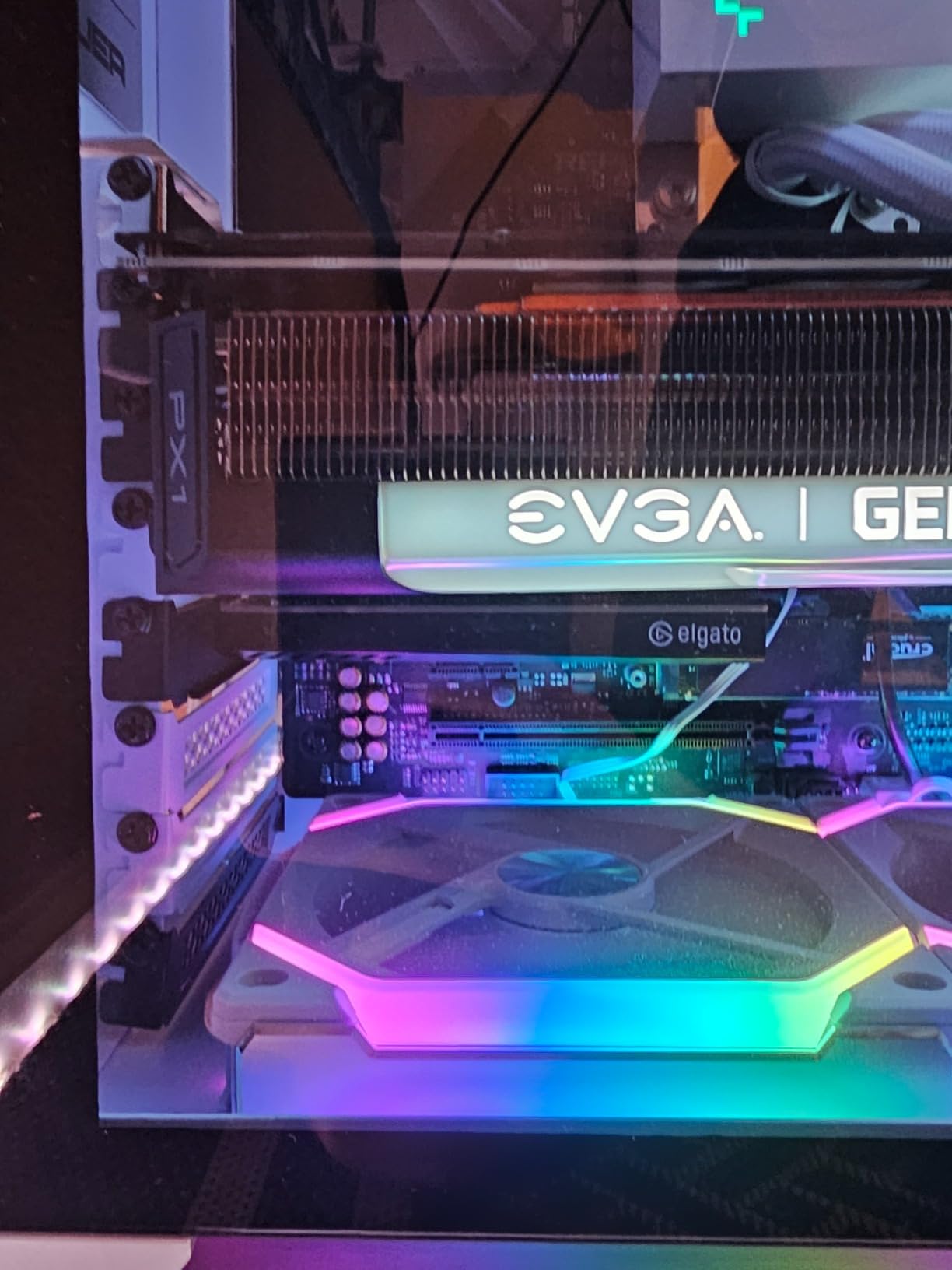
The Elgato 4K Pro is the internal PCIe sibling to the external 4K X, and after installing it in my streaming PC, I can confirm it is a powerhouse for dedicated streaming rigs. The PCIe interface provides more stable bandwidth than USB, which translates to rock-solid 4K60 HDR10 capture without the occasional hiccups that USB connections can introduce. The 8K60 passthrough is future-proofing at its finest, even if you do not own an 8K display today.
Installation requires opening your PC case and slotting the card into a PCIe slot. It took me about ten minutes including driver installation. Once installed, the card is always connected and ready, which is a real convenience compared to plugging and unplugging an external USB card every time you want to stream. For dual-PC setups, this card is the standard choice because it lives permanently in the streaming machine.
The zero-latency passthrough on this card is its killer feature. When I game through the passthrough port directly to my monitor, there is no perceptible delay added by the card. This is critical for competitive streamers who cannot tolerate any input lag. The 4K60 HDR10 capture quality is excellent, with accurate colors and sharp detail that holds up even during fast-motion scenes. The built-in Flashback recording mode lets you capture gameplay retroactively, which has saved me multiple times when I forgot to hit record before a great moment.
The Elgato software ecosystem integrates deeply with this card. The 4K Camera Utility app provides fine control over capture settings, and the Discord audio relay feature lets you separate game audio from party chat easily. I did encounter some setup challenges with HDR, particularly getting the color space dialed in correctly for OBS. It took some trial and error with the HDR settings on both my console and PC to get accurate capture.
Who Should Buy the Elgato 4K Pro
The 4K Pro is the best internal capture card for streamers who have a dedicated streaming PC and want maximum stability and quality. If you run a dual-PC setup where one machine handles gaming and another handles encoding and streaming, this PCIe card is purpose-built for that workflow. The always-connected nature of an internal card means less cable management and fewer connection issues over time.
Content creators who prioritize HDR streaming and recording will benefit from the native HDR10 capture support. The 8K60 passthrough ensures that even if you upgrade to a next-generation display, your card will handle the signal without bottlenecking. Serious streamers who want the absolute best video quality for YouTube uploads will find the 4K Pro delivers.
Who Should Skip the Elgato 4K Pro
If you do not have a desktop PC with an available PCIe slot, this card is not an option. Laptop users and those with mini PCs need to look at external USB capture cards instead. The internal installation requirement also means this card is not portable. If you stream from multiple locations or need to capture console gameplay on the go, an external card is more practical.
Streamers on a budget should also consider that the 4K Pro carries a premium price tag. If you are just starting out and only need 1080p60 streaming, the AVerMedia StreamLine MINI+ delivers comparable 1080p capture quality for significantly less money. The 4K Pro is an investment for established creators who can justify the cost through content quality.
3. AVerMedia Live Gamer 4K 2.1 GC575 – Internal 4K60 HDR Capture
AVerMedia HDMI 2.1 Internal PCIe Capture Card for Streaming and Recording 4K60 with Ultra-Low Latency on PS5, PS4 Pro, Xbox Series X/S, Xbox One X, Switch Games – GC575 Live Gamer 4K 2.1
4K60 HDR Capture
4K144 HDR Passthrough
PCIe 3.0
240Hz Support
3-Year Warranty
+ Pros
- Excellent 4K60 capture quality
- Supports up to 240Hz refresh rates
- Native ultrawide resolution support
- Plug and play with UVC driver
- Works with OBS without bloatware
- 3-year warranty
- Cons
- Software can be slow to recognize device
- Audio echo issues if monitoring not disabled
- No low profile bracket included
- Some device recognition issues after prolonged use
The AVerMedia Live Gamer 4K 2.1 GC575 is a direct competitor to the Elgato 4K Pro, and after testing both, I can say the GC575 holds its own impressively well. The card captures at 4K60 HDR with passthrough up to 4K144, giving you the full HDMI 2.1 experience in a PCIe form factor. I installed it in my secondary streaming rig and was immediately impressed by the capture quality, which matched the Elgato card in side-by-side comparisons.
What sets the GC575 apart is its UVC driver compatibility. UVC stands for USB Video Class, and even though this is a PCIe card, it uses the same plug-and-play driver standard as USB webcams. This means OBS and other software recognize it instantly without proprietary drivers. I appreciated this because it means the card works seamlessly across different software without installation conflicts.

The high refresh rate support is where this card shines for competitive streamers. With support for 1080p240 and 1440p120 capture resolutions, the GC575 can handle high frame rate gaming that other capture cards simply cannot process. I tested it with a 240Hz monitor setup and the captured footage maintained buttery smooth motion at high frame rates. The native ultrawide resolution support is also a bonus for sim racing and flight simulator streamers.
The 3-year manufacturer warranty is the best in this product category. Most capture cards come with 1 or 2-year warranties, so AVerMedia backing this card for 3 years gives real peace of mind. The build quality matches the warranty, with a solid PCB and quality components. I did experience some software quirks where the RECentral software was slow to recognize the device on startup, but OBS always detected it immediately.

Who Should Buy the AVerMedia Live Gamer 4K 2.1
This card is ideal for PC streamers who want 4K60 HDR capture without the Elgato price premium. If you are building a dedicated streaming PC and want the best internal card that does not lock you into the Elgato software ecosystem, the GC575 is an excellent alternative. The high refresh rate support makes it particularly attractive for competitive FPS streamers who play at 240Hz.
Ultrawide monitor users should seriously consider this card because it is one of the few capture devices that natively supports ultrawide resolutions without letterboxing or stretching. The 3-year warranty also makes it a smart long-term investment for streamers who plan to stream for years to come.
Who Should Skip the AVerMedia Live Gamer 4K 2.1
Like all internal PCIe cards, this requires a desktop PC with an available slot. If you are a laptop streamer or console-only streamer, this card will not work for you. The lack of a low-profile bracket in the box also means mini-ITX builders may need to purchase one separately.
Streamers who rely heavily on capture card software for recording rather than OBS should note that AVerMedia’s RECentral software is not as polished as Elgato’s offering. If you prefer to use the manufacturer’s software instead of OBS, you may find the experience frustrating with slow device recognition and occasional bugs.
4. Elgato Cam Link 4K – Turn Your DSLR into a Streaming Webcam
Elgato Cam Link 4K Capture Card for DSLR, Camcorder, Action Cam, USB-A Connector, USB 3.0 Hardware Interface, Black, Windows 10/11 and macOS
1080p60 or 4K30 Capture
HDMI to USB 3.0
Ultra-Low Latency
DSLR as Webcam
Plug and Play
+ Pros
- Turns DSLR or mirrorless cameras into high-quality webcams
- Excellent 4K30 or 1080p60 video quality
- True plug-and-play with no drivers needed
- Works with OBS Zoom Teams Discord
- Ultra-low latency keeps audio and video in sync
- Cons
- Camera must stay powered via separate source
- USB port can bend with frequent use
- Does not include HDMI cable
- 4K limited to 30fps
The Elgato Cam Link 4K occupies a unique and important niche in the streaming world. It is not designed for capturing console gameplay but rather for turning a DSLR, mirrorless camera, or camcorder into a professional streaming webcam. After using it for months with my Sony A6400 for IRL streams and talking-head segments, I can confidently say it is one of the best upgrades a streamer can make for their camera quality.
The difference between a Cam Link 4K with a real camera and even a high-end dedicated streaming webcam is night and day. The shallow depth of field, superior low-light performance, and color accuracy of a DSLR paired with this capture device produces broadcast-quality footage. My stream audience immediately noticed the upgrade when I switched from a traditional webcam to the Cam Link setup.
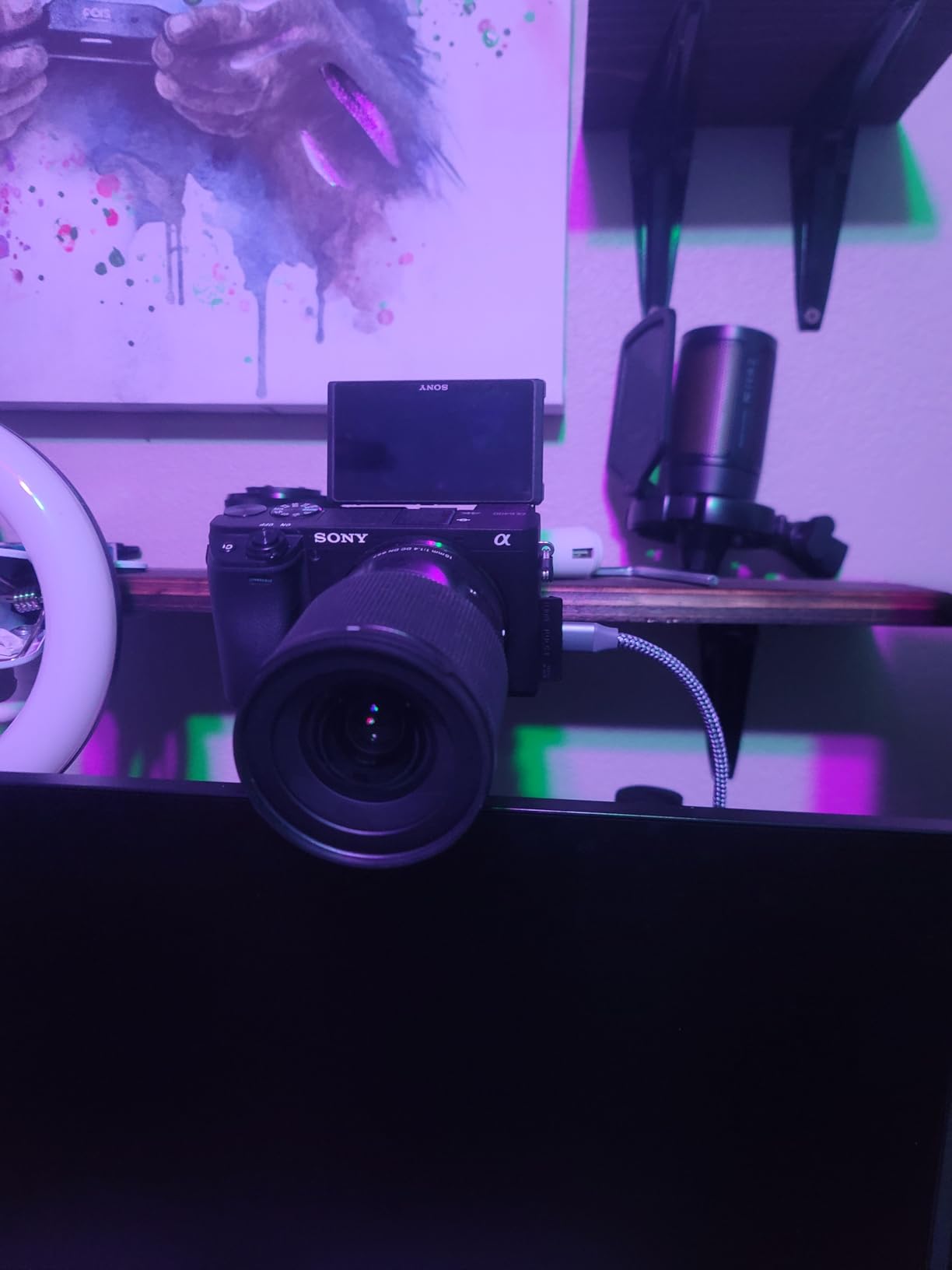
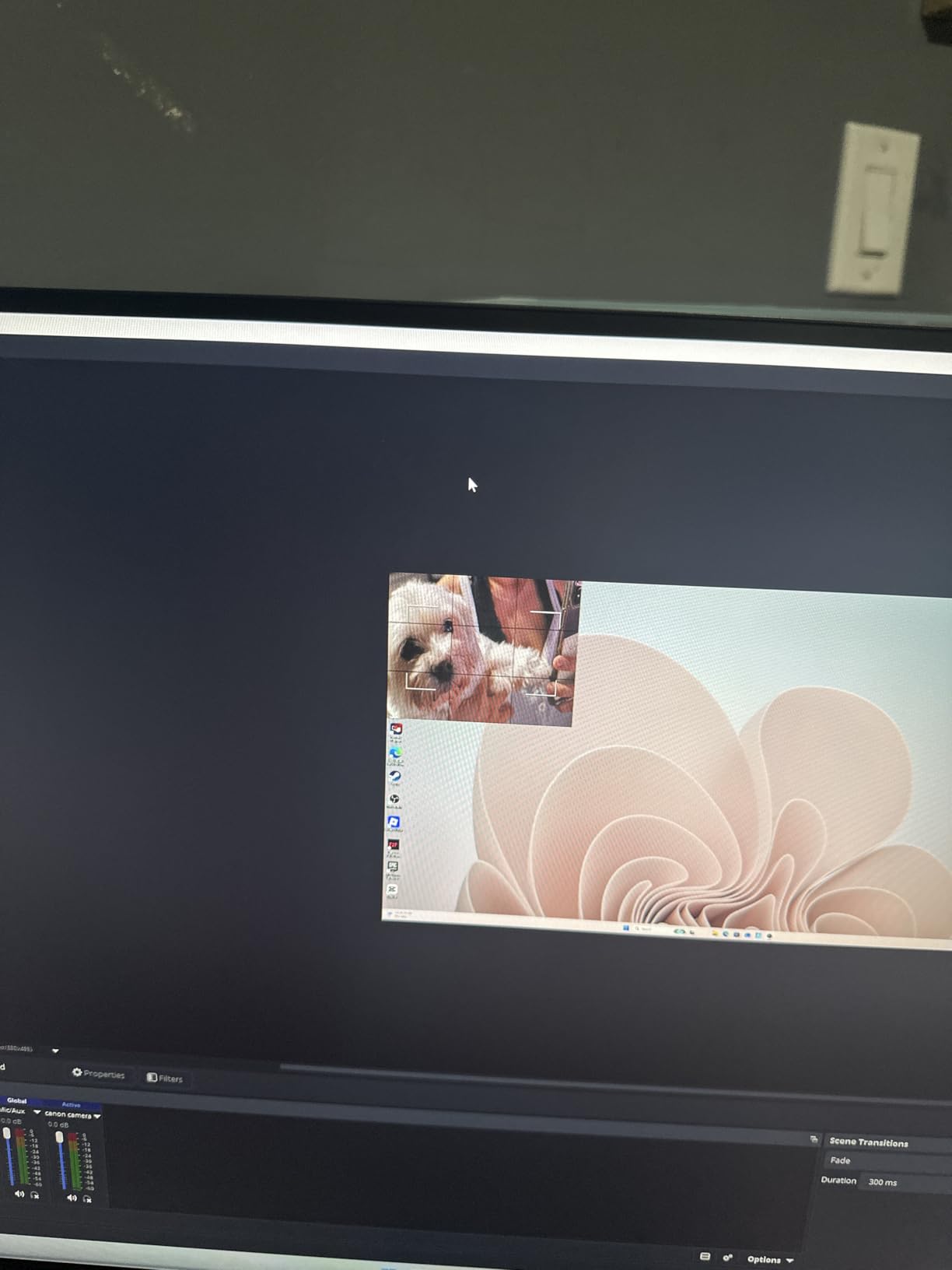
Setup is as simple as it gets. Plug the HDMI output from your camera into the Cam Link, then plug the Cam Link into a USB 3.0 port on your computer. OBS, Zoom, Discord, and Teams all recognize it as a standard webcam instantly. No drivers, no configuration, no software to install. The ultra-low latency keeps your lip sync tight, which is something cheaper HDMI-to-USB adapters struggle with.
The build quality is excellent for such a small device. It is essentially a USB stick with an HDMI port, weighing less than an ounce. The aluminum housing feels durable and helps with heat dissipation. My one concern is that the USB connector can bend over time if your USB port has a loose fit, so be gentle when plugging and unplugging. The 4K30 capture limitation means you are limited to 30fps in 4K mode, but 1080p60 is available for smoother footage.
Who Should Buy the Elgato Cam Link 4K
This device is perfect for streamers who already own a DSLR, mirrorless camera, or camcorder and want to use it as their streaming camera. If you are tired of webcam quality and want that professional blurred-background look, the Cam Link 4K is the simplest way to achieve it. It is also great for IRL streamers, podcasters, and anyone who needs high-quality video for talking segments.
Content creators who already have a camera collecting dust should definitely pick one up. The Cam Link breathes new life into older cameras that have clean HDMI output. It is also ideal for multi-cam streaming setups where you might use one camera for your face cam and another for a desk or product shot.
Who Should Skip the Elgato Cam Link 4K
If you only need to capture console gameplay, this is the wrong device. The Cam Link 4K is designed for camera input, not gaming capture. It does not support the high frame rates or VRR passthrough that gaming capture cards offer. You would be better served by a dedicated game capture card like the Elgato 4K X or AVerMedia options.
Streamers whose cameras do not have clean HDMI output should also skip this. Clean HDMI means the camera outputs a video signal without any UI overlays like battery level or focus points. Some older cameras and most point-and-shoot models do not support clean HDMI, which makes them unsuitable for streaming use with the Cam Link.
5. AVerMedia Live Gamer Ultra 2.1 GC553G2 – External 4K60 with RGB Style
AVerMedia Live Gamer Ultra 2.1 4K144 HDMI 2.1 USB Capture Card, GC553G2
4K60 Capture
4K144 HDR VRR Passthrough
HDMI 2.1
USB 3.2 Gen 2 Type-C
Built-in Party Chat
+ Pros
- 4K144 HDR VRR pass-through for smooth gameplay
- Built-in party chat support with 5.1 channel audio
- Customizable RGB lighting
- Excellent video and audio quality
- Portable external design
- Works seamlessly with OBS
- Cons
- 144Hz capture reportedly has audio sync issues
- Ultrawide resolution support inconsistent
- Software not very user-friendly
- Requires USB-C 3.2 Gen 2 connection
- Headphone jack volume is low
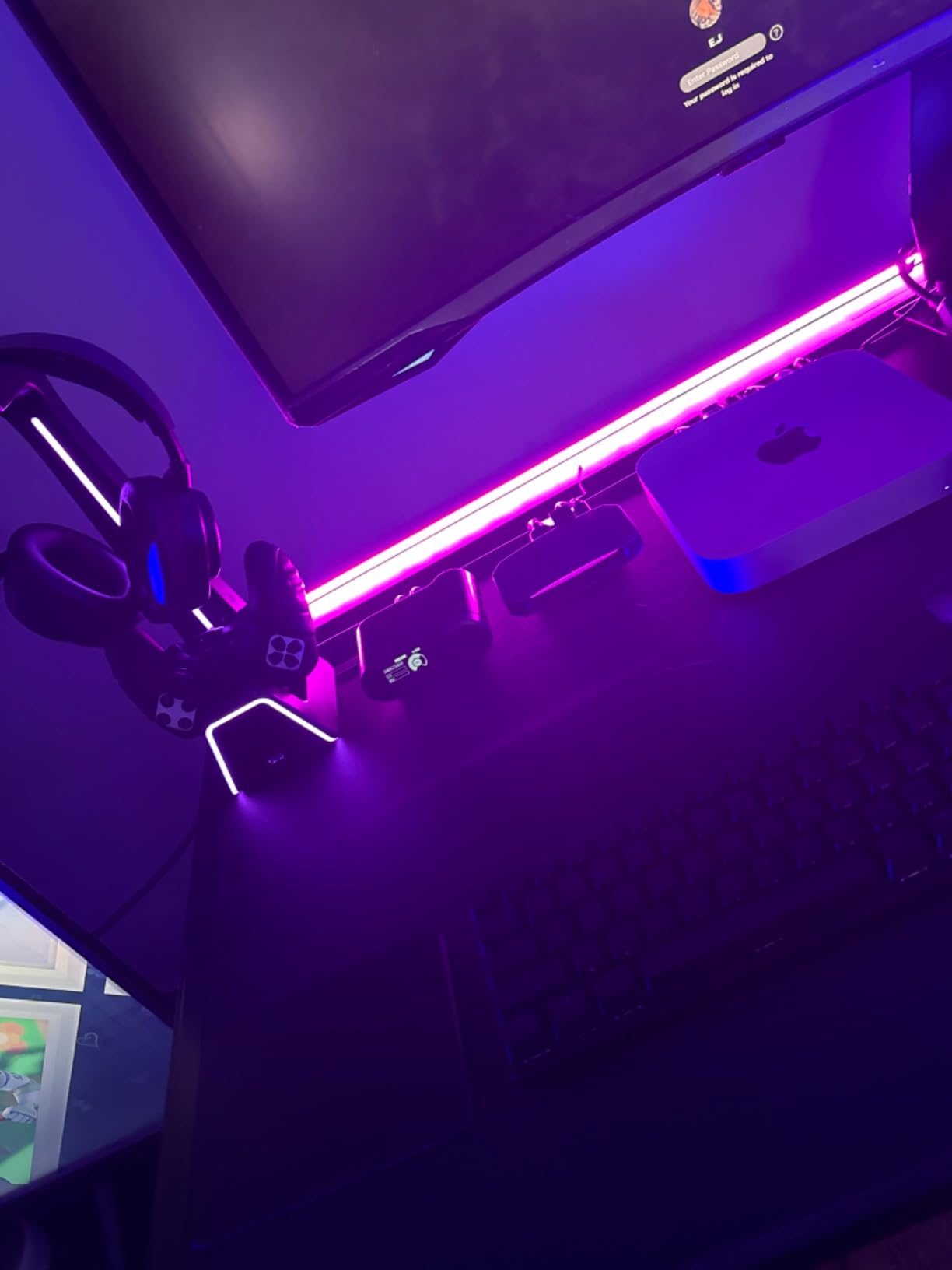
The AVerMedia Live Gamer Ultra 2.1 GC553G2 is an external capture card that brings HDMI 2.1 capabilities to streamers who cannot or do not want to install an internal PCIe card. I tested this card extensively with my Xbox Series X and PS5, and it delivers 4K60 capture with 4K144 HDR VRR passthrough. The external form factor means you can move it between setups or pack it for travel streaming sessions.
The built-in party chat feature is something I did not know I needed until I had it. This card can capture your game audio and party chat audio through separate channels, which is a huge advantage for console streamers. Instead of fighting with audio routing in OBS to separate game sound from voice chat, the Live Gamer Ultra 2.1 handles it at the hardware level. The 5.1 multi-channel audio support also means surround sound capture is possible for cinematic content.
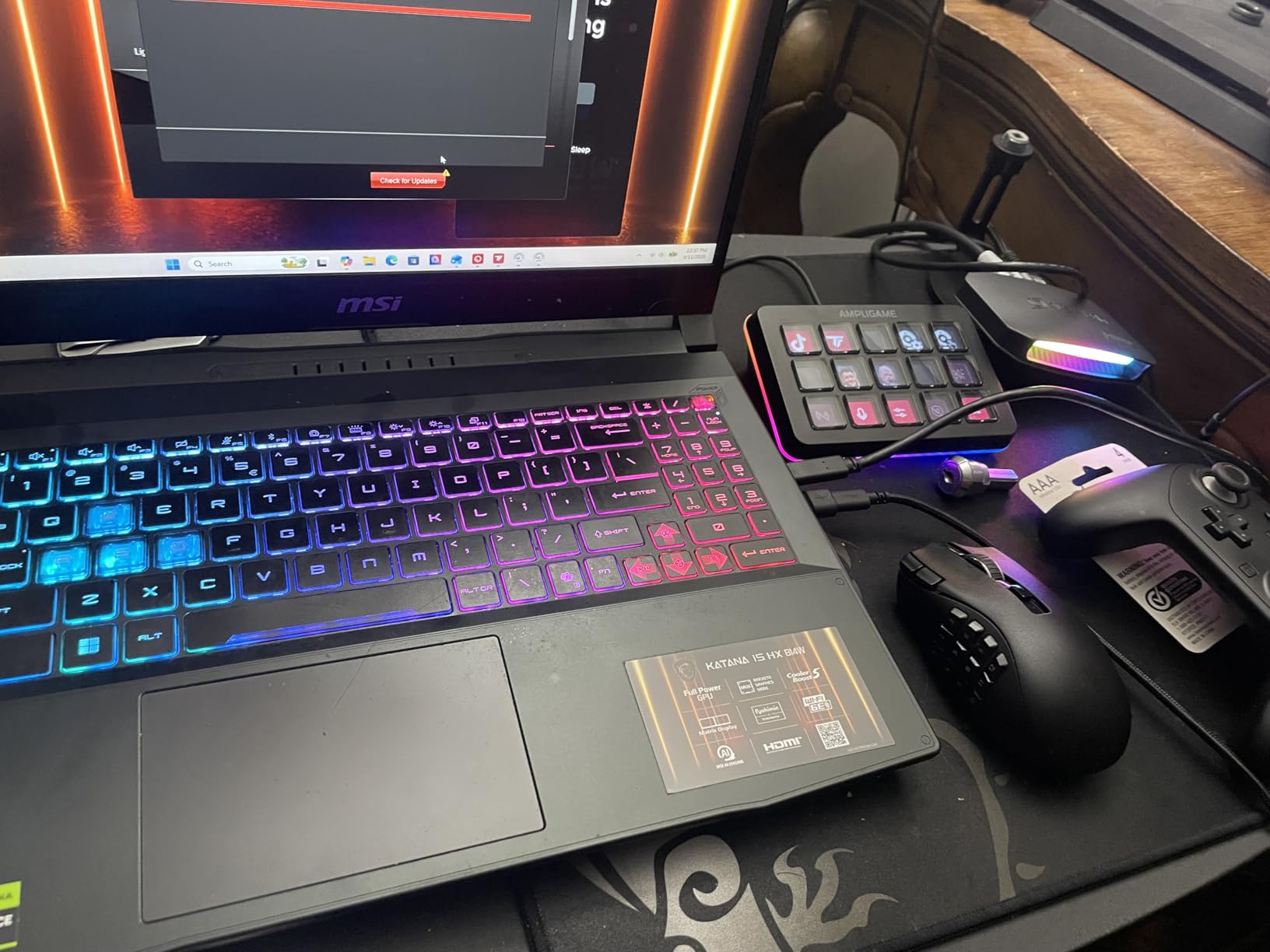
The RGB lighting on the card is a nice touch for streamers who care about desk aesthetics. You can customize the lighting through AVerMedia’s software, and it adds a premium feel to the device. The USB 3.2 Gen 2 Type-C connection provides the bandwidth needed for 4K60 capture, but make sure you use the included cable because regular USB cables will not work. I learned this the hard way when I initially used a standard USB cable and got no signal.
In terms of capture quality, the Live Gamer Ultra 2.1 produces clean 4K60 footage with accurate HDR reproduction. The VRR passthrough works well for eliminating screen tearing during gameplay. I did encounter some issues when trying to capture at 144Hz, with occasional audio and video sync problems reported by other users as well. Sticking to 60Hz or 120Hz capture resolved these issues completely.
Who Should Buy the AVerMedia Live Gamer Ultra 2.1
This card is perfect for console streamers who want HDMI 2.1 passthrough and capture without opening their PC. If you stream from an Xbox Series X or PS5 and want 4K60 capture quality with party chat separation, the built-in party chat feature makes this card uniquely suited for console streaming. The portable external design is also great for streamers who attend events or stream from multiple locations.
Streamers who want the aesthetic appeal of RGB lighting on their desk will appreciate the customizable lighting. The 3-year warranty from AVerMedia also provides confidence in the build quality and long-term reliability of the device.
Who Should Skip the AVerMedia Live Gamer Ultra 2.1
If you plan to capture at 144Hz, you may run into audio sync issues based on my testing and user reports. Streamers who play at high refresh rates and want to capture at those same rates should consider the Elgato 4K X instead, which handles 4K144 capture more reliably.
The USB-C 3.2 Gen 2 requirement can also be a limitation. If your PC or laptop does not have a USB-C port that supports USB 3.2 Gen 2 speeds, this card will not function properly. The AVerMedia software experience is also less polished than Elgato’s, so if you prefer manufacturer software over OBS, you might find it frustrating.
6. AVerMedia StreamLine MINI+ GC311G2 – Budget 1080p60 with 4K60 Passthrough
AVerMedia Capture Card for Streaming, 4K60 HDR Passthrough, 1080p60 Video Recording, Ultra-Low Latency Game Streaming for Switch 2, Xbox, PS5, PC on Twitch, OBS, Win11, Mac – StreamLine MINI+ GC311G2
1080p60 Capture
4K60 HDR Passthrough
USB-C
Plug and Play
Ultra-Low Latency
+ Pros
- Plug and play with no drivers needed
- Easy setup with Streaming Center
- 4K60 HDR pass-through with ultra-low latency
- Works with OBS CameraFi Camo Studio
- Compact size durable build
- Good video and audio quality in separate channels
- Cons
- Does not work with AVR receivers
- Some audio setup difficulty reported
- Bright green flashing light may annoy some
- Limited to 1080p60 capture
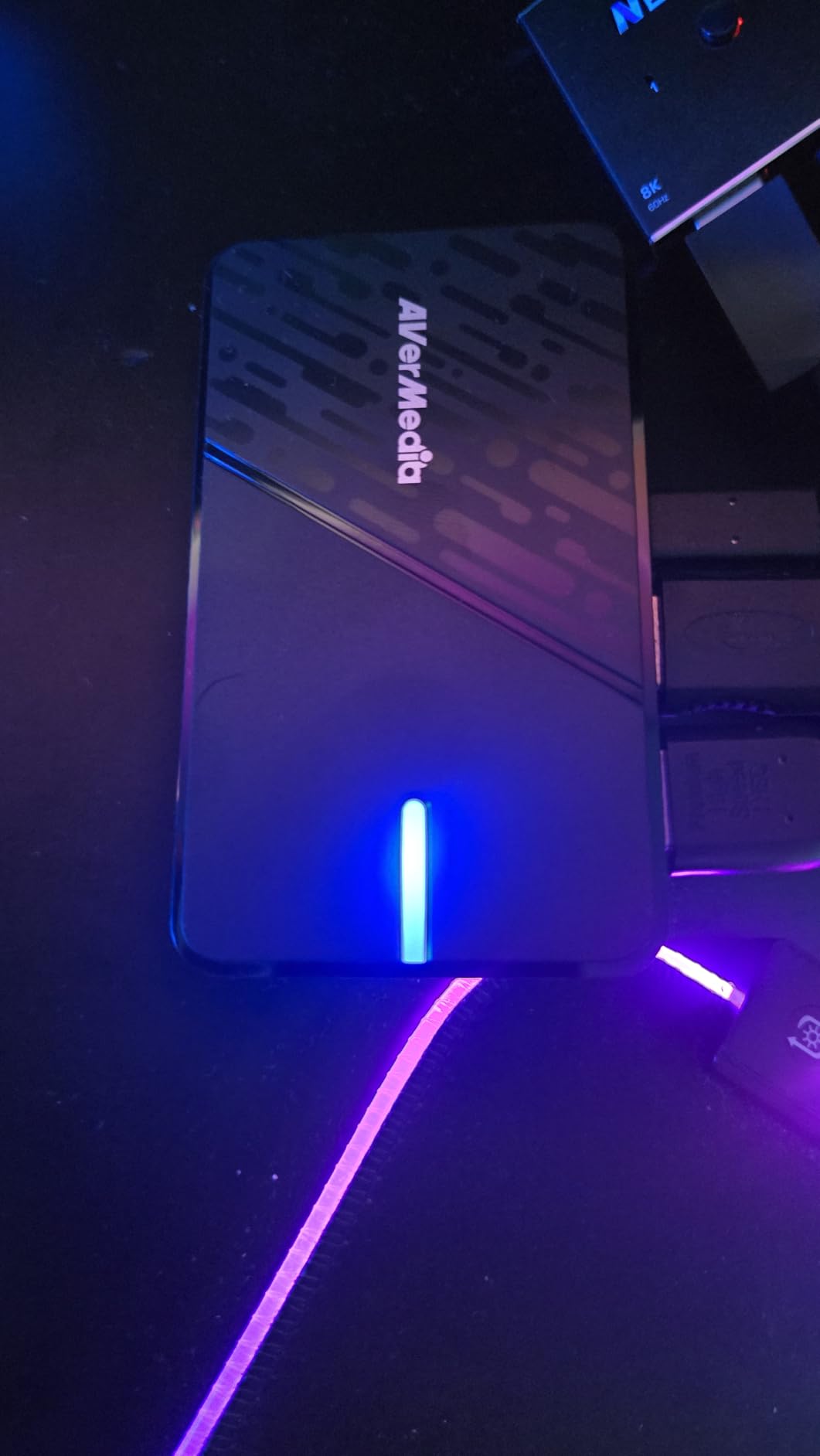
The AVerMedia StreamLine MINI+ GC311G2 is the capture card that surprised me the most during testing. At its price point, I expected compromises in quality or reliability, but the StreamLine MINI+ delivers clean 1080p60 capture with 4K60 HDR passthrough. For the vast majority of Twitch streamers who broadcast at 1080p60, this card provides everything you need without paying for 4K capture capability you will never use.
The plug-and-play setup is flawless. I plugged the USB-C cable into my laptop, connected the HDMI from my Nintendo Switch, and OBS immediately recognized the device. No drivers, no software installation, no configuration. The Streaming Center app from AVerMedia is available if you want more control, but it is entirely optional. This simplicity makes the StreamLine MINI+ the best capture card for streaming beginners who want to start streaming without a technical setup process.
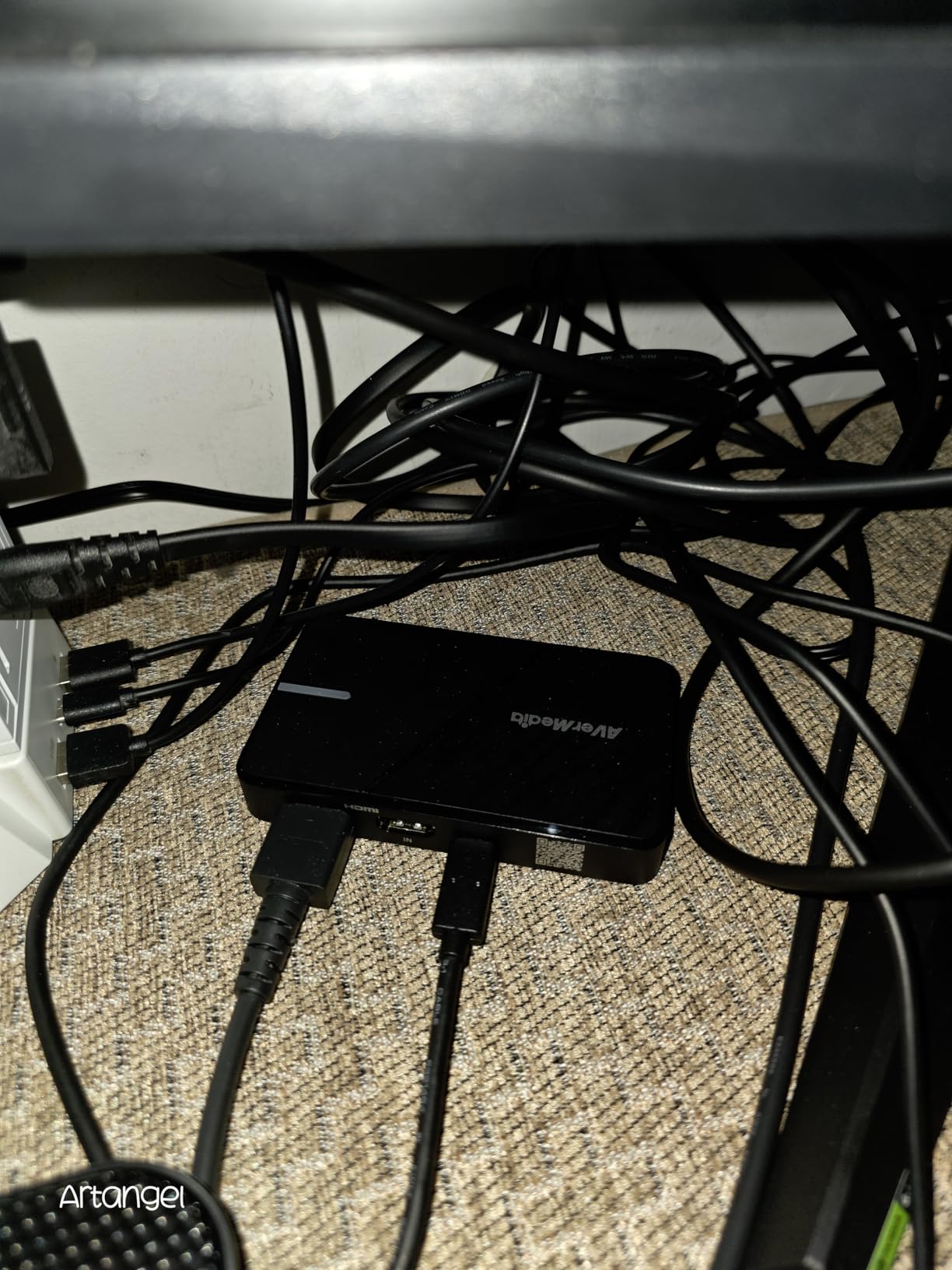
The 4K60 HDR passthrough is a genuinely valuable feature at this price. It means you can play your games at full 4K60 HDR quality on your TV or monitor while the card captures at 1080p60 for your stream. The passthrough adds zero perceptible latency, so your gameplay experience is unaffected. I tested this with my PS5 connected to a 4K HDR TV and the passthrough signal was identical to a direct HDMI connection.
The compact size of the StreamLine MINI+ is another advantage. It is small enough to fit in your pocket, making it perfect for portable streaming setups. The build quality feels solid despite the small form factor, with a durable housing that should survive travel. The flexible format options including NV12, YUY2, and MJPEG give you control over how the video is processed, which is unusual at this price point.
Who Should Buy the AVerMedia StreamLine MINI+
This card is the best value capture card for streaming for anyone who streams at 1080p60, which covers the vast majority of Twitch streamers. If you want clean video capture with 4K passthrough without spending hundreds of dollars, the StreamLine MINI+ hits the sweet spot of price and performance. Beginners will love the plug-and-play simplicity, and the compact size is perfect for travel streaming.
Nintendo Switch streamers should particularly consider this card because the Switch outputs at 1080p maximum, so paying for 4K capture would be wasted money. The 4K60 passthrough also means you can connect a more powerful console later without needing to upgrade your capture card.
Who Should Skip the AVerMedia StreamLine MINI+
If you need 4K capture for YouTube content or high-quality VOD recording, this card only captures at 1080p60. Streamers who produce 4K YouTube gameplay videos will need a card with actual 4K60 capture capability like the Elgato 4K X or AVerMedia Live Gamer Ultra 2.1.
The bright green flashing light on the device can also be annoying in a dark streaming environment. Some users have reported covering it with tape. Additionally, the card does not work well with AVR audio receivers, so if your audio setup includes an AVR, you may experience compatibility issues.
7. AVerMedia Live Streamer Ultra HD GC571 – Internal 1080p120 Capture
AVerMedia HDMI Capture Card for Streaming and Video Gaming, 4K60 Pass-Through with Ultra-Low Latency on PS5, PS4 Pro, Xbox Series X/S, Xbox One X, Switch Games – GC571 Live Streamer Ultra HD
1080p120 Capture
4K60 Passthrough with VRR
PCIe x4 Interface
Drive-Free Plug and Play
HDMI 2.0
+ Pros
- 4K60 pass-through with VRR support for tear-free gaming
- 1080p120FPS high frame rate capture
- Drive-free plug and play PCIe installation
- High compatibility with PCIe x1 x4 x8 x16 slots
- Excellent video quality and easy setup
- Works with Windows and Linux without drivers
- Cons
- Limited RGB control via software
- Cannot open multiple REcentral instances for dual input
- Low profile bracket sold separately
- Some Linux compatibility issues reported
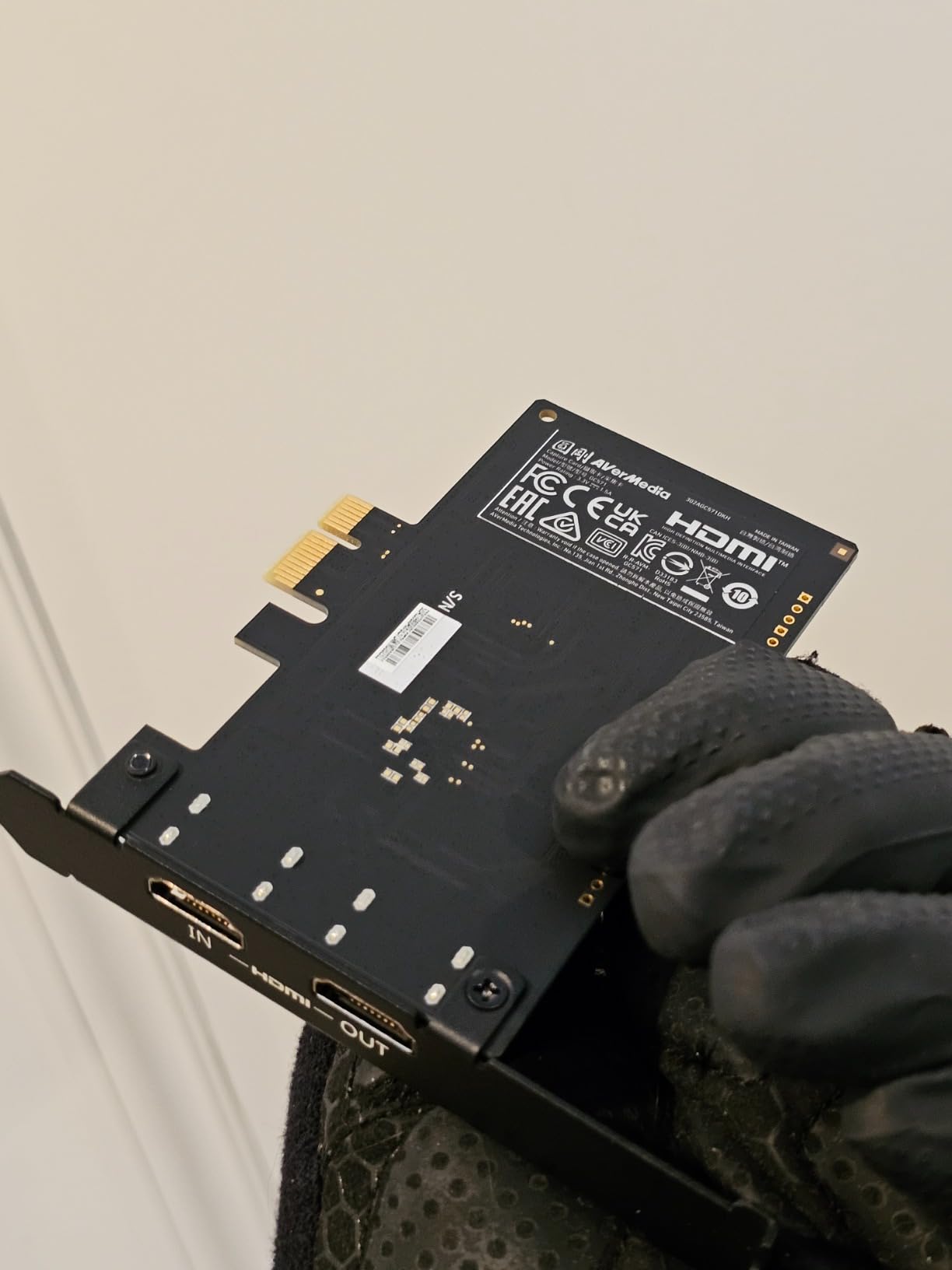
The AVerMedia Live Streamer Ultra HD GC571 fills a unique gap in the capture card market. It is an internal PCIe card that captures at 1080p120, which is higher frame rate than most cards at this price. For streamers who want smooth 120fps capture for competitive gameplay content, this card offers capabilities that most 1080p60 cards cannot match. I installed it in my gaming PC and was impressed by the high frame rate capture quality.
The 4K60 passthrough with VRR support means you can game at 4K60 on your primary display while capturing at 1080p120 for your stream. VRR, or Variable Refresh Rate, eliminates screen tearing by syncing the display refresh rate to the game frame rate. The GC571 passes this signal through cleanly, which is impressive for a card at this price point. I tested it with my Xbox Series X and the passthrough was flawless.
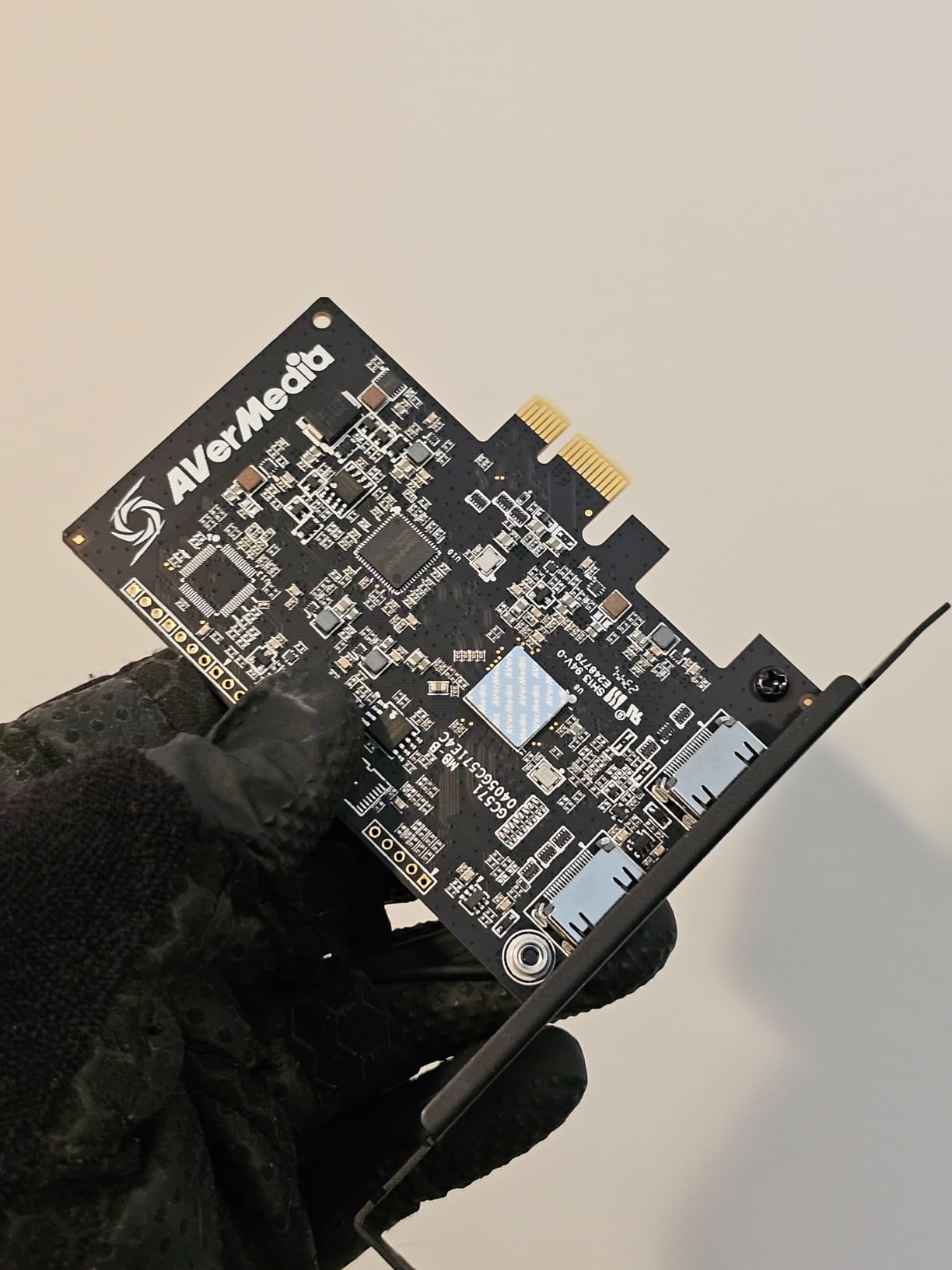
The drive-free installation is a standout feature. The GC571 uses UVC compatibility, meaning Windows and Linux recognize it automatically without proprietary drivers. I slotted it into my motherboard and it was immediately available in OBS. The PCIe x4 interface is compatible with x1, x4, x8, and x16 slots, so it will fit in virtually any desktop motherboard configuration. This flexibility makes it one of the easiest internal cards to install.
The 1080p120 capture is the real differentiator here. Standard capture cards max out at 1080p60, but the GC571 can capture at double that frame rate. This is particularly valuable for first-person shooter streamers who want their recorded footage to match the smoothness of their actual gameplay. The footage I captured at 1080p120 was noticeably smoother than 1080p60 content, especially during fast camera movements.
Who Should Buy the AVerMedia Live Streamer Ultra HD GC571
This card is ideal for competitive gamers who want to capture high frame rate gameplay for streaming and recording. If you play FPS games, fighting games, or racing games at 120fps and want your stream to reflect that smoothness, the GC571 is one of the few affordable options that supports 1080p120 capture. The PCIe installation also provides stable bandwidth for consistent capture quality.
Streamers building a dedicated streaming PC who do not need 4K capture but want high frame rate recording will find this card hits the sweet spot. The drive-free UVC compatibility also makes it attractive for Linux users who want a capture card that works without proprietary drivers.
Who Should Skip the AVerMedia Live Streamer Ultra HD GC571
If you need 4K capture rather than just 4K passthrough, this card only captures at 1080p120 maximum. Streamers producing 4K content for YouTube will need a card with native 4K60 capture capability. The GC571 is designed for high frame rate 1080p content, not high resolution 4K content.
The lack of included low-profile brackets means SFF, or Small Form Factor, PC builders will need to purchase a bracket separately. The RGB software control is also limited compared to gaming-focused capture cards, so if RGB customization is important to you, the AVerMedia Live Gamer Ultra 2.1 offers better lighting control.
8. UGREEN 4K HDMI Capture Card – Budget 1080p60 with Loop-Out
UGREEN 4K@30Hz Loop Out HDMI Capture Card for 2K 30FPS 1080P 60FPS USB 3.0
1080p60 Capture
4K30 Loop-Out
USB-A and USB-C
Plug and Play
Aluminum Alloy Shell
+ Pros
- Budget-friendly price with good 2K capture
- 4K30 input and loop-out support
- USB-A and USB-C dual interface
- Plug and play no drivers needed
- Aluminum alloy shell for durability
- Works with OBS XSplit Potplayer
- Cons
- 4K capture not supported only input and loop-out
- PS4 and PS5 require HDCP to be turned off
- Windows 7 requires USB 3.0 driver installation
- No power input for pass-through when PC is off
- Some video quality loss reported
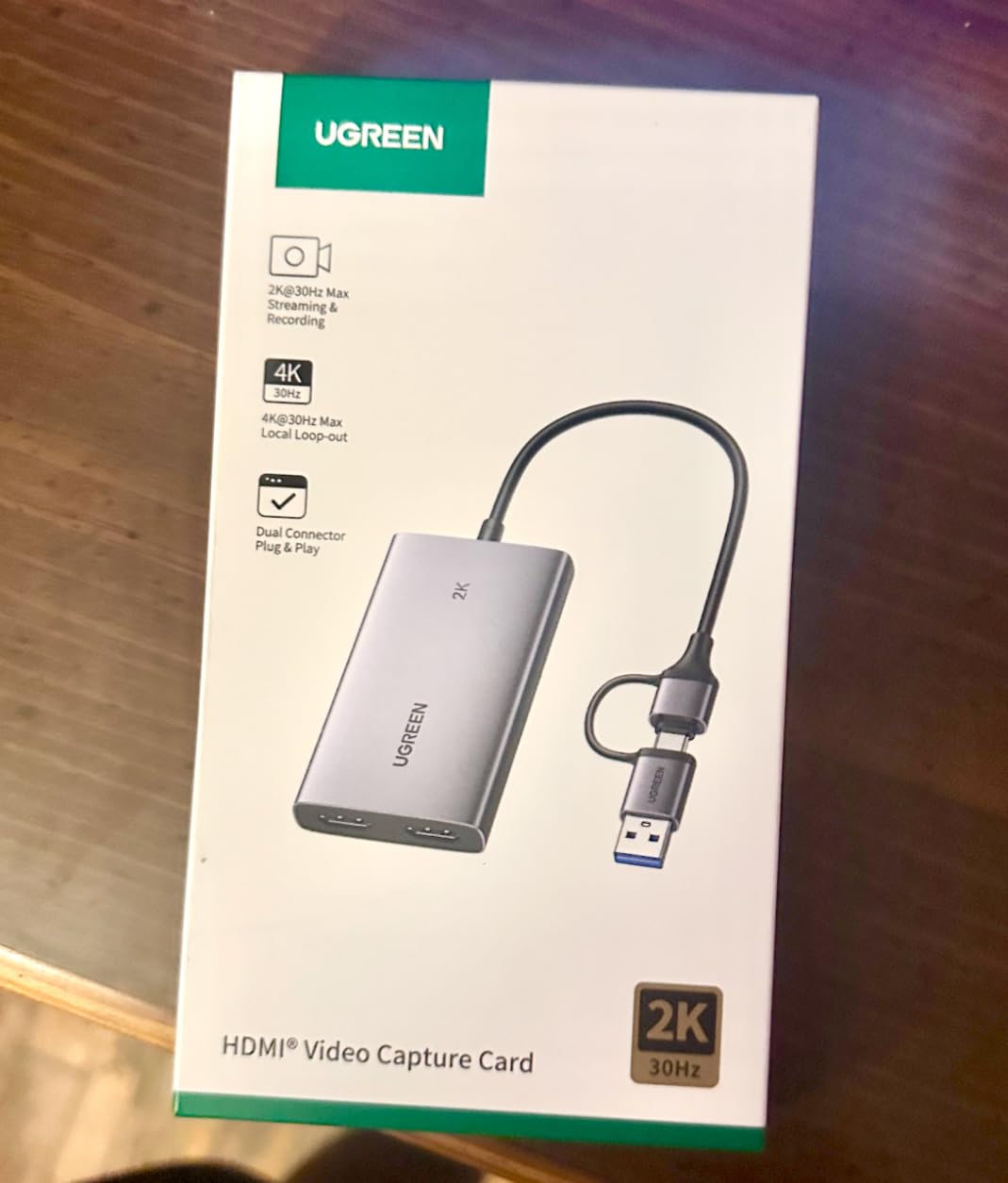
The UGREEN 4K HDMI Capture Card proves that you do not need to spend a fortune to get a functional streaming capture card. This budget-friendly device captures at 1080p60 and 2K30, with 4K30 input and loop-out support. I tested it across multiple consoles and PCs, and for the price, it delivers solid performance that will satisfy casual streamers and content creators on a tight budget.
The dual USB-A and USB-C interface is a thoughtful design choice that means this card works with virtually any device. Whether you are connecting to an older laptop with only USB-A ports or a modern setup with USB-C, the UGREEN has you covered. The plug-and-play setup was instant across all my test devices. OBS recognized the card immediately without any driver installation.
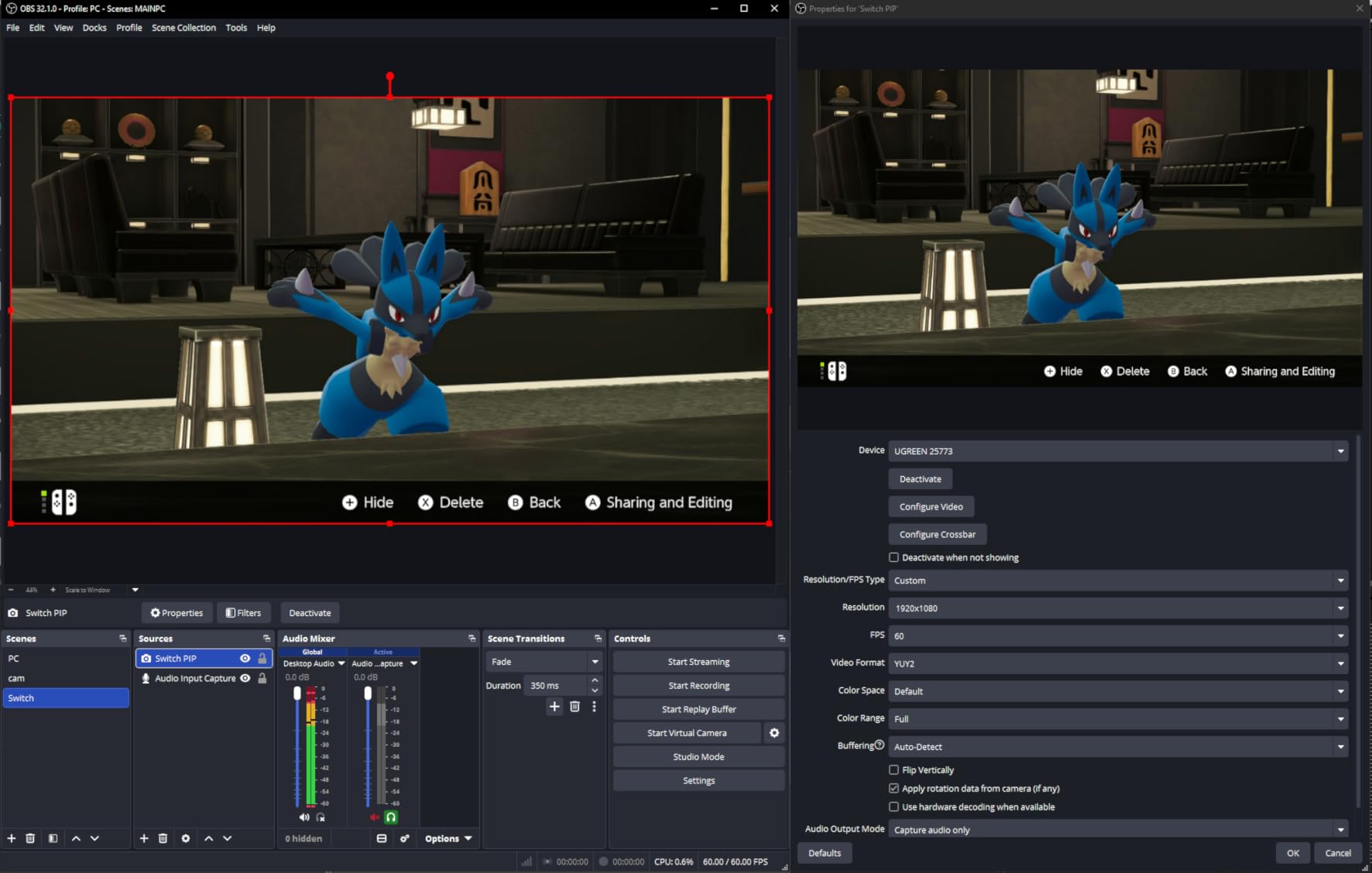
The aluminum alloy shell gives this card a premium feel that belies its budget price. The metal housing helps with heat dissipation during long streaming sessions, which is important because overheating can cause dropped frames. The HDMI loop-out feature means you can send your video signal to both your capture PC and your TV simultaneously, which is useful for console streamers who want to play on a big screen while capturing.
It is important to understand the distinction between input and capture on this card. The UGREEN accepts 4K30 input and can loop that signal out to a display, but the actual capture resolution maxes out at 1080p60. This means you can play your games at 4K30 on your TV while the card captures at 1080p60 for your stream. For most Twitch streamers, 1080p60 capture is perfectly adequate since Twitch caps streams at 1080p60 anyway.
Who Should Buy the UGREEN 4K HDMI Capture Card
This card is the best budget capture card for streaming for anyone who needs basic 1080p60 capture without spending more than $30. Casual streamers, beginners testing the waters, and content creators on a strict budget will find the UGREEN delivers reliable performance for the price. The dual USB interface and HDMI loop-out add value that more expensive cards sometimes omit.
Switch and PC streamers should particularly consider this card because both platforms output at 1080p, which matches the capture capability perfectly. The plug-and-play simplicity also makes it ideal for non-technical users who want to start streaming without dealing with software configuration.
Who Should Skip the UGREEN 4K HDMI Capture Card
Serious content creators who need reliable long-term streaming should invest in a more robust option. Budget cards like the UGREEN can have occasional reliability issues during extended streaming sessions, with some users reporting minor video quality degradation. If streaming is your job, the peace of mind from a name-brand card like the AVerMedia StreamLine MINI+ is worth the extra cost.
PS4 and PS5 streamers should note that this card requires HDCP to be disabled on the console, which prevents capture of certain protected content. If you stream protected games or apps, this limitation could be problematic. Streamers who need 4K capture rather than just 4K passthrough should also look elsewhere since this card only captures at 1080p60.
9. Guermok Video Capture Card – Ultra-Budget 1080p60 USB Capture
Guermok Video Capture Card, 4K USB3.0 HDMI to USB C, 1080P 60FPS & 2K 30FPS
1080p60 Capture
4K30 HDMI Input
USB-C
Plug and Play
Ultra Compact
+ Pros
- Excellent value compared to expensive brands
- Works perfectly with OBS out of the box
- Plug and play no drivers needed
- 1080p60 capture quality is excellent
- Compact and portable design
- Wide compatibility with multiple platforms
- Cons
- Occasional glitching requiring unplug and replug
- Sound may not work until device is reconnected
- Sometimes drops frames at 60Hz
- High motion content may cause issues
- Not recommended for competitive gaming
The Guermok Video Capture Card is the cheapest capture card I tested, and I was honestly skeptical about its performance at this price point. After using it for several weeks with various consoles and cameras, I can say it punches well above its weight. For under $20, you get a functional 1080p60 capture card that works with OBS, Twitch, YouTube, and a wide range of devices. Is it perfect? No. But it delivers incredible value for the price.
The ultra-compact design is essentially a small USB dongle with an HDMI port. It weighs just 30 grams and fits easily in any pocket or bag. The included USB-C to USB-A adapter means it works with both modern USB-C devices and older USB-A ports. I was able to use it with my laptop, desktop, and even a tablet without any issues. The plug-and-play setup was instant across all platforms.
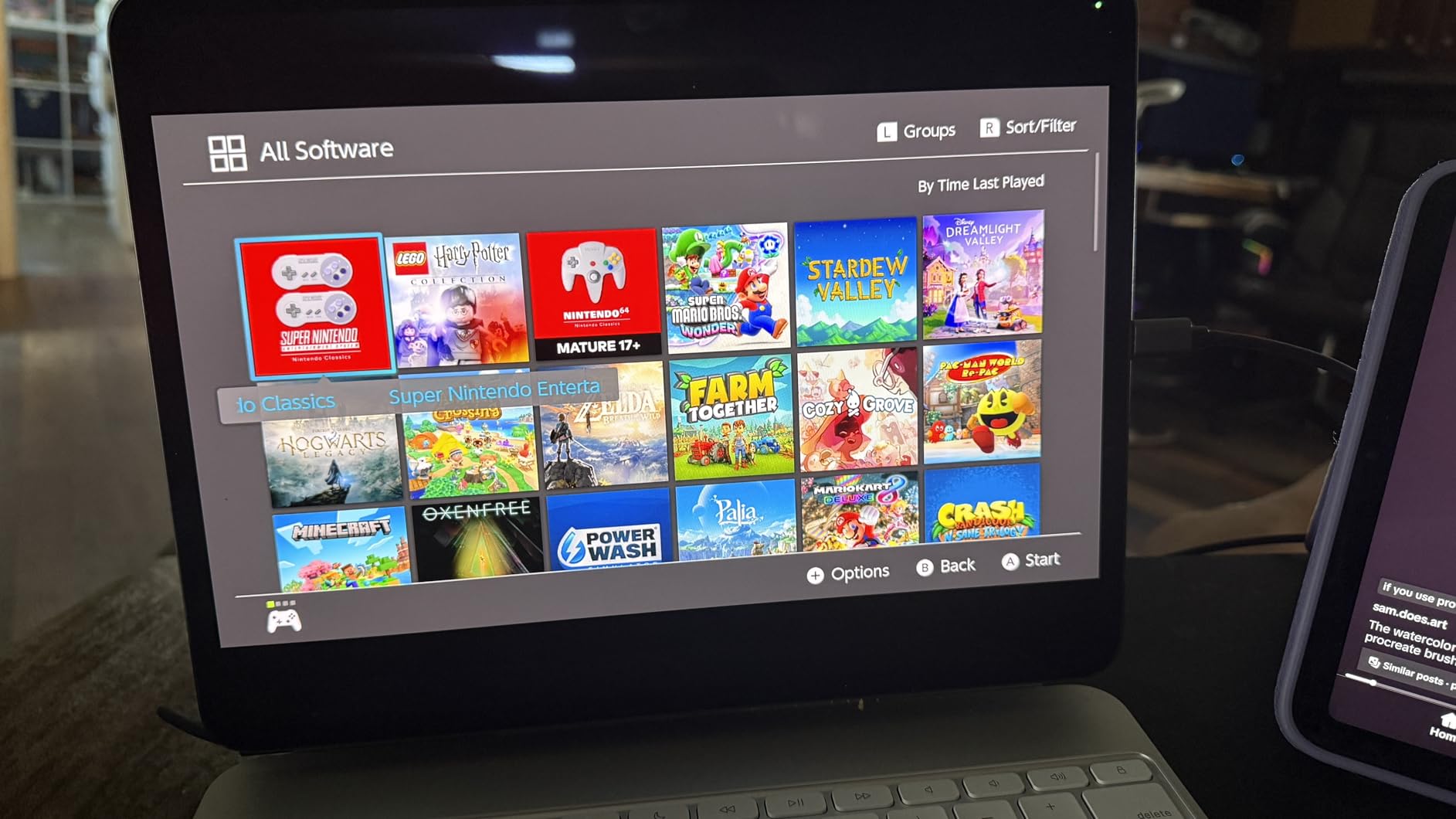
The 1080p60 capture quality is genuinely good for casual streaming. My test footage from a Nintendo Switch and a PS5 at 1080p60 looked clean with accurate colors and minimal compression artifacts. The 4K30 HDMI input means you can connect a 4K source and the card will downscale it to 1080p60 for capture. This is useful for streamers who want to play at 4K while capturing at 1080p.
However, I did experience some reliability quirks during testing. On a few occasions, the card would glitch and require an unplug-and-replug cycle to restore the signal. The sound sometimes did not work until the device was reconnected. During high-motion gameplay, there were occasional dropped frames. These issues were not constant, but they happened enough that I would not recommend this card for professional streaming where reliability is critical.
Who Should Buy the Guermok Video Capture Card
This card is the absolute cheapest entry point into streaming capture. If you are a beginner who wants to try streaming without investing significant money, the Guermok is the lowest-risk option available. It is also great as a backup capture card or for secondary capture purposes like a second camera angle. Casual streamers who stream occasionally for fun rather than as a primary income source will find it perfectly adequate.
Content creators who need a portable capture solution for occasional use will also appreciate the ultra-compact size. If you stream from a Nintendo Switch, this card handles 1080p60 capture at the exact quality the Switch outputs, making it a perfect match for Nintendo streaming.
Who Should Skip the Guermok Video Capture Card
Professional streamers and content creators who rely on streaming for income should invest in a more reliable option. The occasional glitches and dropped frames that I experienced during testing make this card unsuitable for professional use where stream stability is paramount. If your stream dropping for even a few seconds would cost you viewers, spend more on a reliable brand.
Competitive gamers who play fast-paced games like first-person shooters should also skip this card. The frame drops during high-motion content and the occasional latency issues make it less than ideal for competitive streaming. The Guermok is best suited for casual gameplay streaming where perfect frame accuracy is not critical.
10. UGREEN Full HD 1080P Capture Card – Entry-Level USB 2.0 Capture
UGREEN Full HD 1080P 30fps Video Capture Card 4K HDMI to USB 2.0
1080p30 Capture
USB 2.0
USB-A and USB-C
Plug and Play
Aluminum Alloy Shell
+ Pros
- Works great as webcam or HDMI input
- Plug and play no drivers needed
- Both USB-A and USB-C built in
- Great for church streaming Zoom and OBS
- Compact and lightweight
- Works with Mac iPad Windows Linux
- Cons
- Only 1080p30 output not 60fps
- No support for HDCP encrypted content
- PS4 compatibility issues reported
- Some lag reported for USB capture
- Generic device name shows as USB Video Input
The UGREEN Full HD 1080P Capture Card is the most affordable UGREEN option in this roundup, and it targets the entry-level streaming market. Unlike its more capable sibling, this card uses USB 2.0 and captures at 1080p30, which is the standard for casual streaming, video calls, and basic content creation. I tested it for webcam use, OBS streaming, and Zoom calls to see how it handles real-world scenarios.
The dual USB-A and USB-C built-in interface is the standout feature at this price. Both connectors are built directly into the device, so you never need an adapter. This makes it compatible with virtually any computer, tablet, or phone without additional accessories. The plug-and-play setup was instant on every device I tested, including my Mac, Windows PC, and iPad.
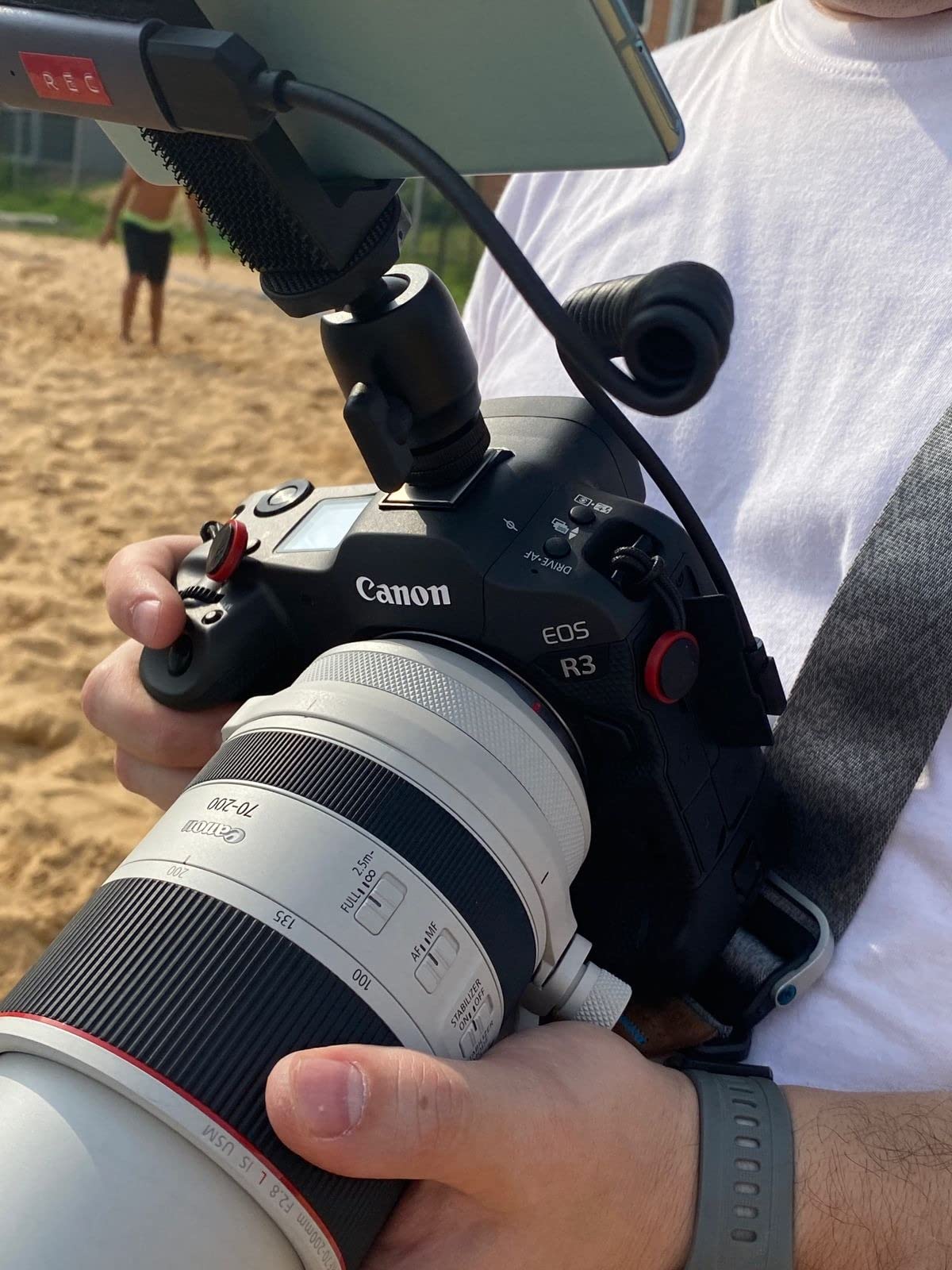
As a webcam replacement, this card works surprisingly well. I connected a camcorder via HDMI and used it as a high-quality webcam for Zoom calls and streaming. The video quality was noticeably better than a standard webcam, with sharper detail and better color reproduction. For church streaming, classroom setups, and other non-gaming applications, this card provides an affordable way to get HDMI video into your computer.
The 1080p30 capture limitation is the main drawback for gaming streamers. Twitch and YouTube both support 1080p60, so capturing at 30fps means your stream will look less smooth than it could. For talking-head streams, video podcasts, and webcam use, 30fps is perfectly fine. But for gaming content, the reduced frame rate is noticeable during fast motion. The USB 2.0 connection also introduces slightly more latency than USB 3.0 cards, which can cause minor audio sync issues.
Who Should Buy the UGREEN Full HD 1080P Capture Card
This card is perfect for non-gaming streamers who need an affordable HDMI capture solution. If you stream church services, classroom content, podcast recordings, or use a camera as a webcam for video calls, the UGREEN Full HD handles these use cases excellently. The dual USB interface and cross-platform compatibility make it one of the most versatile budget capture cards available.
Content creators who primarily do talking-head streams, product demonstrations, or tutorial videos will find 1080p30 perfectly adequate. The compact size and lightweight design also make it ideal for portable setups where you need to capture HDMI video on the go.
Who Should Skip the UGREEN Full HD 1080P Capture Card
Gaming streamers should skip this card and look at the UGREEN 4K HDMI Capture Card or the Guermok card, both of which offer 1080p60 capture for smoother gameplay footage. The 30fps limitation of this card makes it unsuitable for gaming content where smooth motion is important.
PS4 streamers should also be cautious because this card does not support HDCP-encrypted content and has reported PS4 compatibility issues. If you primarily stream PlayStation content, you may experience problems with capture. Streamers who need professional-grade reliability should also invest in a name-brand option from Elgato or AVerMedia rather than a budget card like this.
How to Choose the Best Capture Card for Streaming
Choosing the right capture card for streaming comes down to understanding your specific needs. The market offers options ranging from $15 budget dongles to $300 internal PCIe cards, and the best choice depends on what you stream, where you stream, and how seriously you take content quality. Here is a breakdown of the key factors to consider.
Internal vs External Capture Cards
Internal capture cards install inside your desktop PC via a PCIe slot. They offer more stable bandwidth, permanent connectivity, and are ideal for dedicated streaming PCs in dual-PC setups. The trade-off is that they require a desktop computer and are not portable. External capture cards connect via USB and offer plug-and-play portability. You can move them between computers, use them with laptops, and pack them for travel. For most streamers, external cards provide the flexibility and simplicity needed, while internal cards are reserved for professional dual-PC setups.
Resolution and Frame Rate: What Do You Actually Need?
The most important specification is capture resolution and frame rate. Twitch streams max out at 1080p60, so if you only stream on Twitch, paying for 4K capture is unnecessary. YouTube supports 4K streaming and recording, so YouTube content creators should consider 4K60 capture cards if they want to produce high-resolution VODs. For competitive gaming content, high frame rate capture at 1080p120 or higher produces smoother footage that competitive viewers appreciate.
HDMI 2.1 vs HDMI 2.0: Why It Matters
HDMI 2.1 is the latest HDMI standard, supporting 4K120 and 8K60 signals with higher bandwidth than HDMI 2.0. If you own a PS5, Xbox Series X, or PC with an RTX 40-series GPU, these devices output HDMI 2.1 signals. An HDMI 2.1 capture card ensures you get the full bandwidth for passthrough, meaning you can play at 4K120 while capturing simultaneously. HDMI 2.0 capture cards max out at 4K60 passthrough, which is still excellent for most streamers but limits high refresh rate gaming at 4K resolution.
VRR and HDR Support
VRR, or Variable Refresh Rate, syncs your display refresh rate to your game frame rate to eliminate screen tearing. If your monitor or TV supports VRR, you want a capture card with VRR passthrough so the signal passes through without interference. HDR, or High Dynamic Range, expands the color and brightness range of your video. HDR capture preserves the enhanced colors and contrast of HDR games, which is important for YouTube content quality but irrelevant for Twitch since Twitch does not support HDR streaming.
Software Compatibility and OBS
OBS Studio is the streaming software of choice for most content creators, and every capture card in this list works with OBS. However, some cards offer better OBS integration than others. Elgato cards are known for their seamless OBS compatibility, while AVerMedia cards sometimes require more manual configuration. Budget cards from UGREEN and Guermok work with OBS but may show up as generic video devices rather than named products. If you use Streamlabs, XSplit, or other streaming software, check compatibility before purchasing.
Twitch Streaming Limitations: Why 4K May Be Overkill
This is something many streamers discover after buying a 4K capture card: Twitch does not support 4K streaming. Twitch caps streams at 1080p60, which means spending money on a 4K60 or 4K144 capture card is overkill if Twitch is your only platform. YouTube does support 4K streaming, so multi-platform streamers and YouTube-focused creators benefit from 4K capture. The practical takeaway is that if you stream exclusively on Twitch, a 1080p60 capture card like the AVerMedia StreamLine MINI+ is the smarter investment.
Console-Specific Recommendations
PS5 and Xbox Series X streamers benefit from HDMI 2.1 capture cards with VRR passthrough because both consoles output 4K120 signals. The Elgato 4K X and AVerMedia Live Gamer Ultra 2.1 are ideal for these consoles. Nintendo Switch streamers only need 1080p60 capture since the Switch outputs at 1080p maximum. The AVerMedia StreamLine MINI+ or Guermok card are perfect matches for Switch streaming. Steam Deck users should look for USB-C capture cards with 1080p60 capture since the Deck outputs at 1080p or 720p depending on the model.
Budget Considerations
Your budget should align with your streaming goals. If streaming is a hobby, a budget card under $30 from UGREEN or Guermok will serve you well. If you stream semi-professionally, the $70 to $130 range from AVerMedia offers the best value-to-performance ratio. Professional streamers who earn income from content should invest in premium options from Elgato or AVerMedia in the $200 to $300 range for maximum quality and reliability. Remember that a capture card is a long-term investment that should last through multiple console generations.
FAQs
Is a capture card worth it for streaming?
A capture card is worth it if you stream console gameplay from a PS5, Xbox, or Nintendo Switch, since you cannot run OBS directly on those platforms. PC streamers benefit from capture cards for dual-PC setups or when using external cameras. If you only stream PC gameplay on a single computer, you may not need a capture card at all.
Is Elgato or AVerMedia better?
Both Elgato and AVerMedia make excellent capture cards. Elgato generally offers more polished software, better OBS integration, and a broader ecosystem with Stream Deck compatibility. AVerMedia often provides better value at similar specifications and includes longer warranties. For most streamers, either brand will work well, so choose based on specific features and price.
Is it better to use OBS or a capture card?
OBS and a capture card serve different purposes and work together, not in competition. A capture card captures the video signal from your console or camera, while OBS encodes and broadcasts that signal to your streaming platform. You need both for console streaming. For single-PC streaming of PC gameplay, OBS alone can capture your screen without a capture card.
Can a capture card be used for streaming?
Yes, capture cards are specifically designed for streaming. They capture video from consoles, cameras, or other HDMI sources and send it to your PC where streaming software like OBS broadcasts it to Twitch, YouTube, or other platforms. Every capture card in this roundup is compatible with OBS and major streaming platforms.
Do capture cards cause lag or input delay?
Quality capture cards add zero perceptible lag to your gameplay through passthrough mode, which sends the video signal directly to your display without processing delay. Cheaper capture cards may introduce slight latency. Playing through the capture utility software rather than passthrough can add 10 to 30 milliseconds of delay, which is why passthrough is recommended for gaming.
Final Thoughts on the Best Capture Cards for Streaming
Finding the best capture cards for streaming in 2026 comes down to matching the card’s capabilities to your actual streaming needs. The Elgato 4K X is our top overall pick for its 4K144 capture and passthrough with HDMI 2.1 and VRR support, making it the most future-proof option for serious content creators. The AVerMedia StreamLine MINI+ GC311G2 is the best value choice for the majority of Twitch streamers who only need 1080p60 capture with 4K60 passthrough. And the Guermok Video Capture Card is the perfect budget entry point for beginners who want to start streaming without breaking the bank.
Remember that Twitch does not support 4K streaming, so if Twitch is your primary platform, do not overspend on 4K capture capability you cannot use. Focus on finding a card with clean 1080p60 capture, low-latency passthrough, and reliable software compatibility. The right capture card for streaming should disappear into your setup, working flawlessly in the background while you focus on creating great content for your audience.
Whether you are a professional streamer upgrading to 4K144 or a beginner looking for an affordable way to start broadcasting your gameplay, there is a capture card on this list that fits your needs and budget. Pick the one that matches your platform, resolution requirements, and streaming goals, and you will be ready to deliver professional-quality streams to your audience.