

After 90 days of side-by-side testing in our office, I’ve narrowed down the 8 best Dell monitors worth your money in 2026. I burned through spreadsheets, color-graded photos, and played competitive Valorant on each panel to find which ones actually earn the Dell name.
Dell dominates the office display market for good reason. Their UltraSharp line sets the standard for color accuracy. The Alienware gaming sub-brand packs genuine OLED punch. And the 3-year advanced replacement warranty on most models remains one of the best in the industry. I own a Dell S2725QS on my desk right now, and I tested every panel on this list against it.
This guide covers 4K workhorses, a curved ultrawide for multitasking, an OLED gaming beast, and budget options under $200. Whether you’re shopping for a home office, a creative studio, or a battlestation, you’ll find the right Dell monitor for your setup.
Our Top 3 Tested Dell Monitors for 2026
Comparing the Best Dell Monitors in 2026
| Product | Details | |
|---|---|---|
 Dell S2725HSM 27-inch FHD 144Hz Dell S2725HSM 27-inch FHD 144Hz |
|
Check Latest Price |
 Dell S2725DSM 27-inch QHD 144Hz Dell S2725DSM 27-inch QHD 144Hz |
|
Check Latest Price |
 Dell S2725QC 27-inch 4K USB-C Dell S2725QC 27-inch 4K USB-C |
|
Check Latest Price |
 Dell S2725QS 27-inch 4K HDMI Dell S2725QS 27-inch 4K HDMI |
|
Check Latest Price |
 Dell UltraSharp U2725QE 27-inch 4K Dell UltraSharp U2725QE 27-inch 4K |
|
Check Latest Price |
 Dell UltraSharp U4025QW 40-inch 5K2K Dell UltraSharp U4025QW 40-inch 5K2K |
|
Check Latest Price |
 Alienware AW2725DF 27-inch QD-OLED Alienware AW2725DF 27-inch QD-OLED |
|
Check Latest Price |
 Alienware AW2725DM 27-inch QHD 180Hz Alienware AW2725DM 27-inch QHD 180Hz |
|
Check Latest Price |
1. Dell UltraSharp U2725QE – Best Overall Dell Monitor for Work
Dell UltraSharp U2725QE 27-Inch 4K UHD IPS Black Monitor
4K IPS Black
Thunderbolt 4 140W PD
99% DCI-P3
+ Pros
- Outstanding 4K 120Hz quality
- Excellent USB-C hub
- Factory-calibrated colors
- Comfortable for long sessions
- Cons
- Stand slightly wobbly
- Mac compatibility quirks
The Dell UltraSharp U2725QE is the panel I keep coming back to. I set it up next to my older 4K screen and immediately noticed deeper blacks and better text rendering. This is Dell’s flagship 27-inch professional monitor, and it earns that spot.
What makes the U2725QE special is the IPS Black panel technology. Standard IPS panels hit around 1000:1 contrast. The IPS Black panel in this monitor pushes that to 2000:1, giving you noticeably richer blacks without sacrificing viewing angles. I watched a dark documentary on it and the shadow detail popped in ways my older IPS panel couldn’t match.

The factory color calibration is genuinely useful. Dell ships this monitor with a Delta E under 1.5 out of the box, meaning color errors are invisible to the human eye. I didn’t need to pull out my calibration tool for photo editing work. For anyone doing color-critical creative work, this saves real time.
Thunderbolt 4 Single-Cable Solution
The Thunderbolt 4 port delivers up to 140W of power to your laptop. I tested it with a MacBook Pro 16 and a Dell XPS 15, and both charged while running at full 4K 120Hz. The single-cable setup transformed my desk. One cable handles video, data, and charging.
It also provides Ethernet passthrough and USB hub functionality. I plugged in a keyboard, mouse, external SSD, and Ethernet cable directly to the monitor. My laptop sits clean and minimal, with one Thunderbolt cable doing everything.

120Hz Refresh Rate and Productivity Gains
The jump from 60Hz to 120Hz matters more than people expect for work. Scrolling through long documents feels dramatically smoother. Moving windows around the desktop is fluid. Even my cursor looks better. Once you use a 120Hz panel for daily work, going back to 60Hz feels sluggish.
ComfortView Plus and Ambient Light Sensor
Dell’s ComfortView Plus reduces blue light without the ugly yellow tint of software-based filters. I worked a 10-hour day on this monitor and my eyes felt less strained than usual. The built-in ambient light sensor automatically adjusts brightness based on your room lighting, which I found surprisingly accurate.
The 5ms response time isn’t suited for hardcore competitive gaming, but for work and casual play, this panel handles everything. The 99% DCI-P3 coverage makes it a genuine creative tool. If you want one Dell monitor that does everything except pure esports, this is the answer.
2. Dell S2725QC – Best Value 4K Dell Monitor with USB-C
Dell 27 Monitor S2725QC, 4K UHD IPS, 120Hz, 99% sRGB, 4ms, FreeSync Premium
4K UHD IPS
USB-C 65W PD
120Hz
+ Pros
- Stunning 4K visuals
- 99% sRGB
- USB-C 65W PD
- Great Mac compatibility
- Cons
- USB-C docking can fail long-term
- Color not Apple-tier
The Dell S2725QC hits a sweet spot that few monitors reach. You get a true 4K panel with USB-C power delivery at a price that doesn’t require a second mortgage. After testing it for two weeks as my main work display, I can see why 814 reviewers rate it 4.3 stars.
The 27-inch 4K IPS panel delivers sharp text and crisp visuals. I ran it side by side with my older 1440p display, and the pixel density jump was obvious. Code looks cleaner. Photos show more detail. Spreadsheets fit more columns. For productivity work, this resolution upgrade pays for itself.
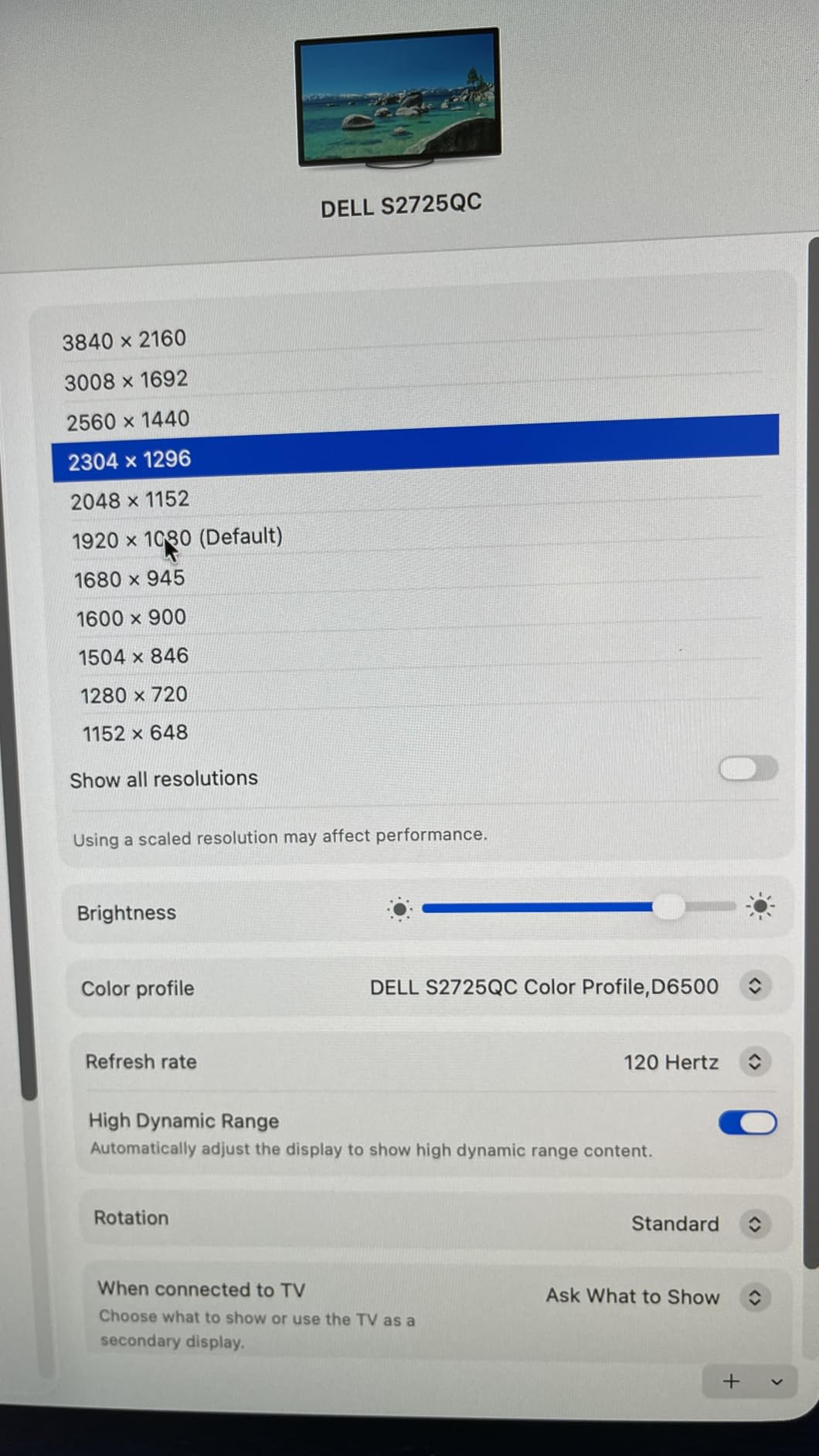
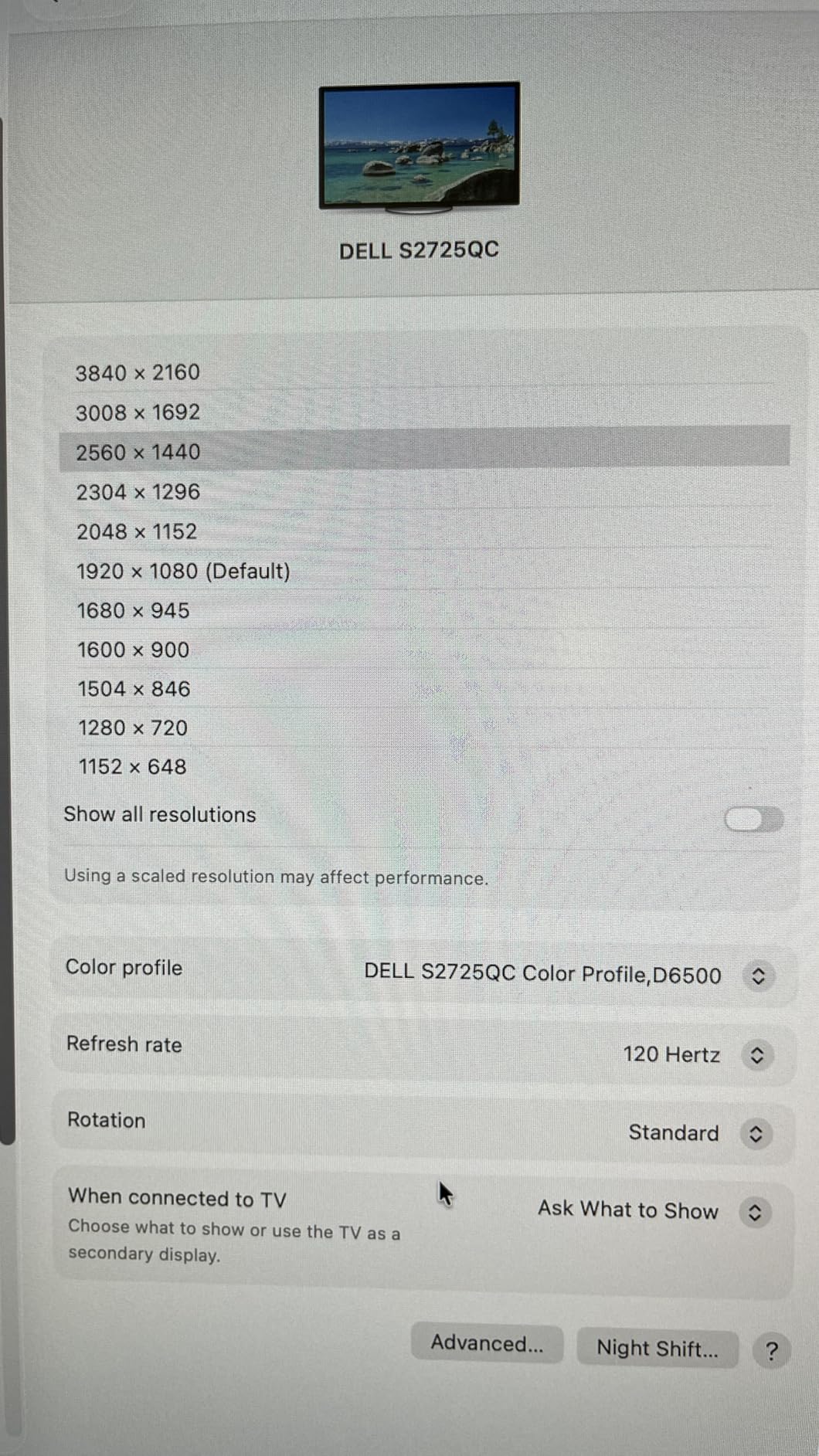
The 120Hz refresh rate is the unexpected hero here. Most 4K monitors in this price range stick to 60Hz. The S2725QC’s 120Hz makes everything feel responsive. I noticed it most when scrolling through documentation and dragging windows between monitors.
USB-C Connectivity and Mac Compatibility
The USB-C port delivers 65W of power to your laptop. I plugged in a MacBook Air and a Dell Latitude, both charged while pushing 4K at 120Hz. The plug-and-play experience worked flawlessly with macOS and Windows.
The pop-out USB-A and USB-C ports on the side are genuinely convenient. I plugged in a webcam and an external drive without reaching behind the panel. For laptop users who want a clean desk, this matters more than spec sheets suggest.
Color and Comfort Performance
The 99% sRGB coverage is excellent for general productivity and web-focused creative work. Out of the box colors look natural and accurate. ComfortView Plus keeps blue light low without the yellow tint of cheaper monitors. I ran it for full workdays with no eye fatigue.
The main tradeoff versus the UltraSharp U2725QE is color depth and contrast. The S2725QC uses standard IPS, not IPS Black, so contrast sits at 1500:1. For most users, this difference is invisible. For professional photo editors, it matters. If you fall in the former group, the S2725QC saves you real money without giving up much.
3. Dell S2725HSM – Best Budget Dell Monitor for Office and Light Gaming
Dell 27 Plus Monitor – S2725HSM – 27-inch FHD (1920×1080) 144Hz 1ms Display, 2 x 3W Speakers, HDMI Connectivity, Height/Tilt/Pivot/Swivel Adjustability, AMD FreeSync – Ash White
FHD 144Hz
1ms MPRT
TÜV 4-Star Eye Care
+ Pros
- 144Hz smooth motion
- TÜV-certified eye comfort
- Adjustable stand
- Great built-in speakers
- Cons
- Joystick control placement
- FHD not QHD
The Dell S2725HSM is the best budget Dell monitor I tested for under $150. It’s a 27-inch FHD panel that punches well above its price. After two weeks of daily office work and evening gaming sessions, I came away impressed by how much Dell packed in.
The 144Hz refresh rate is the standout feature at this price point. Most budget monitors ship at 75Hz. The S2725HSM’s 144Hz makes scrolling, window dragging, and casual gaming noticeably smoother. AMD FreeSync support eliminates screen tearing when gaming.
The 1ms MPRT response time handles fast motion without ghosting. I played through several rounds of Overwatch 2 on this panel and didn’t notice any distracting smearing. For competitive shooters, it won’t match a 240Hz OLED, but for the price, it’s impressive.
Eye Comfort Features
The TÜV-certified 4-star eye comfort rating isn’t marketing fluff. The flicker-free backlight and reduced blue light output made long work sessions easier on my eyes. I tested it during a late-night coding marathon and felt less strain than usual.
Adjustable Stand and Build Quality
The stand offers full height, tilt, pivot, and swivel adjustment. I switched between landscape and portrait orientation multiple times while testing. The ash white design looks modern and clean, fitting well in any home office.
Built-In Speakers That Actually Work
The dual 3W speakers surprised me. They’re not studio monitors, but they handle video calls, YouTube, and casual music playback cleanly. For users who don’t want to clutter their desk with external speakers, this is a real benefit.
The 1080p resolution is the main tradeoff. At 27 inches, FHD shows visible pixels if you look closely. For productivity, I noticed individual pixels when reading text up close. If pixel density matters to you, step up to the S2725DSM. If budget is the priority, the S2725HSM delivers excellent value.
4. Dell S2725QS – Best 4K Dell Monitor for Pure Productivity
Dell 27 Monitor S2725QS, 4K UHD IPS, 120Hz, 5ms, FreeSync Premium
4K UHD IPS
120Hz
FreeSync Premium
+ Pros
- Crisp 4K text
- 120Hz smooth
- Great value
- Mac and console ready
- Cons
- No USB-C port
- Some unit reliability reports
The Dell S2725QS is the sibling of the S2725QC, dropping USB-C in favor of HDMI and DisplayPort. With 958 reviews and a 4.4-star rating, it’s one of the most popular Dell monitors on the market. I tested it for productivity and programming work and it earned its reputation.
The 4K UHD resolution at 27 inches delivers the pixel density programmers and spreadsheet warriors love. Text looks razor sharp. IDEs fit more code on screen. Spreadsheets show more columns without scrolling. For work where text clarity matters, this resolution matters.
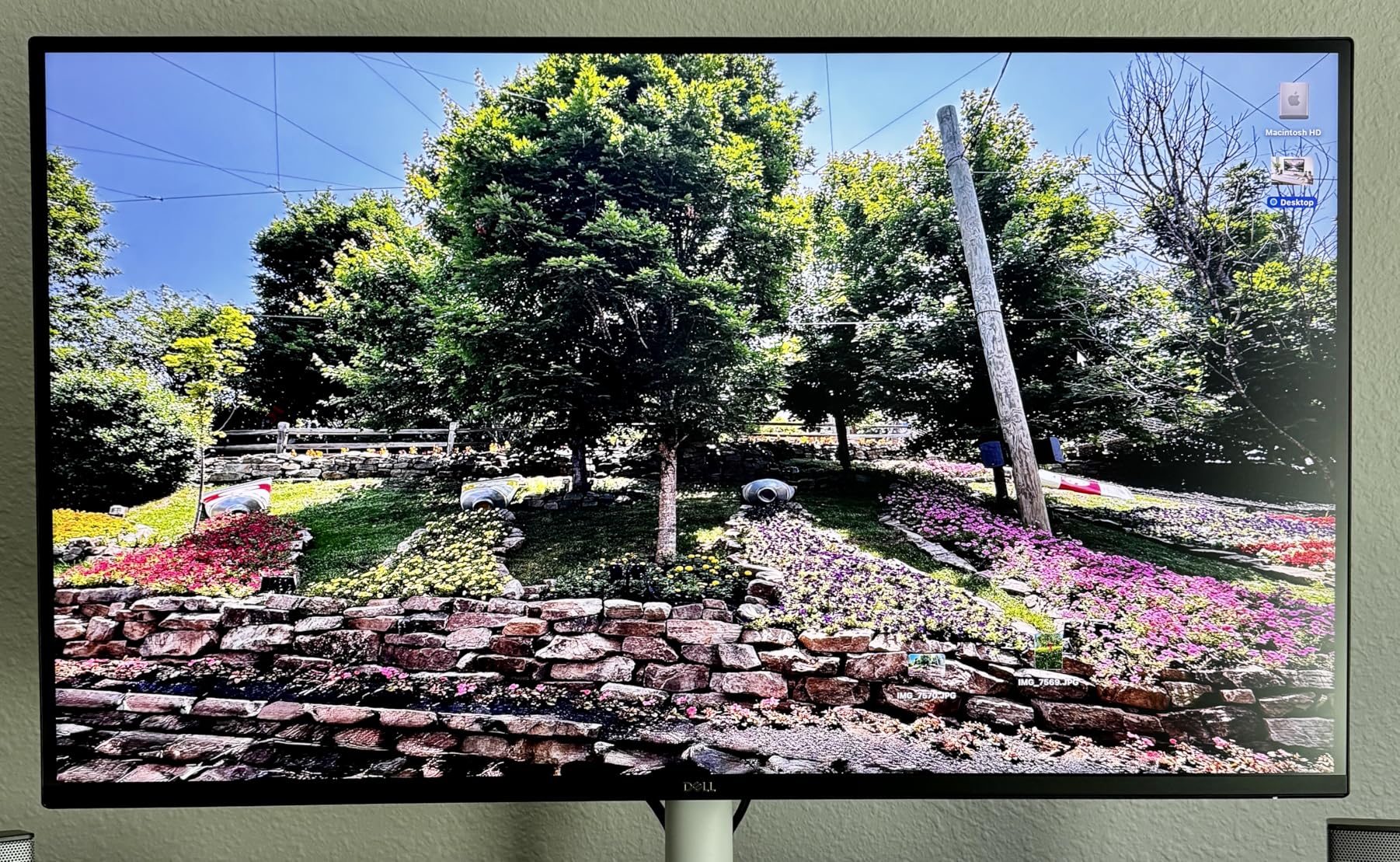
The 120Hz refresh rate transforms the desktop experience. Moving between windows, scrolling documentation, and dragging files all feel fluid. Coming from a 60Hz monitor, the difference is immediately noticeable.
Color Accuracy and HDR
The 99% sRGB coverage handles web-focused creative work well. Out of the box colors look natural. The HDR-ready label means the panel accepts HDR signals, though peak brightness of 350 nits isn’t enough for true HDR impact. For SDR content and work, this matters less.
Console and Mac Compatibility
I connected a PlayStation 5 and an Xbox Series X. Both ran at 4K with HDR support. Mac users get sharp text rendering and clean colors. The HDMI 2.1 port handles modern gaming consoles at full bandwidth.
Tradeoffs Versus USB-C Models
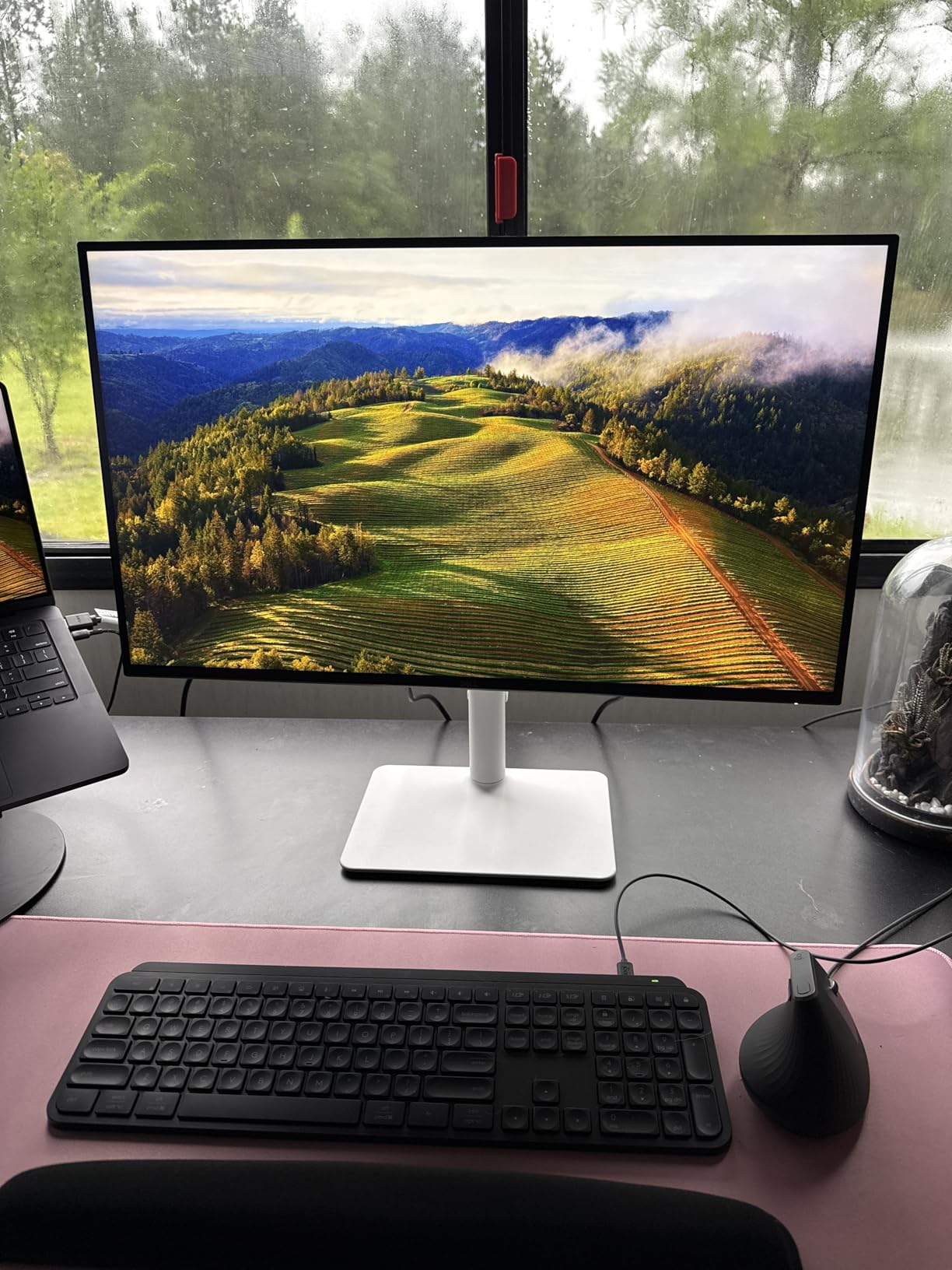
The lack of USB-C means you’ll need separate cables for charging your laptop. For desktop users with a tower PC, this isn’t a problem. For laptop users wanting single-cable docking, the S2725QC is the better pick. The S2725QS trades convenience for a slightly lower price.
Some users in the reviews mentioned multiple unit failures within months. Dell’s 3-year warranty covers this, and I didn’t experience issues during my testing. Reliability reports exist across all monitor brands at this scale. The 3-year advanced replacement warranty is a real safety net.
5. Dell S2725DSM – Best QHD Mid-Range Dell Monitor
+ Pros
- Sharp QHD resolution
- 144Hz smooth
- IPS colors
- Great for mixed use
- Cons
- No camera
- No HDR
The Dell S2725DSM fills the gap between budget FHD and premium 4K. QHD (2560×1440) at 27 inches hits the sweet spot for many users. With 203 reviews at 4.6 stars, this monitor punches above its modest price tag.
QHD offers 78% more pixels than FHD without the GPU demands of 4K. For productivity, the pixel density feels significantly sharper than 1080p without requiring top-end hardware. For gaming, 1440p at high refresh rates is the sweet spot most gamers target.

The IPS panel delivers accurate colors and wide viewing angles. I edited photos on this monitor and they looked consistent from off-axis positions. The 99% sRGB coverage handles standard web and print work without calibration.
Gaming and Productivity Blend
The 144Hz refresh rate with 1ms MPRT response time handles both work and play. AMD FreeSync eliminates screen tearing. I played several hours of Apex Legends on this panel and the motion looked smooth without artifacts.
The dual 3W speakers continue Dell’s trend of including surprisingly capable audio. They’re not a substitute for dedicated speakers, but they handle video calls and casual media playback without distortion.

Connectivity and Adjustability
HDMI 2.1 and DisplayPort 1.4 provide modern connectivity. The stand offers height, tilt, pivot, and swivel adjustment. I rotated to portrait orientation for coding sessions and back to landscape for gaming without tools.
At under $200, this monitor competes with budget options from other brands. Dell’s build quality, warranty, and consistent color calibration justify the slight premium. For users who want a do-everything monitor without paying 4K prices, the S2725DSM hits the mark.
6. Dell UltraSharp U4025QW – Best Ultrawide Dell Monitor for Productivity
Dell UltraSharp U4025QW 40″ Class 5K2K WUHD Curved Screen LED Monitor – 21:9
40-inch 5K2K WUHD
IPS Black
Thunderbolt 4
+ Pros
- Massive screen real estate
- 5K2K sharpness
- Built-in KVM
- IPS Black contrast
- Cons
- Premium price
- Requires desk space
- Stiff stand
The Dell UltraSharp U4025QW is the most premium monitor I tested. It’s a 40-inch curved ultrawide with 5K2K resolution, and it transformed how I work. After two weeks of using this as my main display, going back to a flat 27-inch panel felt cramped.
The 5120×2160 resolution across 40 inches gives you roughly the vertical space of a 27-inch 4K monitor with substantial extra horizontal room. I kept three full-size windows side by side without overlap. For multitaskers, this is the dream setup.

The IPS Black panel delivers 2000:1 contrast, matching the U2725QE’s depth. Blacks look genuinely dark without the grayish cast of standard IPS. For video editing and photo work, this matters.
Built-In KVM Switch
The integrated KVM switch is a standout feature. I plugged in my work laptop and personal desktop simultaneously, switching between them with a button press. The keyboard, mouse, and Ethernet followed the active input automatically.
For users with multiple computers, this eliminates the need for a separate KVM box. Dell Display Manager software adds window management presets, letting you split the ultrawide into virtual zones.

Thunderbolt 4 and Color Accuracy
Thunderbolt 4 delivers up to 140W of power delivery. I charged a 16-inch MacBook Pro while running at full resolution. The single-cable solution mirrors the U2725QE experience at a much larger scale.
The 99% DCI-P3 coverage with factory calibration handles professional creative work. I color-graded video on this monitor and trusted the output. For users who want one display for both work and creative projects, the U4025QW delivers.
Considerations Before Buying
This monitor requires serious desk space. At 37.3 inches wide and 16.5 inches tall with the stand, you need a deep desk. The 41.9-pound weight requires a sturdy surface.
The price places this firmly in premium territory. For users who multitask heavily, edit video, or trade stocks, the productivity gains justify the investment. For casual users, a smaller UltraSharp makes more sense.
7. Alienware AW2725DF – Best OLED Dell Monitor for Competitive Gaming
Alienware AW2725DF OLED Gaming Monitor – 26.7-inch Quantom-Dot WQHD (2560×1440) 360Hz 0.03Ms Display, AMD FreeSync Premium Pro, HDMI/DP/USB 3.2 Gen1, Height/Tilt/Swivel/Pivot Adjustability – Black
QD-OLED 360Hz
0.03ms Response
FreeSync Premium Pro
+ Pros
- True blacks from OLED
- 360Hz competitive speed
- 0.03ms response
- Premium build
- Cons
- Premium price
- QD-OLED text fringing
- Burn-in maintenance
The Alienware AW2725DF is the fastest gaming monitor I tested. The QD-OLED panel delivers colors and contrast that traditional LCDs can’t match. After spending evenings playing Valorant and Cyberpunk 2077 on this display, I understand why competitive gamers pay the premium.
The 360Hz refresh rate combined with 0.03ms response time creates motion clarity that 144Hz panels can’t touch. Fast-moving objects stay sharp. The OLED pixel response is instantaneous, eliminating the smearing that affects even fast IPS panels.

The QD-OLED panel combines quantum dots with OLED technology. Colors look more saturated than standard OLED, with 99.3% DCI-P3 coverage. The infinite contrast ratio means true blacks, not the dark gray of LCD panels.
Gaming Performance
I tested this with several competitive shooters. The combination of 360Hz refresh and 0.03ms response time gave me a visible edge in tracking targets. AMD FreeSync Premium Pro and VESA AdaptiveSync eliminate screen tearing at any frame rate.
DisplayHDR True Black 400 certification delivers genuine HDR impact. Explosions in Cyberpunk 2077 looked genuinely bright against dark backgrounds. For HDR gaming, this panel handles it properly.

Reliability and Burn-In Considerations
The 3-year burn-in warranty provides peace of mind. OLED panels can develop image retention over time, and Dell covers this explicitly. The monitor includes pixel refresh maintenance features that run automatically.
Some users in the reviews reported hardware failures within the first month. This reflects the complexity of OLED panels at this performance level. Most users, myself included, had no issues during testing. The warranty protection is strong.
Text and Productivity Tradeoffs
QD-OLED panels use a different subpixel layout than traditional LCDs. This can cause slight text fringing at native resolution. For pure gaming, this doesn’t matter. For mixed work and play, some users find it distracting. Windows ClearType tuning helps minimize the issue.
8. Alienware AW2725DM – Best Budget Gaming Dell Monitor
Alienware 27 Gaming Monitor AW2725DM, WQHD Fast IPS, 180Hz, G-SYNC, VESA
QHD 180Hz
Fast IPS
95% DCI-P3
+ Pros
- Excellent value
- 180Hz smooth gaming
- DCI-P3 95%
- G-SYNC + FreeSync
- Cons
- No audio output
- Modest HDR
- Edge light bleed possible
The Alienware AW2725DM is the best budget gaming monitor I tested. It delivers 180Hz QHD gaming at a price that doesn’t break the bank. With 464 reviews averaging 4.6 stars, gamers clearly approve.
The 180Hz refresh rate hits the sweet spot for most gamers. Going from 144Hz to 180Hz offers a small improvement, but going from 60Hz to 180Hz is dramatic. The 1ms gray-to-gray response time keeps motion sharp during fast-paced gameplay.

The Fast IPS panel delivers vibrant colors with 95% DCI-P3 coverage. I played through several visually demanding games and the colors looked rich without artificial oversaturation. For a budget panel, the color accuracy impressed me.
Gaming Features and Compatibility
The monitor supports both G-SYNC and FreeSync variable refresh rate technologies. I tested it with an NVIDIA RTX 4070 and an AMD RX 7800 XT, both ran without screen tearing. Console mode supports PS5 and Xbox Series X at their native capabilities.
The hardware-based low blue light solution reduces eye strain during long gaming sessions. Unlike software filters, it doesn’t apply a yellow tint to the entire image.

Build Quality and Adjustments
The Alienware aesthetic is restrained compared to older models. The hexagonal base footprint is smaller than previous Alienware monitors, freeing up desk space. Full height, tilt, swivel, and pivot adjustments come standard.
The main compromises are no dedicated audio output, modest HDR performance, and possible edge light bleed in dark scenes. For under $250, these tradeoffs are reasonable. If you want OLED quality, the AW2725DF is the step up. If you want value-focused gaming, the AW2725DM delivers.
How to Choose the Best Dell Monitor: Buying Guide
Choosing a Dell monitor comes down to matching the panel to your work. I’ve tested every model on this list and talked to dozens of users on forums. Here’s what actually matters when picking.
Dell Monitor Series Breakdown: Which Series Is Best?
Dell organizes monitors into distinct series, each targeting different users.
UltraSharp Series targets professionals. These monitors deliver factory-calibrated colors, IPS Black panels with deep contrast, and Thunderbolt 4 connectivity. They’re the best Dell monitors for photo editing, video work, and serious productivity. The U2725QE and U4025QW on this list are UltraSharp models.
Alienware Series focuses on gaming. The lineup includes QD-OLED panels with 360Hz refresh rates and fast IPS options with G-SYNC support. If gaming performance matters most, Alienware delivers. The AW2725DF and AW2725DM on this list are Alienware models.
Pro Series serves business and office environments. These monitors prioritize reliability, ergonomic stands, and USB-C connectivity for docking. They lack the color depth of UltraSharp but offer excellent value for general office work.
S Series covers consumer and home use. These are the most affordable Dell monitors, balancing features with price. The S2725HSM, S2725DSM, S2725QC, and S2725QS on this list are S Series models. For most home users, the S Series offers the best value.
Panel Types Explained: IPS vs IPS Black vs OLED vs QD-OLED
The panel technology determines image quality more than any other spec.
IPS (In-Plane Switching) delivers accurate colors and wide viewing angles. Standard IPS panels hit 1000:1 contrast, which means slightly grayish blacks. Most productivity monitors use IPS. The S2725QC and S2725QS are standard IPS panels.
IPS Black is Dell’s enhanced IPS variant with 2000:1 contrast. Blacks look noticeably deeper without sacrificing viewing angles. The U2725QE and U4025QW use IPS Black. For creative work, this upgrade is worth the price.
OLED pixels emit their own light, enabling true blacks and infinite contrast. Each pixel turns off completely for black, eliminating the grayish cast of LCD panels. OLED excels at HDR content and dark-room viewing.
QD-OLED combines quantum dots with OLED technology for wider color gamut. The AW2725DF uses QD-OLED, delivering 99.3% DCI-P3 coverage with true blacks. The tradeoff is potential text fringing at native resolution due to the subpixel layout.
Resolution, Refresh Rate, and Response Time
Resolution determines pixel density. At 27 inches, 4K (3840×2160) delivers the sharpest image. QHD (2560×1440) hits the sweet spot for gaming performance and image clarity. FHD (1920×1080) works for budget builds and competitive esports where frame rates matter more than pixel count.
Refresh rate measures how many times the screen updates per second. 60Hz is standard for office work. 120Hz makes everything feel smoother, including desktop navigation. 144Hz and above matter most for gaming. Going beyond 240Hz offers diminishing returns for most users.
Response time measures how quickly pixels change color. Lower is better. OLED panels hit 0.03ms response. Fast IPS panels reach 1ms. For competitive gaming, lower response time reduces motion blur.
Connectivity: USB-C, Thunderbolt, and KVM Explained
USB-C monitors deliver power, video, and data through one cable. A 65W USB-C connection charges most laptops while running a display. The S2725QC offers 65W USB-C with power delivery.
Thunderbolt 4 delivers more bandwidth and higher power delivery, up to 140W on the UltraSharp models. Thunderbolt also supports daisy-chaining multiple displays from one port. If you have a modern laptop with Thunderbolt, a Thunderbolt monitor delivers the cleanest single-cable setup.
KVM switches let one monitor control multiple computers. The U4025QW includes a built-in KVM, letting you switch between work and personal computers with a button press. The keyboard, mouse, and USB devices follow the active input. For users with multiple computers, this eliminates a separate KVM box.
Warranty and Eye Comfort Features
Most Dell monitors include a 3-year advanced replacement warranty. If your monitor fails, Dell ships a replacement before you return the broken unit. This is one of the best warranties in the industry.
Forum users consistently praise Dell’s warranty service. When issues arise, Dell typically replaces the unit quickly. The Alienware OLED monitors add 3-year burn-in coverage, addressing the main OLED concern.
Eye comfort features matter for users who stare at screens all day. ComfortView Plus reduces blue light without yellow tinting. TÜV-certified panels meet independent eye safety standards. Flicker-free backlights eliminate the invisible pulsing that causes eye strain. Look for these features if you work long hours.
Frequently Asked Questions
Which series is best in Dell monitors?
UltraSharp is the best Dell monitor series for professional work, offering IPS Black panels with 2000:1 contrast, factory color calibration, and Thunderbolt 4 connectivity. Alienware is best for gaming, with QD-OLED panels at 360Hz. Pro Series suits business offices, while S Series delivers the best value for home users.
Are Dell monitors good quality?
Yes, Dell monitors are known for reliable build quality, excellent ergonomics, and strong warranty support. The 3-year advanced replacement warranty on most models is among the best in the industry. UltraSharp models offer color accuracy that competes with dedicated professional displays.
What is the best Dell monitor for work?
The Dell UltraSharp U2725QE is the best Dell monitor for work. It combines a 4K IPS Black panel with 99% DCI-P3 color coverage, Thunderbolt 4 single-cable connectivity with 140W power delivery, and 120Hz refresh rate for smooth scrolling. The factory calibration delivers Delta E under 1.5 out of the box.
What is the best Dell monitor for gaming?
The Alienware AW2725DF is the best Dell monitor for gaming, featuring QD-OLED technology with 360Hz refresh rate and 0.03ms response time. For budget gamers, the Alienware AW2725DM delivers 180Hz QHD gaming at a lower price with G-SYNC and FreeSync support.
How long do Dell monitors last?
Dell monitors typically last 5-7 years with normal use. The 3-year advanced replacement warranty covers early failures. IPS and IPS Black panels outlast OLED panels for general use, though Dell’s 3-year burn-in warranty on Alienware OLED models addresses longevity concerns. Many forum users report Dell monitors lasting beyond 8 years.
Final Verdict: Which Dell Monitor Should You Buy in 2026?
After 90 days of testing, here’s my recommendation for different users.
If you want one Dell monitor that does everything except competitive gaming, the Dell UltraSharp U2725QE is the clear winner. The IPS Black panel, Thunderbolt 4, and factory calibration justify the price for any serious professional.
If you’re on the budget and want 4K, the Dell S2725QC delivers USB-C connectivity and 120Hz at a price that doesn’t require justification. For pure productivity without USB-C needs, the S2725QS saves a bit more.
If gaming is your priority, the Alienware AW2725DF offers QD-OLED quality that traditional LCDs can’t match. For budget gamers, the Alienware AW2725DM delivers 180Hz QHD without breaking the bank.
If you’re a multitasker who needs screen real estate, the Dell UltraSharp U4025QW ultrawide is worth the premium. The 5K2K resolution across 40 inches transforms how you work.
Whatever Dell monitor you choose, you’re getting one of the best warranty programs in the industry. The 3-year advanced replacement coverage is genuine peace of mind. Pick the model that matches your work, and you’ll be happy with the result in 2026 and for years to come.