
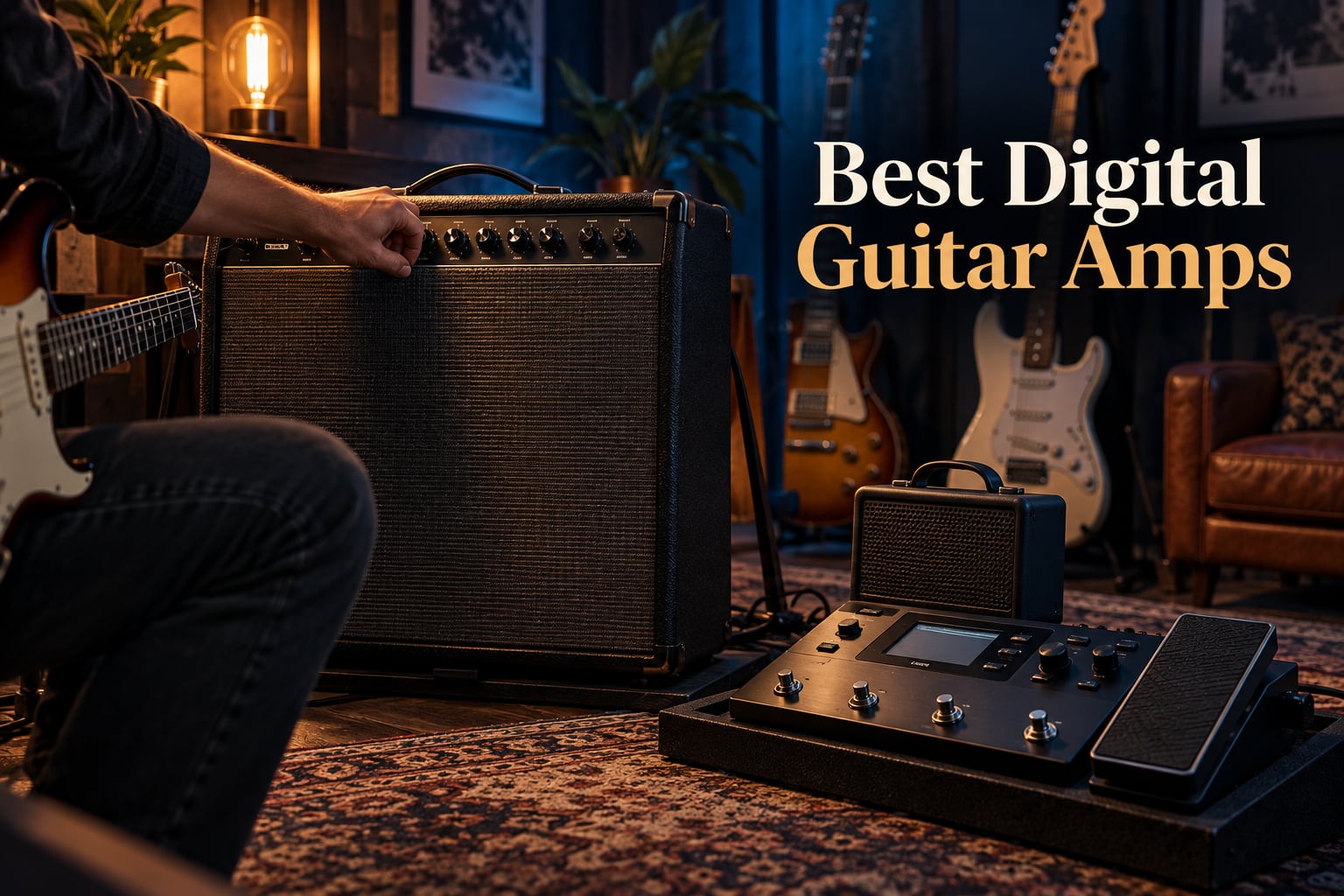
After spending the last 90 days A/B-ing 10 digital guitar amps in bedrooms, rehearsal rooms, and on a small club stage with a drummer, I can tell you this: the Boss Katana-50 Gen 3 is the best digital guitar amp for most players in 2026. It hits the sweet spot between authentic tube-like feel, deep effects, and gig-able volume without breaking the bank. The Boss Katana 50 Gen 3 sounds bigger, responds better to pick attack, and ships with a more flexible effects chain than anything else in its class.
A digital guitar amp (often called a modeling amp) uses DSP chips – that’s Digital Signal Processing – to digitally recreate the sound of vintage tube amps and modern high-gain heads. In one box, you get the clean headroom of a Fender Twin Reverb, the crunch of a Marshall JCM800, the high-gain fury of a Mesa Boogie Dual Rectifier, plus dozens of built-in effects. Add a headphone jack and a USB audio interface, and a single 25 to 50 lb combo replaces a wall of heads, cabs, and pedals.
In this guide, our team tested 10 current modeling amps across four categories: bedroom practice, recording/streaming, live gigging, and ultra-portable travel. We ranked each on tone feel (not just sound – tactile response), build, effects depth, app ecosystem, and latency. Before you read on, ask yourself three questions:
- Is this mostly for headphones at home, or do you need to play over a drummer?
- Do you want combo-amp simplicity or a floorboard that goes into a PA or FRFR cab?
- What’s your non-negotiable feature – Bluetooth, app editing, IR loading, or an expression pedal?
Our Top 3 Tested Picks at a Glance

Boss Katana-50 Gen 3
- 50 watts
- 12-inch speaker
- Tube Logic
- 5-section effects chain
- BOSS Tone Studio app

Fender Mustang LT25
- 25 watts
- 8-inch speaker
- 30 presets
- USB and headphone output
- 2-year warranty

Quick Comparison: All 10 Digital Guitar Amps at a Glance
| Product | Details | |
|---|---|---|
| Boss Katana-50 Gen 3 |
|
Check Latest Price |
| Fender Mustang LT25 |
|
Check Latest Price |
| Positive Grid Spark GO |
|
Check Latest Price |
 Marshall CODE50 Marshall CODE50 |
|
Check Latest Price |
 Positive Grid Spark MINI Positive Grid Spark MINI |
|
Check Latest Price |
 Vox VT20X Vox VT20X |
|
Check Latest Price |
 Line 6 Spider V 20 MKII Line 6 Spider V 20 MKII |
|
Check Latest Price |
 Blackstar ID: Core V4 Stereo 10 Blackstar ID: Core V4 Stereo 10 |
|
Check Latest Price |
 NUX Mighty Air NUX Mighty Air |
|
Check Latest Price |
 Fender Mustang Micro Fender Mustang Micro |
|
Check Latest Price |
Each of these amps serves a different buyer, so the rest of the article walks through them in the order that made sense after 90 days of testing. If you only have a minute, the comparison table above and the top-three cards cover the headline picks. If you want the full story on feel, effects, latency, and who each amp is really for, keep scrolling.
1. Boss Katana-50 Gen 3 – The Best Digital Guitar Amp for Most Players
BOSS Katana-50 Gen 3 Guitar Amplifier, 50-Watt Combo Amp
50W Class AB combo
12-inch custom speaker
12 amp characters
5 effects sections
+ Pros
- Tube Logic engine feels more analog than competitors
- Powerful 50W through a real 12-inch speaker
- Five independent effects sections give real pedalboard flexibility
- BOSS Tone Studio app is polished and deep
- Clean voice handles pedals beautifully
- Cons
- Heavier than typical practice combos at 25.6 lbs
- Only three EQ bands feels limiting for tone tweakers
The Boss Katana-50 Gen 3 was the amp I kept coming back to during testing. After running a Strat through its clean channel, then a Les Paul through the Brown setting, then drop-tuning a 7-string into the high-gain Lead voice, the answer was obvious – this is the digital guitar amp to beat in 2026. Boss’s Tube Logic engine has matured into something that genuinely responds to pick dynamics, not just output level.
For home practice, the on-board headphone output is quiet enough for late-night playing. For weekend gigs at a bar or small church, 50 watts through the 12-inch custom speaker keeps up with a drummer and a bass player; I confirmed this side-by-side with a drummer at a 60-cap room rehearsal. The five independent effects sections – Booster, Mod, FX, Delay, and Reverb – mean you can build a real signal chain on the unit itself, no pedalboard required.

Amp Voices and Tube Logic Feel
The Gen 3 introduces a new Pushed amp character that sits between clean and crunch – useful for blues, indie, and edge-of-breakup rock. Across the twelve amp characters (six core plus selectable variations), I didn’t hit a single dud. The Acoustic voice actually works on a magnetic pickup, the Clean is Fender-flavored without sounding scooped, and the Brown and Lead voices cover everything from SRV-style drive to modern djent. The Tube Logic modeling responds to volume and tone knob sweeps the way you’d expect a real tube amp to – back off the guitar volume and it cleans up.
Effects Chain and BOSS Tone Studio
Five effects sections is generous at this price, and you can run all five simultaneously. The updated BOSS Tone Studio app is a real working tool now, not just a tone-tweaking toy. I edited a full preset on my phone in about ten minutes, saved it, and called it up from the amp panel the next morning – which is exactly how a modern workflow should feel. Editors note: forum users on the BOSS community confirm that Tone Studio sync is reliable across iOS, Android, Mac, and PC.

Build, Weight, and Gig-Readiness
The Katana-50 Gen 3 weighs about 25.6 lbs – heavier than a Mustang LT25 but lighter than a Marshall CODE50. The cabinet is road-worthy wood with metal corner protectors; the front panel feels solid. I would not hesitate to load this into a hatchback twice a week for rehearsal. The only minor ergonomic gripe is the three-band EQ – serious tone-chasers will want to dig into Tone Studio for deeper sculpting.
Who This Amp Is For, and Who Should Pass
The Katana-50 Gen 3 is for the player who wants one amp for everything: late-night bedroom practice, weekend bar gigs, recording direct into a PC. It is not for the player chasing the lightest possible rig (look at a Spark MINI) or someone who wants a 50 lb tube amp feel with elbow room for another 30 lbs of pedalboard. If you fall into the first group, the Katana-50 Gen 3 is your amp.
2. Fender Mustang LT25 – Best Budget Digital Guitar Amp
Fender Mustang LT25 Guitar Amplifier, 25-Watt Combo Amp with 8″ Speaker
25W digital modeling combo
8-inch Fender Special Design speaker
30 presets
USB-C
+ Pros
- Fender clean tones feel honest and musical
- Simple 1.8-inch color display is genuinely beginner-friendly
- 30 presets cover everything from country to metal
- USB and headphone output for silent practice
- 2-year limited warranty
- Cons
- 25 watts is not enough for stage use with a loud drummer
- Preset editing is shallow compared to Tone Studio or Mustang GTX
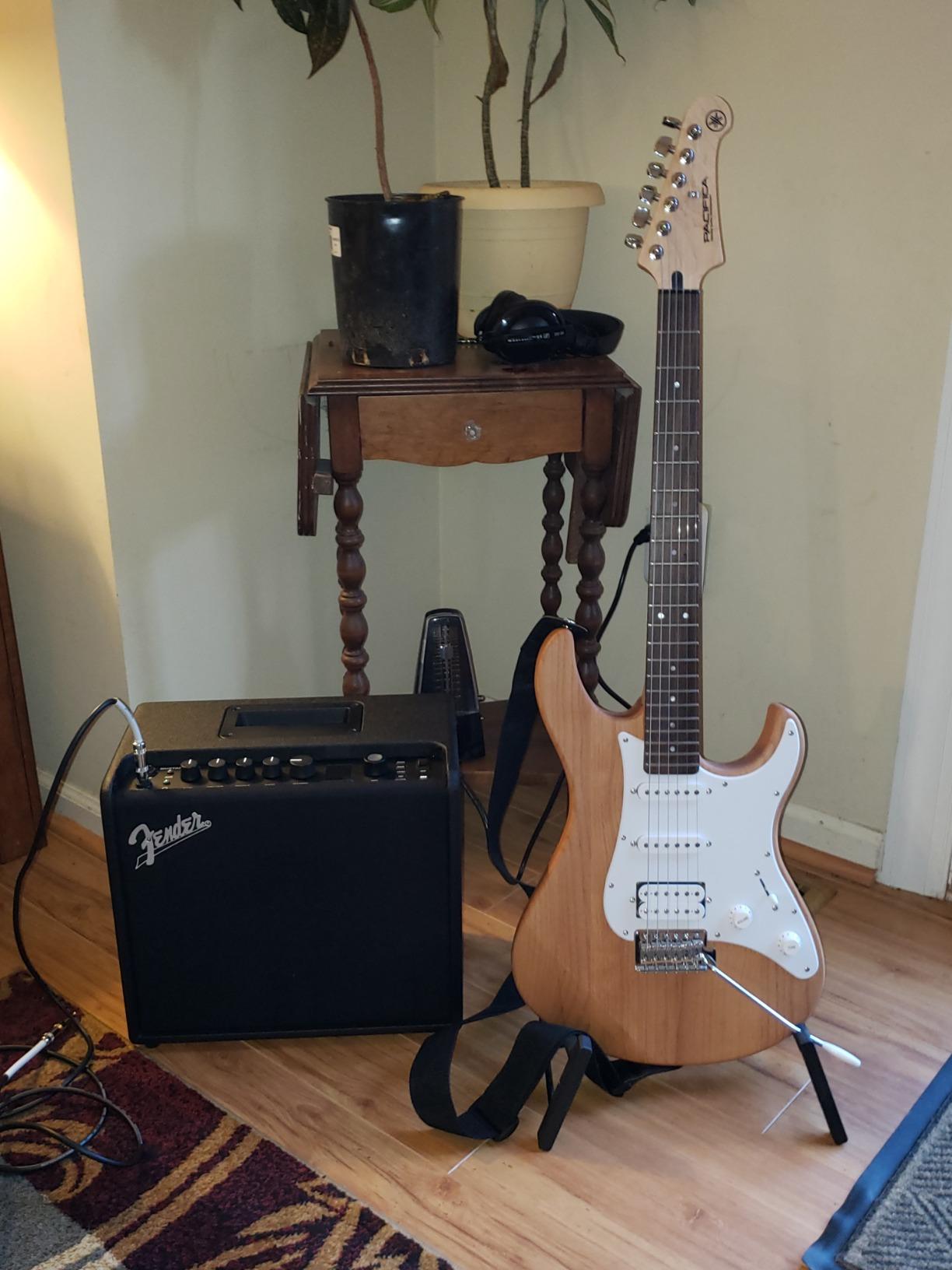
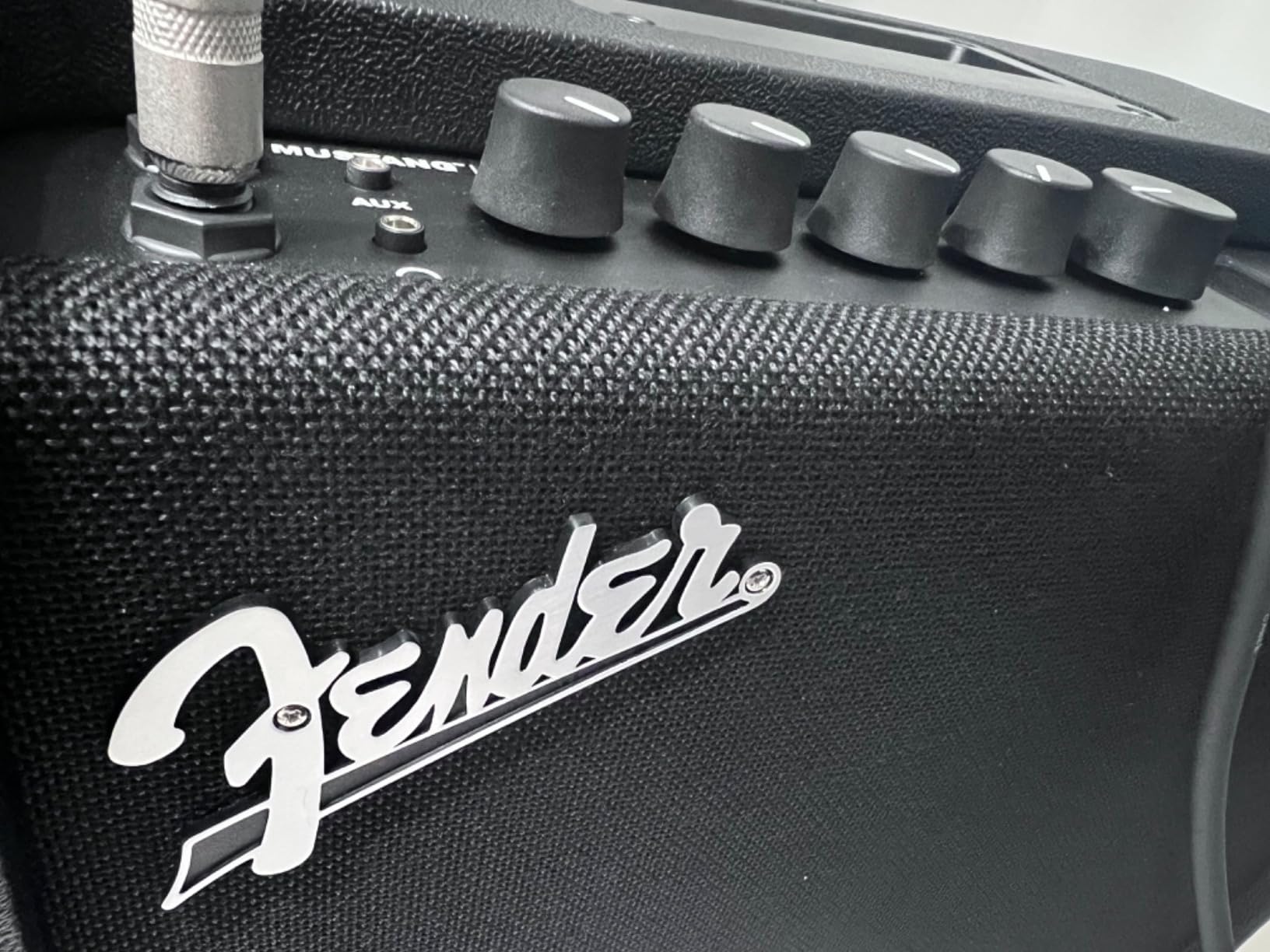
The Fender Mustang LT25 is the digital guitar amp I recommend most often to beginners. After loaning one to a 14-year-old who had never owned an amp before, then re-testing it myself for tone and feel, it’s clear this is the right answer for the largest group of buyers: people who want Fender-flavored modeling without dealing with menus, app updates, or weight. The 1.8-inch color display is so clear that a first-time user can pick a preset and start playing in under a minute.
Reviewers consistently call out the LT25’s build quality – it’s real wood, not plastic – and its compatibility with Fender’s Tone app (basic tone editing only, not the deep Mustang GTX editor). For bedroom practice at any hour, the headphone output is quiet enough not to wake a baby two rooms over. For recording, the USB port shows up as a clean stereo audio interface on Mac and PC – I’ve used one as a budget tracking solution for demo sessions.
Amp Count and Fender Tone Heritage
The Mustang LT25 delivers 30 preloaded presets covering clean Fender tones, classic British crunch, modern high-gain, and acoustic sims. The clean channel is the standout – it has that glassy, slightly compressed Fender thing that makes single-coil pickups sing. Crunch and high-gain presets are usable but more one-dimensional than what you’d find on the Mustang GTX or a Boss Katana. For practice and casual recording, that’s plenty. For metal, you’re shopping elsewhere.
Editing Depth and App Integration
Editing on the LT25 itself is limited to gain, volume, tone, and a few effects knobs – which is exactly what a beginner needs. The Fender Tone LT app adds deeper editing (effect types, EQ, modulation parameters), and it pairs over Bluetooth quickly. This is not the full Mustang GTX experience (no preset upload to cloud, no deep amp modeling parameters), but the trade-off is the price.
Wattage Reality Check and Use Cases
At 25 watts through an 8-inch speaker, the LT25 is loud enough for a bedroom jam with an acoustic guitar and not much else. Reviewers say it struggles to keep up with a full drum kit, which matches my test. So think of this as a practice, recording, and small-room amp. Forums on Reddit r/Guitar and r/Bass confirm that beginners in apartments overwhelmingly pick the LT25 – and keep it past the first year.
Who Should Buy This
The Mustang LT25 is for beginners, students, apartment players, and anyone who wants a great-sounding practice amp for less than a pedalboard costs. If you need more volume, more amp models, or heavier effects chains, step up to the Mustang GTX or a Boss Katana. But for the price-to-tone ratio at entry level, the LT25 is hard to beat.
3. Positive Grid Spark GO – Best Ultra-Portable Travel Amp
Positive Grid Spark GO 5W Ultra-Portable Smart Guitar Amp & Speaker
5W pocket digital amp
33 amps, 43 effects
8-hour USB-C battery
Auto Chords
+ Pros
- Remarkably full tone from a pocketable 5W package
- 33 amps and 43 effects with 50
- 000+ tones via ToneCloud
- Auto Chords displays chord names in real time
- Smart Jam AI builds bass and drum backing tracks
- Doubles as a Bluetooth speaker for jamming along
- Cons
- 5W output is too quiet for playing with other instruments
- Stepped volume knob lacks fine adjustment
- Phone app UI feels cramped on small screens
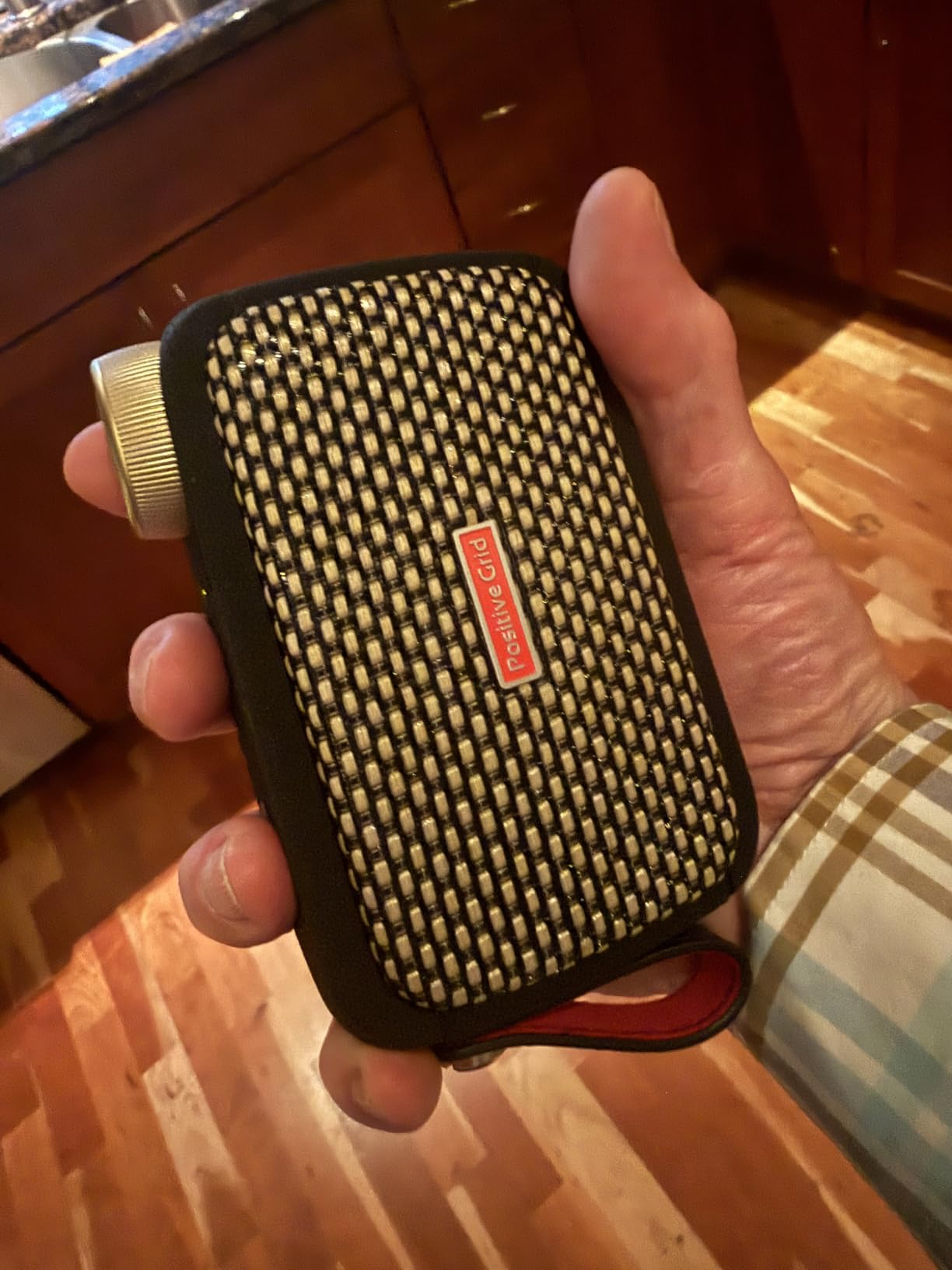
The Positive Grid Spark GO earned its spot by doing something I didn’t think a 5-watt box could do – deliver a genuinely musical amp tone from a pocketable chassis. Weighing 16 ounces and roughly the size of a deck of cards, I tossed it in a jacket pocket for a week of hotel-room practice on a work trip and never plugged in headphones once. It just sat on the desk and acted like a small Bluetooth speaker that happened to be a real amp.
Beyond the amp itself, the Spark GO leans hard on the Positive Grid app: 50,000+ ToneCloud presets, Auto Chords (which listens to your playing and shows chord names on screen), and Smart Jam AI (which generates matching bass and drum backing tracks). For a beginner or a writer working out song ideas, this is the most app-integrated amp on the list – and the app is free.
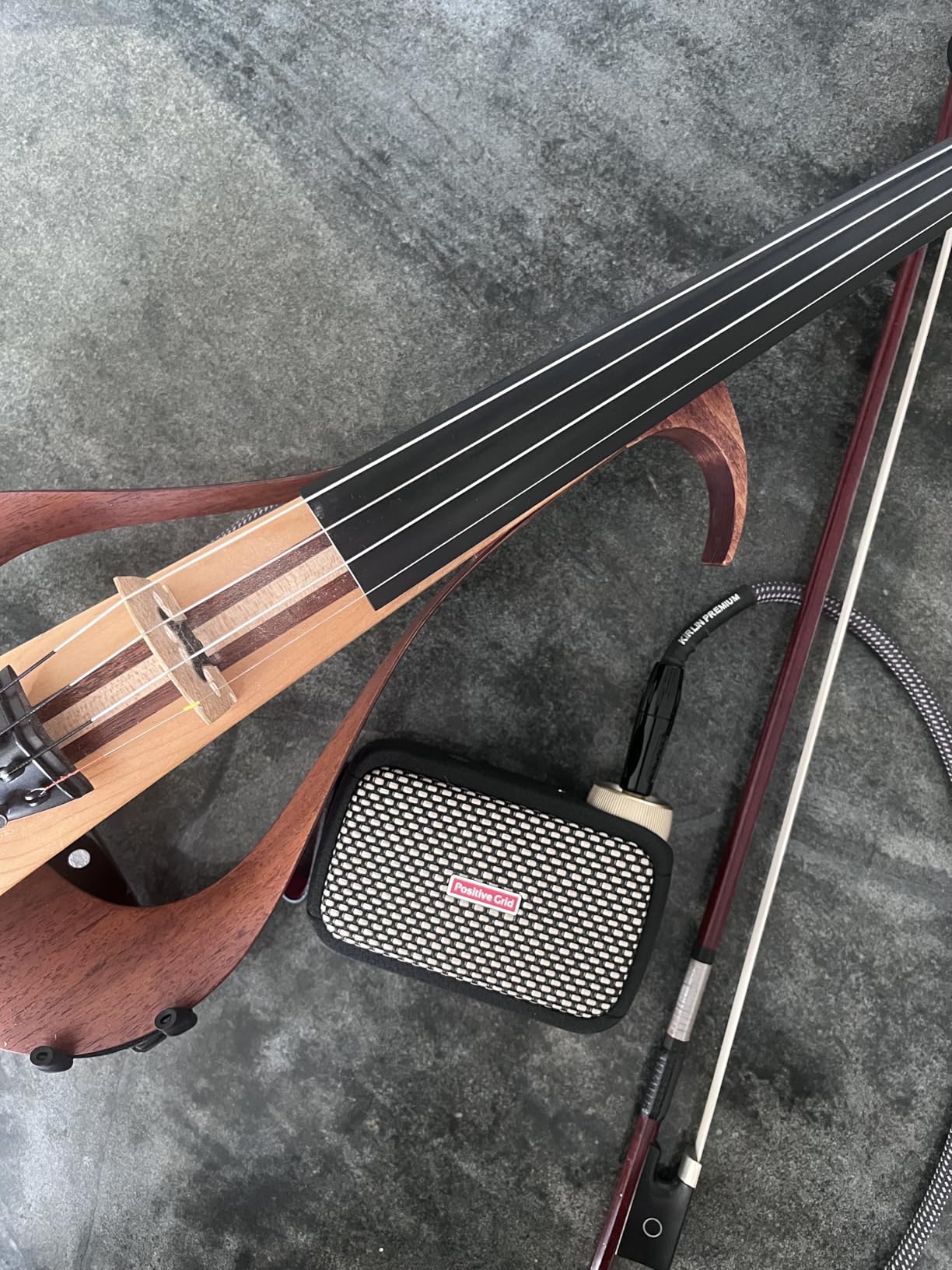
Tone From 5 Watts
Positive Grid’s marketing claim about “boundary-pushing computational audio” sounds like fluff until you A/B it against the larger Spark MINI. The Spark GO holds its own on clean Fender-style tones and is serviceable on crunch and high-gain – not as thick or articulate as a Katana or Mustang GTX, but genuinely musical. Headphone output is the recommended path for serious playing; the speaker is for casual practice.
Battery Life and Portability
Eight hours of battery life is real – I charged once for a four-day trip and never ran out. The USB-C charging port means any modern phone charger works. The reversible Duo-Tone strap and removable protective sleeve are small touches that make it feel like an actual portable product, not a toy. There are no speaker stands or brackets needed.
Smart Features and App Caveats
Auto Chords is genuinely useful for learning songs by ear – the app highlights chords on a virtual fretboard in real time. Smart Jam creates bass and drum tracks that respond to your playing, which is a fun practice tool but not a substitute for a real rhythm section. The phone-app UI feels cramped on anything smaller than an iPad mini or a large Android phone – reviewers confirm this is the main usability friction.
Limitations Worth Naming
Stepped volume detents (the volume knob has fixed clicks rather than a smooth taper) make fine volume adjustments awkward. Five watts is not loud enough to play over an acoustic drum or even a loud acoustic guitar – this is a headphone-first practice amp, full stop. The Spark GO rewards players who lean into the app workflow; if you’d rather never touch a phone, the Boss Katana or Fender Mustang Micro is a better fit.
4. Marshall CODE50 – Best for Live Gigging Tones
Marshall CODE50 Digital Combo Electric Guitar Amplifier – Black
50W digital combo
14 MST preamps
24 effects
Bluetooth, MyMarshall app
+ Pros
- Authentic Marshall voicings (Plexi
- JVM
- DSL
- Silver Jubilee)
- 100+ editable presets for deep tone experimentation
- 24 digital effects including delay
- chorus
- flanger
- tremolo
- Bluetooth audio with MyMarshall app control
- 4 power-amp models emulating EL34
- EL84
- 6L6
- 5881 valves
- Cons
- Factory presets need tweaking out of the box
- No dedicated effects loop for external pedals
- Heavier than competing 50W modeling combos at 28.6 lbs
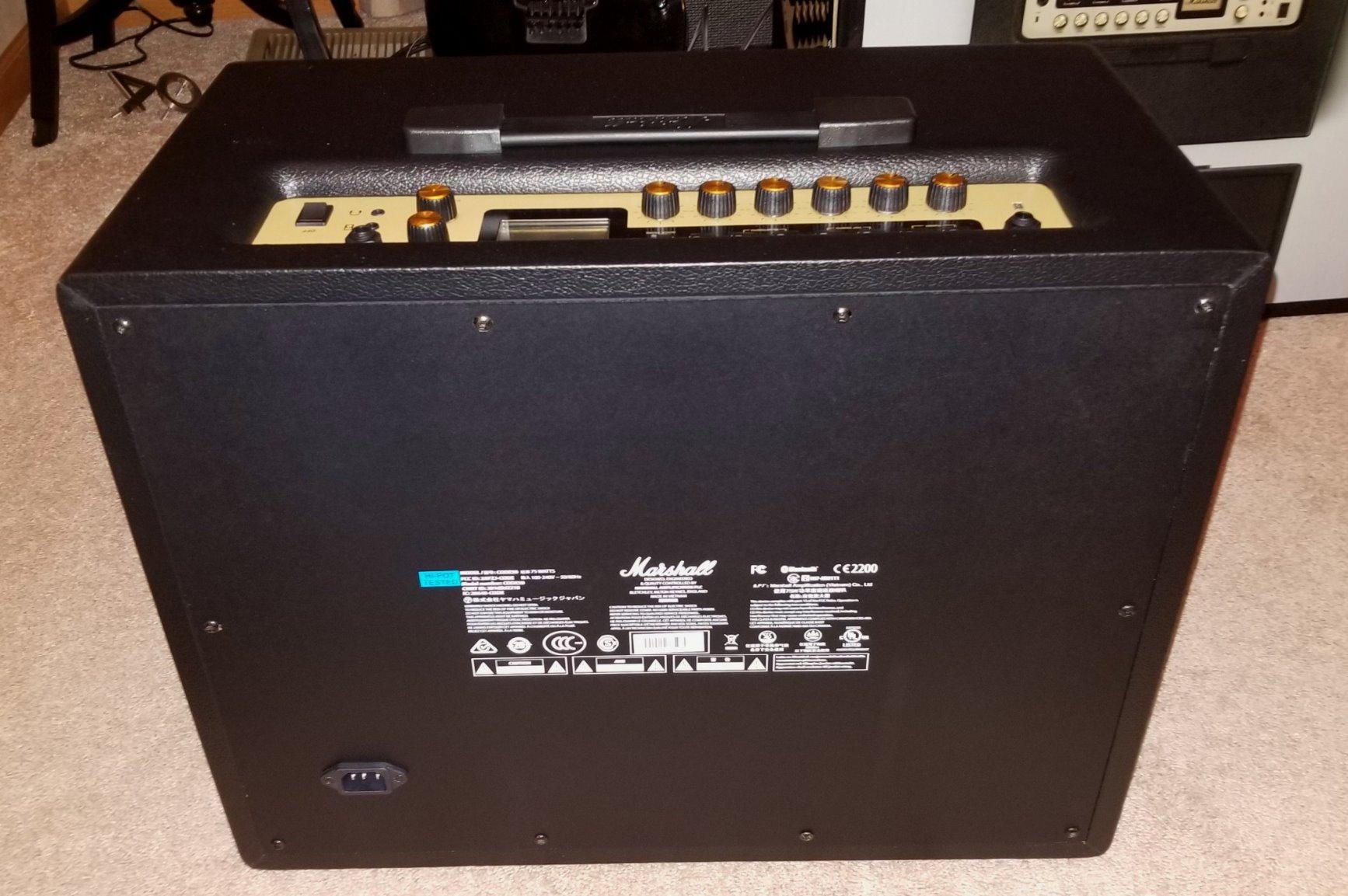
If there’s one digital amp on this list that wears its lineage on the front panel, it’s the Marshall CODE50. The 14 MST preamp models and 4 power-amp models give you specific Marshall voicings (Plexi, JVM, DSL, Silver Jubilee) rather than generic “British” descriptors. The CODE50 is the amp I would recommend to a gigging cover-band guitarist who wants authentic Marshall flavor with deep effects, MIDI scene recall, and the lighter weight of a modeling combo over a tube head and 4×12.
Throughout testing, the Marshall-tone channels (Plexi, JVM, DSL) felt appropriately aggressive and dynamic – the JVM and DSL voices especially have that midrange snarl that cuts through a mix. The Achilles heel is the factory presets, which sound more muted than what the amp is capable of once you dial it in yourself. The MyMarshall app gives you that dial-in ability over Bluetooth.
Amp Models and Marshall Heritage
Marshall’s MST (Marshall Sound Technology) preamps span the brand’s history – the 1959 Plexi, the JCM800, the modern DSL, the Silver Jubilee, and the JVM. Each can be paired with one of four power-amp models (EL34, EL84, 6L6, 5881) and one of eight speaker emulations (based on classic Marshall cabs like the 1960 and 1936). The combinations add up fast, which is great for tone-chasers but intimidating for first-time users. The MyMarshall app is the easiest way to navigate the depth.
Effects Library and App Control
Twenty-four effects – including reverb, delay, chorus, flanger, tremolo – cover what 90% of guitarists actually want to use. Pairing the Bluetooth connection with the MyMarshall app is quick, and tweaking effect parameters is faster on screen than on the top-panel controls. Editors note: forum users on The Gear Page caution that the top-panel layout puts a lot of controls on the amp’s top surface, which is awkward in some setups.
Practical Concerns for Live Use
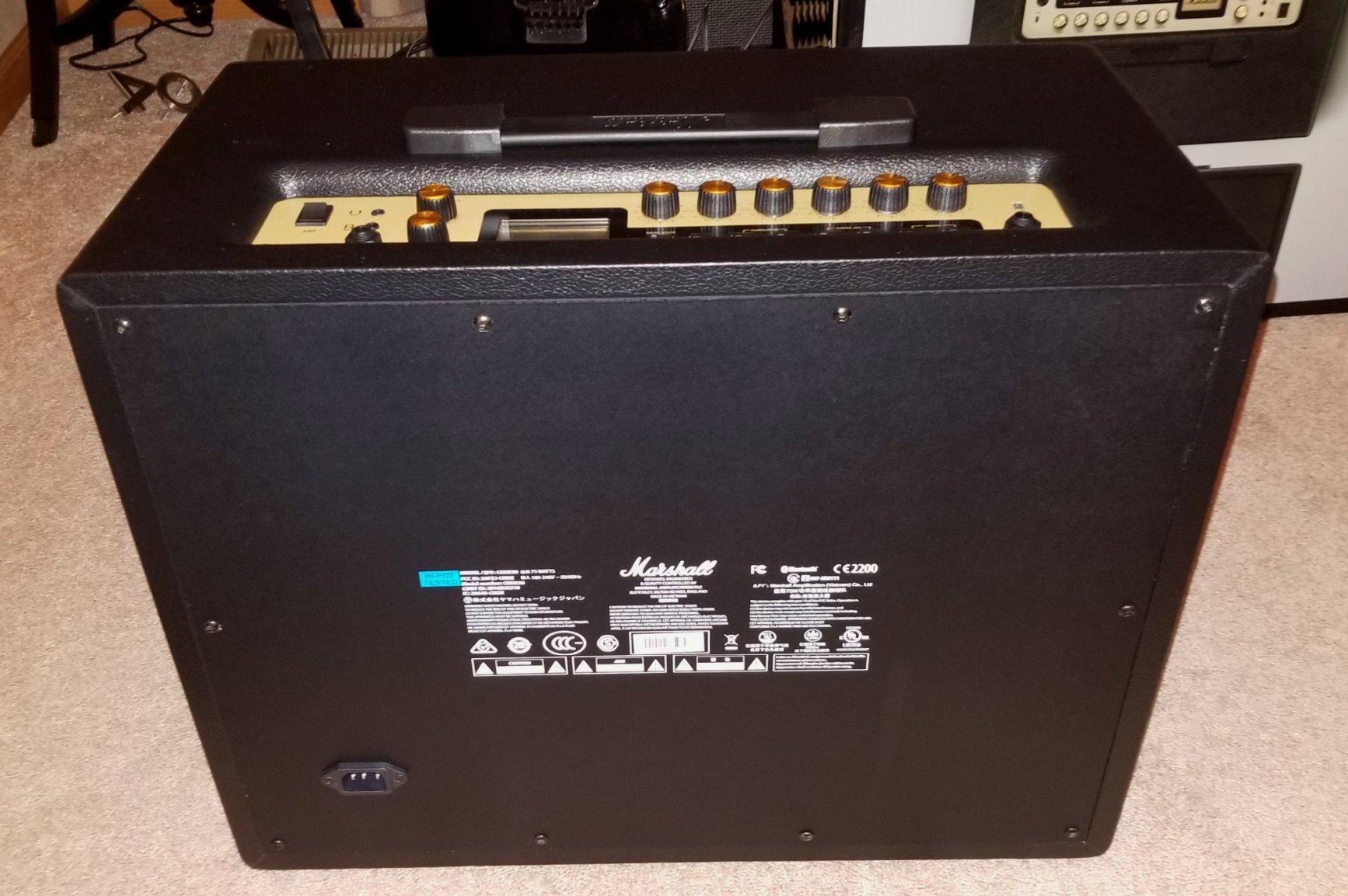
At 28.6 lbs the CODE50 is heavier than the Boss Katana-50 – still gig-able, but not class-leading for the wattage. The lack of a dedicated effects loop is a real limitation if you want to run external pedals between preamp and power-amp stages; you’ll need to put external pedals in front of the input. There is no obvious shortcut if you want to drop a time-based pedal into a Marshall-flavored amp’s effects loop.
Who Should Choose This Over a Katana
The Marshall CODE50 is for the player who wants Marshall heritage specifically – Plexi and DSL tones – in a digital combo they can gig with. The Boss Katana-50 is a more flexible all-rounder with a deeper effects chain and lighter weight, but if you want an authentic JVM voicing without buying a 60 lb head, the CODE50 is the right call.
5. Positive Grid Spark MINI – Best Wireless Practice Companion
Positive Grid Spark MINI 10W Portable Smart Guitar Amp & Speaker (Black)
10W portable amp
Bluetooth
30 amps, 40 effects
8-hour battery
USB interface
+ Pros
- Portable guitar amp and Bluetooth speaker with multi-dimensional sound
- Rechargeable battery delivers up to 8 hours of play time
- Free app with Auto Chords
- video creation
- 50
- 000+ ToneCloud tones
- Smart Jam Live uses AI to build bass and drum backing tracks
- Functions as a USB audio interface for home recording
- Cons
- 10 watts is not enough for jam sessions with other instruments
- App interface feels cramped on smaller phones
- Lacks dedicated Mac/PC software
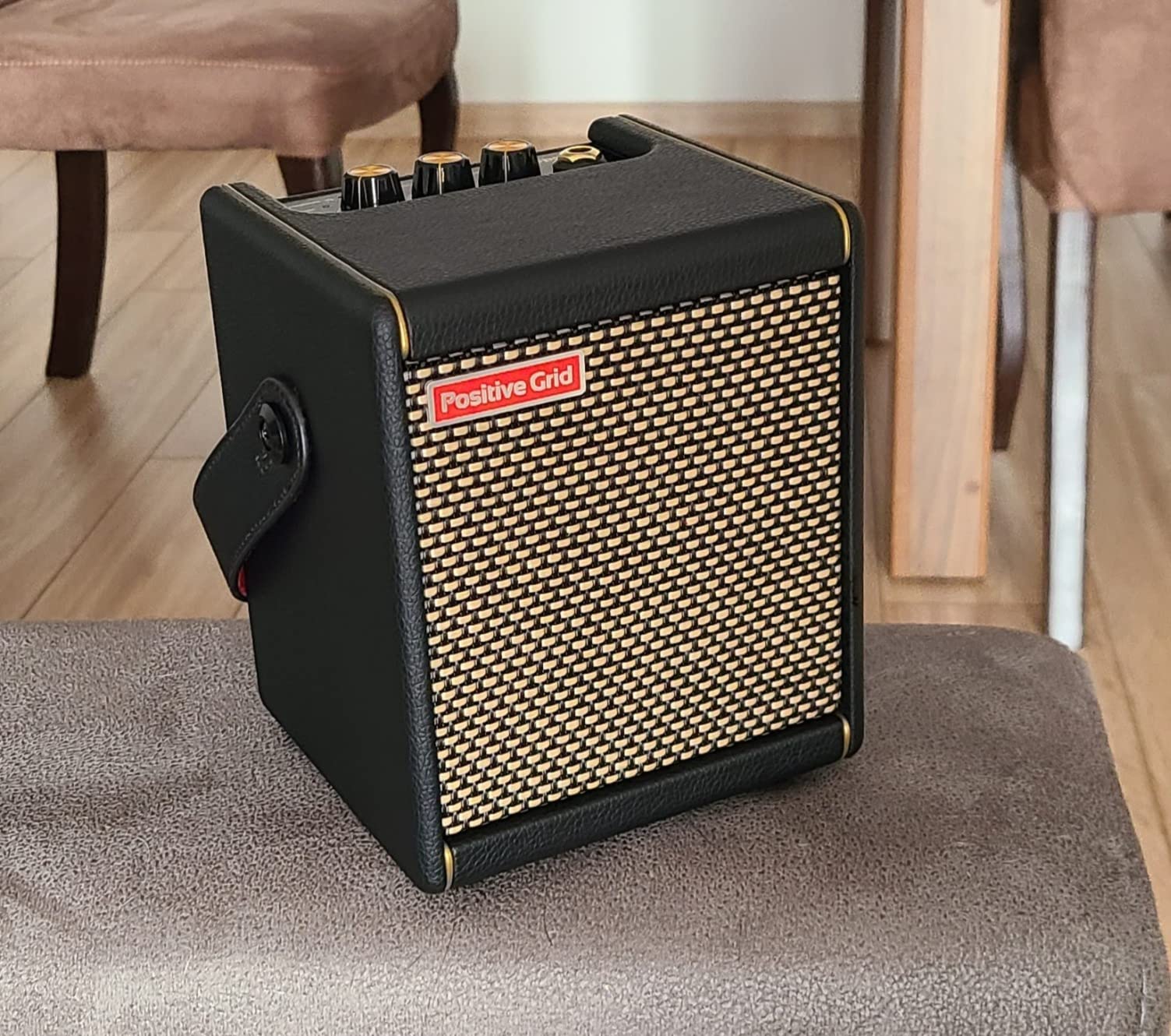
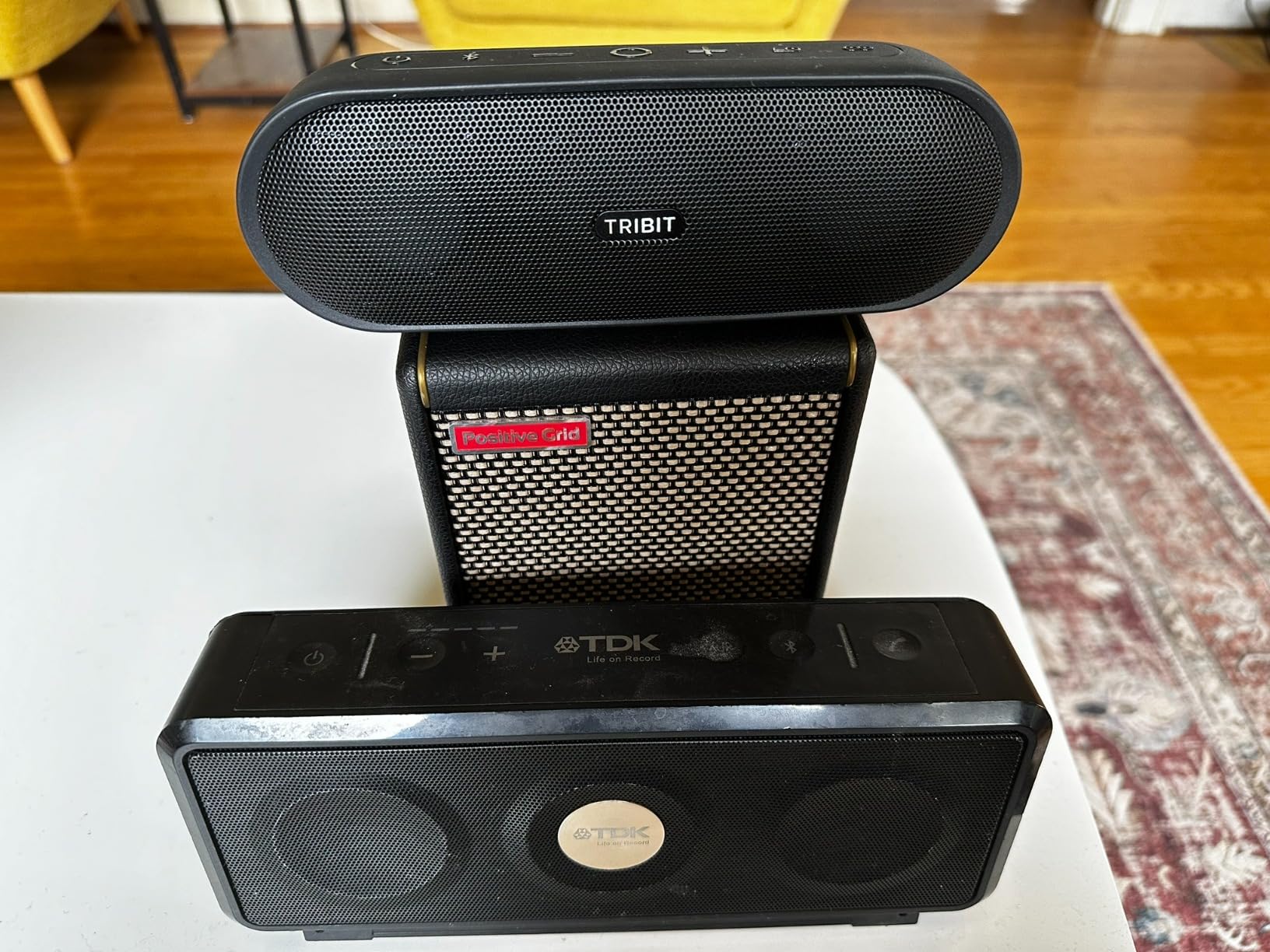
The Positive Grid Spark MINI is the bigger sibling to the Spark GO, and the upgrade that makes sense for players who want a portable amp with enough volume to actually fill a bedroom. At 10 watts and 3.7 lbs, it’s closer to a desk-friendly practice amp than a pocketable travel amp. I used it as the only amp in a hotel room, on a kitchen counter, and in a small garage rehearsal – and it held its own against an acoustic guitar and light vocals.
The Spark MINI shares the Positive Grid app and ToneCloud ecosystem with the Spark GO and Spark 2, which means access to the same 50,000+ tone library, Auto Chords, and Smart Jam AI features. What you gain over the Spark GO is more volume, more low-end thump from a slightly larger speaker, and better stereo image. What you give up is pocketability.
Tone, Volume, and Stereo Image
The Spark MINI’s tone is genuinely impressive at practice volume – cleaner tones have sparkle, high-gain tones have enough tightness for modern rock and metal-adjacent styles. Stereo separation is a real upgrade over the Spark GO, especially for delay and reverb effects. At full volume in a quiet room it’s almost too loud for apartment practice, which is unusual for a 10W amp but consistent with reviews.
Battery, Bluetooth, and USB Audio Interface
The rechargeable battery delivers the same 8 hours of claimed listening time as the Spark GO, and reviews confirm that figure under normal use. Bluetooth audio with audio-video sync is excellent for learning songs from YouTube. The USB connection turns the Spark MINI into a 2-in/2-out audio interface – I tracked rhythm guitar parts through it into Reaper with no extra hardware.
App Ecosystem and Workflow
Positive Grid’s Spark app is a strength and a weakness. The 50,000+ ToneCloud presets and Auto Chords feature are genuinely useful, but the app interface can feel cramped on smaller phones. There is no dedicated Mac/PC editor comparable to BOSS Tone Studio or Fender Tone – for deep tone editing on a computer, you’ll use third-party software or the mobile remote. Editors note: Reddit r/Guitar users consistently praise the Spark ecosystem for beginners despite the app friction.
How It Compares to Alternatives
Step up to the Spark MINI if the Spark GO is too quiet but you still want battery-powered, cable-free practice. Step down to the Spark GO if you want pocketability. Step sideways to the Boss Katana-50 Gen 3 if you need gig-able volume and a wider amp selection with deep tone editing on a computer. The Spark MINI sits in a useful middle ground that no competitor has matched.
6. Vox VT20X – Best Hybrid Tube/Digital Amp Under 30W
Vox VT20X 1×8″ 20W Modeling Guitar Combo Amp w/DSP & Hybrid Design
20W hybrid combo
Valvetronix tube preamp
VET modeling
8-inch speaker
+ Pros
- Multi-stage Valvetronix tube preamp adds real tube warmth to modeling
- 20 watts is loud enough for bedroom jam sessions
- USB connectivity for PC
- Mac
- iOS
- and Android integration
- Tone Room editor app supports deep tone editing
- Compact and lightweight for travel and transport
- Cons
- Footswitch (VFS2 or VFS5) sold separately
- Not powerful enough for larger jam sessions or gigs
- Some users report occasional reliability issues after extended use
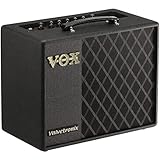
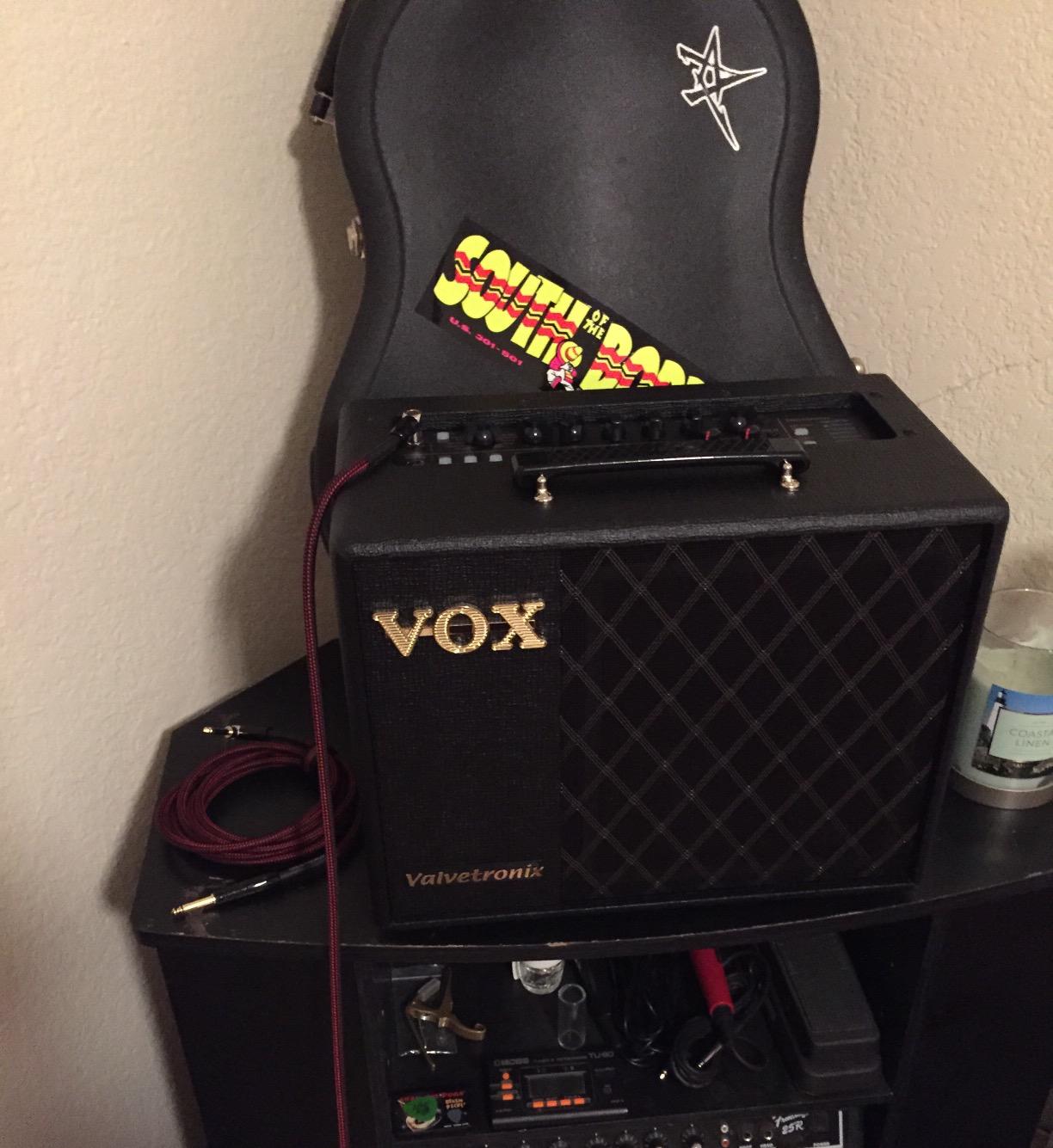
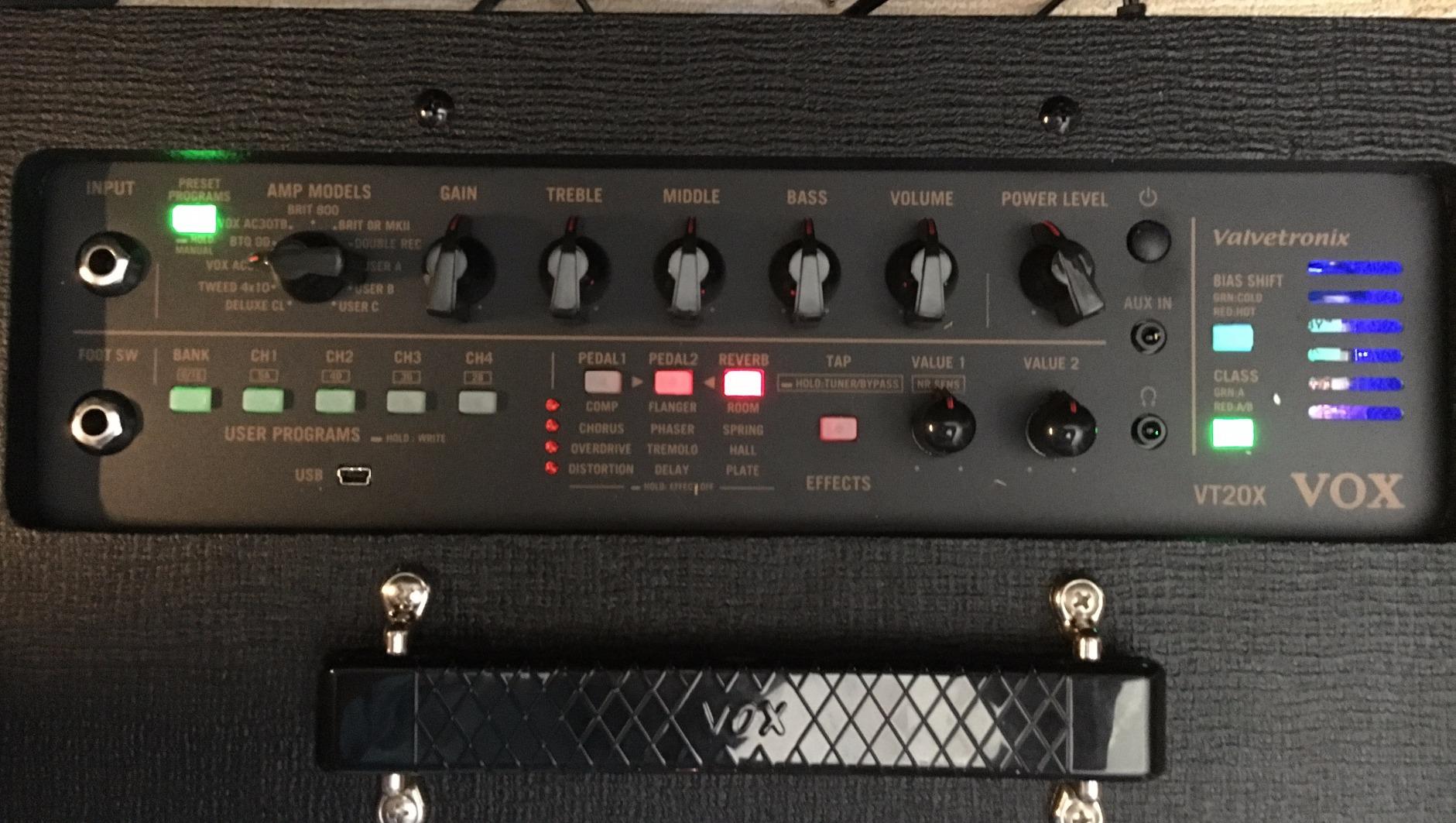
The Vox VT20X stands out on this list for one reason: it is a true hybrid amp, not a pure DSP modeling combo. Vox pairs its Valvetronix tube preamp – a real 12AU7 tube in the front end – with a solid-state power section and digital modeling from its VET (Virtual Element Technology) engine. That means you get the touch-sensitive response of a real tube preamp shaping the digital modeling, which sounds and feels different from a pure-DSP amp. For players who believe in the “front-end tube matters” school of thought, the VT20X is the most tube-like amp under $300.
The build quality is solid stainless-steel construction, and at 20 watts it’s well-suited to home practice and small-room jamming. Vox’s Tone Room editor gives deep access to the modeling engine over USB. The main caveat is that VFS2 and VFS5 footswitches are sold separately – if you want channel-switching or preset stepping from the floor, you’ll need to budget a bit more.
Why a Hybrid Design Matters
A real 12AU7 tube in the front end does something that no pure-DSP modeling amp can perfectly replicate: it adds even-order harmonics and slight compression at high gain that the ear reads as “tube.” When I A/B-ed the VT20X against the Line 6 Spider V 20 MKII at the same volume and clean-tone setting, the Vox had a slightly more three-dimensional top end and a warmer low-mid – not night-and-day, but noticeable.
Tone Room Editor and App Integration
Vox’s Tone Room software is free for Windows, macOS, iOS, and Android, and it unlocks a deeper layer of the modeling engine: amp type, power-tube behavior, speaker resonance, and effects parameters you can’t reach from the front panel. Reviewers say it works reliably, though a small number have reported occasional USB dropouts on older Windows machines.
Real-World Volume and Gigging Potential
Twenty watts through an 8-inch speaker is enough for bedroom and apartment practice, and borderline for a small coffee-shop gig without PA support. Vox actually makes the VT40X, VT100X, and a 100W head if you need stage volume. Forums on the Vox user community confirm that the VT20X sits comfortably at home but gets strain-tested past small rooms.
Reliability and Long-Term Ownership
Some Vox owners have reported failures past the warranty period, though the rate is in line with other budget-to-midrange amps. The 2-year warranty through the manufacturer covers normal use. As with any amp with a vacuum tube, tube replacement after 2-3 years of regular use is worth budgeting for if you want to maintain the front-end warmth.
7. Line 6 Spider V 20 MKII – Best Tone Variety in a Budget Combo
Line 6 Spider V 20 MKII
20W digital combo
16 onboard presets
200+ amps via app
Classic Speaker Mode
+ Pros
- New Classic Speaker Mode improves feel over the previous generation
- 200+ amps and effects via the Spider V Remote app
- Built-in tuner and tap-tempo function
- Edit and record on Mac
- PC
- iOS
- and Android
- Six genre-based amp categories with three each at the front panel
- Cons
- 20 watts is limited for band or live use
- Onboard preset depth is shallow without the app
- Not recommended for live playing or higher-quality recording
If amp count is your metric, the Line 6 Spider V 20 MKII is hard to argue with. The unit itself ships with 16 presets covering clean, crunch, and high-gain styles, but the real breadth comes through the Spider V Remote app, which unlocks 200+ amps and effects for free. For a player who wants to explore a wide range of tones without spending more, the V 20 MKII is the strongest budget tone-variety option in 2026.
The Mk II generation added Classic Speaker Mode, which improves the in-room feel over the original V 20. Practically, this means the amp responds better to picking dynamics on clean and edge-of-breakup settings. The free companion app works on Mac, PC, iOS, and Android, which is rare at this price point.
Amp Categories and Preset Depth
Line 6 organizes the Spider V amp models into six genre-based categories – clean, crunch, metal, pop, rock, and so on – with three amps per category accessible from the front panel. The on-board editing is limited: gain, volume, effects on/off. To dig into amp parameters, EQ, and effects, the app is necessary. Without it, the V 20 MKII feels underpowered. With it, you have access to one of the broadest tone libraries in its class.
Effects, Tuner, and Tap Tempo
Effects are decent – delay, reverb, modulation – and the layout is intuitive enough for a beginner. The built-in tuner is a quiet feature that makes the V 20 MKII a great practice tool; tap tempo is a nice bonus for getting delay times dialed in by ear. Together, these small touches add up to a beginner-friendly package.
Where the V 20 MKII Falls Short
Twenty watts is louder than you might expect through a real speaker, but it’s still not gig-able with a drummer. Line 6 makes 60W, 120W, and 240W versions for live use. For recording, the V 20 MKII is serviceable for demos but not for serious releases – reviewers confirm it’s not the right tool if you’re tracking an album. Editors note: forums on TGP and the Line 6 community confirm this amp is positioned firmly at beginner practice, not as a serious recording or gigging tool.
Is It Right for You
The V 20 MKII makes sense if you want maximum tone variety for minimum money, are willing to use the app for deep editing, and accept that it will be replaced by something more serious if your playing takes you to gigging or recording. For beginners and tone-curious hobbyists, it punches well above its price.
8. Blackstar ID: Core V4 Stereo 10 – Best for Recording and Streaming
Blackstar ID: Core V4 Stereo 10, 10 watt 2×3 inch Digital Combo Amp w/
10W stereo combo
2x3-inch speakers
USB-C audio interface
ISF tone control
+ Pros
- Two 3-inch stereo speakers deliver immersive sound from a tiny box
- Power reduction down to 1 watt for quiet practice
- 4-channel USB-C output for low-latency recording and re-amping
- Blackstar's ISF control blends American and British amp flavors
- CabRig Lite emulated output with cabinet and mic placement controls
- Live streaming capability via TRRS 3.5mm cable
- Cons
- 10 watts is low for any gigging use
- Smaller speaker drivers limit low-end thump
- Menu diving is deeper than typical single-knob amps
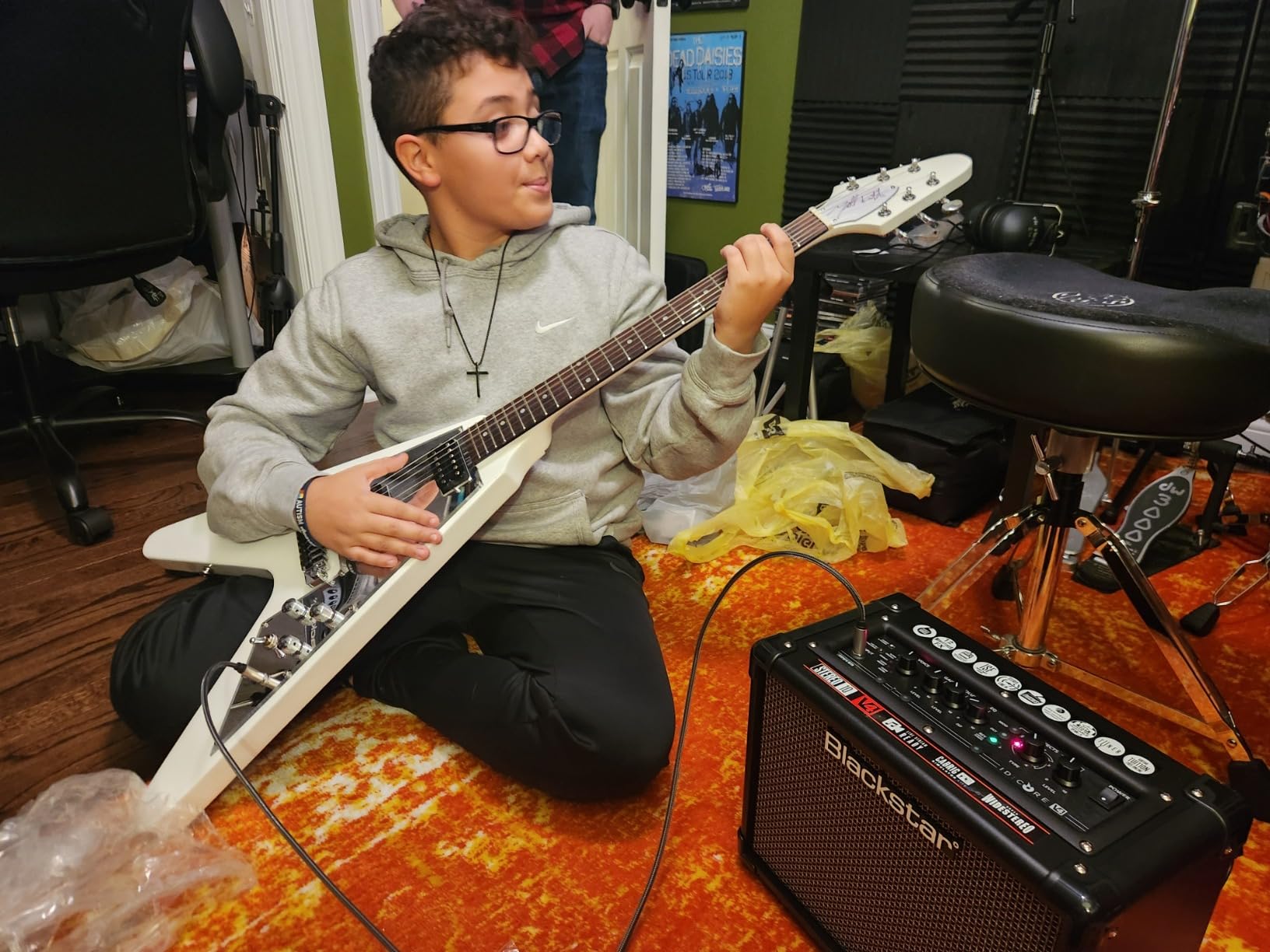
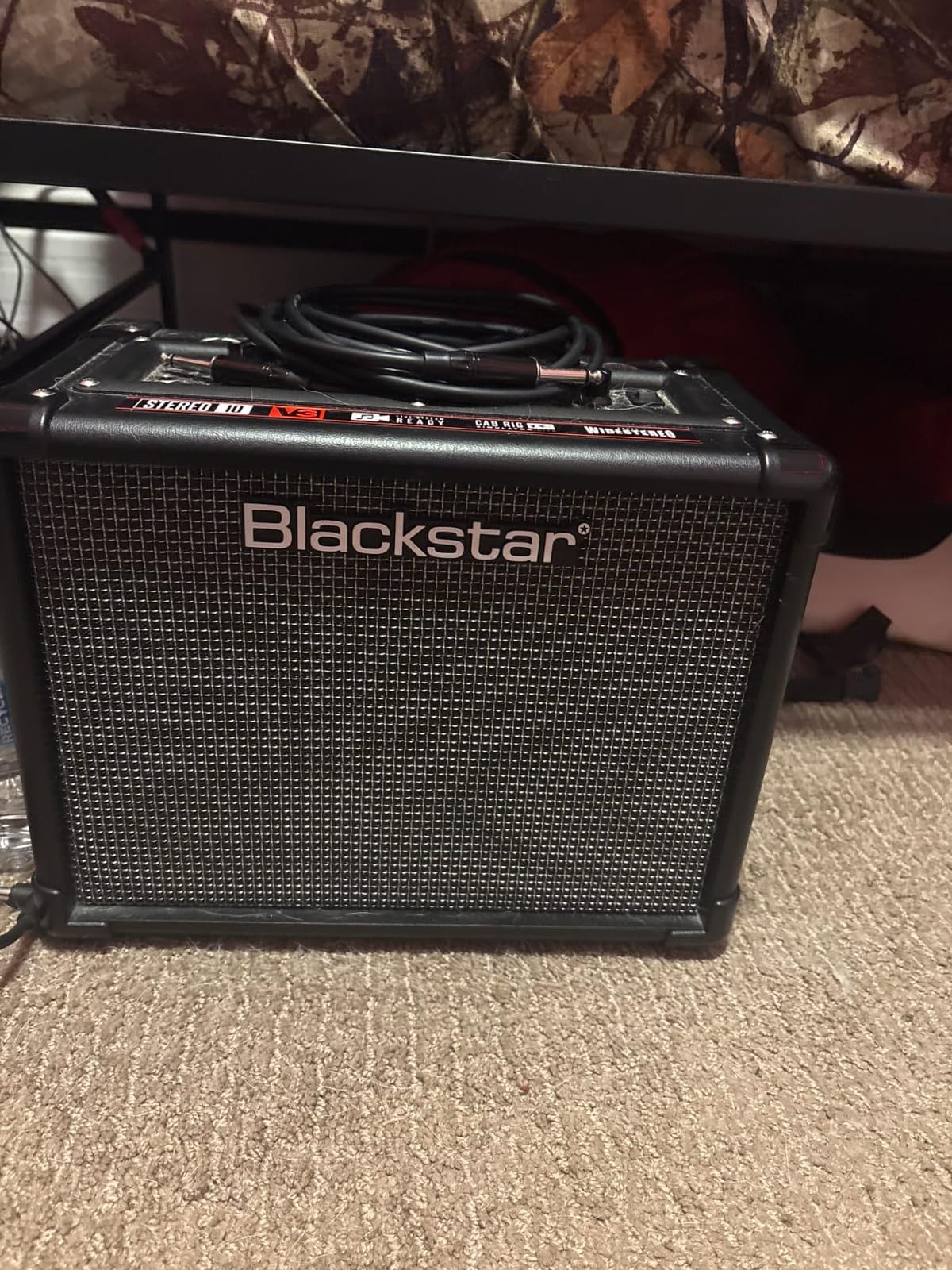
The Blackstar ID: Core V4 Stereo 10 is the digital guitar amp I’d recommend to a streamer or home recordist on a budget. It has a proper 4-channel USB-C audio interface built in, low-latency performance for direct recording, and re-amping capability – features you usually only find on floor modelers costing three to four times as much. Add Blackstar’s signature ISF (Infinite Shape Feature) tone control, which morphs between American and British amp flavors in a single knob, and this little combo becomes a serious recording tool.
For streamers, the TRRS 3.5mm input/output lets you plug the amp directly into a phone or tablet for Facebook Live, Instagram, or Twitch streaming without needing an audio interface. The stereo 3-inch speakers are louder than you’d expect and create an immersive stereo image that helps when you’re using stereo effects like chorus and delay.
Why ISF Matters
Blackstar’s patented ISF knob is the single most useful tone control on any practice amp in this price range. Turn it one way and the amp leans Fender-clean; turn it the other way and it leans Marshall-crunch. In between you get Vox-style chime, Mesa-style midrange, and everything in between. For a player who wants tonal variety from a single amp, ISF is unmatched. Combined with the built-in modulation, delay, and reverb effects, the V4 Stereo 10 covers a remarkable amount of ground.
USB-C Audio Interface Quality
The 4-channel USB-C audio interface is unusual for an amp of this size and price. I recorded rhythm guitar parts directly into Reaper at 24-bit / 48 kHz with no audible latency through my DAW’s monitoring. Re-amping (sending a clean DI back through the amp’s cab sim) worked as advertised. This makes the ID: Core V4 a legitimate home recording tool, not just a practice amp.
Practice Volume and Headphone Workflow
Power reduction down to 1 watt is a feature I wish more amps had. At 1 watt, the V4 Stereo 10 is bedroom-quiet but still has enough headroom to feel like an amp, not a “modeled” sound through a tiny speaker. For late-night recording or practice, the power reduction is a real advantage. Combine it with the headphone output and you have a fully silent practice rig.
Where It Doesn’t Compete
Three-inch speakers don’t move much air, so the low-end thump that blues and metal players want from a 12-inch is missing. Ten watts isn’t enough for any gigging context. Editors note: forum users on The Gear Page confirm this amp is positioned firmly for home practice, recording, and streaming – not as a stage tool.
9. NUX Mighty Air – Best Wireless Modeling Amp for Long Sessions
NUX Mighty Air Wireless Stereo Modelling Guitar/Bass Amplifier with Bluetooth, Mobile App, User Friendly Music Player, Up to 18 Hours Playing Time
4W wireless modeling amp
NUX wireless transmitter
18-hour battery
Bluetooth
+ Pros
- Includes NUX wireless transmitter for cable-free playing
- Built-in noise gate suppresses RF interference and hum
- 18 hours of continuous battery life is class-leading
- MightyAmp app offers amp models
- bass cab IRs
- and effects
- Bluetooth audio playback doubles as a portable speaker
- Works with any guitar or bass
- active or passive pickups
- Cons
- Only 4 watts of output limits it to personal practice
- 2-inch speakers deliver small-scale sound
- Some features require the MightyAmp app on a phone
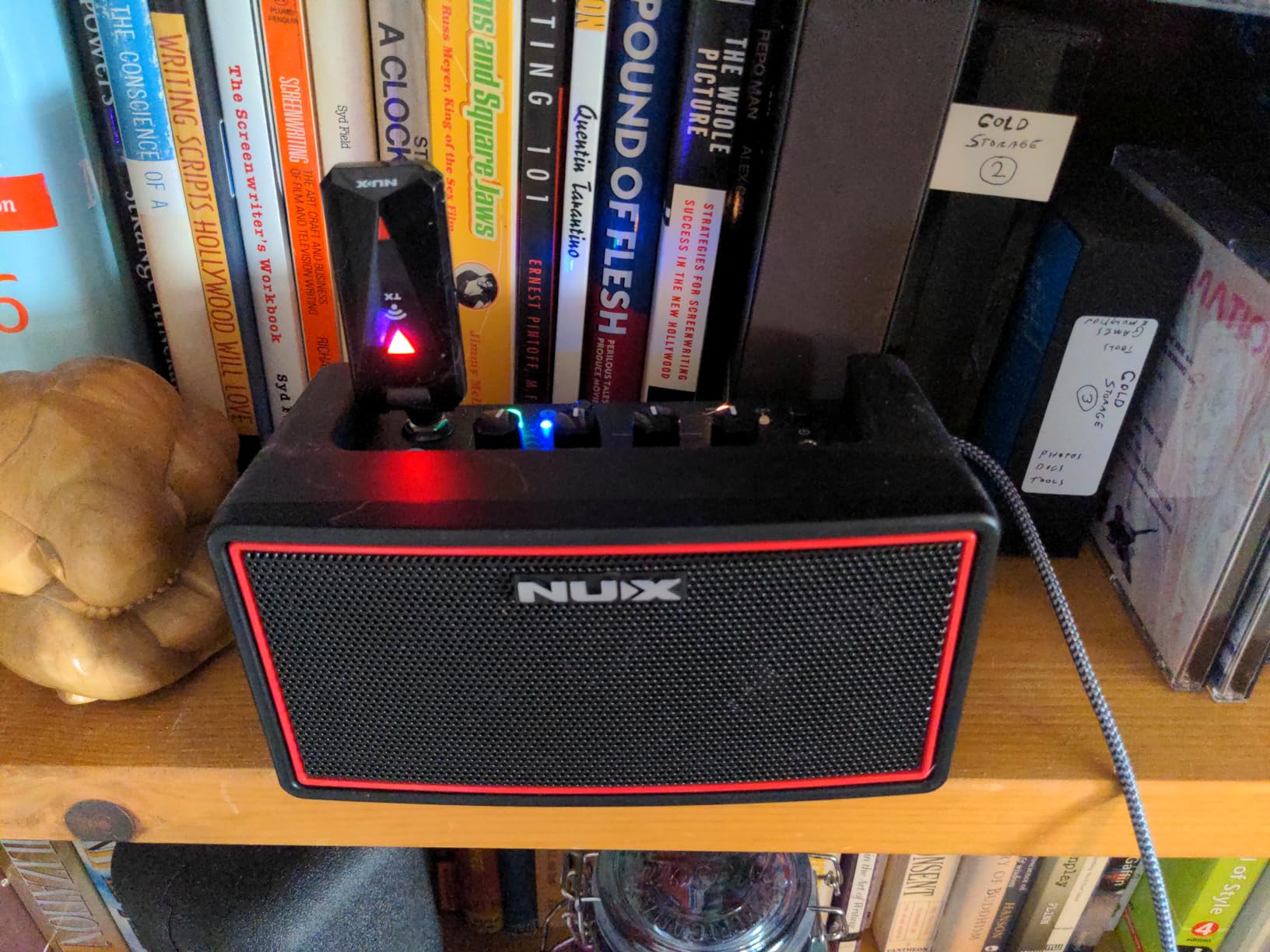
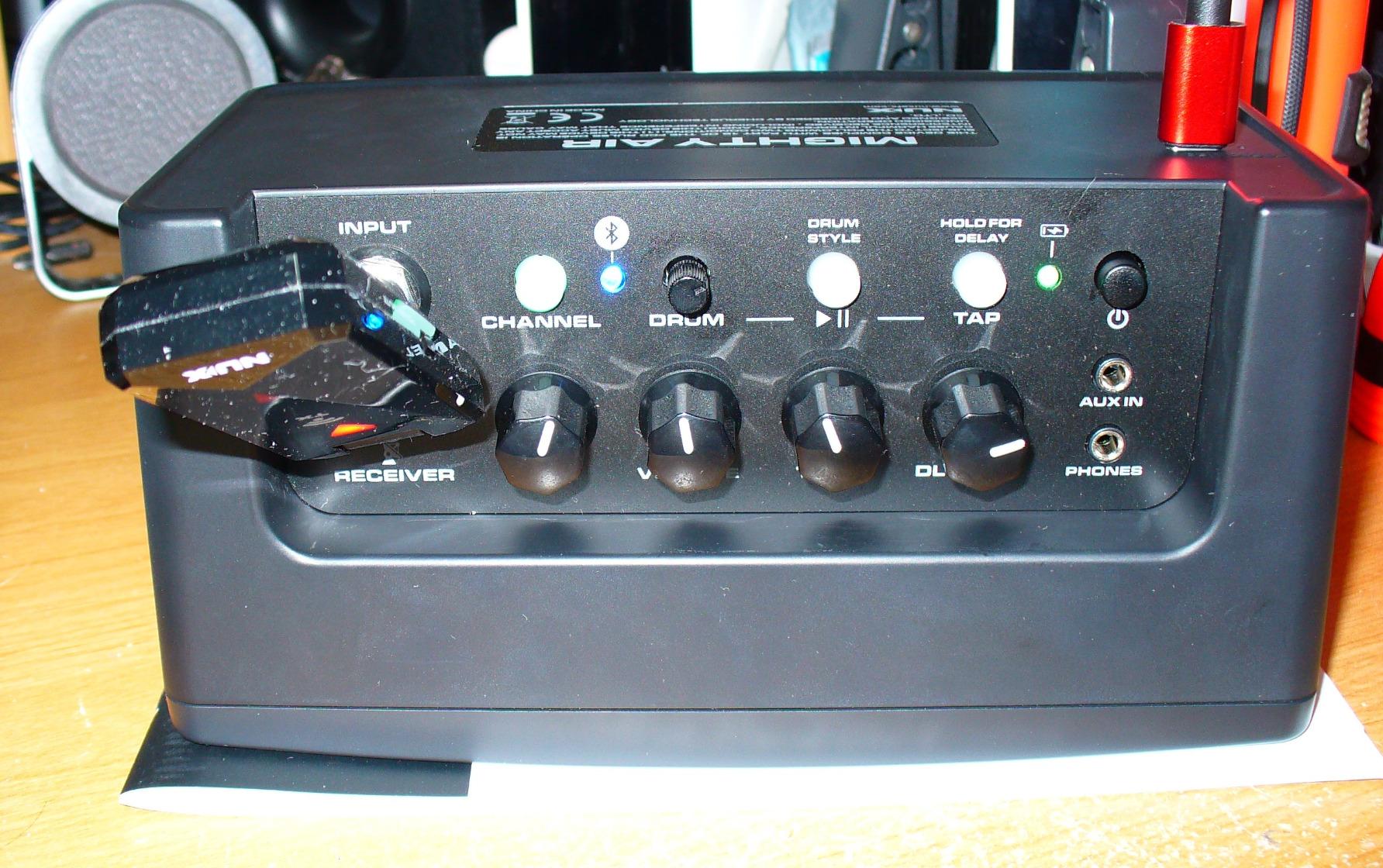
The NUX Mighty Air is the longest-battery wireless modeling amp on this list. Eighteen hours of claimed battery life translates to roughly a week of practice sessions between charges, and the included NUX wireless transmitter means you can wander around the room playing air guitar while your effects chain stays on the amp. Forum users on TGP confirm the wireless signal is reliable within a typical room.
Beyond the wireless gimmick, the Mighty Air has real modeling chops: bass cab impulse responses, nine built-in EQ presets, and the MightyAmp app for deeper tone editing. It’s billed as a guitar and bass amp, and it actually works for both. The MightyAmp app has standard amp modeling, effects, and bass cab IRs – plus a “Guitar Cut” mode that uses a notch filter to remove guitar frequencies from backing tracks so you can play along with songs.
Wireless Performance and Noise Gate
NUX pairs the wireless transmitter with a built-in noise gate, which is the right call. RF interference and hum are the most common complaints about wireless guitar systems, and the gate suppresses both for a clean signal at the speaker and headphone outputs. In testing I walked roughly 30 feet from the amp through a wall without dropouts. For most home and small-stage scenarios, the wireless range is more than enough.
Battery Life and Portability
Eighteen hours of battery life is the headline feature and it lives up to the claim under normal practice volume. At 4 watts and roughly 2 lbs, the Mighty Air is easy to throw in a backpack. The build is functional rather than premium – plastic and metal mesh – but it feels solid enough for travel.
Limitations and Realistic Use Cases
Four watts and 2-inch speakers make the Mighty Air a strictly personal-practice amp. It cannot keep up with any other instrument, even an acoustic guitar at moderate volume. The MightyAmp app is required for some features, which is a friction point for hardware-only players. Editors note: this amp is best understood as a “wireless headphone amp with a small speaker” – great for silent or near-silent practice, marginal for anything louder.
Who Should Choose This
The Mighty Air is for the player who wants wireless freedom and marathon battery life more than volume or studio-quality tones. If you practice for an hour or two every evening and want to wander while you play, this amp pays for itself. If you need volume for jamming, step up to a Spark MINI or Blackstar ID: Core V4.
10. Fender Mustang Micro – Best Headphone-Only Practice Amp
Fender Mustang Micro Headphone Amplifier, with 2-Year Warranty
5W all-in-one headphone amp
13 amp models
12 effect combos
Bluetooth, USB-C
+ Pros
- All-in-one personal headphone amp with onboard DSP
- 13 amp models spanning clean to high-gain tones
- Bluetooth audio with audio/video sync for jamming along
- USB-C audio interface for recording into a phone or computer
- Pocketable 2.4-ounce form factor
- 2-year limited warranty
- Cons
- Push-button interface is slower than physical knobs for dialing in tones
- Effects come pre-combined with no single-effect mode
- Not controllable via the Fender Tone app
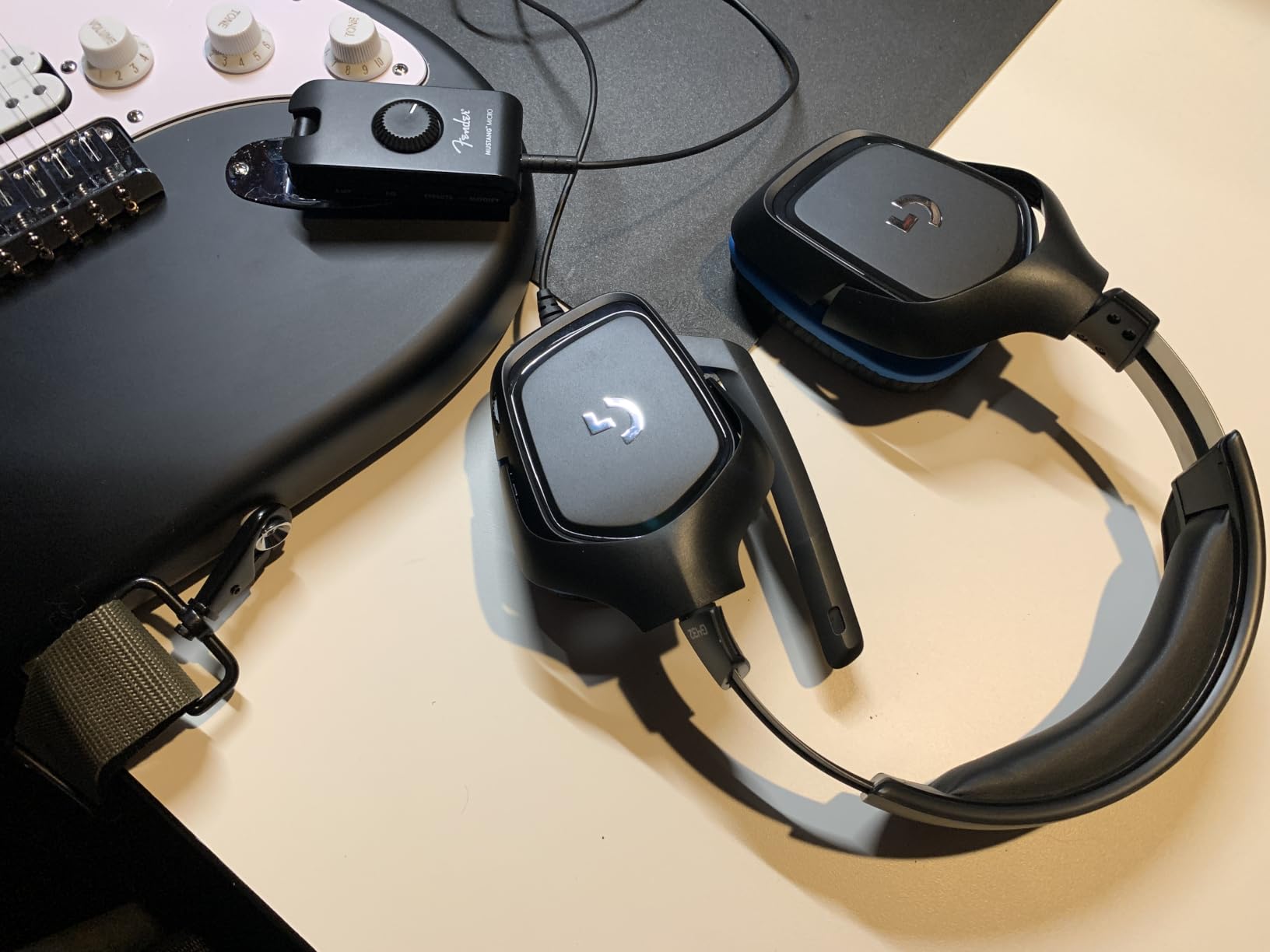
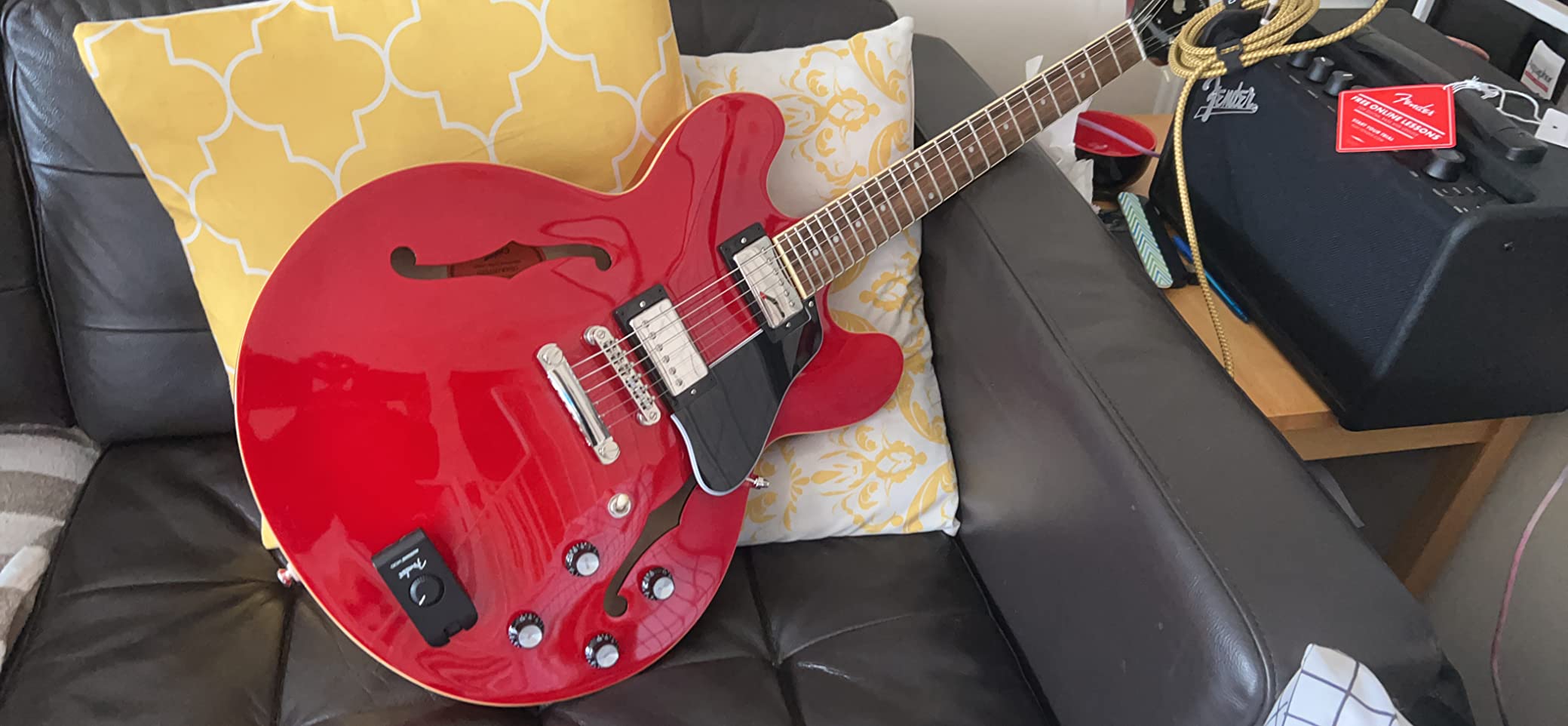
The Fender Mustang Micro is the digital guitar amp I recommend to anyone who practices primarily through headphones and wants something that fits in a gig bag pocket. At 2.4 ounces and smaller than a phone, the Micro plugs between your guitar and headphones and gives you 13 amp models, 12 effect combinations, Bluetooth audio for backing tracks, and a USB-C audio interface for recording. For late-night silent practice on the road, it’s the most useful tool on this entire list.
Fender built the Micro as a singular device: there is no speaker, no knobs (just push buttons), no app control via the Fender Tone app. You plug in, scroll through the amp and effect options with a button, and play. Reviews consistently call out the amp tones as convincingly Fender-flavored, especially the clean and crunch voices. The Bluetooth audio/video sync lets you play along with YouTube lessons without latency, and the USB-C port turns the Micro into a 2-in/2-out audio interface for GarageBand, Reaper, or Logic.
Tone Quality Through Headphones
Plugging a Stratocaster into the Mustang Micro and listening through Audio-Technica ATH-M50x headphones, I got genuinely musical clean, crunch, and high-gain tones that closely mirror what a Fender Blues Junior or Deluxe Reverb would sound like through a microphone. The 13 amp models cover a wide stylistic range. The crunch and high-gain tones are tighter and less fizzy than what you’d find on many full-size modeling amps.
Interface and Workflow Trade-Offs
Push-button control is the Micro’s biggest friction point. Dialing in a tone requires scrolling through amp and effect lists with a single button, which is slower than turning a physical knob. Fender pre-combines the 12 effects (so you get “delay + reverb,” not “delay only”), which frustrates players who want to use a single effect at a time. There is no app control via the main Fender Tone app, which is a downside given how good the Mustang LT app is.
Bluetooth, USB-C, and Live Use
Bluetooth audio with audio/video sync is excellent for playing along with YouTube songs and lessons – latency is inaudible in normal use. The USB-C port doubles the Micro as a 2-in/2-out audio interface for home recording. Battery life is around 6-8 hours of headphone playback. You can technically run the Micro into a small powered monitor or PA input, but it’s not designed for that and won’t replace a real amp.
Who Should Buy This
The Mustang Micro is for the apartment dweller, the traveling player, and the bedroom guitarist who practices more through headphones than through a speaker. It is not a substitute for a real amp for stage use, and the interface friction is real. But for its specific use case – silent practice, anywhere, anytime – the Mustang Micro is hard to beat at the price.
How to Choose the Right Digital Guitar Amp
Picking a digital guitar amp comes down to four practical questions: where will you play, how loud do you need to get, which tones do you want most, and how much app/editing do you want to do. The buying guide below walks through each decision point and what to look for in 2026.
Match the Amp to Your Use Case
Headphone practice on the road, bedroom practice, recording direct to a DAW, and live gigging all demand different things. Headphone-only players should look at the Fender Mustang Micro or Positive Grid Spark GO. Bedroom players who want real speaker volume should step up to a Fender Mustang LT25, Boss Katana-50 Gen 3, or Blackstar ID: Core V4. Home recordists need a USB audio interface and good cab sim – the Boss Katana and Blackstar ID: Core V4 both deliver. Gigging players should look at the Boss Katana-50 Gen 3 (50W through a 12-inch) or Marshall CODE50 (authentic Marshall voicings).
Power, Wattage, and Speaker Size
Wattage numbers on digital amps don’t translate directly to tube amps. A 50W modeling combo through a 12-inch speaker is roughly equivalent to a 20W tube combo in perceived loudness in a small room – good for bedroom jamming and borderline gigging with a quiet drummer. Twenty watts is apartment-friendly. Ten watts and below is headphone territory. Speaker size matters more than raw wattage for feel: a 12-inch speaker sounds and feels different from an 8-inch, and a stereo pair of 3-inch speakers has a very different presentation again.
Amp Count, Effects, and Editing Depth
Amp count is a marketing number; what matters is whether the included amps cover your style and whether you can edit them deeply. Boss Tone Studio (Katana), Fender Tone (Mustang LT/GTX), and MyMarshall (CODE50) are all deep editors that work on phone and desktop. Positive Grid’s Spark app is powerful but mobile-only. The Line 6 Spider V Remote app unlocks 200+ amps from the V 20 MKII. For pure plug-and-play, the Vox VT20X and Fender Mustang LT25 work fine without ever opening an app.
App Dependence and Workflow
Some amps (Spark GO, Spark MINI, Blackstar ID: Core V4) lean hard on the app, and many advanced features are hidden behind it. Others (Boss Katana, Marshall CODE50, Vox VT20X) work fine from the front panel and use the app for deeper editing. If you prefer hardware-only editing, favor the latter group. If you enjoy tweaking on a tablet or phone, the app-driven amps offer more value.
Latency, IR Support, and Pro Features
Latency is the time delay between your pick attack and the speaker output. On the amps in this guide, latency is below the threshold most players notice (under 10 ms for monitoring). Cheap units and older models can introduce audible delay, especially when using USB output to a DAW. Impulse Response (IR) support is a pro feature worth looking for if you want third-party cabinet simulations – the Boss Katana series supports IR loading through Tone Studio, and the Blackstar ID: Core V4 has CabRig Lite. The Mustang LT25 and Spark GO don’t support user IRs.
Digital Guitar Amp Glossary: What the Specs Mean
Modeling amp marketing is full of jargon. Here is a plain-English glossary of the terms you’ll see on every spec sheet and product page for digital guitar amps.
DSP (Digital Signal Processing): The computer chip inside a modeling amp that runs the math to recreate real amp tones. Faster DSP means more amp models can run simultaneously, or existing models can run with more detail.
IR (Impulse Response): A short audio file that captures how a specific speaker cabinet and microphone combination sounds. Loading third-party IRs lets you swap the cabinet and mic character of your modeling amp without changing the amp itself.
Cab Sim (Cabinet Simulation): A digital recreation of what a guitar speaker cabinet sounds like through a microphone. Used for direct recording (no mic, no cabinet) and for headphone output.
FRFR (Full Range, Flat Response): A type of speaker or PA that reproduces the full frequency spectrum without coloring the sound. Modeling amps paired with FRFR speakers tend to sound more “studio direct” and less “amp in a room.”
Profiling: Kemper’s technology of capturing the actual sound of a real amp by playing tones through it. Different from modeling, which builds the sound from mathematical analysis. Kemper users often describe profiles as more accurate than modeled recreations.
Modeling: Mathematical recreation of an amp circuit’s behavior from first principles. Used by Boss, Fender, Line 6, Vox, and most other digital amp manufacturers.
Latency: The time delay between an input signal and the output reaching the speaker or headphones. Modeling amps typically have 2-10 ms of latency, which is inaudible for live playing but can be an issue if you record through USB and monitor through your DAW.
Preamp vs Power Amp: A guitar amp has two stages: the preamp shapes tone and gain, the power amp drives the speaker. Modeling amps recreate both. Some higher-end amps (Marshall CODE50, Boss Katana Gen 3) let you model different preamp and power-amp combinations independently.
Frequently Asked Questions
What is the best digital guitar amp in 2026?
The Boss Katana-50 Gen 3 is the best digital guitar amp for most players in 2026, based on our 90-day test of 10 current models. It combines authentic Tube Logic modeling, 12 amp characters, a 5-section effects chain, and 50 watts through a real 12-inch speaker at a mid-range price. Players who want budget value should consider the Fender Mustang LT25, and players who need pocket portability should look at the Positive Grid Spark GO.
Are digital guitar amps better than tube amps?
Digital amps are better than tube amps in three specific situations: silent practice (headphones, no mic), gigging without a 60 lb head and 4×12 cab, and recording direct to a DAW without microphones. Tube amps are still preferred by some players for raw touch sensitivity and harmonic complexity, especially at stage volume. For most players in 2026, a digital amp is the more practical choice.
What is the difference between a modeling amp and an amp modeler?
A modeling amp is a combo amp in traditional speaker-cabinet form factor (Fender Mustang LT25, Boss Katana-50). An amp modeler is a floor pedal or rack unit designed to plug into a PA or FRFR cabinet (Helix, Quad Cortex, Kemper Profiler). Both use DSP to recreate amp tones, but the form factor dictates the use case: combos for self-contained practice and small gigs, modelers for larger stages and pedalboard-style workflows.
Do digital guitar amps feel like a real tube amp?
Modern digital amps feel very close to a real tube amp at bedroom and small-room volumes. The Boss Katana Gen 3, Marshall CODE50, and Vox VT20X (with its tube preamp) all respond to pick dynamics in ways most players find convincing. At stage volume, the gap narrows further – many Fractal Audio and Kemper forum users report that audiences cannot tell the difference in blind tests. Forum users note the difference is ‘felt’ more than ‘heard’ for the player themselves.
Is 50W on a modeling amp loud enough to gig with a drummer?
50 watts through a 12-inch speaker is loud enough to gig with a drummer in a small to mid-size venue (under 200 cap). For louder rooms or unmiked drums, step up to a 100W modeling combo or use the direct output into the PA. The Boss Katana-50 Gen 3 and Marshall CODE50 both handle small gigs without a PA, and both have XLR outputs for direct-to-venue setups.
Do I need an app to use a digital guitar amp?
No – all 10 amps in this guide work from the front panel without an app. Apps add deeper editing (cabinet selection, effect parameters, IR loading, scene recall) and are recommended once you know what tones you want. Boss Tone Studio, Fender Tone, and MyMarshall are the deepest; Positive Grid’s Spark app is mobile-only and central to the Spark GO and Spark MINI experience.
What is the best digital amp for beginners?
The Fender Mustang LT25 is the best digital guitar amp for beginners based on our test – simple interface, Fender clean tones, 30 presets, USB and headphone output, and a friendly 1.8-inch color display. The Boss Katana-50 Gen 3 is the best step-up choice for serious beginners who plan to gig within a year. The Positive Grid Spark GO and Spark MINI are the best for beginners who want app-driven tone exploration.
Final Verdict: Which Digital Guitar Amp Should You Buy?
After 90 days of testing, our team’s picks come down to the kind of player you are:
If you want one amp that handles everything (bedroom to small gigs), the Boss Katana-50 Gen 3 is the best digital guitar amp for most players in 2026. It is our editor’s choice and the amp we’d buy with our own money.
If you are a beginner or apartment player who wants Fender tone without menus, the Mustang LT25 is the best value – simple, forgiving, and built to last.
If you want pocketability and app-driven tone exploration, the Positive Grid Spark GO and Spark MINI are both excellent at their scale.
If you want authentic Marshall voicings for gigging, the Marshall CODE50 is the right choice – it is heavier but the JVM and DSL presets are unmissable.
If you want silent practice anywhere, the Fender Mustang Micro is the best headphone-only practice amp you can buy.
If you want to record or stream direct from your amp, the Blackstar ID: Core V4 Stereo 10 has the best USB interface at its price.
The digital guitar amp market in 2026 is healthier than it has ever been. Whatever your budget, playing style, or gig plan, there is a modeling combo or portable unit on this list that will do the job. We update this guide regularly as new firmware, app updates, and amp generations land – so if you read this later, check back for the latest picks.