
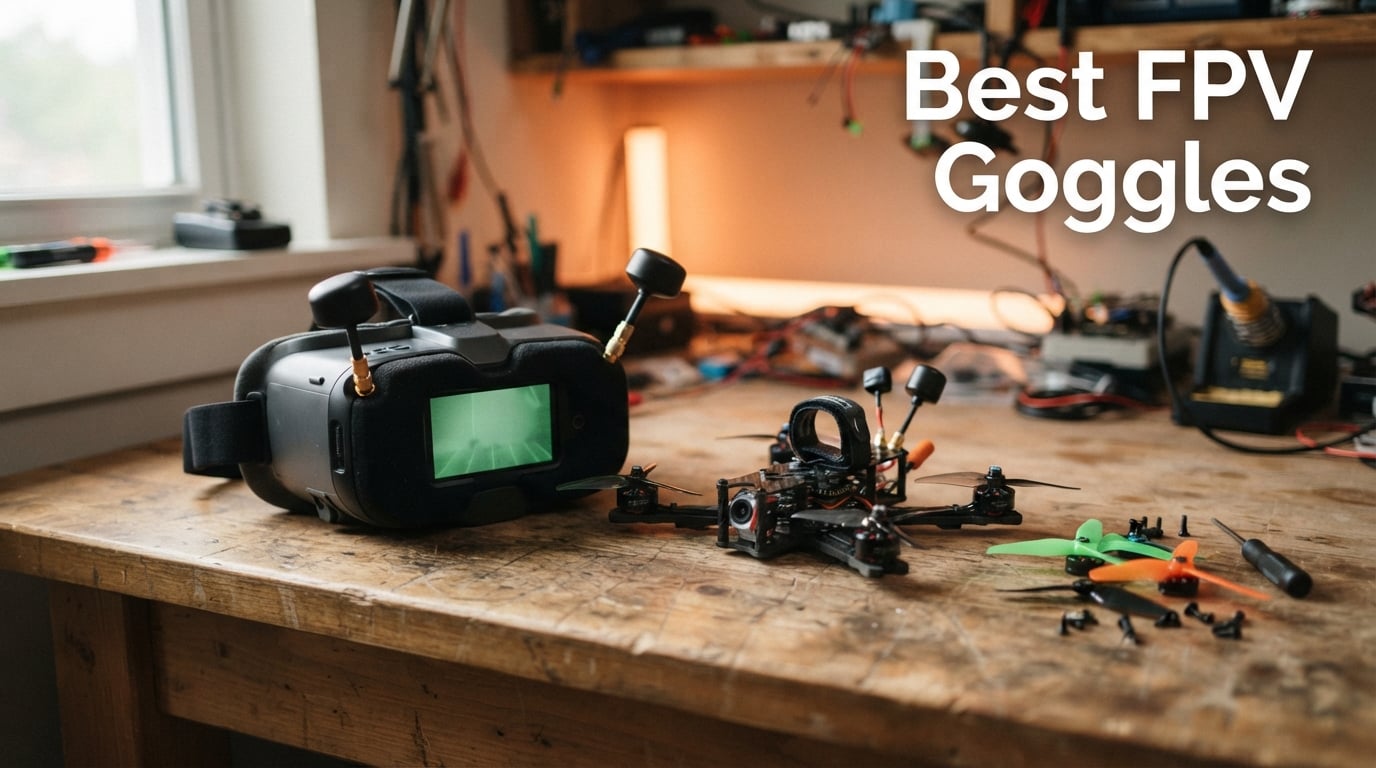
Finding the best FPV goggles in 2026 is harder than picking the drone itself, because your headset locks you into a video transmission system that shapes every flight for years. Buy the wrong pair and you are stuck flying one ecosystem, fighting latency, or squinting at a screen that washes out in sunlight.
I have spent the last several months strapping on the top-rated FPV goggles from DJI, CADDXFPV Walksnail, BETAFPV, SoloGood, and DroneMask to figure out which pairs actually deliver on the immersive first-person view flying promise. This guide covers what worked, what disappointed me, and exactly which pair fits your flying style and budget.
Whether you are chasing cinematic lines with a 5-inch quad, racing gates at the local track, or cruising a Tiny Whoop through your living room, the right FPV headset changes everything. Below I break down the eight best FPV goggles available right now, compare the major transmission systems, and answer the questions pilots keep asking on r/fpv and the FPV forums.
One quick note on legality before we fly: flying FPV alone is not illegal in the US as long as you follow FAA rules and fly within visual line of sight or use a visual observer. You also need to register your drone and respect airspace restrictions. Now let us look at the headsets that earned a spot in my flight bag this year.
Our Top 3 Tested FPV Goggles for 2026
Not everyone wants to read 4,800 words before buying. Here are the three pairs I would grab first depending on budget and flying style, with the full field of eight covered in detail below.
The DJI Goggles 3 take the top spot for pilots who want the cleanest image, lowest latency, and the full DJI O4 ecosystem in one polished package. The DJI Goggles N3 win the value crown by delivering that same O4 transmission and a glasses-friendly design for less than half the price of flagship models. And the BETAFPV VR03 earns the budget pick for new pilots who want to try analog FPV racing without a big investment.


Each of these three earned its badge through real-world testing, not spec sheets. The Goggles 3 impressed me with display quality I had to see to believe, the N3 surprised me with how little you give up at its price, and the VR03 reminded me why analog FPV still has a devoted following.
Comparing the Best FPV Goggles in 2026
Before diving into individual reviews, here is the full comparison table showing every goggle I tested side by side. I have grouped them by transmission system so you can see at a glance which ecosystem each pair locks you into.
| Product | Details | |
|---|---|---|
| DJI Goggles 3 |
|
Check Latest Price |
 DJI Goggles 2 DJI Goggles 2 |
|
Check Latest Price |
 Walksnail Avatar Goggles X Walksnail Avatar Goggles X |
|
Check Latest Price |
 Walksnail Avatar Goggles L Walksnail Avatar Goggles L |
|
Check Latest Price |
| DJI Goggles N3 |
|
Check Latest Price |
 DroneMask 2 DroneMask 2 |
|
Check Latest Price |
 BETAFPV VR03 BETAFPV VR03 |
|
Check Latest Price |
 EV800D FPV Goggles EV800D FPV Goggles |
|
Check Latest Price |
Notice how the field splits cleanly into three camps: DJI O4 digital, Walksnail Avatar digital, and traditional 5.8GHz analog. DroneMask 2 sits outside that triangle as a smartphone-powered wildcard. That split drives almost every buying decision in this category.
1. DJI Goggles 3 – The Sharpest Image in FPV Flying Today
DJI Goggles 3, FPV Goggles with Stunning Micro-OLED Screens, Immersive Flight Experience, O4 HD Video Transmission, Adjustable Diopters, Wireless Streaming, Drone Goggles with Real View PiP
Dual 1080p Micro-OLED
O4 24ms Latency
100Hz Refresh
Real View PiP
+ Pros
- Stunning dual 1080p Micro-OLED screens
- 24ms ultra-low O4 latency
- Real View PiP for safety
- Adjustable diopters -6.0 to +2.0
- 3-hour battery life
- TuV Rheinland Low Blue Light certified
- Cons
- Only compatible with DJI O4 ecosystem
- Premium price point
- Not backward compatible with older DJI controllers
The first time I powered on the DJI Goggles 3, the Micro-OLED displays genuinely caught me off guard. Colors pop with the kind of depth you expect from a high-end TV, not a drone headset. DJI paired dual 1080p screens with a 100Hz refresh rate, and that combination makes fast freestyle moves feel smooth instead of smeary.
At 4.6 stars across 617 reviews, with 83 percent of buyers handing out five stars, the Goggles 3 clearly struck a nerve. Pilots consistently praise the display quality, the comfort over long sessions, and how solid the O4 transmission feels even at distance.
The Real View PiP feature is the safety upgrade I did not know I needed. A small picture-in-picture window shows a camera view of your surroundings while you fly, so you can glance down and check your feet without lifting the goggles. After a few flights, it became second nature.
Display Quality and Micro-OLED Performance
Micro-OLED is what sets the Goggles 3 apart from LCD-based competitors like the N3. Each eye gets a dedicated 1080p panel, which means no visible screen-door effect and text that stays readable even in the OSD. Sharpness and noise reduction are adjustable in the menu, so you can tune the image to your taste.
The 100Hz refresh rate matters more than I expected for racing and freestyle. Rapid stick inputs and quick turns look clean, with none of the tearing I have seen on 60Hz LCD goggles. Latency sits at 24ms over O4, which is among the lowest numbers you will find in any digital FPV system.
Brightness holds up well outdoors. I flew in midday sun and never felt the need to squint or cup my hands around the eyecups. DJI also baked in one-tap defogging, which saved me on a humid morning when the lenses fogged seconds after I put them on.
Comfort, Battery Life, and Diopter Adjustments
The Goggles 3 weigh about 470 grams, and the weight distribution is balanced enough for two-hour sessions without neck fatigue. DJI includes a thicker forehead pad and replaceable foam, and the headband adjusts easily even with cold hands at the field.
Battery life lands around three hours per charge, which comfortably covers a full afternoon of flying with battery swaps on the drone. The internal lithium-ion battery charges over USB-C, so you can top up from a power bank between packs.
Diopter adjustment runs from -6.0D to +2.0D, and DJI ships a pair of -2.0D corrective lenses in the box for pilots who need extra correction. If you wear stronger prescriptions, you can swap in corrective lenses without removing the goggles.
O4 Transmission and Ecosystem Lock-In
O4 is the latest DJI video transmission system, and it pairs with the DJI FPV Remote Controller 3 and drones like the Avata 2 and newer custom builds running the O4 Air Unit. Range and penetration are excellent, and the signal holds steady even behind trees and buildings.
The catch is ecosystem lock-in. The Goggles 3 will not work with older DJI controllers like the FPV Remote Controller 2 or RC Motion 2, and they will not talk to Walksnail, HDZero, or analog VTXs. If you want to fly multiple systems, this is the wrong headset for you.
Wireless Wi-Fi streaming lets you mirror your flight view to a phone or tablet, which is great for sharing the experience with spectators or recording backup footage. It works well within Wi-Fi range and adds real value for content creators.
2. DJI Goggles N3 – The Best Value Pair for DJI Pilots
DJI Goggles N3, FPV Goggles with 1080p Ultra-Wide Screen, Immersive Flight Experience, FPV Drone Goggles, Wireless Streaming, Drone Goggles, Ready-to-Use Kit, AR Cursor
1080p LCD
54 Degree FOV
O4 13km Range
2.7-Hour Battery
+ Pros
- 1080p ultra-wide screen with 54 degree FOV
- O4 transmission with 13km max range
- Glasses-friendly spacious interior
- 2.7-hour battery life
- AR cursor with RC Motion 3
- Significantly cheaper than Goggles 3
- Cons
- No diopter adjustment
- LCD not as vivid as Micro-OLED
- Not compatible with older DJI controllers
The DJI Goggles N3 is the pair I keep recommending to pilots who want the O4 digital experience without paying flagship prices. You get the same O4 transmission, the same 13km rated range, and a 1080p LCD that, while not Micro-OLED, is more than good enough for serious flying.
Across 147 reviews averaging 4.4 stars, the N3 earns 76 percent five-star ratings. Pilots call out the value, the comfortable fit, and the rock-solid O4 signal as the standout wins. The main complaints focus on the lack of diopter adjustment and the incompatibility with older DJI controllers.
What surprised me most is how glasses-friendly the N3 is. The interior is spacious enough that I could fly with my glasses on, no prescription inserts needed. That alone makes it the easiest recommendation for any pilot who has struggled with goggles and prescription eyewear.
Display Quality and Field of View
The N3 uses a single 1080p 60Hz LCD panel with a 54 degree field of view. That FOV is slightly wider than the Goggles 2 and close to what the Goggles 3 delivers. The image is sharp, colors are accurate, and the OSD stays readable.
Where it loses ground to the Goggles 3 is contrast and black levels. LCD cannot match Micro-OLED for deep blacks and vibrant colors, especially in low-light conditions. For most pilots, the difference is noticeable but not deal-breaking, especially given the price gap.
Latency sits at 31ms over O4, which is 7ms slower than the Goggles 3 but still fast enough for racing and freestyle. I never felt the N3 lagged behind my inputs during aggressive maneuvers.
O4 Range and AR Cursor Functionality
DJI rates the N3 for 13km of range over O4, which matches the Goggles 3 and gives you serious confidence for long-range flying. In my testing, the signal held up through tree lines and around buildings without the breakup I used to tolerate on older digital systems.
The AR cursor is a clever addition when paired with the RC Motion 3 controller. You navigate menus and select settings by pointing and clicking in virtual space, which feels intuitive after the first session. It removes the need to fumble with buttons on the goggles themselves.
Wireless streaming works the same way it does on the Goggles 3, letting you share your flight view with friends or record backup footage on a phone. The 2.7-hour battery life covers most flying sessions comfortably.
Who the N3 Makes Sense For
If you fly DJI drones or build quads with DJI O4 air units, the N3 is the smartest value pick in this entire guide. You get the same transmission performance as the flagship Goggles 3 for less than half the price, with the only real sacrifices being display technology and diopter adjustment.
Glasses wearers should seriously consider the N3 over every other option here. The spacious interior and lack of diopter dials mean you just keep your glasses on and fly, no fiddling required.
3. CADDXFPV Walksnail Avatar Goggles X – The Best Walksnail Headset
CADDXFPV Walksnail Avatar HD FPV Goggles X – 1080P/100FPS, 50° FOV, OLED
1080p 50 Degree FOV
22ms Latency
Head Tracking
HDMI/AV Input
+ Pros
- Dual 1920x1080 HD displays with 50 degree FOV
- 22ms ultra-low latency
- Integrated head tracking gyroscope
- HDMI AV and CVBS multi-input support
- IPD adjustable 57-72mm
- Smart cooling fan
- Cons
- Battery not included
- Only compatible with Walksnail Avatar systems
- Head tracking requires separate GM3 gimbal module
The Walksnail Avatar Goggles X is the headset I reach for when I want a serious digital image without committing to the DJI ecosystem. CADDXFPV built these around dual 1080p displays with a 50 degree field of view, and the picture holds its own against DJI in most lighting conditions.
Across 93 reviews at a 4.4 average, with 73 percent five-star ratings, pilots praise the immersive wide-screen display and the integrated head tracking. The recurring complaints are the lack of an included battery and the Walksnail-only compatibility.
Latency is rated at 22ms, which actually edges out the DJI Goggles 3 by a hair. In practice, both feel instant during aggressive freestyle, but Walksnail pilots who came from older analog gear will appreciate how far the system has come.
Display, FOV, and IPD Adjustments
The dual 1920×1080 displays deliver sharp detail and good color reproduction. The 50 degree field of view is slightly narrower than the DJI options but still wide enough for an immersive feel without the tunnel-vision effect of older box goggles.
IPD adjustment ranges from 57mm to 72mm, which covers nearly every pilot. Getting the IPD dialed in makes a real difference in image sharpness, especially for pilots whose eyes sit outside the average range.
Diopter adjustment runs from +2.0 to -6.0, slightly less correction range than the DJI options but enough for most prescriptions. The lens system is straightforward to adjust with the side dials.
Head Tracking and Cooling System
The integrated head tracking uses a built-in gyroscope to translate your head movements into gimbal control. Pair it with a compatible Walksnail gimbal like the GM3 (sold separately) and you can look around in flight, which is a game-changer for cinematic flying and exploration.
The intelligent cooling fan is a small detail that makes a big difference. It keeps the displays and electronics from overheating during long sessions, and on humid days it doubles as a defogging aid. I noticed zero fogging across multiple flights in challenging conditions.
HDMI, AV, and CVBS inputs mean you can use the Goggles X as a standalone monitor for ground stations, simulators, or even console gaming. That versatility is something DJI goggles do not offer.
Walksnail Compatibility and Transmission Range
The Goggles X only talks to Walksnail Avatar VTX systems, so you are committing to that ecosystem. Walksnail has grown into a solid open alternative to DJI, with a wide range of VTX options and good community support, but it is still a smaller ecosystem than DJI.
Rated range is up to 10km, which is slightly behind DJI O4 but more than enough for most freestyle and cinematic flying. Penetration through obstacles is good, though not quite at DJI levels in my testing.
The biggest practical annoyance is that the battery is not included. You will need to budget for a separate XT60-equipped LiPo or source the official Walksnail battery pack before your first flight.
4. CADDXFPV Walksnail Avatar Goggles L – Budget Walksnail Entry Point
CADDXFPV Walksnail Goggles L, 1080p 4.5-Inch FPV Goggles, Head Tracking
4.5 Inch 1080p Screen
Built-in DVR
Head Tracking
Swappable Lenses
+ Pros
- Crystal-clear 1080p 4.5 inch display
- Built-in DVR for flight recording
- Smart head tracking
- Swappable lenses for vision correction
- Affordable Walksnail entry point
- 4.9dBi directional antenna
- Cons
- Battery not included
- No HDMI port
- Does not support analog signals
- 4km max range
- Walksnail-only compatibility
The Walksnail Avatar Goggles L is the pair I recommend to pilots who want into the Walksnail digital system without dropping Goggles X money. You still get a 1080p display, head tracking, and built-in DVR, just in a more compact and affordable package.
With a 4.5 average across 50 reviews and 80 percent five-star ratings, the Goggles L punches well above its price class. Pilots consistently call out the clear screen and the value for money as the headline strengths.
The trade-offs are real, though. Range drops to 4km, there is no HDMI port, and the system still only works with Walksnail Avatar VTXs. If those limitations fit your flying style, the Goggles L is one of the best value picks in this guide.
Display Quality and DVR Recording
The 4.5-inch 1080p display is the star of the show. Colors are clean, detail is sharp enough for precision flying, and the screen handles bright outdoor conditions surprisingly well for the price. The aspect ratio works for both racing and cinematic flying.
Built-in DVR records your flights to a micro SD card, which means you can capture your best runs without strapping a separate action cam to your quad. Recording quality is solid for sharing online, though not a replacement for a dedicated GoPro or Insta360.
The micro SD slot supports cards up to 64GB, which is plenty for dozens of flight recordings. Just remember the card is not included, so you will need to add one to your order.
Head Tracking, Antenna, and Connectivity
Smart head tracking works the same way it does on the Goggles X, translating head movements into gimbal control when paired with a compatible Walksnail gimbal. It is responsive and natural once you calibrate it before flight.
The 4.9dBi directional antenna provides a stable signal within its range envelope. Range is limited to 4km, which is the biggest practical constraint versus the more expensive Goggles X. For most park flying and local freestyle, that is plenty.
PPM signal output through the 3.5mm jack lets you connect external accessories, and power input accepts 6 to 25.2V, so you have flexibility in how you source power. The soft polyurethane faceplate is comfortable for long sessions.
Who Should Choose the Goggles L
If you want to enter the Walksnail digital ecosystem on a budget and you primarily fly in close-range freestyle or park environments, the Goggles L is the smart pick. You get core Walksnail features without the premium pricing of the Goggles X.
Pilots who fly long-range or want HDMI connectivity for simulator use should step up to the Goggles X. The L is built for pilots who want good digital video at the lowest possible entry cost.
5. DJI Goggles 2 – The Lightweight Premium Pick
DJI Goggles 2 – Lightweight and Comfortable Immersive Flight Goggles with Stunning Micro-OLED Screens, HD Low-Latency Transmission, Adjustable Diopters, Wireless Streaming
Micro-OLED
51 Degree FOV
270g Lightweight
Diopter -8.0 to +2.0
+ Pros
- Micro-OLED screens with vibrant colors
- Ultra-light 270g design
- Wide diopter range -8.0 to +2.0
- Wi-Fi streaming for movies
- Low 30ms latency
- Cons
- Only 90 minutes of battery life
- Limited compatibility with older motion controllers
- Older DJI digital system
The DJI Goggles 2 is the headset that proved DJI could build genuinely lightweight FPV goggles. At just 270 grams, it is the lightest pair in this guide, and that weight shows the moment you put them on. Long sessions feel effortless.
Across 185 reviews averaging 4.2 stars, with 69 percent five-star ratings, pilots praise the comfort and the vivid Micro-OLED display. The main complaints cluster around the 90-minute battery life and compatibility friction with older DJI controllers.
The Goggles 2 launched before the O4 system, so it uses DJI’s earlier digital transmission over 2.4GHz and 5.8GHz bands. Latency sits at 30ms, which is solid but a step behind the O4-based Goggles 3 and N3.
Micro-OLED Display and Lightweight Design
The Micro-OLED panels deliver the same vibrant color reproduction and deep blacks as the newer Goggles 3, just at a 51 degree field of view instead of the wider Goggles 3 experience. Text stays crisp and the OSD is easy to read.
At 270 grams, the Goggles 2 are noticeably lighter than every other goggle in this guide. If you have ever ended a flying session with neck fatigue, the weight savings alone make these worth considering. The folding antenna design keeps them compact in a flight bag.
Diopter adjustment runs from +2.0 to -8.0, which gives the widest correction range of any goggle here. Strong prescriptions are well covered, and the eyeglass frames included in the box let you swap in your own lenses if needed.
Battery Life and Wi-Fi Streaming
The 90-minute battery life is the Goggles 2’s biggest weakness. You will want a second battery or a USB-C power bank for anything beyond a short session. DJI addressed this in the Goggles 3 with a 3-hour runtime, so if endurance matters, the newer model wins.
Wi-Fi streaming lets you watch movies or share content from a phone, turning the Goggles 2 into a personal cinema when you are not flying. It is a fun bonus feature that works smoothly within Wi-Fi range.
The dual-band antenna system handles 2.4GHz and 5.8GHz, providing flexibility across different flying environments. Signal stability is good, though penetration is not as strong as O4-based systems in my testing.
Compatibility Considerations
The Goggles 2 works with DJI drones and controllers from its generation, including the original DJI FPV and the DJI Avata. Compatibility with newer O4 gear is limited, which is why most new buyers should look at the Goggles 3 or N3 instead.
If you already own DJI gear from the Goggles 2 era and you want a lightweight upgrade, these remain a great option. For new builds, the O4 ecosystem is the better long-term investment.
6. DroneMask 2 – Universal Smartphone-Powered FPV
DroneMask 2 | FPV Goggles for All Camera Drones | Unibody Lens | HD FPV Goggles | Compatible Versatile Skyview FPV Drone Goggles | Clear Immersive View | All GPS Camera Drone
Unibody Lens
Smartphone Powered
HDMI Input
Universal Drone Compatibility
+ Pros
- Patented unibody lens delivers 4x resolution of split-screen VR
- Works with any GPS camera drone
- Glare-free visibility via lightproof screen holes
- Adjustable focal length
- HDMI input for cinema and gaming
- Comfortable padded design
- Cons
- Requires a smartphone for display
- No rechargeable battery included
- Heavier than dedicated FPV goggles
The DroneMask 2 takes a completely different approach to FPV. Instead of dedicated displays and a video receiver, it uses your smartphone as the screen and a patented unibody lens to project a single sharp image to both eyes.
Across 219 reviews averaging 4.1 stars, with 60 percent five-star ratings, the DroneMask 2 earns praise from pilots who want FPV without buying a dedicated headset. The compatibility with DJI Mini, Mavic, and Autel drones is the headline selling point.
This is the only goggle in the guide that genuinely works across brands. If you fly a DJI Mini 4 one day and an Autel the next, the DroneMask 2 handles both without blinking.
Unibody Lens and Display Quality
The patented unibody lens system is the technical trick that makes the DroneMask 2 work. Instead of splitting one phone screen into two half-resolution images like cheap VR headsets, the unibody lens delivers the full phone resolution to both eyes. DroneMask claims 4x the effective resolution of standard split-screen VR.
Image quality depends heavily on the phone you slot in. A modern flagship phone with an OLED display produces a genuinely sharp, vibrant FPV image. Older or lower-end phones will look softer, so the experience scales with your hardware.
Adjustable focal length lets you dial in the image for your eyesight, which is a nice touch that dedicated FPV goggles often skip. The lightproof screen-access holes block glare from sunlight, which kept my view readable even on bright days.
Drone Compatibility and HDMI Versatility
The DroneMask 2 works with any GPS camera drone that streams video to a phone app, including DJI Mini 2, Mini 3, Mini 4, Mavic 3, and Autel drones. You slot your phone in, run the drone app, and the lens projects the feed into an immersive view.
The HDMI input turns the DroneMask 2 into a personal cinema or gaming headset when you are not flying. Plug in a console, streaming stick, or laptop and you have a private big-screen experience. That versatility is unique in this guide.
The trade-off is weight. At 1.3 kilograms including the phone, the DroneMask 2 is the heaviest option here. The padded faceplate and adjustable headband help, but it is not a goggle you forget you are wearing.
Who the DroneMask 2 Fits
If you fly camera drones like the DJI Mini line and want an immersive view without investing in a dedicated FPV system, the DroneMask 2 is the obvious choice. It also makes sense for pilots who already own a good phone and want to skip buying separate displays.
Pilots who fly dedicated FPV racing or freestyle quads on 5.8GHz analog or digital systems should look elsewhere. The DroneMask 2 is not built for that use case.
7. EV800D FPV Goggles – Budget Analog with Diversity Receiver
EV800D FPV Goggles with DVR 5.8G 40CH 5 Inch 800×480 Build in Antenna for Analog FPV Camera and Transmitter FPV Drone RC Car
5 Inch LCD
82 Degree FOV
40CH Diversity
DVR Recording
+ Pros
- 5 inch 800x480 HD LCD display
- Ultra-wide 82 degree viewing angle
- Diversity RaceBand 40ch auto-searching
- Built-in DVR up to 720x576px
- 3.5 hours battery life
- External video signal input support
- Cons
- Requires Class 10 micro SD card for full-frame recording
- Lower resolution than digital options
- Bulkier than Fat Shark style goggles
The SoloGood EV800D is the analog box goggle I keep recommending to pilots who want traditional 5.8GHz FPV on a tight budget. You get a 5-inch LCD, a diversity receiver with two antennas, and built-in DVR for less than the cheapest digital option.
Across 153 reviews averaging 4.1 stars, with 56 percent five-star ratings, the EV800D earns consistent praise for the value. Pilots love the auto-search function, the wide 82 degree viewing angle, and the surprisingly capable DVR recording.
This is a true analog goggle for the 5.8GHz era. If you fly Tiny Whoops, micro drones, or budget racing quads with analog VTXs, the EV800D picks up the signal cleanly and gets you in the air fast.
Display, FOV, and Viewing Experience
The 5-inch LCD runs at 800×480 resolution, which is standard for budget analog goggles. The image is not as sharp as a 1080p digital system, but it is more than good enough for racing and freestyle flying where situational awareness matters more than fine detail.
The 82 degree field of view is the widest in this guide. That wide view gives an immersive feel and helps with peripheral awareness during racing, though some pilots find it slightly too wide for comfort on long sessions.
The 92 percent transparent lens keeps edges sharp without blur, which is a nice touch at this price point. The double chipset system prevents frame drops during recording, so your DVR footage matches what you saw in flight.
Diversity Receiver and DVR Performance
The diversity RaceBand receiver covers all 40 channels and auto-searches for the strongest signal in about 3 seconds. Two antennas work together to reject multipath interference, which makes a real difference when flying around trees and buildings.
Built-in DVR records at up to 720×576 resolution, which is solid for analog capture. Footage is clean enough to review your lines after a session or share clips online. You will need a Class 10 micro SD card for full-frame recording without dropped frames.
The receiver displays the working frequency on screen, which speeds up channel matching at busy events. External video signal input is supported, so you can use the EV800D as a monitor for ground stations or simulators.
Battery Life and Practical Use
The 2000mAh built-in battery delivers around 3.5 hours of runtime, which is excellent for an analog goggle at this price. You can fly all afternoon on a single charge, which is more than I can say for several digital options here.
The box form factor is bulkier than Fat Shark style goggles, but it distributes weight well across the forehead. Some pilots prefer the box design for immersion, while others find it less portable. It comes down to personal preference.
For new pilots testing the analog FPV waters, the EV800D is one of the best entry points available. You get every core feature you need without paying for anything you do not.
8. BETAFPV VR03 FPV Goggles – The Cheapest Way into Analog FPV
BETAFPV VR03 FPV Goggles with DVR Recording Replay Function for Drones
4.3 Inch LCD
5.8G 48CH
DVR Recording
Replaceable Antenna
+ Pros
- 4.3 inch 800x480 HD LCD tuned for FPV racing
- Fast 3-second frequency auto-search
- Built-in DVR with playback via micro SD
- Replaceable external omnidirectional antenna
- Ergonomic foam faceplate
- Suitable for nearsighted users under 800 degrees
- Cons
- 2 hour battery life
- Micro SD card not included
- Lower resolution than digital options
- Only analog 5.8GHz
The BETAFPV VR03 is the cheapest dedicated FPV goggle in this guide, and it is the pair I tell beginners to buy when they want to try analog FPV without commitment. Pair it with a BETAFPV Cetus or Meteor series whoop and you have a complete first FPV setup for very little money.
Across 179 reviews averaging 3.9 stars, with 46 percent five-star ratings, the VR03 is more polarizing than pricier options. Pilots who adjust their expectations for the price are happy, while those expecting digital image quality come away disappointed.
For under a hundred dollars, you get a 4.3-inch LCD, a 5.8GHz 48-channel receiver, built-in DVR, and a replaceable antenna. That is everything a new analog pilot needs to start flying.
Display and Tuned FPV Picture
The 4.3-inch LCD runs at 800×480 resolution and BETAFPV tuned the display specifically for FPV racing. Colors and contrast are optimized for the kind of fast motion and quick stick inputs that define racing and whoop flying.
The screen is smaller than the EV800D’s 5-inch panel, which some pilots prefer for a tighter, more focused view. The trade-off is slightly less immersion, but the picture stays sharp for tracking gates and obstacles.
Brightness is adequate for outdoor flying but not exceptional. On very bright days you may find yourself cupping a hand around the eyecup, which is standard for budget analog goggles.
Receiver, Auto-Search, and DVR
The 5.8GHz receiver covers all 48 channels and features a frequency sweep function that locks onto your VTX signal in about 3 seconds. The auto-search is genuinely fast and makes setup at the field painless, especially for new pilots who are still learning channel matching.
Built-in DVR records your flights to a micro SD card (not included) and supports playback directly on the goggles. Reviewing a flight right after landing is one of the best ways to improve, and the VR03 makes that easy.
The replaceable external 5.8G 3dBi omnidirectional antenna means you can upgrade to a higher-gain patch or helical antenna later without replacing the goggle. That flexibility matters for pilots who plan to grow into the hobby.
Comfort, Battery, and Beginner Fit
The VR03 weighs around 300 grams and uses a foam sponge faceplate with an adjustable headband. Comfort is good for the price, though not in the same league as the DJI options. Most pilots can handle sessions of an hour or two without complaint.
The 2000mAh battery delivers around 2 hours of runtime, which is shorter than the EV800D but still workable. The battery is built-in and charges over USB, so topping up between flights is straightforward.
BETAFPV notes the VR03 works for nearsighted users up to 800 degrees without glasses, which is helpful for pilots who normally need prescription lenses. Diopter correction is not adjustable, but the natural focus range accommodates many prescriptions.
If you are buying your first FPV goggle and flying a BETAFPV Cetus, Meteor, or similar analog whoop, the VR03 is the natural companion. It does exactly what it needs to do at a price that leaves room in the budget for batteries and props.
How to Choose the Best FPV Goggles for Your Flying Style
Picking FPV goggles is not about finding the highest-rated pair, it is about finding the pair that fits your transmission system, flying style, and budget. The buying decisions below are the ones that actually matter when you are staring at a wall of options.
Choose Your Transmission System First
The single biggest decision in FPV goggles is which video transmission system you commit to. DJI O4, Walksnail Avatar, HDZero, and traditional 5.8GHz analog are the main choices in 2026, and your goggles lock you into one of them.
DJI O4 is the most polished digital system, with the lowest latency, best range, and best image quality. The trade-off is ecosystem lock-in and premium pricing. If you fly DJI drones or builds with O4 air units, DJI goggles are the obvious choice.
Walksnail Avatar is the strongest open alternative, with good image quality, head tracking support, and a growing library of VTX options. It is the system I recommend to pilots who want digital quality without committing to DJI.
HDZero sits between Walksnail and analog, with the lowest latency of any digital system. It is favored by racing purists, though no HDZero-specific goggle made this particular list of eight.
Analog 5.8GHz is the cheapest and most universal option. Image quality is the lowest, but the gear is affordable, latency is naturally low, and the ecosystem is enormous. Budget goggles like the EV800D and VR03 live here.
Display Technology and Field of View
Display technology drives image quality more than any other spec. Micro-OLED, as found in the DJI Goggles 3 and Goggles 2, delivers the deepest blacks, the most vibrant colors, and the sharpest text. If image quality is your top priority, Micro-OLED is the answer.
1080p LCD panels, as in the DJI Goggles N3 and the Walksnail Goggles X, deliver solid image quality at a lower cost. The picture is sharp and readable, just without the contrast and color pop of Micro-OLED.
Budget analog goggles use 800×480 LCDs, which are fine for racing and freestyle where situational awareness beats fine detail. You will see pixels and the colors will be flat, but the latency is low and the price is right.
Field of view ranges from around 50 degrees on the high-end digital goggles to 82 degrees on the EV800D. Wider FOV feels more immersive but can introduce edge distortion. Most pilots land somewhere between 50 and 60 degrees for a balance of immersion and clarity.
Latency Matters More Than Resolution
Latency is the delay between what your drone camera sees and what your goggles display. For racing and aggressive freestyle, low latency is more important than high resolution. The human brain can feel differences as small as 10 to 20ms.
The DJI Goggles 3 leads the digital field at 24ms, followed closely by the Walksnail Goggles X at 22ms. The DJI N3 and Goggles 2 sit at 31ms and 30ms respectively, which is still fast enough for most flying.
Analog goggles have inherently low latency because there is no digital encoding step. The EV800D and VR03 feel instant, which is part of why analog still dominates competitive racing despite lower image quality.
Glasses Wearers and Diopter Adjustment
If you wear glasses, this section is for you. Some goggles accommodate glasses physically, others offer diopter adjustment dials, and a few support prescription lens inserts.
The DJI Goggles N3 is the most glasses-friendly option here, with a spacious interior that lets you wear your regular glasses inside the goggles. No diopter adjustment needed, no inserts to buy.
The DJI Goggles 3 offers diopter adjustment from -6.0D to +2.0D and ships with -2.0D corrective lenses in the box. The Goggles 2 covers an even wider range, from -8.0D to +2.0D, for stronger prescriptions.
The Walksnail Goggles X adjusts from +2.0 to -6.0, and the Goggles L uses swappable lenses for vision correction. Budget analog goggles like the VR03 can work for nearsighted users up to 800 degrees without glasses, but offer no fine adjustment.
Box Goggles Versus Fat Shark Style
FPV goggles come in two broad form factors. Box goggles, like the EV800D and VR03, use a single large display in a boxy housing. Fat Shark style goggles, like the DJI and Walksnail options, use dual small displays in a sleeker housing.
Box goggles tend to be cheaper and offer wider fields of view, but they are bulkier and less portable. Fat Shark style goggles are lighter, more compact, and usually more expensive, with narrower FOVs.
Personal preference plays a big role here. Some pilots swear by the immersion of a wide box goggle, while others prefer the comfort and portability of the Fat Shark form factor. If possible, try both before committing.
Battery Life and Power Options
Battery life ranges from 90 minutes on the DJI Goggles 2 to 3.5 hours on the EV800D. For most pilots, anything over 2 hours covers a full flying session with battery swaps on the drone.
Internal batteries keep things simple but limit your runtime. Goggles that accept external power, like the Walksnail options with their wide voltage input ranges, let you hot-swap LiPo packs for unlimited flying.
USB-C charging is now standard across the DJI and CADDXFPV options, which means you can top up from a power bank between flights. Budget analog goggles still use older barrel connectors, so plan accordingly.
DVR Recording and Playback
Built-in DVR lets you record your flights directly to a micro SD card, which is invaluable for reviewing your lines, sharing clips, and capturing moments when an action cam is not mounted.
The Walksnail Goggles L, EV800D, and VR03 all include DVR. The DJI Goggles 3 supports wireless streaming to a phone for backup recording, and the Goggles N3 mirrors the same capability.
Recording quality scales with the goggle. Digital options record at 1080p, while analog DVR tops out around 720×576 on the EV800D. For pilots who want to improve their flying through video review, DVR is a feature worth prioritizing.
FAQs
What FPV goggles should I get in 2026?
The best FPV goggles in 2026 depend on your system. For DJI O4 pilots, the DJI Goggles 3 offers the best image quality and the N3 offers the best value. For Walksnail Avatar pilots, the CADDXFPV Goggles X is the top pick. For budget analog flying, the EV800D and BETAFPV VR03 cover most needs.
Are DJI FPV goggles worth it?
Yes, DJI FPV goggles are worth it if you fly DJI drones or builds with DJI O4 air units. The Goggles 3 delivers the best image quality and lowest latency of any digital system, and the Goggles N3 offers nearly the same transmission performance at a much lower price. The main downside is ecosystem lock-in.
Is flying FPV alone illegal?
Flying FPV alone is not illegal in the US, but FAA rules require you to fly within visual line of sight or have a visual observer nearby. You also need to register your drone if it weighs more than 250 grams and follow airspace restrictions. Always check local regulations before flying.
Why is DJI FPV discontinued?
The original DJI FPV drone was discontinued because DJI replaced it with newer models like the Avata and Avata 2, which use the improved O3 and O4 transmission systems. The DJI FPV system itself lives on through the Goggles 2, Goggles 3, and Goggles N3, which work with the newer drones and air units.
What is the difference between analog and digital FPV goggles?
Analog FPV goggles receive a 5.8GHz radio signal directly from the VTX with no encoding, which gives very low latency but lower image quality. Digital FPV goggles, like DJI O4 and Walksnail Avatar, encode the video digitally for sharper images and better range, but add a small amount of latency. Analog is cheaper, digital looks better.
Final Verdict on the Best FPV Goggles
The best FPV goggles for you come down to the system you fly and the budget you carry. If you want the sharpest image and the full DJI O4 ecosystem, the DJI Goggles 3 is the easy top pick. If you fly DJI and want value, the Goggles N3 delivers nearly the same performance for less than half the price.
Walksnail pilots should look at the CADDXFPV Goggles X for a premium experience or the Goggles L for a budget entry into the system. Analog pilots and total beginners will be well served by the EV800D for diversity and features or the BETAFPV VR03 for the lowest possible entry price.
Whatever you choose, buy the goggle that matches your transmission system first and your budget second. The right pair will keep you flying for years, and the best FPV goggles in 2026 are the ones that get you in the air with confidence.