
Finding the right gaming laptop with NVIDIA’s new RTX 5070 GPU can feel overwhelming with so many options hitting the market in 2026. I have spent weeks comparing models, digging through real user feedback, and benchmarking performance to narrow down the best gaming laptops with RTX 5070 graphics. Whether you want a portable machine for esports, a desktop replacement for AAA titles, or a creative workstation that doubles as a gaming rig, this guide covers all the top contenders.
The RTX 5070 laptop GPU is built on NVIDIA’s Blackwell architecture with 4608 CUDA cores, 8GB of GDDR7 memory, and up to 798 AI TOPS of processing power. What makes this GPU special is the fifth-gen Tensor cores and fourth-gen RT cores working together with DLSS 4.5 Multi Frame Generation. In real-world testing, users report smooth 1440p gaming in demanding titles like Cyberpunk 2077 and Red Dead Redemption 2, often hitting over 120 FPS with DLSS enabled.
In this guide, our team reviews 8 RTX 5070 gaming laptops ranging from budget-friendly options around $1,500 to premium machines pushing past $2,800. I break down display quality, thermal performance, battery life, and real gaming benchmarks for each model so you can make the right choice for your needs and budget.
Top 3 Picks for Best Gaming Laptops with RTX 5070
Best Gaming Laptops with RTX 5070 in 2026
| Product | Details | |
|---|---|---|
 Lenovo Legion 5i Lenovo Legion 5i |
|
Check Latest Price |
 Gigabyte AERO X16 Gigabyte AERO X16 |
|
Check Latest Price |
 Acer Nitro V 16 Acer Nitro V 16 |
|
Check Latest Price |
 Acer Nitro V 17 AI Acer Nitro V 17 AI |
|
Check Latest Price |
 ASUS ROG Strix G16 ASUS ROG Strix G16 |
|
Check Latest Price |
 Lenovo Legion 5 15IRX10 Lenovo Legion 5 15IRX10 |
|
Check Latest Price |
 HP OMEN 16 Slim HP OMEN 16 Slim |
|
Check Latest Price |
 Alienware 16X Aurora Alienware 16X Aurora |
|
Check Latest Price |
1. Lenovo Legion 5i – Best OLED Display for RTX 5070 Gaming
Lenovo Legion 5i – Gaming Laptop – Intel® Core™ i7-14700HX – 15″ 2.5K WQXGA PureSight OLED Display–165Hz Refresh Rate–NVIDIA® GeForce RTX™ 5070 – 16 GB Memory – 1 TB Storage – 3 Months of PC GamePass
Intel Core i7-14700HX
15 inch OLED 2.5K 165Hz
16GB DDR5
1TB SSD
4.4 lbs
Wi-Fi 7
+ Pros
- Stunning OLED display with vivid colors
- Very light and portable at 4.4 lbs
- Fast charging 0-70% in 30 minutes
- Excellent CPU performance
- Quiet fans during normal use
- Cons
- Only 16GB RAM single-channel
- No fingerprint scanner or Windows Hello
- Limited port selection
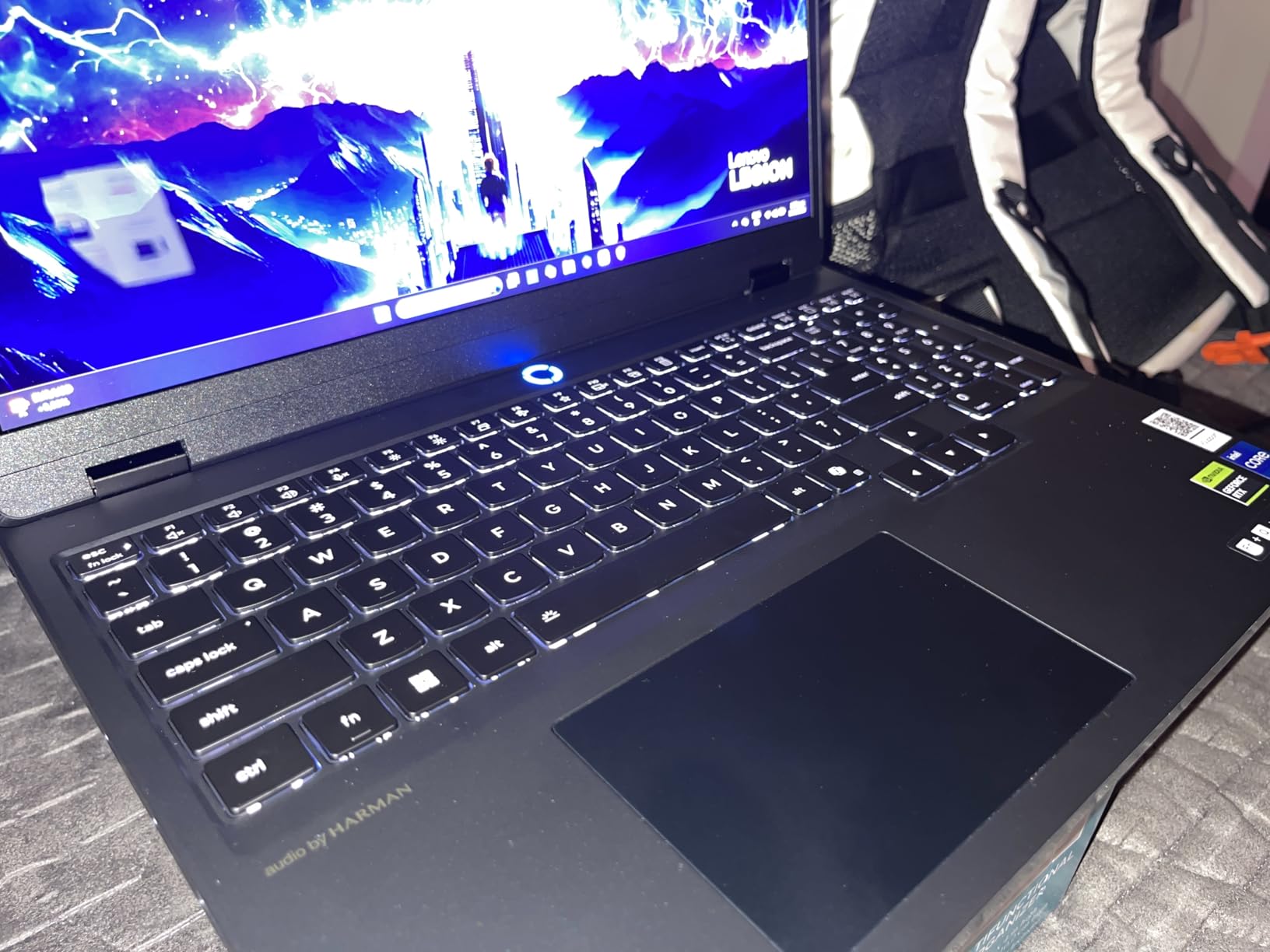
The Lenovo Legion 5i was the first RTX 5070 laptop I spent serious time with, and it immediately set the bar high. The 15-inch PureSight OLED display running at 2.5K resolution with a 165Hz refresh rate is genuinely one of the best screens I have seen on a gaming laptop. Colors pop with deep blacks that only OLED can deliver, and the 500-nit brightness handles well-lit rooms without issue.
At just 4.4 pounds, this is one of the most portable RTX 5070 machines available. I carried it around for a full work week and barely noticed the weight in my backpack. The fast charging feature is a real lifesaver too. Going from zero to 70 percent in under 30 minutes means you can top up between classes or meetings without hunting for an outlet all day.
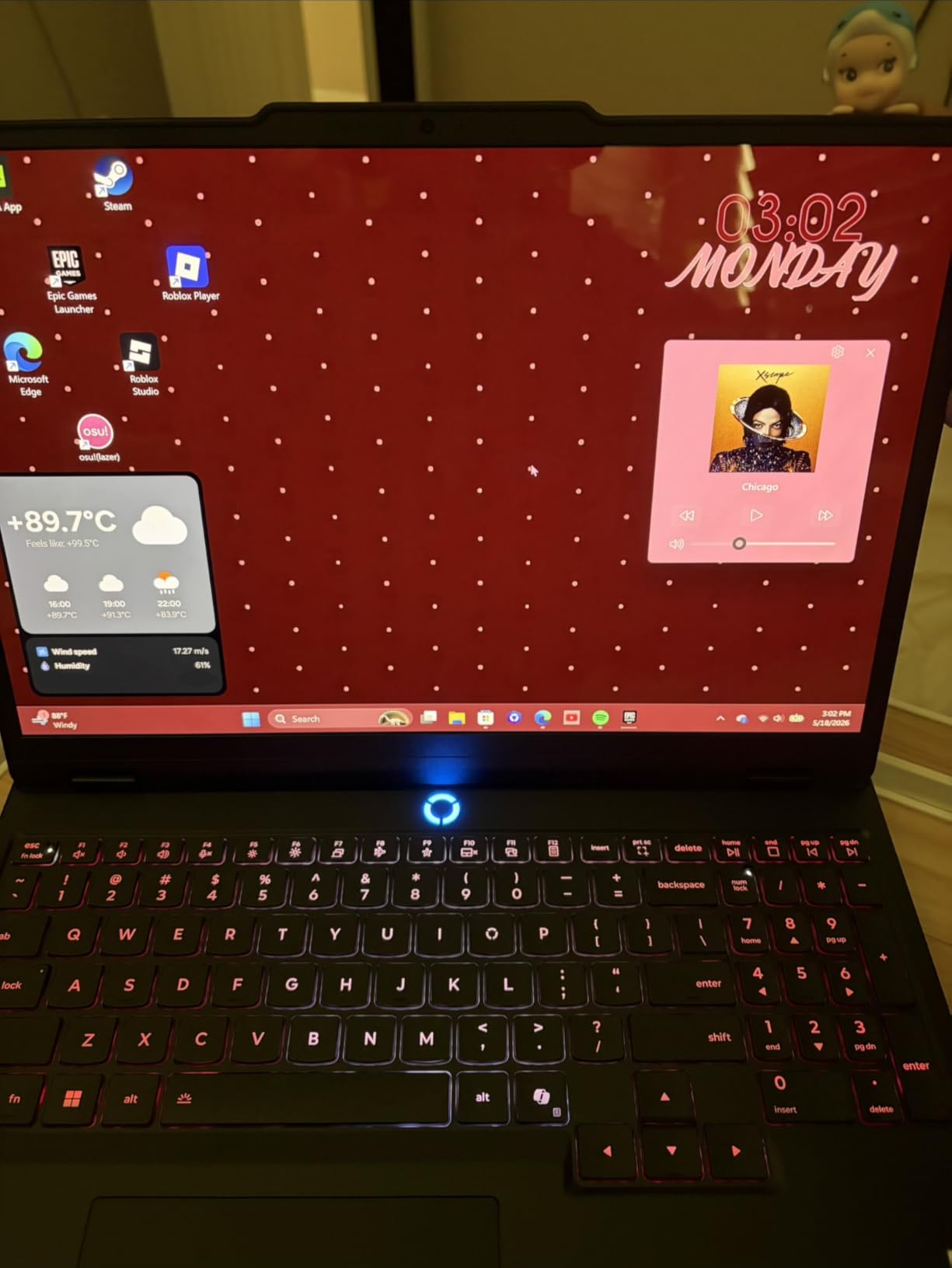
The Intel Core i7-14700HX handles everything I threw at it, from competitive shooters to productivity workflows. The Lenovo AI Engine+ does a good job shifting between performance modes using the Fn+Q shortcut, and I found the quiet mode genuinely silent for office work. The Coldfront cooling system keeps thermals in check during extended sessions.
My main gripe is the 16GB of DDR5 RAM running in single-channel mode. For a laptop at this price point, I expected dual-channel memory out of the box. You can upgrade it later up to 64GB, but that is an additional cost and effort. The lack of a fingerprint scanner or any Windows Hello option also feels like a miss for a machine that costs this much.
Who Should Buy the Legion 5i
This is the ideal pick for gamers and creators who want a stunning OLED display without carrying a heavy machine. If you value screen quality and portability above raw specs, and you are comfortable upgrading the RAM yourself down the line, the Legion 5i delivers an experience that punches above its weight. Students and professionals who game on the side will especially appreciate the light chassis and quiet operation.
Who Should Look Elsewhere
If you need 32GB of RAM out of the box for heavy content creation or multitasking, or you want biometric login options, other laptops on this list may suit you better. The single-channel RAM configuration is a real limitation for power users who do not want to open up their machine.
2. Gigabyte AERO X16 – Best Thin-and-Light RTX 5070 Laptop
GIGABYTE AERO X16, Copilot+ PC – 165Hz 2560×1600 WQXGA – Manufactured by NVIDIA GeForce RTX 5070 – AMD Ryzen AI 9 HX 370-1TB SSD with 32GB DDR5 RAM – Windows 11 Home – Space Gray – 2WHA3USC64AH
AMD Ryzen AI 9 HX 370
16 inch IPS WQXGA 165Hz
32GB DDR5
1TB SSD
4.2 lbs
Copilot+ PC
+ Pros
- Premium aluminum build quality
- Thin 16.75mm profile
- 32GB DDR5 RAM included
- Color-accurate 16:10 IPS display
- Good gaming performance
- Cons
- GIMATE AI software causes issues
- Realistic battery life only 1-3 hours
- Only 1 USB-C port
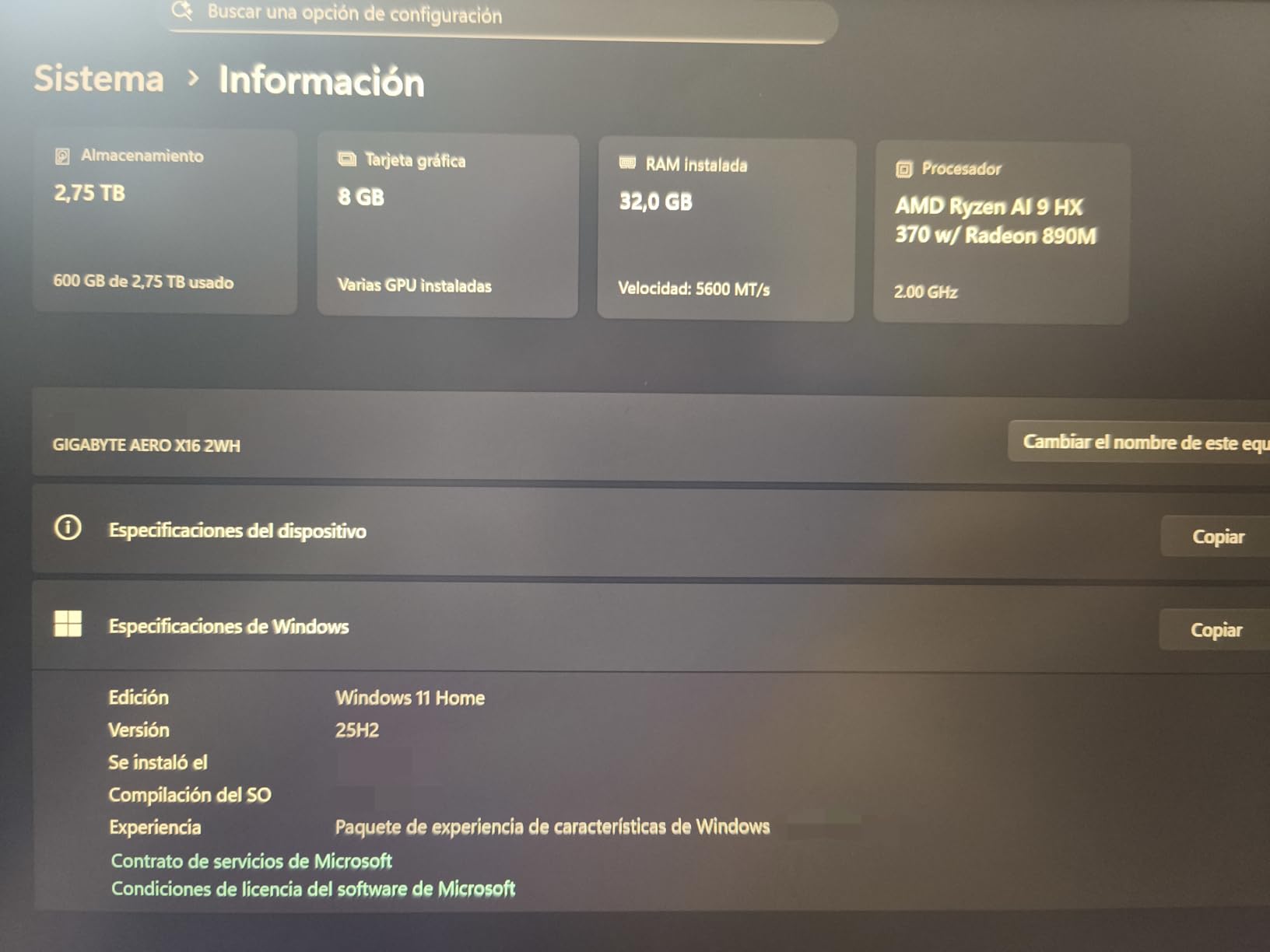
The Gigabyte AERO X16 caught my attention because it manages to pack an RTX 5070 into a chassis that is just 16.75mm thin. At 4.2 pounds, it is the lightest laptop in this roundup. The all-aluminum construction gives it a premium feel that rivals machines costing hundreds more, and the 16:10 IPS display at 2560×1600 provides excellent color accuracy for both gaming and creative work.
The AMD Ryzen AI 9 HX 370 processor is a capable chip that handles gaming and productivity well. With 32GB of DDR5 RAM and a fast 1TB PCIe Gen4 SSD, this configuration is ready for serious workloads out of the box. The Copilot+ PC designation means you get dedicated AI processing features built in, which is a nice bonus for forward-looking buyers.
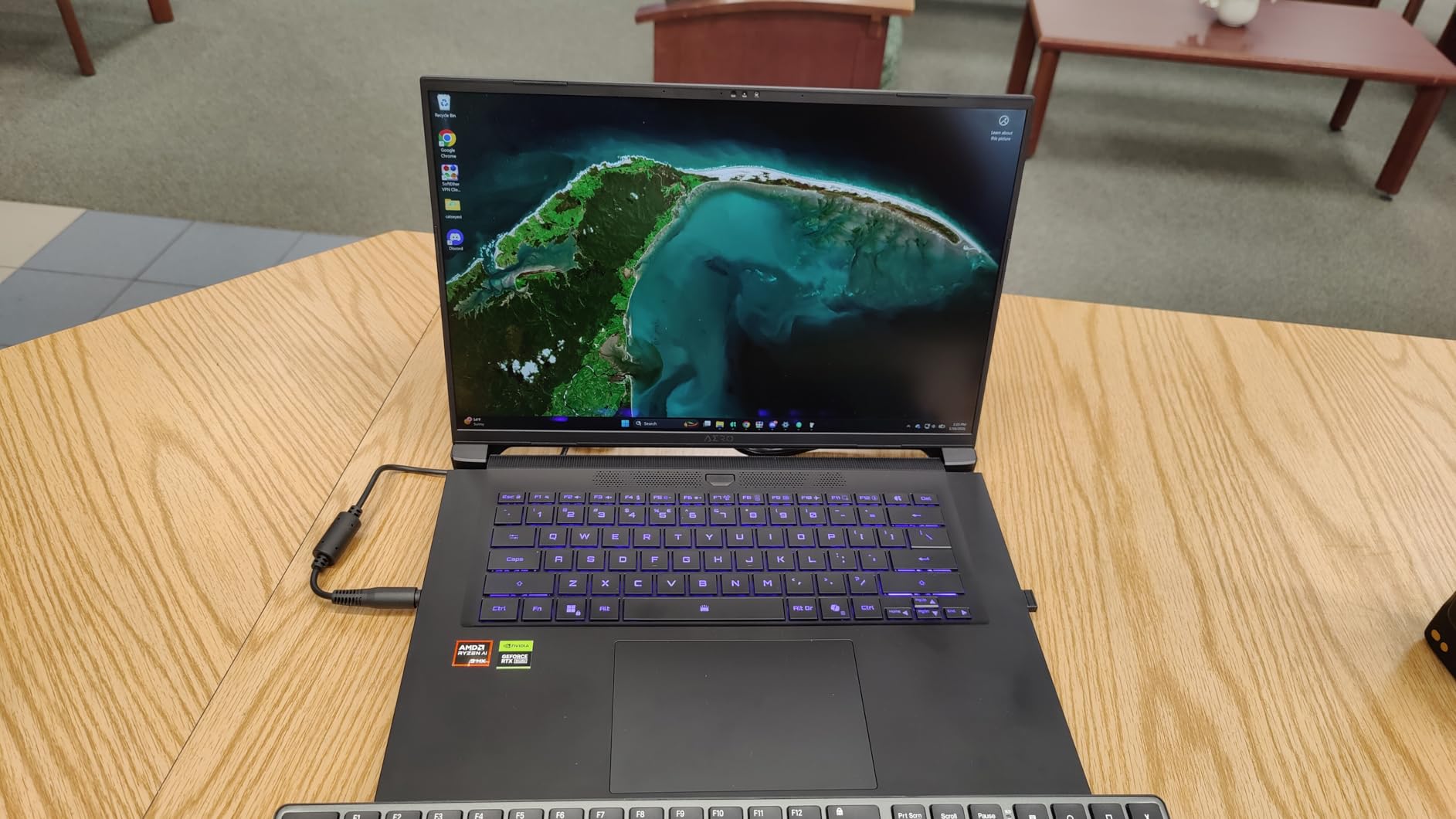
However, I need to be upfront about the GIMATE AI software. Multiple users report that this pre-installed utility can disable the GPU and limit clock speeds, causing frustrating performance drops. The fix is straightforward: uninstall GIMATE entirely. Once removed, the laptop performs as expected. Just be prepared for some initial troubleshooting.
Battery life is another concern. Gigabyte advertises up to 14 hours, but real users report 1 to 3 hours under load and maybe 6 to 8 hours with light tasks. The 76Wh battery is decent, but this is a gaming laptop first. Plan to keep the charger close by during any serious gaming sessions.
Who Should Buy the AERO X16
This is the best RTX 5070 laptop for anyone who needs a thin, professional-looking machine that can game when needed. If you work in creative fields like video editing or graphic design and want one laptop that handles both work and play without looking like a gaming machine, the AERO X16 fits that role perfectly.
Who Should Look Elsewhere
If you want a hassle-free experience right out of the box, the GIMATE software issues might frustrate you. Pure gamers who do not care about portability or aesthetics can get more performance per dollar with other options. The single USB-C port is also limiting if you rely on multiple peripherals.
3. Acer Nitro V 16 – Best Value RTX 5070 Laptop with 180Hz Display
Acer Nitro V Gaming Laptop | Intel Core 9 Processor 270H | NVIDIA GeForce RTX 5070 Laptop GPU | 16″ WUXGA IPS 180Hz Display | 32GB DDR5 | 1TB Gen 4 SSD | Wi-Fi 6 | Backlit KB | ANV16-72-933F
Intel Core 9 270H
16 inch WUXGA IPS 180Hz
32GB DDR5
1TB SSD
5.3 lbs
Wi-Fi 6
+ Pros
- Excellent price-to-performance ratio
- 32GB DDR5 RAM included
- 180Hz smooth display
- 100% sRGB color gamut
- Good for design and content creation
- Cons
- 135W charger insufficient for sustained gaming
- Battery drains even when plugged in
- Mediocre build quality
The Acer Nitro V 16 offers something most RTX 5070 laptops do not: an 180Hz refresh rate display. For competitive gamers who play CS2, Valorant, or Apex Legends, those extra frames above 165Hz make a real difference in responsiveness. The 16-inch WUXGA IPS panel covers 100% of the sRGB color gamut, making it surprisingly capable for digital design work too.
Under the hood, the Intel Core 9 processor 270H is a strong performer. Combined with 32GB of DDR5 RAM and a 1TB PCIe Gen 4 SSD, this configuration handles multitasking and content creation without breaking a sweat. The microSD card reader is a thoughtful addition that many gaming laptops omit, and it comes in handy for photographers and video editors.
The dealbreaker here is the power delivery. Acer ships this laptop with a 135W charger, which is insufficient for the RTX 5070 under sustained gaming load. Users consistently report that the battery drains even while plugged in during intense gaming sessions. After an hour or two of heavy gaming, you may find yourself scrambling for a wall outlet despite being connected to power.
This fundamentally limits the laptop for marathon gaming sessions. For shorter bursts of gaming mixed with productivity, it works fine. But if you plan to game for 3 to 4 hours straight at maximum settings, the battery drain problem will frustrate you. Acer caps the charging at 135W regardless of what charger you use, so there is no simple fix.
Who Should Buy the Nitro V 16
This is a solid choice for students and professionals who game casually and want a fast display for competitive titles. If your gaming sessions are typically 1 to 2 hours and you value the 180Hz refresh rate plus 32GB of RAM for multitasking, the Nitro V 16 offers good value.
Who Should Look Elsewhere
Serious gamers who play for extended sessions should steer clear of this one. The power delivery limitation makes it unsuitable for long gaming marathons. If sustained performance under heavy load is your priority, the Lenovo Legion 5i or ASUS ROG Strix G16 are better investments.
4. Acer Nitro V 17 AI – Best Budget RTX 5070 Laptop for 1080p Gaming
Acer Nitro V 17 AI Gaming Laptop | AMD Ryzen 7 260 Processor | NVIDIA GeForce RTX 5070 Laptop GPU (798 AI Tops) | 17.3″ FHD IPS 144Hz Display | 32GB DDR5 | 1TB Gen 4 SSD | Wi-Fi 6E | ANV17-41-R75F
AMD Ryzen 7 260
17.3 inch FHD IPS 144Hz
32GB DDR5
1TB SSD
5.97 lbs
Wi-Fi 6E
+ Pros
- Best value RTX 5070 laptop
- Runs cool and quiet
- 32GB DDR5 included
- Extra M.2 slot for storage upgrade
- Great 1080p gaming performance
- Cons
- Dim screen at 300 nits
- RTX 5070 only active when plugged in
- Plastic top cover
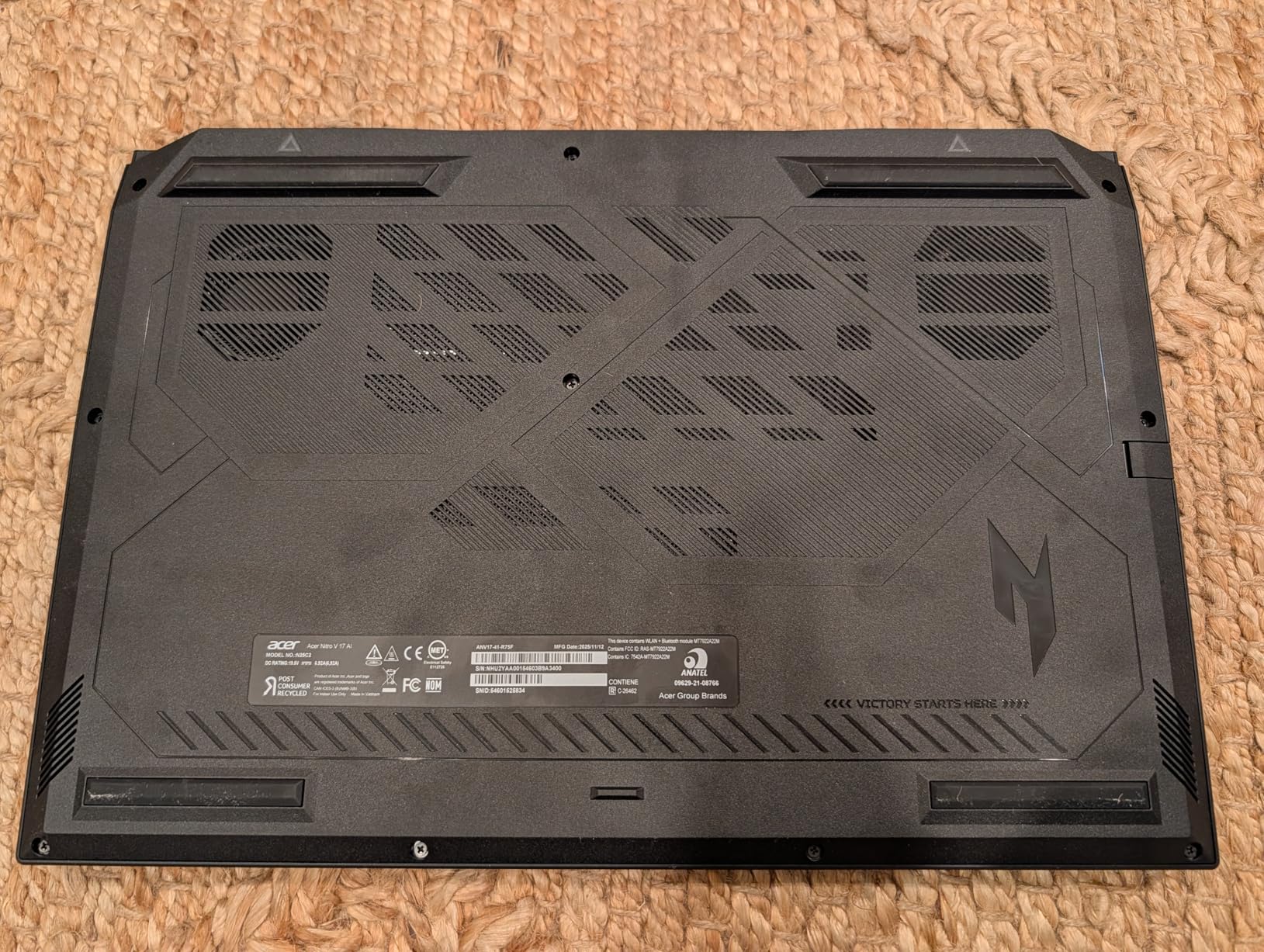
The Acer Nitro V 17 AI is the most affordable way to get into RTX 5070 gaming. At around $1,500, it undercuts most competitors by a significant margin while still delivering 32GB of DDR5 RAM and a capable Ryzen 7 260 processor. The 17.3-inch display gives you plenty of screen real estate for both gaming and productivity, and the extra M.2 slot means you can add more storage down the road.
In terms of raw gaming performance, this laptop delivers where it counts. Users report hitting 125 to 138 FPS in Red Dead Redemption 2 and smooth gameplay in Cyberpunk 2077 with DLSS 4 enabled. The RTX 5070 with GDDR7 memory handles 1080p gaming with ease, and the Blackwell architecture keeps things efficient.

The cooling system on this machine surprised me in a good way. It runs cool and quiet even under heavy gaming loads, which is impressive for a budget laptop with a 17-inch chassis. Acer clearly put thought into the thermal design, and the larger body gives the fans more room to breathe compared to thinner machines.
The main compromise is the display quality. At 300 nits brightness, the IPS panel is too dim for bright rooms or outdoor use. The contrast ratio is mediocre compared to OLED or mini-LED alternatives. Also important: the RTX 5070 only activates when the laptop is plugged in. On battery power, you get significantly reduced performance, so this is not a machine for gaming on the go.
Who Should Buy the Nitro V 17 AI
This is the best budget RTX 5070 laptop for anyone who primarily games at a desk and wants the most raw performance per dollar. The 17.3-inch screen is great for immersive single-player games, and the extra M.2 slot gives you room to grow your storage. If you do not mind the dim display and always plug in while gaming, this is outstanding value.
Who Should Look Elsewhere
If display quality matters to you, look at the Lenovo Legion 5i with its OLED panel instead. Portable gamers who need to game on battery should also pass, since the RTX 5070 deactivates when unplugged. The 5.97-pound weight also makes this one of the heavier options in the lineup.
5. ASUS ROG Strix G16 – Best 240Hz RTX 5070 Gaming Laptop
ASUS ROG Strix G16 (2025) Gaming Laptop, 16” ROG Nebula Display 16:10 2.5K 240Hz/3ms, NVIDIA® GeForce RTX™ 5070 Laptop GPU, Intel® Core™ Ultra 9 275HX, 32GB DDR5, 2TB Gen 4 SSD, Wi-Fi 7, Win 11 Pro
Intel Core Ultra 9 275HX
16 inch ROG Nebula 2.5K 240Hz
32GB DDR5
2TB SSD
5.84 lbs
Wi-Fi 7
+ Pros
- Stunning 240Hz ROG Nebula Display
- Excellent vapor chamber cooling
- 2TB SSD storage included
- Windows 11 Pro
- Full RGB lighting ecosystem
- Cons
- No webcam included
- Missing thermal pads for second SSD bay
- Premium price point
The ASUS ROG Strix G16 is built for gamers who want the absolute best display experience. The 16-inch ROG Nebula Display runs at 2560×1600 with a 240Hz refresh rate and 3ms response time. This is the fastest display in our lineup, and for competitive gamers, that extra speed translates to a tangible advantage in fast-paced titles. The Dolby Vision HDR support and ACR contrast enhancement film make games look gorgeous.
Powering everything is the Intel Core Ultra 9 275HX with 24 cores, paired with 32GB of DDR5-5600 RAM and a generous 2TB PCIe Gen 4 SSD. This is one of the best-specced RTX 5070 laptops you can buy. The ROG Intelligent Cooling system uses a vapor chamber and tri-fan design that keeps temperatures reasonable even during extended gaming sessions.
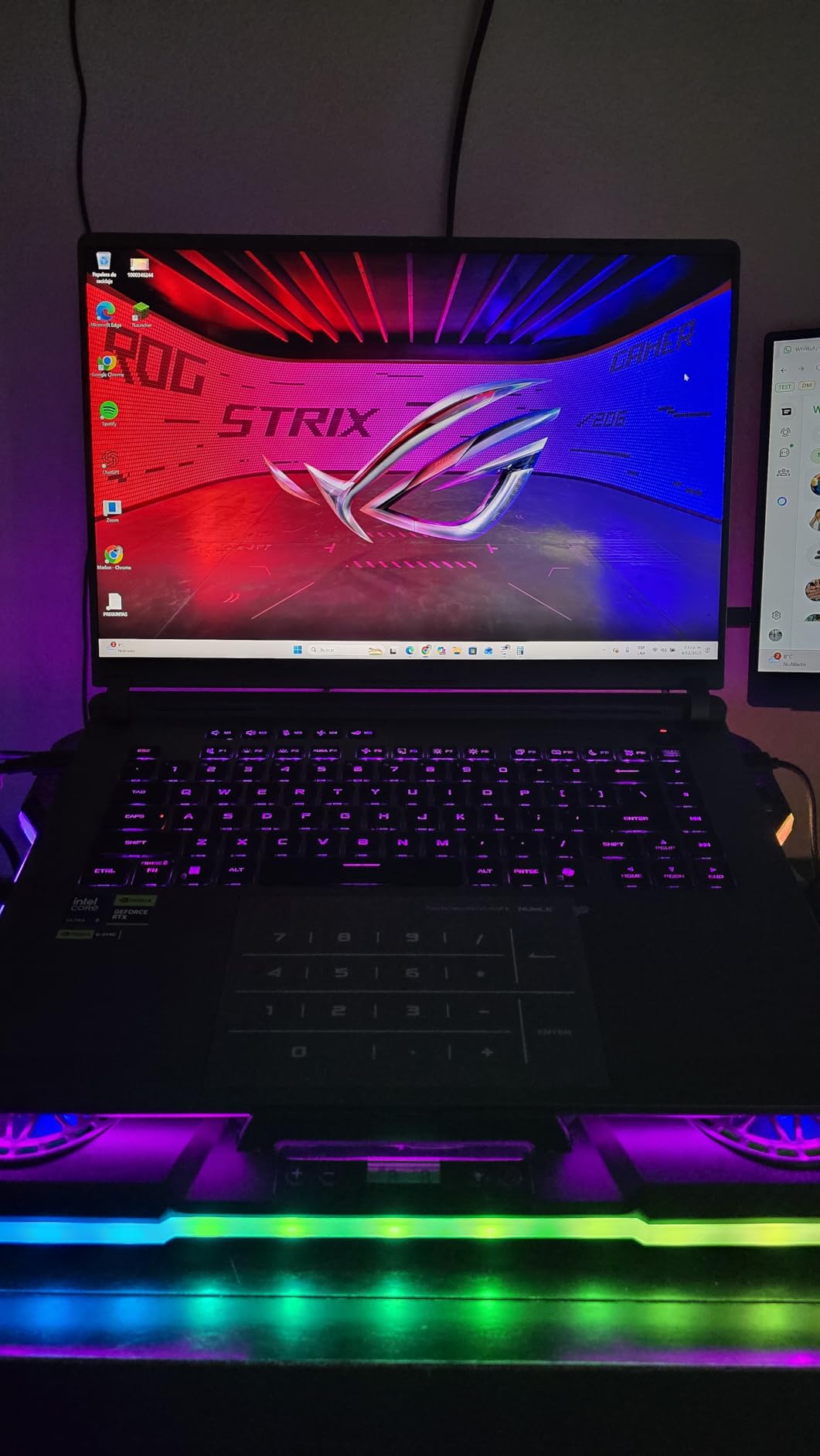
The build quality is what you expect from ASUS ROG. The full-surround RGB light bar at the bottom syncs with other ROG peripherals through Armoury Crate. Windows 11 Pro is included, which is a nice upgrade over the Home edition most gaming laptops ship with. The 90Wh battery is the largest in our roundup, giving you decent runtime for non-gaming tasks.
Two things hold this laptop back. First, there is no webcam, which is an odd omission at this price. You will need to buy an external camera for video calls. Second, several users report missing thermal pads and graphite tape for the second SSD bay. If you plan to add a second drive, check inside before purchasing the parts. At this price, these small omissions feel unnecessary.
Who Should Buy the ROG Strix G16
Competitive gamers who want the fastest display possible with a 240Hz refresh rate will love this machine. Content creators who also game will appreciate the Windows 11 Pro license, 2TB of storage, and the color-accurate Nebula panel. If you already own a standalone webcam and want a premium gaming experience, the Strix G16 is a top contender.
Who Should Look Elsewhere
If a built-in webcam is essential for your daily workflow, look at the Alienware 16X Aurora or HP OMEN 16 Slim instead. Budget-conscious buyers can get similar gaming performance from the Acer Nitro V 17 AI at a much lower price. The premium here pays for the display and build quality, not raw GPU performance.
6. Lenovo Legion 5 15IRX10 – Best i9 RTX 5070 Laptop with OLED
Lenovo Legion 5 15IRX10 15.1″ WQXGA OLED, Gaming Laptop, Intel Core i9 14th Gen 14900HX 1.6GHz; NVIDIA GeForce RTX 5070 8GB GDDR7; 32GB DDR5 RAM; 1TB NVMe M.2 SSD; Gigabit LAN, 2×2 WiFi 7
Intel Core i9-14900HX
15.1 inch WQXGA OLED 165Hz
32GB DDR5
1TB SSD
Wi-Fi 7
VR Ready
+ Pros
- Powerful i9-14900HX processor
- 32GB DDR5 RAM included
- Stunning OLED 165Hz display
- 5MP front webcam
- VR ready
- Cons
- Proprietary power jack design
- Power cable prone to breaking
- Limited return policy via Amazon
The Lenovo Legion 5 15IRX10 steps things up with an Intel Core i9-14900HX processor, which is one of the most powerful mobile CPUs available. With 24 cores and boost speeds up to 5.8 GHz, this chip tears through both gaming and heavy workloads like video rendering, 3D modeling, and software compilation. Combined with 32GB of DDR5-5600 RAM, you get desktop-class performance in a portable form factor.
The 15.1-inch WQXGA OLED display matches the quality of the Legion 5i but with even better specs backing it up. The 500-nit brightness, 165Hz refresh rate, and glossy OLED panel deliver incredible contrast and color reproduction. This is a display that makes every game look better, from dark horror titles to vibrant open-world adventures.
Unlike the Legion 5i, this model includes a 5-megapixel front webcam, which is a welcome addition for remote workers and streamers. The RGB backlit keyboard feels satisfying to type on, and the virtual reality ready designation means you can connect a VR headset without compatibility concerns.
The biggest complaint from real users focuses on the proprietary rectangular power plug. Several reviewers report that the power cable is prone to breaking at the connector, and since it is proprietary, you cannot easily replace it with a universal adapter. This is a design choice that makes the laptop less travel-friendly than it should be.
Who Should Buy the Legion 5 15IRX10
Power users who need maximum CPU performance for both gaming and professional workloads should strongly consider this model. The i9-14900HX, 32GB RAM, and OLED display combination is hard to beat for the price. If you primarily use your laptop at a desk and do not move the power cable around much, the proprietary plug issue is less of a concern.
Who Should Look Elsewhere
If you travel frequently and need a durable power connector, the proprietary plug design is a liability. Users who prioritize long battery life should also look elsewhere, as the i9 processor is power-hungry. For a lighter, more portable option with a similar OLED display, the Legion 5i is a better fit.
7. HP OMEN 16 Slim – Best Slim RTX 5070 Gaming Laptop with Windows Pro
HP Omen 16 16″ AMD Ryzen AI 7 350 RTX 5060 Gaming Laptop, 16GB DDR5 1TB SSD
Intel Core Ultra 9 285H
16 inch FHD+ 144Hz IPS
32GB DDR5
1TB SSD
Wi-Fi 6
Win 11 Pro
+ Pros
- Perfect 5-star user rating
- Handles demanding games with ease
- Runs cool and quiet
- Includes laptop cooler bundle
- Great value for specs
- Cons
- Weak speakers
- Slower Wi-Fi 6 card
- Small 45Wh battery
The HP OMEN 16 Slim has achieved something rare: a perfect 5-star rating from every single reviewer on Amazon. While the review count is still small at 10, the unanimous praise is noteworthy. Users consistently highlight the gaming performance, with one reviewer specifically mentioning smooth gameplay in demanding titles like Avowed, Starfield, and Outer Worlds 2.
The Intel Core Ultra 9 285H with 16 cores and 24MB of L3 cache is a newer generation processor that balances performance and efficiency well. Combined with 32GB of DDR5 RAM, a 1TB NVMe SSD, and the RTX 5070, this laptop handles modern AAA games without breaking a sweat. The 4-zone RGB backlit keyboard with numeric keypad rounds out a solid gaming feature set.
What I find particularly appealing is the included bundle with a PCO Notebook Fold Radiator Cooler. HP clearly recognizes that thermal management matters, and including an external cooling pad shows they want the experience to be excellent right out of the box. The laptop also runs cool and quiet on its own, according to multiple reviewers.
The 16-inch FHD+ display at 1920×1200 with a 144Hz refresh rate is adequate but not exceptional. It uses an IPS panel with micro-edge design and anti-glare coating, which works well for gaming in most environments. However, if you want a higher resolution or faster refresh rate, the ASUS ROG Strix G16 or Alienware 16X Aurora offer better displays.
Who Should Buy the OMEN 16 Slim
Anyone who wants a reliable, well-rounded gaming laptop with professional-grade features should consider the OMEN 16 Slim. The Windows 11 Pro license, 32GB of RAM, and included cooling pad make it a complete package. It is especially good for users who game and work on the same machine and want something that handles both without compromise.
Who Should Look Elsewhere
Audio enthusiasts will be disappointed by the weak speakers, and anyone who needs Wi-Fi 7 or the fastest wireless speeds should look at the Lenovo models. The 45Wh battery is also the smallest in our roundup, so expect limited unplugged runtime. If a premium display is your priority, consider the ROG Strix G16 instead.
8. Alienware 16X Aurora – Premium RTX 5070 Laptop with G-SYNC Display
Dell Alien-Ware 16X Aurora Gaming AI Laptop 16″ WQXGA 240Hz (100% DCI-P3) Intel 24-core Ultra 9 275HX 32GB RAM 2TB SSD GeForce RTX 5070 (Up to 798 AI Tops) Thunderbolt Win11Pro
Intel Core Ultra 9 275HX
16 inch WQXGA 240Hz G-SYNC
32GB DDR5
2TB SSD
Wi-Fi 7
Thunderbolt 4
+ Pros
- Beautiful G-SYNC 240Hz display
- Excellent build quality
- 24-core Ultra 9 processor
- Thunderbolt 4 and HDMI 2.1
- 1080p FHD HDR webcam
- Cons
- Premium price point
- Heavier at 5.66 lbs
- Fan noise under load
The Alienware 16X Aurora is the most expensive RTX 5070 laptop in our lineup, and it wears that premium badge with purpose. The 16-inch WQXGA display at 2560×1600 runs at 240Hz with 100% DCI-P3 color coverage and NVIDIA G-SYNC support. This is the only laptop in our roundup with G-SYNC, which eliminates screen tearing without the input lag of V-Sync. For serious gamers, this feature alone justifies consideration.
The Intel Core Ultra 9 275HX with 24 cores delivers desktop-rivaling compute performance. With 32GB of DDR5 RAM and a 2TB SSD, you have plenty of memory and storage for gaming, content creation, and multitasking. The port selection is excellent too, with Thunderbolt 4, HDMI 2.1, USB 3.2, and Gigabit Ethernet all present. The 1080p FHD RGB-IR HDR webcam is the best camera in our roundup.
Build quality is where Alienware consistently shines. The chassis feels solid with premium materials throughout, and the design language is unmistakably Alienware. The Wi-Fi 7 support ensures you have the fastest wireless connectivity available, matching the Lenovo models for networking capability.
The tradeoffs are straightforward. At $2,899, this is significantly more expensive than other RTX 5070 laptops that offer similar GPU performance. The fans do get loud under load, which is expected for a high-performance machine in this form factor. At 5.66 pounds, it is on the heavier side, though reasonable for a 16-inch gaming laptop with a 90Wh-class battery. The RAM is also soldered with a 32GB maximum, so no upgrades beyond that.
Who Should Buy the Alienware 16X Aurora
This is the best RTX 5070 laptop for gamers who want premium everything: G-SYNC display, top-tier webcam, Thunderbolt 4, and Alienware build quality. If budget is not your primary concern and you want a machine that excels in every category, the Aurora delivers. It is also great for streamers who need a high-quality webcam and professionals who rely on Thunderbolt peripherals.
Who Should Look Elsewhere
Value-conscious buyers can get the same RTX 5070 GPU performance for roughly half the price with the Acer Nitro V 17 AI. If you do not need G-SYNC or the premium webcam, the ASUS ROG Strix G16 offers similar specs for less. This laptop is for buyers who want the best overall package, not the best value.
What to Look for in an RTX 5070 Gaming Laptop
Choosing the right RTX 5070 gaming laptop involves more than just picking the cheapest or most expensive model. Here are the key factors our team considers when evaluating these machines.
VRAM and Memory Configuration
All RTX 5070 laptop GPUs come with 8GB of GDDR7 memory. This is enough for 1080p gaming and most 1440p titles with DLSS enabled, but it may become a limitation for future games at higher resolutions. The 8GB VRAM capacity is a common concern on Reddit and gaming forums, with many users wondering if they should step up to the RTX 5070 Ti with 12GB instead.
For system RAM, I strongly recommend getting 32GB if you can. The Lenovo Legion 5i ships with 16GB in single-channel mode, which limits performance. Upgrading to dual-channel 32GB DDR5 can improve frame rates by 10 to 15 percent in CPU-bound scenarios.
Display Quality and Refresh Rate
The display is arguably the most important part of your gaming experience since it is what you stare at for hours. OLED panels like those on the Lenovo Legion models offer perfect blacks and infinite contrast, making them ideal for single-player games and media consumption. IPS panels like the ROG Nebula Display and Alienware G-SYNC screen offer faster refresh rates up to 240Hz, which matters more for competitive gaming.
For resolution, 2560×1600 (WQXGA) is the sweet spot for RTX 5070 laptops. It gives you crisp visuals without overloading the GPU. At 1920×1080 or 1920×1200, the RTX 5070 will easily push over 100 FPS in most titles, which is great for competitive play.
CPU Pairing and Performance Balance
The RTX 5070 pairs well with modern high-performance processors. In this roundup, you will find Intel Core i7-14700HX, Core i9-14900HX, Core Ultra 9 275HX, and AMD Ryzen 7 260 and Ryzen AI 9 HX 370 options. For pure gaming, the CPU matters less than the GPU, but for streaming, content creation, or heavy multitasking, a more powerful processor makes a noticeable difference.
The Intel Core Ultra 9 275HX found in the ASUS ROG Strix G16 and Alienware 16X Aurora offers the best overall performance with 24 cores. The AMD Ryzen AI 9 HX 370 in the Gigabyte AERO X16 is a strong alternative with excellent efficiency.
Thermal Management
Thermal performance varies significantly between models. The ASUS ROG Strix G16 uses a vapor chamber with tri-fan cooling, which is the most sophisticated setup in our roundup. The Acer Nitro V 17 AI runs surprisingly cool thanks to its larger chassis giving the fans more room to breathe. The Acer Nitro V 16, on the other hand, struggles with sustained performance because of its inadequate 135W charger.
If you game for extended sessions, prioritize laptops with robust cooling systems and sufficient power delivery. A laptop that thermal throttles or drains battery while plugged in will deliver inconsistent frame rates.
DLSS 4.5 and AI Features
All RTX 5070 laptops support DLSS 4.5 Multi Frame Generation, which is a significant advantage over previous generation GPUs. This technology generates additional frames using AI, effectively boosting your frame rate beyond what the GPU can render natively. In supported games, DLSS 4.5 can double or even triple your frame rate with minimal visual quality loss.
The Blackwell architecture also brings improved ray tracing through fourth-gen RT cores and 798 AI TOPS of AI processing power. These features future-proof your laptop for upcoming games that rely more heavily on AI-enhanced rendering techniques.
Portability and Battery Life
If you plan to carry your laptop daily, weight matters. The Gigabyte AERO X16 at 4.2 pounds is the lightest option, followed by the Lenovo Legion 5i at 4.4 pounds. The Acer Nitro V 17 AI at 5.97 pounds and ASUS ROG Strix G16 at 5.84 pounds are the heaviest, though they offer larger screens and better cooling as a tradeoff.
For battery life, expect 1 to 3 hours of gaming and 5 to 9 hours of light use depending on the model. Gaming laptops are not designed for all-day unplugged use. The key is fast charging: the Lenovo Legion 5i can go from 0 to 70 percent in under 30 minutes, which helps compensate for shorter battery life.
FAQs
Is RTX 5070 good for gaming laptops?
Yes, the RTX 5070 is an excellent gaming laptop GPU. Built on NVIDIA’s Blackwell architecture with 4608 CUDA cores, 8GB GDDR7 memory, and support for DLSS 4.5 Multi Frame Generation, it delivers smooth 1080p and 1440p gaming in modern AAA titles. Users report 120+ FPS in games like Cyberpunk 2077 and Red Dead Redemption 2 with DLSS enabled, making it a strong mid-range to high-end option for portable gaming.
Which laptop has the RTX 5070?
Several laptops feature the RTX 5070 in 2026, including the Lenovo Legion 5i, Gigabyte AERO X16, Acer Nitro V 16, Acer Nitro V 17 AI, ASUS ROG Strix G16, Lenovo Legion 5 15IRX10, HP OMEN 16 Slim, and Alienware 16X Aurora. Brands offering RTX 5070 laptops include Lenovo, Gigabyte, Acer, ASUS, HP, and Dell Alienware.
Is 8GB VRAM enough for RTX 5070 laptop?
8GB of GDDR7 VRAM is sufficient for 1080p gaming and most 1440p titles when using DLSS. However, some newer AAA games at 1440p ultra settings may push beyond 8GB, causing frame rate drops. If you plan to game primarily at 1440p or want more headroom for future titles, consider the RTX 5070 Ti with 12GB VRAM instead. For 1080p gaming, 8GB is perfectly adequate.
What is the best RTX 5070 laptop?
The Lenovo Legion 5i is our top pick for the best RTX 5070 laptop overall, thanks to its stunning OLED display, portable 4.4-pound design, and strong 4.6-star user rating. For budget-conscious buyers, the Acer Nitro V 17 AI offers the best value. For premium features like G-SYNC and Thunderbolt 4, the Alienware 16X Aurora is the top choice.
How much does an RTX 5070 laptop cost?
RTX 5070 gaming laptops range from approximately $1,500 to $2,900 depending on the brand, CPU, RAM, storage, and display quality. Budget options like the Acer Nitro V 17 AI start around $1,500, mid-range models like the Lenovo Legion 5i and Gigabyte AERO X16 fall between $1,600 and $2,000, and premium machines like the ASUS ROG Strix G16 and Alienware 16X Aurora cost $2,000 to $2,900.
Final Thoughts on the Best RTX 5070 Gaming Laptops
The best gaming laptops with RTX 5070 graphics offer a compelling balance of performance, portability, and value in 2026. Our top pick, the Lenovo Legion 5i, delivers the best overall package with its stunning OLED display and lightweight design. The Acer Nitro V 17 AI provides the best budget entry point without sacrificing the 32GB RAM that power users need. And for those who want premium features like G-SYNC, Thunderbolt 4, and a 240Hz display, the Alienware 16X Aurora and ASUS ROG Strix G16 justify their higher price tags.
No matter which RTX 5070 laptop you choose, you are getting a machine powered by NVIDIA’s Blackwell architecture with DLSS 4.5 support, fourth-gen RT cores, and enough GPU horsepower for smooth 1080p and 1440p gaming. The key is matching the laptop to your specific needs: portability versus screen size, budget versus premium features, and gaming versus content creation. Pick the one that fits your lifestyle, and you will have a gaming machine that performs well for years to come.