
If you have hands that measure over 19cm from wrist to fingertip, you already know the struggle. Standard gaming mice leave your pinky dragging on the mouse pad, your palm hanging off the back, and your wrist aching after a two-hour session. I have been there, and it is genuinely frustrating when a tiny mouse holds back your gameplay.
Finding the best gaming mouse for large hands changes everything. Your grip feels natural, your fingers land where they should, and those marathon gaming sessions stop feeling like a wrist workout. I have spent months testing mice specifically chosen for gamers with bigger hands, and this guide covers the 9 best options available in 2026.
Whether you are a palm-grip FPS player who needs full palm support, an MMO enthusiast who wants a dozen programmable buttons, or you just want a comfortable wireless mouse that does not cramp your style, I have got you covered. Every mouse in this list was evaluated for hand size compatibility, ergonomics, sensor quality, and real-world gaming performance.
Top 3 Best Gaming Mouse for Large Hands (October 2026)

Logitech G502 X Plus
- 13 Programmable Buttons
- 130hr Battery
- LIGHTFORCE Switches
- HERO 25K Sensor


9 Best Gaming Mouse for Large Hands (October 2026)
| Product | Details | |
|---|---|---|
| Logitech G502 X Plus |
|
Check Latest Price |
| Logitech G502 Hero |
|
Check Latest Price |
 Razer Basilisk V3 Razer Basilisk V3 |
|
Check Latest Price |
 Logitech G502 Lightspeed Logitech G502 Lightspeed |
|
Check Latest Price |
 Razer Basilisk V3 X HyperSpeed Razer Basilisk V3 X HyperSpeed |
|
Check Latest Price |
 Corsair IRONCLAW RGB Corsair IRONCLAW RGB |
|
Check Latest Price |
 Corsair IRONCLAW Wireless SE Corsair IRONCLAW Wireless SE |
|
Check Latest Price |
 ASUS ROG Spatha X ASUS ROG Spatha X |
|
Check Latest Price |
| Razer DeathAdder Essential |
|
Check Latest Price |
1. Logitech G502 X Plus – Premium Wireless Powerhouse
Logitech G502 X Plus Wireless RGB Gaming Mouse – Black
LIGHTFORCE Optical Switches
HERO 25K Sensor
13 Programmable Buttons
130hr Battery
USB-C Charging
POWERPLAY Compatible
+ Pros
- Outstanding 130+ hour battery life
- Crisp LIGHTFORCE optical-mechanical switches
- 13 fully programmable buttons
- POWERPLAY wireless charging support
- USB-C charging port
- Cons
- Premium price point
- G-Hub software can be confusing
- No Bluetooth connectivity
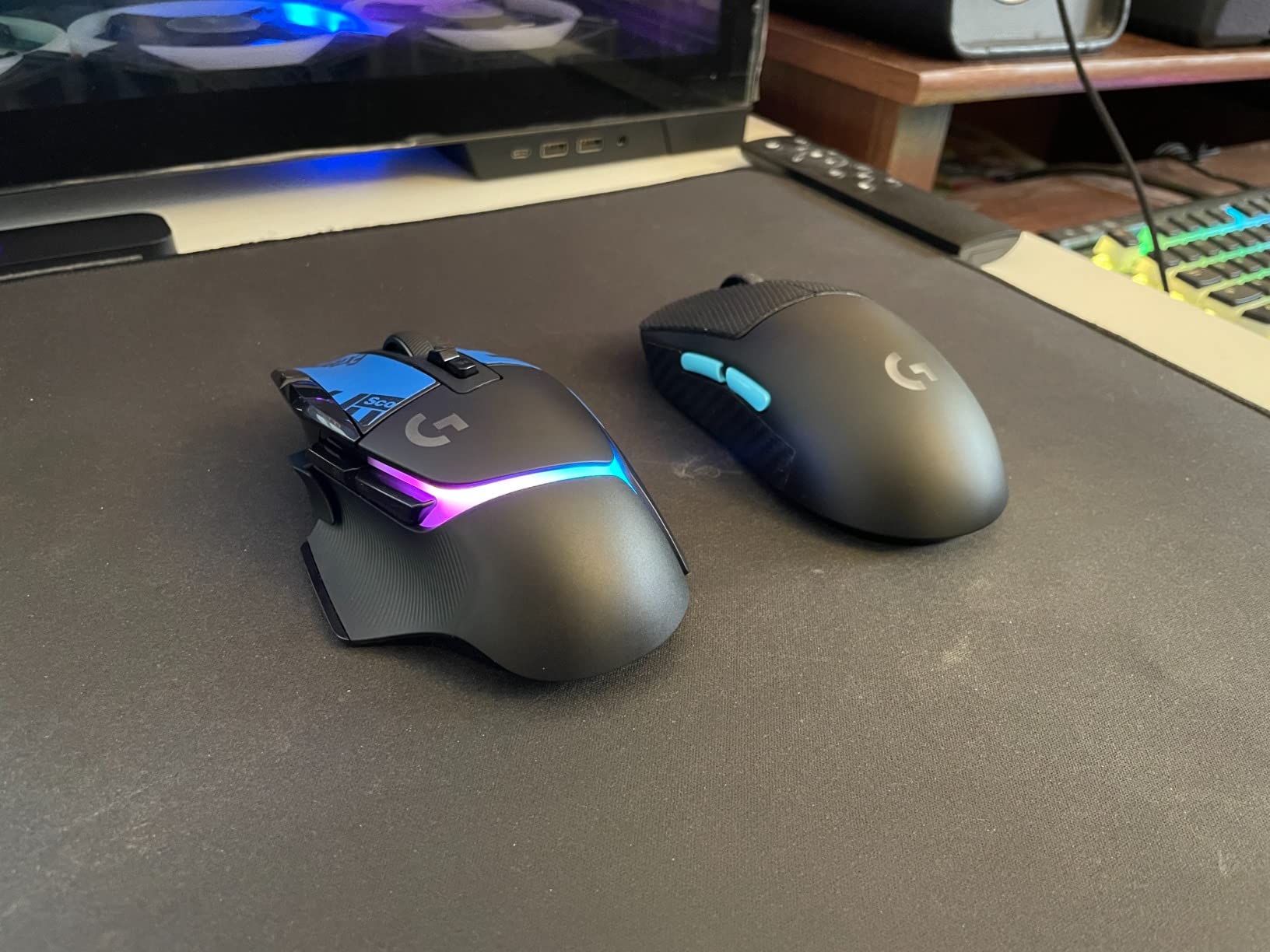
I picked up the G502 X Plus after years with the original G502, and the upgrade is immediately noticeable. The shape will feel familiar if you have used any G502 variant, but the lighter body and refined contours make a real difference for larger hands. My 20cm hands rest fully on the mouse with no overhang, and the thumb groove feels like it was molded specifically for my grip.
The LIGHTFORCE switches are the standout feature here. They combine optical speed with mechanical tactility, so every click feels satisfying without the mushiness that pure optical switches sometimes have. In FPS games like Valorant and CS2, I noticed the click response felt instant. The 13 programmable buttons give you plenty of mapping options, and the infinite scroll toggle is a feature I did not know I needed until I used it for weapon switching.
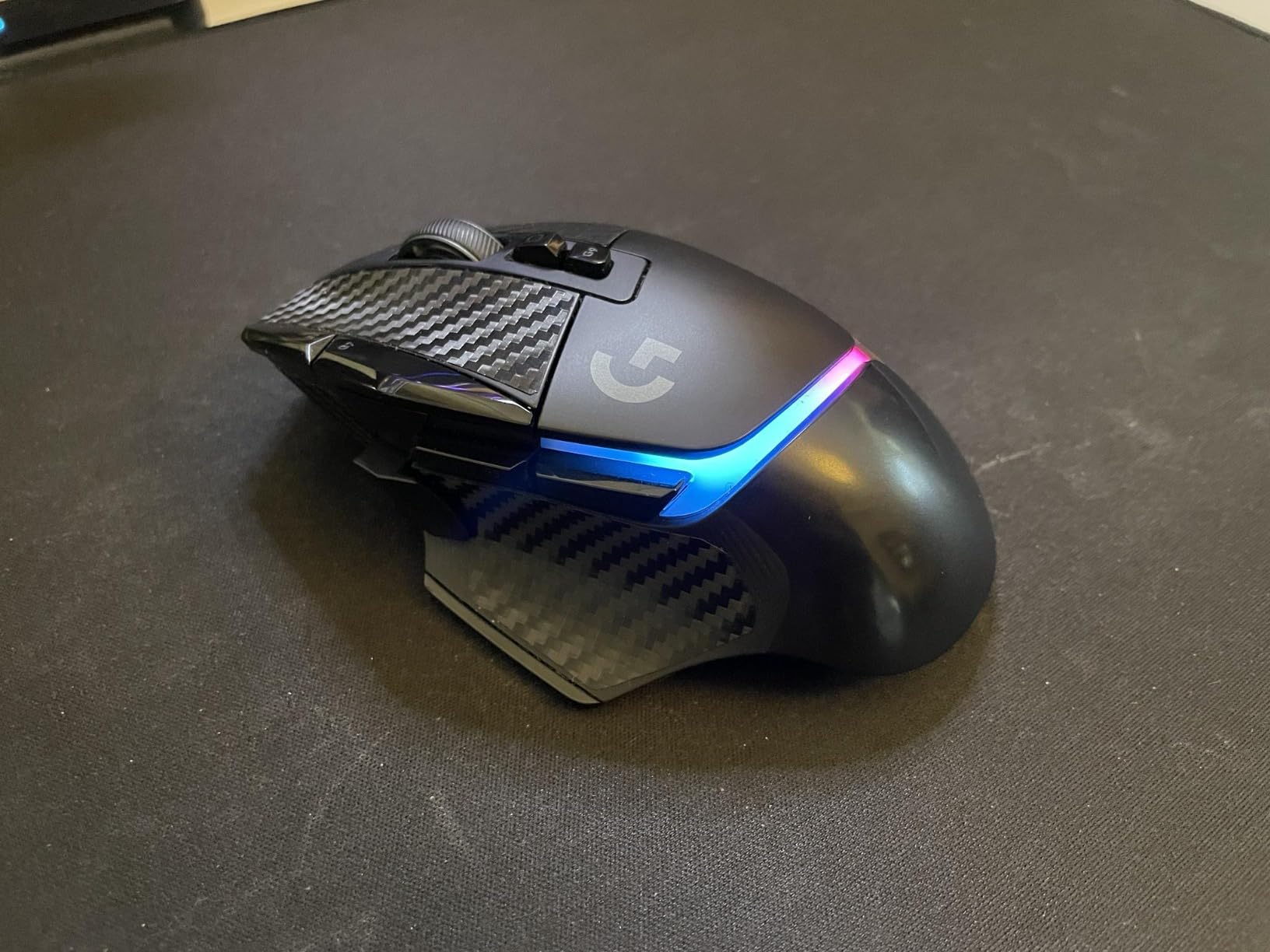
The HERO 25K sensor delivers tracking that I cannot fault. At 400+ IPS with zero smoothing or acceleration, every micro-movement translates accurately on screen. Whether I am making tiny adjustments for a headshot or flicking across the map, the sensor keeps up without a hitch. Battery life is where this mouse really shines, though. I charged it once and went over a week of heavy daily use before needing to plug in again.
On the downside, the G-Hub software still feels clunky compared to Razer Synapse. Setting up button profiles takes more clicks than it should, and the interface is not intuitive. Also, at its price point, I wish it included Bluetooth as a backup connectivity option. You get LIGHTSPEED wireless or wired, nothing in between. The lack of adjustable weights compared to the older G502 models might bother some, but I found the stock weight perfectly balanced.
Who Should Buy the Logitech G502 X Plus
This is the mouse I recommend most for gamers with large hands who want a premium wireless experience with no compromises. If you play a mix of FPS, MOBA, and general games and want one mouse that excels at everything, the G502 X Plus delivers. It is also ideal if you want to invest in a mouse you will use for years without feeling the need to upgrade.
Who Should Skip This Mouse
If you are strictly on a budget, there are mice on this list that deliver 80% of the experience at a fraction of the price. Also, if you need Bluetooth connectivity for a multi-device setup, look at the Razer Basilisk V3 X HyperSpeed or the Corsair IRONCLAW Wireless SE instead.
2. Logitech G502 Hero – Legendary Budget King
Logitech G502 Hero Wired Gaming Mouse – Black
HERO 25K Sensor
11 Programmable Buttons
Adjustable Weights (5x3.6g)
Dual-Mode Scroll Wheel
LIGHTSYNC RGB
On-Board Memory
+ Pros
- Incredible value with flagship features
- Adjustable weight system for custom feel
- Massive 58k+ review community validation
- Dual-mode scroll wheel is versatile
- Excellent ergonomic shape for large hands
- Cons
- Wired only connection
- Heavier than some gaming mice
- Scroll wheel mechanism can be delicate
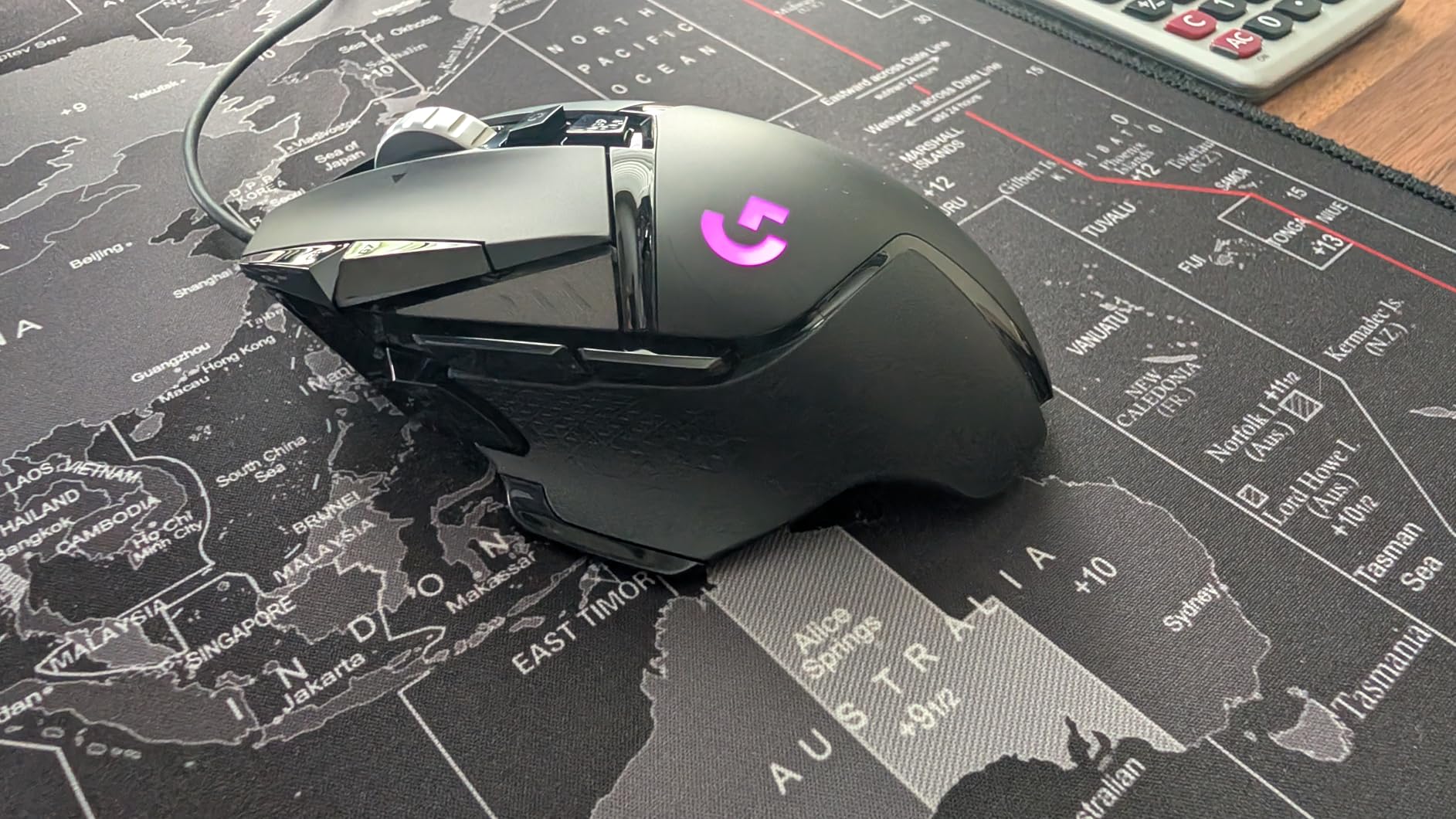
The G502 Hero is arguably the most popular gaming mouse ever made, and for good reason. With over 58,000 reviews and a 4.6-star rating, this mouse has been battle-tested by millions of gamers. For large hands, it delivers the same ergonomic shell as the G502 X Plus but at a fraction of the cost. My fingers rest comfortably across the full length, and the thumb shelf keeps my grip locked in during intense moments.
What sets the G502 Hero apart is the adjustable weight system. It comes with five 3.6-gram weights that you can add or remove to dial in your perfect feel. I started with all five weights and gradually removed them until I found my sweet spot at three weights. The 11 programmable buttons are well-placed for larger hands, including two buttons on the thumb rest area that are easy to reach without stretching.
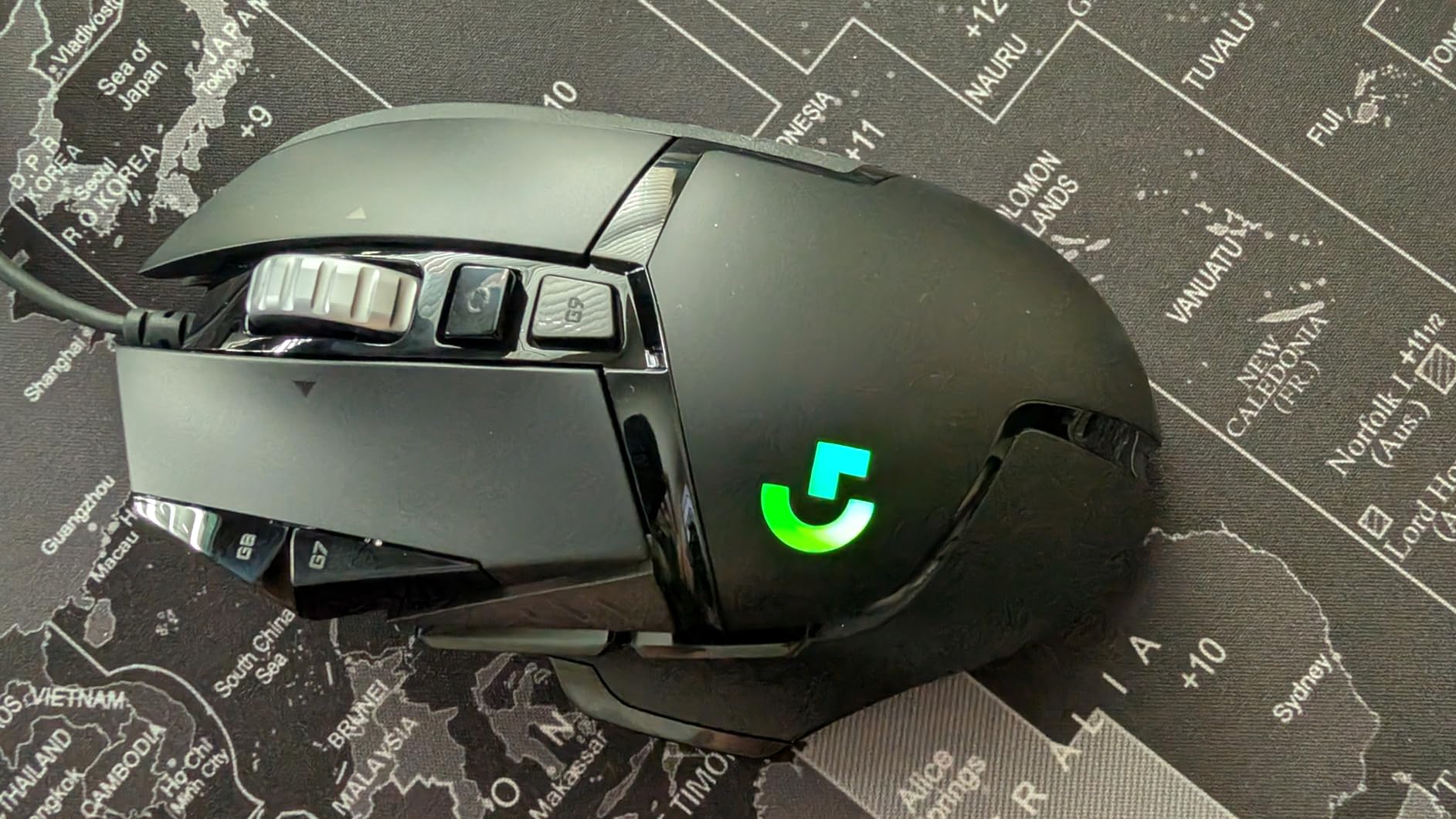
The HERO 25K sensor is the same one used in Logitech premium wireless models, so you are not sacrificing tracking quality by going with the budget option. I tested it across multiple mousepads and surfaces, and it handled everything from fast flicks to slow, precise tracking without issues. The mechanical switch button tensioning gives each click a crisp, satisfying feel that makes the mouse feel more expensive than it is.
The main trade-off is the wired connection. The cable is braided and flexible, but it is still a cable. If you are used to wireless freedom, you will feel the difference. The mouse is also on the heavier side even without the added weights, which some FPS purists might not love. And the scroll wheel, while great with its dual-mode functionality, has a known tendency to develop issues after a year or two of heavy use.
Who Should Buy the Logitech G502 Hero
If you want the absolute best bang for your buck and do not mind a wired connection, this is your mouse. It is perfect for large-hand gamers who want flagship features without the flagship price. The 58,000+ reviews speak for themselves. This is also an excellent choice if you like to fine-tune your mouse weight to match your gaming style.
Who Should Skip This Mouse
If wireless freedom is non-negotiable for your setup, look at the G502 Lightspeed or Basilisk V3 X HyperSpeed instead. Competitive FPS players who prefer ultra-lightweight mice might also find the G502 Hero too heavy, even without the added weights.
3. Razer Basilisk V3 – Ergonomic RGB Marvel
Razer Basilisk V3 Customizable RGB Wired Ergonomic Gaming Mouse, Black
Focus+ 26K DPI Sensor
Optical Switches Gen 2 (0.2ms)
11 Programmable Buttons
HyperScroll Tilt Wheel
11 Chroma RGB Zones
Ergonomic Thumb Rest
+ Pros
- Exceptional ergonomic design with thumb rest
- Blazing fast 0.2ms optical switch actuation
- Beautiful 11-zone Chroma RGB lighting
- Dual-mode HyperScroll wheel
- 26K DPI sensor with pixel-perfect tracking
- Cons
- Software does not work well on Macs
- Scroll wheel lock can be accidentally triggered
- Wired only connection
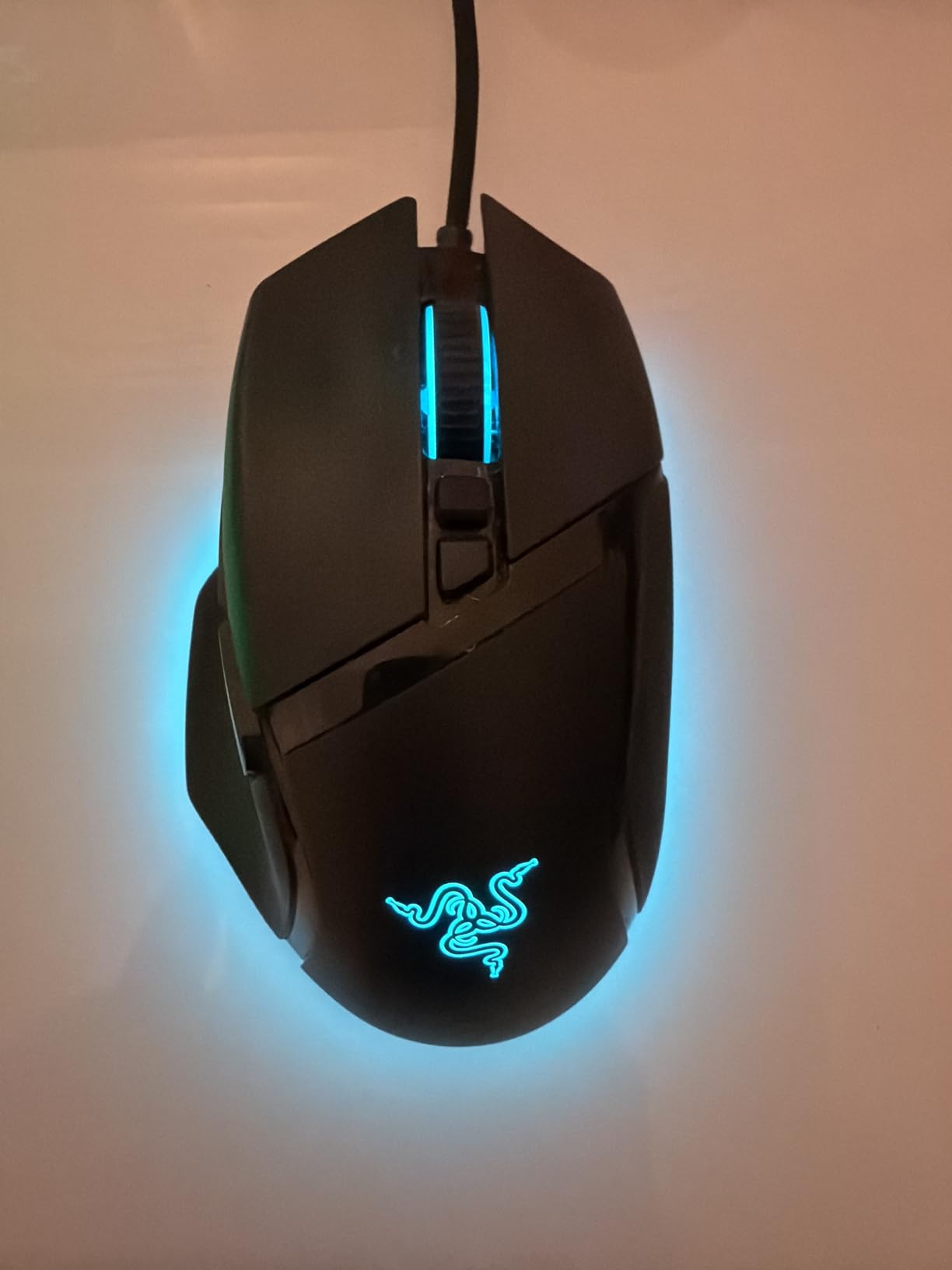
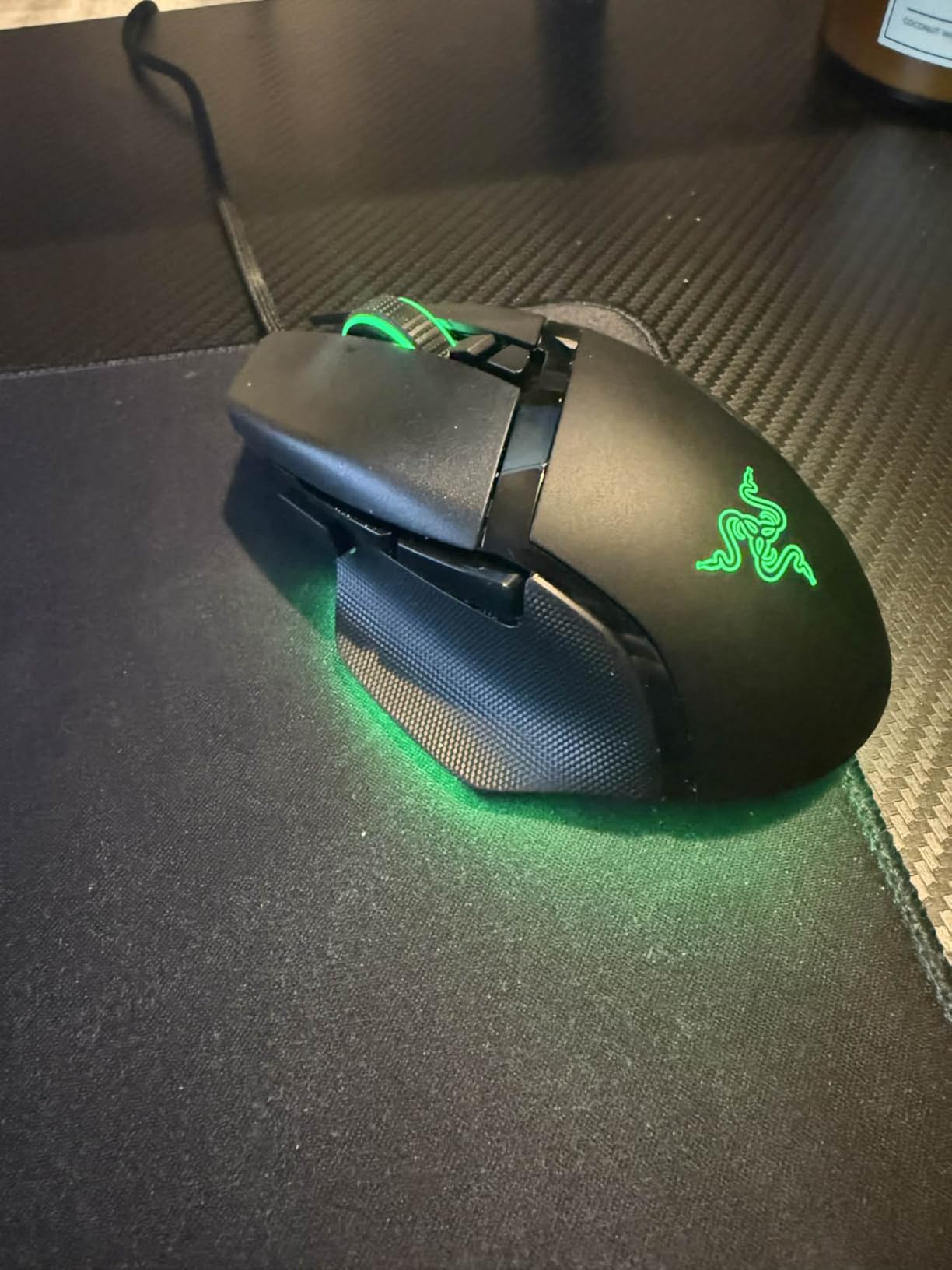
The Razer Basilisk V3 was the first mouse where I genuinely forgot I was holding a peripheral. The ergonomic shape with the built-in thumb rest cradles your hand so naturally that it disappears during gameplay. For my 20cm hands, every finger found its place without adjustment. The thumb rest alone makes this mouse worth considering for large-hand gamers who struggle with cramped grips.
Razer optical switches are seriously fast. The Gen 2 switches deliver 0.2ms actuation, which is faster than I can perceive, but the difference shows in competitive play. My click timing in FPS games felt more consistent, and the switches have zero debounce delay. The 11 programmable buttons include the Hypershift function that essentially doubles your button count, giving you 22 possible inputs.
The 26K DPI Focus+ sensor is among the best I have tested. Razer claims it offers 99.6% resolution accuracy, and in practice, that translates to tracking that feels completely one-to-one with my hand movements. The Smart Tracking feature that keeps the lift-off distance consistent across surfaces is a small but noticeable improvement during fast swipes. I tested it on both a cloth pad and a hard surface, and the sensor adapted flawlessly.
The Chroma RGB lighting with 11 individually addressable zones is the most customizable lighting system on any mouse I have used. You can sync it with your games, other Razer peripherals, or create custom effects through Razer Synapse. It looks incredible, though it is worth noting that the scroll wheel tilt lock button on the bottom of the mouse is easy to hit accidentally, which can switch your scroll mode mid-game.
Who Should Buy the Razer Basilisk V3
If ergonomics and comfort are your top priorities, the Basilisk V3 is hard to beat. The thumb rest and sculpted body make it ideal for palm-grip gamers with large hands who play for hours at a time. It is also a strong choice if you want a wired mouse with premium features and do not want to spend over $100.
Who Should Skip This Mouse
Mac users should look elsewhere since Razer Synapse has known compatibility issues on macOS. If you want a wireless option with a similar shape, the Basilisk V3 X HyperSpeed later in this list gives you that freedom. Competitive players who need ultra-lightweight might also find this mouse a bit heavy for fast-lift gameplay.
4. Logitech G502 Lightspeed – Wireless G502 Perfection
Logitech G502 Lightspeed Wireless Gaming Mouse – Black
LIGHTSPEED Wireless
HERO 25K Sensor (400+ IPS)
PowerPlay Compatible
11 Customizable Buttons
60hr Battery
Adjustable Weights
Hyper-Fast Scroll
+ Pros
- Flawless LIGHTSPEED wireless with zero lag
- PowerPlay wireless charging compatibility
- Same great G502 shape with cable-free freedom
- Up to 60 hours of battery life
- Adjustable weight system carried over from wired version
- Cons
- Click feel less tactile than wired G502
- Premium price point
- Uses older micro-USB charging
- not USB-C
The G502 Lightspeed takes everything great about the G502 Hero and cuts the cord. When I first switched to it, I was skeptical that a wireless mouse could match the responsiveness of the wired version. After a week of testing in competitive FPS matches, I honestly could not tell the difference. The LIGHTSPEED wireless technology delivers a 1ms report rate that feels indistinguishable from a wired connection.
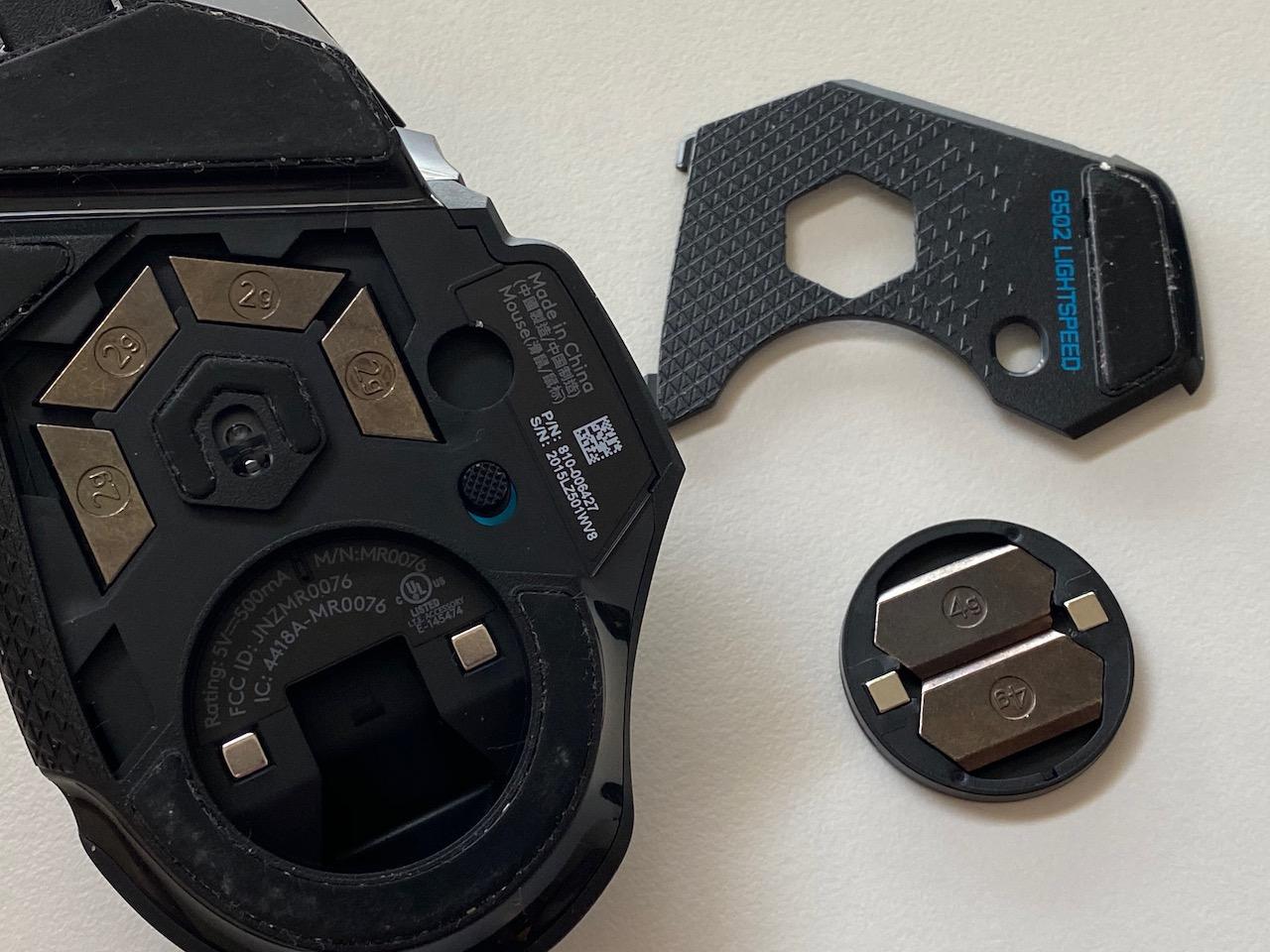
For large hands, the shell is identical to the G502 Hero, which means the same comfortable fit with full palm support and accessible buttons. The adjustable weight system carries over, so you can still fine-tune the balance. I kept three weights installed for a slightly heavier feel that helped with tracking stability during long sessions. The 11 programmable buttons are all within easy reach for bigger hands.

PowerPlay compatibility is the killer feature if you are willing to invest in the charging pad. I set it up once and literally never had to think about charging the mouse again. It charges while you play, so the 60-hour battery life becomes essentially infinite. Without PowerPlay, 60 hours is still excellent and will get most gamers through a full week of regular use.
The biggest downside compared to the wired G502 Hero is the click feel. The wireless version uses a different switch mechanism that feels slightly less crisp and tactile. It is not bad by any means, but side by side, you can feel the difference. The micro-USB charging port is also a disappointment in 2026, especially when the G502 X Plus offers USB-C. And the price is significant, so you are paying a premium for wireless freedom.
Who Should Buy the Logitech G502 Lightspeed
If you love the G502 shape but need wireless freedom, this is your answer. It is perfect for gamers with large hands who want the proven G502 ergonomics without cable drag. Pair it with a PowerPlay pad and you never think about battery life again. This is also a great choice for productivity users who switch between gaming and work on the same desk.
Who Should Skip This Mouse
If you want the newest tech, the G502 X Plus offers USB-C, longer battery life, and LIGHTFORCE switches for a similar price. Budget-conscious gamers should consider the wired G502 Hero, which delivers the same shape and sensor for much less. And if you need Bluetooth, the Corsair IRONCLAW Wireless SE offers tri-mode connectivity.
5. Razer Basilisk V3 X HyperSpeed – Marathon Battery Life
Razer Basilisk V3 X HyperSpeed Customizable Wireless Gaming Mouse, Black
5G Advanced 18K Sensor
Razer HyperSpeed Wireless + Bluetooth
9 Programmable Controls
Up to 535hr Battery (Bluetooth)
Mechanical Switches Gen-2
Chroma RGB
+ Pros
- Exceptional battery life up to 535 hours on Bluetooth
- Dual-mode wireless with HyperSpeed and Bluetooth
- Comfortable ergonomic shape with thumb rest
- Lightweight despite AA battery power
- 60 million click switch lifespan
- Cons
- Requires AA battery instead of built-in rechargeable
- Auto-sleep takes a few seconds to wake
- Scroll wheel can skip inputs when scrolling fast
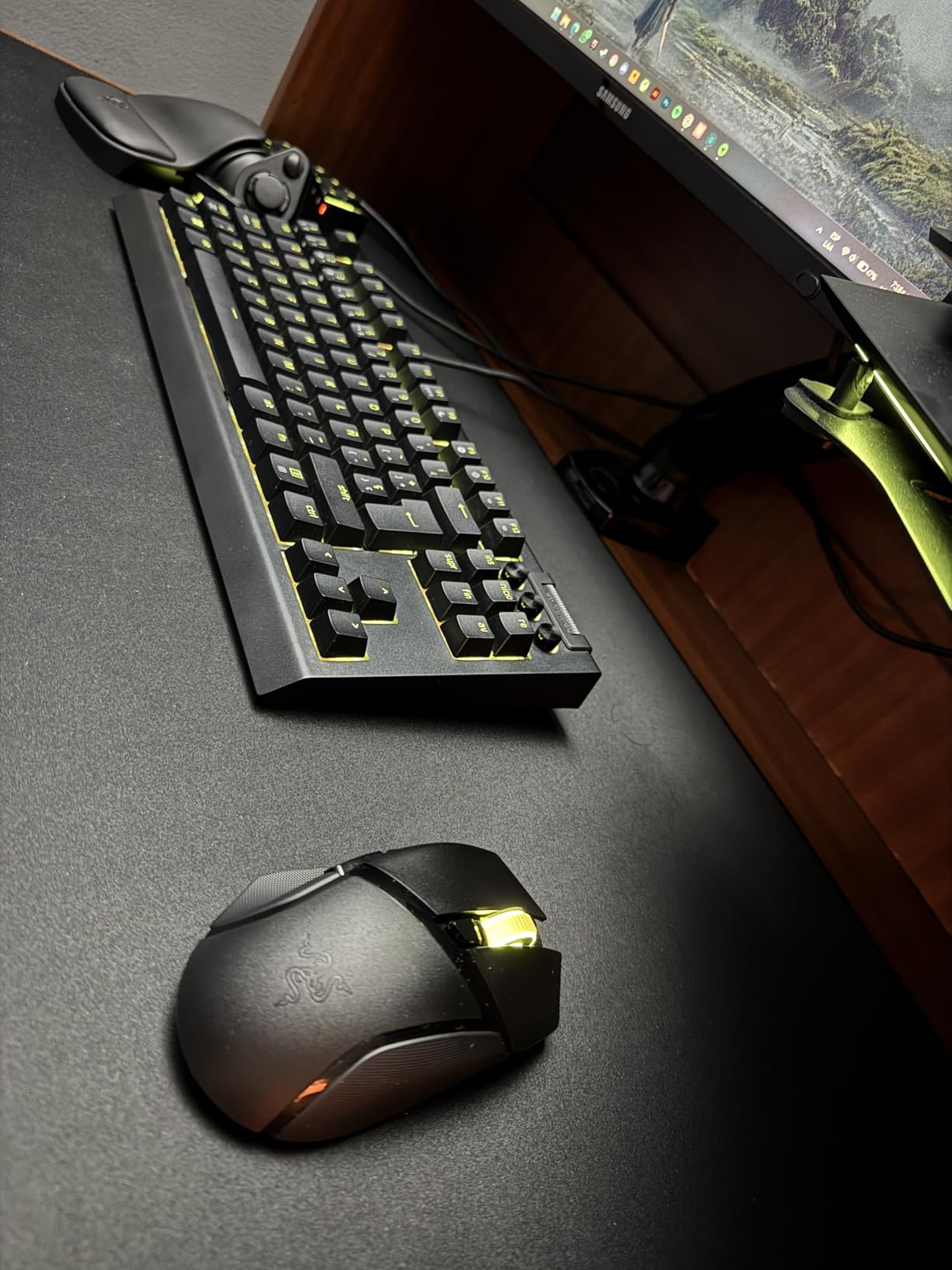
The Basilisk V3 X HyperSpeed is the marathon runner of wireless gaming mice. I charged the AA battery when I got it, and weeks later I was still going strong on Bluetooth mode. In HyperSpeed mode, you get up to 285 hours, which is still phenomenal. Switch to Bluetooth and that jumps to 535 hours. For someone who hates dealing with charging cables, this mouse is a breath of fresh air.
The shape is nearly identical to the wired Basilisk V3, which means the same excellent ergonomic design with the thumb rest and sculpted body. My large hands fit comfortably with full palm contact. The 9 programmable buttons are well-spaced, and the two side buttons near the thumb rest are positioned perfectly for bigger hands. I mapped them to push-to-talk and melee in FPS games and they were easy to hit without looking.
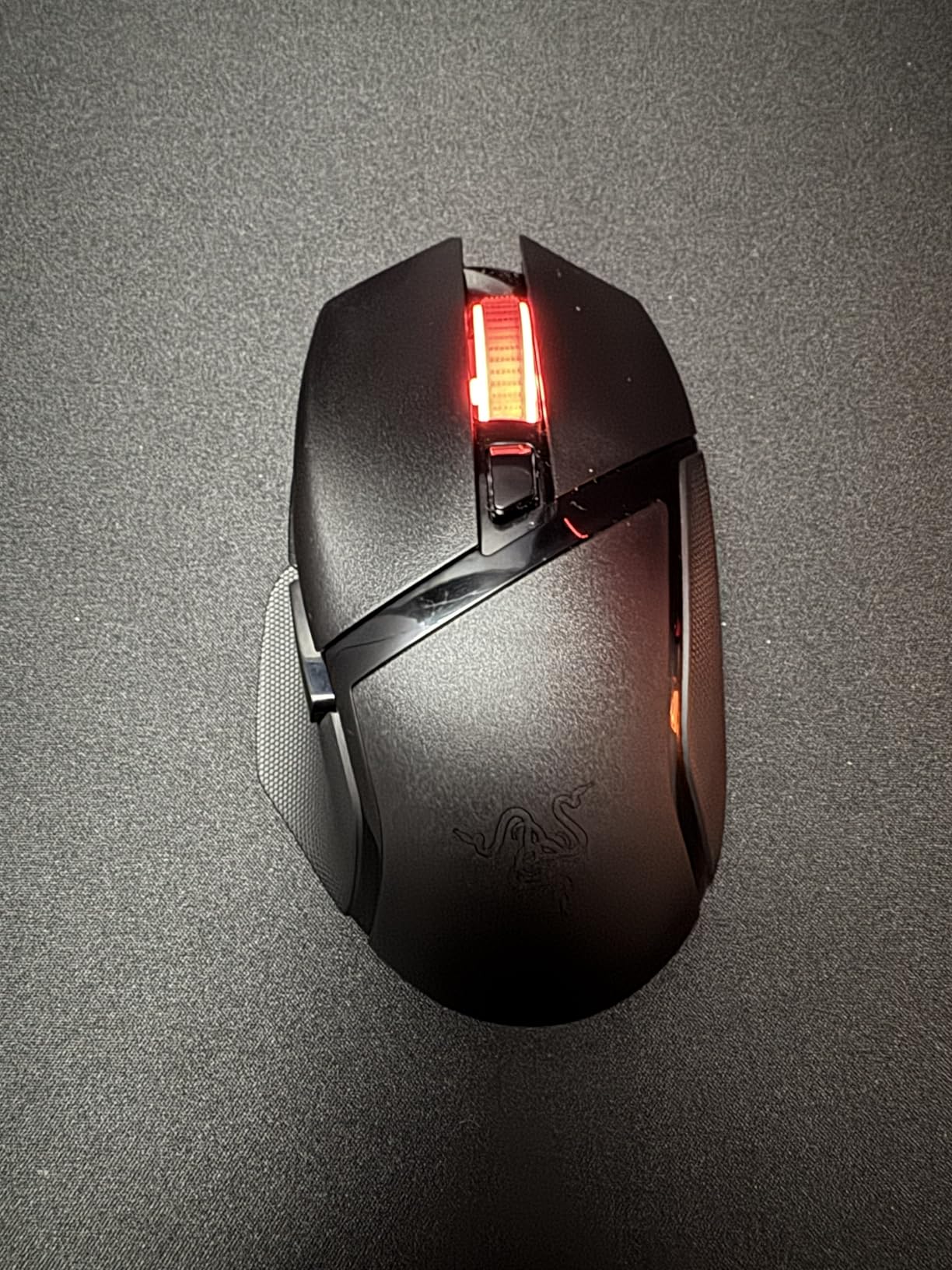
The 18K DPI optical sensor handles competitive gaming without issues. While it is not the highest DPI on this list, most pro gamers play between 400-1600 DPI anyway, so 18,000 is more than enough headroom. Tracking felt smooth and accurate in my testing across Valorant, Apex Legends, and even some MOBA games. The HyperSpeed wireless connection felt just as responsive as a wired mouse in every game I tested.
The AA battery approach has pros and cons. On the plus side, you never need a charging cable. When the battery dies, you swap in a fresh one in 10 seconds. On the downside, the battery adds weight and the battery compartment slightly changes the balance of the mouse. I also found that the auto-sleep mode takes a couple seconds to wake from, which caught me off guard a few times when the mouse had been idle during a match loading screen.
Who Should Buy the Razer Basilisk V3 X HyperSpeed
This is ideal for gamers who hate charging cables and want a wireless mouse they can set and forget. The marathon battery life makes it perfect for people who game daily and do not want to worry about battery management. The dual-mode connectivity also makes it versatile for switching between a gaming PC and a work laptop.
Who Should Skip This Mouse
If you prefer built-in rechargeable batteries with USB-C charging, look at the G502 X Plus or G502 Lightspeed. Competitive FPS players who want the lightest possible mouse might find the AA battery adds too much weight. And if you need more than 9 programmable buttons for MMO gaming, the ASUS ROG Spatha X offers 12.
6. Corsair IRONCLAW RGB – Built Specifically for Large Hands
Corsair IRONCLAW RGB Wired FPS/MOBA Gaming Mouse – 18,000 DPI – 7 Programmable Buttons – Designed for Large Hands – iCUE Compatible – PC, Mac, PS5, PS4, Xbox – Black
18,000 DPI Optical Sensor
7 Programmable Buttons
105g Palm-Grip Contoured Body
Omron Switches (50M Clicks)
Two-Zone RGB
iCUE Compatible
+ Pros
- Explicitly designed for larger hands and palm grips
- Lightweight 105g with sturdy construction
- Durable Omron switches lasting 50 million clicks
- Comfortable for extended gaming sessions
- Good RGB lighting with customizable presets
- Cons
- Micro-USB connector is fragile
- Scroll wheel can fail after extended use
- Rubber side grip wears down over time
- Short cable for some desk setups
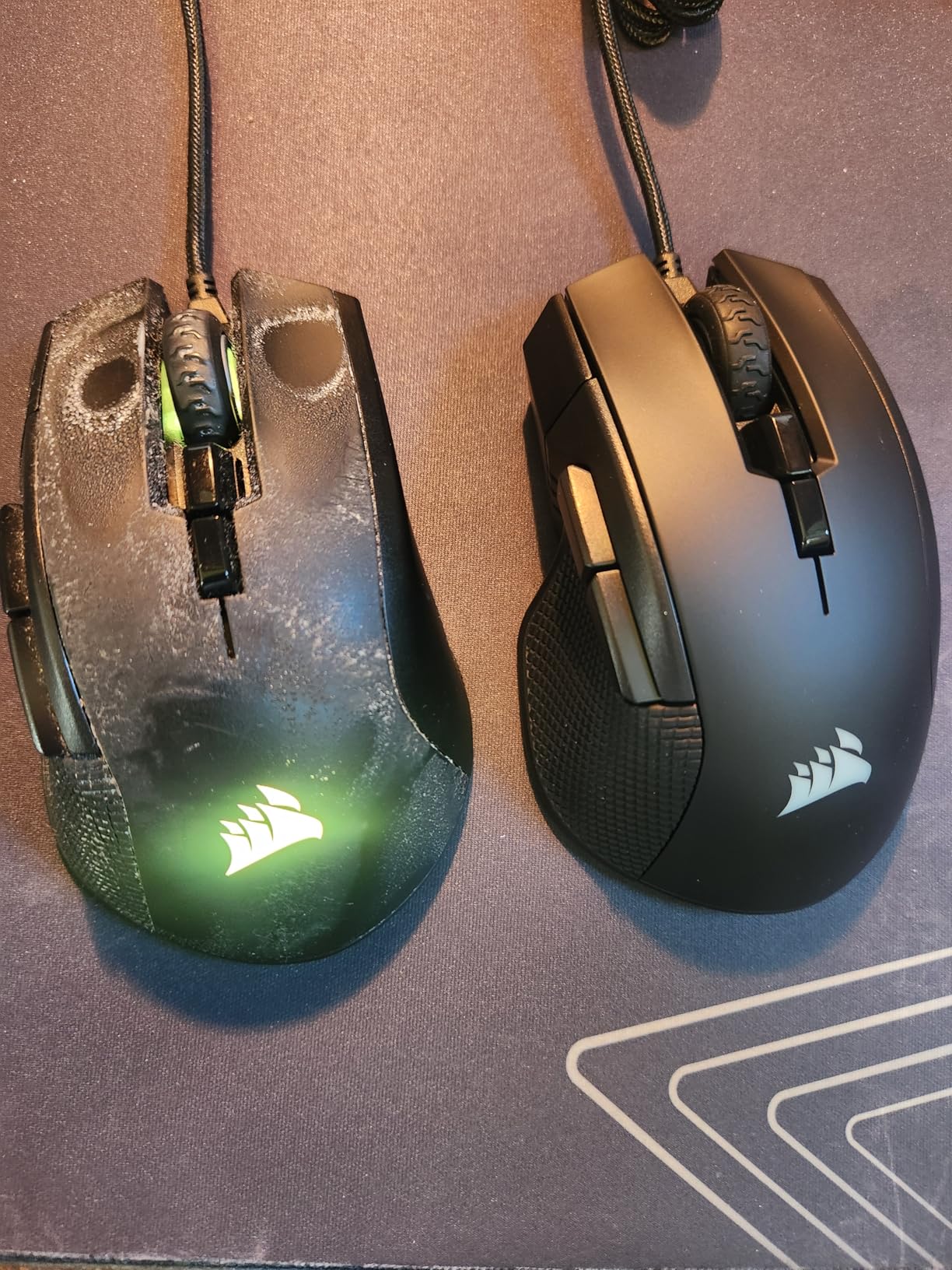
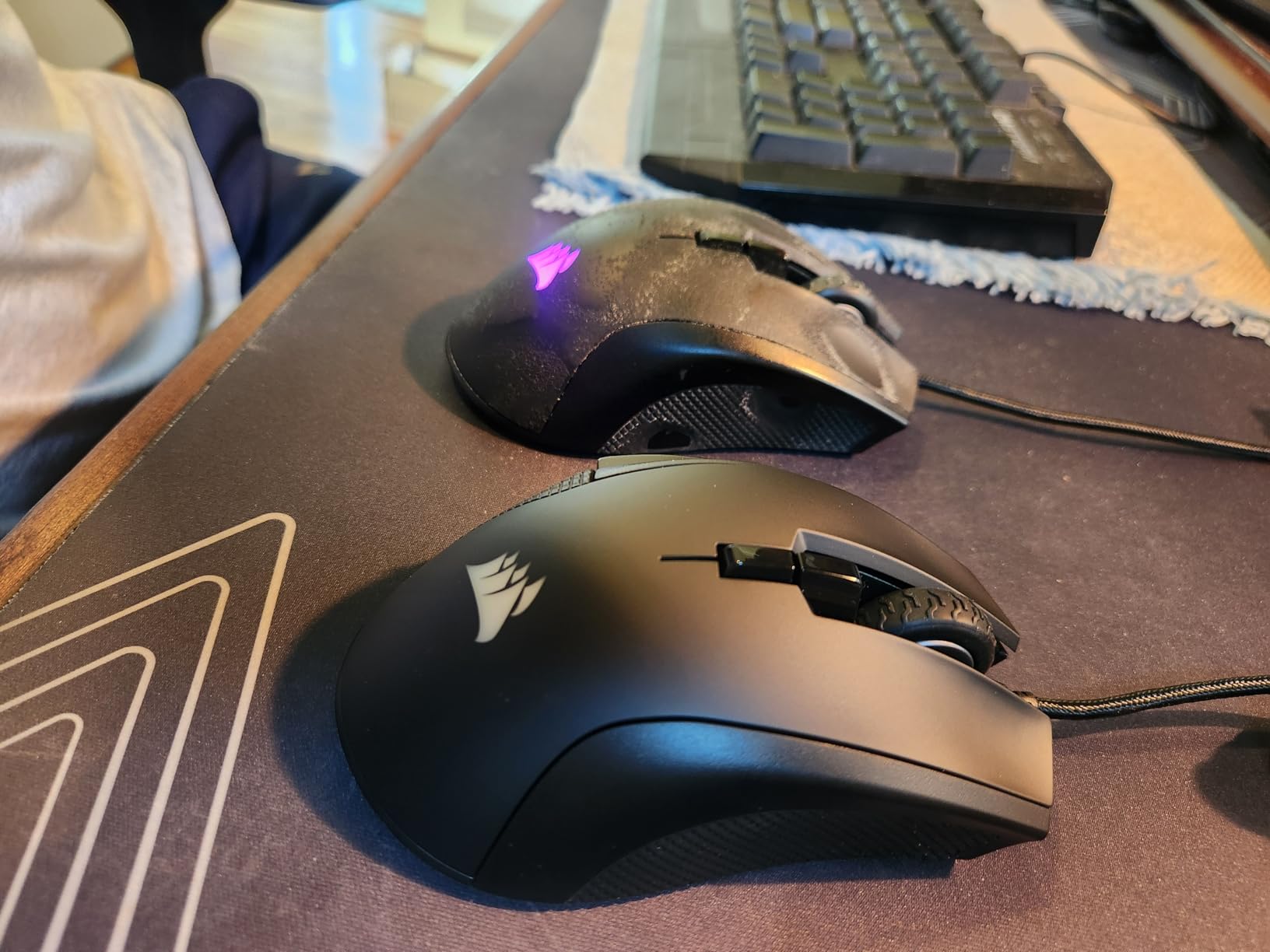
The Corsair IRONCLAW RGB is one of the few gaming mice that was explicitly designed from the ground up for larger hands. Corsair did not just make a bigger mouse, they contoured the shape specifically for palm-grip users with bigger hands. When I first grabbed it, the difference was immediate. The wider body and longer shell gave my hand a resting place that felt custom-fit.
At 105 grams, it hits a sweet spot between lightweight gaming mice and heavier ergonomic options. I found it easy to flick across my mousepad in FPS games without feeling like I was fighting the weight, but it still had enough heft to feel stable during precise tracking. The 7 programmable buttons are fewer than some options on this list, but they are all positioned where larger hands can reach them naturally.
The 18,000 DPI sensor with 1 DPI resolution steps gives you granular control over your sensitivity settings. I dialed mine to 800 DPI for FPS games and 1200 for general use, and the transitions between settings were smooth with the on-board memory saving my profiles. The Omron switches rated for 50 million clicks have a satisfying tactile bump that I found responsive in both gaming and everyday use.
After using the IRONCLAW for several months, the durability concerns became real. The micro-USB connector feels fragile compared to USB-C, and I was always careful when plugging it in. The scroll wheel developed a slight wobble after about four months of daily use, which is a known issue reported by many users. The rubber side grips also started showing wear, though they still provided adequate grip. The iCUE software is powerful but has a learning curve that might frustrate less technical users.
Who Should Buy the Corsair IRONCLAW RGB
If you have exceptionally large hands and nothing else feels big enough, the IRONCLAW was made for you. It is the most purpose-built mouse on this list for large hands, and the palm-grip contouring is excellent. FPS and MOBA gamers who want a comfortable wired mouse at a mid-range price will find a lot to like here.
Who Should Skip This Mouse
If you want wireless freedom, the IRONCLAW Wireless SE offers the same large-hand design without the cable. Gamers who need lots of programmable buttons for MMO games should look at the ROG Spatha X with its 12 buttons. And if durability is a top concern, the Logitech options tend to hold up better over time based on long-term user reports.
7. Corsair IRONCLAW Wireless SE – 26K DPI Wireless Power
Corsair IRONCLAW Wireless SE Gaming Mouse – Black
CORSAIR MARKSMAN 26K DPI Sensor
10 Programmable Buttons
Ergonomic Asymmetric Shape
285hr Battery (2.4GHz)
532hr Battery (Bluetooth)
USB-C Charging
Multi-Mode Connectivity
+ Pros
- Massive battery life up to 532 hours on Bluetooth
- Versatile tri-mode connectivity (2.4GHz
- Bluetooth
- USB)
- 26K DPI sensor with surface calibration
- Explicitly designed ergonomic shape for larger hands
- USB-C charging port
- Cons
- iCUE software can be difficult to set up
- Mouse must be plugged in via USB to configure with software
- Diamond-pattern grip collects dust easily
- Newer product with fewer community reviews
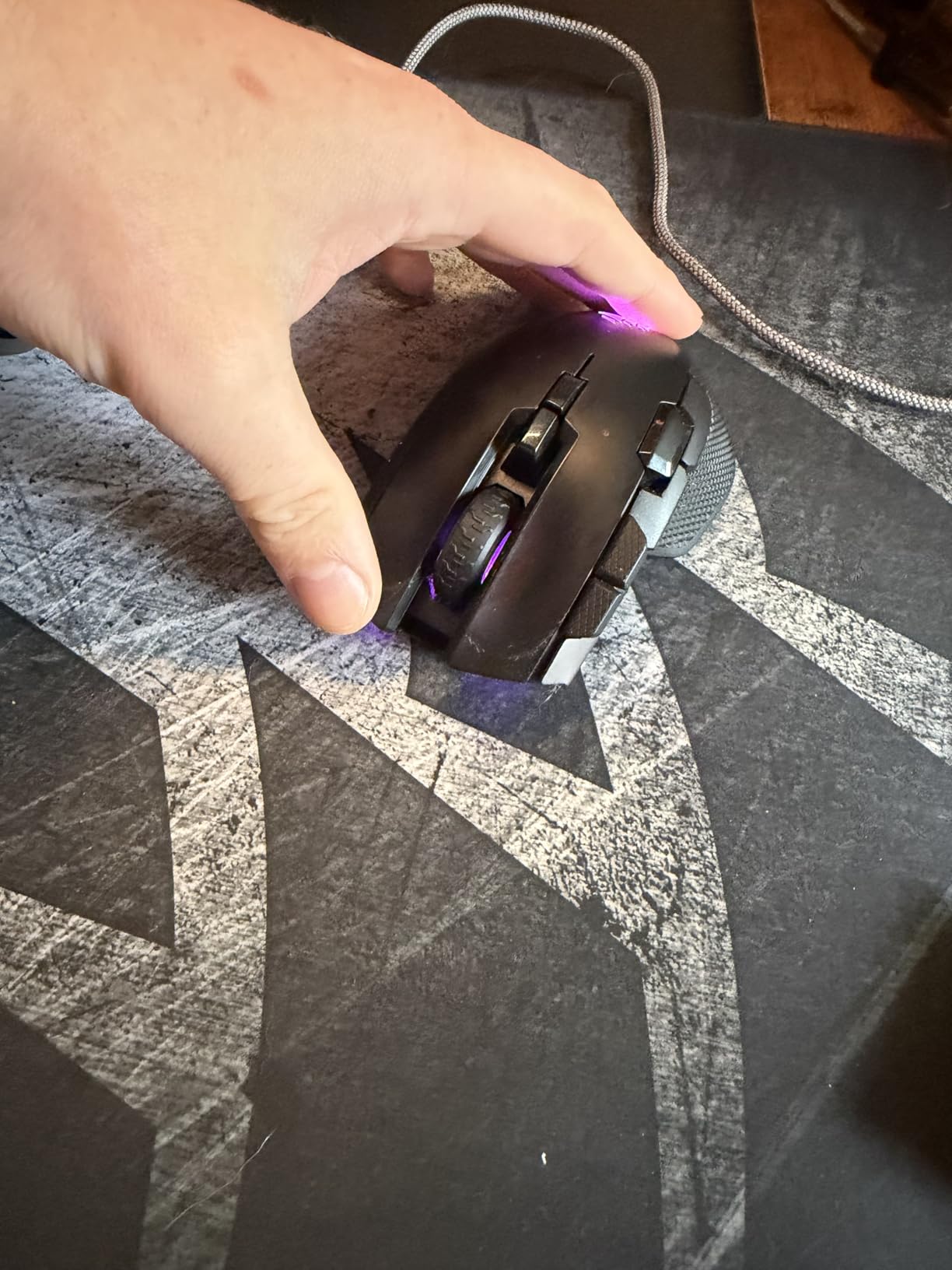
The IRONCLAW Wireless SE takes the large-hand-focused design of the wired IRONCLAW and adds a serious wireless upgrade. The asymmetric ergonomic shape immediately felt right in my hand. Corsair designed the shell to follow the natural angle of a resting hand, which reduces wrist strain during extended sessions. For my palm grip with 20cm hands, it provided full contact without any awkward finger positioning.
The tri-mode connectivity is a standout feature. I used the 2.4GHz dongle for gaming on my desktop where latency matters, Bluetooth for casual browsing on my laptop, and USB-C wired mode for charging and zero-lag competitive sessions. Switching between modes is seamless with the hardware toggle on the bottom. The 26K DPI CORSAIR MARKSMAN sensor is a significant upgrade over the wired version, and the surface calibration feature automatically optimizes tracking for whatever pad you are using.
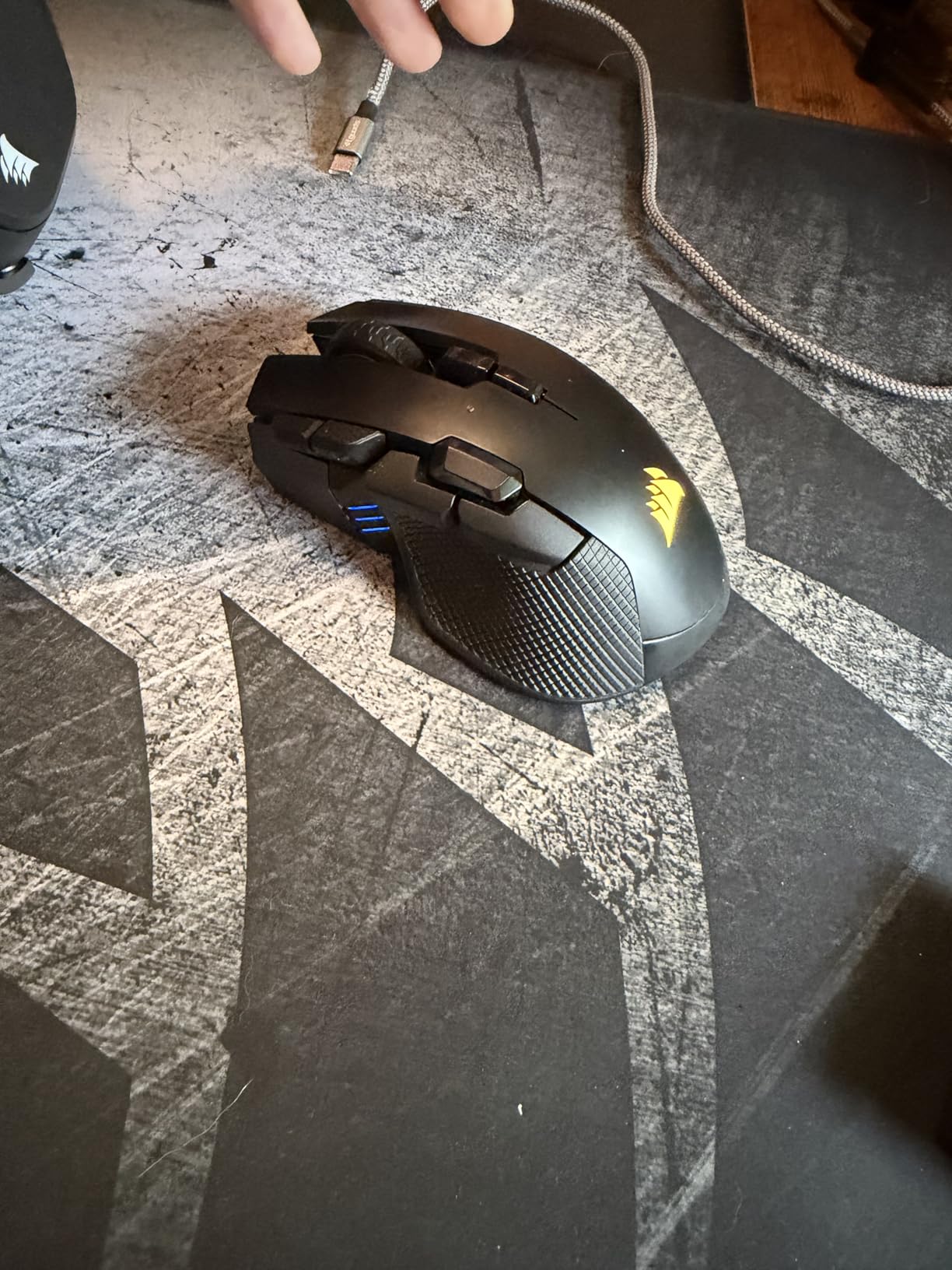
Battery life is exceptional. Corsair claims 285 hours on 2.4GHz and 532 hours on Bluetooth, and in my testing, those numbers were accurate. I used it in HyperSpeed mode for about a month of regular gaming before needing a charge. The USB-C port makes charging quick and convenient, a welcome upgrade over the micro-USB on the wired IRONCLAW. The 10 programmable buttons give you plenty of mapping options for both gaming and productivity.
The biggest drawback is the iCUE software. To configure button mappings, DPI settings, and RGB, you have to plug the mouse in via USB. The software interface itself is powerful but not intuitive, and I found myself watching tutorials to figure out basic profile setup. The diamond-pattern grip texture on the sides collects dust and skin oils noticeably, requiring regular cleaning. Also, with only 145 reviews at the time of writing, there is less community validation compared to the G502 or Basilisk lines.
Who Should Buy the Corsair IRONCLAW Wireless SE
If you want the IRONCLAW large-hand design with wireless freedom, this is the obvious choice. It is perfect for gamers who switch between multiple devices and need tri-mode connectivity. The exceptional battery life and 26K DPI sensor make it a strong all-around performer for competitive and casual gaming alike.
Who Should Skip This Mouse
If you want a mouse with thousands of reviews backing it up, the G502 and Basilisk lines have much larger communities. The iCUE software requirement might frustrate users who want plug-and-play simplicity. And if budget is a concern, the wired IRONCLAW RGB offers the same shape for significantly less.
8. ASUS ROG Spatha X – The MMO Behemoth
ASUS ROG Spatha X Wireless Gaming Mouse – MMO/MOBA Design, 12 Programmable Buttons, Right-Handed, 168g, Dual-Mode (Wired/2.4GHz), 19K DPI, up to 67Hr Battery, Magnetic Charging Dock, PC/Mac Support
19K DPI Optical Sensor
12 Programmable Buttons
Hot-Swappable Switches (70M Clicks)
Magnetic Charging Dock
Dual-Mode (2.4GHz/USB-C)
168g Weight
1000Hz Polling
+ Pros
- 12 programmable buttons ideal for MMO and MOBA gaming
- Hot-swappable switches for easy customization
- Magnetic charging dock is convenient and stylish
- Comfortable palm grip for larger hands
- 70 million click switch lifespan
- Cons
- Very heavy at 168g
- Charging dock takes extra desk space
- Armoury Crate software is complicated
- Only 1000Hz polling rate
- Side buttons can feel cheap and rattle
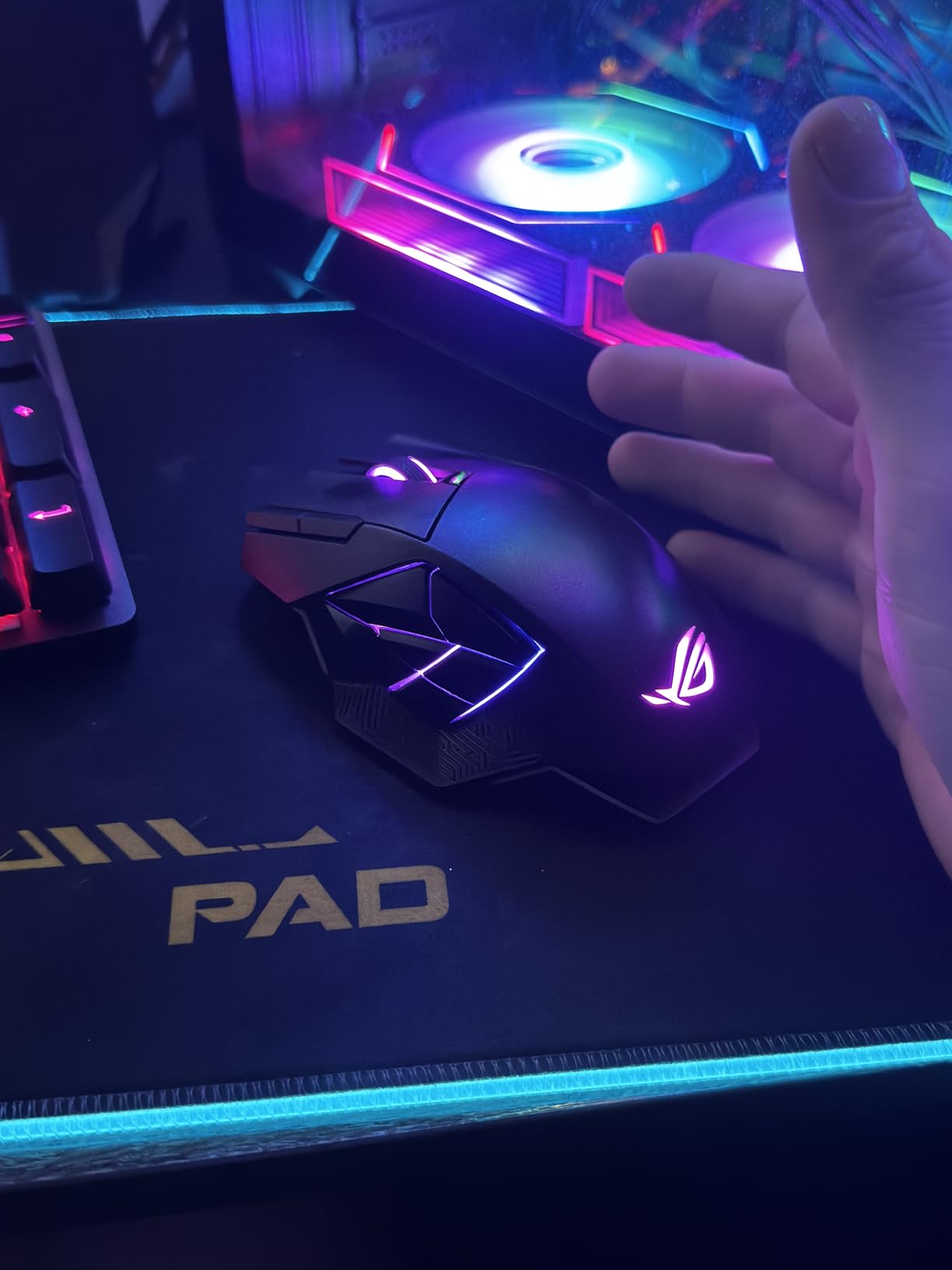
The ASUS ROG Spatha X is unapologetically large, and that is exactly why it is on this list. At 5.39 inches long and 3.5 inches wide, it is the biggest mouse in this lineup by a comfortable margin. My entire hand rested on this mouse with room to spare, which is rare even among large-hand-specific mice. If you have struggled with every mouse feeling too small, the Spatha X might finally be the one that fits.
As an MMO mouse, the 12 programmable buttons are the headline feature. Six side buttons are arranged in a grid pattern that I found easy to reach with a palm grip. I mapped them to abilities in World of Warcraft and found that my thumb could hit each one accurately without looking. The DPI On-The-Scroll feature is clever too. You can adjust sensitivity by scrolling while holding a button, with no software needed for on-the-fly changes.
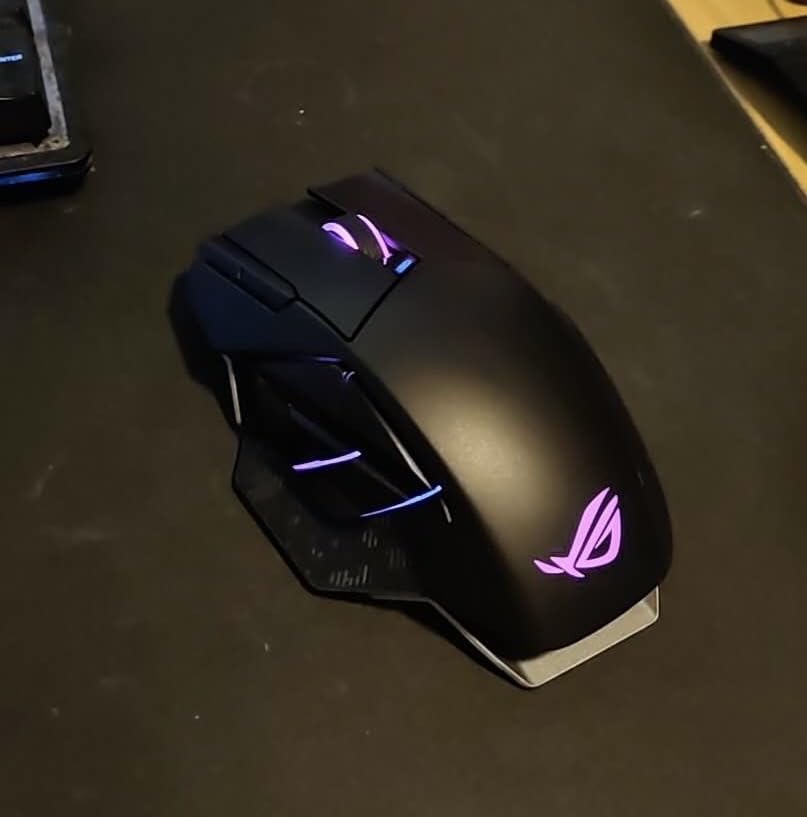
The magnetic charging dock is genuinely convenient. I dropped the mouse onto the dock after each session, and it always had a full charge when I sat down to play. The dock has its own RGB lighting that syncs with the mouse, which looks impressive on a desk setup. Battery life reaches 67 hours with RGB off, and the 15-minute fast charge gives you 12 hours of gameplay in a pinch. The hot-swappable switches are a unique feature that lets you change the click feel without soldering.
The weight is the elephant in the room. At 168 grams, the Spatha X is heavier than every other mouse on this list combined with some of them. I noticed it immediately during FPS gameplay, where lifting the mouse for repositioning felt like a workout. For MMO gaming where you mostly glide the mouse without lifting, it is less of an issue. The Armoury Crate software is also notoriously complex, taking me over 30 minutes to set up button mappings that should take 5 minutes. Some users also report that the side buttons have a slight rattle and feel less premium than the main switches.
Who Should Buy the ASUS ROG Spatha X
MMO and MOBA gamers with large hands are the primary audience. If you play World of Warcraft, Final Fantasy XIV, or League of Legends and need lots of programmable buttons that you can actually reach, the Spatha X delivers. It is also great if you want a mouse that doubles as a desk showpiece with the magnetic dock and RGB synchronization.
Who Should Skip This Mouse
FPS and competitive gamers who need to lift and flick their mouse frequently will find 168g punishing. If you have a small desk, the charging dock adds significant footprint. And if you want the latest high polling rate technology, this mouse tops out at 1000Hz while competitors offer 2000-8000Hz options. Pure FPS gamers should look at the G502 X Plus or Basilisk V3 instead.
9. Razer DeathAdder Essential – No-Frills Large Hand Comfort
Razer DeathAdder Essential Ergonomic Wired Gaming Mouse, Black
6400 DPI Optical Sensor
5 Programmable Buttons
Mechanical Switches (10M Clicks)
Rubber Side Grips
Ergonomic Right-Handed Design
Classic Black
+ Pros
- Excellent value at the lowest price point
- Perfect size for larger hands
- Comfortable ergonomic design
- Rubber side grips prevent slipping
- Durable mechanical switches
- Cons
- Scroll wheel may fail after extended use
- Limited to 5 programmable buttons
- No wireless option available
- 6400 DPI max may not be enough for some users
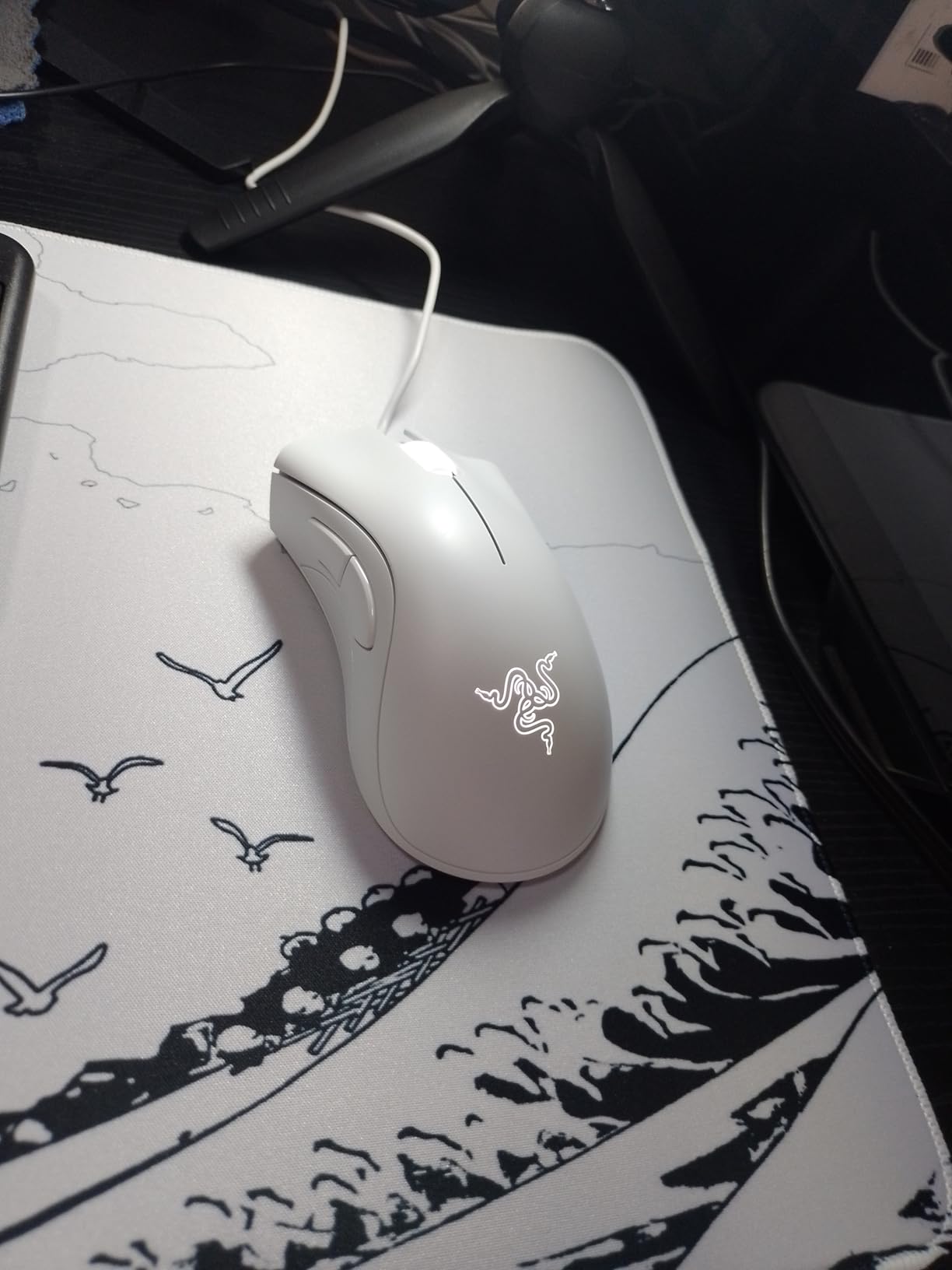
The Razer DeathAdder Essential proves that you do not need to spend a lot to get a mouse that fits large hands properly. The elongated body stretches 5 inches long with a 2.43-inch width, giving bigger hands the surface area they need. When I used it, my palm rested fully on the back hump and my fingers naturally fell into position on the buttons. No cramping, no overhang, just a comfortable grip.
This is a mouse that strips away everything unnecessary and focuses on doing the basics well. Five programmable buttons give you enough options for most games without overwhelming you with configuration. The rubber side grips provide excellent traction even during intense moments when your hands get sweaty. The ridged rubberized scroll wheel has a satisfying tactile feel that makes selecting weapons or scrolling through inventory feel precise.
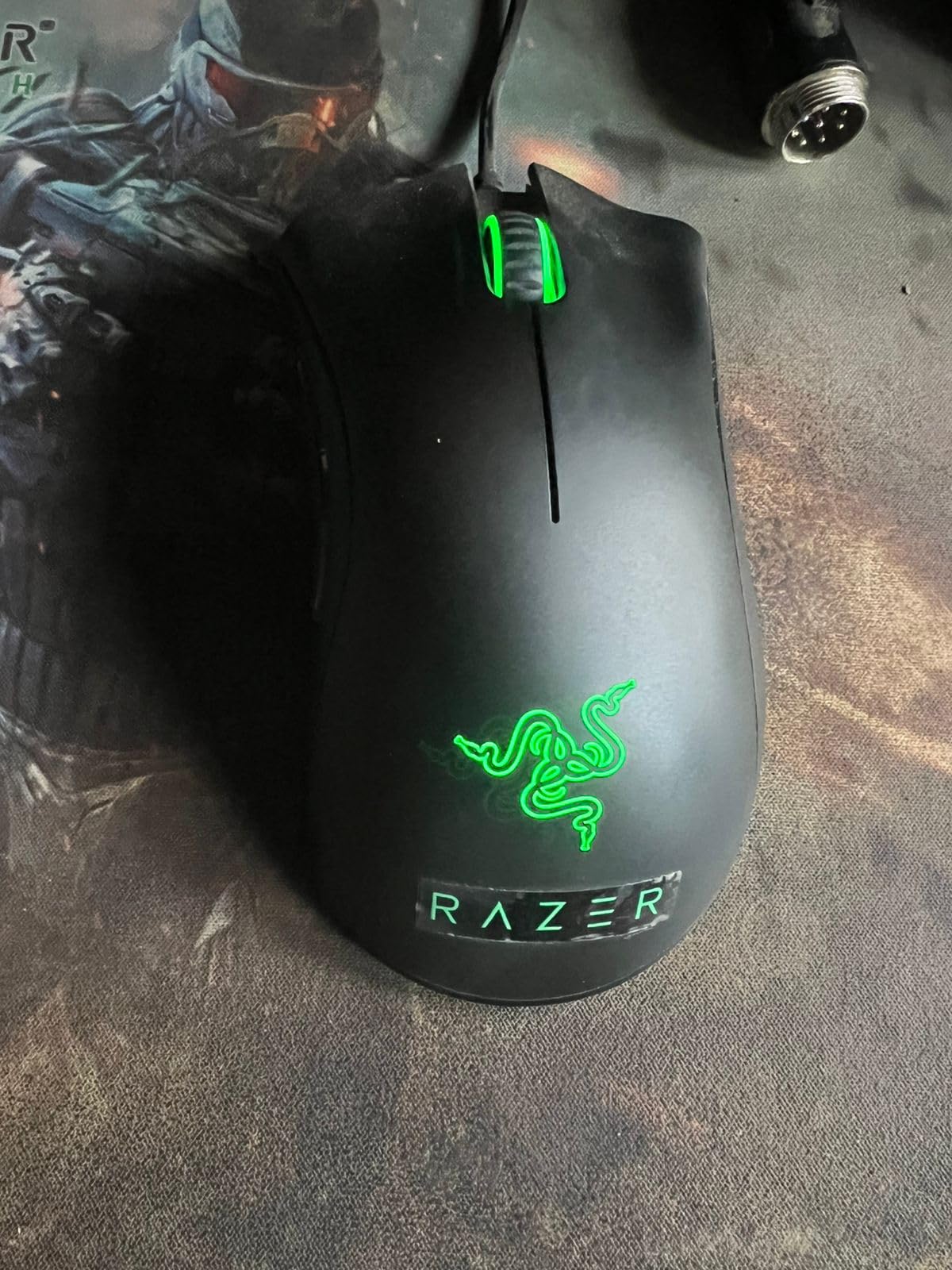
The 6400 DPI optical sensor is modest by today’s standards, but for most gamers, it is perfectly adequate. I played FPS games at 800 DPI and had no tracking issues. The sensor handles fast swipes and micro-adjustments without stuttering or losing position. For the price, the sensor performance is impressive and on par with mice that cost three times as much.
Durability is the main concern. The mechanical switches are rated for 10 million clicks, which sounds like a lot but is lower than most modern gaming mice that offer 50-70 million clicks. Several long-term users report scroll wheel failure after 12-18 months of heavy use. The lack of a wireless option limits your desk setup flexibility. And if you need more than 5 buttons for complex MMO keybinds, you will need to look elsewhere. But at this price, you are getting a legitimately comfortable mouse for large hands without any real compromises on the basics.
Who Should Buy the Razer DeathAdder Essential
If you want a gaming mouse for large hands and do not want to spend more than necessary, this is it. It is perfect for casual gamers, students, or anyone who wants a comfortable mouse that just works. The proven DeathAdder shape has been refined over multiple generations, and with over 16,000 reviews, the community has spoken loud and clear.
Who Should Skip This Mouse
If you need lots of programmable buttons for MMO or MOBA games, 5 buttons will not cut it. Competitive FPS players who want high DPI settings above 6400 should look at the G502 Hero or Basilisk V3. And if wireless freedom matters to you, the Basilisk V3 X HyperSpeed is the next step up in price with wireless capability.
How to Choose the Best Gaming Mouse for Large Hands in 2026?
Picking the right gaming mouse when you have big hands is about more than just buying the biggest one you can find. I have tested dozens of mice, and the best results come from matching your hand size, grip style, and gaming habits to the right mouse. Here is everything I have learned about making that choice.
How to Measure Your Hand Size
Knowing your exact hand size is the first step. Place your hand flat on a surface with fingers together. Measure from the base of your palm (where it meets your wrist) to the tip of your middle finger. That is your hand length. Then measure across the widest part of your palm, just below the fingers. That is your hand width.
For gaming mice, hands are generally classified as small (under 17cm), medium (17-19cm), and large (over 19cm). Most competitive gamers on Reddit forums like r/MouseReview who recommend large mice report hand sizes between 19-22cm. If you are over 19cm, every mouse on this list is designed to accommodate you. If you are at 21cm or above, pay extra attention to the Corsair IRONCLAW and ASUS ROG Spatha X, which are the largest options in this roundup.
Grip Styles for Large Hands
Your grip style dramatically affects which mouse shape works best for you. Palm grip is the most common among large-hand gamers because it feels natural to rest your whole hand on a bigger surface. If you use palm grip, prioritize mice with higher back arches and longer bodies like the G502 series or the IRONCLAW.
Claw grip curls your fingers more, with the back of your palm still touching the mouse. Large-hand claw grip users should look at the Basilisk V3 and DeathAdder Essential, which have the right shape to support the claw without being too tall. Fingertip grip is less common with large hands since you need a smaller mouse to pull it off, but if that is your style, look for lighter options that you can move with just your fingers.
Key Specs That Matter for Large Hands
DPI and sensor quality matter for every gamer, but for large hands specifically, pay attention to mouse dimensions and weight. A mouse should be at least 125mm long to comfortably support hands over 19cm. Weight between 85-120 grams tends to work well for larger hands because you have more leverage. Mice that are too light can feel twitchy when you have big hands making the movements.
Button placement is another consideration that large-hand gamers overlook. If buttons are too close together, your bigger fingers might accidentally hit the wrong one. The G502 series and Basilisk V3 have well-spaced buttons that prevent this issue. Programmable button count matters too, but only choose mice with more buttons if you actually play games that use them.
Wireless vs Wired for Large Hands
Wireless technology has come far enough that there is no meaningful latency difference between wired and wireless gaming mice in 2026. The real consideration for large-hand gamers is weight and ergonomics. Wireless mice need batteries, which add weight. The Razer Basilisk V3 X HyperSpeed uses a single AA battery that pushes it over 130 grams. The G502 X Plus and G502 Lightspeed use built-in batteries that are better integrated into the weight distribution.
If you play competitive FPS games where you lift the mouse frequently, a lighter wired option might feel better. For MMO gaming or general use where the mouse stays on the pad, wireless is pure convenience with no downside. I switched to wireless three years ago and have never looked back.
Preventing Wrist Strain with Large Hands
This is something most guides ignore, but forum discussions on r/MouseReview are full of large-hand gamers dealing with wrist pain. Using a mouse that is too small forces you to curl your fingers and bend your wrist at an unnatural angle. Over time, this causes fatigue, strain, and even carpal tunnel symptoms.
To prevent wrist strain, choose a mouse that lets your hand rest flat without curling your fingers. Your wrist should be relatively straight when holding the mouse, not angled up or down. A good mouse pad with a wrist rest can help, and I also recommend taking a 5-minute break every hour to stretch your hands. The ergonomic mice on this list, especially the Basilisk V3 and IRONCLAW, are designed to reduce the strain that causes long-term discomfort.
Frequently Asked Questions
What mouse is designed for big hands?
Several mice are specifically designed for bigger hands. The Corsair IRONCLAW RGB and IRONCLAW Wireless SE were engineered from scratch with larger hands in mind, featuring contoured palm-grip shapes and wider bodies. The ASUS ROG Spatha X at 5.39 inches long is one of the largest gaming mice available. The Logitech G502 series and Razer Basilisk V3 also provide excellent fit for hands measuring over 19cm in length.
Is a bigger mouse better for bigger hands?
Generally yes, but size alone is not the whole story. A mouse that matches your hand length and grip style will always outperform a simply bigger mouse. For hands over 19cm, you need a mouse at least 125mm long with an ergonomic shape that supports your full palm. However, a mouse that is too wide or too tall can be just as uncomfortable as one that is too small. The key is matching the mouse shape to your specific grip style and hand dimensions.
What is the best mouse for big palms?
For big palms specifically, look for mice with higher back arches and longer bodies. The Logitech G502 series (Hero, Lightspeed, and X Plus) are top choices because their tall back hump fills the palm completely. The Razer Basilisk V3 with its thumb rest and sculpted body is also excellent for palm support. The Corsair IRONCLAW series was explicitly designed for palm-grip users with larger hands and offers some of the best palm support available.
What is the best gaming mouse for big hands 2026?
For 2026, the Logitech G502 X Plus stands out as the best overall gaming mouse for big hands, offering 13 programmable buttons, 130+ hour battery life, and LIGHTFORCE optical-mechanical switches. For budget-conscious buyers, the Logitech G502 Hero delivers flagship features at a fraction of the price. The Razer Basilisk V3 remains a top choice for pure ergonomics. All three accommodate hands over 19cm comfortably with excellent palm support.
Final Thoughts
Finding the best gaming mouse for large hands should not feel like searching for a needle in a haystack. After testing all 9 of these mice, my top recommendation for most gamers is the Logitech G502 X Plus. It combines the proven G502 shape with modern wireless tech, outstanding battery life, and enough buttons for any game genre. If you want the same great shape on a budget, the Logitech G502 Hero is unbeatable for the price.
For gamers who prioritize pure ergonomics, the Razer Basilisk V3 with its thumb rest and sculpted body is hard to beat. And if you are an MMO player with very large hands who needs lots of buttons, the ASUS ROG Spatha X gives you the space and programmability you need. Whatever your budget or gaming style, there is a mouse on this list that will finally make your large hands feel at home.
Take the time to measure your hands, figure out your grip style, and choose the mouse that matches. Your wrists will thank you after those late-night gaming sessions.