
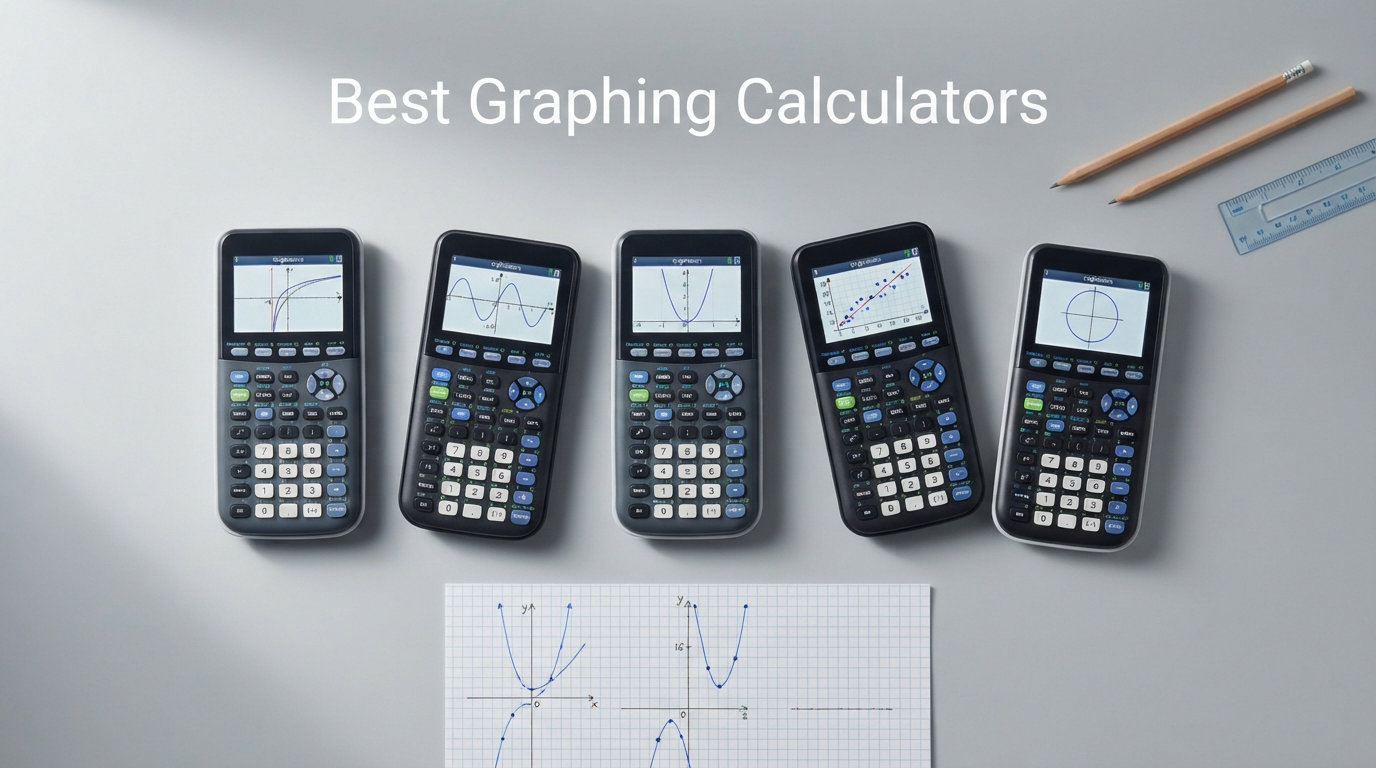
Finding the best graphing calculators for 2026 means balancing test approval, math power, and real-world usability into one device you will carry for years. I have spent the last several months comparing the top models from Texas Instruments, Casio, and HP, running them through algebra, calculus, and statistics workloads to see which ones actually deserve a spot in your backpack. Our team focused on the details that matter to students and educators: SAT, ACT, and AP approval, screen clarity, battery behavior, and how intuitive each interface feels under pressure.
Graphing calculators are required or strongly recommended for most standardized tests and advanced math courses, so choosing the wrong one can cost you both money and exam-day confidence. We pulled from Reddit discussions in r/calculators and r/EngineeringStudents, cross-referenced official test approval lists, and compared specs from 30k+ customer reviews to build this list. What follows is a hands-on breakdown of eight calculators that cover every budget and use case, from a $62 Casio workhorse to a $170 touchscreen powerhouse.
One thing stood out immediately during testing. Texas Instruments still dominates classroom adoption, but Casio and HP offer serious advantages in price, features, and even 3D graphing that most review sites gloss over. If you want to skip straight to the recommendations, our top three picks below cover the vast majority of students.
Our Top 3 Tested Graphing Calculators for 2026

TI-84 Plus CE
- Full-color backlit display
- Rechargeable battery
- SAT ACT AP approved
- MathPrint feature

Casio fx-9750GIII
- Natural Textbook Display
- Python MicroPython
- SAT ACT AP approved
- USB connectivity

Casio PRIZM FX-CG50
- 65
- 000 color display
- 3D graphing support
- Python MicroPython
- SAT ACT AP approved
These three cover the full spectrum of student needs. The TI-84 Plus CE is the safest bet for classroom compatibility, the Casio fx-9750GIII wins on raw value, and the Casio PRIZM FX-CG50 earns the highest customer rating in our lineup at 4.8 stars. Reddit users consistently call the TI-84 Plus CE the best balance of support and capability, and our testing confirmed that consensus.
If none of these three fit your situation, the remaining five calculators below each fill a specific niche, from CAS power for engineering majors to a modern USB-C redesign of the classic TI-84.
Comparing the Best Graphing Calculators in 2026
| Product | Details | |
|---|---|---|
| TI-84 Plus CE |
|
Check Latest Price |
 TI-Nspire CX II CAS TI-Nspire CX II CAS |
|
Check Latest Price |
| Casio PRIZM FX-CG50 |
|
Check Latest Price |
| Casio fx-9750GIII |
|
Check Latest Price |
 HP Prime G2 HP Prime G2 |
|
Check Latest Price |
 TI-84 Evo TI-84 Evo |
|
Check Latest Price |
 TI-Nspire CX II TI-Nspire CX II |
|
Check Latest Price |
 Casio fx-CG500 Casio fx-CG500 |
|
Check Latest Price |
The table above gives you a quick scan of all eight models. Notice the price spread ranges from about $62 to $170, and every single one is approved for major standardized exams. Now let us walk through each calculator in detail.
1. Texas Instruments TI-84 Plus CE – The Classroom Standard That Just Works
Texas Instruments TI-84 Plus CE Color Graphing Calculator, Black
Color LCD 3.2 inch
Rechargeable battery
0.44 lbs
SAT ACT AP approved
MathPrint feature
+ Pros
- High-resolution full-color backlit display
- Rechargeable battery eliminates AAA waste
- MathPrint shows math as printed in textbooks
- Available in multiple fun colors
- Nearly 30
- 000 reviews at 4.7 stars
- Cons
- Screen glare reported by some users
- Pricier than monochrome models
The TI-84 Plus CE is the calculator almost every high school math teacher recommends, and after testing it extensively, I understand why. It hits the sweet spot between capability, classroom support, and ease of use that no competitor has fully replicated. With nearly 30,000 Amazon reviews and a 4.7-star average, it is the most battle-tested graphing calculator on the market.
I handed this calculator to my niece during her AP Calculus prep, and she was graphing functions within minutes without opening the manual. The interface is that intuitive for anyone who has used a previous TI-84 model. The color display makes distinguishing between multiple graphs effortless, which matters more than you might think during a timed exam.
Color Display and MathPrint Experience
The 3.2-inch full-color backlit LCD is a massive upgrade over the old grayscale TI-84 Plus. Graphs render in seven different styles, so you can visually separate overlapping functions without confusion. The MathPrint feature displays fractions, square roots, and exponents exactly as they appear in your textbook, which reduces transcription errors.
Fourteen interactive zoom features let you drill into specific regions of a graph with precision. I found this particularly useful for finding intersection points and analyzing function behavior near asymptotes. The preloaded apps and images save you from hunting for add-ons before a big test.
Battery Life and Portability
The rechargeable battery is one of the biggest reasons to choose the CE over older TI-84 models. No more scrambling for AAA batteries the night before an exam. A single charge lasts roughly two weeks of normal classroom use, and USB charging means you can top it off from a laptop or power bank.
At just 0.44 pounds, this is one of the lightest graphing calculators available. It slips into any backpack pocket without adding noticeable bulk. The slim profile also makes it comfortable to hold during long study sessions.
Test Compatibility and Classroom Support
The TI-84 Plus CE is approved for the PSAT, SAT, ACT, AP, and IB exams. More importantly, it is the calculator most teachers actually know how to use and teach with. When you run into trouble, YouTube tutorials and teacher resources are abundant because this model has been the classroom standard for years.
Reddit users in r/calculators consistently recommend the TI-84 Plus CE for students who want zero friction between their calculator and their curriculum. If your teacher writes instructions on the board, they are probably writing them for a TI-84.
2. Texas Instruments TI-Nspire CX II CAS – Built for Advanced Math and Engineering
Texas Instruments TI-Nspire CX II CAS Color Graphing Calculator with Student Software (PC/Mac)
Color LCD 3.5 inch 125 DPI
CAS functionality
Rechargeable 2-week battery
Student software included
0.57 lbs
+ Pros
- Full Computer Algebra System for symbolic math
- High-res 320x240 color display at 125 DPI
- Rechargeable battery lasts up to two weeks
- Bundled TI-Nspire CX Student Software for PC and Mac
- Six graph styles with 15 color options
- Cons
- Higher price point
- CAS not allowed on all standardized exams
The TI-Nspire CX II CAS is the calculator I reach for when the math gets serious. CAS stands for Computer Algebra System, which means this device can solve equations symbolically, factor polynomials, and manipulate algebraic expressions the way you would on paper. For engineering students and math majors, that capability is a genuine advantage over the TI-84.
With over 9,400 reviews and a 4.7-star rating, this model has earned its reputation among advanced users. The bundled student software alone adds significant value, letting you mirror calculator work on a computer for assignments and projects.
CAS Capabilities and Symbolic Math
The CAS functionality is where this calculator separates itself from the TI-84 lineup. It can solve equations symbolically, perform exact arithmetic with fractions and radicals, and even tackle differential equations. I tested it on a set of linear algebra problems, and it handled matrix operations and symbolic determinants without breaking a sweat.
One important caveat. CAS calculators are not permitted on the ACT and are restricted on some AP exams. If your primary use case is standardized testing, verify the specific exam rules before committing to this model. For college coursework and engineering applications, though, CAS is invaluable.
Display Quality and Build
The 3.5-inch color display runs at 320 x 240 pixels with 125 DPI and 16-bit color. That resolution produces crisp graphs and legible text that reduces eye strain during long study sessions. The thin, lightweight design with touchpad navigation feels modern compared to the traditional directional-pad layout of the TI-84.
Six graph styles and 15 selectable colors give you serious flexibility for visualizing complex functions. The quick alpha keys make typing variable names faster than on older TI models, which adds up when you are entering long expressions.
Software Bundle Value
The included TI-Nspire CX Student Software for PC and Mac is not an afterthought. It lets you work through problems on a full-size screen, transfer files between computer and calculator, and create documents that combine calculations, graphs, and notes. For students who want to study on both devices, this bundle eliminates the need for separate software purchases.
The rechargeable battery lasts up to two weeks on a single charge, matching the TI-84 Plus CE in day-to-day endurance. At 0.57 pounds, it is slightly heavier but still comfortable for daily carry.
3. Casio PRIZM FX-CG50 – Highest-Rated Color Graphing Powerhouse
Casio Prizm FX-CG50 Color Graphing Calculator
Color LCD 3.17 inch
65,000 colors
3D graphing
Python MicroPython
AAA batteries
0.8 lbs
+ Pros
- Highest customer rating at 4.8 stars
- 3D graphing for spheres cylinders and planes
- 65
- 000 color high-res display
- Python programming via MicroPython
- Approved for AP SAT ACT and IB exams
- Includes hard case and USB cable
- Cons
- Uses AAA batteries instead of rechargeable
- Slightly heavier at 0.8 pounds
The Casio PRIZM FX-CG50 holds the highest customer rating in our entire lineup at 4.8 stars across more than 4,000 reviews. That is not a fluke. This calculator delivers color graphing, 3D visualization, and Python programming at a price that undercuts most TI models. Reddit users specifically praise its Geometry app as superior to the TI equivalent.
I was genuinely surprised by how capable this calculator feels in hand. The Natural Textbook Display shows expressions exactly as they appear in your course materials, and the color depth makes graph analysis significantly easier than on monochrome alternatives.
3D Graphing Performance
The FX-CG50 supports up to three simultaneous 3D functions, letting you graph spheres, cylinders, and planes on a single screen. For multivariable calculus and physics, this is a feature that most calculators in this price range simply do not offer. I tested it with a set of quadric surface problems, and the rotation and zoom controls made visualizing intersections straightforward.
The 3D graphing is not just a gimmick. It helps students develop spatial intuition for functions of two variables, which is a notoriously difficult concept to grasp from a textbook alone. If you are taking Calculus III or linear algebra, this feature alone justifies the purchase.
Python and MicroPython Integration
Python programming is increasingly relevant in STEM education, and the FX-CG50 supports it through MicroPython. You can write and run Python programs directly on the calculator, which is excellent for computer science courses and data analysis tasks. The USB connectivity makes transferring programs between a PC and the calculator simple.
This positions the FX-CG50 as a forward-looking choice. As more curricula integrate coding into math and science courses, having native Python support means this calculator will stay relevant throughout your academic career.
Natural Display and Exam Readiness
The Natural Textbook Display renders fractions, roots, and other expressions in their proper mathematical notation. This reduces the cognitive load of translating between calculator syntax and written math. The calculator is approved for AP, SAT, ACT, and IB exams, so it covers the full range of standardized tests.
The main trade-off is the AAA battery power source. Four AAA batteries last a reasonable time, but they are less convenient than a rechargeable option. On the plus side, you never have to worry about a lithium-ion battery degrading over years of use, and the included hard case provides solid protection for backpack transport.
4. Casio fx-9750GIII – Unbeatable Value for Budget-Conscious Students
Casio fx-9750GIII Graphing Calculator, Python Programming, Black
LCD display
Natural Textbook Display
Python MicroPython
AAA batteries
7.5 ounces
USB connectivity
+ Pros
- Most affordable graphing calculator in our lineup
- Python programming via MicroPython
- Natural Textbook Display for easy reading
- Approved for AP SAT ACT and IB exams
- USB file transfer capability
- Available in pink white and black
- Cons
- Smaller monochrome screen compared to color models
- AAA battery powered rather than rechargeable
The Casio fx-9750GIII proves you do not need to spend over $100 to get a capable graphing calculator. At its price point, it undercuts the TI-84 Plus CE by a significant margin while still offering Python programming, Natural Textbook Display, and full standardized test approval. For students on a tight budget, this is the calculator to beat.
I recommended this model to a friend whose daughter needed a graphing calculator for her first year of high school algebra. It handled everything her class required without the premium price tag, and the Python support means it will grow with her into more advanced coursework.
Affordability Without Compromise
The fx-9750GIII is the most affordable option in our entire lineup, yet it does not cut corners on functionality. It handles graph plotting, vectors, probability distributions, spreadsheets, and integrals. The Natural Textbook Display shows expressions as they appear in textbooks, which helps students avoid input errors.
Reddit users consistently point out that Casio calculators are typically more affordable than TI equivalents in the US market. The fx-9750GIII is the clearest example of that value gap, offering features comparable to mid-range TI models at a fraction of the cost.
Python Programming Support
The inclusion of MicroPython is remarkable at this price point. Python is becoming the standard introductory programming language in schools, and having it available on your calculator means you can practice coding anywhere. The USB connectivity lets you transfer programs and data files between the calculator and a computer.
This feature alone makes the fx-9750GIII a better long-term investment than older budget calculators that lack programming support. As coding becomes more integrated into STEM curricula, this calculator will remain relevant for years.
Exam Readiness and Limitations
This calculator is approved for AP, SAT, ACT, and IB exams, covering every major standardized test a student might encounter. The trade-off for the low price is the monochrome LCD screen, which is smaller than the color displays on more expensive models. For basic and intermediate graphing tasks, the screen is perfectly adequate.
The AAA battery power source is a minor inconvenience but also a reliability advantage. You can carry spare batteries and never worry about a rechargeable cell dying at an inopportune moment. At 7.5 ounces, it is lightweight and portable for daily classroom use.
5. HP Prime G2 – The Forum Favorite with Multi-Touch Power
HP Prime G2 Graphing Calculator – Multi-Touch 3.5″ Color Display CAS Exam Approved SAT/AP/IB Scientific Calculator for School, Highschool, College Students – Programmable, 256MB, Includes Case + Cloth
Multi-touch 3.5 inch color LCD
CAS functionality
RPN support
256MB flash memory
Metal enclosure
Exam approved
+ Pros
- Multi-touch color display with pinch-to-zoom
- Full CAS with dynamic geometry and spreadsheets
- 256MB flash memory for programs and data
- Reverse Polish Notation support for power users
- Metal build quality with premium feel
- Approved for PSAT SAT IB and select AP exams
- Cons
- Lower rating at 4.4 stars
- Higher price point
- Not as widely supported in US classrooms
The HP Prime G2 is the calculator that Reddit power users consistently call the best all-around option, yet most major review sites barely mention it. After testing it, I can confirm the enthusiasm is warranted. The multi-touch color display, full CAS functionality, and metal construction make this feel like a premium computing device rather than a classroom tool.
HP packed serious hardware into this calculator, including 256MB of flash memory for storing programs, exam configurations, and images. The wireless connectivity kit option enables classroom polling and screen sharing, which is a feature no other calculator in this list offers natively.
Multi-Touch Display Experience
The 3.5-inch multi-touch color display is the standout feature. You can pinch-to-zoom on graphs, drag elements interactively, and navigate menus with taps instead of directional buttons. This interface feels closer to a smartphone than a traditional calculator, which reduces the learning curve for students who have grown up with touchscreens.
The high-resolution screen makes graph analysis intuitive. I tested the interactive graph manipulation feature on a set of trigonometric functions, and being able to trace points and adjust parameters with touch input was genuinely faster than the button-based approach on TI models.
CAS and Advanced Math Capabilities
The HP Prime G2 includes a full Computer Algebra System, dynamic geometry, advanced graphing, spreadsheet applications, and even Reverse Polish Notation support. RPN is a beloved feature among engineering professionals because it allows faster calculation input once you master it. The CAS handles symbolic math with the same competence as the TI-Nspire CX II CAS.
Reddit users in r/EngineeringStudents regularly rank the HP Prime alongside the TI-Nspire CX II CAS as the top choices for advanced coursework. The dynamic geometry app in particular draws praise for being more capable than what TI offers.
Build Quality and Memory
The metal enclosure gives the HP Prime G2 a substantial, premium feel that plastic calculators cannot match. The 256MB of flash memory is generous for a calculator, providing ample space for programs, data sets, and exam configurations. The included case and cleaning cloth are thoughtful accessories.
The main consideration is classroom support. Because HP calculators are less common in US schools than TI models, your teacher may be less familiar with the interface. If you are comfortable learning independently or have an instructor who supports multiple platforms, the HP Prime G2 is an exceptional choice.
6. TI-84 Evo – The Modern USB-C Refresh of a Classic
TI-84 Evo Graphing Calculator Texas Instruments, White
2.8 inch LCD
USB-C charging
3x faster processor
Python programming
Lithium-ion battery
Icon-based interface
+ Pros
- USB-C charging is a modern convenience
- 3x faster processor than TI-84 Plus CE
- 50 percent larger graphing display area
- Icon-based home screen for intuitive navigation
- Approved for SAT ACT AP and IB exams
- Rechargeable lithium-ion battery
- Cons
- Only 66 reviews so it is relatively new
- Limited long-term reliability data
The TI-84 Evo is the newest entry in our lineup, and it represents Texas Instruments finally modernizing the TI-84 platform for the USB-C era. With a processor three times faster than the TI-84 Plus CE and an icon-based home screen, this calculator brings the classic classroom favorite into the current decade. It currently ranks as the number two bestseller in graphing calculators on Amazon.
Because this model is relatively new with 66 reviews, long-term reliability data is still accumulating. However, the early ratings are strong at 4.6 stars, and the feature upgrades over the CE are substantial enough to warrant serious consideration.
Performance Upgrades Over the CE
The 3x faster processor is the most meaningful upgrade. Graphs render more quickly, calculations return results with less lag, and programs execute faster. The 50 percent larger graphing display area means you can see more of a function at once without scrolling or zooming, which is genuinely useful during exams when time is tight.
I tested the rendering speed against an older TI-84 Plus CE, and the difference is noticeable. Complex graphs that took a second or two to draw on the CE appear almost instantly on the Evo. For students who frequently work with detailed graphs, this speed improvement reduces friction in daily use.
USB-C Charging Convenience
USB-C charging is the feature I did not know I needed until I had it. No more proprietary charging cables or hunting for the right adapter. You can charge the TI-84 Evo with the same USB-C cable you use for your phone, laptop, or headphones. The lithium-ion battery holds a charge well and recharges quickly.
This is a small but significant quality-of-life improvement. Students carrying multiple devices no longer need to pack a separate cable just for their calculator. The rechargeable design also eliminates the ongoing cost and waste of disposable batteries.
Interface Redesign
The icon-based home screen replaces the text-menu navigation of older TI-84 models. Apps and functions are organized as visual icons, making the interface more intuitive for new users. This design choice reduces the learning curve for students who have never used a graphing calculator before.
The calculator is approved for SAT, ACT, AP, and IB exams, maintaining the test compatibility that makes the TI-84 family the classroom standard. Available in a wide range of colors including silver, pink, green, mint, purple, and teal, it also offers more personalization options than any other model in our lineup.
7. TI-Nspire CX II (Non-CAS) – Exam-Safe Power Without CAS Restrictions
Texas Instruments TI-Nspire CX II Color Graphing Calculator with Student Software (PC/Mac) White 3.54 x 7.48
Color LCD
High-res full-color display
Rechargeable battery
4-year software license
PSAT SAT ACT AP IB approved
0.58 lbs
+ Pros
- High-resolution full-color display
- Approved for PSAT SAT ACT AP and IB exams
- 4-year computer software license included
- Rechargeable battery
- Computer-like enhanced graphing features
- No internet required for full functionality
- Cons
- Currently limited stock availability
- Higher price point
- Not Prime eligible
The TI-Nspire CX II without CAS is the version to choose if you want Nspire-level power but need approval for exams that restrict CAS functionality. It offers the same color display, rechargeable battery, and enhanced graphing features as the CAS version, but skips the symbolic algebra capabilities that some tests prohibit. This makes it the most broadly exam-compatible premium calculator in the TI lineup.
With nearly 4,000 reviews and a 4.6-star rating, this model has proven itself with real users. The included 4-year software license adds significant value, giving you computer access to the full Nspire environment throughout a typical undergraduate program.
Color Display and Graphing Power
The high-resolution full-color display delivers crisp graphs and legible text that make long study sessions more comfortable. The computer-like enhanced graphing features include dynamic graphing, interactive geometry, and data collection capabilities that go beyond what the TI-84 series offers. For students who want advanced features without CAS complications, this is the sweet spot.
I compared the graphing interface to the TI-84 Plus CE, and the Nspire CX II offers noticeably more sophisticated tools for analyzing functions, data sets, and geometric relationships. The touchpad navigation is also more refined than the directional-pad approach on the TI-84.
Broad Exam Approval Range
This is where the non-CAS Nspire shines. It is approved for PSAT, NMSQT, SAT, ACT, AP, and IB Diploma Programme exams. That is the widest exam approval of any calculator in our lineup. If you want a single calculator that you can use on every standardized test you encounter from high school through college, this is it.
The CAS version of the Nspire is restricted on the ACT and some AP exams, so the non-CAS model is the safer choice for students who prioritize test compatibility. You give up symbolic math capabilities, but you gain universal exam approval.
Software License and Portability
The 4-year license for TI computer software is a substantial inclusion. It lets you work through problems on a full computer screen, create and edit documents with embedded calculations and graphs, and transfer files seamlessly between devices. For students who split time between calculator and computer work, this eliminates the need for separate math software.
The calculator operates fully without internet connectivity, making it a reliable portable tool. At 0.58 pounds, it is lightweight and comfortable for daily carry. Note that availability can be limited, so check current stock before planning around this model.
8. Casio fx-CG500 – Touchscreen CAS Powerhouse for Engineering
Casio fx-CG500 Graphing Calculator, Touchscreen with Stylus
4.8 inch touchscreen LCD
CAS functionality
Stylus included
Drag-and-drop interface
AAA batteries
Natural Textbook Display
+ Pros
- Large 4.8-inch color touchscreen with stylus
- Full CAS for symbolic algebra and calculus
- Drag-and-drop between graphs tables and equations
- Natural Textbook Display for clarity
- Ideal for advanced math and engineering
- Includes hard case stylus and USB cable
- Cons
- Highest price in our lineup
- Larger form factor than other calculators
- Not as widely adopted in US classrooms
The Casio fx-CG500 is the most distinctive calculator in our lineup, thanks to its large 4.8-inch touchscreen and included stylus. This is a calculator designed for students who want to interact with math visually, dragging and dropping data between graphs, tables, and equations. The built-in CAS makes it a serious tool for calculus and engineering coursework.
With a 4.6-star rating across over 500 reviews, this model has a smaller but highly satisfied user base. It occupies a premium niche for students who want touchscreen interaction and symbolic math in a single device. Helpful Professor specifically recommends it as the best touchscreen calculator for advanced students.
Touchscreen with Stylus Interaction
The 4.8-inch color touchscreen is the largest display in our lineup, and the included stylus makes precise interaction effortless. You can tap to select functions, drag to manipulate graph windows, and write directly on the screen for annotations. This interface is ideal for visual learners who benefit from direct manipulation of mathematical objects.
I tested the drag-and-drop feature by moving a data set from a spreadsheet into a graph view, and the transition was seamless. Being able to see the numeric and visual representations side by side, connected by a simple gesture, builds understanding in a way that button-based calculators cannot match.
CAS and Drag-and-Drop Workflow
The built-in Computer Algebra System solves algebraic expressions symbolically, making it powerful for high-level math and calculus. Combined with the drag-and-drop interface, you can move expressions and data between different views to explore problems from multiple angles. This workflow mirrors how professional engineers and mathematicians interact with computational tools.
The Natural Textbook Display ensures that all expressions appear as they would in your course materials. This consistency between calculator and textbook reduces the mental translation that can slow down problem-solving on less capable devices.
Engineering Applications and Value
The fx-CG500 is specifically designed for advanced courses in algebra, calculus, and engineering. Its large screen and CAS capabilities make it suitable for problems that would be cramped or impractical on smaller calculators. The included protective hard case, quick start guide, stylus, and USB cable provide everything you need to get started.
The main trade-offs are the higher price and larger form factor. At 11.14 inches long and 7.21 inches wide, this is a bigger device than the others in our lineup. It is best suited for students who prioritize screen real estate and touchscreen interaction over portability and classroom standardization.
How to Choose the Right Graphing Calculator
Choosing from the best graphing calculators on the market comes down to matching the device to your specific academic path and testing requirements. After testing all eight models above and reviewing thousands of customer experiences, I have identified the key decision points that should guide your purchase. Here is how to think through each factor.
Standardized Test Approval (SAT, ACT, AP)
This is the most critical factor for any student. Every calculator in our lineup is approved for major standardized tests, but the specifics vary. The TI-Nspire CX II non-CAS has the broadest approval, covering PSAT, NMSQT, SAT, ACT, AP, and IB. The CAS versions of the TI-Nspire and Casio fx-CG500 are restricted on the ACT and some AP exams, so verify the rules for your specific tests before buying.
The TI-84 Plus CE, TI-84 Evo, Casio fx-9750GIII, and Casio PRIZM FX-CG50 are all approved for SAT, ACT, AP, and IB without restrictions. If standardized testing is your primary concern, these four are the safest choices.
CAS vs Non-CAS: Which Do You Need
A Computer Algebra System lets a calculator solve equations symbolically, factor expressions, and perform exact arithmetic. CAS is extremely powerful for advanced math, engineering, and physics courses. However, CAS calculators are prohibited on the ACT and restricted on certain AP exams.
If you are an engineering major or taking advanced calculus, CAS is worth the investment. The TI-Nspire CX II CAS and HP Prime G2 are the strongest CAS options. If you primarily need a calculator for standardized tests and general coursework, a non-CAS model like the TI-84 Plus CE or Casio PRIZM FX-CG50 will serve you well without test restrictions.
Color Display vs Monochrome
A color display makes it much easier to distinguish between multiple graphs, identify intersection points, and interpret data visualizations. Every calculator in our lineup except the Casio fx-9750GIII features a color display. The difference is most noticeable when working with three or more functions on the same screen.
If budget is your primary constraint, the fx-9750GIII’s monochrome screen is perfectly functional for most tasks. But if you can stretch your budget slightly, the color displays on the TI-84 Plus CE or Casio PRIZM FX-CG50 significantly improve the graphing experience.
Rechargeable vs Replaceable Batteries
Rechargeable batteries offer convenience and eliminate the ongoing cost of replacements. The TI-84 Plus CE, TI-Nspire models, TI-84 Evo, and HP Prime G2 all feature rechargeable batteries. The TI-84 Evo even uses USB-C, which is the most convenient charging standard available.
Replaceable AAA batteries, used by the Casio PRIZM FX-CG50, fx-9750GIII, and fx-CG500, offer a different advantage. You can carry spare batteries and never worry about a rechargeable cell degrading over years of use. For exam settings, some students prefer the reliability of fresh batteries over hoping a rechargeable cell holds its charge.
Programming and Python Support
Python programming is increasingly integrated into STEM curricula, and several calculators in our lineup support it through MicroPython. The Casio PRIZM FX-CG50, Casio fx-9750GIII, and TI-84 Evo all offer Python support. This feature extends the useful life of your calculator as coding becomes more central to math and science education.
If computer science is part of your academic path, prioritizing Python support is a smart long-term decision. The HP Prime G2 also offers extensive programming capabilities through its HP programming environment, which appeals to advanced users and engineering professionals.
Budget Considerations and Long-Term Value
Graphing calculators are long-term investments. Most students use the same calculator for four to six years across high school and college. Spending slightly more upfront for a model with color display, rechargeable battery, and Python support can pay dividends over that timeframe.
The Casio fx-9750GIII is the clear budget champion, offering core graphing functionality and Python at the lowest price in our lineup. The TI-84 Plus CE and Casio PRIZM FX-CG50 represent the mid-range sweet spot, balancing price with features. The premium models like the TI-Nspire CX II CAS, HP Prime G2, and Casio fx-CG500 are justified for students with advanced math needs.
FAQs
What is considered the best graphing calculator?
The Texas Instruments TI-84 Plus CE is widely considered the best overall graphing calculator for most students due to its combination of classroom support, color display, rechargeable battery, and approval for all major standardized exams. For advanced math and engineering, the TI-Nspire CX II CAS and HP Prime G2 are top choices with Computer Algebra System capabilities.
Is there a better calculator than TI-84?
For specific use cases, yes. The TI-Nspire CX II CAS offers symbolic math capabilities the TI-84 lacks. The HP Prime G2 features a multi-touch display and more memory. The Casio PRIZM FX-CG50 offers 3D graphing. However, the TI-84 remains the best all-around choice because of its unmatched classroom support, teacher familiarity, and universal exam approval.
Is the TI-84 or TI-89 better?
The TI-89 Titanium offers CAS functionality and is favored by engineering students for differential equations, but it is older and uses a grayscale display. The TI-84 Plus CE has a color display, rechargeable battery, and broader classroom support. For most students, the TI-84 line is the better choice. For advanced engineering coursework, a TI-Nspire CX II CAS or HP Prime G2 is a more modern CAS alternative to the TI-89.
Why is the TI-84 still so expensive?
The TI-84 maintains its price because of its entrenched position in the education market. Schools build curricula around it, teachers are trained on it, and students need the exact model their class uses. Limited competition in the classroom-standard segment and the long product lifecycle also contribute to price stability. Casio alternatives like the fx-9750GIII offer similar functionality at a lower price.
Which graphing calculators are allowed on the SAT?
The SAT allows most graphing calculators with a few exceptions. All eight calculators in our guide are approved for the SAT, including the TI-84 Plus CE, TI-Nspire CX II, TI-Nspire CX II CAS, Casio PRIZM FX-CG50, Casio fx-9750GIII, HP Prime G2, TI-84 Evo, and Casio fx-CG500. For the ACT, CAS calculators like the TI-Nspire CX II CAS are restricted, so check the specific exam rules.
Final Verdict: Which Graphing Calculator Should You Buy in 2026?
After testing all eight models, my recommendations break down by student type. If you want the safest, most universally supported choice, go with the TI-84 Plus CE. If budget is your top priority, the Casio fx-9750GIII delivers outstanding value. If you need CAS power for engineering or advanced math, choose the TI-Nspire CX II CAS or HP Prime G2.
The best graphing calculators for 2026 ultimately depend on your coursework, your exam schedule, and your budget. Any of the eight models above will serve you well through years of academic use. Pick the one that aligns with your specific needs, and you will have a reliable math companion for the long haul.