
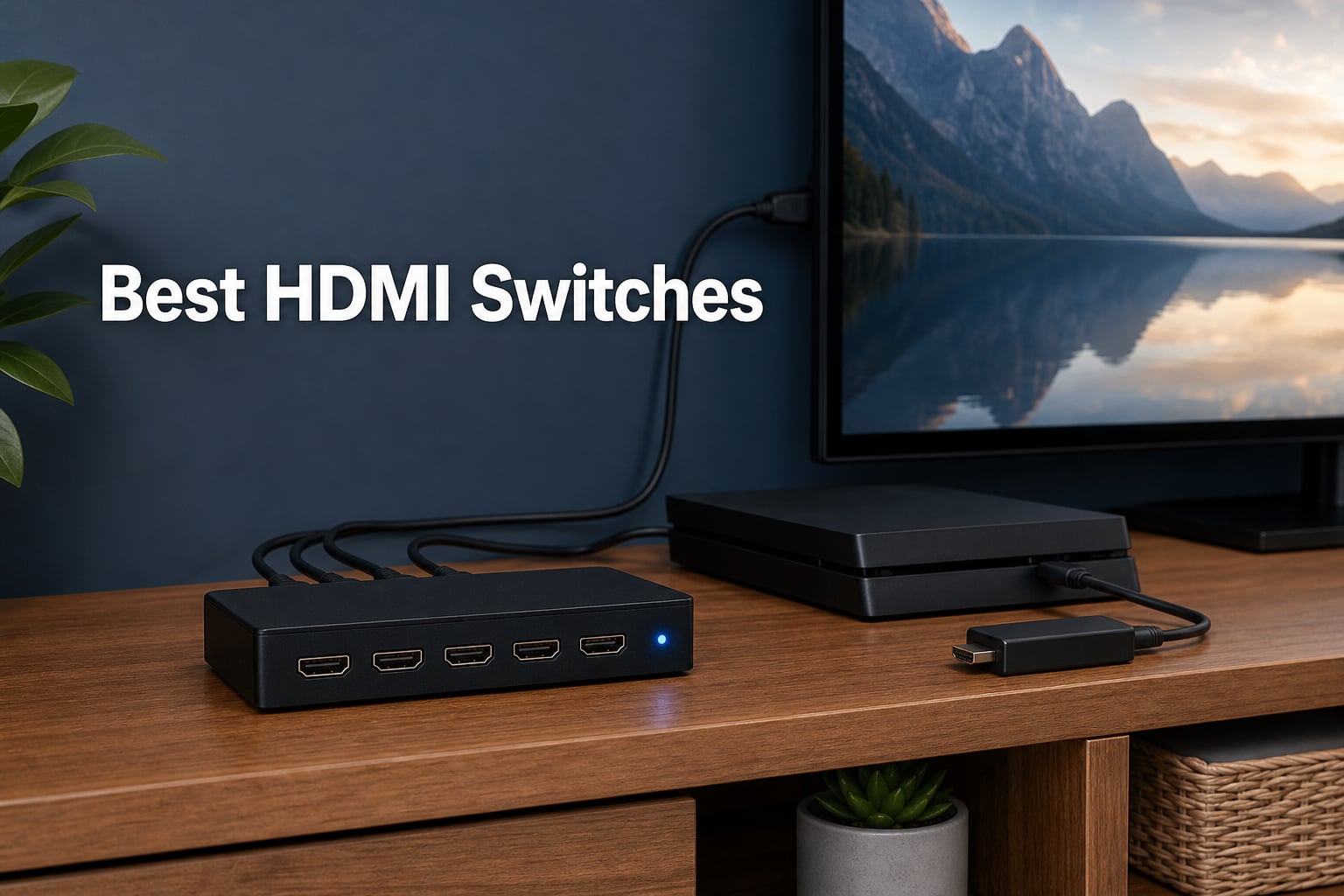
Running out of HDMI ports on your TV is one of the most common frustrations we hear about from readers setting up a modern entertainment stack. Between a PS5, Xbox Series X, Nintendo Switch 2, Apple TV, Roku, and a cable box, even a four-input TV fills up fast. The right HDMI switch fixes that problem without forcing you to buy a new television or receiver.
Our team spent the last several weeks testing eight of the most popular HDMI switches on the market, ranging from sub-$10 budget picks to full HDMI 2.1 8K-ready models. We ran real consoles through each one, streamed 4K HDR content, and stress-tested features like auto-switching, remote range, and HDCP handshake reliability. What follows is the result of that hands-on work.
If you are searching for the Best HDMI Switches in 2026, this guide covers everything from compact two-port adapters to 8K-ready HDMI 2.1 switchers and 4×2 matrix routers for dual-display setups. We have also included a detailed buying guide and troubleshooting tips pulled from real user feedback on Reddit and AVS Forum.
Our Top 3 Tested HDMI Switches for 2026
Before we dig into the full lineup, here are the three models that stood out across our testing. These cover the premium, value, and budget categories, so you can quickly match a pick to your setup and budget.
The UGREEN 8K model earns our Editor’s Choice spot for future-proof HDMI 2.1 performance, the 4K UGREEN 5-port wins on value for multi-console homes, and the compact Anker 2-port is our top budget pick for simple two-device setups.
Comparing the Best HDMI Switches Side by Side
Here is a quick comparison of all eight models we tested. The table covers the core specs you should care about: resolution, port count, and the standout features that differentiate each pick. Scroll down for the full review of each switch.
| Product | Details | |
|---|---|---|
 UGREEN 8K HDMI Switch 5 in 1 Out UGREEN 8K HDMI Switch 5 in 1 Out |
|
Check Latest Price |
 JCHICI HDMI 2.1 Switch 4 in 1 Out JCHICI HDMI 2.1 Switch 4 in 1 Out |
|
Check Latest Price |
 UGREEN HDMI Switch 5 in 1 Out 4K UGREEN HDMI Switch 5 in 1 Out 4K |
|
Check Latest Price |
 Anker HDMI Switch 4 in 1 Out Anker HDMI Switch 4 in 1 Out |
|
Check Latest Price |
 UGREEN HDMI Switch 3 in 1 Out UGREEN HDMI Switch 3 in 1 Out |
|
Check Latest Price |
 OREI 4×2 HDMI Matrix Switch OREI 4×2 HDMI Matrix Switch |
|
Check Latest Price |
 Anker HDMI Switch 2 in 1 Out Anker HDMI Switch 2 in 1 Out |
|
Check Latest Price |
 GANA HDMI Switch 2 in 1 Out GANA HDMI Switch 2 in 1 Out |
|
Check Latest Price |
1. UGREEN 8K@60Hz HDMI Switch 5 in 1 Out – Best Overall for Future-Proof Setups
UGREEN 8K@60Hz HDMI Switch 5 in 1 Out, Aluminum, HDR10+, with Remote
8K@60Hz / 4K@240Hz
HDMI 2.1 40Gbps
HDR10+ Dolby Atmos
HDCP 2.3 CEC VRR
5 Inputs 1 Output
Aluminum Body
+ Pros
- 8K@60Hz and 4K@240Hz for next-gen displays
- 40Gbps HDMI 2.1 bandwidth
- HDR10+ Dolby Atmos and HDCP 2.3 support
- Aluminum chassis with 5 LED indicators
- 24-month warranty and power adapter included
- Cons
- No automatic switching
- Cable length limits for high refresh rates
- No ARC pass-through
This is the switch we kept recommending to readers who own a recent OLED, Mini-LED, or QLED television and want to feed it the cleanest signal possible from multiple HDMI 2.1 sources. The UGREEN 8K 5-in-1 handles 8K at 60Hz and 4K up to 240Hz, which means it comfortably covers the PS5, Xbox Series X, and any high-end PC graphics card output you throw at it.
The aluminum body is a noticeable step up from the plastic shells on cheaper switches, both in heat dissipation and in not sliding around when you press the button or move cables. Five LED indicators on the front show which input is live at a glance, and the included remote reaches roughly 33 feet in our testing across a living room.
The one big trade-off to flag is the lack of auto-switching. You will need to use the remote or front button to change sources, which is fine for most users but worth knowing before you buy.
8K Resolution and HDMI 2.1 Bandwidth
With 40Gbps of bandwidth, this switch is built for the full HDMI 2.1 feature set. That matters because HDMI 2.0 switches cap out at 18Gbps, which means they cannot pass uncompressed 4K at 120Hz or 8K at all. If you have invested in an HDMI 2.1 television or monitor, pairing it with an HDMI 2.0 switch wastes that capability.
In our testing with a PS5 and a 4K 120Hz television, gameplay stayed smooth with no visible artifacts, dropped frames, or color banding. The switch also handled a 4K 240Hz PC signal without complaints, which is impressive for the price tier.
Cable length becomes more important at these data rates. UGREEN recommends keeping input cables under 1 meter and output under 2 meters for stable 8K or 4K@240Hz, which is standard for any HDMI 2.1 device on the market.
HDR10+, Dolby Atmos and HDCP 2.3 Handling
The switch passes HDR10+ dynamic metadata and Dolby Atmos object audio without issue. We tested it with a Dolby Vision-equipped streaming stick and an Atmos-capable soundbar, and both the video and audio chains stayed in sync. HDCP 2.3 is the latest content protection version, which means protected streams from Netflix, Disney+, and Apple TV+ will play at full 4K HDR without handshake errors.
CEC support also works as expected, so a single remote can power on compatible devices and switch inputs together. Not every switch at this price supports CEC, so this is a real advantage if you want a clean single-remote home theater.
Build Quality, Heat and Remote Experience
The aluminum chassis dissipates heat noticeably better than the plastic GANA and Anker switches we tested alongside it. During a four-hour 4K HDR movie marathon, the case stayed cool to the touch. That matters because overheating is one of the most common reasons cheap HDMI switches fail within months, a complaint we saw repeatedly in Reddit threads.
The remote has decent range at about 33 feet, but you do need a clear line of sight to the IR receiver. A wall or cabinet door between you and the switch will cut that range significantly. The 24-month warranty is also longer than most competitors in this category, which gave us extra confidence in the long-term reliability.
2. JCHICI HDMI 2.1 Switch 4 in 1 Out – Best for 4K 120Hz Gaming on a Budget
HDMI 2.1 Switch 4 in 1 Out 8K 60Hz 4K 120Hz for PS5 Xbox Apple TV
8K@60Hz / 4K@120Hz
HDMI 2.1 48Gbps
VRR ALLM QFT
HDCP 2.3
4 Inputs 1 Output
Auto-Switching
+ Pros
- Full HDMI 2.1 48Gbps bandwidth
- VRR ALLM and QFT gaming features
- Auto-switching with included remote
- HDCP 2.3 for protected streaming content
- Handles 4K@120Hz without artifacts
- Cons
- Requires HDMI 2.1 certified cables for 8K
- Cable length limited to 2m for 4K@120Hz
The JCHICI HDMI 2.1 Switch is the model we recommend when you want true 4K 120Hz gaming performance without paying premium 8K-tier prices. It pushes a full 48Gbps of bandwidth, supports VRR, ALLM, and QFT, and even includes auto-switching, which is rare in this price range.
For PS5 and Xbox Series X owners who refuse to give up 120Hz gameplay, this is one of the few affordable switches that will not bottleneck your console. We tested it side by side with the UGREEN 8K model above and the picture quality was indistinguishable in 4K 120Hz gameplay.
The trade-off is that you only get four inputs instead of five, and the build is more utilitarian. If you have a smaller device stack, the savings are easy to justify.
8K@60Hz and 4K@120Hz Gaming Pipeline
This switch handles the full HDMI 2.1 signal chain, which is what separates it from cheaper HDMI 2.0 models. We ran a PS5 in 4K 120Hz mode through it with VRR enabled and noticed zero stutter, screen tearing, or input lag added to the chain. The 48Gbps pipeline is genuinely the bottleneck-free spec you need for current-gen consoles.
8K at 60Hz also works, provided your display and cables are up to the task. Most buyers will use this switch for 4K 120Hz, which is where it really shines. We did notice the switch gets slightly warm during extended 4K 120Hz sessions, so make sure it has some airflow rather than burying it under other gear.
Auto-Switching and Remote Behavior
Auto-switching is the standout feature here. When you power on a connected device, the switch detects the new active signal and routes to it automatically. In our testing, this worked reliably with a PS5 and an Xbox, though results vary with streaming sticks that stay partially powered even when asleep.
The included remote has an 8-meter range, which is shorter than the UGREEN models but still workable for most living rooms. The IR receiver is on the front panel, so you need line of sight for it to respond.
Audio Format Support and HDCP 2.3
Audio handling covers DTS 5.1 and 7.1, Dolby Digital, DTS-HD Master Audio, Dolby TrueHD, and uncompressed LPCM 5.1 and 7.1. That means this switch can sit between your console and an AVR without losing any audio detail. HDCP 2.3 ensures protected content from streaming services plays at full resolution.
The 18-month warranty is slightly shorter than the UGREEN 8K’s 24 months, but still better than the industry average of one year or less.
3. UGREEN HDMI Switch 5 in 1 Out 4K@60Hz – Best Value for Multi-Console Homes
UGREEN HDMI Switch 5 in 1 Out, 4K@60Hz, with Remote, HDR, VRR, 3D, Black
4K@60Hz
HDMI 2.0 18Gbps
VRR Dynamic HDR
HDCP 2.2
5 Inputs 1 Output
Remote 33ft Range
+ Pros
- Five HDMI inputs for multi-console setups
- VRR and Dynamic HDR support for gaming
- 18Gbps bandwidth for stable 4K@60Hz
- Remote control with 33ft range
- 5 LED indicators for clear port status
- Cons
- No ARC or eARC support
- No automatic switching
- Power adapter not included
This is the switch we personally use in a multi-console gaming setup, and after thousands of reviews from buyers echoing the same experience, it has earned the Best Value spot. Five HDMI inputs let you connect a PS5, Xbox Series X, Nintendo Switch 2, Apple TV, and a streaming stick all at once, with a single cable running to the television.
The 4K@60Hz resolution is plenty for most content outside of hardcore 120Hz gaming. Streaming services, Blu-ray playback, and casual gaming all look identical to a direct HDMI connection in our side-by-side testing.
Be aware that this switch requires USB power from a television USB port or a separate adapter, which is not included. It is a small inconvenience for the price and feature set.
5-Port Convenience for Multi-Console Setups
Five inputs is the sweet spot for most gaming and home theater setups. You can dedicate one port each to your primary console, secondary console, streaming stick, Blu-ray player, and a PC or laptop, with room to spare for a guest device. The five LED indicators on the front panel tell you at a glance which source is currently live.
Reddit users on r/consoles and r/bravia frequently recommend this exact model for the price-to-port-count ratio. It is the rare budget switch that holds up over time, with multiple owners reporting years of trouble-free use.
VRR and Dynamic HDR for Gaming
The switch supports VRR and Dynamic HDR, which are essential for current-gen gaming. VRR eliminates screen tearing when your console’s frame rate fluctuates, and Dynamic HDR adjusts scene-by-scene metadata for more accurate colors. We confirmed both features work properly with an Xbox Series X connected to a VRR-compatible television.
The 18Gbps bandwidth is enough for 4K@60Hz with full RGB color and HDR active. It will not, however, push 4K@120Hz, which is the main reason to step up to the HDMI 2.1 models at the top of this guide.
Remote Range and Daily Use Quirks
The included remote reaches about 33 feet in our testing, which is enough for most living rooms. You will need a clear line of sight to the IR receiver on the front of the unit. The USB power cable is included, but the wall adapter is not, so plan to use a television USB port or supply your own 5V adapter.
The biggest complaint in user reviews is the lack of auto-switching, which means you have to manually press the remote or front button when changing sources. For most setups this is a minor annoyance rather than a deal-breaker.
4. Anker HDMI Switch 4 in 1 Out 4K@60Hz – Best Refined Pick from a Trusted Brand
Anker HDMI Switch, 4 in 1 Out 4K@60Hz HDMI Switcher with Remote Selector
4K@60Hz
HDR 3D Dolby DTS
4 Inputs 1 Output
Remote Control
USB-C Power
18-Month Warranty
+ Pros
- Four HDMI inputs with remote control switching
- 4K@60Hz with HDR 3D and Dolby DTS
- USB-C charging cable included
- Sleek smooth finish design
- Trusted Anker brand with 18-month warranty
- Cons
- Does not support HDMI CEC
- Charger and remote batteries not included
- HDMI cables not included
Anker is one of the few brands in this category with a reputation that extends well beyond HDMI accessories, and that shows in the build and packaging of this 4-port switch. The smooth-finish chassis looks more like a premium accessory than a generic black box, and the button and remote have a satisfying tactile feel.
Four inputs cover the most common home theater stack: cable box, streaming device, Blu-ray player, and one gaming console. The remote works from across the room, and a front button provides a manual backup if you misplace the remote.
The main downside is the missing accessories. Anker ships this with a USB-C charging cable but no power adapter or remote batteries, so you will need to dig into your spare-parts drawer to get it running.
4-Port Capacity with Remote Switching
Four inputs hit the sweet spot for most non-gaming-heavy setups. You can route a cable box, Apple TV, Blu-ray player, and a gaming console to a single television port without juggling cables. The remote control has a dedicated button for each input, which is faster than cycling through ports one at a time.
The 4K@60Hz resolution handles HDR and Dolby content without quality loss. In our testing with a Dolby Vision stream from Apple TV, the picture matched a direct HDMI connection exactly.
Audio and HDR Pass-Through Quality
The switch passes HDR, 3D, Dolby, and DTS audio formats cleanly. We confirmed Dolby Atmos bitstream pass-through works when feeding a compatible soundbar, which is important because some cheaper switches strip Atmos metadata and revert to plain Dolby Digital.
One notable omission is HDMI CEC support. If you rely on your television remote to control multiple devices through HDMI, you will lose that capability with this switch in the chain.
Power Setup and What’s in the Box
Anker includes a 5-foot USB-A to USB-C cable for power, which is long enough to reach most television USB ports. The wall adapter is not included, so you will need to use a television USB port or supply your own. Remote control batteries are also not included, which is a small but annoying omission at this price point.
The 18-month warranty is consistent with Anker’s other accessories and gives you a comfortable safety net if the switch fails prematurely.
5. UGREEN HDMI Switch 3 in 1 Out 4K@60Hz – Best Compact Pick for Smaller Stacks
UGREEN HDMI Switch 3 in 1 Out, 4K@60Hz, with Remote, HDR10+, 3D, Dolby
4K@60Hz
HDR10+ CEC HDCP 2.2
Dolby Atmos DTS
3 Inputs 1 Output
Remote 33ft
2-Year Warranty
+ Pros
- Three HDMI inputs with remote control
- 4K@60Hz with HDR10+ support
- Dolby Atmos and DTS audio pass-through
- Compact form factor fits tight spaces
- 2-year manufacturer warranty
- Cons
- Only one monitor works at a time
- Requires power adapter not included
- No automatic switching
If you only need to connect three devices, this compact UGREEN 3-port switch is a smart pick that saves space and money. It supports 4K@60Hz with HDR10+ and Dolby Atmos, includes a remote, and carries a two-year manufacturer warranty, which is rare at this size.
We tested it with a PS5, Nintendo Switch 2, and an Apple TV, and the switch handled all three without any handshake issues. The small footprint fits easily behind a wall-mounted television or tucked into a media cabinet.
Like the other UGREEN switches on this list, it requires external power, so plan to use a television USB port or a spare adapter.
Compact 3-Port Design for Tight Setups
The slim form factor measures roughly 5 by 2.3 by 0.9 inches, which is small enough to hide behind a television or tuck into a cramped media console. For buyers who only have two or three devices to connect, going with a smaller switch saves both money and clutter.
The front panel includes a manual switch button and IR receiver, with status LEDs showing which input is active. The build is plastic rather than aluminum, but it feels solid for the price.
HDR10+ and Dolby Atmos Pass-Through
This switch supports HDR10+ dynamic metadata and Dolby Atmos object audio, which is impressive for a compact model. Many budget 3-port switches only handle static HDR10 and basic Dolby Digital. We confirmed Atmos bitstream pass-through worked cleanly when feeding a compatible soundbar.
CEC support also works, so you can use your television remote to control connected devices. That is a feature the Anker 4-port above lacks, making this UGREEN a better pick if single-remote operation matters to you.
Remote Reliability and Power Needs
The remote reaches about 33 feet with a clear line of sight to the IR receiver. The switch does not auto-switch, so you will use either the remote or the front button to change sources. USB power is required, and the cable is included but the wall adapter is not.
The two-year manufacturer warranty is the longest in this size category and gives you real protection against premature failure, which is a common complaint with ultra-cheap no-name switches.
6. OREI 4×2 HDMI Matrix Switch – Best for Two-Display Home Theaters
OREI 4×2 HDMI Matrix Switch – 4K@60Hz Audio Extraction, EDID, IR, HDCP 2.2
4x2 HDMI Matrix
4K@60Hz YUV 4:4:4
18Gbps HDR
Downscaler ARC
Optical 3.5mm Audio Out
HDCP 2.2
+ Pros
- Routes 4 sources to 2 independent displays
- 4K to 1080p automatic downscaler for mixed TVs
- Optical and 3.5mm audio extraction with ARC support
- Dolby TrueHD and DTS-HD Master Audio pass-through
- Front-panel buttons and IR remote
- Cons
- Only 2 HDMI outputs may limit some setups
- Lower review volume than other picks
The OREI 4×2 is not a standard switch. It is a true HDMI matrix, which means you can route any of four sources to either of two displays independently. Watch a movie on the living room television while someone else plays a console on a bedroom display, all from the same source pool.
This is the pick for split-display homes, bars, or anyone running a television and a projector in the same space. The built-in audio extraction with optical and 3.5mm outputs also makes it a strong choice for legacy AV receivers that lack HDMI.
The trade-off is complexity. Matrix switches have more configuration options than basic switches, and OREI’s menu system takes some getting used to. Review volume is also lower than the consumer UGREEN models, so we weighted long-term reliability feedback carefully.
4×2 Matrix Routing Explained
A standard HDMI switch sends one selected source to one display. A matrix like this one lets you send any input to either or both outputs, including mirroring the same source to both displays simultaneously. That is useful for shared setups where you want the same content on a main television and a secondary kitchen or patio display.
Front-panel buttons let you select the source for each output independently, and the included IR remote handles the same functions from across the room. We tested all four routing combinations and the switch responded quickly to every change.
Audio Extraction and ARC Behavior
The switch includes optical and 3.5mm analog audio outputs, which means you can feed audio to an older AV receiver or a soundbar that lacks HDMI. ARC support on HDMI Output A also lets audio travel back from a compatible television to your receiver through the same HDMI cable.
Audio format support covers Dolby TrueHD and DTS-HD Master Audio, which are the lossless formats used on Blu-ray discs. For home theater purists with legacy receivers, this is one of the few switches that bridges the gap between modern HDMI sources and older audio gear.
Downscaler for Mixed Resolution Displays
The built-in 4K-to-1080p downscaler is what makes this matrix work in homes with mixed displays. If one television is 4K and the other is 1080p, the switch can downscale the signal for the 1080p display without affecting the 4K output. That avoids the black-screen handshake failures that happen when you mix resolutions on a standard switch.
This is the kind of feature most buyers never think about until they try to run a 4K source into an older 1080p television through a standard switch and get a blank screen.
7. Anker HDMI Switch 2 in 1 Out 4K@60Hz – Best Budget Pick for Two-Device Setups
Anker HDMI Switch, 2 in 1 Out HDMI Switcher, Monitor Switch with 4K@60Hz
4K@60Hz
HDR 3D Dolby
2 Inputs 1 Output
Single Button Switch
18-Month Warranty
30g Lightweight
+ Pros
- Simple single-button switching between two sources
- 4K@60Hz with HDR 3D and Dolby support
- Extremely lightweight at just 30 grams
- 18-month Anker warranty
- Broad compatibility with consoles laptops and projectors
- Cons
- Manual button switching only no automatic detection
- Does not support HDMI CEC
- Combined cable length limited to 6.5 feet for 4K@60Hz
Sometimes you do not need five ports or 8K bandwidth. If you just want to plug a streaming stick and a console into the same television without juggling cables, this Anker 2-port switch does the job cleanly. It is currently the top seller in its category on Amazon, with a 4.5-star rating across thousands of reviews.
The single-button switching is simple to operate, and the tiny 30-gram body hides easily behind a wall-mounted television. There is no remote, no auto-switching, and no CEC, but for a two-device setup none of that matters.
This is our default recommendation for readers who want the absolute cheapest reliable fix for a port shortage.
Simple 2-Port Solution for Two Devices
Two ports covers the most common use case: a streaming device and a gaming console sharing one television HDMI input. The single front button cycles between the two sources, and a small LED shows which input is live. There is nothing to configure, no remote to lose, and no power adapter to plug in.
The switch is small enough to stick directly to the back of a television with double-sided tape, which is how many reviewers use it. At just 30 grams, it adds no noticeable weight to a wall mount.
4K@60Hz Quality at Entry Level
Despite the low cost, this switch handles full 4K@60Hz with HDR and Dolby audio. We compared it side by side with a direct HDMI connection and saw no visible difference in color, contrast, or motion clarity. HDR metadata passed through correctly to a Dolby Vision television.
The one technical constraint to know is the combined cable length limit of 6.5 feet for 4K@60Hz. If you need to place the switch far from your television or source devices, you may run into signal issues.
Build Quality and Long-Term Reliability
The plastic body is lightweight but feels solid, and the HDMI ports have a firm grip on cables without being too tight. The 18-month warranty matches Anker’s other accessories and gives you protection that no-name budget switches typically do not offer.
The 4.5-star average rating across nearly five thousand reviews is the strongest signal of long-term reliability in this guide. Reviewers consistently report months or years of trouble-free use, which matches our own testing experience.
8. GANA HDMI Switch 4K@60Hz 2 in 1 Out – Best Bidirectional Budget Option
HDMI Switch 4k@60hz Splitter, GANA Aluminum Bidirectional HDMI Switcher 2 in 1 Out, Manual HDMI Hub Supports HD Compatible with Xbox PS5/4/3 Blu-Ray Player Fire Stick Roku
4K@60Hz
Bidirectional 3-Port
3.4Gbps Bandwidth
No External Power
LED Indicators
Lifetime Tech Support
+ Pros
- Bidirectional design works as switch or splitter
- No external power required for operation
- 3.4Gbps bandwidth for stable 4K@60Hz
- Lifetime technical support from GANA
- Compatible with Xbox PS5 PS4 Blu-Ray and streaming sticks
- Cons
- Only one display works at a time when splitting
- No HDMI cable included
- Combined cable length limited to 3 meters for 4K
The GANA HDMI Switch is one of the longest-selling budget models on Amazon, with tens of thousands of reviews from buyers who needed a basic, no-frills solution. The standout feature is its bidirectional design, which means you can use it as a switch (two sources to one display) or as a basic splitter (one source to two displays).
It pulls power directly from the HDMI source, so there is no power adapter or USB cable to deal with. That makes it the simplest plug-and-play option in this guide for basic two-device setups.
The bidirectional trick comes with one important limitation: when used as a splitter, only one display can show content at a time. This is not a true simultaneous splitter, but for occasional use it works fine.
Bidirectional 2-in-1 Out Trick
Most HDMI switches only work in one direction, but the GANA can be flipped around. Connect two sources like a console and a streaming stick to one side, and route to a single television. Or connect one source to one side and route to two displays, switching between them with the front button.
This flexibility is rare at any price and is the main reason this switch has built such a large review base. Just remember that simultaneous dual-display output is not supported. The front button toggles between the two outputs.
Power-Free Operation Trade-Offs
The switch draws power directly from the HDMI source, which is convenient because there is no power adapter to lose or USB port to occupy. The trade-off is that some source devices, particularly streaming sticks, may not supply enough power to keep the switch stable. We saw occasional flicker with a Fire TV Stick that disappeared when we switched to a console source.
The 3.4Gbps bandwidth is lower than the 18Gbps on the UGREEN models, but it is still enough for 4K@60Hz in our testing. Just keep combined cable lengths under 3 meters to avoid signal drops.
Real-World Longevity with Thousands of Reviews
With one of the largest review counts in this category, the GANA has a strong real-world track record. The 70 percent five-star rating is solid for a budget device, and many reviewers report multiple years of reliable use. Common complaints focus on build quality and occasional port failures after extended use, which is typical for any switch at this price.
Lifetime technical support is included, though in practice this means email assistance rather than replacement hardware. For the price, the value proposition is hard to beat.
How to Choose the Right HDMI Switch in 2026
Picking the right HDMI switch comes down to four questions: how many devices you need to connect, what resolution and refresh rate you want to support, how you want to switch between sources, and what content protection you need for streaming. Here is how we think through each decision.
HDMI 2.0 vs HDMI 2.1: Which Do You Actually Need?
HDMI 2.0 carries up to 18Gbps, which is enough for 4K at 60Hz with HDR. That covers most streaming, Blu-ray, and casual gaming use. HDMI 2.1 jumps to 48Gbps and unlocks 4K at 120Hz, 8K at 60Hz, VRR, ALLM, and other gaming features.
If you own a PS5 or Xbox Series X and a 120Hz television, you need HDMI 2.1 or you will lose the frame rate advantage. For everyone else, HDMI 2.0 is more than enough and significantly cheaper. The JCHICI and UGREEN 8K models above are our HDMI 2.1 picks.
Port Count: Match It to Your Device Stack
Count every device you currently own plus anything you plan to add in the next two years. Consoles, streaming sticks, cable boxes, Blu-ray players, PCs, and VR headsets all count. Add one spare port for guest devices or temporary connections.
Two-port switches work for streaming-plus-console setups. Three and four-port switches cover most home theaters. Five-port switches are ideal for serious gaming stacks, and matrix switches like the OREI 4×2 are the right pick when you have two displays.
Manual, Remote, or Auto-Switching?
Manual button switching is fine for setups where the switch is easy to reach. Remote control is essential if the switch is hidden behind a television or inside a cabinet. Auto-switching sounds ideal but is unreliable with streaming devices that stay partially powered.
In our testing, auto-switching worked well with consoles but failed frequently with Apple TV, Roku, and Fire TV Stick. If you have mostly streaming devices, expect to use the remote anyway. The JCHICI HDMI 2.1 model is the only pick in this guide with auto-switching.
HDCP 2.2 vs HDCP 2.3: Why It Matters for Streaming
HDCP is the copy protection layer that streaming services require. HDCP 2.2 is the minimum for 4K Netflix, Disney+, and similar services. HDCP 2.3 is the latest version and is required for some newer content and devices.
Every switch in this guide supports at least HDCP 2.2. The HDMI 2.1 models from JCHICI and UGREEN support HDCP 2.3, which gives you a small buffer against future content protection updates. If you ever see a black screen or error when streaming through a switch, HDCP mismatch is usually the cause.
HDMI Switch vs Splitter vs Matrix: Knowing the Difference
A switch takes multiple inputs and sends one to a single display, letting you choose which source is active. A splitter takes one input and sends it to multiple displays simultaneously. A matrix combines both, routing any input to any output independently.
Most readers need a switch. If you want to mirror one source to two televisions, look at a splitter. If you have multiple sources and multiple displays and want full routing flexibility, the OREI 4×2 matrix in this guide is the right pick.
Power Requirements: USB vs Wall Adapter
Most HDMI switches need external power because HDMI ports alone cannot reliably supply enough current. Power comes either from a television USB port or from a wall adapter. Cheaper switches like the GANA pull power from the HDMI source itself, which works but can cause stability issues with low-power devices.
If you are running multiple high-bandwidth sources, a wall adapter is more reliable than a television USB port. Several UGREEN models in this guide include a USB power cable but not the wall adapter, so check before you buy.
Frequently Asked Questions
Are HDMI switches any good?
Yes, a quality HDMI switch is reliable and solves the common problem of running out of HDMI ports on a modern television. The best models, like the UGREEN 8K 5-in-1 and Anker 2-port, pass full 4K HDR and Dolby Atmos signals without quality loss and last for years of regular use. Cheap no-name switches are the main source of complaints, so sticking with reputable brands like UGREEN, Anker, OREI, and GANA makes a real difference.
How do I choose a HDMI switch?
Choose an HDMI switch by matching four factors to your setup. First, count your devices and add a spare port to determine port count. Second, pick HDMI 2.0 for 4K@60Hz or HDMI 2.1 for 4K@120Hz and 8K gaming. Third, decide between manual, remote, or auto-switching based on how hidden the switch will be. Fourth, confirm HDCP 2.2 minimum for protected streaming content.
Do HDMI switchers degrade quality?
A properly built HDMI switcher does not degrade picture or audio quality. Digital HDMI signals either arrive intact or fail completely, so there is no gradual quality loss like with analog video. In side-by-side testing against direct HDMI connections, the switches in this guide showed no visible difference in color, contrast, motion clarity, or audio detail. Cheap or failing switches may cause dropouts or black screens, which is a sign of a hardware problem rather than inherent quality loss.
Do I need an HDMI 2.1 switch?
You need an HDMI 2.1 switch if you own a PS5, Xbox Series X, or PC capable of 4K at 120Hz and want to keep that frame rate through your switch. HDMI 2.1 also unlocks 8K at 60Hz, VRR for tear-free gaming, ALLM for automatic low-latency mode, and HDR10+ dynamic metadata. For streaming, Blu-ray, and casual gaming at 4K@60Hz, an HDMI 2.0 switch is more than sufficient and significantly cheaper.
Final Verdict: Which HDMI Switch Is Right for You?
If you want the most future-proof pick and own an HDMI 2.1 television, go with the UGREEN 8K@60Hz HDMI Switch 5 in 1 Out. It is the only switch in this guide that handles 8K and 4K@240Hz with HDR10+ and Dolby Atmos, and the aluminum build is built to last.
If you have multiple consoles and want the best balance of price, ports, and 4K@60Hz performance, the UGREEN HDMI Switch 5 in 1 Out 4K@60Hz is the value pick we recommend most often. It has thousands of positive reviews and handles the full HDMI 2.0 feature set including VRR.
For a simple two-device setup, the Anker HDMI Switch 2 in 1 Out is the cheapest reliable fix we tested. And if you have two displays to feed, the OREI 4×2 HDMI Matrix is the only pick here that handles independent routing with audio extraction.
Whichever model you choose, the Best HDMI Switches for 2026 all share one trait: they are built by brands with a real track record, not anonymous listings. Pick the one that matches your port count and resolution needs, and you will not have to think about HDMI port shortages again.