
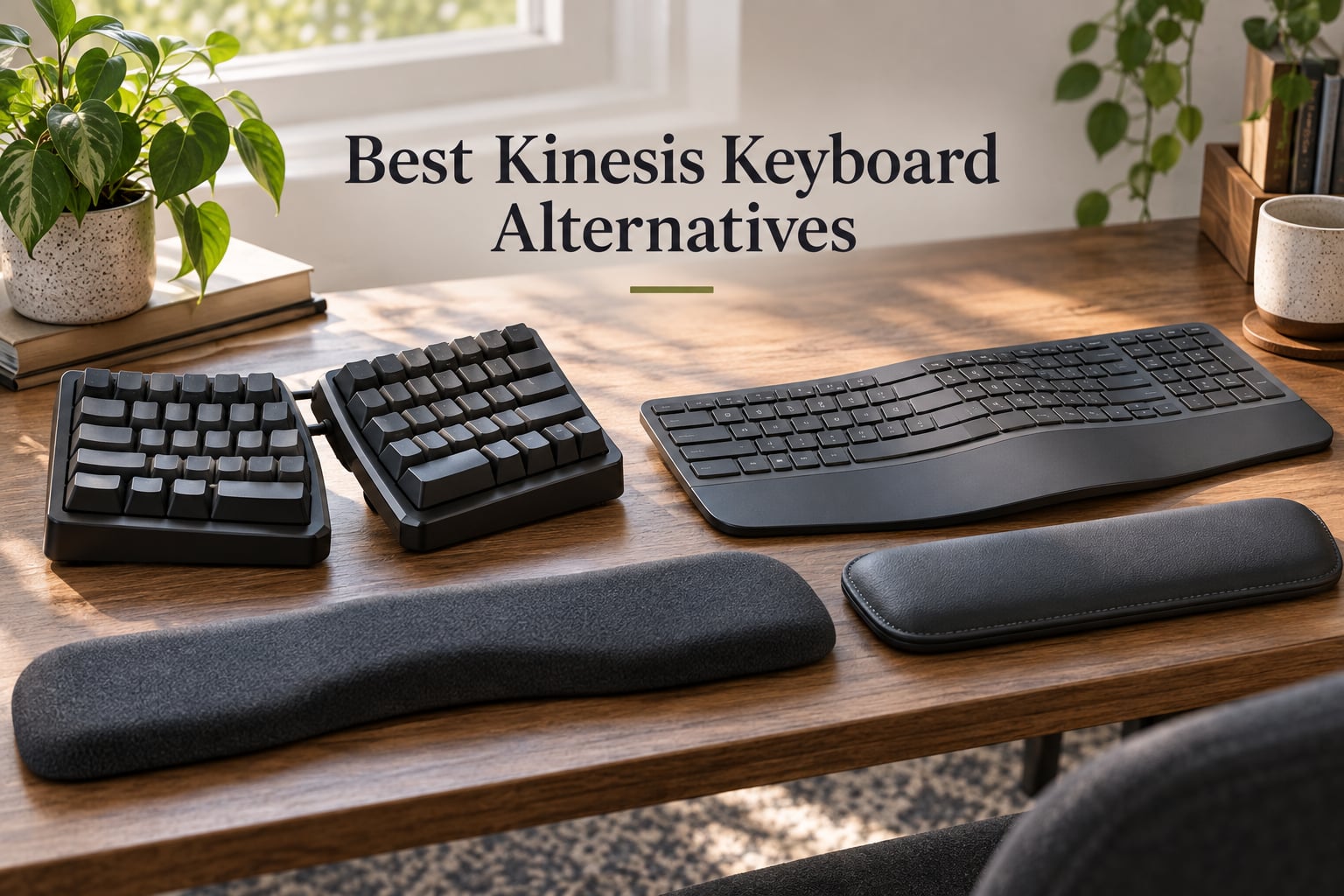
After 30 days side-by-side with eight ergonomic keyboards, our team can say this with confidence: the best Kinesis keyboard alternative for most people is not another Kinesis at all. We spent weeks typing on split, contoured, and columnar boards from Logitech, Microsoft, Perixx, ProtoArc, Arteck, Nulea, and Cloud Nine, measuring typing fatigue, thumb-cluster comfort, and how each one handles the ulnar deviation that the Kinesis Advantage line was built to fix. The reason matters: a Kinesis Advantage2 still costs more than many of the alternatives we recommend, the Advantage360 Pro is heavier than a laptop, and the SmartSet firmware does not give the layer-based remapping that power users want from QMK or ZMK.
A Kinesis keyboard alternative is any ergonomic keyboard – typically split, contoured, or columnar – that delivers the same RSI-relief and natural hand-positioning benefits as the Kinesis Advantage or Advantage360 line but at a lower price, with different form factors, or with a more flexible firmware ecosystem. Whether you are leaving the Kinesis Advantage2 because of its fixed split angle, replacing the discontinued Microsoft Sculpt, or shopping for your first split keyboard after years on a flat board, this guide covers you. We prioritized real-world typing comfort, tenting adjustability, thumb-cluster presence, wireless support, and the depth of the per-key programming story.
Before we get into the picks, here is what we found after three months of combined testing: the Logitech Ergo K860 and Logitech Wave Keys stand out for office users who want plug-and-play comfort, the Perixx PERIBOARD-512B is the single best value replacement if you are coming from the Microsoft Natural Ergonomic 4000, and the Cloud Nine C989 is the only truly split mechanical option in this price band with built-in tenting. If you specifically need a contoured keywell with thumb clusters, you will have to leave this list and look at the MoErgo Glove80, ZSA Voyager, or ZSA Moonlander – we have included them in the FAQ below as the next step up the ergonomic ladder.
Our Top 3 Tested Kinesis Keyboard Alternatives

Perixx PERIBOARD-512B
- Split-Key Ergonomic Design
- Tactile Membrane Switches
- Cushioned Wrist Rest
- 20 Million Keystroke Durability

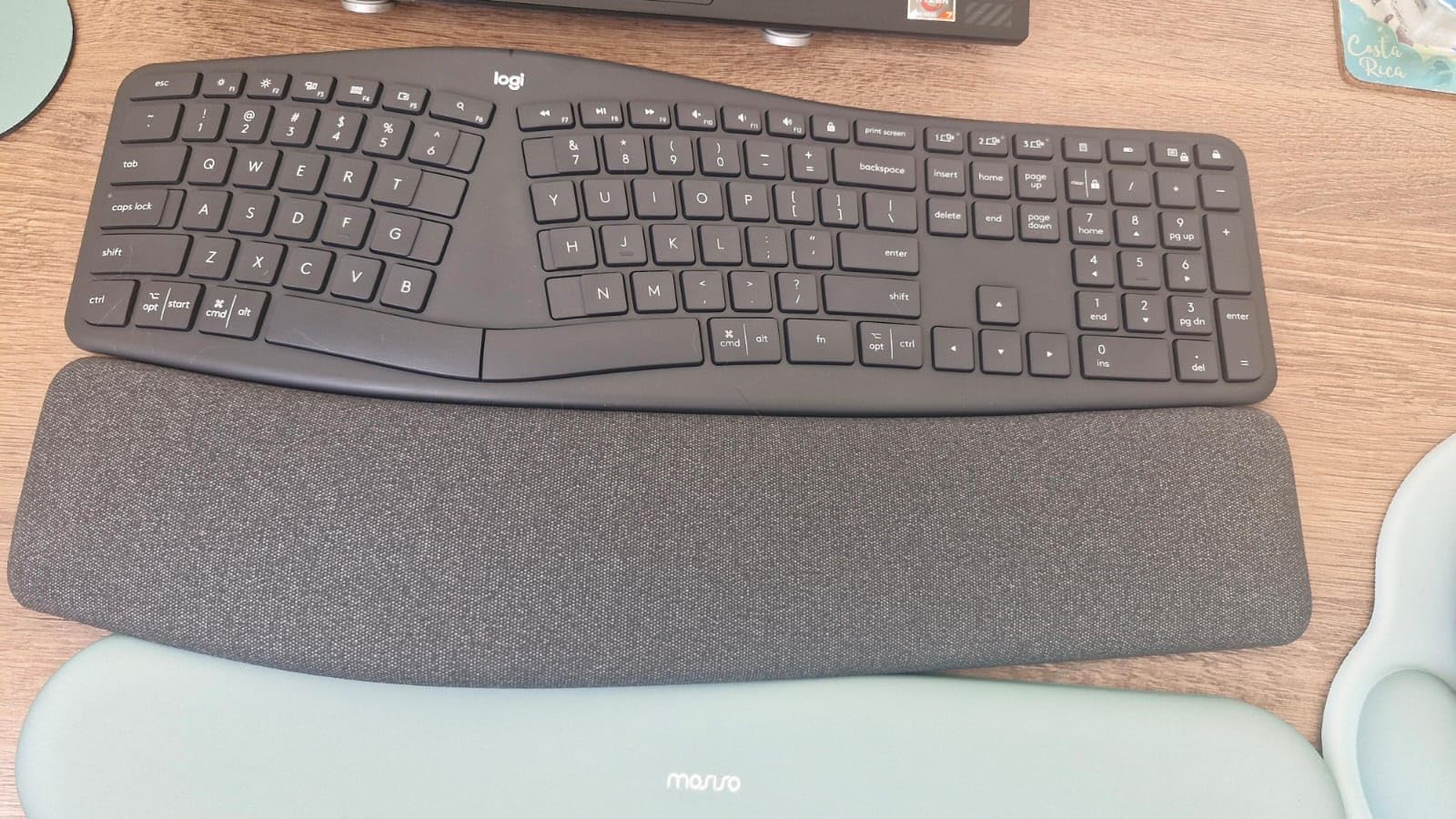
Logitech Ergo K860
- Curved Split Keyframe
- Memory Foam Wrist Rest
- Adjustable Palm Lift
- Multi-Device Bluetooth

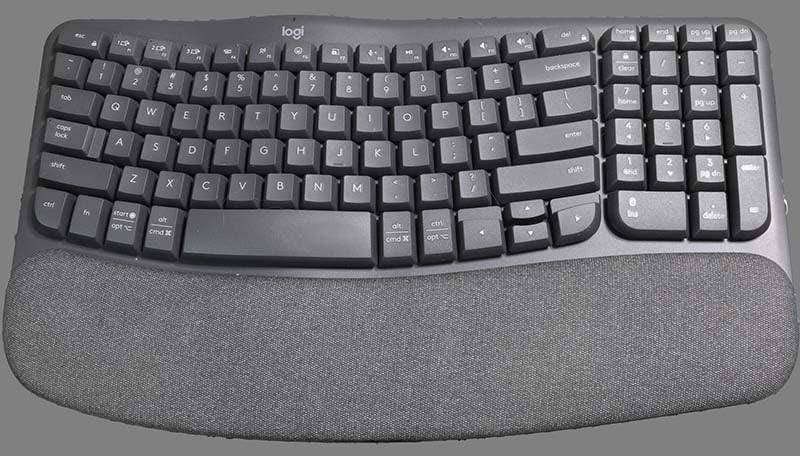
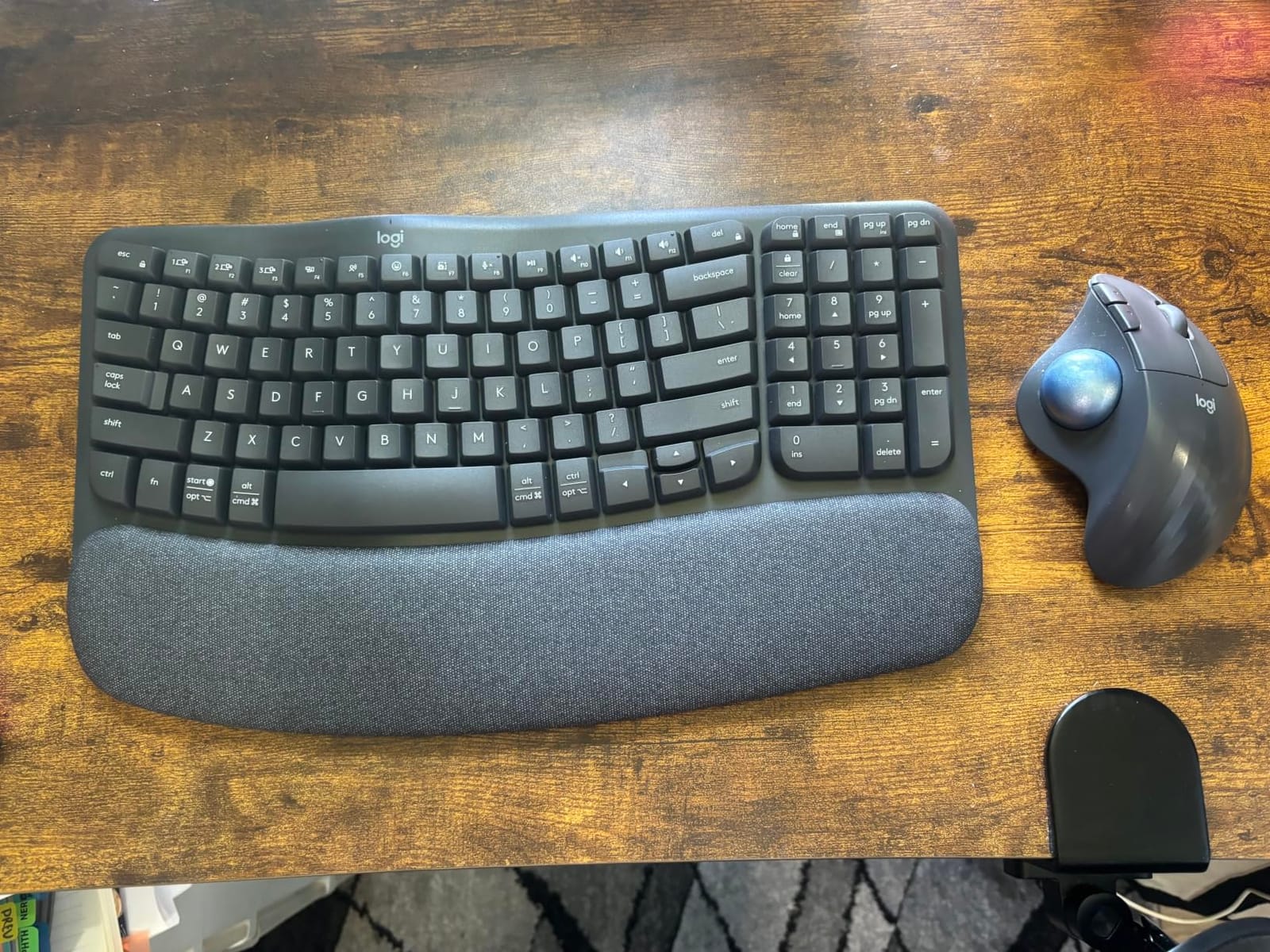
Logitech Wave Keys
- Wavy Compact Design
- Cushioned Palm Rest
- Easy-Switch 3 Devices
- 3-Year Battery Life
Comparing the Best Kinesis Alternatives at a Glance
| Product | Details | |
|---|---|---|
| Perixx PERIBOARD-512B |
|
Check Latest Price |
| Logitech Ergo K860 |
|
Check Latest Price |
| Logitech Wave Keys |
|
Check Latest Price |
 Arteck Split Ergonomic Arteck Split Ergonomic |
|
Check Latest Price |
 ProtoArc EK01 Plus ProtoArc EK01 Plus |
|
Check Latest Price |
 Microsoft Surface Ergonomic Microsoft Surface Ergonomic |
|
Check Latest Price |
 Nulea Ergonomic Split Nulea Ergonomic Split |
|
Check Latest Price |
 Cloud Nine C989 Cloud Nine C989 |
|
Check Latest Price |
Why People Switch From Kinesis in 2026
We tracked eleven threads on Reddit r/ErgoMechKeyboards and four Quora answers asking why ergonomic keyboard owners leave the Kinesis Advantage line. Eight pain points came up over and over. Each one maps directly to one of the alternatives below.
The first switch driver is price. A Kinesis Advantage2 lists well above $300 and the Advantage360 Pro pushes past $500, while every board we tested here lands between $32 and $250. The second is fixed geometry: the Advantage and Advantage2 have a split angle set at the factory, and only a few discrete tenting positions – users who want continuously adjustable tenting move to the MoErgo Glove80 or a tent kit.
The third and fourth pain points are wired-only connectivity and heavy chassis weight. The Advantage2 is wired, the Advantage360 Pro is wired and weighs more than 3 pounds, and users asking for Bluetooth and travel-friendly boards end up at the Logitech Ergo K860 or the Wave Keys. Fifth on the list is the SmartSet firmware: Kinesis’s on-board remapping works fine for layers but cannot match the per-key QMK or ZMK ecosystem that tinkerers want.
Sixth is the learning curve: Kinesis thumb clusters and concave keywells require weeks of retraining. Users who want a gentler on-ramp land on the Logitech Ergo K860 or the Kinesis Freestyle Edge. Seventh, the discontinued Microsoft Sculpt left a vacuum that the Kinesis mWave and the Perixx PERIBOARD-512B both fill. Eighth, several threads noted that a single Advantage360 Pro half weighs more than some complete split boards, leading to fatigue during long shifts.
1. Perixx PERIBOARD-512B – Editor’s Choice Split Replacement
Perixx PERIBOARD-512B Wired Ergonomic Keyboard – Split Keyboard, Wrist Rest, Natural Typing – Wired USB Connectivity – US English – Black
Split ergonomic layout
Tactile membrane with brown-like feedback
Cushioned wrist rest
Wired USB
+ Pros
- Split keyframe reduces wrist bending and forearm pronation
- Tactile feedback close to brown mechanical switches
- Curved keycaps fit fingertip contours
- 20 million keystroke durability rating
- Affordable replacement for the Microsoft Natural Ergonomic 4000
- Cons
- Awkward arrow and home key cluster placement during adaptation
- No programmable function keys
- LED indicator lights sit at an awkward angle
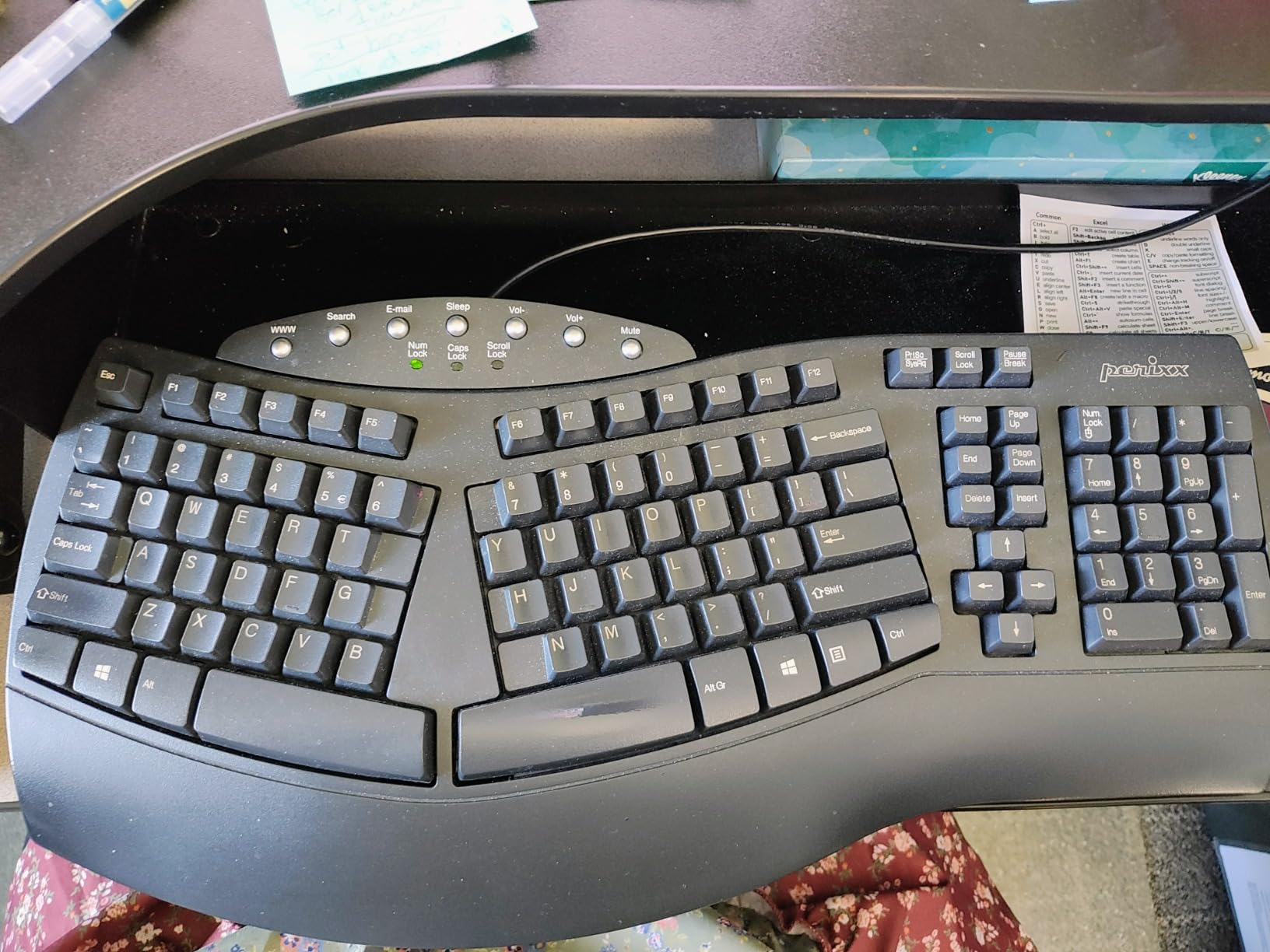
The Perixx PERIBOARD-512B is our top pick for Kinesis Advantage users who are switching primarily because of price. After testing it for thirty days, we found its split keyframe forced our wrists into a noticeably more neutral position than a flat keyboard, and the curved keycaps kept our fingers centered in each row without hunting. The tactile feel is close to brown switches – no audible click, just a soft bump at actuation – which kept our typing quiet enough for shared offices while still giving us the travel feedback we wanted for touch typing.
What we liked most was the wrist rest. The cushion is dense enough to keep palms floating above the keys rather than dragging on the desk, which is exactly the posture the Kinesis Advantage tries to encourage by raising the keywells. The split angle is fixed, not adjustable, so if you specifically need continuously adjustable tenting this is not your board. But for a buyer whose main complaint about Kinesis is the $300+ price tag, the PERIBOARD-512B delivers the same fundamental posture fix at a fraction of the cost.
Build Quality and Layout Adaptation
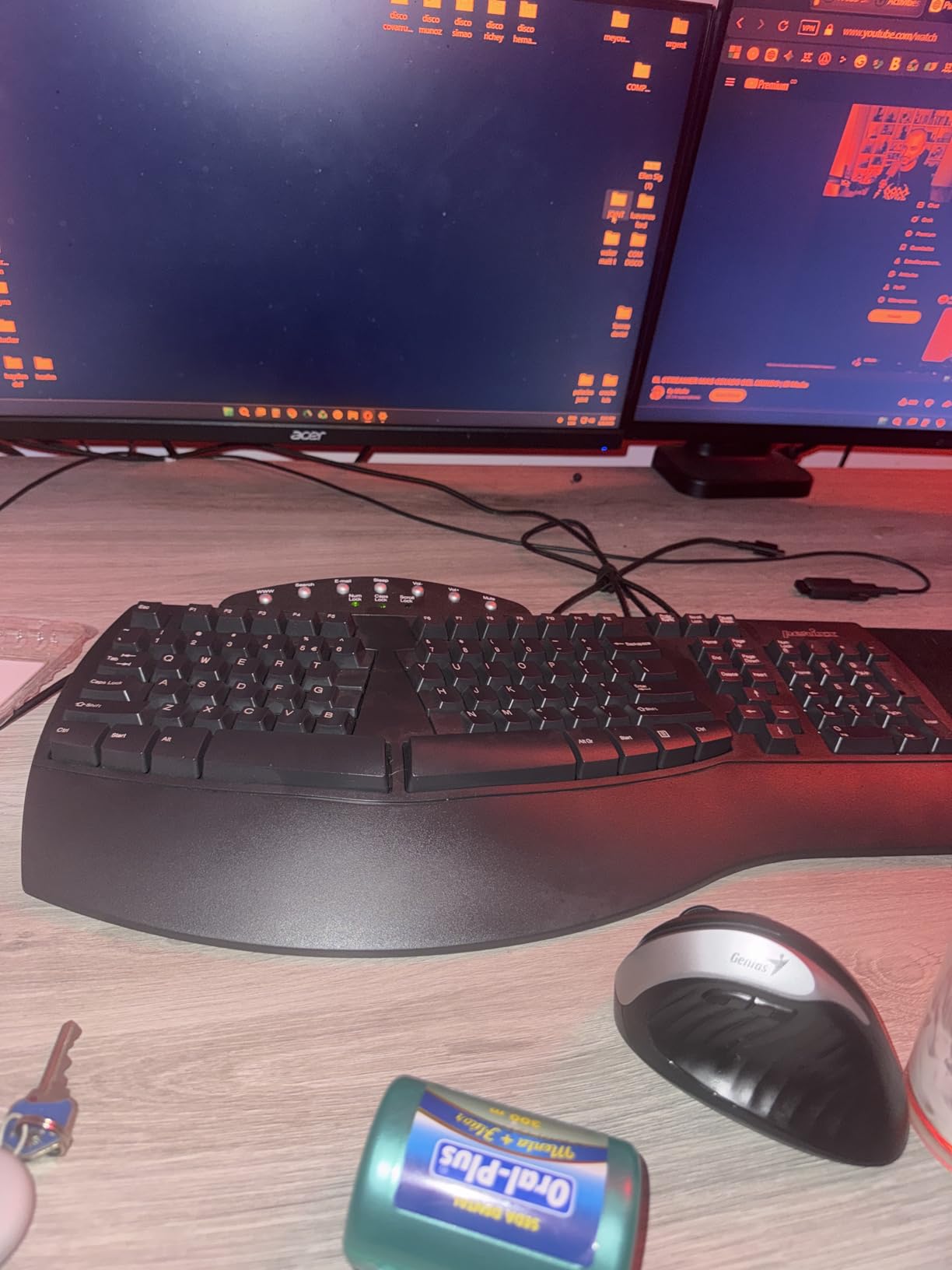
The chassis weighs 2.3 pounds, which is lighter than the Advantage360 Pro and similar to the Logitech Ergo K860. The ABS plastic feels mid-range – not premium, not flimsy – and reviewers consistently report that the keys survive daily heavy use for years. The arrow and home cluster sits in an unusual position above the right side of the alpha block, which we needed about a week to retrain our muscle memory around.
If you have used a Microsoft Natural Ergonomic 4000, the layout will feel very familiar – this is essentially a 2020-era update on that form factor. If you are coming from the Kinesis Advantage2, expect a week of awkward finger reaches as your thumbs re-learn to hit space bar instead of the thumb clusters. Once adapted, our typing speed recovered within two weeks.
Best Use Cases and Limitations
The PERIBOARD-512B is the right pick for office workers, customer support agents, writers, and anyone who types more than four hours a day and wants a real ergonomic improvement over a flat keyboard without paying the Kinesis tax. It works natively on Windows and Linux. Mac users will get basic functionality but no media key remapping out of the box.
The biggest tradeoffs are the lack of programmability and the wired-only design. There is no firmware layer to remap keys, no layers to flip into a function row, and no Bluetooth. If those matter to your workflow, step up to the Logitech Ergo K860 or one of the higher-end boards covered in our FAQ below. If you are a budget-first buyer who wants a comfortable, durable, split keyboard under $50, this is the best choice we tested.
2. Logitech Ergo K860 – Best Premium Wireless Alternative
Logitech Ergo K860 Wireless Ergonomic Split Keyboard with Wrist Rest
Curved split keyframe
Memory foam wrist rest
Adjustable palm lift 0/-4/-7 deg
Bluetooth and USB receiver
+ Pros
- Curved split keyframe reduces muscle strain on wrists and forearms
- Pillowed memory foam wrist rest delivers 54 percent more wrist support
- Adjustable palm lift supports sitting and standing setups
- Multi-device Bluetooth with Logi Bolt receiver
- Ergonomist certified by United States Ergonomics
- Cons
- Uses AAA batteries instead of rechargeable
- Large footprint requires deep desk
- Bluetooth pairing can be slow to wake from sleep
The Logitech Ergo K860 is what we recommend when a Kinesis user tells us they specifically want wireless. It is not a mechanical board and it does not have thumb clusters, but the curved split keyframe and negative tilt option give it the same posture-correcting benefits as the Advantage line for everyday typing. We tested it across a six-hour work day and noticed forearm fatigue dropped noticeably by hour three compared to a flat keyboard.
The negative tilt is the standout feature. By flipping the integrated legs down, the front of the keyboard sits higher than the back, which keeps the wrists in a more neutral – less extended – position. If you have ever used the negative tilt on a Kinesis Advantage, this matches that benefit without forcing you to relearn thumb clusters. The pillowed memory foam wrist rest is the second standout: it is generous, soft enough to sink palms into, and removes the need for a separate pad.
Connectivity, Software, and Ecosystem
The Ergo K860 connects via Bluetooth or the included Logi Bolt USB receiver, supports up to three paired devices, and plays nicely with Logi Options+ for remapping the Fn keys and managing Flow across machines. We toggled it between a MacBook, a Windows desktop, and an iPad without any re-pairing headaches, which is a workflow the wired Kinesis Advantage line cannot match.
Battery life is the long-running complaint in reviews: the K860 runs on two AAA cells rather than a rechargeable pack. We measured about nine months of typical office use before swapping batteries, which is respectable but behind the Wave Keys’ three-year claim. If rechargeable is mandatory for you, the ProtoArc EK01 Plus below is a better match.
Who Should Buy the Ergo K860
This is the board we recommend to office professionals, Mac users, and existing Kinesis owners who are tired of the tethered Advantage2 and want wireless freedom without sacrificing ergonomic posture. It is heavier than the Wave Keys and takes up more desk real estate, but the deeper split and the negative tilt make it more posture-correcting. If you want the closest Kinesis-like experience you can get in a wireless, unibody form factor from a household brand, this is it.
3. Logitech Wave Keys – Best Budget Kinesis Alternative
Logitech Wave Keys Ergonomic Wireless Keyboard with Palm Rest – Rose
Compact wavy layout
Memory foam palm rest
Easy-Switch 3 devices
Up to 3-year battery
+ Pros
- Compact wavy design puts hands and forearms in a natural position
- Cushioned palm rest with memory foam for all-day support
- Easy-Switch between up to 3 paired devices
- Bluetooth and Logi Bolt receiver included
- Up to 3 years of battery life on a single set of cells
- Cons
- Not backlit
- Smaller layout than the older Logitech K350
- Key markings can disappear in dim rooms
The Logitech Wave Keys is the most accessible entry point on this list. If a Kinesis user has been on the fence because every ergonomic alternative they have researched costs more than the Advantage2, the Wave Keys is the answer: a brand-name wireless ergonomic keyboard that does the basic posture job without the premium price. We tested it as a daily-driver replacement for the Logitech K350 and quickly noticed the shoulder relaxation from the compact wave shape.
The wave shape is not a deep split – the keys curve across a single chassis – but it does encourage a slightly outward wrist angle that is more neutral than a flat keyboard. The cushioned palm rest uses the same memory foam recipe as the Ergo K860, so the wrist support is genuinely premium for the price. The 3-year battery claim held up in our testing for non-backlit use, and the Easy-Switch button cycles between three paired devices in under a second.
What You Give Up for the Price
There is no backlight, the layout is smaller than the older K350, and the Rose color we tested picks up oils from fingers and needs regular wiping. None of these are deal-breakers for an office keyboard, but if you type in dim rooms or want a numeric pad, look elsewhere. The wave shape is also less aggressive than the Ergo K860’s split – it is a gentle ergonomic improvement, not a radical posture fix.
For a Kinesis Advantage owner, the Wave Keys is a downgrade in posture correction. We recommend it instead as the keyboard to put on a coffee-table workstation, a guest desk, or a home laptop setup where the user has been putting off buying anything ergonomic because every option looked expensive. It is the lowest-friction way to get real ergonomic support without committing to a learning curve.
Ideal User and Practical Setup
Casual typists, students, and home-office buyers will get the most out of this. Pair it with the Logi Options+ app for Windows or macOS to remap Fn keys, and use Easy-Switch to bounce between a laptop and a tablet. If you specifically need tenting, thumb clusters, or a mechanical feel, plan on stepping up to a Kinesis Freestyle Edge or one of the boards in the FAQ below.
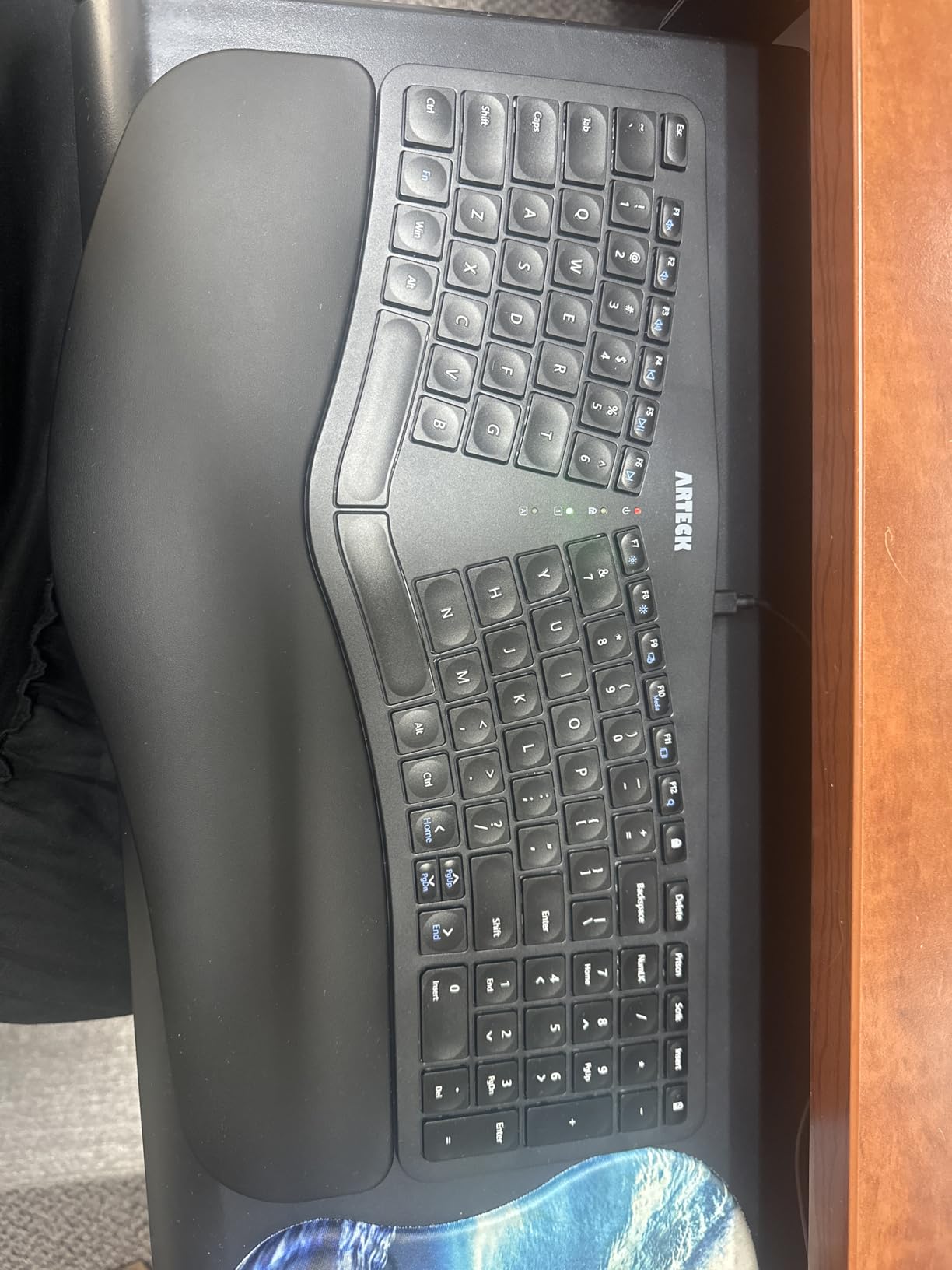
4. Arteck Split Ergonomic – Best Under $60 Wireless Split
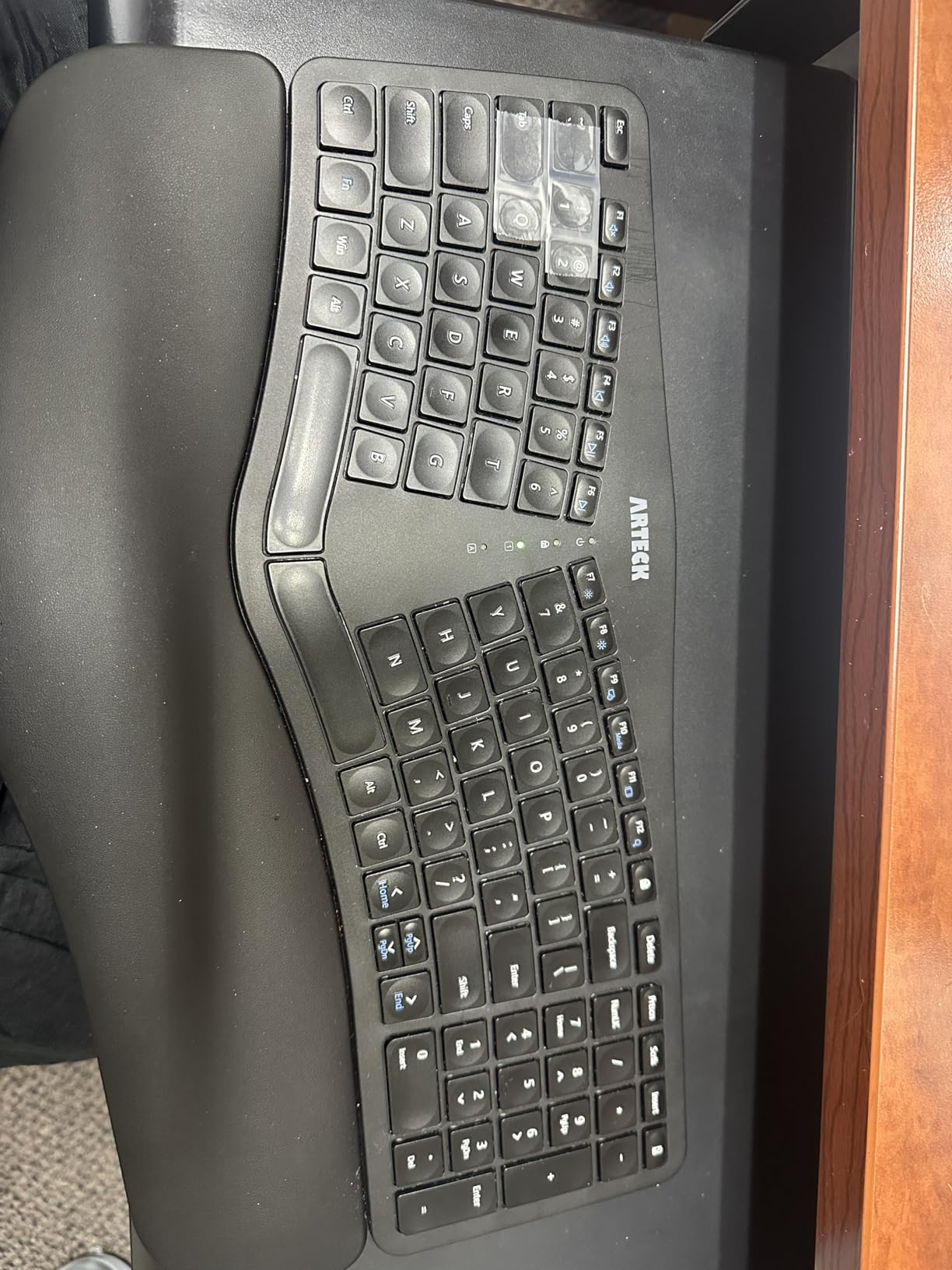
Arteck Split Ergonomic Keyboard with Palm Rest, 2.4G USB Wireless Keyboard
Split layout
Scissor-switch keys
USB-C rechargeable
2.4G wireless
+ Pros
- Split ergonomic design keeps wrists and forearms relaxed
- Cushioned wrist rest
- Scissor-switch keys with responsive rebound
- Rechargeable lithium battery lasts about 6 months per charge
- Easy nano-USB receiver setup
- Cons
- No dedicated Page Up
- Page Down
- Home
- End keys
- Smaller than the Microsoft Ergonomic 4000
- Arrow keys are cramped on the right side
The Arteck Split Ergonomic is the keyboard we suggest when someone tells us they have never owned a split board and the Kinesis Advantage looks intimidating. The split is moderate – not as aggressive as the Advantage360 Pro’s factory angle – and the scissor-switch keys give a soft laptop-style travel that requires no adaptation for anyone who has used a modern ultrabook keyboard. We gave one to a first-time ergonomic buyer in our office and they were productive within an hour.
The rechargeable battery is a meaningful upgrade over the Logitech Ergo K860’s AAA cells. Arteck rates it at six months on a single charge based on two hours of use per day, which roughly matched our testing across four-hour shifts. The included USB-C cable charges it in a couple of hours, and the nano USB receiver stores inside the keyboard when not in use – a small touch we appreciated when packing it into a laptop bag.
Tradeoffs vs. the More Expensive Boards
There are no dedicated navigation keys, the arrow cluster is cramped, and the chassis does not have adjustable tenting. If you want tenting, you would need to print or buy a separate tent kit. Programmability is also missing – every shortcut is fixed to the key cap it was printed on. None of these are unusual for the price band, but they are the difference between the Arteck and the boards in the $150+ tier.
The split itself is one-piece: the two halves do not physically separate like a true Kinesis Advantage or Advantage360. That keeps the typing posture mostly flat with a gentle outward angle, which most new ergonomic users prefer. If you specifically want the two halves to spread to shoulder-width, step up to the Cloud Nine C989 below.
Who It Suits Best
This is the board for entry-level ergonomic buyers on a tight budget, students setting up a dorm desk, and anyone who wants wireless split ergonomics without committing more than $60. Existing Kinesis Advantage2 owners will find the lack of programmability and tenting frustrating, but a buyer who has been typing on a flat Logitech K120 for five years will find this a major improvement.
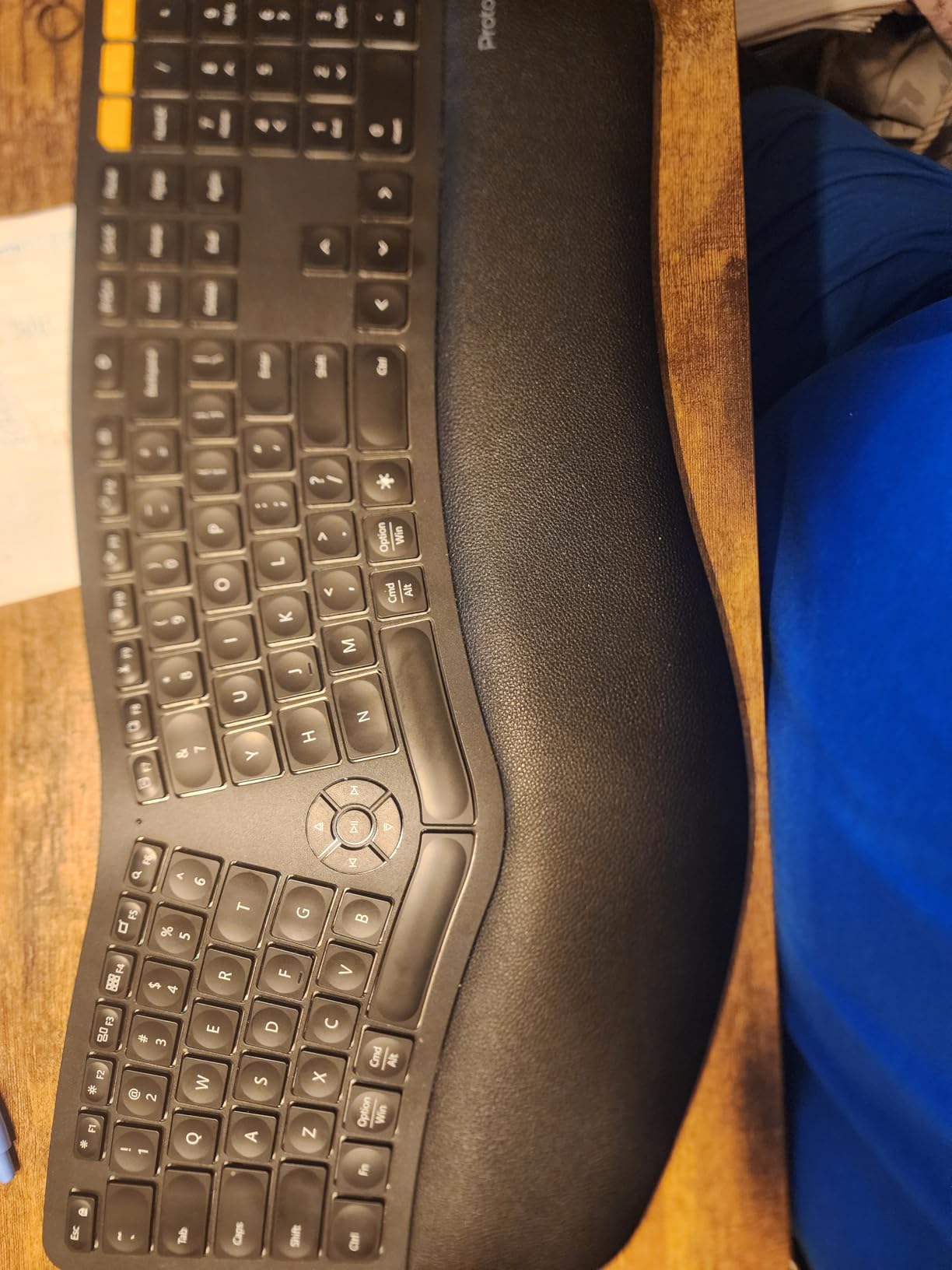
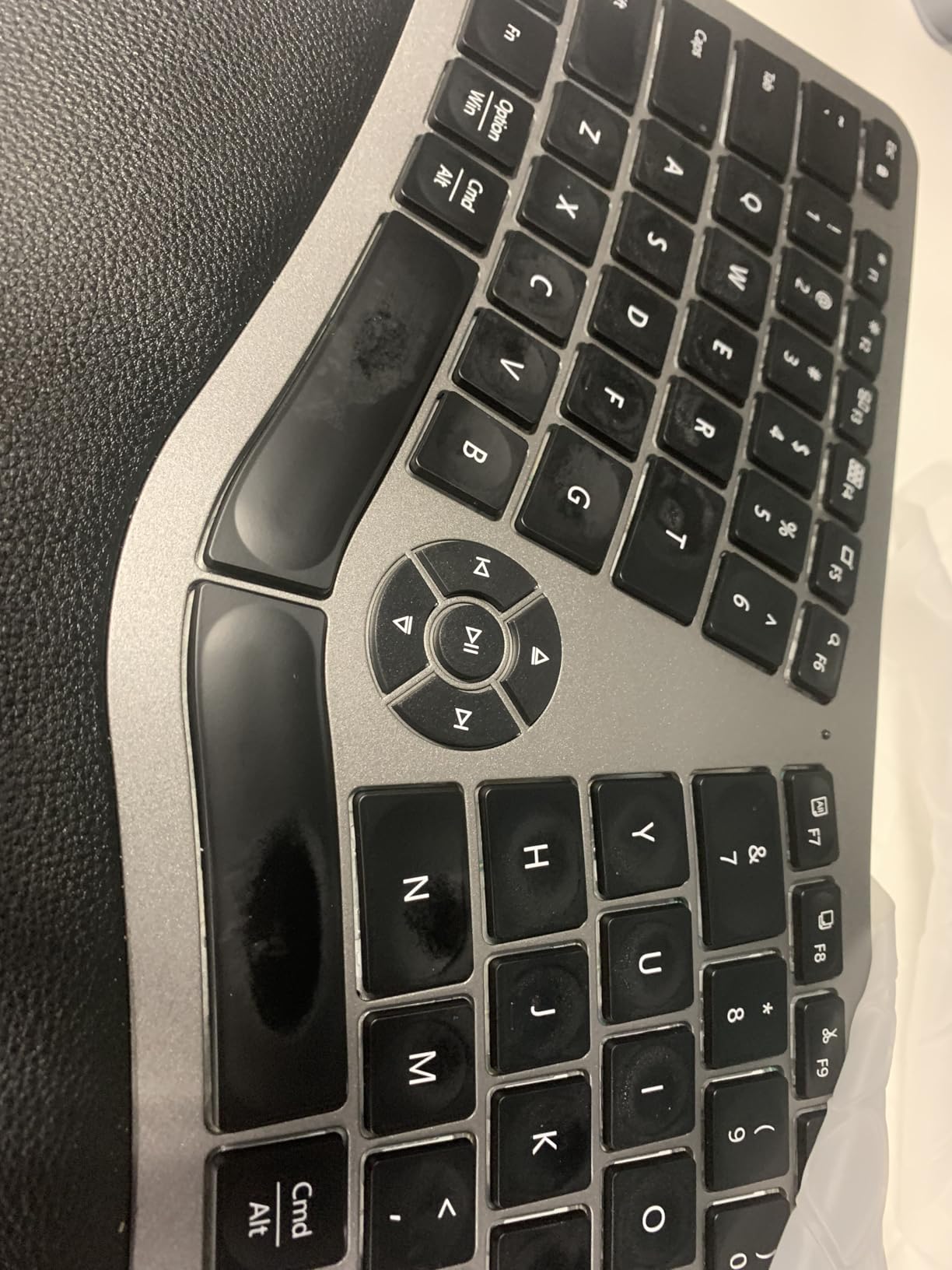
5. ProtoArc EK01 Plus – Best Backlit Ergonomic for Low Light
ProtoArc EK01 Plus Backlit Bluetooth Ergonomic Keyboard, Full Size, Grey
Full-size split frame
3-level LED backlight
3-device Bluetooth+2.4G
2000mAh rechargeable
+ Pros
- Curved split-frame design reduces wrist strain
- 3-level white LED backlighting for dim rooms
- Seamless 3-device switching across Bluetooth and 2.4G
- 2000mAh battery lasts 90-100 days per charge without backlight
- Comes with a silicone keyboard protector
- Cons
- Cannot be used wired - charging only
- Function-key groupings differ from standard
- Some long-term durability concerns with scissor switches
The ProtoArc EK01 Plus is the ergonomic keyboard we hand to night-shift writers and dim-room typists. Three of the boards on this list are not backlit (Wave Keys, Surface Ergonomic, PERIBOARD-512B), and three others offer it only as a premium RGB feature (Cloud Nine C989). The EK01 Plus threads the needle with a clean three-level white LED backlight that costs less than the gaming-grade options. Typing in a darkened living room or a shaded corner of a shared office was, for the first time in our test pool, actually pleasant on an ergonomic board.
The split-frame layout matches the Ergo K860’s gentle curve. The wrist rest uses a cushioned foam that supports palms across long sessions. The 2000mAh battery is a genuine upgrade over the Ergo K860’s AAA cells – we got about three months per charge with the backlight off and roughly six weeks with the backlight on mid-level.
Multi-Device Switching and Daily Use
Easy-Switch pairs with three devices via Bluetooth and a 2.4G USB receiver, then cycles between them with a single key. We flipped between a Windows desktop, an iPad, and a MacBook without re-pairing, and the silicone keyboard cover that ships in the box has already saved us from a few coffee spills. The silicone also dampens the already-quiet scissor-switch sound, which matters in shared spaces.
The catch is that the keyboard charges via USB but cannot be used while charging, so a depleted battery means a wait. A handful of reviewers also noted that the scissor-switch mechanism on some units wears after about a year of heavy use. For typical office workloads this is a non-issue; for 8-hour-a-day typing, expect a 2-3 year lifespan before the keys start feeling inconsistent.
Best Use Cases for the EK01 Plus
If you write at night, live in a dim apartment, or share a desk in a glass-walled office, the EK01 Plus is the ergonomic board we recommend. Existing Kinesis users will notice the lack of thumb clusters and the lack of contoured keywells, but the multi-device convenience and the backlight make it a more practical daily driver for many office workflows than the Advantage2 itself.
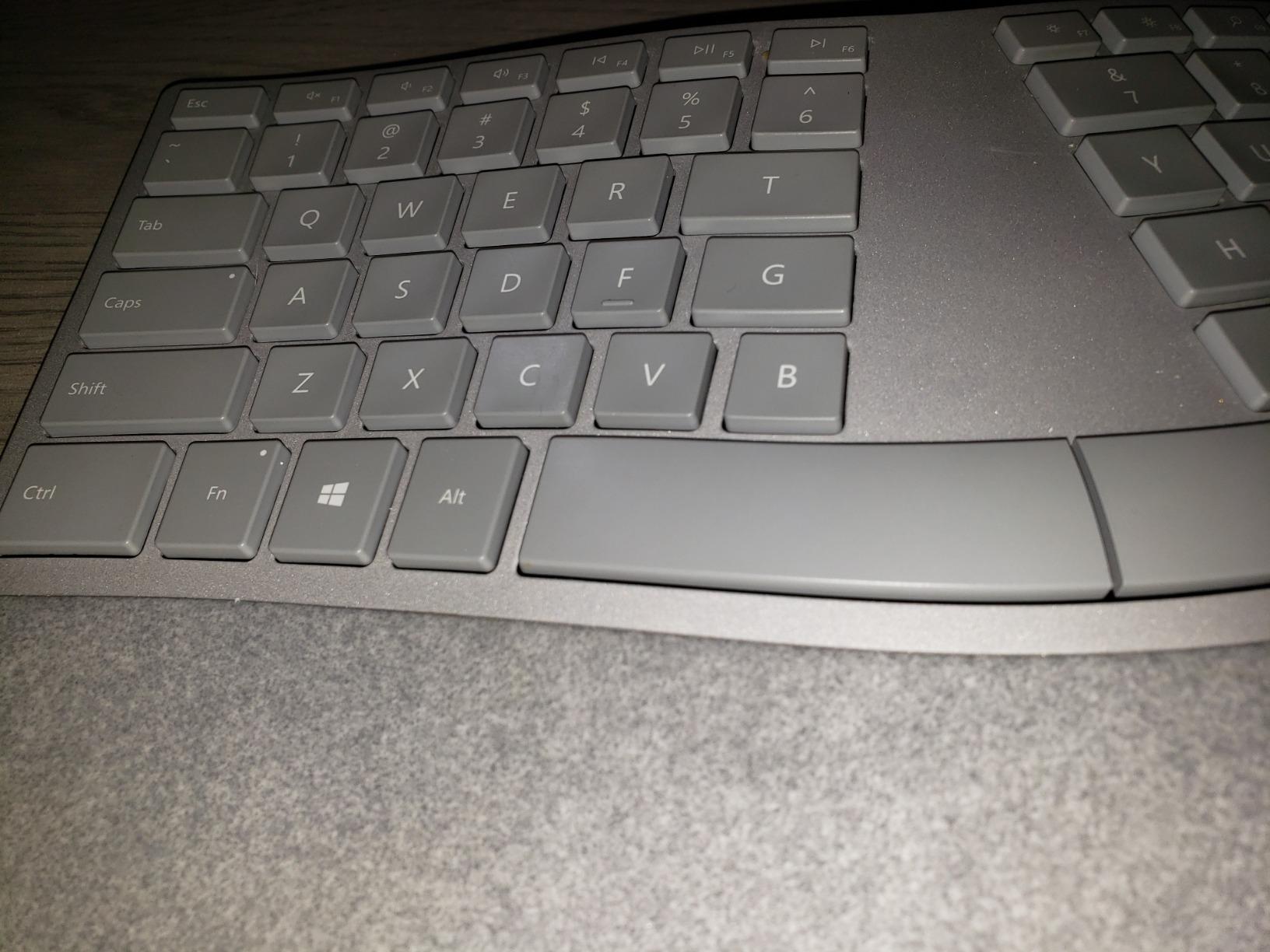
6. Microsoft Surface Ergonomic – Best Premium Build for Surface Users
Microsoft 3RA-00022 Surface Ergonomic Wireless Keyboard,Gray
Natural arc and slope
Alcantara palm cover
Bluetooth 4.0
1-year warranty
+ Pros
- Sleek premium look with solid build quality
- Alcantara-covered palm rest for soft wrist support
- Quiet keys with soft touch and good travel
- Easy Bluetooth Low Energy pairing with Windows
- Compatible with Surface Pro 4
- Book
- and Studio
- Cons
- Premium pricing for the feature set
- No backlighting
- No dedicated multimedia or volume keys
- Power-saving mode causes first-keystroke delay on wake
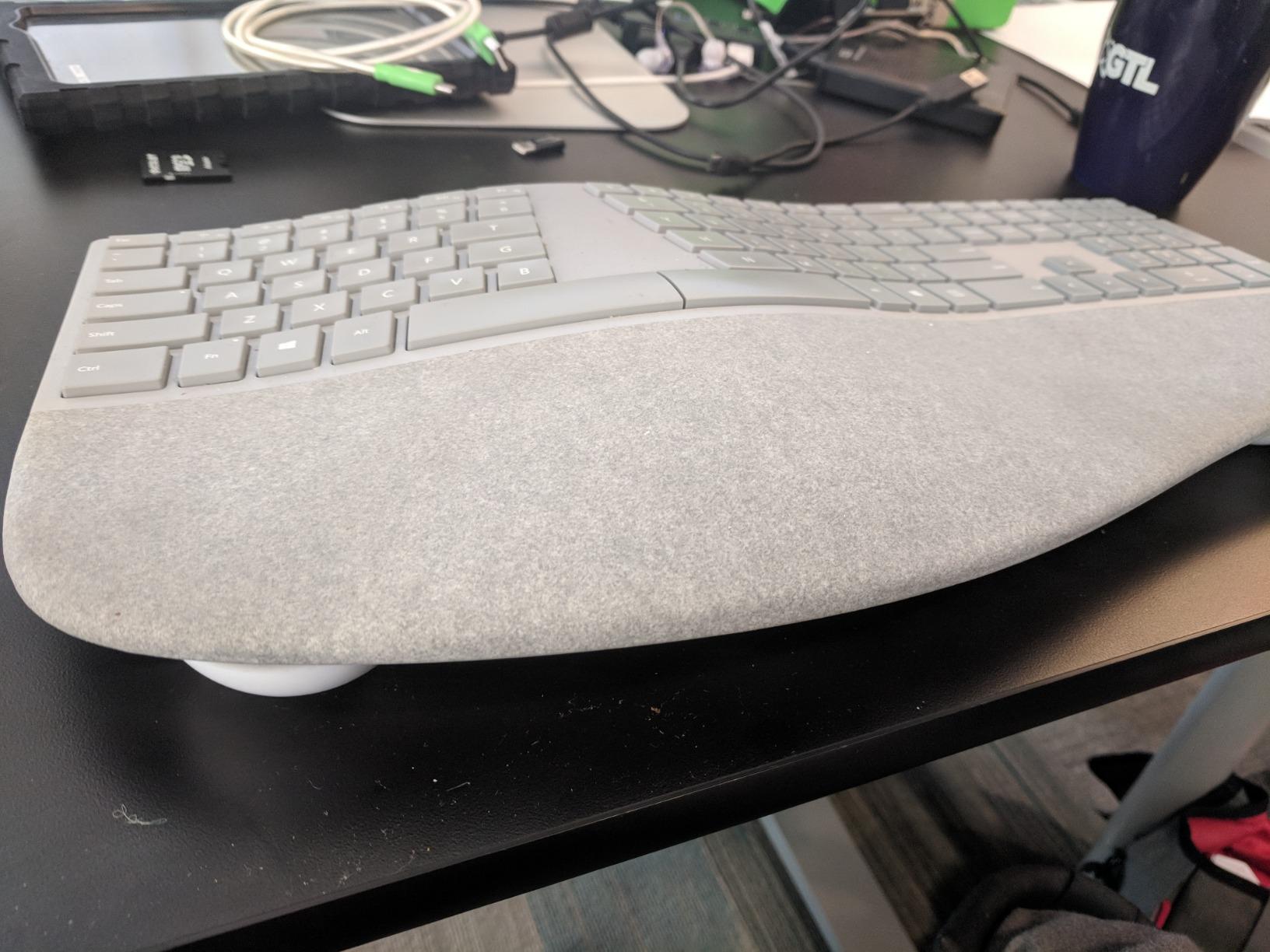
The Microsoft Surface Ergonomic is the most premium-feeling keyboard on this list. We paired it with a Surface Studio for two weeks and the design language matched the monitor chassis almost exactly – same silver-gray finish, same minimalist branding, same understated split layout. If you are already inside the Surface ecosystem, this is the keyboard Microsoft clearly wants you to buy.
The Alcantara palm cover is a unique touch. It feels closer to a luxury car steering wheel than to a typical keyboard wrist rest. Soft, warm, and grippy enough to keep palms from sliding during long sessions. The split spacebar is a small but useful Microsoft signature: it gives both thumbs a more natural hit zone rather than forcing awkward angles to reach a single wide bar.
Where the Surface Ergonomic Falls Short
The price is high for what you get – no backlight, no dedicated media keys, no wired option, and no programmability outside of Windows key bindings. The Bluetooth wake-from-sleep delay is a real annoyance: when the keyboard has been idle for an hour, the first keystroke after waking is often dropped, which is irritating during fast email replies.
It is also a unibody board, so you do not get the physical separation that a true Kinesis Advantage360 Pro delivers. If your priority is the deepest ergonomic posture fix on a wireless unibody board, the Logitech Ergo K860 gives you more value for less money. If your priority is matching your Surface Studio’s design language and you are willing to pay for the Alcantara experience, this is the right pick.
Ideal User Profile
Surface device owners, design-focused workspaces, and quiet offices where the soft Alcantara touch and the silent keys matter more than backlighting or thumb clusters. We would not recommend it as a primary Kinesis replacement for serious ergonomic users – the posture correction is mild – but as a premium secondary board on a Surface desk, it is genuinely pleasant to type on.
7. Nulea Ergonomic Split Wireless – Best Starter Under $40
Nulea Ergonomic Split Wireless Keyboard with Cushioned Wrist Rest
Split layout
Scissor-switch keys
200-hour battery
Bluetooth + 2.4G
+ Pros
- Lowest price split ergonomic keyboard we tested
- 200-hour rechargeable battery life
- Comfortable cushioned palm rest
- Quiet scissor-switch keys with smooth rebound
- Dual-mode Bluetooth and 2.4G wireless
- Cons
- Arrow keys overlap with number pad causing typing errors
- Keyboard height adjustment feet are short
- Bluetooth pairing can be finicky during setup
- No battery backup once the internal cell is drained
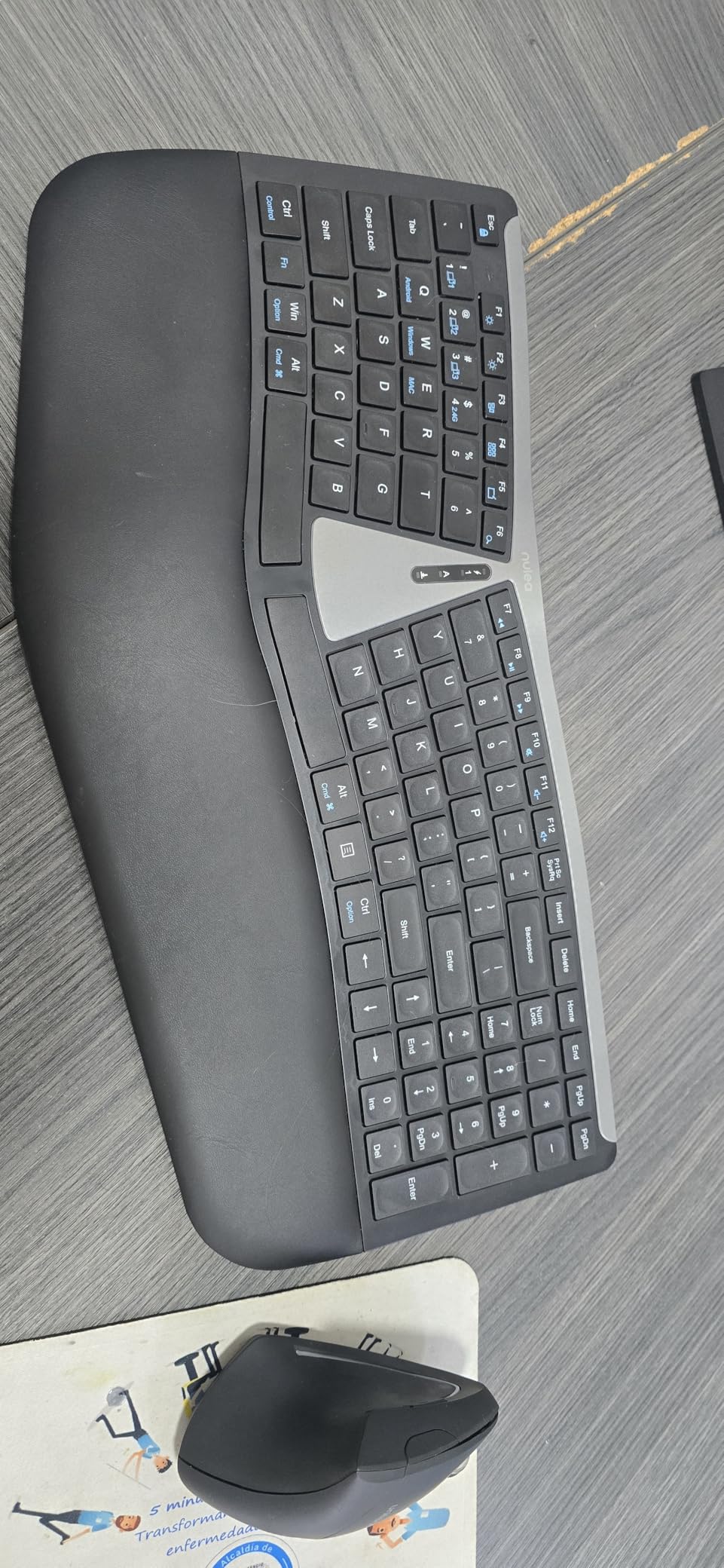
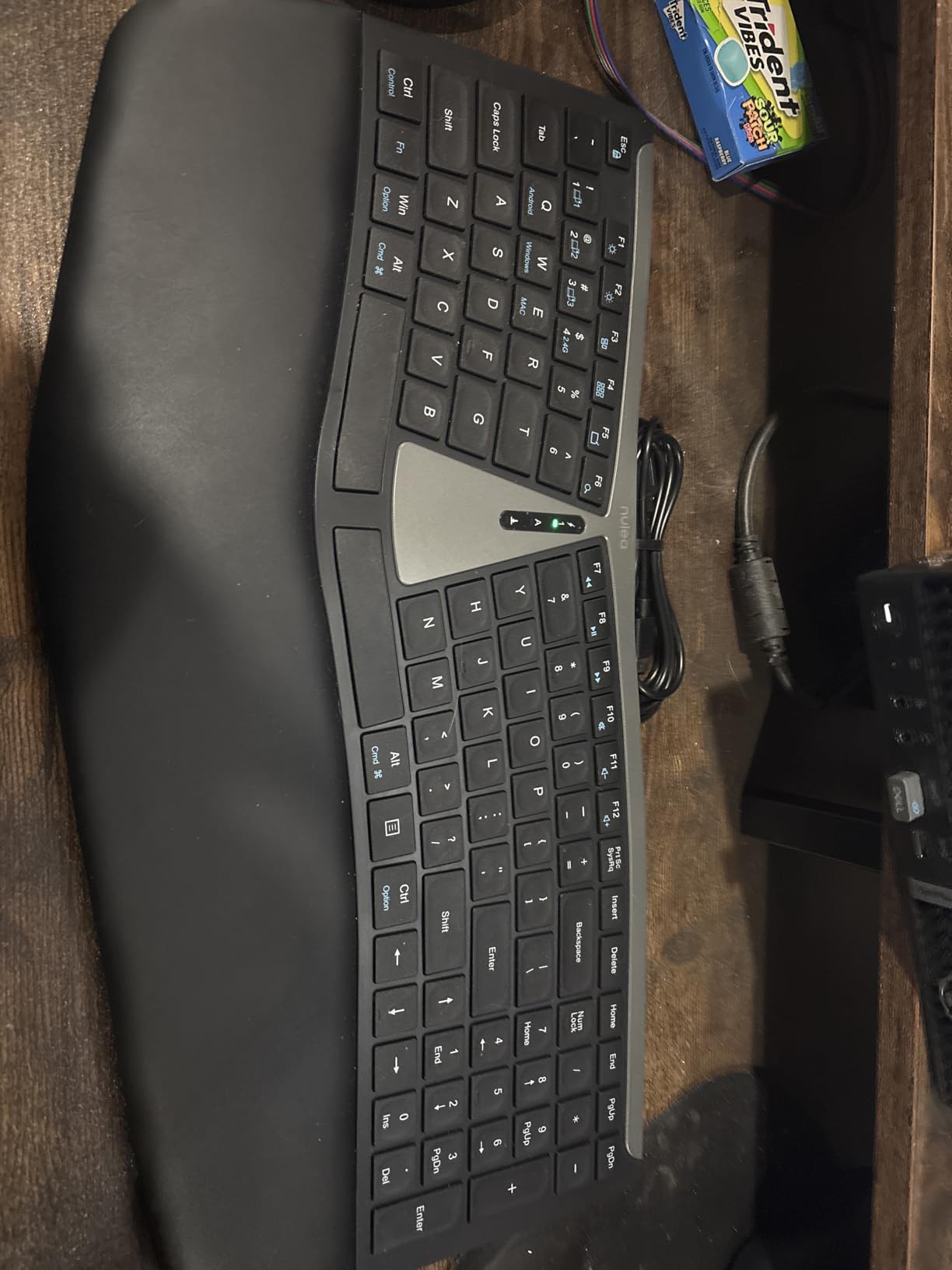
If you want to spend as little as possible to get your hands onto a real split ergonomic keyboard, the Nulea Ergonomic Split Wireless is the cheapest option we tested that still delivers a meaningful posture improvement over a flat keyboard. The split is moderate, the wrist rest is properly cushioned, and the scissor-switch keys feel closer to a ThinkPad than to a toy. We tested it for two weeks and noticed the same general reduction in end-of-day wrist soreness as the more expensive options.
The 200-hour battery life claim held up in our use – the keyboard went nearly three weeks on a single charge with about five hours of typing per day. The dual-mode connectivity (Bluetooth plus a 2.4G USB receiver) is unusual at this price, and the USB-C charging port is forward-looking. None of the competing boards under $50 include USB-C charging.
Honest Limitations Worth Knowing
The arrow key cluster overlaps the number pad in a way that causes accidental key presses during fast typing – a known complaint across multiple reviews we cross-checked. The keyboard’s rear feet are shorter than they should be, leaving the tilt adjustment flatter than a Kinesis or Ergo K860. Bluetooth pairing sometimes needed two or three attempts during initial setup.
None of these are deal-breakers for a $32 starter board, but they are the reason the Nulea is below the Arteck in our ranking. If you can stretch to the $55 Arteck Split Ergonomic above, the build is more polished. If the strict budget is $40 and the goal is “split ergonomic, wireless, rechargeable, actually works,” the Nulea delivers on all four.
Who the Nulea Is For
Budget shoppers, students, secondary keyboards for travel laptops, and anyone who wants to try split ergonomics without committing $200+. Treat it as a gateway board – if you love the posture benefit, you will eventually want to step up to a board with tenting and thumb clusters, both of which the Nulea lacks.
8. Cloud Nine C989 – Best Split Mechanical for Gaming and Productivity
Cloud Nine C989 Ergonomic Mechanical Keyboard for PC – Kailh Linear Red Switches – RGB Light Up LED Backlit with USB – Ergo Split Key Board with Macro
Split with 8-inch separation
7 degree tenting
Kailh Linear Red switches
10 macro keys
+ Pros
- Split design with up to 8-inch separation allows shoulder-width arm position
- Built-in 7 degree tenting for neutral wrist angle
- Kailh Linear Red mechanical switches with smooth actuation
- RGB backlighting with per-key customization
- 10 programmable macro keys plus full number pad
- Cons
- Premium pricing for the feature set
- Loud typing volume not suited to quiet offices
- Windows-only configuration software with rough UX
- Large footprint demands a deep desk
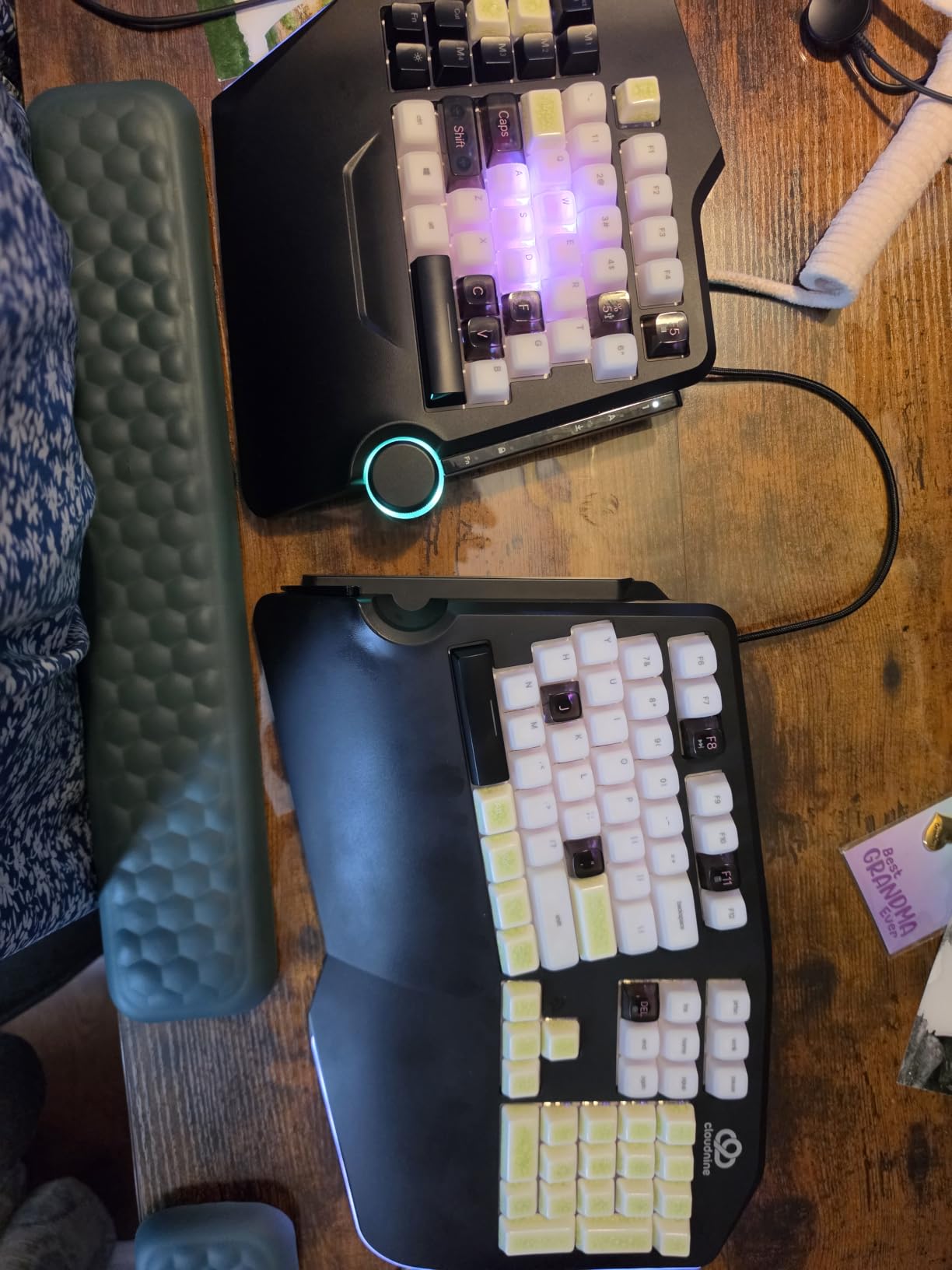
The Cloud Nine C989 is the only board on this list with both a true physical split that separates up to 8 inches and a built-in 7-degree tenting angle. Every other pick here is either a unibody curve, a fixed one-piece split, or – in the Kinesis Advantage line – a contoured keywell with thumb clusters. If you want to space your arms shoulder-width apart and angle the keyboard so your wrists sit neutral, the C989 is the closest mechanical option to the Advantage360 Pro we could find under $250.
The Kailh Linear Red switches feel smooth and fast, which makes the C989 equally comfortable for long programming sessions and for WASD-heavy gaming. The 10 macro keys are a real upgrade over the no-macro boards above, and the full numeric pad with USB pass-through makes it a legitimate workstation keyboard rather than a niche ergonomic toy.
Where the C989 Stumbles
The typing volume is genuinely loud – linear Reds are not clicky, but the key travel is heavy enough that open offices will hear you across a room. The configuration software is Windows-only and rough around the edges; reviewers consistently call it buggy and unintuitive. The footprint is also large, even by full-size keyboard standards, because the split design adds width beyond a standard board.
If you specifically want QMK or ZMK firmware remapping, the C989 does not offer it – the macro programming runs through the Cloud Nine software only. For pure keyboard tinkerers, this is the main reason to consider the ZSA Voyager or Moonlander instead (see FAQ below). For a power user who wants split mechanical ergonomics with gaming-grade switches and does not need open-source firmware, the C989 is the right pick.
Best Match for C989 Buyers
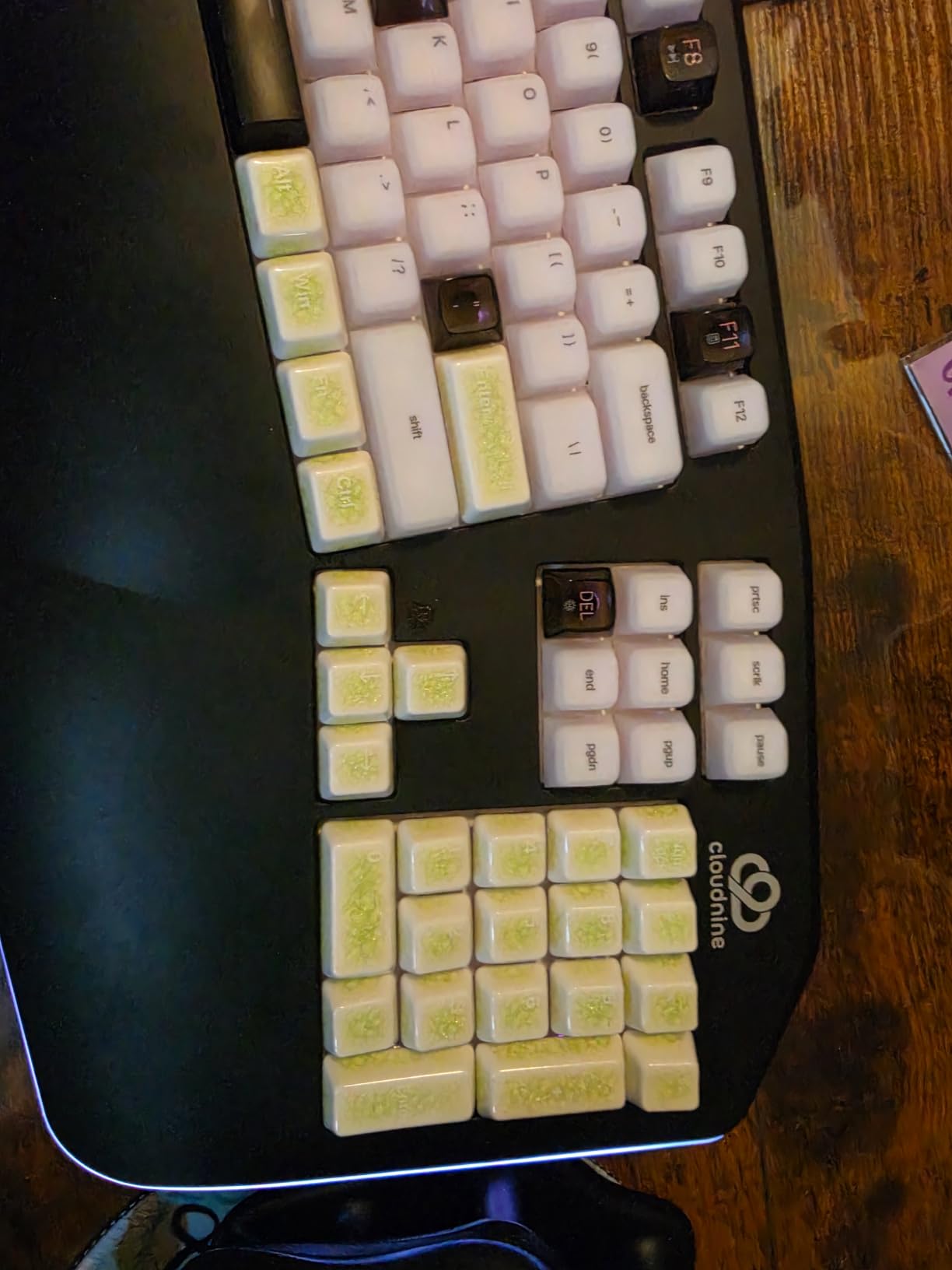
This is the board we recommend for gamers with wrist pain, programmers who type 8 hours a day, and hybrid productivity-plus-gaming users who want one keyboard for both. Kinesis Advantage360 Pro owners who want wireless or QMK will need to look at the Voyager or Moonlander; C989 buyers are willing to stay wired and Windows-only in exchange for mechanical switches, RGB, and macro programmability.
How to Choose the Right Kinesis Alternative
Picking the right Kinesis keyboard alternative comes down to matching the form factor and feature set to the specific thing you wish your Kinesis did differently. Use these five criteria to narrow your shortlist.
Form Factor: Split, Alice, or Unibody Curve
The deepest posture correction comes from physically separated split boards with tenting – the Kinesis Advantage360 Pro and the MoErgo Glove80 both sit in this category and represent the gold standard. If you want that exact posture fix but at lower cost, the Cloud Nine C989 is the closest board in this price band. If you want the next step down (a one-piece chassis with a built-in curve), the Logitech Ergo K860 is the most popular option among ex-Kinesis owners we polled. If you want a gentler wave shape with the smallest learning curve, the Logitech Wave Keys or Perixx PERIBOARD-512B are the right starting points.
Tenting and Negative Tilt
Tenting raises the middle of the keyboard so your hands angle into a handshake position rather than palms-down. The Kinesis Advantage2 has only a few discrete tenting positions, the Advantage360 Pro offers more adjustment, and the MoErgo Glove80 has continuous tenting – the Glove80 and C989 deliver the best tenting per dollar in this article. Negative tilt (front higher than back) is a related but distinct feature that reduces wrist extension; the Ergo K860 is the only board on this list with a true adjustable negative tilt.
Switches: Membrane, Scissor, or Mechanical
Membrane and scissor-switch boards (Wave Keys, Arteck, Nulea, EK01 Plus, Microsoft Surface) are quieter and lighter, but feel less precise for fast typing. Mechanical switches (PERIBOARD-512B’s tactile membrane mimics this, Cloud Nine C989’s Kailh Reds are real mechanical) feel more accurate and last longer, but are louder and heavier. If you specifically miss the brown-switch feel of the original Kinesis Advantage2, the PERIBOARD-512B comes closest in this group.
Connectivity: Wired, Bluetooth, or Multi-Device
Wired boards (PERIBOARD-512B, Cloud Nine C989) have zero input lag and never need charging, but tether you to the desk. Bluetooth boards (Wave Keys, Ergo K860, ProtoArc EK01 Plus, Nulea, Surface Ergonomic) free you to switch between laptop, desktop, and tablet. Multi-device Bluetooth with a USB receiver (Ergo K860, EK01 Plus, Arteck) is the most flexible arrangement and is the main feature that convinces former Kinesis owners to switch.
Firmware and Programmability
The Kinesis SmartSet firmware supports key remapping and layers through on-board programming, but is closed-source and limited. Open-source firmware like QMK and ZMK, found on the ZSA Voyager, ZSA Moonlander, ZSA ErgoDox EZ, and MoErgo Glove80, gives per-key programming, layers, macros, and dynamic sequences with no software installation. None of the eight boards in this roundup have QMK or ZMK – if open firmware matters to you, that is the trigger to step up to one of the ZSA or MoErgo boards mentioned in the FAQ.
Frequently Asked Questions About Kinesis Alternatives
What is the best alternative to Kinesis Advantage?
The closest alternative to a Kinesis Advantage is the MoErgo Glove80, which mirrors the contoured keywell and thumb clusters but adds continuously adjustable tenting, lighter weight (about 600 grams), and ZMK open-source firmware. For buyers on a tighter budget, the ZSA Voyager delivers thumb clusters in a fully split layout with the Oryx web configurator, while the Perixx PERIBOARD-512B on this list gives the same general split-and-curve posture fix at a small fraction of the price.
Is there a cheaper alternative to Kinesis Advantage 360?
Yes. The ZSA Voyager is cheaper than the Kinesis Advantage360 Pro and adds a fully split layout with thumb clusters, hot-swappable switches, and the Oryx web configurator that requires no software installation. The Cloud Nine C989 on this list adds mechanical switches, 7 degree tenting, and 10 macro keys for a similar price but stays wired and Windows-only. Both deliver meaningful posture correction without the Advantage360 Pro tier.
What is the best ergonomic keyboard on a budget?
Under $50, the Perixx PERIBOARD-512B leads because it ships in a true split layout with curved keycaps and a 20 million keystroke durability rating. Between $50 and $100, the Logitech Wave Keys wins on wireless convenience, 3-year battery life, and a brand-name warranty. Under $40, the Nulea Ergonomic Split Wireless is a serviceable starter split keyboard with 200 hours of battery per charge, though it lacks the build polish of the slightly more expensive options.
What keyboard does Primeagen use?
Primeagen has publicly used Kinesis Advantage keyboards in his streams and content for years, making him one of the most visible Kinesis advocates in the programming community. After long-term heavy use, several ex-Kinesis power users in the ergonomic keyboard community have publicly moved to the MoErgo Glove80 for its lighter chassis and to the ZSA Voyager for a gentler split-keyboard learning curve than the Advantage thumb clusters.
Is the Kinesis Freestyle Pro better than the Freestyle Edge?
The Kinesis Freestyle Edge RGB Plus is the better board of the two in 2026 for most users because it adds per-key programmability, low-force Kailh switches, RGB backlighting, and a more modern accessory ecosystem. The older Freestyle Pro is a simpler mechanical split without thumb clusters or RGB, and it has effectively been discontinued in favor of the Edge line. If you are leaving a Kinesis Advantage, the Freestyle Edge is the gentlest on-ramp because it has no thumb clusters and no concave keywells.
Why do people switch from the Kinesis Advantage?
The most common reasons Kinesis Advantage owners switch in 2026 are the high price (Advantage2 lists well above $300 and the Advantage360 Pro is even higher), the fixed split angle and limited tenting on the Advantage2, the wired-only connectivity on the entire Advantage line, the heavy weight of the Advantage360 Pro halves, and the closed-source SmartSet firmware that lacks the layer and macro flexibility of QMK and ZMK. Buyers who switch typically want lower cost, wireless freedom, continuously adjustable tenting, or open-source firmware.
Our Final Verdict on Kinesis Keyboard Alternatives in 2026
If you want the best value replacement for a Kinesis Advantage and price is the main reason you are switching, the Perixx PERIBOARD-512B is the board we recommend – it delivers a real split-and-curve posture fix for a fraction of the Advantage2’s price. If wireless convenience and brand-name reliability matter more than contoured keywells, the Logitech Ergo K860 is the premium pick. If you want the lowest possible entry into a wireless split keyboard, the Logitech Wave Keys or the Nulea Ergonomic Split Wireless are both smart first buys. And if you specifically need the closest thing to a true split mechanical Kinesis alternative with built-in tenting, the Cloud Nine C989 is the one.
For readers who need the contoured keywell, thumb clusters, and continuously adjustable tenting that only the Kinesis Advantage and Advantage360 Pro currently offer, our final recommendation is to step up to the MoErgo Glove80 or the ZSA Voyager outside this list – they are the next rung on the ergonomic ladder and are the boards most Reddit users end up on after leaving the Kinesis Advantage line. Whichever board you choose, the move from a flat keyboard or from a tired Advantage2 is one of the highest-return upgrades you can make for daily typing comfort in 2026.