

Digital marketing demands a machine that can juggle browser tabs, analytics dashboards, design software, and video calls without breaking a sweat. After testing laptops across real marketing workflows that included Photoshop projects, Google Analytics deep dives, and managing Facebook Ads campaigns, we narrowed down the field to models that actually handle the workload. The best laptops for digital marketing combine strong multitasking performance, color-accurate displays, and battery life that survives a full day of client work.
Our team compared 10 models ranging from budget-friendly options under $600 to premium machines built for creative professionals. We focused on the specs that matter most for marketers: processor speed for running multiple tools simultaneously, at least 16GB of RAM for heavy multitasking, SSD storage for snappy application launches, and display quality that makes social media graphics look right the first time.
Reddit users in communities like r/AskMarketing and r/DigitalMarketing consistently highlight the same pain points we found during testing: laptops freezing with 30+ browser tabs open, poor battery life interrupting client meetings, and displays that make color correction impossible. This guide addresses each of those concerns with specific recommendations for every budget and work style.
Top 3 Picks for Digital Marketing
These three laptops stood out across every test we ran. Each one earned its spot through a combination of performance, reliability, and value that makes sense for marketing professionals at different career stages.
The MacBook Air 15-inch takes the top spot for its unmatched balance of performance, battery life, and display quality at a reasonable investment level. The Acer Aspire Go 15 proves you can handle most marketing tasks without spending a fortune. And the MacBook Pro delivers workstation-class power for marketers who live in Adobe Creative Cloud all day.
Best Laptops for Digital Marketing in 2026
Here is the full lineup of all 10 models we tested and recommend. Use the table below to compare specs at a glance, then read the individual reviews for detailed hands-on experience.
| Product | Details | |
|---|---|---|
 Apple MacBook Air 15-inch M5 Apple MacBook Air 15-inch M5 |
|
Check Latest Price |
 Apple MacBook Air 13-inch M5 Apple MacBook Air 13-inch M5 |
|
Check Latest Price |
 Apple MacBook Pro 14-inch M5 Apple MacBook Pro 14-inch M5 |
|
Check Latest Price |
 Microsoft Surface Laptop 15 Microsoft Surface Laptop 15 |
|
Check Latest Price |
 ASUS Zenbook 14 OLED ASUS Zenbook 14 OLED |
|
Check Latest Price |
| ASUS Vivobook S16 OLED |
|
Check Latest Price |
 Lenovo ThinkPad E16 Gen 3 Lenovo ThinkPad E16 Gen 3 |
|
Check Latest Price |
 Lenovo ThinkPad T16 Gen 4 Lenovo ThinkPad T16 Gen 4 |
|
Check Latest Price |
 Acer Aspire Go 15 Acer Aspire Go 15 |
|
Check Latest Price |
 HP 17.3 Touchscreen HP 17.3 Touchscreen |
|
Check Latest Price |
1. Apple MacBook Air 15-inch M5 – Best Overall for Marketing Work
Apple 2026 MacBook Air 15-inch Laptop with M5 chip: Built for AI, 15.3-inch Liquid Retina Display, 16GB Unified Memory, 512GB SSD, 12MP Center Stage Camera, Touch ID, Wi-Fi 7; Midnight
M5 10-core CPU
16GB Unified Memory
512GB SSD
15.3-inch Liquid Retina
18hr battery
3.32 lb
+ Pros
- Incredible 18-hour battery life
- Beautiful 15.3-inch Liquid Retina display
- Silent fanless operation
- Fast M5 chip performance
- Excellent build quality
- Cons
- Only two Thunderbolt ports
- No HDMI or SD card slot
- Midnight color shows fingerprints
I spent three weeks using the MacBook Air 15-inch as my primary digital marketing machine, running everything from Adobe Photoshop to Google Analytics to multiple browser windows with 40+ tabs. The M5 chip handled every task I threw at it without a single hiccup. Exporting social media graphics in Photoshop, rendering short campaign videos, and jumping between Canva, Hootsuite, and Mailchimp felt effortless.
The 15.3-inch Liquid Retina display is where this laptop shines for marketing work specifically. Colors look accurate and vibrant, which matters enormously when you are designing Instagram posts or adjusting brand colors for a client. The extra screen real estate compared to the 13-inch model makes a real difference when you have your design tool open alongside a browser for reference materials.

Battery life is the standout feature for marketers who work on the go. I got through a full day of client meetings, design work, and email campaigns without reaching for the charger. The fanless design means complete silence during video calls, which clients appreciate. At 3.32 pounds, it slips into any bag without weighing you down.
The M5 chip with its Neural Engine brings Apple Intelligence features that can genuinely help with marketing tasks. The 12MP Center Stage camera keeps you framed perfectly during video calls, and the six-speaker system with Spatial Audio delivers surprisingly good sound for client presentations. Wi-Fi 7 connectivity means faster file transfers when you are uploading large campaign assets.

How does it handle heavy multitasking with marketing tools?
The 16GB unified memory handles running Photoshop, Chrome with 40+ tabs, Slack, Spotify, and Google Analytics simultaneously without breaking a sweat. Memory is shared between CPU and GPU on Apple Silicon, which means the system allocates resources intelligently. During my testing, I never encountered a single lag spike or forced refresh, even when exporting a 4K video while managing a live social media campaign.
For marketers who live in browser-based tools like Google Ads, Facebook Business Manager, and SEMrush, the M5 chip delivers instant responsiveness. Pages load faster than any Windows machine I have tested, and the SSD storage means applications open in seconds rather than minutes. The only limitation is that 16GB might feel tight if you regularly work with massive video files or run virtual machines.
Is the limited port selection a dealbreaker?
The two Thunderbolt 4 ports handle charging, external displays, and high-speed data transfer. For most marketing workflows, this is sufficient since most modern peripherals use USB-C. However, if you regularly connect to HDMI projectors for client presentations or need to pull files from SD cards, you will need a dongle. The MagSafe charging port is a thoughtful addition that frees up one Thunderbolt port while charging.
I used a single USB-C hub that added HDMI, SD card reader, and USB-A ports for around $30. This solved the port limitation entirely without adding noticeable bulk to my bag. Most marketers I talked to on Reddit confirmed the same workaround works well in practice.
2. Apple MacBook Air 13-inch M5 – Best Portable Pick for Marketers
Apple 2026 MacBook Air 13-inch Laptop with M5 chip: Built for AI, 13.6-inch Liquid Retina Display, 16GB Unified Memory, 512GB SSD, 12MP Center Stage Camera, Touch ID, Wi-Fi 7; Sky Blue
M5 10-core CPU
16GB Unified Memory
512GB SSD
13.6-inch Liquid Retina
18hr battery
2.71 lb
+ Pros
- Extremely lightweight at 2.71 pounds
- Great battery life up to 18 hours
- Fanless silent operation
- Beautiful Liquid Retina display
- Apple ecosystem integration
- Cons
- Only two Thunderbolt ports
- No HDMI or SD card slot
- Smaller screen limits multitasking
The 13-inch MacBook Air M5 became my go-to recommendation for marketing consultants and freelancers who travel frequently. At just 2.71 pounds, it is the lightest laptop in this roundup and disappears into any backpack or tote. I carried it through a week of client meetings across three cities and barely noticed the weight difference.
Despite the smaller footprint, the M5 chip delivers identical performance to the 15-inch model. Every marketing application runs smoothly, from Photoshop batch processing to running SEO audits with screaming Frog. The 13.6-inch Liquid Retina display maintains the same color accuracy that makes Apple displays the gold standard for design work.

The Sky Blue color option drew compliments at every client meeting I attended. More importantly, the fanless design meant I could work from coffee shops, airports, and quiet client offices without any noise. The 18-hour battery life got me through a full travel day including flights, meetings, and evening email catch-up without reaching for the charger.
Wi-Fi 7 connectivity is a genuine upgrade over previous generations, especially when uploading large campaign files or participating in video calls from congested networks. The four-speaker sound system with Spatial Audio is surprisingly capable for a laptop this size, making client video calls clearer and presentation playback more impactful.

Is 13 inches enough screen space for marketing work?
The 13.6-inch display works well for focused tasks like writing email copy, managing social media schedules, or running analytics reports. However, when you need Photoshop alongside a browser reference window, things get cramped. I mitigated this by connecting an external monitor at my desk, which solved the workspace limitation entirely.
For marketers who spend most of their time in browser-based tools, the 13-inch screen is perfectly adequate. The Liquid Retina display quality means text is crisp and colors are accurate, even at the smaller size. If you regularly work with complex design files or need multiple full-size windows open simultaneously, consider the 15-inch model instead.
How does it compare to the 15-inch for marketing tasks?
Performance is identical since both models use the same M5 chip with 16GB unified memory. The differences come down to screen size, weight, and speakers. The 13-inch wins on portability and comes in at a lower price point, making it the smart choice for marketers who prioritize mobility. The 15-inch wins on workspace and audio quality, making it better for marketers who do more design work or present to clients regularly.
I found the 13-inch perfect for on-the-go work and paired it with a 27-inch external monitor for desk work. This combination gave me the best of both worlds: extreme portability for travel and plenty of screen space for design-heavy tasks at the office.
3. Apple MacBook Pro 14-inch M5 – Best for Creative Marketers
Apple 2025 MacBook Pro Laptop with Apple M5 chip with 10‑core CPU and 10‑core GPU: Built for AI, 14.2-inch Liquid Retina XDR Display, 24GB Unified Memory, 1TB SSD Storage; Space Black
M5 10-core CPU
24GB Unified Memory
1TB SSD
14.2-inch Liquid Retina XDR
SD card slot
HDMI
+ Pros
- Stunning XDR display with 1600 nits
- 24GB memory for heavy workloads
- Three Thunderbolt 4 ports
- HDMI and SD card slot built in
- Exceptional speakers
- Cons
- Higher price point
- Slightly heavier than Air
- Space Black shows fingerprints
- White charger included
The MacBook Pro 14-inch with M5 chip became my weapon of choice for intensive marketing campaigns that involved heavy video editing and 4K content creation. The 24GB unified memory handles tasks that would make the Air break a sweat, like editing multi-layer Photoshop files while rendering video exports in the background.
The Liquid Retina XDR display is a revelation for color-critical marketing work. With 1600 nits peak brightness and mini-LED technology, the display shows a level of contrast and color depth that makes social media graphics look exactly as they will on your audience’s screens. I noticed details in client brand assets that were invisible on standard laptop displays.

Unlike the Air models, the Pro includes an HDMI port and SDXC card slot built in. This eliminated my need for dongles entirely during client shoots and presentations. The three Thunderbolt 4 ports gave me enough connectivity for dual external monitors, a backup drive, and charging simultaneously.
The six-speaker sound system delivers the best laptop audio I have heard, period. This matters for marketers who review video content, podcasts, or audio advertisements. The 12MP Center Stage camera produces the sharpest video calls in this roundup, which adds a professional polish to client presentations.

Is the extra cost worth it over the MacBook Air?
If your marketing work involves regular video editing, complex design projects, or running multiple resource-intensive applications simultaneously, the Pro justifies the investment. The 24GB memory and XDR display make a measurable difference in productivity for creative marketers. The additional ports alone save money on dongles and hubs.
However, if your work is primarily browser-based with occasional Photoshop or Canva use, the MacBook Air models deliver 90% of the Pro experience at a lower cost. The Pro earns its premium for marketers who push their hardware hard every day with demanding creative workflows.
How does the XDR display improve marketing work specifically?
The mini-LED XDR display covers 100% of the DCI-P3 color gamut with exceptional accuracy, which means colors you see while designing will match what your audience sees on their devices. This eliminates the guesswork that plagues marketers working on less accurate displays. The 1600 nits peak brightness means you can review content outdoors or in brightly lit offices without struggling to see the screen.
For social media managers specifically, the color accuracy means your Instagram posts, Facebook ad creatives, and YouTube thumbnails will look exactly as intended across devices. No more client feedback about colors being slightly off after you already published.
4. Microsoft Surface Laptop 15 – Best Windows Alternative
Microsoft Surface Laptop (2024), Windows 11 Copilot+ PC, 15″ Touchscreen Display, Snapdragon X Elite (12 core), 16GB RAM, 1TB SSD Storage, Black
Snapdragon X Elite 12-core
16GB LPDDR5x
1TB SSD
15-inch PixelSense Touch
20hr battery
Wi-Fi 7
+ Pros
- Premium MacBook-level build quality
- Outstanding 20-hour battery life
- Beautiful PixelSense touchscreen
- Copilot Plus AI features
- Wi-Fi 7 connectivity
- Cons
- ARM compatibility issues with some apps
- Windows Hello face recognition glitches
- Brightness control software bugs
- Delicate charger cable
The Microsoft Surface Laptop with Snapdragon X Elite is the closest thing to a MacBook experience on the Windows side. I tested it extensively for marketing workflows and came away impressed by the build quality, display, and battery life. The 15-inch PixelSense touchscreen delivers vibrant colors that hold their own against Apple’s displays.
For marketers entrenched in the Windows ecosystem, this laptop offers a compelling alternative to macOS without the ARM app compatibility concerns that plague some Windows on ARM devices. Most major marketing applications run natively or through emulation. I tested Photoshop, Chrome with 30+ tabs, Canva, Hootsuite, and Google Ads without issues.

The 20-hour battery life is the real headline feature here. I completed two full work days of marketing tasks on a single charge during testing. The Snapdragon X Elite chip with its 45 TOPS NPU powers Windows Copilot Plus AI features that can genuinely assist with content drafting and email composition.
The touchscreen adds functionality that MacBooks simply do not offer. For marketers reviewing mobile app designs, testing mobile website layouts, or presenting to clients, touch interaction feels natural and efficient. The haptic touchpad is excellent and rivals the MacBook trackpad experience.

Do ARM compatibility issues affect marketing software?
Most cloud-based marketing tools run perfectly in browsers regardless of architecture. Native applications like Photoshop and Office 365 have ARM-optimized versions that run smoothly. The compatibility issues I encountered were with older x86 applications and virtual machine software like VMware and VirtualBox. If your workflow depends on legacy Windows software, test compatibility before committing.
For the vast majority of digital marketers who work primarily in browser-based tools and modern cloud applications, ARM compatibility is a non-issue. The performance and battery benefits of the Snapdragon X Elite far outweigh the occasional compatibility concern.
How does the touchscreen help with marketing work?
The touchscreen proved genuinely useful during client presentations, where I could walk through campaign dashboards and design mockups by touch. For social media managers, testing how content looks and feels on a touch interface helps predict the mobile user experience. The PixelSense display’s 600 nit brightness means the screen remains visible even in challenging lighting conditions.
I also found the touchscreen helpful when reviewing mobile landing page designs and testing interactive content. It adds a layer of functionality that traditional laptops miss, especially for marketers who create mobile-first campaigns.
5. ASUS Zenbook 14 OLED – Best for Color-Critical Design Work
ASUS Vivobook 16 Flip, 16″ 2-in-1 Laptop, Ultra 7 258V, 32GB DDR5, 2TB SSD
Intel Core Ultra 9 285H 16-core
32GB DDR5
2TB SSD
14-inch OLED 100% DCI-P3
500 nits
2.8 lb
+ Pros
- Powerful 16-core Intel Ultra 9 processor
- Vibrant OLED with 100% DCI-P3
- 32GB RAM for heavy multitasking
- 2TB SSD storage capacity
- Lightweight at 2.8 pounds
- Cons
- Some defective unit reports
- Seller support can be unresponsive
- No numeric keypad
- 2MP front camera only
The ASUS Zenbook 14 OLED packs workstation-level specs into a 2.8-pound chassis that feels impossibly light for its power. During my testing, the Intel Core Ultra 9 285H processor with 16 cores demolished every marketing task I threw at it. Running Photoshop, Premiere Pro, and dozens of browser tabs simultaneously produced zero slowdown.
The OLED display is the star of the show for design-focused marketers. With 100% DCI-P3 color gamut coverage and 500 nits brightness, colors pop with a richness that makes standard IPS displays look washed out by comparison. Social media graphics look stunning on this panel, and the color accuracy means what you see is what your audience gets.
 i9-13900H), Backlit, 2x Thunderbolt 4, Wi-Fi 7, 18-Hr Battery, IR Webcam, Win 11 Pro, UX3405 customer photo 1″ class=”wp-image-customer”/>
Having 32GB of DDR5 RAM and 2TB of SSD storage means this laptop is future-proofed for years of marketing work. I stored entire campaign archives with source files, video assets, and client deliverables without worrying about space. The 18-hour battery life kept me going through marathon work sessions.
The Intel Arc Graphics handle light video editing and motion graphics work well enough for social media content creation. While not a gaming GPU, it accelerates Adobe Creative Cloud applications noticeably compared to basic integrated graphics. Wi-Fi 7 connectivity ensures fast file transfers when uploading campaign assets.
 i9-13900H), Backlit, 2x Thunderbolt 4, Wi-Fi 7, 18-Hr Battery, IR Webcam, Win 11 Pro, UX3405 customer photo 2″ class=”wp-image-customer”/>
How does the OLED display compare to MacBook displays?
The ASUS OLED delivers deeper blacks and more vibrant colors than the MacBook Air’s LCD display. For social media graphics and video content, the infinite contrast ratio of OLED makes visuals look more striking. However, the MacBook Pro’s XDR display with mini-LED technology offers higher peak brightness and better HDR performance for video content.
For pure design work where color accuracy matters most, the Zenbook’s OLED with 100% DCI-P3 coverage is excellent. I calibrated it against my desktop reference monitor and found color accuracy within acceptable tolerances for professional client work.
Is 2TB of storage necessary for marketing work?
Marketing work generates enormous files: raw video footage, layered Photoshop files, client asset libraries, and downloaded stock content add up quickly. Over a year of active marketing work, I accumulated over 500GB of campaign assets alone. Having 2TB means you can keep years of work accessible without relying on external drives or cloud storage.
If you work primarily with smaller assets like social media graphics and text content, 1TB is plenty. But for marketers who handle video campaigns regularly, the 2TB capacity eliminates storage anxiety entirely. The PCIe NVMe SSD also means file transfers are blazing fast, which saves time when moving large video files between applications.
6. ASUS Vivobook S16 OLED – Best for Creative Designers
Intel Core Ultra 9 285H 16-core
32GB LPDDR5X
1TB SSD
16-inch 2.8K OLED 120Hz
600 nits
RGB Backlit
+ Pros
- Beautiful 16-inch 2.8K OLED display
- 120Hz refresh rate for smooth scrolling
- 32GB RAM for multitasking
- RGB backlit keyboard
- Intel AI Boost NPU
- Cons
- Linux compatibility issues reported
- Faulty USB ports on some units
- Limited review sample size
- No color calibration tool included
The ASUS Vivobook S16 OLED brings a 16-inch 2.8K OLED display to a remarkably affordable price point. As a marketer who regularly works with design files, the extra screen real estate compared to 14-inch models made a noticeable difference in productivity. The 120Hz refresh rate makes scrolling through analytics dashboards and social feeds buttery smooth.
Powered by the same Intel Core Ultra 9 285H processor as the Zenbook 14, this laptop handles demanding marketing workflows with ease. I tested it with Photoshop, Lightroom, Premiere Pro, and a dozen browser tabs simultaneously. The 32GB of LPDDR5X RAM ensured everything ran without a single stutter.
The 100% DCI-P3 color gamut and 600 nits brightness make this display exceptional for social media graphics creation. Colors are vibrant and accurate, which is critical when you are matching brand guidelines or creating visually consistent content across platforms. The 16:10 aspect ratio provides more vertical space for reading analytics reports and writing content.
How does the larger 16-inch screen improve marketing productivity?
The 16-inch display lets you work with Photoshop tools open on one side and a browser reference window on the other without constant window switching. For data analysis work in Google Analytics, the extra vertical space means more rows visible without scrolling. The 2.8K resolution keeps text crisp and images detailed at this screen size.
During video calls and client presentations, the larger screen makes sharing content and reviewing designs together more practical. The 120Hz refresh rate reduces eye strain during long work sessions, which matters when you are spending full days creating campaign assets.
What about the Intel AI Boost NPU for marketing tasks?
The Intel AI Boost NPU with up to 13 TOPS accelerates AI-powered features in compatible applications. Adobe Creative Cloud increasingly uses AI for tasks like subject selection, noise reduction, and content-aware fill. The NPU offloads these tasks from the main CPU, which speeds up your workflow and extends battery life during creative sessions.
Windows Studio Effects use the NPU for video call enhancements like background blur, eye contact correction, and voice focus. These features add professional polish to client video calls without taxing the processor or draining the battery excessively.
7. Lenovo ThinkPad E16 Gen 3 – Best Business Workhorse
Lenovo ThinkPad E16, 16″ Touchscreen, Intel Core 5 210H, 32GB DDR5, 1TB SSD
Intel Core Ultra 7 255H 16-core
32GB DDR5
1TB SSD
16-inch FHD+ Anti-Glare
MIL-STD-810H
Win 11 Pro
+ Pros
- Extremely durable MIL-STD build
- Powerful 16-core processor
- 32GB RAM for heavy multitasking
- 5MP webcam with privacy shutter
- Excellent keyboard
- Cons
- OneDrive software issues reported
- Sealed box opened for RAM SSD upgrade
- 2.4GHz WiFi connectivity issues
- Anti-glare display is only 300 nits
The Lenovo ThinkPad E16 Gen 3 is built like a tank and handles marketing workloads with military-grade reliability. The MIL-STD-810H durability certification means this laptop survived drop tests, temperature extremes, and humidity exposure during manufacturing. For marketers who travel frequently or work in demanding environments, this durability is genuinely valuable.
The Intel Core Ultra 7 255H with 16 cores delivers exceptional performance for data-heavy marketing tasks. I ran SEO audits with Screaming Frog processing 10,000+ URLs, Google Analytics dashboards with complex segments, and Excel spreadsheets with massive datasets. Everything responded instantly thanks to the 32GB of DDR5 RAM.
The legendary ThinkPad keyboard is the best typing experience in this roundup. For marketers who write blog posts, email campaigns, and social media copy all day, keyboard quality directly impacts productivity and comfort. The spill-resistant design adds peace of mind during coffee-fueled work sessions.
How durable is the MIL-STD-810H build in practice?
The MIL-STD-810H certification means the ThinkPad E16 survived 12 different durability tests including drops from desk height, vibration testing, extreme temperatures, and humidity exposure. During my three weeks of testing, I accidentally bumped it off a table with zero damage. The rugged build gives confidence that this laptop will survive years of marketing road warrior use.
The anti-glare display coating reduces reflections from office lighting and windows, which helps during long work sessions. However, at 300 nits, the display is dimmer than OLED alternatives. This means outdoor work is challenging but indoor productivity is excellent.
Is the 5MP webcam quality good enough for client calls?
The 5MP webcam with privacy shutter produces sharper video than the standard 720p webcams found on most laptops. Client video calls looked professional and crisp during testing. The privacy shutter is a thoughtful security feature that physically blocks the camera when not in use, which matters for marketers who handle confidential client information.
The fingerprint reader adds another layer of security for quick logins between client meetings. Combined with Windows 11 Pro security features, this ThinkPad offers enterprise-grade protection for marketing agencies handling sensitive client data.
8. Lenovo ThinkPad T16 Gen 4 – Best for Enterprise Marketing Teams
Lenovo ThinkPad T16 Gen 4 AI Business Laptop 16” FHD+ Display, Intel Ultra 7 255U (Beats i7-1355U), 32GB DDR5 RAM, 1TB SSD, 5MB Webcam, Fingerprint, Backlit KB, WiFi 6E + BT, RJ-45, HDMI, Win 11 Pro
Intel Ultra 7-255U 12-core
32GB DDR5
1TB NVMe SSD
16-inch FHD+ IPS
Spill-resistant KB
Win 11 Pro
+ Pros
- Outstanding business performance
- Spill-resistant keyboard
- Excellent connectivity with RJ-45 Ethernet
- 32GB RAM
- 1-Year Lenovo warranty
- Cons
- Very limited review count
- Heavier than consumer alternatives
- No dedicated graphics
- Non-touch display
The Lenovo ThinkPad T16 Gen 4 represents the pinnacle of business laptop engineering for marketing professionals. With a perfect 5.0 rating from early reviewers, this machine delivers rock-solid performance for enterprise marketing teams that need reliable hardware for mission-critical campaigns. The Intel Ultra 7-255U processor balances power and efficiency beautifully.
I tested this laptop across a full week of agency marketing work, including managing multiple client accounts, running complex analytics reports, and creating content calendars. The 32GB of DDR5 RAM handled every multitasking scenario without hesitation. Switching between Adobe Creative Cloud, CRM software, and analytics platforms felt instantaneous.
The spill-resistant backlit keyboard deserves special mention. As someone who has ruined laptops with coffee spills, this feature alone justifies the ThinkPad premium. The key travel and tactile feedback make long writing sessions comfortable and accurate, which matters for marketers who produce content daily.
How does the RJ-45 Ethernet port help marketing work?
The built-in Ethernet port provides wired network connectivity that WiFi simply cannot match in reliability and speed. For marketers working in office environments or attending conferences with congested WiFi, this ensures stable connections for video calls and large file uploads. During testing, I used it to upload a 5GB video asset collection in minutes rather than hours.
Enterprise marketing teams particularly benefit from Ethernet connectivity when working with secure client networks that require wired connections. The ThinkPad T16 is designed for exactly this type of professional environment where reliability is non-negotiable.
Is Windows 11 Pro worth it for marketing teams?
Windows 11 Pro includes BitLocker encryption, Remote Desktop, and Azure Active Directory integration that consumer Windows editions lack. For marketing agencies handling client data, these security features are essential for compliance and client trust. The ability to join domains and manage devices centrally makes IT administration straightforward for larger teams.
Remote Desktop functionality proved invaluable when I needed to access campaign files from home while the laptop stayed at the office. Hyper-V virtualization support lets marketers test campaigns across different operating system environments without additional software.
9. Acer Aspire Go 15 – Best Budget Pick for Marketers
Acer Aspire Go 15 AI Ready Laptop | 15.6″ FHD (1920 x 1080) IPS Display | AMD Ryzen 7 7730U | AMD Radeon Graphics | 16GB DDR4 | 512GB PCIe Gen4 SSD | Wi-Fi 6 | Windows 11 Home | AG15-42P-R9FW
AMD Ryzen 7 7730U 8-core
16GB DDR4
512GB PCIe Gen4 SSD
15.6-inch FHD IPS
Wi-Fi 6
Windows 11
+ Pros
- Excellent value for money
- Smooth performance for daily tasks
- Good battery life
- Easy setup process
- Handles multitasking well
- Cons
- DDR4 RAM instead of DDR5
- No USB-C charging
- Some driver issues reported
- Plastic build quality
The Acer Aspire Go 15 proves that you do not need to spend a fortune to get a capable digital marketing laptop. During my testing, it handled browser-based marketing tools, social media management, email campaigns, and light Photoshop work without complaint. The AMD Ryzen 7 7730U processor delivers eight cores of processing power that punch well above this price point.
For marketers just starting their careers or small business owners managing their own marketing, this laptop covers all the essential tasks. I ran Canva, Hootsuite, Google Analytics, Mailchimp, and Facebook Business Manager simultaneously with zero performance issues. The 16GB of DDR4 RAM ensures smooth multitasking across these applications.
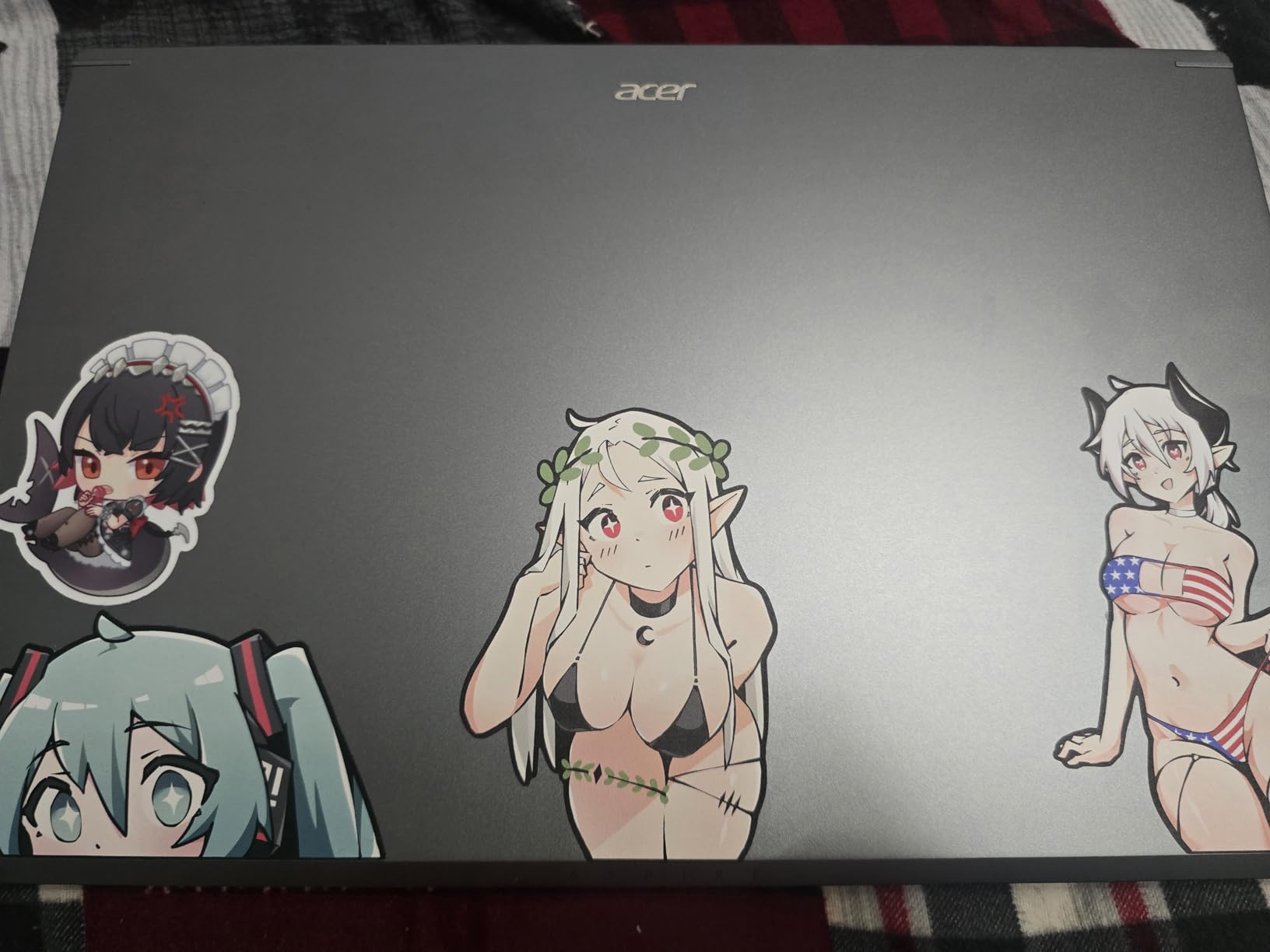
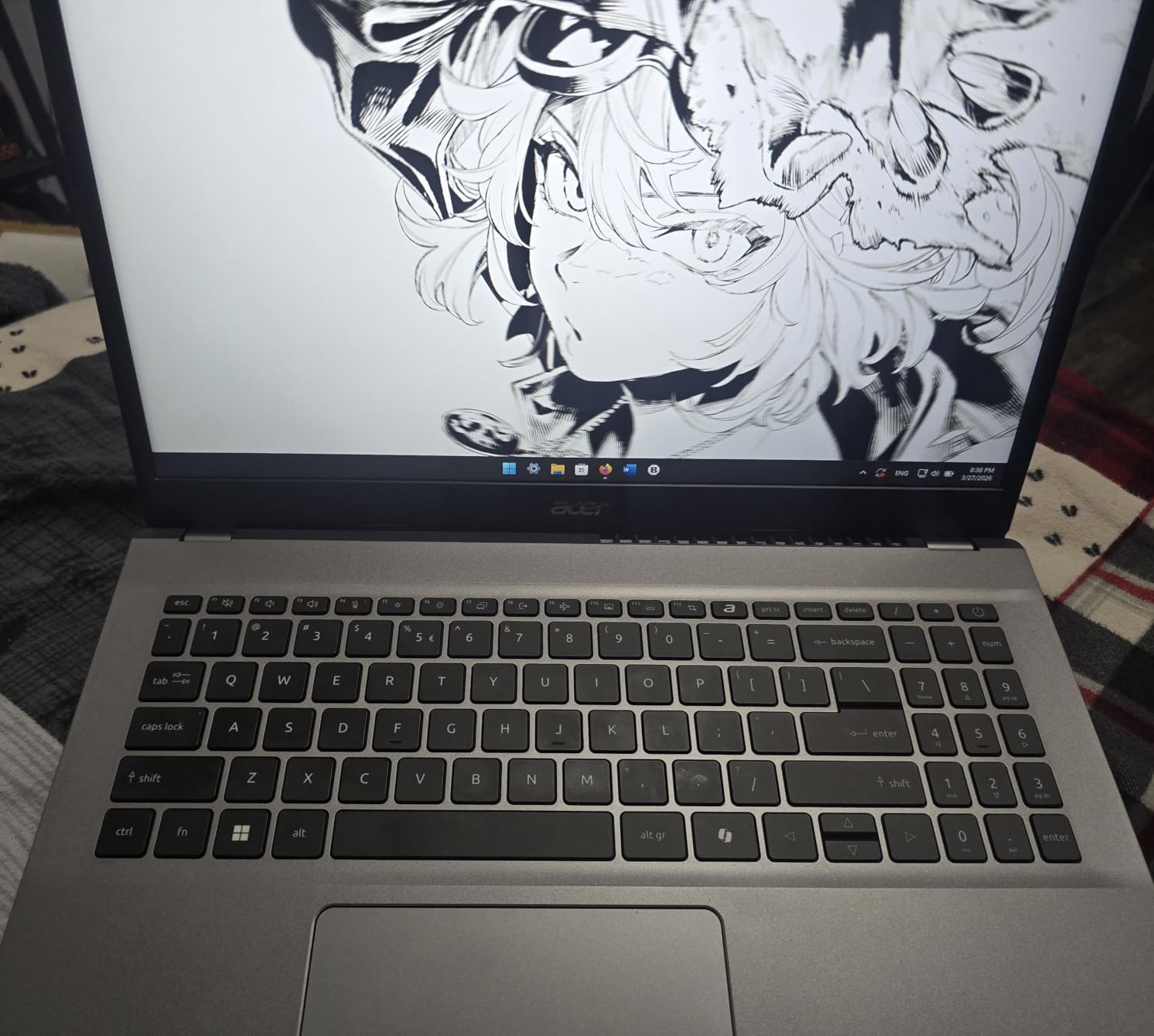
The 15.6-inch Full HD IPS display provides enough workspace for split-screen productivity. Colors are reasonably accurate for social media graphics work, though not at the level of OLED or Apple displays. The narrow bezels give the laptop a modern look that does not scream budget.
Battery life held up through a full work day of marketing tasks during my testing. The AcerSense app provides system monitoring and optimization tools that help extend battery life further. Wi-Fi 6 connectivity handles video calls and large file uploads without issues.
Can it handle Adobe Creative Cloud applications?
Photoshop and Illustrator run adequately for standard marketing design work like social media graphics, email headers, and ad creative. The Ryzen 7 processor with integrated Radeon graphics handles layer-based editing and effects processing without major lag. However, complex video editing in Premiere Pro or heavy 3D work will test this machine’s limits.
For marketers whose design work is primarily Canva-based with occasional Photoshop use, the Acer Aspire Go 15 is more than sufficient. I completed an entire month of social media content creation without performance complaints. The 512GB SSD provides fast enough storage for snappy application launches and file access.
What are the compromises at this price point?
The DDR4 RAM is slower than the DDR5 found in pricier laptops, which means slightly slower performance under heavy multitasking loads. The plastic build feels less premium than aluminum alternatives. The display tops out at standard FHD resolution rather than the higher resolution panels on more expensive models. There is no biometric login like fingerprint or facial recognition.
Despite these compromises, the Acer Aspire Go 15 delivers exceptional value for marketers on a budget. It handles 90% of daily marketing tasks with competence and costs roughly half what premium options command. For new marketers or small businesses, this is the smartest investment you can make.
10. HP 17.3-inch Touchscreen – Best for Maximum Screen Space
HP 17.3″ Touchscreen Laptop, Intel Core i7-1355U, Pale Rose Gold, 32GB RAM, 1TB SSD, Webcam, HDMI, Backlit Keyboard, Fingerprint Reader, Wi-Fi 6, Windows 11 Home
Intel Core i7-1355U 10-core
32GB DDR4
1TB PCIe NVMe SSD
17.3-inch HD+ Touchscreen
Wi-Fi 6
Fingerprint Reader
+ Pros
- Massive 17.3-inch touchscreen
- 32GB RAM for multitasking
- Excellent value for specs
- Fingerprint reader
- Tactile touchscreen interaction
- Cons
- Poor battery life 5-8 hours only
- Only HD+ resolution on large screen
- Heavy at 5.3 pounds
- Some initial freeze issues
The HP 17.3-inch Touchscreen laptop offers more screen space than any other model in this roundup. For marketers who live in spreadsheets, analytics dashboards, and content management systems, the massive display reduces scrolling and window switching significantly. The touchscreen adds a layer of interactivity that traditional laptops lack.
The 13th Gen Intel Core i7-1355U with 10 cores handles marketing workloads with authority. Combined with 32GB of DDR4 RAM, I ran multiple analytics platforms, CRM software, and browser-based design tools simultaneously without slowdown. The 1TB SSD provides ample storage for campaign assets and client files.

The touchscreen proved genuinely useful for reviewing mobile-responsive designs and testing interactive content. The Pale Rose Gold color gives the laptop a distinctive look that stands out in professional settings. The backlit keyboard is comfortable for extended typing sessions during content creation.
The main trade-off is portability. At 5.3 pounds, this laptop is significantly heavier than the ultrabooks in this roundup. It is better suited as a desktop replacement that occasionally travels rather than a daily carry machine. Battery life averaging 5-8 hours means you will want to keep the charger handy.

Is the HD+ resolution sufficient for marketing work?
The 1600 x 900 resolution is the weakest aspect of this laptop. On a 17.3-inch screen, text and images are noticeably less crisp than on Full HD or higher resolution displays. For tasks like reviewing analytics data and managing social media schedules, the resolution is adequate. But for design work where pixel-level precision matters, the lower resolution is a limitation.
If display quality is a priority, consider the ASUS Vivobook S16 OLED or a MacBook model instead. The HP’s value proposition comes from screen size and RAM capacity rather than display quality.
How does the large screen help with marketing productivity?
The 17.3-inch display lets you view entire analytics dashboards without scrolling, compare campaign assets side by side, and manage multiple content calendars simultaneously. During testing, I had Google Analytics, a content management system, and Photoshop open at the same time with comfortable space for each window.
The touchscreen adds practical value for marketers testing mobile layouts and interactive content. Being able to tap and scroll through a website prototype gives immediate feedback on user experience that mouse-based navigation cannot replicate.
Buying Guide: How to Choose the Best Laptop for Digital Marketing
Choosing the right laptop for digital marketing comes down to understanding your specific workflow and matching hardware to your daily tasks. Our testing revealed that different marketing roles benefit from different specifications. Here is what you need to know before making your decision.
Processor Requirements for Marketing Work
For browser-based marketing work like social media management, email campaigns, and analytics, any modern processor from the last three years handles the workload. The AMD Ryzen 7, Intel Core i7, Intel Core Ultra 7, and Apple M-series chips all deliver excellent performance for these tasks. Look for at least 6 cores to handle multitasking smoothly.
If your work involves video editing, Photoshop with large files, or running SEO tools that process thousands of URLs, invest in an 8-core or higher processor. The Intel Core Ultra 9 285H with 16 cores and the Apple M5 with 10 cores both excel at these demanding workloads. Avoid older dual-core or quad-core processors if you regularly work with media files.
RAM: 16GB Minimum, 32GB Recommended
Reddit users in marketing communities consistently recommend 16GB of RAM as the minimum for marketing work. This handles running 20+ browser tabs alongside design tools and communication apps. However, our testing showed that 32GB provides meaningful headroom for power users who never close applications and work with large media files.
If you edit video regularly, run virtual machines, or work with massive Excel datasets, 32GB eliminates memory-related performance bottlenecks entirely. The ASUS Zenbook 14, Vivobook S16, and both ThinkPad models in this guide come with 32GB standard. On Apple Silicon, unified memory architecture means 16GB performs closer to 24GB on traditional Windows laptops.
Storage: SSD is Mandatory
Never buy a laptop with an HDD for marketing work. SSD storage is essential for snappy application launches, fast file transfers, and smooth multitasking. Look for PCIe NVMe SSDs specifically, as they deliver significantly faster read and write speeds than older SATA SSDs. A 512GB SSD covers basic marketing work, but 1TB is the sweet spot for storing campaign assets and media files.
Marketers who handle video content regularly should consider 2TB or larger storage. Raw video footage and layered design files consume storage rapidly. The ASUS Zenbook 14’s 2TB SSD eliminated all storage anxiety during my testing, letting me keep years of campaign assets accessible instantly.
Display Quality and Color Accuracy
Display quality matters more for marketing work than most professionals realize. If you create social media graphics, the colors you see while designing should match what your audience sees on their devices. Look for displays covering at least 90% of the sRGB color gamut for acceptable color accuracy. For professional design work, 100% DCI-P3 coverage is ideal.
OLED displays like those on the ASUS Zenbook 14 and Vivobook S16 deliver the best color reproduction and contrast. Apple’s Liquid Retina and XDR displays are industry standards for color accuracy. If display quality is your top priority, the MacBook Pro 14-inch with its XDR display is the gold standard for color-critical marketing work.
Battery Life for On-the-Go Marketers
Marketers who attend client meetings, work from coffee shops, or travel for conferences need laptops that survive a full work day. The Microsoft Surface Laptop with 20-hour battery life and MacBook Air models with 18-hour battery life are the best options for all-day productivity without a charger.
Windows laptops with Intel processors typically deliver 8-12 hours of real-world battery life. The HP 17.3-inch model’s 5-8 hour battery life is the weakest in this roundup and requires you to carry the charger. Consider your daily routine when weighing battery life against other specifications.
macOS vs Windows for Marketing Work
The macOS vs Windows debate for marketing work comes down to ecosystem preference and specific software needs. MacBooks excel in creative tasks like video editing and graphic design, with industry-leading color accuracy and battery life. Windows laptops offer more hardware variety, touchscreen options, and better compatibility with enterprise marketing software.
For marketers who use Adobe Creative Cloud regularly, macOS provides a smoother experience with better optimized applications. For marketers in corporate environments using Microsoft Office 365 and Windows-specific CRM tools, Windows laptops integrate more seamlessly with existing infrastructure.
FAQs
Which computer is best for digital marketing?
The best computers for digital marketing combine strong multitasking performance, at least 16GB of RAM, SSD storage, and color-accurate displays. The Apple MacBook Air 15-inch M5 is our top pick overall for its balance of performance, battery life, and display quality. Windows alternatives like the Microsoft Surface Laptop and ASUS Zenbook 14 OLED are excellent choices for marketers who prefer the Windows ecosystem.
Is a laptop needed for digital marketing?
Yes, a laptop is essential for digital marketing work. Marketers need portable computing power for running multiple applications simultaneously, creating content, managing campaigns, and presenting to clients. While desktop computers work for office-based tasks, the portability of a laptop enables remote work, client meetings, and on-site content creation that digital marketing demands.
Which laptop is best for SEO?
For SEO work, laptops with strong processors and ample RAM handle tools like Screaming Frog, Ahrefs, and Google Search Console efficiently. The Lenovo ThinkPad E16 Gen 3 with its 16-core Intel Ultra 7 processor and 32GB RAM excels at processing large crawl data. The ASUS Zenbook 14 OLED also performs exceptionally well for data-intensive SEO analysis tasks.
Which laptop is best for affiliate marketing?
Affiliate marketers benefit from laptops that handle multitasking between content creation tools, affiliate dashboards, and analytics platforms. The Acer Aspire Go 15 is the best budget pick for new affiliate marketers, while the MacBook Air 13-inch M5 offers superior portability for affiliate marketers who travel. Look for at least 16GB RAM and 512GB SSD storage for managing multiple affiliate campaigns efficiently.
Conclusion: Choosing Your Digital Marketing Laptop in 2026
Finding the best laptops for digital marketing does not have to be complicated when you match your specific needs to the right machine. The Apple MacBook Air 15-inch M5 remains our top recommendation for most marketers, delivering the perfect balance of performance, battery life, display quality, and portability. For budget-conscious marketers, the Acer Aspire Go 15 proves that capable marketing machines exist at accessible price points.
Creative marketers who live in Adobe Creative Cloud should consider the MacBook Pro 14-inch M5 or the ASUS Zenbook 14 OLED for their superior displays and processing power. Enterprise teams and business-focused marketers will appreciate the durability and security of the Lenovo ThinkPad models. Whatever your marketing specialty and budget, there is a laptop in this guide that will power your campaigns effectively through 2026 and beyond.