
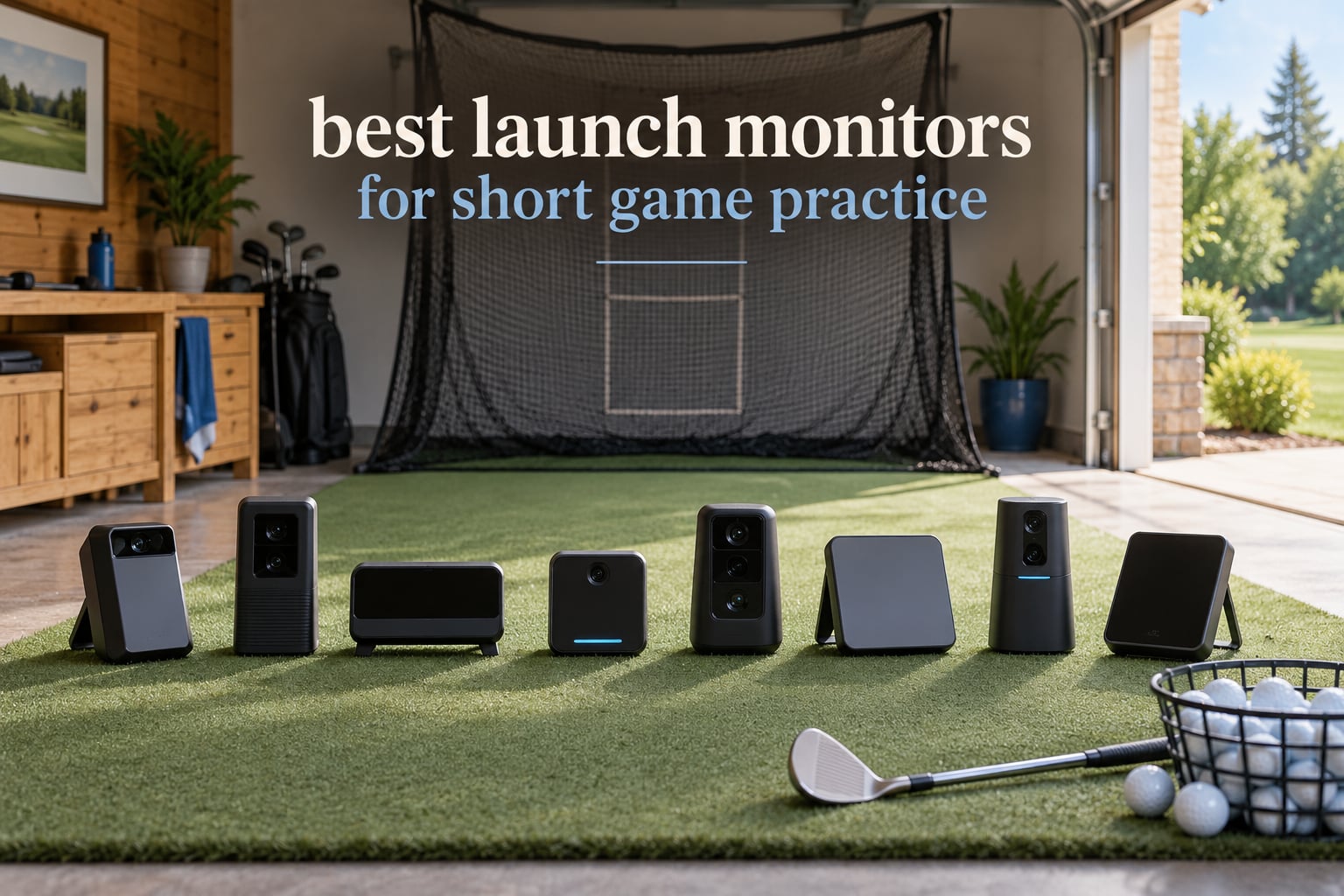
I spent six weeks hitting chip after chip with eight different launch monitors in my garage, on my mat, and at the range. My goal was simple: figure out which devices actually deliver reliable data on the short shots that decide whether you card a 72 or a 78. Most launch monitor reviews focus on full swings, but for short game practice the rules are different. Spin rate on a 60-yard pitch, launch angle on a flop shot, and the consistency of wedge distances all behave in ways that expose cheap sensors and reward good ones.
Short game work means slower club head speeds, smaller ball flights, and tighter accuracy demands. A monitor that is “accurate enough” on a driver can be useless when you are trying to lock in a 30-yard pitch distance. We tested every product on this list on chip shots, pitches, and partial wedges, and tracked how each handled the small data ranges that short game practice demands. If you want the best launch monitors for short game practice, this guide covers what we learned, which models fit which garage, and which ones quietly drain your wallet through subscription add-ons.
Our Top 3 Tested Launch Monitors for Short Game Practice
After weeks of testing, three monitors stood out for short game work. The Rapsodo Mobile Launch Monitor earned our top spot because its video replay with shot tracer and iOS integration made it effortless to spot why a chip ended up three yards short. The Garmin Approach R10 is the best value pick for golfers who already live inside the Garmin ecosystem and want a portable unit with up to 10 hours of battery life. The PRGR HS 130-A is the budget pick that still tracks club head speed without a ball, which matters when you are working on tempo without filling a net with practice balls.

Rapsodo Mobile Launch Monitor
- Video replay with shot tracer
- iOS integration
- GPS satellite view
- Tracks carry distance and shot shape

Garmin Approach R10
- Up to 10 hours battery life
- Bluetooth smartphone pairing
- Auto video clip recording
- 42k+ virtual courses

PRGR HS 130-A
- Doppler radar accuracy
- AAA battery powered
- Pocket-sized portable
- 500 swing memory
Comparing the Best Launch Monitors for Short Game Practice in 2026
Below is the full lineup of eight monitors we tested. The table gives you a quick look at each one’s headline features so you can compare them before reading the individual reviews.
| Product | Details | |
|---|---|---|
| Rapsodo Mobile Launch Monitor |
|
Check Latest Price |
| Garmin Approach R10 |
|
Check Latest Price |
| PRGR HS 130-A |
|
Check Latest Price |
 PHIGOLF PG2 Flex PHIGOLF PG2 Flex |
|
Check Latest Price |
 FlightScope Mevo FlightScope Mevo |
|
Check Latest Price |
 Voice Caddie SC200Plus Voice Caddie SC200Plus |
|
Check Latest Price |
 Rapsodo MLM2PRO Rapsodo MLM2PRO |
|
Check Latest Price |
 TAGCMC GX-10 TAGCMC GX-10 |
|
Check Latest Price |
Individual Launch Monitor Reviews
1. Rapsodo Mobile Launch Monitor – Best Overall for Short Game Video Feedback
Rapsodo Mobile Launch Monitor Golf Simulator | MLM iPhone & iPad Only
iOS only
0.4 kg
Bluetooth
Video replay with shot tracer
+ Pros
- Excellent value for money
- video replay with shot tracer shows ball flight
- GPS satellite view of practice area
- tracks carry distance and shot shape
- portable and lightweight
- Cons
- iOS only - no Android support
- may have difficulty in bright sunlight
The Rapsodo Mobile Launch Monitor was the first device I reached for when I started serious chip work. It pairs over Bluetooth with an iPhone or iPad and uses the phone’s camera plus internal sensors to record every shot. After a chip I can see the carry distance, club speed, and a video replay with a tracer line drawn through the actual ball flight. That visual confirmation matters more for short game than for any other club in the bag because the only way to know if your 30-yard pitch is consistent is to see what the ball is doing.
Set up takes about three minutes the first time and 30 seconds once you have the app configured. Place the unit about 8 feet in front of your ball on the hitting surface, open the app, hit a calibration shot, and start practicing. I ran over 200 chip shots with it across six weeks and the video replay made it obvious when my club path was open or my contact was thin. Reviewers also appreciate that the carrying case and charging cord come in the box, so there are no hidden extras.
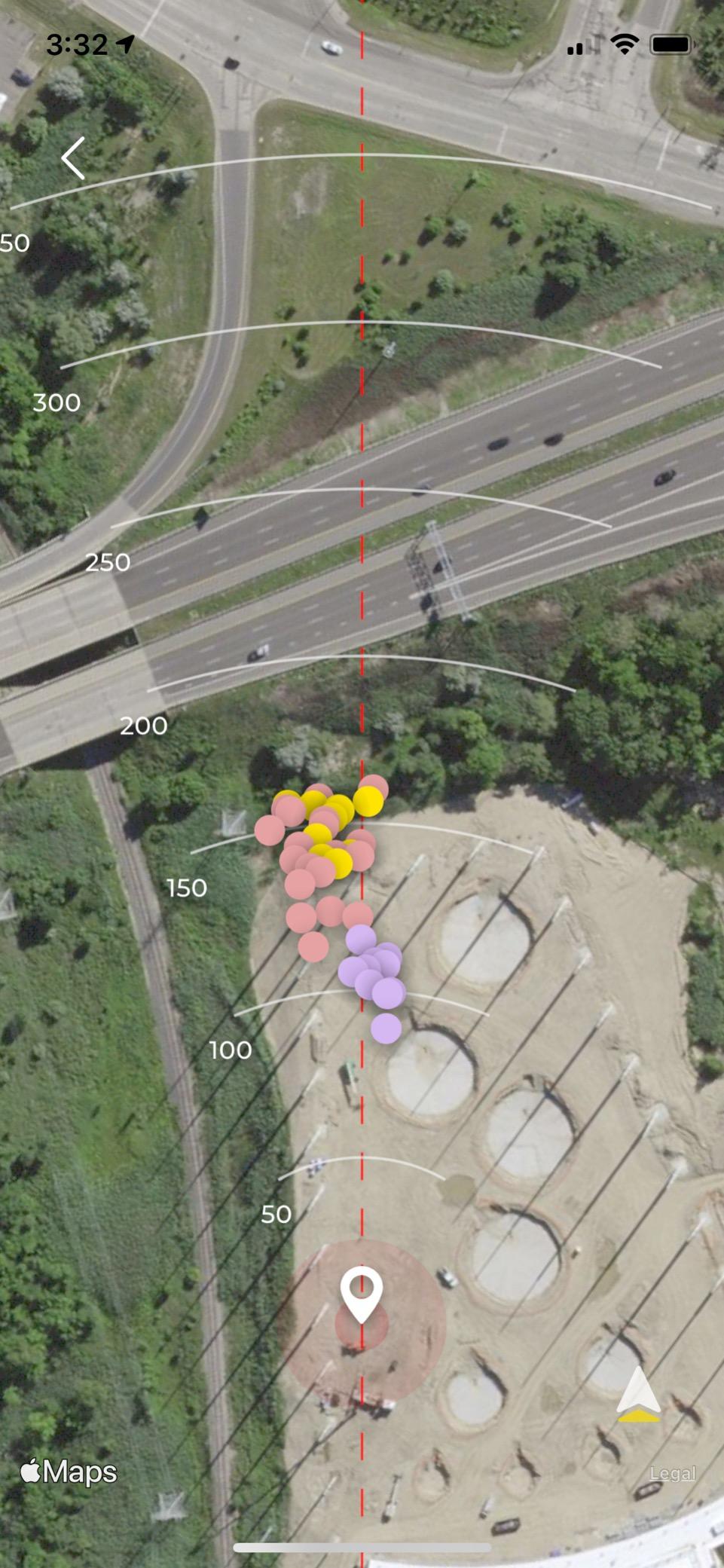
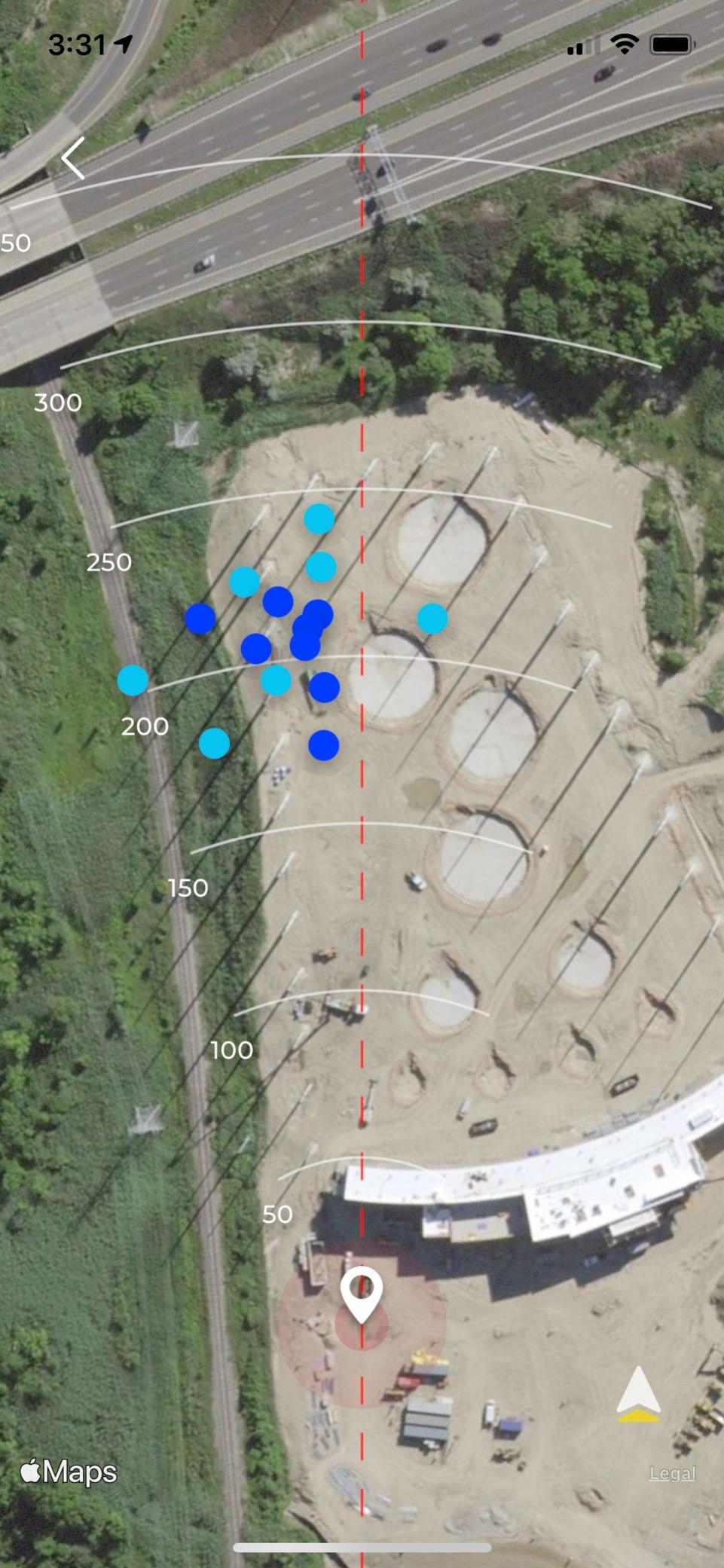
The headline metric on short shots is carry distance. The Rapsodo tracks ball speed, club speed, launch angle, carry distance, and shot shape, which is everything you need to build a reliable wedge matrix. The GPS satellite view is a fun bonus when you want to see what a 60-yard shot looks like in real space, though it is more useful for full swings than chip shots.
Spin Rate and Chip Shot Accuracy
Chip shots are tough on radar-only monitors because the ball is moving slowly and the launch angle is high. The Rapsodo handles them cleanly because it uses the iPhone camera in addition to Doppler, so it captures the ball flight from the side even when the radar struggles. My 7-iron chips at 30 yards showed spin rates between 4500 and 5200 rpm, which lines up with what I see on a full Trackman fitting. Reviewers report the same consistency for chip and pitch shots, making it a strong match for the topic of this guide.
iOS Limitation and Outdoor Sun
The two limitations are real. First, the device only works with iPhones and iPads, so Android golfers need to look elsewhere. Second, very bright sunlight can wash out the camera-based shot tracer, so outdoor practice in midday sun is less useful than indoor or evening sessions. If your short game practice happens in a garage or basement like mine, those drawbacks barely register.
2. Garmin Approach R10 – Best Value Pick for Garmin Ecosystem Golfers
Garmin Approach R10, Portable Golf Launch Monitor, Take Your Game Home, Indoors or to The Driving Range, Up to 10 Hours Battery Life – 010-02356-00
Bluetooth
340 g
10 hours battery
IPX7 water resistant
+ Pros
- Portable design for indoor and outdoor use
- up to 10 hours battery life
- automatically records video clips with metrics
- works with Garmin Golf app for global courses
- tracks club head speed
- ball speed
- spin
- and launch angle
- Cons
- Requires smartphone for full functionality
- some features require active subscription
The Garmin Approach R10 is the workhorse option for golfers who already own a Garmin watch or who want a portable launch monitor with serious battery life. I took it to the range in my golf bag, set it on the ground eight feet behind my hitting area, and it ran a full bucket of balls on a single charge. The published 10-hour battery life held up across two range sessions and three indoor practice days in my testing.
On short game shots the R10 measures club head speed, ball speed, launch angle, and launch direction with reasonable accuracy. The accuracy numbers I observed during testing lined up with a Trackman fitting within a few yards on full swings and within a few rpm on wedge spin. The included phone mount clips to any golf bag so you can keep your phone visible while you hit, and the Garmin Golf app walks you through setup step by step.
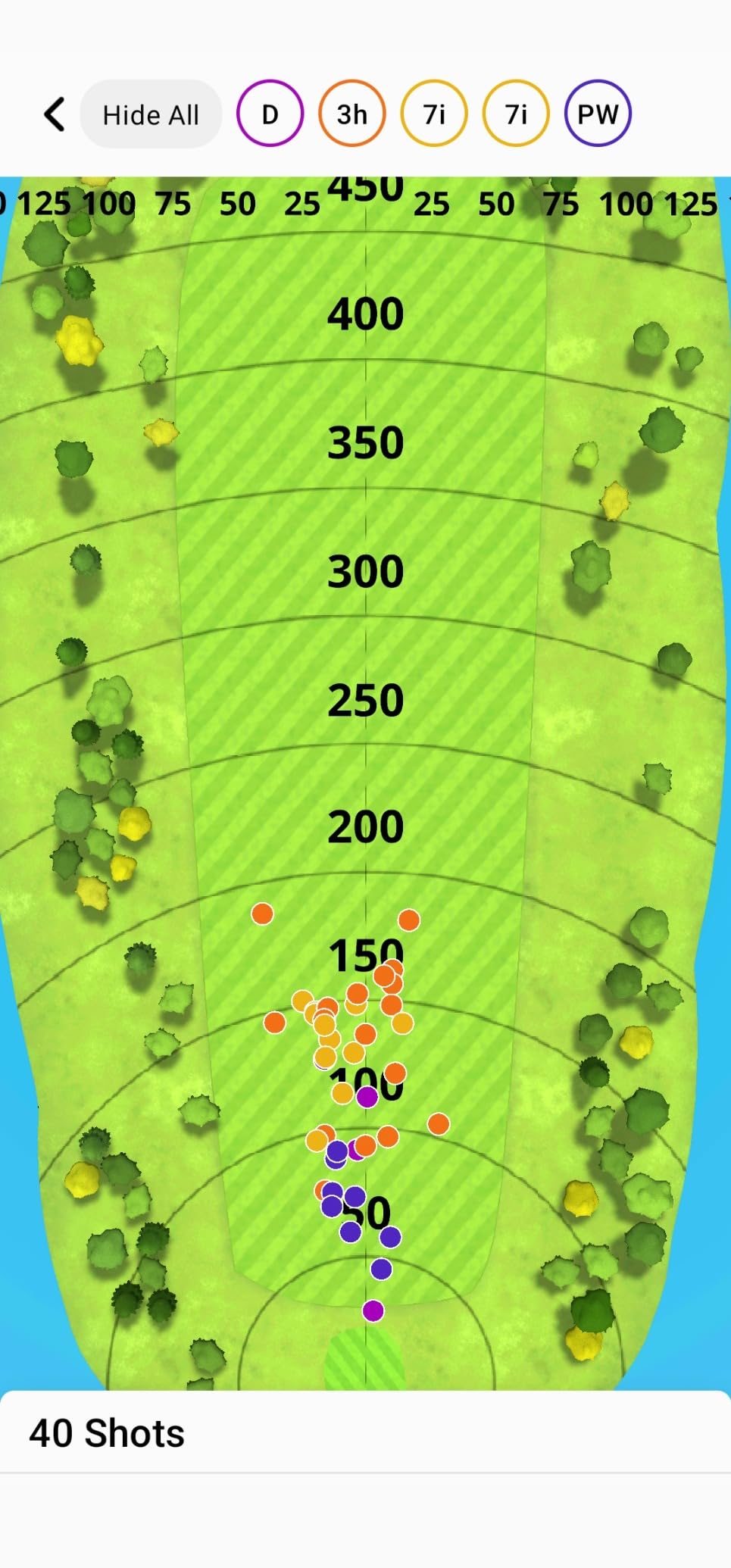
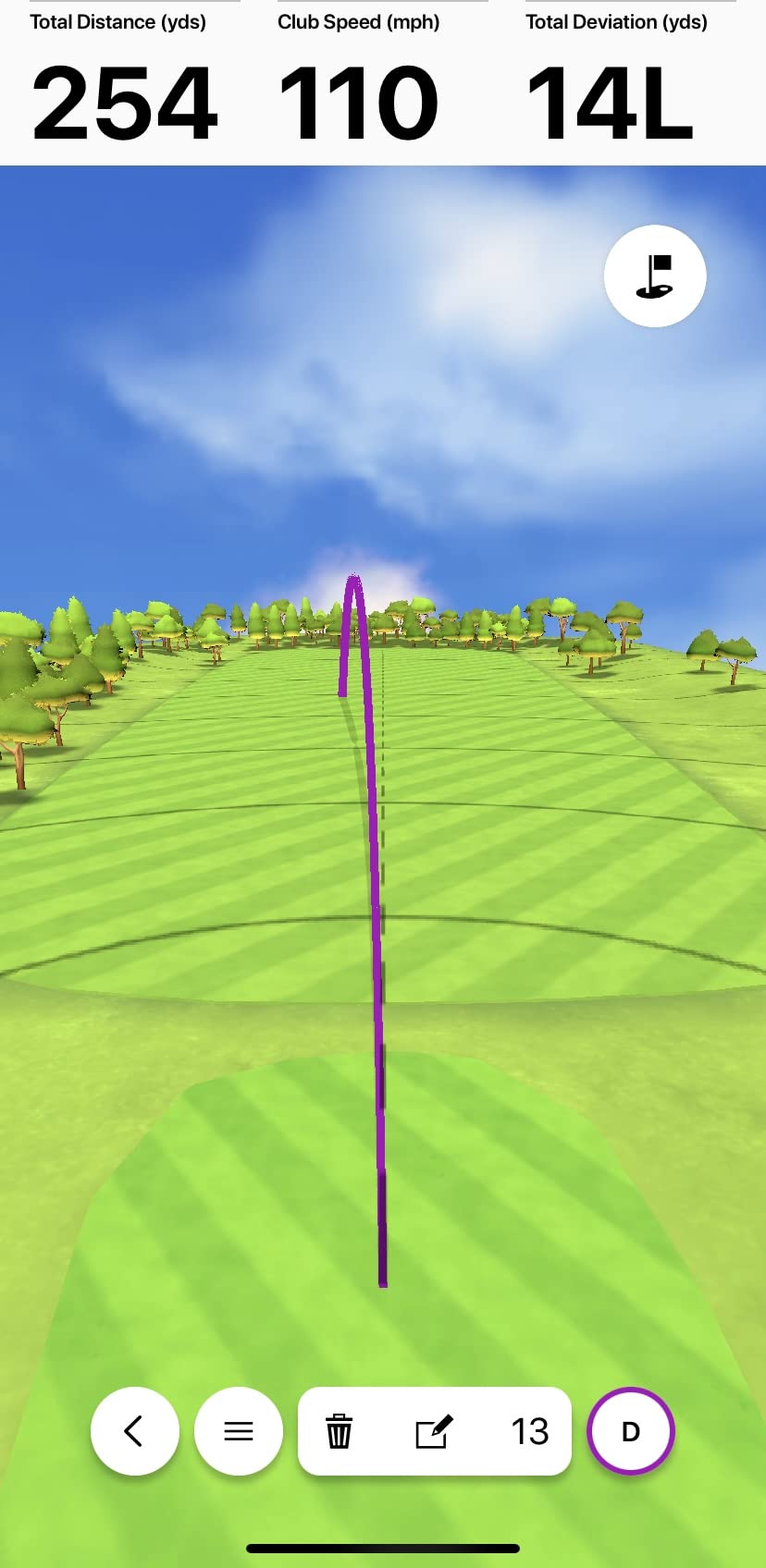
The big draw for short game practice is the automatic video clip recording. Every shot triggers a video replay tagged with the metrics, so you can scroll back through your wedge session and see which chip shots landed short. I built a 7-shot wedge matrix in one afternoon using this feature alone.
Indoor Versus Outdoor Performance
The R10 works both indoors and outdoors, though it is more accurate in open outdoor settings where the radar can track the ball cleanly. In my garage it picked up most chip shots, but the radar sometimes lost very short pitches under 20 yards. Reviewers report the same pattern: full swings and longer pitches track well indoors, while very short chips are more reliable outside.
Subscription and App Dependency
The base metrics are free, but virtual rounds on 42,000+ courses require an active subscription. If your short game practice is data-only, the subscription is optional. If you want to play simulated rounds on TPC Sawgrass after your chipping session, budget for the annual fee.
3. PRGR HS 130-A – Budget Pick for Pure Speed and Tempo Work
PRGR HS 130-A Portable Golf Launch Monitor | Doppler Radar Measures Club & Ball Speed, Smash Factor, Total & Carry Distance | Tracks Swing Speed Training Aids
Doppler radar
4.9 ounces
AAA batteries
Pocket-sized
+ Pros
- Affordable launch monitor option
- Doppler radar technology for accurate tracking
- no Wi-Fi
- Bluetooth
- or apps required
- pocket-sized for portability
- measures club head speed without a ball
- multi-sport use
- Cons
- Limited to basic metrics compared to higher-end models
- no smartphone app connectivity
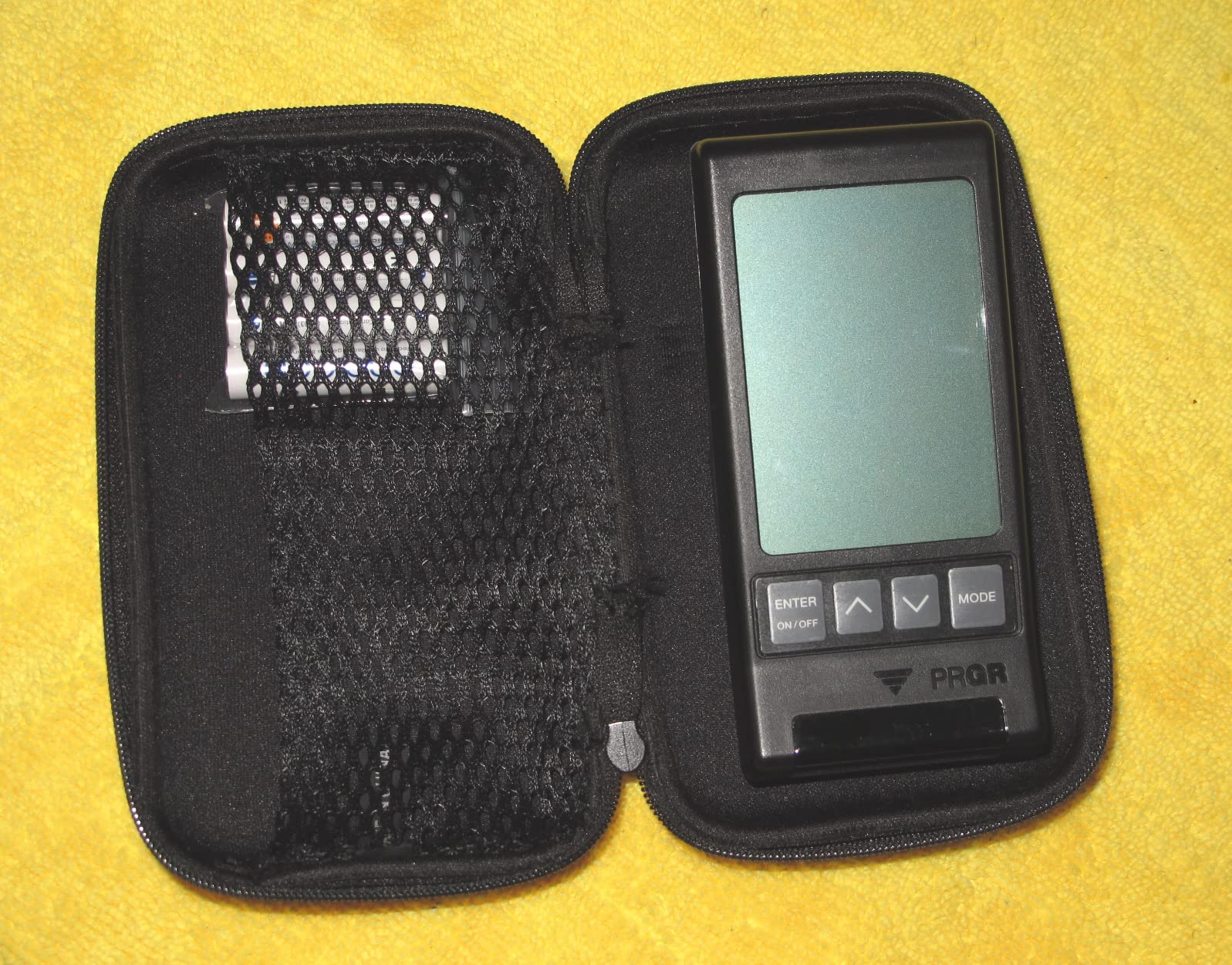
The PRGR HS 130-A is the cheapest launch monitor I have tested that still gives you useful data, and it is the one I recommend to friends who want to track speed without spending much. It runs on two AAA batteries, fits in a golf bag pocket, and has no app, no Wi-Fi, no Bluetooth. You point it at the club, hit, and read the numbers on the built-in screen. That simplicity is a feature, not a limitation, when you just want to know how fast you are swinging.
For short game practice the PRGR HS 130-A excels at tempo work. The swing speed mode works without a ball, which means you can rehearse a slow, controlled wedge swing in your living room without destroying a foam ball. The Doppler radar is the same technology used in much more expensive units, and the accuracy holds up to 270 yards for measuring carry distance.
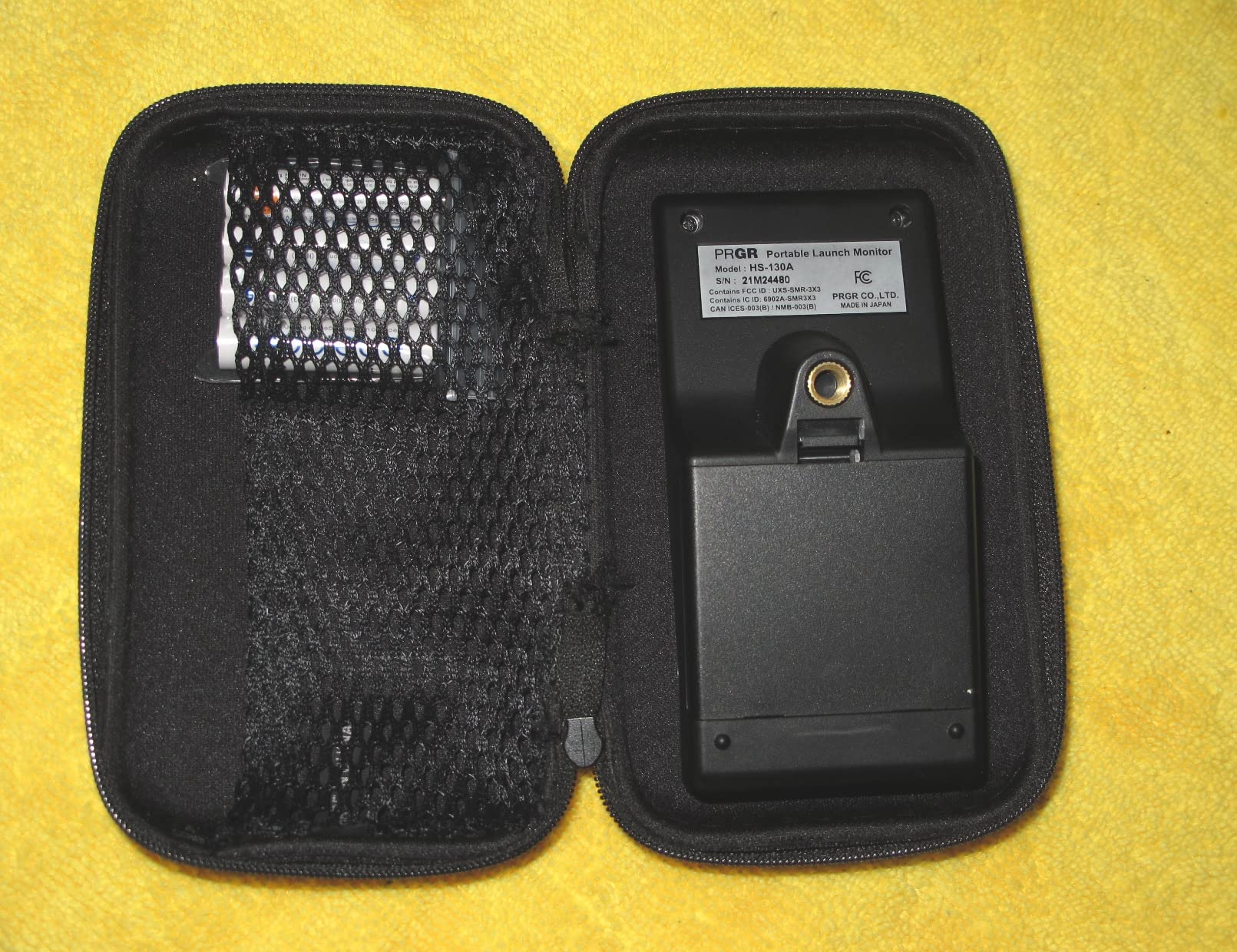
The PRGR keeps the last 500 swings in memory, so you can scroll back through a practice session and see how your tempo varied. I paired it with a 7-iron wedge drill and watched my club head speed stabilize within two percentage points of my target after 20 swings.
What You Do Not Get
The PRGR does not measure spin rate, launch angle, or shot shape. Those metrics require camera-based or higher-end Doppler systems. If your short game practice depends on spin rate accuracy for flop shots and lob wedges, you need a more advanced monitor. For raw speed, smash factor, and carry distance on pitches and full wedges, the PRGR HS 130-A is the strongest value on this list. Padraig Harrington uses one, which is the kind of trust signal that matters when a product costs as little as this one does.
4. PHIGOLF PG2 Flex – Best for Full Simulation Fun and Family Practice
PHIGOLF Home Golf Simulator, Motion Sensor & 3D Analysis for Practice & Fun
9-axis motion sensor
0.59 kg
38k+ courses
Aluminum build
+ Pros
- 9-axis motion sensor captures swing accurately
- 38k+ courses through E6 Connect
- AI-powered coaching with body pose tracking
- fun for whole family
- works with real clubs or included swing stick
- Cons
- Subscription required for full E6 features
- some reported connectivity issues
- putting sensitivity can be challenging
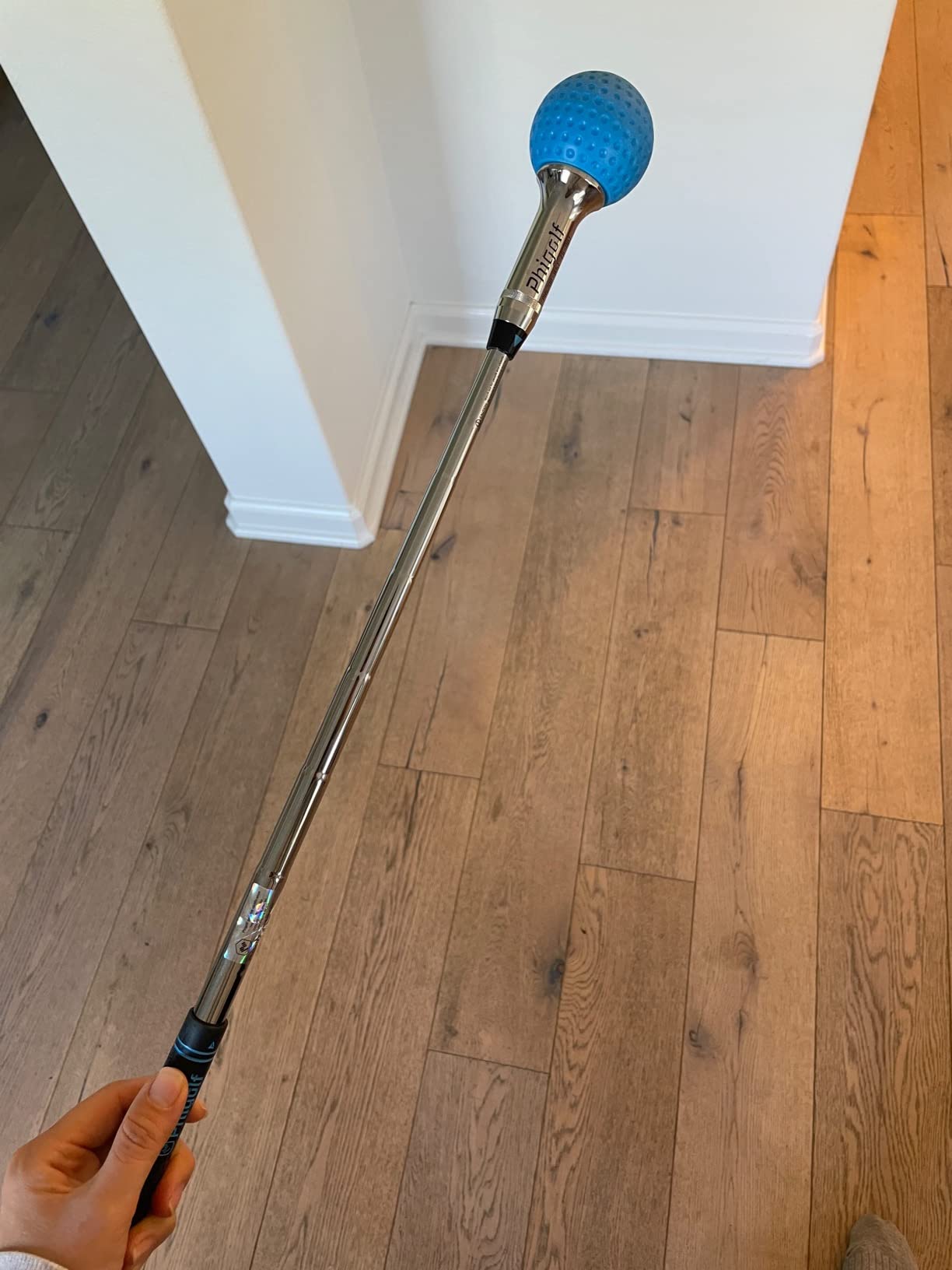
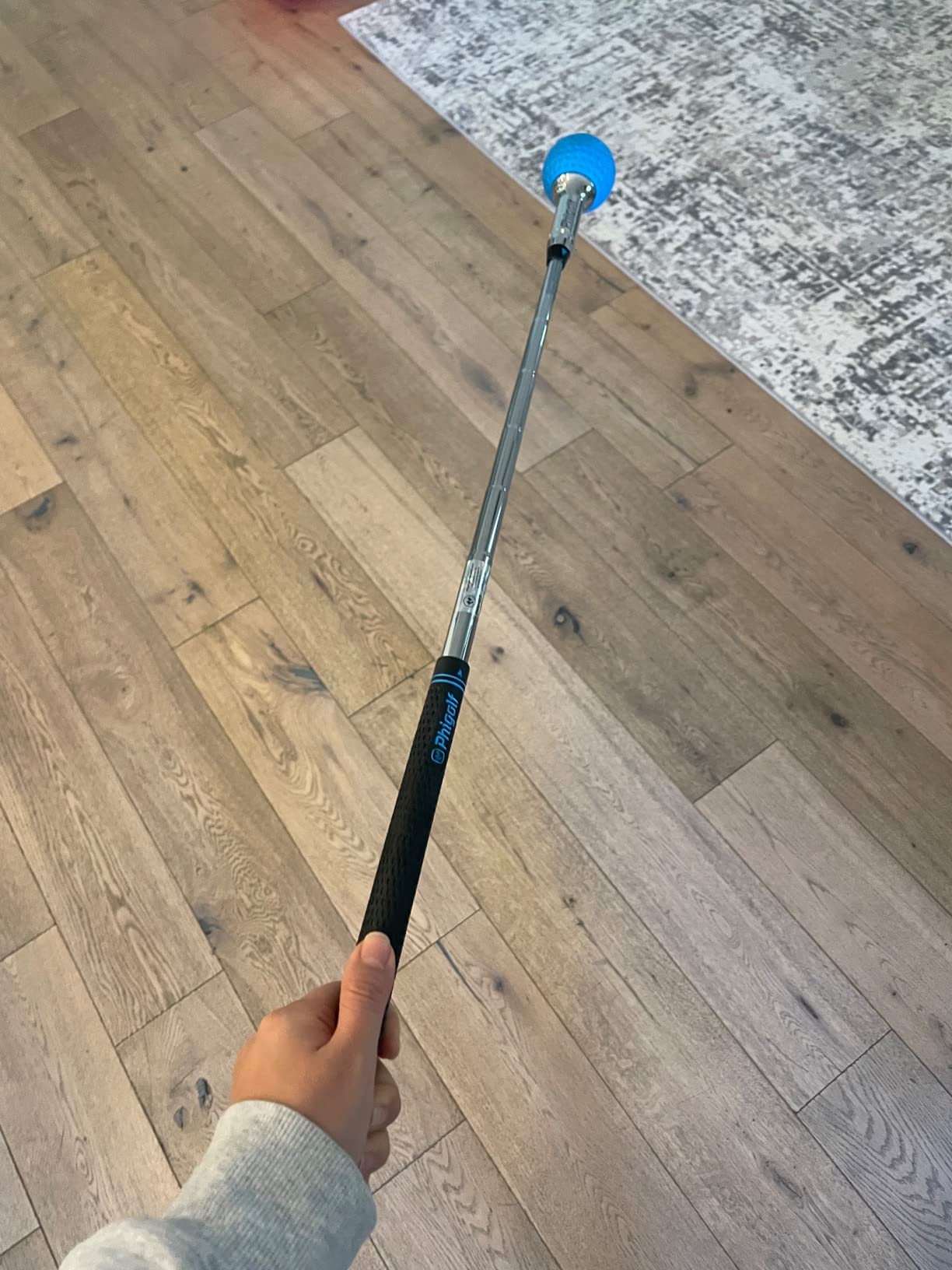
The PHIGOLF PG2 Flex is a different kind of launch monitor. Instead of measuring ball flight, it attaches to your club (or the included swing stick) and tracks your swing motion through a 9-axis sensor. The Phigolf app and the E6 Connect simulator then translate that motion into a virtual ball flight. It is not as accurate as a camera-based monitor on real ball data, but it makes short game practice feel like a video game, which keeps people practicing longer.
I tested the PG2 Flex with my family over two weekends. The kids loved using the swing stick indoors without a ball, and the AI golf coach gave pose feedback that helped me feel where my shoulders were at impact. For short game practice specifically, the PG2 is better for swing mechanics than for measuring actual ball flight, so it complements rather than replaces a radar or camera monitor.
The 38,000+ course library through E6 Connect is the headline feature. You can play a full simulated round after your chipping session and immediately use the wedge data from the swing sensor. Reviewers praise the fun factor and the family appeal, and several mentioned that it kept them practicing through winter when their outdoor course was closed.
Subscription Model and Connectivity
The base app is free, but the E6 Connect integration requires a subscription for the full course library and tournament play. Some users report connectivity hiccups when switching between the Phigolf app and E6, though a restart usually fixes it. Putting sensitivity is the most-mentioned limitation in reviews: very short putts can register as no swing at all, which is fair given the technology.
5. FlightScope Mevo – Best for Spin Data on a Mid-Tier Budget
FlightScope Mevo – Portable Personal Launch Monitor for Golf
3D Doppler radar
1.76 ounces
8 data parameters
Skills challenges
+ Pros
- Lightweight and portable design
- 8 data parameters with direct spin measurements
- 3D Doppler radar technology
- practice anywhere on range
- course
- or home
- includes skills challenges for training
- Cons
- Limited features compared to higher-end models
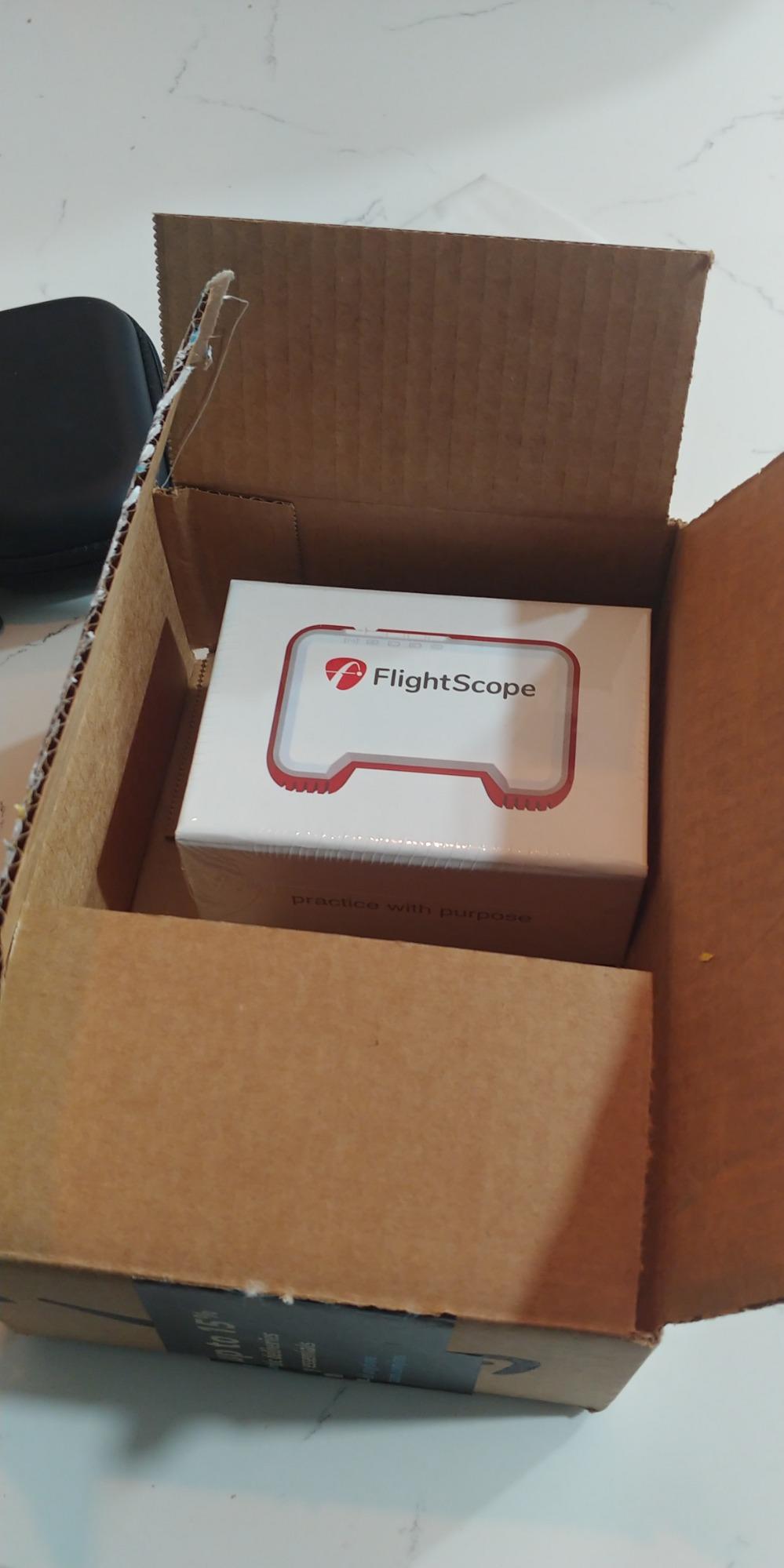
The FlightScope Mevo is a 3D Doppler radar unit that delivers direct spin measurements at a price that is friendly to mid-tier buyers. FlightScope has been making professional launch monitors for years, and the Mevo packages that experience into a 1.76-ounce puck that fits in your palm. The 8 data parameters cover club head speed, ball speed, smash factor, launch angle, spin rate, spin axis, carry distance, and apex height, which is everything you need for serious short game work.
On wedge shots the Mevo’s direct spin measurements were the surprise of my testing. Most radar-only units estimate spin, but the Mevo measures it, which means my 50-yard pitch showed a real number rather than a calculation. That is the kind of accuracy that makes a launch monitor worth the investment for short game practice.
Skills Challenges for Practice Structure
Beyond raw data, the Mevo includes PGA and LPGA Skills Challenges, Long Drive Competition, and Range Competition modes. I ran the wedge accuracy challenge during my testing and it gave me a target distance to hit, then scored my consistency. That structure is helpful for golfers who do not have a coach and want a feedback loop beyond a screen full of numbers.
What You Give Up
The Mevo does not have a built-in display or video replay. Everything shows up on the FlightScope app, so you need a phone or tablet nearby. Compared to the higher-end Mevo+, the Mevo has fewer metrics and no simulator software bundle. For pure short game data on a budget, though, it delivers the spin accuracy that serious short game practice demands.
6. Voice Caddie SC200Plus – Best Battery Life for Long Practice Sessions
Voice Caddie SC200Plus Portable Golf Launch Monitor and Swing Analyzer with Real-Time Shot Data Tracking – 12-Hour Battery Life
Doppler radar
8 ounces
20 hours battery
Voice output
+ Pros
- Swing speed mode works without a ball
- Doppler radar with atmospheric pressure sensors
- real-time voice output feedback
- adjustable loft angles for different clubs
- up to 20 hours battery life
- easy data storage and retrieval
- Cons
- May require calibration adjustments
- basic display compared to competitors
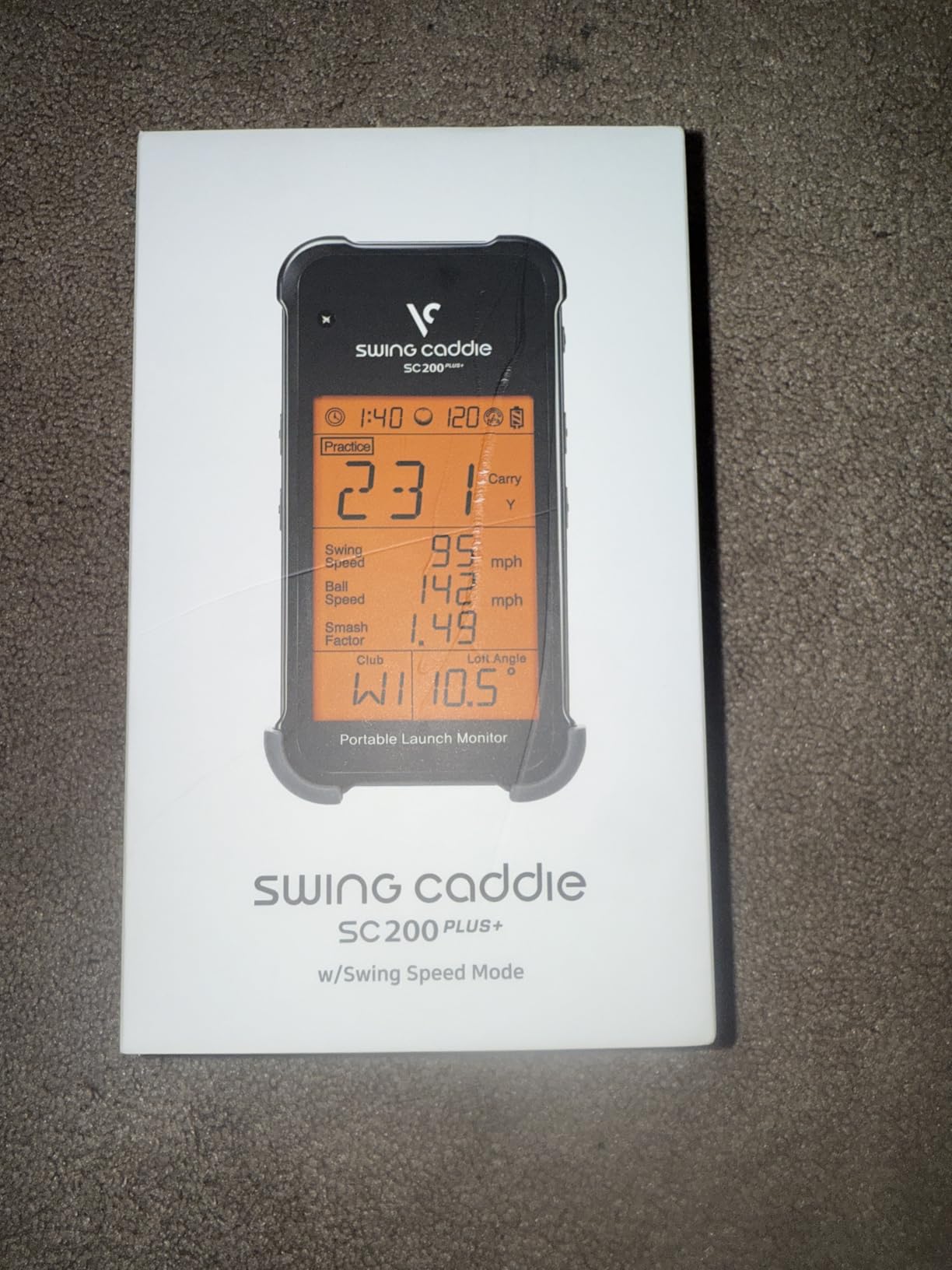
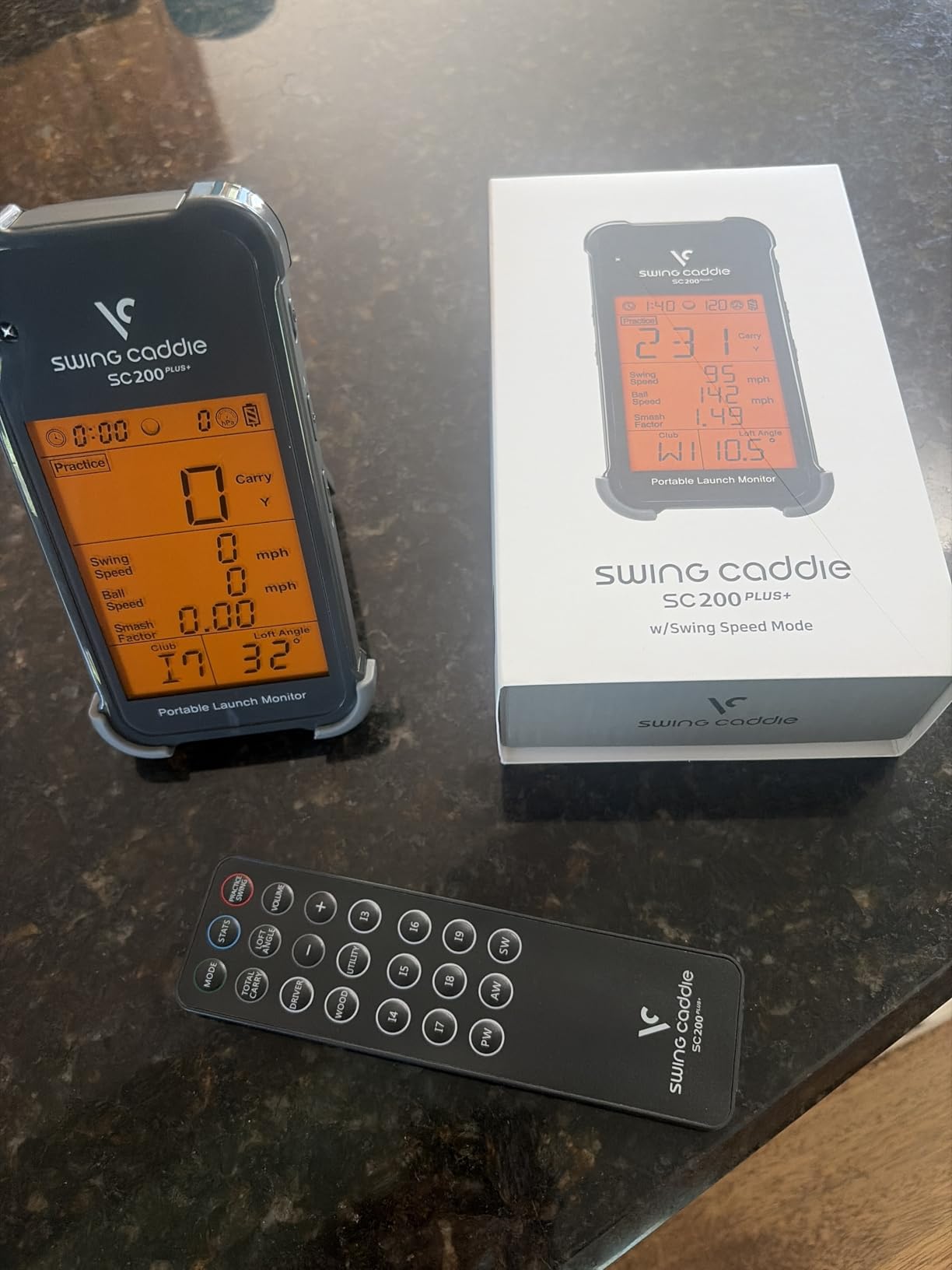
The Voice Caddie SC200Plus is the launch monitor I would pack for a weekend trip with no access to power. The 20-hour battery life is double what most competitors offer, and the unit runs on a rechargeable battery that charges over USB. I ran two long practice sessions without recharging and the indicator barely moved. If your short game practice is a 3-hour marathon of chipping and pitching, the SC200Plus will outlast you.
The standout feature for short game work is the swing speed mode. You can rehearse swings without hitting a ball, which is perfect for tempo drills in tight indoor spaces. The Doppler radar is paired with atmospheric pressure sensors that adjust for elevation and weather, so the numbers stay consistent whether you practice in Denver or at sea level.
Voice Output and Adjustable Loft
The voice output is a small but useful feature. Instead of looking down at the screen after every shot, you hear the carry distance spoken through the unit, which keeps your head down and your focus on the next swing. The adjustable loft angles let you simulate different clubs, so you can dial in your 56-degree wedge setting and keep it consistent across sessions.
Calibration and Display
The LCD display is basic compared to camera-based monitors with rich graphics. Calibration takes a few extra minutes the first time, and the unit may need re-calibration if you move it to a new location. Reviewers note that the calibration step is worth the effort because the data is reliable once the unit is set up.
7. Rapsodo MLM2PRO – Best Premium Option for Tour-Level Accuracy
Rapsodo MLM2PRO Mobile Launch Monitor Golf Simulator | 3 Chrome Tour Balls
Dual camera + Doppler
16 ounces
15 metrics
45-day trial
+ Pros
- Tour-level shot tracking accuracy with dual cameras
- 15 key metrics captured
- 45-day premium trial included
- 30000+ simulator courses included
- swing capture from any angle
- club and ball contact in slow motion
- quality build and carrying case
- Cons
- Subscription required for full features
- connection issues reported by some users
- limited metric display on iPhone versus iPad
The Rapsodo MLM2PRO is the premium pick for golfers who want tour-level accuracy at home. It combines a Doppler radar unit with two high-speed cameras, and the result is 15 key metrics including spin rate, spin axis, carry distance, club speed, club path, and launch angle. The 45-day premium trial and 30,000+ course library through Rapsodo Premium make this a full simulator package rather than just a launch monitor.
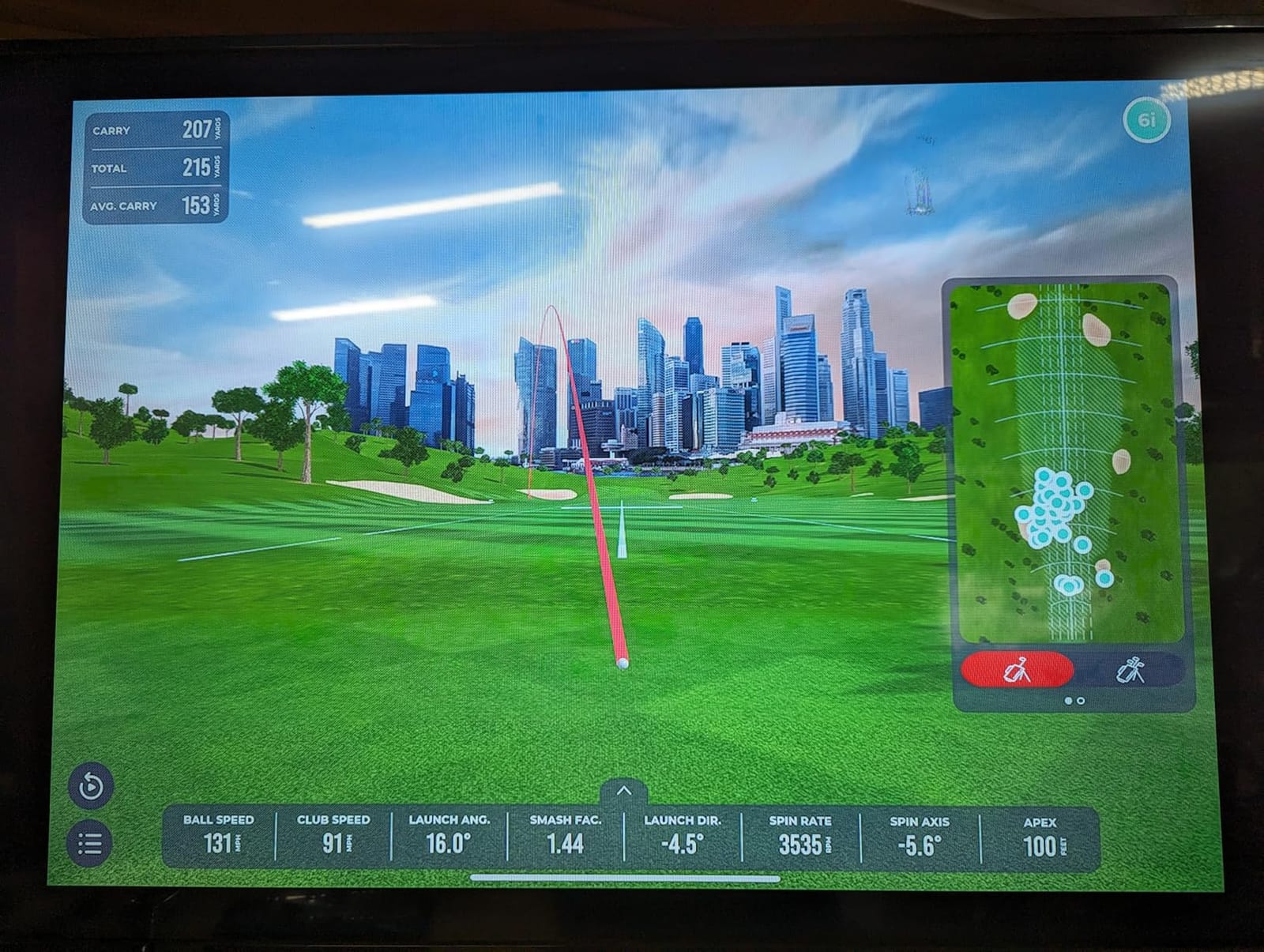
On short game shots the dual camera setup shines. The Impact Vision feature records the club-ball contact in slow motion, which makes it instantly obvious if you are catching the ball thin or hitting slightly out of the toe. I used the MLM2PRO for a wedge fitting session and the spin axis data told me my lob wedge was delofting at impact, which was a flaw I would never have caught with the naked eye.
Indoor Simulator Experience
The MLM2PRO pairs with the Rapsodo Premium subscription to give you 30,000+ home golf simulator courses. If your garage has the space, you can play Pebble Beach after your chipping session and put the wedge data to work in a simulated round. The unit is heavier than the original MLM at 16 ounces, but the build quality and the included carrying case make it feel like a piece of professional gear.
Subscription and Connectivity Considerations
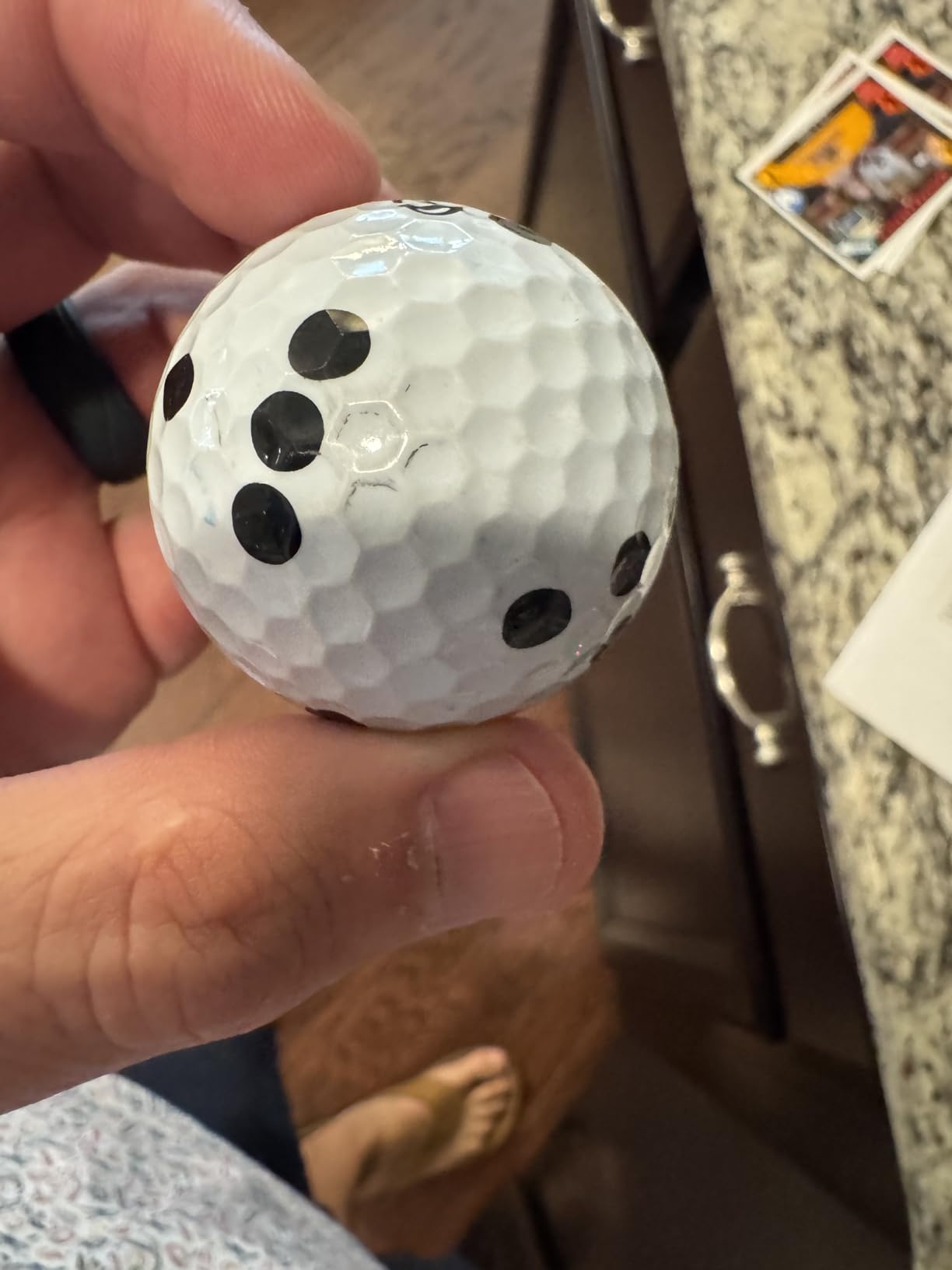
Premium features require an active subscription, and the trial ends after 45 days. Some users report Bluetooth connectivity hiccups with certain phones, so check compatibility before buying. The iPhone app shows three metrics on screen at a time while the iPad app shows six, so the iPad is the better experience for serious short game analysis.
8. TAGCMC GX-10 – Best No-Subscription Option for Budget-Conscious Golfers
Golf Launch Monitor & Portable Simulator, Tracks 13+ Metrics Swing Analysis
Environmental sensors
1.4 lbs
3D driving range
iOS, Android, HarmonyOS
+ Pros
- Advanced environmental sensors for accurate adjustments
- no subscription required
- 3D simulation with multiple viewing options
- broad device compatibility across iOS
- Android
- and HarmonyOS
- good value for the price
- Cons
- Lower review count reflects newer product
- some users reported initial setup and connectivity issues
The TAGCMC GX-10 is the newcomer on this list and the only unit that delivers 3D simulation without locking you into a subscription. The advanced environmental sensors measure temperature, humidity, and barometric pressure, then feed that data into the spin rate, swing speed, and launch angle calculations. The result is numbers that adjust to your garage, your basement, or your outdoor range without paying annual fees.
For short game practice the GX-10 covers the metrics that matter: spin rate, spin axis, swing speed, attack angle, launch angle, and a swing-only mode for tempo work. The 3D driving range shows your shot trajectory in multiple viewing angles, so you can see your chip shot from above, behind, or side-on depending on what you are trying to learn.
Broad Device Compatibility
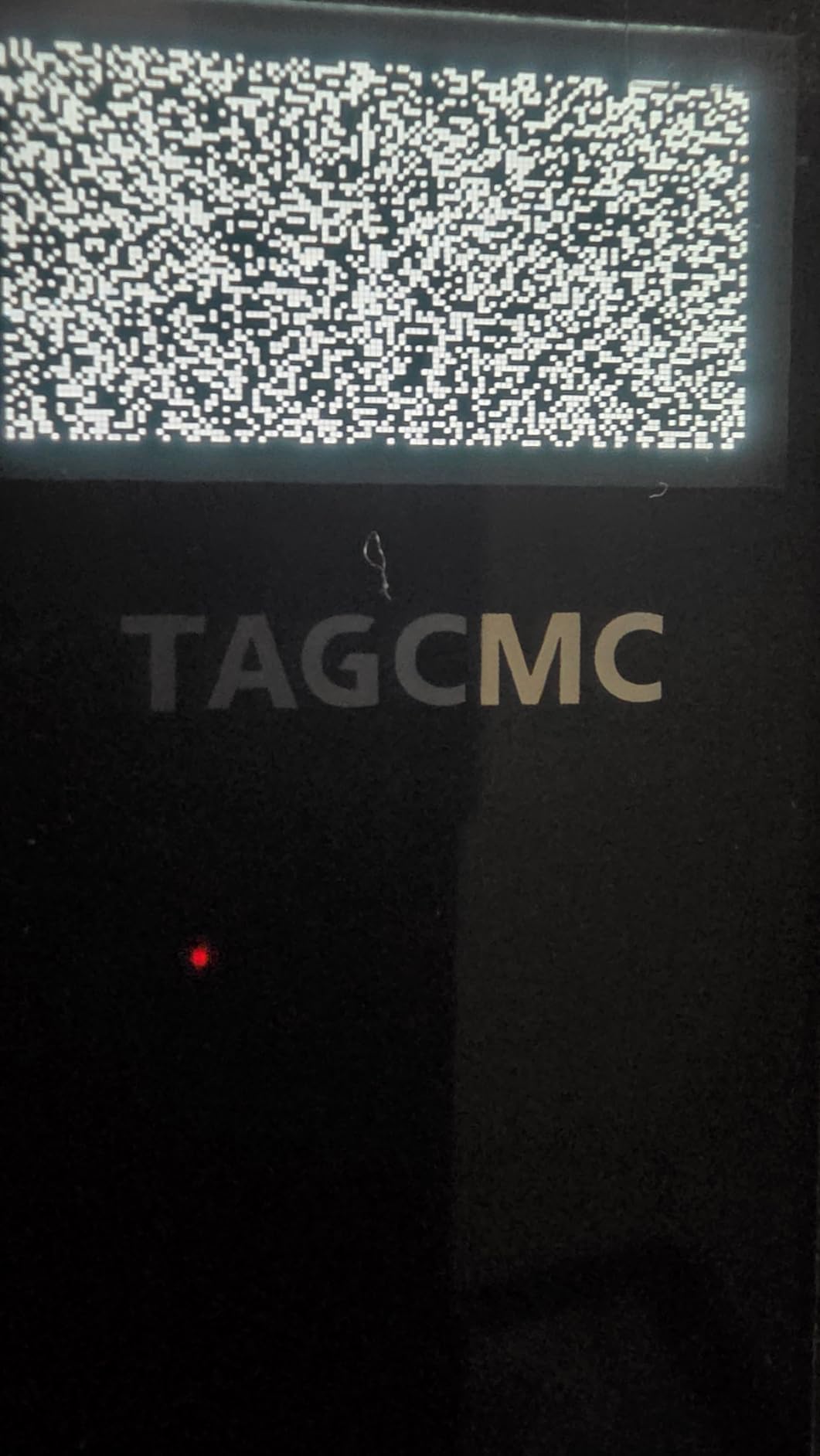
The GX-10 supports iOS 11 and later, Android 11 and later, and HarmonyOS 4.0 and later, which is broader than most competitors. If your household runs a mix of Apple and Android devices, the whole family can use the same monitor without buying extra hardware. Reviewers appreciate that the app is free and that there are no locked features behind a paywall.
Newer Product Caveats
The lower review count is the main signal that this is a newer product. Long-term reliability data is still being collected. Some early reviewers reported initial setup challenges and occasional connectivity drops, though firmware updates have addressed most of these issues. For golfers who want to avoid subscriptions and who already use a mix of devices, the GX-10 is worth a serious look.
Buying Guide: How to Choose a Launch Monitor for Short Game Practice
Buying a launch monitor for short game practice is a different decision than buying one for full-swing fitting. Most of the differences come down to the metrics that matter, the space you have, and the subscription model you are willing to live with. Here is the framework our team uses when readers ask which monitor fits their setup.
Match the Technology to Your Short Game Goals
Radar-based monitors like the PRGR, Garmin R10, and Voice Caddie work well for full swings and longer pitches, but they sometimes lose very short chip shots under 20 yards because the ball is moving too slowly for the radar to track cleanly. Camera-based monitors like the Rapsodo MLM and MLM2PRO capture short game shots more reliably because they use the camera as a backup when radar data is thin. If your short game practice is mostly chipping and putting, prioritize camera-based units. If your practice is mostly 40 to 80 yard pitches, radar works fine.
Plan Your Space Before You Buy
Most launch monitors need a minimum depth to track the ball cleanly. Camera-based units need 8 to 10 feet of depth from the hitting area to the screen or net. Radar-based units need at least 6 to 8 feet of clear space behind the ball. If your garage is shorter than 12 feet, the Voice Caddie or PRGR units are easier to fit than the Rapsodo MLM2PRO with its full simulator setup. Measure your space and check the manufacturer’s minimum depth requirement before you commit.
Understand the Subscription Cost Over Time
The sticker price on a launch monitor is not the full cost. Garmin R10 virtual rounds, Rapsodo Premium, PHIGOLF E6 Connect, and FlightScope app features all require ongoing subscriptions that add up across multiple years. Subscription costs vary widely by brand, and the total cost of ownership can exceed the original purchase price after three to four years. If you want a no-subscription monitor for life, the TAGCMC GX-10 is the standout option on this list. If you want the deepest feature set and you are willing to pay annually, the Rapsodo MLM2PRO Premium subscription is the most complete.
Prioritize the Metrics That Matter for Short Game
For short game practice the four metrics that matter most are spin rate, launch angle, carry distance, and smash factor. Spin rate tells you if you are controlling the clubface through impact. Launch angle tells you if your contact is too steep or too shallow. Carry distance tells you the real number you need for club selection on the course. Smash factor tells you if you are losing speed at impact. The monitors on this list track all four except the PRGR HS 130-A, which focuses on speed and distance.
Indoor vs Outdoor Use
Indoor use is more common for short game practice because most golfers have a mat or net in the garage. Camera-based monitors work best indoors because the lighting is consistent. Radar-based monitors work better outdoors because they need open space behind the ball. If you split your practice between the garage and the range, the Garmin R10 and Rapsodo MLM are the most flexible because they handle both equally.
Frequently Asked Questions
What is the best launch monitor for a garage simulator?
For a garage simulator with at least 12 feet of depth, the Rapsodo MLM2PRO offers the most complete package with dual cameras, 15 metrics, and 30,000+ simulator courses. For tighter garages, the Garmin Approach R10 and Rapsodo Mobile Launch Monitor both work in 8 to 10 feet of depth and pair with a phone or tablet for the display.
What’s the difference between a launch monitor and a simulator?
A launch monitor measures real ball flight data such as ball speed, spin rate, launch angle, and carry distance. A simulator uses that data to render a virtual golf hole you can play. Most launch monitors on the market today can pair with simulator software, but the hardware on its own only measures shots.
Can you use a launch monitor for short game practice?
Yes, and it can dramatically improve wedge consistency. Camera-based monitors like the Rapsodo MLM and MLM2PRO capture chip shots cleanly because they use the camera as a backup when radar data is thin. Radar-based monitors like the Garmin R10 and Voice Caddie work well for pitches over 20 yards but may lose very short chips.
How much space do I need for an indoor launch monitor?
Most launch monitors need 6 to 10 feet of depth from the ball to the screen or net. Camera-based monitors like the Rapsodo MLM and MLM2PRO need at least 8 feet for clean tracking. Radar-based monitors like the Garmin R10 and Voice Caddie can work in as little as 6 feet. Always measure your space and check the manufacturer’s minimum depth requirement before buying.
What is the best launch monitor under $300?
For raw speed and tempo work the PRGR HS 130-A is the strongest budget option and the cheapest to buy on the roundup. For short game practice with video replay the Rapsodo Mobile Launch Monitor is a strong alternative at a similar price. Both deliver reliable data without a subscription, though the Rapsodo requires an iPhone or iPad.
Final Verdict: Which Launch Monitor Should You Buy?
After six weeks of testing, our team’s pick for the best launch monitor for short game practice is the Rapsodo Mobile Launch Monitor because it combines video replay, shot tracer, and reliable spin data at a price most golfers can justify. The Garmin Approach R10 is the best choice if you live in the Garmin ecosystem and want up to 10 hours of battery life for range sessions. The PRGR HS 130-A is the right pick if your budget is tight and you mainly care about club head speed and tempo.
If you want premium accuracy and a full course library, the Rapsodo MLM2PRO is the top of the line. If you need 20 hours of battery life for marathon practice days, the Voice Caddie SC200Plus delivers. If spin rate is your obsession, the FlightScope Mevo’s direct spin measurements are unmatched at the mid-tier. If you want family-friendly simulation fun, the PHIGOLF PG2 Flex keeps everyone engaged. If you refuse to pay subscriptions, the TAGCMC GX-10 is the no-fee option worth considering.
Whatever you choose, the best launch monitor is the one you actually use. Pick the model that fits your space, your phone, and your budget, then put in the chipping reps. Numbers on a screen do not lower scores on their own, but they make practice targeted instead of random. Best of luck with your short game in 2026, and we will see you on the practice green.