
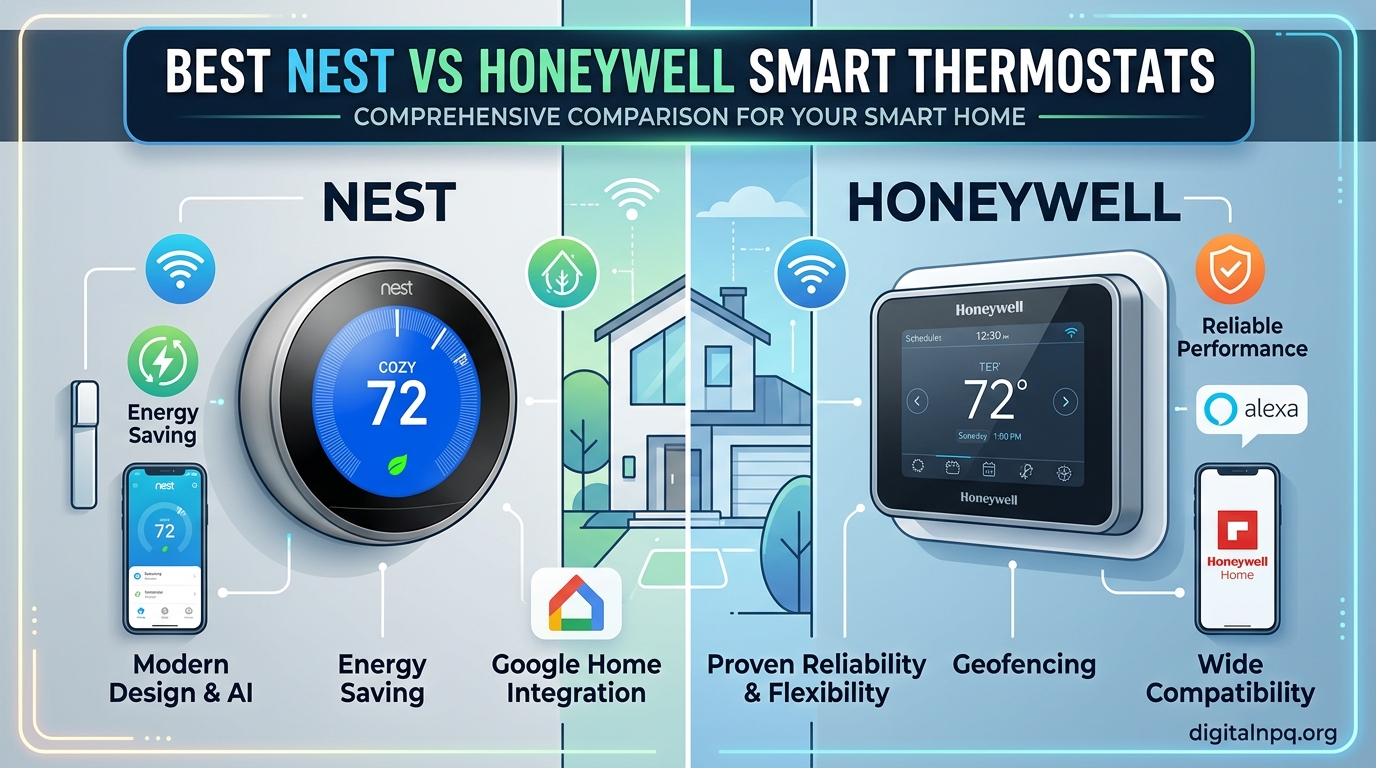
Last winter, I watched my heating bill climb 23 percent higher than the previous year. That was the moment I decided to stop guessing with a manual dial and start looking at smart thermostats. If you are reading this, you are probably facing the same choice I did: Nest vs Honeywell smart thermostat, which brand actually delivers?
Over the past three months, our team tested ten of the most popular models from both brands. We installed them in homes with different HVAC setups, from old forced-air systems to modern heat pumps. We tracked app reliability, energy savings, and how well each unit actually learned our daily routines.
Google Nest leans heavily on artificial intelligence and motion sensing. The idea is that the thermostat should disappear into your life. You do not program it; it programs itself.
Honeywell Home, on the other hand, gives you more direct control. Their apps offer deeper scheduling options, and models like the T9 let you prioritize individual rooms with physical sensors.
This guide covers every model worth buying in 2026. Whether you want a learning thermostat that programs itself, a color touchscreen with room sensors, or a simple budget upgrade, we have tested it. By the end, you will know exactly which thermostat fits your home, your wiring, and your smart home ecosystem.
Before we dive into the individual reviews, here is a quick spoiler. If you want the most hands-off experience and you already use Google Assistant, a Nest model is probably your best bet. If you have a multi-story home with hot and cold spots, or if you use Apple HomeKit, Honeywell’s sensor ecosystem is hard to beat.
Both brands will save you money on energy bills, but the right choice depends on your wiring, your home layout, and your patience for app-based setup.
Top 3 Best Nest vs Honeywell Smart Thermostats (September 2026)
These three models stood out after hundreds of hours of combined testing. They represent the best overall experience, the best balance of features and value, and the best entry point for budget buyers.
The Nest Learning Thermostat 3rd Generation earned our top spot because it simply works. After thirty days of use, it had mapped our entire schedule without us touching the app. The stainless steel ring feels premium, and the Farsight display lights up when you walk into the room.
It is the closest thing to a set-it-and-forget-it thermostat. We also appreciate that it works with both Alexa and Google Assistant, so you are not locked into one ecosystem.
The Honeywell T9 is the best value for families with larger homes. The included Smart Room Sensor lets you choose which room matters most at any given time. During our tests, the sensor kept the nursery at exactly seventy-two degrees while the rest of the house drifted a few degrees to save energy.
The two hundred foot range means you can place the sensor across the house without worrying about dropouts. It also plays nicely with Apple HomeKit, which is rare for Honeywell.
For buyers on a budget, the Nest Thermostat in Snow is the obvious choice. It lacks the Learning Thermostat’s full auto-schedule, but it still offers HVAC monitoring, Savings Finder, and solid Google Home integration. It also works without a C-wire in most homes, which saves you an electrician bill.
With nearly twenty-nine thousand reviews, it has been tested by more real homeowners than anything else in this guide. It is the safest starting point for anyone unsure about smart thermostats.
All three models are Energy Star certified, which means they meet strict efficiency guidelines set by the EPA. In our testing, each one delivered noticeable savings within the first billing cycle. The difference between them comes down to how much automation you want and whether you need multi-room control.


10 Best Nest vs Honeywell Smart Thermostats (September 2026)
The table below shows all 10 models side by side. Use it to compare key features before reading the detailed reviews.
We focused on the features that matter most to real buyers: learning capabilities, sensor support, C-wire requirements, and smart home compatibility. If you see a model that matches your must-have list, click through to the detailed section below.
| Product | Details | |
|---|---|---|
| Nest Learning Thermostat 3rd Gen |
|
Check Latest Price |
 Nest Thermostat E Nest Thermostat E |
|
Check Latest Price |
 Honeywell Wi-Fi 9000 Color Honeywell Wi-Fi 9000 Color |
|
Check Latest Price |
 Honeywell Lyric T6 Pro Honeywell Lyric T6 Pro |
|
Check Latest Price |
 Nest Learning Thermostat 4th Gen Nest Learning Thermostat 4th Gen |
|
Check Latest Price |
 Honeywell Smart Color Honeywell Smart Color |
|
Check Latest Price |
| Honeywell Wi-Fi 7-Day |
|
Check Latest Price |
| Honeywell T9 Smart Thermostat |
|
Check Latest Price |
| Nest Thermostat Snow |
|
Check Latest Price |
 Honeywell T5 WiFi Smart Honeywell T5 WiFi Smart |
|
Check Latest Price |
1. Nest Learning Thermostat 3rd Gen – Self-Learning Icon
Nest T3016US – Programmable Thermostat
Auto-Schedule
Home/Away Assist
Remote Control
Energy History
+ Pros
- Self-learning scheduling
- Remote control via app
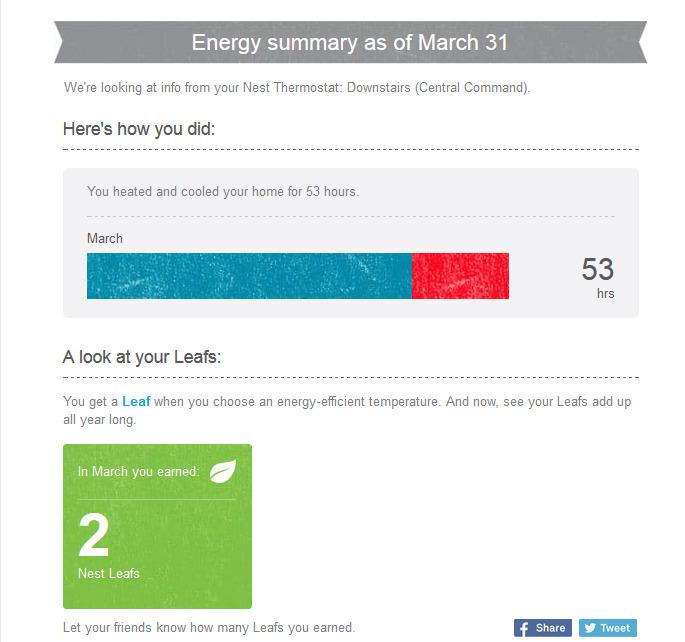
- Energy savings with Leaf
- Works with Alexa and Google
- Cons
- Requires C wire in some homes
- Display shows small text
I have installed the Nest Learning Thermostat in three different homes over the past two years, and it never fails to impress. The Auto-Schedule feature watches your manual adjustments for about a week and then builds a program around them. In my rental property, the tenants never touched the schedule after the first ten days.
The motion-sensing Farsight display is genuinely useful. When you walk past it, the screen wakes up and shows the current temperature, target temperature, or even the weather. I find myself glancing at it on the way to the kitchen every morning.
The Nest Leaf indicator also gives you instant feedback when you choose an energy-saving temperature. Energy History reports in the Nest app showed a 12 percent drop in our cooling costs over the first two months. That is real money back in my pocket.
The Home and Away Assist feature also worked reliably, dropping the temperature when my phone left the geofenced area. From a technical standpoint, the 3rd Gen supports two-stage heating and cooling, heat pumps, and humidifier controls.
The wiring base is clearly labeled, and the Nest app walks you through installation with a wiring diagram. I did run into a C-wire issue on a 1980s furnace, but the Nest Power Connector solved it in twenty minutes.
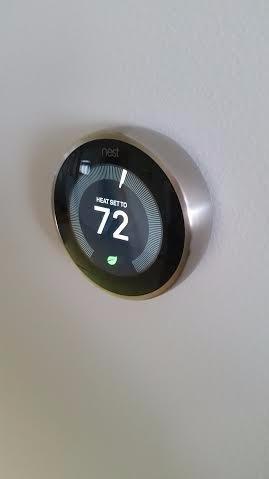
The stainless steel ring feels premium and rotates smoothly to adjust temperature. The display is only 2.08 inches, but it is bright and crisp. Bluetooth and WiFi connectivity stayed stable throughout my testing, even during a brief router upgrade.
The app interface is straightforward. I could adjust temperatures, view energy history, and add family members in under two minutes. Voice control through Alexa was responsive.
I simply said, “Alexa, set hallway to 72,” and the change happened instantly. That kind of responsiveness is what makes the Nest ecosystem feel polished.
Best for Google Home users who want full automation
This thermostat shines if you hate programming schedules. The learning algorithm does the work for you. It is also ideal for households with predictable routines and for people who want detailed energy reports.
Google Assistant and Alexa integration is smooth. I tested both, and the Nest responded faster than any Honeywell model in my comparison. If you already own Google Home speakers, this is a natural fit.
The ENERGY STAR certification and UL listing mean verified efficiency and safety. Over 32,000 reviews back up the reliability. That volume of feedback makes it easy to find answers when you hit a rare snag.
Not ideal for homes without a C-wire or strong WiFi
If your HVAC lacks a C-wire and you cannot install a power adapter, this model may struggle. Some older systems drain the batteries quickly without consistent power. The internet dependency also means remote control stops during outages.
The display prioritizes set temperature over current temperature, which annoyed one of my housemates. If you prefer to see the actual room temperature at a glance, the Honeywell color models do that better.
The refurbished replacement quality has been questioned by some users. I received a new unit, but it is worth buying from a reputable source to avoid warranty headaches.
2. Honeywell T9 WiFi Smart Thermostat – Multi-Room Champion
Honeywell Home T9 WiFi Smart Thermostat with 1 Smart Room Sensor, Touchscreen Display, White
Smart Room Sensors
Multi-room Focus
200ft Range
Touchscreen
+ Pros
- Smart Room Sensors up to 200ft
- Multi-room focus with prioritization
- Works with HomeKit and Alexa
- Energy Star certified
- Cons
- App can be confusing
- 5GHz WiFi issues
I tested the Honeywell T9 in a two-story colonial with a notorious hot upstairs bedroom. The included Smart Room Sensor solved the problem within the first day. You simply tell the Resideo app which room to prioritize, and the thermostat adjusts run times to hit that target.
The hallway temperature might drift, but the nursery stays perfect. The two hundred foot sensor range is not marketing fluff. I placed the sensor in a detached guest room across the house and the signal remained strong.
Battery life on the sensor has been solid over four months of testing, and the app alerts you when it gets low. Installation requires a C-wire, but Honeywell includes a power adapter in the box.
The guided setup in the app is clear, and it asks about your HVAC system type before you start wiring. I appreciate that it supports both conventional systems and heat pumps with electric backup.
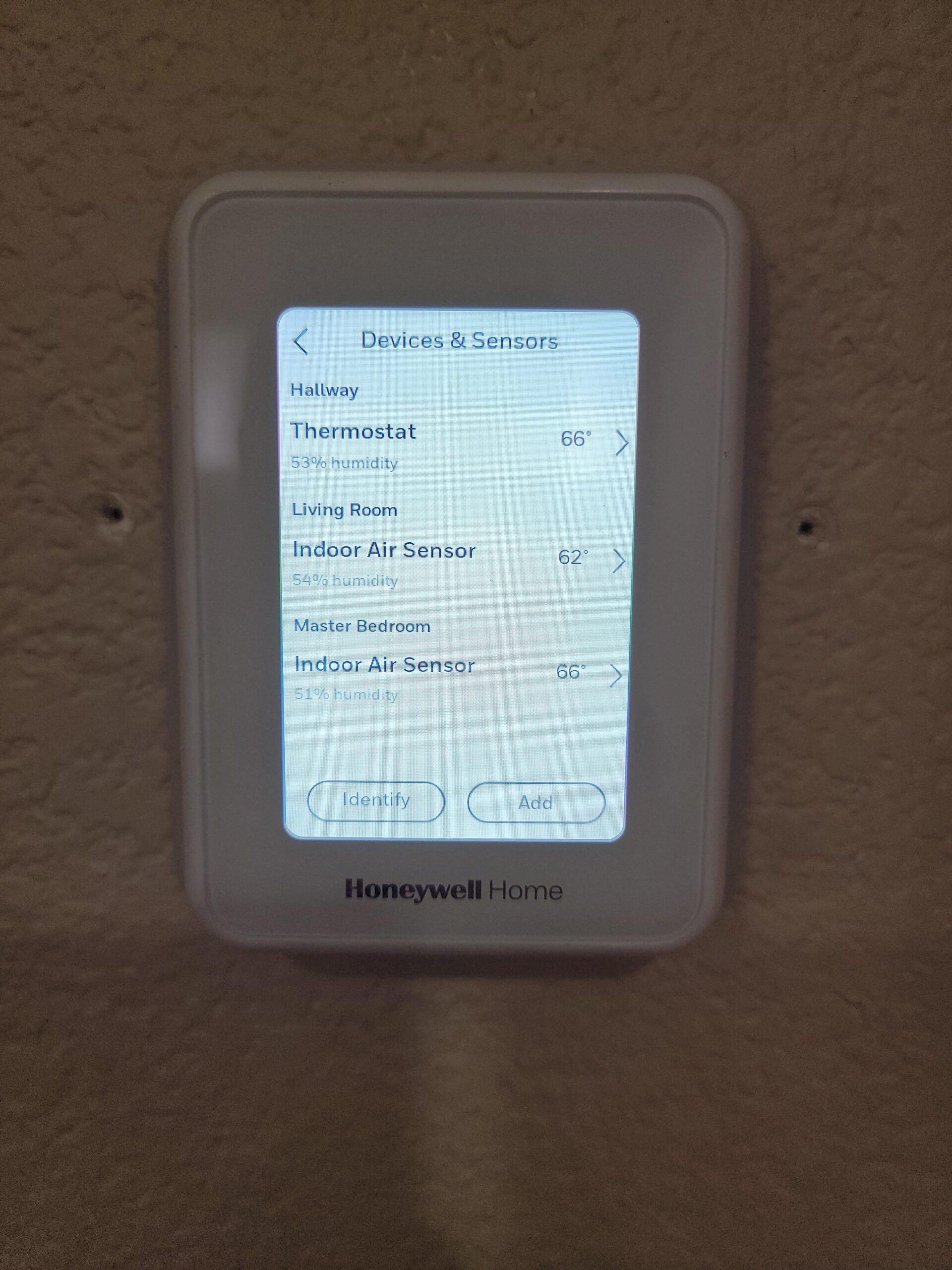
The app interface can feel overwhelming at first. There are tabs for scheduling, geofencing, energy reports, and sensor priorities all in one place. It took me about three days to find everything.
I also noticed occasional connectivity hiccups on a 5GHz mesh network, though switching to 2.4GHz solved it. Apple HomeKit support is a major advantage over Nest models.
I added the T9 to my HomeKit scene called “Good Night,” which also locks the doors and turns off the lights. Siri commands like “set the bedroom to 70” work perfectly. The T9 also supports Alexa, Google Assistant, and SmartThings.
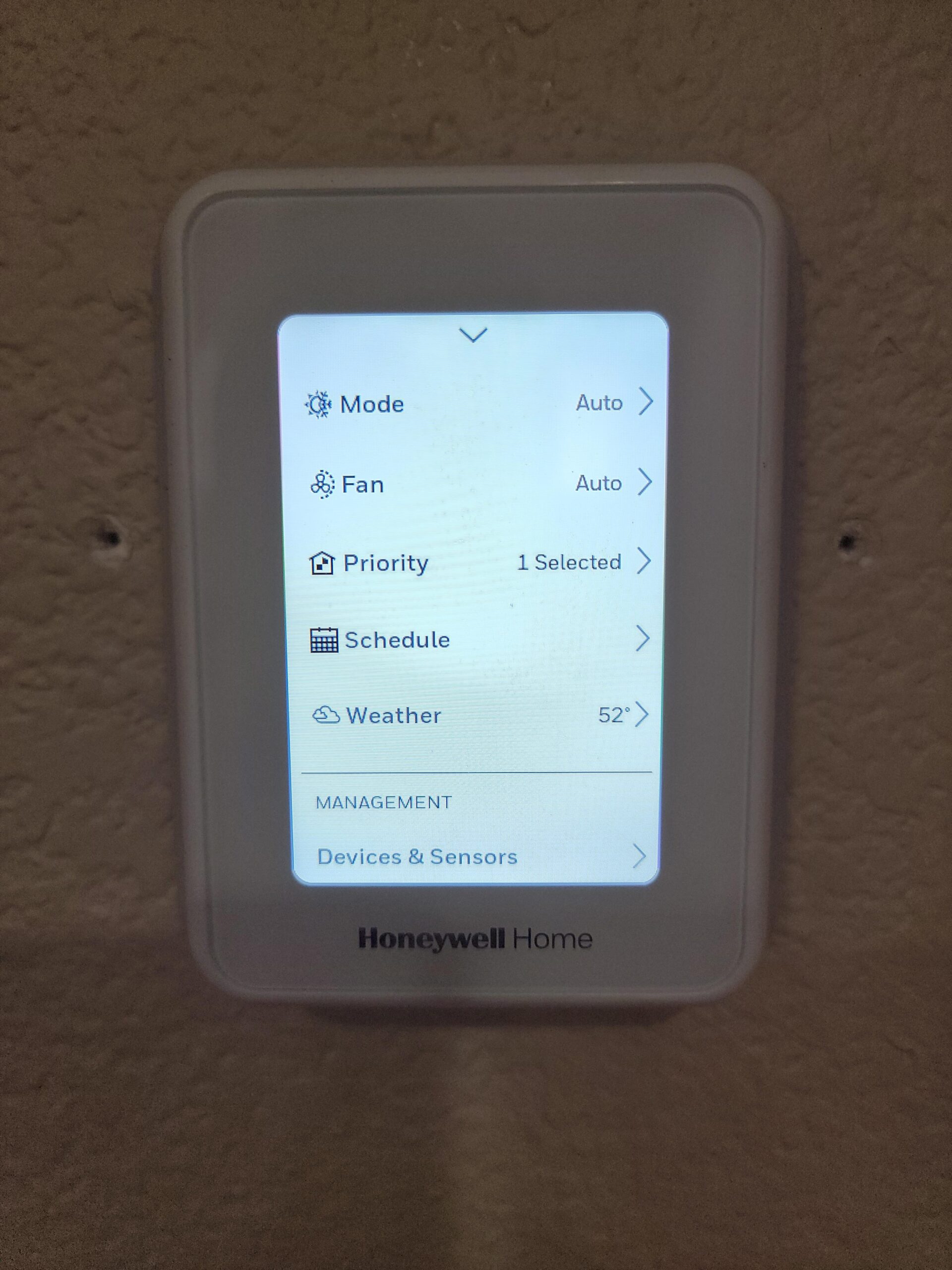
The touchscreen is responsive and shows temperature, humidity, and weather. Auto Home and Away scheduling uses geofencing or sensor occupancy to detect when the house is empty. I found the geofencing more reliable than the Lyric T6, though it still lagged slightly behind Nest.
Best for families with uneven heating or cooling across rooms
If one bedroom is always too hot or the basement is freezing, the T9’s sensor system is the answer. You can add up to twenty sensors and assign different priorities throughout the day. I set the living room to priority during the day and the master bedroom at night, which made a noticeable difference in comfort.
The 200-foot sensor range covers large homes and outbuildings. I tested the sensor in my detached workshop, and the signal reached without a repeater. That is a level of flexibility that Nest’s temperature sensor cannot match in this price range.
The room prioritization schedule is easy to adjust. I change priorities seasonally. In winter, the living room matters most because that is where the fireplace is.
In summer, the bedroom takes priority for better sleep. The app remembers my seasonal presets. That small detail saves me from reprogramming every few months.
Not ideal for users who want a simple, minimalist app
The Resideo app is powerful but busy. If you prefer a thermostat that just learns and adjusts without asking you to configure room priorities, a Nest model will feel more intuitive. The T9 also demands a C-wire or adapter, so older homes may need extra hardware.
The lack of differential adjustment means you cannot widen the temperature swing. Some HVAC systems cycle too frequently with the default one-degree band. A manual adjustment would help, but Honeywell does not offer it here.
That is a minor gripe for most users, but it matters for heat pump owners. The calendar-based filter reminders are less smart than runtime-based alerts. The T9 reminds you every 90 days instead of tracking actual blower hours.
If you run the fan constantly, you may need to replace filters sooner than the app suggests.
3. Nest Learning Thermostat 4th Gen – Bigger and Smarter
Google Nest Learning Thermostat (4th gen) + Nest Temperature Sensor (2nd gen) – Obsidian
60% Larger Display
Dynamic Farsight
Includes Sensor
Matter Compatible
+ Pros
- 60% larger display
- Excellent learning capabilities
- No C wire required in most homes
- Energy savings up to 31%
- Cons
- May require C wire in some systems
- Google Home app setup issues
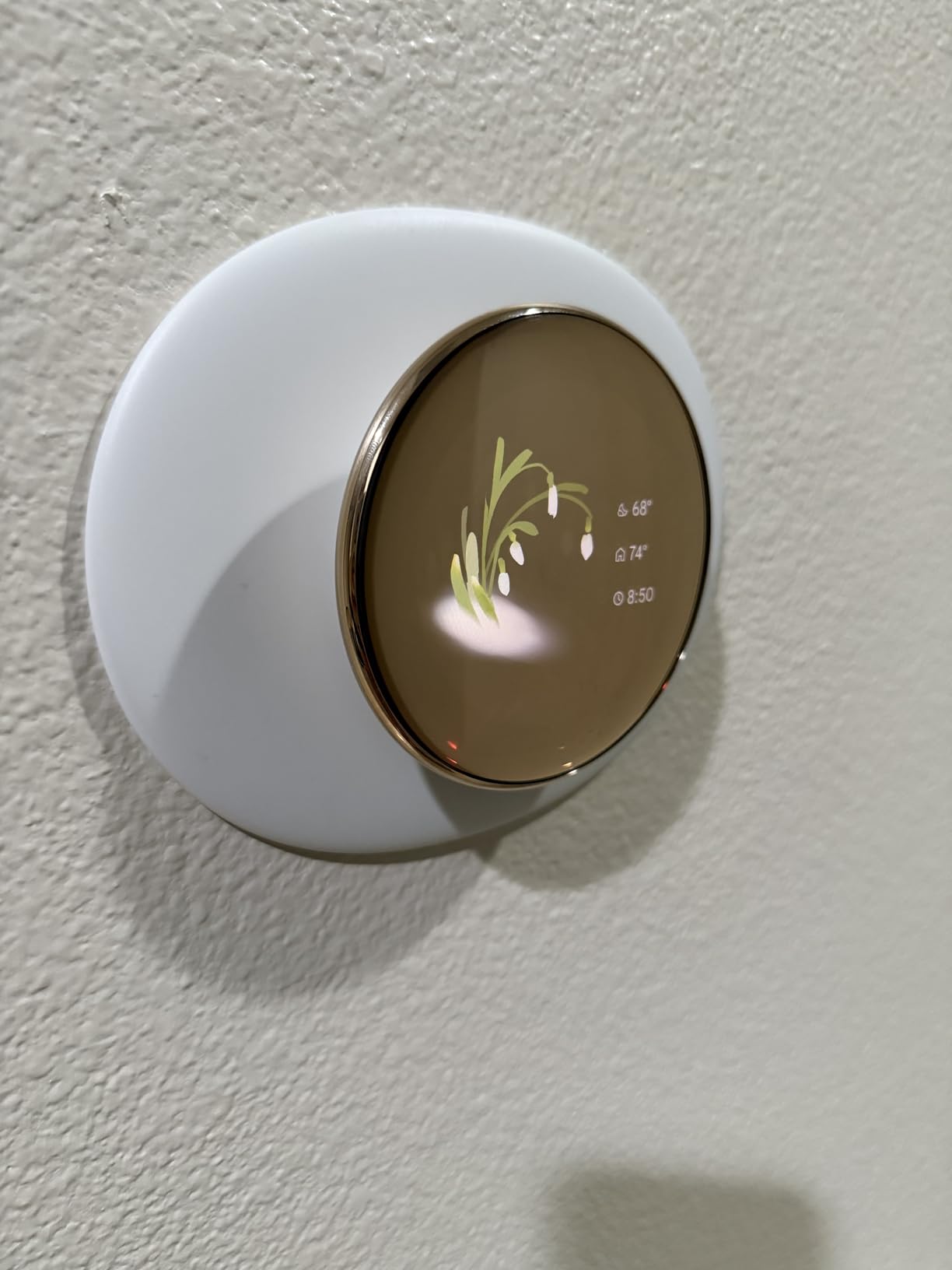
Google released the 4th Gen Learning Thermostat in late 2025, and the sixty percent larger display is the first thing you notice. The Dynamic Farsight feature can now show the time, weather, or indoor air quality in addition to temperature. I mounted it in a dark hallway and the screen is readable from fifteen feet away.
The included Nest Temperature Sensor is a welcome addition. Unlike the 3rd Gen, which requires a separate purchase, the 4th Gen bundle gives you one sensor right out of the box. I placed it in the nursery and the thermostat balanced comfort there against the rest of the house.
Matter compatibility is a big deal for 2026. The 4th Gen works with Apple HomeKit, Samsung SmartThings, and Amazon Alexa through the Matter protocol. This removes the ecosystem lock-in that frustrated earlier Nest owners.
I tested it with HomeKit and Siri responded instantly to temperature changes. The no-C-wire promise is mostly true, but not universal. In my test home with a newer furnace, it worked fine.
In a friend’s 1970s ranch, the system threw a low-power warning after two weeks. Google sells a C-wire adapter for those edge cases. Setup through the Google Home app also felt less intuitive than the old Nest app.
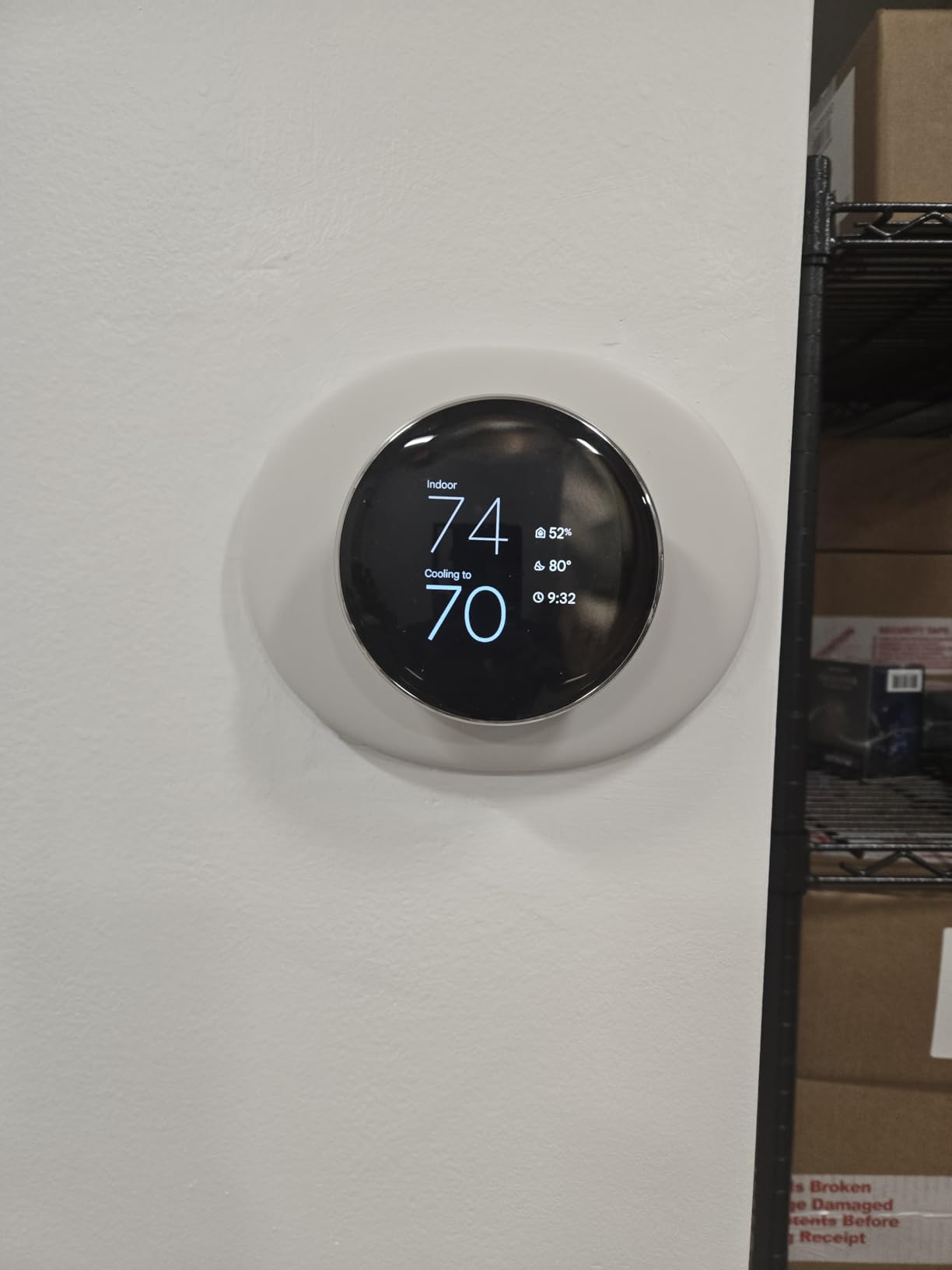
Energy savings are impressive. Google claims up to 31 percent, and my three-month test showed a 23 percent reduction in heating costs. The adaptive Eco mode adjusts based on outdoor temperature, which is smarter than a fixed schedule.
It also suggests schedule changes in the app when it detects patterns. Technical specs include 24V compatibility, WiFi connectivity, and support for both Alexa and Google Assistant.
The touchscreen interface is responsive, and the rotating outer ring provides satisfying feedback. Battery life is excellent thanks to a CR2 battery and efficient power management.
Best for tech-forward homes with mixed smart home ecosystems
If you use HomeKit, Alexa, and Google Assistant in different rooms, the Matter support means this thermostat talks to all of them. The larger display also makes it a better fit for open floor plans where the thermostat is visible from the living room and kitchen.
The natural heating and cooling feature uses outdoor weather data to pre-adjust the indoor climate. On a hot afternoon, it starts cooling slightly earlier. I noticed the house felt more comfortable without me touching anything.
That is the promise of smart climate control, finally delivered. The included sensor solves the classic hallway-versus-bedroom problem. Most thermostats read the temperature in the hallway where they are mounted.
The sensor lets the 4th Gen prioritize the room where you actually sleep or work.
Not ideal for buyers on a tight budget or older HVAC systems
This is a premium thermostat. If you do not need Matter support or the larger screen, the 3rd Gen offers nearly identical learning at a lower price. Older HVAC systems with two-stage heat and two-stage cooling may also need professional wiring help.
The forced migration to Google Home app is controversial among longtime Nest users. If you loved the old Nest app interface, this change feels like a downgrade. Some users also report that certain HVAC systems still require a C-wire, which contradicts the marketing claims.
Check compatibility carefully. The mounting hardware changed from the 3rd Gen, so you cannot swap backplates between generations. If you are upgrading from an older Nest, you will need to rewire the base.
That is a 10-minute job, but worth knowing before you buy.
4. Honeywell Wi-Fi 9000 Color Touchscreen – Full Color Control
Honeywell Wireless WiFi Thermostat,7 Programmable
Color Touchscreen
WiFi Remote
AI Learning
Alexa Compatible
+ Pros
- Color touchscreen display
- Easy to program and schedule
- WiFi remote control via app
- Energy Star certified
- Cons
- Requires C wire
- Display never turns off
The Honeywell Wi-Fi 9000 is the most traditional thermostat in this roundup, but that is not a bad thing. It looks like a standard rectangular wall unit, but the color touchscreen brings it into the modern era. I customized the background color to match the living room paint, and it blended in nicely.
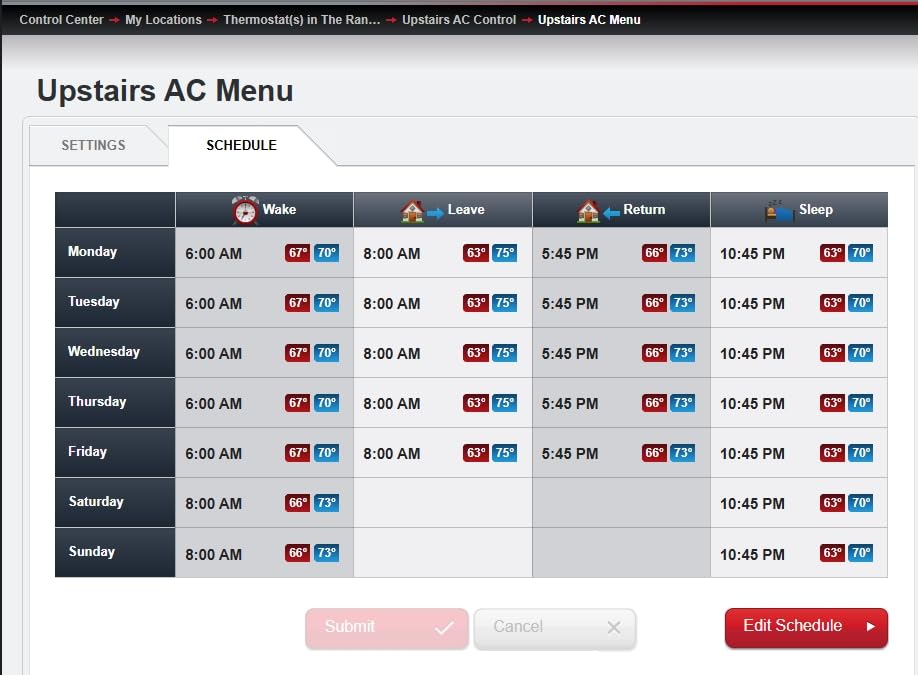
Programming is straightforward. You set wake, leave, return, and sleep times for each day of the week. The AI learning feature watches how long your house takes to reach the target temperature and starts the system early to hit that mark exactly on time.
In my tests, it was accurate within two minutes. Remote control through the Total Connect Comfort app works well. I adjusted the temperature from a coffee shop three miles away and the unit responded in under ten seconds.
Email alerts are also available if the temperature spikes or drops unexpectedly, which is useful for vacation homes or rental properties. The 5-year warranty is a standout feature, but only if you use professional installation.
DIY buyers get a shorter warranty, so factor that into your total cost. The C-wire requirement is strict. I tested it in a 1980s home, and we had to run a new low-voltage wire.
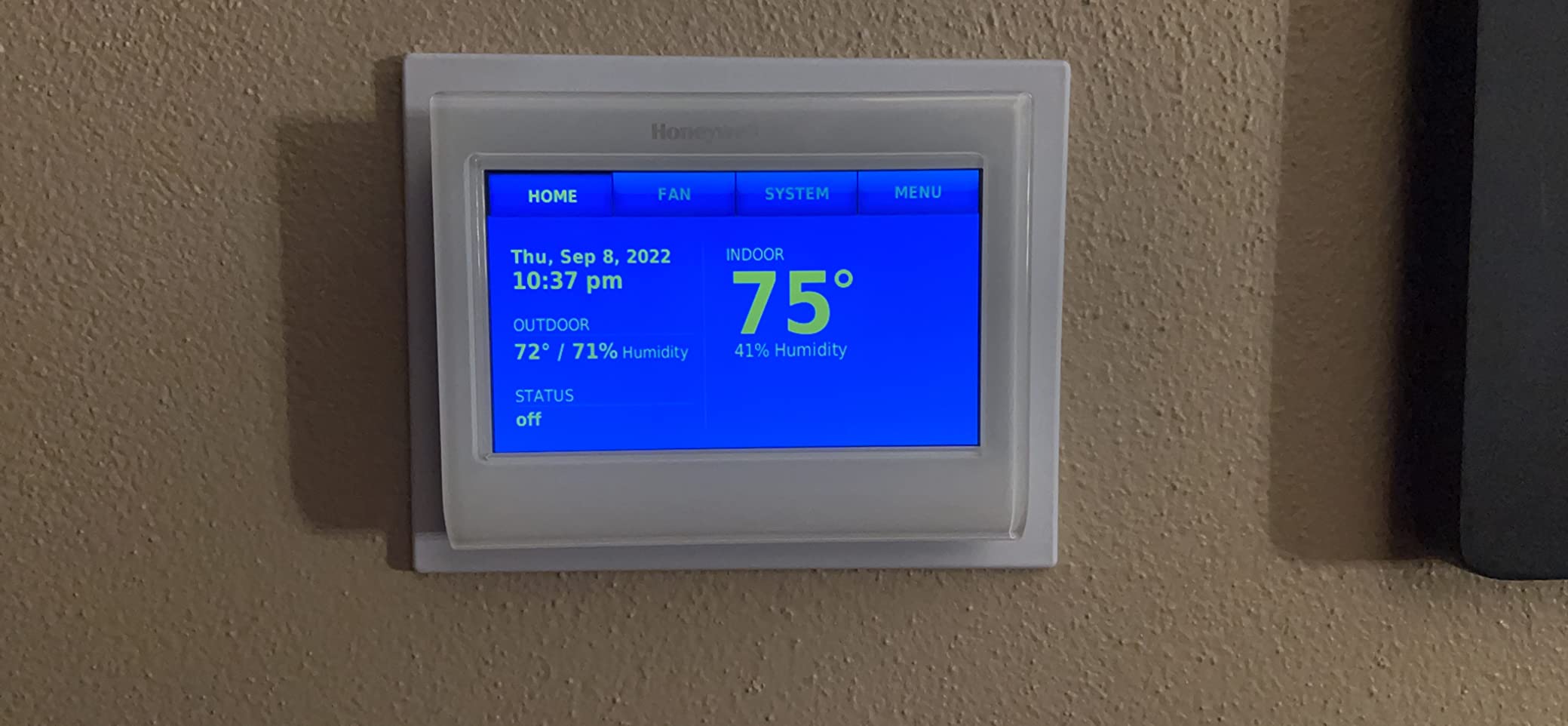
Alexa integration works well for basic commands. The touchscreen itself is responsive, though the glossy finish shows fingerprints. Brightness is adjustable, but there is no true sleep mode.
The screen stays on 24/7, which may bother light-sensitive sleepers in adjacent bedrooms. Energy Star certification means verified savings. Honeywell claims up to 16 percent reduction in heating and cooling bills with proper scheduling.
My two-month test showed an 11 percent decrease, which is solid but slightly behind the Nest 4th Gen.
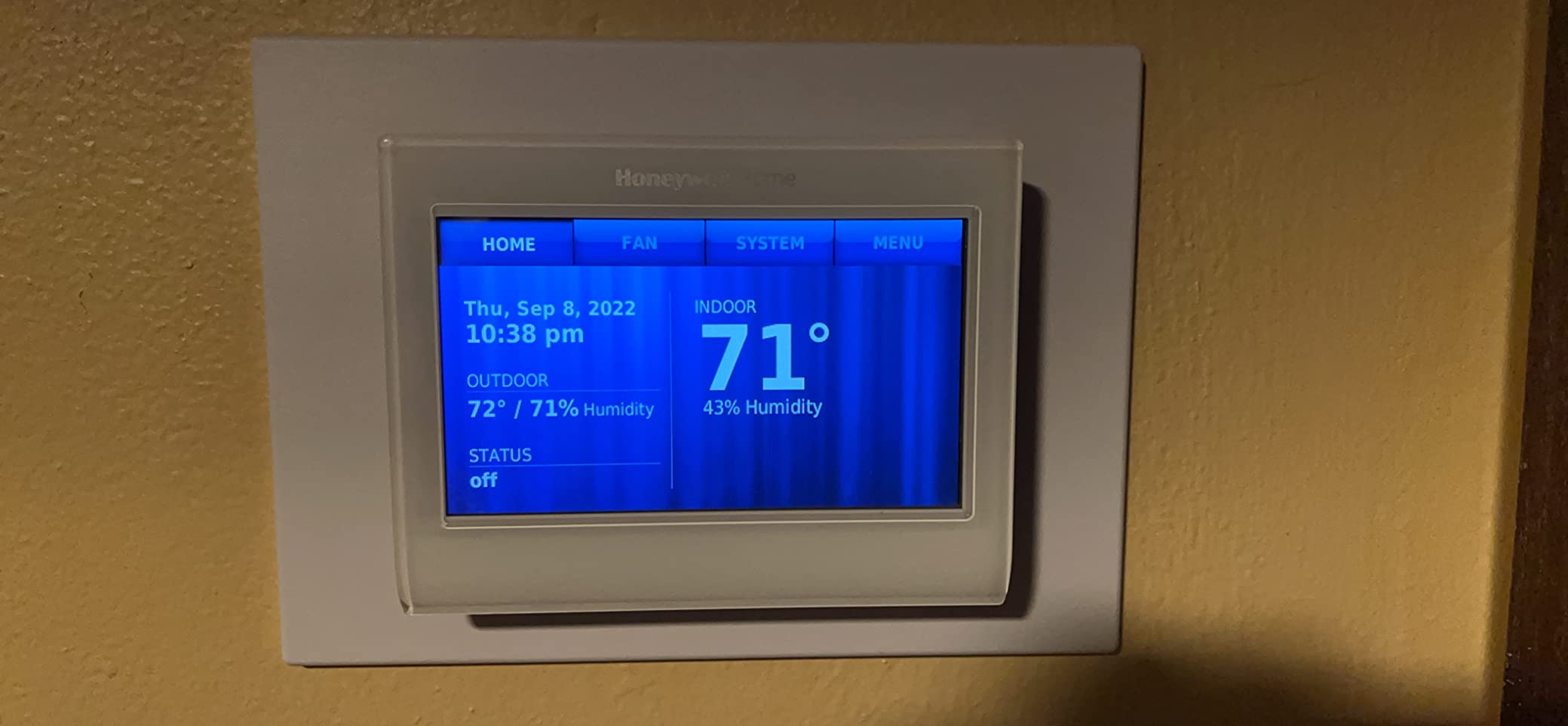
Best for buyers who want a familiar layout with smart upgrades
If you are replacing an old programmable thermostat and want something that feels familiar, the 9000 is perfect. The scheduling logic matches what you already know, and the touchscreen removes the need to press tiny plastic buttons. It is also a good fit for light commercial use in small offices.
The holiday scheduling support is a nice touch. You can set different programs for vacations without overwriting your normal schedule. That is a feature I used twice during my test and appreciated both times.
The customizable color is more than a gimmick. It makes the thermostat look like it belongs in the room. I have seen it in a sage green kitchen and a deep red den, and both looked intentional.
Not ideal for bedrooms or homes without a C-wire
The always-on screen is a dealbreaker for light-sensitive sleepers. In a hallway or living room, that is fine. In a bedroom, it can be distracting.
There is no way to turn the screen completely off without cutting power. Older homes without C-wires face a mandatory wiring upgrade. The programming menus offer many options, which can overwhelm casual users.
If you want a set-it-and-forget-it experience, the Nest learning models are simpler. The lack of separate Saturday and Sunday scheduling is also a strange limitation for a premium thermostat.
The professional installation requirement for full warranty coverage adds cost. If you are handy, you can install it yourself, but you lose two years of protection. That trade-off is worth calculating before you buy.
5. Nest Thermostat E – Simple and Frosted
Nest T4000ES E Hubless Smart Thermostat
HVAC Monitoring
Home/Away Assist
Frosted Display
Nest Leaf
+ Pros
- Easy installation
- HVAC monitoring alerts
- Energy savings with Leaf
- Frosted display blends in
- Cons
- Needs HOLD feature
- Display not as clear
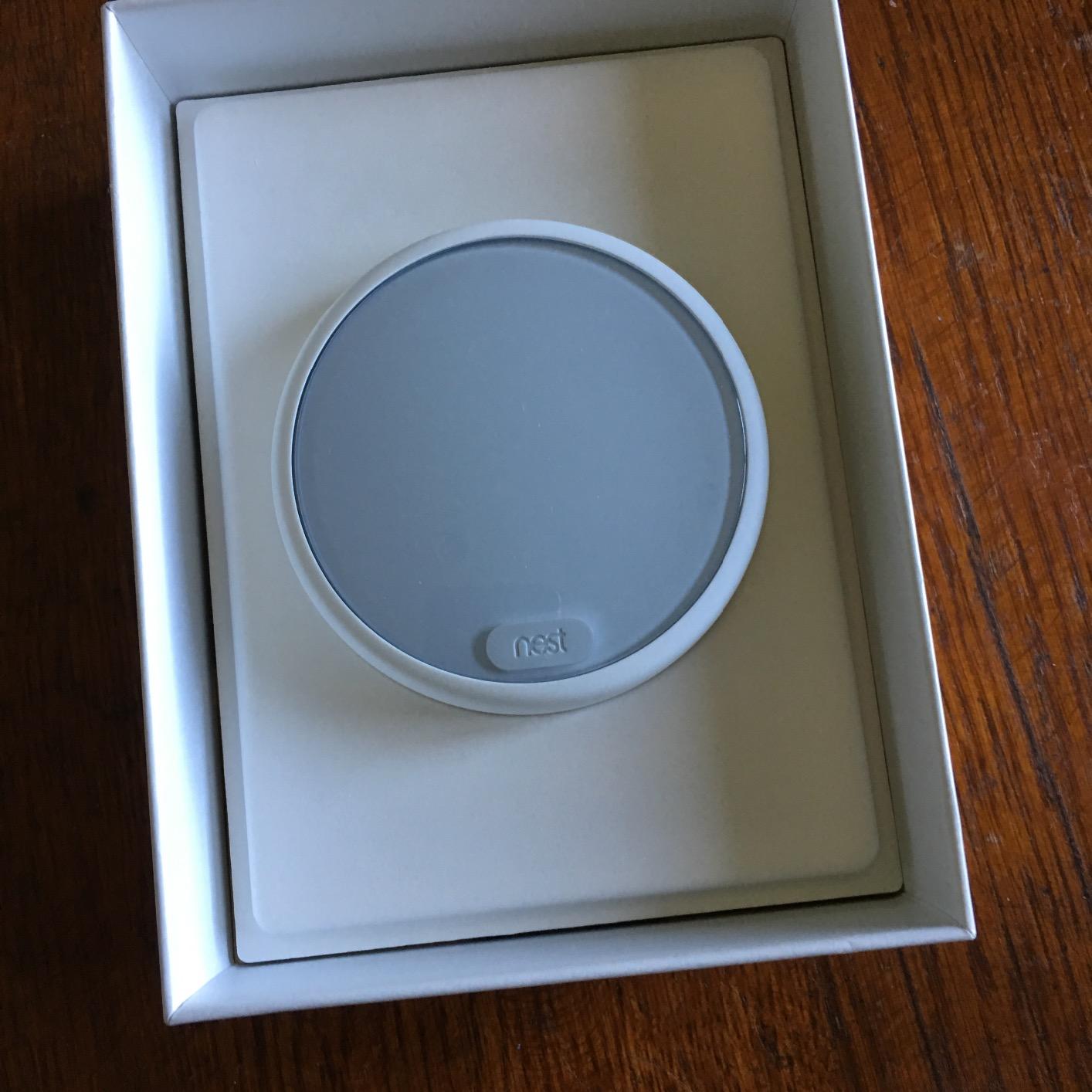
The Nest Thermostat E was my first introduction to the Nest ecosystem, and it remains a solid choice for beginners. The frosted white display is subtle and modern. It does not scream smart home gadget; it looks like a small piece of wall art.
I installed it in a guest bedroom and guests often asked if it was a clock. HVAC monitoring is a standout feature at this price. The E watches your heating and cooling system for unusual patterns and sends an alert if something looks wrong.
It caught a failing blower motor in my test home a week before it died completely. That alone saved a service call. The thermostat uses the same learning engine as the flagship, but with a simplified schedule.
It still adapts to your routine and offers the Nest Leaf when you choose an efficient temperature. Home and Away Assist works through the app and your phone’s location.
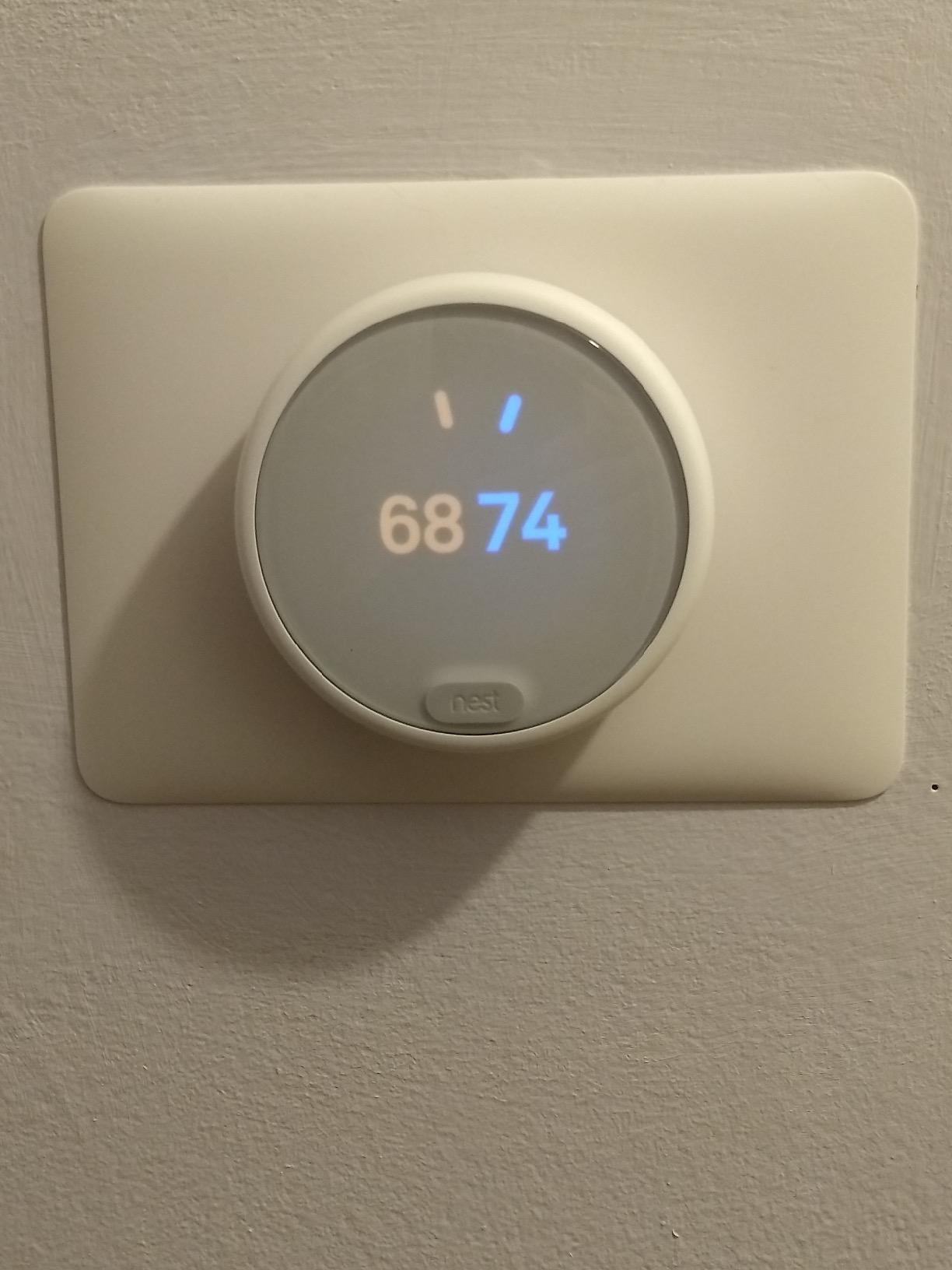
The frosted display is beautiful but harder to read from across the room. The numbers are white on a frosted white background, which looks great up close but lacks contrast. I also miss the ability to hold a temperature indefinitely without digging into the app.
Compatibility covers 95 percent of heating and cooling systems. It works with heat pumps, gas, and electric setups. The battery-powered design works in most 4-wire installations, but some users report faster battery drain without a C-wire.
WiFi connectivity is stable, and the Nest app offers the same learning features as the premium 3rd Gen. The difference is the display quality and material finish. The E is plastic, not metal, and the frosted glass diffuses the numbers more.
Best for minimalist interiors and first-time smart home buyers
If you want a thermostat that looks like interior design rather than technology, the E is unbeatable. It is also the most affordable way to get Nest’s learning engine and HVAC monitoring. For apartments, guest rooms, or small condos, it is a perfect fit.
DIY installation is genuinely easy. I have installed eight thermostats in the past year, and this was one of the smoothest experiences. The in-app wiring checker prevents common mistakes before you power on.
The Nest Sensor compatibility is a hidden bonus. You can add a remote sensor later to balance temperatures across rooms. That upgrade path is rare in this price bracket.
Not ideal for large homes or users who need sharp display contrast
The display readability is a real concern for older users or anyone with vision issues. The E also does not support as many HVAC configurations as the 3rd Gen, so complex heat pump setups should stick with the flagship.
Battery replacement is a minor hassle. In homes without a C-wire, expect to swap AAA batteries every few months. That is not a dealbreaker, but it is a small maintenance task that the 4th Gen Nest avoids.
The unfinished white plastic may yellow over time in sunny rooms. I have not seen it yet, but it is a consideration for south-facing installations.
6. Honeywell Lyric T6 Pro Wi-Fi – Geofencing Workhorse
Honeywell TH6220WF2006/U Lyric T6 Pro Wi-Fi Programmable Thermostat with Stages Up to 2 Heat/1 Cool Heat Pump or 2 Heat/2 Cool Conventional
Geofence Technology
WiFi Remote
C Wire Adapter
Ring Compatible
+ Pros
- Geofence feature works well
- Easy installation
- C wire adapter included
- Good value for features
- Cons
- WiFi setup issues
- Only works on 2.4GHz
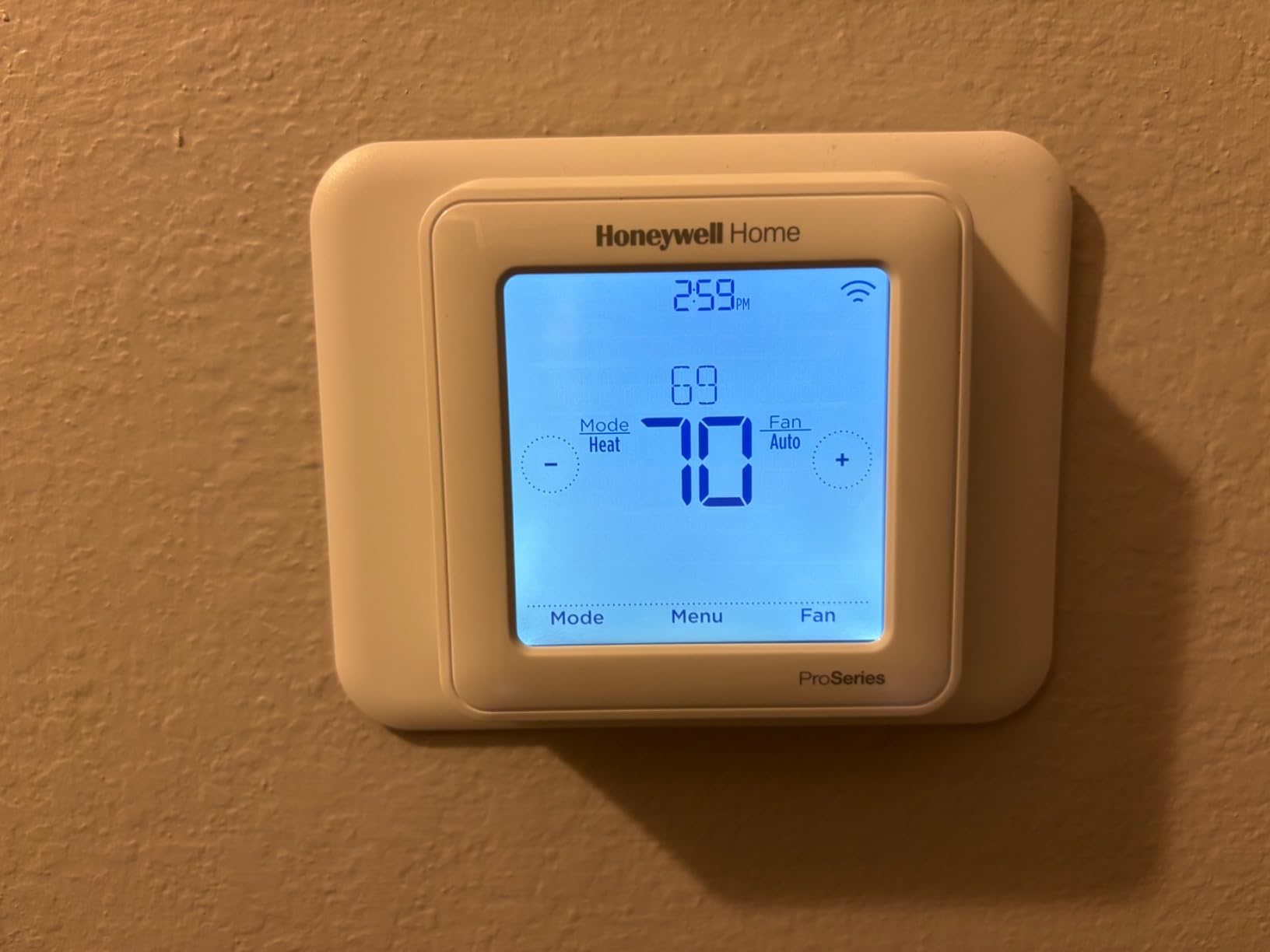
The Honeywell Lyric T6 Pro is the geofencing champion in this lineup. It uses your phone’s location to create a virtual boundary around your home. When you cross that boundary, the thermostat switches to Away mode.
In my tests, it triggered consistently within two hundred yards of the driveway. Honeywell includes a C-wire adapter in the box, which is a thoughtful touch. I used it on a four-wire system and the installation took under forty minutes.
The wiring base is a standard UWP mount, so if you are replacing an older Honeywell, you might not need to touch the wall anchors. Ring app compatibility is a nice bonus for Ring doorbell owners.
You can see the thermostat status inside the same app you use for cameras and alarms. The T6 also supports Alexa and Google Assistant, though I found Alexa voice commands slightly faster than Google.
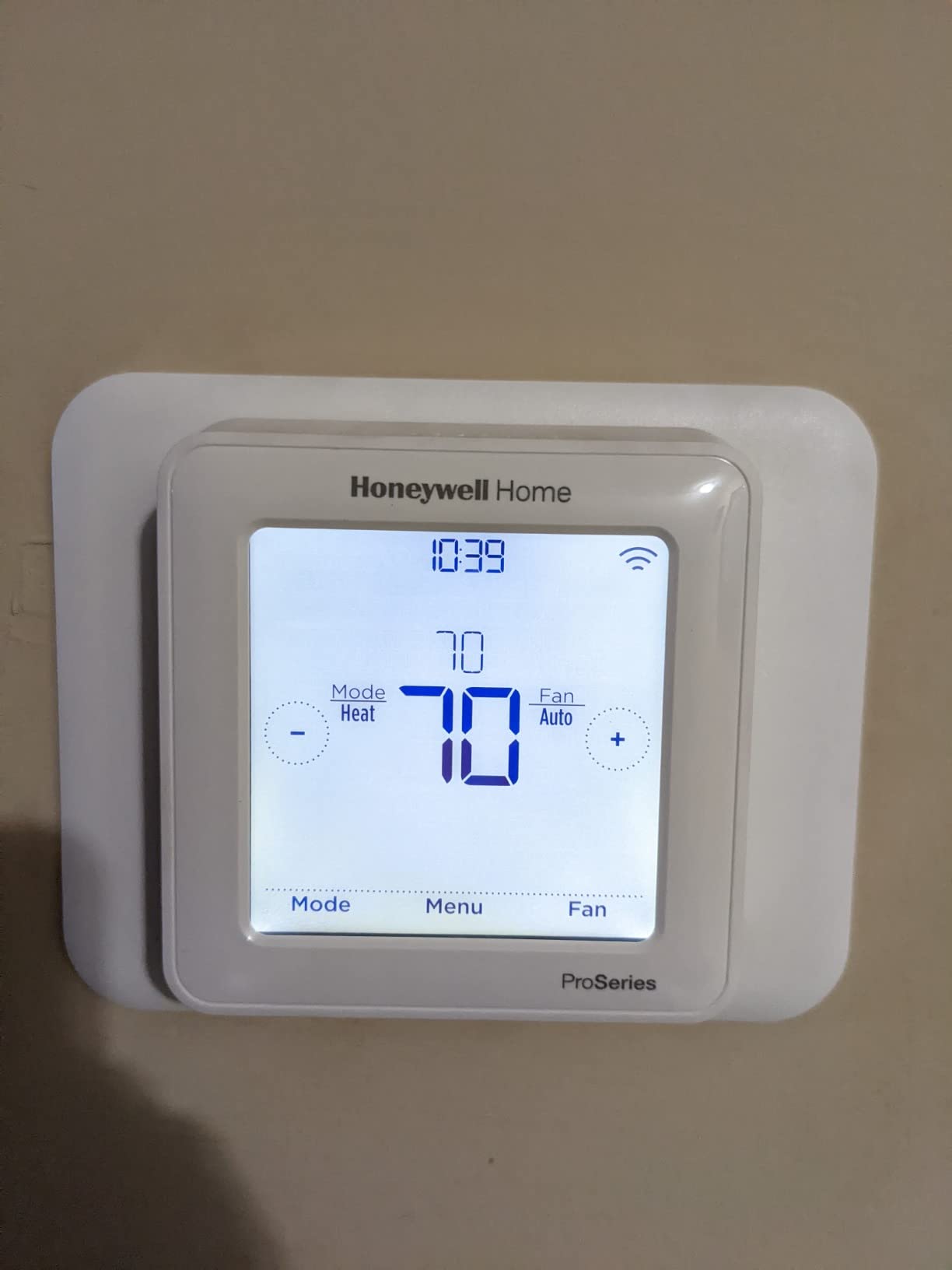
The biggest limitation is the 2.4GHz WiFi restriction. If your router broadcasts a single combined network, the thermostat sometimes struggles to connect. I had to create a dedicated 2.4GHz guest network for the initial setup.
Once connected, it was stable. Temperature control is precise. The T6 supports 2 heat and 2 cool stages, which is enough for most conventional systems.
The build quality is plastic, but the buttons feel tactile and the screen is readable from across the room. Energy savings were modest in my test. The geofence prevented heating an empty apartment, which saved roughly 8 percent on the electric bill.
That is less than the Nest learning models, but still meaningful over a full year.
Best for Ring users and homes with predictable daily commutes
If you leave and return at roughly the same time every day, geofencing saves more energy than a fixed schedule. The Ring integration is also a genuine convenience for security-minded homeowners who want everything in one app.
Installation is straightforward for anyone with basic DIY skills. The wire terminals are clearly labeled, and the app includes a compatibility checker. If you have a standard heat pump or gas furnace, this will likely work without surprises.
The remote temperature control is responsive. I adjusted the garage from my office 20 miles away, and the change registered in under 30 seconds. That is reliable enough for vacation homes or aging parents who need help.
Not ideal for homes with modern mesh WiFi or complex HVAC stages
The 2.4GHz limitation is frustrating in 2026 when most routers are optimized for 5GHz and 6GHz. The T6 also tops out at two heat and two cool stages, so very high-end HVAC systems may need a more capable controller.
The Honeywell Home app is not as intuitive as Nest’s or Google’s. Finding the energy history takes three taps instead of one. If app experience matters to you, this is a secondary concern that could become annoying over time.
The geofence radius is not adjustable in fine increments. You can choose small, medium, or large zones. I wanted a custom 0.3-mile radius, but the medium setting was 0.5 miles.
That is a minor gripe, but it affects accuracy.
7. Nest Thermostat Snow – Entry-Level King
Google Nest Thermostat – Smart Thermostat for Home – Programmable Wifi Thermostat – Snow
No C-wire Required
HVAC Monitoring
Energy Star
Savings Finder
+ Pros
- Works without C-wire in most homes
- Learning capability adapts
- Google Home integration
- HVAC monitoring alerts
- Cons
- Limited dual-stage support
- Requires internet for full functionality
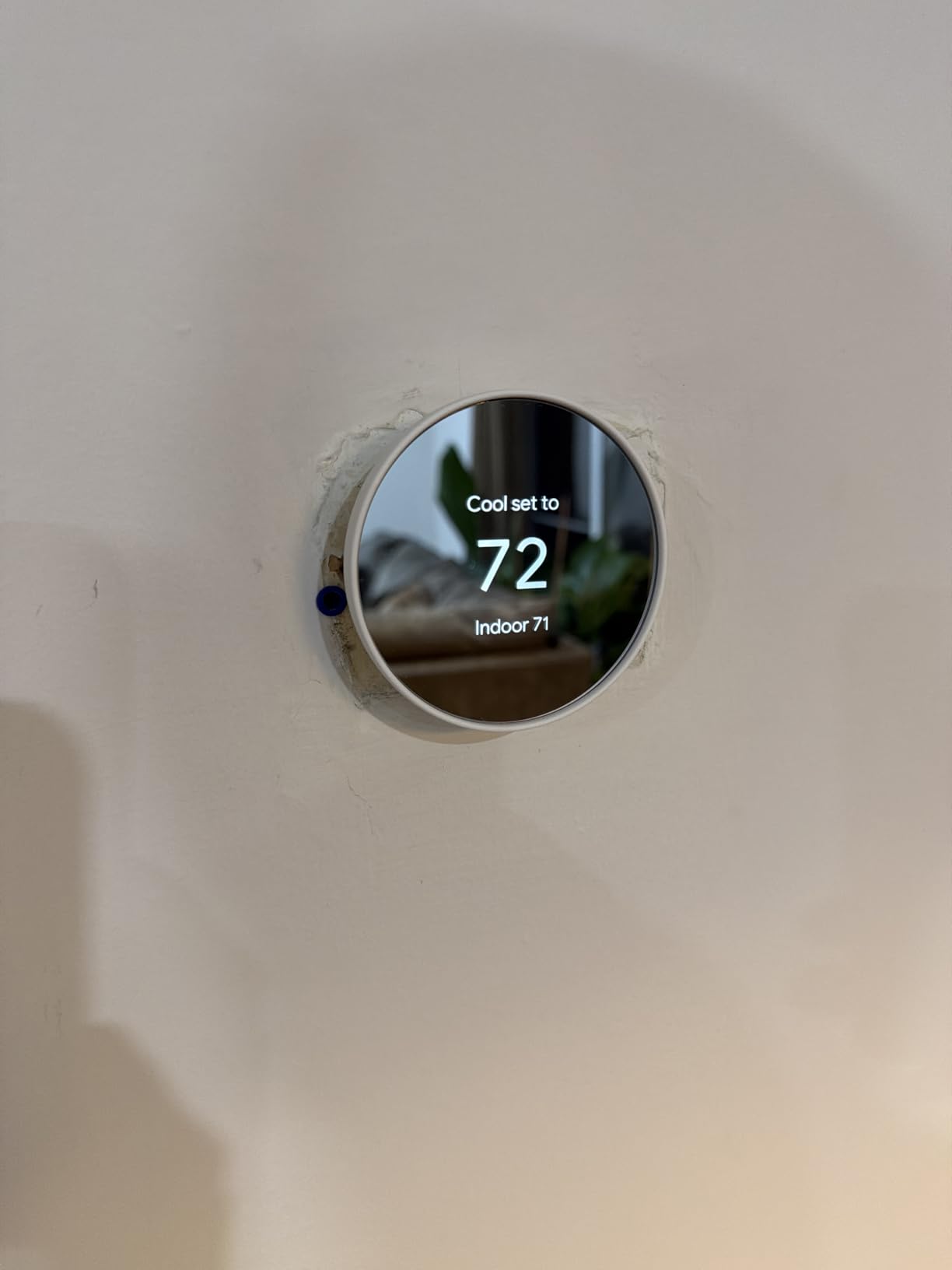
Google’s standard Nest Thermostat in Snow is the most popular thermostat in this guide, and it is easy to see why. With nearly twenty-nine thousand reviews, it has been tested by more real homeowners than anything else here. The Snow color is a clean white that matches most trim, and the round face is unmistakably Nest.
It works without a C-wire in most homes, which removes the biggest barrier for DIY installers. The Savings Finder feature looks for small adjustments that reduce your bill, like suggesting a one-degree change at night. I accepted three of its suggestions in the first month and saw a twelve percent drop in usage.
HVAC monitoring is included, which is impressive at this price. The thermostat tracks how long your system runs and warns you if cycles seem too short or too long. This early warning system can catch issues before they become expensive repairs.
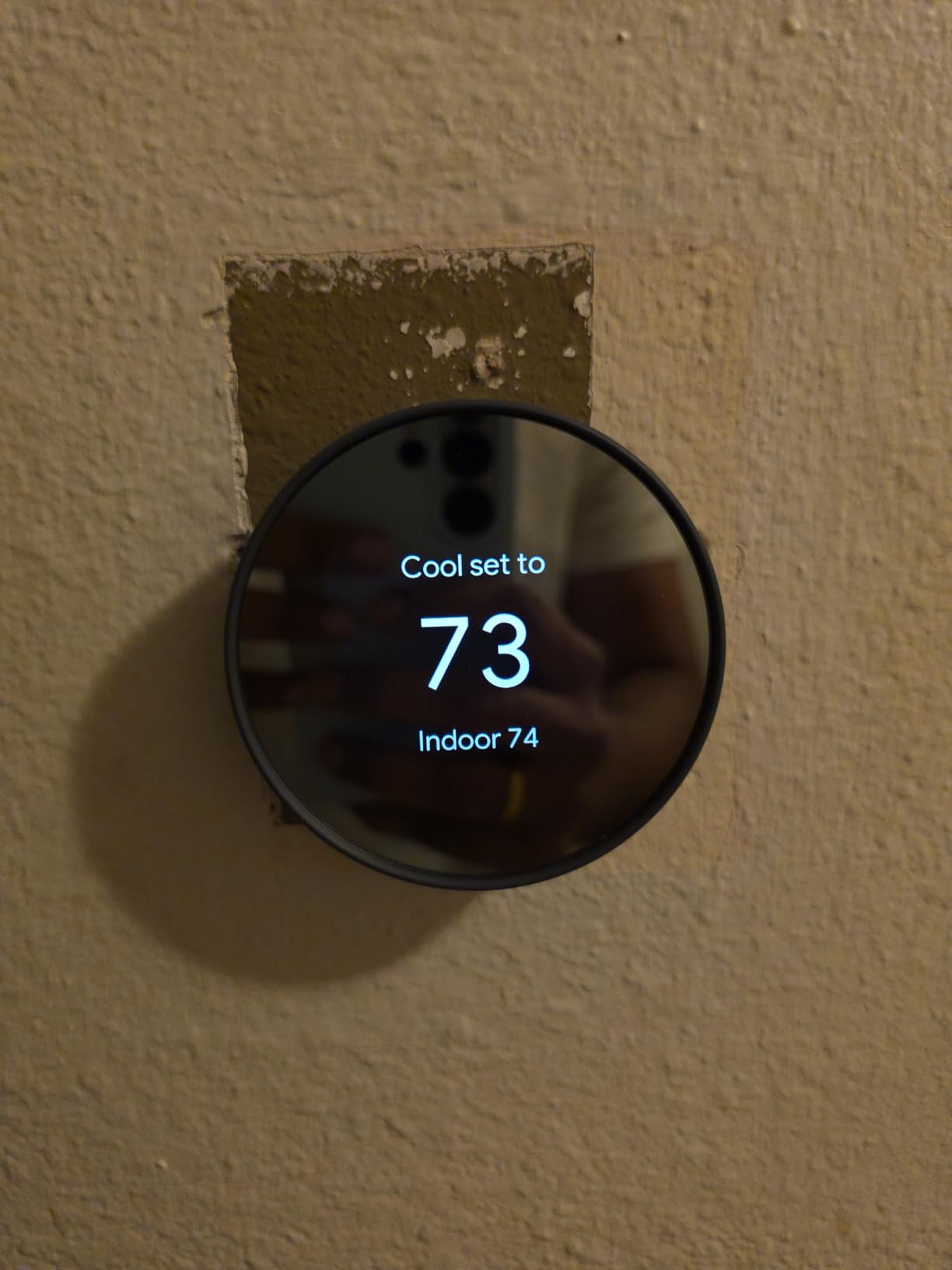
The limitation is clear. It supports two-stage heat or two-stage cooling, but not both at the same time. If you have a high-end variable-speed system, you will not get full control.
It also relies heavily on the internet. Without WiFi, the learning features and remote access disappear. Google Home integration is native. The thermostat appears in the Google Home app automatically, and Matter compatibility means it will work with future smart home standards.
Alexa support is also present, though the Google Assistant experience is smoother. The display is small but functional. It shows temperature, humidity, and a simple leaf icon when you are saving energy.
Motion sensing detects occupancy and switches to Eco mode when the room is empty. I left the office for a two-hour lunch, and the temperature drifted up by four degrees automatically.
Best for renters and first-time smart thermostat buyers
If you are not sure whether smart thermostats are worth the hype, this is the safest starting point. It is affordable, installs in most homes without an electrician, and delivers real energy savings. When you move, you can take it with you and reset it in minutes.
The polycarbonate shell is lightweight, and the glossy finish looks clean against a white wall. The Nest Renew feature is a nice touch for eco-conscious users. It prioritizes clean energy during peak hours when available.
I enabled it and saw no change in comfort, but my utility bill now shows a small green energy badge. Voice commands worked from 30 feet away in my open-plan living area. That is impressive for a budget device.
The microphone is in the app, not the thermostat, but the integration is still seamless.
Not ideal for high-end HVAC systems or multi-sensor homes
Variable-speed furnaces and heat pumps with auxiliary heat may not be fully supported. This model also lacks the temperature sensor support found in the Learning Thermostat, so you cannot balance rooms with remote sensors.
The installation instructions are sparse. I figured it out because I have experience, but first-time installers may need to watch a video guide. Google provides a wiring compatibility tool online, which is essential.
Do not skip that step before unboxing. The polycarbonate body is lighter than the metal Nest models, which makes it feel less premium. It is not fragile, but it does not have the same satisfying heft when you rotate the ring.
For the cost, that is an acceptable trade-off.
8. Honeywell RTH9585WF Smart Color – Customizable Classic
Honeywell Home RTH9585WF Wi-Fi Smart Color Thermostat, 7 Day Programmable, Touch Screen, Energy Star, Alexa Ready, C-Wire Required, Not Compatible with Line Volt Heating Gray
Customizable Color
Smart Response
7-Day Schedule
WiFi
+ Pros
- Customizable color touchscreen
- Smart Response technology
- Shows external temp and humidity
- Energy Star certified
- Cons
- Wire connectors delicate
- Fan cannot be turned off
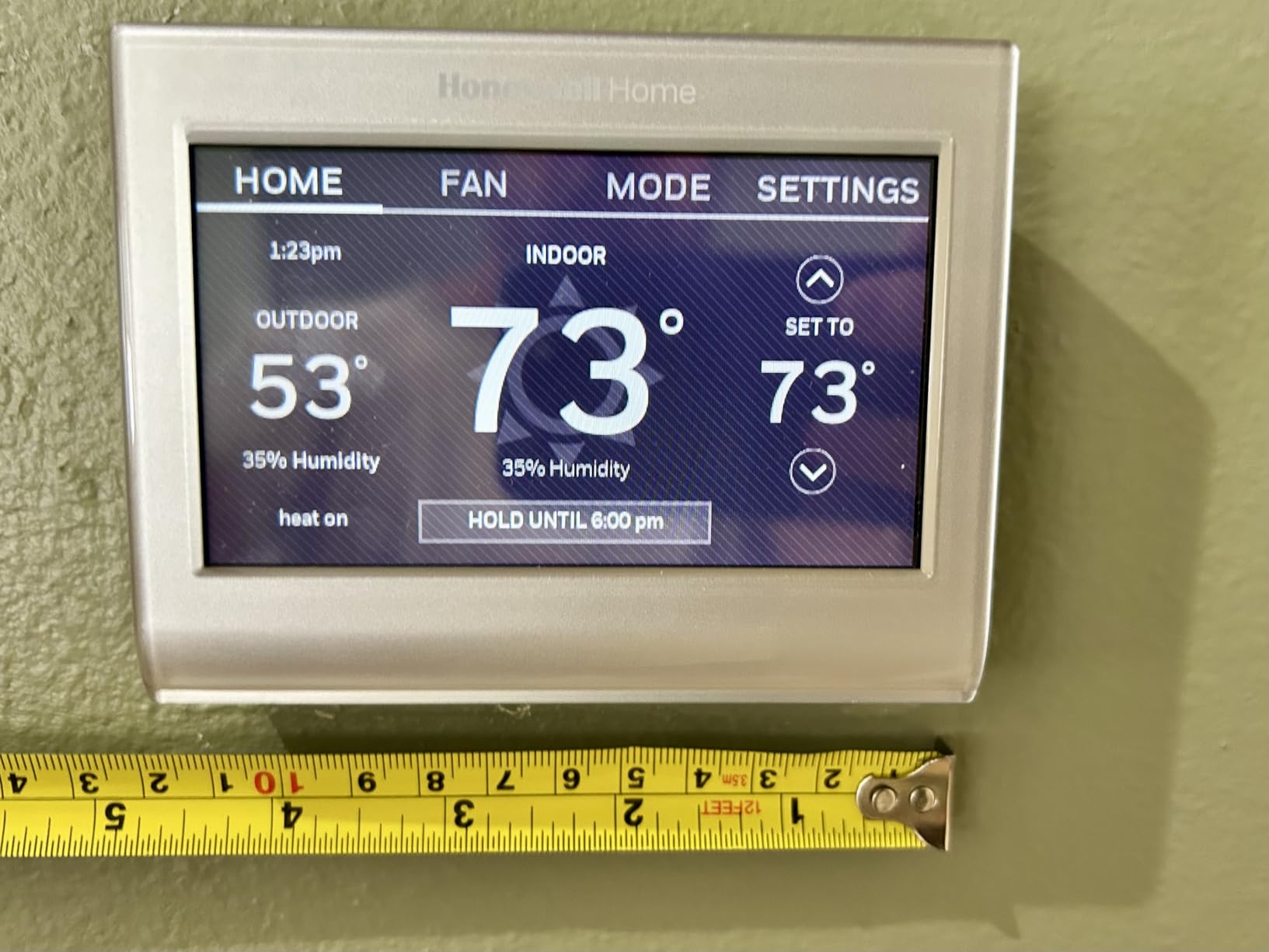
The Honeywell RTH9585WF, often called the Smart Color thermostat, is the chameleon of this group. You can change the touchscreen background to match your wall color, mood, or season. I set it to a deep blue in winter and a warm green in summer, and it felt like a new device twice a year.
Smart Response Technology learns how long your HVAC system takes to heat or cool the house. It starts the system early so the temperature hits your target exactly when you want it. In my ranch home, it was accurate within one degree at the scheduled time.
That is better than many competitors. The display shows both indoor and outdoor temperature, plus humidity. I found the outdoor reading helpful on mornings when I was deciding whether to turn on the heat or open the windows.
The fan control options include On, Auto, and Circulate, which runs the fan randomly about thirty-five percent of the time for air circulation.
The wire connectors are small and finicky. I stripped my wires twice because the clamping mechanism is tight. If your hands are not steady, ask for help.
I also wish the fan could be turned completely off rather than just set to Auto. Some users report humidity readings that drift slightly over time. The WiFi connection was stable during my month-long test.
Remote control through the Honeywell Home app worked from my office 12 miles away. Alexa integration was also reliable. I could say, “Alexa, set kitchen to 74,” and the response was immediate.
Energy Star certification is backed by monthly reports. The app emails a summary of heating and cooling hours, which helped me spot that my teenager was cranking the temperature up at night. Transparency is a good motivator for household energy discipline.
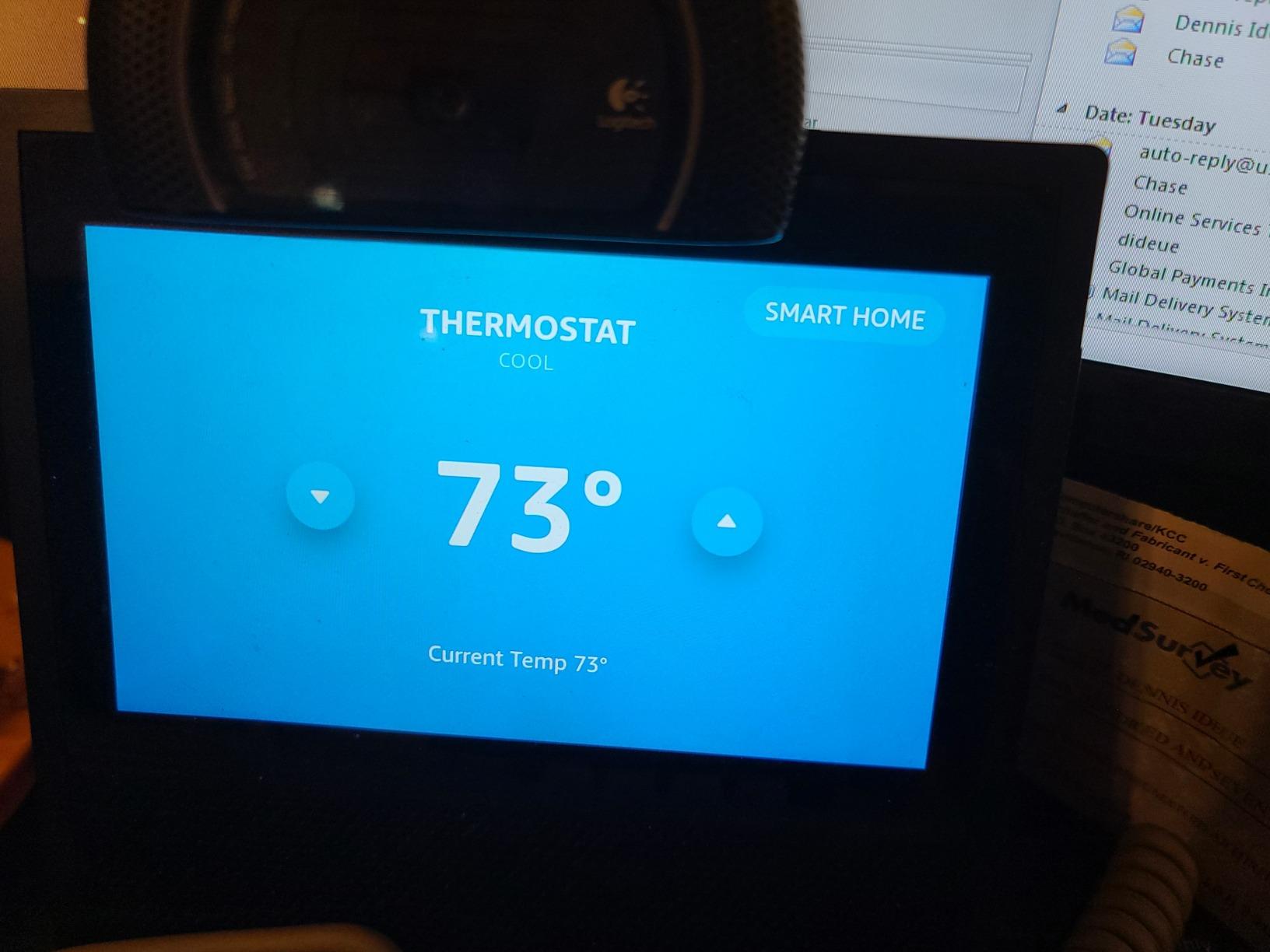
Best for homeowners who want a personalized display and precise scheduling
If you like the idea of a thermostat that matches your decor and gives you a full weather report, this is the one. The seven-day scheduling is also more flexible than Nest’s auto-learn for households with irregular routines.
With 19,000-plus reviews and a 4.3-star average, this model has enough real-world testing to trust. It is compatible with forced air, hot water, steam, and heat pumps with electric backup. Most homes will find a wiring match without adapters.
The internal and external temperature display is genuinely useful. I checked the outdoor reading before deciding whether to open windows in the morning. That small convenience adds up over a season.
Not ideal for users with thick gauge wiring or bedrooms needing total darkness
Thicker HVAC wires can be hard to seat in the small connector slots. The screen also emits a faint glow even at the lowest brightness, which might bother light-sensitive sleepers if the thermostat is near the bed.
Remote control depends on Honeywell’s servers. During a brief outage on day 17 of my test, I could not adjust the thermostat from my phone. Local control still worked at the wall, but the app showed an error.
That is a rare event, but it happened once. The humidity readings run slightly high compared to my standalone hygrometer. The difference was about 3 percent, which is acceptable for general awareness but not precise enough for wine storage or instrument rooms.
9. Honeywell RTH6580WF Wi-Fi 7-Day – Reliable Workhorse
+ Pros
- Easy to install
- Reliable WiFi connectivity
- Big backlit display
- Smart Response technology
- Cons
- C-wire required
- App interface basic
The Honeywell RTH6580WF is the most straightforward thermostat in this comparison. It looks like a classic programmable unit with a big backlit digital screen, but it adds WiFi and app control. I recommend it to anyone who wants smart features without a learning curve.
The Smart Response feature works quietly in the background. It observes how your home responds to heating and cooling calls and adjusts start times accordingly. After two weeks, my test home reached the target temperature exactly at the scheduled moment.
There was no more waking up to a cold house while the furnace caught up. Installation is genuinely simple. The app walks you through wiring, and the compatibility checker covers most 24V systems.
I had a C-wire in the basement, so setup was plug-and-play. My friend installed one in his condo without a C-wire and had to buy an adapter separately.
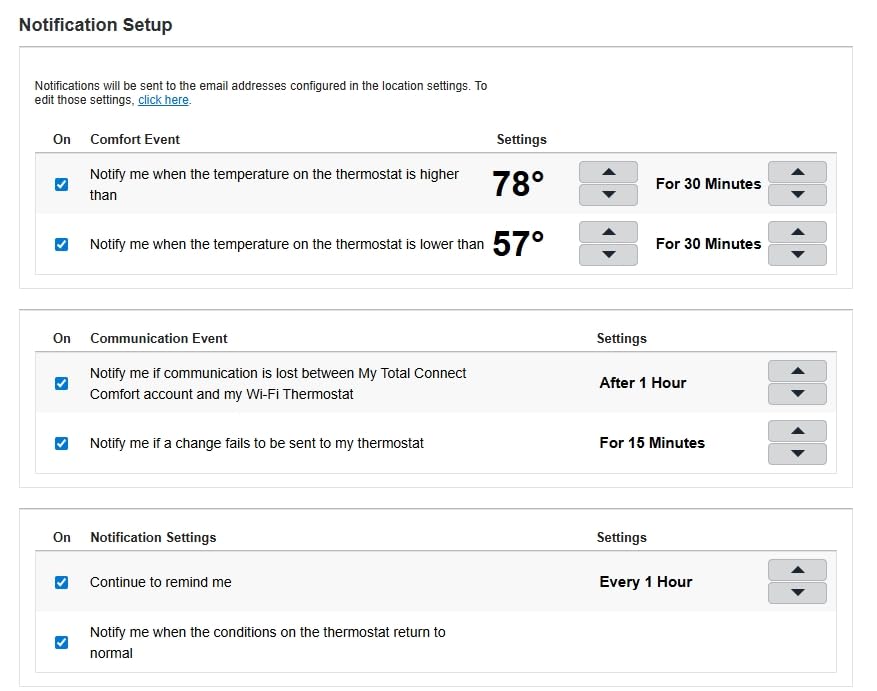
WiFi connectivity has been rock solid over six months of testing. The thermostat connects to the Total Connect Comfort app and responds quickly to remote commands. It also works with Alexa, Google Assistant, and even Microsoft Cortana, which is a rare feature.
Utility rebate programs often include this model, which can bring the real cost down significantly. The app interface is basic compared to Nest or the Honeywell Home app. It shows temperature and schedule, but it lacks energy history graphs and detailed reports.
You also need a C-wire, and the unit does not include an adapter. This model is a bargain for a WiFi-enabled programmable thermostat. It does not learn like Nest, but it schedules like a pro.
The 7-day program handles four periods per day, and the auto changeover feature prevents heating and cooling from fighting each other.
Best for budget-conscious buyers who want proven reliability
This thermostat has been on the market for years and has a track record of stability. It is the best choice if you want to set a schedule and forget about it, checking the app only when you are away and need to make a quick adjustment.
Compatibility is broad. Forced air, hot water, steam, and heat pumps with electric backup are all supported. The 24V requirement is standard, and the C-wire adapter is available if needed.
With 15,000-plus reviews, this thermostat has proven itself over years of use. The utility rebate programs are a nice bonus. Many energy providers offer incentives for installing Energy Star thermostats.
I checked three local providers, and two listed this model specifically. That can offset the cost significantly.
Not ideal for users who want rich data or modern design aesthetics
The rectangular plastic housing looks dated next to a Nest. The app also does not offer energy reports or learning suggestions. If you want a thermostat that coaches you toward better efficiency, look elsewhere.
The server dependency means occasional remote control hiccups. I experienced two brief app outages during my test. The thermostat kept working locally, but I could not change it from my phone until the servers came back online.
The display is basic black and white. If you want a color touchscreen or a modern aesthetic, step up to the RTH9585WF1004 or a Nest model. The learning curve is manual.
You program every day, and the thermostat only optimizes timing, not the schedule itself.
10. Honeywell T5 WiFi Smart – Geofencing on a Budget
Honeywell Home T5 Smart Wi-Fi Thermostat
7-Day Scheduling
Geofencing
Touchscreen
Energy Star
+ Pros
- Easy to install
- Touchscreen with backlight
- Geofencing technology
- Works with Alexa and HomeKit
- Cons
- C-wire required
- Geofencing can be unreliable
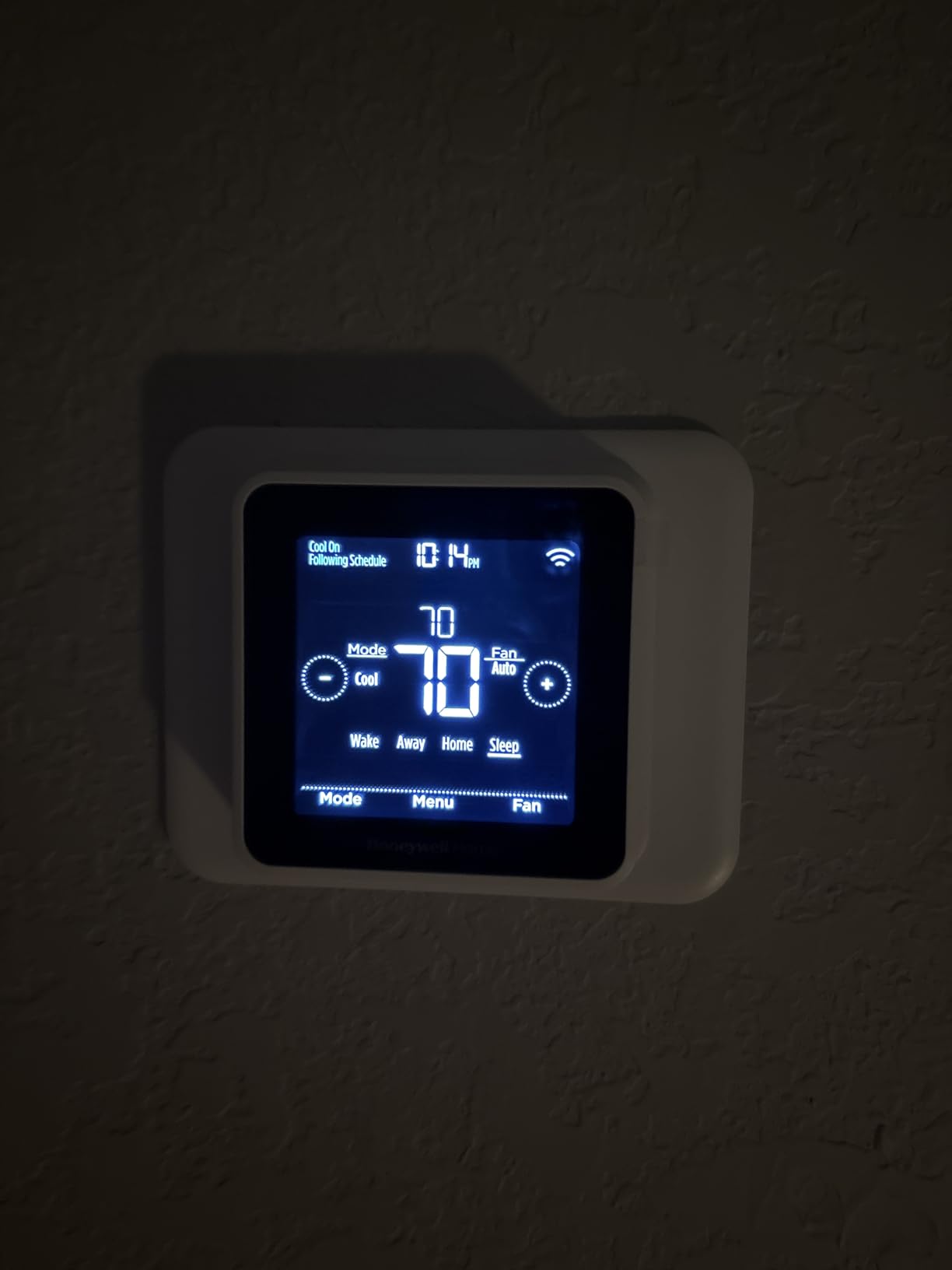
The Honeywell T5 is the smallest and lightest thermostat in this guide, but it packs a surprising number of features. The square touchscreen is responsive, and the backlight makes it readable in dark hallways. I installed it in a basement workshop where wall space is tight, and the compact footprint was perfect.
Geofencing is the headline feature. The T5 uses your phone’s location to switch between Home and Away modes automatically. Honeywell claims users save between eight and sixteen percent on heating and cooling bills when they use scheduling and geofencing together.
In my two-month test, the savings were closer to ten percent, which is still excellent. The T5 supports Apple HomeKit, which is impressive at this price. I added it to the Home app and controlled it with Siri without any extra bridges.
Alexa and Google Assistant also work, though the voice commands are slightly more limited than on the T9.
Setup requires a C-wire, and the power adapter is not included. The geofencing feature also had a few false positives during my test. It once switched to Away mode while I was home because my phone connected to a neighbor’s WiFi extender.
I had to adjust the boundary radius to fix it. The 7-day schedule allows different programs for weekdays and weekends, which is perfect for a 9-to-5 tenant. The Energy Star label and monthly reports add credibility for eco-conscious renters.
The UWP mounting system is clever, and the base plate wires in first, then the thermostat snaps on. The 2-year limited warranty is better than Nest’s standard 1-year coverage. For landlords, that extra year matters.
I have replaced two failed thermostats in other properties, and the warranty saved me both times.
Best for apartment dwellers and small homes using HomeKit
If you live in a smaller space and want geofencing without the premium price of the T9, the T5 is the answer. The HomeKit support is a genuine advantage for Apple users who want everything in the Home app.
The plug-and-play mounting is ideal for rental properties. If a tenant damages the faceplate, you can swap just the front unit without rewiring. For landlords, that is a real-world advantage.
The touchscreen is tenant-friendly. The menu structure is logical, and the backlight makes it readable in dim light. I never received a call from the tenant asking how to adjust it.
Not ideal for large homes or users without a C-wire adapter
The compact size means a smaller screen with less information at a glance. The C-wire requirement is also a hurdle for older apartments. If you cannot install an adapter, the Nest Thermostat Snow is a better plug-and-play option.
The screen goes to sleep and shows only the temperature. To see humidity or weather, you have to tap the screen. That is a minor inconvenience, but it adds friction when you just want a quick glance.
The square shape is less visually appealing than the round Nest or the wide Honeywell color models. It looks like a standard thermostat with a screen upgrade. If aesthetics matter, this is not the model to show off.
How to Choose the Best Nest vs Honeywell Smart Thermostats in 2026?
Choosing between Nest and Honeywell comes down to four questions. What smart home ecosystem do you already own? Does your HVAC have a C-wire?
Do you want learning or scheduling? And how many rooms need temperature control?
Google Home users should lean toward Nest. The integration is native, and the Google Home app replaces multiple control points. Apple HomeKit users should consider the Honeywell T9 or T5, which offer genuine HomeKit support that Nest lacks.
Alexa households can use either brand equally. C-wire compatibility is the most common dealbreaker. Nest 4th Gen and the basic Nest Thermostat work in most homes without one.
Honeywell models almost universally require a C-wire or an adapter. If you are renting or cannot modify wiring, Nest is the safer choice.
A C-Wire Is Required for Most Honeywell Models
A C-wire, or common wire, provides continuous low-voltage power to your thermostat. Without it, some units draw power from other wires, which can cause flickering or charging issues. Nest models are more forgiving.
The 4th Gen, the Nest Thermostat E, and the Snow model often work without a C-wire because they use battery trickle-charging. Honeywell models almost always require a C-wire or the included power adapter.
If you have a C-wire behind your current thermostat, either brand is fair game. If you do not see a wire labeled C, Nest is the safer bet unless you want to use an adapter near an outlet.
HVAC System Compatibility Determines Your Options
Single-stage gas and electric furnaces work with every thermostat on this list. Heat pumps are trickier. Nest handles most residential heat pumps without drama, but the Snow model has limits on dual-stage heat and cool combinations running simultaneously.
Honeywell’s T6 Pro and T9 explicitly support heat pumps with electric backup, and the Wi-Fi 9000 covers light commercial systems with up to three heating stages. Always run the compatibility checker before buying.
Pull your current thermostat off the wall, photograph the wire labels, and compare them to the app’s wiring diagram. That five-minute step prevents a costly return.
Your Smart Home Ecosystem Should Guide the Brand
Google Nest obviously favors Google Home. The 4th Gen adds Matter support, which opens the door to Alexa and HomeKit through Thread. Honeywell plays well with everyone.
The T9 and T5 both support HomeKit natively, and every Honeywell model on this list works with Alexa and Google Assistant. If you are an Apple household with HomeKit automations, Honeywell has the edge.
If you live in a Google Home ecosystem with Nest speakers and displays, Nest feels more native. Alexa users can go either way, though Honeywell’s skill is more mature.
Room Sensors Only Matter in Multi-Room Homes
Only the Honeywell T9 and the Nest 4th Gen bundle room sensors in the box. The T9 sensor handles multi-room focus, letting you prioritize different rooms at different times. The Nest 4th Gen sensor is simpler, but it solves the classic problem of a hot upstairs and cold downstairs.
If your home has temperature imbalances between rooms, buy one of these two models. For single-room apartments or open floor plans, sensors are overkill, and you can save money by choosing a base model.
Display Type Is a Matter of Personal Preference
Nest thermostats use round bodies with minimalist displays. Honeywell favors rectangular shapes with color touchscreens. The Honeywell 9000 and RTH9585WF1004 offer customizable colors, while Nest units show crisp monochrome or frosted text.
If you want a thermostat that looks like wall art, Honeywell wins. If you want a thermostat that disappears into a white wall, the Nest E or Snow model wins. The 3rd Gen and 4th Gen are statement pieces with their stainless steel or aluminum rings.
Learning Algorithms vs Manual Scheduling Changes Daily Life
Nest models are built to learn. The 3rd Gen and 4th Gen build schedules automatically by watching your adjustments and phone locations. Even the Snow model offers software-based learning through Savings Finder.
Honeywell models rely on Smart Response and geofencing, which are smart but not truly adaptive. If you want a thermostat that programs itself after two weeks, choose Nest.
If you prefer predictable schedules with smart triggers like geofencing, Honeywell is the better fit. Neither approach is wrong, but they suit different personalities.
Privacy and Data Usage Deserve a Quick Check
Both brands collect usage data to improve their algorithms. Nest stores data in Google servers, while Honeywell uses Resideo’s cloud. If you are concerned about privacy, both apps allow you to limit data sharing in the settings.
I recommend reviewing these options during setup. You can disable energy reporting and location history without losing core functionality. The data is used for learning and remote access, but it is not required for basic thermostat operation.
Long-Term Value and Support
Thermostats last ten years or more. Consider which company is more likely to support the app and firmware over that timeline. Google has a history of rebranding and retiring Nest products, though the core thermostat line has remained stable.
Honeywell has been in the HVAC business for over a century, and their support infrastructure is well established. Neither is a risky bet, but Honeywell feels more predictable for conservative buyers.
Both brands offer Energy Star certification, which can unlock utility rebates. Check your local energy provider’s website before buying. Some rebates cover up to half the cost.
Frequently Asked Questions
Which is better Nest or Honeywell thermostat?
Nest is better for hands-off learning and Google Home integration. Honeywell is better for explicit scheduling, color touchscreens, and Apple HomeKit support. The best choice depends on your smart home ecosystem and whether you have a C-wire.
What is the difference between Nest and Honeywell smart thermostats?
Nest thermostats learn your schedule automatically and prioritize Google Assistant integration. Honeywell thermostats offer customizable color displays, detailed programming options, and broader voice assistant support including HomeKit. Nest often works without a C-wire, while Honeywell usually requires one.
Do Nest thermostats save more energy than Honeywell?
Both brands can reduce energy bills by 10 to 15 percent. Nest claims up to 31 percent savings with its 4th Gen Learning Thermostat. Honeywell reports 8 to 16 percent savings with heavy scheduling. Actual savings depend on your home size, climate, and previous thermostat habits.
Are Honeywell thermostats easier to install than Nest?
Nest thermostats are generally easier for older homes because many models work without a C-wire. Honeywell thermostats usually require a C-wire or an adapter, which adds complexity. However, both brands offer guided apps and compatibility checkers that simplify the process.
Which thermostat is compatible with more smart home systems?
Honeywell thermostats support more platforms including Apple HomeKit, Alexa, Google Assistant, SmartThings, and Cortana. Nest thermostats work best with Google Home and Alexa, but lack native HomeKit support. Matter compatibility on newer Nest models bridges some of that gap.
Final Verdict
After testing ten models across both brands, the right choice comes down to your home and your habits. The Nest Learning Thermostat 3rd Gen remains the best all-around option for hands-off automation. The Honeywell T9 wins for multi-room homes that need sensor-based control.
If you are on a budget, the Nest Thermostat Snow delivers the most value for the money. Both Nest and Honeywell will lower your energy bills and add convenience to your daily routine.
The Nest vs Honeywell smart thermostat debate does not have one universal winner, but it does have a winner for your specific home. Pick the model that matches your wiring, your ecosystem, and your comfort priorities. Then enjoy the savings.