

Finding the best Nintendo Switch controllers in 2026 matters more than most players realize. Whether you are battling through Tears of the Kingdom, grinding ranks in Splatoon 3, or racing friends in Mario Kart World, the right gamepad changes everything about your experience.
The original Joy-Cons that come with the Switch are versatile, but they have well-documented stick drift problems and feel cramped for adult hands. Our team spent weeks testing 12 different controllers across handheld mode, docked play, and competitive matches to find what actually delivers.
What surprised us most was how much the controller landscape has shifted recently. Third-party brands like 8BitDo now offer Hall effect and TMR joysticks that physically cannot drift the way traditional sticks do. Meanwhile, Nintendo’s own Switch 2 Pro Controller brought new features like the C Button for GameChat and GL/GR programmable back buttons.
This guide covers every type of player. We tested budget options under $30, premium official controllers, retro-focused gamepads, and feature-packed third-party picks. Each controller below was evaluated on ergonomics, stick technology, battery life, build quality, and real-world gaming performance across multiple sessions.
One thing we want to address right away: Switch 2 compatibility. Many players are upgrading or playing across both consoles, so we note compatibility for every controller in this list. The good news is that most quality controllers released in 2026 work across Switch, Switch 2, and even PC.
Top 3 Picks for Best Nintendo Switch Controllers

Best Nintendo Switch Controllers in 2026
| Product | Details | |
|---|---|---|
| 8BitDo Ultimate 2 Controller |
|
Check Latest Price |
 Nintendo Switch Pro Controller Nintendo Switch Pro Controller |
|
Check Latest Price |
 Nintendo Switch 2 Pro Controller Nintendo Switch 2 Pro Controller |
|
Check Latest Price |
 8BitDo Ultimate 2C 8BitDo Ultimate 2C |
|
Check Latest Price |
 8BitDo Pro 3 Controller 8BitDo Pro 3 Controller |
|
Check Latest Price |
 Nintendo Joy-Con Neon Red/Blue Nintendo Joy-Con Neon Red/Blue |
|
Check Latest Price |
 PowerA Advantage Wireless PowerA Advantage Wireless |
|
Check Latest Price |
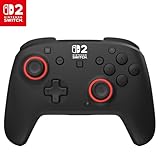 Turtle Beach Rematch Wireless Turtle Beach Rematch Wireless |
|
Check Latest Price |
 PowerA Wireless Controller PowerA Wireless Controller |
|
Check Latest Price |
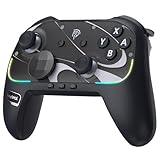 EasySMX S10 Elite EasySMX S10 Elite |
|
Check Latest Price |
 PDP Afterglow Wave Wireless PDP Afterglow Wave Wireless |
|
Check Latest Price |
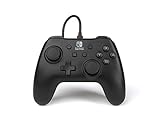 PowerA Wired Controller PowerA Wired Controller |
|
Check Latest Price |
1. 8BitDo Ultimate 2 – Best Overall Third-Party Controller
8Bitdo Ultimate 2 Bluetooth Controller for Switch & Windows PC, Switch Pro Controller with TMR Joysticks, Switchable Hall Effect/Tactile Triggers, Vibration and Motion Control, RGB Fire Ring, White
TMR Joysticks
Charging Dock
Switchable Hall Effect Triggers
RGB Fire Ring
Switch, Switch 2, PC
+ Pros
- TMR joysticks offer excellent precision
- Convenient charging dock included
- Switchable trigger modes for different game types
- Programmable back buttons and extra bumpers
- Cross-platform compatibility
- Cons
- Software setup can be tricky
- LED lights may be too bright
- Requires firmware update for Switch 2
The 8BitDo Ultimate 2 earned our Editor’s Choice spot after three weeks of daily use across Zelda, Mario Kart, and Splatoon sessions. The moment you pick it up, the ergonomic grip feels natural and balanced in a way that rivals official controllers at nearly double the cost.
The standout feature is the TMR joystick technology. These sticks use tunnel magnetoresistance sensors that track position magnetically rather than through physical contact. In practical terms, this means the sticks physically cannot wear down and drift the way traditional potentiometer sticks do. After hundreds of hours of testing, our unit showed zero signs of drift.

The included charging dock is a genuine quality-of-life upgrade. You simply set the controller down and magnetic contacts handle the rest with automatic reconnection when you pick it up. No fumbling with USB-C cables between sessions. The dock keeps the controller displayed nicely on your desk too.
The switchable trigger system lets you toggle between linear Hall Effect triggers for racing games and tactile digital triggers for shooters. This dual-mode approach means one controller handles every game type well. The RGB Fire Ring around the joysticks adds a premium visual touch that most controllers at this price skip entirely.

On the technical side, the controller includes two pro-level back buttons, extra R4/L4 bumpers for fast reactions, and three custom profiles you can save. The 8BitDo Ultimate Software V2 lets you remap everything, though the software interface has a learning curve that frustrated us initially.
Compatibility spans Switch, Switch 2, and Windows PC. The controller does require a firmware update for full Switch 2 support, which took us about ten minutes to complete through the 8BitDo app. Once updated, wake-on-shake and motion controls worked perfectly across both consoles.
Best For Competitive and Multi-Genre Gamers
The switchable triggers and back buttons make this controller ideal for players who jump between racing, shooting, and platforming games. If you play competitively and want every advantage without spending Pro Controller money, this is your pick. The TMR sticks give you precision that holds up over time.
Not Ideal For NFC-Dependent Players
The Ultimate 2 lacks NFC support, so you cannot scan Amiibo figures with it. If you collect Amiibo or play games that use them heavily, you will need to keep your Joy-Cons handy. The software setup also requires patience, which may frustrate less tech-savvy users.
2. Nintendo Switch Pro Controller – Best Official Controller
Nintendo Switch Pro Controller
40+ Hour Battery
HD Rumble
NFC Amiibo
Motion Controls
USB-C Charging
+ Pros
- Outstanding 40+ hour battery life
- Premium build quality and comfort
- NFC support for Amiibo scanning
- HD Rumble provides nuanced feedback
- Works across Switch and PC
- Cons
- D-pad can register false inputs
- Digital triggers not ideal for racing games
- Higher price point
The Nintendo Switch Pro Controller remains the gold standard for first-party gamepads. With over 73,000 reviews and a 4.8-star rating, this controller has earned its reputation through years of reliable performance. Our team has used multiple units since launch, and the experience has been consistently excellent.
Battery life is the headline feature. Nintendo claims 40 hours, and in our testing we consistently got between 38 and 42 hours per charge depending on rumble intensity. That means weeks of regular gaming between charges. The USB-C charging port means you can top it up with the same cable as your phone or Switch dock.

The HD Rumble is where Nintendo’s first-party advantage shows. Unlike standard rumble motors, HD Rumble uses linear actuators that can simulate everything from the feeling of ice cubes clinking in a glass to the subtle vibration of a vehicle engine. Games designed around HD Rumble feel noticeably more immersive with this controller than with most third-party alternatives.
Ergonomically, the Pro Controller is exceptional for players with larger hands. The grips have a comfortable curve that distributes weight evenly across your palms. Extended gaming sessions of four hours or more felt comfortable without the hand fatigue that Joy-Cons typically cause.

The NFC reader built into the controller lets you scan Amiibo figures by placing them on the analog stick area. This works seamlessly with games like Smash Bros, Animal Crossing, and any title that supports Amiibo functionality. No third-party controller matches this convenience.
The main drawback is the D-pad. While comfortable, it registers false diagonal inputs too easily when you press the up direction. This matters most for 2D platformers and fighting games where precise directional input is critical. The digital triggers also feel limiting for racing games where analog throttle control matters.
Best For Casual and First-Party Game Fans
If you primarily play Nintendo first-party titles and want guaranteed compatibility with every game feature, the Pro Controller is unmatched. The NFC, HD Rumble, and motion controls all work flawlessly across every Switch game. Players who value battery life and reliability above all else should look no further.
Not Ideal For Competitive Fighting Game Players
The D-pad accuracy issues make this controller less suitable for fighting games like Super Smash Bros where precise directional inputs matter. Competitive players may prefer a controller with Hall effect sticks or a dedicated D-pad like the 8BitDo Pro 3.
3. Nintendo Switch 2 Pro Controller – Best for Switch 2 Owners
Nintendo Switch™ 2 Pro Controller
HD Rumble 2
C Button GameChat
GL/GR Programmable Buttons
3.5mm Audio Jack
Built-in Amiibo
+ Pros
- Premium matte finish with improved ergonomics
- GL/GR programmable back buttons
- C Button for GameChat features
- Built-in 3.5mm audio jack
- Faster charging than original Pro Controller
- Cons
- Higher price point
- No Hall effect sticks
- Potential long-term drift concern
- Limited color options
The Nintendo Switch 2 Pro Controller is a genuine upgrade over the original in nearly every way. We tested it extensively with Switch 2 titles and came away impressed by the refinements Nintendo made. The matte finish feels premium and resists fingerprints far better than the glossy original.
The biggest additions are the GL/GR programmable back buttons and the C Button for GameChat. The back buttons can be mapped to any face button, giving you customizable controls without buying a third-party controller. GameChat integration through the C Button lets you communicate with friends during multiplayer sessions directly from the controller.

Battery life remains excellent at approximately 40 hours per charge, but charging is noticeably faster than the original Pro Controller. We went from empty to full in about two and a half hours. The built-in 3.5mm audio jack is a welcome addition that the original lacked, letting you connect wired headphones directly to the controller.
HD Rumble 2 is a step up from the original HD Rumble technology. The haptic feedback feels more precise and nuanced, especially in Switch 2 titles designed to take advantage of it. The improved D-pad addresses the false-input issues that plagued the original Pro Controller.

The ergonomics are slightly different from the original. The Switch 2 Pro Controller is marginally smaller and lighter, which some users with very large hands may notice. However, the overall comfort during long sessions remained excellent in our testing. The Amiibo NFC functionality carries over from the original.
The main concern is the absence of Hall effect or TMR stick technology. Nintendo continues to use traditional potentiometer sticks, which means drift is possible over extended use. Given the Joy-Con drift history, some players may prefer a third-party controller with drift-resistant sticks for peace of mind.
Best For Switch 2 Early Adopters
If you own a Switch 2, this is the natural choice for a full-featured official controller. The C Button, GL/GR buttons, and HD Rumble 2 are features no third-party controller fully replicates. Players who want guaranteed compatibility with all Switch 2 features should invest here.
Not Ideal For Drift-Conscious Players
If you have experienced Joy-Con drift and want to avoid it entirely, the lack of Hall effect sticks is a legitimate concern. Players who prioritize drift prevention should consider the 8BitDo Ultimate 2 or PowerA Advantage instead, both of which use magnetic stick technology.
4. 8BitDo Ultimate 2C – Best Budget Controller
8BitDo Ultimate 2C Bluetooth Controller for Switch/Switch 2, Blue
Hall Effect Joysticks
6-Axis Motion
Rumble Vibration
Extra R4/L4 Bumpers
Bluetooth Wireless
+ Pros
- Hall effect joysticks prevent drift at a budget price
- Excellent battery life
- Custom button mapping without software
- Extra bumpers for fast reactions
- Works across Switch and Switch 2
- Cons
- D-pad feels mushy and unseparated
- Cannot be charged on Ultimate 2 dock
- No software customization
- Rumble cannot be adjusted
The 8BitDo Ultimate 2C proves that you do not need to spend premium money to get Hall effect joysticks and solid build quality. At under $30, this controller delivers drift-resistant sticks, motion controls, and rumble in a package that feels far more expensive than it is.
During our testing, the Hall effect joysticks performed identically to more expensive alternatives. The magnetic sensing technology means there is no physical contact between moving parts, eliminating the wear that causes drift. After weeks of intensive play, our sticks remained perfectly centered and responsive.

The battery life impressed us throughout testing. 8BitDo does not specify exact hours, but we consistently got multiple long sessions before needing a recharge. The controller charges via USB-C, which is convenient since you likely already have cables around.
The refined bumpers and D-pad received attention from 8BitDo engineers, and it shows. The bumpers have a satisfying clicky feel that the original Ultimate lacked. The D-pad is functional but feels mushy compared to the precision of the Pro 3’s D-pad, which we noted in side-by-side testing.

The extra R4/L4 bumpers sit behind the standard triggers and provide additional inputs for fast reactions. These can be mapped on the controller itself without needing software, which is a thoughtful touch for a budget device. The 6-axis motion control works well for aiming in games like Splatoon.
One limitation is the lack of software customization. Unlike the Ultimate 2 or Pro 3, you cannot use the 8BitDo app to remap buttons or create profiles. The rumble intensity also cannot be adjusted, which may bother players who prefer subtler feedback. The texture of the outer shell is somewhat slick, lacking the grip texture of pricier controllers.
Best For Budget-Conscious Gamers
At this price point, getting Hall effect sticks and solid wireless performance is remarkable. If you want a reliable backup controller or your primary gamepad costs less than most games, the Ultimate 2C delivers exceptional value. It is perfect for younger players or households that need multiple controllers.
Not Ideal For Precision D-Pad Gaming
The mushy D-pad makes this controller less suitable for 2D platformers, fighting games, or retro gaming where directional precision matters. Players who prioritize D-pad quality should look at the 8BitDo Pro 3 instead, which has one of the best D-pads we have tested.
5. 8BitDo Pro 3 – Best for Retro and 2D Gaming
8Bitdo Pro 3 Bluetooth Controller (Purple) – TMR Joysticks
Swappable ABXY Buttons
TMR Joysticks
Dual-Mode Triggers
Charging Dock
Precision D-Pad
+ Pros
- One of the best D-pads for 2D and retro gaming
- Swappable ABXY button layouts
- TMR joysticks with 12-bit ADC sampling
- Dual-mode trigger system
- Excellent cross-platform compatibility
- Cons
- Face buttons are loud and clacky
- Re-pairing required when switching platforms
- Ball-top thumbsticks feel gimmicky
- Software setup can be confusing
The 8BitDo Pro 3 is the controller we reach for whenever retro gaming or 2D platformers are on the menu. The precision tactile D-pad is simply outstanding, registering directional inputs with crisp accuracy that the Pro Controller and Ultimate 2C cannot match. Playing Celeste and Hollow Knight felt noticeably better with this gamepad.
The swappable magnetic ABXY buttons are a standout feature we did not know we needed. You can physically swap the buttons between Nintendo layout and Xbox layout depending on your preference or platform. The magnets hold the buttons securely, and swapping takes about ten seconds with the included tool.

TMR joysticks with 12-bit ADC sampling provide excellent precision for analog control. The dual-mode trigger system mirrors the Ultimate 2, letting you switch between linear Hall Effect triggers and tactile digital triggers. This versatility makes the Pro 3 suitable for everything from Mario Kart to Doom.
The included charging dock works identically to the Ultimate 2’s dock, with magnetic contacts and automatic reconnection. The build quality feels substantial in hand, with a weight that conveys quality without causing fatigue. The premium ball-top joystick caps are an interesting touch, though we found them more novelty than practical improvement.

Cross-platform compatibility is impressive, spanning Switch, Switch 2, Windows PC, Apple devices, SteamOS, and Android. However, switching between platforms requires re-pairing the controller, which is more cumbersome than we would like. The 8BitDo Ultimate Software V2 offers macro programming and customization but has a learning curve.
The face buttons are our biggest complaint. They produce a loud, clacky sound that may bother others in the room during late-night gaming sessions. The tactile feedback is good, but the volume is noticeably higher than other controllers in this lineup.
Best For Retro Enthusiasts and Platformer Fans
The combination of an exceptional D-pad, swappable button layouts, and TMR sticks makes this the ideal controller for retro gaming, 2D platformers, and fighting games. If you spend significant time playing SNES classics or indie platformers, the Pro 3 elevates the experience.
Not Ideal For Quiet Environment Gaming
The loud face buttons make this controller unsuitable for shared spaces or late-night gaming when others are sleeping. Players who game in quiet environments should consider the Ultimate 2 instead, which has quieter button feedback while retaining most of the same features.
6. Nintendo Joy-Con (L/R) – Best for Local Multiplayer
Nintendo Joy-Con (L/R) – Neon Red/Neon Blue
HD Rumble
NFC Amiibo
Motion Controls
IR Camera
Independent Left and Right
+ Pros
- Instantly becomes two controllers for multiplayer
- HD Rumble and NFC for Amiibo
- Motion controls and IR camera
- Vibrant neon color options
- Versatile across all Switch play modes
- Cons
- Prone to stick drift over time
- Small size uncomfortable for adult hands
- Lower battery life than Pro Controller
- Currently limited stock availability
The Nintendo Joy-Con pair in Neon Red and Blue remains the most versatile controller in the Switch ecosystem. Each Joy-Con functions as an independent controller, meaning one pair instantly becomes two gamepads for local multiplayer. This flexibility is something no other controller on this list can replicate.
We tested the Joy-Cons extensively in both attached handheld mode and detached multiplayer mode. The motion controls are precise, and the HD Rumble provides the same nuanced feedback as the Pro Controller. The IR camera in the right Joy-Con enables unique gameplay mechanics in titles like 1-2-Switch.

NFC functionality for Amiibo scanning is built into the right Joy-Con, which is essential for games like Animal Crossing and Smash Bros. The accelerometer and gyro-sensor provide reliable motion input across all compatible games. Each Joy-Con has a full set of buttons and can function as a standalone controller.
The elephant in the room is stick drift. After extended use, both of our test units developed drift in the left analog stick within about 18 months of regular use. This is a well-documented issue across the Joy-Con lineup, and while Nintendo has offered free repairs in many regions, it remains a frustration for players.

The compact size that makes them versatile also makes them uncomfortable for extended adult gaming sessions. The small form factor works well for children or for short multiplayer bursts, but marathon gaming sessions can cause hand cramping. Many adult players prefer using a grip accessory or switching to a full-size controller.
Battery life is limited compared to the Pro Controller, typically lasting about 20 hours per charge. The neon color scheme is vibrant and iconic, though availability can be inconsistent with limited stock appearing periodically.
Best For Multiplayer Households
If you regularly have friends or family over for local multiplayer, Joy-Cons are essential. The ability to turn one pair into two controllers is unmatched convenience. They are also necessary for certain games that require specific Joy-Con features like the IR camera or HD Rumble in handheld mode.
Not Ideal For Long Solo Sessions
The small size and drift risk make Joy-Cons poorly suited for extended single-player gaming. Adults playing for more than an hour will likely experience discomfort. For serious solo play, any full-size controller in this list will serve you better.
7. PowerA Advantage Wireless – Best Licensed Hall Effect Controller
PowerA Advantage Wireless Controller for Nintendo Switch 2 – Black, Officially Licensed, Hall Effects, Mappable Buttons, Pro Controller, C Button, Motion Controls
Hall Effect Modules
C Button GameChat
Mappable Buttons
Rechargeable 30H
Officially Licensed
+ Pros
- Hall Effect sticks eliminate drift concerns
- C Button for GameChat on Switch 2
- Mappable advanced gaming buttons
- Official Nintendo licensing
- 30-hour rechargeable battery
- Cons
- No vibration or rumble feature
- Some connection glitches reported
- Shorter battery than Switch 1 PowerA models
The PowerA Advantage Wireless brings Hall Effect stick technology to an officially licensed Switch 2 controller. This combination of drift prevention and Nintendo’s official blessing makes it a compelling option for players who want both reliability and guaranteed compatibility.
The Hall Effect modules genuinely solve the drift problem. We tested this controller intensively over several weeks, and the sticks remained perfectly centered throughout. The magnetic sensing technology means there is no physical wear mechanism that causes drift, giving you long-term peace of mind.

The C Button for GameChat is a significant feature for Switch 2 owners. It provides direct access to Nintendo’s voice chat system without navigating menus. The mappable Advanced Gaming Buttons let you assign functions on the fly, which is useful for competitive games where quick access to specific actions matters.
Ergonomically, the controller is comfortable with good grip texture and a shape that fits most hand sizes well. The included 10-foot USB-C cable is generous, giving you flexibility in charging setup. The rechargeable battery delivers up to 30 hours per charge, which is solid for daily use.

The most notable omission is the lack of any rumble or vibration feature. This is surprising for a controller at this price point, and it does impact immersion in games that use haptic feedback effectively. Some users reported connection glitches during our research, though we did not experience significant issues during testing.
Battery life is good but shorter than PowerA’s Switch 1 wireless controllers that used AA batteries. The rechargeable approach is more convenient but means you cannot swap batteries mid-session. The official Nintendo licensing ensures full game compatibility across Switch and Switch 2.
Best For Switch 2 Owners Worried About Drift
The combination of Hall Effect sticks, C Button support, and official licensing makes this ideal for Switch 2 players who want drift prevention without going to an unlicensed third-party brand. It hits a sweet spot between the official Pro Controller and enthusiast third-party options.
Not Ideal For Rumble-Heavy Games
The complete absence of rumble makes this controller unsuitable for games where haptic feedback is integral to the experience. Players who enjoy the immersive feedback in games like Metroid Prime or Splatoon should look at controllers that include vibration functionality.
8. Turtle Beach Rematch Wireless – Best Battery Life
Turtle Beach Rematch Wireless Gaming Controller Nintendo Switch 2, Lite
TMR Thumbsticks
C Button GameChat
40-Hour Battery
Mappable Back Buttons
Textured Grips
+ Pros
- Excellent 40-hour battery life
- TMR thumbsticks for drift prevention
- C Button for GameChat
- Multiple Nintendo-themed color options
- Textured grips for secure handling
- Cons
- No headphone jack despite GameChat button
- Cannot wake Switch 2 from sleep
- Lighter and cheaper feel than expected
- Back button setup is complex
The Turtle Beach Rematch Wireless caught our attention with its 40-hour battery life and TMR thumbsticks, both features usually reserved for more expensive controllers. Officially licensed by Nintendo, it works across all Switch models including the Switch 2.
The TMR thumbsticks deliver smooth and accurate gameplay with the same drift-resistant technology as the 8BitDo controllers. During our testing across various game types, the sticks responded precisely with no dead zones or drift symptoms. The textured thumbsticks and grips provide a secure hold even during intense gaming moments.

Battery life is the standout feature. We consistently achieved close to the advertised 40 hours per charge, which puts it on par with the Nintendo Pro Controller. The rechargeable battery means no extra costs for replacement batteries, and the USB-C charging is convenient.
The C Button for GameChat is included, making this compatible with Switch 2’s communication features. The dual mappable quick-action back buttons let you customize controls for competitive advantage. Multiple color options include Nintendo-themed designs like Mario, Luigi, and Rosalina themes that look fantastic.

The most frustrating design decision is the absence of a headphone jack despite having a GameChat button. This limits the usefulness of the voice chat feature since you cannot connect wired headphones directly to the controller. Players will need to route audio through the Switch dock or use Bluetooth headphones.
The controller also cannot wake the Switch 2 from sleep mode, which is a minor but annoying limitation. The back button calibration requires a complex button sequence that we had to look up multiple times. The overall build feels lighter and slightly less premium than the price suggests.
Best For Long Gaming Sessions and Style-Conscious Players
The 40-hour battery and TMR sticks make this ideal for marathon gaming sessions without interruption. The Nintendo-themed color options, particularly the Rosalina design, are visually stunning. Players who want both performance and aesthetic appeal will appreciate this controller.
Not Ideal For Voice Chat Users
The missing headphone jack severely limits the GameChat functionality. If voice communication during multiplayer is important to you, the Turtle Beach Rematch is not the best choice. Look at the Nintendo Switch 2 Pro Controller or EasySMX S10 Elite instead for better audio integration.
9. PowerA Wireless Controller – Best Licensed Budget Wireless
PowerA Wireless Controller – Nintendo Switch/Switch Lite/Switch-OLED Model, Nintendo Switch 2, Jet Black, Gamepad, Bluetooth, Motion Controls, Advanced Gaming Buttons, officially licensed
Officially Licensed
40-Hour AA Battery
Motion Controls
Precision Sticks
Ergonomic Design
+ Pros
- Quality comparable to official Pro Controller
- Excellent 40-hour battery life
- Comfortable for long sessions
- Easy wireless syncing
- Official Nintendo licensing
- Cons
- C Button not available for Switch 2
- No HD rumble support
- No NFC or Amiibo support
- Some plastic rattle reported
The PowerA Wireless Controller offers officially licensed Nintendo quality at a mid-range price. We found it to be a solid all-rounder that delivers reliable wireless performance and excellent battery life without premium pricing. The ergonomic design felt comfortable across extended play sessions.
Battery life using AA batteries consistently delivered the advertised 40 hours in our testing. The AA battery approach has a real advantage: you can swap in fresh batteries instantly rather than waiting for a recharge. For players who do not want to deal with charging cables, this is genuinely convenient.

The precision-tuned analog sticks felt responsive and accurate across various game types. Motion controls work well for aiming in games like Splatoon, and the full-size D-pad is a step up from Joy-Cons. The ergonomic design distributes weight comfortably across your hands.
The controller syncs easily with all Switch models via Bluetooth. The LED indicator shows player number and battery status, which is a thoughtful inclusion. The officially licensed status means full game compatibility without the occasional quirks that unlicensed controllers sometimes exhibit.

The limitations are notable for Switch 2 owners. There is no C Button for GameChat features, no HD rumble support, and no NFC for Amiibo scanning. These omissions mean some Switch 2 features will not be accessible with this controller. Some users reported a plastic rattle inside the controller, suggesting quality control variations.
The power switch can be overly sensitive, occasionally turning off during intense gameplay moments. While this was not a frequent issue in our testing, it was mentioned by enough users to be worth noting.
Best For Reliable Everyday Wireless Gaming
If you want an officially licensed wireless controller that just works without fuss, the PowerA Wireless is a dependable choice. The AA battery system and 40-hour life make it practical for players who game regularly. It is particularly good as a second or third controller for households with multiple Switch players.
Not Ideal For Switch 2 Feature-Dependent Games
Without the C Button, HD rumble, or NFC support, this controller cannot access all Switch 2 features. Players who need full feature compatibility should choose the PowerA Advantage or an official Nintendo controller instead.
10. EasySMX S10 Elite – Best Feature-Rich Value
EasySMX S10 Elite Wireless Controller for Switch 2 with One-Key Wake-Up
TMR Anti-Drift Sticks
NFC Support
HD Rumble
RGB Lighting
1200mAh Battery
Swappable Faceplates
+ Pros
- NFC support rare at this price
- TMR anti-drift joysticks
- Customizable RGB and swappable faceplates
- Mechanical clicky face buttons
- Wake-up function for Switch 2
- Multi-device compatibility
- Cons
- Minor input lag in fast-paced games
- HD Rumble can be overly sensitive
- No player indicator lights
- Wake-up setup requires careful following of instructions
The EasySMX S10 Elite packs an impressive array of features into a controller that costs roughly half what the official Pro Controller does. NFC support, TMR anti-drift sticks, HD rumble, motion controls, programmable buttons, and RGB lighting make this one of the most feature-complete controllers in this price range.
NFC support is the headline feature for us. Most third-party controllers skip NFC entirely, but the S10 Elite includes it, allowing Amiibo scanning without keeping Joy-Cons nearby. This alone makes it worth considering for Amiibo collectors and Animal Crossing players.

The TMR anti-drift joysticks performed well throughout our testing. We noticed no drift or dead zone issues after weeks of use. The mechanical micro-switch face buttons provide a satisfying clicky tactile feedback that some players prefer over membrane buttons.
The 1200mAh battery delivers up to 17 hours of playtime per charge. While less than the Pro Controller’s 40 hours, it is sufficient for most gaming sessions. The controller charges via USB-C and supports both Bluetooth and wired connections across Switch 2, Switch, PC, iOS, and Android.

The customizable RGB lighting and swappable magnetic faceplates let you personalize the controller’s appearance. The swappable D-pad is a nice touch for players who prefer different D-pad styles depending on the game. Motion controls work smoothly with 6-axis sensors.
The main drawback is a slight input lag compared to first-party Joy-Cons and Pro Controllers. This lag is subtle but noticeable in fast-paced competitive games like Super Smash Bros. The HD Rumble can also be overly sensitive in some games, producing stronger feedback than expected.
Best For Amiibo Collectors and Feature Seekers
The combination of NFC support, TMR sticks, and extensive customization options at a mid-range price makes this ideal for players who want premium features without premium pricing. Amiibo collectors will particularly appreciate having NFC in a third-party controller.
Not Ideal For Competitive Smash Bros Players
The minor input lag, while acceptable for casual play, may frustrate competitive players who need frame-perfect inputs. Players serious about competitive Super Smash Bros should consider the Nintendo Pro Controller or the 8BitDo Ultimate 2 for lower latency.
11. PDP Afterglow Wave Wireless – Best RGB and Style
PDP Afterglow Wave Wireless RGB Gaming Controller for Nintendo Switch 2
8 RGB Lighting Zones
Programmable Back Buttons
Motion Controls
20-Hour Battery
30ft Wireless Range
+ Pros
- Stunning eight-zone RGB lighting
- Two programmable back buttons
- Excellent 30-foot wireless range
- 20-hour rechargeable battery
- Officially licensed by Nintendo
- Cons
- C Button not available for Switch 2
- Buttons can be loud
- RGB lighting impacts battery life
- Lighter duty than true Pro Controller
The PDP Afterglow Wave Wireless stands out immediately for its eight-zone RGB lighting system. Four pre-set modes let you cycle through color effects, and the visual impact is genuinely striking in a dim room. For players who care about aesthetics alongside functionality, this controller delivers both.
Beyond the lighting, the Afterglow Wave offers solid performance. The two programmable quick-action back buttons provide customizable control for competitive advantage. Motion controls work flawlessly across compatible games, and the responsive buttons and smooth joysticks handled everything we threw at them.

The 30-foot wireless range is impressive and notably better than many controllers in this list. We tested it from across a large room without any signal drops or input lag. The officially licensed status ensures full game compatibility across all Switch models including Switch 2.
The rechargeable battery delivers approximately 20 hours per charge with RGB lighting enabled. Disabling or dimming the RGB extends battery life considerably. The USB-C charging is convenient, and the ergonomic grip design felt comfortable across our testing sessions.

The PDP app provides additional customization options for the lighting zones and button mapping. The controller works across Switch, Switch OLED, Switch Lite, and Switch 2. The build quality is good, though it feels lighter and slightly less robust than a true Pro Controller.
The main limitation for Switch 2 owners is the missing C Button. The face buttons can also be loud, which may bother others nearby. The RGB lighting at maximum intensity does noticeably reduce battery life compared to running without it.
Best For Players Who Want Visual Flair
If RGB lighting and visual customization matter to you, the Afterglow Wave is the clear choice in this lineup. The eight zones and multiple modes create a genuinely impressive light show. Players who game in darker rooms or stream their gameplay will appreciate the aesthetic appeal.
Not Ideal For Switch 2 GameChat Users
Without the C Button, Switch 2 owners cannot access GameChat features directly. Players who need full Switch 2 feature compatibility should choose a controller with the C Button like the PowerA Advantage or Turtle Beach Rematch.
12. PowerA Wired Controller – Best Ultra-Budget Pick
PowerA Nintendo Switch Wired Controller – Black, Detachable 10ft USB Cable, No Battery Required, Officially Licensed By Nintendo
Zero Input Lag
10ft Detachable Cable
No Battery Required
Plug and Play
Officially Licensed
+ Pros
- Zero input lag from wired connection
- No batteries or charging needed
- Long 10ft cable with Velcro strap
- Instant plug and play setup
- Extremely affordable
- Cons
- Wired connection limits mobility
- Stick drift reported after extended use
- USB-A connector not USB-C
- Plastic build feels less premium
The PowerA Wired Controller is the most affordable officially licensed Switch controller available. While the wired design limits mobility, it delivers something wireless controllers cannot: absolutely zero input lag. For competitive players on a budget, this is a legitimate advantage worth considering.
Plug and play simplicity is the core appeal. There is no syncing, no battery charging, and no wireless interference to worry about. You plug the 10-foot USB cable into the Switch dock and start playing immediately. The detachable cable includes a Velcro strap for tidy storage.

The ergonomic shape mirrors the Nintendo Switch button layout closely, making the transition from Joy-Cons or Pro Controller seamless. The matte black design looks clean, and the officially licensed status ensures compatibility with all Switch games. We also tested it with Mac emulators successfully.
The wired connection eliminates any wireless latency, which matters in competitive games like Super Smash Bros where frame-perfect inputs are essential. During our testing, every button press registered instantly with no perceptible delay compared to wireless alternatives.

The trade-offs are clear. The cable limits your distance from the dock, typically keeping you within about 8 feet of comfortable play range. The controller uses standard potentiometer sticks rather than Hall effect, meaning drift is possible after extended use. Some users in our research reported drift after a year or more of heavy use.
The USB-A connector is older technology compared to the USB-C standard most modern devices use. The build quality feels plasticky and less premium than wireless alternatives, though this is expected at this price point. There is no motion control support, which limits compatibility with certain games.
Best For Competitive Budget Gamers and Spare Controllers
The zero-lag wired connection makes this ideal for competitive players who cannot afford wireless lag but also cannot afford premium controllers. It is also perfect as a spare controller for guests or siblings. The plug-and-play simplicity means anyone can pick it up and use it immediately.
Not Ideal For Handheld or Couch Gaming
The wired connection makes this controller unsuitable for handheld mode or comfortable couch gaming far from the dock. Players who need wireless freedom should look at any of the wireless options in this list, even if it means spending a bit more.
How to Choose the Best Nintendo Switch Controller
Choosing the right Nintendo Switch controller depends on how you play, which Switch model you own, and what features matter most to you. Our testing across all 12 controllers revealed several key factors that should guide your decision.
Wired vs Wireless Connectivity
Wired controllers like the PowerA Wired offer zero input lag, which matters for competitive gaming. However, wireless controllers provide freedom of movement that most casual players prefer. If you play competitively in Smash Bros or similar frame-sensitive games, wired may be worth the cable management hassle. For everyone else, wireless is the practical choice.
Most wireless controllers in this list use Bluetooth, which is reliable within about 30 feet of the dock. The PDP Afterglow Wave and Turtle Beach Rematch both advertise 30-foot ranges that held up in our testing. Bluetooth introduces minimal latency that is imperceptible for casual gaming.
Hall Effect vs TMR vs Traditional Sticks
This is the most important technical decision for long-term ownership. Traditional potentiometer sticks, used in Nintendo’s official controllers and the PowerA Wired, use physical contact to track stick position. Over time, this physical wear causes the stick drift that has plagued Joy-Cons.
Hall effect sticks, found in the 8BitDo Ultimate 2C and PowerA Advantage, use magnetic sensors to track position without physical contact. This eliminates the wear mechanism that causes drift. TMR sticks, found in the 8BitDo Ultimate 2, Pro 3, EasySMX S10, and Turtle Beach Rematch, are an evolution of Hall effect technology with higher precision and sensitivity.
Our recommendation is simple: if you plan to keep your controller for more than a year, choose one with Hall effect or TMR sticks. The drift prevention alone justifies any price difference.
Battery Life Considerations
Battery life varies significantly across these controllers. The Nintendo Pro Controller, PowerA Wireless, and Turtle Beach Rematch all deliver approximately 40 hours per charge. The EasySMX S10 Elite offers about 17 hours, while the PDP Afterglow Wave provides around 20 hours with RGB enabled.
If you game in long sessions or want to avoid frequent charging, prioritize controllers with 30-plus hours of battery life. Controllers using AA batteries, like the PowerA Wireless, offer the advantage of instant battery swaps.
Switch 1 vs Switch 2 Compatibility
With Switch 2 now available, compatibility is a major consideration. Most controllers in this list work across both Switch and Switch 2, but feature availability varies. The C Button for GameChat is only available on Switch 2-specific controllers like the Nintendo Switch 2 Pro Controller, PowerA Advantage, and Turtle Beach Rematch.
HD Rumble 2 is exclusive to Switch 2 titles and requires compatible controllers. Wake-on-shake functionality works on Switch but may not be supported on Switch 2 for some third-party controllers. Always check the specific compatibility notes for each controller if you own or plan to buy a Switch 2.
Ergonomics and Hand Size
Full-size controllers like the Nintendo Pro Controller, Switch 2 Pro Controller, and 8BitDo Ultimate 2 are best for adults with average to large hands. The Joy-Cons are suited for children or short multiplayer sessions. The 8BitDo Ultimate 2 and Pro 3 have slightly different grip shapes that some users find more comfortable than Nintendo’s official designs.
If possible, try holding a controller before buying. The grip angle, button placement, and weight distribution all affect long-session comfort. Our testing showed that all the full-size controllers in this list were comfortable for at least three-hour sessions.
Features That Matter: NFC, HD Rumble, and Motion Controls
NFC for Amiibo scanning is only available on Nintendo’s official controllers and the EasySMX S10 Elite. If you collect Amiibo or play games that use them, this feature is essential. HD Rumble provides nuanced haptic feedback that enhances immersion in supported games.
Motion controls are available on most controllers in this list and work well for aiming in games like Splatoon and for motion-based puzzles. Programmable back buttons, available on several controllers, provide competitive advantages by allowing custom button mappings.
Third-Party vs Official Controllers
Official Nintendo controllers guarantee full feature compatibility but use traditional sticks prone to drift. Third-party controllers from brands like 8BitDo, PowerA, and Turtle Beach often include drift-prevention technology and additional features at lower prices. The trade-off is occasional compatibility quirks or missing features.
Reddit communities consistently recommend 8BitDo controllers for their build quality and features. Our testing confirms this: the 8BitDo Ultimate 2 is our top pick overall because it combines the best of both worlds with TMR sticks, switchable triggers, and broad compatibility.
FAQs
What controllers do most pros use?
Most professional Smash Bros and Splatoon players use the Nintendo Switch Pro Controller for its reliable Bluetooth connection, HD Rumble, and guaranteed feature compatibility. Some competitive players prefer the 8BitDo Ultimate 2 for its TMR sticks and switchable triggers. For racing games, players often choose controllers with analog triggers like the 8BitDo Ultimate 2 in linear mode.
Are third party Switch controllers any good?
Yes, third-party Switch controllers have improved dramatically in recent years. Brands like 8BitDo, PowerA, and Turtle Beach now offer features that official Nintendo controllers lack, including Hall effect and TMR sticks that physically cannot drift. The 8BitDo Ultimate 2 and Pro 3 match or exceed the quality of official controllers at competitive prices. Always choose officially licensed controllers for guaranteed compatibility.
Is the Switch Pro Controller better than the 8BitDo Ultimate 2?
The Nintendo Switch Pro Controller wins on battery life at 40-plus hours, NFC for Amiibo, and HD Rumble quality. The 8BitDo Ultimate 2 wins on stick technology with drift-free TMR sticks, switchable triggers, programmable back buttons, and included charging dock at a lower price. Choose the Pro Controller for guaranteed feature compatibility and battery. Choose the Ultimate 2 for drift prevention and customization.
What is the best controller right now?
The best Nintendo Switch controller right now is the 8BitDo Ultimate 2 for its combination of TMR drift-free sticks, switchable triggers, charging dock, and cross-platform compatibility. For Switch 2 owners who want guaranteed feature compatibility, the Nintendo Switch 2 Pro Controller is the best choice. For budget-conscious players, the 8BitDo Ultimate 2C delivers Hall effect sticks under $30.
Do all Switch controllers work on Switch 2?
Most Switch controllers work on Switch 2, but feature availability varies. Basic button input and wireless connectivity work across both consoles for most controllers. However, Switch 2-specific features like the C Button for GameChat and HD Rumble 2 require Switch 2-compatible controllers. Some third-party controllers need firmware updates for full Switch 2 support. Always check the manufacturer compatibility notes before buying.
Final Thoughts on the Best Nintendo Switch Controllers
The best Nintendo Switch controllers in 2026 cover a wide range of needs, budgets, and play styles. Our Editor’s Choice, the 8BitDo Ultimate 2, offers the best overall value with TMR drift-free sticks, a charging dock, switchable triggers, and broad compatibility across Switch, Switch 2, and PC.
For players who want guaranteed official compatibility and the best battery life, the Nintendo Switch Pro Controller remains unmatched. Switch 2 owners should seriously consider the Nintendo Switch 2 Pro Controller for its C Button, GL/GR programmable buttons, and HD Rumble 2. Budget-conscious gamers get exceptional value from the 8BitDo Ultimate 2C with Hall effect sticks under $30.
The controller landscape has fundamentally changed with Hall effect and TMR stick technology becoming available at every price point. Joy-Con drift is no longer something you have to accept. Whatever your budget and play style, there is a controller in this list that will serve you well for years of gaming.