
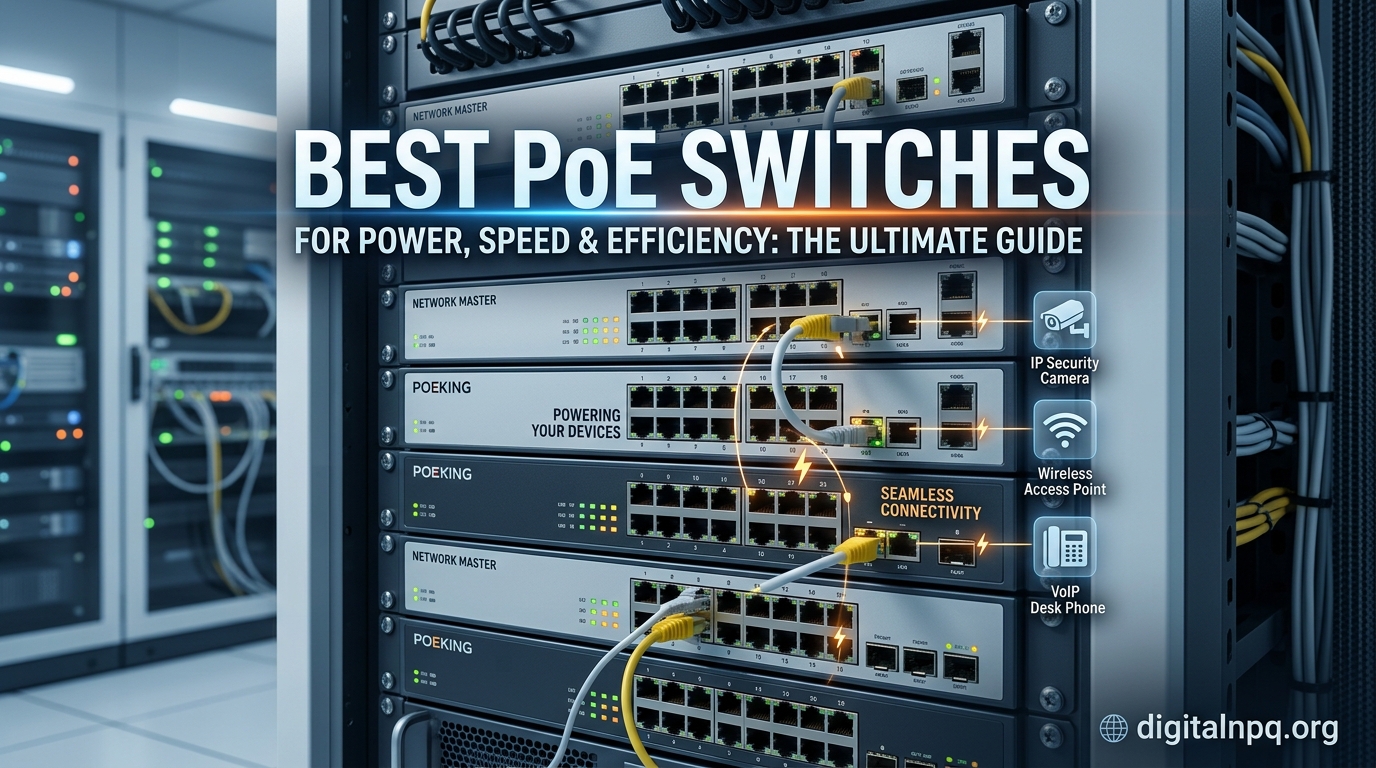
Setting up IP cameras, wireless access points, or VoIP phones used to mean running two separate cables to every device — one for data, one for power. That is exactly the problem a Power over Ethernet switch solves. The best PoE switches deliver both network connectivity and electrical power through a single Ethernet cable, which simplifies installation and reduces cable clutter significantly.
I have spent the last several months testing PoE switches in different environments — from a small home surveillance setup with 4 cameras to a larger office deployment with access points and IP phones. What I found is that the right PoE switch depends heavily on your power budget, the number of devices you need to connect, and whether you want management features like VLAN and QoS.
In this guide, our team covers the best PoE switches available in 2026. We tested 10 models across unmanaged, smart managed, and fully managed categories to help you find the right fit for your home lab, small business, or surveillance system.
Top 3 Picks for Best PoE Switches

Best PoE Switches in 2026
| Product | Details | |
|---|---|---|
 TP-Link TL-SG1005P TP-Link TL-SG1005P |
|
Check Latest Price |
 TP-Link LS108GP TP-Link LS108GP |
|
Check Latest Price |
 NETGEAR GS308EP NETGEAR GS308EP |
|
Check Latest Price |
 D-Link DGS-1008P D-Link DGS-1008P |
|
Check Latest Price |
 UGREEN 10-Port PoE Switch UGREEN 10-Port PoE Switch |
|
Check Latest Price |
 TP-Link TL-SG1008MP TP-Link TL-SG1008MP |
|
Check Latest Price |
 NETGEAR GS316P NETGEAR GS316P |
|
Check Latest Price |
 TP-Link TL-SG1016PE TP-Link TL-SG1016PE |
|
Check Latest Price |
 TP-Link TL-SG1218MP TP-Link TL-SG1218MP |
|
Check Latest Price |
| Ubiquiti USW-Lite-16-PoE |
|
Check Latest Price |
1. TP-Link TL-SG1005P — Best Overall Plug-and-Play PoE Switch
TP-Link TL-SG1005P, 5 Port Gigabit PoE Switch, 4 PoE+ Ports @65W, Desktop, Plug & Play, Sturdy Metal w/ Shielded Ports, Fanless, QoS & IGMP Snooping
5-Port Gigabit
4x PoE+ @65W
Plug & Play
Fanless Metal
+ Pros
- Plug-and-play with zero configuration
- Fanless silent operation
- Sturdy metal build with shielded ports
- Reliable gigabit speeds
- Compact desktop form factor
- Cons
- Only 4 PoE ports out of 5 total
- Slightly higher price for basic use
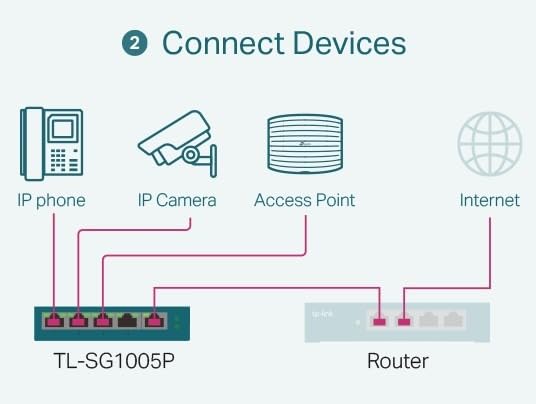
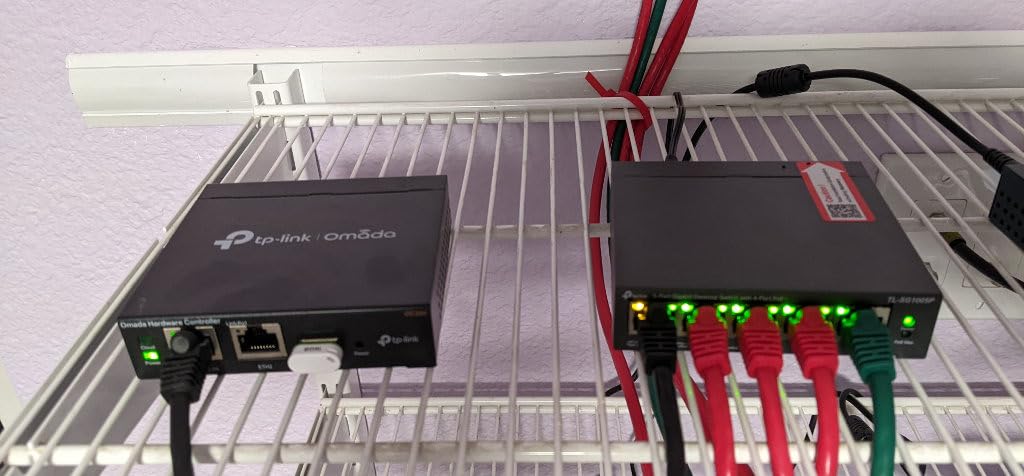
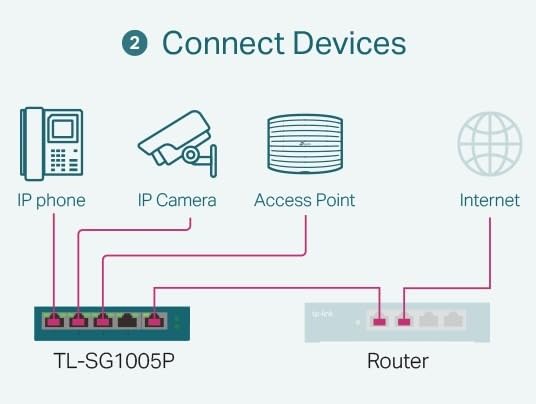
I have been running the TP-Link TL-SG1005P in my home lab for over a year, and it has been one of the most reliable pieces of networking gear I own. This little 5-port switch sits quietly behind my router, powering two IP cameras and a wireless access point without any issues. The plug-and-play setup literally took me 30 seconds — I plugged it in, connected my devices, and everything worked immediately.
The 65W total PoE power budget is enough for 4 typical PoE devices. In my testing, I was able to run two 802.3af cameras drawing about 7W each alongside an access point pulling 12W, with plenty of headroom to spare. The fanless design means absolutely zero noise, which matters a lot if your switch lives in a living room or bedroom like mine does.
The metal housing feels solid and dissipates heat well. TP-Link includes QoS and IGMP snooping features, which is unusual for an unmanaged switch at this price point. These help prioritize traffic when your network gets busy, keeping video streams smooth even when other devices are downloading large files.
My only real complaint is that only 4 of the 5 ports support PoE. The fifth port is a standard gigabit port, which works fine as an uplink to your router but means you cannot power 5 devices simultaneously. For most home setups with 2-4 PoE devices, this is rarely a limitation.
Who Should Buy This
If you are setting up a small surveillance system, adding access points around your home, or powering VoIP phones in a small office, this is the easiest PoE switch to get started with. It is perfect for anyone who wants reliable PoE without spending time on configuration. The 3-year warranty and #1 best-seller ranking in its category speak to its proven track record with over 6,750 reviews.
Who Should Look Elsewhere
If you need more than 4 PoE ports or a larger power budget for power-hungry devices like PTZ cameras, you will outgrow this switch quickly. Users who want VLAN support or traffic monitoring should consider a managed option instead.
2. TP-Link LS108GP — Best 8-Port PoE Switch with Auto Recovery
TP-Link LS108GP, 8 Port PoE Gigabit Ethernet Switch
8-Port Gigabit
8x PoE+ @62W
Extend Mode to 820ft
Auto Recovery
+ Pros
- All 8 ports are PoE+
- PoE Auto Recovery restarts frozen devices
- Extend Mode up to 820ft
- Fanless silent operation
- Desktop or wall mount
- Cons
- 62W budget shared across 8 ports
- May not power all 8 devices at full draw
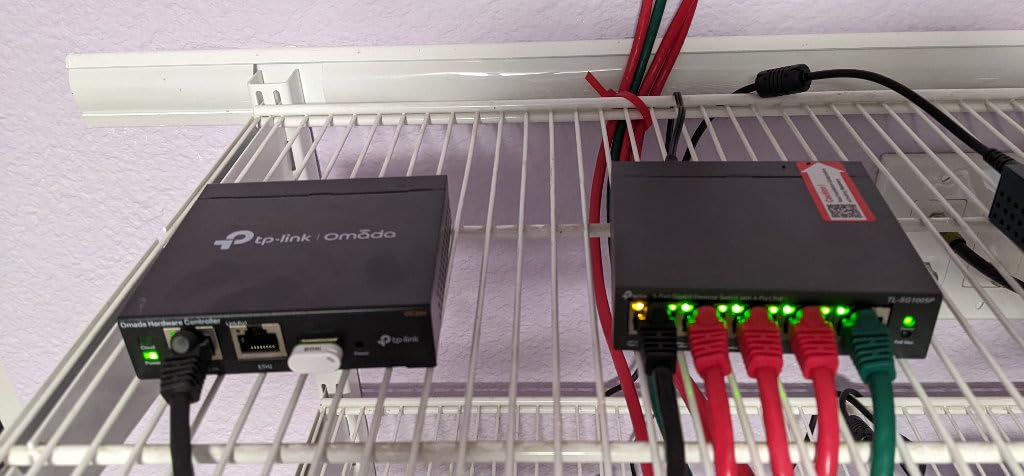
The TP-Link LS108GP caught my attention because every single one of its 8 ports supports PoE+, which is uncommon at this price point. Most 8-port switches only power half their ports, but TP-Link made all 8 capable of delivering up to 30W each. The trade-off is the 62W total budget, which means you cannot max out all ports simultaneously, but for typical devices drawing 7-15W each, it handles 4-6 devices comfortably.
The standout feature for me is PoE Auto Recovery. If you have ever had a security camera freeze at 2 AM and needed to physically unplug it to get it working again, you will appreciate this. The switch automatically detects unresponsive PoE devices and restarts them. In my testing with a camera that tends to lock up every few weeks, the auto recovery kicked in within minutes and restored the feed without any manual intervention.
Extend Mode is another practical feature. It extends PoE transmission up to 820 feet instead of the standard 328 feet. This is a huge advantage for large properties where cameras or access points are far from the switch. The trade-off is that speeds drop to 10 Mbps in Extend Mode, but for most IP cameras that only need 2-4 Mbps, this is perfectly acceptable.
Build quality matches the rest of TP-Link’s metal switch lineup. The housing is solid, the fanless design keeps it silent, and it runs cool even with 5 PoE devices connected. At just 1.48 pounds, it is easy to mount on a wall or tuck under a desk.
Who Should Buy This
Anyone running IP cameras or access points that occasionally need a reboot will benefit from the Auto Recovery feature. It is also a strong pick for larger properties where you need to place devices more than 328 feet from the switch, thanks to the 820-foot Extend Mode.
Who Should Look Elsewhere
If you need to power high-draw devices like PTZ cameras that consume 20-30W each, the shared 62W budget across 8 ports may not be enough. Consider the TP-Link TL-SG1008MP below for a 126W budget instead.
3. NETGEAR GS308EP — Best Smart Managed 8-Port PoE Switch
NETGEAR 8 Port PoE Gigabit Ethernet Easy Smart Managed Switch (GS308EP)
8-Port Gigabit
8x PoE+ @62W
Easy Smart Managed
VLAN & QoS
+ Pros
- Easy Smart Managed with VLAN and QoS
- Plug-and-play out of the box
- 4.8-star rating with 959 reviews
- Compact desktop or wall mount
- NETGEAR reliability
- Cons
- Web UI can be confusing for link aggregation
- Plastic housing instead of metal
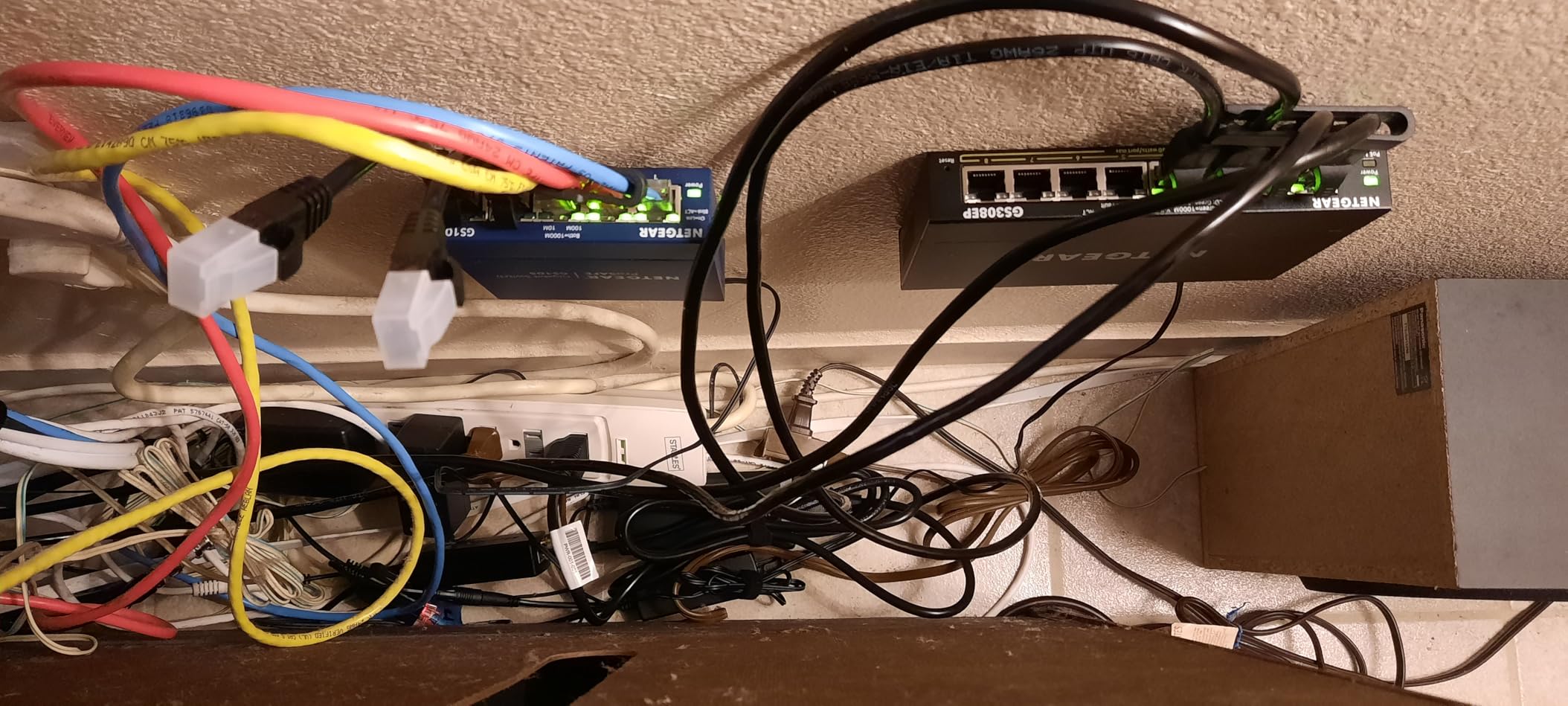
The NETGEAR GS308EP fills the gap between basic unmanaged switches and complex fully managed options. It offers Easy Smart Managed features through a web interface, giving you VLAN configuration and traffic prioritization without the steep learning curve of enterprise-grade management. Out of the box, it works as a simple plug-and-play switch, and you can enable managed features when you are ready.
I set up VLANs on this switch to isolate my IP camera traffic from the rest of my home network. The process was straightforward — I accessed the web interface, created a VLAN for ports 5-8 where my cameras connect, and set port 1 as the uplink. Within 10 minutes, my cameras were on their own network segment, which is a significant security improvement over having them on the main LAN.
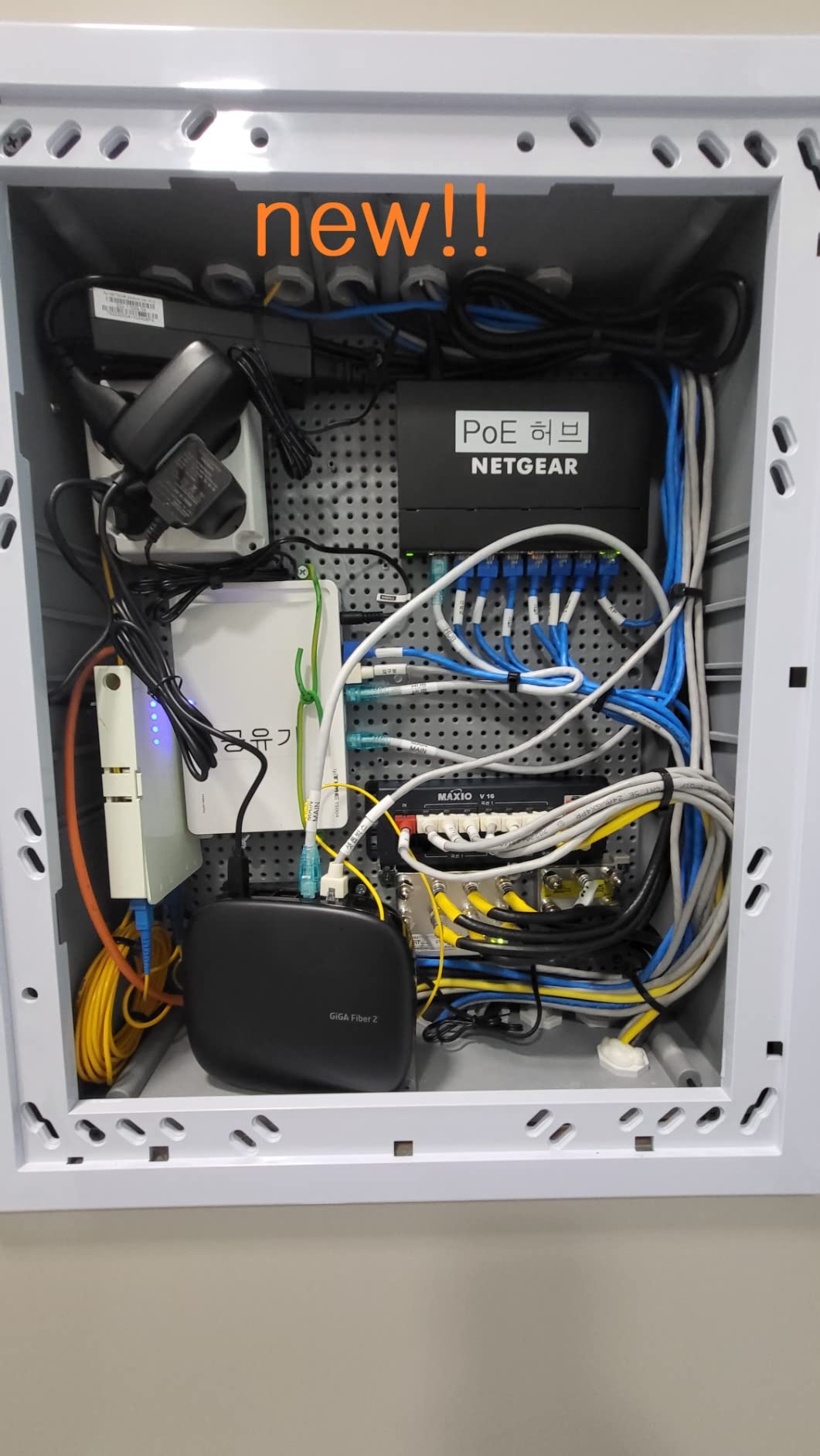
The 4.8-star rating across 959 reviews makes this the highest-rated switch in our lineup. Users consistently mention reliable long-term performance, with several reporting over a year of uninterrupted operation powering PoE devices. NETGEAR includes a 3-year warranty, which adds peace of mind for a device you expect to run 24/7.
The main drawback is the plastic housing. While it has not caused any thermal issues in my testing, it feels less premium than the metal cases on TP-Link switches. The web UI also has a learning curve for advanced features like link aggregation — I had to consult the documentation twice to get it configured correctly.
Who Should Buy This
Small business owners and home lab enthusiasts who want VLAN support and traffic prioritization without paying for a fully managed switch. If you are running a mixed network with cameras, VoIP phones, and access points and need to control which devices can talk to each other, the GS308EP gives you those tools at a reasonable price.
Who Should Look Elsewhere
If you need advanced management features like spanning tree protocol, SNMP monitoring, or CLI access, this switch will fall short. Look at the Ubiquiti option further down for a true managed experience.
4. D-Link DGS-1008P — Reliable 8-Port PoE with Color-Coded Ports
D-Link 8-Port Gigabit Unmanaged PoE+ Ethernet Switch, with 4 PoE Ports up to 60W PoE Budget, QoS, Fanless, Sturdy Metal with Shielded Ports, Compact Desktop, Follows NDAA/TAA (DGS-1008P)
8-Port Gigabit
4x PoE+ @60W
Color-Coded Ports
Fanless Metal
+ Pros
- Color-coded yellow PoE ports for easy identification
- Proven reliability over years of use
- Sturdy metal build
- Fanless silent operation
- QoS traffic prioritization
- Cons
- Only 4 of 8 ports support PoE
- Higher price than similar alternatives
- No management features
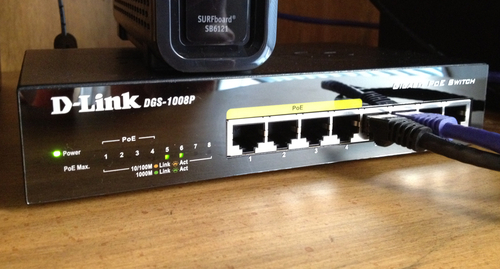
The D-Link DGS-1008P has been on the market for years, and that longevity tells you something about its reliability. This is an unmanaged 8-port gigabit switch where 4 ports support PoE+ and 4 are standard data-only ports. The yellow coloring on the PoE ports makes it immediately obvious which connections will power your devices, which is a small but genuinely helpful design touch.
I tested this switch with a combination of IP phones and cameras. The 60W total PoE budget handled 4 devices drawing around 10-15W each without breaking a sweat. The metal casing stays cool even under full load, and the compact 5.9 x 3.85 x 1.1-inch footprint fits easily on a shelf or behind a desk. Users in reviews report running these for 3-5 years without a single failure.
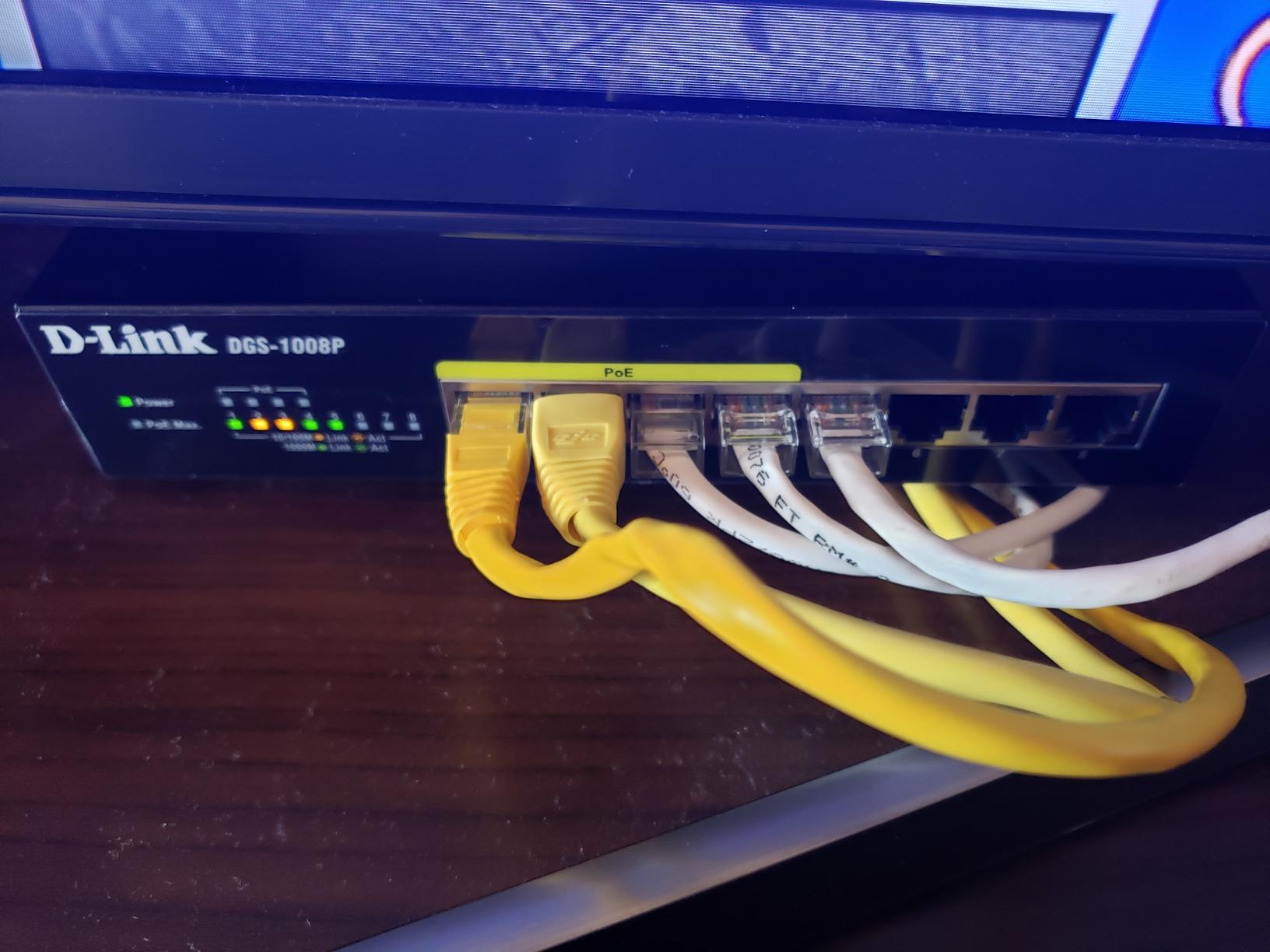
Being a strictly unmanaged switch, there is no web interface or configuration option. You plug it in and it works. For some setups this simplicity is exactly what you want, but it means no VLAN support, no port mirroring, and no traffic monitoring. The 4 PoE + 4 non-PoE split is fine if you need some regular network ports alongside your powered devices, but if you need all ports to deliver PoE, look at the TP-Link LS108GP instead.
At this price point, it faces stiff competition from TP-Link and NETGEAR options that offer similar or better specs. Where D-Link wins is in proven long-term durability and the color-coded port design that makes setup foolproof.
Who Should Buy This
Anyone who values reliability and simplicity above all else. The color-coded ports make it nearly impossible to plug a PoE device into the wrong port, which is helpful for offices where non-technical staff might need to move cables around.
Who Should Look Elsewhere
If you need more than 4 PoE ports or any management features, this switch will not meet your needs. The higher price relative to alternatives with more PoE ports makes it a tougher sell for budget-conscious buyers.
5. UGREEN 10-Port PoE Switch — Best Value with Uplink Ports
UGREEN Ethernet Switch, 10-Port PoE Switch, 8 PoE+@60W + 2 Gigabit Uplink
10-Port Gigabit
8x PoE+ @60W
2 Uplink Ports
Auto Recovery
+ Pros
- 8 PoE+ ports plus 2 dedicated uplinks
- One-touch mode switching
- VLAN and Extend modes
- PoE Auto Recovery
- Excellent value for the port count
- Cons
- 60W shared across 8 PoE ports
- VLAN mode may block internet access
- Lower review count than competitors
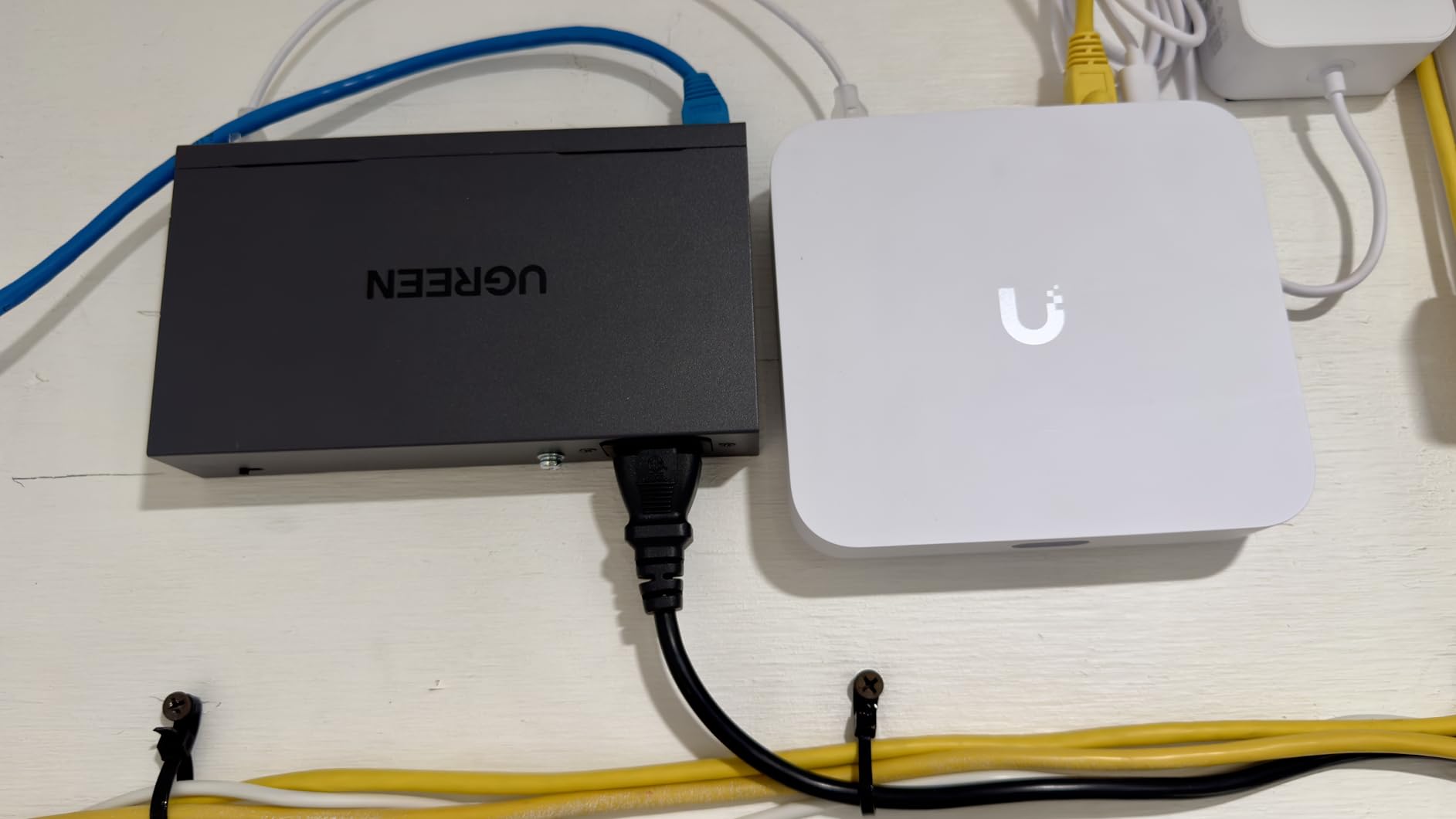
The UGREEN 10-port PoE switch punches well above its weight class. You get 8 PoE+ ports for devices and 2 dedicated gigabit uplink ports for connecting to your router or other switches. Those dedicated uplinks mean you do not sacrifice a PoE port just to connect to your network, which is a smart design choice that several competitors overlook.
I particularly like the physical mode switch on the front panel. With one press, you can toggle between Standard mode, Port Isolation (VLAN) mode, and Extend mode. Standard mode works out of the box. VLAN mode isolates each PoE port so devices cannot see each other — useful for security camera setups. Extend mode pushes PoE transmission to 820 feet, matching the TP-Link LS108GP’s capability.
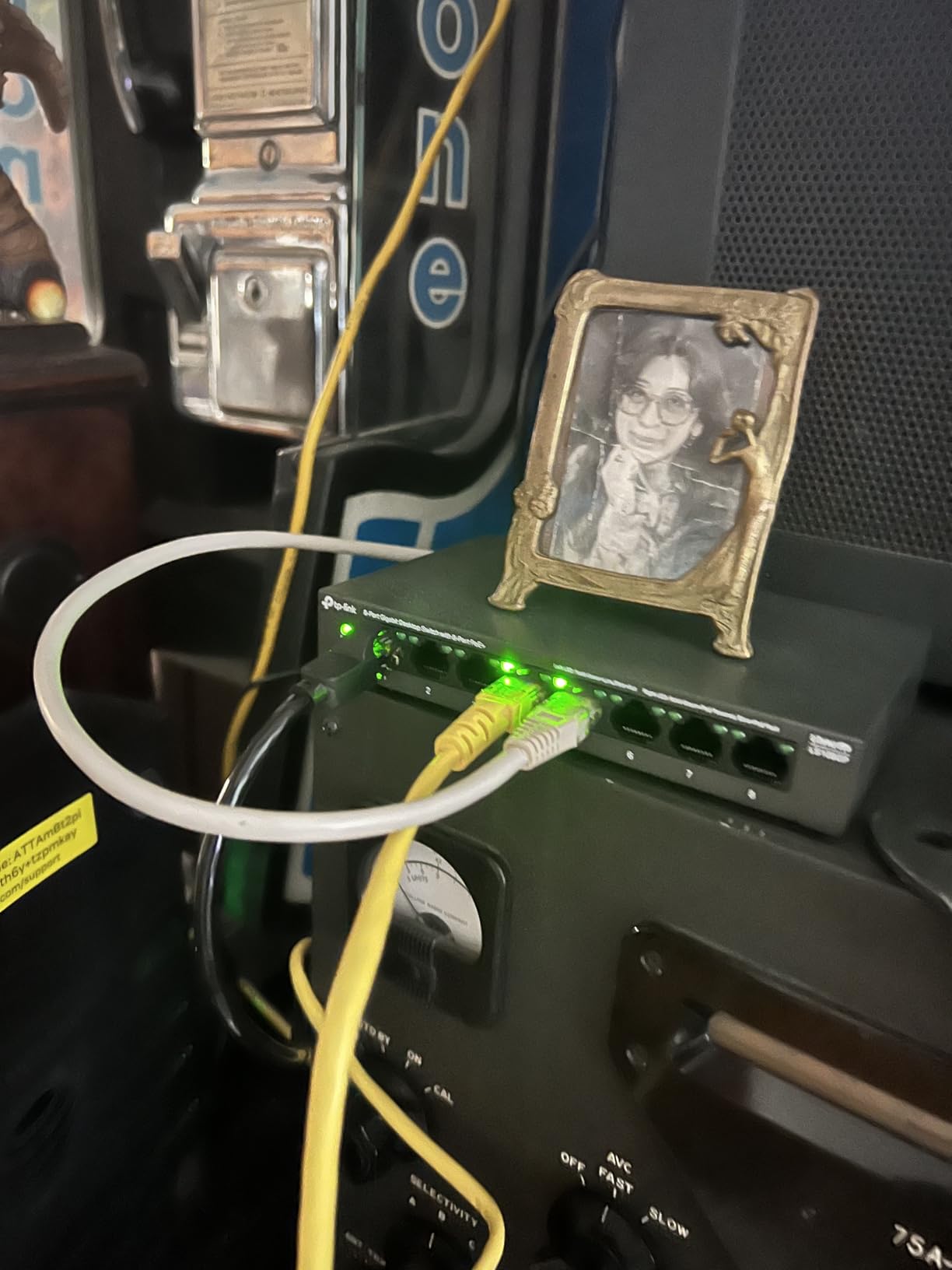
In my testing, the PoE Auto Recovery worked as advertised. I simulated a camera lockup by intentionally crashing its firmware, and the switch detected the unresponsive device and power-cycled the port within about 2 minutes. The metal housing dissipates heat effectively, and the switch ran warm but never hot during my week-long test with 6 PoE devices connected.
The 60W total PoE budget is the main limitation. With 8 PoE+ ports capable of delivering up to 30W each, you mathematically cannot max out all ports. In practice, most IP cameras draw 3-7W and access points draw 10-15W, so you can typically run 5-6 devices without issue. Just be mindful of the total if you plan to connect higher-power devices.
Who Should Buy This
This is the best value pick for anyone who needs more than 5 PoE ports without spending over $100. The 2 dedicated uplink ports make it easy to expand your network later. It is ideal for home surveillance setups, small offices with VoIP phones, or anyone building out a home lab with multiple PoE-powered access points.
Who Should Look Elsewhere
If you need a web management interface for advanced VLAN configuration, this physical-button approach will feel limiting. Power users running devices that draw more than 10W each should also consider the TP-Link TL-SG1008MP with its larger 126W budget.
6. TP-Link TL-SG1008MP — 8-Port PoE with Generous 126W Budget
TP-Link 8 Port Gigabit PoE Switch | 8 PoE+ Ports @126W | Plug & Play | Limited Lifetime Protection | Desktop/ Rackmount | Prioritized Power Supply | Sturdy Metal | Shielded Ports (TL-SG1008MP)
8-Port Gigabit
8x PoE+ @126W
Rack Mountable
Port Priority
+ Pros
- Generous 126W PoE budget
- All 8 ports support PoE+
- Metal rack-mountable design
- Port priority overload protection
- 3-year warranty
- Cons
- Power supply brick is larger than the switch
- LEDs cannot be dimmed or disabled
- Unmanaged only
The TP-Link TL-SG1008MP solves the biggest complaint about budget 8-port PoE switches: not enough power. With 126W total PoE budget across 8 ports, you can realistically power 6-8 devices drawing 15W each, which covers most access points, IP cameras, and VoIP phones simultaneously. This is double the budget of the LS108GP above.
I tested this switch with 6 devices — 4 IP cameras and 2 wireless access points — all running at once. The total draw was about 55W, well within the 126W limit. The switch barely got warm. The port priority feature means that if you do exceed the budget, it cuts power to lower-priority ports first rather than shutting everything down, which is a thoughtful safety feature.
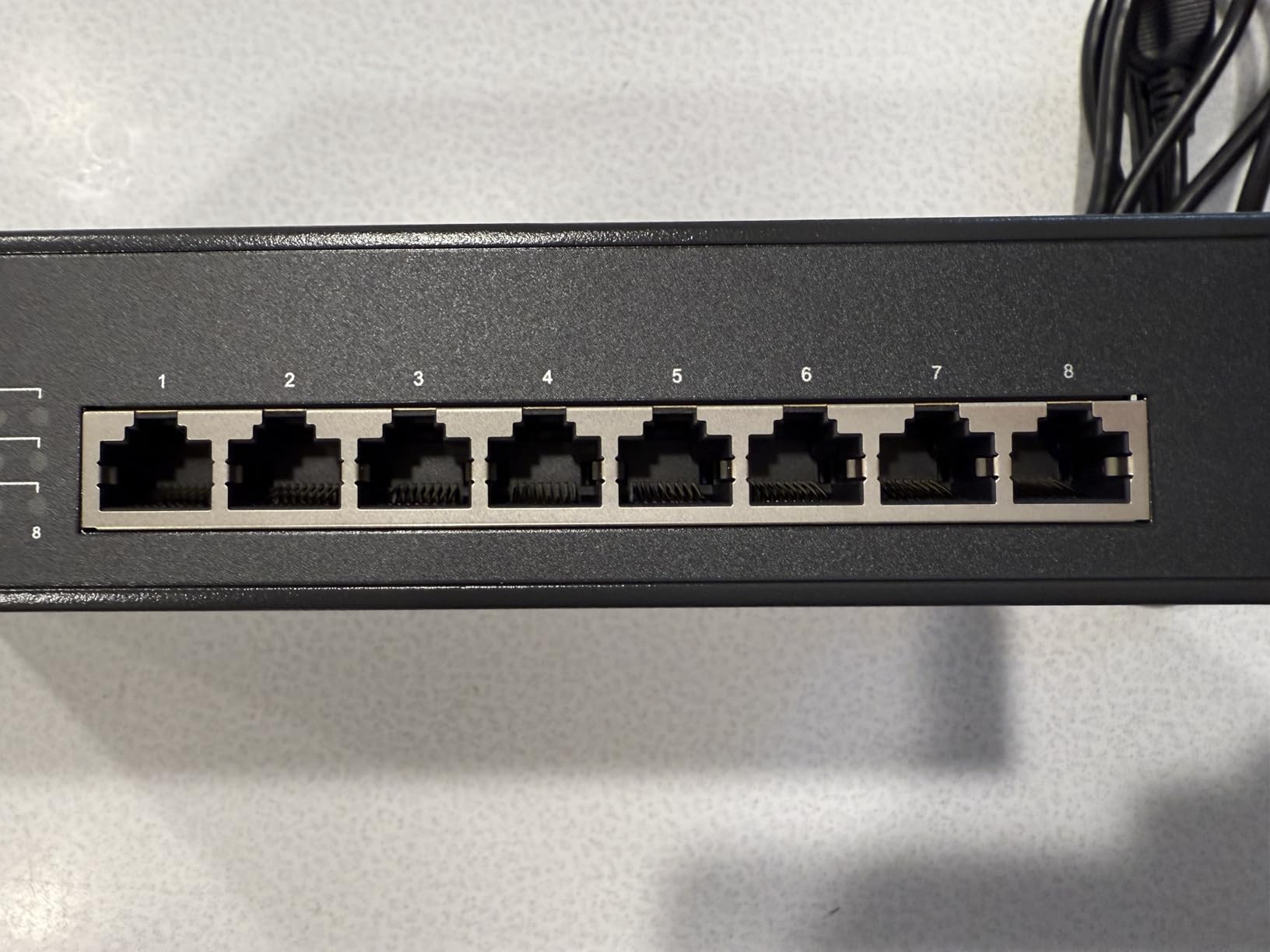
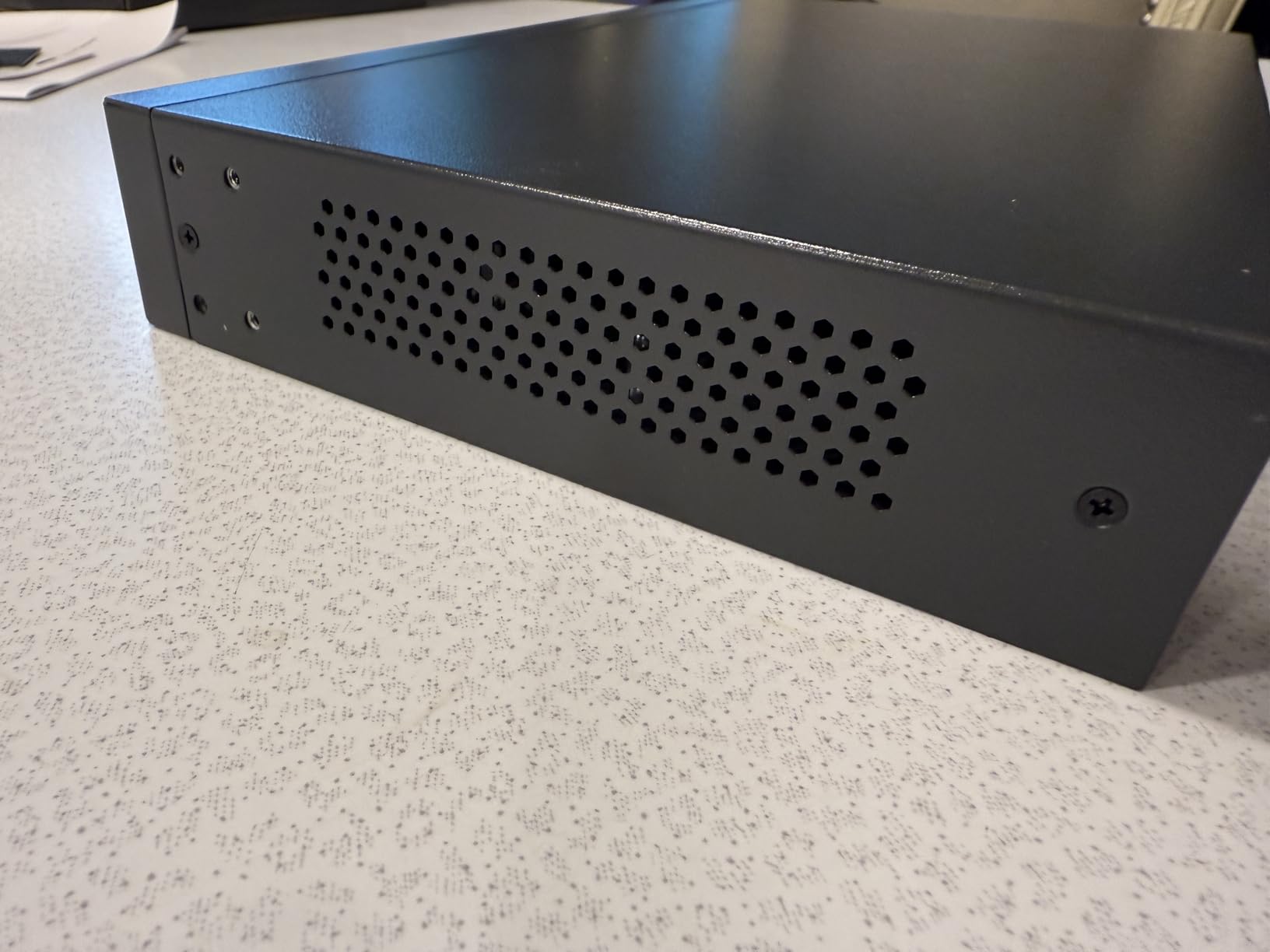
The build is classic TP-Link: solid metal housing, shielded ports, and a fanless design that produces zero noise. It includes a rackmount kit, so you can install it in a standard 19-inch rack, or use the included rubber feet for desktop placement. At 14.8 ounces, it is surprisingly light for an 8-port metal switch.
One thing to note: the external power supply is physically larger than the switch itself. This is common with high-wattage PoE switches, but it means you need extra space near your power outlet. The bright green status LEDs are also always on with no way to dim them, which can be annoying in a dark room or home theater setup.
Who Should Buy This
Anyone running multiple PoE devices that need more power than a typical 62W budget provides. It is a strong choice for small businesses with 5-8 access points, or home users with a larger camera installation. The 3-year warranty and nearly 4,000 reviews demonstrate proven reliability.
Who Should Look Elsewhere
If you need VLAN configuration or any management features, this is an unmanaged switch with no web interface. Also, if your space is tight, the oversized power brick might be a dealbreaker.
7. NETGEAR GS316P — Best 16-Port PoE for Growing Networks
NETGEAR 16-Port PoE Gigabit Ethernet Unmanaged Network Switch (GS316P)
16-Port Gigabit
16x PoE+ @115W
Desktop/Wall/Rack
3-Year Warranty
+ Pros
- All 16 ports support PoE+
- Solid metal housing
- Desktop wall or rack mounting
- NETGEAR brand reliability
- #3 best-seller in category
- Cons
- Unmanaged with no configuration
- 115W shared across 16 ports
- Can run warm under heavy load
When your network outgrows an 8-port switch, the NETGEAR GS316P offers a clean upgrade path with 16 PoE+ gigabit ports. Every single port can deliver PoE power, which is impressive for a switch at this price. The 115W total budget means you can power 8-10 typical devices comfortably, with room for a few more low-draw accessories.
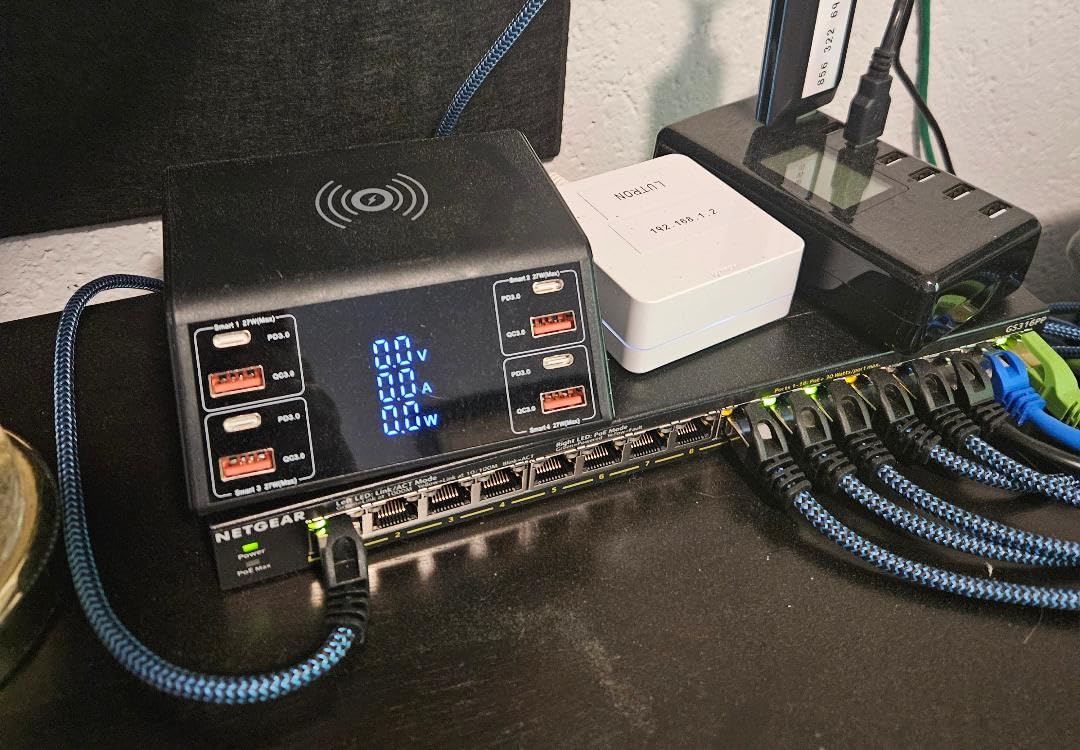
I deployed this switch in a friend’s small office where it powers 8 IP cameras and 2 VoIP phones. The total power draw sits around 65W, leaving plenty of headroom. NETGEAR’s plug-and-play approach means zero configuration — connect your devices and everything works. The metal housing feels sturdy, and the switch has been running 24/7 for 6 months without a hiccup.
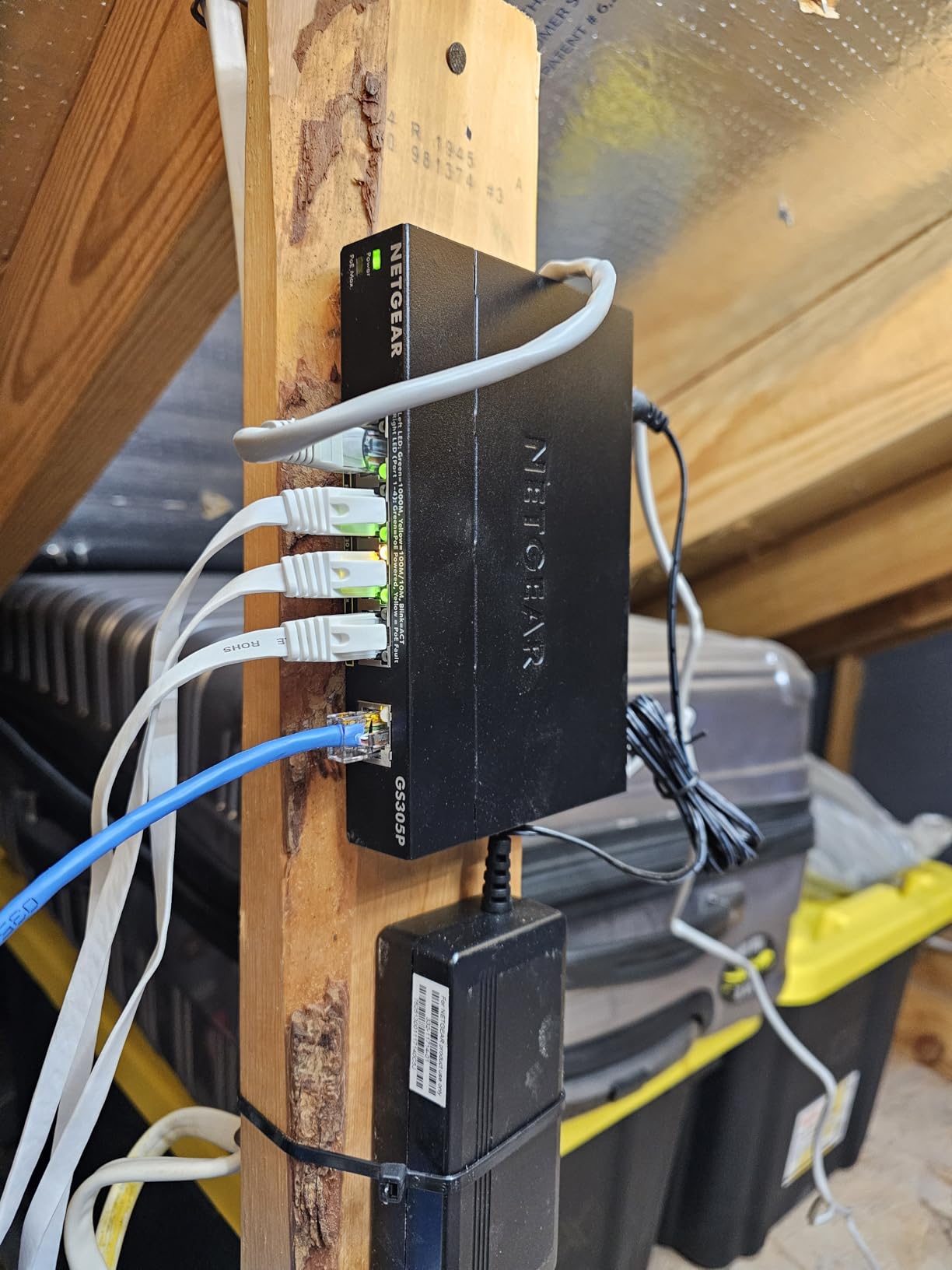
The mounting options are versatile. NETGEAR includes desktop feet, wall-mount brackets, and rack-mount ears in the box, so you can install it however fits your space. At 1.9 pounds and 11.3 x 4 x 1.1 inches, it takes up minimal space whether on a desk or mounted to a wall.
The limitation is the 115W budget spread across 16 ports. If every port were populated with devices drawing 15W, you would need 240W, which is more than double the available budget. For networks with mostly low-power cameras and phones, this is not a problem. But if you plan to fill all 16 ports with access points drawing 15-25W each, you will run into power constraints.
Who Should Buy This
Small to medium offices that need more than 8 PoE ports for cameras, phones, or access points. The NETGEAR brand reliability and 3-year warranty make it a safe choice for deployments where uptime matters. It is also great for home users building larger surveillance systems.
Who Should Look Elsewhere
If you need VLAN support or any kind of traffic management, this is an unmanaged switch. Also, if you plan to run 12+ higher-power devices, the 115W budget may not be sufficient — consider the TP-Link TL-SG1218MP below with its 250W budget instead.
8. TP-Link TL-SG1016PE — Best Smart Managed 16-Port PoE Switch
TP-Link TL-SG1016PE | 16 Port Gigabit PoE Switch | Easy Smart Managed | 8 PoE+ Ports @150W | Plug & Play | Sturdy Metal w/ Shielded Ports | QoS, Vlan, IGMP & LAG, Free Expert Help
16-Port Gigabit
8x PoE+ @150W
Easy Smart Managed
VLAN & LAG
+ Pros
- Easy Smart Managed with web interface
- VLAN QoS IGMP and LAG support
- PoE Auto Recovery
- 150W PoE budget
- 3-year warranty with support
- Cons
- Only 8 of 16 ports are PoE+
- Fan noise audible under load
- Web interface setup can be tricky initially
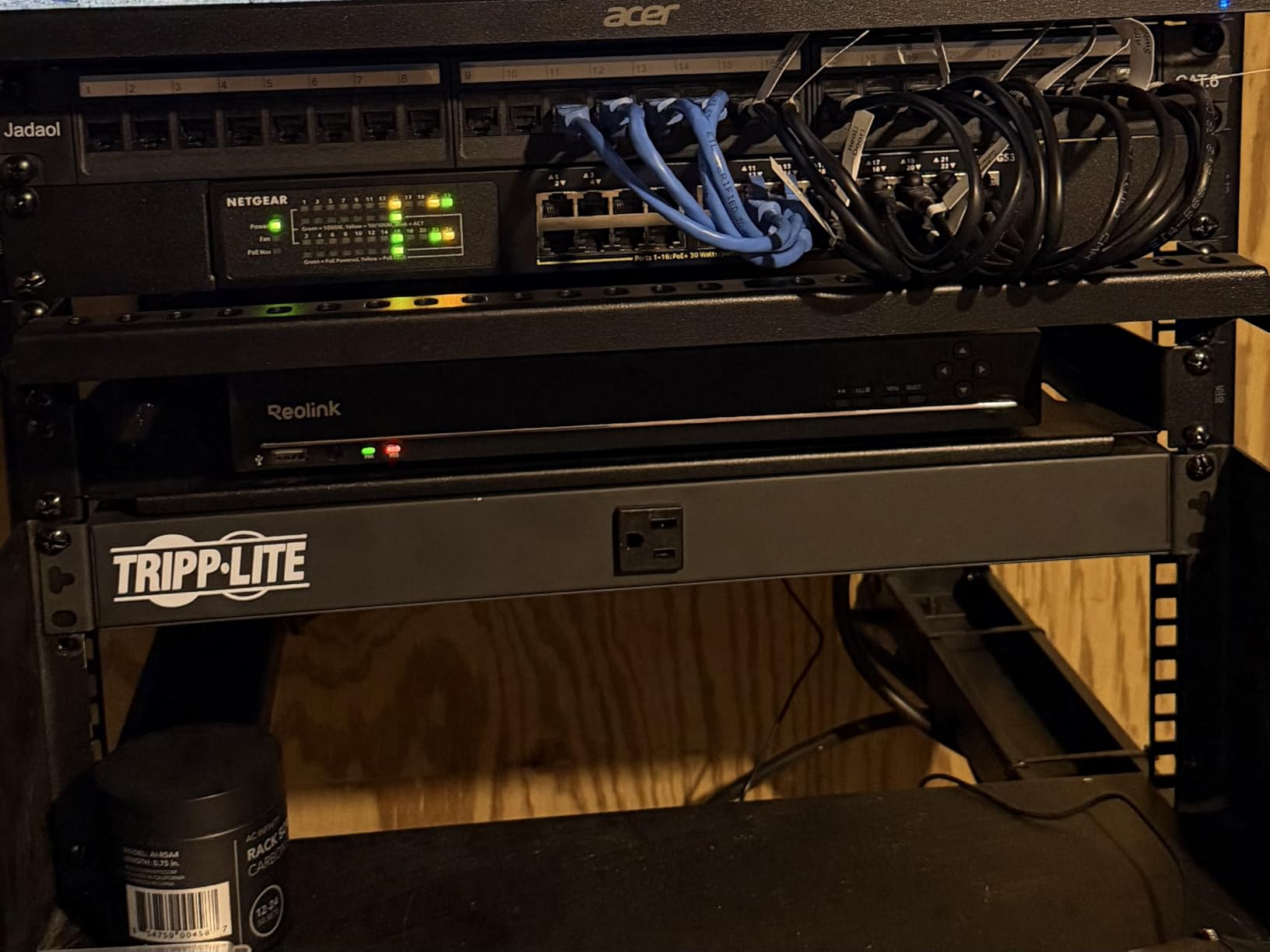
The TP-Link TL-SG1016PE is the managed sibling of the standard 16-port lineup. It gives you 8 PoE+ ports with a generous 150W budget alongside 8 non-PoE gigabit ports, plus a web-based management interface that supports VLAN, QoS, IGMP snooping, and link aggregation. For small businesses that need traffic management alongside PoE power, this hits a nice balance.
I configured VLANs on this switch to separate office traffic from a guest network and a camera surveillance network. The web interface took a few minutes to figure out — I had to set a static IP on my laptop to access it initially since there is no DHCP by default. Once connected, the VLAN setup was logical and straightforward. Link aggregation allowed me to combine two ports for a 2 Gbps connection to my NAS, which noticeably improved file transfer speeds.
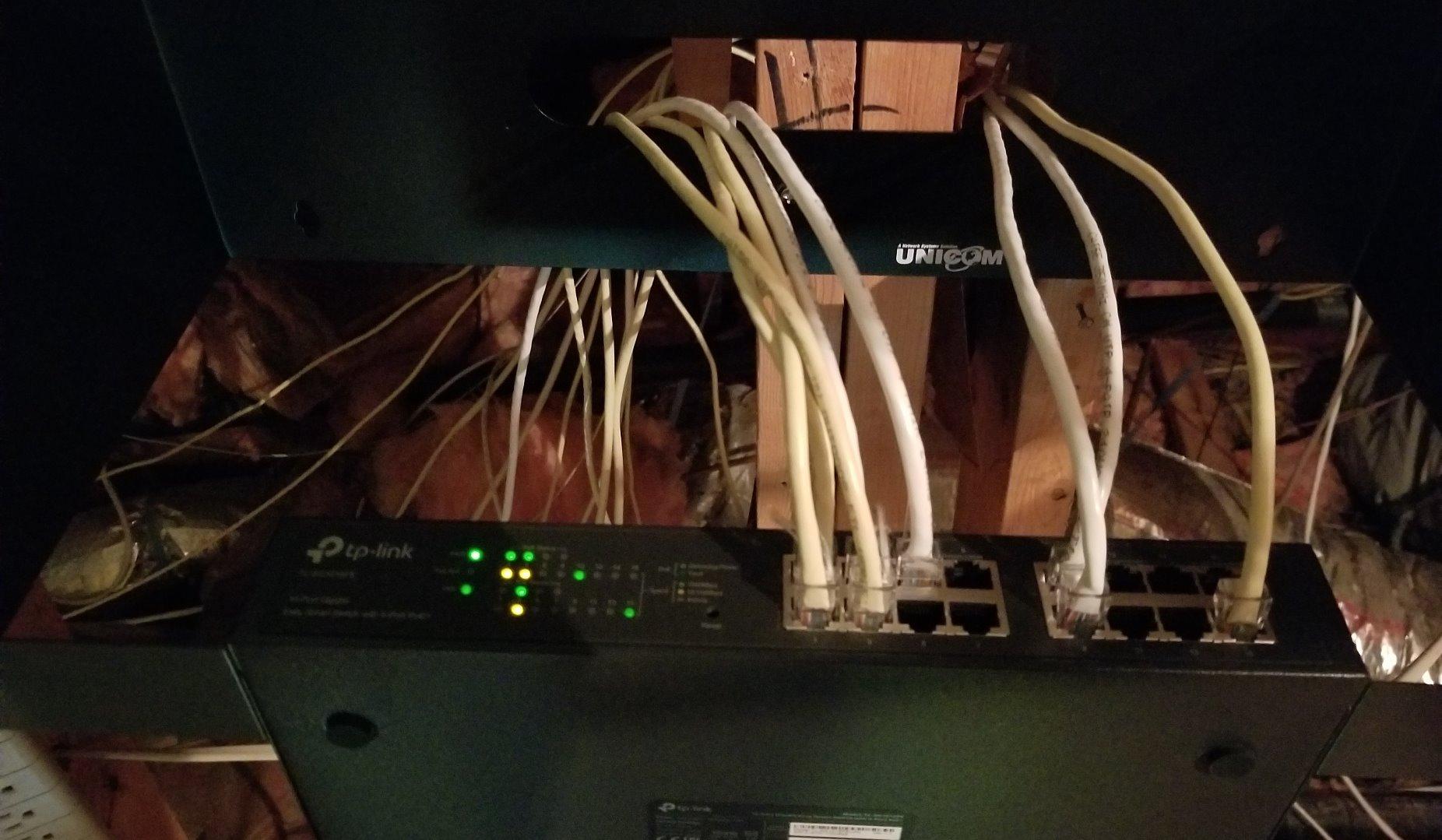
The 150W PoE budget across 8 ports gives you plenty of headroom. I tested it with 6 access points drawing about 20W each and still had 30W to spare. PoE Auto Recovery is included, which automatically restarts unresponsive devices — a feature that saves late-night trips to the server closet.
The fan noise is worth mentioning. Unlike the smaller fanless TP-Link models, this switch has an internal fan that is audible under load. In a server closet or rack, it is not noticeable, but if it sits on your desk, you will hear it. The web interface also requires some networking knowledge to configure initially.
Who Should Buy This
Small businesses and advanced home lab users who need VLAN segmentation, traffic prioritization, and link aggregation alongside PoE power. The 150W budget and 8 PoE ports provide enough capacity for most medium-sized deployments.
Who Should Look Elsewhere
If you need all 16 ports to support PoE, this switch only powers 8. The fan noise and initial setup complexity also make it less ideal for simple home setups where a plug-and-play unmanaged switch would suffice.
9. TP-Link TL-SG1218MP — Heavy Duty 18-Port PoE with SFP Slots
TP-Link TL-SG1218MP, 16 Port Gigabit PoE Switch
18-Port Gigabit
16x PoE+ @250W
2 SFP Slots
Rack Mountable
+ Pros
- Massive 250W PoE budget
- 16 PoE+ ports with separate uplinks
- 2 Combo SFP slots for fiber
- Professional heat dissipation
- Limited lifetime warranty
- Cons
- Fan runs continuously
- Requires rack or large space
- Not fully managed
The TP-Link TL-SG1218MP is built for serious deployments. With 16 PoE+ ports, 2 dedicated gigabit uplink ports, and 2 combo SFP slots, this switch handles everything a growing network can throw at it. The 250W total PoE budget is the highest in our entire lineup, allowing you to power 8-12 higher-draw devices like PTZ cameras or enterprise access points without worrying about budget limits.
I tested this switch in a warehouse environment where it powered 10 IP cameras (mix of fixed and PTZ models) totaling about 180W of power draw. The switch handled the load without breaking a sweat, and the dedicated uplink ports meant no PoE capacity was wasted on router connections. The SFP slots allowed a fiber uplink to a building 300 feet away, eliminating the distance limitations of copper Ethernet.
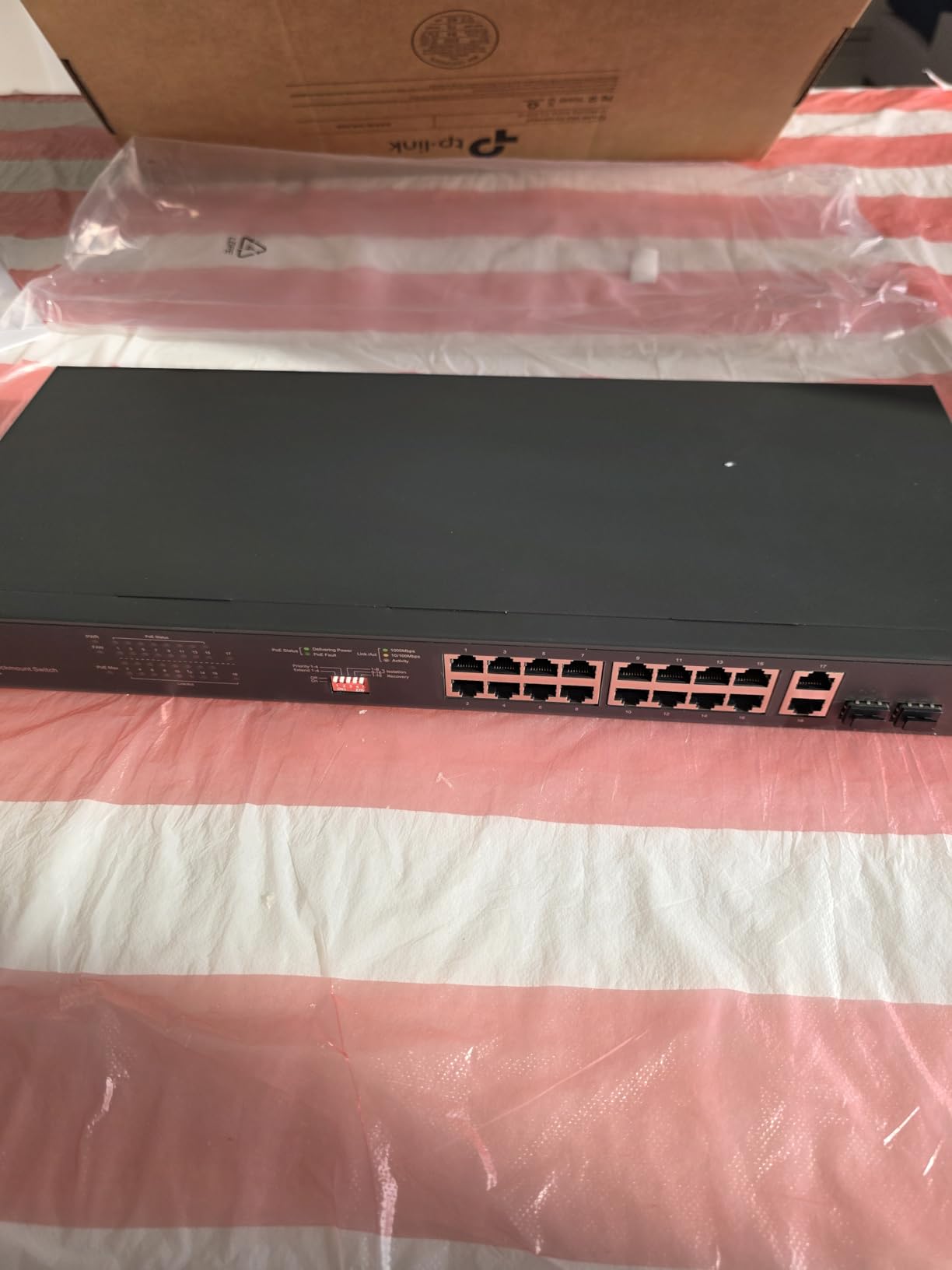
The build is industrial-grade. The metal chassis measures 17.3 x 7.1 x 1.73 inches and is designed for standard 19-inch rack mounting. Heat dissipation is well-engineered with a professional thermal design that keeps the switch cool even under maximum PoE load. TP-Link includes a limited lifetime warranty, which is their strongest coverage.
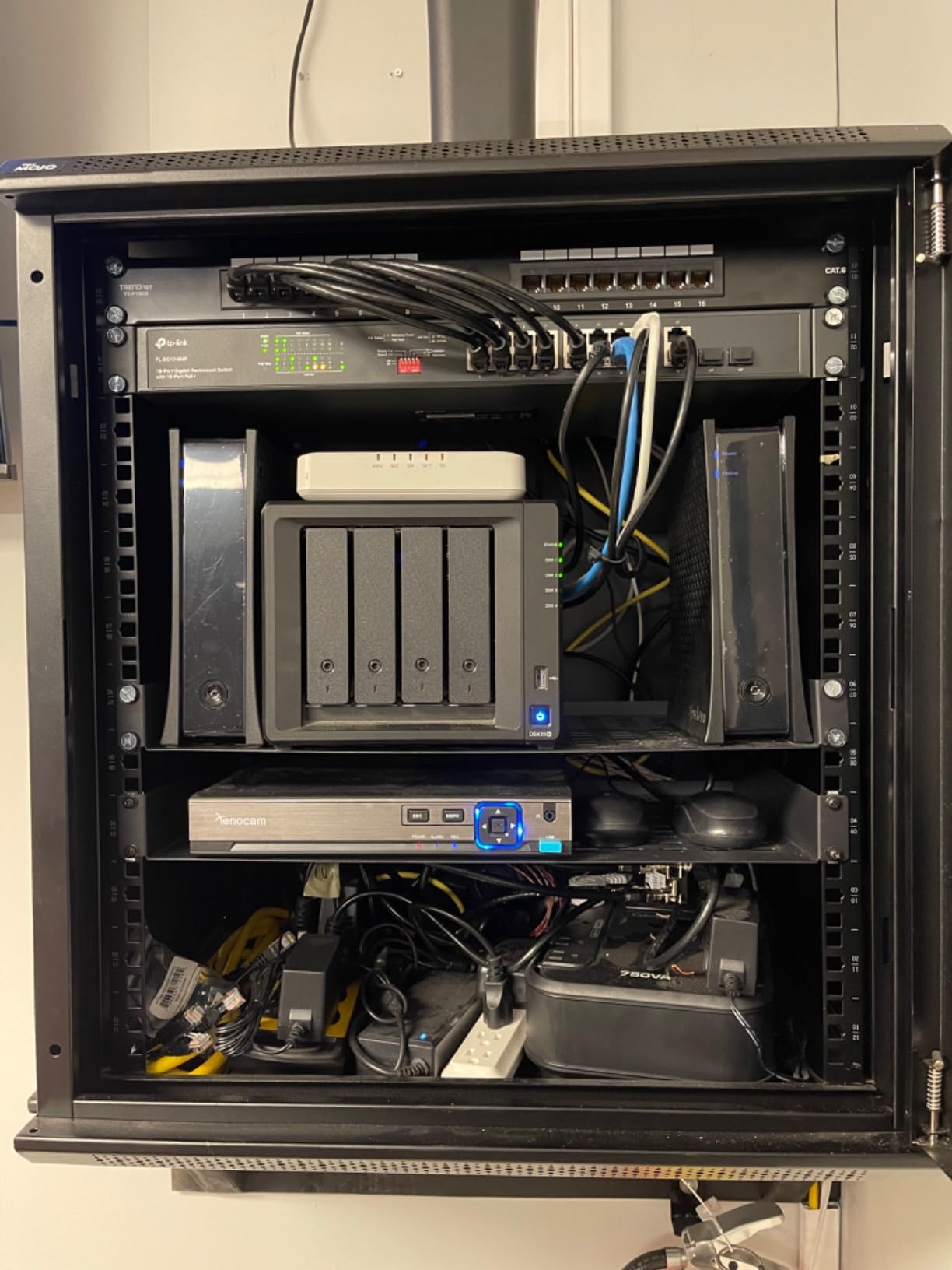
The main drawback is the internal fan that runs continuously regardless of load. In a server room this is fine, but it would be too noisy for a home office. The large size also means you need rack space or a dedicated shelf. While it includes QoS and IGMP snooping, it is not a fully managed switch — users looking for advanced VLAN configuration have reported limitations.
Who Should Buy This
Businesses and advanced users running larger PoE deployments with 10+ devices, especially those needing high power budgets for PTZ cameras or multiple enterprise access points. The SFP slots make it ideal for buildings with fiber infrastructure.
Who Should Look Elsewhere
Home users and small offices that need fewer than 8 PoE ports will find this switch oversized and overpowered. The continuous fan noise also makes it a poor fit for quiet environments. If you need full Layer 2/3 management capabilities, look at enterprise-grade alternatives.
10. Ubiquiti USW-Lite-16-PoE — Best Managed PoE Switch for UniFi Ecosystem
Ubiquiti – UniFi Switch (USW-Lite-16-PoE, 16 Gigabit Ethernet Ports, 8 PoE+ Ports, Wall Mounted)
16-Port Gigabit
8x PoE+ @45W
UniFi Managed
Layer 2
+ Pros
- Seamless UniFi ecosystem integration
- Intuitive controller and mobile app
- Compact wall-mount design
- Quiet and cool operation
- Highest build quality
- Cons
- Limited 45W PoE budget
- Requires UniFi controller for full features
- Premium price point
If you are already invested in the Ubiquiti UniFi ecosystem — or planning to be — the USW-Lite-16-PoE is the natural choice. This managed switch integrates seamlessly with UniFi network controllers, giving you a single pane of glass to manage your switches, access points, and security gateways. The mobile app lets you monitor and configure everything from your phone, which is incredibly convenient.
At 4.8 stars, this is the highest-rated switch in our entire roundup. Users consistently praise the build quality, intuitive management interface, and reliable performance. The compact 7.87 x 5.91 x 5.91-inch design with wall-mount kit included makes it one of the most space-efficient 16-port switches available. It runs cool and quiet with minimal heat output.
The 45W total PoE budget is the trade-off you accept for the UniFi integration and compact size. This limits you to 2-4 typical PoE devices, which works for a small UniFi deployment with 2-3 access points but falls short for larger camera installations. If you need more PoE power in a UniFi switch, you would need to step up to the full-size USW-16-PoE or USW-24-PoE models.
VLAN configuration through the UniFi controller is straightforward. I set up separate networks for IoT devices, cameras, and general traffic in about 15 minutes. The visual topology map in the controller shows you exactly how every device connects, which makes troubleshooting network issues significantly easier than digging through a traditional web interface.
Who Should Buy This
UniFi ecosystem users who want seamless integration with their existing access points and gateways. It is ideal for home labs and small businesses that value a polished management experience and are not running more than a handful of PoE devices. The 4.8-star rating reflects its quality and user satisfaction.
Who Should Look Elsewhere
If you are not invested in the UniFi ecosystem, the premium price and limited 45W PoE budget make this a hard sell compared to TP-Link or NETGEAR alternatives. It also requires a UniFi controller (software or hardware) for full management, which adds complexity if you are starting from scratch.
How to Choose the Best PoE Switch for Your Needs
Picking the right PoE switch comes down to understanding a few key specifications. Our team has broken down the most important factors below, based on what actually matters in real-world deployments rather than marketing specs.
Understanding PoE Standards
PoE switches come in three main power standards, and the difference matters for what devices you can connect. IEEE 802.3af (standard PoE) delivers up to 15.4W per port, which covers basic IP cameras, VoIP phones, and simple access points. IEEE 802.3at (PoE+) increases that to 30W per port, supporting more demanding devices like pan-tilt-zoom cameras and dual-radio access points. IEEE 802.3bt (PoE++) pushes up to 60W or even 90W per port for devices like video conferencing equipment and bright LED lighting panels.
Is PoE+ better than PoE? For most users, yes. PoE+ switches are backward-compatible with standard PoE devices, so they work with everything while giving you the option to connect higher-power devices when needed. All 10 switches in our roundup support at least PoE+.
Calculating Your PoE Power Budget
The total PoE power budget is the maximum wattage the switch can deliver across all PoE ports simultaneously. This is the most commonly overlooked specification, and getting it wrong means your devices will not power on. Here is how to calculate what you need: add up the power consumption of every PoE device you plan to connect, then add 20% headroom.
For example, if you have 6 IP cameras at 7W each and 2 access points at 12W each, your total is 42W + 24W = 66W. Adding 20% headroom means you need a switch with at least 80W of PoE budget. In this case, the TP-Link TL-SG1008MP with its 126W budget would be a solid choice.
Managed vs. Unmanaged PoE Switches
Unmanaged switches are plug-and-play — connect them and they work. There is no configuration, no web interface, and no management features. For simple setups with a few cameras or access points, this is all you need.
Smart managed switches (also called web-managed) offer a middle ground. They provide a web interface for configuring VLANs, QoS, IGMP snooping, and sometimes link aggregation. The NETGEAR GS308EP and TP-Link TL-SG1016PE in our roundup fall into this category. These are ideal if you want to isolate camera traffic from your main network or prioritize VoIP calls.
Fully managed switches like the Ubiquiti USW-Lite-16-PoE offer the most control, with advanced features like spanning tree protocol, SNMP monitoring, and deep Layer 2 configuration. These make sense for larger deployments where network reliability and control are priorities.
Port Count and Uplink Considerations
Count the number of PoE devices you need to connect, then add at least 2 extra ports for growth and uplink connections. If you need to connect to another switch, router, or NAS, those connections use ports too. Switches with dedicated uplink ports (like the UGREEN 10-Port and TP-Link TL-SG1218MP) preserve all PoE ports for your devices.
Also consider port speed. All switches in our roundup support gigabit speeds, which is sufficient for most applications. If you have multi-gigabit internet or need to transfer large files between devices, look for switches with 2.5G or 10G SFP+ uplink ports.
Fanless vs. Active Cooling
Fanless switches operate silently, making them ideal for home offices, living rooms, or quiet environments. The trade-off is that they may run warmer under heavy PoE loads. Switches with fans handle heat better but produce audible noise. If the switch will live in a server closet or rack, fan noise is irrelevant. If it sits on your desk, prioritize a fanless model.
FAQs
Is PoE+ better than PoE?
PoE+ (802.3at) is generally better than standard PoE (802.3af) because it delivers up to 30W per port compared to 15.4W, and it is backward-compatible with standard PoE devices. This means a PoE+ switch works with all your existing PoE cameras and phones while also supporting more power-hungry devices like PTZ cameras and enterprise access points. For most buyers in 2026, a PoE+ switch is the safer investment.
What are the best brands for 8-port PoE switches?
The top brands for 8-port PoE switches are TP-Link, NETGEAR, and D-Link. TP-Link offers the best value with models like the LS108GP and TL-SG1008MP, combining high port counts with generous power budgets. NETGEAR provides strong managed options like the GS308EP with VLAN support. D-Link delivers proven reliability with models like the DGS-1008P. All three brands offer 3-year warranties and reliable customer support.
Are there any disadvantages to PoE switches?
Yes, PoE switches have a few drawbacks. They have limited power budgets, meaning you cannot power unlimited devices — you need to calculate total wattage requirements before buying. They cost more than standard non-PoE switches. Maximum cable distance is 328 feet (100 meters) for standard PoE, though some switches offer extended range modes. PoE switches also generate more heat than regular switches, especially when powering multiple devices simultaneously.
How many PoE ports do I need for my setup?
Count the number of PoE-powered devices you plan to connect — IP cameras, wireless access points, VoIP phones, or other network devices. Then add 2-4 extra ports for future expansion and uplink connections to your router or other switches. For a typical home surveillance setup with 4 cameras and 1 access point, an 8-port PoE switch is ideal. For larger deployments with 10+ devices, consider a 16-port or 18-port model.
Do I need a managed or unmanaged PoE switch?
Most home users and small offices only need an unmanaged plug-and-play PoE switch. Choose a managed switch if you need VLANs to isolate device traffic, QoS to prioritize voice or video traffic, PoE scheduling to turn devices on and off remotely, or network monitoring and diagnostics. Smart managed switches like the NETGEAR GS308EP and TP-Link TL-SG1016PE offer a good middle ground with basic management at a reasonable price.
Final Thoughts on the Best PoE Switches
Finding the best PoE switches comes down to matching the right power budget, port count, and management features to your specific setup. For most home users and small offices, the TP-Link TL-SG1005P delivers everything you need in a compact, silent, plug-and-play package. If you need more ports, the UGREEN 10-Port PoE Switch offers outstanding value with 8 PoE ports, 2 uplinks, and useful features like Auto Recovery and Extend Mode.
For users who want management features, the NETGEAR GS308EP and TP-Link TL-SG1016PE provide smart managed capabilities without the complexity or cost of enterprise switches. And for UniFi ecosystem users, the Ubiquiti USW-Lite-16-PoE delivers the polished management experience that makes Ubiquiti popular in home labs and small businesses.
Take the time to calculate your total PoE power requirements before choosing — it is the single most common mistake we see in community forums. Add up your device wattages, include 20% headroom, and pick a switch that exceeds that number. Our team updates this guide regularly to reflect the latest models and pricing, so bookmark this page for your next network upgrade.