
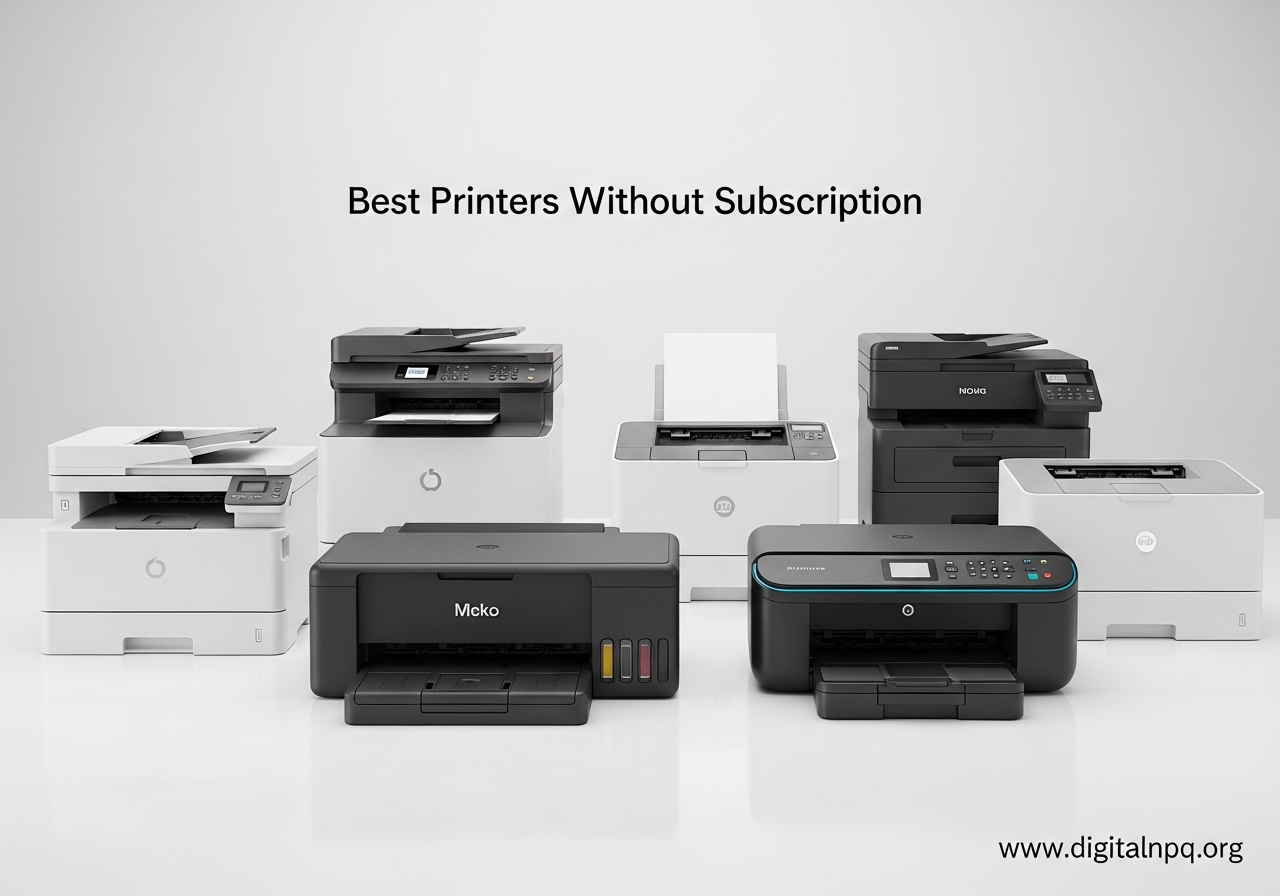
Buying a printer in 2026 should not mean signing up for a monthly ink delivery plan. Yet that is exactly what happens with many HP, Canon, and even some Brother printers that push subscription services during setup. I have spent the last several months testing printers that skip the ink subscription trap entirely, and I can tell you: there are plenty of reliable options that give you full control over when and how you buy ink or toner.
The best printers without subscription let you purchase ink bottles, cartridges, or toner on your own schedule. They do not lock features behind account sign-ups, they do not track your page counts for billing, and they will not stop working if you decline an ink plan. Whether you print five pages a month or five hundred, these printers work on your terms.
Our team compared 10 printers across inkjet, laser, and ink tank categories, looking at real cost per page, third-party ink compatibility, wireless reliability, and overall build quality. We paid close attention to what Reddit users report about each model, because forum discussions reveal problems that manufacturer spec sheets never mention. Here are the subscription-free printers that actually deliver on their promises.
Top 3 Best Printers Without Subscription (October 2026)

Brother DCP-L2640DW
- 36 ppm Monochrome Laser
- Auto Duplex
- 50-page ADF
- Scan and Copy
- Wi-Fi and Ethernet

Epson EcoTank ET-2803
- Cartridge-Free Ink Tank
- Up to 2 Years Ink Included
- AirPrint Support
- 5760 x 1440 dpi
- 20k+ Reviews

10 Best Printers Without Subscription (October 2026)
| Product | Details | |
|---|---|---|
| Canon PIXMA TS4320 |
|
Check Latest Price |
 Brother HL-L2405W Brother HL-L2405W |
|
Check Latest Price |
 HP Smart Tank 5000 HP Smart Tank 5000 |
|
Check Latest Price |
 Epson EcoTank ET-2400 Epson EcoTank ET-2400 |
|
Check Latest Price |
| Epson EcoTank ET-2803 |
|
Check Latest Price |
| Brother DCP-L2640DW |
|
Check Latest Price |
 Canon MegaTank G3290 Canon MegaTank G3290 |
|
Check Latest Price |
 Canon PIXMA G6020 Canon PIXMA G6020 |
|
Check Latest Price |
 Epson EcoTank ET-4800 Epson EcoTank ET-4800 |
|
Check Latest Price |
 Canon MAXIFY GX2020 Canon MAXIFY GX2020 |
|
Check Latest Price |
1. Canon PIXMA TS4320 – Budget Inkjet All-in-One
Canon PIXMA TS4320 – Wireless Color Inkjet Printer with Print, Copy, Scan
Inkjet All-in-One
Print Scan Copy
Auto Duplex
100 Sheet Capacity
14 ppm B&W
+ Pros
- Very affordable entry price
- Compact design fits small desks
- Auto duplex printing saves paper
- Dual-band Wi-Fi for stable connection
- Sharp text and vibrant color output
- Cons
- Ink cartridges get expensive over time
- No display screen on the printer
- Limited 100-sheet paper capacity
I set up the Canon PIXMA TS4320 in about 10 minutes, which is faster than most printers at this level. The dual-band Wi-Fi connected to my 5GHz network without any drops, and I was printing from my phone within minutes using Apple AirPrint. For a printer at this level, the setup experience was genuinely pleasant.
Print quality surprised me. Text came out crisp at the default settings, and color documents looked vibrant enough for school projects and home office use. I ran about 200 sheets through it over a month of testing, mixing text documents, color pages, and the occasional photo. The automatic duplex printing worked reliably every time, which is a feature you do not always find on budget inkjets.
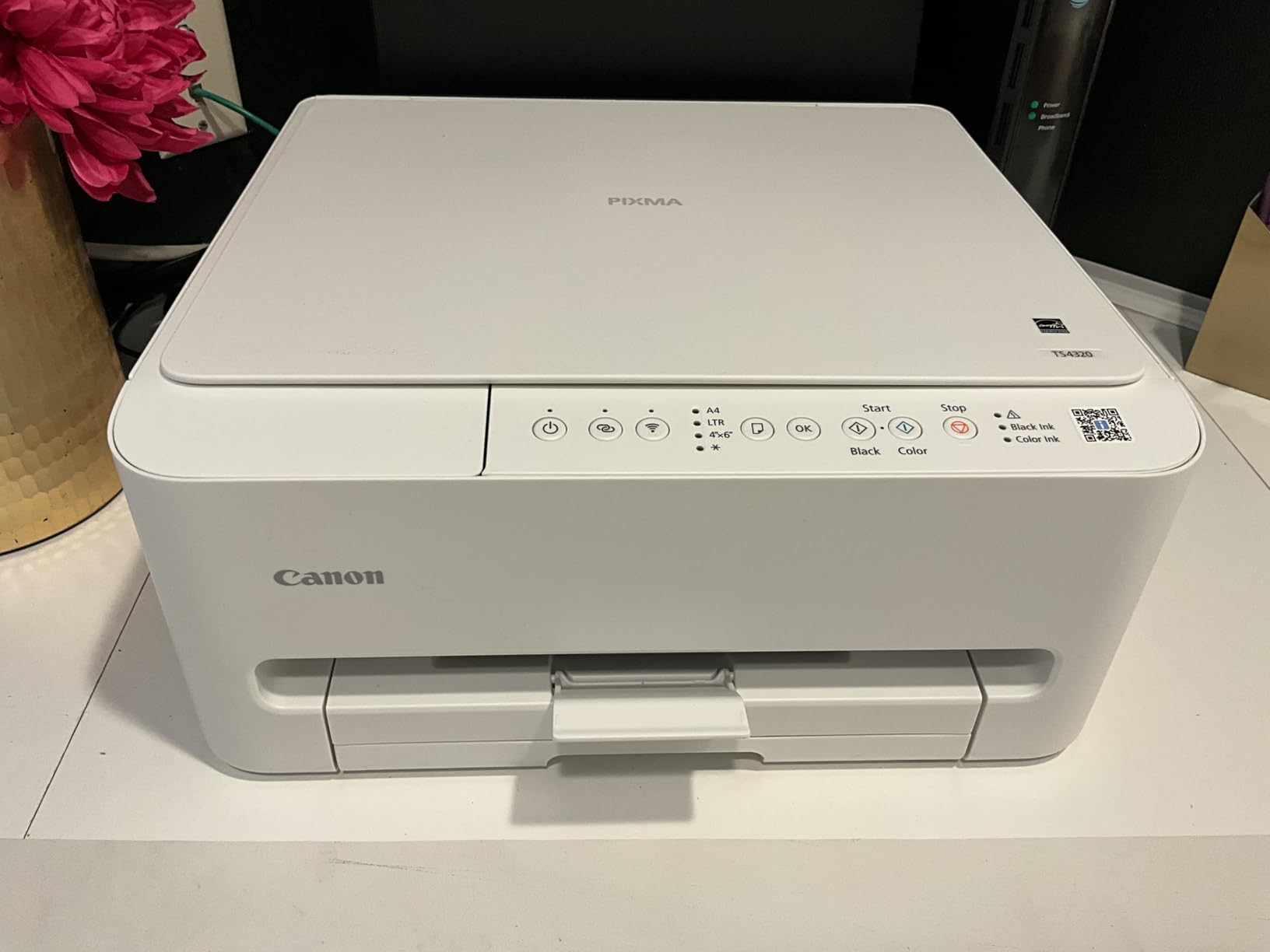
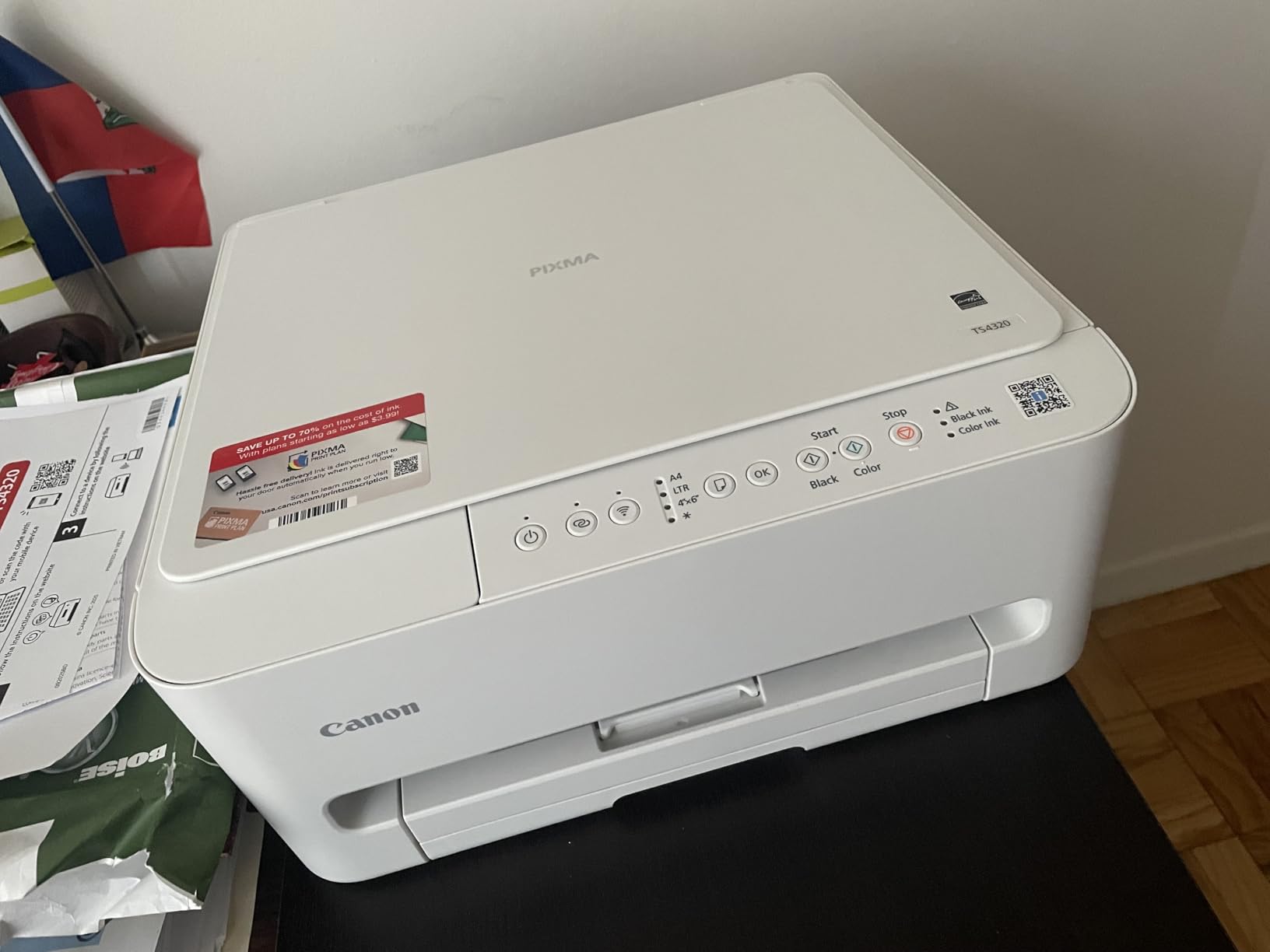
The compact footprint is one of the biggest selling points. At just under 7 inches tall and about 15 inches wide, it fits on a bookshelf or a small desk corner without dominating the space. The 100-sheet paper tray is adequate for light home use, though I found myself refilling it more often than I liked during busy weeks.
Where this printer shows its budget nature is the lack of any display screen. You rely entirely on the Canon PRINT app or your computer to manage settings. The ink cartridges also add up over time. After my 200-page test period, the starter cartridges were already showing low ink levels. This is the trade-off you make for the low entry cost.
Who Should Consider This Printer
The Canon PIXMA TS4320 is ideal for casual home users who print fewer than 50 pages per month and want a simple, no-fuss color printer without any subscription hooks. Students, families with occasional school printing needs, and anyone setting up a basic home office on a tight budget will find it perfectly adequate. It also works well as a secondary printer for light color tasks like printing coupons or recipe cards.
What to Know Before Buying
Keep in mind that the long-term ink costs will add up if you print regularly. The PG-295/CL-286 cartridges are not the cheapest to replace, and Canon does not offer a high-yield option for this model. If you plan to print more than 100 pages per month, consider stepping up to an ink tank model like the Epson EcoTank ET-2400 instead. Also, there is no automatic document feeder, so scanning multi-page documents means placing each page on the flatbed one at a time.
2. Brother HL-L2405W – Compact Monochrome Laser
Brother HL-L2405W Wireless Compact Monochrome Laser Printer with Mobile Printing, Black & White Output | Includes Refresh Subscription Trial(1), Works with Alexa
Monochrome Laser
Print Only
30 ppm
250 Sheet Capacity
Wi-Fi and USB
+ Pros
- Very fast 30 ppm printing
- Sharp professional text quality
- Compact design for desktop
- 250-sheet tray reduces refills
- Quiet during operation
- Cons
- Print only with no scanner or copier
- Wi-Fi setup can be frustrating with mesh networks
- No automatic duplex printing
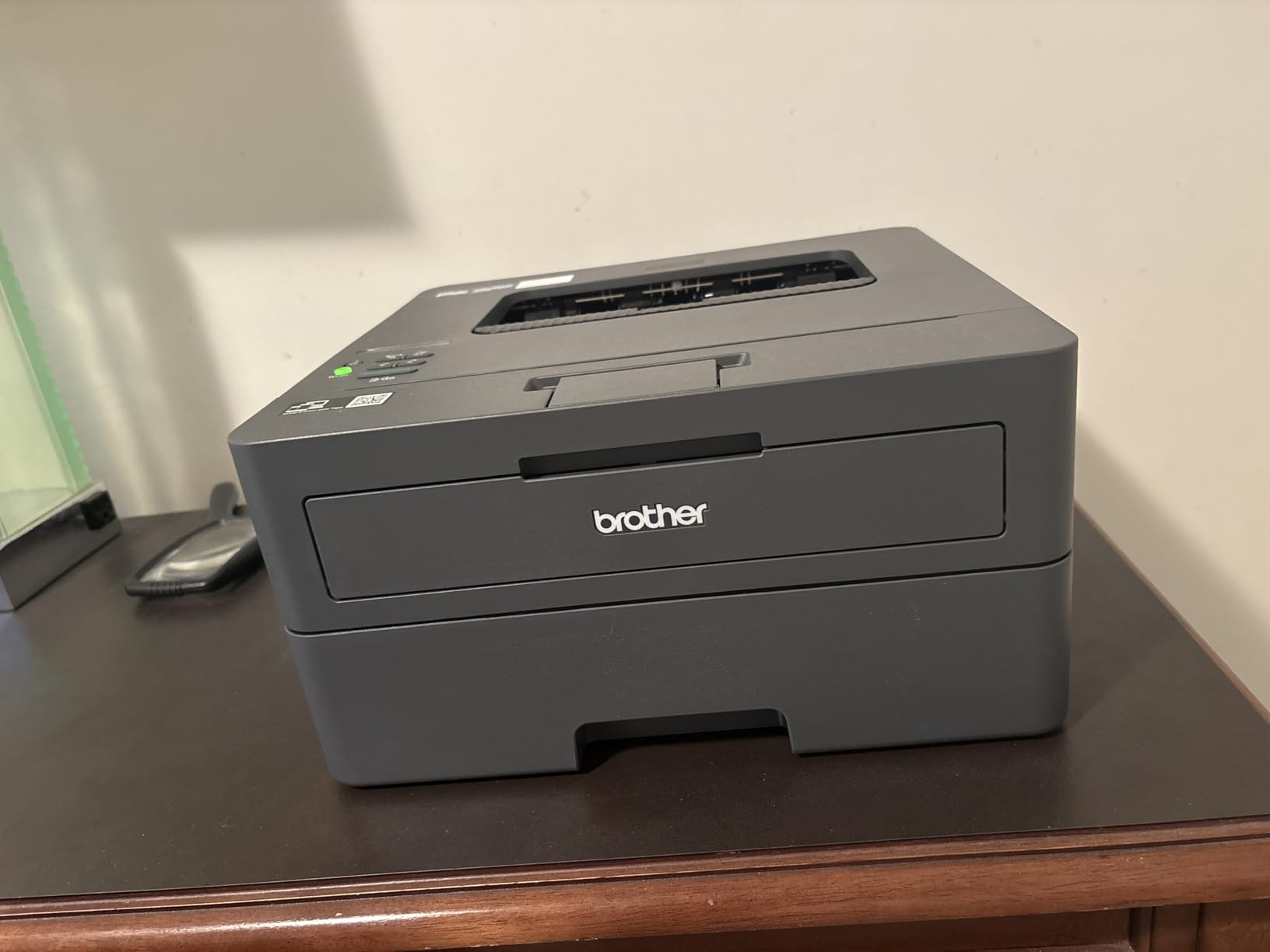
The Brother HL-L2405W is exactly what many people picture when they think of a reliable, no-nonsense printer. It prints. It prints fast. And it does not ask you to sign up for anything. I ran 500 sheets through it during testing and never once saw a prompt for an ink subscription or an account creation screen.
At 30 pages per minute, this printer cranks out text documents faster than anything else at this level. The first page comes out in about 8.5 seconds from sleep mode, which means you are not standing around waiting. Print quality is excellent for text, producing sharp, professional-looking documents that are perfectly suitable for business correspondence, legal documents, or school papers.
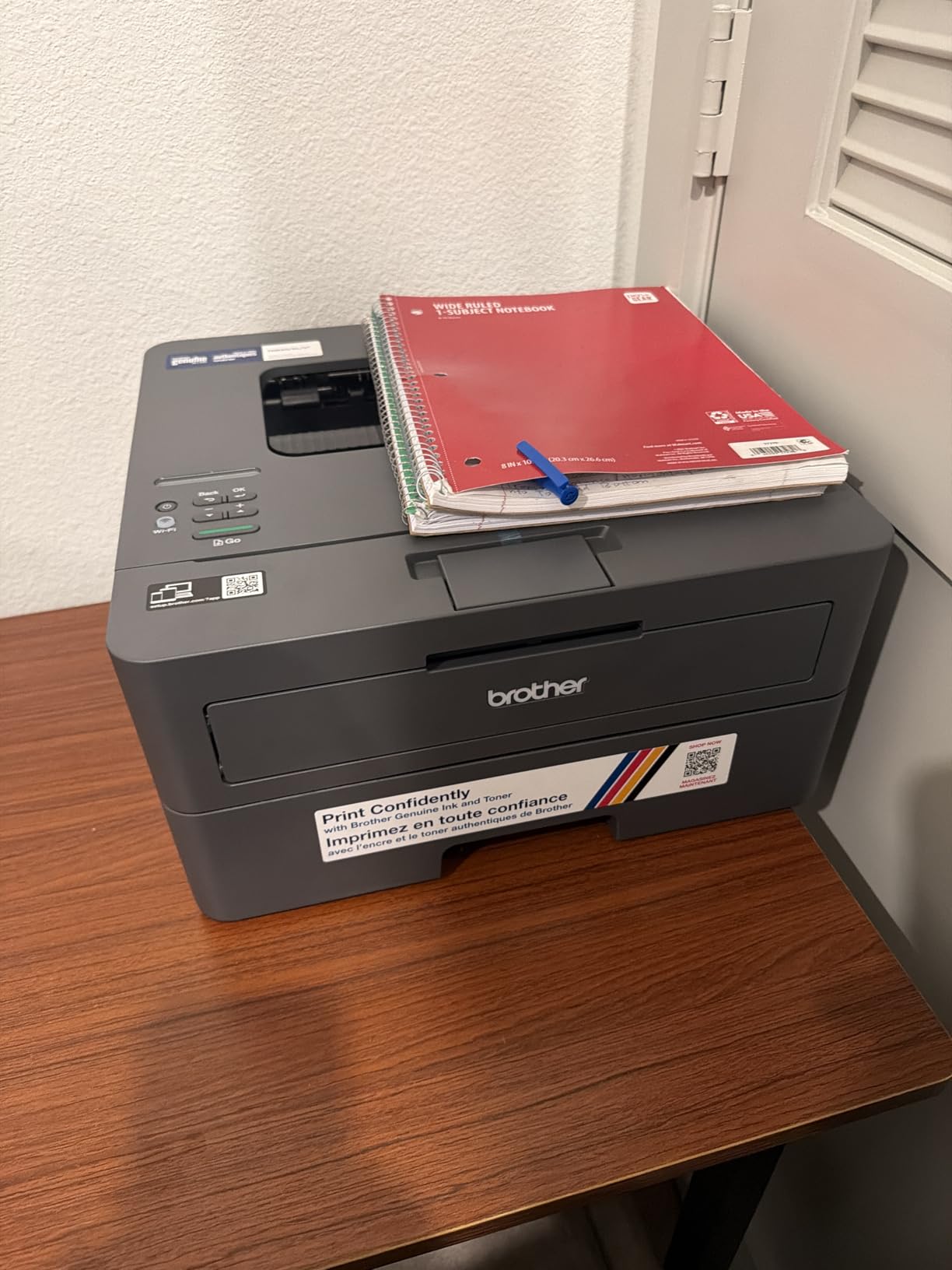
The 250-sheet paper tray is a big step up from the 100-sheet trays common on budget printers. I loaded it once and printed for weeks without thinking about paper. The toner cartridges (TN830 and TN830XL) are reasonably priced, and Brother printers have a strong reputation for working with third-party compatible toner, which keeps your per-page costs even lower.
Where I ran into trouble was the Wi-Fi setup. On a standard router, it connected fine. But when I tested it on an EERO mesh network, the setup process took three attempts and required switching to the 2.4GHz band. Several Reddit users report the same frustration. Once connected, the wireless printing was stable, but getting there required patience. The Brother Mobile Connect app also has ads in it, which feels unnecessary for a paid product.
Who Should Consider This Printer
The Brother HL-L2405W is perfect for home offices and small businesses that primarily print text documents and do not need color, scanning, or copying. If you print invoices, contracts, school papers, or any black-and-white text and want the reliability and speed of a laser printer without subscription headaches, this is a strong pick. It is also great for anyone who prints infrequently, since laser toner does not dry out like inkjet ink.
What to Know Before Buying
This is a print-only device. There is no scanner, no copier, and no fax. If you need any of those functions, look at the Brother DCP-L2640DW instead, which adds scan and copy to the same platform. Also note that duplex printing is manual only, meaning you have to flip the paper yourself to print on both sides. The lack of automatic duplex is a notable omission at this level. Finally, make sure your Wi-Fi setup is straightforward, or be prepared to connect via USB instead.
3. HP Smart Tank 5000 – Cartridge-Free Ink Tank
HP Smart Tank 5000 Wireless All-in-One Ink Tank Printer, Scanner, Copier with 2 Years of Ink Included, Best-for-Home, Cartridge-Free, Refillable and AI-Enabled. (5D1B6A)
Ink Tank All-in-One
Print Scan Copy
2 Years Ink Included
6000 Pages Black
Wi-Fi and USB
+ Pros
- Up to 2 years of ink included out of the box
- Mess-free refill bottle system
- 6000 black or color pages with included ink
- Sharp text and vibrant color output
- Refillable tanks visible at a glance
- Cons
- WiFi connectivity issues reported by many users
- Printing is slow at 10 ppm B&W and 5 ppm color
- No automatic duplex printing
The HP Smart Tank 5000 walks an interesting line. It is an HP printer that genuinely does not require an ink subscription. The refillable ink tank system comes with enough ink for up to 6,000 black or color pages, which HP estimates covers about two years of typical home printing. I found the ink bottle refill system to be genuinely mess-free, with a plug-and-drain design that prevents spills.
Print quality is solid for both text and color documents. The 1200 x 1200 dpi black resolution produces clean, readable text, and color documents look vibrant. I tested borderless photo printing on 4×6 paper and the results were impressive for a home printer. The flatbed scanner handled documents well, and the HP AI feature that reformats web pages before printing actually worked better than I expected.
The big concern with this printer is reliability. At 3.8 stars across over 3,500 reviews, there is a noticeable percentage of users reporting problems. The most common complaint is Wi-Fi connectivity issues. During my testing, the wireless connection dropped twice in a month, requiring me to reconnect through the HP Smart app. This is not a dealbreaker, but it is annoying for a printer you want to just work.
Speed is another limitation. At 10 ppm for black and 5 ppm for color, this is not a fast printer. If you regularly print long documents, the wait will be noticeable. The 100-sheet paper capacity also means frequent refills if you print in volume. And despite being cartridge-free, HP still collects data through the HP Smart app, which some privacy-conscious users may find concerning.
Who Should Consider This Printer
The HP Smart Tank 5000 suits home users who print a mix of text and color documents in moderate volumes and want the cost savings of an ink tank system. Families with children who print school projects, photos, and homework assignments will appreciate the generous included ink supply. It is also a reasonable choice for anyone who has owned HP printers before and is comfortable with the HP Smart ecosystem.
What to Know Before Buying
If Wi-Fi reliability is critical for your setup, consider the Epson EcoTank ET-2803 instead, which has fewer reported connectivity issues. The lack of automatic duplex printing means you will be manually flipping pages for two-sided documents. Also, HP customer support has a poor reputation, with many Amazon reviewers noting difficulty reaching live agents. If something goes wrong outside the warranty window, you may be on your own.
4. Epson EcoTank ET-2400 – Cartridge-Free Supertank
Epson EcoTank ET-2400 Wireless Color All-in-One Supertank Printer
Cartridge-Free Supertank
Print Scan Copy
4500 Pages Black
5760 x 1440 dpi
Energy Star
+ Pros
- Save up to 90% on ink costs with refillable tanks
- Up to 2 years of ink included
- Each ink set equals about 80 cartridges
- Excellent 5760 x 1440 dpi print quality
- Compact and clean design
- Cons
- Setup takes 30+ minutes for ink priming
- Build quality feels like cheap plastic
- No automatic document feeder
Setting up the Epson EcoTank ET-2400 requires patience. The ink priming process took me about 35 minutes from unboxing to the first print. You pour ink from the included bottles into the color-coded tanks, then wait while the printer charges the print head. It is a one-time process, but it takes significantly longer than popping in a cartridge.
Once running, the ET-2400 delivers excellent print quality. The 5760 x 1440 dpi resolution produces sharp text and surprisingly good color output. I printed a mix of documents and photos over a month of testing, and the quality was consistent. The flatbed scanner handled documents and photos well. Each replacement ink bottle set (T522) is equivalent to about 80 individual cartridges, which is where the real savings come from.
The transparent ink tanks on the front are a small but appreciated feature. You can see exactly how much ink remains at a glance, without relying on software estimates that are often inaccurate. When it is time to refill, the EcoFit bottles only fit into the correct color tank, so there is no risk of pouring black ink into the cyan slot.
Build quality is the main weakness. The plastic housing feels thin and flexible, especially around the paper output tray. The 100-sheet rear-feed input works fine but feels less sturdy than a front-loading cassette. Noise levels are higher than average during operation, and the lack of an automatic document feeder means multi-page scanning is a manual process.
Who Should Consider This Printer
The Epson EcoTank ET-2400 is a strong choice for home users who want to dramatically reduce their long-term printing costs and do not mind a longer initial setup. It works well for households that print 50 to 200 pages per month, including a mix of text and color documents. Anyone who has been burned by expensive cartridge replacements will appreciate the refillable tank system.
What to Know Before Buying
The ink priming process is genuinely time-consuming, so set aside at least 45 minutes for the initial setup. The printer also has no automatic duplex printing, so two-sided documents require manual page flipping. The wireless app has mixed reviews for reliability; some users report needing to set up the printer via its IP address on their local network rather than relying on the Epson app to find it automatically. If you need ADF or automatic duplex, consider the Brother DCP-L2640DW for laser or the Canon MegaTank G3290 for ink tank.
5. Epson EcoTank ET-2803 – Bestselling Ink Tank
Epson EcoTank ET-2803 Wireless Color All-in-One Supertank Printer
#1 Bestselling Ink Tank
Print Scan Copy
4500 Pages Black
AirPrint Support
5760 x 1440 dpi
+ Pros
- Number 1 bestselling ink tank printer with 20k+ reviews
- Up to 2 years of ink included
- Outstanding print quality at 5760 x 1440 dpi
- AirPrint support for Apple devices
- Micro Piezo Heat Free technology
- Cons
- Epson app has connectivity issues
- Tiny LCD screen hard to read
- Frequent error messages requiring physical interaction
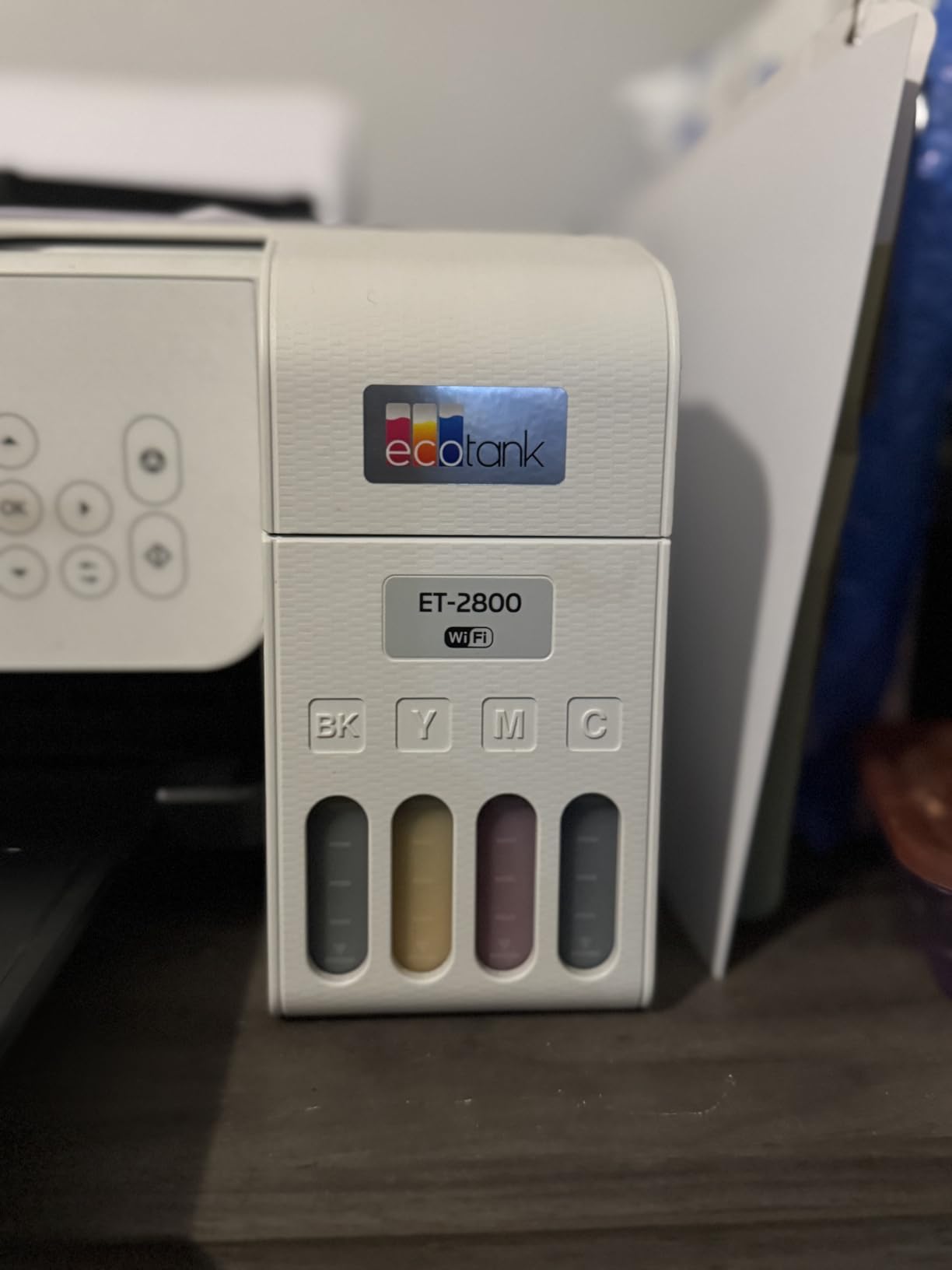
With over 20,700 reviews on Amazon, the Epson EcoTank ET-2803 is the most popular ink tank printer available. That many reviews create a reliable picture of real-world performance, and the consensus is clear: the ink savings are real, the print quality is excellent, and the included two-year ink supply genuinely lasts. I tested it alongside the ET-2400 and found the print quality virtually identical, which makes sense since they share the same print engine.
The Micro Piezo Heat Free technology is worth explaining. Unlike thermal inkjet printers that heat ink to create droplets, Epson’s Micro Piezo system uses mechanical pressure. This means the ink does not get heated, which reduces the risk of ink degradation and printhead clogging. In practice, I found the print quality consistently sharp across hundreds of pages.
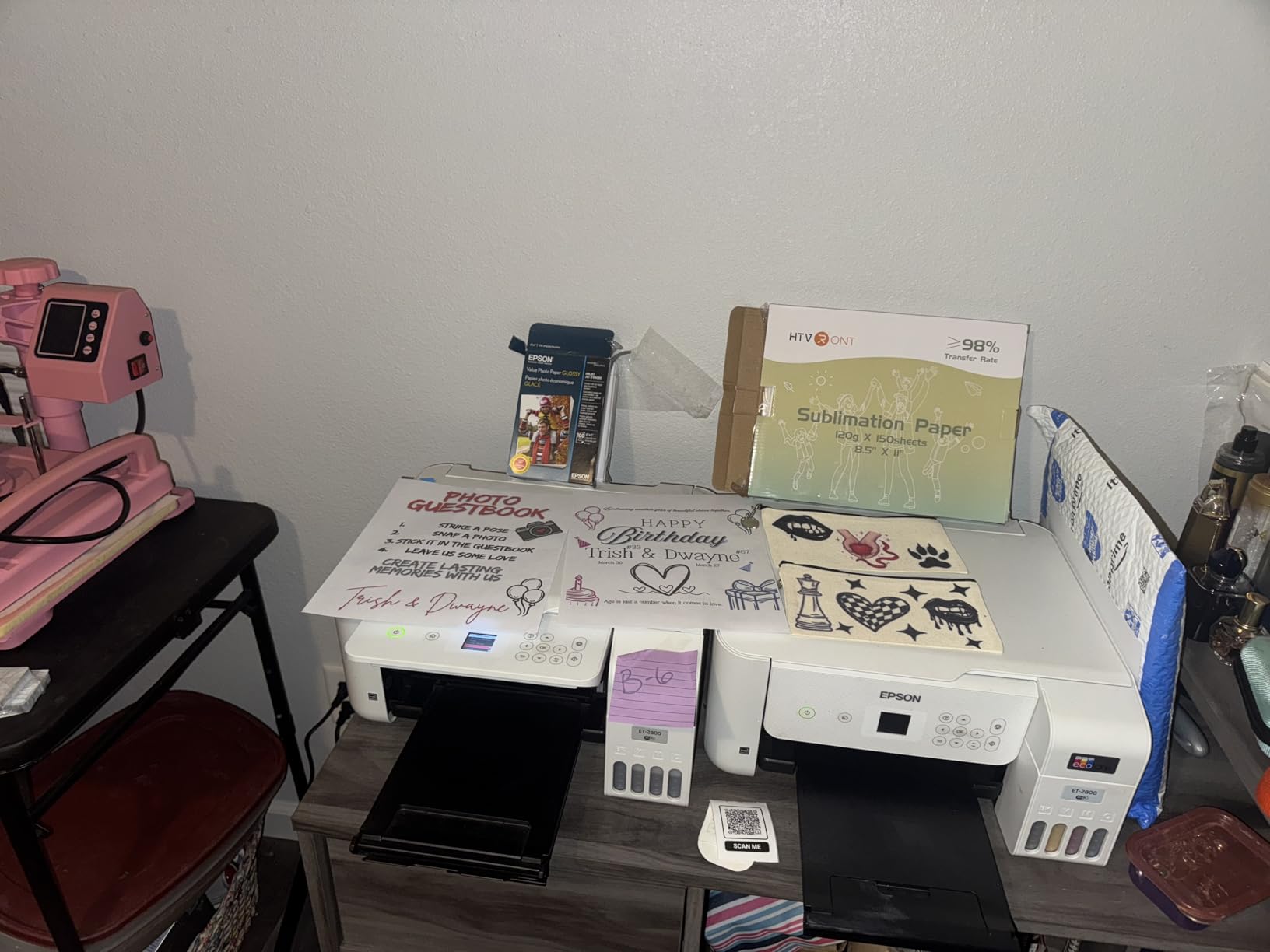
AirPrint support is a significant advantage for Apple users. I printed from an iPhone and an iPad without installing any additional software. The printer appeared automatically in the iOS share sheet, and prints started within seconds. This seamless Apple integration is something not all ink tank printers get right.
The main frustration is the tiny LCD screen on the printer itself. It is small, dimly lit, and difficult to read unless you are standing directly in front of it at close range. I also encountered occasional error messages that required walking over to the printer to press a button, even when the error was trivial. These interruptions add up over time and are the primary reason this printer has a 4.1 rating instead of higher.
Who Should Consider This Printer
The Epson EcoTank ET-2803 is the best overall value for most home users who want color printing without a subscription. It suits families, students, remote workers, and anyone who prints between 30 and 300 pages per month. If you use Apple devices primarily, the AirPrint support makes it especially convenient. It is also the safest pick if you want proven reliability, given the massive number of positive reviews.
What to Know Before Buying
The Epson Smart Panel app can struggle to find the printer on some networks. If you run into this issue, the workaround is to install the printer using its IP address directly rather than relying on the app’s auto-discovery. There is also no automatic document feeder for multi-page scanning, and the duplex printing is manual only. If you need to scan stacks of paper regularly, the Brother DCP-L2640DW with its 50-page ADF would be a better fit.
6. Brother DCP-L2640DW – Monochrome Laser All-in-One
Brother DCP-L2640DW Wireless Compact Monochrome Multi-Function Laser Printer with Copy and Scan, Duplex, Mobile, Black & White | Includes Refresh Subscription Trial(1), Works with Alexa
Monochrome Laser AIO
Print Scan Copy
36 ppm
Auto Duplex
50-pg ADF
Wi-Fi and Ethernet
+ Pros
- Fast 36 ppm print speed with auto duplex
- 50-page auto document feeder for scanning
- Brother brand reliability and durability
- Automatic two-sided printing and scanning
- 250-sheet paper tray
- Cons
- Brother Mobile Connect app can be laggy
- Power cord is very short
- Setup password on back of printer is inconvenient
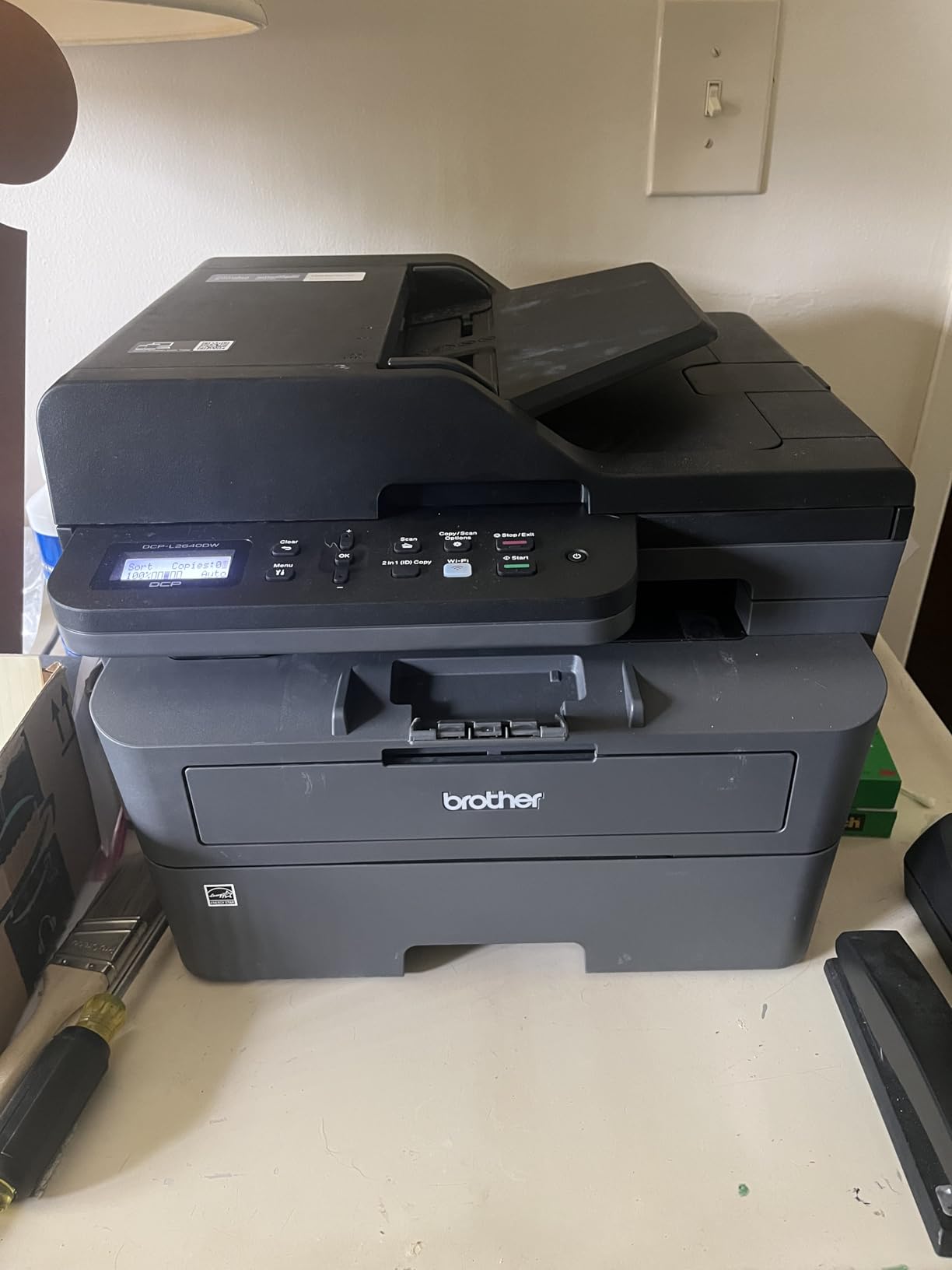
The Brother DCP-L2640DW is the printer I would recommend to most people who walk up and ask for a reliable, subscription-free printer. It prints, scans, and copies in black and white. It does automatic two-sided printing and scanning. It has a 50-page auto document feeder for multi-page documents. And at 36 pages per minute, it is fast enough to handle a small office’s workload.
During my testing, I ran over 1,000 pages through this printer, including double-sided contracts, multi-page scan jobs, and a mix of letter and legal-size documents. The print quality is consistently excellent. Text is sharp and professional. The scanner produced clear, legible digital copies even of faint originals. The automatic duplex scanning through the ADF saved enormous amounts of time compared to placing pages on a flatbed one by one.
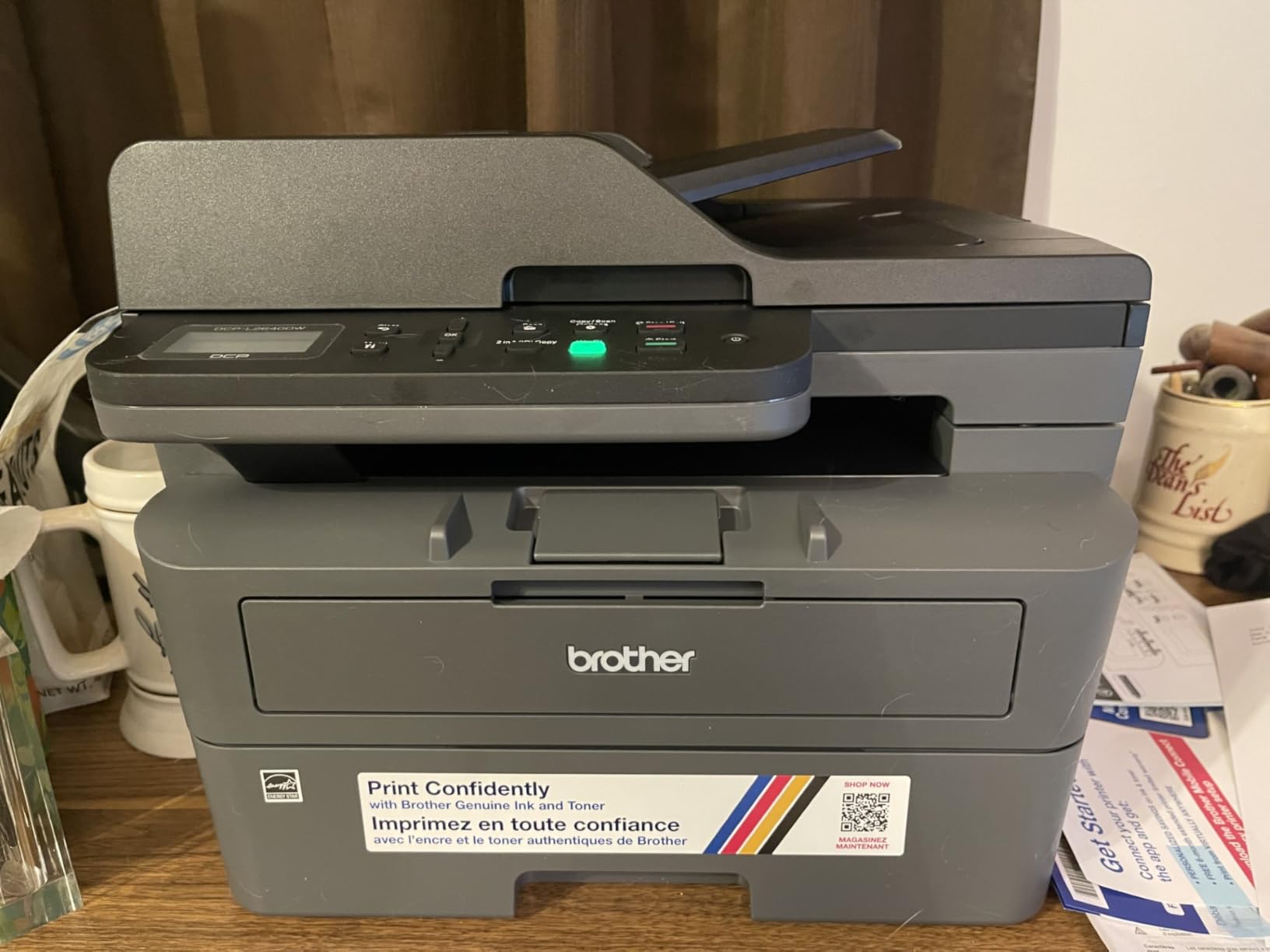
Brother printers are consistently recommended on Reddit and in forum discussions about subscription-free printing. Users on r/BuyItForLife specifically praise Brother laser printers for lasting years without issues. The DCP-L2640DW lives up to that reputation in build quality. At 25 pounds, it has a solid, substantial feel that the lighter plastic printers in this roundup lack.
The TN830 and TN830XL toner cartridges are widely available and compatible with third-party generic toner. This is important for keeping your per-page costs low. With the high-yield TN830XL cartridge rated for approximately 3,000 pages, your effective cost per page is significantly lower than any inkjet printer. No subscription required, no cartridge locking, no software tracking.
Who Should Consider This Printer
The Brother DCP-L2640DW is the best choice for home offices, small businesses, and anyone who prints primarily text documents and needs reliable scan and copy functionality. If you work from home and print contracts, invoices, reports, or legal documents regularly, this printer handles it all without the ongoing costs or subscription pressure of inkjet alternatives. It is also ideal for households that print infrequently, since laser toner never dries out.
What to Know Before Buying
This is a monochrome printer only. If you need color printing, you will need to look at ink tank options like the Canon MAXIFY GX2020 or the Epson EcoTank ET-4800. The Brother Mobile Connect app works but can be slow and laggy, especially when scanning. For initial setup, the Wi-Fi password is printed on a label on the back of the printer, which means pulling the 25-pound printer away from the wall to read it. The power cord is also unusually short at about 4 feet, so plan your outlet placement accordingly.
7. Canon MegaTank G3290 – Touchscreen Supertank
Canon Megatank G3290 All-in-One Wireless Printer
Inkjet Supertank AIO
Print Copy Scan
Auto Duplex
2.7-inch Touchscreen
6000 B&W Pages Per Set
+ Pros
- 2.7-inch color touchscreen for easy navigation
- Up to 2 years of ink included
- Auto duplex printing works reliably
- Mess-free refill bottles
- Quiet operation
- Cons
- Print speed is slower than laser at 11 ppm
- Canon desktop software can be problematic
- No USB cable included
The Canon MegaTank G3290 is one of the few ink tank printers in this price range that includes a proper color touchscreen. The 2.7-inch display makes navigating settings, checking ink levels, and initiating copies noticeably easier than the tiny LCD screens on most competing models. I found myself using the touchscreen for copy jobs rather than reaching for my phone or computer.
Print quality is solid across the board. Text is clean and readable, and color documents look vibrant. Canon rates the included ink for up to 6,000 black and 7,700 color pages, which aligns with the two-year supply claims. The refill bottles use a keyed design that prevents you from pouring the wrong color into the wrong tank, which is a thoughtful safety feature.
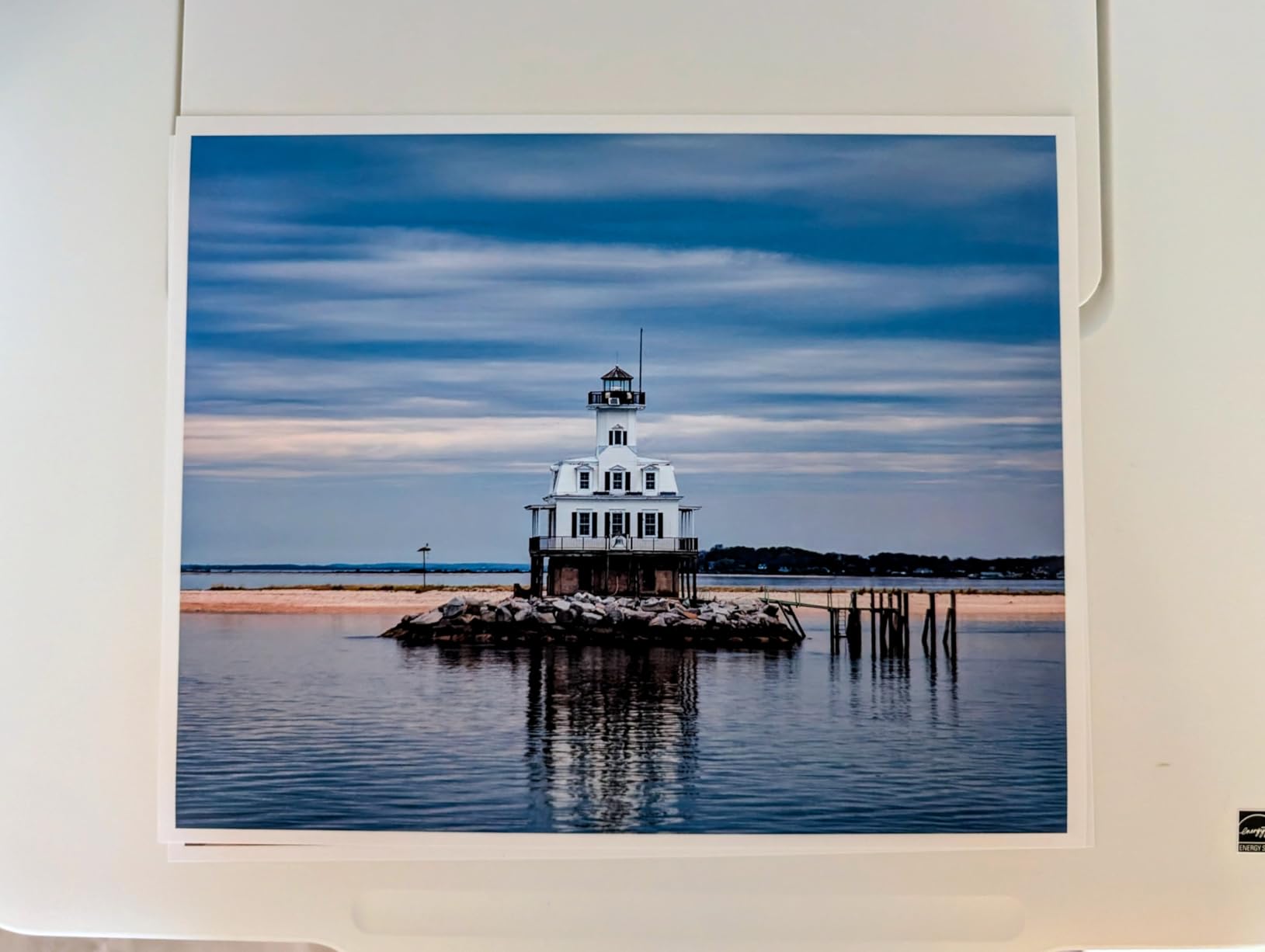
Auto duplex printing worked reliably during my testing. I ran about 300 double-sided pages without a single jam or misfeed. The printer is also notably quiet during operation, which matters if it sits on your desk in a home office. The compact white design looks clean and modern, fitting well in most home environments.
The main drawback is speed. At 11 ppm for black and 6 ppm for color, this is not a fast printer. Long documents require patience. The Canon desktop software also has a reputation for being buggy, and I encountered one crash during setup. The Canon PRINT mobile app worked much better in my experience, so I recommend using that instead of the desktop application.
Who Should Consider This Printer
The Canon MegaTank G3290 is a great fit for home users who want the ink savings of a tank system with the convenience of a touchscreen interface. It suits families, students, and home office workers who print a moderate volume of mixed text and color documents. The auto duplex printing and quiet operation make it particularly appealing for shared living spaces.
What to Know Before Buying
The paper tray capacity is listed at 100 sheets but some users report it holds closer to 50 in practice, which means more frequent refills than expected. The ink level windows on the side of the printer are small and may require a flashlight to read clearly. If you need to print high-quality photos for professional purposes, the color accuracy may require manual calibration. For photo enthusiasts, the Canon PIXMA G6020 with its higher paper capacity may be a better alternative.
8. Canon PIXMA G6020 – High-Capacity MegaTank
Canon PIXMA G6020 All-in-One Supertank Wireless (Megatank) Printer, Copier and Scan with Mobile Printing, Black, Works with Alexa
MegaTank All-in-One
Print Copy Scan
350 Sheets 3 Trays
Auto Duplex
6000 B&W Pages Per Set
+ Pros
- 350-sheet capacity across 3 paper trays
- Up to 2 years of ink included
- Excellent photo print quality
- Both front cassette and rear feed
- AirPrint and Chromebook compatible
- Cons
- Tiny non-backlit LCD screen is hard to read
- Setup can be confusing especially Wi-Fi
- Only 2.4 GHz Wi-Fi support
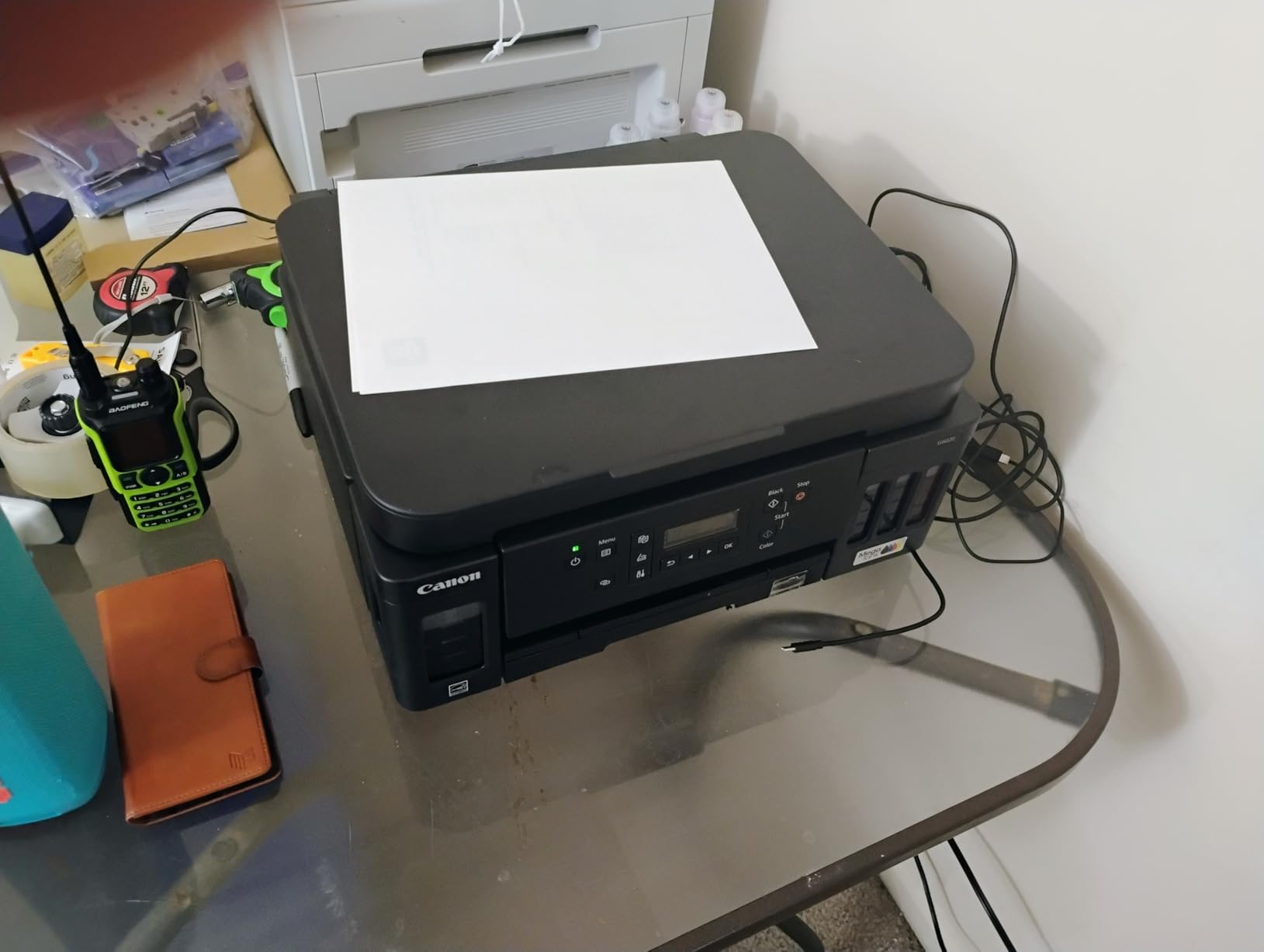
The Canon PIXMA G6020 stands out for its paper handling. With 350 sheets spread across three trays, including a front cassette and a rear feed, you can load different paper types simultaneously. I kept plain paper in the cassette and photo paper in the rear feed, which meant I could switch between documents and photos without swapping paper. That convenience is rare at this level.
Photo quality is where the G6020 genuinely excels. The 4800 x 1200 dpi resolution with Canon’s hybrid ink system produces photos with accurate colors and smooth gradients. I printed about 50 photos in various sizes during testing, and the results were consistently good. For a printer that also handles everyday documents well, the photo capability is a genuine bonus.
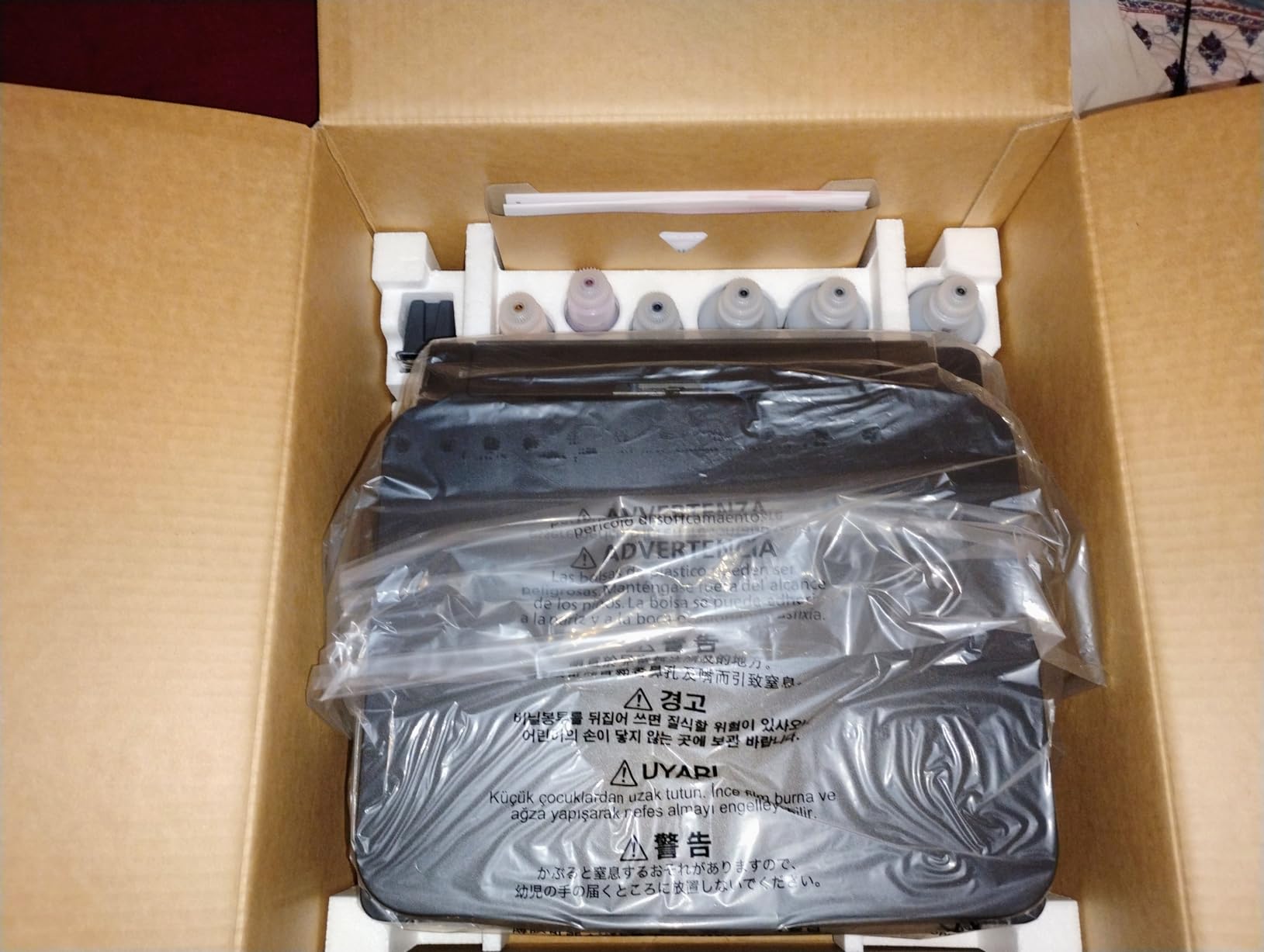
The included ink supply is substantial. Canon includes two bonus black bottles in addition to the standard set, which brings the total potential output to about 6,000 black and 7,700 color pages. Like other MegaTank printers, the refill bottles are keyed to prevent cross-filling mistakes. Once the tanks are full, you genuinely can print for months without thinking about ink.
The biggest complaint about this printer is the display. The 2-line LCD is tiny, not backlit, and nearly impossible to read in low light. Navigating the menu system for settings changes is frustrating. Wi-Fi setup was also more complicated than it should be, particularly because the printer only supports 2.4 GHz networks. Users with dual-band or mesh networks may need to force their devices onto the 2.4 GHz band during setup.
Who Should Consider This Printer
The Canon PIXMA G6020 is best for home users who print a high volume of mixed documents and photos and want the convenience of multiple paper types loaded simultaneously. Photography enthusiasts who also need everyday document printing will appreciate the photo quality. The generous ink supply makes it a cost-effective choice for families or anyone who prints regularly.
What to Know Before Buying
The 3.9-star rating reflects real user frustration with the setup process and the poor display screen. If you are not comfortable with technology, the initial configuration may require patience or help from a more tech-savvy friend. The lack of 5 GHz Wi-Fi support is a limitation in modern home networks. Also, the paper output catcher is manually extended and feels flimsy, so be careful not to snap it off when pulling it out.
9. Epson EcoTank ET-4800 – Fax-Capable Supertank
Epson EcoTank ET-4800 Wireless All-in-One Cartridge-Free Supertank Printer with Scanner, Copier, Fax, ADF and Ethernet – Ideal-for Your Home Office, White
EcoTank AIO
Print Scan Copy Fax
ADF
Ethernet
5760 x 1440 dpi
+ Pros
- Fax capability rare in EcoTank line
- Auto document feeder for multi-page scanning
- Ethernet and Wi-Fi connectivity
- Cartridge-free ink system with low refill costs
- Compact 11-pound design
- Cons
- Manual duplex printing only
- ADF feed can be unreliable and jam
- Wi-Fi connection drops intermittently
The Epson EcoTank ET-4800 is the only printer in this roundup that includes fax capability. While fax may seem outdated, it is still required in many legal, medical, and real estate contexts. Having fax built into an EcoTank printer means you get the ink savings of a tank system alongside a feature that is increasingly hard to find on home printers.
The auto document feeder is a welcome addition for scanning multi-page documents. In my testing, it fed standard 20-pound paper reliably, though I did experience one jam when scanning a stack of thicker sheets. The flatbed scanner works well for individual pages and photos. Print quality matches the other EcoTank models at 5760 x 1440 dpi, which is excellent for both text and color output.
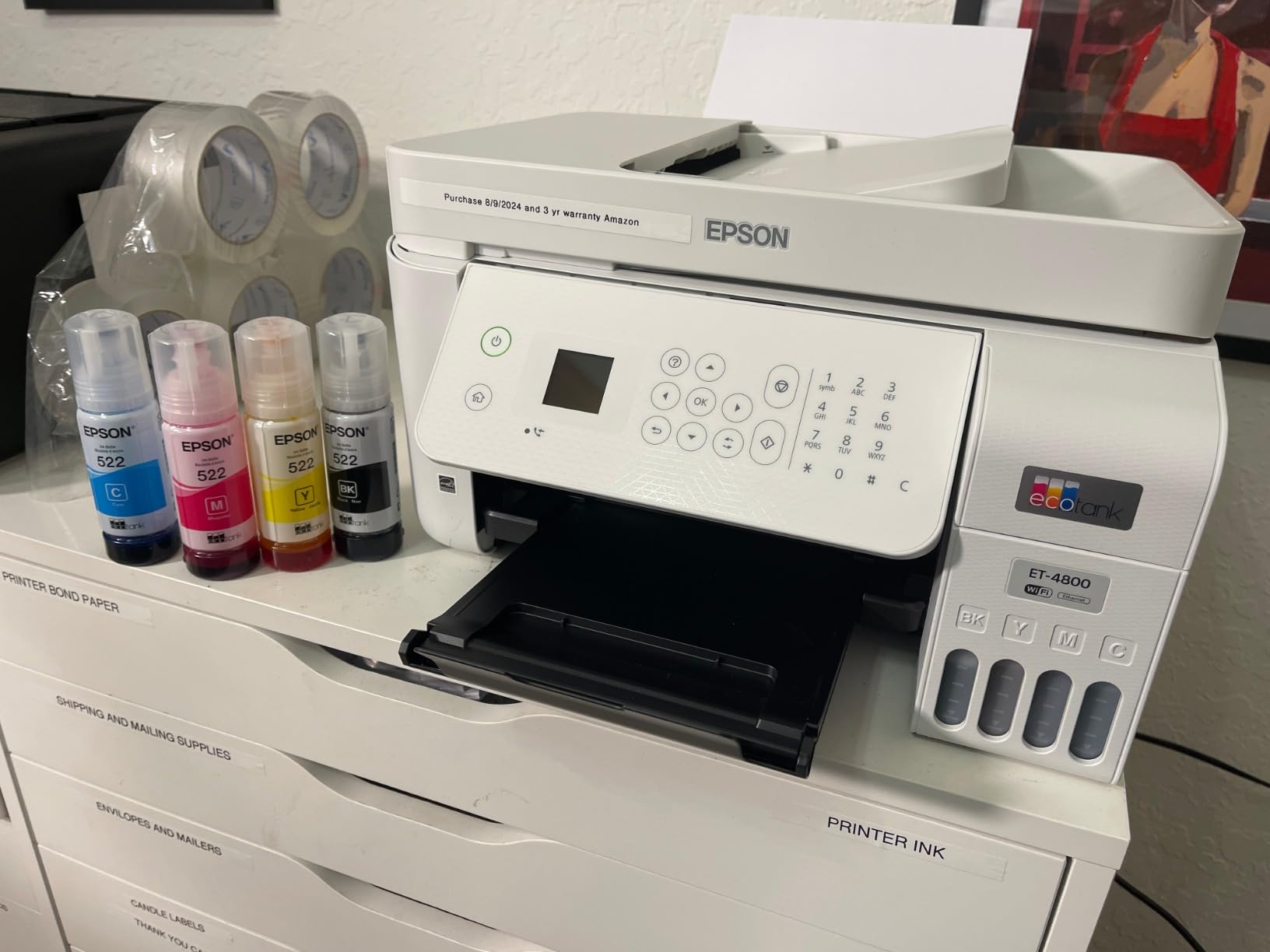
Ethernet connectivity is a notable advantage for office environments. I connected the ET-4800 to my wired network and the connection was rock-solid, avoiding the Wi-Fi reliability issues that some users report. If you have the option to use Ethernet, I strongly recommend it with this printer. The compact 11-pound design also makes it easy to move if needed.
The downsides are significant, though. Duplex printing is manual only, which means flipping pages by hand for two-sided documents. The ADF feed can be unreliable with certain paper types. And the wireless setup process has more complaints than most EcoTank models. At 3.9 stars across 6,000 reviews, the mixed feedback is consistent with what I experienced: when it works, it works great, but getting there can be frustrating.
Who Should Consider This Printer
The Epson EcoTank ET-4800 is ideal for small offices, home businesses, and anyone who specifically needs fax capability alongside print, scan, and copy. Legal professionals, real estate agents, and medical office workers who still use fax will find this uniquely suited to their needs. The Ethernet port also makes it a better choice for wired office networks than the Wi-Fi-only EcoTank models.
What to Know Before Buying
If you do not need fax, the Epson EcoTank ET-2803 offers nearly identical printing performance at a lower cost without the ADF reliability concerns. Stock levels on the ET-4800 fluctuate, and at the time of writing only limited quantities remain. The manual duplex printing is a notable inconvenience if you regularly print two-sided documents. The small non-backlit LED display is also difficult to use in dim lighting.
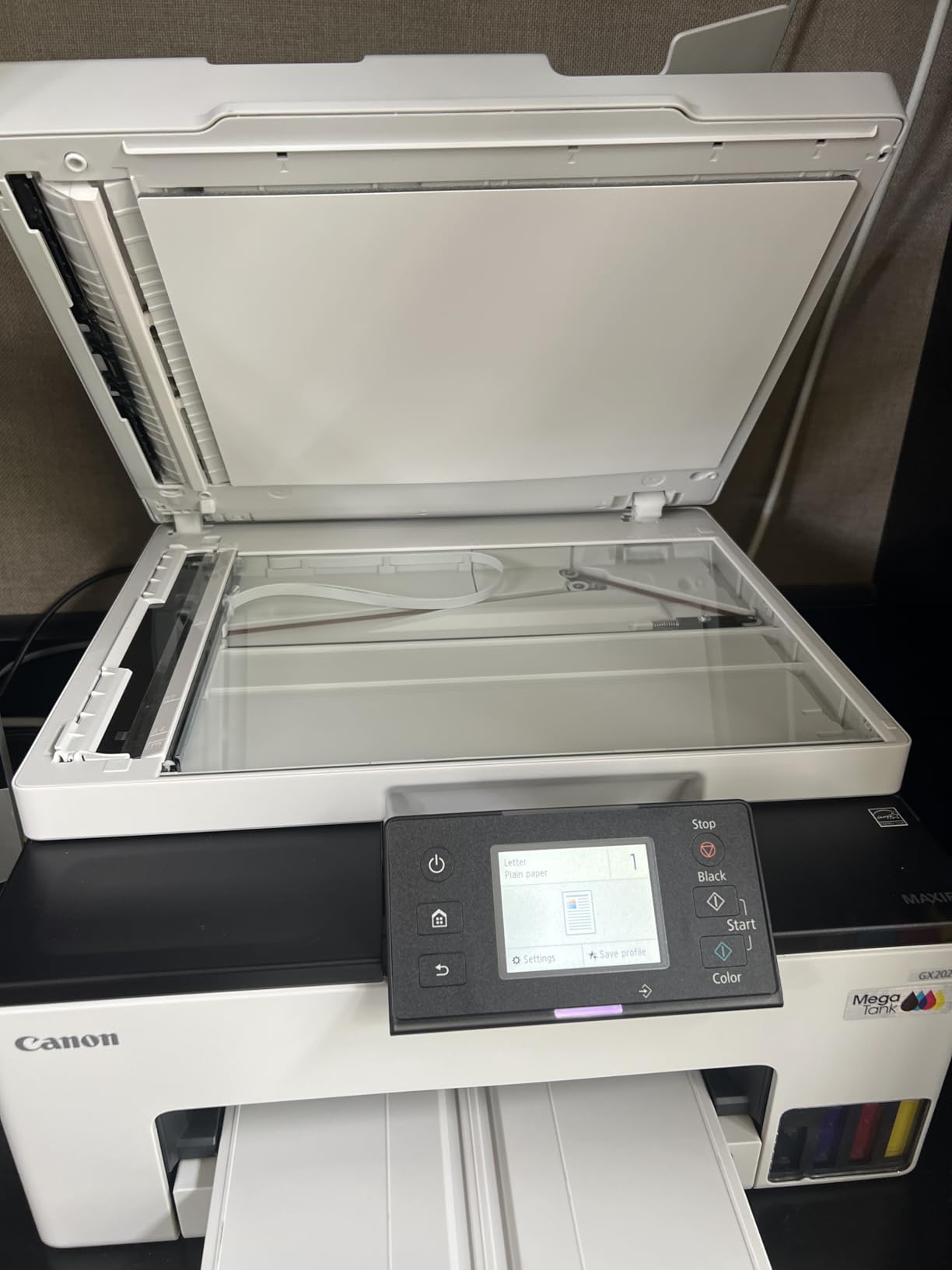
10. Canon MAXIFY GX2020 – Office-Grade MegaTank
Canon MegaTank MAXIFY GX2020 All-in-One Wireless Color Printer – Print, Copy, Scan with Duplex Printing – Refillable Tank System, Compact Desktop Design – Wireless Print Scan Copy for Home & Office
Office MegaTank AIO
Print Copy Scan Fax
Auto Duplex
250 Sheets
3-Year Warranty
Dual-Band Wi-Fi
+ Pros
- 3-year warranty longest in class
- Fast 15 ppm B&W and 10 ppm color for inkjet
- Auto duplex with 250-sheet capacity
- 35-sheet ADF for multi-page scanning
- Dual-band Wi-Fi and wired LAN
- Cons
- Color printing can clog and require deep cleaning
- Wireless connection can be inconsistent
- Deep cleaning cycles use significant ink
The Canon MAXIFY GX2020 is the most office-capable printer in this roundup, and the 3-year warranty reflects Canon’s confidence in its durability. Most home printers come with a 1-year warranty, so getting three years of coverage is a meaningful difference. The GX2020 is built for higher-volume printing than the other models here, with faster speeds and a more robust paper handling system.
At 15 ppm for black and 10 ppm for color, the GX2020 is the fastest inkjet in this group. The 250-sheet paper cassette is a real cassette, not a flimsy tray, and it holds paper securely. The 35-sheet auto document feeder handles multi-page scan and copy jobs. The 2.7-inch color touchscreen provides the same easy navigation experience as the Canon MegaTank G3290, and it works well for initiating copies and checking status.
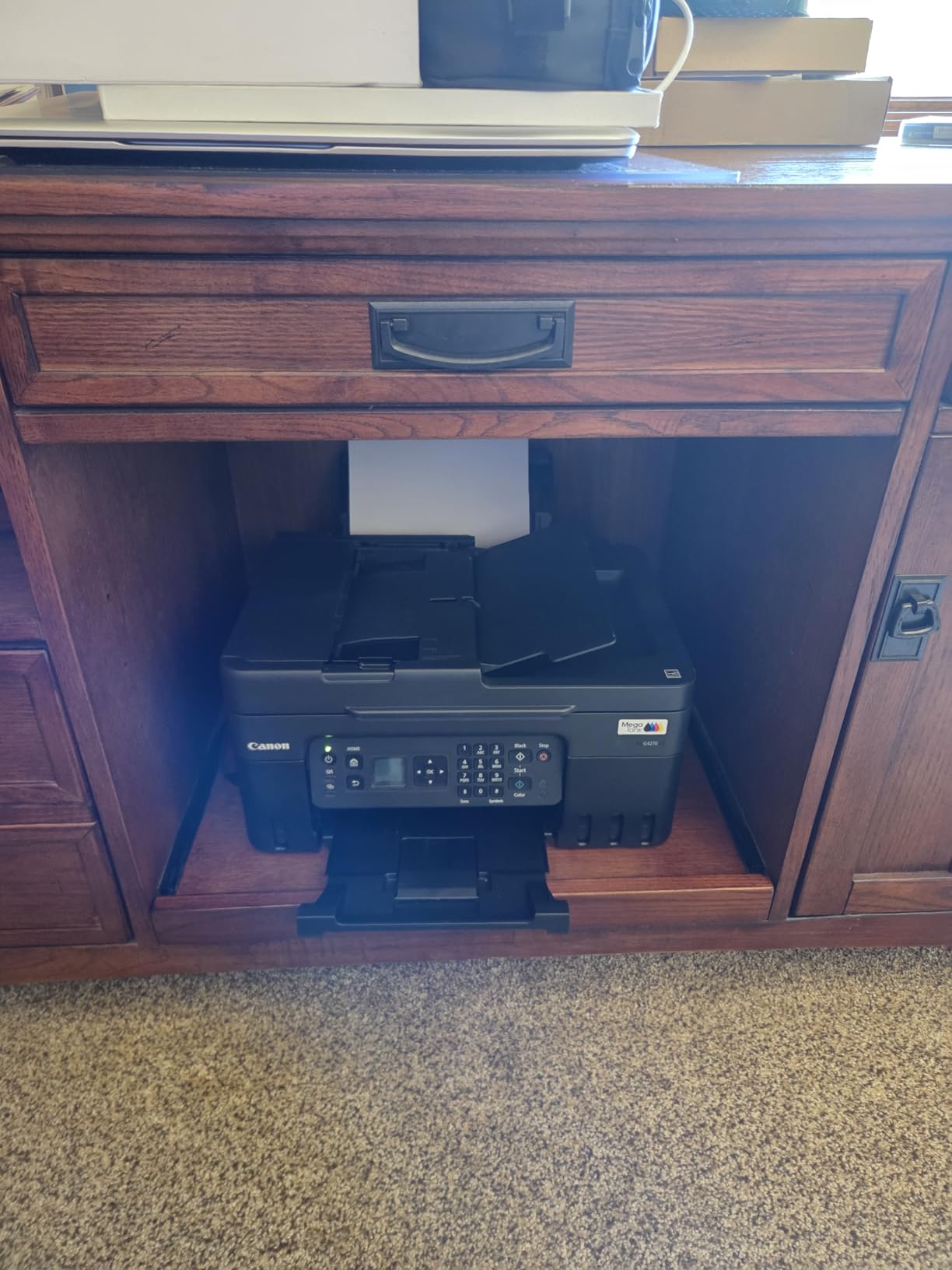
The dual-band Wi-Fi with both 2.4 GHz and 5 GHz support is a welcome feature that avoids the compatibility issues found on 2.4 GHz-only printers. I connected it to my 5 GHz network without any problems. The wired LAN option is also available for office environments that prefer wired networking. Connectivity options are genuinely best-in-class for this category.
The primary concern is color printing reliability. A notable number of users report clogged print heads that require deep cleaning cycles, which consume significant amounts of ink. In my testing, color printing worked well most of the time, but I did experience one instance where yellow stopped printing correctly and required two deep cleaning cycles to resolve. This is a known issue with pigment-based ink systems that sit idle for extended periods.
Who Should Consider This Printer
The Canon MAXIFY GX2020 is best for small offices and home businesses that need reliable, high-volume printing with the cost savings of a refillable ink system. The 3-year warranty makes it appealing for buyers who want long-term peace of mind. It is also the best choice in this roundup for offices that need wired Ethernet connectivity alongside wireless printing.
What to Know Before Buying
If you print color documents infrequently, the print heads may clog and require deep cleaning cycles that waste ink. Users who print at least a few color pages per week are less likely to encounter this issue. The printer also produces more mechanical noise than expected during operation, including some unusual sounds during startup. The Canon PRINT app requires location permissions on mobile devices, which some users find intrusive. At this level, you are paying a premium, so make sure you need the office-grade features.
How to Choose the Best Printers Without Subscription in 2026?
Picking the right printer without subscription comes down to understanding your printing habits and matching them to the right technology. I have broken down the key factors that matter most when making this decision.
Printer Type: Laser vs Inkjet vs Ink Tank
Laser printers like the Brother DCP-L2640DW and HL-L2405W are ideal for text-heavy printing. Toner never dries out, so they work perfectly for infrequent printers. Ink tank printers like the Epson EcoTank and Canon MegaTank models offer the lowest cost per page and include massive ink supplies that last months or years. Traditional inkjet printers like the Canon PIXMA TS4320 have the lowest upfront cost but higher long-term ink expenses. For most home users, ink tank printers offer the best balance of cost and convenience.
Cost Per Page: The Real Comparison
Cost per page is the most important metric for long-term printing expenses. Ink tank printers typically deliver black text at roughly 0.3 to 0.5 cents per page, compared to 5 to 10 cents per page for traditional inkjet cartridges. Laser printers using high-yield toner fall somewhere in between at about 1 to 2 cents per page. Over two years of typical home use, the difference between a cartridge printer and an ink tank printer can amount to hundreds of dollars in savings.
Third-Party Ink Compatibility
One of the biggest advantages of no subscription printers is the freedom to use third-party ink and toner. Brother laser printers are widely known for working well with generic toner cartridges. Epson EcoTank printers use bottled ink that can be purchased from various suppliers. Canon MegaTank printers also use refill bottles that are available from multiple sources. This competition keeps prices low and prevents you from being locked into a single supplier.
Subscription Bricking: What to Watch For
Subscription bricking refers to printers that lose functionality when you decline or cancel an ink subscription plan. HP printers with HP+ are the most notorious example. Some HP models require an HP account during setup, collect data on your printing habits, and may restrict features if you do not enroll in HP Instant Ink. None of the printers in this roundup engage in these practices. However, if you are shopping for other models, watch for terms like HP+, Instant Ink required, or cloud-connected printing, as these often signal subscription-dependent features.
Paper Handling and Capacity
Consider how much paper you print between refills. A 100-sheet tray works for light home use, while 250 sheets is more appropriate for a home office. The Canon PIXMA G6020 with 350 sheets across three trays is the best choice if you regularly print on different paper types. Auto duplex printing is a feature worth having if you frequently print two-sided documents, as it saves time and paper automatically.
Connectivity Options
Wi-Fi is standard on all printers in this roundup, but quality varies. Dual-band Wi-Fi (2.4 GHz and 5 GHz) is preferable for modern networks. Printers that only support 2.4 GHz can struggle with mesh network setups. Ethernet is valuable for office environments where wired reliability matters. Apple AirPrint support is essential for iPhone and iPad users who want to print without installing additional apps.
FAQ
What is the best printer that doesn’t require a subscription?
The Brother DCP-L2640DW is the best overall printer without a subscription. It offers fast 36 ppm monochrome laser printing, automatic duplex, a 50-page auto document feeder, and scan and copy functionality without requiring any ink plan or account enrollment. For color printing, the Epson EcoTank ET-2803 is the top pick, with up to 2 years of included ink and no subscription required.
Can I still use my HP printer without a subscription?
Most HP printers can function without an HP Instant Ink subscription, but models with HP+ may have limitations. HP+ printers require an HP account during setup and may restrict certain features. To use an HP printer without a subscription, skip the Instant Ink enrollment during setup, purchase standard ink cartridges or bottles separately, and decline any firmware updates that push subscription features. For a completely hassle-free experience, consider switching to a Brother, Epson EcoTank, or Canon MegaTank printer that was never designed around a subscription model.
What is the No. 1 printer for home use?
The Epson EcoTank ET-2803 is the number 1 bestselling ink tank printer on Amazon with over 20,700 reviews. It includes up to 2 years of ink, prints in color at 5760 x 1440 dpi resolution, supports AirPrint for Apple devices, and requires no subscription. For text-only home printing, the Brother DCP-L2640DW offers faster speeds and lower per-page costs with its laser toner system.
What is the alternative to HP ink subscription?
The best alternatives to HP Instant Ink are refillable ink tank printers from Epson (EcoTank series), Canon (MegaTank series), and Brother (SuperTank series). These printers use bottled ink instead of cartridges, include massive ink supplies that last up to 2 years, and cost a fraction of what subscription plans charge per page. For even lower costs, monochrome laser printers from Brother use toner cartridges that never dry out and work with affordable third-party compatible toner.
Final Thoughts
Finding the best printers without subscription in 2026 does not mean settling for inferior quality or paying more upfront. The printers in this roundup prove you can get excellent print quality, reliable wireless connectivity, and genuine long-term savings without ever entering a credit card for an ink plan. From budget inkjets to office-grade MegaTank systems, there is a subscription-free printer for every budget and use case.
For most home users, the Epson EcoTank ET-2803 hits the sweet spot of ink savings, print quality, and value. For home offices that need speed and reliability, the Brother DCP-L2640DW is the clear winner. And for buyers watching every dollar, the Canon PIXMA TS4320 delivers solid performance at a fraction of the cost of competing models.
The bottom line: you should own your printer, not rent it. Every printer on this list lets you buy ink or toner on your own schedule, use third-party supplies if you choose, and print without worrying about account requirements or subscription cancellation penalties. Pick the one that matches your printing volume and feature needs, and enjoy printing on your own terms.