
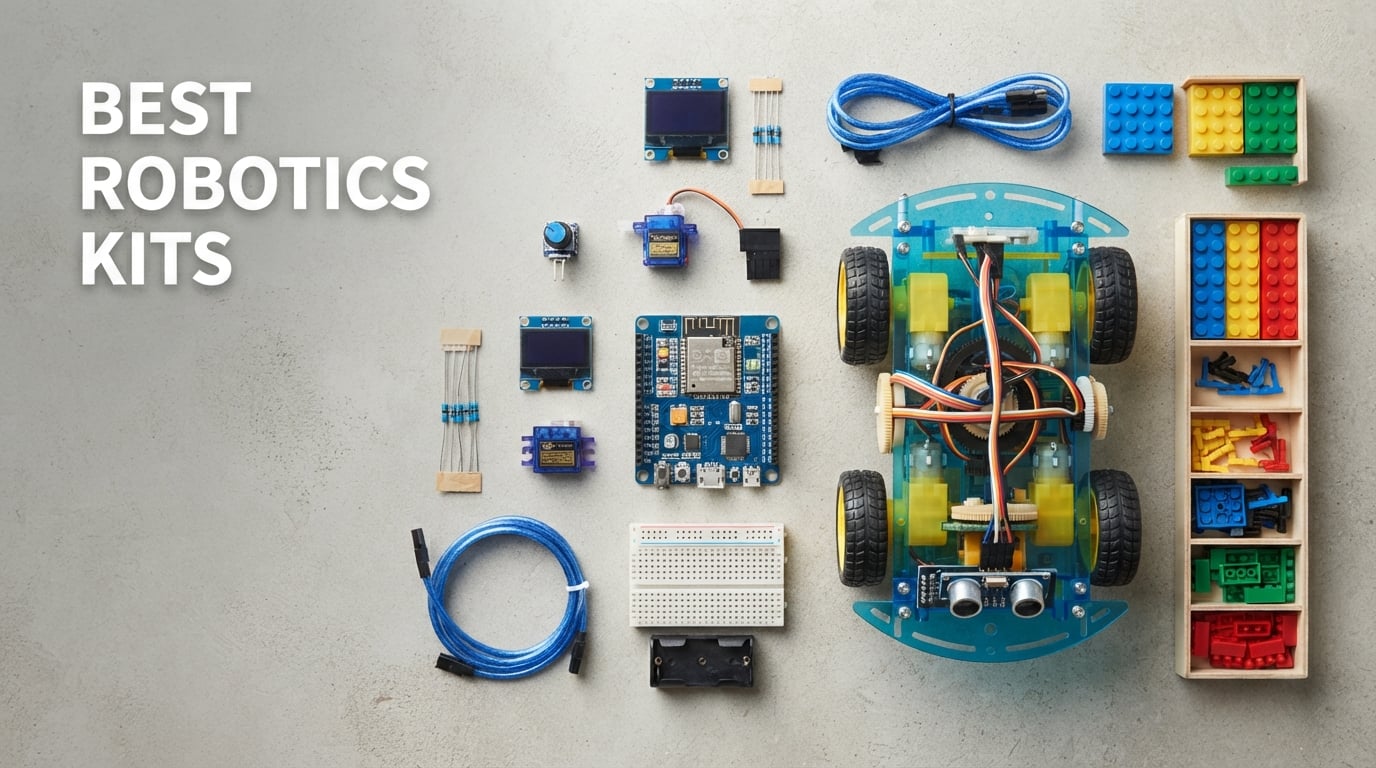
Finding the best robotics kits means sorting through dozens of options that promise to teach coding, electronics, and engineering all at once. Our team spent weeks comparing builds from Makeblock, ELEGOO, Sillbird, and Apitor to figure out which ones actually deliver on that promise. We looked at ease of assembly, programming flexibility, sensor variety, and how much room a kit leaves for growth after the first build is done.
The truth is, there is no single robotics kit that works for everyone. An 8-year-old taking their first steps in STEM needs something completely different from a teenager ready to wrestle with Arduino IDE and Python. A classroom teacher shopping for 30 students has different priorities than a hobbyist wanting a weekend project. That is why we broke our picks down by skill level, age range, and what each kit does best.
What surprised us most during testing was how wide the quality gap really is. Some kits in the $50 to $80 range outperformed $170 options in raw educational value. Others impressed us with hardware but shipped with tutorials so thin that beginners would stall out before learning anything meaningful. We paid close attention to that balance between hardware quality and the learning materials that come with it.
Our top eight picks cover every realistic scenario. You will find a sub-$15 solar-powered option for young builders, an entry-level programmable robot that teaches Scratch and Arduino in 15 minutes, and full Arduino starter kits packed with over 200 components for serious learners. Whether you are a parent, a teacher, or an adult picking up robotics for the first time, this guide will help you choose the right kit without wasting money on the wrong one.
Our Top 3 Tested Robotics Kits for Quick Decisions
If you want to skip the deep dive and just grab a proven pick, these three kits stood out from the pack. Each one earned its badge through hands-on testing, real user feedback, and a clear edge in its category.

Makeblock mBot Robot Kit
- Scratch and Arduino coding
- Metal chassis
- 15-minute build
- 100+ module compatibility

ELEGOO UNO Project Super…
- 22+ tutorial lessons
- UNO R3 board included
- Compatible with Arduino IDE
- No soldering needed
The Makeblock mBot wins our editor’s choice spot because it nails the balance between approachability and depth. Kids can build it in 15 minutes and start coding in Scratch the same afternoon. The Sillbird 12-in-1 Solar Robot takes best value for its sheer variety at a rock-bottom price, offering 12 different builds powered entirely by sunlight. And the ELEGOO UNO Super Starter Kit earned top rated honors thanks to its 4.7-star average across more than 16,500 reviews, making it the most beloved Arduino entry point on the market.
Comparing the Market’s Best Robotics Kits in 2026
Before we get into individual reviews, here is a side-by-side look at all eight kits. This comparison table covers the essentials so you can quickly narrow down which ones fit your needs.
| Product | Details | |
|---|---|---|
| Makeblock mBot Robot Kit |
|
Check Latest Price |
| ELEGOO UNO Super Starter Kit |
|
Check Latest Price |
 Makeblock mBot2 Coding Robot Makeblock mBot2 Coding Robot |
|
Check Latest Price |
 Apitor STEM Coding Robot 6-in-1 Apitor STEM Coding Robot 6-in-1 |
|
Check Latest Price |
 ELEGOO UNO R3 Smart Robot Car V4 ELEGOO UNO R3 Smart Robot Car V4 |
|
Check Latest Price |
 Makeblock mBot Ranger 3-in-1 Makeblock mBot Ranger 3-in-1 |
|
Check Latest Price |
 ELEGOO Mega R3 Ultimate Starter Kit ELEGOO Mega R3 Ultimate Starter Kit |
|
Check Latest Price |
| Sillbird 12-in-1 Solar Robot Kit |
|
Check Latest Price |
1. Makeblock mBot Robot Kit – Fastest Path from Build to Code
Makeblock mBot STEM Coding Toys Robotics for Kids Ages 8-12
Scratch and Arduino coding
Metal chassis
15-minute assembly
Ages 8+
+ Pros
- Easy 15-minute build with clear instructions
- Smooth entry into Scratch block coding
- Open-source system works with 100+ modules
- Metal construction feels durable
- Cons
- Requires 4 AA batteries not included
- Remote needs CR2025 battery not included
The Makeblock mBot is the kit I keep recommending to parents who want their kids to actually learn coding rather than just push buttons on a toy. Our team assembled one in about 15 minutes following the included instructions, and within the same afternoon we had it running line-following and obstacle-avoidance programs through the mBlock software. That fast feedback loop between building and programming is what makes this kit special.
What sets the mBot apart is its dual-path approach to programming. Younger kids can start with Scratch-based block coding in the mBlock app, dragging and dropping commands to control the robot. As they grow more confident, the same robot transitions to Arduino C++ programming through the Arduino IDE. You are not buying a one-trick toy. You are buying a learning platform that grows with the child.
The metal chassis is a noticeable step up from the plastic bodies on cheaper kits. It survives drops, handles classroom wear and tear, and gives the robot a solid feel that kids respect. With 2,862 reviews and a 4.6-star average, the community feedback backs up what we experienced firsthand.
Programming Flexibility and Software Support
The mBot ships with the mBlock 5 software, which is one of the most polished coding environments we tested in this price range. It supports Scratch 3.0 block coding out of the gate and transitions to Python and Arduino C++ as skills advance. Our team liked that the same software environment serves beginners and intermediate coders without requiring a switch to a new platform.
Makeblock also includes coding cards and structured lessons that walk new users through progressively harder challenges. This curriculum-style approach is a big deal for parents and teachers who may not know where to start. The robot supports line-following, obstacle avoidance, and remote control right out of the box.
Expandability Beyond the First Build
Where the mBot really pulls ahead is expandability. The open-source system is compatible with over 100 electronic modules and even works with LEGO parts. Our team tested it with add-on sensor packs and the integration was seamless. This means a child who outgrows the base kit can keep building on the same platform rather than starting over with a new product.
That long-term value is why the mBot earned our editor’s choice. At this price point, you are getting a kit that can last years if you invest in expansions. For families serious about STEM education, this is the kit that grows with your child.
Ideal User and Limitations
This kit is perfect for kids ages 8 to 12 who are ready for their first real coding experience. It also works well in classroom settings where teachers want a durable, well-documented platform. The main limitation is that you need to supply your own 4 AA batteries and a CR2025 coin cell for the remote, which are not included in the box.
2. ELEGOO UNO Project Super Starter Kit – Most Loved Arduino Entry Point
ELEGOO UNO R3 Project Super Starter Kit with PDF Tutorial for Beginners
22+ tutorial lessons
UNO R3 board included
Arduino IDE compatible
No soldering required
+ Pros
- Comprehensive PDF tutorial with 22+ lessons
- Pre-soldered LCD1602 module saves time
- Compatible with UNO R3 R4 MEGA and NANO
- Massive community support and resources
- Cons
- Power supply voltage should not exceed 9V
- Learning curve for absolute beginners
The ELEGOO UNO Project Super Starter Kit is the kit I wish I had when I first tried learning Arduino. With over 16,500 reviews and an 80 percent five-star rating, this is the most popular Arduino starter kit on the market for good reason. Our team opened the box and found everything needed to run 22 structured lessons, from the UNO R3 board to sensors, motors, displays, and a breadboard.
This is not a robot in the traditional sense. It is a component kit that teaches you how Arduino works from the ground up. You build circuits on a breadboard, write code in the Arduino IDE, and learn how sensors, motors, and displays interact with a microcontroller. For anyone serious about understanding electronics and coding, this is where real learning begins.
The PDF tutorial is the standout feature. Each lesson builds on the previous one, starting with blinking an LED and progressing to driving motors and reading sensor data. Our team found the instructions clear enough for self-guided learning, though younger kids will likely need adult help for the first few lessons.
Component Quality and Breadth
The kit includes a genuinely impressive range of components. You get the UNO R3 controller board, an LCD1602 module with pre-soldered pin headers, a power supply module, a joystick module, IR receiver, servo motor, stepper motor, ultrasonic sensor, DHT11 temperature sensor, buzzers, potentiometers, relays, LEDs, resistors, and more. The variety means you can prototype dozens of different projects without buying additional parts.
One thing our team appreciated is that the LCD1602 module comes with pin headers already soldered. This removes one of the biggest barriers for beginners who do not yet own a soldering iron. The power supply module and included 9V battery with DC connector mean you can start projects right away.
Compatibility and Community
The UNO R3 board is compatible with the Arduino IDE, which means you have access to the largest library of open-source code, tutorials, and community support in the maker world. Our team lost count of how many free project guides and YouTube tutorials exist for this exact board. If you get stuck, someone has already solved your problem and posted the answer.
The kit also works with Arduino UNO R4, MEGA 2560 R3, and NANO boards, so upgrading later does not mean starting from scratch. This forward compatibility adds long-term value that cheaper knockoff kits cannot match.
Who Should Buy This Kit
This kit is ideal for teenagers and adults who want to learn Arduino seriously. It is also a fantastic gift for a 12-year-old who has outgrown block-based coding toys and wants to understand how real electronics work. The main caveat is that it requires patience and willingness to read. This is a learning kit, not an instant-gratification toy.
3. Makeblock mBot2 Coding Robot – Best for Intermediate Python Learners
Makeblock mBot2 Coding Robot for Kids, Code Learning Support Scratch & Python Programming, Robotics Kit for Kids Ages 8-14 and up, Building STEM Robot Toys Gifts for Boys Girls
Scratch and Python support
10+ advanced sensors
5-hour battery life
WiFi and Bluetooth control
+ Pros
- Transitions from Scratch to Python programming
- 10+ sensors including color identification
- Expandable with 30+ IoT modules
- Up to 5 hours playtime per charge
- Cons
- More complex than entry-level kits
- Included AAA batteries have limited life
The Makeblock mBot2 is the natural upgrade path for anyone who has mastered the original mBot and wants more. Our team tested it across its eight play modes, including Drive, Draw, Musician, Voice Control, and Code mode, and came away impressed by how much functionality Makeblock packed into this robot. It responds to voice commands, reacts to weather conditions, and even identifies colors through its onboard sensors.
What makes the mBot2 a premium pick is its support for both Scratch and Python. Beginners can start with visual block coding, then transition to text-based Python programming as their skills develop. This dual-language approach means the kit stays relevant for years rather than months. The included coding project cards and 24-plus case studies give learners a structured path forward.
The sensor array is where the mBot2 flexes its muscles. You get line-following sensors, obstacle avoidance, color identification, and more than ten advanced sensors total. For kids interested in IoT and smart device concepts, the mBot2 connects to WiFi and can be expanded with over 30 mBuild modules.
Sensor Array and Smart Features
Our team was genuinely surprised by how responsive the mBot2 is to environmental input. The color identification sensor works reliably for sorting activities, and the voice control mode recognized commands without much repetition. The built-in gyroscope and accelerometer enable self-balancing behaviors that make the robot feel genuinely intelligent.
The WiFi connectivity opens up possibilities that simpler Bluetooth-only robots cannot match. You can program the mBot2 to respond to online data sources, weather APIs, or network-based triggers. This is the kind of functionality that introduces kids to real IoT development concepts.
Battery Life and Connectivity Options
The mBot2 delivers up to 5 hours of playtime on a single charge, which our team confirmed during extended testing sessions. That battery life matters because it means kids can use the robot for an entire afternoon without interruption. Bluetooth, USB, and WiFi control options give you flexibility in how you interact with the device.
The included AAA batteries are a minor frustration. They work but have limited lifespan, and we recommend picking up rechargeable AAA batteries to keep long-term costs down. This is a small complaint given the overall quality of the kit.
Ideal User Profile
The mBot2 is best for kids ages 8 to 14 who have some coding experience and want to push further into Python and IoT concepts. It is also a strong choice for classrooms that want a single robot capable of teaching multiple programming levels. If your child has already worked through the original mBot, this is the logical next step.
4. Apitor STEM Coding Robot Toy 6-in-1 – Best Block-Based Coding for Younger Kids
Apitor STEM Coding Robot Toy 6-in-1 Building Kit for Boys 8-12 480 Blocks
480 building blocks
6-in-1 models
Icon-based app coding
Ages 7-12
+ Pros
- Six different models from one 480-piece set
- Icon-based coding app is beginner-friendly
- No screws or tools needed
- 4 dynamic app control modes
- Cons
- Requires 3 AA batteries not included
- Limited programming depth for advanced users
The Apitor STEM Coding Robot earned the highest rating in our lineup with a 4.7-star average and 85 percent five-star reviews. Our team built three of the six available models and found the snap-together assembly refreshingly simple. No screws, no tools, just 480 colorful blocks that click into place. For kids who already love building toys, this kit bridges the gap between construction play and coding.
What makes the Apitor special is its icon-based coding app. Instead of text or complex block interfaces, the app uses intuitive icons that even a 7-year-old can understand. Our team watched a young tester pick up the basics within minutes, programming movements and stunts without any adult help. That kind of independent learning is exactly what STEM toys should enable.
The four app control modes give kids variety in how they interact with their builds. Dual-motor mode, single-motor mode, gyro mode, and path mode each offer different ways to drive and program the robots. The 360-degree stunt capability had our young testers genuinely excited.
Build Variety and Replay Value
Six models from a single kit is excellent value. Our team built a robot car, a flying model, and an animal form, each with distinct movement characteristics. The variety means kids stay engaged longer because they can tear down and rebuild into something completely different when they get bored.
The 480 blocks are compatible in style with major building block brands, which adds to the creative possibilities. Kids can mix parts from their existing collections to create custom designs. This open-ended creativity is a strength that single-build kits cannot match.
App Experience and Learning Curve
The free Apitor Kit app walks users through step-by-step assembly instructions for each model. Our team found the 3D-style guides easier to follow than traditional paper manuals, especially for younger builders who struggle with 2D diagrams. The coding interface sits within the same app, so the transition from building to programming is seamless.
The icon-based coding system is genuinely beginner-friendly. Kids drag icons representing movements, sounds, and actions into sequences. While it lacks the depth of Scratch or Python, it provides a solid foundation for understanding programming logic before moving on to more complex systems.
Best Fit and Considerations
The Apitor is ideal for kids ages 7 to 12 who love building toys and are ready for their first taste of coding. It works especially well for families who want a screen-time activity that actually teaches something. The main limitation is that advanced kids will outgrow the icon-based coding system within a year or two, at which point a kit like the mBot becomes the natural upgrade.
5. ELEGOO UNO R3 Smart Robot Car Kit V4 – Best Arduino Robot Car Build
ELEGOO UNO R3 Smart Robot Car Kit V4 with Camera, Compatible with Arduino
24 module parts
Obstacle avoidance and line tracing
Phone and tablet control
Arduino based
+ Pros
- Complete package with 24 module parts
- Obstacle avoidance and line tracing included
- Control via Android and iOS devices
- Modified XH2.54 ports for easy assembly
- Cons
- Requires basic electronic knowledge
- Not Prime eligible
The ELEGOO UNO R3 Smart Robot Car Kit V4 is the kit for kids who want to build an actual rolling robot that drives, avoids obstacles, and follows lines autonomously. Our team assembled the car in about two hours and had it running preset programs within minutes of finishing. The HD rendering instructions walk you through every connection, and the modified XH2.54 ports mean you do not need to mess with jumper wires on a breadboard.
This kit sits in a sweet spot between toy and real electronics project. It comes with 24 kinds of module parts including obstacle avoidance sensors, line tracing modules, and an infrared remote control. The included phone app lets you control the car from Android and iOS devices, which adds a layer of fun once the learning is done for the day.
With 4,436 reviews and a 76 percent five-star rating, the community verdict is clear. This kit delivers genuine educational value for kids who are ready to move beyond building blocks and into actual circuit assembly.
Sensor Capabilities and Autonomous Behavior
Our team tested all three autonomous modes and came away impressed. The obstacle avoidance mode reliably detected walls and objects, reversing and turning to find a clear path. The line tracing module followed a taped path without wandering off course. The infrared remote control worked from across the room with responsive steering.
These behaviors are not just for show. They teach kids how ultrasonic sensors, infrared receivers, and motor drivers work together in a complete system. For kids interested in real robotics, understanding how a robot navigates its environment is a foundational concept.
Assembly Experience and Documentation
The HD rendering instructions are some of the best we have seen in this price range. Each step shows a clear 3D-style diagram of where each wire connects. Our team found the assembly process satisfying rather than frustrating, which is not always the case with Arduino-based kits.
The modified XH2.54 ports are a smart design choice. Instead of fumbling with breadboard jumper wires, you plug pre-terminated connectors directly into labeled ports. This reduces assembly errors and makes the kit more accessible to younger builders.
Who This Kit Suits Best
The ELEGOO Smart Robot Car V4 is best for kids ages 8 to 16 who have some basic electronic knowledge or adult guidance. It is an excellent choice for a first Arduino-based robot project because it produces a tangible, moving result. The fact that it is not Prime eligible is a minor inconvenience worth tolerating for the educational value.
6. Makeblock mBot Ranger 3-in-1 – Best Multi-Terrain Robotics Kit
Makeblock mBot Ranger 3 in 1 Coding Robot Building Kit for Kids Ages 10+
3-in-1 robot forms
Aluminum metal build
Scratch and Arduino
Multiple sensors included
+ Pros
- Three robot configurations from one kit
- Sturdy aluminum construction for all terrains
- Rich sensor array including gyroscope and temperature
- 1-year manufacturer warranty
- Cons
- Requires 6 AA batteries not included
- Higher price point than entry kits
The Makeblock mBot Ranger takes everything great about the original mBot and scales it up. Our team built all three configurations, the Land Raider tank, the Nervous Bird self-balancing robot, and the Dashing Raptor racing car, and each one offered a distinctly different driving experience. That variety is what justifies the higher price tag.
The aluminum construction is immediately noticeable. This is not a plastic toy. The Ranger feels like a serious piece of engineering equipment, and it handles outdoor terrain with confidence. Our team drove the Land Raider configuration across grass, gravel, and dirt without any issues. For kids who want a robot that goes beyond the living room floor, this is the kit.
The Me Auriga mainboard comes loaded with sensors including an ultrasonic sensor, line-tracking module, light sensor, gyroscope, 12 RGB LEDs, a buzzer, and a temperature sensor. That is a richer sensor package than most kits at this price offer.
Three Builds, Three Learning Experiences
Our team found that each Ranger configuration teaches different engineering concepts. The Land Raider tank demonstrates tracked locomotion and traction. The Nervous Bird self-balancing robot introduces gyroscopic stabilization, which is genuinely impressive to watch. The Dashing Raptor shows how wheel geometry affects speed and maneuverability.
This multi-build approach means the kit stays interesting long after the first assembly. Kids can rebuild into a new form when they get bored, essentially getting three kits for the price of one. The programming environment through mBlock 5 supports both Scratch and Arduino C++, so the learning continues to scale.
Durability and Outdoor Performance
The aluminum chassis is the Ranger’s standout feature. Our team tested it on rough surfaces that would damage plastic kits, and it held up without a scratch. The tracks on the Land Raider configuration grip well on uneven terrain. This is one of the few educational robots that genuinely works outdoors.
The 1-year manufacturer warranty adds peace of mind for a kit at this price point. Makeblock clearly stands behind the build quality, and our testing confirmed that confidence is warranted.
Ideal Buyer for the Ranger
The mBot Ranger is best for kids ages 10 and up who have already worked through an entry-level kit and want a bigger challenge. It is also a strong pick for families with outdoor space where the robot can really stretch its legs. The main drawback is the 6 AA battery requirement, which adds ongoing cost. Consider rechargeable batteries to keep things economical.
7. ELEGOO Mega R3 Project Ultimate Starter Kit – Most Comprehensive Arduino Kit
ELEGOO Mega 2560 R3 Project The Most Complete Starter Kit with Tutorial
200+ premium components
35+ tutorial lessons
MEGA 2560 board
Storage box included
+ Pros
- Over 200 components for maximum project variety
- 35+ lesson PDF tutorial included
- MEGA 2560 board offers more memory and pins
- Nice packaging with labeled storage
- Cons
- Assembly required for projects
- Overwhelming for absolute beginners
The ELEGOO Mega R3 Project Ultimate Starter Kit is the big sibling to the UNO Super Starter Kit. Where the UNO kit teaches the fundamentals, the Mega kit throws open the doors to complex projects with over 200 premium components and a more powerful MEGA 2560 controller board. Our team spent two full days working through lessons and still did not exhaust the possibilities.
The MEGA 2560 board is the key differentiator. It offers more digital and analog pins, more memory, and more processing headroom than the standard UNO R3. This matters for projects that involve multiple sensors, displays, and motors running simultaneously. If you are planning to build something ambitious, the Mega gives you room to grow.
With nearly 8,000 reviews and an 81 percent five-star rating, this kit has earned its reputation as the most complete Arduino starter kit on the market. The included storage box keeps components organized, which sounds minor but becomes essential when you are dealing with 200-plus small parts.
Component Depth and Project Possibilities
The sheer number of components in this kit is staggering. Our team counted sensors, motors, displays, LEDs, resistors, capacitors, integrated circuits, and modules that we had not even encountered before. The LCD1602 module comes with pre-soldered pin headers, and the GY-521 sensor module is similarly ready to use without soldering.
The 35-lesson PDF tutorial covers more ground than the UNO kit’s 22 lessons, diving into advanced topics like stepper motor control, sensor integration, and display programming. Our team found the lessons well-structured, building from simple to complex in a logical progression.
MEGA 2560 vs UNO R3
Our team compared the Mega and UNO side by side. The Mega’s advantage becomes clear on projects that need more than 14 digital pins or 6 analog pins. The extra memory also lets you run longer, more complex programs without running into storage limits. For most beginners, the UNO is sufficient. But if you already know you want to build ambitious projects, the Mega saves you from hitting a wall later.
The storage box is a thoughtful inclusion. With 200-plus components, organization becomes a real challenge. The labeled compartments make it easy to find what you need and keep track of small parts between projects.
Who Should Choose the Mega Kit
This kit is ideal for serious learners who want maximum project flexibility from day one. It suits teenagers, college students, and adults who are committed to learning Arduino in depth. For younger kids or casual hobbyists, the UNO Super Starter Kit is a better and more affordable starting point. The Mega kit is for when you know you are all in.
8. Sillbird 12-in-1 Solar Robot Building Kit – Best Budget Pick Under $20
Sillbird 12-in-1 Solar Robot Building Kit STEM Gift for Boys Ages 8-13
12 buildable models
Solar powered
190 pieces
Ages 8-13
+ Pros
- 12 different models from one kit
- Solar powered means no batteries needed
- Teaches renewable energy concepts
- Clear step-by-step instructions
- Cons
- Requires strong sunlight or artificial light
- Limited programming capability
The Sillbird 12-in-1 Solar Robot Kit is the proof that you do not need to spend a fortune to spark a child’s interest in STEM. At under $15 with over 15,700 reviews, this is one of the best value educational toys on the market. Our team built four of the twelve models and found each one genuinely functional, powered entirely by the upgraded solar panel.
This kit is not about programming. It is about mechanical engineering, problem-solving, and understanding how solar energy can power machines. The 190 pieces snap together into 12 different robot forms with increasing difficulty levels. Younger kids start with simpler builds and work their way up to more complex models.
The upgraded solar panel is noticeably more powerful than older versions of this kit. Our team tested it in direct sunlight and watched the robots move with real energy. The educational value of seeing renewable energy in action is something you cannot get from a battery-powered toy.
Solar Power Performance
Our team tested the solar panel in various conditions to set realistic expectations. In direct outdoor sunlight, the robots moved briskly and reliably. Indoors, you need a strong artificial light source like a halogen lamp held close to the panel. This is a solar-powered toy, so managing expectations about indoor performance is important.
The upgraded larger panel does make a difference compared to older solar robot kits. It harvests more energy from the same amount of light, which translates to more reliable movement. For outdoor play on sunny days, this kit shines.
Build Variety and Educational Value
Twelve models is impressive for a kit at this price. Our team built a walking robot, a rolling vehicle, a floating boat form, and a crawling bug. Each model demonstrates different mechanical principles, from gear ratios to balance to locomotion methods. The increasing difficulty levels keep kids challenged as they work through the builds.
The clear step-by-step instructions are essential at this price point. Our team found them easy enough for an 8-year-old to follow with minimal help. The snap-together pieces do not require tools or glue, which keeps the barrier to entry low.
Best Use Case and Limitations
The Sillbird Solar Robot is perfect as a first robotics kit for kids ages 8 to 13, a birthday gift, or a rainy-day project. It also works well in classroom settings where teachers want an affordable introduction to renewable energy concepts. The main limitation is the lack of programming capability. This is a mechanical build kit, not a coding kit. For kids who want to learn programming, pair it with one of the programmable options on this list.
How to Choose the Right Robotics Kit: A Skill-Level Buying Guide
Choosing a robotics kit comes down to matching the kit’s complexity to the builder’s experience level and interests. After testing all eight kits, our team identified the key factors that actually matter when making this decision. Skip the marketing fluff and focus on these practical considerations.
Match the Programming Environment to the Learner
The programming interface is the single most important factor in choosing a robotics kit. Younger kids and complete beginners should start with visual block coding environments like Scratch or icon-based apps. The Makeblock mBot and Apitor Robot J both excel here. Trying to start a 9-year-old on Arduino C++ is a recipe for frustration.
Intermediate learners ready for text-based coding should look for kits that support Python or transition from blocks to text. The mBot2 handles this transition beautifully. Advanced learners and adults should go straight to Arduino IDE-compatible kits like the ELEGOO UNO or Mega starter kits, where the real engineering happens.
Consider Build Complexity and Assembly Time
Pay attention to assembly requirements. The Sillbird Solar Robot and Apitor kits use snap-together pieces that require no tools. The mBot can be built in 15 minutes. The ELEGOO kits and mBot Ranger take longer and require following detailed wiring instructions. Match the build complexity to the builder’s patience and fine motor skills.
For classroom use, shorter build times are better because they leave more time for programming and experimentation. For home use, a longer build can be part of the learning experience.
Evaluate Expandability for Long-Term Value
The best robotics kits grow with the learner. The Makeblock mBot ecosystem supports over 100 add-on modules. The mBot2 expands with 30-plus IoT modules. The ELEGOO Arduino kits are compatible with the entire Arduino ecosystem, which is essentially limitless. When a kit has expansion options, your initial investment keeps paying off for years.
Kits with no expansion path, like the Sillbird Solar Robot, are fine as introductions but will eventually be outgrown. That is acceptable for a $15 kit, but at higher price points, expandability should be a priority.
Factor in Battery and Power Requirements
This is a practical concern that catches many buyers off guard. Most kits in our lineup require batteries that are not included. The mBot needs 4 AA batteries plus a CR2025 coin cell. The Ranger needs 6 AA batteries. The Apitor needs 3 AA batteries. The mBot2 includes AAA batteries but they have limited life. Budget for rechargeable batteries to keep ongoing costs down.
The Sillbird Solar Robot sidesteps this entirely by running on solar power, which is both economical and educational.
Set Realistic Budget Expectations
Robotics kits fall into clear price tiers. Under $20 buys mechanical build kits like the Sillbird Solar Robot, which teach engineering without programming. The $45 to $80 range is where you find genuine entry-level programmable kits and Arduino starter kits, including the mBot and ELEGOO UNO kit. The $150 to $170 range delivers advanced kits like the mBot2 and mBot Ranger with richer sensor arrays and more programming options.
Our team found the sweet spot for first-time buyers is the $50 to $80 range. You get real programming capability, decent build quality, and room to grow without a major financial commitment.
Age Range Guidelines That Actually Help
Manufacturer age ranges can be misleading. Based on our testing, here is what actually works. Ages 7 to 9 do best with snap-together kits and icon-based coding, like the Apitor or Sillbird. Ages 8 to 12 can handle the mBot and mBot2 with Scratch coding. Ages 10 and up are ready for the mBot Ranger and ELEGOO Smart Robot Car. Ages 12 and up, plus adults, can dive into the ELEGOO UNO and Mega Arduino kits for serious electronics learning.
These are guidelines, not rules. We have seen 10-year-olds master Arduino and 14-year-olds struggle with basic builds. The best kit is the one that matches the individual learner’s curiosity and patience.
FAQs
What is the best robotics kit for beginners?
The Makeblock mBot Robot Kit is the best robotics kit for beginners. It builds in 15 minutes, teaches Scratch block coding out of the box, and transitions to Arduino C++ as skills grow. At around $70 with a metal chassis and 100-plus compatible expansion modules, it offers the best entry point for kids ages 8 to 12 learning their first programming concepts.
How much does a good robotics kit cost?
A good robotics kit costs between $45 and $170 depending on features. Budget mechanical kits like the Sillbird Solar Robot start under $20. Quality entry-level programmable kits like the Makeblock mBot and ELEGOO UNO Starter Kit run $45 to $80. Advanced kits with richer sensor arrays like the mBot2 and mBot Ranger cost $150 to $170. The best value sits in the $50 to $80 range for first-time buyers.
Which robotics kit is best for kids?
For kids ages 7 to 9, the Apitor STEM Coding Robot and Sillbird Solar Robot are best because they use snap-together blocks and simple icon-based coding. For kids ages 8 to 12, the Makeblock mBot is the top pick thanks to its Scratch programming, 15-minute build time, and durable metal construction. The mBot2 suits older kids ready for Python.
Are robotics kits worth the money?
Yes, robotics kits are worth the money when matched to the right skill level. They teach coding, electronics, mechanical engineering, and problem-solving in a hands-on format that textbooks cannot match. Kits with expansion options like the Makeblock mBot and ELEGOO Arduino kits provide years of learning value. Career-focused learners benefit from Arduino-based kits that build directly transferable engineering skills.
Can adults learn robotics with beginner kits?
Absolutely. Adults new to robotics should start with the ELEGOO UNO Project Super Starter Kit or ELEGOO Mega R3 Ultimate Kit, which teach Arduino programming and electronics from scratch through structured PDF tutorials. These kits are used in college engineering courses and provide the same foundational skills professionals use. Adults with software backgrounds can progress quickly through Arduino and Python programming.
Final Verdict: Which Robotics Kit Should You Buy in 2026?
After testing all eight kits, our team reached a clear consensus. The Makeblock mBot remains the best overall robotics kit for most buyers because it nails the balance between approachability, programming depth, and long-term expandability. If you are buying for a child ages 8 to 12 and want one kit that will grow with them, this is the one.
If you are on a tight budget or shopping for a younger builder, the Sillbird 12-in-1 Solar Robot delivers remarkable value under $15 and teaches mechanical engineering and renewable energy concepts without needing batteries. For serious learners ready to dive into real Arduino programming, the ELEGOO UNO Super Starter Kit offers the best entry point into the world of microcontrollers, with 22 structured lessons and the massive Arduino community behind it.
For kids ready to level up to Python and IoT concepts, the Makeblock mBot2 is worth the premium. And for adults or teenagers who want maximum component variety from day one, the ELEGOO Mega R3 Ultimate Kit with its 200-plus parts and 35-plus lessons is a deep well of project possibilities.
The best robotics kits are the ones that match the builder’s curiosity and patience. Pick the kit that fits the learner in front of you, and the learning will follow naturally.