
If you have ever wondered whether a dedicated sound card still matters when modern motherboards ship with “good enough” onboard audio, you are asking the right question. The short answer is: it depends on what you need. For casual listening and everyday gaming, your motherboard’s built-in audio chip handles the job fine. But if you are driving high-impedance headphones, recording music, or simply want cleaner audio without that faint background hiss, a dedicated sound card can make a noticeable difference.
I have spent the last several months testing 12 of the most popular sound cards and audio interfaces available right now. This guide covers everything from internal PCIe cards designed for gamers and audiophiles to portable USB interfaces built for music production and podcast recording. Whether you need studio-grade preamps or just want a quick fix for a broken audio jack, there is something here for you.
Our team evaluated each product based on real-world audio quality, build construction, driver stability, and overall value. We paid close attention to Signal-to-Noise Ratio (SNR), DAC quality, headphone amplification capability, and how each card performs in practical scenarios like gaming, music production, and everyday listening. Let us get into the best sound cards you can buy in 2026.
Top 3 Best Sound Cards (October 2026)
12 Best Sound Cards (October 2026)
1. Creative Sound BlasterX AE-5 Plus – Best Internal PCIe Sound Card

Creative Sound BlasterX AE-5 Plus SABRE32-class Hi-res 32-bit/384 kHz PCIe Gaming Sound Card and DAC with Dolby Digital and DTS, Xamp Discrete Headphone Bi-amp, Up to 122dB SNR, RGB Lighting System
PCIe x4
32-bit/384kHz
122dB SNR
Xamp Headphone Bi-amp
600ohm Support
7.1 Surround
RGB Lighting
+ Pros
- Excellent SABRE32-class DAC quality
- Xamp discrete headphone bi-amp drives 600ohm cans
- Dolby Digital Live and DTS encoding
- Dramatically improves over onboard audio
- Customizable RGB with included LED strip
- Cons
- Software can crash occasionally
- Driver installation issues on some Windows setups
When I installed the Creative Sound BlasterX AE-5 Plus into my desktop, the difference compared to my motherboard’s Realtek audio was immediate. Background hiss that I had grown accustomed to simply vanished. Music had more separation between instruments, and games like Call of Duty and Hellblade II delivered positional audio cues with clarity I had not experienced from onboard sound before.
The AE-5 Plus uses a SABRE32-class DAC capable of 32-bit/384kHz playback with a 122 dB Signal-to-Noise Ratio. What makes this card special is the Xamp discrete headphone bi-amp, which powers each earcup individually rather than running both channels through a single amp stage. This design delivers cleaner, more accurate sound to each side of your headphones, and it has enough power to drive demanding 600-ohm studio headphones without breaking a sweat.
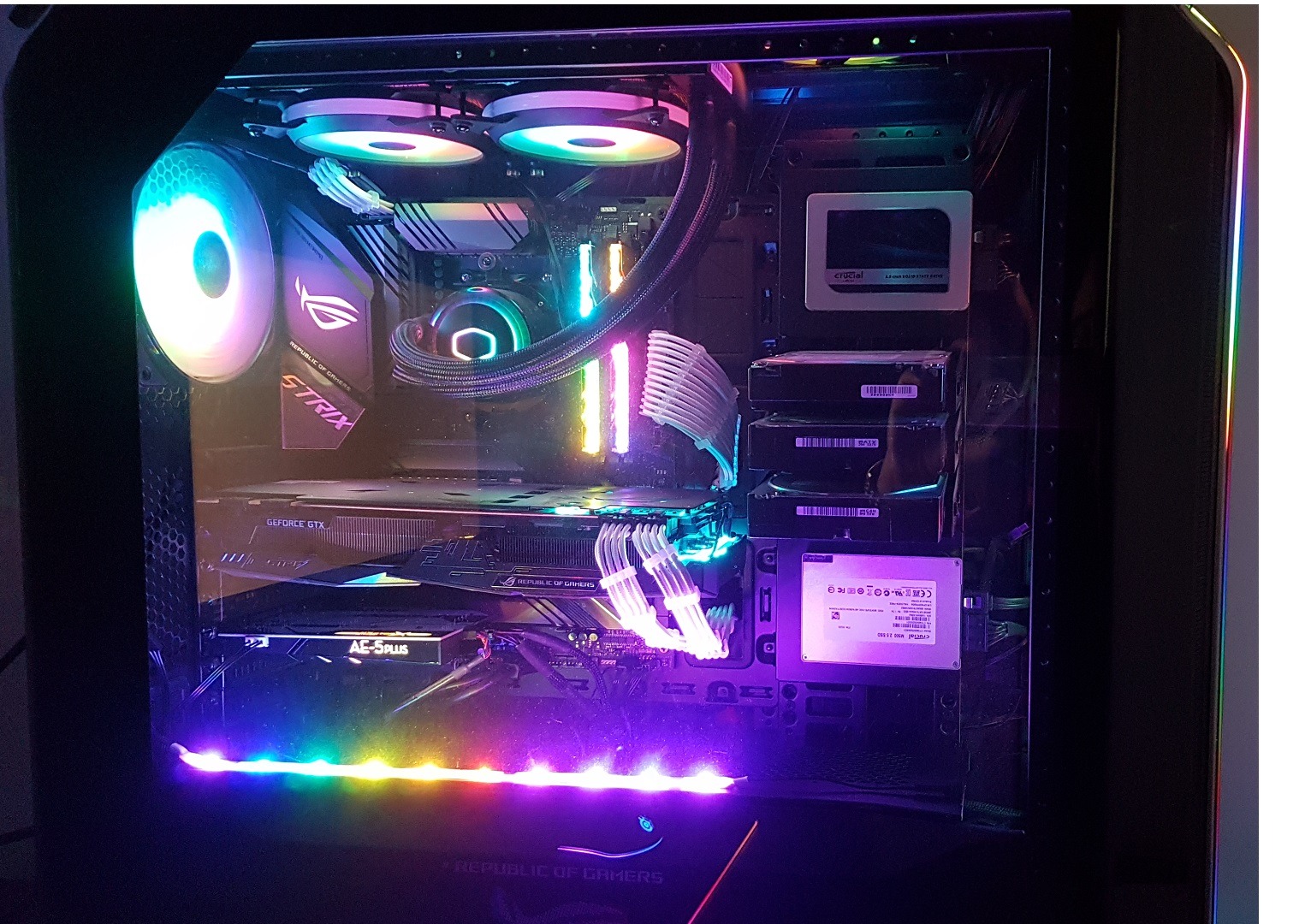
On the technical side, the AE-5 Plus supports Dolby Digital Live and DTS encoding, making it a strong choice for connecting to home theater receivers or surround speaker setups. The 5.1 discrete and 7.1 virtual surround options work well for gaming, though I found the virtual surround slightly less convincing than dedicated gaming headsets with built-in surround processing. The card also includes an RGB lighting strip, which is a nice touch if you have a windowed case.
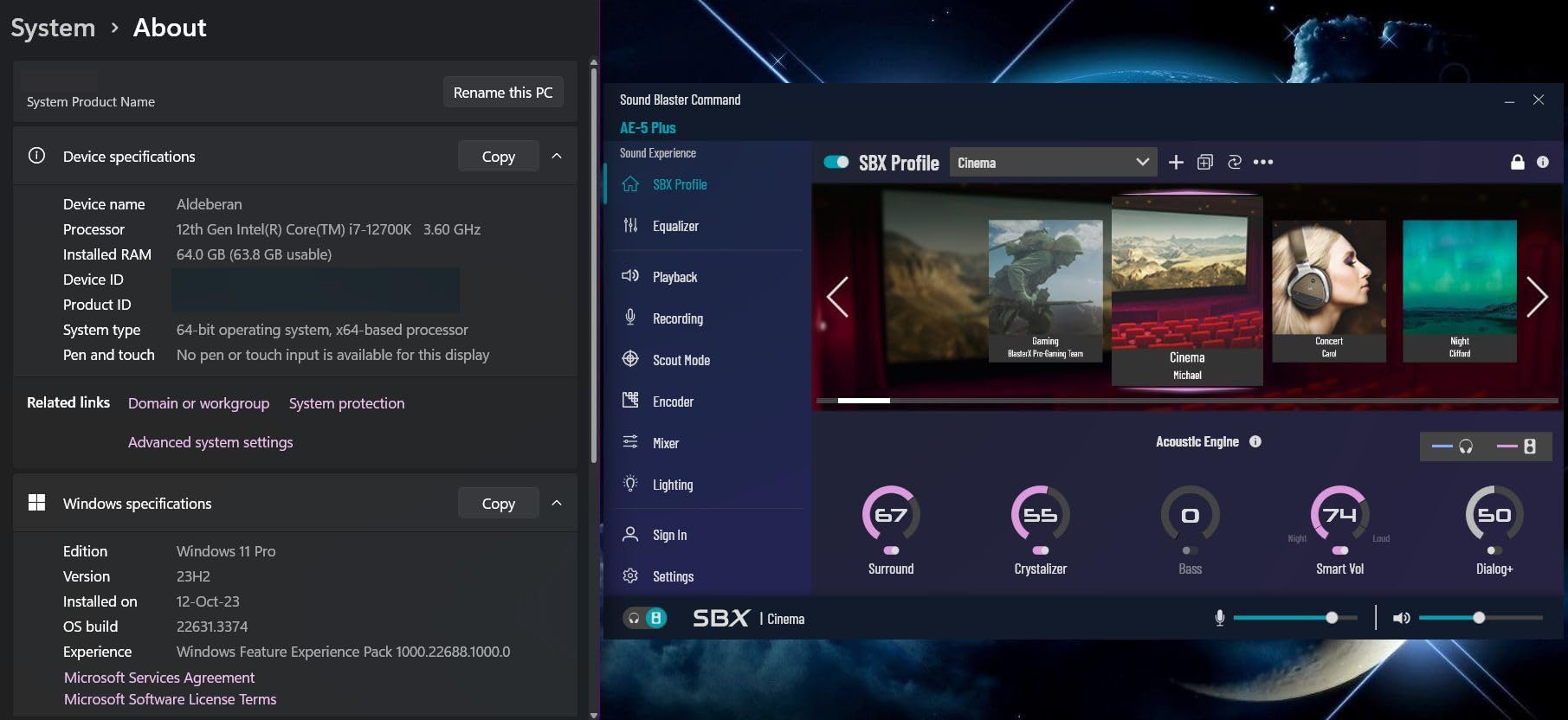
My main gripe is with the Sound Blaster Command software. While it offers extensive EQ controls, surround settings, and Scout Mode for gaming, it occasionally crashes or takes a moment to respond. Driver installation also required a restart on my Windows 11 machine, and some users on forums have reported audio dropouts after system updates. Despite these quirks, the audio quality improvement is worth the minor software headaches.
Who Should Buy the AE-5 Plus
This card is ideal for PC gamers and audio enthusiasts who want a serious upgrade from onboard sound without switching to an external DAC setup. If you use high-impedance headphones (250-600 ohms) for gaming or music listening, the Xamp bi-amp will drive them properly without needing a separate headphone amplifier. It is also a great fit for anyone building a desktop PC with a PCIe x4 slot to spare who wants clean, powerful audio for both gaming and entertainment.
Who Should Skip It
If you are primarily a laptop user or do not have a spare PCIe slot, this internal card is not for you. Likewise, if you are looking to record music or need microphone preamps, you should consider an audio interface like the Focusrite Scarlett or MOTU M2 instead. The AE-5 Plus is designed for audio playback and gaming, not for recording.
2. Creative Sound Blaster AE-7 – Best Audiophile Internal Sound Card

Creative Sound Blaster AE-7 Hi-Res PCIe Gaming Sound Card and ACM
PCIe x4
ESS SABRE 9018 DAC
127dB DNR
32-bit/384kHz
Quad-Core DSP
Audio Control Module
DSD64 Support
+ Pros
- 127dB DNR with ESS SABRE 9018 DAC
- Quad-core processor for hardware-accelerated audio
- Audio Control Module for desktop volume
- Drives 600ohm headphones with 1ohm output impedance
- DSD64 playback support
- Cons
- Audio Control Module can distort at high volumes with some headphones
- Software switching required between headphone and speaker outputs
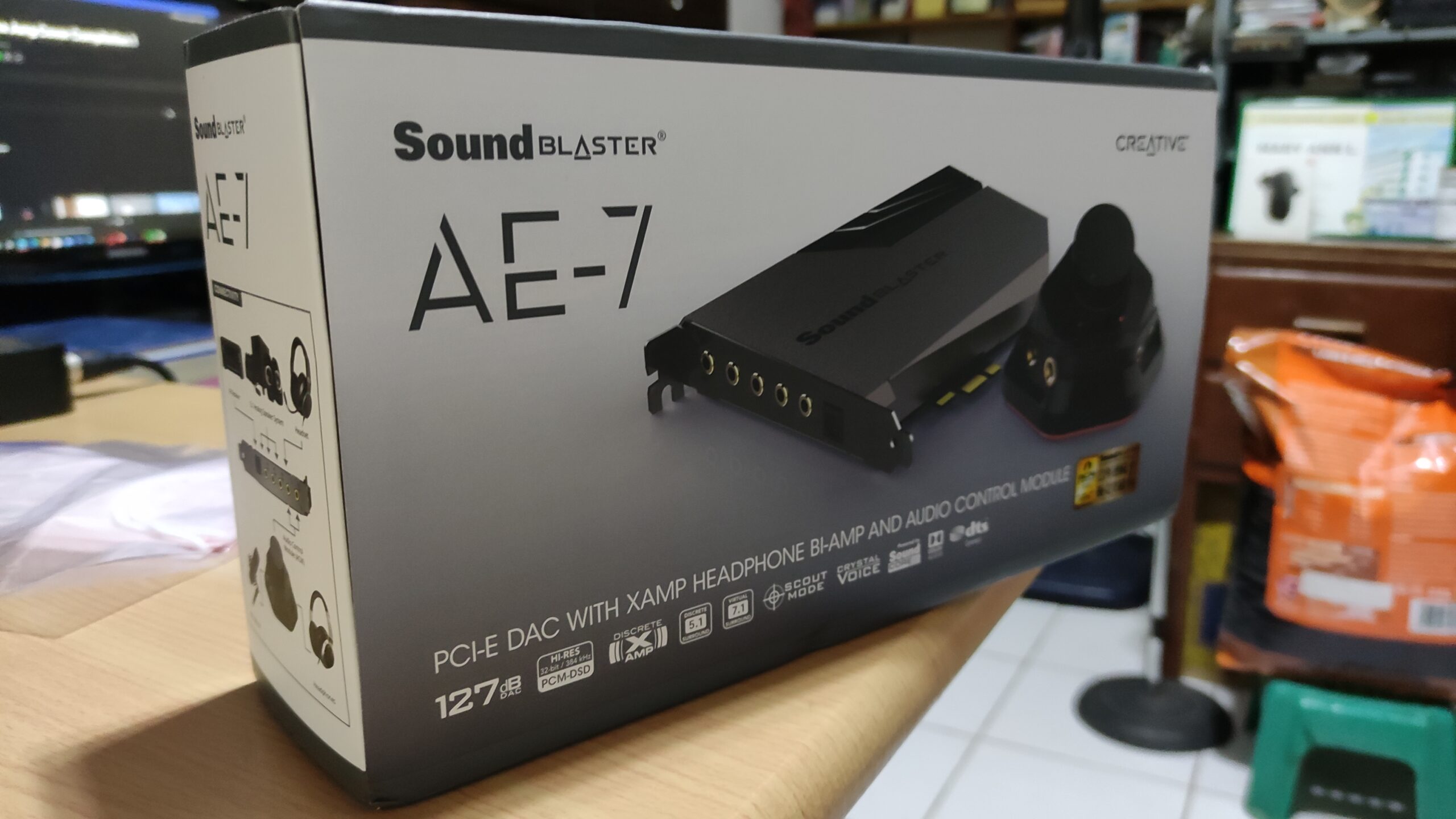
The Creative Sound Blaster AE-7 sits a step above the AE-5 Plus in Creative’s lineup, and after testing both, the audio quality difference is audible. The AE-7 uses the higher-end ESS SABRE-class 9018 DAC with an impressive 127 dB Dynamic Range, which translates to a quieter noise floor and more detail retrieval in music. Listening to high-resolution FLAC files through my Sennheiser HD6XX headphones, I could pick up subtle reverb tails and instrumental textures that the AE-5 Plus smoothed over.
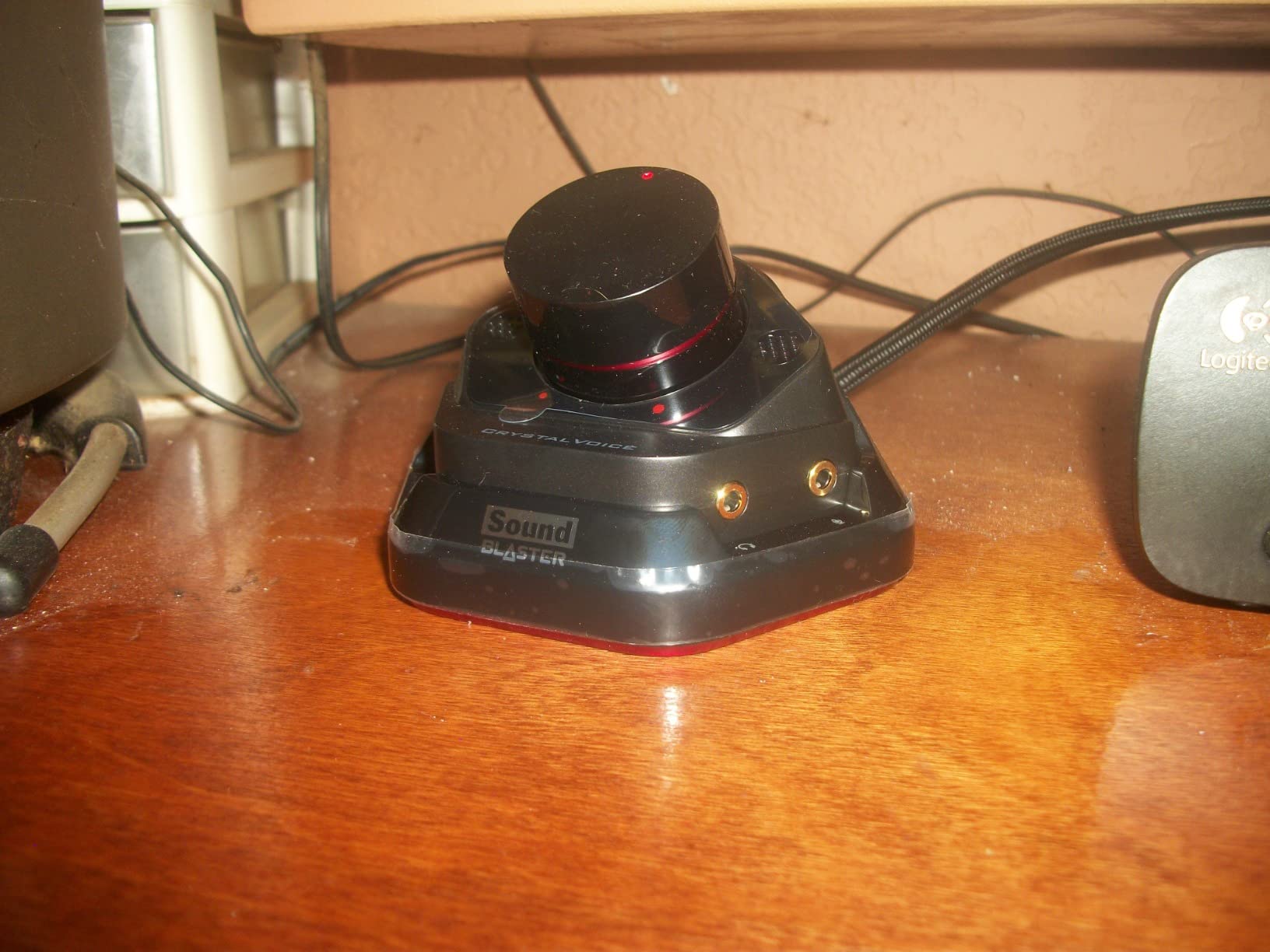
One feature that sets the AE-7 apart is the included Audio Control Module (ACM). This external desktop pod gives you a physical volume knob, headphone jack, and microphone input right on your desk. Having a tangible volume control within arm’s reach is far more convenient than reaching for software controls or the back of your PC. The ACM connects to the PCIe card via a dedicated cable, keeping your audio connections accessible.
The AE-7 also packs a quad-core Sound Core3D processor that handles audio processing on dedicated hardware rather than taxing your CPU. This matters for features like Dolby Digital Live encoding, DTS Connect, and the Acoustic Engine virtual surround processing. In practice, I noticed slightly lower CPU usage during gaming sessions compared to software-based audio processing. The card supports DSD64 playback for audiophiles who listen to SACD-quality music files, which is a nice touch for the price.
However, the ACM has its issues. Some users report that at high volumes with certain headphones, the ACM introduces a slight distortion that bypassing it eliminates. The volume dial can also have left-right channel imbalance at low volumes on some units. Additionally, switching between headphone and speaker outputs requires using the Sound Blaster Command software rather than a simple hardware switch, which feels like an oversight at this price point.
Who Should Buy the AE-7
The AE-7 is the right pick for audiophiles and serious music listeners who want the best possible internal sound card. If you listen to high-resolution audio files, use premium headphones in the 250-600 ohm range, and value the convenience of an external Audio Control Module on your desk, this card delivers exceptional performance. The ESS SABRE 9018 DAC provides measurably better dynamic range than the AE-5 Plus.
Who Should Skip It
If you are a gamer on a tighter budget, the AE-5 Plus delivers 90% of the gaming experience at a lower cost. The AE-7 is overkill for competitive gaming where you mainly need positional audio and low latency. Also, if you plan to do any recording, look at the audio interfaces in this list instead.
3. Focusrite Scarlett Solo 3rd Gen – Best Sound Card for Beginners

Focusrite Scarlett Solo 3rd Gen USB-C Audio Interface
USB-C
24-bit/192kHz
2 Channels
Air Mode Preamp
Gain Halos
Mac/Windows/iOS
Includes Pro Tools and Ableton
+ Pros
- Studio-quality mic preamps with Air mode
- Plug-and-play USB-C setup
- Gain Halos prevent clipping
- Includes massive software bundle
- Works with Mac Windows and iOS
- Cons
- No MIDI input
- Only 2 channels limiting for complex setups
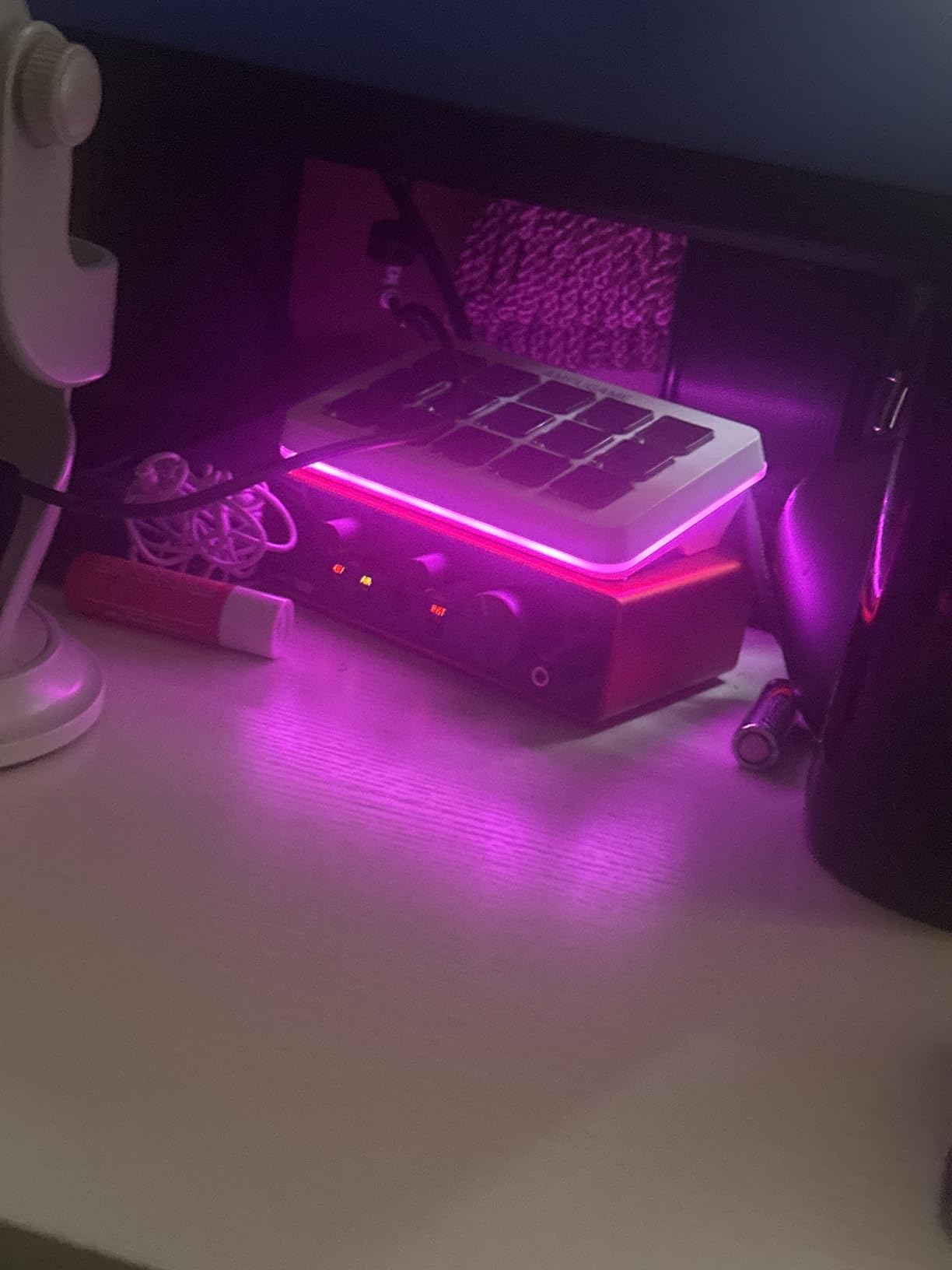
The Focusrite Scarlett Solo 3rd Gen is the most popular audio interface in the world with over 29,000 reviews, and for good reason. I plugged this into my laptop via USB-C, and within seconds it was recognized by both my Windows PC and my iPad. No driver downloads, no configuration headaches. It just works. That kind of simplicity is rare in audio gear, and it makes the Scarlett Solo the best entry point for anyone wanting better sound quality.
What impressed me most is the Air mode feature. Flip the Air switch on the front panel, and the mic preamp adds high-frequency presence and harmonic richness that makes vocals and acoustic instruments sound more open and polished. For podcast recording and vocal tracking, this single feature saves you from needing expensive EQ plugins or post-processing. The Gain Halo indicators around each input knob glow green when levels are good and turn red when you are clipping, which prevents distortion during recording sessions.
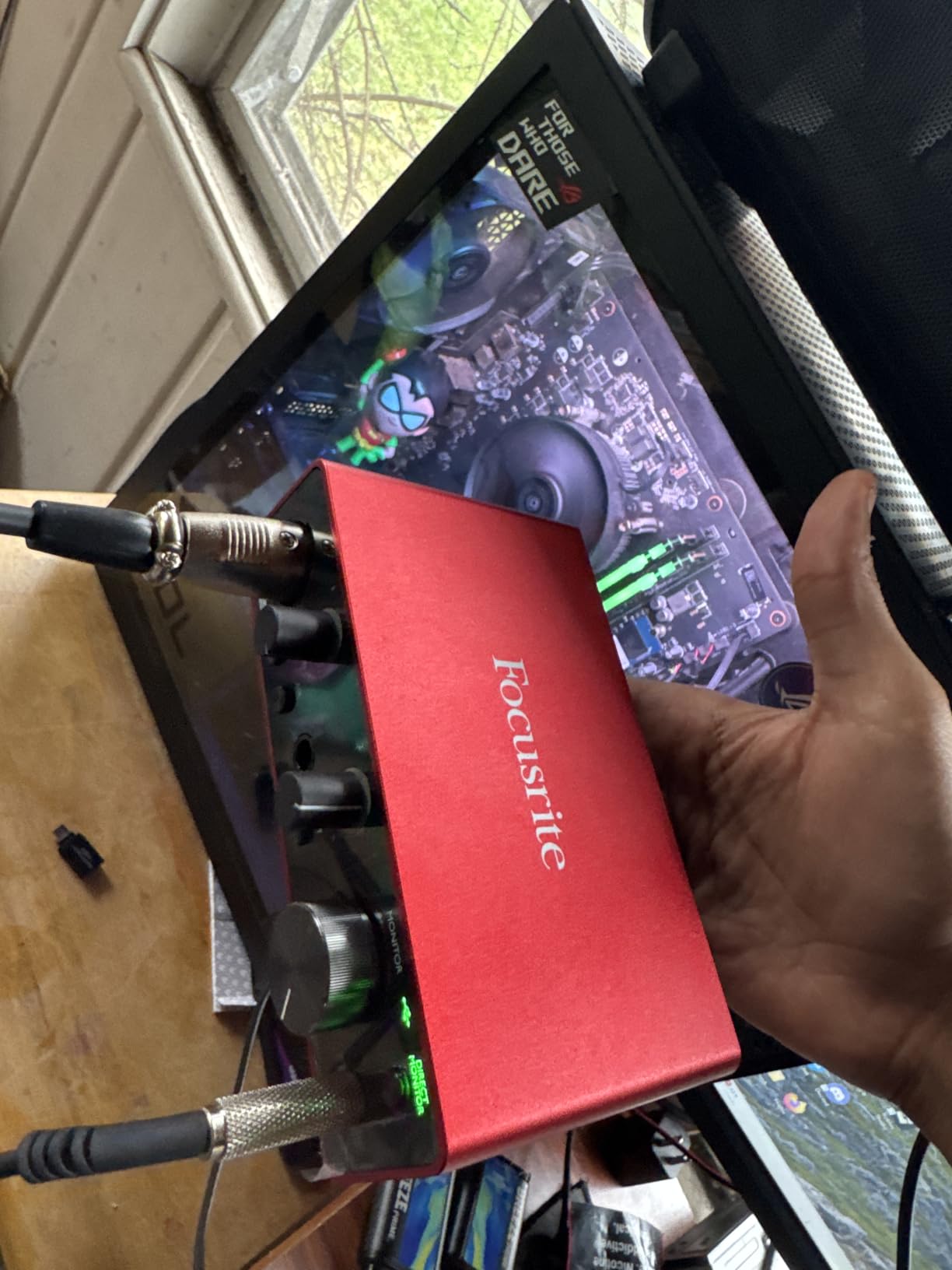
The 24-bit/192kHz converters deliver clean, professional-grade recordings that punch well above what you would expect at this price point. Focusrite includes a massive software bundle: Pro Tools Intro+, Ableton Live Lite, Cubase LE, and the Hitmaker Expansion pack with additional plugins. This bundle alone is worth more than the interface itself if you were to buy the software separately. The Scarlett Solo also doubles as a high-quality DAC for listening, improving headphone and speaker output quality compared to most laptop audio jacks.
The limitations are straightforward. With only 2 channels, you can record one microphone and one instrument simultaneously. If you need to record a full drum kit or multiple vocalists, you will need a larger interface like the MOTU M4. There is also no MIDI connectivity, so if you have MIDI keyboards or controllers, you would need the Scarlett 2i2 or a separate MIDI adapter. For most beginners and solo creators though, the Solo is all you need to get started.
Who Should Buy the Scarlett Solo
This is the best sound card for podcasters, solo musicians, voice-over artists, and content creators who need a simple, reliable way to record audio. It is also a solid choice for anyone wanting a high-quality USB DAC for listening to music through better headphones. If you are new to audio recording and want something that works out of the box with included software, this is it.
Who Should Skip It
If you need to record multiple sources at once, need MIDI connectivity, or want surround sound for gaming, the Scarlett Solo is not the right fit. Gamers looking for surround sound features like Scout Mode or virtual 7.1 should look at the Creative internal cards instead.
4. MOTU M2 – Best USB Audio Interface for Recording

MOTU M2 USB-C Audio Interface
USB-C
24-bit/192kHz
2 Preamps
LCD VU Meters
DIN MIDI
600ohm HP Amp
Metal Build
+ Pros
- Clean low-noise preamps with excellent audio quality
- LCD VU meters for visual monitoring
- Powerful headphone amp drives 600ohm headphones
- DIN MIDI jacks included
- Premium metal construction
- Cons
- Windows shows only one stereo input for both channels
- Short included USB-C cable
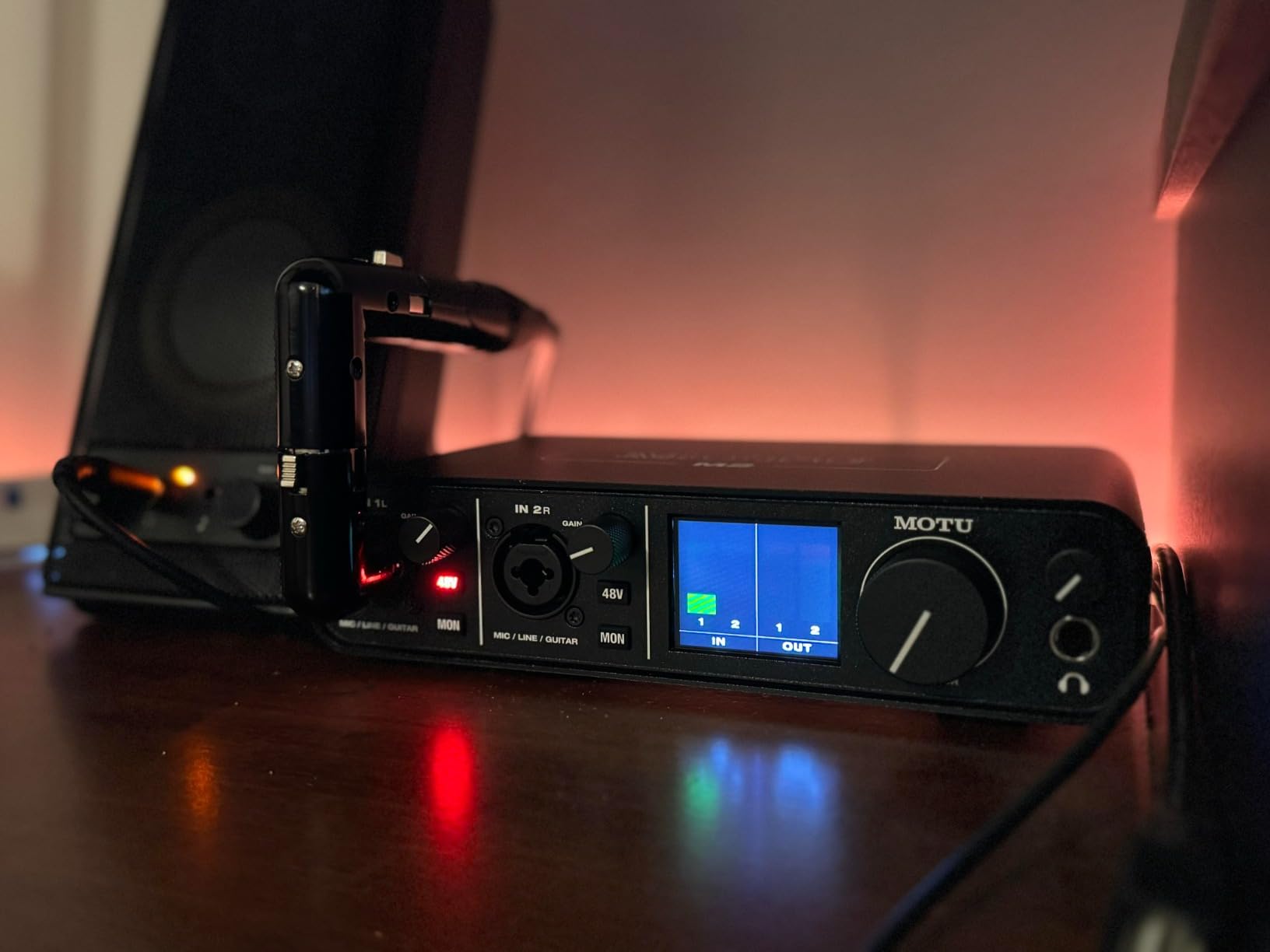
The MOTU M2 has earned a reputation among audio professionals as one of the best-value USB audio interfaces you can buy, and my testing confirms it. The moment you pick it up, the metal construction and smooth knob feel tell you this is a serious piece of gear. The front-panel LCD VU meters are a standout feature that you rarely find at this price. They provide real-time visual feedback on your input and output levels, which is genuinely useful during recording sessions.
Audio quality is where the MOTU M2 really shines. The preamps are clean, transparent, and remarkably quiet with very low self-noise. Recording vocals and acoustic guitar through the M2, I captured detail and nuance that sounded noticeably better than recordings through budget interfaces. The headphone amplifier is surprisingly powerful, driving my 250-ohm Beyerdynamic headphones with authority and headroom to spare. MOTU rates it for up to 600 ohms, and it delivers on that claim.
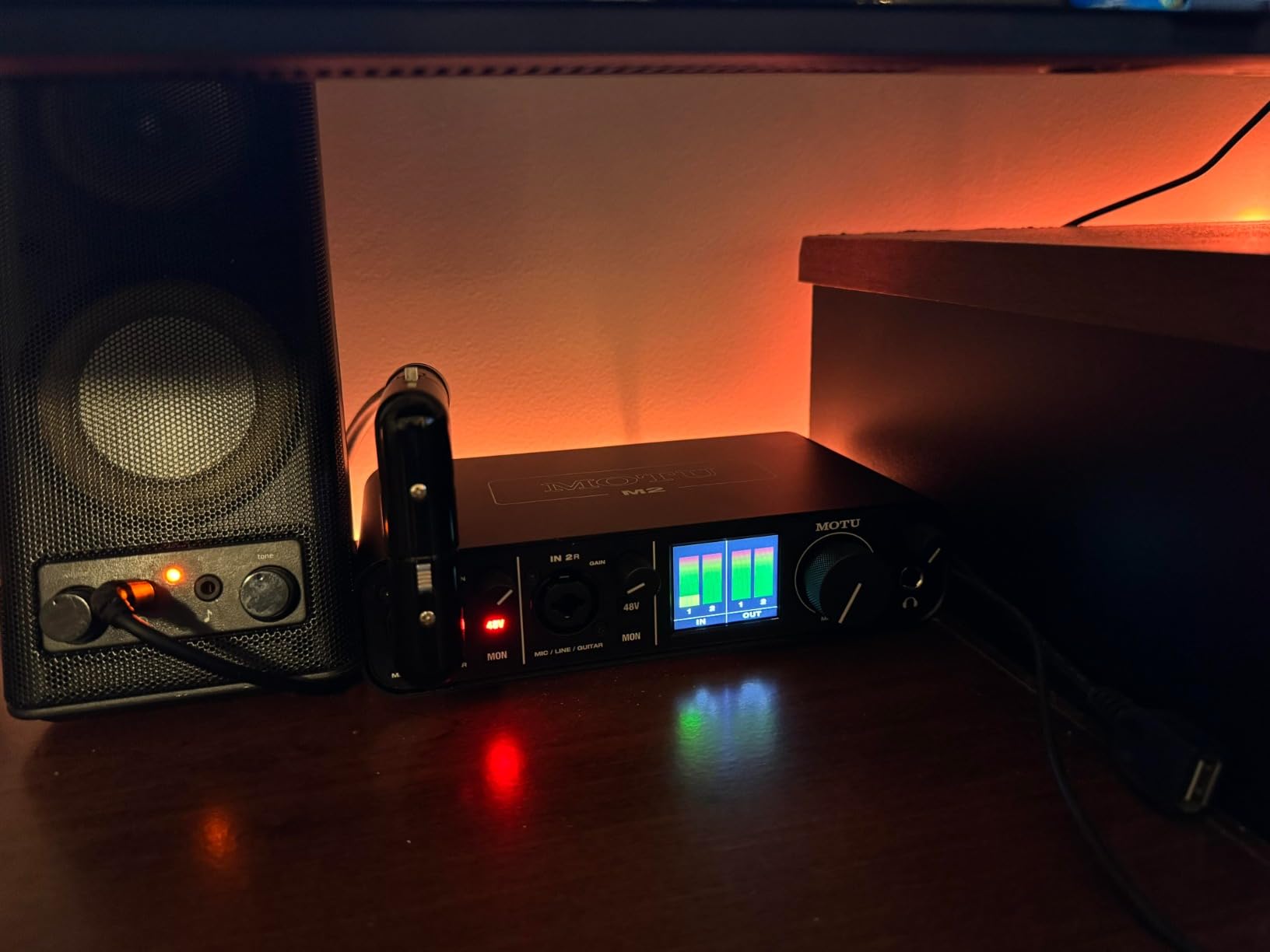
On the connectivity front, the M2 includes DIN MIDI jacks, which is a welcome addition for anyone with MIDI keyboards or drum pads. The USB-C connection is stable and reliable across both Mac and Windows. The physical power switch on the back is a small but appreciated detail that lets you fully power down the unit without unplugging it.
The main drawback is a Windows driver quirk where the operating system only shows one stereo input for both microphone channels, which can complicate routing in some DAWs. The included USB-C to USB-A cable is also short and thin, so you will likely want to use your own higher-quality cable. These are minor issues that do not detract from the overall audio performance, but they are worth knowing about.
Who Should Buy the MOTU M2
Home studio owners, singer-songwriters, and anyone who values transparent, clean audio quality should seriously consider the M2. The LCD meters, powerful headphone amp, and MIDI connectivity make it a complete package for recording and monitoring. If you want professional-grade preamps without paying professional-grade prices, this is your interface.
Who Should Skip It
If you need more than 2 inputs for simultaneous recording, the MOTU M4 offers 4-in/4-out with similar sound quality. Also, if you are exclusively gaming and do not record audio, the internal Creative cards provide better gaming-specific features like surround sound processing and Scout Mode.
5. Universal Audio Volt 2 – Best for Warm Analog Sound

Universal Audio Volt 2 USB Audio Interface
USB-C
24-bit/192kHz
Vintage 610 Preamp
LUNA DAW
UAD Plugins
Bus Powered
Mac/Windows/iOS
+ Pros
- Classic UA 610 preamp sound with Vintage mode
- Includes LUNA DAW and UAD plugins
- Warm clear audio signal
- USB-C bus powered for portability
- Cons
- Input gain can be overly sensitive
- Limited LED indicators for gain staging
- Direct monitoring balance issues
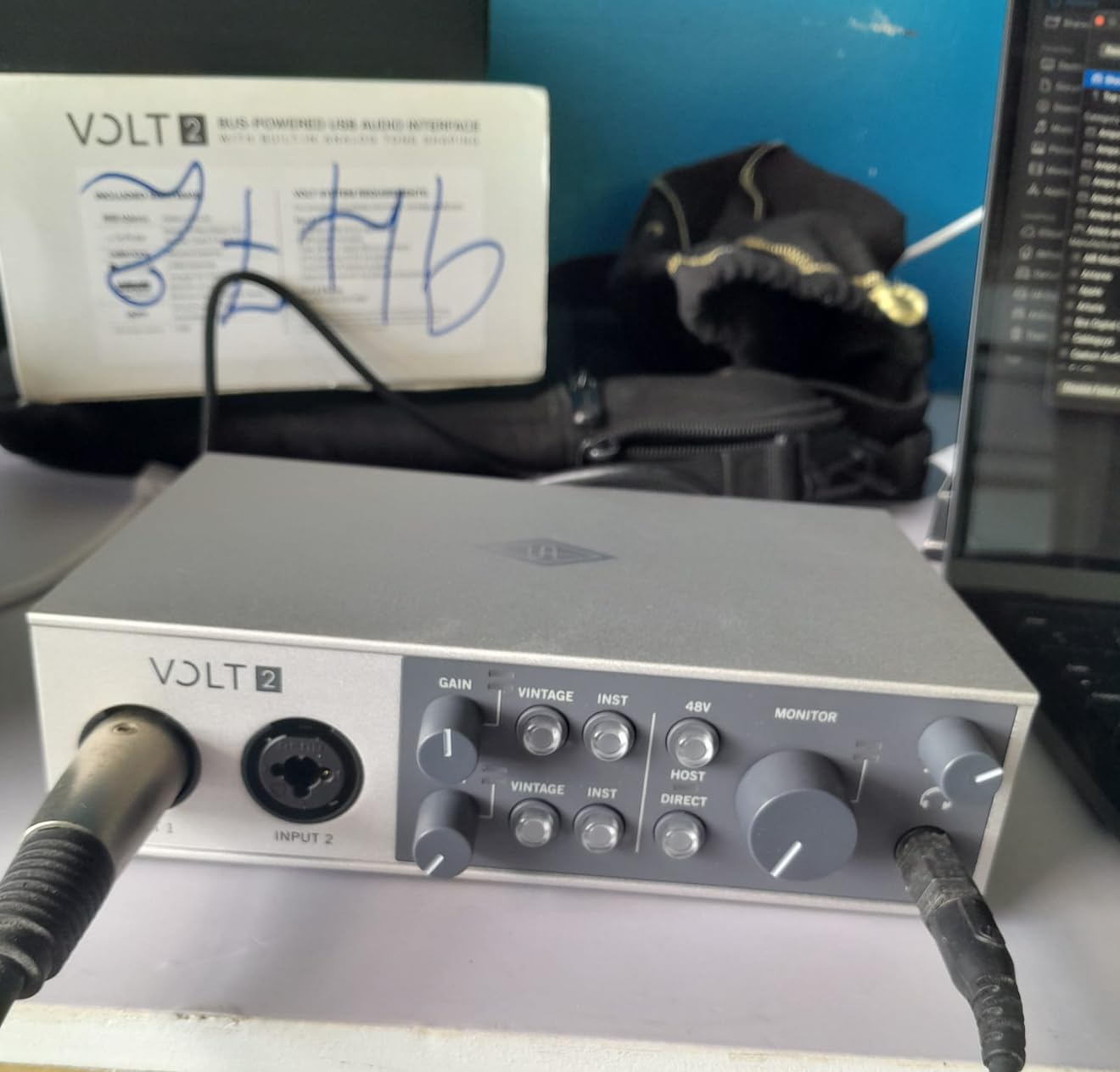
Universal Audio built the Volt 2 to bring their legendary analog sound to a portable, affordable package. The standout feature here is the Vintage 610 preamp mode, which models the sound of UA’s classic 610 tube preamp used on countless hit records. Engaging Vintage mode adds a warm, slightly compressed character to vocals and instruments that sounds polished right from the start. I found that vocal recordings needed less EQ and compression in post-production with this mode active.
The Volt 2 records at up to 24-bit/192kHz and connects via USB-C, drawing power from the bus so there is no external power supply to carry. This makes it genuinely portable for recording on the go with a laptop or even an iPad. The included software bundle is a major draw: LUNA is a full-featured DAW with a console-style workflow, and the bundled UAD plugins provide access to emulations of classic compressors, EQs, and reverbs that would cost hundreds of dollars individually.
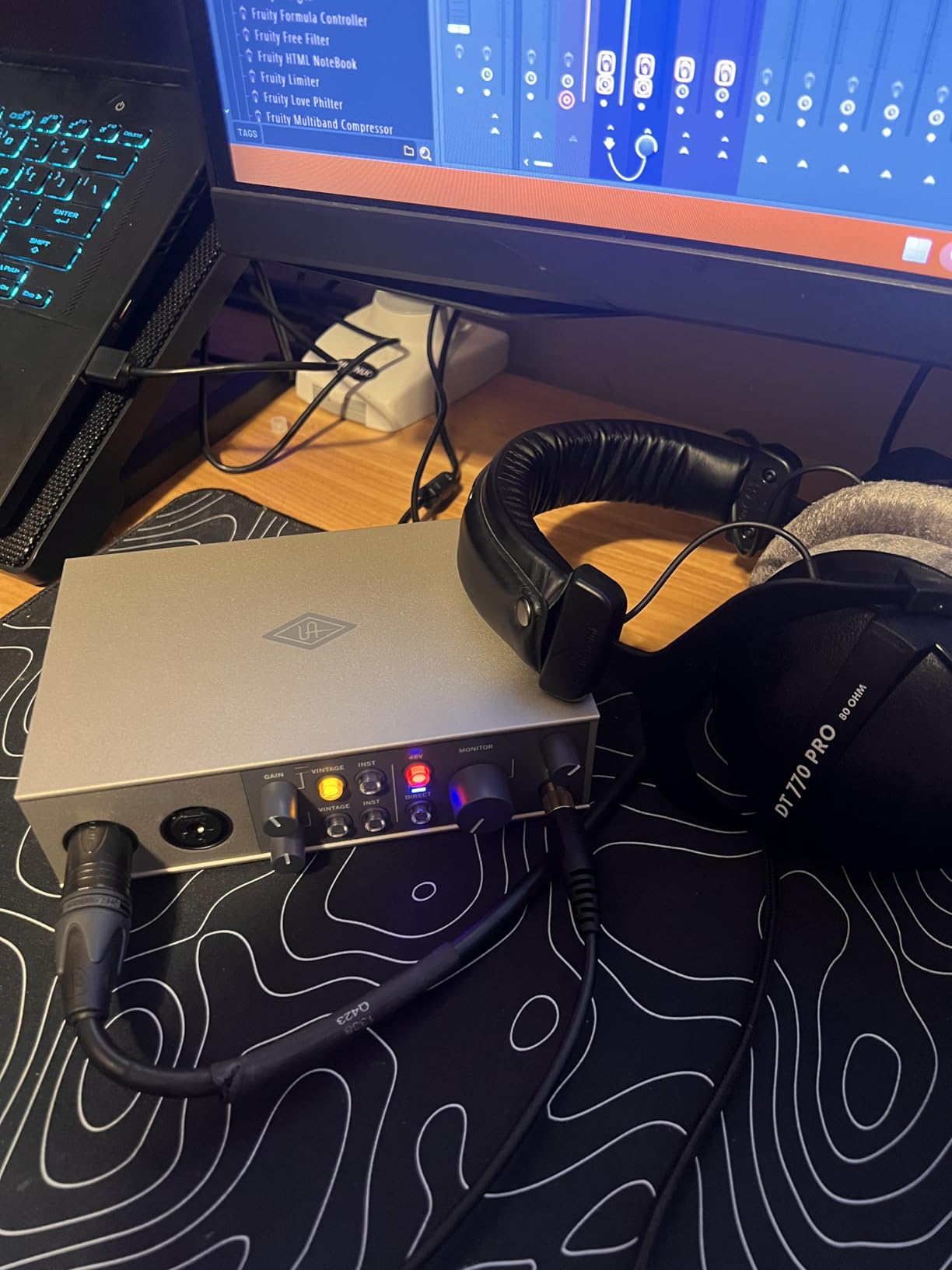
Build quality is solid with a sturdy metal chassis that feels like it can handle being tossed in a backpack. The knobs have a smooth, weighted feel that makes precise adjustments easy. During my testing, latency was impressively low for a USB bus-powered device, making it comfortable for real-time monitoring while recording.
The main issue is gain staging. The input gain is sensitive, and with only basic LED indicators (signal and clip), it can be tricky to find the sweet spot without going into the red. I also noticed that the direct monitoring mix cannot be balanced against computer playback, which means you hear either your input or your DAW output, but getting a comfortable blend between them is harder than it should be. These are workflow annoyances rather than sound quality problems, but they matter during long recording sessions.
Who Should Buy the Volt 2
Musicians, vocalists, and podcasters who want that warm, polished analog sound without spending hours on post-production will love the Volt 2. The Vintage 610 mode gives recordings an immediate professional character. It is also an excellent choice for mobile recording setups thanks to bus power and compact size.
Who Should Skip It
If you need precise gain staging with detailed metering, the MOTU M2 or Audient iD14 MKII offer better visual feedback. Engineers who prefer a completely transparent, uncolored signal may find the Vintage mode unnecessary, though you can always leave it off for clean recording.
6. MOTU M4 – Best Multi-Channel Audio Interface

Motu M4 4×4 USB-C Audio Interface
USB-C
4-in/4-out
24-bit/192kHz
2 Mic Preamps
LCD Meters
Loopback
Bus Powered
8 Channels
+ Pros
- Transparent clean sound quality
- Built-in loopback for streaming
- Rock-solid Windows drivers
- LCD screen with LED level meters
- USB bus powered
- Cons
- Headphone amp power is on the weak side
- Occasional pitch shift bug on Windows
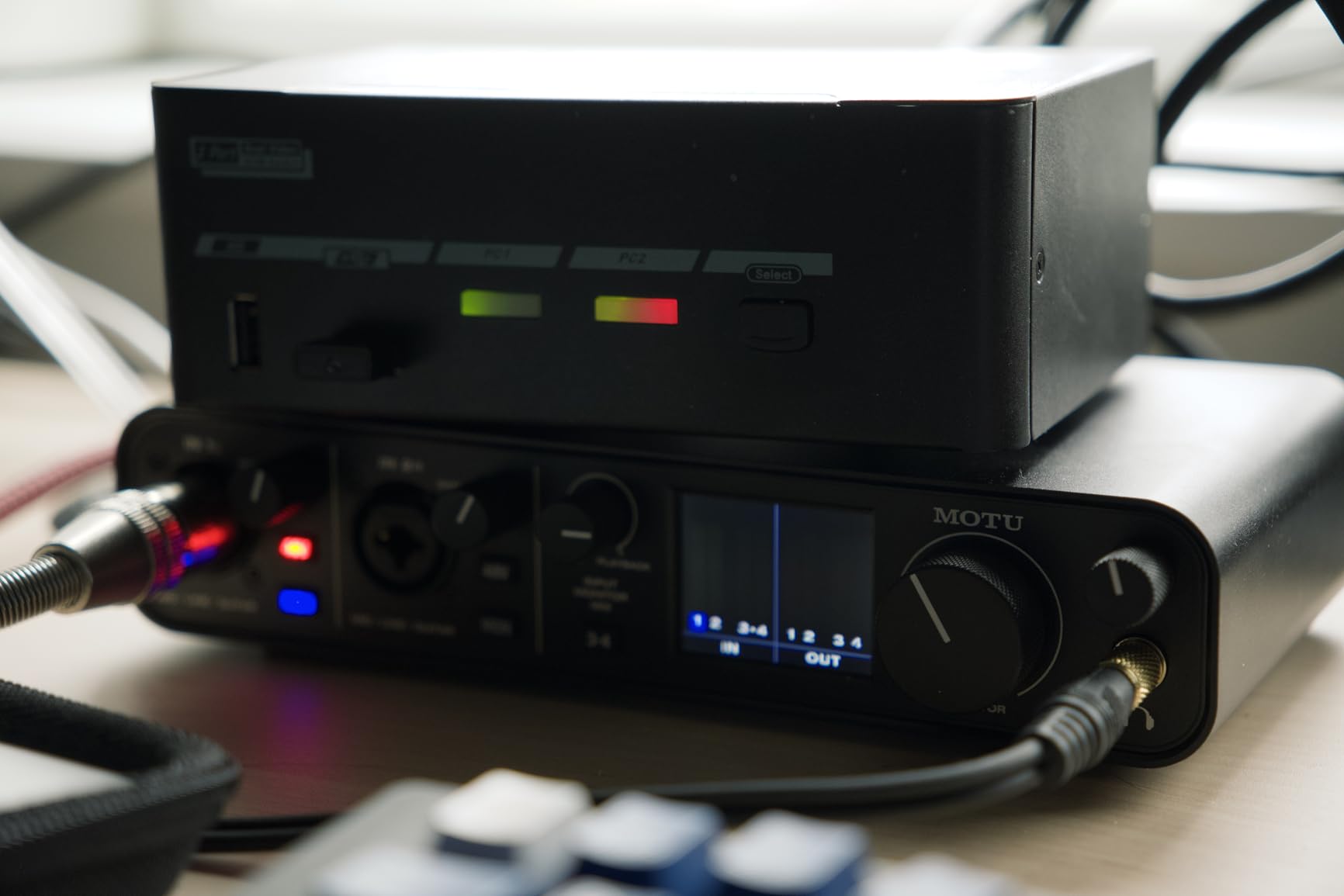
The MOTU M4 takes everything that makes the M2 excellent and adds more inputs, outputs, and a unique loopback feature that streamers and podcasters will appreciate. With 4-in/4-out configuration, you can record two microphones and two line-level sources simultaneously. This makes it practical for duet recordings, interviewing setups, or routing external hardware like synthesizers alongside vocals.
The loopback function is the killer feature here. It takes your computer’s audio output and routes it back into your recording software alongside your microphone inputs. For podcasters who play clips during recording, musicians recording tutorials with background tracks, or Twitch streamers capturing both game audio and microphone input, this eliminates the need for complex software routing or additional cables. It is rare to find loopback at this price point, and it works flawlessly.
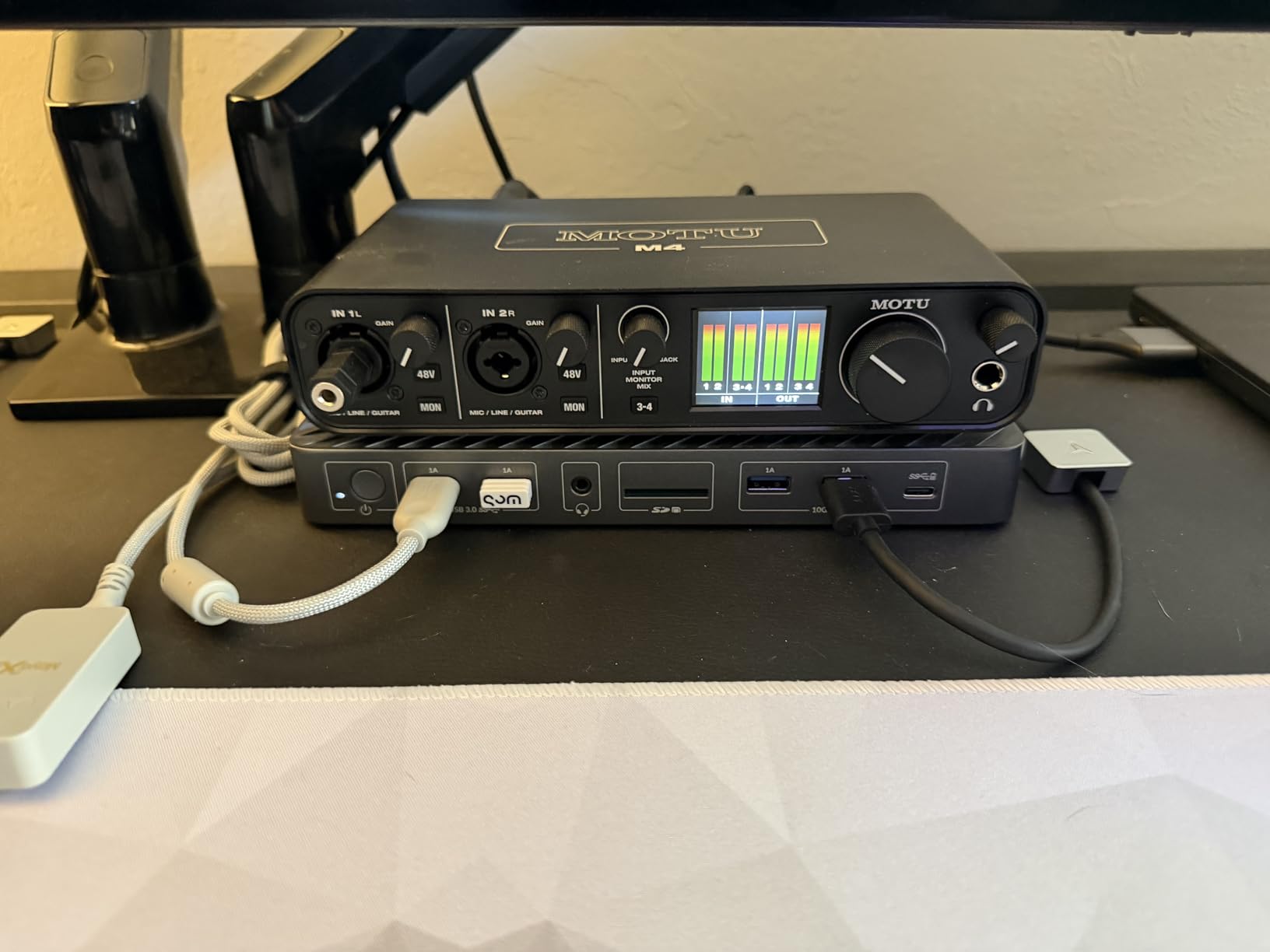
Sound quality matches the M2’s transparent, clean character. The preamps are quiet, the converters are accurate, and recordings have plenty of headroom. The front-panel LCD shows input and output levels with clear LED metering, making it easy to monitor levels at a glance. Hardware monitoring with the direct mix control lets you hear your inputs with zero latency while recording.
The biggest weakness is the headphone amplifier. Because the M4 runs on USB bus power, the headphone output does not deliver as much volume as dedicated headphone amps. With my 250-ohm headphones, the maximum volume was adequate for quiet environments but struggled in noisier settings. Users with high-impedance headphones may want to add a dedicated headphone amp. There is also a documented pitch shift bug on some Windows systems that can be resolved by disabling fast startup in Windows power settings.
Who Should Buy the MOTU M4
Streamers, podcasters, and home studio owners who need more than 2 inputs will find the M4 to be an excellent value. The loopback feature alone makes it worth considering over the M2 for content creators. If you record multiple sources simultaneously or need to capture computer audio alongside live inputs, this is the right tool.
Who Should Skip It
If you only need to record a single microphone or instrument, the MOTU M2 or Focusrite Scarlett Solo are simpler and more affordable options. If headphone amp power is critical for your high-impedance headphones, the MOTU M2 actually has a stronger headphone output despite being the smaller model.
7. Audient iD14 MKII – Best Professional USB Audio Interface

Audient Audio Interface iD14 MKII, 2 Class-A Microphone Preamps (High Performance USB Audio Interface, USB-C Connector, Monitor Mix and Monitor Panning Function, 2 Headphone Outputs), Black
USB-C
24-bit/192kHz
Class-A Console Preamps
4 Outputs
2 HP Outputs
ADAT Expansion
3 Year Warranty
+ Pros
- Class-A preamps from ASP8024 HE console
- All-metal premium build
- ADAT optical input for 8-channel expansion
- Dual headphone outputs with strong power
- 3 year manufacturer warranty
- Cons
- No power on/off switch
- Loses connectivity when computer sleeps
- Short included USB-C cable
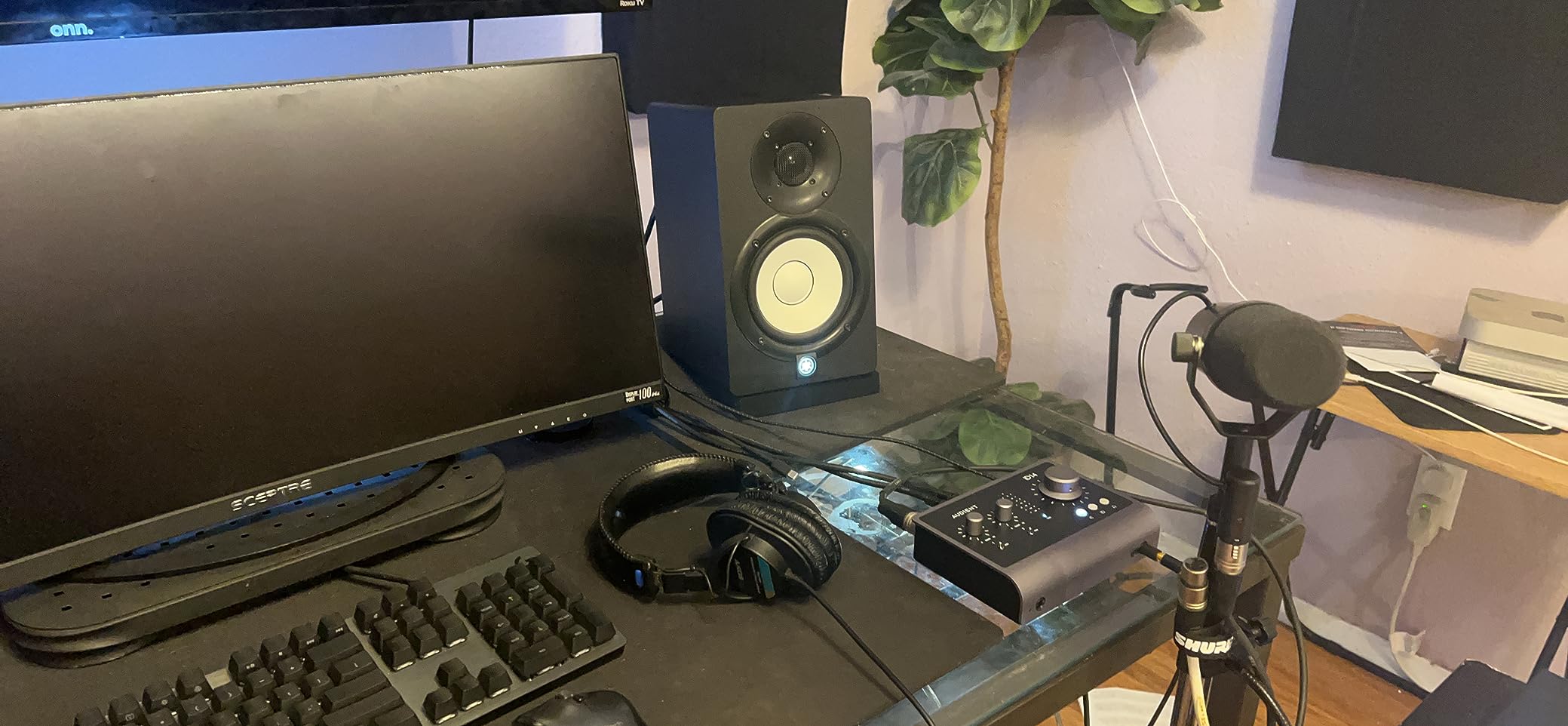
The Audient iD14 MKII brings console-grade preamps to a compact desktop interface, and the audio quality speaks for itself. The two Class-A microphone preamps are derived directly from Audient’s flagship ASP8024 HE recording console, which costs tens of thousands of dollars. Recording vocals through these preamps, the sound is warm, detailed, and transparent with a smoothness that is hard to find at this price point. There is a reason professional engineers trust Audient preamps.
Build quality is outstanding. The all-metal housing feels substantial and provides excellent shielding against electrical interference. The monitor controller knob on the front has a smooth, precise feel with fine resolution for making small adjustments. Two independent headphone outputs on the front panel are a practical feature for collaborative recording sessions or for running separate monitor and headphone mixes.
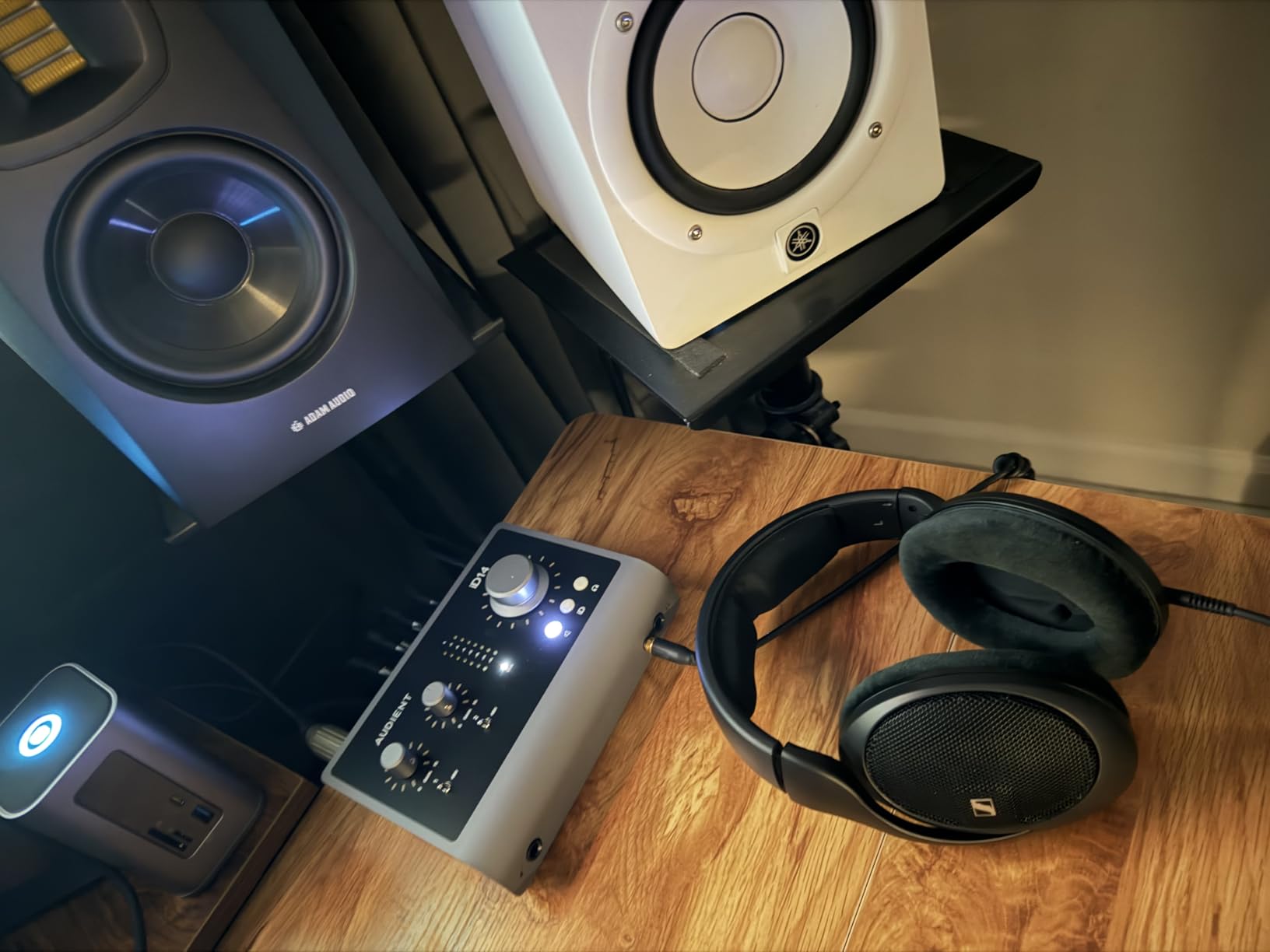
The ADAT optical input is a feature that sets the iD14 apart from competitors at this price. With an ADAT expansion, you can add up to 8 additional channels of input, turning this compact 2-channel interface into a multi-channel recording powerhouse. This means you can start with the basics and expand your studio later without replacing your interface. The monitor mix and monitor panning functions give you flexible control over your monitoring setup directly from the hardware.
On the downside, the iD14 lacks a power switch, which means it stays on whenever your computer is running. More frustratingly, when your computer goes to sleep and wakes up, the iD14 sometimes loses its connection and requires unplugging and replugging the USB cable. Audient could also include a longer USB-C cable, as the included one is barely long enough for desktop use. These are annoyances rather than dealbreakers, but they are worth considering if you frequently sleep and wake your computer.
Who Should Buy the Audient iD14 MKII
Professional musicians, producers, and engineers who want console-quality preamps in a desktop form factor should look no further. The ADAT expansion capability makes it future-proof for growing studios. If you appreciate premium build quality and plan to use high-end microphones, the iD14 will not hold your signal chain back.
Who Should Skip It
Beginners who do not need ADAT expansion or console-grade preamps can save money with the Focusrite Scarlett Solo or MOTU M2. If you frequently put your computer to sleep and find reconnecting devices annoying, the lack of a power switch and the sleep-wake connectivity issue might frustrate you.
8. PreSonus AudioBox 96 – Best Budget Audio Interface

PreSonus AudioBox 96 25th Anniversary USB Audio Interface
USB 2.0
24-bit/96kHz
2 Class-A Preamps
MIDI I/O
48V Phantom Power
Bus Powered
Studio One Artist Included
+ Pros
- Includes over $1000 worth of software
- 2 Class-A mic preamps
- MIDI I/O included
- USB bus powered and portable
- Zero-latency direct monitoring
- Cons
- Older USB 2.0 Type B connector
- Knobs feel crowded
- USB bandwidth issues with multiple devices
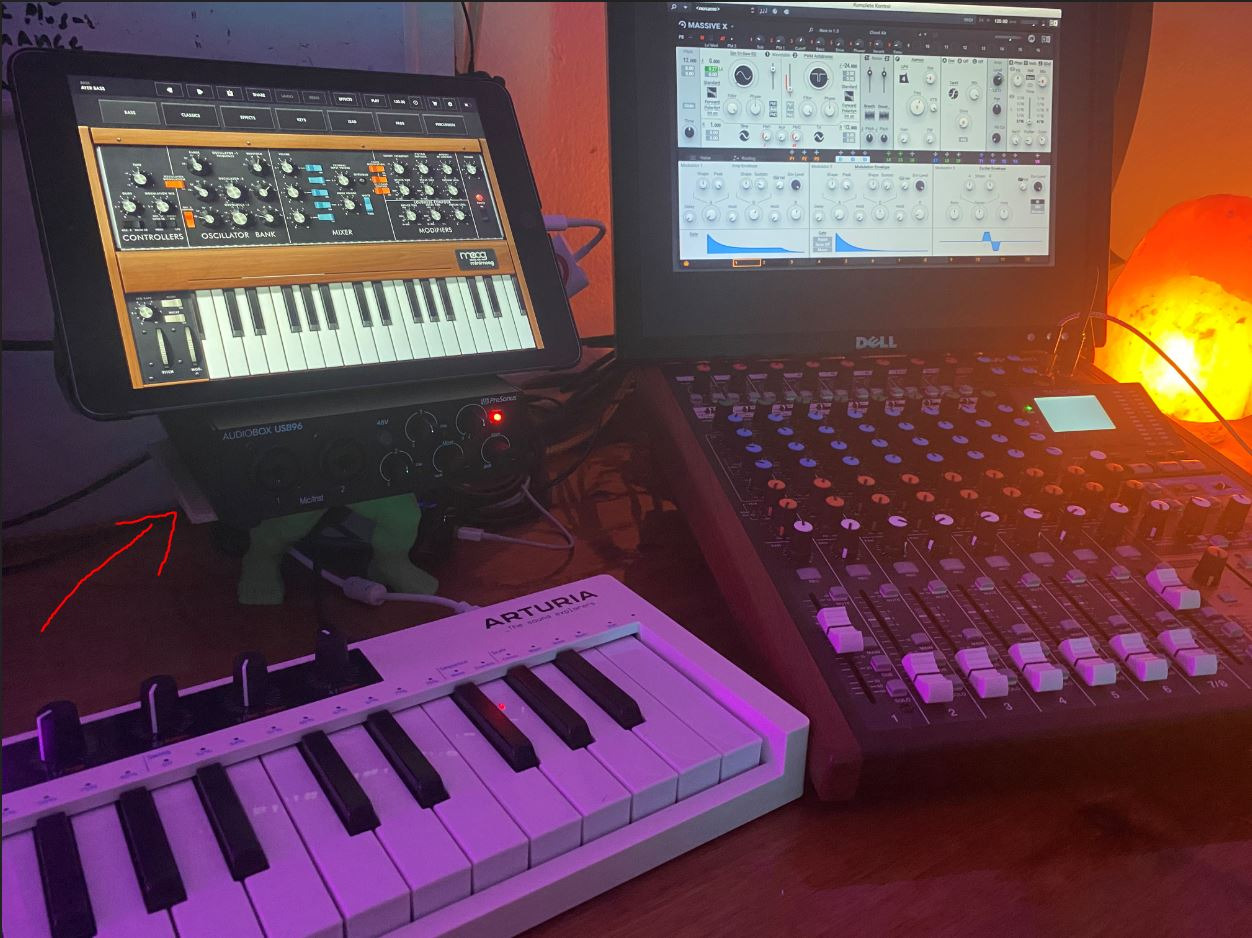
The PreSonus AudioBox 96 is a workhorse interface that has been a go-to choice for beginners and home studio owners for years. The 25th Anniversary Edition keeps the same reliable design while bundling an incredible amount of software. You get Studio One Artist (PreSonus’s full DAW), Ableton Live Lite, and the Studio Magic Plug-in Suite, which includes dozens of effects and virtual instruments. The software alone is worth more than the interface itself.
Recording through the two Class-A preamps, the sound is clean and honest without coloration. The combo inputs accept both XLR microphones and quarter-inch instrument cables, so you can plug in a guitar or bass directly. The 48V phantom power switch lets you use condenser microphones, and zero-latency direct monitoring means you hear yourself in real-time while recording without the delay that makes vocal tracking difficult.
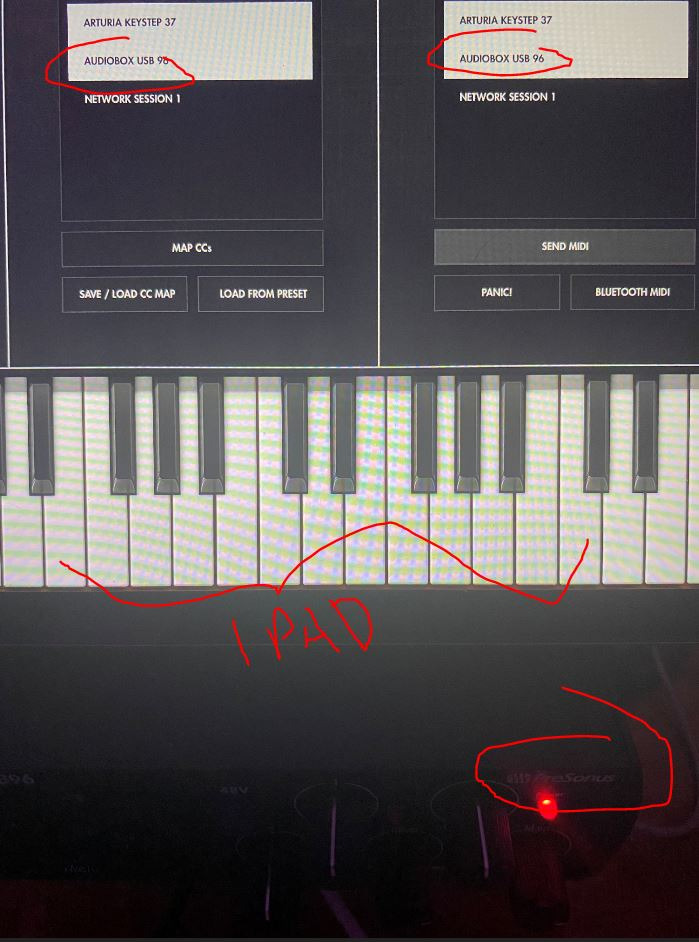
The robust metal chassis can handle being tossed in a backpack for mobile recording sessions. USB bus power means no external power supply is needed, and the interface works with both Mac and Windows. MIDI I/O on the back lets you connect synthesizers, drum machines, or MIDI controllers directly.
The drawbacks are mostly related to its age. The USB 2.0 Type-B connector is the same square-shaped plug used on old printers, which is less convenient than modern USB-C. Some users report USB bandwidth issues when using the AudioBox alongside other USB audio devices. The knobs are also placed close together, which can make fine adjustments tricky if you have larger hands. Despite these limitations, the AudioBox 96 remains one of the best values in audio interfaces.
Who Should Buy the AudioBox 96
Beginners starting their first home studio, singer-songwriters who need a reliable interface for recording vocals and guitar, and anyone who wants a complete software package included with their hardware. The MIDI I/O also makes it a good pick for electronic musicians working with hardware synths.
Who Should Skip It
If you want higher-resolution recording (192kHz), look at the MOTU M2 or Focusrite Scarlett Solo. If you need a modern USB-C connection or more than 96kHz sample rate, spend a bit more on a newer interface. The older USB 2.0 connector and lower sample rate ceiling are the main reasons to consider alternatives.
9. Creative Sound Blaster Play! 3 – Best Portable USB Sound Card

Sound Blaster Play! 3, USB Audio Adapter, 24-bit 96kHz Plug & Play
USB-A
24-bit/96kHz
Plug and Play
No Drivers
PC and Mac
Compact
5.1 Surround
EQ Software
+ Pros
- No drivers needed
- true plug and play
- Works with both PC and Mac
- Eliminates laptop audio hiss effectively
- Downloadable EQ software with audio enhancements
- Great value for the price
- Cons
- Volume can be low without powered speakers or amp
- Not intended for Android or iOS devices
The Creative Sound Blaster Play! 3 is about as simple as a sound card gets. You plug this USB stick into your computer, and it instantly becomes your audio output device. No drivers to install, no software to configure for basic operation. I tested it on both a Windows 11 desktop and a MacBook Pro, and it was recognized immediately on both platforms. This is the easiest way to add or upgrade audio on any computer.
What surprised me was how effectively it eliminates the background hiss and electrical noise that plagues many laptop headphone jacks. On a ThinkPad laptop with notoriously noisy onboard audio, the Play! 3 delivered completely silent backgrounds between tracks. The 24-bit/96kHz playback is a noticeable step up from standard 16-bit/48kHz laptop audio, with better detail and dynamic range in music playback.
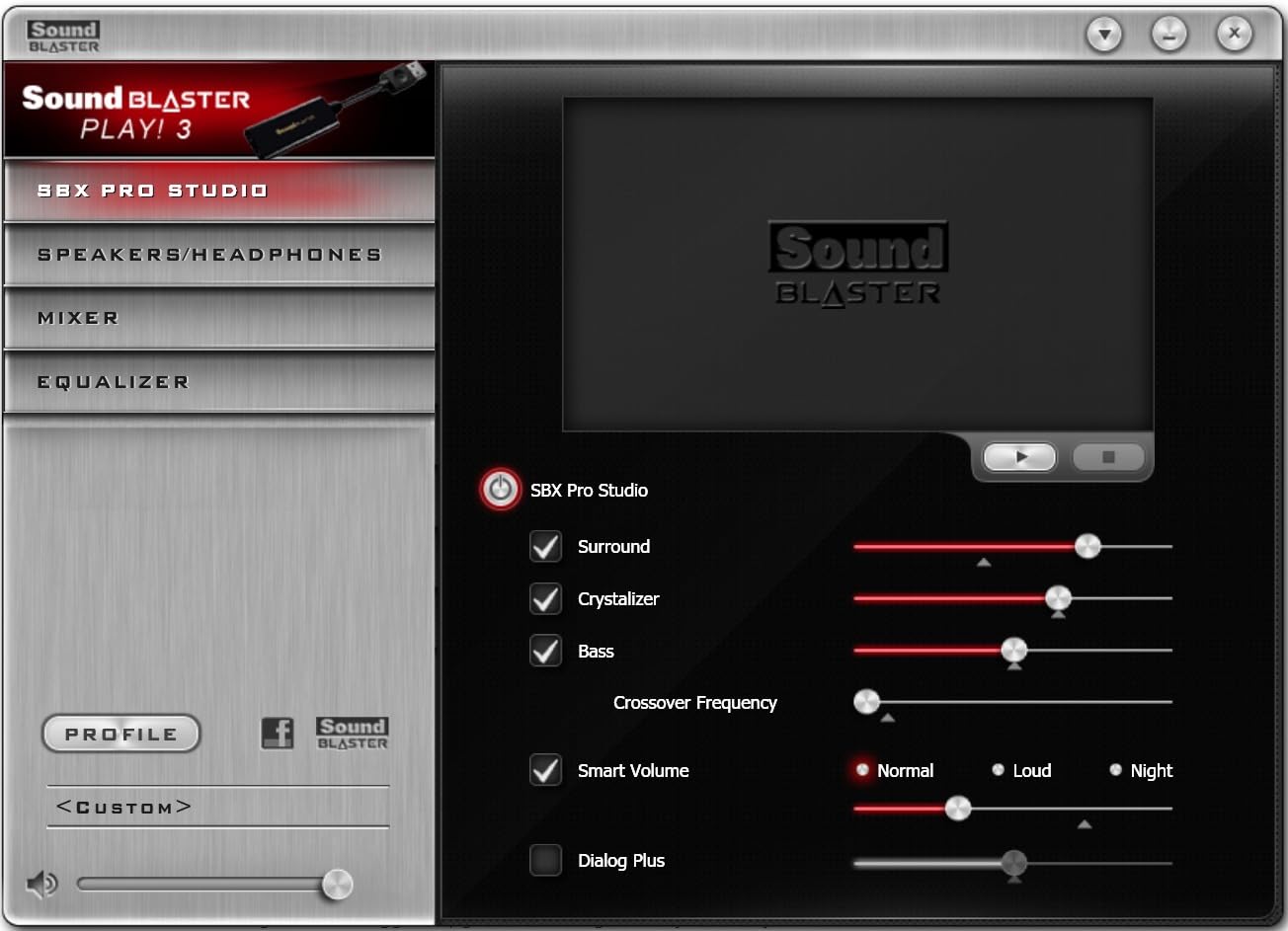
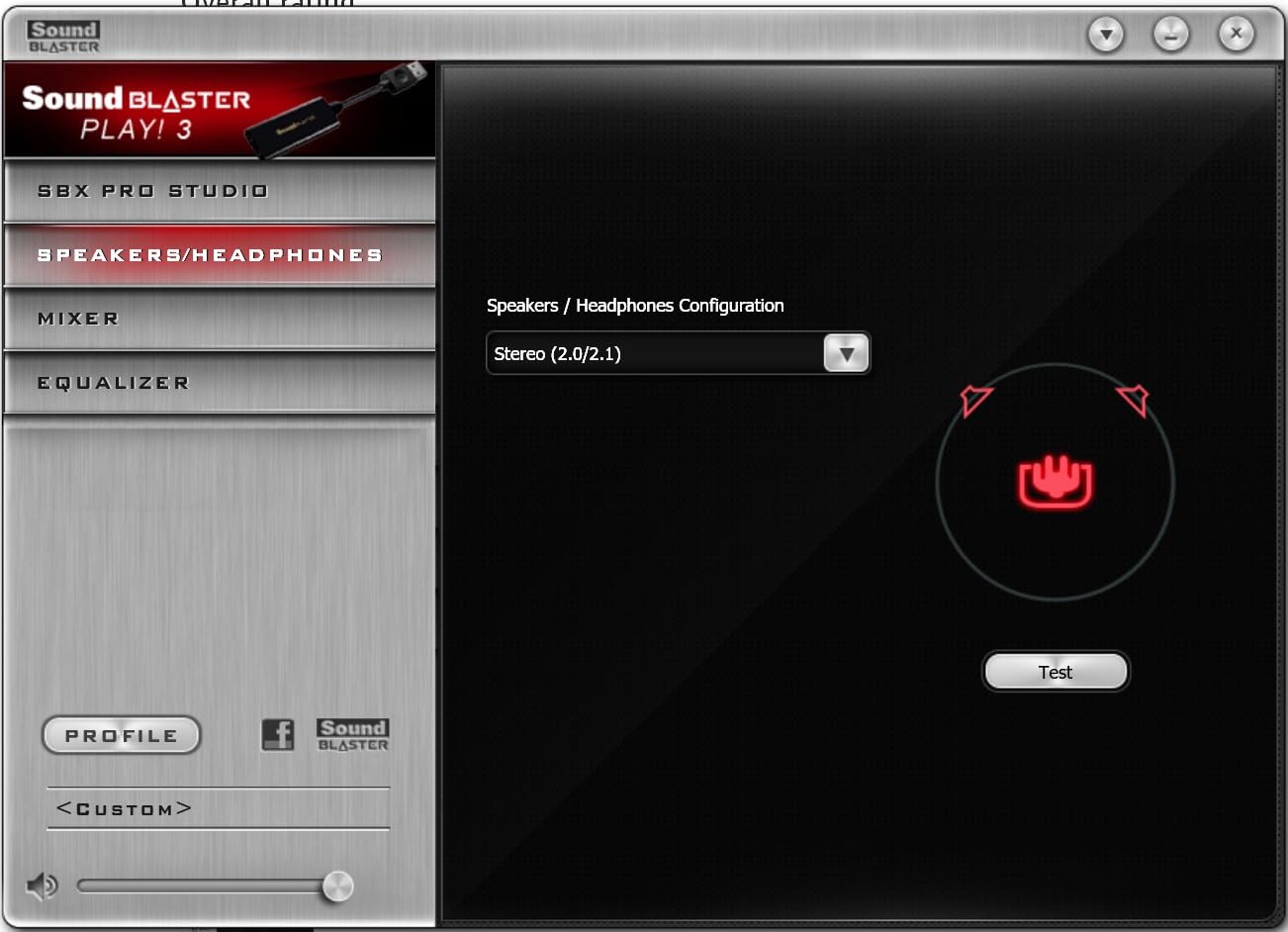
For users who want more control, Creative offers a downloadable software package with audio enhancements, EQ presets, and surround sound simulation. The software is optional but adds significant value, especially the EQ which lets you tailor the sound to your headphones or speakers. The device supports 5.1 surround sound output when connected to compatible speaker systems.
The main limitation is output volume. Without powered speakers or a headphone amplifier, the Play! 3 may not deliver enough volume for high-impedance headphones. It is also designed specifically for PC and Mac, so it will not work with Android phones or iOS devices. For the price though, these trade-offs are reasonable. This is not an audiophile device, but it is a genuinely useful upgrade for laptops with poor onboard audio.
Who Should Buy the Play! 3
Laptop users dealing with noisy headphone jacks, anyone who needs a quick and affordable audio upgrade, and people who want a portable sound card they can carry between computers. It is also useful as a backup audio device when your primary sound card fails.
Who Should Skip It
If you need recording capability, microphone preamps, or high-impedance headphone support, this is not the right product. Audiophiles seeking the best possible sound quality should consider a dedicated DAC or audio interface instead. It is a basic upgrade, not a professional tool.
10. StarTech 7.1 USB Sound Card – Best for Surround Sound

StarTech 7.1 USB Audio Adapter, External Sound Card (ICUSBAUDIO7D)
USB
7.1 Surround
SPDIF Optical
48kHz
Analog and Digital Output
Plug and Play
Windows Compatible
+ Pros
- Adds 7.1 surround through a single USB port
- SPDIF digital output for receiver connection
- Supports 7.1
- 5.1 and stereo output
- Plug and play on Windows
- Bus powered with no external adapter
- Cons
- Does not work with Dolby codecs for streaming apps
- May require powered USB hub after extended use
- Dated driver software
The StarTech 7.1 USB Sound Card solves a specific problem: adding multichannel surround sound to a computer that only has stereo output. If you want to connect your PC to a 5.1 or 7.1 speaker system or home theater receiver, this device gives you the analog and digital outputs to do it. I tested it with a 5.1 speaker setup through the analog outputs, and the channel separation was clean with no crosstalk between front, center, rear, and subwoofer channels.
The SPDIF optical digital output is the real value here. It lets you send a clean digital signal to an AV receiver or soundbar, bypassing the sound card’s DAC entirely and letting your receiver handle the conversion. This is ideal for home theater PC setups where you want your receiver to do the heavy lifting for audio processing. The device also includes line-in and stereo microphone inputs for basic recording needs.
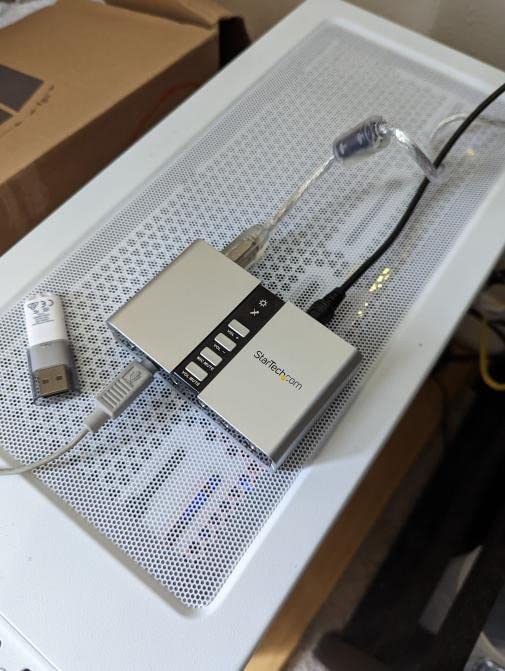
Installation is plug-and-play on Windows 7 through Windows 11. The device is recognized automatically, and you can configure it in Windows sound settings for your desired channel configuration (stereo, 5.1, or 7.1). It draws power from the USB bus, so there is no separate power adapter needed.
The limitations are significant though. The maximum 48kHz sample rate means no hi-res audio support. More critically, the device does not work with Dolby codecs for streaming apps on Windows, which means you will not get surround sound from Netflix, Disney+, or other streaming services that use Dolby Digital encoding. The driver software interface also looks like it was designed in 2008 and has not been updated since. Some users report that the device requires a powered USB hub after a few months of use, suggesting potential power degradation over time.
Who Should Buy the StarTech 7.1
Users building a home theater PC who need multichannel analog or SPDIF digital output, anyone wanting to connect their computer to a surround speaker system, and people replacing a faulty sound card in a desktop that needs surround sound support. It is a practical solution for a specific need.
Who Should Skip It
If you want hi-res audio playback, Dolby compatibility for streaming, or modern software features, this device falls short. Music producers and audiophiles should look at the Focusrite or MOTU interfaces instead. Mac users should also note that surround sound configuration options are more limited on macOS.
11. Vantec NBA-200U – Best Budget 7.1 Surround Sound Card
VANTEC USB External 7.1 Channel Audio Adapter
USB 2.0
7.1 Channel
SPDIF Optical I/O
48kHz
Stereo Mic Inputs
Analog Output
Compact
+ Pros
- 7.1 channel surround sound via USB
- SPDIF optical input and output
- Separate left and right mic inputs for stereo recording
- Affordable
- Windows and Mac compatible
- Cons
- Line-In does not work for some users
- Mac only supports 2.1 not full surround
- No USB cable included despite documentation
The Vantec NBA-200U is a compact external sound card that provides 7.1 surround sound through a USB connection. It is an affordable alternative to internal sound cards for users who want multichannel audio without opening their computer case. I tested it with both stereo headphones and a 5.1 speaker setup, and the surround output worked reliably on Windows 10 and 11 with proper configuration in the sound control panel.
One interesting feature is the SPDIF optical input and output pair. Having both optical in and optical out means you can use the NBA-200U to convert between digital and analog audio in either direction. This is useful for connecting older audio equipment that only has optical outputs to a computer for recording, or for sending audio from your PC to a receiver. The separate left and right microphone inputs also enable true stereo recording, which is unusual at this price point.
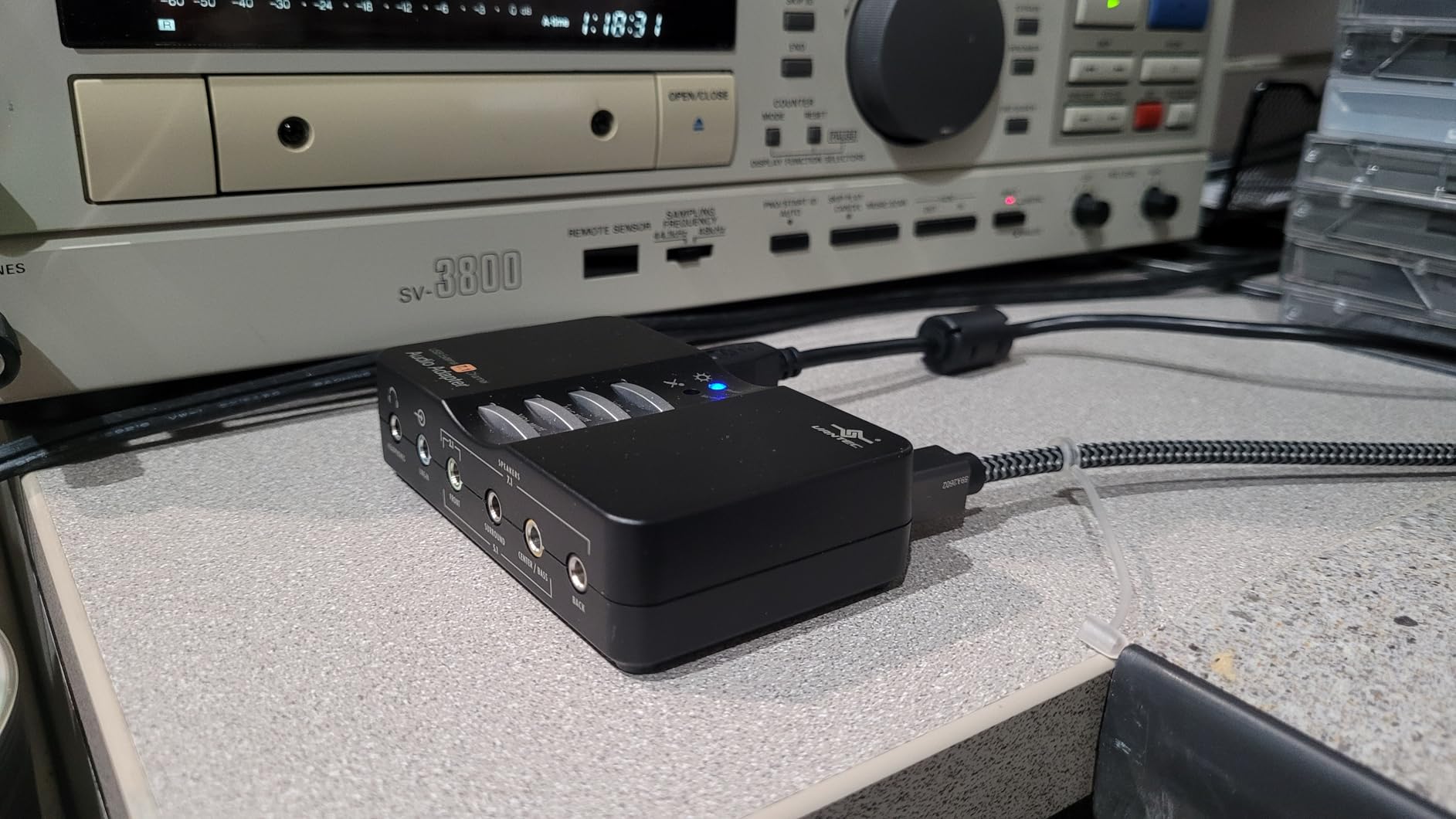
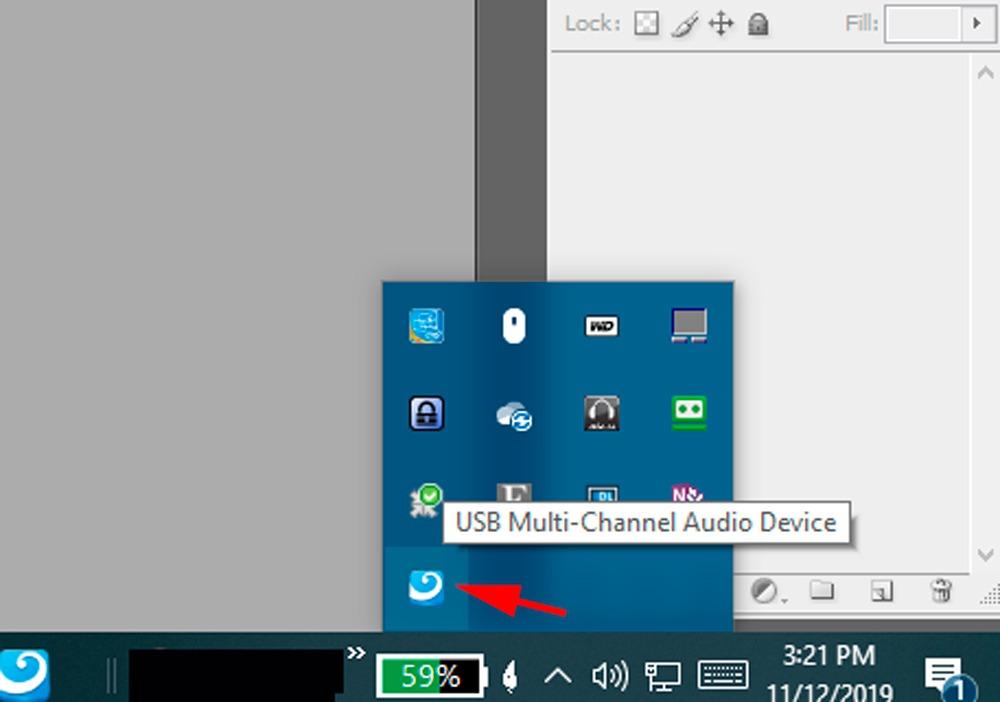
The NBA-200U supports 48kHz and 44.1kHz sampling rates for both playback and recording, which is adequate for most standard audio tasks. The USB 2.0 connection is backwards compatible with USB 1.1 ports, making it usable on older computers as well. Setup on Windows is straightforward with automatic driver installation.
However, there are some notable issues. The Line-In function does not work properly for some users, which limits recording capabilities. Mac users should be aware that the device only supports 2.1 output on macOS, not the full 7.1 surround sound that Windows users get. The product documentation states that a USB cable is included, but many users report not receiving one. Driver installation on newer Windows versions can also require some troubleshooting.
Who Should Buy the Vantec NBA-200U
Windows users who need affordable 7.1 surround sound output for gaming or movies, anyone needing SPDIF optical input and output in a compact form factor, and users setting up older PCs with surround speaker systems. The stereo mic inputs also make it useful for basic stereo recording.
Who Should Skip It
Mac users who need surround sound will be disappointed by the 2.1 limitation. If you need reliable Line-In functionality, some units have issues with this feature. The lack of an included USB cable is also frustrating, so factor that into your total cost if you do not have a spare USB Type-B cable.
12. Plugable USB Audio Adapter – Best Ultra-Budget Audio Jack Replacement

Plugable USB Audio Adapter Adds 3.5mm Speaker and Microphone Ports Because Your Laptop or PC Lacks an Audio Jack; Compact External Sound Card Replacement, Plug-and-Play for Windows, Mac, Linux
USB-A
48kHz
95dB SNR
3.5mm Speaker and Mic Ports
Aluminum Build
Plug and Play
Multi-Platform
+ Pros
- True plug and play on every platform including Linux
- Works with PS5 and Nintendo Switch
- Compact durable aluminum construction
- Clean audio quality for the price
- 2 year warranty
- Cons
- Maximum 48kHz sample rate not hi-res
- Volume can be too quiet without external amp
- USB connector may fit loosely on some ports
The Plugable USB Audio Adapter is the simplest, most affordable device in this guide, and it solves one very common problem: your computer or device lacks a working audio jack. I have encountered this situation many times, from broken headphone ports on laptops to modern ultrabooks that ship without any 3.5mm connector at all. The Plugable adapter adds both a speaker output and a microphone input through any USB port.
What sets the Plugable apart from generic USB audio adapters is its broad compatibility. It works on Windows, macOS, Chrome OS, Linux, and even Raspberry Pi OS without installing any drivers. I tested it on a Chromebook and a Raspberry Pi, and it was recognized instantly on both. It also works with PlayStation 5 and Nintendo Switch, making it a versatile audio solution for gaming consoles that need a 3.5mm output for headsets.
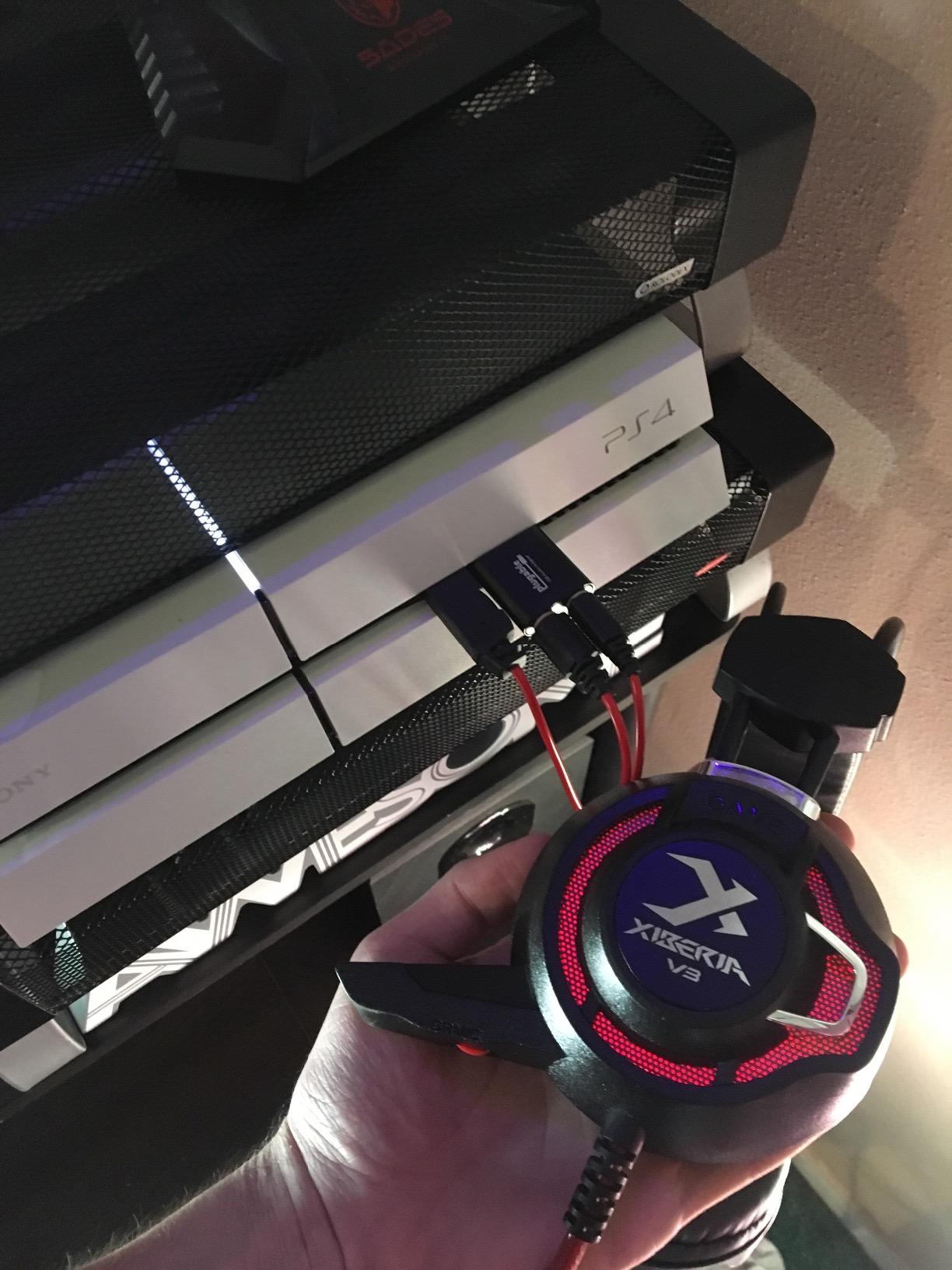
The aluminum construction feels durable and looks better than the plastic alternatives flooding the market. Audio quality is clean with a 95 dB Signal-to-Noise Ratio, which is adequate for everyday listening, video calls, and casual gaming. It effectively eliminates the electrical noise and hiss that many laptops produce through their built-in audio.
The limitations are clear given the price point. The 48kHz maximum sample rate means no hi-res audio support, and the output volume may be insufficient for high-impedance headphones without an external amplifier. The USB-A connector may also fit loosely in some ports, causing intermittent disconnections if bumped. Some headsets with combined TRRS connectors may require an adapter to separate the mic and headphone signals. These are expected trade-offs for a device at this price.
Who Should Buy the Plugable Adapter
Anyone with a broken or missing audio jack on their laptop, desktop, Chromebook, or even gaming console. It is also perfect as a spare audio adapter to keep in your bag. Linux users will appreciate the plug-and-play support without driver hassles. If you just need a basic audio output that works on everything, this is it.
Who Should Skip It
If you need hi-res audio, strong headphone amplification, or recording capability beyond basic microphone input, spend a bit more on the Creative Sound Blaster Play! 3 or a proper audio interface. This is a utilitarian device for solving a specific problem, not an upgrade for audio quality enthusiasts.
How to Choose the Best Sound Cards in 2026?
Picking the right sound card comes down to understanding what you actually need. The market splits into two main categories: internal PCIe cards for desktop PCs and external USB interfaces for broader compatibility. Each serves different purposes, and choosing the wrong type will leave you frustrated. Here is what to consider before making a decision.
Internal PCIe vs External USB: Which One Do You Need?
Internal PCIe sound cards like the Creative Sound Blaster AE-5 Plus and AE-7 are designed exclusively for desktop PCs with an available PCIe slot. They offer the lowest latency, the most powerful headphone amplification, and features like Dolby Digital Live encoding and hardware-accelerated audio processing. If you are a gamer or audiophile with a desktop PC and high-end headphones, an internal card is usually the best choice.
External USB audio interfaces and sound cards work with any computer, including laptops. They are the go-to choice for music production because they include microphone preamps, instrument inputs, and recording software. The Focusrite Scarlett, MOTU M2, and similar interfaces are designed primarily for recording but also serve as excellent playback devices. If you plan to record anything, from vocals to guitar to podcasts, you want an external USB interface.
DAC Quality and SNR: What the Numbers Mean
The DAC (Digital-to-Analog Converter) is the heart of any sound card. It converts digital audio data into the analog signal your headphones or speakers play. Higher-end DACs like the ESS SABRE 9038 in the Creative AE-7 produce cleaner, more detailed sound with less noise and distortion. The Signal-to-Noise Ratio (SNR) measures how much background noise the card produces relative to the audio signal. A higher SNR is better: 120 dB and above is excellent, while anything below 100 dB will have audible background noise.
For perspective, most motherboard audio chips offer around 90-110 dB SNR. The Creative AE-7 at 127 dB and the AE-5 Plus at 122 dB represent a significant improvement. However, whether you can actually hear the difference depends on your headphones and listening environment. With budget earbuds in a noisy room, you will not notice. With quality headphones in a quiet space, the improvement is clear.
Headphone Impedance Matching
This is one of the most overlooked factors in choosing a sound card. Headphones have an impedance rating measured in ohms. Most consumer headphones are 16-32 ohms and work fine with any audio output. But audiophile and studio headphones often range from 80 to 600 ohms, and they require more amplification power to sound their best.
If you own or plan to buy high-impedance headphones (250 ohms and above), you need a sound card with a strong headphone amplifier. The Creative AE-5 Plus and AE-7 both drive up to 600 ohms. Among external interfaces, the MOTU M2 also supports 600-ohm headphones. Using a weak output with high-impedance headphones results in low volume, flat dynamics, and poor bass response. Always check your headphone impedance and match it with a capable amplifier.
Sample Rate and Bit Depth: What Actually Matters
You will see numbers like 24-bit/96kHz and 32-bit/384kHz thrown around in sound card specs. The bit depth affects dynamic range: 16-bit provides 96 dB, 24-bit provides 144 dB, and 32-bit goes even higher. For listening and recording, 24-bit is more than sufficient. The sample rate affects frequency range: 44.1kHz covers the full human hearing range, while 96kHz and above extends into ultrasonic territory.
In practical terms, 24-bit/96kHz is plenty for most users. Music is typically recorded and distributed at 16-bit/44.1kHz (CD quality) or 24-bit/48kHz. Higher rates matter for professional mixing and mastering where you want headroom for processing. Do not pay extra for 32-bit/384kHz unless you have a specific professional need for it.
Gaming vs Music Production: Different Needs
Gamers benefit from features like virtual surround sound (7.1), Scout Mode for footstep detection, low-latency processing, and strong headphone amplification. The Creative Sound Blaster cards excel here with dedicated gaming features, hardware-accelerated audio processing, and surround sound encoding for speaker systems. For gaming, an internal PCIe card is usually the better choice.
Music producers need microphone preamps, instrument inputs, low-latency recording, MIDI connectivity, and DAW software compatibility. External USB interfaces from Focusrite, MOTU, Universal Audio, PreSonus, and Audient are built specifically for these needs. They include the inputs, preamps, and software that music production requires. For recording, an external USB interface is the clear winner.
FAQ
Who makes the best sound cards?
Creative Labs leads the market for internal PCIe gaming and audiophile sound cards with their Sound Blaster AE series. For USB audio interfaces used in music production, Focusrite, MOTU, Universal Audio, and Audient are the top manufacturers. The best brand depends on your use case: Creative for gaming and listening, Focusrite or MOTU for recording and production.
Which sound card is the best?
The Creative Sound Blaster AE-7 is the best internal PCIe sound card for audiophiles with its 127 dB DNR and ESS SABRE 9018 DAC. The Focusrite Scarlett Solo 3rd Gen is the best overall USB audio interface for beginners and general use. For gaming specifically, the Creative Sound BlasterX AE-5 Plus offers the best combination of audio quality and gaming features.
Do sound cards actually make a difference?
Yes, sound cards make a measurable and audible difference in specific situations. They provide cleaner audio with higher SNR than most motherboard audio, more powerful headphone amplification for high-impedance headphones, and dedicated processing for surround sound in gaming. The difference is most noticeable when using quality headphones (especially high-impedance models) in a quiet environment. For casual listeners with budget earbuds, the improvement is minimal.
Are sound cards worth it in 2026?
Sound cards are worth it in 2026 if you fall into one of these categories: audiophiles using high-impedance headphones (250+ ohms), gamers who want surround sound encoding and positional audio features, music producers who need low-latency recording with quality preamps, or users whose motherboard audio has noticeable noise or quality issues. For casual gaming and listening with standard headphones, modern motherboard audio is adequate and a dedicated sound card is not necessary.
Final Thoughts
Finding the right sound card comes down to matching the device to your actual needs. If you are a desktop PC gamer or audiophile who wants the cleanest possible audio for high-end headphones, the Creative Sound BlasterX AE-5 Plus or AE-7 are your best bets. For recording music, podcasts, or instruments, the Focusrite Scarlett Solo, MOTU M2, or Universal Audio Volt 2 deliver studio-quality results at reasonable prices.
For simple audio upgrades on laptops or systems with broken jacks, the Creative Sound Blaster Play! 3 and Plugable USB Audio Adapter offer quick, affordable fixes that work right out of the box. And for surround sound setups, the StarTech and Vantec external sound cards provide the multichannel outputs you need.
The best sound cards in 2026 cover a wide range of needs and budgets. Whether you spend under $20 on a basic adapter or invest in a professional audio interface, the key is knowing what features matter for your specific use case. Pick the right tool, and you will hear the difference.