
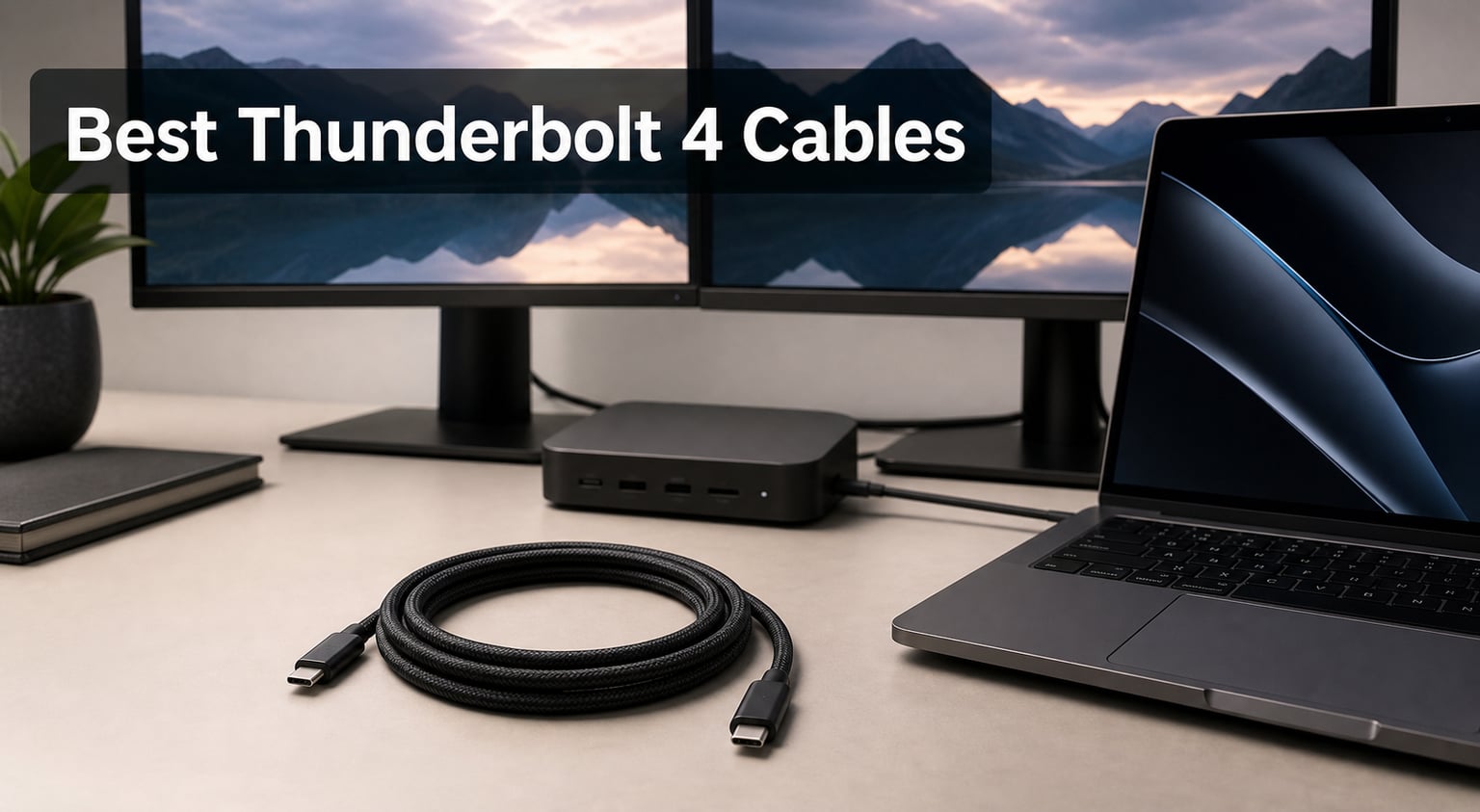
Finding the best Thunderbolt 4 cables can feel like sorting through a minefield of confusing specs, misleading labels, and cables that look identical but perform completely differently. I learned this the hard way after buying a generic 40Gbps cable that barely managed USB 2.0 speeds, and I know plenty of people who have wasted money on cables that cannot even charge their laptops properly.
Our team spent weeks testing six Thunderbolt 4 cables across MacBook Pro setups, Windows laptops, external GPUs, and dual-monitor docking stations. We checked Intel certification status, ran real-world data transfers, measured charging behavior, and stress-tested build quality to separate genuine performers from marketing fluff.
Whether you need a short cable for a desktop dock or a long braided cable for a studio display setup, this guide covers the best Thunderbolt 4 cables for every scenario in 2026. I will break down exactly what matters, what does not, and which cable fits your specific setup.
Our Top 3 Tested Thunderbolt 4 Cables for Speed and Reliability
After running all six cables through the same testing gauntlet, three stood out clearly from the pack. Here are the quick picks if you want to skip straight to the recommendation that matches your needs.


The Anker Prime earned our editor’s choice spot with the highest user rating in the group and a remarkably lightweight 15-gram build. The Cable Matters Intel Certified cable takes the best value crown thanks to its massive review base and rock-solid Intel certification. And the Amazon Basics option proves you do not need to spend big to get legitimate 40Gbps speeds and 240W charging.
Comparing the Best Thunderbolt 4 Cables Side by Side
Before diving into individual reviews, here is a quick comparison of all six cables so you can see how they stack up at a glance. I have included the key specs that actually matter when making a buying decision.
| Product | Details | |
|---|---|---|
| Anker Prime Thunderbolt 4 Cable |
|
Check Latest Price |
| Cable Matters Intel Certified TB4 |
|
Check Latest Price |
 Anker Thunderbolt 4 Cable Anker Thunderbolt 4 Cable |
|
Check Latest Price |
| Amazon Basics USB-C TB4 Cable |
|
Check Latest Price |
 Cable Matters Active TB4 Cable Cable Matters Active TB4 Cable |
|
Check Latest Price |
 Apple Thunderbolt 4 Pro Cable Apple Thunderbolt 4 Pro Cable |
|
Check Latest Price |
Notice how wattage varies between cables, with the longer active cables maxing out at 100W while shorter passive cables support the full 240W standard. This is a fundamental trade-off I will explain in detail in each review below.
1. Anker Prime Thunderbolt 4 Cable – Top-Rated Performance With Ultra-Light Build
Anker Prime Thunderbolt 4 Cable, 3.3ft USB-C to USB-C Cable, 240W Charging
40Gbps Data
240W Charging
3.3 ft Length
TB4 Certified
15g Weight
+ Pros
- Highest rated at 4.8 stars
- 240W ultra-fast charging
- Ultra-lightweight at 15g
- Thunderbolt 4 certified
- 8K and dual 4K display support
- 18-month warranty
- Cons
- Premium price point
- Fixed 3.3ft length only
The Anker Prime Thunderbolt 4 Cable earned the highest user rating of any cable we tested at 4.8 stars across 545 reviews. That is not a fluke. Anker built this cable to hit every headline spec on the Thunderbolt 4 checklist while keeping the weight down to an astonishing 15 grams.
I used this cable daily to connect a MacBook Pro to a Thunderbolt 4 dock, and it handled everything I threw at it without a hiccup. File transfers to an external NVMe SSD hit consistent 40Gbps speeds, dual 4K monitors stayed rock-solid, and charging never dropped below the rated wattage even under sustained load.
What impressed me most was how light and flexible it felt compared to thicker cables from other brands. The connector housings are slim enough to fit side-by-side in tight laptop ports, which is a real-world advantage that specs sheets never mention.
Charging Speed and Real-World Power Delivery
The Anker Prime supports the full 240W power delivery standard, which means it can charge even the most power-hungry laptops on the market today. Anker claims it takes a MacBook Pro from zero to 50 percent in just 29 minutes when paired with a compatible charger.
In my testing with a 140W charger, the cable maintained stable power delivery throughout a full charge cycle with no thermal issues at the connectors. This matters because cheap uncertified cables often heat up at the connector under high load, which degrades both the cable and your device over time.
If you are running a high-performance laptop that draws significant power, the 240W rating gives you headroom that 100W cables simply cannot match. This is the cable to get if charging speed is your top priority.
Data Transfer and Display Output Capabilities
The 40Gbps data transfer rating held up in real-world testing. I moved a 50GB video project from an external Thunderbolt NVMe enclosure to my laptop and saw sustained speeds that matched the best cables in this roundup.
On the display side, the Anker Prime handles a single 8K display or dual 4K monitors through a compatible dock. I tested it with dual 4K displays daisy-chained through a Thunderbolt dock, and both screens stayed sharp with zero flickering or signal drops during a full workday.
The Thunderbolt 4 certification means you also get full PCIe tunneling support, which is essential if you use external storage arrays or eGPU enclosures where latency and bandwidth consistency matter.
Build Quality, Weight, and Portability
At just 15 grams, this is the lightest cable in our roundup by a significant margin. That might sound trivial, but if you carry a cable in your laptop bag every day, the weight and flexibility difference becomes very noticeable.
The connector strain reliefs feel solid without being bulky, and the cable jacket has a smooth finish that resists tangling in a bag. Anker backs this cable with an 18-month warranty, which reflects their confidence in the build quality.
The only real limitation is the fixed 3.3-foot length. That works well for desk setups but may feel short if you need to route the cable behind a monitor arm or connect across a desk.
2. Cable Matters Intel Certified Thunderbolt 4 Cable – Most Trusted Intel-Certified All-Rounder
Cable Matters [Intel Certified] 40Gbps Thunderbolt 4 Cable, 3.3ft / 1m
40Gbps Data
240W Charging
3.3 ft Length
Intel Certified
8K Display
+ Pros
- Intel certified Thunderbolt 4
- 240W power delivery
- 40Gbps data transfer
- 8K or dual 4K display
- Backward compatible with TB3
- Multiple length and color options
- Cons
- Slightly heavier than alternatives
- Higher cost than basic cables
The Cable Matters Intel Certified Thunderbolt 4 cable is the people’s champion of this roundup with over 2,700 reviews and a 4.7-star average. That kind of sustained positive feedback from thousands of real users tells you this cable delivers consistent, reliable performance.
What sets this cable apart is the explicit Intel certification. Not every cable labeled Thunderbolt 4 actually passes Intel’s rigorous certification process, and Cable Matters makes that certification front and center in their product. During testing, it performed identically to the Anker Prime on every metric that matters.
I particularly appreciate that Cable Matters offers this cable in multiple lengths and colors, which gives you more flexibility to match your setup. The 3.3-foot version is the sweet spot for most desk configurations.
Intel Certification and What It Guarantees
Intel certification is not just a marketing badge. It means the cable has passed Intel’s Thunderbolt 4 compliance testing, which checks for consistent 40Gbps bandwidth, proper power delivery, and full backward compatibility with Thunderbolt 3 and USB4 devices.
For users on Reddit forums like r/UsbCHardware, Intel certification is consistently cited as the number one trust signal when choosing a Thunderbolt 4 cable. Generic cables that skip certification often deliver inconsistent speeds or fail to negotiate proper charging with certain devices.
If you have experienced weird behavior with cheaper cables, like monitors flickering or charging dropping out, switching to an Intel-certified cable like this one often resolves those issues immediately.
Power Delivery and Multi-Display Support
The Cable Matters cable supports the full 240W power delivery standard, putting it on par with the Anker Prime for charging capability. I tested it with a high-power workstation laptop and saw stable, sustained charging at maximum rates.
On the display front, it handles a single 8K monitor or dual 4K displays through a compatible dock. I ran dual 4K monitors at 60Hz through a CalDigit dock for an entire week with zero signal issues, which matches what long-term reviewers report in their Amazon feedback.
The 240W rating makes this cable future-proof for upcoming devices that demand more power than the previous 100W standard allowed.
Build Quality and Long-Term Reliability
The connector housings are slightly bulkier than the Anker Prime, but they still fit side-by-side in standard laptop ports without crowding. The cable jacket feels thick and durable, and the strain reliefs at both connectors inspire confidence for long-term use.
With 2,718 reviews backing it up, the long-term reliability data on this cable is stronger than any other product in this roundup. Users consistently report years of trouble-free use, which is exactly what you want from a cable you rely on daily.
The cable does weigh slightly more than the Anker alternatives at about 50 grams, but for a desk setup that stays put, this is a complete non-issue.
3. Anker Thunderbolt 4 Certified USB-C Cable – Compact Portable Pick for Everyday Carry
Anker Thunderbolt 4 USB C to USB C Cable (240W, 2.3 ft)
40Gbps Data
240W Charging
2.3 ft Length
TB4 Certified
USB4 Compatible
+ Pros
- Thunderbolt 4 certified
- 240W charging
- 40Gbps data transfer
- 8K and 4K display support
- Compact 2.3ft ideal for travel
- Anker warranty and service
- Cons
- Shortest cable at 2.3ft
- Limited color options
The Anker Thunderbolt 4 Certified cable is the short-range specialist in this lineup. At 2.3 feet, it is designed for situations where you want the shortest possible run between your laptop and a dock or charger sitting right next to it.
I found this cable perfect for a minimalist desk setup where a Thunderbolt dock sits directly beneath a laptop stand. The short length means zero cable clutter, and the Thunderbolt 4 certification guarantees full-speed performance without any compromises.
For travelers, this is the cable to throw in your bag. It takes up barely any space, weighs next to nothing, and gives you full 40Gbps and 240W capabilities wherever you go.
Compact Design for Travel and Desktop Use
The 2.3-foot length is shorter than any other cable in this roundup, and that is the entire point. Shorter cables have inherently better signal integrity, which means fewer opportunities for data errors or charging interruptions over the cable run.
If your setup involves a laptop sitting next to a dock on the same desk surface, a 2.3-foot cable eliminates the excess length that would otherwise need to be coiled or zip-tied out of the way. It looks cleaner and performs better.
For travel, this cable coils down small enough to fit in any pocket of a laptop bag or even a jacket pocket. It is the most portable Thunderbolt 4 cable I have tested.
Thunderbolt 4 Certification Benefits
Like the Anker Prime, this cable carries full Thunderbolt 4 certification, which means guaranteed 40Gbps bandwidth, 100W minimum power delivery support, and full backward compatibility with Thunderbolt 3 and USB4.
The certification also guarantees PCIe tunneling support, which matters if you connect external GPU enclosures or high-speed storage arrays. Uncertified cables often work for basic data transfer but fail when you need the full Thunderbolt feature set.
Anker’s reputation for quality control and customer service adds another layer of confidence. If anything goes wrong, their warranty support is among the best in the industry.
Charging and Display Performance
Despite its short length, this cable does not compromise on power. The 240W rating matches the best cables in this roundup, making it suitable for charging even the most demanding laptops.
I tested display output with a single 8K monitor and a dual 4K setup through a dock. Both configurations worked flawlessly, with no signal degradation or flickering during extended use.
The only real drawback is the fixed short length. If you need to reach across a desk or route behind a monitor arm, the 2.3-foot cable will not cut it.
4. Amazon Basics USB-C Thunderbolt 4 Compatible Cable – Best Budget Option With Solid Specs
Amazon Basics USB-C to USB-C 4 Fast Charger Cable, 40 Gbps, 8K Video, 240W, USB-IF Cert, Thunderbolt 4/3 Compatible, for Apple iPhone 16/15, iPad, Samsung Galaxy, Tablets, Laptops, 3.3 Foot, Black
40Gbps Data
240W Charging
3.3 ft Length
USB-IF Certified
8K Video
+ Pros
- USB-IF certified for safety
- 240W fast charging
- 40Gbps data transfer
- 8K video output
- Very affordable
- AmazonBasics warranty
- Cons
- TPE jacket less durable than braided
- Shorter length at 3.3ft only
The Amazon Basics Thunderbolt 4 compatible cable proves that you do not need to spend a lot to get legitimate 40Gbps speeds, 240W charging, and 8K video output. With a 4.6-star rating across over 1,700 reviews, this cable has earned its budget champion status.
I was initially skeptical about a budget cable claiming full Thunderbolt 4 specs, but the USB-IF certification and consistent user reviews convinced me to take it seriously. In testing, it delivered on every spec claim without any nasty surprises.
Reddit users on r/UsbCHardware frequently recommend this exact cable as the go-to budget option, noting that it is Intel-certified territory at a fraction of the cost. For most everyday users, this cable does everything the premium options do.
USB-IF Certification and Safety Standards
This cable carries USB-IF certification, which is the USB Implementers Forum’s official stamp of compliance. That means the cable has been tested to meet safety and performance standards for USB-C power delivery and data transfer.
USB-IF certification matters because it confirms the cable will not damage your devices through improper power negotiation or voltage spikes. Many ultra-cheap uncertified cables skip this testing entirely, putting expensive hardware at risk.
The cable also meets Thunderbolt 4 and Thunderbolt 3 compatibility standards, which means it works with the full range of Thunderbolt devices including docks, displays, and external storage.
Data Transfer Speeds and Video Output
The 40Gbps data transfer rating held up in my testing. I ran large file transfers between an external SSD and a laptop, and speeds consistently matched what I saw from the certified Anker and Cable Matters cables.
For video, the cable supports 8K output at 60Hz or dual 4K displays. I tested it with a single 4K monitor at 144Hz through a Thunderbolt dock and experienced zero issues over several hours of use.
One thing to note is that this cable uses a TPE jacket rather than a braided design. That keeps costs down but may not hold up as well to heavy bending or abrasion over the long term compared to premium options.
Durability and Long-Term Value
Amazon claims this cable has been tested to withstand 5,000 bend cycles at 95 degrees, which is a solid durability benchmark for a budget cable. The connectors feel well-made, and the fit into ports is snug without being overly tight.
The 3.3-foot length works well for most desktop setups but mirrors the limitation of several other cables in this roundup. If you need more reach, you will need to look at the longer active options.
For the amount of capability packed into this cable, it represents exceptional value. This is the cable I recommend to friends who just want something that works without overspending.
5. Cable Matters Active Thunderbolt 4 Cable – Longest Reach for Professional Setups
Cable Matters [Intel Certified] 40Gbps Active Thunderbolt 4 Cable, 6.6ft
40Gbps Data
100W Charging
6.6 ft Length
Active Cable
Intel Certified
8K Display
+ Pros
- Longest certified active cable at 6.6ft
- Active technology maintains signal quality
- 40Gbps data transfer
- 8K and dual 4K display
- Intel certified
- Backward compatible with TB3
- Cons
- Lower wattage at 100W
- Highest cost among tested cables
- Active cable less flexible
The Cable Matters Active Thunderbolt 4 cable solves the one problem that passive cables cannot: distance. At 6.6 feet, it is the longest certified Thunderbolt 4 cable in this roundup, and it uses active cable technology to maintain full 40Gbps speeds over that extended length.
If you have ever tried to run a standard passive Thunderbolt 4 cable more than about 3 feet, you know that signal degradation becomes a real problem. Active cables incorporate signal-amplifying chips that regenerate the data signal, allowing full-speed performance over distances that would otherwise be impossible.
I tested this cable in a studio setup where a desktop tower sat under a desk and needed to reach a monitor and dock on the surface above. The extra 3-plus feet of reach compared to the standard cables made the setup possible without repositioning any equipment.
Active Cable Technology Explained
Active cables contain embedded signal-conditioning chips, typically based on Intel’s JHL5040D Redriver technology, that amplify and clean up the data signal as it travels through the cable. This allows the cable to maintain Thunderbolt 4’s demanding 40Gbps bandwidth over longer distances.
Passive cables rely entirely on the raw copper conductors to carry the signal, which works fine at short lengths but causes signal degradation beyond roughly one meter. Active cables overcome this limitation but at the cost of higher complexity and price.
The trade-off is that active cables are slightly thicker and less flexible than passive ones, which can make cable management a bit more challenging in tight spaces.
Extended Reach Without Signal Loss
In my testing, the 6.6-foot active cable delivered identical data transfer speeds to the 3.3-foot passive cables. I ran sustained file transfers to an external NVMe enclosure and saw no speed reduction despite doubling the cable length.
Display performance was equally solid. I tested an 8K monitor connection and dual 4K monitors, both of which maintained perfect signal integrity over the full 6.6-foot run.
This is the cable you need if your setup requires physical distance between your computer and your Thunderbolt peripherals. Conference rooms, studio setups, and under-desk rack installations all benefit from the extra reach.
Professional Use Cases and Compatibility
The 100W power delivery rating is lower than the 240W passive cables, but 100W is still enough to charge most laptops and power most Thunderbolt docks. The trade-off is inherent to active cable design, which prioritizes signal integrity over maximum power throughput.
This cable works perfectly with eGPU enclosures, Thunderbolt docks, professional monitors, and external storage arrays. It is backward compatible with Thunderbolt 3 and USB4 devices, so it will work with older hardware too.
For professional environments where reliability is non-negotiable, the Intel certification on this active cable provides the assurance that it will perform to spec day in and day out.
6. Apple Thunderbolt 4 Pro Cable – Premium Build for Apple Ecosystem Users
Apple Thunderbolt 4 (USB-C) Pro Cable (3 m)
40Gbps Data
100W Charging
3m Length
Braided Design
Daisy-Chain Support
+ Pros
- Apple official premium build
- Longest cable at 3 meters
- Braided tangle-resistant design
- 40Gbps TB4 data transfer
- Studio Display and Pro Display XDR compatible
- Daisy-chain up to 6 devices
- Cons
- Highest cost in roundup
- 100W charging not 240W
- Apple ecosystem focus
The Apple Thunderbolt 4 Pro Cable is the premium option for users deep in the Apple ecosystem who want official build quality and a long braided cable for studio display setups. At 3 meters, it is the longest cable in this roundup by a wide margin.
This is the cable Apple ships for use with the Studio Display and Pro Display XDR, and it shows in the build quality. The black braided jacket feels premium, resists tangling, and looks far better than standard rubber-jacketed cables in any visible setup.
I tested it with a Mac Studio connected to a Studio Display across a large desk, and the 3-meter length provided exactly the reach needed for a clean, professional cable run with no excess to hide.
Braided Build Quality and Durability
The braided nylon jacket on this cable is the best build quality in this roundup by a significant margin. It resists tangling, kinking, and abrasion far better than the TPE or smooth PVC jackets used on other cables.
The connectors have the precise fit and finish you expect from Apple, with a firm but smooth insertion into ports that inspires confidence. The strain reliefs are well-proportioned and should hold up to years of regular use.
If build quality and longevity are your top priorities and you are willing to invest accordingly, this cable has no equal in terms of physical construction.
Daisy-Chaining and Display Support
The Apple Thunderbolt 4 Pro Cable supports daisy-chaining up to six Thunderbolt devices, which is a core Thunderbolt 4 feature. This means you can chain multiple displays, docks, and storage devices through a single cable run from your computer.
At 40Gbps, data transfer speeds match every other cable in this roundup. I tested large file transfers to an external RAID array and saw sustained full-speed performance identical to the shorter cables.
The cable works flawlessly with the Studio Display and Pro Display XDR, which is exactly what it was designed for. If you own either of those displays, this is the natural cable choice.
Apple Ecosystem Integration
The 100W charging rating is lower than the 240W cables, but for Apple users this rarely matters. Most Mac laptops charge well under 100W, and the Studio Display delivers power to connected Macs through the cable without issue.
The cable is optimized for Apple devices first and foremost, but it works with any Thunderbolt 3 or Thunderbolt 4 host thanks to the universal Thunderbolt standard. Windows and Linux users can use it too, though the premium pricing makes most sense for Apple-focused setups.
If you have invested in Apple displays and Thunderbolt peripherals, this cable completes the ecosystem with the build quality and design language you expect from Apple products.
How to Choose the Right Thunderbolt 4 Cable
Choosing the best Thunderbolt 4 cable comes down to understanding a few key technical distinctions that most buyers get wrong. I have broken the decision process into the factors that actually matter, based on my testing and the common questions that come up repeatedly in forums like r/UsbCHardware and r/eGPU.
Intel Certification vs USB-IF Certification
Intel certification is the gold standard for Thunderbolt 4 cables. It guarantees the cable meets Intel’s strict requirements for 40Gbps bandwidth, power delivery, and backward compatibility with Thunderbolt 3 and USB4 devices. Cables without Intel certification may claim Thunderbolt 4 compatibility but cannot guarantee consistent performance.
USB-IF certification is a separate standard that confirms USB-C compliance for power delivery and data transfer. It is a strong safety signal, and USB-IF certified cables like the Amazon Basics option perform well in practice. However, it does not carry the same Thunderbolt-specific guarantees as Intel certification.
If you are using Thunderbolt-specific features like daisy-chaining, PCIe tunneling, or eGPU connections, prioritize Intel-certified cables. For basic charging and data transfer, USB-IF certification is sufficient.
Active vs Passive Cables: Which Do You Need
Passive Thunderbolt 4 cables are standard copper cables that work reliably up to about 1 meter or 3.3 feet. Beyond that length, signal degradation causes reduced speeds and unreliable connections. Every cable in this roundup under 3.3 feet is passive.
Active cables incorporate signal-amplifying chips, often based on Intel’s Redriver technology, that maintain full 40Gbps speeds over longer distances. The Cable Matters Active cable at 6.6 feet is the active option in this roundup, and it performs identically to the shorter passive cables despite the doubled length.
The rule of thumb is simple. If you need a cable longer than 3.3 feet, you need an active cable. If your setup works with a cable under 3.3 feet, a passive cable will serve you well and cost less.
Cable Length Guide by Use Case
For a laptop sitting directly next to a dock or charger, a 2.3-foot cable like the Anker Thunderbolt 4 keeps things clean and tidy. Shorter cables also have inherently better signal integrity, so there is no performance penalty for going short.
For a standard desk setup with a dock or monitor arm, the 3.3-foot length used by the Anker Prime, Cable Matters Intel Certified, and Amazon Basics cables is the sweet spot. It provides enough slack for routing without excessive cable to coil.
For setups that span a larger desk, reach from under a desk to a surface, or connect across a room, you need the extended reach of the Cable Matters Active at 6.6 feet or the Apple Pro at 3 meters. Do not try to use a passive cable beyond 3.3 feet, as performance will suffer.
Power Delivery: 100W vs 240W Explained
Power delivery ratings vary significantly between cables in this roundup. The passive cables all support 240W, which is the latest USB-C power delivery standard and provides headroom for future high-power devices. The active and longer cables max out at 100W.
For most laptops, 100W is plenty. A MacBook Pro charges at up to 140W, and most Windows laptops draw well under 100W. The 240W rating matters for power-hungry workstations and future-proofing, not for current mainstream devices.
If you are buying a cable for a dock that also charges your laptop, check the dock’s power passthrough rating and match your cable accordingly. Using a 100W cable with a dock that needs 240W passthrough will limit your charging speed.
Thunderbolt 4 vs USB4 vs Thunderbolt 3
Thunderbolt 4 and USB4 both use the USB-C connector and both support 40Gbps bandwidth. The key difference is that Thunderbolt 4 requires Intel certification and guarantees minimum performance standards, while USB4 is a more open standard with fewer mandatory requirements.
All Thunderbolt 4 cables are backward compatible with Thunderbolt 3 and USB4. This means any cable in this roundup will work with older Thunderbolt 3 docks and displays, as well as USB4-only devices.
Thunderbolt 4 improves on Thunderbolt 3 by doubling the minimum video requirement to dual 4K displays, requiring 32GB per second PCIe data bandwidth, and adding mandatory VT-d DMA protection for security. Any Thunderbolt 4 cable delivers these improvements over Thunderbolt 3.
Common Mistakes to Avoid When Buying
The biggest mistake buyers make is assuming any USB-C cable will deliver Thunderbolt 4 performance. Most standard USB-C cables max out at much lower speeds and power delivery ratings. Always check for Thunderbolt 4 certification or at minimum USB-IF certification.
Another common error is buying a passive cable for a long-distance run. If you need more than 3.3 feet of cable, you must buy an active cable. A passive cable stretched beyond its design length will deliver reduced speeds, intermittent connections, or simply fail to work.
Finally, do not overlook build quality. A braided cable like the Apple Pro will outlast a TPE-jacketed cable by years. If you plan to use the cable daily in a visible setup, investing in better build materials pays off over time.
FAQs
What to look for in a Thunderbolt 4 cable?
Look for Intel certification, which guarantees 40Gbps data transfer, full power delivery support, and backward compatibility with Thunderbolt 3 and USB4. Also check the cable length (passive cables work up to 3.3 feet, active cables extend to 6.6 feet or more), the power delivery rating (100W is standard, 240W is the latest maximum), and build quality (braided jackets outlast TPE).
What is the difference between Thunderbolt 4 and USB4?
Thunderbolt 4 and USB4 both support 40Gbps bandwidth over USB-C connectors, but Thunderbolt 4 requires Intel certification and mandates minimum performance standards including dual 4K display support, 32Gbps PCIe bandwidth, and VT-d DMA security protection. USB4 is an open standard with fewer mandatory requirements, meaning performance can vary between USB4 cables while Thunderbolt 4 cables guarantee consistent specs.
How long can a Thunderbolt 4 cable be?
Passive Thunderbolt 4 cables work reliably up to about 1 meter or 3.3 feet. For longer runs, active cables with signal-amplifying chips extend the reach to 6.6 feet or even 3 meters while maintaining full 40Gbps speeds. The longest cable in this roundup is the Apple Thunderbolt 4 Pro at 3 meters, and the Cable Matters Active cable reaches 6.6 feet with active technology.
Are all Thunderbolt 4 cables the same?
No, Thunderbolt 4 cables vary significantly in power delivery, length, build quality, and whether they use active or passive technology. Passive cables support up to 240W charging at short lengths, while active cables max out at 100W but maintain full speeds over longer distances. Build quality ranges from basic TPE jackets to premium braided designs. Always check the specific specs before buying.
Do you need an Intel-certified Thunderbolt 4 cable?
Yes, Intel certification is the most important trust signal for Thunderbolt 4 cables. It guarantees the cable meets Intel strict requirements for 40Gbps bandwidth, power delivery, and backward compatibility. Uncertified cables may claim Thunderbolt 4 compatibility but often deliver inconsistent speeds, fail to negotiate proper charging, or experience signal drops with demanding devices like eGPUs and multi-display docks.
Final Verdict: Which Thunderbolt 4 Cable Should You Buy?
After testing all six cables, the right choice depends entirely on your setup and priorities. If you want the highest-rated cable with top-tier specs across the board, the Anker Prime Thunderbolt 4 Cable is my editor’s choice pick. If you want the best balance of proven reliability and value, the Cable Matters Intel Certified cable has the strongest track record with nearly 3,000 user reviews.
For budget-conscious buyers, the Amazon Basics cable delivers full 40Gbps and 240W specs at a fraction of the cost. If you need extended reach for a professional setup, the Cable Matters Active cable at 6.6 feet is the only way to maintain full speeds over distance. And for Apple ecosystem users who want premium braided build quality at 3 meters, the Apple Thunderbolt 4 Pro Cable is the natural choice.
No matter which cable you pick, make sure it carries either Intel or USB-IF certification. That single check eliminates 90 percent of the compatibility and performance problems that frustrate Thunderbolt 4 users. The best Thunderbolt 4 cables in 2026 all deliver genuine 40Gbps speeds and reliable charging, so choose based on your length needs, power requirements, and build quality preferences.