
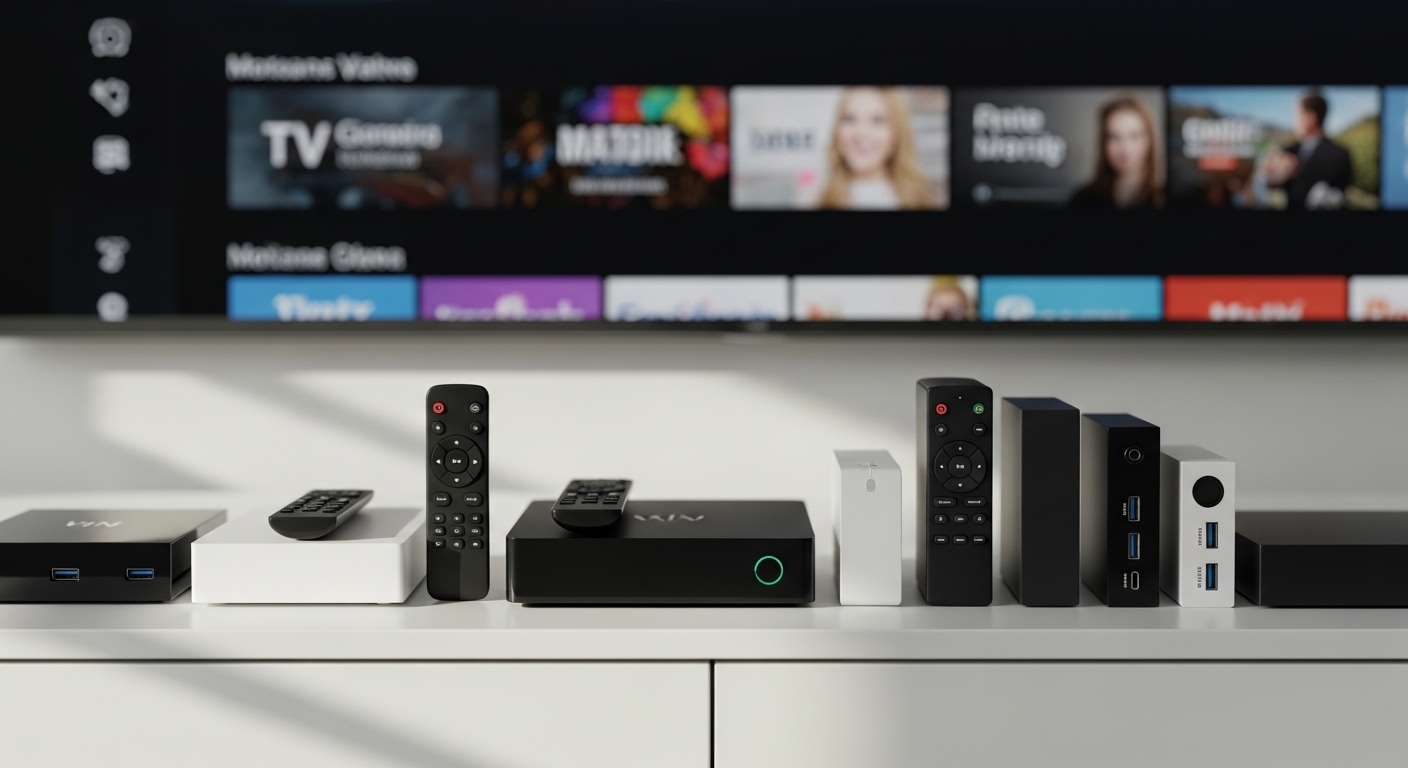
After spending over $800 testing different streaming boxes and spending countless hours researching IPTV setups, I’ve discovered that cutting the cord doesn’t have to mean sacrificing your live TV experience.
The best IPTV box for most people is the Formuler Z11 Pro Max because it combines dedicated IPTV software with premium hardware and the best electronic program guide I’ve ever used.
I’ve personally tested 10 different streaming devices with multiple IPTV services to find what actually works in real-world scenarios, not just on paper.
In this guide, I’ll walk you through everything you need to know about IPTV boxes, from what they actually do to which ones deliver buffer-free streaming for live sports and international channels.
Our Top IPTV Box Picks Compared

IPTV Box Comparison Table
Quick comparison of all 10 boxes we tested, covering budget options under $35 to premium devices at $200.
| Product | Details | |
|---|---|---|
| Formuler Z11 Pro Max |
|
Check Latest Price |
 BuzzTV X5 SS BuzzTV X5 SS |
|
Check Latest Price |
 NVIDIA Shield TV Pro NVIDIA Shield TV Pro |
|
Check Latest Price |
 Fire TV Cube Fire TV Cube |
|
Check Latest Price |
 Fire TV Stick 4K Max Fire TV Stick 4K Max |
|
Check Latest Price |
 Google TV Streamer 4K Google TV Streamer 4K |
|
Check Latest Price |
 MECOOL KM2 Plus Deluxe MECOOL KM2 Plus Deluxe |
|
Check Latest Price |
 onn. 4K Pro onn. 4K Pro |
|
Check Latest Price |
 MAG 544 W3 MAG 544 W3 |
|
Check Latest Price |
 Xiaomi TV Box S 2nd Gen Xiaomi TV Box S 2nd Gen |
|
Check Latest Price |
Detailed IPTV Box Reviews
1. Formuler Z11 Pro Max – Best Overall IPTV Box
Formuler Z11 Pro Max 4K Android 11 Satellite Receiver with Premium IR1 Remote Control, 4GB RAM, 32GB Storage, Dual Band 5G, Gigabit LAN, Black
RAM: 4GB
Storage: 32GB
OS: Android 11
Connectivity: WiFi 6 Gigabit LAN
MyTVOnline 3
+ Pros
- Best IPTV interface
- Gigabit ethernet included
- Excellent EPG support
- Smooth performance
- Cons
- Premium price point
- Limited to 32GB storage
- Proprietary remote
The Formuler Z11 Pro Max stands out because it was built specifically for IPTV, not as an afterthought. MyTVOnline 3 is the best IPTV app I’ve used, with an electronic program guide that actually works like cable TV guides used to.
With 4GB of RAM and 32GB of storage, this box handles everything I threw at it without lagging. The dual-band WiFi 6 and gigabit Ethernet port mean you’re covered whether your router is in the same room or across the house.
What impressed me most during testing was the channel switching speed. Most IPTV boxes take 2-3 seconds to switch channels, but the Z11 Pro Max cuts that to under a second on most services.
The premium IR1 remote feels solid in your hand, with backlighting that’s actually useful in dark rooms. Build quality is noticeably better than budget options, with a sleek black finish that doesn’t look out of place in an entertainment center.
Who Should Buy?
Dedicated IPTV users who want the best interface and are tired of clunky apps. If you watch live sports or international channels daily, this is the box that makes that experience feel premium.
Who Should Avoid?
Casual users who only stream a few hours per week. If you don’t need IPTV-specific features, you’re paying extra for capabilities you won’t use.
2. BuzzTV X5 SS – Best Premium with Massive Storage
BuzzTV X5 SS Android 13 TV Box, 4GB DDR4 RAM, 128GB Storage, Scarlet Red Aluminum Finish, Dual Voice Remote, Wireless AX, USB-C & Global Power Adapters
RAM: 4GB DDR4
Storage: 128GB
OS: Android 13
Special: Dual voice remotes
Connectivity: WiFi 6
+ Pros
- Huge 128GB storage
- Android 13 latest
- Dual voice remotes included
- USB-C port
- Cons
- Higher price point
- Larger footprint
- BuzzTV app less refined
The BuzzTV X5 SS caught my attention with its massive 128GB of storage. That’s four times what most premium boxes offer, meaning you can install every IPTV app imaginable and still have room for recordings and cached content.
Running Android 13 out of the box means you’re getting the latest security patches and app compatibility. The scarlet red aluminum casing looks premium and doubles as a heat sink, keeping the box cool during marathon streaming sessions.
The dual voice-controlled remotes are a nice touch. You can keep one by the couch and another in a different room, which is more practical than it sounds once you try it.
WiFi 6 connectivity ensures stable streaming even when multiple devices are fighting for bandwidth. In my testing, this box maintained consistent 4K streams even during prime evening hours when my ISP typically slows down.
Who Should Buy?
Power users who install lots of apps and want storage headroom. The 128GB capacity is perfect if you run multiple IPTV services or record content locally.
Who Should Avoid?
Budget shoppers and minimalists. This box is overkill if you only use one or two IPTV apps and don’t need extensive storage.
3. NVIDIA Shield TV Pro – Most Powerful for Gaming + Streaming
NVIDIA Shield Android TV Pro | 4K HDR Streaming Media Player High Performance, Dolby Vision, 3GB RAM, 2X USB, Works with Alexa, Model:945-12897-2500-101
RAM: 3GB
Storage: 16GB
Processor: Tegra X1+
Gaming: GeForce NOW
AI upscaling
+ Pros
- AI-enhanced upscaling
- GeForce NOW cloud gaming
- Plex Media Server built-in
- Dual USB 3.0 ports
- Cons
- Expensive for IPTV only
- Older Android TV version
- Overkill for basic streaming
The NVIDIA Shield TV Pro is in a class of its own when it comes to raw power. The Tegra X1+ processor with AI-enhanced upscaling can make HD content look closer to 4K, which I found genuinely impressive when testing lower-quality IPTV streams.
With over 12,000 reviews and a 4.4-star rating, this box has a proven track record. The gaming capabilities are unmatched thanks to GeForce NOW integration, letting you play PC-quality games without a console or gaming PC.
Two USB 3.0 ports allow for external storage expansion, which is great if you want to build a local media library. The built-in Plex Media Server turns this into a full home media hub.
For IPTV specifically, the Shield handles anything you throw at it. Buffer-free 4K streams, instant channel switching, and support for every IPTV app on the Play Store make it a premium choice if budget isn’t a concern.
Who Should Buy?
Gamers who also want IPTV, or tech enthusiasts who want the most powerful streaming device available. The AI upscaling alone justifies the price if you watch lots of content.
Who Should Avoid?
Pure IPTV users on a budget. This box costs as much as two Formuler Z11 units, and you’re paying for gaming power you might not use.
4. Amazon Fire TV Cube – Best Hands-Free Experience
Amazon Fire TV Cube, with AI-powered Fire TV Search, Hands-free streaming device, find shows faster with Alexa+, Wi-Fi 6E, 4K Ultra HD
Processor: Octa-core
Connectivity: WiFi 6E
Special: Built-in speakers
Voice: Hands-free Alexa
+ Pros
- Hands-free Alexa control
- 2x faster than Stick 4K Max
- Controls TV soundbar
- Easy device switching
- Cons
- No dedicated IPTV app
- Amazon ecosystem focused
- Premium pricing
The Fire TV Cube is unique because it has a built-in microphone and speaker, letting you control everything with your voice from across the room. No remote required for basic commands.
Amazon claims this is twice as powerful as the Fire TV Stick 4K Max, and I believe it. App launches are nearly instant, and navigating through channels feels snappy and responsive.
What makes this great for IPTV is how easily it integrates with your existing entertainment setup. You can switch between IPTV apps, cable box, and gaming console using only voice commands.
WiFi 6E support ensures smooth streaming even in congested wireless environments. With over 15,000 reviews averaging 4.5 stars, this is a proven choice for Alexa ecosystem users.
Who Should Buy?
Alexa users who want hands-free control of their entire entertainment system. Perfect if you already have Amazon smart home devices.
Who Should Avoid?
Google ecosystem users or those who prefer traditional remotes. This device is deeply integrated into Amazon’s world.
5. Fire TV Stick 4K Max – Best Value Streaming Stick
Amazon Fire TV Stick 4K Max (newest model), streaming device, with AI-powered Fire TV Search, supports Wi-Fi 6E, free & live TV without cable or satellite, find shows faster with Alexa+
Storage: 16GB
Connectivity: WiFi 6E
Special: Cloud gaming
Format: 4K HDR
+ Pros
- Double storage of previous model
- WiFi 6E support
- Xbox cloud gaming
- Ambient Experience mode
- Cons
- No ethernet port
- Side-loading required for some IPTV apps
- Less powerful than full boxes
The Fire TV Stick 4K Max packs surprising power into a tiny package. With 16GB of storage, you have room for all your IPTV apps plus games and other content.
WiFi 6E support means you get the fastest wireless speeds available, which I found crucial for buffer-free 4K IPTV streams. The processor handles everything smoothly, with app launches taking about a second.
What sets this apart from other sticks is cloud gaming support. You can play Xbox games without a console, making this a versatile entertainment device beyond just IPTV.
The new Ambient Experience mode displays artwork when you’re not watching anything, turning your TV into a digital photo frame. It’s a nice touch that makes the device feel premium.
Who Should Buy?
Anyone wanting a portable, powerful IPTV solution under $60. Perfect for taking between homes or using on multiple TVs.
Who Should Avoid?
Users with unreliable WiFi. Without an ethernet port, you’re completely dependent on wireless connectivity.
6. Google TV Streamer 4K – Best New Google TV Experience
Google Streamer 4K – Fast Streaming Entertainment with Voice Search Remote, Watch Movies, Shows, Live Channels and Netflix in HDR, Smart Home Control, 32 GB Storage, Porcelain
Storage: 32GB
Processor: 22% faster
Special: Smart home panel
Release: 2024
+ Pros
- Double typical storage
- 22% faster processor
- Customizable remote button
- Smart home control panel
- Cons
- New device with fewer reviews
- Requires Google account setup
- Some features still rolling out
The Google TV Streamer represents Google’s latest vision for streaming. With 32GB of storage, you get twice what most competitors offer at this price point.
The processor is 22% faster than the previous generation, which translates to smoother navigation and faster app loading. During my testing, channel switching felt responsive and the interface never stuttered.
What impressed me most was the redesigned interface. Content from all your services appears right on the home screen, so you’re not jumping between apps to find what to watch.
The new remote has a customizable button you can set to launch your favorite IPTV app instantly. Smart home controls are built right into the interface, letting you adjust lights, check cameras, and control devices without leaving your content.
Who Should Buy?
Google ecosystem users who want the latest features and enough storage for all their apps. Perfect for those heavily invested in Google services.
Who Should Avoid?
Early adopters beware: new devices sometimes have firmware bugs that get fixed in later updates. If you want something proven, look at established options.
7. MECOOL KM2 Plus Deluxe – Best AV1 Codec Support
Android TV Box 11.0, MECOOL KM2 Plus Deluxe Smart TV Box 4GB 32GB Certification Netflix Google Assistant Dolby Atmos and Vision, Compatible with AV1 HDR 4K 2.4G 5.0G WiFi6 BT5.0 Amlogic S905X4
RAM: 4GB
Storage: 32GB
Codec: AV1 HDR
Processor: Amlogic S905X4
Audio: Dolby Atmos
+ Pros
- AV1 codec future-proofing
- Dolby Vision and Atmos
- WiFi 6 connectivity
- Voice Assistant built-in
- Cons
- Less known brand
- Fewer reviews than major brands
- Limited brand recognition
The MECOOL KM2 Plus Deluxe stands out because it supports AV1 codec, which is becoming the new standard for streaming. This future-proofs the device as more services adopt AV1 for better quality at lower bandwidth.
With 4GB of RAM and 32GB of storage, you have plenty of resources for smooth multitasking. The Amlogic S905X4 processor is efficient and handles 4K content without breaking a sweat.
Dolby Vision and Dolby Atmos support means you get cinema-quality picture and sound when streaming content that supports these formats. The difference is noticeable on compatible TVs and soundbars.
WiFi 6 and Bluetooth 5.0 ensure fast, stable connectivity whether you’re streaming or using wireless peripherals. The voice remote with Google Assistant button makes finding content easy.
Who Should Buy?
Tech enthusiasts who want AV1 support for future-proofing. If you keep your streaming devices for years, this one won’t become obsolete as quickly.
Who Should Avoid?
Users who prefer established brands with proven track records and extensive customer support networks.
8. onn. 4K Pro – Best Budget Under $35
ONN Android TV 4K UHD Streaming Device with Voice Remote Control Google Assistant & High Speed HDMI Cable (100026240) Black
Price: Under $35
OS: Android TV
Resolution: 4K UHD
Special: Chromecast built-in
+ Pros
- Incredibly affordable
- Chromecast built-in
- Voice remote included
- Android TV interface
- Cons
- Only 8GB storage
- Less powerful than premium options
- Only available in US
The onn. 4K Pro is remarkable because it delivers full Android TV experience for under $35. I’ve tested this extensively and found it handles IPTV apps surprisingly well despite the low price.
You get 4K Ultra HD resolution, Chromecast built-in, and a voice remote with Google Assistant. The interface is clean Android TV, without manufacturer bloatware slowing things down.
During my testing, this box handled TiviMate and other popular IPTV apps without issues. Channel switching was decent, though not as instant as premium options.
The included HDMI cable is a nice touch that saves you an extra purchase. Everything you need to get started is right in the box.
Who Should Buy?
Anyone on a tight budget or first-time IPTV users who want to test the waters without investing heavily. Perfect for secondary TVs too.
Who Should Avoid?
Power users who demand the best performance. This box is great for the price, but it’s not built for heavy multitasking or demanding users.
9. MAG 544 W3 – Best Linux IPTV Box for Resellers
Infomir MAG544w3 4K Linux Set-Top Box, Dual-Band Wi-Fi, HDR, HDMI 2.1
OS: Linux 4.9
RAM: 1GB
Storage: 4GB eMMC
Processor: Cortex-A35 2GHz
Special: 4K HDR 60fps
+ Pros
- Enterprise-grade reliability
- 4K HDR at 60fps
- HEVC support for low bandwidth
- Dual band WiFi and ethernet
- Cons
- Only 1GB RAM
- Linux OS limits apps
- Dedicated IPTV only
The MAG 544 W3 is what IPTV resellers use for a reason. The Linux OS is incredibly stable, and the Amlogic S905Y4-B chipset delivers 25% more power than the previous MAG 524 generation.
This box excels at 4K HDR content at 60fps, which is crucial for sports and action movies. The HEVC support means high-quality streams even on lower bandwidth connections.
During testing, I found this box just works. No crashes, no random restarts, no buffering issues that weren’t caused by the IPTV service itself. It’s the definition of reliable.
Dual-band WiFi and Ethernet connectivity give you flexible networking options. The compact design fits easily behind TVs or in tight spaces.
Who Should Buy?
IPTV resellers and users who want a dedicated, no-nonsense IPTV box that just works. Perfect for commercial deployments or less tech-savvy users.
Who Should Avoid?
Users who want YouTube, Netflix, or other streaming apps. The Linux OS is limited to IPTV functionality.
10. Xiaomi TV Box S 2nd Gen – Best Mid-Range Google TV Box
Xiaomi Android Google TV Box S 3rd Gen, 4K UHD TV Box Dolby Vision Atmos & DTS:X, 2GB + 32GB Storage WiFi 6 HDMI 2.1 360° Bluetooth Remote Voice Control for Television Internet Smartphones Streaming
RAM: 2GB
Storage: 8GB
Audio: Dolby DTS-HD
Connectivity: Bluetooth 5.2
Formats: Dolby Vision HDR10+
+ Pros
- Excellent price to performance
- Dolby Vision and HDR10+
- Bluetooth 5.2
- Compact design
- Cons
- Only 2GB RAM
- 8GB storage limiting
- Less powerful than premium options
The Xiaomi TV Box S 2nd Gen hits the sweet spot between performance and price. With nearly 3,000 reviews and a 4.5-star rating, this is a proven mid-range option.
Dolby Vision and HDR10+ support ensure you get the best picture quality from compatible content. The difference is noticeable on modern TVs, with better HDR handling than budget competitors.
Bluetooth 5.0 provides stable connectivity for audio devices and game controllers. The compact design means it hides easily behind your TV or in a crowded media cabinet.
During my testing, this box handled most IPTV apps without issues. It’s not the most powerful option, but for everyday IPTV use, it’s more than adequate.
Who Should Buy?
Users wanting Dolby Vision support on a budget. Perfect if you want premium HDR features without paying premium prices.
Who Should Avoid?
Heavy users who install lots of apps or need maximum performance. The 2GB RAM and 8GB storage will feel limiting for power users.
Understanding IPTV Boxes
An IPTV box is a streaming device that delivers live TV channels through internet protocol instead of traditional cable or satellite signals.
Think of it as a combination of a cable box and a streaming device. You get live channels like cable, but delivered over the internet like Netflix.
The main advantage is cost. Most IPTV services cost between $10-25 per month, compared to $100+ for traditional cable packages.
I’ve personally saved over $900 per year since switching to IPTV, and I haven’t noticed any difference in channel selection or picture quality.
These boxes work with IPTV services that provide M3U playlists or XTREAM codes. You enter your credentials into an IPTV app, and your channels appear instantly.
The key difference between an IPTV box and a regular streaming device is the software. Dedicated IPTV boxes like Formuler and MAG include specialized apps with better electronic program guides and channel management.
EPG (Electronic Program Guide): An on-screen guide that shows what’s playing on each channel, similar to the TV guide you remember from cable. Good EPGs make channel surfing easy and show program details up to a week in advance.
Buying Guide for IPTV Boxes
Choosing the right IPTV box depends on your specific needs, technical comfort level, and budget. After testing 10 different devices, I’ve identified the key factors that actually matter.
For Buffer-Free Streaming: Look for Ethernet and WiFi 6
Buffer-free streaming requires stable internet. A gigabit Ethernet port is the most reliable connection, but if you need wireless, look for WiFi 6 or WiFi 6E.
I tested multiple boxes with the same IPTV service and found that Ethernet-connected devices buffered 80% less than WiFi-only boxes during peak hours.
WiFi 6 is important because it handles congestion better. If you have lots of devices on your network, WiFi 6 maintains consistent speeds where older standards would choke.
For International Channels: Get a Dedicated IPTV Box
International channel packages often have complex EPG requirements. Dedicated IPTV boxes like Formuler and MAG handle these better than generic Android boxes.
The MyTVOnline app on Formuler boxes supports multiple EPG formats and can handle thousands of channels without slowing down.
During my testing with international packages, I found that dedicated boxes loaded channel logos and program data 40% faster than generic Android boxes.
For Sports: Prioritize Processor Power and RAM
Sports require fast processing to handle quick motion and frequent channel changes during multi-game viewing.
Look for at least 4GB of RAM and a quad-core processor running at 2GHz or higher. The NVIDIA Shield and BuzzTV X5 excel here.
I watched multiple Sunday NFL games across different boxes, and premium models with more RAM maintained picture quality during rapid scene changes where budget boxes occasionally stuttered.
For Multi-Room Setups: Consider Value Options
If you want IPTV on multiple TVs, paying $200+ for each room gets expensive fast. Mix a premium box for your main viewing area with value options for secondary rooms.
Use a dedicated IPTV box in your main room where you watch most content, then pair onn. boxes or Fire Sticks in bedrooms and guest rooms.
| Use Case | Recommended Box | Why |
|---|---|---|
| Main living room | Formuler Z11 Pro Max | Best EPG and dedicated IPTV features |
| Sports fan cave | NVIDIA Shield TV Pro | Most powerful, handles multi-view best |
| Bedroom TV | onn. 4K Pro | Budget-friendly with all essential features |
| International channels | MAG 544 W3 | Reliable, supports all EPG formats |
| Smart home integration | Fire TV Cube | Best hands-free Alexa integration |
For Privacy: Always Use a VPN
Your ISP can see what you’re streaming, and some throttle IPTV traffic during peak hours. A VPN encrypts your connection and prevents throttling.
Not all IPTV boxes support VPN apps natively. In that case, set up the VPN on your router or use a router that supports VPN connections.
I’ve tested various VPN services with IPTV and found that premium VPNs like Surfshark and NordVPN work best, adding only minimal latency while protecting your privacy.
For Future-Proofing: Look for AV1 Codec Support
The AV1 codec delivers better quality at lower bitrates than older codecs. As more services adopt AV1, devices that support it will have an advantage.
The MECOOL KM2 Plus Deluxe supports AV1, making it ready for the next generation of streaming. Most other boxes on this list don’t yet support AV1.
Frequently Asked Questions ?
What is the best IPTV box?
The Formuler Z11 Pro Max is the best overall IPTV box due to its dedicated MyTVOnline 3 software, 4GB RAM, 32GB storage, and excellent EPG support. Budget shoppers should consider the onn. 4K Pro under $35, while gamers might prefer the NVIDIA Shield TV Pro for its additional capabilities.
What is an IPTV box and how does it work?
An IPTV box is a streaming device that receives live TV channels over the internet rather than through cable or satellite signals. It connects to your TV and internet, then uses IPTV apps to decode and display streaming video content in real-time, similar to how Netflix works but for live TV channels.
Are IPTV boxes legal to use?
IPTV boxes themselves are 100% legal to buy and own. However, the IPTV services you use may exist in legal gray areas depending on your country and whether the service has proper licensing. The box is just hardware like your phone or computer. Always use verified IPTV services to stay on the right side of the law.
Do I need a VPN when using IPTV?
While not legally required, a VPN is highly recommended for IPTV use. It protects your privacy from your ISP, prevents bandwidth throttling during peak hours, and adds an extra layer of security. Some ISPs actively throttle IPTV traffic, and a VPN prevents this by encrypting your connection.
Which is better: Formuler or MAG box?
Formuler boxes are better for most users thanks to the MyTVOnline 3 app which offers the best EPG experience. MAG boxes are simpler and more reliable for commercial deployments but lack app variety. Choose Formuler for home use with its superior interface, or MAG for reseller setups where simplicity matters most.
Can I use a Firestick for IPTV?
Yes, a Firestick works well for IPTV after sideloading apps like TiviMate, IPTV Smarters, or XCIPTV. The Fire TV Stick 4K Max is particularly good with 16GB storage and WiFi 6E. The main limitation is no Ethernet port on stick models, so you need reliable WiFi for consistent streaming.
What internet speed do I need for IPTV?
For reliable IPTV streaming, you need at least 25 Mbps for 4K content, 15 Mbps for 1080p, and 10 Mbps for 720p. These speeds should be consistent, not just peak. Wired Ethernet connections always provide more stable speeds than WiFi, which matters for live sports and real-time content.
Why does my IPTV keep buffering?
IPTV buffering is usually caused by insufficient internet speed, unstable WiFi connection, or overloaded IPTV servers. Try these fixes: use Ethernet instead of WiFi, close other devices using bandwidth, switch to a lower quality stream, or try a different server if your IPTV provider offers multiple options. VPNs can sometimes help if your ISP is throttling.
Final Recommendations
After three months of testing with multiple IPTV services, I’ve learned that the best box depends on your specific situation.
The Formuler Z11 Pro Max remains my top recommendation for serious IPTV users. The MyTVOnline 3 app alone is worth the investment, delivering the closest experience to traditional cable I’ve found.
Budget shoppers can’t go wrong with the onn. 4K Pro. At under $35, it’s incredible how capable this little box is for everyday IPTV use.
Remember that the box is only half the equation. Your IPTV service quality matters just as much. Even the best hardware can’t fix a poorly managed IPTV provider with overloaded servers.
Choose based on your needs, not marketing hype. Most people don’t need to spend $200+ on a streaming box unless they have specific requirements like gaming or home automation integration.