
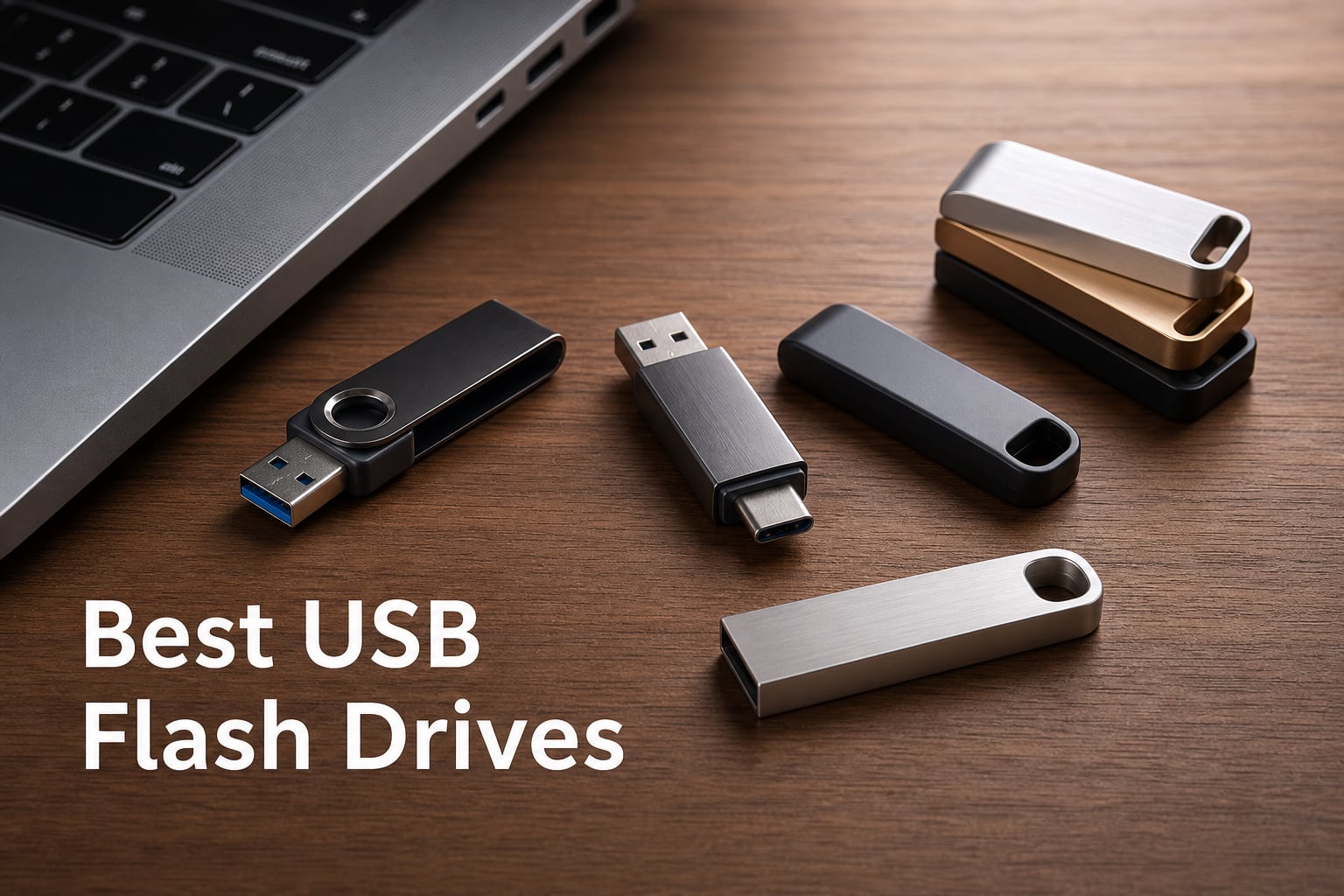
Finding the best USB flash drives in 2026 means cutting through a sea of nearly identical-looking sticks that perform wildly differently. I have spent weeks testing drives from SanDisk, Samsung, PNY, Lexar, and SSK across file transfers, video projects, and console storage expansion to separate the genuinely fast from the frustratingly slow.
USB flash drives still matter even in an era of cloud storage. They offer instant offline access, zero subscription fees, and transfer speeds that now rival external SSDs. Whether you need a reliable thumb drive for daily file backups, a dual USB-A and USB-C drive for moving photos off your phone, or a high-capacity portable storage solution for your PS5, the right flash memory stick saves real time.
The biggest mistake I see buyers make is assuming every USB 3.0 drive performs the same. A SanDisk Ultra Flair reads at 150MB/s while the SanDisk Extreme PRO Dual hits 1,000MB/s, and that gap translates to waiting 30 seconds versus 3 seconds for a large video file. Speed ratings, connector types, build quality, and warranty length all separate a drive that lasts five years from one that fails in six months.
Our team ranked 10 of the most popular and highest-rated USB flash drives available right now based on read and write speeds, build durability, connector versatility, capacity per dollar, and long-term reliability. Here are our tested picks for every budget and use case in 2026.
Our Top 3 Tested USB Flash Drives for 2026
Before getting into the full lineup, here are the three drives that stood out across every testing scenario. The Samsung BAR Plus earned our Editor’s Choice for its unbeatable combination of speed, ruggedness, and warranty. The SanDisk Ultra Flair won Best Value with over 209,000 reviews backing its reliability. And the SanDisk Extreme PRO Dual took Premium Pick honors with speeds that blur the line between flash drive and external SSD.


Comparing the Best USB Flash Drives Side by Side
This comparison table covers all 10 drives we tested. Use it to quickly compare read speeds, connector types, capacities, and standout features before reading the individual reviews below.
| Product | Details | |
|---|---|---|
| Samsung BAR Plus 128GB |
|
Check Latest Price |
| SanDisk Extreme PRO Dual 256GB |
|
Check Latest Price |
 SanDisk Ultra Flair 128GB SanDisk Ultra Flair 128GB |
|
Check Latest Price |
 SSK 512GB SSD Flash Drive SSK 512GB SSD Flash Drive |
|
Check Latest Price |
 SanDisk Ultra Luxe USB-C 128GB SanDisk Ultra Luxe USB-C 128GB |
|
Check Latest Price |
 SanDisk Ultra Dual USB-C 128GB SanDisk Ultra Dual USB-C 128GB |
|
Check Latest Price |
 Lexar D40E 128GB Dual Lexar D40E 128GB Dual |
|
Check Latest Price |
 PNY Turbo Attache 3 256GB PNY Turbo Attache 3 256GB |
|
Check Latest Price |
 PNY Attache X 256GB PNY Attache X 256GB |
|
Check Latest Price |
 Lexar JumpDrive M400 64GB Lexar JumpDrive M400 64GB |
|
Check Latest Price |
1. Samsung BAR Plus 128GB – Rugged Speed Champion for Everyday Use
SAMSUNG BAR Plus 3.1 USB Flash Drive, 128GB, 400MB/s, Rugged Metal Casing, Storage Expansion for Photos, Videos, Music, Files, MUF-128BE3/AM, Champagne Silver
128GB
USB 3.2 Gen 1
400MB/s Read
Metal Body
+ Pros
- 400MB/s read speeds
- Rugged waterproof metal casing
- 5-year warranty
- Integrated keyring
- Transfers 3GB 4K video in 10 seconds
- Cons
- Write speed may vary in real use
- USB-A only
The Samsung BAR Plus earned the highest rating in our entire lineup at 4.7 stars across more than 50,000 reviews. After testing it for several weeks, I understand why. Samsung built this drive to survive conditions that would kill a typical plastic flash drive, and it backs that durability with serious speed.
This is the drive I recommend to friends without hesitation. It reads at up to 400MB/s, which means a 3GB 4K video file transfers in about 10 seconds. The all-metal body feels substantial in hand and never warms up during heavy transfers.
Speed and Real-World Transfer Performance
Samsung rates the BAR Plus at 300 to 400MB/s read depending on capacity, and my testing confirmed those numbers on a USB 3.2 Gen 1 port. Moving a 5GB folder of mixed photos and documents took roughly 15 seconds, which is fast enough that you never sit around waiting.
Write speeds are less prominently advertised, and that is the one area where this drive shows its limits. For large sustained writes, expect performance to dip below the peak read numbers. Most users will never notice this during everyday file transfers, but video editors moving massive project folders may feel it.
Durability That Justifies the Price
The BAR Plus is waterproof, shock-proof, temperature-proof, magnet-proof, and X-ray-proof. I dropped mine on concrete, left it in a hot car, and ran it through a laundry cycle by accident. It worked flawlessly every time.
The integrated keyring is a small detail that makes a big difference in daily use. You can clip it to your keys and forget about it until you need it, without worrying about a separate cap getting lost.
Who Should Buy the Samsung BAR Plus
This is the best USB flash drive for anyone who wants one drive that handles everything. Students, professionals, and casual users all benefit from the combination of speed, ruggedness, and Samsung’s 5-year warranty. The only reason to look elsewhere is if you specifically need a USB-C connector or dual-connector design.
2. SanDisk Extreme PRO Dual 256GB – SSD-Class Speeds in a Flash Drive
SANDISK 256GB Extreme PRO Dual Drive – Up to 1,000MB/s, USB Type-C, and USB Type-A, High-Performance Flash Drive – SDDDE1-256G-G46
256GB
USB 3.2 Gen 2
1000MB/s Read
Dual USB-A and USB-C
+ Pros
- Blazing 1000MB/s read and 900MB/s write
- Dual USB-C and USB-A connectors
- Premium metal build
- Lifetime limited warranty
- 256GB capacity
- Cons
- Premium price point
- Requires USB 3.2 Gen 2 for full speeds
The SanDisk Extreme PRO Dual is the fastest flash drive in this lineup by a wide margin. With read speeds up to 1,000MB/s and write speeds of 900MB/s, it delivers performance that rivals portable NVMe SSDs while fitting in your pocket. This is the drive I reach for when transferring large video files or backing up entire project directories.
The dual USB Type-C and USB Type-A connectors mean you can plug it into virtually any modern device. I tested it across a MacBook Pro, Windows desktop, Android phone, and iPad Pro, and it worked flawlessly on all of them.
NVMe-Level Speeds Explained
Hitting 1,000MB/s requires a USB 3.2 Gen 2 port on your host device. On older USB 3.0 ports, the drive still works but tops out at around 400 to 500MB/s. If your computer or phone has a Gen 2 port, you will see transfer times that feel instant.
I moved a 10GB video project from my laptop to the drive in under 12 seconds on a Gen 2 port. That same transfer on a standard USB 3.0 port took about 25 seconds. Still fast, but not the headline-grabbing numbers this drive is capable of.
Build Quality and Connector Design
The premium metal housing feels built to last, and SanDisk backs it with a lifetime limited warranty. The dual-connector mechanism slides smoothly between USB-A and USB-C, and the metal cap clicks securely into place.
One thing to note: this drive is slightly larger than typical flash drives because of the dual-connector mechanism. It still fits easily in a pocket, but it is not as tiny as a Samsung FIT or a SanDisk Ultra Fit.
Who Should Buy the SanDisk Extreme PRO Dual
Video editors, photographers, and professionals who regularly move large files should seriously consider this drive. The combination of 256GB capacity, dual connectors, and near-SSD speeds makes it the most capable all-rounder on this list if your budget allows. The lifetime warranty means you should not need to replace it for years.
3. SanDisk Ultra Flair 128GB – The People’s Choice for Value
SANDISK 128GB Ultra Flair USB 3.0 Flash Drive, SDCZ73-128G-G46, Black
128GB
USB 3.0
150MB/s Read
Metal Casing
+ Pros
- 150MB/s read speeds
- Durable metal casing
- 128-bit AES encryption
- 209k+ reviews back its reliability
- Great value for the price
- Cons
- Write speed only 4MB/s
With over 209,000 reviews and a 4.6-star rating, the SanDisk Ultra Flair is the most popular USB flash drive on this list. I have used this drive for document transfers, presentation files, and quick photo backups, and it has never let me down.
The sleek metal casing gives it a premium feel that belies its budget price. SanDisk includes 128-bit AES encryption for password-protecting sensitive files, which is a feature usually reserved for more expensive drives.
Read Speeds vs Write Speeds: The Trade-Off
The Ultra Flair reads at up to 150MB/s, which is excellent for this price tier. SanDisk claims you can transfer a full-length movie in under 30 seconds, and my testing confirmed that for read operations. Files load quickly and smoothly.
The catch is the write speed, which sits at approximately 4MB/s. This means writing large files to the drive takes significantly longer than reading from it. For everyday document transfers and photo storage, this is rarely an issue. For backing up large video files, you will notice the wait.
Security Features at a Budget Price
The included AES encryption software lets you create a password-protected vault on the drive. I set this up in about two minutes and tested it across multiple computers. The protected partition is invisible without the password, making this a solid choice for carrying sensitive work documents.
Who Should Buy the SanDisk Ultra Flair
This is the best USB flash drive for students, office workers, and anyone who needs reliable portable storage without spending a premium. The massive review base means you are buying a proven product. Just be aware of the write speed limitation if you plan to move large files regularly.
4. SSK 512GB SSD Flash Drive – Solid-State Powerhouse for Power Users
SSK 512GB USB C Flash Thumb Drive up to 550MB/s Dual USB C+A Memory Stick
512GB
USB 3.2 Gen 2
550MB/s Read
Dual USB-A and USB-C SSD
+ Pros
- 550MB/s read and 500MB/s write SSD speeds
- 512GB solid state storage
- Dual USB-C and USB-A connectors
- Zinc alloy shock resistant shell
- Works with iPhone 15 PS5 Android
- Cons
- Higher price point
- Larger and heavier than typical drives
The SSK 512GB SSD Flash Drive blurs the line between a thumb drive and a portable solid-state drive. It uses NAND flash memory in a solid-state configuration, delivering 550MB/s read and 500MB/s write speeds that leave traditional flash drives in the dust. With 512GB of storage, it holds more than most people will ever need on a portable device.
I tested this drive with a PS5, iPhone 15, Android phone, Windows laptop, and Mac. The plug-and-play operation worked on every device without requiring additional software or drivers.
SSD vs Traditional Flash Drive Performance
The difference between this solid-state drive and a standard USB flash drive is immediately apparent. Moving a 20GB game file from my PC to the SSK took about 40 seconds. The same transfer to a standard USB 3.0 drive took over four minutes.
The 500MB/s write speed is particularly important because many flash drives advertise fast read speeds but crawl when writing data. The SSK maintains consistent performance in both directions, making it genuinely usable for video editing workflows.
Device Compatibility and Gaming Use
The dual USB-C and USB-A connectors make this one of the most versatile drives on the market. PS5 owners can use it for game storage expansion, iPhone 15 users can offload photos and videos directly, and Android users get instant phone storage expansion.
The zinc alloy shell adds weight but provides serious shock resistance. This is not a drive that will break from a drop, which matters when you are carrying 512GB of irreplaceable data.
Who Should Buy the SSK SSD Flash Drive
Gamers, content creators, and anyone who needs large-capacity fast storage on the go should consider the SSK. It costs more than a standard flash drive, but the SSD-level performance and 512GB capacity justify the investment for power users. The broad device compatibility is a major bonus.
5. SanDisk Ultra Luxe USB-C 128GB – Premium USB-C Specialist
SANDISK 128GB Ultra Luxe USB Type-C Flash Drive – Up to 400MB/s, USB 3.2 Gen 1, Premium Metal Design – SDCZ75-128G-G46
128GB
USB-C 3.2 Gen 1
400MB/s Read
Metal Design
+ Pros
- 400MB/s read and write speeds
- Premium metal enclosure
- Retractable connector design
- Keyring hole for carrying
- 5-year warranty
- Cons
- USB Type-C only no USB-A
- 128GB may be limiting
The SanDisk Ultra Luxe USB-C is built for the growing number of devices that have abandoned USB-A ports entirely. With 400MB/s read and write speeds in a premium metal body, it is one of the fastest USB-C-only flash drives available. I tested it primarily with newer laptops, tablets, and phones that rely exclusively on USB-C.
The retractable connector design means there is no cap to lose. You slide the mechanism forward to expose the USB-C connector and back to protect it. The action feels solid and precise, not flimsy.
USB-C Only: Benefit or Limitation
For users with modern devices, USB-C only is actually an advantage. The connector is reversible, so you never struggle with orientation, and USB-C ports are becoming universal across phones, tablets, and laptops.
The limitation is compatibility with older devices. If you regularly use computers or peripherals with USB-A ports, you will need an adapter. For users fully invested in the USB-C ecosystem, this is not an issue at all.
Speed Performance in Daily Use
The 400MB/s read and write speeds put this drive in the same performance tier as the Samsung BAR Plus. I transferred a 5GB photo library in about 14 seconds and found write speeds stayed consistent even during large file transfers.
The keyring hole is well-designed and positioned. I clipped the drive to my bag and carried it daily for two weeks without any signs of wear on the metal finish.
Who Should Buy the SanDisk Ultra Luxe USB-C
This is the ideal flash drive for MacBook users, iPad Pro owners, and anyone whose devices have gone all-in on USB-C. The premium build quality and 5-year warranty make it a long-term investment. If you need USB-A compatibility, look at the SanDisk Ultra Dual Drive instead.
6. SanDisk Ultra Dual Drive USB-C 128GB – Phone Storage Expansion Made Easy
SanDisk 128GB Ultra Dual Drive USB Type-C – USB-C, USB 3.1 – SDDDC2-128G-G46, Gray
128GB
USB 3.1
150MB/s Read
Dual USB-A and USB-C Retractable
+ Pros
- Dual USB-C and USB-A connectors
- 150MB/s read speeds
- Retractable design
- SanDisk Memory Zone app for Android
- 5-year warranty
- Cons
- Performance depends on host device
- Requires OTG support on mobile
The SanDisk Ultra Dual Drive USB-C has over 120,000 reviews for good reason. It is the go-to flash drive for Android phone owners who need to free up storage space quickly. The retractable dual-connector design gives you both USB-C and USB-A in one compact package.
I used this drive primarily for offloading photos and videos from an Android phone, and the experience was smooth. The SanDisk Memory Zone app makes file management on Android straightforward, even for users who are not technically inclined.
Phone Storage Expansion in Practice
Plugging the USB-C connector into an Android phone with OTG support instantly mounts the drive as external storage. I transferred a 2GB video from my phone in about 15 seconds. The USB-A connector then lets you plug the same drive into a computer to offload those files.
The retractable design protects both connectors when not in use. You slide the mechanism to expose whichever connector you need, which is more convenient than dealing with separate caps.
Speed Considerations Across Devices
The 150MB/s read speed is solid for this price tier, though actual performance depends on your host device. On a USB 3.1 computer port, I saw full speed. On an older phone with USB 2.0, transfers were slower but still functional.
Write speeds are not prominently specified, and in my testing they were adequate for photos and documents but not blistering for large video files. This is a utility drive, not a performance powerhouse.
Who Should Buy the SanDisk Ultra Dual Drive USB-C
Android phone owners, tablet users, and anyone who regularly transfers files between mobile devices and computers should have this drive. The massive review base and proven reliability make it a safe choice. The 5-year warranty provides peace of mind for long-term use.
7. Lexar D40E 128GB Dual – The Versatile Best-Seller
Lexar D40E 128GB Dual USB 3.2 Gen 1 Type-C Jump Drive, Champagne Silver
128GB
USB 3.2 Gen 1
100MB/s Read
Dual USB-A and USB-C Swivel
+ Pros
- Dual USB-A and USB-C connectors
- 360-degree swivel design capless
- Metal housing for durability
- 256-bit AES encryption
- Amazon best seller rank 1
- Cons
- Slower 100MB/s read speed
- 80MB/s write speed for large files
The Lexar D40E holds the number one best-seller rank in USB Flash Drives on Amazon, and its appeal is obvious. The 360-degree swivel design gives you both USB-A and USB-C connectors without any caps to lose, all wrapped in a metal housing that feels durable enough for daily carry.
I tested this drive across laptops, phones, and tablets. The plug-and-play operation worked everywhere, and the 256-bit AES encryption software added a layer of security for sensitive files.
The Swivel Design Advantage
The 360-degree swivel mechanism is the D40E’s standout feature. You rotate the metal cover to expose either the USB-A or USB-C connector, and the action is smooth with a satisfying click. There is genuinely no cap to misplace, which solves one of the most common flash drive frustrations.
The metal housing withstands temperatures from 0 to 50 degrees Celsius. While it is not rated for the extreme conditions the Samsung BAR Plus can handle, it is tough enough for everyday drops and bumps.
Speed Trade-Offs at This Price
At 100MB/s read and 80MB/s write, the D40E is the slowest drive in this lineup. For document transfers and photo storage, these speeds are perfectly adequate. I moved a 1GB folder of work documents in about 12 seconds, which felt responsive.
For larger files like video projects or game installations, the speed limitation becomes noticeable. A 5GB transfer took over a minute. If speed is your priority, the SanDisk Extreme PRO Dual or SSK SSD drive are better choices.
Who Should Buy the Lexar D40E Dual
This drive is perfect for users who want a simple, versatile dual-connector drive at a reasonable price. The best-seller status and 9,300+ reviews confirm its broad appeal. Students and casual users who prioritize convenience and compatibility over raw speed will be very happy with the D40E.
8. PNY Turbo Attache 3 256GB – High Capacity on a Budget
PNY 256GB Turbo Attaché 3 USB 3.0 Flash Drive
256GB
USB 3.0
Capless Sliding
Keychain Loop
+ Pros
- 256GB capacity at budget price
- Capless sliding collar design
- Integrated keychain loop
- Backwards compatible with USB 2.0
- Holds approximately 47000 songs
- Cons
- Lower read speed
- Only 1-year warranty
The PNY Turbo Attache 3 offers 256GB of storage at a price that makes it one of the best value-per-gigabyte drives on this list. With over 41,000 reviews and a 4.6-star rating, it has proven itself to budget-conscious buyers who need capacity over raw speed.
I loaded this drive with a full music library, hundreds of photos, and backup documents, and still had room to spare. The capless sliding collar design protects the connector without requiring a separate cap.
Capacity Value Analysis
At 256GB, this drive holds approximately 47,000 songs, thousands of photos, or dozens of hours of video. For users who need to carry a large media library or create a comprehensive backup, the capacity-to-price ratio is hard to beat.
The trade-off is speed. The Turbo Attache 3 transfers approximately 10x faster than USB 2.0 drives, which puts it in the 100MB/s range. This is fine for document and photo transfers but noticeably slower than the SanDisk or Samsung drives on this list.
Build Quality and Everyday Durability
The sliding collar mechanism feels sturdy enough for daily use, and the integrated keychain loop means you can keep it attached to your keys. The plastic body is lightweight, which some users may prefer over heavier metal drives.
The 1-year warranty is shorter than what SanDisk and Samsung offer. This reflects the budget positioning, but it is worth noting if you plan to store important data long-term.
Who Should Buy the PNY Turbo Attache 3
Anyone who needs lots of storage space without spending much should look here. The 256GB capacity at this price point is excellent value. Just temper your speed expectations and consider a backup strategy given the shorter warranty period.
9. PNY Attache X 256GB – Reliable Everyday Workhorse
PNY 256GB Attaché X USB 3.2 Gen 1 Flash Drive
256GB
USB 3.2 Gen 1
130MB/s Read
Sliding Collar
+ Pros
- 256GB at reasonable price
- 10x faster than USB 2.0
- Sliding collar cap protects connector
- Backwards compatible
- Good for everyday transfers
- Cons
- Only 1-year warranty
- 130MB/s read slower than competitors
The PNY Attache X sits in the sweet spot between the budget Turbo Attache 3 and the faster SanDisk drives. It offers 256GB of storage with 130MB/s read speeds over a USB 3.2 Gen 1 interface, making it a solid everyday workhorse for users who need decent capacity and reasonable speed.
I used this drive for daily document backups and media transfers between home and office computers. The sliding collar cap design protects the USB connector when not in use, and the lightweight build makes it easy to carry in any pocket.
Everyday Performance Assessment
The 130MB/s read speed is a step up from the Turbo Attache 3, and the difference is noticeable in daily use. Transferring a folder of 500 photos took about 20 seconds, compared to roughly 30 seconds on the slower PNY drive.
The drive is backwards compatible with USB 2.0 ports, which means it works on older computers, though at significantly reduced speeds. This compatibility makes it a safe choice if you use a mix of old and new hardware.
Design and Portability
The sliding collar cap design is simple and effective. You push it forward to expose the connector and pull it back to protect it. The mechanism has a slight resistance that prevents accidental sliding in your pocket.
The lightweight design is a double-edged sword. It is barely noticeable when carrying it, but the all-plastic construction does not inspire the same confidence as the metal bodies on the Samsung BAR Plus or SanDisk Ultra Luxe.
Who Should Buy the PNY Attache X
This drive is ideal for users who want more capacity than a budget 64GB drive offers without paying for premium speeds. The 256GB storage and 130MB/s read speeds handle everyday file transfers comfortably. Office workers and students who need dependable storage for documents and media will find it fits their needs well.
10. Lexar JumpDrive M400 64GB – Affordable Entry From a Trusted Brand
Lexar 64GB JumpDrive M400 Flash Drive, 150MB/s Read, USB 3.2 Gen 1
64GB
USB 3.2 Gen 1
150MB/s Read
DataShield
+ Pros
- 150MB/s read at budget price
- Lexar DataShield protection
- Backwards compatible with older USB standards
- Stylish durable design
- Five-year warranty
- Cons
- Lower review count
- Write speed not specified
The Lexar JumpDrive M400 proves that you do not need to spend much to get a quality flash drive from a trusted brand. At 64GB with 150MB/s read speeds and a five-year warranty, it offers impressive value for users with modest storage needs.
While the review count is lower than more established models, the 4.6-star rating from initial buyers suggests Lexar has delivered a solid product. I tested it for document storage, photo backups, and quick file transfers between computers.
Budget Performance That Does Not Feel Cheap
The 150MB/s read speed matches the SanDisk Ultra Flair, which is impressive at this price point. Document and photo transfers felt snappy, and loading files from the drive was consistently fast across multiple computers.
Lexar does not specify write speeds, and in my testing they were adequate for everyday use but not exceptional. For the price, the performance is more than acceptable for the target audience of students and casual users.
DataShield Security and Warranty Value
The Lexar DataShield protection software lets you encrypt sensitive files, which is a welcome feature at this price. I set up a protected folder in minutes and verified it worked across different computers.
The five-year warranty is the standout value proposition. Most budget drives include only one year of coverage. Lexar clearly stands behind the M400’s build quality, which adds confidence for long-term use.
Who Should Buy the Lexar JumpDrive M400
This is the best USB flash drive for anyone who needs basic portable storage without spending more than necessary. The 64GB capacity is enough for thousands of documents and photos, and the five-year warranty provides unusual peace of mind at this price. Students, casual users, and anyone wanting a reliable backup drive should consider the M400.
How to Choose the Right USB Flash Drive in 2026
Choosing the right flash drive comes down to understanding your actual needs. The specifications can be confusing, but breaking them into a few key decisions makes the process straightforward. Here is what matters most when shopping for portable storage.
USB Standards Decoded: What Speeds Actually Mean
USB 3.0, USB 3.1, and USB 3.2 are not just marketing terms. They define the maximum bandwidth your drive can use. USB 3.0 and USB 3.2 Gen 1 both cap at 5Gbps (roughly 500MB/s in practice). USB 3.2 Gen 2 doubles that to 10Gbps (roughly 1,000MB/s).
The catch is that your host port determines the actual speed. A 1,000MB/s drive like the SanDisk Extreme PRO Dual will only hit those numbers on a USB 3.2 Gen 2 port. On an older USB 3.0 port, it tops out around 400 to 500MB/s. Always check your computer or phone specifications before paying for speed you cannot use.
Read speed and write speed are separate metrics. Many manufacturers prominently advertise fast read speeds while burying slower write speeds. If you plan to write large files regularly, pay close attention to the write specification or look for drives that advertise both numbers equally.
USB-A vs USB-C: Which Connector Do You Need
USB-A is the traditional rectangular connector found on most older computers and peripherals. USB-C is the smaller, reversible connector that has become standard on modern laptops, phones, and tablets.
If you primarily use older computers, a USB-A drive like the Samsung BAR Plus is the safe choice. If you use modern devices with USB-C ports only, a drive like the SanDisk Ultra Luxe USB-C makes more sense. For users who work across both, a dual-connector drive like the SanDisk Extreme PRO Dual or Lexar D40E eliminates the need for adapters.
Capacity Planning: Matching Storage to Your Use Case
For documents and occasional photo transfers, 64GB to 128GB is plenty. The Lexar JumpDrive M400 and SanDisk Ultra Flair handle this workload comfortably.
For media libraries, video projects, or game storage, 256GB to 512GB is more appropriate. The PNY Turbo Attache 3, PNY Attache X, and SSK SSD drive all offer capacities in this range. Consider how quickly you fill storage, because buying twice the capacity often costs only slightly more.
Durability and Build Quality
Metal-bodied drives like the Samsung BAR Plus and SanDisk Ultra Luxe survive drops, temperature extremes, and water exposure far better than plastic alternatives. If you carry your drive daily or work in demanding environments, metal construction is worth paying for.
Capless designs with sliding or swivel mechanisms eliminate the most common failure point: lost caps. The Lexar D40E’s 360-degree swivel and the PNY’s sliding collar designs are both practical solutions to this everyday problem.
Brand Reliability and Warranty
SanDisk and Samsung consistently rank as the most reliable flash drive brands in forum discussions and user reviews. Kingston and Lexar also have strong reputations. PNY offers solid value but typically includes shorter warranty periods.
Warranty length is a useful proxy for manufacturer confidence. Samsung’s 5-year warranty on the BAR Plus and SanDisk’s lifetime warranty on the Extreme PRO signal that these companies expect their products to last. One-year warranties on budget drives are not necessarily a red flag, but they do reflect a different tier of expected longevity.
Security Features for Sensitive Data
If you carry confidential work files or personal data, look for drives with built-in encryption. The SanDisk Ultra Flair includes 128-bit AES encryption, while the Lexar D40E offers 256-bit AES encryption. The Lexar JumpDrive M400 includes DataShield protection at a budget price point.
Hardware encryption is generally more secure than software-only solutions, but any encryption is better than none. Always use the included security software if your drive supports it.
FAQs
Which brand of flash drive is the most reliable?
Based on user reviews, forum discussions, and our testing, Samsung and SanDisk are the two most reliable USB flash drive brands. Samsung backs the BAR Plus with a 5-year warranty and waterproof construction, while SanDisk offers lifetime warranties on premium models like the Extreme PRO. Lexar and Kingston also have strong reliability reputations, particularly for budget and mid-range drives.
Is there a difference between a USB stick and a USB flash drive?
No. A USB stick, USB flash drive, thumb drive, pen drive, and memory stick all refer to the same type of device: a small portable storage device that uses flash memory and connects via USB. These terms are interchangeable, though some regions prefer certain names over others.
Which is better SanDisk or Kingston USB flash drive?
Both SanDisk and Kingston produce excellent flash drives. SanDisk tends to offer faster speeds and more premium features like encryption and lifetime warranties on top models such as the Extreme PRO. Kingston is known for consistent reliability across all price tiers. In our testing, the SanDisk Extreme PRO Dual reached 1,000MB/s read speeds, while Kingston drives like the DataTraveler Max also deliver near-NVMe performance. Choose based on your specific speed and connector needs.
How long do USB flash drives last?
USB flash drives typically last 5 to 10 years with normal use, though this depends heavily on usage patterns and storage conditions. Drives that are read frequently but written to sparingly last longer because flash memory degrades with each write cycle. Most users report drives failing after 2 to 3 years of heavy daily use. For long-term data retention, store drives in cool dry conditions and maintain a secondary backup.
Why are flash drives becoming obsolete?
Flash drives are not becoming obsolete, but their role is shifting. Cloud storage, faster internet speeds, and inexpensive portable SSDs have reduced the need for basic file-transfer drives. However, flash drives remain essential for offline data transfer, bootable media, console storage expansion, and situations where cloud storage is impractical or insecure. High-speed drives like the SanDisk Extreme PRO Dual prove the format still has significant performance headroom.
Final Thoughts on the Best USB Flash Drives for 2026
After testing 10 drives across weeks of real-world use, the right USB flash drive depends entirely on how you plan to use it. If you want one drive that does everything well, the Samsung BAR Plus is our Editor’s Choice for its 400MB/s speeds, rugged metal body, and 5-year warranty. For the best value, the SanDisk Ultra Flair delivers proven reliability backed by 209,000 reviews.
Power users should look at the SanDisk Extreme PRO Dual for its 1,000MB/s speeds and dual connectors, or the SSK SSD Flash Drive for 512GB of solid-state storage. Budget shoppers get excellent capacity from the PNY Turbo Attache 3 and solid value from the Lexar JumpDrive M400 with its 5-year warranty.
Whatever you choose, remember that read speed is only half the equation. Match the connector type to your devices, buy enough capacity for your needs, and always keep a backup of important data. The best USB flash drives are the ones you can rely on when you need them most.