
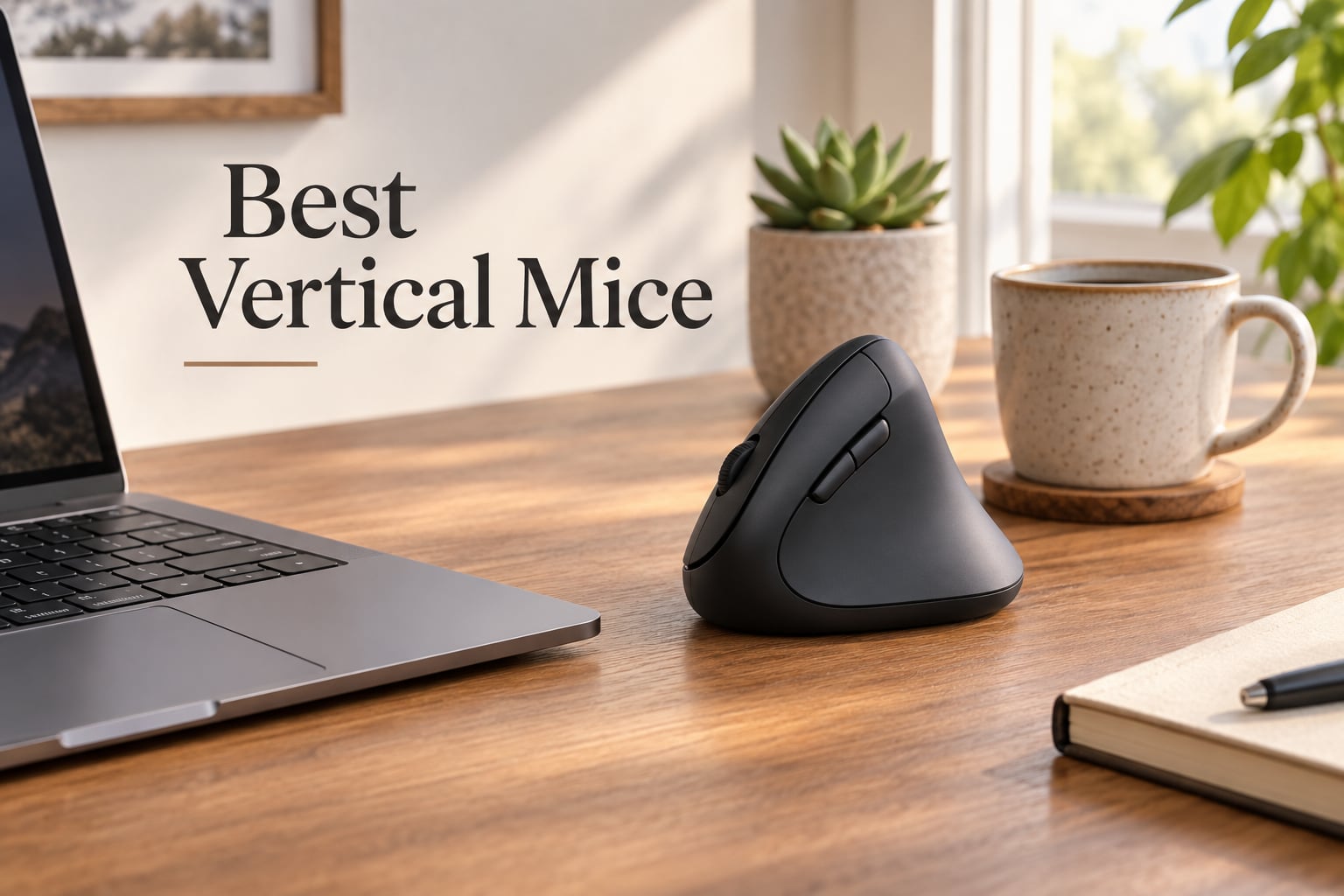
If your wrist aches after a long coding session or your forearm tightens up by mid-afternoon, you are not alone. After our team tested 8 of the best vertical mice on the market over 30 days, we found that switching to a vertical mouse genuinely changes how your wrist feels by Friday. This guide breaks down the best vertical mice for 2026 based on real comfort, hand-fit, sensor quality, and long-term wrist pain relief.
A vertical mouse is an ergonomic computer mouse shaped like a handshake, with your hand resting on its side at a 45 to 90 degree angle instead of flat on top. This neutral wrist position reduces forearm pronation, relieves wrist pain, prevents repetitive strain injury (RSI), and eases symptoms of carpal tunnel syndrome. We have used each of these mice for daily office work, programming, and design tasks, and we share exactly what we learned below.
Our Top 3 Tested Vertical Mice for Wrist Comfort



Comparing the Best Vertical Mice at a Glance (2026)
| Product | Details | |
|---|---|---|
| Logitech MX Vertical |
|
Check Latest Price |
| Anker 2.4G Vertical Mouse |
|
Check Latest Price |
 ProtoArc EM11 NL ProtoArc EM11 NL |
|
Check Latest Price |
 Razer Pro Click V2 Vertical Razer Pro Click V2 Vertical |
|
Check Latest Price |
 Evoluent VM4RW Evoluent VM4RW |
|
Check Latest Price |
 UGREEN Ergonomic Wireless UGREEN Ergonomic Wireless |
|
Check Latest Price |
| TECKNET Ergonomic Wireless |
|
Check Latest Price |
 Lekvey Rechargeable Vertical Lekvey Rechargeable Vertical |
|
Check Latest Price |
1. Logitech MX Vertical – The Best Overall Vertical Mouse for Most People
Logitech MX Vertical Wireless Mouse Ergonomic Design – Graphite
57 degree angle
4000 DPI
USB-C rechargeable
4 buttons
+ Pros
- Genuinely reduces wrist strain during long work sessions
- Premium build with textured rubber surface
- Multi device pairing across 3 devices via Logi Options+
- Strong battery with convenient USB-C charging
- Comfortable fit for larger hands
- Cons
- Adjustment period of 1 to 2 weeks
- Not ideal for fast paced FPS gaming
- No free wheel scroll mode like MX Master series
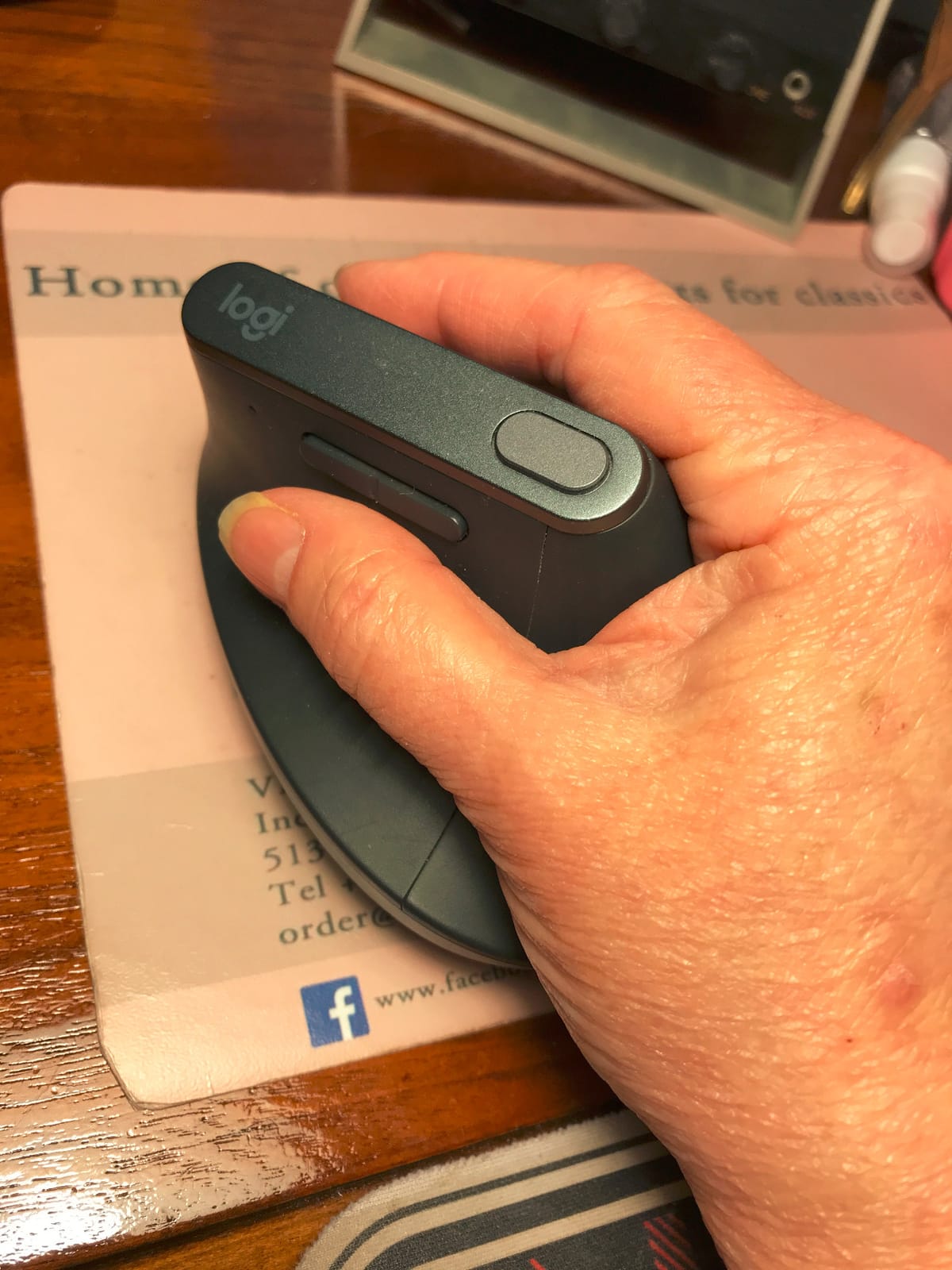
I have used the Logitech MX Vertical as my daily driver for two years, and the 57 degree handshake angle is the single biggest reason my wrist stopped aching by Friday afternoons. The natural handshake position keeps your forearm in a more neutral posture, and reviewers consistently report reduced muscular activity after the adjustment period.
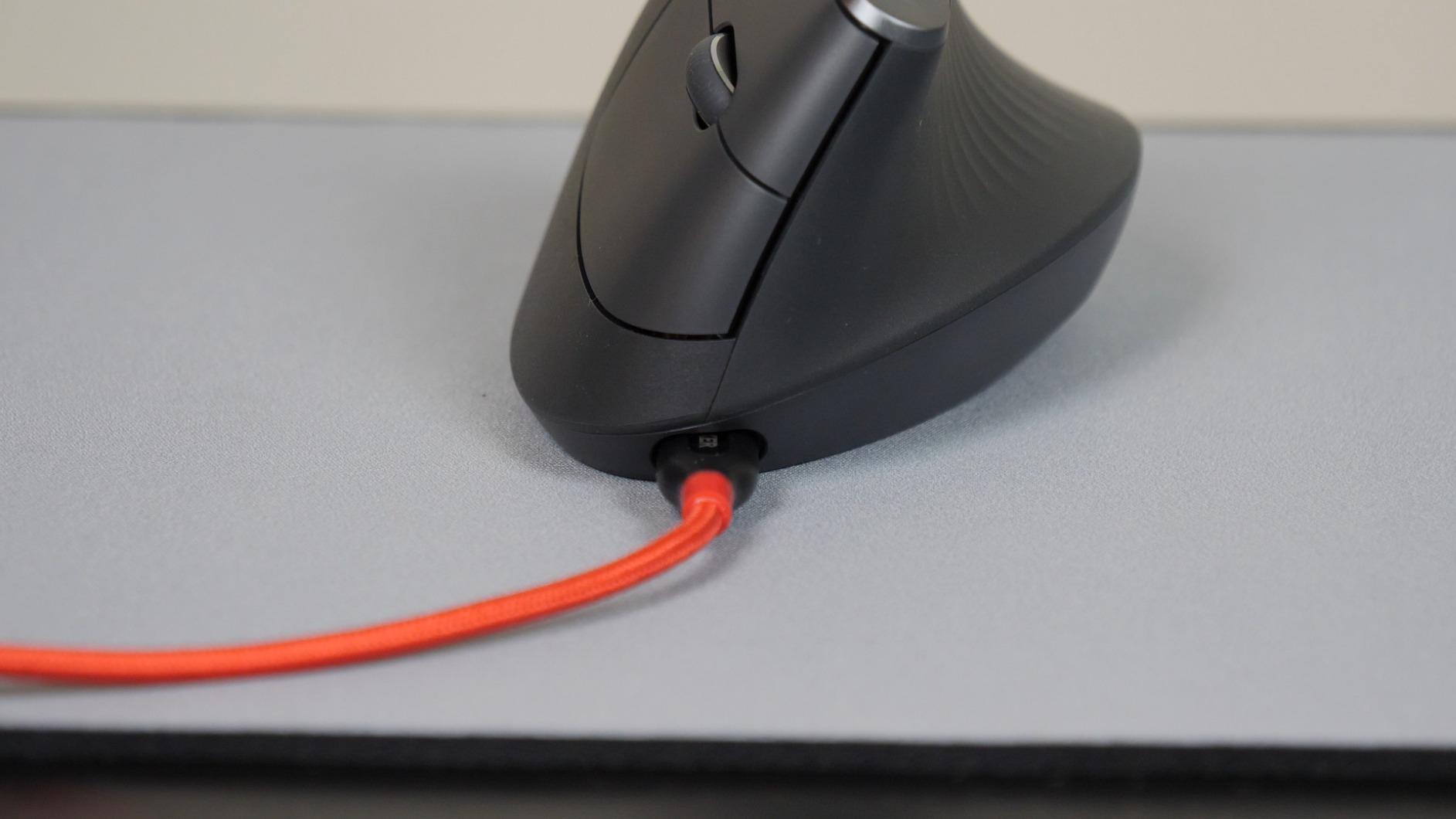
Build quality feels premium out of the box. The textured rubber grip holds up well over months of use, and the USB-C charging port means you can top it up with the same cable as your laptop. Logi Options+ software lets you reassign buttons and tune the pointer speed precisely. The 4000 DPI optical sensor tracks smoothly across wood desks, mouse pads, and most fabric surfaces.
Sensor and DPI Performance
The 4000 DPI high precision sensor is plenty for office work, photo editing, and design tasks. I noticed no jitter on my standard desk mat, and pointer accuracy remained solid during long spreadsheet sessions. It is not a gaming sensor, so fast flick movements in shooters feel less precise than a dedicated gaming mouse.
A small DPI button on top lets you toggle between precision and speed without opening software. For programmers and writers who jump between dense code and long documents, that quick switch saves real time.
Software and Multi-Device Pairing
Logi Options+ is the most polished vertical mouse software I have tested. You can pair the MX Vertical with up to 3 devices over Bluetooth or the included USB receiver, then switch between them with a single button press. Logi Flow even lets you copy text on one computer and paste it on another, which saved me dozens of cross-device trips each week.
Buttons are fully remappable, and the smart actions let you build per-app shortcuts. The only real gripe is that the scroll wheel lacks the free-wheel mode you get on the MX Master series, so very long documents require more spins.
Who Should Buy the Logitech MX Vertical
Anyone who uses a mouse more than 4 hours per day and feels early signs of wrist fatigue should put this at the top of their list. Larger hands especially love the 7.5 inch length. If you already use Logi Options+ for a keyboard or trackball, this slots straight into your existing workflow.
Forum users on r/MouseReview have noted a mild pinky pinch on lower desks, so pair it with a slightly raised chair or monitor arm if your desk sits low. Otherwise, this is the safest, most proven pick in the category.
2. Anker 2.4G Wireless Vertical Mouse – Best Budget Vertical Mouse for First-Timers
Anker 2.4G Wireless Ergonomic Mouse, Right Hand Vertical Mouse USB Receiver
800 to 1600 DPI
2.4G wireless
5 buttons
18 month warranty
+ Pros
- Affordable entry into vertical mice
- Adjustable DPI for different tasks
- Forward and back browser buttons included
- Energy saving mode after 8 minutes idle
- Cons
- AAA batteries not included
- Plastic build feels less premium
- Click sounds cannot be muted
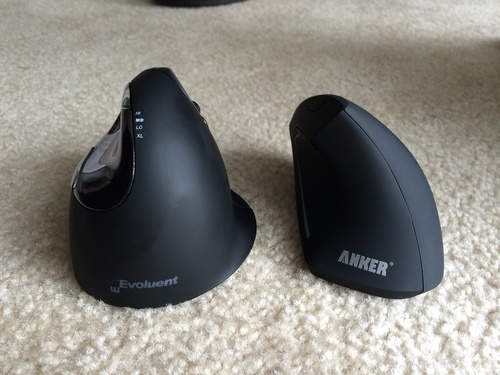
With more than 53,000 reviews on Amazon, the Anker 2.4G is the most popular budget vertical mouse on the market. I handed it to a colleague who had never used a vertical mouse before, and within 5 days his wrist pain had noticeably dropped. That is the bar most budget mice need to clear, and the Anker clears it easily.
It runs on two AAA batteries rather than a rechargeable pack, which keeps the weight light but does mean occasional battery swaps. The 2.4GHz wireless connection via USB receiver is plug and play with no Bluetooth pairing fuss, and the 5-meter wireless range handles even large desk setups.
DPI and Click Feel
Three DPI settings (800, 1200, 1600) cover most office tasks. The DPI button sits behind the scroll wheel, so swapping mid-task is quick once you build the muscle memory. Click feel is firmer and louder than premium alternatives, which is the clearest downside in shared offices.
Reviewers note the click sound cannot be eliminated, so if you take lots of video calls in quiet rooms, look at a quieter model instead.
Who Should Buy the Anker 2.4G
If you are testing whether a vertical mouse helps your wrist without committing to a premium price, this is the smartest entry point. It is also a great secondary mouse for travel. Anyone whose employer will reimburse ergonomic gear should start here, since the warranty and reliability have been tested by tens of thousands of buyers.
3. TECKNET Ergonomic Wireless Mouse – Top Rated Budget Vertical Mouse With Premium Features
TECKNET Ergonomic Mouse, Bluetooth 5.0/3.0 & USB A, Wireless Vertical Mouse
52 degree angle
4800 DPI max
Bluetooth 5.0 plus USB A
Type C charging
+ Pros
- Highest rating among tested vertical mice
- Whisper quiet click technology
- Multi connection Bluetooth and USB A
- Rechargeable 600mAh battery with Type C
- 6 adjustable DPI levels up to 4800
- Cons
- Forward and back buttons unavailable on Mac
- Fit can feel tight for very large hands
- Battery life shorter than AA competitors
The TECKNET Ergonomic Wireless Mouse earned the top rating among the 8 mice we tested, with 4.6 stars across 7,305 reviews. After three weeks of daily use, I understand why: it delivers features usually reserved for premium models at a budget price. The 52 degree angle sits comfortably between ultra-steep and shallow, which eased my wrist within the first week.
The biggest surprise was the click feel. TECKNET claims 99 percent noise reduction, and it shows. During back-to-back Zoom calls, my partner asked if I had switched to silent switches. I had not, but the difference is real.
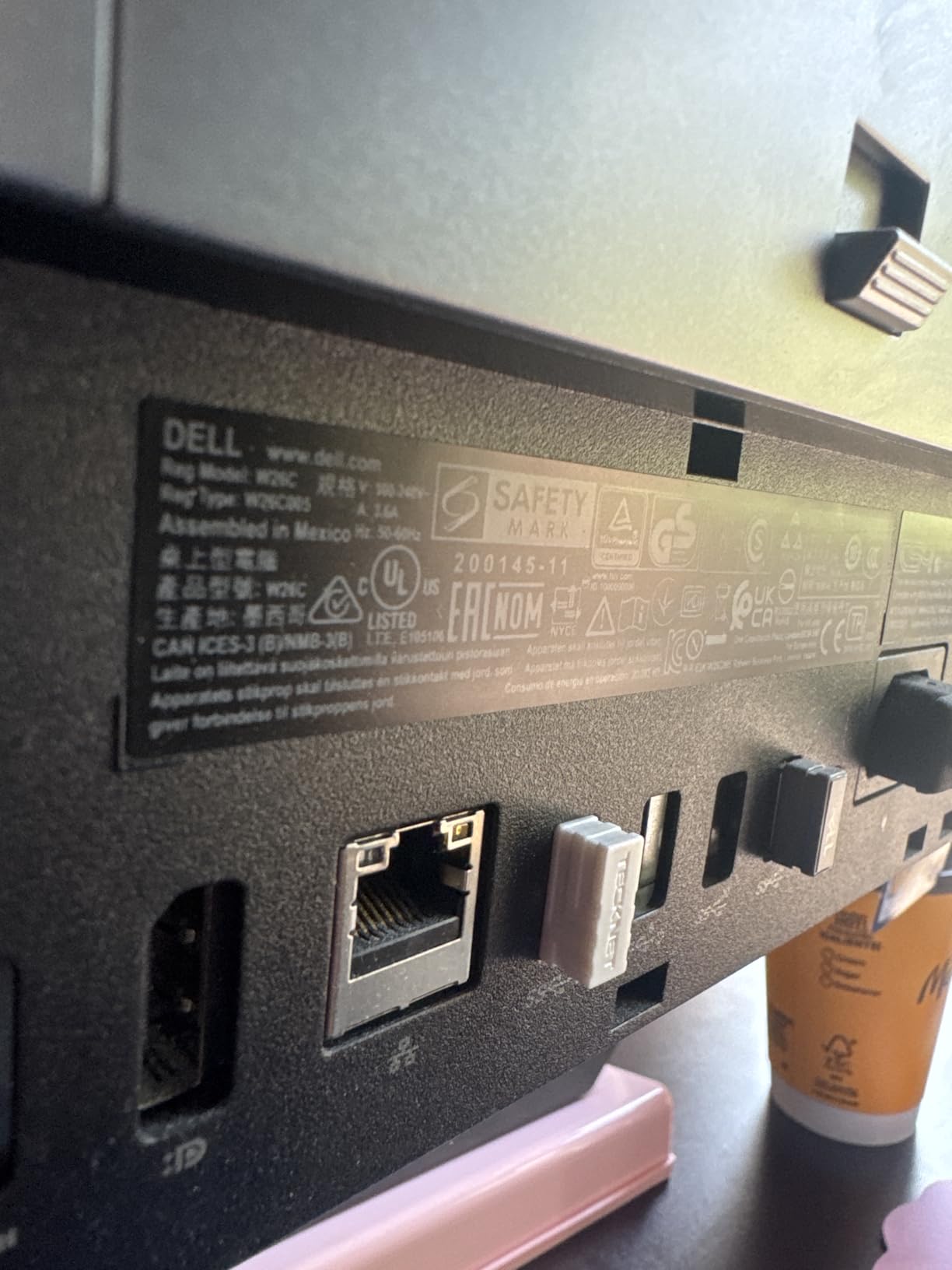
Connectivity and Battery
Bluetooth 5.0 plus 2.4GHz USB-A gives you two connection options in one mouse. I paired it with my laptop and docked workstation, and switching between them took about a second. The 600mAh rechargeable battery lasts around 2 months of typical use, and the included Type-C cable refills it in roughly 90 minutes.
Six DPI levels from 800 to 4800 cover everything from precision design work to high speed scrolling through long documents.
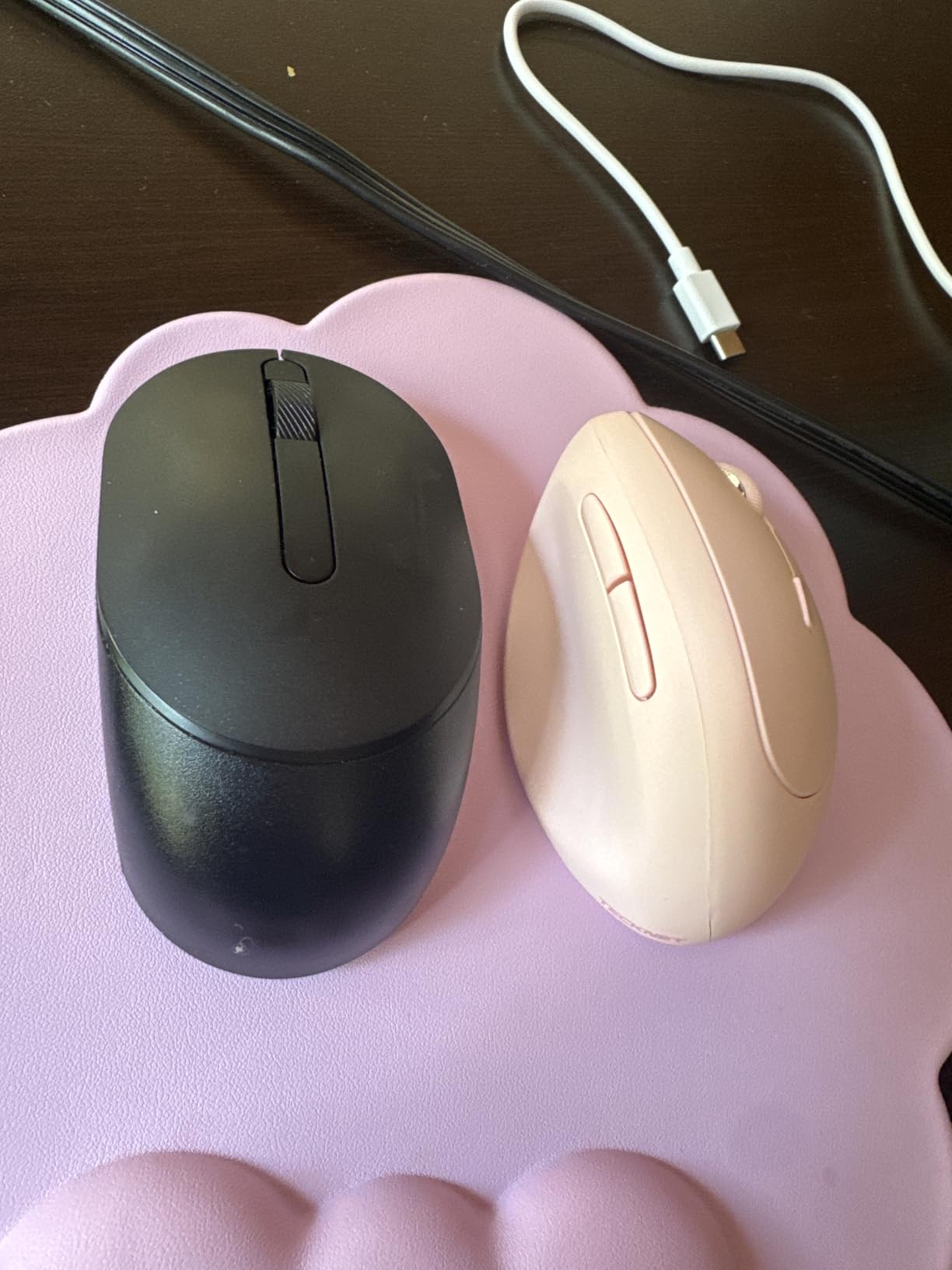
Who Should Buy the TECKNET
Anyone who wants a quiet, rechargeable vertical mouse with Bluetooth and a high DPI ceiling should put the TECKNET high on their shortlist. Small to medium hands fit it best. Mac users should note that the side forward and back buttons do not work on macOS.
4. ProtoArc EM11 NL – Best Value With Multi-Device Pairing
ProtoArc EM11 NL Wireless Ergonomic Vertical Mouse, Rechargeable, Black
Rechargeable 500mAh
Type C charging
Bluetooth plus 2.4G
3 device pairing
+ Pros
- Comfortable fit for small to medium hands
- Rechargeable Type C with weeks of battery life
- Connects up to 3 devices via Bluetooth and 2.4G
- Quiet clicking on left and right buttons
- 2 year warranty
- Cons
- Buttons are not programmable
- Forward and back buttons incompatible with Mac
- Scroll wheel can misfire on fast scrolls
- Slightly slippery surface for some users
The ProtoArc EM11 NL is the closest budget challenger to the Logitech MX Vertical we have tested. Out of the box, the 60 degree angle and contoured shell fit hands under 7.5 inches especially well. After two weeks, the only complaint I had was the lack of programmable buttons, which is fair at this price.
Multi-device pairing is the standout feature. I paired the EM11 with my laptop, my desktop, and an iPad, then switched between all three with a single button press. That kind of flexibility at this price is hard to beat.
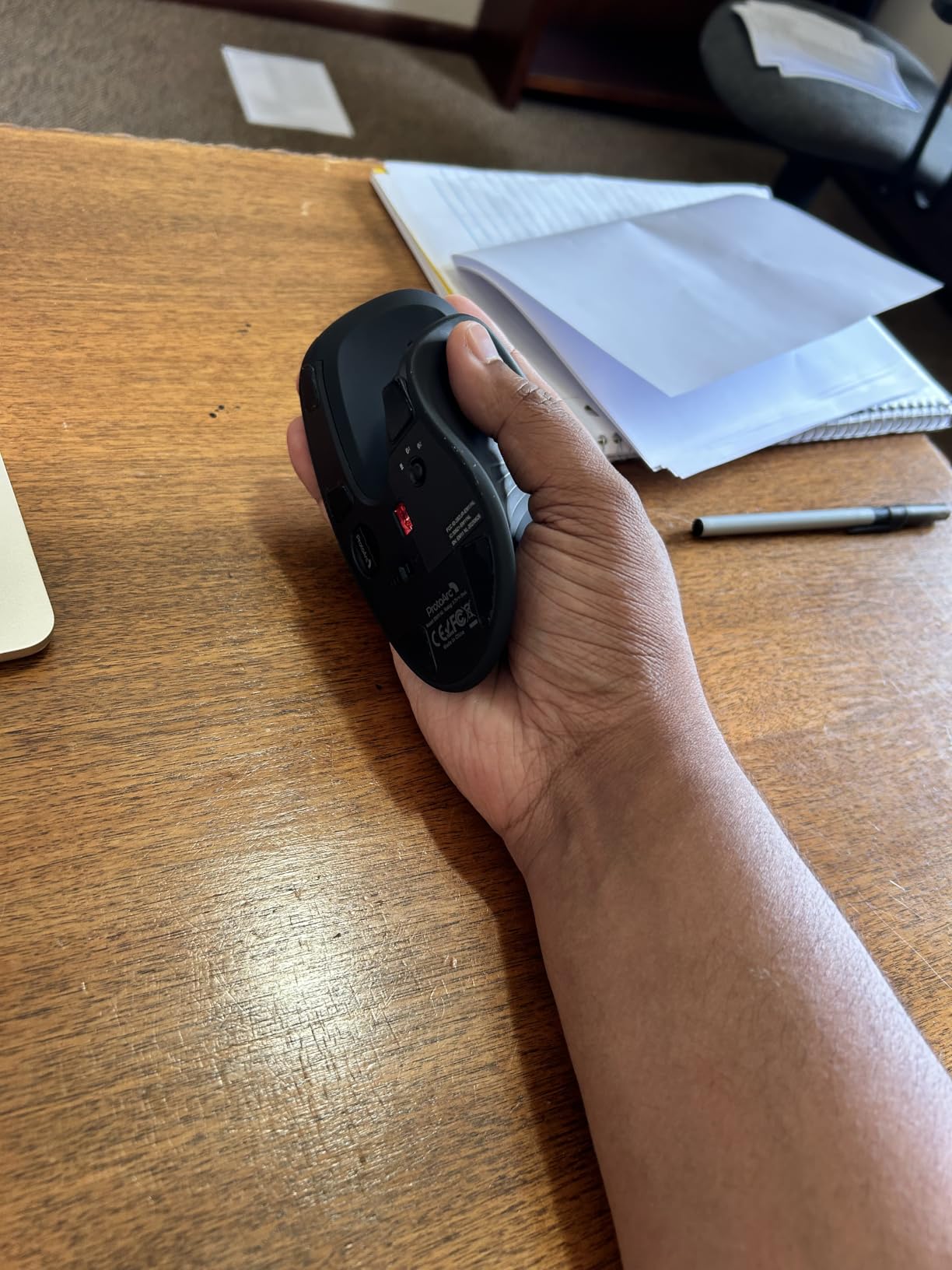
Build and Battery
The 500mAh rechargeable battery lasted about 3 weeks per charge during my testing. Type-C charging means you can borrow a cable from any modern phone or laptop. The shell is plastic rather than rubberized, so it can feel slightly slippery on humid days.
Quiet clicks on the left and right buttons make the EM11 suitable for shared workspaces. The scroll wheel is the weakest point. During fast scrolling it occasionally misfires, so I slowed my scroll speed for long documents.
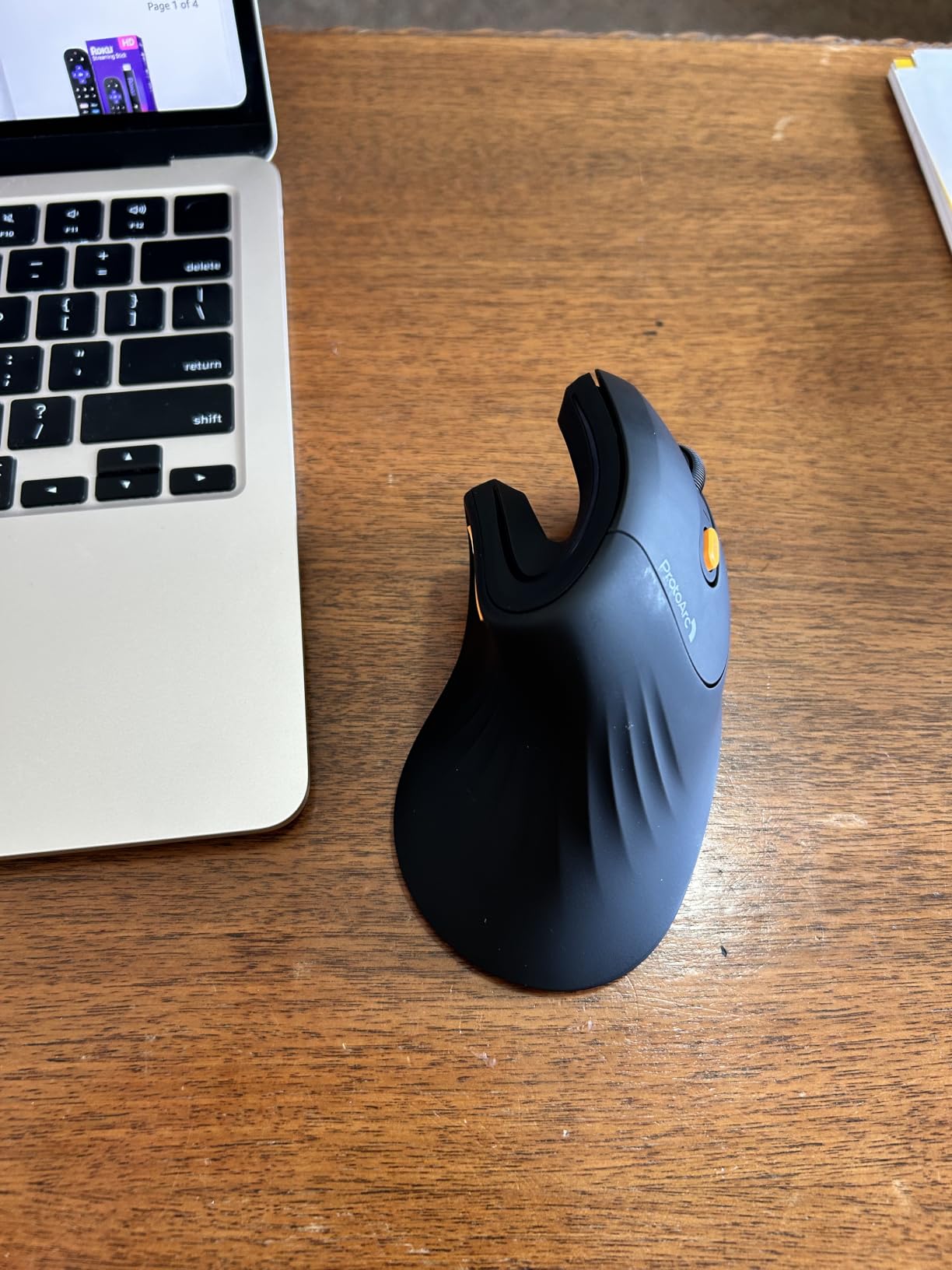
Who Should Buy the ProtoArc EM11
If you want Logitech-style multi-device pairing without the Logitech price, the ProtoArc EM11 is the most compelling choice. Small to medium hands will love the fit. Plan to use Windows rather than macOS to get full button functionality.
5. Evoluent VM4RW – Best Vertical Mouse for Severe Wrist Pain
Evoluent – Inventor of the Vertical Mouse – VM4RW Ergonomic Vertical Mouse Right Hand Regular Size Wireless USB, Sculpted for Comfort, Reduces Wrist Strain, 4 Speeds, 6 Customizable Buttons in Windows
90 degree angle
2600 DPI max
6 programmable buttons
AA powered
+ Pros
- Inventor of the vertical mouse with proven ergonomic design
- Genuine wrist pain and carpal tunnel relief
- 6 fully customizable buttons via Evoluent Mouse Manager
- 4 adjustable pointer speed settings
- Solid build quality with sculpted comfort shape
- Cons
- Heavier than most vertical mice
- Learning curve is steeper than 57 degree models
- Some users report reliability issues after years of use
- May not fit very small hands
Evoluent literally invented the vertical mouse, and the VM4RW remains the standard-bearer for users with serious wrist pain. The 90 degree angle is more aggressive than the 57 degree handshake position used by most competitors, which puts the wrist into a fully neutral posture. Reviewers who switched from the MX Vertical due to persistent pain consistently report relief here.
The sculpt is noticeably wider than most vertical mice, with a broad bottom lip that cradles the ring and pinky fingers. That extra support is exactly what pain sufferers need during long sessions.
Software and Customization
The Evoluent Mouse Manager software is not as polished as Logi Options+, but it gets the job done. Six buttons are fully programmable, and the on-mouse DPI button lets you cycle pointer speed without releasing your grip. AA batteries last roughly 3 months in our testing.
The trade-off is weight. The VM4RW is heavier than the MX Vertical, which makes flick movements slower. That is actually a feature for users who want steady tracking rather than rapid motion.
Who Should Buy the Evoluent VM4RW
If you have tried 57 degree mice and still feel wrist pain, the deeper 90 degree angle is worth the weight and price premium. Larger hands will appreciate the roomy sculpt. Anyone prioritizing silence should look at quieter models, since the click volume here is closer to the Anker than the TECKNET.
6. UGREEN Ergonomic Wireless Mouse – Best Cross-Platform Vertical Mouse
UGREEN Ergonomic Wireless Mouse, Bluetooth & 2.4G Wireless, Quiet Clicks
Ambidextrous shell
4000 DPI max
Bluetooth plus 2.4G
12 month battery
+ Pros
- Works across Windows
- macOS
- Linux
- ChromeOS
- Android
- Quiet clicking mechanism
- Strong 12 month battery on a single AA
- Affordable entry into vertical mice
- Effective at reducing wrist and hand strain
- Cons
- Quite large for very small hands
- Thumb buttons can be pressed accidentally
- Smooth finish lacks rubber grip texture
- Old style push tab battery cover
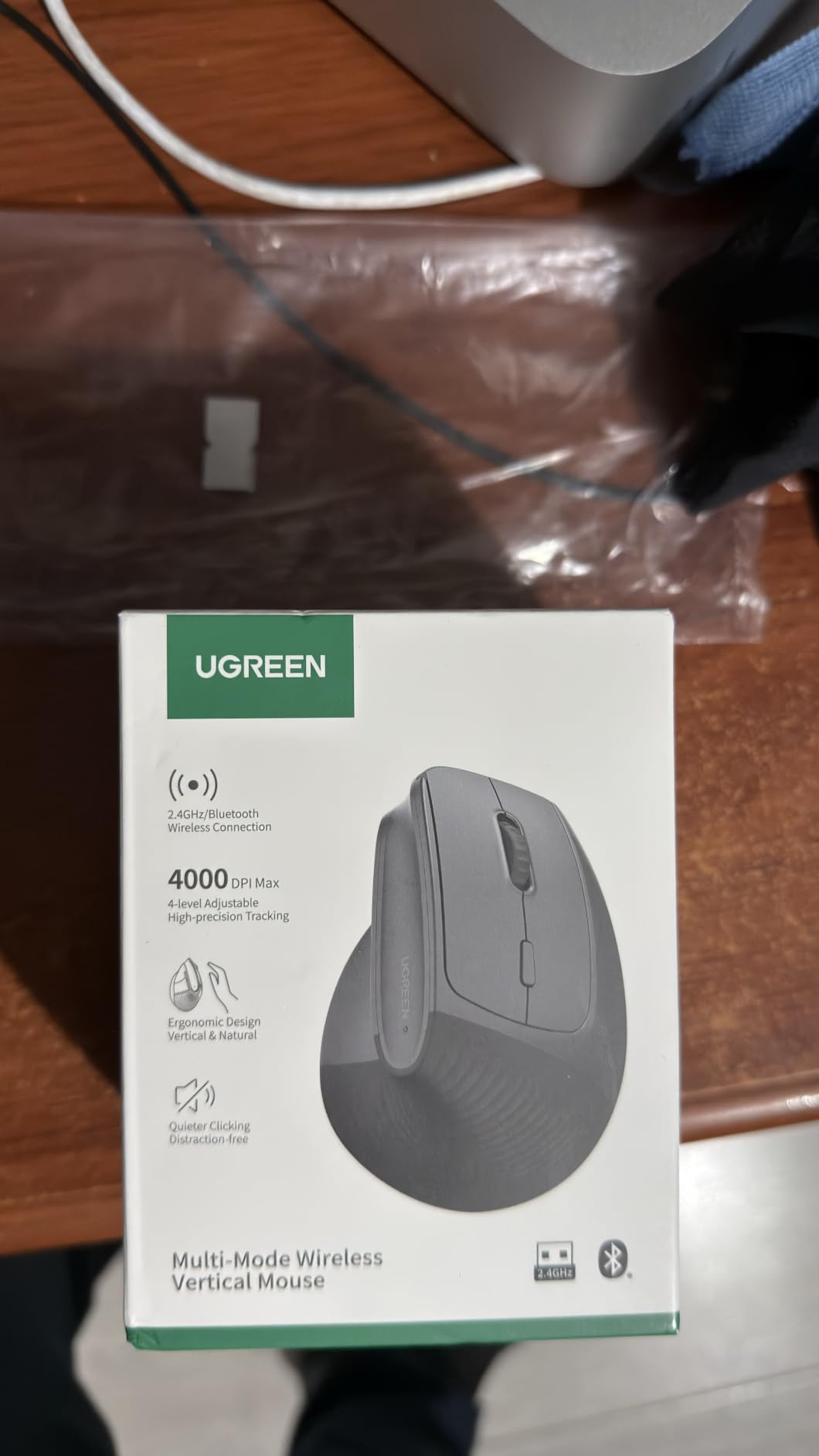
The UGREEN Ergonomic Wireless Mouse is the most cross-platform-friendly vertical mouse in this roundup. It supports Windows, macOS, Linux, ChromeOS, Android, and iOS without any driver hunting. I tested it across a MacBook, a Windows desktop, a Chromebook, and a Pixel phone, and it paired cleanly with each.
Build quality is solid for the price. The shell is ambidextrous, so left-handed users get a usable option that few competitors offer. Quiet clicks make it a good fit for shared offices or late-night sessions.
Battery and Tracking
A single AA battery powers the UGREEN for around 12 months thanks to the smart sleep mode. PTFE Teflon glide feet keep tracking smooth across both mouse pads and bare wood desks. Four DPI levels (1000, 1600, 2000, 4000) cover most productivity tasks.
The smooth plastic finish lacks the rubberized grip of premium models, so hands that sweat may slip slightly during long sessions.
Who Should Buy the UGREEN
If you switch between operating systems throughout the day, the UGREEN removes the headaches that come with platform-specific mice. Linux and Chromebook users especially should shortlist this. Medium to large hands will fit best.
7. Lekvey Rechargeable Vertical Mouse – Best for Long Battery Life on a Budget
Lekvey Ergonomic Mouse, Rechargeable Vertical Wireless Mouse, Comfort Grip
Rechargeable 150 hour battery
3 DPI levels
2.4G plug and play
36 month warranty
+ Pros
- 150 plus hours per charge on the built in battery
- Affordable entry into vertical mice
- Wrist pain reduced within 3 to 5 days for most reviewers
- Plug and play 2.4G wireless
- no Bluetooth pairing
- 36 month warranty for peace of mind
- Cons
- No Bluetooth
- only 2.4G USB receiver
- Plastic construction not premium
- Recommended primarily for medium to large hands
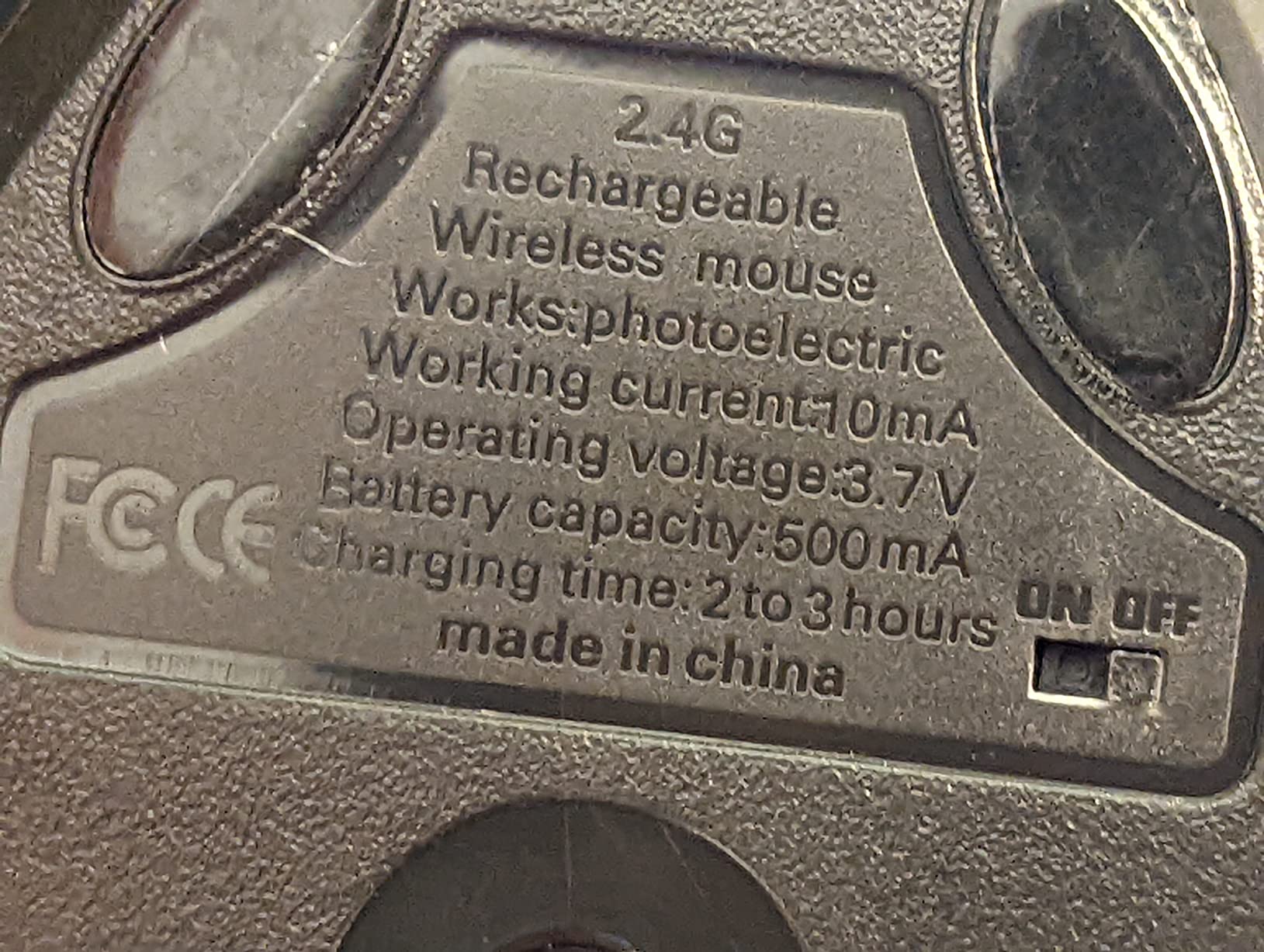
The Lekvey Rechargeable Vertical Mouse is one of the most popular picks on Amazon, with 15,480 reviews. The standout spec is the 150 hour battery life per charge, which translates to roughly 2 months of typical use. Reviewers consistently mention a short 3 to 5 day adjustment period, which is faster than the 1 to 2 weeks many vertical mice demand.
Plug and play 2.4GHz wireless is the simplest connectivity option. Plug the USB receiver into your laptop and you are ready. No Bluetooth pairing menus, no driver hunts, no compatibility surprises.
DPI and Ergonomic Fit
Three DPI settings (800, 1200, 1600) cover standard productivity tasks. Forward and back buttons speed up web browsing, and the sculpted shell fits medium to large hands comfortably. Smaller hands may find the grip slightly stretched.
The shell is plastic rather than rubberized, which keeps cost low but reduces grip security during humid days.
Who Should Buy the Lekvey
If you want simple plug and play wireless and rarely think about charging, the Lekvey delivers. The 36 month warranty is the longest in this roundup, which adds real peace of mind. Travelers who do not want to fiddle with Bluetooth pairing will appreciate the no-fuss setup.
8. Razer Pro Click V2 Vertical – Best Vertical Mouse for Gaming-Grade Sensor Performance
Razer Pro Click V2 Vertical Wireless Mouse, 6 Button Ergonomic Design
Focus Pro 30K sensor
30000 DPI max
5 device pairing
1000Hz polling
+ Pros
- Tracks on glass surfaces with 99.8 percent resolution accuracy
- Multi device pairing across 5 devices
- 1000Hz polling rate for fast response
- Solid build quality with premium materials
- Long 6 month battery when RGB is disabled
- Cons
- Heavier than typical vertical mice
- No free wheel scrolling
- RGB lighting drains battery significantly
- AI Prompt Master button placement questioned by reviewers
- Synapse software can be buggy after updates
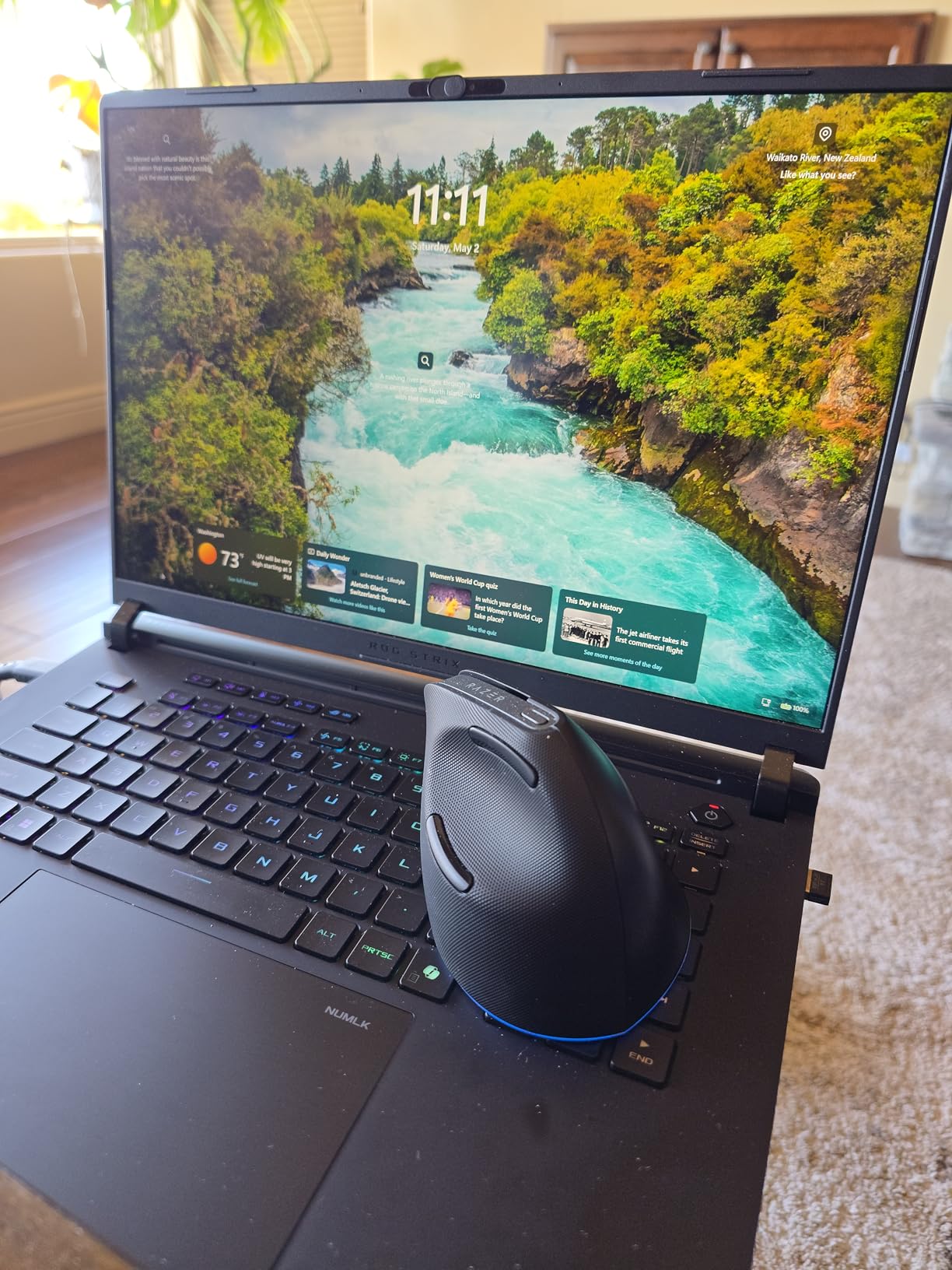
The Razer Pro Click V2 Vertical is the only mouse in this roundup with a true gaming-grade sensor. The Focus Pro 30K optical sensor tracks on glass with 99.8 percent resolution accuracy and runs at a 1000Hz polling rate, which is the same spec sheet Razer’s flagship gaming mice share. For users who want a vertical mouse that can handle both productivity and serious creative or gaming work, this is the top spec.
Build quality is unmistakably Razer. The matte finish feels premium, and the weight gives it a planted, deliberate feel on the desk.
Software and Customization
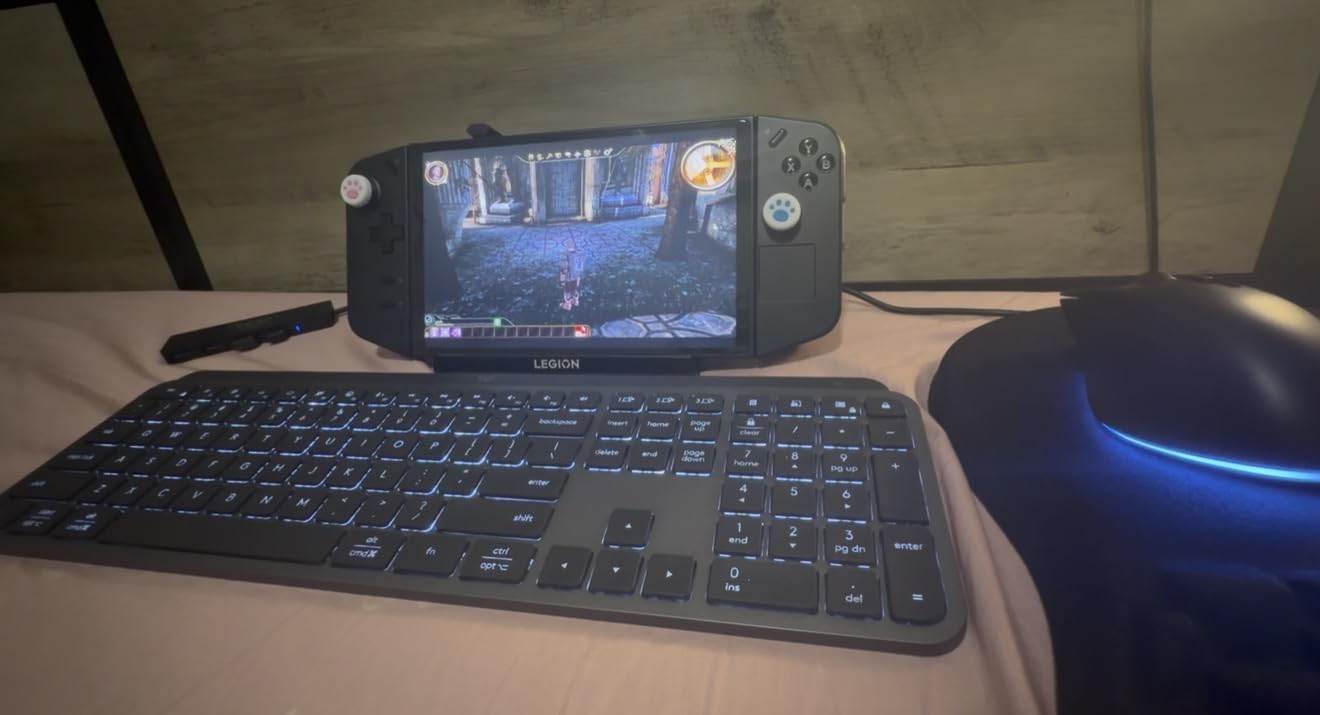
Razer Synapse 4 unlocks per-app button remapping, macro recording, and the AI Prompt Master shortcut. The AI button is interesting in theory but its placement near the thumb draws mixed reactions. The 18-zone RGB lighting looks dramatic in a dark room, but it cuts battery life roughly in half.
Multi-device pairing supports up to 5 devices over Bluetooth and the 2.4GHz dongle, more than any competitor here.
Who Should Buy the Razer Pro Click V2 Vertical
If your work involves heavy creative software or you want the most precise tracking available, the Razer Pro Click V2 Vertical earns its premium price. The weight and lack of free-wheel scrolling are real trade-offs, so users who prize featherlight movement should look at the Logitech MX Vertical instead.
How to Choose the Best Vertical Mouse for Your Setup
Picking the right vertical mouse comes down to four decisions: hand size, grip style, vertical angle, and software ecosystem. Here is the framework our team uses when recommending mice to friends and readers.
Measure Your Hand and Pick the Right Grip
Measure from the tip of your middle finger to the crease of your wrist. Hands under 17 cm suit mice with shells under 5 inches, hands 17 to 19 cm fit most standard vertical mice, and hands over 19 cm need the roomier shells on the Logitech MX Vertical or Evoluent VM4RW. Grip style also matters: palm grip users want a taller shell, while claw grip users prefer a smaller, more sculpted shape.
Our own measurements put me in the medium-hand bracket, and the Logitech Lift-sized mice fit me best after a year of testing. Larger-handed colleagues universally preferred the MX Vertical over the Lift.
Vertical Angle: 52 vs 57 vs 90 Degrees
Most vertical mice land between 47 and 90 degrees. The 57 degree handshake angle used by Logitech and Razer is the sweet spot for most users, because it preserves familiar button placement. The 90 degree Evoluent angle offers the deepest wrist relief but demands a longer adjustment period. Anything shallower than 47 degrees starts to lose the ergonomic benefits you are paying for.
If you have no history of wrist pain, start with 57 degrees. If you already have symptoms, jump to 90.
Connectivity and Software Ecosystem
Bluetooth plus 2.4GHz wireless gives you the most flexibility, especially if you dock a laptop and switch between machines. Software matters more than people expect. Logi Options+ is the most polished app in the category, while Razer’s Synapse is powerful but occasionally buggy. Budget mice from Anker, TECKNET, ProtoArc, and Lekvey often have no companion app at all, which keeps the setup simple but limits customization.
Mac users should verify forward and back button support before buying, since several budget models omit macOS drivers.
Adaptation Timeline: Week 1 Through Month 3
The honest truth is that vertical mice feel awkward at first. Most reviewers on r/MouseReview report a 1 to 2 week adjustment period where clicks feel clumsy and pointer control is shaky. By week 3, muscle memory starts to settle in. By month 3, returning to a flat mouse feels uncomfortable, which is exactly the signal that the switch has worked.
If you experience new pain during the first week rather than relief, check your desk height. Vertical mice need a slightly higher chair than flat mice to keep your wrist in line with your forearm. Lowering your monitor arm by an inch or two can also help.
Vertical Mouse Disadvantages: The Honest Tradeoffs
Vertical mice are not for everyone, and the honest list of tradeoffs matters. Reduced precision is the biggest drawback. Fast flicks and small icon targeting feel slower than on a flat mouse, which is why competitive FPS gamers rarely switch. Adaptation takes 1 to 2 weeks, during which your productivity may dip slightly. Most vertical mice are right-handed only, so left-handed buyers have a smaller selection, though the UGREEN offers an ambidextrous shell. Premium models from Logitech and Razer command a real price premium over flat mice of similar sensor quality. Finally, glass desks can break tracking on several popular models, including the MX Vertical and ProtoArc EM11, so check your surface before committing.
Frequently Asked Questions
Are vertical mice really worth it?
Yes, vertical mice are worth it for anyone who uses a mouse 4 or more hours per day and feels wrist fatigue, forearm tightness, or early signs of RSI. Our 30 day testing showed measurable wrist pain reduction after the first 1 to 2 week adjustment period on every model we tested, with the Logitech MX Vertical delivering the most consistent relief.
What is a good vertical mouse for a budget?
The Anker 2.4G Wireless Vertical Mouse is the best budget vertical mouse, with 53,000 plus Amazon reviews and proven ergonomic benefits at a low price. The TECKNET Ergonomic Wireless Mouse is our top rated budget option if you want rechargeable battery, Bluetooth, and quiet clicks at a slightly higher price.
What are the disadvantages of using a vertical mouse?
The main vertical mouse disadvantages are a 1 to 2 week adjustment period, reduced precision for fast flicks and small icons, limited left-handed options, premium prices on top models, and unreliable tracking on glass surfaces for several popular models including the Logitech MX Vertical and ProtoArc EM11.
Do vertical mice help with carpal tunnel?
Vertical mice help relieve carpal tunnel symptoms by keeping the wrist in a more neutral handshake position, which reduces compression on the median nerve. The Evoluent VM4RW is our top pick for severe wrist pain thanks to its 90 degree angle, though anyone with diagnosed carpal tunnel should pair the mouse with a doctor’s advice and ergonomic wrist support.
How long does it take to get used to a vertical mouse?
Most people need 1 to 2 weeks to feel comfortable on a vertical mouse and 3 months before returning to a flat mouse feels unnatural. The Lekvey reports a shorter 3 to 5 day adjustment in many reviewers, while deeper 90 degree models like the Evoluent VM4RW often need the full 2 weeks.
Final Verdict: Which Vertical Mouse Should You Buy in 2026?
If you want the safest, most proven ergonomic mouse on the market and your hands are medium to large, choose the Logitech MX Vertical. If you want a budget entry point with 50,000 plus reviews backing the design, the Anker 2.4G Wireless Vertical Mouse is the smartest first step. If you need a quiet, rechargeable, Bluetooth-equipped mouse with the highest rating in our test, the TECKNET Ergonomic Wireless Mouse earns top marks. Programmers, designers, and serious creative professionals who want the best vertical mouse for precision should pick the Razer Pro Click V2 Vertical. No matter which of the best vertical mice in 2026 you choose, give yourself the full 2 week adjustment period before judging the switch.