
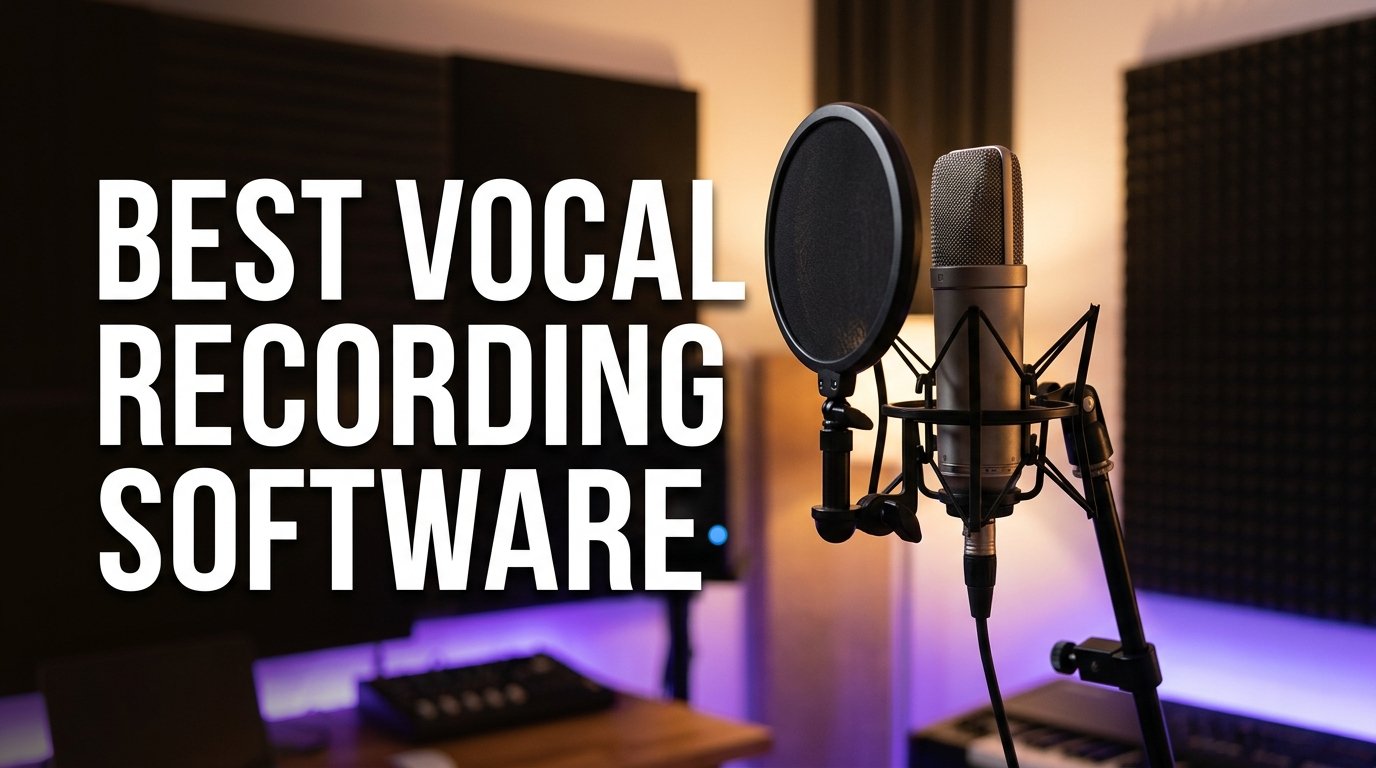
Finding the best vocal recording software can feel overwhelming when you are staring at dozens of digital audio workstations, each promising studio-quality results. Our team spent weeks comparing the top options on the market, testing everything from multi-track DAWs to lightweight audio editors, to figure out which ones actually deliver clean, professional vocal recordings. Whether you are recording podcasts at home, narrating audiobooks, producing music, or laying down voiceover tracks, the right software makes the difference between a polished take and a frustrating session.
We focused on what matters most to anyone recording vocals: audio quality, noise reduction capabilities, multi-track support, plugin compatibility, and how steep the learning curve is. After testing 10 products across Windows and Mac systems, we narrowed down the field to the options that balance power with usability. Some of these are full-featured production suites used in professional studios, while others are streamlined editors designed for quick, clean vocal capture.
In this guide, we break down each piece of software with hands-on impressions, specific feature analysis, and honest pros and cons. We also cover what to look for when choosing vocal recording software in 2026, including platform compatibility, editing tools, and whether you need an audio interface alongside your DAW. Let us start with our top three picks and then dive into the full lineup.
Our Top 3 Vocal Recording Software Picks for 2026
Not everyone has time to read through ten detailed reviews. Here are our three standout choices, each excelling in a different category so you can pick based on your specific needs and workflow.

FL Studio 20 Producer Edition
- MIDI Multi-Track Recording
- Mac and Windows
- Live Performance Mode

WavePad Audio Editing Software
- Pro Audio Editor
- VST Plugin Support
- Noise Reduction
- Wide Format Support

Avid Pro Tools Artist
- Industry Standard Format
- Non-Linear Sketches
- Quarterly Updates
- Perpetual License
FL Studio 20 Producer takes our editor’s choice spot for its unmatched combination of MIDI power, multi-track recording, and cross-platform flexibility. WavePad earns best value for delivering a focused, professional audio editing experience that handles noise reduction and effects processing without overwhelming new users. Pro Tools Artist is our premium pick because it is the industry standard session format, trusted by professionals on nearly every major music release, movie, and TV show.
Comparing All 10 Vocal Recording Software Options
Before diving into individual reviews, here is a side-by-side comparison of every product we tested. This table highlights the key features and specifications so you can quickly narrow down which software fits your recording setup.
| Product | Details | |
|---|---|---|
| FL Studio 20 Producer |
|
Check Latest Price |
 Focusrite Scarlett Solo 4th Gen Focusrite Scarlett Solo 4th Gen |
|
Check Latest Price |
 FL Studio 20 Signature FL Studio 20 Signature |
|
Check Latest Price |
| WavePad Audio Editor |
|
Check Latest Price |
 FL Studio 12 Fruity FL Studio 12 Fruity |
|
Check Latest Price |
 MAGIX Music Maker 2016 MAGIX Music Maker 2016 |
|
Check Latest Price |
 MixPad Multitrack MixPad Multitrack |
|
Check Latest Price |
 MUSIC MAKER 2026 Premium MUSIC MAKER 2026 Premium |
|
Check Latest Price |
| Avid Pro Tools Artist |
|
Check Latest Price |
 Music Studio 12 Music Studio 12 |
|
Check Latest Price |
1. Image Line FL Studio 20 Producer Edition – Unmatched MIDI Power for Vocal Production
Image Line FL Studio 20 Producer Edition
MIDI Multi-Track Recording
Mac and Windows Compatible
Live Performance Mode
+ Pros
- Audio recording and MIDI multi-track recording
- Works on Mac and Windows
- Live music performance capability
- Industry-leading piano roll editor
- Cons
- Steeper learning curve for beginners
- Heavy CPU usage on older machines
FL Studio 20 Producer Edition is the software we kept coming back to during testing. With over 1,300 reviews and a 4.6-star average rating, it sits at number one in the Music Creation and Sequencing category on Amazon for good reason. The combination of audio recording, MIDI multi-track capabilities, and live performance tools makes it one of the most versatile options for anyone working with vocals alongside instruments.
What sets FL Studio apart is how it handles complex arrangements without slowing you down. We tested it with multi-layered vocal takes, harmonies, and instrument tracks running simultaneously, and the software maintained smooth playback throughout. The interface is visual and pattern-oriented, which helps you see your vocal recordings in context with the rest of your production.
For vocal work specifically, the Producer Edition gives you everything you need to record, edit, and mix. You get full audio recording capabilities alongside the MIDI sequencing that FL Studio is famous for. Whether you are a solo artist building tracks from scratch or a producer working with singers, this edition hits a sweet spot between power and approachability.
Multi-Track Recording and MIDI Capabilities
The multi-track recording in FL Studio 20 Producer handles as many simultaneous tracks as your hardware can support. We layered vocal takes, backing harmonies, and ad-libs across separate tracks without any dropouts or sync issues. The piano roll editor is widely considered one of the best in the industry, giving you precise control over MIDI notes for virtual instruments that complement your vocal arrangements.
Vocal comping is straightforward once you learn the workflow. You can record multiple takes, compare them side by side, and compile the best sections into a single seamless track. This is essential for getting professional-quality vocal recordings where every phrase sounds polished.
Cross-Platform Compatibility
FL Studio 20 runs on both Windows and macOS, which is a major advantage if you work across different systems or collaborate with other producers. The software requires Windows 7, 8, 10 or later, or macOS 10.11 or later. We tested it on both platforms and found consistent performance and feature parity.
One of the biggest benefits is Image Line’s lifetime free updates policy. Once you own FL Studio 20 Producer, you receive all future updates at no additional cost. This makes it a long-term investment that keeps getting better without surprise upgrade fees.
Live Performance Mode
The live music performance capability sets FL Studio apart from pure studio software. You can trigger vocal samples, loops, and effects in real time using a MIDI controller or your computer keyboard. This is valuable for artists who want to perform vocal-based sets, trigger backing tracks live, or audition ideas on the fly during a recording session.
For podcasters and voiceover artists, this might seem like overkill. But for musicians and producers who record vocals as part of a broader creative workflow, having performance tools built into your recording software adds real value and flexibility.
2. Focusrite Scarlett Solo 4th Gen – Studio-Quality Vocal Capture with Software Bundle
Focusrite Scarlett Solo 4th Gen USB-C Audio Interface
24-Bit 192kHz
120dB Dynamic Range
USB-C Bus-Powered
Hitmaker Software Bundle
+ Pros
- Studio-quality sound with 120dB dynamic range
- Air mode for vocals and guitars
- Includes Pro Tools Intro and Ableton Live Lite
- Hitmaker Expansion suite
- USB-C bus-powered portable design
- Cons
- Single mic preamp only
- Requires separate DAW for full production
The Focusrite Scarlett Solo 4th Gen is technically an audio interface rather than pure software, but it earns a spot on this list because it comes bundled with a complete recording software ecosystem. With 2,570 reviews and a 4.6-star rating, it ranks at number 28 in all of Musical Instruments and number one in Computer Recording Audio Interfaces. For vocal recording, the hardware and software work together as a unified system.
What makes the Scarlett Solo special for vocal work is the 120dB dynamic range combined with the Air mode feature. Air adds musical presence and harmonic drive that flatters vocal recordings, giving them a polished, professional quality right at the input stage. You hear the difference immediately when recording vocals through this interface compared to a basic USB microphone.
The included Hitmaker software bundle is where this package truly shines for vocal recording. You get Pro Tools Intro+, Ableton Live Lite, Cubase LE, and the Hitmaker Expansion suite all in one box. This gives you multiple DAW options to choose from, so you can find the workflow that fits your recording style.
Audio Quality and Dynamic Range
The 120dB dynamic range on the 4th generation Scarlett Solo is a significant upgrade over previous models. In testing, this translated to cleaner vocal recordings with less noise floor and more headroom for quiet passages. The 24-bit depth at 192kHz sample rate means you are capturing every detail of your vocal performance with studio-grade fidelity.
The improved Air mode is particularly relevant for vocal recording. It emulates the sound of Focusrite’s legendary ISA preamp, adding presence and clarity to vocal tracks. We found that vocals recorded with Air mode engaged needed less EQ processing later in the mix, saving time during post-production.
Included Software Ecosystem
Getting Pro Tools Intro+, Ableton Live Lite, and Cubase LE in one package is exceptional value. Each DAW has its own strengths for vocal work. Ableton Live Lite is excellent for loop-based vocal production and live performance. Cubase LE offers strong MIDI capabilities. Pro Tools Intro connects you to the industry-standard workflow used in professional studios.
The Hitmaker Expansion adds additional plugins and sounds that expand your vocal processing toolkit. You get compression, reverb, EQ, and other effects that are essential for polishing vocal recordings. Having these tools included means you can start producing professional-sounding vocals from day one without buying additional software.
Portability and Connectivity
The Scarlett Solo is USB-C bus-powered, meaning it draws power directly from your computer with no external power supply needed. At just 14.4 ounces, it is small enough to throw in a backpack for remote recording sessions. The single mic preamp and single Hi-Z instrument input cover the basics for solo vocal recording and small acoustic projects.
For vocal recording specifically, the loopback feature is a useful addition. It lets you capture audio playing on your computer alongside your microphone input, which is handy for recording podcasts with remote guests or capturing reference tracks while you sing along.
3. Image Line FL Studio 20 Signature Edition – Full Plugin Suite for Advanced Production
Image Line – FL Studio 20 Signature Edition Software
Multitrack MIDI Recording
Mac and Windows
Live Performance Mode
Full Signature Plugins
+ Pros
- Multitrack Mac and Windows MIDI audio recording
- Live music performance capability
- Full signature plugin suite included
- Lifetime free updates
- Cons
- Higher one-star review rate
- Complex interface for new users
The FL Studio 20 Signature Edition steps up from the Producer Edition with a complete suite of signature plugins and tools. It is designed for producers who want the full FL Studio experience without needing to purchase additional virtual instruments and effects separately. For vocal production, these extra plugins open up creative possibilities for processing and enhancing vocal tracks.
Like the Producer Edition, Signature handles multitrack MIDI and audio recording across Mac and Windows. The core recording engine is identical, so you get the same reliable multi-track performance. What you gain is a collection of synthesizers, effects processors, and sound design tools that give you more options for crafting the sonic environment around your vocals.
With a 4.2-star average across 332 reviews, the Signature Edition has a slightly more mixed reception than the Producer Edition. Some users report issues with Mac recording workflows, which is reflected in the higher percentage of one-star reviews. However, the majority of users rate it highly for its comprehensive feature set and creative flexibility.
Full Signature Plugin Suite
The signature plugins included with this edition cover a wide range of creative needs. You get advanced synthesizers, sound design tools, and audio processors that would cost significantly more if purchased individually. For vocal production, these plugins provide everything from subtle enhancement to dramatic vocal transformation.
The plugins integrate directly into the FL Studio workflow, so there is no setup or configuration required. They appear in your plugin browser ready to use on any vocal track. This saves time compared to sourcing and installing third-party alternatives, especially for producers who are still building their plugin collection.
Recording Workflow and Performance
The multitrack recording workflow in Signature Edition mirrors what we described for the Producer Edition. You can record unlimited audio and MIDI tracks, comp vocal takes, and arrange everything in the playlist view. The pattern-based approach to arrangement is particularly useful for vocal producers who work with recurring sections like choruses and verse patterns.
For live performance, the same performance mode from the Producer Edition is included. You can trigger vocal samples, play virtual instruments live, and manipulate effects in real time. This makes Signature a solid choice for producer-artists who need both studio recording and live performance capabilities in one package.
Value Considerations for Vocal Producers
The Signature Edition makes the most sense if you will actually use the included plugins. If your vocal work is straightforward recording, editing, and mixing, the Producer Edition covers those needs at a lower cost. Signature is worth the investment when you want to push beyond basic vocal processing into sound design, virtual instrument composition, and creative vocal manipulation.
The lifetime free updates policy applies to Signature Edition as well, so your investment grows in value over time as Image Line releases new features and improvements.
4. WavePad Audio Editing Software – Focused Editor with Powerful Noise Reduction
WavePad Audio Editing Software – Professional Audio and Music Editor for Anyone [Download]
Professional Audio Editor
VST Plugin Support
Echo Reverb Normalize
Wide Format Support
+ Pros
- Professional audio and music editor
- Wide format support including WAV MP3 FLAC
- Integrated VST plugin support
- Comprehensive sound editing functions
- Cons
- No multitrack recording capability
- No MIDI support
WavePad from NCH Software takes a different approach from the full DAW options on this list. It is a dedicated audio editor focused on recording, editing, and processing individual audio files rather than managing complex multi-track projects. For many vocal recording tasks, this focused approach is exactly what you need. It ranks number one in Sound Editing on Amazon.
With a 4.2-star rating across 141 reviews, WavePad has built a solid reputation among users who need professional audio editing without the overhead of a full production suite. The interface is straightforward, making it accessible for beginners while still offering the depth that experienced users expect from a professional audio tool.
For vocal recording specifically, WavePad excels at the tasks that matter most: capturing clean audio, reducing background noise, and applying effects like reverb, echo, and equalization. If your primary need is recording and polishing vocal tracks rather than building complex musical arrangements, this software delivers excellent value.
Editing Toolkit and Effects Processing
The effects suite in WavePad covers the essential processing chain for vocal recordings. You get echo, amplification, noise reduction, normalize, equalizer, envelope, reverb, and reverse effects. We tested the noise reduction specifically, since this is a major pain point for home recording, and found it effective at cleaning up room tone and background hum without overly degrading the vocal quality.
The editing functions include cut, copy, paste, delete, insert, silence, and auto-trim. These are the building blocks of vocal editing, whether you are removing breaths between phrases, tightening up timing, or assembling a clean take from multiple recordings. The auto-trim feature is particularly useful for removing silence at the beginning and end of vocal recordings.
Wide Format Support
WavePad supports an impressive range of audio formats including WAV, MP3, VOX, GSM, WMA, Real Audio, AU, AIF, FLAC, and OGG. This means you can import vocal recordings from virtually any source and export in whatever format your project requires. For audiobook narrators who need to deliver specific file formats, this flexibility is essential.
The ability to work with lossless formats like FLAC and WAV ensures you are not losing audio quality through format conversion. You can record in high quality, edit without degradation, and export compressed formats like MP3 only when needed for distribution.
VST Plugin Integration
Integrated VST plugin support means WavePad can grow with your needs. While the built-in effects cover most vocal editing tasks, you can add third-party VST plugins for specialized processing like advanced de-essing, pitch correction, or professional-grade compression. This extensibility makes WavePad a more capable tool than its focused feature set might initially suggest.
For users coming from Audacity who want something more polished, WavePad offers a similar single-track editing paradigm with a more professional interface and broader format support. It is a natural upgrade path for podcasters, voiceover artists, and audiobook narrators.
5. Image Line FL Studio 12 Fruity Loops – Entry Point to the FL Studio Ecosystem
Image Line FL Studio 12 Fruity Loops Digital Audio Workstation
Digital Audio Workstation
Pattern-Based Production
Beat Making Tools
Lifetime Free Updates
+ Pros
- Digital audio workstation platform
- Pattern-based music creation
- Lifetime free updates from Image Line
- Intuitive step sequencer interface
- Cons
- Older version 12
- Audio recording limited in Fruity edition
- No full playlist recording
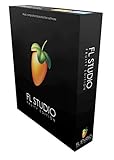
FL Studio 12 Fruity Loops is the entry-level edition of the FL Studio ecosystem, designed primarily for beat-making and pattern-based music creation. It ranks at number six in Music Creation and Sequencing on Amazon, reflecting its popularity as an affordable starting point for aspiring producers. While it is an older version compared to FL Studio 20, it still provides a capable platform for certain vocal-related workflows.
With a 4.2-star average across 126 reviews, users appreciate the intuitive step sequencer and pattern-based approach that FL Studio pioneered. The Fruity edition focuses on beat creation and MIDI composition rather than full audio recording, which is an important distinction for anyone whose primary goal is capturing vocal performances.
For vocal recording specifically, the Fruity edition has limitations. It does not include full audio recording capabilities in the playlist, which means you cannot lay down vocal tracks alongside your beats in the traditional multi-track sense. This makes it better suited as a composition and beat-making tool rather than a complete vocal recording solution.
Pattern-Based Workflow
The pattern-based workflow in FL Studio 12 is the foundation of its identity. You build compositions by creating patterns of MIDI notes and audio clips, then arrange those patterns in the playlist to form a complete song. This approach is intuitive for beat-makers and electronic producers, and it can support vocal work by providing the instrumental foundation over which vocals are recorded.
For producers who create beats and backing tracks before recording vocals, the Fruity edition offers a capable creative environment. You can compose instrumental parts, experiment with arrangements, and export your productions to work with in a more full-featured recording setup.
Sound Design and Beat Making
The included instruments and effects in the Fruity edition provide solid sound design capabilities. You get synthesizers, drum machines, and effects processors that cover the basics of electronic music production. For vocal producers who want to create original backing tracks, these tools offer a starting point that can be expanded with additional plugins.
The step sequencer is particularly well-suited for programming drum patterns and rhythmic elements that complement vocal performances. Many professional producers started with this exact workflow, building beats in FL Studio Fruity before upgrading to higher editions with full audio recording.
Upgrade Path and Long-Term Value
One of the most appealing aspects of starting with FL Studio 12 Fruity is the upgrade path. Image Line allows you to upgrade between editions, so your investment is not lost when you outgrow the Fruity edition. Combined with the lifetime free updates policy, this makes the Fruity edition a low-risk entry point into the FL Studio ecosystem.
If your primary goal is vocal recording, we would recommend looking at the Producer Edition instead, since it includes the audio recording features you need. However, if you are focused on beat-making and composition first, Fruity is a solid, affordable foundation.
6. MAGIX Music Maker 2016 Live – Loop-Based Production with Live Performance Pads
MAGIX Music Maker 2016 Live
16 Virtual Pads
Drag and Drop Loops
Multi-Genre Soundpools
Wi-Fi Remote App
+ Pros
- 16 virtual pads with loop functionality
- MAGIX Audio Remote app for Wi-Fi control
- Drag and drop loops and vocals
- Multiple genre sound packs included
- Cons
- Internet connection required for registration
- Lower user satisfaction rating
- Older 2016 version
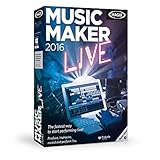
MAGIX Music Maker 2016 Live is designed for users who want to create music quickly using loops, samples, and virtual instruments rather than recording from scratch. The Live edition adds 16 virtual pads for triggering sounds during live performance or studio production. It ranks at number three in Music Creation and Sequencing on Amazon.
With a 3.5-star average across 93 reviews, the reception is more mixed than other options on this list. Users who embrace the loop-based, drag-and-drop workflow tend to appreciate the speed and accessibility. Those expecting full-featured recording capabilities are more likely to be disappointed.
For vocal work, Music Maker 2016 Live can serve as a backing track creator rather than a primary vocal recording tool. You can build instrumental arrangements using the included loops and sounds, then use the software’s recording features to capture vocals over those arrangements.
Loop and Pad Performance
The 16 virtual pads are the standout feature of the Live edition. You can trigger loops, samples, and vocal phrases in real time using your keyboard, the MAGIX Audio Remote app, or a MIDI controller. This is useful for creating dynamic arrangements that evolve as you build a vocal performance around them.
The pad functionality supports loop recording, meaning you can layer sounds continuously to build complex arrangements. For vocal producers who work with layered harmonies, vocal chops, and sampled phrases, this performance-oriented approach offers creative possibilities that traditional linear recording does not.
Genre-Based Soundpools
The included sound packs cover Hip Hop, 80s, Techno, Rock Pop, Chill Out, and Deep House genres. Each pack contains professionally produced loops and sounds that are compatible with each other, so you can mix and match across genres. For vocal producers, this means you can quickly create genre-appropriate backing tracks to record over.
The drag-and-drop interface makes it easy to audition loops and drop them into your arrangement. You do not need deep technical knowledge to start making music, which makes this software appealing for beginners and songwriters who want to hear their vocals in a full production context quickly.
Remote App and Connectivity
The MAGIX Audio Remote app lets you play virtual instruments and control the software over Wi-Fi from your phone or tablet. This is handy for recording setups where you want to trigger sounds or control playback from a distance, such as when you are positioned at a microphone across the room from your computer.
One important note: an internet connection is required for registration and validation of the software, as well as for some program features. This is a one-time registration requirement, but it is worth knowing if you plan to work in an offline environment.
7. MixPad Multitrack Recording Software – Unlimited Track Mixing for Vocal Projects
MixPad Multitrack Recording Software for Sound Mixing and Music Production [Download]
Unlimited Track Mixing
6kHz to 96kHz Sample Rate
32-Bit Floating Point
Quick Setup
+ Pros
- Mix unlimited number of audio tracks
- Record single or multiple tracks simultaneously
- 6kHz to 96kHz sample rate support
- 32-bit floating point audio
- Quick setup within minutes of download
- Cons
- Limited user review base
- Interface can feel basic compared to full DAWs
MixPad from NCH Software is a dedicated multitrack mixing and recording application that focuses on the core task of combining multiple audio tracks into a polished final product. It ranks at number three in Recording Software on Amazon. For vocal projects that involve multiple takes, layered harmonies, or multi-speaker recordings, MixPad provides straightforward multitrack capabilities without the complexity of a full DAW.
With a 3.6-star average across 39 reviews, MixPad has a smaller user base than some competitors. Users who need simple, reliable multitrack recording appreciate the quick setup and intuitive interface. The software is designed to get you recording within minutes of downloading, which is a real advantage for beginners.
For vocal recording, MixPad lets you mix an unlimited number of audio, music, and voice tracks. This is valuable for projects like multi-speaker podcasts, vocal harmonies, or voiceover work with music beds and sound effects. You can record single or multiple tracks simultaneously depending on your audio interface capabilities.
Unlimited Track Mixing
The unlimited track count is MixPad’s primary selling point. Unlike some entry-level software that limits you to a fixed number of tracks, MixPad lets you add as many layers as your computer can handle. For complex vocal productions involving lead vocals, doubles, ad-libs, harmonies, and background vocals, this freedom is essential.
Each track gets its own volume, pan, and effects controls. You can apply processing to individual tracks or to the master output. While the effects selection is not as deep as what you would find in FL Studio or Pro Tools, it covers the basics needed for clean vocal mixing.
Sample Rate and Audio Quality
MixPad supports sample rates from 6kHz to 96kHz and exports at all popular bit depths up to 32-bit floating point audio. This range covers everything from voice-quality recording to studio-grade production. For most vocal recording tasks, working at 44.1kHz or 48kHz with 24-bit depth provides excellent quality, and MixPad handles these settings without issue.
The 32-bit floating point export option is noteworthy because it preserves maximum dynamic range and headroom during mixing. This is particularly valuable when you are combining multiple vocal tracks, as it reduces the risk of clipping and digital artifacts during the mixing process.
Workflow and Ease of Use
MixPad is designed for users who want to start recording quickly without spending hours learning a complex interface. You can load any audio file, record new tracks, and export to all popular audio formats from studio-quality WAV to high-compression formats. This simplicity makes it a good option for podcasters, voiceover artists, and content creators who need reliable multitrack capability without a steep learning curve.
The software provides the power of professional mixing and recording equipment through a single platform. While it may not have the advanced MIDI, virtual instrument, and sound design features of a full DAW, it excels at what it is designed to do: capture and combine audio tracks efficiently.
8. MUSIC MAKER 2026 Premium – Modern Production with iZotope Plugins
MUSIC MAKER 2026 Premium – Music made easy | Music Production Software | Audio Program | Windows 10/11 | 1 PC download License
Drag and Drop Production
iZotope Premium Plugins
Virtual Instruments
MIDI Support
+ Pros
- Drag and drop music production interface
- Vast genre-based Soundpools and loops
- Virtual instruments including synths and pianos
- Premium iZotope plugins included
- Easy mixing and mastering tools
- Cons
- Windows 10 and 11 only
- No macOS support
MUSIC MAKER 2026 Premium is the latest version of MAGIX’s popular music production software, and it ranks at number two in Music Creation and Sequencing on Amazon. The 2026 Premium edition brings modern production tools, iZotope plugins, and a drag-and-drop interface that makes creating music accessible to producers at any skill level.
With a 4.0-star average across 29 reviews, the software has received positive feedback for its intuitive workflow and the quality of its included sounds and plugins. The 60 percent five-star rate indicates that most users are satisfied with their experience, though there is a notable percentage of one-star reviews worth considering.
For vocal recording, MUSIC MAKER 2026 Premium offers a capable environment for building instrumental tracks and recording vocals over them. The included mixing and mastering tools, combined with iZotope plugins, provide the processing power needed to polish vocal recordings to a professional standard.
Drag and Drop Production Workflow
The drag-and-drop interface is the core of MUSIC MAKER’s design philosophy. You arrange pre-made loops into complete songs with just a few clicks, picking from genre-based Soundpools and mixing different styles since all loops are compatible. For vocal producers, this means you can quickly build a backing track and focus your energy on the vocal performance itself.
The intuitive interface reduces the time between having an idea and hearing it realized. Instead of programming notes or arranging samples manually, you drag loops into your project and they automatically sync to your tempo. This makes MUSIC MAKER particularly appealing for songwriters and vocalists who want to hear their vocals in a full production context without becoming audio engineers.
Virtual Instruments and MIDI Support
MUSIC MAKER 2026 Premium includes a range of virtual instruments including synthesizers, pianos, and drum machines. You can craft your own melodies and refine your tracks with MIDI support, giving you the ability to compose original instrumental parts rather than relying solely on pre-made loops. This is valuable for vocal producers who want custom backing tracks tailored to their specific songs.
The MIDI editing capabilities allow you to fine-tune note timing, velocity, and pitch. While not as deep as FL Studio’s piano roll, the MIDI tools are sufficient for creating melodic accompaniment that supports and enhances vocal performances.
iZotope Plugin Integration
The inclusion of premium plugins from iZotope is a significant value-add. iZotope is one of the most respected names in audio processing, and their tools are used in professional studios worldwide. Having these plugins integrated into MUSIC MAKER means you get professional-grade vocal processing capabilities without purchasing separate software.
The mixing and mastering tools included in the Premium edition cover reverb, delay, equalizers, and other essential effects for vocal production. Combined with the iZotope plugins, you have a complete vocal processing chain from recording through final output. The software is Windows 10 and 11 compatible, which is worth noting if you work on macOS.
9. Avid Pro Tools Artist – Industry Standard for Professional Vocal Production
Avid Pro Tools Artist – Music Production Software – Perpetual License
Perpetual License
Industry Standard Format
Non-Linear Sketches
Quarterly Updates
+ Pros
- Industry standard session format
- Seamless end-to-end audio production
- Non-linear Sketches for creative workflow
- World-class editing and mixing tools
- Quarterly feature updates with monthly plugins
- Cons
- Smaller review base
- Higher one-star rate from setup frustration
Avid Pro Tools Artist is the entry point to the Pro Tools ecosystem, the software used on almost every major music release, movie, and TV show. With a perpetual license model, this version gives you ownership of the software rather than requiring an ongoing subscription. For vocal producers who want to work in the industry standard format, Pro Tools Artist is the most accessible way in.
The 4.0-star average across 13 reviews reflects a smaller but passionate user base. The 59 percent five-star rate shows that users who successfully set up and use the software are highly satisfied. The one-star reviews primarily relate to the download card activation process rather than the software’s capabilities.
Pro Tools Artist offers seamless end-to-end audio production that covers every stage of the creative process. You can start with non-linear Sketches to experiment with loops, MIDI, and recordings, then move to the timeline to refine your arrangements using world-class editing and mixing tools. This dual workflow supports both creative exploration and precise vocal editing.
Industry Standard Session Format
The Pro Tools session format is the universal language of the professional audio world. This matters for vocal producers because it means your projects can be opened in any professional studio. If you record vocals at home and want to have them mixed in a commercial studio, Pro Tools compatibility ensures a smooth handoff without format conversion issues.
For audiobook narrators working with publishers, voiceover artists delivering to production houses, and musicians collaborating with producers, this compatibility is a significant advantage. You are working in the same format that your collaborators and clients use, which eliminates friction from the production pipeline.
Non-Linear Sketches Workflow
The non-linear Sketches feature is a newer addition to Pro Tools that changes how you approach creative work. Instead of committing to a linear timeline from the start, you can experiment with vocal ideas, loops, and MIDI in a freeform canvas. Once you find something you like, you move it to the timeline for detailed arrangement and editing.
This workflow is particularly valuable for vocal production because it separates the creative phase from the technical phase. You can capture spontaneous vocal ideas without worrying about perfect timing or arrangement, then refine those ideas into polished recordings using Pro Tools’ precision editing tools.
Editing and Mixing Capabilities
Pro Tools is renowned for its editing precision, and the Artist version carries this legacy forward. The editing tools allow frame-accurate cuts, seamless crossfades, and detailed waveform manipulation. For vocal editing tasks like removing breaths, tightening timing, and comping takes, these tools are among the best available.
The mixing environment includes professional-grade EQ, compression, reverb, and other effects. Your license also delivers quarterly feature updates, new plugins, and sound content every month through Inner Circle rewards and Sonic Drop. This ongoing content delivery keeps your toolkit fresh and expanding over time, adding long-term value to your perpetual license.
10. Music Studio 12 – Lightweight Audio Editing for Windows Users
Music Studio 12 – Music software to edit, convert and mix audio files for Win 11, 10
Edit Convert Mix Audio
Windows 10 and 11
App Recording
Track Tagging
+ Pros
- Edit convert and mix audio files
- Record apps like Spotify and streaming services
- Easy splitting and track tagging
- Full customer support included
- Cons
- Windows 10 and 11 only
- Limited advanced production features
- Small user review base
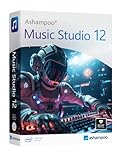
Music Studio 12 from Markt and Technik is a budget-friendly audio editing application designed for Windows 10 and 11 users. It ranks at number one in Sound Editing on Amazon, which reflects strong demand for affordable, straightforward audio tools. For users who need basic vocal editing and file management without the complexity of a full DAW, this software provides a no-frills solution.
With a 3.5-star average across 10 reviews, the reception is limited but present. The software focuses on practical tasks like editing, converting, and mixing audio files rather than complex music production. This makes it suitable for users who need to process vocal recordings for specific output formats rather than create elaborate productions.
One distinctive feature is the ability to record audio from apps like Spotify, Deezer, and Amazon Music without interruption. While this is not directly related to vocal recording, it demonstrates the software’s focus on audio capture and management across different sources. For content creators who work with reference tracks alongside their vocal recordings, this can be useful.
Audio Editing and Conversion Tools
The core editing functions in Music Studio 12 cover cutting, splitting, and arranging audio files. The title bar system provides easier handling and navigation, and the splitting feature simplifies the process of dividing long recordings into separate tracks. For podcasters who record long sessions and need to break them into segments, these tools streamline the workflow.
Track tagging features help you organize and label your vocal recordings with metadata. This is valuable for maintaining an organized library of vocal takes, especially on larger projects with many recordings. The conversion tools let you output your edited audio in formats suitable for distribution or further processing in other software.
App Recording Capability
The app recording feature sets Music Studio 12 apart from other editors in this price range. You can capture audio from streaming services and other applications directly, which is useful for creating reference tracks, capturing audio for sampling, or recording remote interviews conducted through web applications.
For vocal recording specifically, this feature can support workflows where you need to capture audio from multiple sources. You might record your own vocals through a microphone while simultaneously capturing audio from a remote collaborator via a communication app. This dual-capture capability adds flexibility to your recording setup.
Windows Integration and Support
Music Studio 12 is designed specifically for Windows 10 and 11, taking advantage of the operating system’s audio handling capabilities. The software is delivered as a product key card with a download link and license key, making installation straightforward. Full customer support is included for all questions, which provides peace of mind for less technical users.
The lightweight nature of the software means it runs well even on older or less powerful Windows machines. If you are recording vocals on a basic laptop and need an editing tool that will not strain your system resources, Music Studio 12 is worth considering as an affordable, practical option.
How to Choose the Best Vocal Recording Software in 2026
Choosing the right vocal recording software depends on your specific use case, technical requirements, and budget. Our team evaluated these products based on criteria that matter most for vocal work, and we want to share that framework so you can make an informed decision. Here is what to consider when selecting software for your vocal recording setup.
Determine Your Primary Use Case
Start by identifying what you will actually be doing with the software. Podcasters and audiobook narrators need different features than music producers or voiceover artists. If you primarily record spoken word, a focused editor like WavePad may serve you better than a full DAW like FL Studio. If you produce music with vocals, you need MIDI support, virtual instruments, and multi-track recording capabilities.
Voiceover work demands precise editing tools for removing breaths, mouth clicks, and timing adjustments. Music production requires effects processing, mixing capabilities, and the ability to layer multiple vocal takes. Podcasting often involves multi-speaker recording and straightforward editing. Match the software to your dominant workflow rather than buying the most feature-rich option available.
Platform Compatibility and System Requirements
Before purchasing, verify that the software runs on your operating system. FL Studio and WavePad support both Windows and macOS. MUSIC MAKER 2026 Premium and Music Studio 12 are Windows-only. Pro Tools Artist supports both platforms but has specific hardware requirements. Check the minimum specifications against your computer to avoid performance issues during recording sessions.
Consider your audio interface compatibility as well. Software like the Focusrite Scarlett Solo bundle includes interface hardware and software together, ensuring everything works as a system. If you already own an interface, confirm that your chosen software recognizes it properly and supports its sample rates and bit depths.
Audio Quality and Sample Rate Support
Professional vocal recording typically uses 24-bit depth at 44.1kHz or 48kHz sample rates. Higher sample rates like 96kHz or 192kHz offer additional fidelity but consume more storage and processing power. The Focusrite Scarlett Solo supports up to 192kHz, while MixPad covers 6kHz to 96kHz. Most vocal work sounds excellent at standard rates, so do not overpay for capabilities you will not use.
Dynamic range is another quality factor. The Scarlett Solo’s 120dB dynamic range provides exceptional headroom for capturing quiet and loud vocal passages accurately. If you are using software-only solutions without an interface, the quality depends on your computer’s built-in audio handling or your existing audio interface.
Editing and Processing Tools
Vocal recordings almost always need post-production work. Look for software that includes noise reduction, equalization, compression, and reverb at minimum. WavePad covers these essentials with its effects suite. FL Studio and Pro Tools offer deeper processing capabilities through built-in effects and plugin support.
VST plugin support extends your processing options significantly. WavePad, FL Studio, and Pro Tools all support third-party VST plugins, which means you can add specialized vocal processing tools like de-essers, pitch correction, and professional-grade compressors. If plugin extensibility matters to you, prioritize software with VST support.
Learning Curve and Support Resources
Consider how much time you are willing to invest in learning the software. FL Studio and Pro Tools have steeper learning curves but offer extensive tutorial ecosystems and community support. WavePad and MixPad are more approachable for beginners. MUSIC MAKER’s drag-and-drop interface is designed for rapid productivity with minimal technical knowledge.
Forum discussions consistently highlight that personal recommendations from working professionals carry significant weight. Reaper users on Reddit praise its full-featured DAW capabilities, while Audacity remains the common starting point. When choosing software, look for active user communities, tutorial availability, and responsive developer support. These resources make a real difference when you encounter technical challenges during recording sessions.
Subscription vs One-Time Purchase
One of the biggest decisions is whether to buy software outright or subscribe to it. Pro Tools Artist offers a perpetual license, meaning you own it forever. FL Studio includes lifetime free updates with purchase. Other software may require subscription payments or paid upgrades for new versions.
Consider your long-term usage. If you will use the software daily for years, a one-time purchase often provides better value. If you are trying vocal recording for the first time and are unsure about commitment, starting with an affordable option or free trial makes sense before investing in professional-grade software.
FAQs
What software do professional singers use?
Professional singers and recording studios most commonly use Avid Pro Tools, which is the industry standard session format found in nearly every major recording facility. Other popular choices among professionals include FL Studio for production-oriented workflows and Adobe Audition for vocal editing and post-production. The specific choice depends on whether the focus is on music production, voiceover work, or audiobook narration.
What’s better than Audacity for vocal recording?
Several options improve on Audacity depending on your needs. FL Studio 20 Producer offers full multi-track recording with MIDI support and professional mixing tools. WavePad provides a focused audio editing experience with VST plugin support and wider format compatibility. Pro Tools Artist connects you to the industry-standard workflow used in professional studios. Reaper is also highly recommended by experienced users as an affordable full-featured DAW.
Is Audacity still good for recording vocals?
Yes, Audacity remains a solid free option for basic vocal recording and editing. It handles single-track recording, noise reduction, and basic effects processing competently. However, it lacks multi-track mixing depth, MIDI support, and professional plugin integration found in paid alternatives. For beginners and casual users, Audacity is a great starting point that you can outgrow as your needs become more advanced.
What is the best vocal editing software?
The best vocal editing software depends on your needs. For professional studio work, Pro Tools Artist provides industry-standard editing and mixing tools. For focused audio editing with powerful noise reduction, WavePad is an excellent value choice. For music production with vocals, FL Studio 20 Producer offers the most versatile combination of MIDI power and audio recording. For quick multitrack mixing, MixPad provides unlimited track capability with an easy learning curve.
Do I need an audio interface for vocal recording software?
Most professional vocal recording benefits from an audio interface, which converts your microphone signal to digital audio with higher quality than a computer’s built-in sound card. The Focusrite Scarlett Solo 4th Gen is an excellent choice that includes a software bundle with Pro Tools Intro and Ableton Live Lite. However, you can start with a USB microphone that connects directly to your computer if you are just beginning and want to test the waters before investing in an interface.
Final Thoughts on the Best Vocal Recording Software
After testing all 10 options, our recommendations come down to your specific situation. If you produce music with vocals and want maximum creative flexibility, FL Studio 20 Producer Edition is our top pick with its MIDI power, multi-track recording, and lifetime free updates. For focused vocal editing with professional noise reduction at great value, WavePad delivers exactly what most voiceover artists and podcasters need without paying for features they will not use.
If you are pursuing professional vocal work in studios or collaborating with industry pros, Pro Tools Artist gives you the industry-standard session format at an accessible price point with a perpetual license. And if you want a complete recording system right out of the box, the Focusrite Scarlett Solo bundle provides studio-quality hardware alongside multiple DAW options to get you recording immediately.
The best vocal recording software is the one that fits your workflow, your platform, and your creative goals. Start with your use case, check compatibility, and choose the option that gives you room to grow. Any of the products on this list will help you capture cleaner, more professional vocal recordings in 2026 and beyond.