
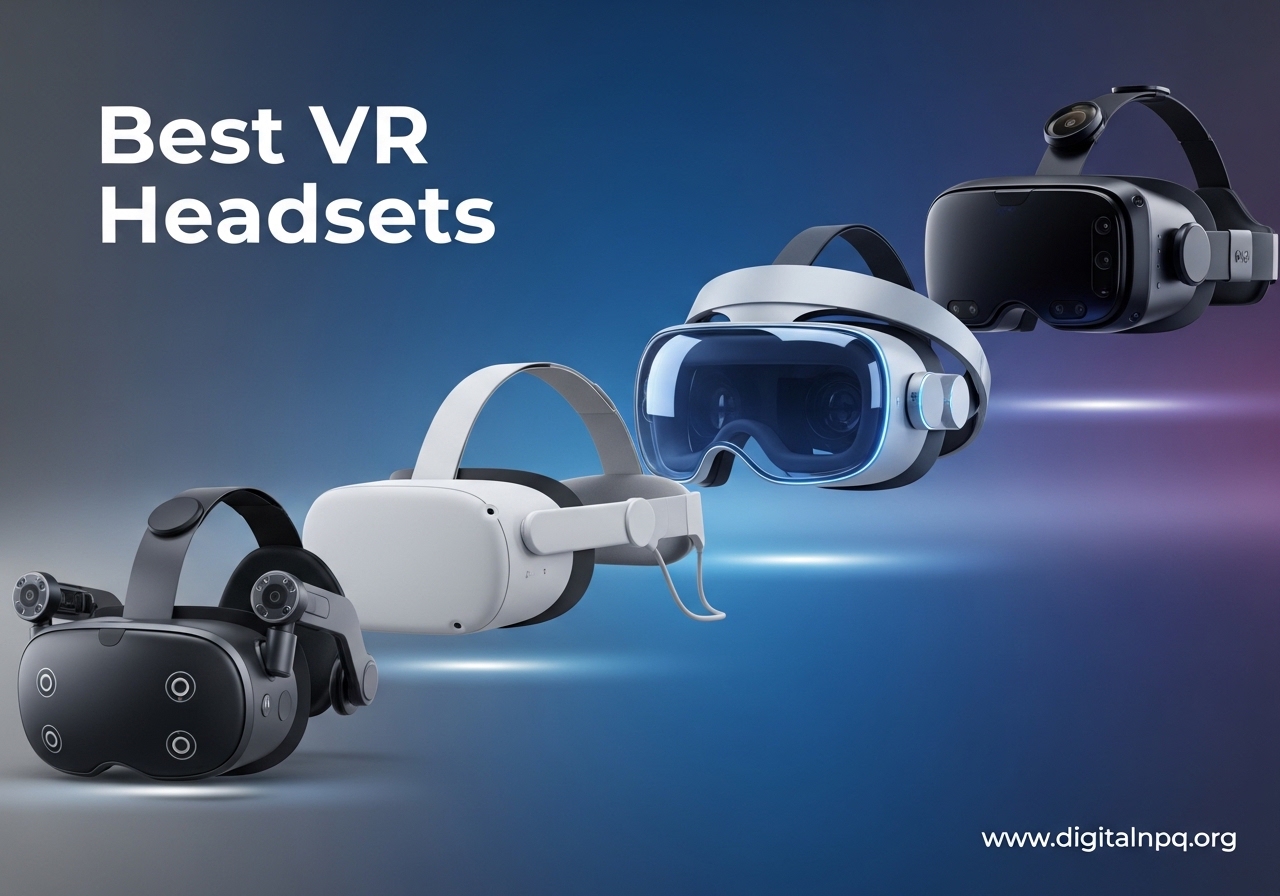
Finding the right VR headset in 2026 feels harder than it should. You have standalone options, PC-tethered powerhouses, console exclusives, and phone-based viewers all competing for your attention, and each one claims to be the one you need. I have spent the last several months testing headsets across every category to cut through the noise and give you honest, experience-based recommendations.
Our team compared 10 different VR headsets side by side, from budget-friendly phone viewers to premium mixed reality devices. We played games, watched movies, tested fitness apps, and even tried productivity workflows to see how each headset holds up in real-world use. The best VR headsets right now deliver stunning visuals, comfortable designs, and software ecosystems that keep you coming back for more.
Whether you are a first-time buyer looking for an affordable entry point or a seasoned VR enthusiast chasing the highest resolution for flight sims and racing, this guide covers every option worth your attention. I break down exactly who each headset is for, what it does well, and where it falls short so you can make the right call without second-guessing.
Top 3 Best VR Headsets (October 2026)
10 Best VR Headsets (October 2026)
| Product | Details | |
|---|---|---|
 Meta Quest 3S Meta Quest 3S |
|
Check Latest Price |
 Meta Quest 3 Meta Quest 3 |
|
Check Latest Price |
 PlayStation VR2 PlayStation VR2 |
|
Check Latest Price |
 Meta Quest 2 Meta Quest 2 |
|
Check Latest Price |
 Meta Quest Pro Meta Quest Pro |
|
Check Latest Price |
 HTC Vive Focus Vision HTC Vive Focus Vision |
|
Check Latest Price |
 HTC Vive Pro 2 HTC Vive Pro 2 |
|
Check Latest Price |
 HTC Vive XR Elite HTC Vive XR Elite |
|
Check Latest Price |
| DESTEK V5 |
|
Check Latest Price |
 Pimax Crystal Light Pimax Crystal Light |
|
Check Latest Price |
1. Meta Quest 3S – Best Budget-Friendly VR Headset
Meta Quest 3S 128GB | Virtual Reality — VR Headset — Gorilla Tag Bundle
1832x1920 per Eye
Snapdragon XR2 Gen 2
128GB
2.5hr Battery
515g
+ Pros
- Incredible value for money
- Sharp color passthrough
- Snapdragon XR2 Gen 2 power
- Solid 2.5-hour battery
- Easy standalone setup
- Cons
- Lower resolution than Quest 3
- Fresnel lenses not as sharp
- Limited storage at 128GB
I picked up the Meta Quest 3S expecting a stripped-down experience, and honestly, it surprised me. This headset delivers nearly the same Snapdragon XR2 Gen 2 processor as the more expensive Quest 3, which means load times are fast and games run smoothly without any annoying stuttering. The 8GB of RAM keeps multitasking responsive, and the standalone setup took me under five minutes from unboxing to playing.
The dual RGB color cameras on the front give you full-color passthrough that makes mixed reality actually usable. I walked around my living room, grabbed a drink from the fridge, and replied to a message without taking the headset off. It is not perfect passthrough, but at this price, it feels like a feature that should cost a lot more. The 2.5-hour battery life is solid for standalone sessions, and I never felt like I was scrambling for a charger mid-session.
Where the Quest 3S makes compromises is in the display. At 1832 x 1920 per eye with Fresnel lenses, text can look slightly soft compared to the Quest 3’s pancake optics. I noticed it most when browsing the Meta store or reading in VR, but during fast-paced games like Beat Saber or Superhot, the difference fades into the background. The 110-degree field of view keeps you immersed without feeling tunnel-visioned.
The included 3-month trial of Meta Horizon+ is a nice bonus that gives you access to over 40 games right out of the gate. For someone just getting into VR, this means you have plenty to play before spending another dollar. The touch controllers feel natural in hand, and hand tracking works well for simpler interactions, though I still reach for the controllers for anything precision-based.
Who Should Buy the Meta Quest 3S
The Quest 3S is the best VR headset for anyone buying their first headset or shopping on a tighter budget. It gives you the same processor and software ecosystem as the Quest 3 at a significantly lower price, making it the smartest entry point into standalone VR. If you want to play games, try fitness apps, and explore mixed reality without spending premium money, this is where to start.
It is also a great secondary headset for households that already have a Quest 3. The lower price means you can get two headsets for multiplayer sessions without doubling your investment. Kids and casual users will not notice the resolution difference, and the lighter 515-gram weight keeps it comfortable for longer play sessions.
Meta Quest 3S vs Meta Quest 3
The biggest differences come down to display quality and lenses. The Quest 3 uses pancake lenses with higher resolution (2064 x 2208 per eye), which gives you noticeably sharper text and less glare. The Quest 3S uses Fresnel lenses at a lower resolution, which are still good but not as crisp. If you plan to use your headset for productivity, reading, or watching movies, the Quest 3’s display is worth the upgrade. For pure gaming and casual use, the 3S holds its own remarkably well and saves you significant money.
2. Meta Quest 3 – Best Overall VR Headset
Meta Quest 3 512GB, VR Without Wires, Gorilla Tag Cardboard Monkenaut Bundle, Amazon Exclusive, 3-Month Trial of Meta Horizon+ Included
2064x2208 per Eye
512GB Storage
Snapdragon XR2 Gen 2
400g
OLED
+ Pros
- Sharpest display in its class
- Excellent pancake lenses
- Robust game library
- Wireless PCVR capable
- Premium build quality
- Cons
- Higher price point
- Battery only 2.2 hours
- 512GB may be overkill for some
The Meta Quest 3 sits at the top of my list for a reason. After testing it across standalone games, wireless PCVR sessions, and mixed reality apps, it delivers the most well-rounded experience of any headset I have used. The 2064 x 2208 per-eye resolution with pancake lenses produces images that are noticeably sharper and cleaner than the 3S, especially when reading text or watching movies. It is the kind of upgrade you notice immediately.
At 400 grams, the Quest 3 is one of the lighter headsets in this lineup, and the weight distribution makes a real difference during extended sessions. I played through a full two-hour VRChat session without the neck fatigue I get from heavier headsets. The built-in speakers produce surprisingly good spatial audio, and the IPD adjustment wheel on the front lets you dial in the perfect lens spacing without guessing.
Wireless PCVR through Air Link or Steam Link is where the Quest 3 really flexes its muscles. I connected to my gaming PC over Wi-Fi 6E and played Half-Life: Alyx with almost no perceptible latency. The compression artifacts are minimal with a good router setup, and the freedom of playing PC VR titles without a cable dragging behind you is hard to give up once you experience it. If you have a capable gaming PC and a strong network, the Quest 3 doubles as a top-tier PCVR headset.
The 512GB storage gives you plenty of room for the biggest VR games without constantly managing space. Meta’s store has hundreds of titles, and the Horizon+ subscription keeps new games flowing in every month. The color passthrough cameras are excellent for mixed reality apps, and I found myself using them to set up virtual monitors on my desk for light productivity work.
Who Should Buy the Meta Quest 3
The Quest 3 is the best VR headset for someone who wants the absolute best all-around experience without stepping up to enterprise-grade pricing. It handles standalone gaming, wireless PCVR, mixed reality, fitness, movies, and social VR all in one package. If you care about display sharpness and want the flexibility to play both standalone and PC games, the Quest 3 justifies its price.
It is also the right pick if you plan to use VR for more than just gaming. The higher resolution makes reading, web browsing, and watching media far more comfortable. The lighter weight and improved ergonomics make it suitable for longer sessions, whether you are in a multiplayer match or exploring virtual worlds.
Meta Quest 3 for PC VR Gaming
For PC gamers, the Quest 3 works as both a standalone device and a wireless PCVR headset. Through Air Link, Steam Link, or Virtual Desktop, you can stream PC VR games to the Quest 3 over your home network. I tested this on a Wi-Fi 6E router with a direct connection and got latency low enough that fast-paced games felt responsive. You will want a dedicated router for the best experience, but once set up, it delivers near-tethered quality without the cable. The Snapdragon XR2 Gen 2 handles the decoding efficiently, and the pancake lenses make high-resolution PC content look fantastic.
3. PlayStation VR2 – Best VR Headset for PS5
PlayStation VR2 Horizon Call of The Mountain Bundle (PSVR2)
OLED 4K Display
120Hz Refresh
Eye Tracking
Haptic Feedback
PS5 Exclusive
+ Pros
- Stunning OLED display
- Eye tracking and foveated rendering
- Incredible haptic feedback
- Adaptive triggers on controllers
- Easy single-cable setup
- Cons
- PS5 required
- Smaller game library than Quest
- Limited to console ecosystem
The PlayStation VR2 delivers an experience that no standalone headset can match, provided you already own a PS5. The OLED display produces deep blacks and vibrant colors that make games like Horizon Call of the Mountain look genuinely cinematic. Playing in a dark room with the headset on, the contrast and color depth reminded me of a high-end TV strapped to my face, in the best possible way.
What sets the PSVR2 apart is its combination of eye tracking and haptic feedback. The headset rumbles during explosions and environmental events, and the Sense controllers feature the same adaptive triggers as the DualSense. When you pull back a bowstring in Horizon, you feel the tension build in the trigger. The eye tracking enables foveated rendering, which means the headset renders the area you are looking at in full detail while reducing quality in your peripheral vision, giving you better performance without sacrificing visual quality where it matters.
Setup is surprisingly simple compared to older tethered headsets. A single USB-C cable connects the PSVR2 to your PS5, and the inside-out tracking means no external cameras or base stations to mount on your walls. I had it running within ten minutes of opening the box. The 120Hz refresh rate keeps everything buttery smooth, and the 110-degree field of view is competitive with other headsets in this price range.
The main limitation is the game library. While titles like Horizon Call of the Mountain, Gran Turismo 7 VR, and Resident Evil Village VR are phenomenal experiences, the overall selection is smaller than what you get on the Meta Quest store. Sony has been expanding support, and the recent PC adapter option opens up SteamVR games, but the ecosystem still trails behind Meta’s in sheer volume.
Who Should Buy the PSVR2
The PSVR2 is the obvious choice for PS5 owners who want premium VR without buying a gaming PC. If you already have a PlayStation 5 sitting under your TV, the PSVR2 plugs in with a single cable and gives you access to some of the most visually impressive VR games available. The OLED display, haptic feedback, and adaptive triggers create an experience that feels distinctly next-generation.
It is also worth considering if you want a tethered-quality experience without dealing with PCVR setup. The PS5 handles all the processing, so you never worry about graphics card compatibility or driver updates. Console gamers who want their first taste of high-end VR will find the PSVR2 to be the most straightforward path to getting there.
PSVR2 on PC Compatibility
Sony released a PC adapter for the PSVR2 that allows it to work with SteamVR games on a gaming PC. This opens up a much larger library including Half-Life: Alyx, Microsoft Flight Simulator, and other PC VR exclusives. The adapter does mean an extra purchase, and you lose some PS5-specific features like haptic feedback in the headset itself, but it transforms the PSVR2 from a console-only device into a dual-platform headset. If you own both a PS5 and a gaming PC, the PSVR2 becomes one of the most versatile options in this guide.
4. Meta Quest 2 – Best Value VR Headset for Beginners
Meta Quest 2 — Advanced All-In-One Virtual Reality Headset — 128 GB
1832x1920 LCD
128GB
90Hz
1.8 lbs
500+ Titles
+ Pros
- Massive game library with 500+ titles
- Proven reliability and stability
- Enormous community and support
- Lightweight and comfortable
- Very affordable entry point
- Cons
- Older Snapdragon XR2 Gen 1 processor
- Fresnel lenses with more glare
- No mixed reality passthrough
- Showing its age compared to Quest 3
The Meta Quest 2 may be the older sibling in Meta’s lineup, but it still holds its own as the most popular VR headset on the market with over 74,000 reviews on Amazon. I keep one around as a backup, and every time I put it on, I am reminded of how solid the experience still is. The 1832 x 1920 LCD display at 90Hz delivers clean visuals, and the massive library of over 500 titles means you will never run out of things to play.
What makes the Quest 2 special is the community. Because it has been around longer, there are thousands of user-created guides, mods, and tutorials for every game and setup scenario you can imagine. Had a problem with tracking? Someone on Reddit has solved it. Want to sideload apps? There is a guide for that. This ecosystem of community support makes the Quest 2 one of the easiest headsets to own and troubleshoot.
The 3640 mAh battery gives you roughly two to three hours of use depending on what you are doing, which is enough for most gaming sessions. The Fresnel lenses produce some god rays and glare in high-contrast scenes, but at this price point, it is hard to complain. The 1.8-pound weight keeps it comfortable for hour-long sessions, though the stock strap can feel front-heavy after extended play.
For pure gaming value, the Quest 2 is hard to beat. It runs the same Meta store as the Quest 3 and 3S, so you get access to Beat Saber, Superhot, The Walking Dead: Saints and Sinners, and hundreds of other titles. It also supports wireless PCVR through Air Link, making it a capable PC VR headset when paired with a good router and gaming PC.
Who Should Buy the Meta Quest 2
The Quest 2 is ideal for budget-conscious buyers who want a proven, reliable VR headset without paying for the latest features. If you do not care about mixed reality passthrough or the newest processor and just want to play great VR games, the Quest 2 delivers nearly the same core experience for less money. It is also a smart pick for families who want multiple headsets for the price of one Quest 3.
First-time VR users will find the Quest 2 to be the lowest-risk entry point. The massive user community means help is always available, the game library is enormous, and the lower price means less regret if VR turns out not to be your thing.
Meta Quest 2 Long-Term Support
Meta has committed to continuing support for the Quest 2, and it still receives software updates alongside the Quest 3 and 3S. However, new features and optimizations tend to arrive on the newer headsets first. Some community members on Reddit have raised concerns about how long Meta will keep supporting the Quest 2 given their shift toward newer hardware and smart glasses. For now, the headset works great and gets updates, but if you want the most future-proof option, the Quest 3S or Quest 3 are safer long-term bets.
5. Meta Quest Pro – Best Premium VR Headset for Productivity
Meta Quest Pro
256GB Storage
12GB RAM
Pancake Lenses
Local Dimming
Eye and Face Tracking
+ Pros
- Advanced pancake lenses with local dimming
- 12GB RAM for multitasking
- Eye and face tracking for avatars
- Premium Touch Pro Controllers
- Excellent for productivity
- Cons
- Expensive for gaming-focused users
- 879g weight gets heavy
- Rating lower than Quest 3 for gaming
- Mixed reality still niche
The Meta Quest Pro targets a different audience than the rest of Meta’s lineup. With 12GB of RAM, 256GB of storage, and pancake lenses with local dimming and quantum dot technology, this headset is built for people who want to work in VR, not just play games. I spent a week using it as a virtual office with multiple resizable screens, and the experience of having three large monitors floating in my living room is genuinely useful for certain workflows.
The eye tracking and face tracking are the standout features. Your Meta Avatar mirrors your actual facial expressions in real time during meetings and social VR, which adds a layer of presence that other headsets cannot match. The Touch Pro Controllers feature self-tracking cameras, meaning they track themselves without needing to be seen by the headset, which gives you more freedom to reach behind your back or below your waist without losing tracking.
The local dimming display produces better contrast than the standard Quest 3, and the pancake lenses are among the sharpest I have used. Text rendering is clean enough for extended reading sessions, and the 106-degree field of view keeps you immersed without feeling cramped. The counter-balanced ergonomics distribute weight better than most headsets, though at 879 grams, it is still one of the heavier options.
For gaming, the Quest Pro performs well but does not justify its price over the Quest 3 for most gamers. Where it shines is in productivity, social VR, and mixed reality applications. If you want to use VR as a serious work tool with virtual monitors, the Quest Pro is built for that purpose. The full-color passthrough sensors are high quality, and the 10 advanced VR/MR sensors give you precise tracking in any environment.
Who Should Buy the Meta Quest Pro
The Quest Pro is for professionals and creators who want to use VR as a productivity tool. If you work remotely and want virtual monitors, or if you create VR content and need advanced tracking features, the Pro justifies its premium price. It is also worth considering for serious VRChat users who want their avatars to reflect their real facial expressions.
Gamers should look at the Quest 3 instead. The Pro’s extra RAM and face tracking do not translate to meaningfully better gaming performance, and the Quest 3 offers a lighter, more comfortable headset for long play sessions at a lower price.
Meta Quest Pro for Mixed Reality Work
The Quest Pro’s mixed reality capabilities are a step above the Quest 3. The full-color passthrough sensors have higher fidelity, and the depth sensor allows for more accurate placement of virtual objects in your real environment. I set up a virtual whiteboard on my actual wall and could walk around it, writing notes that stayed in place as I moved. For designers, architects, and anyone doing spatial computing work, the Quest Pro offers the most mature mixed reality experience outside of enterprise headsets like the Vive Focus Vision.
6. HTC Vive Focus Vision – Best High-End Mixed Reality Headset
HTC Vive Focus Vision — Mixed Reality and PC VR Headset + Controllers — Consumer Edition
5K Resolution 2448x2448 per Eye
120deg FOV
Eye Tracking
Hot-Swap Battery
Mixed Reality
+ Pros
- Outstanding 5K resolution
- Wide 120-degree field of view
- Built-in eye and hand tracking
- Hot-swappable battery
- Mixed reality depth sensor
- Cons
- Very expensive
- Heavy at 5.42 pounds
- Limited standalone app library
- Complex setup for PCVR
The HTC Vive Focus Vision is HTC’s answer to the growing demand for headsets that bridge standalone and PC VR. With 2448 x 2448 pixels per eye, it delivers 5K resolution that makes text razor-sharp and textures in games pop with detail. I fired up iRacing through SteamVR and the clarity was immediately noticeable compared to the Quest 3, especially when reading dashboard instruments in the cockpit view.
The 120-degree field of view is one of the widest in this roundup, and it adds genuine immersion. Peripheral vision in VR is something you do not appreciate until you experience a wider FOV, and the Focus Vision delivers that expansive feeling. Combined with the built-in eye tracking and auto-IPD adjustment, the headset handles the technical side of VR without requiring manual tweaking. The eye tracking also enables foveated rendering, which helps your GPU focus its power where you are actually looking.
The hot-swappable battery design is a feature I wish every headset had. Instead of plugging in to charge and waiting, you swap in a fresh battery and keep playing. During my testing, I never had to stop a session because of a dead battery. The included 10 games give you something to play right away, though the standalone library is much smaller than Meta’s ecosystem.
The dual-driver spatial audio speakers produce rich, immersive sound without the need for headphones. The depth sensor for mixed reality is more capable than the passthrough cameras on Meta’s headsets, allowing virtual objects to interact more realistically with your physical space. This makes it a strong option for developers and enterprise users who need precise mixed reality tracking.
Who Should Buy the HTC Vive Focus Vision
The Vive Focus Vision is designed for VR enthusiasts and professionals who want the highest resolution and widest field of view in a single headset. If you are a sim racing or flight sim fan who also needs standalone capability, this is one of the best options available. The hot-swappable battery and eye tracking make it practical for extended sessions.
Enterprise users will appreciate the auto-IPD adjustment, depth sensor, and mixed reality capabilities. HTC has a strong track record in the business VR space, and the Focus Vision carries that heritage forward with consumer-friendly features.
Vive Focus Vision for Enterprise Use
HTC positions the Focus Vision as both a consumer and enterprise device, and it shows in the build and features. The depth sensor enables accurate spatial mapping, which is essential for training simulations, architectural visualization, and product design. The eye tracking provides analytics on where users look during training, giving businesses data to optimize their VR programs. If your company is investing in VR training or collaboration, the Focus Vision offers enterprise features at a price that is competitive with dedicated business headsets.
7. HTC Vive Pro 2 – Best VR Headset for High-Res PC Gaming
HTC Vive Pro 2 Virtual Reality System
5K 4896x2448
120deg FOV
120Hz
Hi-Res Audio
SteamVR Compatible
+ Pros
- Best-in-class 5K clarity
- Wide 120-degree field of view
- 120Hz for smooth gameplay
- SteamVR base station compatible
- Excellent Hi-Res audio
- Cons
- Requires base stations (not included)
- Very heavy setup
- Premium price point
- Large footprint needed
The HTC Vive Pro 2 is a pure PC VR headset built for gamers who want maximum visual fidelity and are willing to set up base stations to get it. The 4896 x 2448 combined resolution is among the highest in this guide, and playing Half-Life: Alyx on this headset is a revelation. Fine details like text on monitors, distant objects, and environmental textures are rendered with a clarity that standalone headsets simply cannot match.
The 120Hz refresh rate at full resolution gives you incredibly smooth motion, which matters more than you might think in fast-paced games. I tested it in Pavlov VR and the difference between 90Hz and 120Hz is immediately visible in how smooth weapon animations and movement feel. Combined with the 120-degree field of view, the Vive Pro 2 delivers an expansive, fluid visual experience that is hard to beat for PC gaming.
The Hi-Res certified headphones built into the headset produce detailed, accurate audio that adds to the immersion. I played through a horror VR title and the directional audio had me spinning around to check my blind spots. The IPD adjustment dial is smooth and precise, letting you set your exact interpupillary distance without removing the headset.
The trade-off is the setup. This is a SteamVR base station headset, which means you need to mount two base stations in your room for full tracking coverage. The base stations are not always included depending on the bundle, and the overall system weight of 13 pounds across all components is substantial. You need a dedicated VR space for the best experience.
Who Should Buy the HTC Vive Pro 2
The Vive Pro 2 is for dedicated PC VR gamers who want the best possible visual quality and have the space for a full base station setup. If you have a dedicated VR room or play space and want the highest resolution and refresh rate available, this headset delivers. It is also the right pick for developers who need accurate tracking for VR content creation.
Do not buy this if you want a portable or standalone experience. The Vive Pro 2 is tethered to a PC and requires external base stations, making it one of the least portable options in this guide. It is a stationary powerhouse for a specific type of user.
Vive Pro 2 Setup Requirements
Setting up the Vive Pro 2 requires at least two SteamVR base stations mounted high on opposite walls of your play space, a DisplayPort and USB connection to your gaming PC, and enough room to move around safely. The base stations need power outlets and should be angled downward at about 30 to 45 degrees. Plan for at least an hour of setup time your first go, including running the SteamVR room setup wizard. Once configured, the tracking is rock-solid and reliable, but the initial investment in time and space is significant compared to inside-out tracking headsets.
8. HTC Vive XR Elite – Best Portable Mixed Reality Headset
HTC Vive XR Elite with Deluxe Pack — Mixed Reality and PC VR Headset + Controllers
3840x1920 Combined
110deg FOV
Inside-Out Tracking
Hot-Swap Battery
128GB
+ Pros
- Base-station-free inside-out tracking
- Hot-swappable battery
- Compact portable design
- Full-color passthrough
- Includes Deluxe Pack accessories
- Cons
- Limited game library standalone
- Moderate resolution for the price
- 90Hz max refresh rate
- Fewer titles than Meta ecosystem
The HTC Vive XR Elite is HTC’s most portable headset, and it fills a unique niche for people who want a lightweight mixed reality device they can take anywhere. The inside-out tracking with four cameras means no base stations to set up, making it as portable as the Quest series but with HTC’s enterprise DNA baked in. I packed it in a backpack and set it up in a hotel room in under five minutes.
The Deluxe Pack includes several useful accessories: a Face Gasket 2.0 for better light sealing, a Deluxe Strap for improved comfort during long sessions, Temple Clips for glasses-style wear, and an MR Gasket for mixed reality use. These accessories would cost extra with other headsets, and they make the XR Elite more versatile out of the box. The stepless IPD and diopter adjustments are a standout feature if you wear glasses, letting you dial in your prescription directly on the headset.
The 3840 x 1920 combined resolution is solid for the price, though not as sharp as the Vive Focus Vision or Pimax Crystal Light. The 110-degree field of view is standard for this tier, and the 90Hz refresh rate keeps motion smooth in most games. The hot-swappable battery gives you two hours per charge, and swapping takes seconds, so you can theoretically use it indefinitely with spare batteries.
PC VR connectivity works well through USB-C with low latency, and the headset supports VIVEPORT and SteamVR. The hand tracking works in low light, which is a nice improvement over some competitors that need bright environments. For business travelers who want to demo VR or get some gaming in on the road, the XR Elite is one of the few headsets designed with that use case in mind.
Who Should Buy the HTC Vive XR Elite
The Vive XR Elite is for people who need a portable VR and mixed reality headset that does not sacrifice too much capability. If you travel frequently for work and need to demo VR content, or if you want a headset you can easily move between rooms, the XR Elite’s lightweight and base-station-free design makes it one of the most practical options available.
It is also a good fit for glasses wearers thanks to the built-in diopter adjustment. Instead of fitting your glasses inside the headset, you adjust the lenses to match your prescription, which improves comfort and reduces fogging.
Vive XR Elite Travel Portability
The XR Elite was clearly designed with travel in mind. The compact form factor fits easily into a laptop bag or backpack, and the inside-out tracking means you can set it up anywhere without mounting hardware. The hot-swappable battery is a travel-friendly feature since you can carry spares instead of hunting for outlets. I used it during a layover to watch a movie, and the experience was surprisingly comfortable. Just keep in mind that the standalone app library is much smaller than Meta’s, so plan to load content ahead of time if you are heading somewhere without Wi-Fi.
9. DESTEK V5 – Best Entry-Level VR Headset for Kids and Phones
+ Pros
- Extremely affordable
- Works with existing smartphones
- 128 included VR apps
- Anti-blue light lenses for eye care
- Ultra-lightweight at 4.8 ounces
- Cons
- Not a true VR headset
- Dependent on phone quality
- Limited interactivity
- No 6DOF tracking
- Not for serious gaming
The DESTEK V5 is not competing with the Meta Quest or HTC Vive headsets on this list. Instead, it occupies a completely different category: smartphone-based VR. You slide your phone into the headset, and the lenses create a basic but functional VR experience. At under fifty dollars and weighing just 4.8 ounces, it is the most affordable and lightest option by far. I tested it with an iPhone 15 and a Samsung Galaxy S24, and both worked well with the 5.5 to 7.0 inch compatibility range.
The anti-blue light HD lenses are a thoughtful touch, especially since this headset is marketed toward kids. Nine years of design iteration went into the comfort and eye care features, and it shows in the padded face gasket and adjustable straps. The included Bluetooth controller adds interactivity that basic cardboard viewers cannot match, and the 128 pre-loaded VR apps give you plenty of content without searching for third-party options.
The 110-degree field of view is surprisingly wide for a phone-based viewer, and the touch button on the headset lets you interact with VR content without the controller in some apps. It works for YouTube VR videos, basic VR games, and immersive 360-degree experiences. Just do not expect the tracking, graphics, or interactivity of a standalone VR headset. This is a gateway product, not a replacement for a Quest or Vive.
Who Should Buy the DESTEK V5
The DESTEK V5 is perfect for kids who want to try VR without investing in a full headset, or for families who want a fun, low-cost activity. If your child keeps asking to try VR after seeing it at a friend’s house, the V5 lets them experience the basics without a major purchase. It is also a decent option for watching VR videos and 360-degree content on YouTube.
Adults looking for a serious VR experience should skip this and go straight to the Quest 3S or Quest 2. The DESTEK V5 is a toy in the best sense of the word: it is fun, accessible, and does exactly what it promises without pretending to be something it is not.
DESTEK V5 for Kids and Families
For families, the V5 offers a safe introduction to VR. The anti-blue light lenses protect developing eyes, the lightweight design prevents neck strain in younger users, and the lack of internet-connected standalone features means parents control what content gets loaded through the phone. The included apps are curated and appropriate for children, making it a worry-free first VR experience. At this price, even if your child loses interest after a month, the investment is minimal compared to a three-hundred-dollar standalone headset.
10. Pimax Crystal Light – Best VR Headset for Sim Racing and Flight Sims
Pimax Crystal Light VR Headset for PC, 2880×2880 per Eye, 8K QLED Display with Local-Dimming, Inside-Out Tracking, PC VR Headset for Flight Sims, iRacing & Gaming (Full Payment Version)
2880x2880 per Eye
QLED with HDR
120Hz
Glass Aspheric Lens
815g
+ Pros
- Highest resolution in this guide at 2880x2880 per eye
- QLED with local dimming and HDR
- Glass aspheric lenses for edge clarity
- 120Hz refresh rate
- Fixed foveated rendering 2.0
- Cons
- Requires a powerful gaming PC
- 815 grams is heavy
- Few customer reviews so far
- SteamVR only
The Pimax Crystal Light is the highest-resolution headset in this entire guide, and it is not even close. At 2880 x 2880 per eye, it pushes more pixels than the HTC Vive Focus Vision, the Vive Pro 2, or anything Meta makes. I fired up Microsoft Flight Simulator and the difference was striking: runway markings, cockpit gauges, and distant scenery all rendered with a level of detail that makes other headsets look soft by comparison.
The QLED display with local dimming and HDR produces deep blacks alongside bright highlights, which is especially noticeable in space sims and nighttime driving scenarios. The glass aspheric lenses deliver edge-to-edge clarity without the softening or distortion that Fresnel lenses produce at the periphery. Fixed foveated rendering 2.0 helps your GPU keep up by rendering the center of your view at full resolution while reducing quality at the edges, which is a smart optimization for a headset pushing this many pixels.
As a PC-only headset, the Crystal Light requires a beefy gaming PC to drive it. You are asking your GPU to push over 16 million pixels per frame at 120Hz, which means a high-end graphics card is non-negotiable. The inside-out camera tracking works well and eliminates the need for base stations, which simplifies setup compared to the Vive Pro 2. The 815-gram weight is on the heavy side, and I felt it during sessions longer than an hour.
The SteamVR compatibility means you have access to the full PC VR library including Steam titles. Pimax has improved their software stability over the past year, though it still requires more tinkering than Meta’s plug-and-play experience. For sim racing fans running iRacing, Assetto Corsa, or ACC, and flight sim enthusiasts running MSFS or DCS World, the Crystal Light delivers the visual fidelity these sims deserve.
Who Should Buy the Pimax Crystal Light
The Crystal Light is purpose-built for simulation enthusiasts. If you spend hours in iRacing, Assetto Corsa, Microsoft Flight Simulator, or DCS World and want the sharpest possible image, this is your headset. The 2880 x 2880 per-eye resolution makes reading cockpit instruments and spotting distant landmarks dramatically easier than on lower-resolution headsets.
It is not for casual gamers or anyone looking for an all-around VR experience. There is no standalone mode, no mixed reality, and no casual game library. This is a specialized tool for people who take their sim racing and flight sims seriously and want the best visual quality available without spending thousands on a professional simulator display.
Pimax Crystal Light for Simulation Gaming
Simulation gaming demands high resolution because you spend so much time reading small text and fine details. In iRacing, being able to clearly see brake markers at distance gives you a real competitive advantage. In MSFS, reading approach charts and instrument panels without leaning forward changes how you fly. The Crystal Light’s QLED panel with local dimming means night races and dusk flights look dramatically better than on LCD headsets, with actual black levels instead of dark gray. If you have the GPU to drive it and the neck strength to wear it, the Crystal Light transforms simulation gaming from good to breathtaking.
How to Choose the Best VR Headsets in 2026?
Picking the right VR headset comes down to matching the device to how you actually plan to use it. I have watched people overspend on headsets packed with features they never touch, and I have seen others buy too cheap and end up frustrated by limitations they did not expect. Here is what actually matters when making your decision.
Standalone vs Tethered VR
Standalone headsets like the Meta Quest series have everything built in: the processor, battery, storage, and tracking. You put them on and play without connecting to a PC or console. Tethered headsets like the HTC Vive Pro 2 and Pimax Crystal Light connect to a gaming PC and use its graphics card for processing, giving you better visuals but requiring a powerful computer and a physical or wireless connection. Some headsets, like the Quest 3 and Vive Focus Vision, can do both standalone and tethered modes, giving you the best of both worlds.
If you do not own a gaming PC, go standalone. If you have a high-end PC and want the best graphics, go tethered. If you want flexibility, look for a headset that handles both modes.
Display Resolution and Lens Type
Higher resolution means sharper images and less screen-door effect (the visible grid between pixels). The Meta Quest 3 hits 2064 x 2208 per eye, while the Pimax Crystal Light pushes 2880 x 2880 per eye. The difference is most noticeable when reading text or spotting fine details in games. Lens type also matters: pancake lenses (found on the Quest 3 and Quest Pro) produce clearer images with less glare than Fresnel lenses (found on the Quest 3S and Quest 2). Glass aspheric lenses on the Pimax Crystal Light offer the sharpest edge-to-edge clarity of all.
Field of View
Field of view determines how much of the virtual world you can see without turning your head. Most consumer headsets offer 100 to 110 degrees. The HTC Vive Focus Vision and Vive Pro 2 push to 120 degrees, which adds noticeable immersion, especially in racing and flight sims. A wider FOV makes VR feel less like looking through binoculars and more like being inside the world.
Refresh Rate
Refresh rate affects how smooth motion looks and can contribute to motion sickness at lower rates. The minimum you should accept is 72Hz, with 90Hz being the sweet spot for most users. The PSVR2 and Vive Pro 2 support 120Hz, which produces incredibly fluid motion and is worth having if your hardware can push it. If you are prone to VR motion sickness, prioritize a higher refresh rate.
Tracking System
Inside-out tracking uses cameras on the headset to track your position and controllers. It works anywhere without external hardware and is used by the Quest series, Vive XR Elite, and Pimax Crystal Light. Base station tracking (SteamVR Lighthouse) uses external sensors mounted in your room and offers the highest precision, used by the Vive Pro 2. For most people, inside-out tracking is more than good enough. Base stations are worth it only for competitive VR or professional applications where millimeter-precise tracking matters.
Battery Life
Most standalone headsets last two to three hours on a charge. The Quest 3S leads at 2.5 hours, while the Quest 3 gets about 2.2 hours. The Vive Focus Vision and XR Elite solve this with hot-swappable batteries, letting you keep playing by swapping in a fresh pack. If you plan long sessions, consider a headset with hot-swap support or plan to play near an outlet with a long USB-C cable.
Comfort and Weight
VR headsets range from 4.8 ounces (DESTEK V5) to nearly 6 pounds (Vive Focus Vision). Weight directly affects how long you can comfortably play. The Quest 3 at 400 grams is one of the most comfortable options for extended use, while the Pimax Crystal Light at 815 grams and the Vive Pro 2’s full system at 13 pounds demand more from your neck. Head straps, facial interfaces, and weight distribution all matter as much as the raw number on the scale.
Software Ecosystem
Meta’s Quest store has the largest library of standalone VR content with over 500 titles and growing. Sony’s PSVR2 library is smaller but includes console-exclusive titles like Gran Turismo 7 VR and Horizon Call of the Mountain. HTC’s VIVEPORT store is more limited for consumers but strong in enterprise and productivity apps. SteamVR gives you access to the massive PC VR library but requires a connected PC. Consider what games and apps you actually want to play before choosing a platform.
Frequently Asked Questions
What is the #1 VR headset?
The Meta Quest 3 is widely considered the best overall VR headset in 2026. It offers the best balance of display quality, performance, comfort, and software library. The Snapdragon XR2 Gen 2 processor handles both standalone games and wireless PCVR with ease, and the 2064 x 2208 per-eye resolution with pancake lenses delivers sharp, clear visuals. For buyers on a tighter budget, the Meta Quest 3S offers nearly the same core experience at a lower price.
Is the Meta Quest 3 or 3S better?
The Meta Quest 3 is better in display quality, featuring higher resolution (2064 x 2208 vs 1832 x 1920 per eye) and sharper pancake lenses compared to the 3S’s Fresnel lenses. However, the Quest 3S uses the same Snapdragon XR2 Gen 2 processor and runs the same software library for significantly less money. If you care about visual clarity for movies, reading, or productivity, get the Quest 3. If you primarily want to play games and want the best value, the Quest 3S is the smarter choice.
Can you use VR with glasses?
Most modern VR headsets accommodate glasses wearers, though the experience varies by model. The Meta Quest 3 and 3S include glasses spacers in the box, and the HTC Vive XR Elite has a built-in diopter adjustment that lets you dial in your prescription without wearing glasses inside the headset. The PSVR2 also works with glasses but can feel tight depending on frame size. If you wear thick frames, consider getting prescription lens inserts from companies like VR Optician for the most comfortable experience.
Can epileptics use VR headsets?
VR headsets can potentially trigger seizures in people with photosensitive epilepsy due to flashing lights, high-contrast patterns, and rapid visual changes. If you have epilepsy, consult your doctor before using any VR headset. Most VR platforms include seizure warnings in their safety documentation. You can reduce risk by avoiding games with intense flashing effects, using VR in a well-lit room, taking frequent breaks, and having someone nearby when you use VR for the first time.
How long does a VR headset battery last?
Most standalone VR headsets last between 2 and 3 hours on a single charge. The Meta Quest 3S offers about 2.5 hours, the Quest 3 gets roughly 2.2 hours, and the Meta Quest 2 averages 2 to 3 hours depending on usage. Some headsets like the HTC Vive Focus Vision and Vive XR Elite feature hot-swappable batteries, allowing you to swap in a charged battery without stopping your session. Tethered headsets connected to a PC or PS5 do not have battery limitations since they draw power from the connected device.
Final Thoughts
The best VR headsets in 2026 cover a wider range of prices and capabilities than ever before. For most people, the Meta Quest 3 delivers the best all-around experience with its sharp display, strong standalone library, and wireless PCVR capability. If you want to spend less without sacrificing the processor that matters most, the Meta Quest 3S gives you nearly the same performance for a fraction of the cost.
PS5 owners should seriously consider the PSVR2 for its OLED display and haptic feedback, which create a console VR experience that standalone headsets cannot match. PC enthusiasts chasing maximum resolution should look at the Pimax Crystal Light for sim racing and flight sims, or the HTC Vive Pro 2 for the most precise tracking available. And for kids or absolute beginners who just want a taste of VR without a big investment, the DESTEK V5 gets the job done for under fifty dollars.
No matter which headset you choose, VR technology has reached a point where even the budget options deliver genuinely enjoyable experiences. Pick the one that matches your hardware, your budget, and the games you want to play, and you will not be disappointed.