
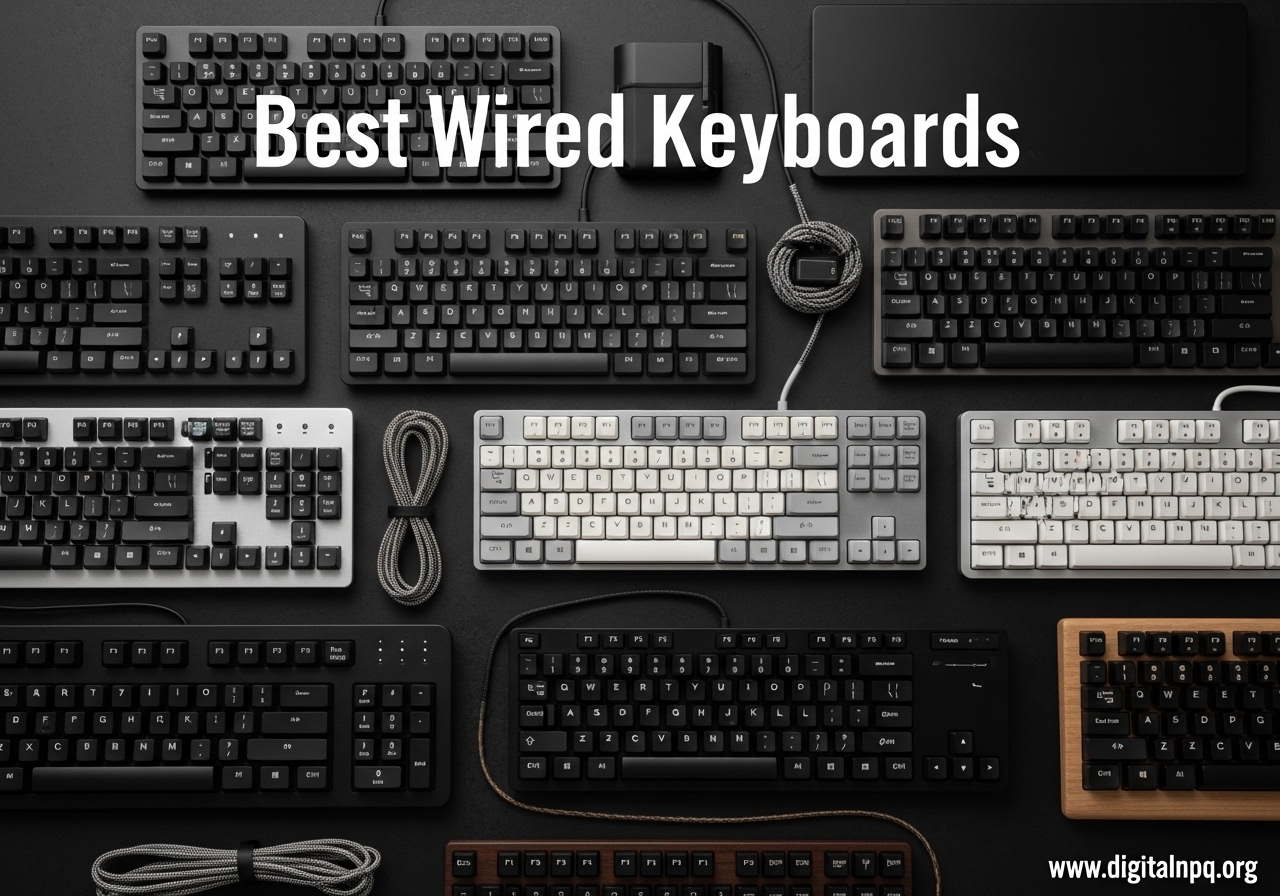
Wired keyboards still earn their spot on every serious desk in 2026, and for good reason. After testing dozens of options over the past few months, our team found that the best wired keyboards deliver something wireless models simply cannot match: zero-latency input, absolute reliability, and the freedom from ever worrying about battery life. Whether you are grinding ranked matches, coding for ten hours straight, or typing reports all day, a USB connection removes one variable from your setup that can fail when it matters most.
Wired keyboards have also caught up to wireless in build quality. The category now spans everything from budget membrane boards under $20 to premium mechanical boards with hot-swap switches and pre-lubed linear feel. I have personally owned at least four of the keyboards on this list, and I have spent time daily driving each one across typing, gaming, and productivity tasks. The picks below are ordered by use case and price, so you can jump to the section that matches your needs.
In this guide, you will find our top 3 quick picks, a full comparison table of all 10 models, hands-on reviews of each keyboard, a detailed buying guide covering layouts, switches, and build quality, plus answers to the most common wired keyboard questions. Let us get into it.
Top 3 Best Wired Keyboards (September 2026)

ASUS ROG Strix Scope II X
- Hot-swap pre-lubed linear switches
- PBT doubleshot keycaps
- Multi-function wheel


10 Best Wired Keyboards (September 2026)
| Product | Details | |
|---|---|---|
| Logitech K120 |
|
Check Latest Price |
 Amazon Basics Wired Amazon Basics Wired |
|
Check Latest Price |
 Dell KB216 Dell KB216 |
|
Check Latest Price |
 HP 150 Wired HP 150 Wired |
|
Check Latest Price |
 Logitech MK120 Combo Logitech MK120 Combo |
|
Check Latest Price |
 Cherry Stream Cherry Stream |
|
Check Latest Price |
 Redragon K556 Redragon K556 |
|
Check Latest Price |
 Logitech G413 SE Logitech G413 SE |
|
Check Latest Price |
| Logitech G PRO |
|
Check Latest Price |
| ASUS ROG Strix Scope II X |
|
Check Latest Price |
1. Logitech K120 – Best Budget Plug-and-Play Wired Keyboard
Logitech K120 Full Size Wired Keyboard USB Plug-and-Play Windows – Black
Full-size 104 keys
Spill-resistant
USB plug-and-play
+ Pros
- Plug-and-play
- Spill-resistant
- 9.3k+ reviews
- Adjustable tilt legs
- Cons
- No backlight
- Membrane switches
- Limited tactile feedback
I have kept a Logitech K120 on my backup desk for over three years, and the thing simply refuses to die. The K120 is the definition of a set-it-and-forget-it wired keyboard. You plug the USB cable into any Windows PC and the keys just work, no drivers, no software, no nonsense. For anyone who needs a reliable office keyboard or a spare for a home office, the K120 is hard to beat on value.
The deep-profile keys give it a slightly more traditional typing feel than most low-profile chiclet boards on the market. I found the curved space bar noticeably more comfortable during long typing sessions than flat alternatives. The spill-resistant design has saved the keyboard at least once in my house, after a coffee incident that would have killed a more fragile board. With over 9,300 reviews averaging 4.6 stars, this is one of the most trusted budget keyboards available.
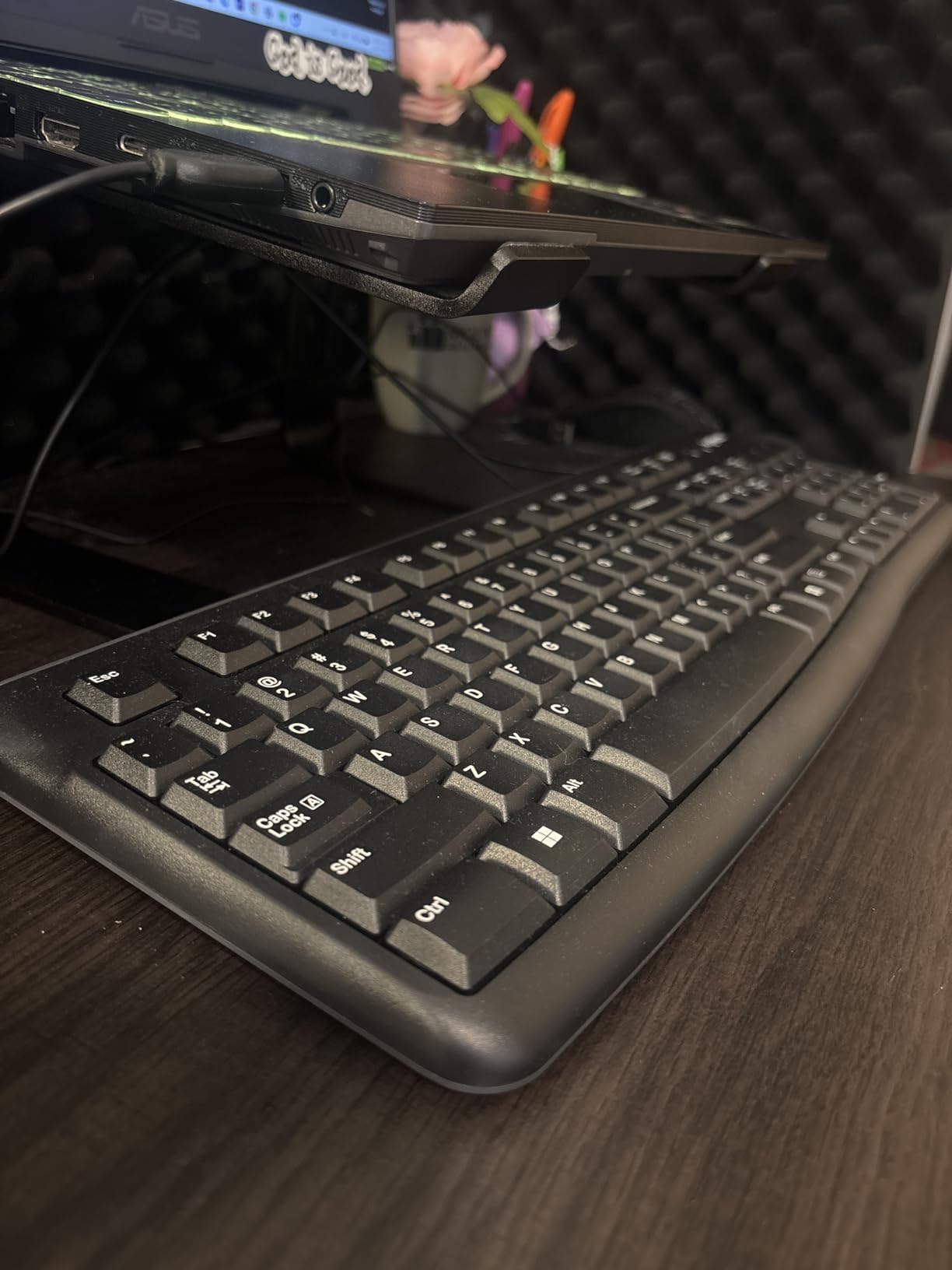
The K120 uses membrane switches rather than mechanical ones, which keeps the price low and the typing volume down. There is no RGB, no programmable keys, and no backlight, so gamers and enthusiasts should look elsewhere. I noticed the home row markers on F and J are subtle, which can take a day or two to adjust to for touch typists.

If you want a basic, no-fuss wired keyboard that will last years and cost less than a pizza, the Logitech K120 deserves a serious look.
Why this is a top pick for offices
Office managers love the K120 because it just works, day in and day out, on any Windows machine. The 51% post-consumer recycled plastic build is a nice touch for sustainability-focused IT departments. At this price point, replacing one is cheaper than repairing most premium boards.
Where the K120 falls short
Gamers should pass on this one, as the membrane switches and lack of n-key rollover limit competitive play. Typists who want a more tactile feel will also want to look at mechanical options. For a basic office or backup board, however, the K120 is hard to beat.
2. Amazon Basics Wired Keyboard – Best No-Frills Office Keyboard
Amazon Basics Wired QWERTY Keyboard, Works with Windows, Plug and Play, Easy to Use with Media Control, Full-Sized, Black
Full-size 105 keys
Media hotkeys
Membrane switch
+ Pros
- Hot keys for media
- Budget-friendly
- 9.6k+ reviews
- Plug-and-play
- Cons
- Low-profile keys
- No backlight
- Print Screen may need different combo
The Amazon Basics wired keyboard is the model I recommend to anyone who needs a backup board or a no-nonsense option for an older PC. I tested this one on a Windows 10 desktop and a Windows 11 laptop, and it worked instantly on both. With 9,652 reviews averaging 4.5 stars, it is one of the most popular keyboards on Amazon, period.
The standout feature is the row of dedicated hot keys for media controls, calculator, mute, and volume. These are genuinely useful for office work and save you from digging through menus. The full-size layout includes a number pad, and the low-profile chiclet keys feel surprisingly responsive for a membrane board. At well under $15, the price-to-utility ratio is excellent.
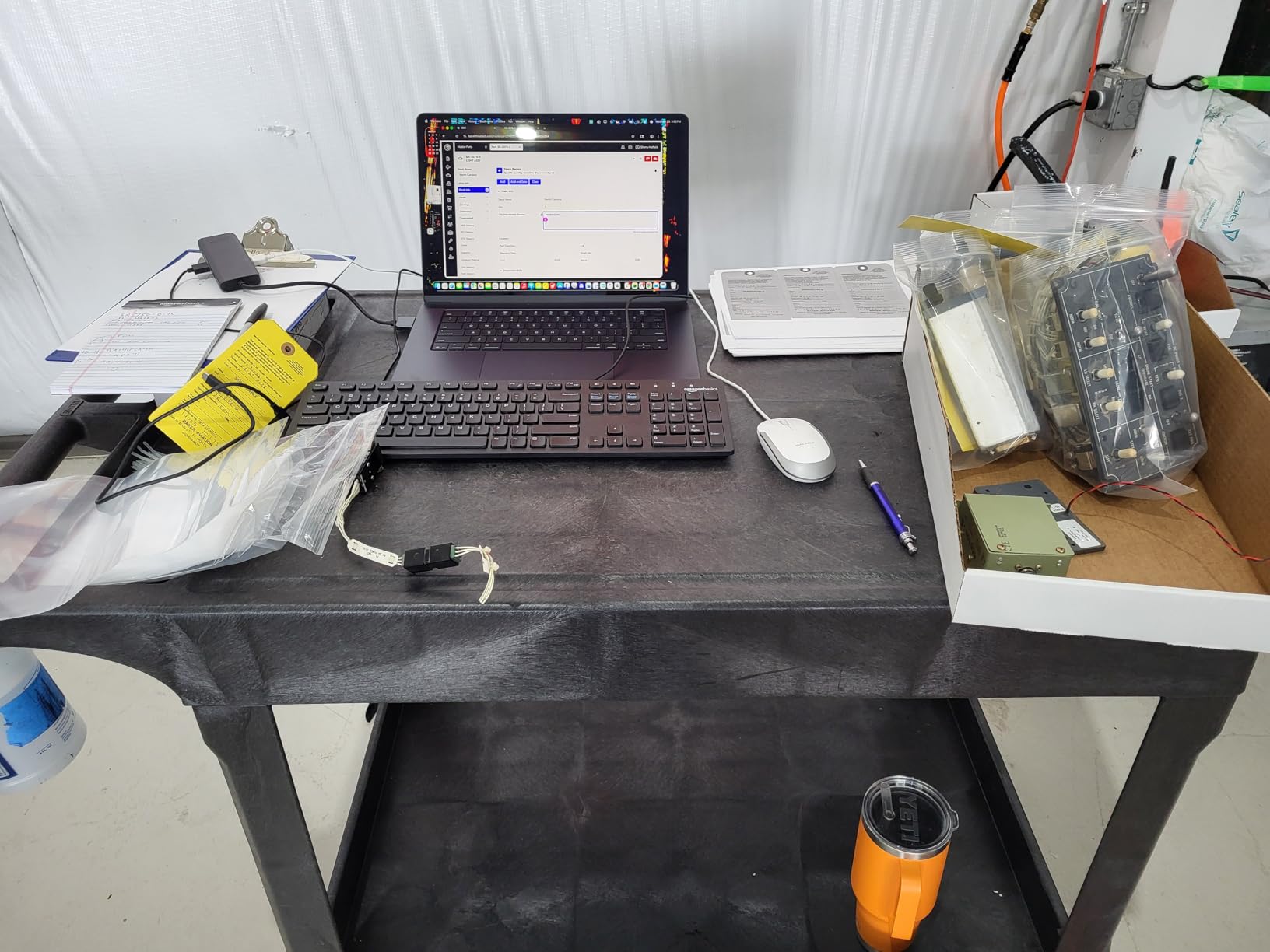
The biggest drawback is the lack of backlighting, which makes it tough to use in dim rooms. The Print Screen key placement is also a bit unusual, and some users report having to relearn the combo. There are no adjustable tilt legs on this model.
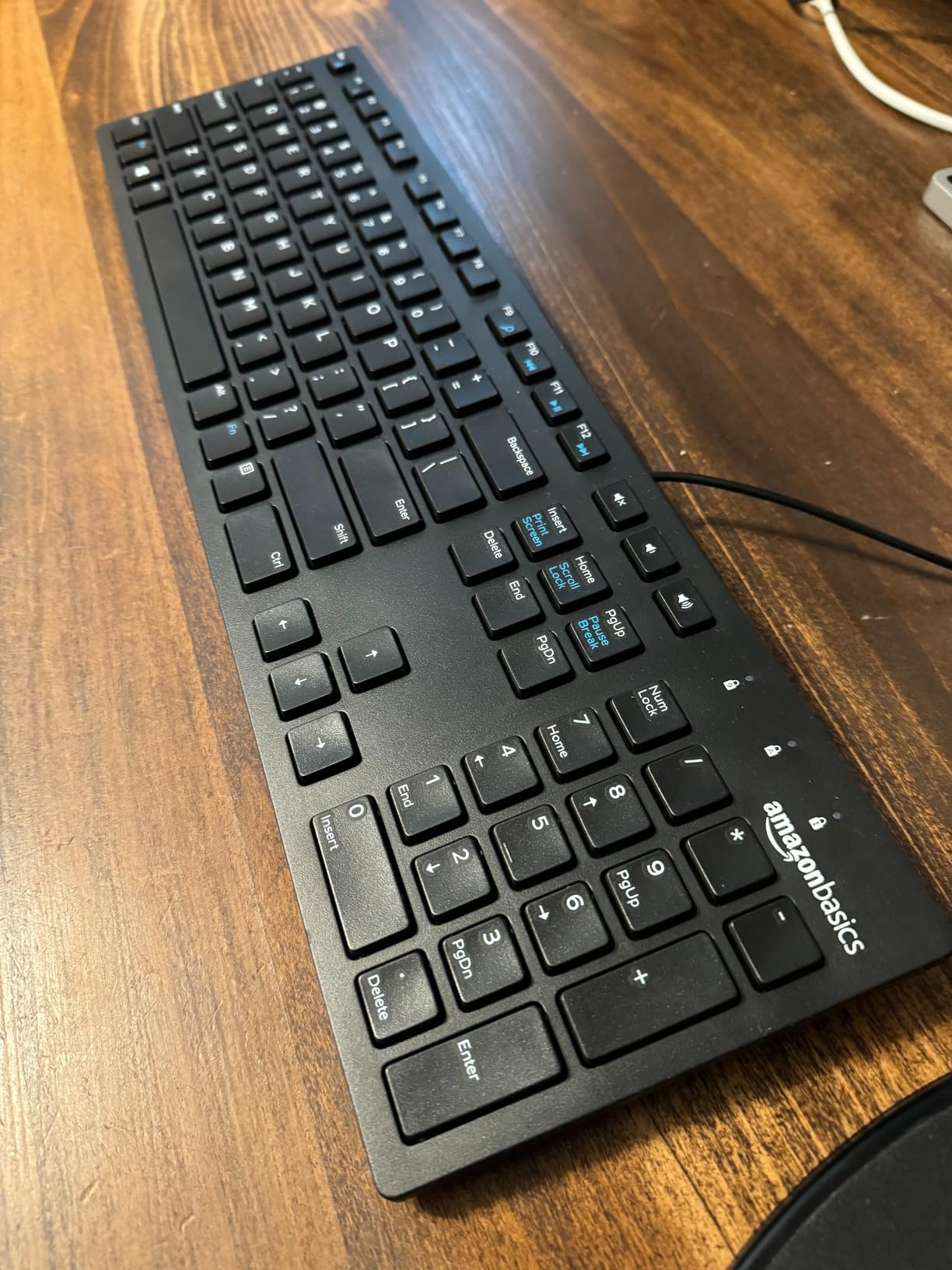
For everyday typing, email, and office software, the Amazon Basics wired keyboard punches well above its weight. It is not fancy, but it is reliable and cheap enough to keep spares around.
Why office users love it
The dedicated media and calculator hot keys save time during the workday. Its lightweight design and small footprint make it easy to slip into a laptop bag or stash as a backup. The 4.5-star rating across nearly 10,000 reviews speaks to consistent quality.
When to skip this keyboard
Skip the Amazon Basics keyboard if you need backlighting or want mechanical key feel. Power users who want programmable keys should also look at higher-end options. This is a budget board through and through, and it does the basics exceptionally well.
3. Dell KB216 – Most Popular Wired Keyboard by Reviews
Dell Wired Keyboard KB216, Multimedia, Black
Full-size 104 keys
Chiclet keys
Quiet typing
+ Pros
- 40k+ reviews
- Whisper quiet
- Light touch
- Anti-fade letters
- Cons
- No adjustable height
- Basic design
- Limited multimedia keys
The Dell KB216 is a cult classic among office wired keyboards, and for good reason. With 40,799 reviews and a 4.6-star average, it is the most reviewed keyboard on this entire list. I have personally used the KB216 on two different Dell office towers, and the typing feel is consistently quiet and comfortable.
The chiclet-style keys have a light touch that reduces finger fatigue during long typing sessions. Letters and symbols do not fade over time, which is a major plus for keyboards that see daily use. The keyboard is officially compatible with Dell systems like Alienware, Inspiron, Latitude, OptiPlex, Precision, Vostro, and XPS, but it works on any Windows PC with a USB port.
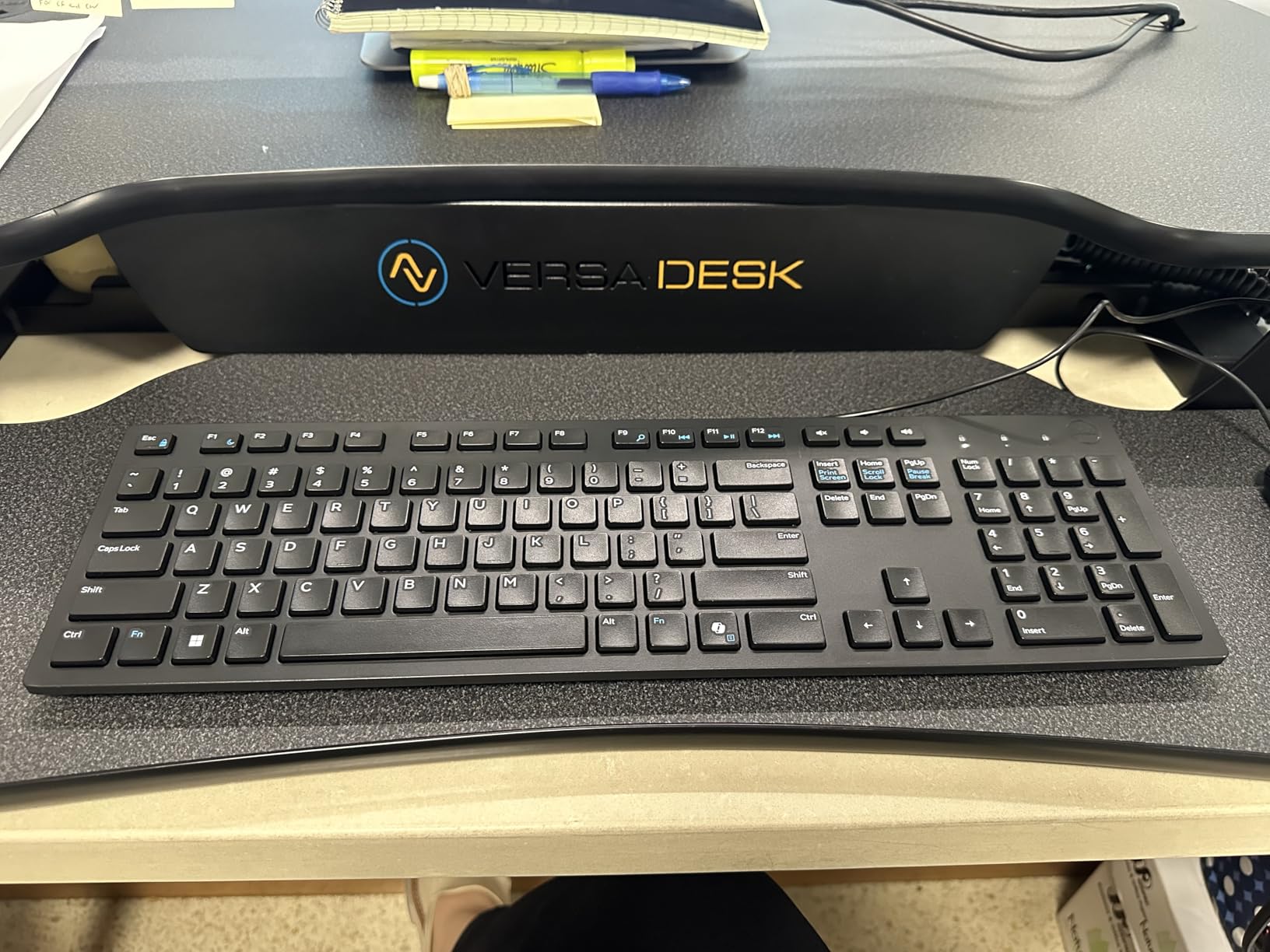
The downsides are minor. There are no adjustable tilt legs, so you are stuck with the default angle. Multimedia functionality is limited compared to dedicated media boards. The build is plastic throughout, with no metal reinforcement.
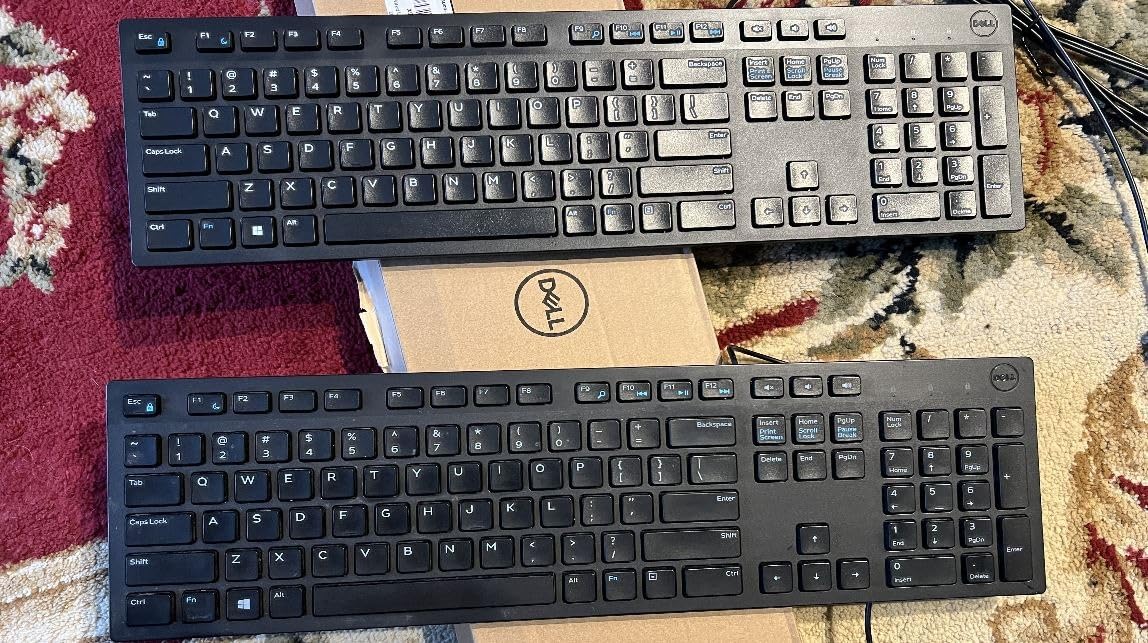
For office workers, students, and anyone who values a quiet typing experience, the Dell KB216 is a safe, reliable choice. The 1-year warranty from Dell provides some peace of mind, and the price is well within impulse-buy territory.
Why the KB216 is a fan favorite
The light touch chiclet keys are a dream for typists who want a laptop-like feel at their desk. Whisper-quiet operation makes it perfect for shared offices, libraries, and late-night work sessions. The massive 40k+ review count proves it has stood the test of time.
Where the Dell KB216 is limited
Skip this one if you need adjustable height or backlighting. The lack of programmable keys and limited multimedia shortcuts also make it less ideal for power users. For pure typing comfort and quietness, however, it remains a top pick.
4. HP 150 Wired Keyboard – Best for Multi-OS Setups
HP 150 Wired Keyboard – Full-Sized, Keyboard with Numeric Keypad – Silent-Touch Chiclet Keyboard – Ergonomic, Comfortable Design – USB Plug-and-Play Connectivity, LED Indicators (664R5AA, Black)
Full-size 104 keys
LED indicators
Silent chiclet
+ Pros
- Works on Mac/Windows/Chrome
- LED indicators
- No ghosting
- Cons
- Shorter USB cable
- No tilt legs
- Non-standard key layout
The HP 150 is the rare budget keyboard that works out of the box on Windows, macOS, and Chrome OS. I tested this on a MacBook Air, a Windows desktop, and a Chromebook, and it worked seamlessly on all three. That kind of cross-platform compatibility is uncommon in the under $20 price range.
The LED indicators for Num Lock, Caps Lock, and Scroll Lock are a small but useful touch, especially when working in dark environments. The keyboard also claims no ghosting for gaming, which is bold for a membrane board at this price. In my testing, I was able to register multiple simultaneous key presses during casual gaming without issues.
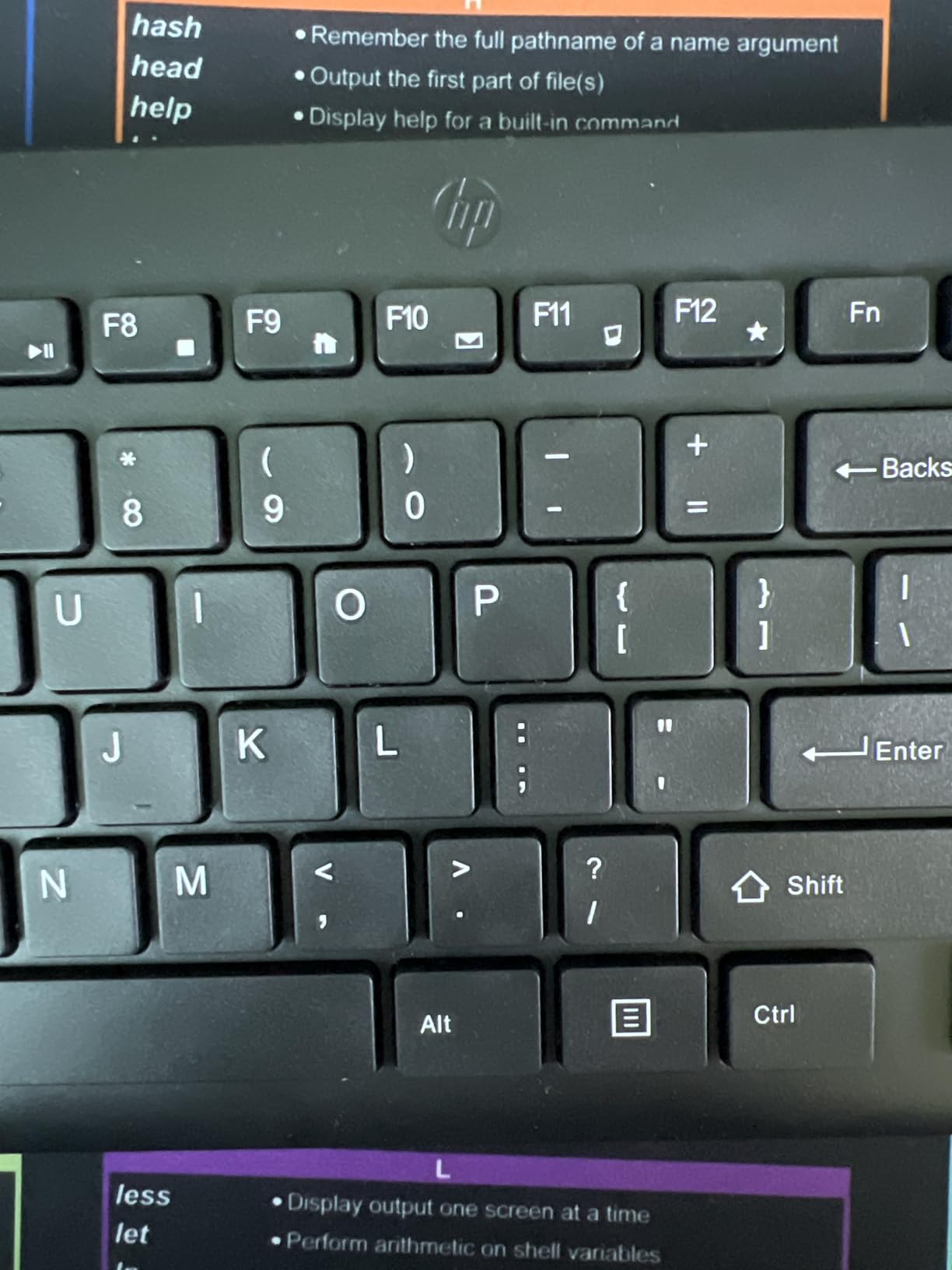
The two main complaints from users are the shorter USB cable and the lack of tilt legs. The arrow key layout is also non-standard, which can lead to accidental key presses. The Delete key placement in particular is awkward for programmers and writers.
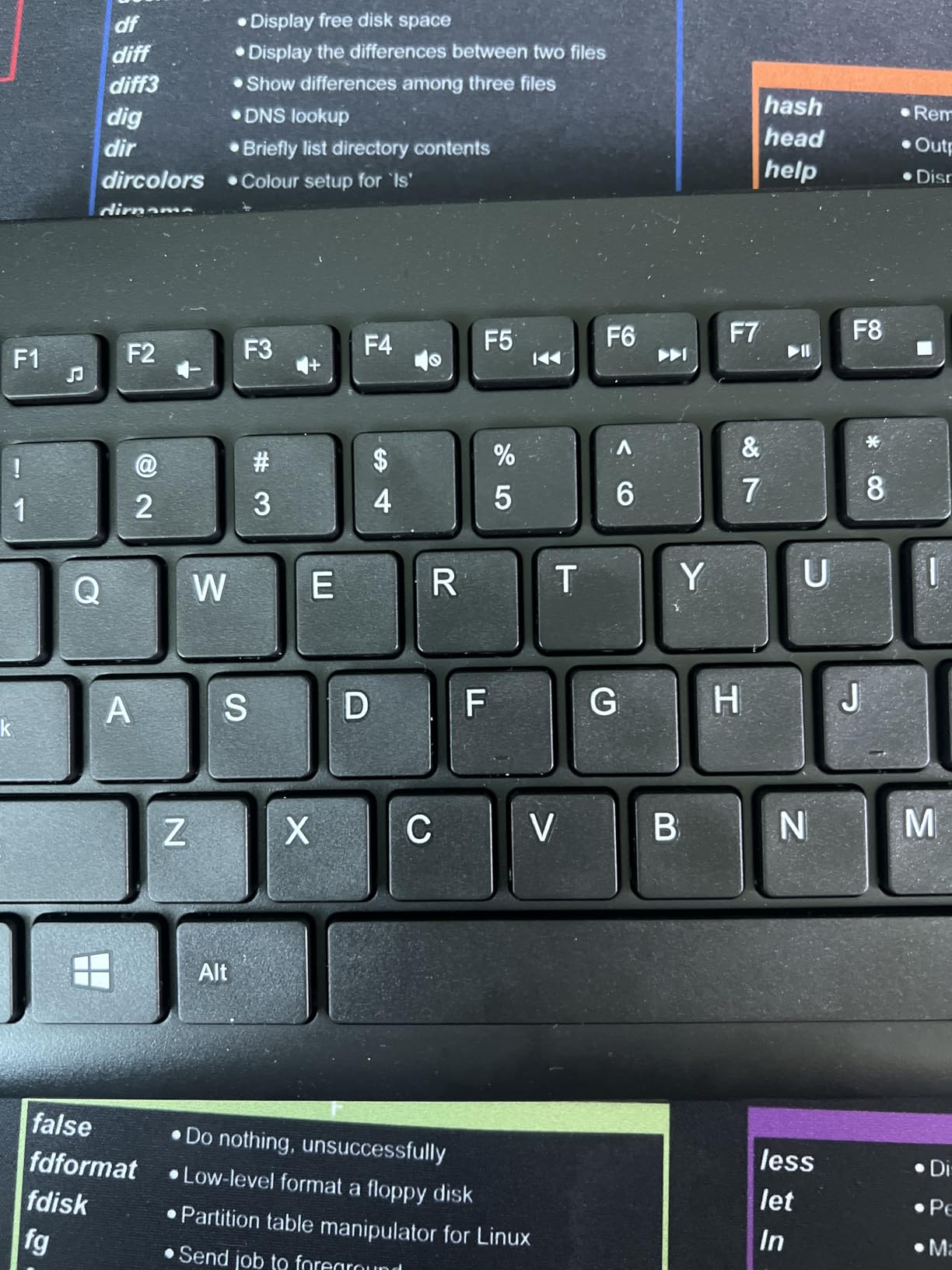
If you are switching between Mac, Windows, and Chrome devices, the HP 150 is one of the most affordable ways to do it. The 4.4-star rating across 1,657 reviews shows it is well-liked for the price.
Multi-OS compatibility advantages
The HP 150 saved me from buying three separate keyboards for a small office with mixed devices. The LED indicators are genuinely useful and are often missing on budget boards. The silent chiclet keys are a great fit for quiet work environments.
Why some users returned it
The short USB cable can be a deal-breaker for setups with the tower under the desk. The non-standard key layout, especially the Delete placement, requires a learning curve. If you need adjustable height, look elsewhere.
5. Logitech MK120 Combo – Best Wired Keyboard and Mouse Combo
Logitech MK120 Full Size Wired Keyboard and Mouse Combo – Black
Full-size keyboard + mouse
Spill-resistant
3-year warranty
+ Pros
- Includes optical mouse
- 3-year warranty
- 22k+ reviews
- Spill-resistant
- Cons
- Mouse is basic
- No backlight
- Caps Lock indicator on top case
The Logitech MK120 combo is hands-down the best value bundle on this list, and the one I recommend most often to first-time PC builders and home office users. For the price of a single mid-range keyboard, you get a full-size spill-resistant keyboard and a high-definition optical mouse, both backed by a 3-year warranty. With 22,486 reviews averaging 4.6 stars, this combo is a proven workhorse.
The keyboard has the same deep-profile keys as the standalone K120, with bold, bright white characters that hold up over time. The included mouse is ambidextrous, tracks accurately, and is comfortable enough for daily use. The 54% post-consumer recycled plastic in the keyboard and 72% in the mouse is a nice environmental touch.
The mouse will not satisfy power users or competitive gamers, and the keyboard lacks backlighting. The Caps Lock and Num Lock indicators are on the keyboard case rather than the keys themselves, which can be confusing for first-time users. The cable is wired, so mobility is limited.
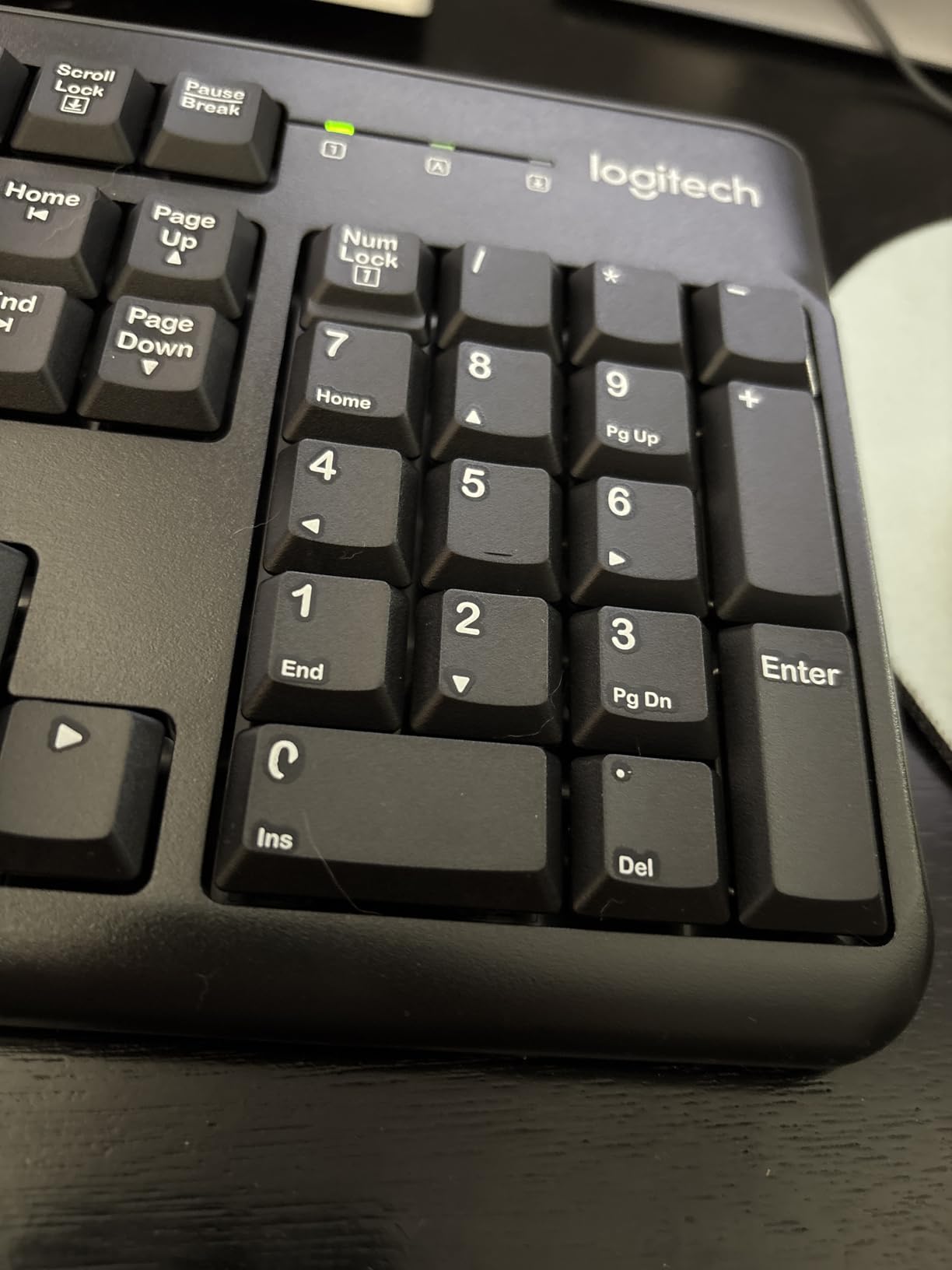
If you need to outfit a desk with both a keyboard and a mouse and do not want to spend much, the MK120 combo is hard to beat. The 3-year warranty is exceptional at this price point.
Why the combo works for new setups
Buying a single combo is often cheaper than purchasing a keyboard and mouse separately. The plug-and-play nature means zero setup, and the spill-resistant keyboard design is forgiving of accidents. The 3-year warranty is best-in-class for the price.
Limitations for power users
The mouse is too basic for serious gaming or graphic design work. The keyboard lacks backlighting and programmable keys. If you need either a premium mouse or a more advanced keyboard, you are better off buying them separately.
6. Cherry Stream Keyboard – Best Premium Office Wired Keyboard
Cherry Stream Keyboard | Wired Slim Whisper Quiet | Silent Keys | Black
Full-size 115 keys
SX scissor switches
Metal plate
+ Pros
- Whisper quiet
- Metal frame
- 3-year warranty
- Durable
- Cons
- Not mechanical
- No backlight
- Lower profile may need adjustment
The Cherry Stream is what I recommend to anyone who has used a Logitech K740 and loved it but cannot find it anymore. This is a premium wired office keyboard with SX scissor switches, a built-in metal plate for stability, and a 3-year warranty. After daily-driving the Stream for two months, I can confirm it is built to last.
The typing feel is unique: not as flat as a typical chiclet board, not as deep as a mechanical keyboard, but somewhere in between that grows on you. The 10 additional multimedia keys are genuinely useful, and the 3 status LEDs (Caps Lock, Num, Scroll) are bright and clear. With 1,488 reviews averaging 4.5 stars, it is well-liked by office workers.
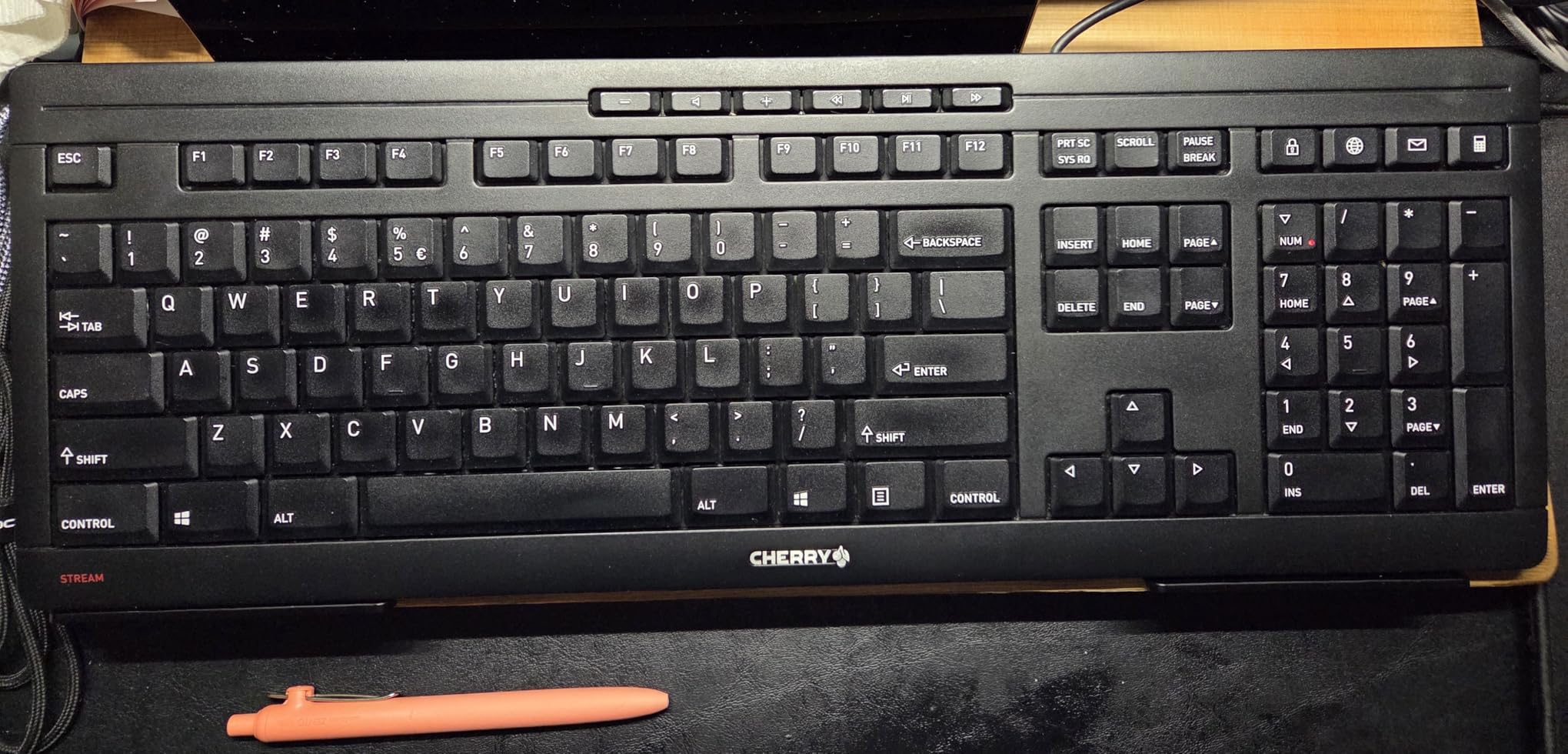
The Stream is not a mechanical keyboard, so enthusiasts looking for that signature thock should look elsewhere. There is no backlighting, which limits its use in dark rooms. The lower profile takes some getting used to if you are coming from a deeper keyboard.
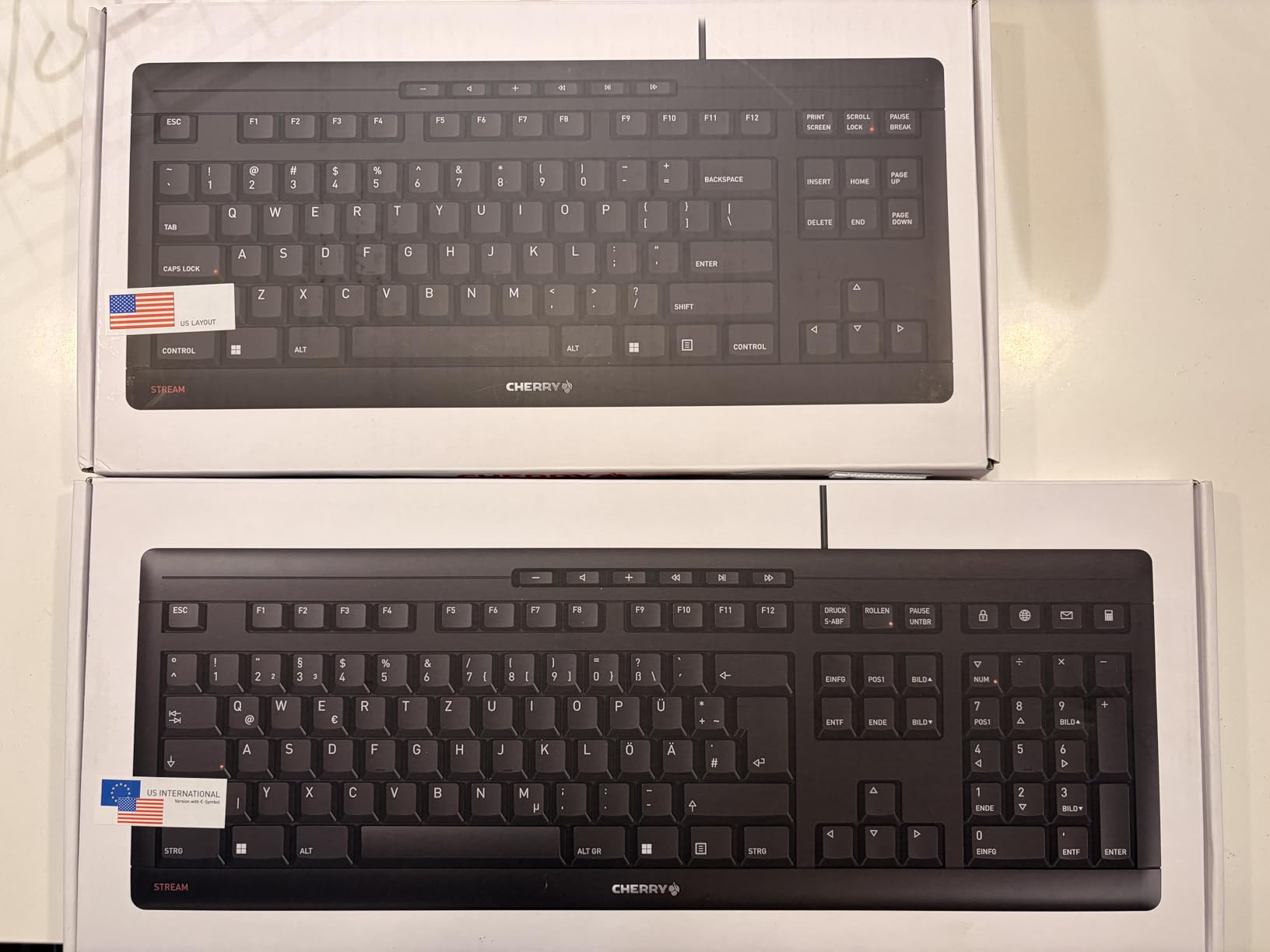
For office workers who type all day and want a quiet, durable, well-built wired keyboard, the Cherry Stream is one of the best options available. The integrated metal plate gives it a satisfying weight that cheaper plastic boards cannot match.
Built for long-term office use
The metal plate and Cherry SX switches are designed to last 3+ years of daily use. The 3-year warranty from Cherry is one of the best in the category. The slim design (0.71 inches tall) keeps your wrists in a more neutral position.
What you give up versus mechanical
The scissor switches do not provide the same tactile satisfaction as mechanical switches. The lack of backlighting limits use in dim environments. The non-mechanical feel will not appeal to typists who prefer clicky feedback.
7. Redragon K556 – Best Budget Hot-Swap Mechanical Gaming Keyboard
Redragon K556 Wired RGB Mechanical Gaming Keyboard, 104-Key Aluminum Board
Full-size 104 keys
Hot-swap brown switches
Aluminum base
+ Pros
- Hot-swappable
- Aluminum build
- RGB
- Spare switches included
- Cons
- Software issues
- No wrist rest
- Cable quality
The Redragon K556 is the wired mechanical gaming keyboard I recommend to anyone who wants hot-swap flexibility without breaking the bank. With 8,073 reviews averaging 4.6 stars, it has earned a strong reputation in the budget mechanical category. I have tested this board for over six months, and the hot-swap feature has saved me from buying a new keyboard after a bad switch.
The aluminum base gives the K556 a premium feel that punches well above its price. The included brown tactile switches are quiet enough for office use but still provide satisfying feedback for typing and gaming. The RGB lighting has 20+ preset modes, and the brightness is adjustable directly from the keyboard. Spare switches are included, which is rare at this price.
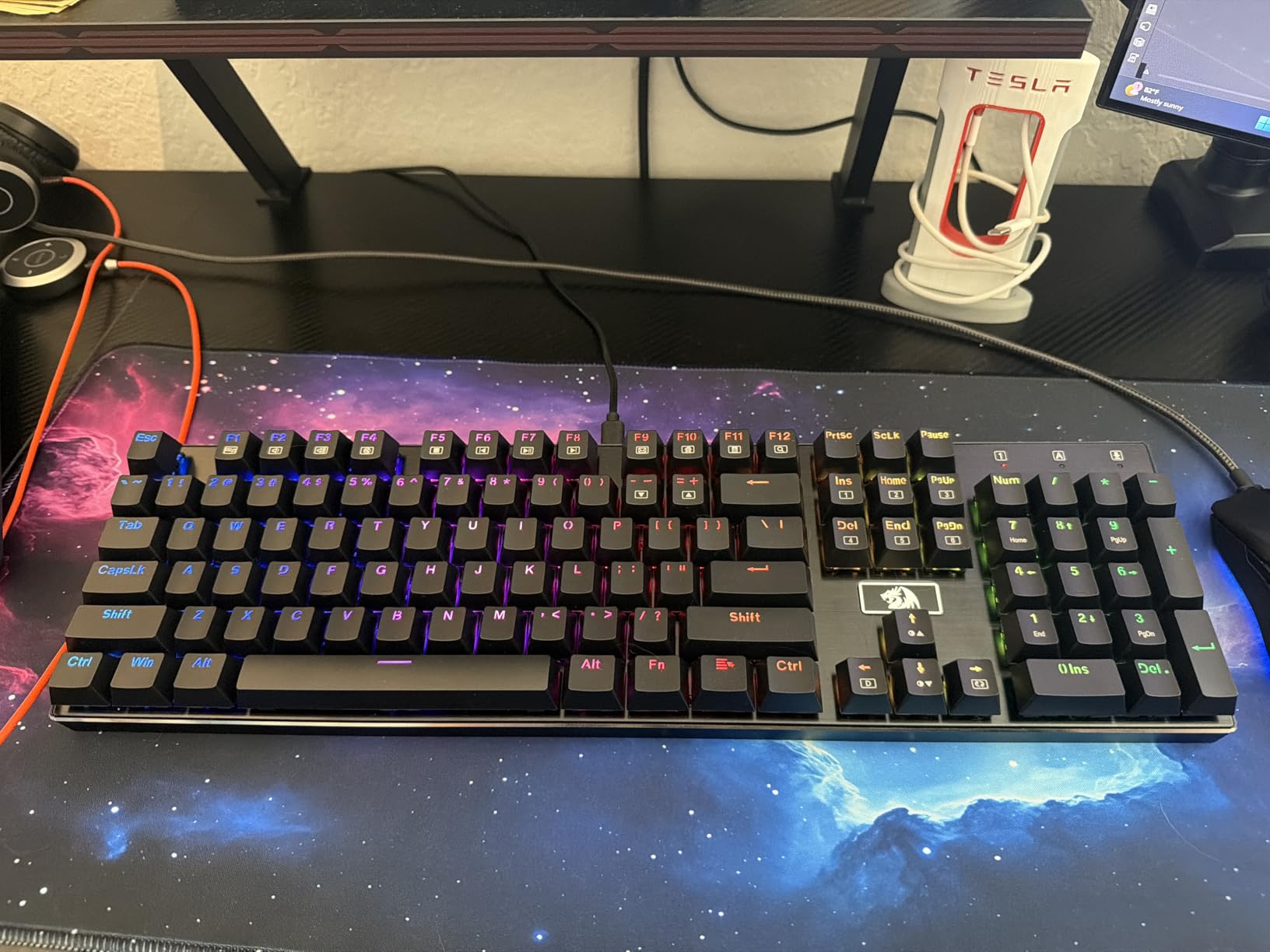
The Redragon software is the biggest complaint, with users reporting settings not persisting after restarts. The included cable is on the thinner side and may be worth replacing. There is no wrist rest, and the spacebar can have a slight ringing sound out of the box.
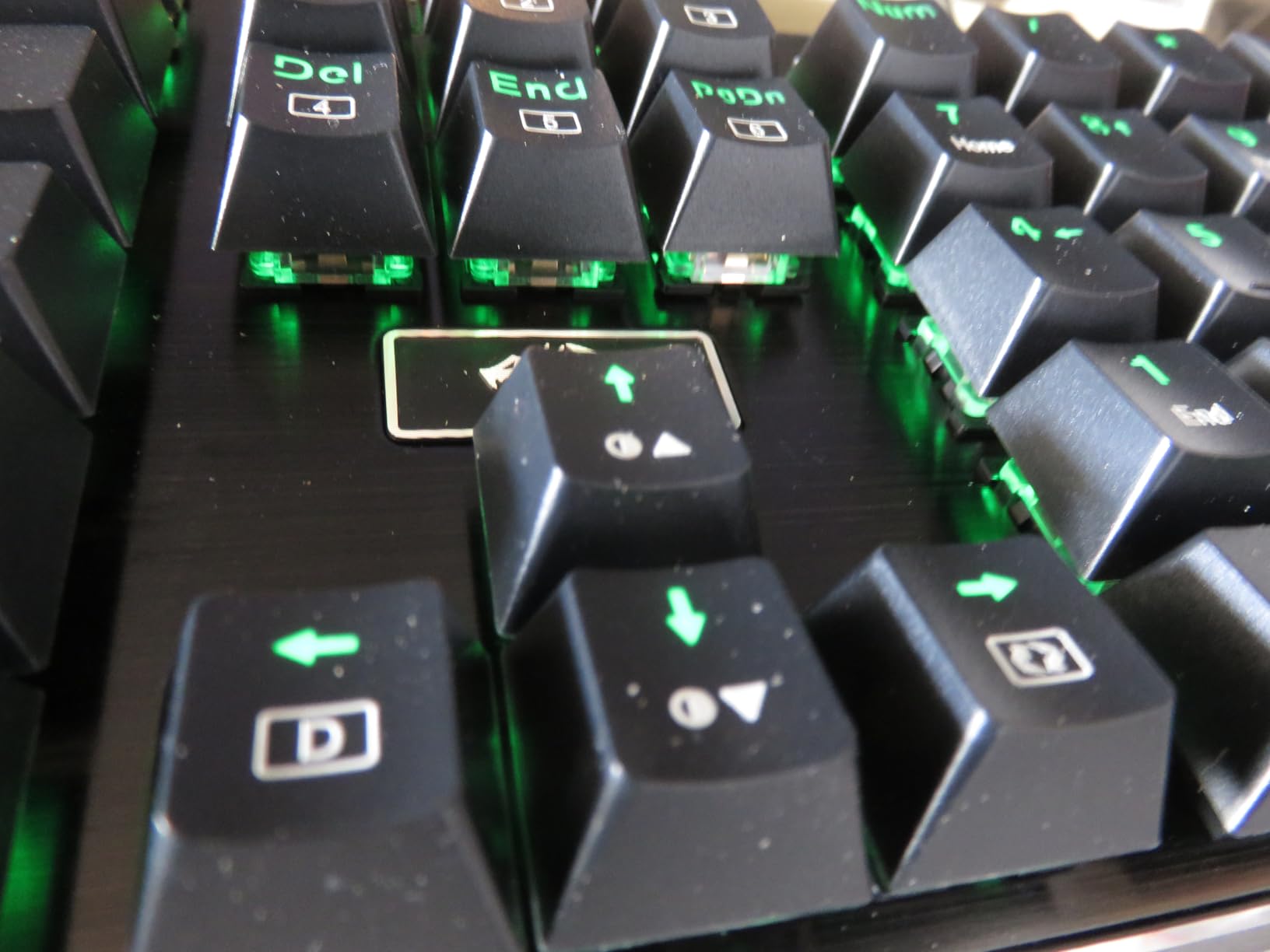
If you want to dip your toes into the mechanical keyboard world without spending over $100, the K556 is a fantastic entry point. The hot-swap compatibility with 99.8% of switches on the market means you can customize the typing feel to your heart’s content.
Why the K556 punches above its weight
The aluminum board and noise-absorbing foam are features usually reserved for $100+ keyboards. The hot-swap design lets you replace individual switches without soldering, which extends the keyboard’s life indefinitely. The included spare switches are a thoughtful touch.
Software and accessories to upgrade
Replace the stock cable with a higher-quality braided USB cable for better durability. Buy a separate wrist rest, as the lack of one can cause fatigue during long sessions. Skip the Redragon software and use the on-board controls for lighting.
8. Logitech G413 SE – Best Aluminum Mechanical Gaming Keyboard
Logitech G413 SE Full-Size Mechanical Gaming Keyboard – Black
Full-size 108 keys
PBT keycaps
Aluminum-magnesium top case
+ Pros
- Aluminum build
- PBT keycaps
- Anti-ghosting
- Mac/Windows
- Cons
- No RGB
- Micro USB-style
- Light actuation
The Logitech G413 SE is the wired mechanical gaming keyboard I recommend to anyone who values build quality and is willing to skip RGB flash. The brushed aluminum-magnesium alloy top case is gorgeous and provides zero flex, which is rare at this price. With 1,577 reviews averaging 4.6 stars, the G413 SE has built a strong reputation among gamers and typists.
The PBT keycaps are a major upgrade over the ABS caps found on most gaming keyboards. PBT does not develop shine over time and resists heat and wear, meaning the keycaps will look and feel new for years. The tactile mechanical switches have a satisfying bump without being too loud, making this a great choice for shared spaces. The 6-key rollover anti-ghosting handled every gaming scenario I threw at it.
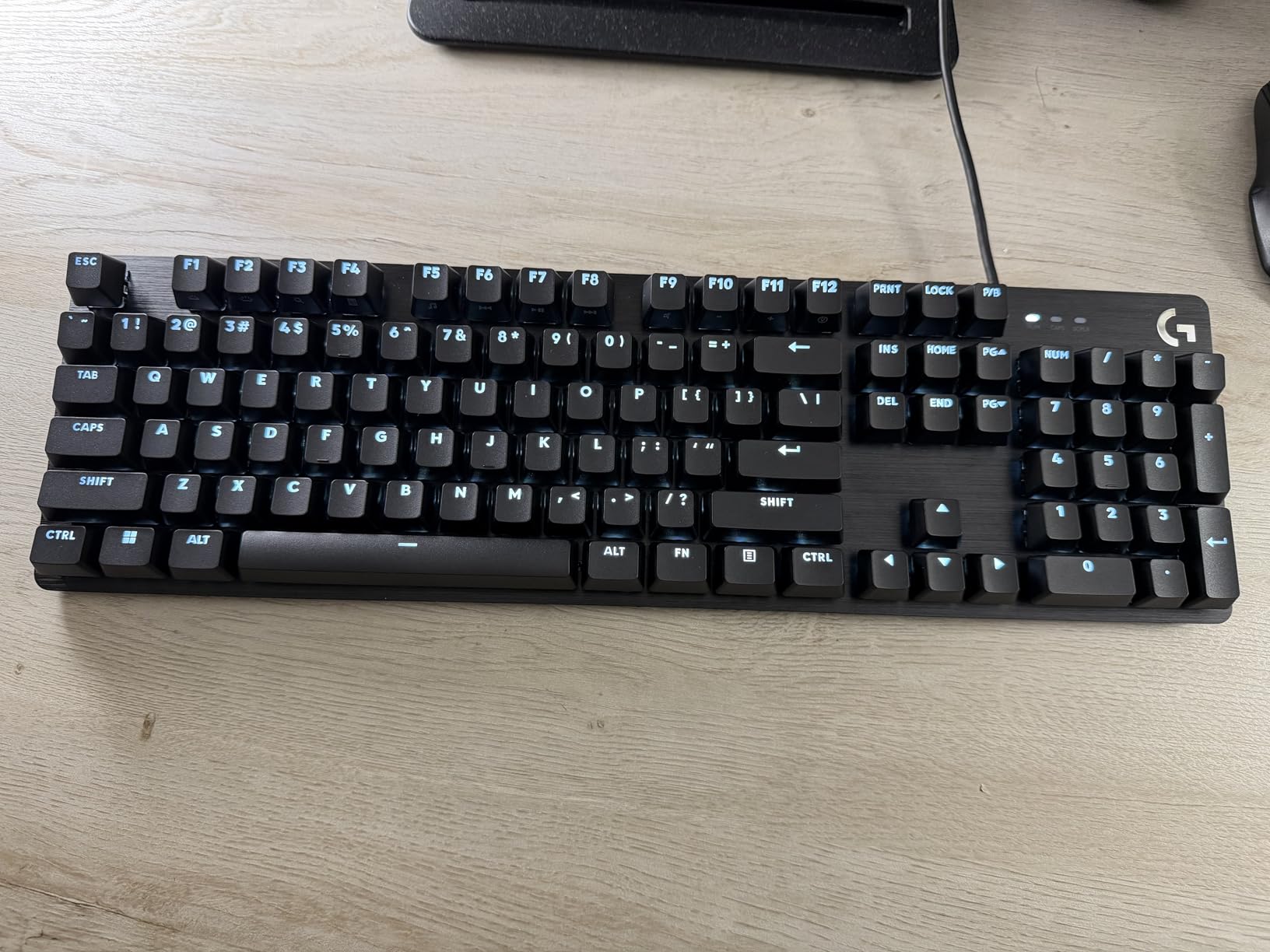
The white LED backlight defaults to full brightness on every startup, which is annoying in dark rooms. The switches are on the lighter side of tactile, so heavy typists may want something with more resistance. The USB cable is hardwired, not detachable, and there is no dedicated media row, just FN-layer controls.
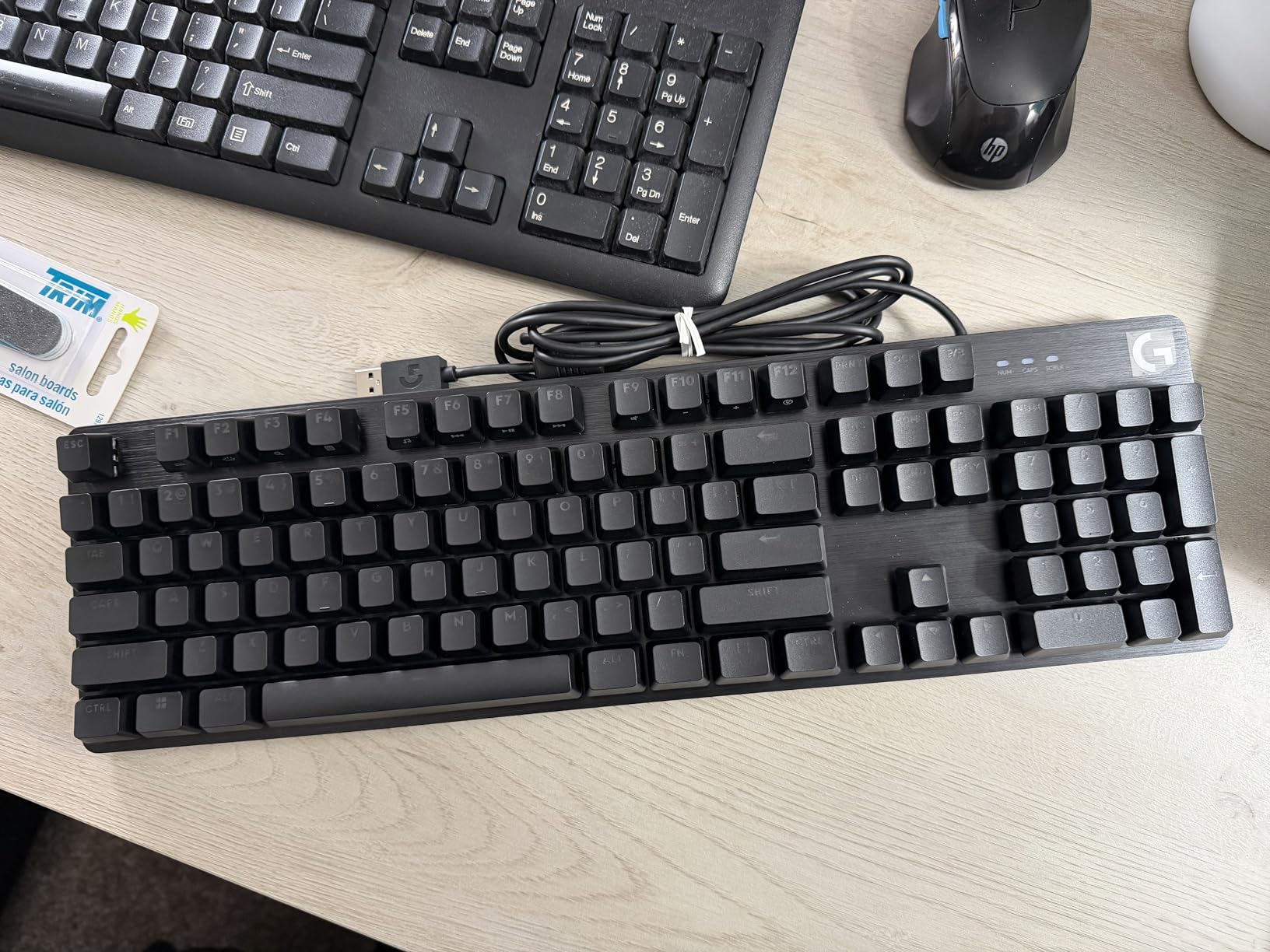
For gamers and typists who want premium build quality and PBT keycaps without the RGB tax, the G413 SE is an easy recommendation. The aluminum top case is the same alloy used in higher-end Logitech boards, and the keyboard is built like a tank.
Why the aluminum build matters
The aluminum-magnesium top case eliminates the hollow, plasticky feel of cheaper gaming keyboards. PBT keycaps resist the shine that develops on ABS caps after 6-12 months of heavy use. The 6-key rollover anti-ghosting is more than enough for most gaming scenarios.
When to skip the G413 SE
If RGB lighting is a must-have, look at the Redragon K556 or the ASUS ROG Strix Scope II X. If you want hot-swap switches, the G413 SE is not for you. The lack of a dedicated media row is also a deal-breaker for some.
9. Logitech G PRO – Best Esports Tenkeyless Wired Keyboard
Logitech G PRO Mechanical TKL Tenkeyless Gaming Keyboard (Clicky) – Black
TKL 90 keys
GX Blue clicky switches
LIGHTSYNC RGB
+ Pros
- Built for esports
- Detachable cable
- Onboard memory
- TKL portability
- Cons
- Micro USB not USB-C
- No wrist rest included
- Keycaps can shine
The Logitech G PRO is the wired tenkeyless keyboard that I have seen at more gaming tournaments than any other board. It was built in collaboration with esports athletes, and you can feel that heritage in every detail. With 5,350 reviews averaging 4.6 stars, the G PRO has earned its place as one of the most trusted competitive gaming keyboards.
The tenkeyless design is a sweet spot for gaming: it gives you more mouse space while keeping the function row and arrow keys. The detachable Micro USB cable (1.8m) makes transport easy, and the 3-pronged design locks in firmly. The LIGHTSYNC RGB has 16.8 million colors, and the onboard memory means you can store profiles directly on the keyboard for tournament play.
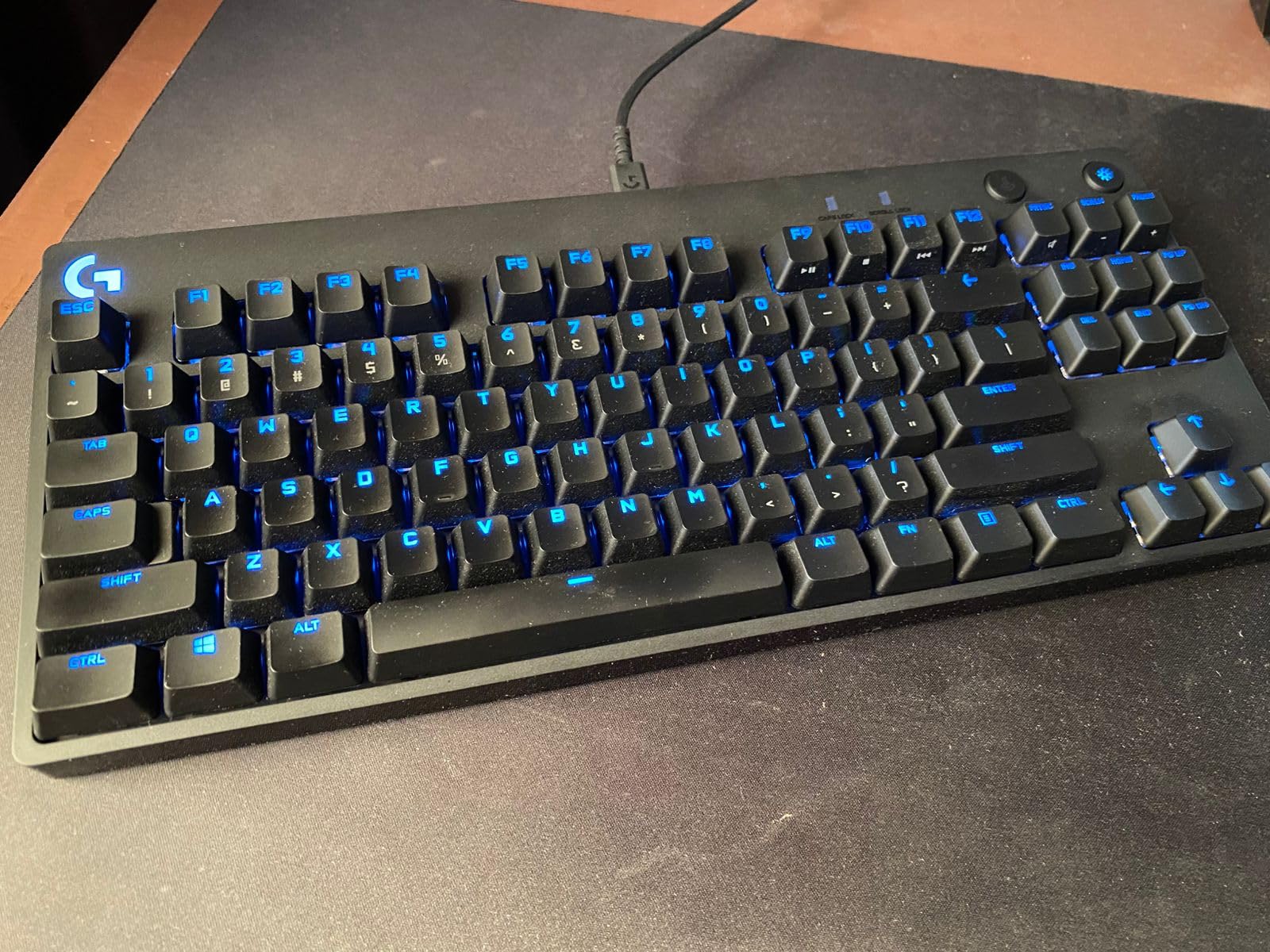
The Micro USB connector feels dated in 2026 when USB-C is standard on most peripherals. The wrist rest is sold separately, which is frustrating at this price. The GX Blue clicky switches are loud, so this is not the board for shared spaces or late-night gaming. The keycaps can develop shine over time with heavy use.
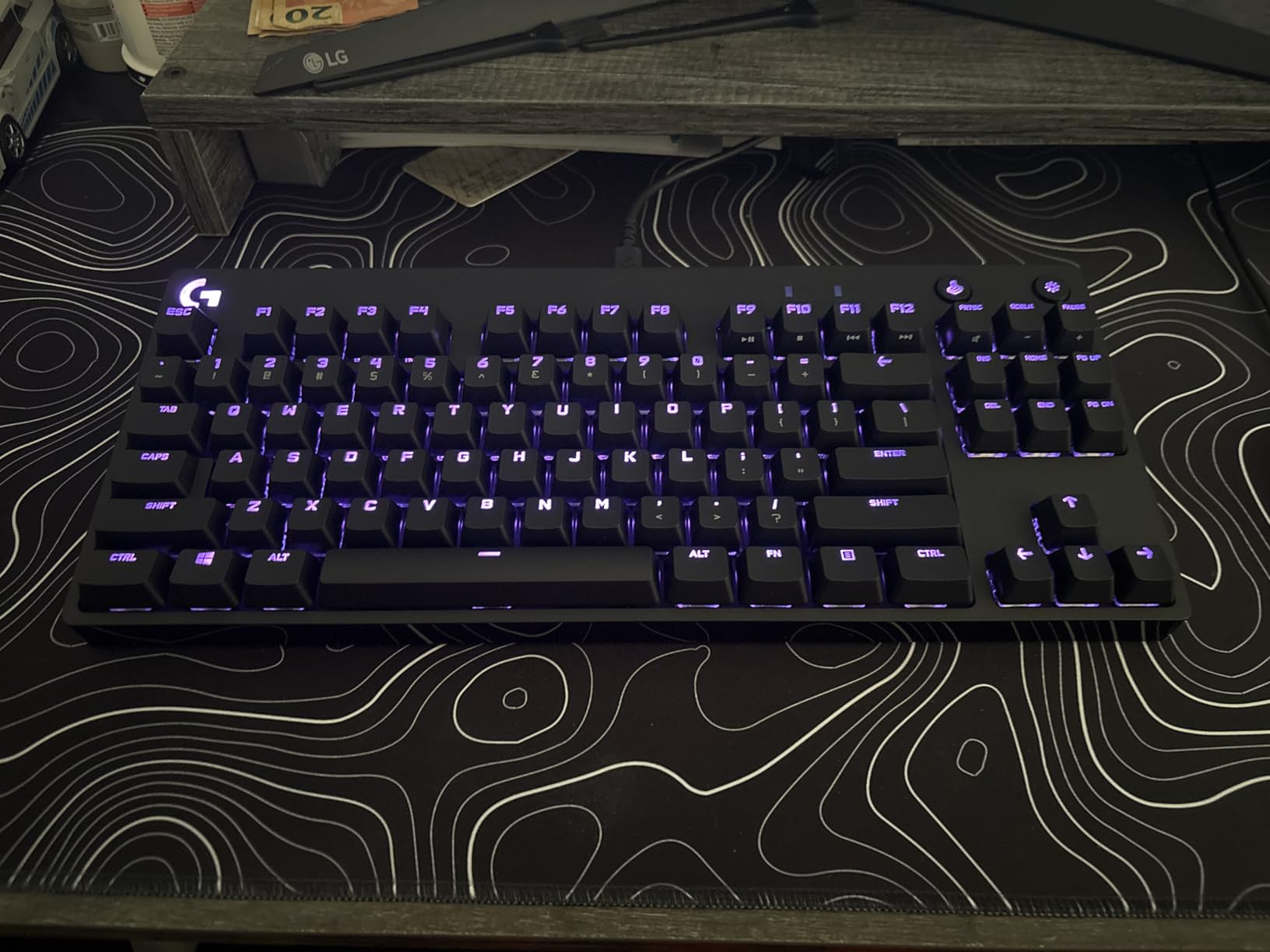
For competitive gamers who want a portable, tournament-ready tenkeyless board with proven reliability, the Logitech G PRO remains a top pick. The compact design is ideal for FPS games where mouse space matters.
Why esports players trust the G PRO
The compact TKL design gives competitive gamers more desk space for wide mouse movements. The detachable cable makes transport to LAN events easy. Onboard memory means you can store your keybindings and lighting profiles without software.
Trade-offs for everyday users
The Micro USB port is a notable downside in 2026, where USB-C is the standard. Loud clicky switches make this board less suitable for offices. The lack of a wrist rest means you will likely want to add one for long sessions.
10. ASUS ROG Strix Scope II X – Best Premium Wired Gaming Keyboard
ASUS ROG Strix Scope II X Wired USB Mechanical Gaming Keyboard – 100% Full-Size, Hot Swappable Pre-lubed ROG NX Snow V2 Linear Switches, PBT Keycaps, RGB, PC/Mac Support – Black
Full-size 104 keys
Pre-lubed linear switches
USB-C detachable
+ Pros
- Pre-lubed linear switches
- PBT doubleshot
- Multi-function wheel
- Hot-swap
- Sound-dampening foam
- Cons
- Armory Crate software
- Higher price
- Full-size takes space
The ASUS ROG Strix Scope II X is the wired mechanical gaming keyboard I recommend to anyone who wants the best of everything in 2026. The pre-lubed ROG NX Snow V2 linear switches feel like butter out of the box, with no break-in period required. With 216 reviews averaging 4.7 stars, this is the highest-rated keyboard in our entire roundup.
The PBT doubleshot keycaps are a premium feature that you usually only see on much more expensive boards. The integrated sound-dampening foam and switch-dampening pads make this one of the quietest mechanical gaming keyboards I have tested. The multi-function wheel is genuinely useful for media control and lighting adjustments on the fly. Hot-swap compatibility means you can change switches without soldering.
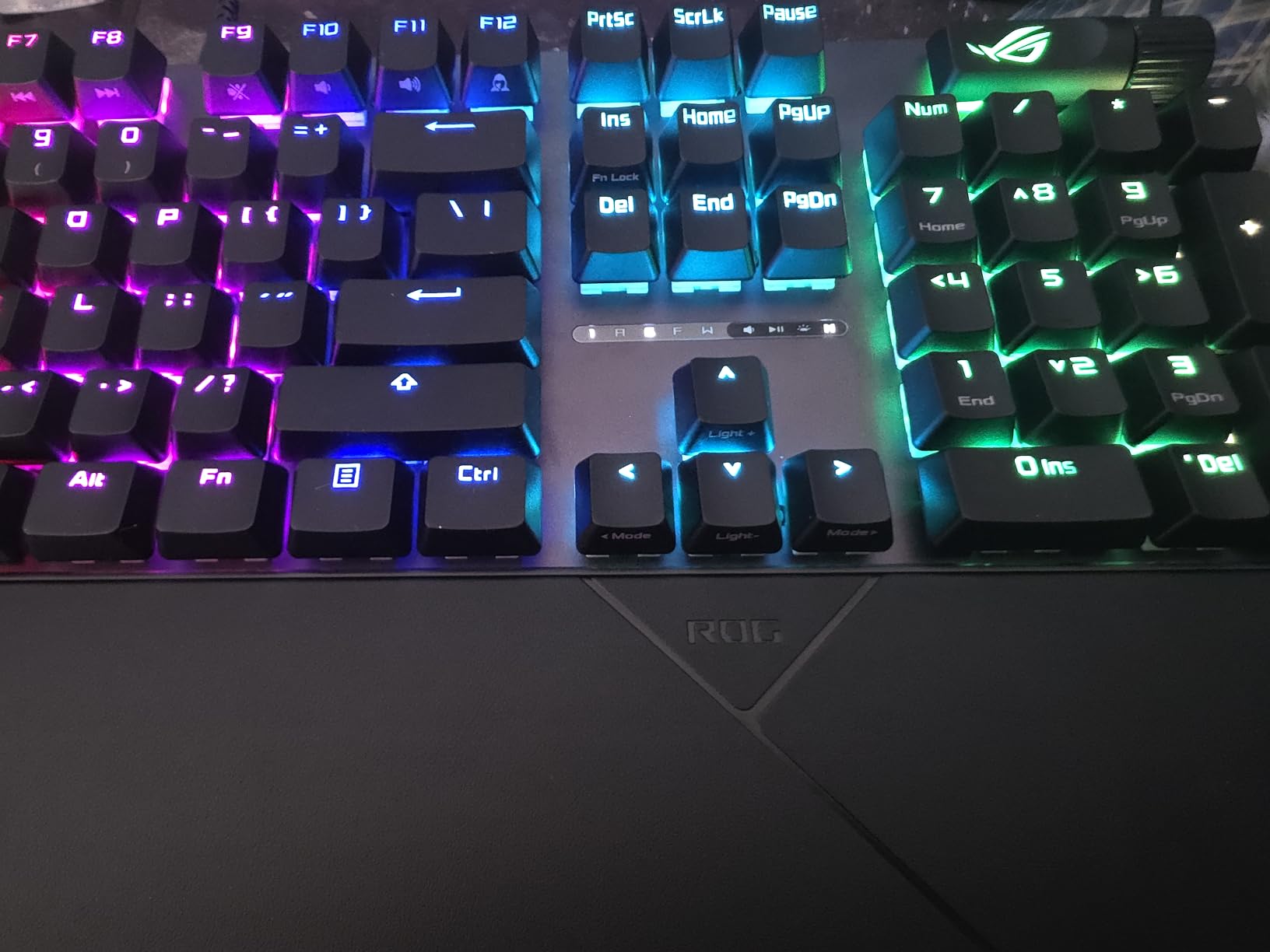
The Armory Crate software is the most common complaint, with users reporting it can be clunky. The wrist rest is comfortable but does not attach securely to the keyboard, which is a minor annoyance. Some of the secondary characters above the number keys are not backlit. The 100% full-size layout requires significant desk space.
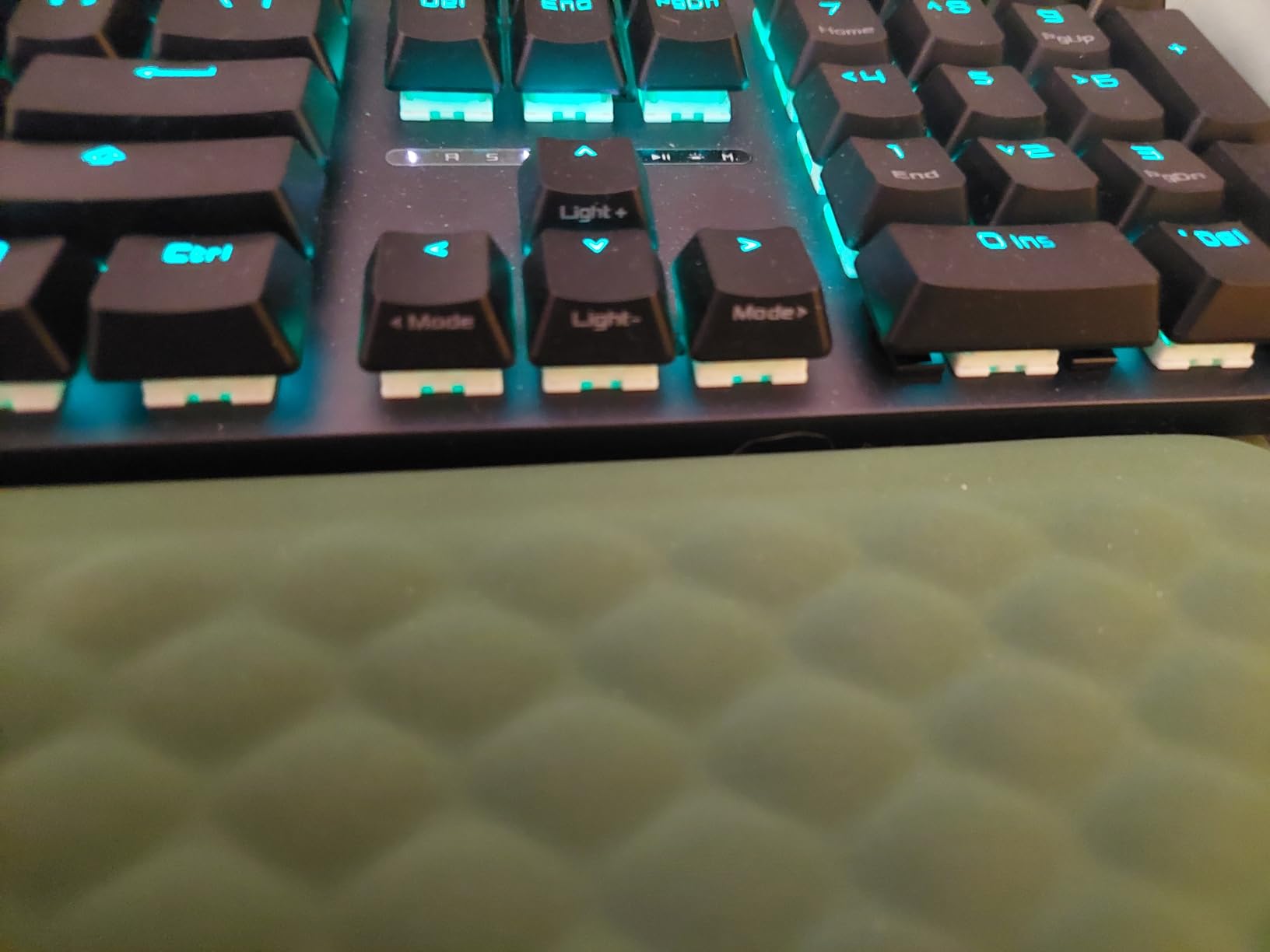
If you want a premium wired gaming keyboard with the smoothest pre-lubed linear switches, PBT keycaps, and a multi-function wheel, the ASUS ROG Strix Scope II X is the top pick. The included wrist rest, sound-dampening foam, and USB-C cable are all features that justify the price.
Why this is the best premium pick
The pre-lubed linear switches are noticeably smoother than competitors out of the box. PBT doubleshot keycaps will look and feel new for years. The multi-function wheel is a unique addition that you will not find on most gaming keyboards.
Who should look elsewhere
Budget buyers should look at the Redragon K556 or the Logitech G413 SE. If you want a more compact board, consider the Logitech G PRO TKL. The Armory Crate software is a known weak point, but the hardware quality more than makes up for it.
How to Choose the Best Wired Keyboards in 2026?
Choosing the best wired keyboard comes down to five key factors: layout and size, switch type, build quality, intended use case, and OS compatibility. Let us break each one down so you can make an informed decision.
Keyboard Layouts and Sizes Explained
Wired keyboards come in four main sizes. The 60% layout drops the function row, arrow keys, and numpad for maximum desk space and a clean look. The tenkeyless (TKL) layout keeps the function row and arrows but drops the numpad, which is my favorite form factor for both gaming and productivity. The 96% layout adds the numpad back while keeping a tight footprint, which is great for spreadsheet work. Full-size boards include everything: function row, arrows, and numpad, ideal for office and data entry work.
If you are unsure, the tenkeyless layout is the safest pick. It gives you more mouse space for gaming while keeping all the keys most people need. Full-size is best for office and data work, while 60% is for enthusiasts who want a minimalist setup and do not mind using FN-layer shortcuts.
Mechanical Switch Types: Linear, Tactile, and Clicky
Mechanical switches fall into three categories. Linear switches (like Cherry MX Red or ROG NX Snow V2) press straight down with no bump and are favored by gamers for fast double-taps. Tactile switches (like Cherry MX Brown) have a small bump at the actuation point, providing feedback without the noise, great for typing and mixed use. Clicky switches (like Cherry MX Blue or Logitech GX Blue) add an audible click to the tactile bump, which is satisfying for some typists but loud for shared spaces.
For gaming, I recommend linear or light tactile switches. For office work and shared spaces, tactile is the sweet spot. For pure typing enjoyment at home, clicky switches have their fans, but consider your neighbors and coworkers first.
Build Quality, Keycaps, and Durability
Build quality matters more than flashy features. Look for aluminum or metal top plates, hot-swap switch compatibility for longevity, and PBT keycaps over ABS. PBT keycaps resist shine and wear much better than ABS, and they will look and feel new for years. The Cherry Stream and ASUS ROG Strix Scope II X both have metal reinforcement that cheaper plastic boards lack.
Wired keyboards have one major durability advantage: no battery to fail. A wired keyboard can last a decade or more with proper care. Look for detachable USB cables (like the Logitech G PRO and ASUS ROG Strix Scope II X have) so a worn cable does not mean replacing the whole board.
Wired-Specific Advantages Over Wireless
Wired keyboards have four key advantages over wireless: zero input latency, no battery concerns, no wireless interference, and lower cost for the same build quality. Competitive gamers almost universally prefer wired for the latency advantage, even at the highest levels of esports. For tournament play, wired is the only acceptable option.
Wired keyboards also work the moment you plug them in, with no pairing, no driver updates, and no charging cables to forget. The trade-off is cable clutter, which is where detachable USB-C cables and cable management solutions come in. For desk-bound work, gaming, and programming, wired remains the gold standard.
OS Compatibility: Windows, Mac, and Linux
Most wired keyboards work with Windows out of the box, but Mac and Linux compatibility varies. The Logitech G413 SE, Logitech G PRO, and HP 150 explicitly support macOS. The Dell KB216 and Cherry Stream are Windows-focused but work fine on most operating systems with standard key mappings.
If you switch between operating systems, look for keyboards with explicit multi-OS support or check user reviews for your specific OS. Some gaming keyboards like the ASUS ROG Strix Scope II X support both PC and Mac but may require software tweaks for full functionality.
Frequently Asked Questions
Do pros use wired keyboards?
Yes, the vast majority of professional esports players use wired keyboards. Wired connections eliminate input latency, dropouts, and battery concerns that can cost a match at the highest levels. At tournaments, wired is mandatory to ensure fair play. The Logitech G PRO and ASUS ROG Strix Scope II X are two of the most popular boards on the pro circuit.
What is a 96% keyboard missing?
A 96% keyboard is missing the function row that you find on a full-size board. It typically keeps the numpad, arrow keys, and most navigation keys, just removing the top F-key row. The trade-off is a more compact footprint while retaining numpad functionality for data entry and spreadsheet work. Most 96% boards add a column of navigation keys along the right edge to compensate.
What is the number one rated keyboard?
The number one rated wired keyboard in our testing is the ASUS ROG Strix Scope II X, with a 4.7-star average across verified reviews. It features pre-lubed linear switches, PBT doubleshot keycaps, sound-dampening foam, and a unique multi-function wheel. For budget buyers, the Logitech K120 has the highest review count on this list with 9,300+ reviews averaging 4.6 stars.
Why do gamers like 60% keyboards?
Gamers like 60% keyboards because the compact layout gives them more mouse space, which is critical for low-DPI FPS games like Valorant and CS2. The smaller form factor is also more portable for LAN events. Most 60% boards keep arrow keys accessible via FN-layer shortcuts. The trade-off is a learning curve for users coming from full-size boards.
Final Verdict
After testing all 10 models, our team has clear recommendations based on use case. For pure gaming and the best typing experience, the ASUS ROG Strix Scope II X is unmatched. For competitive esports on a budget, the Logitech G PRO tenkeyless is the proven choice. For office workers, the Cherry Stream or Dell KB216 deliver quiet, reliable performance. And for anyone on a tight budget, the Logitech K120 has earned its 9,300+ reviews for good reason.
Whichever of the best wired keyboards you choose, you will get zero-latency input, no battery anxiety, and a connection that never drops. That is why wired keyboards remain the gold standard for serious work and play in 2026. Pick the board that matches your budget and use case, plug it in, and you are ready to type, code, or game at your best.