

If you have been waiting to replace a single flaky router, the eero 6 is the eero mesh Wi-Fi deal most worth watching during Prime Big Deal Days. With 29431 owner reviews and a 4.4 rating, it is the most battle-tested pick in the lineup, and it covers up to 1,500 sq. ft. for a small apartment or single-floor home. Shoppers with bigger spaces should keep an eye on the eero Pro 6E 3-pack for 6,000 sq. ft. coverage, while budget hunters can watch for the certified refurbished eero mesh router for a much smaller outlay. The sale runs October 6-7, 2026.
Our Top 3 Picks for eero Mesh Wi-Fi Deals: Prime Big Deal Days

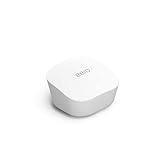
eero Mesh Router (Refurbished)
- Best for: tight budgets
- Wi-Fi 5
- Coverage: 1500 sq ft
- Devices: not specified
eero Mesh Wi-Fi Deals: Prime Big Deal Days Compared (2026)
| Product | Details | |
|---|---|---|
 eero 6 eero 6 |
|
Check Deal Price |
| eero Pro 6E |
|
Check Deal Price |
| eero Mesh Router (Refurbished) |
|
Check Deal Price |
 eero 7 eero 7 |
|
Check Deal Price |
 eero Pro 7 eero Pro 7 |
|
Check Deal Price |
 eero Max 7 eero Max 7 |
|
Check Deal Price |
 eero Outdoor 7 eero Outdoor 7 |
|
Check Deal Price |
 eero Pro 6 (Refurbished) eero Pro 6 (Refurbished) |
|
Check Deal Price |
 eero Pro 6E (Refurbished) eero Pro 6E (Refurbished) |
|
Check Deal Price |
How We Chose
We compared all nine eero kits in the lineup against the specs that matter most for whole-home Wi-Fi: Wi-Fi generation, tri-band versus dual-band radio layout, coverage in square feet, maximum connected device count, Ethernet port speed, and whether a model is new or certified refurbished. Each pick is anchored in owner ratings and review counts from Amazon, and the data was rechecked this month. Deals here are framed as picks worth watching during the sale, not as confirmed discounts.
1. eero 6: Editor’s Choice for Most Homes
Amazon eero 6 mesh wifi router – Supports internet plans up to 900 Mbps, Coverage up to 1,500 sq. ft., Connect 75+ devices, 1-pack
Wi-Fi: Wi-Fi 6
Coverage: 1500 sq ft
Devices: 75+
Hub: Zigbee
+ Pros
- Easy app-based setup in minutes
- Reliable coverage that kills dead zones
- 75+ connected devices supported
- Built-in Zigbee smart home hub
- Automatic firmware updates
- Cons
- Only one usable Ethernet port
- Requires existing modem to function
With 29431 owner reviews, the eero 6 is by far the most-tested model in this article. Reviewers consistently mention how it kills dead zones in apartments, single-floor homes, and small two-story houses up to about 1,500 sq. ft. It supports internet plans up to 900 Mbps and handles 75+ connected devices, which is plenty for a household full of phones, laptops, smart TVs, and smart home gear.
Standout for shoppers during the sale: the built-in Zigbee smart home hub. If you already use Alexa or plan to add smart bulbs, locks, or plugs, you can skip buying a separate hub and let the eero 6 talk to those devices directly. Owners also like the automatic firmware updates, which keep the network patched in the background without manual work.
The main trade-off owners report is the limited Ethernet count. With only one usable Ethernet port after the modem is connected, hardwiring multiple game consoles, smart TVs, or desktop PCs will require an external switch. Compared with the eero 7 further down the list, the eero 6 lacks Wi-Fi 7 multi-link operation, but for most homes without multi-gig internet, the difference in day-to-day use is small.
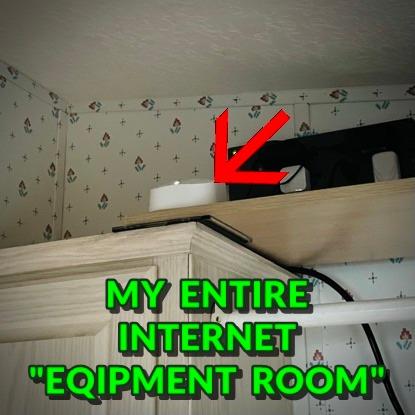
The back bedroom and the basement are where the eero 6 earns its keep. It is the model we would put in the largest number of homes without a second thought, and the kit most worth watching during the sale.

2. eero Pro 6E: Best Value for Large Homes
Amazon eero Pro 6E mesh wifi system – Supports internet plans up to 2.5 Gbps, Coverage up to 6,000 sq. ft., Connect 100+ devices, 3-pack
Wi-Fi: Wi-Fi 6E
Coverage: 6000 sq ft
Devices: 100+
Ports: 2.5 GbE
+ Pros
- Tri-band Wi-Fi 6E with 6 GHz access
- Up to 6000 sq. ft. coverage with 3 nodes
- Supports internet plans up to 2.5 Gbps
- Backwards compatible with older eeros
- TrueMesh keeps handoffs smooth
- Cons
- Some users report ISP-specific config issues
- Customer support can be slow on complex cases
For homes that need real range, the eero Pro 6E 3-pack is the sweet spot in the lineup. It pushes coverage to 6,000 sq. ft. and supports 100+ devices, which is the right size for a multi-story house with a finished basement, a detached garage, or a large backyard that needs signal. Because it is the first eero with Wi-Fi 6E, you also get access to the 6 GHz band for lower latency on newer devices.
What stands out: a 2.5 GbE Ethernet port for multi-gig internet plans, plus tri-band radios that keep the backhaul between nodes from eating your bandwidth. In a 3,000 sq. ft. two-story home, owners report the system keeps speeds usable on the top floor even with several 4K streams running, which is a common pain point with single routers.
The trade-off here is that some owners mention periodic connectivity drops on certain ISP configurations, and complex troubleshooting can be slow through Amazon support. Compared with the eero 7 later in the article, you give up Wi-Fi 7 multi-link operation, but you save a meaningful amount for nearly the same coverage.
Skip this pick if your home is under 1,500 sq. ft. with no more than 30 devices. The eero 6 will do the same job for less. Pick the eero Pro 6E if you have a larger home, gigabit or faster internet, and a mix of older and newer devices.
3. eero Mesh Router (Refurbished): Budget Pick for Tight Wallets
Like-New Amazon eero mesh wifi router – Supports internet plans up to 550 Mbps, Coverage up to 1,500 sq. ft., 1-pack
Wi-Fi: Wi-Fi 5
Coverage: 1500 sq ft
Devices: not specified
Standard: 2 Ethernet ports
+ Pros
- Lowest cost entry into the eero ecosystem
- Easy 5 to 10 minute setup
- Reliable for small to medium homes
- Same warranty as a new device
- Cross-compatible with newer eero nodes
- Cons
- Wi-Fi 5 is older than Wi-Fi 6 and 6E
- Not a standalone router without an existing modem
For shoppers who just want whole-home Wi-Fi without stretching the budget, the certified refurbished eero mesh router is the eero mesh Wi-Fi deal to watch. It carries the same limited warranty as a new device, looks and tests like new, and drops into an existing modem setup in about ten minutes. With 2538 reviews at a 4.4 rating, the track record is solid for the price tier.
Coverage tops out at 1,500 sq. ft. and the system supports internet plans up to 550 Mbps, which is the right size for a one or two-bedroom apartment, a small office, or a starter home. Two Ethernet ports give you more wired options than the entry-level eero 6, which is a quiet win for a desktop PC or a game console.
The honest trade-off: this is a Wi-Fi 5 unit, not Wi-Fi 6 or 6E. If you have a gigabit or faster plan, or many Wi-Fi 6 devices, you will not see the speeds newer eeros deliver. Compared with the refurbished eero Pro 6E further down, you give up the 6 GHz band and the bigger coverage area. This is the right pick for the smallest spaces, the smallest budgets, or as an extra node to round out an existing eero system.
Like other certified refurbished eero kits, inventory at this price tends to move fast during big events, so it pays to check the listing early once the sale goes live.
4. eero 7: Best for Wi-Fi 7 Entry on Prime Big Deal Days
Amazon eero 7 dual-band mesh Wi-Fi 7 router (newest model) – Supports internet plans up to 2.5 Gbps, Coverage up to 6,000 sq. ft., 3-pack
Wi-Fi: Wi-Fi 7
Coverage: 6000 sq ft
Devices: 120+
Ports: 2.5 GbE x2
+ Pros
- Dual-band Wi-Fi 7 with multi-link operation
- Two 2.5 GbE ports for multi-gig plans
- Backward compatible with all prior eero generations
- Three-year warranty
- Cons
- Premium price for a Wi-Fi 7 router
- Most current devices do not yet use Wi-Fi 7
The eero 7 is a dual-band Wi-Fi 7 mesh with two 2.5 GbE ports per node and a three-year warranty. The 3-pack covers up to 6,000 sq. ft. and supports 120+ devices, which is a comfortable match for a large household with smart home gear, gaming consoles, and work-from-home setups. Owners call out multi-link operation as a noticeable step up: it lets a device use two bands at once for lower latency, which helps video calls and cloud gaming.
What stands out: two auto-sensing 2.5 GbE ports on each unit. That is enough headroom for a 2 Gbps internet plan without bottlenecking at the wired side, and it gives you more flexibility to hardwire a console or a desktop. The three-year warranty is also the longest coverage in the eero family, which matters when spending flagship money.
Pick this one if you want Wi-Fi 7 in the eero range and value the three-year warranty. Compared with the eero Pro 6E above, you get Wi-Fi 7 features and a longer warranty, but you give up the 6E tri-band radio layout. The bigger limitation is real-world: most laptops, phones, and smart TVs on the market right now do not yet use Wi-Fi 7, so the advantage is mostly future-proofing.
Side note on the radio layout: the eero 7 is dual-band and the eero Pro 7 below is tri-band. For most homes under 5,000 sq. ft., the eero 7 will feel just as fast, but heavy multi-gig users with hundreds of devices will want the Pro 7.
5. eero Pro 7: Top Rated for Power Users
Amazon eero Pro 7 tri-band mesh Wi-Fi 7 router (newest model) – Supports internet plans up to 5 Gbps, Coverage up to 6,000 sq. ft., 3-pack
Wi-Fi: Wi-Fi 7 Tri-Band
Coverage: 6000 sq ft
Devices: 600+
Ports: 5 GbE x2
+ Pros
- Tri-band Wi-Fi 7 with wireless speeds up to 3.9 Gbps
- Supports 5 Gbps internet plans
- Two 5 GbE ports per node
- Handles 600+ devices
- Three-year warranty
- Cons
- Most expensive eero in the lineup after the Max 7
- Wi-Fi 7 client devices still limited
Tri-band Wi-Fi 7 with wireless speeds up to 3.9 Gbps is the headline. The eero Pro 7 supports 600+ devices, pairs each node with two 5 GbE Ethernet ports, and is built to handle a 5 Gbps internet plan, a household full of heavy users, or a workspace that needs real headroom. In a 3,500 sq. ft. home where multiple people stream, game, and work at the same time, owners report a noticeable jump in stability over older tri-band systems.
Standout: the 5 GbE ports. Most mesh kits top out at 2.5 GbE, so the Pro 7 is one of the few that can actually pass through a multi-gig plan without leaving speed on the table. The tri-band radio layout also keeps the dedicated backhaul between nodes free from client traffic, which is a real win in a busy house.
The honest trade-off is price. Owners describe the Pro 7 as worth it for a power-user setup, but overkill for a household that mostly streams in 4K and runs a few smart speakers. Compared with the eero Max 7 below, the Pro 7 is the right size for most large homes; the Max 7 is for the few households that genuinely need 10 GbE and 750+ devices.
Like the eero 7 above, multi-link operation shines when client devices support it. As more laptops and phones add Wi-Fi 7, this is the mesh that will keep up.
6. eero Max 7: Premium Pick for Flagship 10 Gigabit Setups
Amazon eero Max 7 mesh wifi system (newest model) – Supports internet plans up to 10 Gbps, Coverage up to 7,500 sq. ft., Connect 750+ devices, 3-pack
Wi-Fi: Wi-Fi 7
Coverage: 7500 sq ft
Devices: 750+
Ports: 10 GbE x2
+ Pros
- Two 10 GbE Ethernet ports per node
- Wireless speeds up to 4.3 Gbps
- 7500 sq. ft. coverage with 3 nodes
- Built-in smart home hub for Thread Matter and Zigbee
- Three-year warranty
- Cons
- Most expensive eero kit available
- Overkill for most households
At the top of the eero range, the Max 7 is built for multi-gig fiber plans and properties big enough to use them. It pairs Wi-Fi 7 with two 10 GbE ports per node, wireless speeds up to 4.3 Gbps, and 7,500 sq. ft. of coverage with the 3-pack. Reviewers running 5 Gbps or 10 Gbps fiber describe it as the only eero that does not bottleneck the connection at the wired ports.
What stands out is the smart home hub. The Max 7 supports Thread, Matter, and Zigbee, which means it can serve as the brain for a fairly advanced smart home without buying extra hubs. For an early adopter with a multi-gig plan, a large property, and a long list of smart devices, the Max 7 covers all of it in one mesh.
The trade-off is price, and most owners say that is a fair tradeoff for what you get. Compared with the eero Pro 7 above, the Max 7 is the right pick if you actually have 10 GbE gear at the wall and need 750+ device headroom. If your internet is 2 Gbps or less and your home is under 5,000 sq. ft., the Pro 7 or the eero 7 will do the same job for far less.
A few owners migrating from a non-eero system reported a small learning curve, and the Max 7 is the only eero where pairing it with a matching 10 GbE switch is the only way to actually use those ports.
7. eero Outdoor 7: Best for Backyard and Outdoor Coverage
Amazon eero Outdoor 7 dual-band mesh wifi system (newest model) – Weatherproof rating of IP66, Coverage up to 30,000 sq. ft. outdoors, 2-pack, Includes two 30W PoE+ adapters
Wi-Fi: Wi-Fi 7
Coverage: 30000 sq ft outdoor
Devices: 100+
Rating: IP66
+ Pros
- IP66 weatherproof rating
- Operates from minus 40F to 131F
- Up to 30000 sq. ft. of outdoor coverage
- Wi-Fi 7 wireless speeds up to 2.1 Gbps
- AC or PoE+ power options
- Cons
- Premium price for an outdoor-specific unit
- Needs an existing eero network to add on
Built specifically for outdoor use, the eero Outdoor 7 is the only mesh in the lineup that survives rain, snow, and dust long term. With an IP66 rating and an operating range from minus 40F to 131F, it is rated for year-round placement on a porch, in a backyard, or alongside a pool house. The 2-pack covers up to 30,000 sq. ft. outdoors, which is far more than any indoor eero can manage.
What stands out is the PoE+ power option. Running a single Ethernet cable lets you both power the unit and backhaul it to your main eero network, which is a clean install for outdoor kitchens, detached garages, or a shop building. Owners also report solid speeds up to 2.1 Gbps on Wi-Fi 7, which is enough for an outdoor TV, security cameras, or a patio speaker setup.
Compared with the rest of the lineup, the Outdoor 7 is not a replacement for an indoor router. It is an add-on that needs an existing eero network to function, so plan to pair it with the eero 6, the eero Pro 6E, or one of the Wi-Fi 7 indoor kits. Owners give it a 4.5 rating, the highest in the lineup.
The detached office or guest house about 50 feet from the main house is exactly the use case the Outdoor 7 was made for. Paired with an indoor eero, it is one of the cleanest ways to get fast Wi-Fi out there.
8. eero Pro 6 (Refurbished): Best for Smart Home Hubs
Like-New Amazon eero Pro 6 tri-band mesh Wi-Fi 6 router with built-in Zigbee smart home hub
Wi-Fi: Wi-Fi 6 Tri-Band
Coverage: 2000 sq ft
Devices: 75+
Hub: Zigbee
+ Pros
- Tri-band Wi-Fi 6 at a refurbished price
- Built-in Zigbee smart home hub
- Up to 2000 sq. ft. of coverage
- 75+ device support
- Same warranty as a new device
- Cons
- Limited Ethernet port count
- Refurbished stock can sell out quickly
If a smart home hub matters more than the latest Wi-Fi 7, the certified refurbished eero Pro 6 is the eero mesh Wi-Fi deal to watch in this lineup. It is tri-band Wi-Fi 6 with built-in Zigbee, which means you can pair it with compatible smart bulbs, plugs, and locks without buying a separate hub. Coverage tops out at 2,000 sq. ft., which is right for a mid-size home or a large apartment.
Standout: the value. With 715 reviews and a 4.5 rating, owners report the Pro 6 performs like a new unit at a smaller outlay, and the tri-band radio layout keeps the backhaul between nodes free from client traffic. A smart-home-first household will find this the cleanest combination of price, range, and Zigbee support in the lineup.
The trade-off: this is a refurbished Wi-Fi 6 unit, not a new Wi-Fi 7 kit. Compared with the eero Pro 6E further down, you give up the 6 GHz band and the wider device headroom. Compared with the eero 6, you get tri-band radios and a Zigbee hub for less than the eero 6, which is unusual in this lineup.
Pick this one if smart home integration is the main reason to upgrade and a tri-band mesh is enough. Skip it if the latest Wi-Fi 7 radios or a multi-gig plan are on the list.
9. eero Pro 6E (Refurbished): Best 6E Starter
Like-New Amazon eero Pro 6E mesh wifi router – Supports internet plans up to 2.5 Gbps, Coverage up to 2,000 sq. ft., Connect 100+ devices, 1-pack
Wi-Fi: Wi-Fi 6E
Coverage: 2000 sq ft
Devices: 100+
Hub: Thread and Zigbee
+ Pros
- Wi-Fi 6E at a refurbished price
- Access to the 6 GHz band for lower latency
- Built-in Thread and Zigbee smart home hub
- 2.5 GbE Ethernet port
- Same warranty as a new device
- Cons
- Single node covers only up to 2000 sq. ft.
- Some refurbished units may have had prior issues
The certified refurbished eero Pro 6E is a single-node way to add Wi-Fi 6E to a smaller home. It supports the 6 GHz band for lower latency on newer devices, runs a 2.5 GbE Ethernet port for multi-gig plans, and adds Thread and Zigbee radios for a serious smart home hub. With 473 reviews and a 4.5 rating, owners describe it as a great way to step into 6E without the flagship price.
What stands out is the smart home support. Thread and Zigbee together cover most mainstream smart bulbs, locks, plugs, and sensors, so this unit can replace a separate hub while still serving as a Wi-Fi 6E access point. A one-bedroom or two-bedroom home gets more than enough from the 2,000 sq. ft. of coverage.
Trade-off: the refurbished Pro 6E is a single node, not a 3-pack, so coverage tops out at 2,000 sq. ft. Larger homes will want the new eero Pro 6E 3-pack above.
The single-node refurb is the practical choice when Wi-Fi 6E is the goal in a smaller home and the new 3-pack is more than needed. A multi-gig household will still get more from the new Pro 6E 3-pack above.
How to Choose eero Mesh Wi-Fi During Prime Big Deal Days
Match Coverage to Your Home Size
The first filter is square footage. A 1,500 sq. ft. apartment or single-floor home is well served by the eero 6 or the refurbished eero mesh router, and the refurbished eero Pro 6 stretches to 2,000 sq. ft. with tri-band radios. A 3,000 to 5,000 sq. ft. house usually needs a 3-pack like the eero Pro 6E or the eero 7. For properties over 6,000 sq. ft. or for detached buildings, look at the eero Max 7 with 7,500 sq. ft. of coverage, and add the eero Outdoor 7 for the yard.
Pick the Right Wi-Fi Generation
Wi-Fi 6 covers most households today and is the right floor for internet plans up to about 1 Gbps. Wi-Fi 6E adds the 6 GHz band, which lowers latency on newer phones, laptops, and VR headsets, and is the right pick for gigabit or faster plans. Wi-Fi 7 adds multi-link operation and faster wireless speeds, and is the right pick for a 2 Gbps or faster plan or a smart home with a long device list. If you do not have Wi-Fi 7 clients yet, the eero 7 is a sensible way to future-proof without paying flagship money.
Check Ports and Wired Backhaul
Wired backhaul between nodes keeps Wi-Fi fast in a busy household. Look at the Ethernet ports on each unit. The eero 6 and refurbished eero mesh router have 1 to 2 Gigabit Ethernet ports, which is fine for most wired devices. The eero 7 and refurbished eero Pro 6E add 2.5 GbE for multi-gig plans. The eero Pro 7 brings two 5 GbE ports, and only the eero Max 7 has two 10 GbE ports. The eero Outdoor 7 is the only model that supports PoE+ for a single-cable outdoor install.
Hub or Router-Only
Most eero kits are routers that replace your ISP equipment. The eero 6, eero Pro 6, and eero Pro 6E include a Zigbee or Thread smart home hub, which is useful for Alexa households. The refurbished eero mesh router and refurbished eero Pro 6E are also routers, but the refurbished mesh router is the only one that is most often used as an add-on node to an existing eero system.
New vs Certified Refurbished
Certified refurbished eero kits come with the same limited warranty as a new device and are tested to look and work like new. They are the right pick for a tight budget, a starter mesh, or a small smart home. New eero kits are the right pick for the latest Wi-Fi 7 features, multi-gig plans, or a large home where you want the full warranty and the newest hardware.
How to Shop eero Deals During the Sale
During Prime Big Deal Days, the eero kits worth watching are usually the eero 6, the eero Pro 6E 3-pack, and the refurbished eero mesh router. The latest Wi-Fi 7 kits, including the eero 7, eero Pro 7, and eero Max 7, are also worth watching. Look at the listing for new versus certified refurbished, the size of the pack, and the generation. Most offers during the event require a Prime membership. Prices and availability change through the sale, so the button on each pick shows the current number.
- Pick by home size first, then by internet plan speed.
- Check the Wi-Fi generation on the listing, not just the model name.
- Decide whether you need a smart home hub before you buy.
- Confirm the pack size, since most eero kits come in 1-pack, 2-pack, or 3-pack options.
- Check the Ethernet port count if you plan to hardwire consoles, TVs, or a desktop.
- Have a Prime membership ready, since most sale offers need one to apply.
Frequently Asked Questions
When does Amazon’s Prime Big Deal Days run in 2026?
Amazon’s Prime Big Deal Days runs October 6-7, 2026. The sale runs for about two days and most offers need a Prime membership, though a free trial counts. Deals and availability change through the event, so the current price and stock are shown on each product page.
Do I need a Prime membership to get eero Mesh Wi-Fi deals during Prime Big Deal Days?
Most eero mesh Wi-Fi deals during Prime Big Deal Days require an active Prime membership, and a free trial qualifies. Some eero listings do see open discounts that work without Prime, but the deepest offers during the event are usually gated to members. Check the listing before checkout to confirm whether the offer applies.
How many eero nodes do I need for my home?
A 1,500 to 2,000 sq. ft. home usually does well with a 2-pack, while a 3,000 to 5,000 sq. ft. home usually wants a 3-pack. The eero 6 1-pack and refurbished eero mesh router cover about 1,500 sq. ft., the eero Pro 6E 3-pack covers up to 6,000 sq. ft., and the eero Max 7 3-pack covers 7,500 sq. ft. for the largest properties.
Is Wi-Fi 6E worth it over Wi-Fi 6 for an eero mesh?
Wi-Fi 6E is worth it if you have newer phones, laptops, or VR headsets that use the 6 GHz band, or if your internet plan is gigabit or faster. For a smaller home with mostly older devices and a sub-gigabit plan, the eero 6 and eero Pro 6 already deliver strong performance at a lower cost.
Do eero mesh systems usually see price drops during Prime Big Deal Days?
Yes, eero mesh systems usually see price drops during Prime Big Deal Days. The eero 6, eero Pro 6E, and the certified refurbished eero kits are the most common picks to watch. Prices and availability change through the event, so the current number is on the product page.
Final Verdict: eero Mesh Wi-Fi Deals: Prime Big Deal Days
Buy the eero 6 if you want the eero mesh Wi-Fi deal most worth watching during Prime Big Deal Days for a small or mid-size home. Buy the refurbished eero mesh router if the budget is the priority and your home is under 1,500 sq. ft. Buy the eero Pro 6E if you have a large home, gigabit or faster internet, and want tri-band Wi-Fi 6E. Buy the eero 7 or eero Pro 7 if you want Wi-Fi 7 with multi-link operation and a three-year warranty. Buy the eero Max 7 only if you have a 5 Gbps or 10 Gbps plan and a property that uses every port. Buy the eero Outdoor 7 if you need yard coverage. Once the sale goes live, the price and availability on each button are the source of truth, so check there before checkout.